Sorry, there were no results found for “”
Sorry, there were no results found for “”
Sorry, there were no results found for “”
You’ve done the work, built the case, and your product is the obvious fit.
Yet your prospect’s head turns the second they see a competitor that’s a couple of bucks cheaper. It’s the kind of moment that deserves its own meme (and honestly, it has one).
Battle cards are the quick-win answer here.
With the right battle card template, your team has a ready-made playbook to handle objections, call out differentiators, and steer conversations back on track without fumbling for the right words in the moment.
In this blog post, we’ll share free battle card templates from ClickUp, the first Converged AI Workspace for sales, to keep your deals from slipping away.
Here’s a summary table of the best battle card templates:
| Template Name | Download Template | Best Features | Ideal For | Visual Format |
| ClickUp Sales Pipeline Template | Get free template | Pipeline stages, urgency markers, payment tracking | Sales teams tracking deals and competitive moments | ClickUp List, Board |
| ClickUp CRM Template | Get free template | Battle card questions, deal health, role mapping | Sales orgs centralizing customer data and insights | ClickUp List, Board |
| ClickUp Account Management Template | Get free template | Engagement health, account details, value tracking | Managers overseeing client portfolios and retention | ClickUp List, Board |
| ClickUp Comparison Matrix Template | Get free template | Standardized attributes, visual scoring, custom fields | Decision-makers evaluating vendors/products | ClickUp List, Table |
| ClickUp Competitive Analysis Whiteboard Template | Get free template | Quadrant mapping, custom axes, legend, labels | Marketing, enablement, product teams | ClickUp Whiteboard |
| ClickUp Product Features Matrix Template | Get free template | Feature comparison, color coding, new model tracking | Product teams highlighting differentiators | ClickUp List, Table |
| ClickUp Software Comparison Template | Get free template | Visual previews, pain points, persona-specific views | Leaders assessing software solutions | ClickUp List, Table |
| Sales Battle Card Template by HubSpot | Download this template | Fast facts, strengths/weaknesses, news updates | Reps needing quick-reference competitor insights | Google Sheets |
| Sales Battle Card Template by Gong | Download this template | How We Win, landmine questions, social proof | Teams sharpening objection handling | |
| Sales Battlecard Template by Figma | Download this template | Win stories, customer questions, pricing/packaging | Sales pros surfacing differentiators | Figma Board |
| SaaS Sales Battle Card Template by SmartBug | Download this template | Sales traps, pricing comparisons, integration details | SaaS companies prepping reps for crowded markets | Google Slides |
A battle card template is a ready-made framework that helps sales teams organize competitive insights and talking points in one place.
Reps use sales battle cards to quickly pull the right information during a sales call. They cover topics such as competitor strengths and weaknesses, objection-handling tips, and your product’s differentiators.
🔍 Did You Know? The name ‘battle card’ isn’t for show. Military teams used quick-reference cards to size up enemies and plan responses. Sales team members later borrowed the format to outsmart competitors in boardrooms instead of battlefields.
A solid battle card template is sharp, practical, and built for speed. The best ones include:
Battle cards work best when they’re easy to create, update, and share. ClickUp for Sales Teams makes that possible.
With ClickUp templates, you can keep competitive comparisons in one place, ready to use whenever your team needs them. Reps can open them in seconds during a call, managers can update them as competitor details shift, and everyone stays aligned on how to handle objections and spotlight key differentiators.
Here are 11 free battle card templates you can plug right into your sales tech stack.
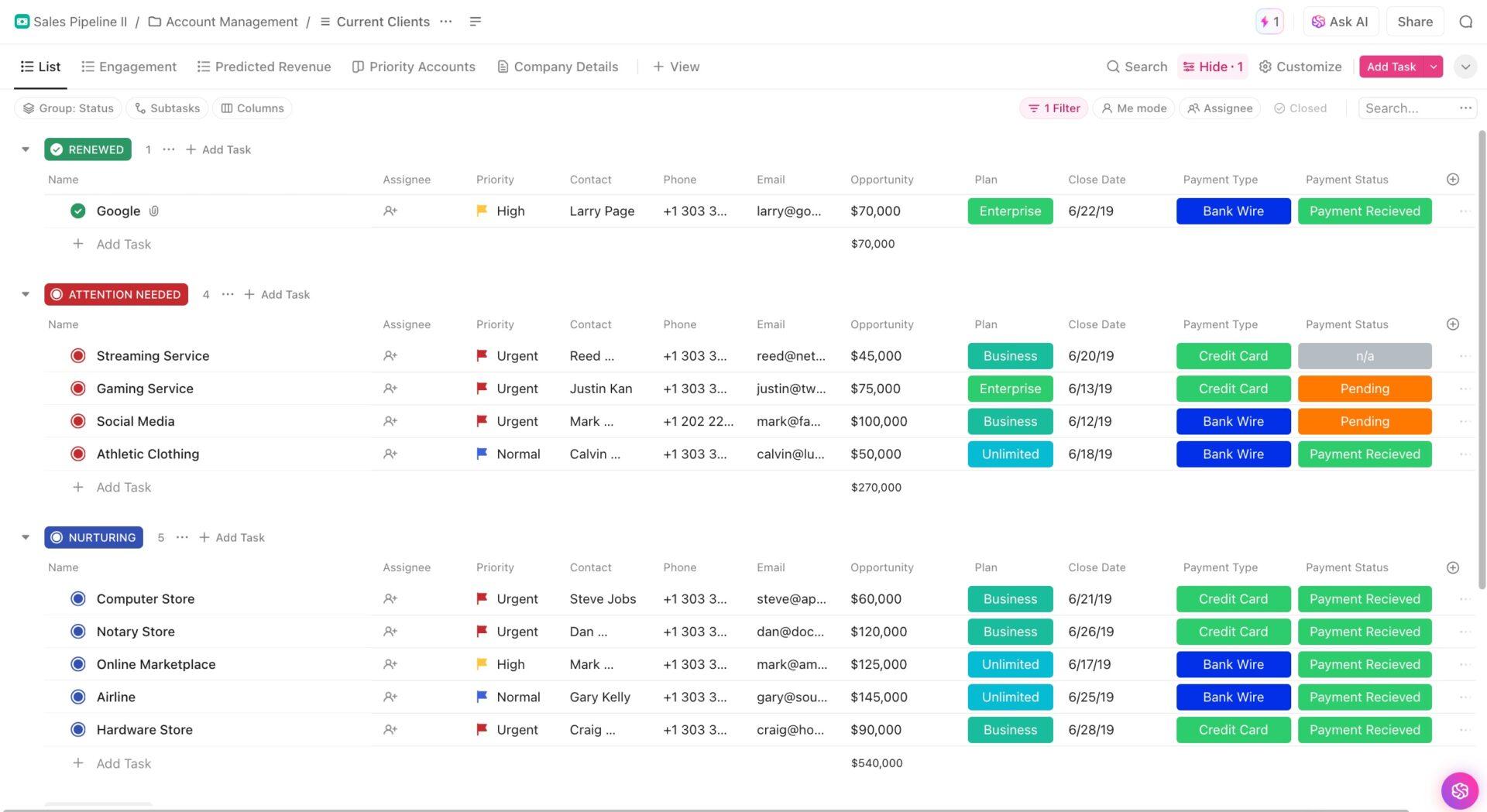
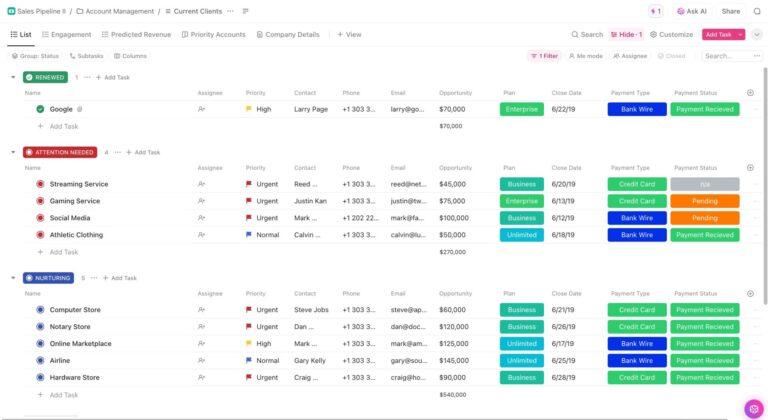
The ClickUp Sales Pipeline Template gives your team a clear, stage-by-stage view of client opportunities to compare, prioritize, and act decisively. Each row contains the essentials—contact details, opportunity value, plan type, close date, payment type, and payment status—so financial and competitive data stay in one place.
📌 Ideal for: Teams tracking deals through each stage of the funnel while surfacing the competitive moments where reps must act quickly to keep momentum.
🚀 The ClickUp Advantage: Sales teams often juggle competitor notes from calls, scattered reviews, and social chatter. ClickUp Brain condenses that relevant information into clear takeaways and surfaces the most relevant insights instantly.
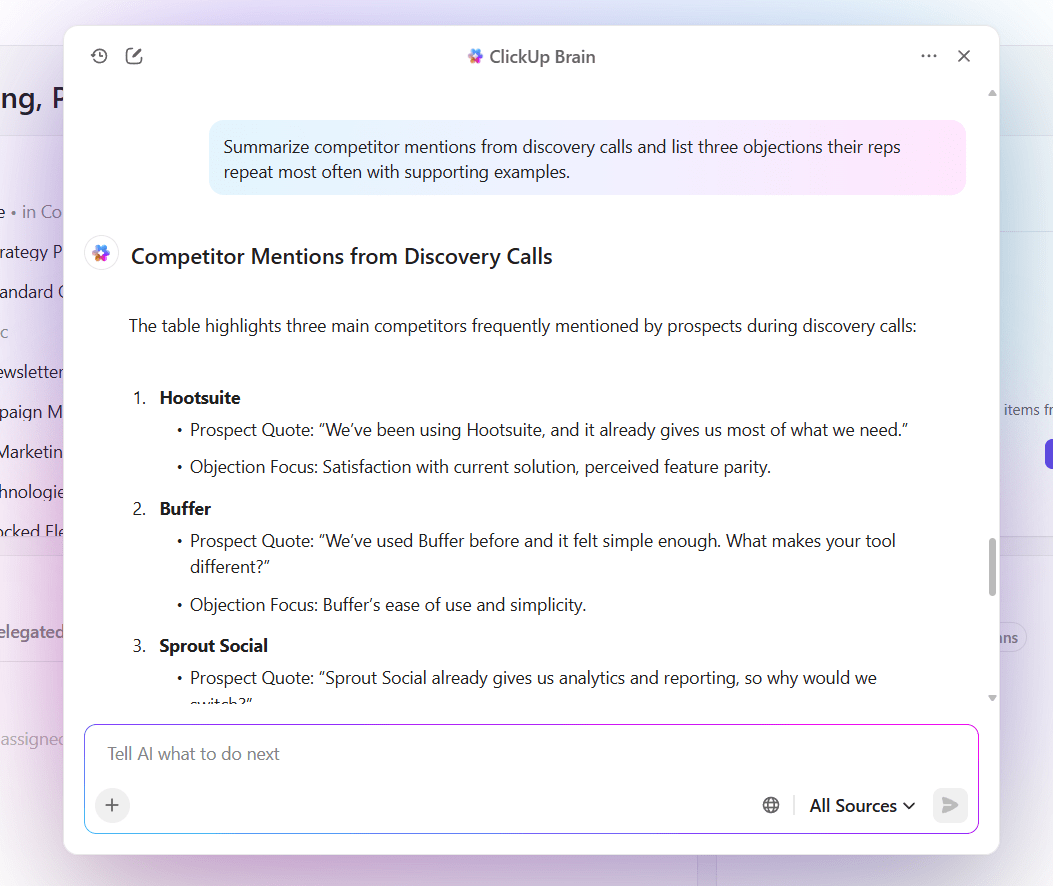
Within seconds, the AI competitor analysis tool produces a digestible summary that you can embed straight into your battle cards. When a rep opens the Doc during a live call, they see competitor objections, recommended counters, and supporting proof organized in one place.
📎 Try this prompt: Summarize competitor mentions from discovery calls and list three objections their reps repeat most often with supporting examples.
Learn more about using AI for sales here:
The ClickUp CRM Template offers a structured way to manage the entire customer lifecycle. Leads, deals, accounts, and contacts are all organized into clear stages, making it simple to see where each opportunity stands and who drives the decisions.
Every record includes critical details like contact info, deal value, probability, billing cycle, and account tier, so competitive and relationship insights are never scattered across sales productivity tools.
📌 Ideal for: Sales organizations centralizing customer interactions to create a single source of truth and prepare reps with tailored responses during high-stakes conversations.
📖 Also Read: Best Sales Enablement Platforms to Win Deals
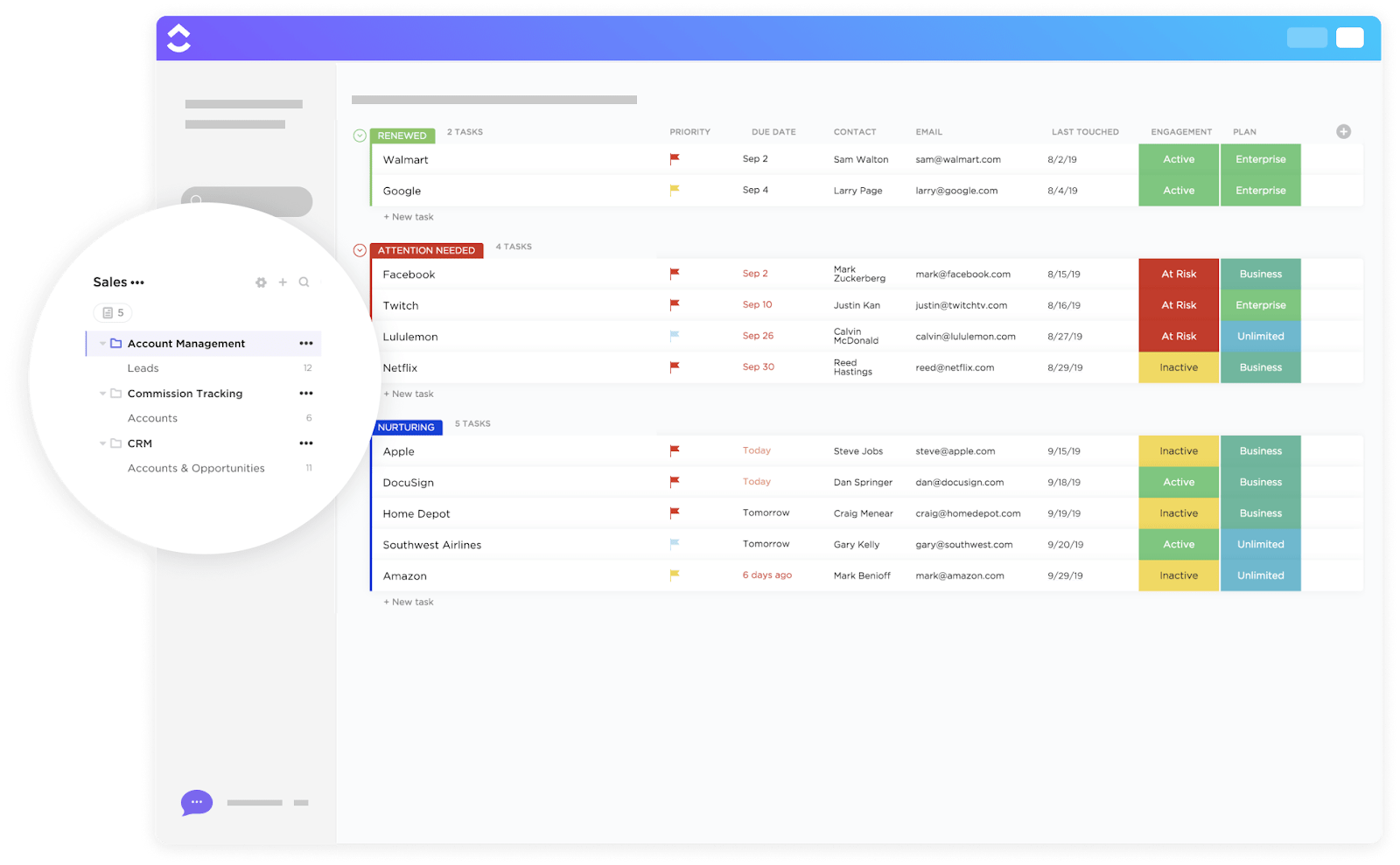
ClickUp’s Account Management Template lets you oversee client accounts and opportunities in one place. Accounts are organized into stages, such as Renewed, Attention Needed, and Nurturing, making it easy to separate secure clients from those at risk and those that require more engagement.
📌 Ideal for: Managers overseeing client portfolios who need to strengthen retention efforts, flag at-risk accounts, and counter competitive offers with speed.
A ClickUp user shares:
This switch to using ClickUp for all teams has provided a centralized hub for all of our teams + users to exist and be able to organize their own work while also keeping track of other team’s projects. The set of features and tools provided by ClickUp are great for CS, Sales and our Development team to efficiently and effectively manage our projects company-wide!
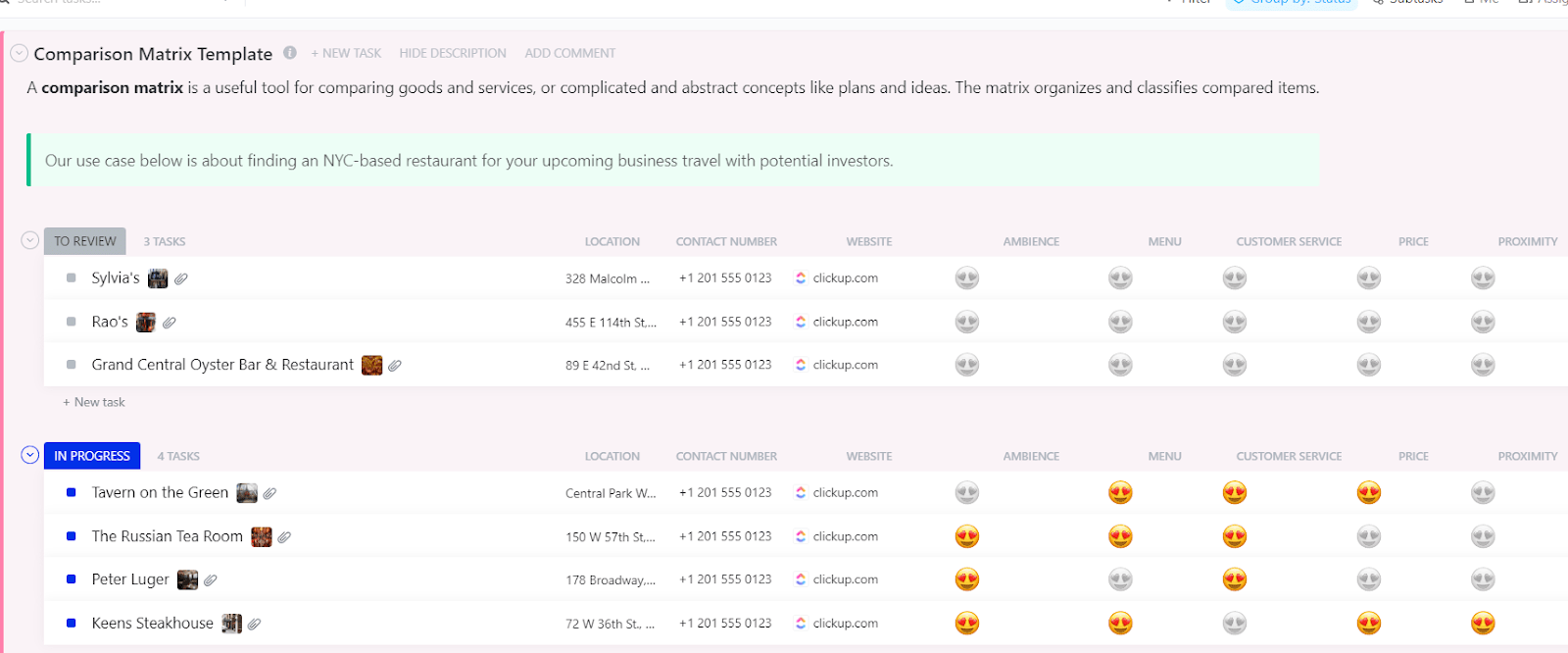
The ClickUp Comparison Matrix Template provides a structured way to compare multiple options side by side. Items are organized into stages, such as “To Review,” “In Progress,” “Accepted,” and “Not Accepted,” making it easy to narrow down choices and track evaluation progress.
Each entry includes location, contact number, website, and rating criteria such as ambiance, menu, customer service, price, and proximity, so comparisons stay consistent and easy to scan.
📌 Ideal for: Decision-makers evaluating multiple vendors or products and giving sales teams structured comparisons they can lean on in buyer discussions.
🧠 Fun Fact: Gartner found that sales reps ignore battle cards that are too long, high-tech, or abstract. They want concise, actionable cards. Battle cards that are short + clear make reps more confident when facing competitors.
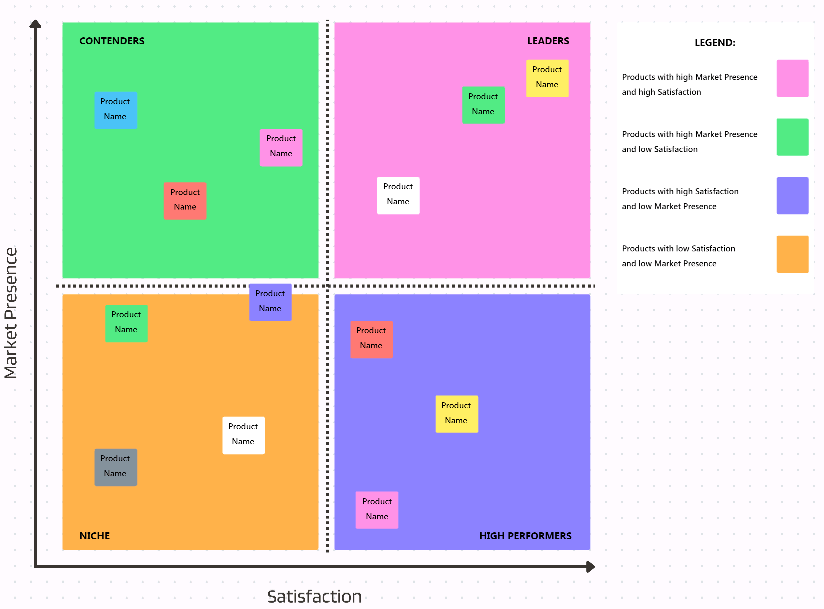
ClickUp’s Competitive Analysis Whiteboard Template evaluates competitors by mapping them across market presence and customer satisfaction. The quadrant layout separates companies into Leaders, Contenders, High Performers, and Niche players, making it easy to compare strengths and weaknesses at a glance.
Plus, the placement of each competitor is based on clear criteria, so you can position your own offering accurately in the competitive analysis template.
📌 Ideal for: Marketing and enablement leaders mapping out market players to equip reps with sharper positioning and ready-to-use talking points.
📮 ClickUp Insight: 32% of our blog readers still believe a full calendar equals productivity, and 21% equate long hours with commitment.
But cramming your day with meetings and tasks simply brings you one step closer to burnout.
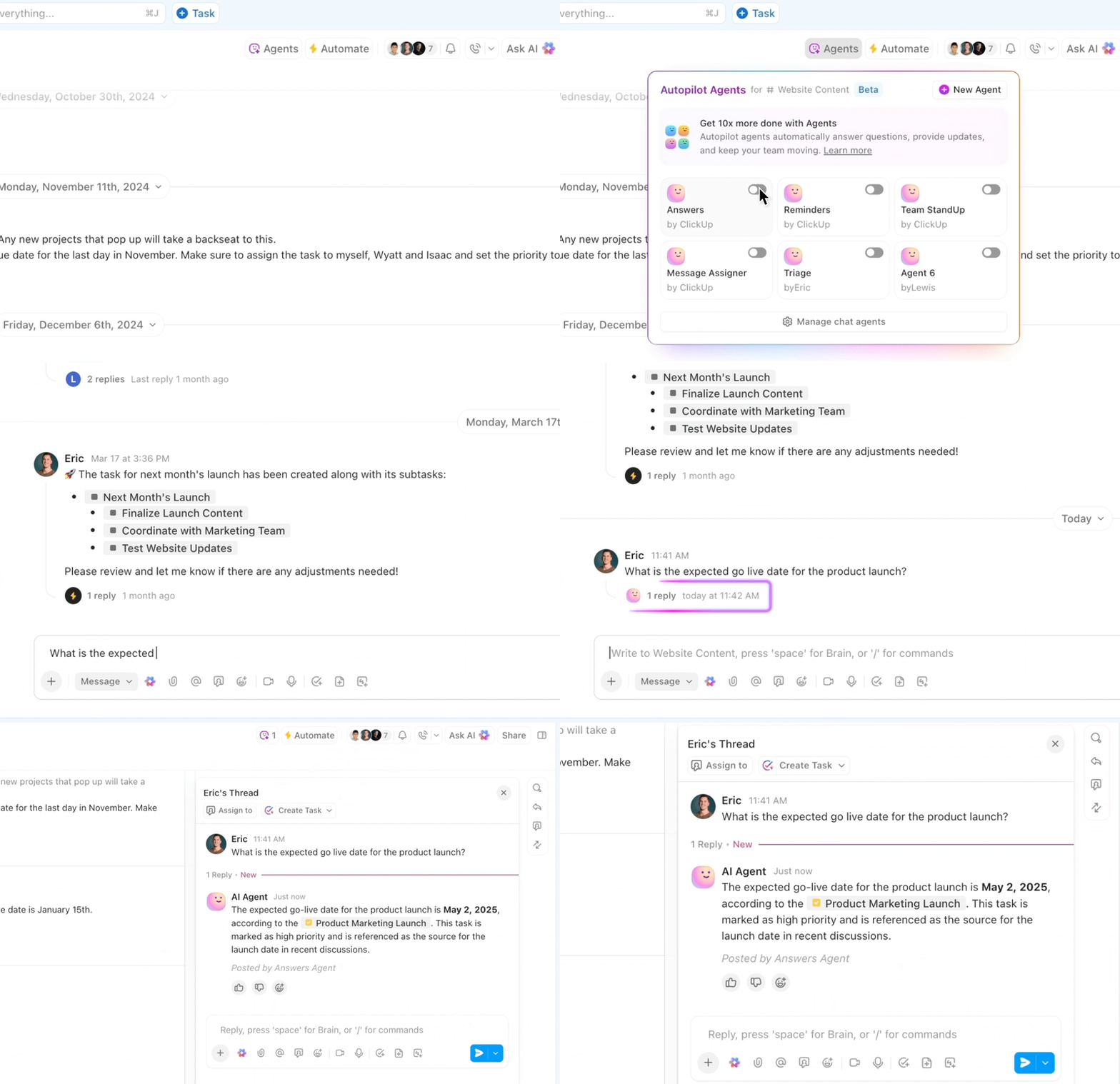
ClickUp Autopilot Agents change the game by automatically answering routine questions, triaging requests, and managing custom workflows based on your unique work context. With Autopilot Agents working quietly in the background, your schedule stays balanced, your priorities clear, and your productivity finally becomes sustainable.
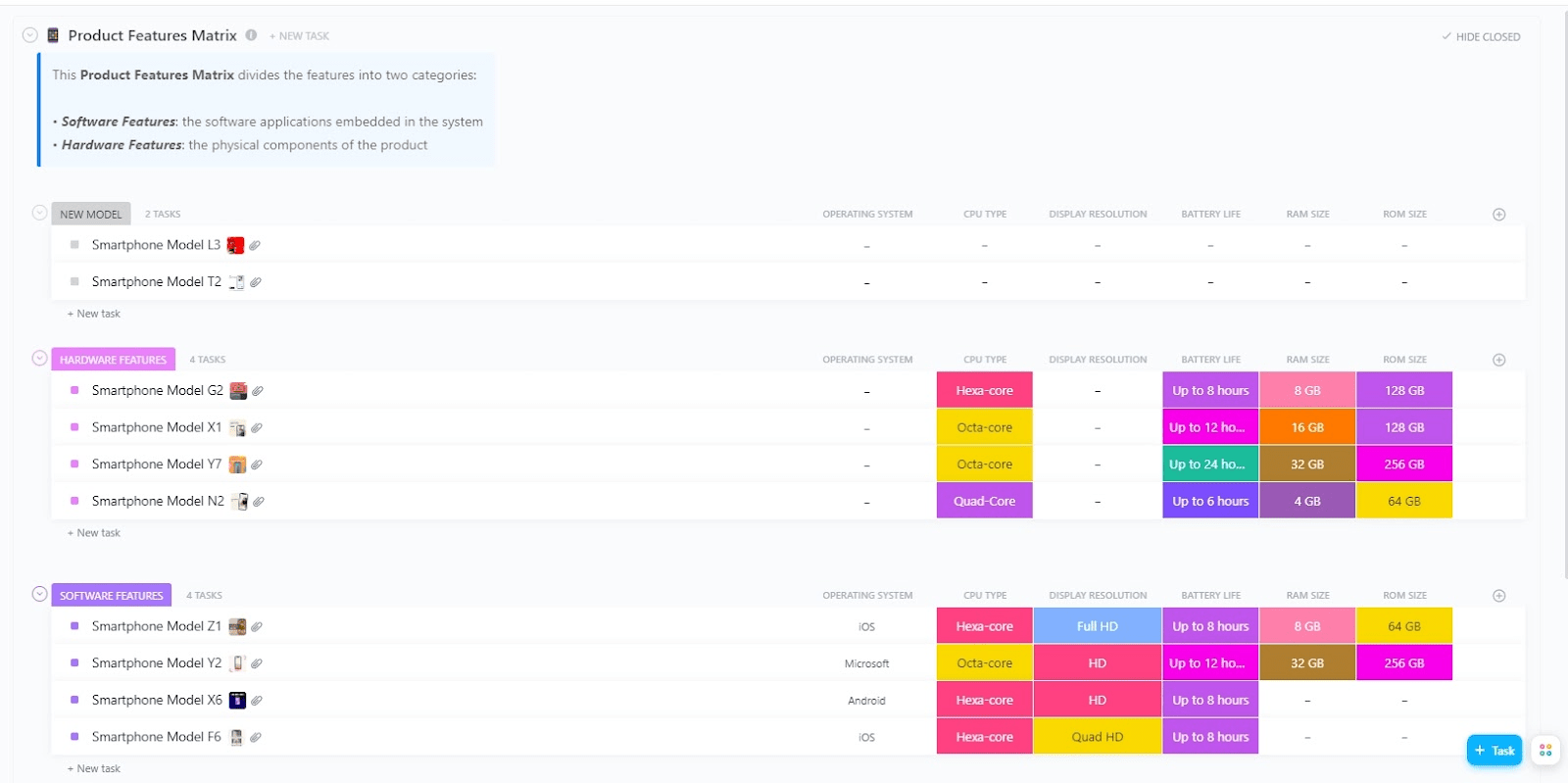
You can use the ClickUp Product Features Matrix Template to compare product models across their unique features. Products are grouped into categories like New Models, Hardware Features, and Software Features, making it simple to break down key features and benefits by type.
📌 Ideal for: Product-focused teams highlighting differentiators in a clear format that makes it easy for salespeople to turn technical strengths into winning arguments.
💡 Pro Tip: Use ClickUp Docs to elevate competitor insights with rich text formatting.
Add bold highlights to key rebuttals, use tables for side-by-side comparisons, or insert callout boxes to spotlight proof points. With live collaboration editing, managers and reps can refine content together in real time so battle cards never feel outdated or static.
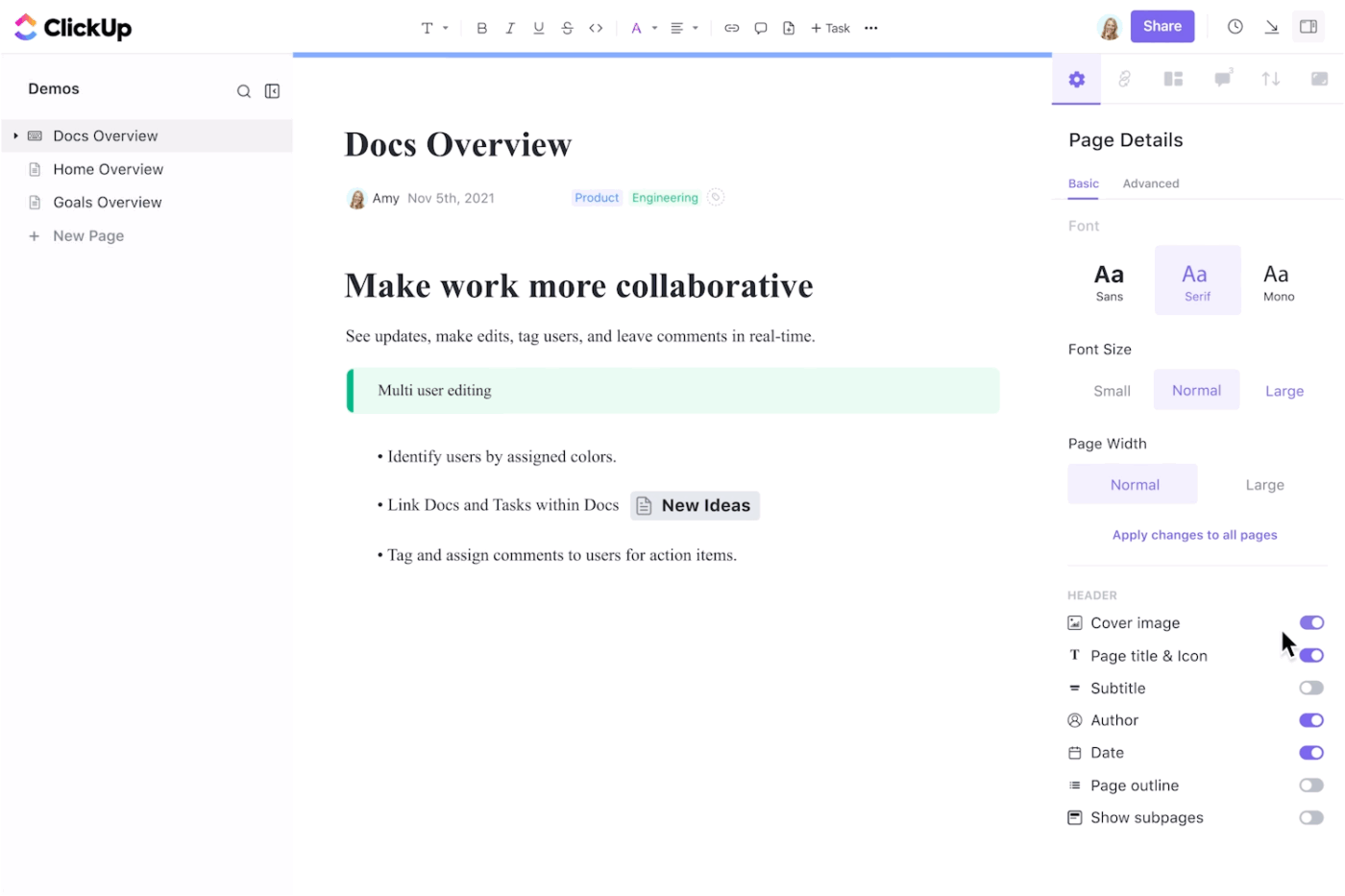
This workflow uses AI for documentation to create a living resource that’s up to date and equips your team to respond with confidence every time.
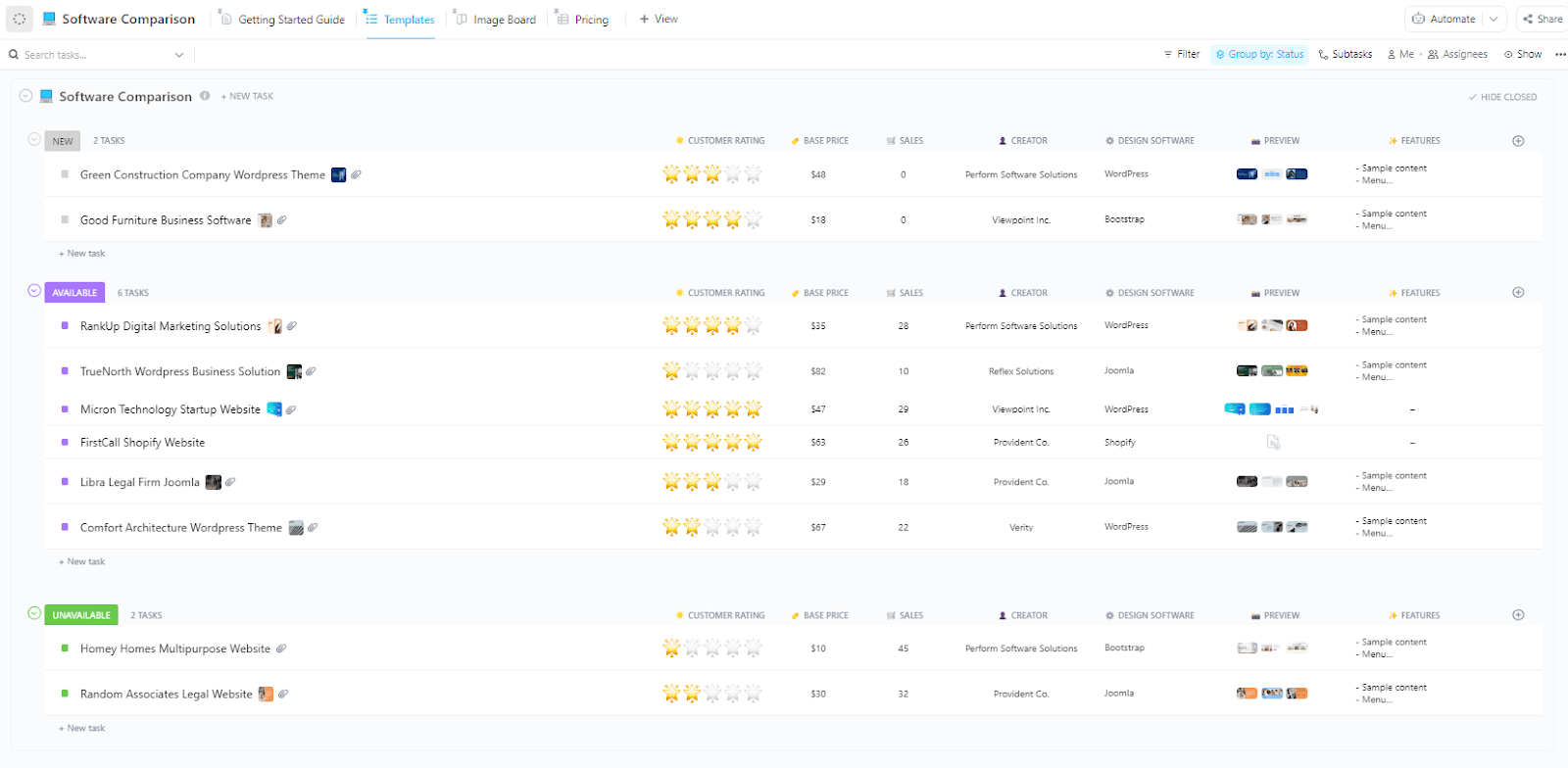
ClickUp’s Software Comparison Template helps you compare software options side by side using consistent evaluation fields. Products are organized into groups like New, Available, and Unavailable. This makes it simple to see which solutions are ready to deploy, which are under consideration, and which are off the table.
All rows include specifics such as customer rating, base price, sales, creator, design software, preview, and key features, so teams can quickly size up competing tools.
📌 Ideal for: Leaders assessing different software solutions and providing their teams with fact-based insights that support competitive conversations.
💡 Pro Tip: Create persona-specific angles. The same competitor comparison won’t land the same way with a CTO vs. a procurement lead. Layer views or tabs so reps can toggle the pitch depending on who’s in the room.
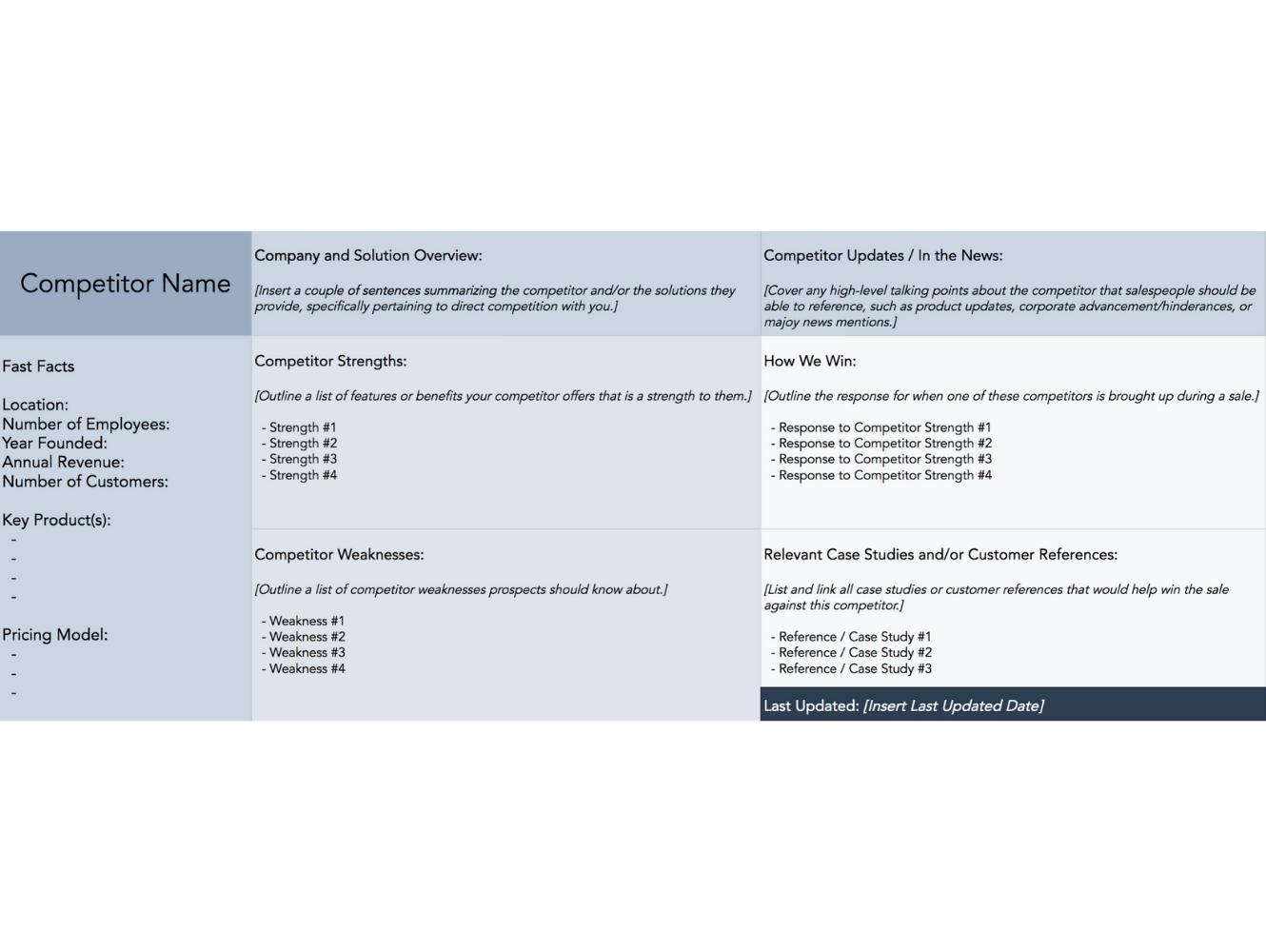
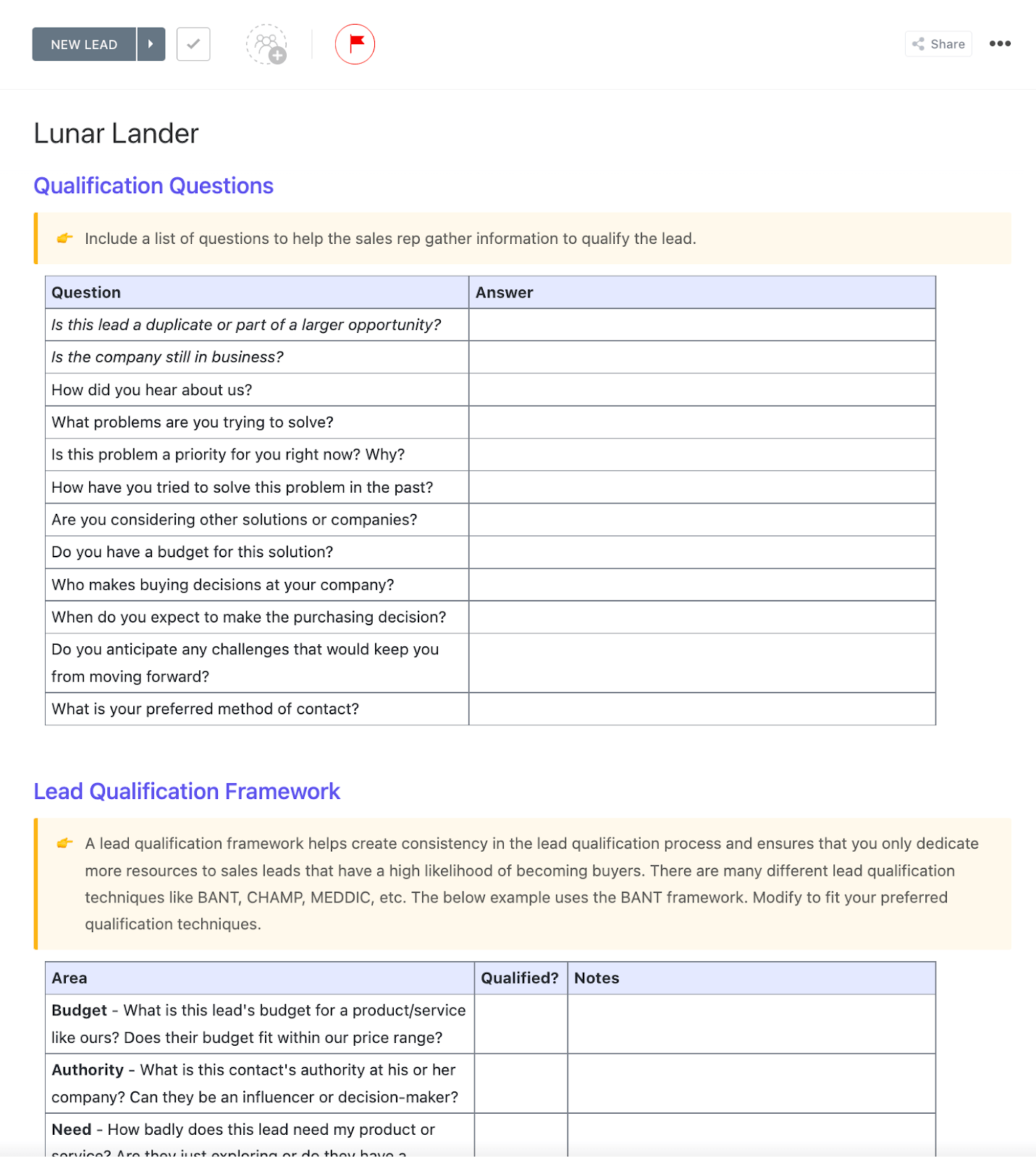
This battle card template organizes competitor intelligence into a quick-reference sheet for sales teams. It includes areas for How We Win responses, competitor updates, and case studies or customer references, so teams always have talking points ready.
📌 Ideal for: Reps who want quick-reference competitor insights at their fingertips to handle objections during the sales cycle.
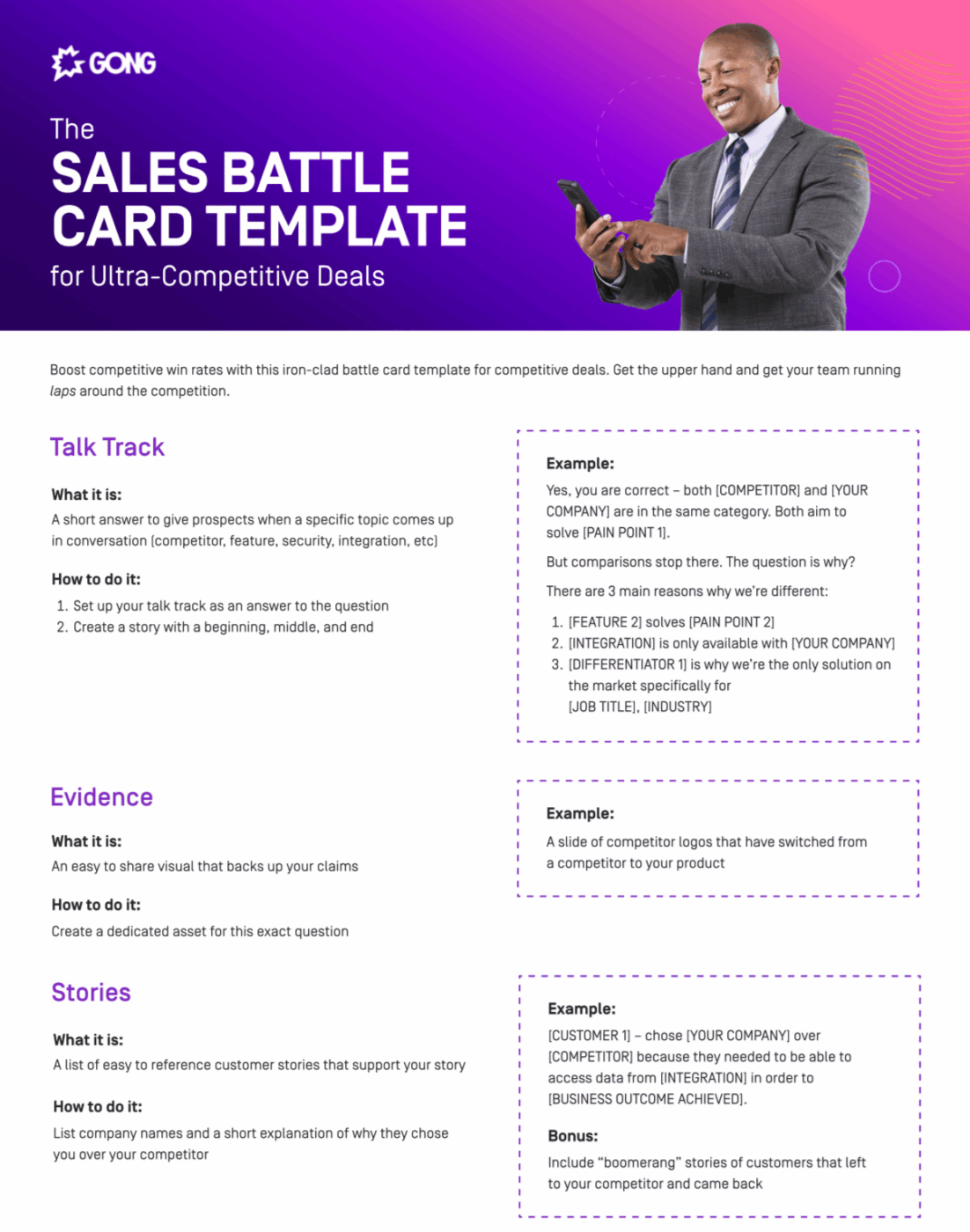
Gong’s battle card template serves as a strategic arsenal for competitive deals. It’s built to compare features, sharpen your talk tracks, and give reps ready-to-use lines that move prospects from asking ‘How are you different?’ to ‘Where do I sign?’
📌 Ideal for: Teams sharpening objection-handling skills with structured responses and strategic questions that tilt conversations in their favor.
💡 Pro Tip: Layer in competitor roadmap rumors where appropriate. A subtle note like ‘Competitor X is rumored to be sunsetting this product’ helps reps frame uncertainty in the buyer’s mind.
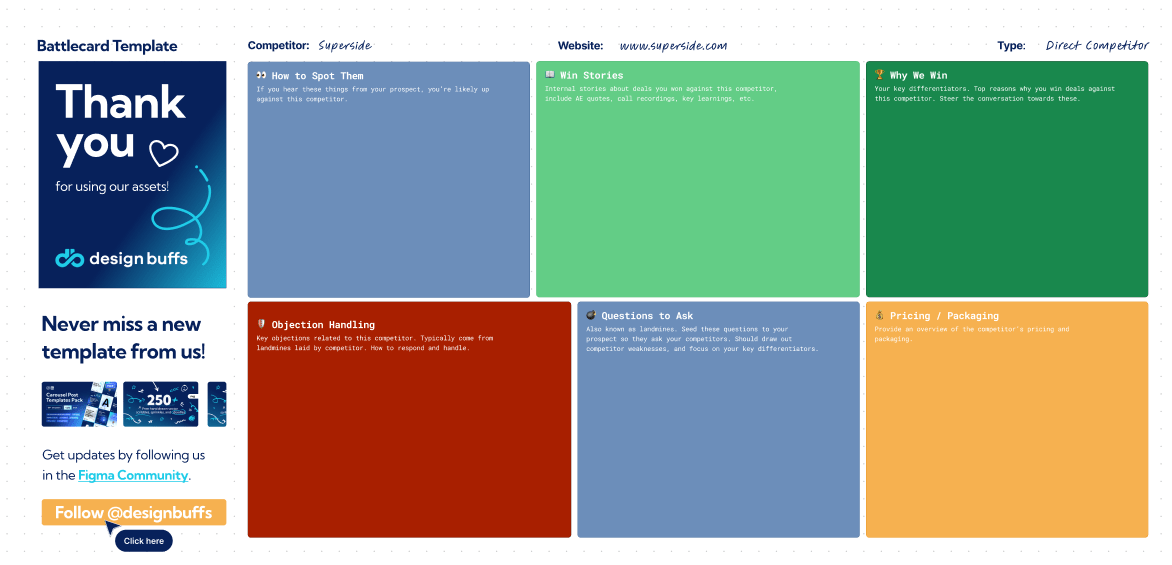
Figma’s battle card template gives sales teams quick-reference sales enablement content for competitive intelligence during live conversations. It organizes competitor insights, simplifies objection handling, highlights differentiators, and guides prospects toward your strengths.
📌 Ideal for: Sales professionals focusing on customer centricity improvement by surfacing differentiators and guiding conversations toward unique strengths.
💟 Bonus: Brain MAX is your AI-powered desktop companion, purpose-built to supercharge sales teams. With deep integration across your CRM, emails, calendars, and sales documents, Brain MAX always has the full context of your pipeline, deals, and client communications.
Just speak or type your updates, and Brain MAX instantly captures notes, schedules follow-ups, and pulls up relevant client information—no more digging through scattered tools. It proactively surfaces new opportunities, flags risks, and suggests next steps, helping your team save time and close deals faster. With smart automation, voice-to-text, and real-time insights, Brain MAX keeps your sales workflow organized, actionable, and always one step ahead.
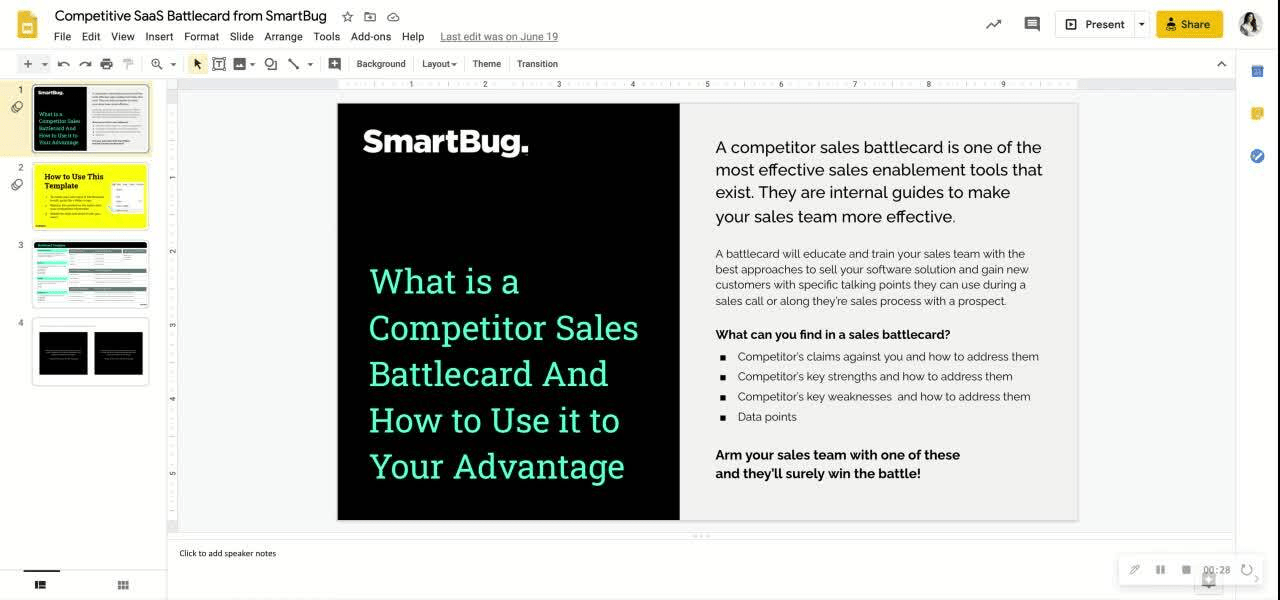
SmartBug’s SaaS sales battle card template consolidates competitor data, objection traps, pricing information, and integrations. It ensures they’re all aligned to your prospect’s pain points, so reps walk into conversations armed, not guessing.
📌 Ideal for: SaaS companies competing in crowded markets and preparing reps with pricing comparisons and objection triggers.
💡 Pro Tip: Run A/B testing on messaging inside the cards. For example, try two different positioning angles against a competitor and track which one leads to more deals.
Every sales call feels like a poker game.
Your competitors bluff, your prospects weigh their cards, and the best-prepared player wins the pot. Battle cards keep your hand strong and your responses sharper than the next pitch.
ClickUp gives you the full deck: customizable battle card templates, live updates, and an easy way to arm your team without slowing them down. Deals stay on track, and your reps never fold under pressure.
Sign up for ClickUp today! ✅
A battle card is a concise, strategic resource used by sales teams to quickly access essential information about products, competitors, and market positioning. It helps sales representatives respond effectively to customer questions, handle objections, and differentiate their offerings during sales conversations.
To create a battle card, start by collecting key information about your product, its features, and its competitors. Organize this data into clear sections such as product benefits, competitive comparisons, objection handling, and key messaging. Use bullet points or short paragraphs for clarity, and ensure the content is tailored to the specific needs of your sales team.
Writing a battle card involves focusing on actionable insights and practical information that salespeople can use in real-time. Keep the language clear and concise, highlight the most important points, and structure the content so it’s easy to scan quickly. Include tips for overcoming objections, competitive differentiators, and quick-reference facts.
A sales battle card is typically a one-page document or digital card with clearly defined sections, often using tables, bullet points, or highlighted boxes. It is visually organized for quick reference, allowing sales reps to find information on product features, competitor comparisons, and objection handling at a glance.

Praburam Srinivasan
Max 19min read
Praburam Srinivasan
Max 20min read
Praburam Srinivasan
Max 27min read

© 2026 ClickUp