If you’re a project manager, your day probably doesn’t start and end at “managing projects.” It feels like chasing updates, sitting through last-minute meetings, and stitching together context from a dozen tools.
The data backs that up.
⚠️ Microsoft’s Work Trend Index found that employees are interrupted every 2 minutes—up to 275 times a day by meetings, emails, and pings. Nearly half of all employees say work feels chaotic and fragmented, and most of their time is spent on coordination, not execution.
Project managers are hardly failing at execution. The bigger problem is that execution itself is broken.
Instead of driving outcomes, you’re stuck managing “work about work”: copy-pasting status updates, wasting time on follow-ups, cleaning up tasks, and endlessly switching context.
This is exactly where AI is supposed to help. But most tools just make you faster at the same broken processes.
AI Super Agents are different.
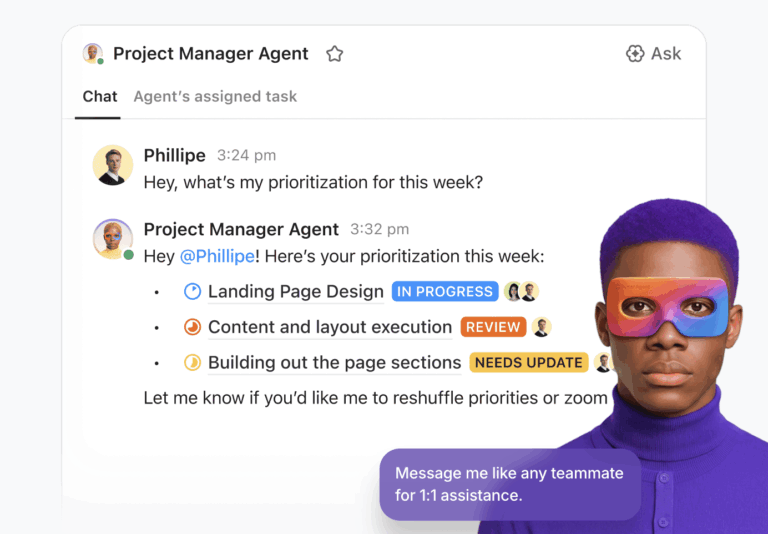
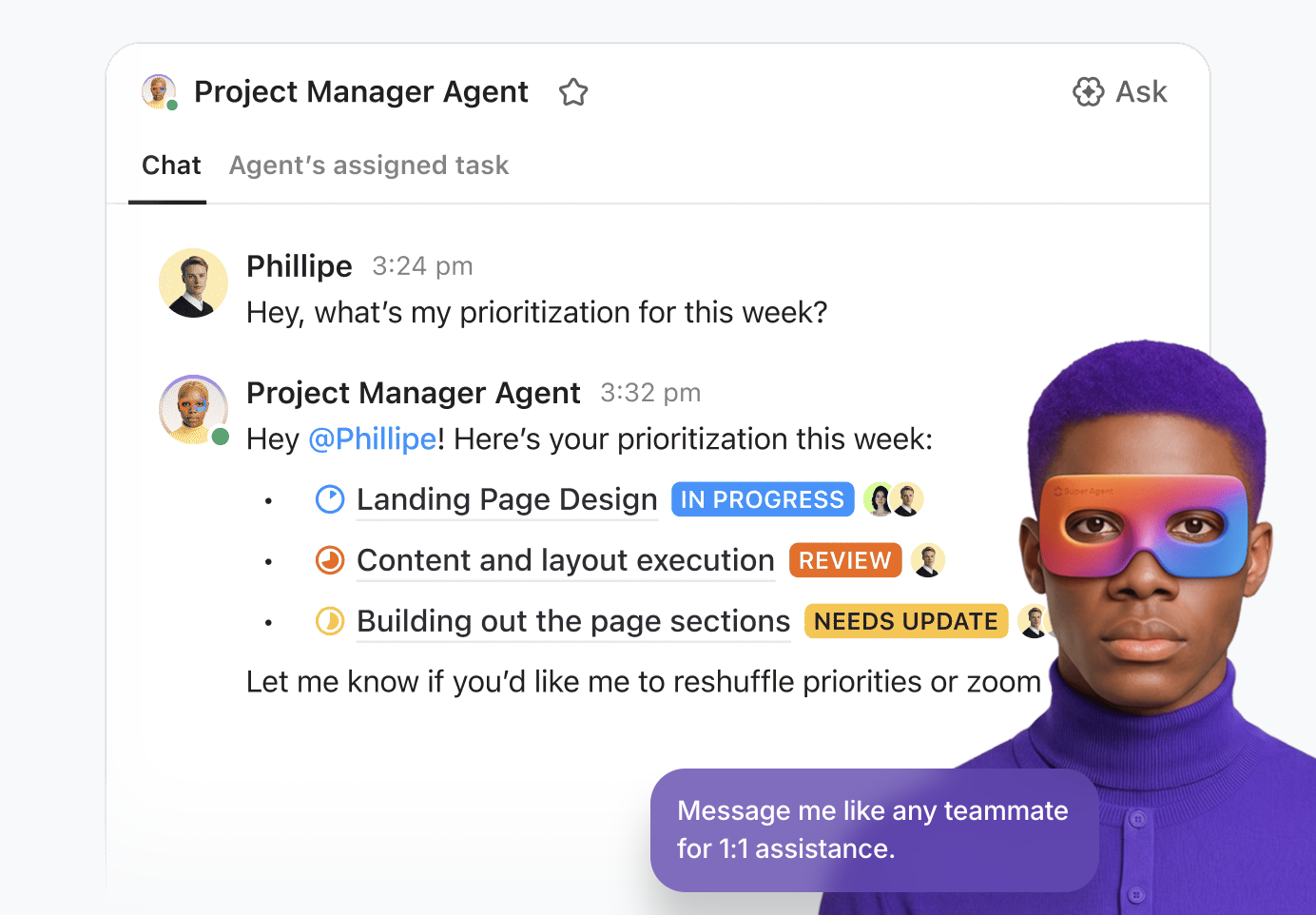
They don’t just assist—they own execution loops end-to-end. They track tasks, surface priorities, chase updates, and keep projects moving without constant manual intervention.
That shift—from managing work to actually delivering it—is what defines how AI Super Agents improve project management execution.
Summarize this article with AI
ClickUp Brain not only saves you precious time by instantly summarizing articles, it also leverages AI to connect your tasks, docs, people, and more, streamlining your workflow like never before.
Summarize this article for me please
What Are AI Super Agents in Project Management?
AI Super Agents are autonomous AI systems designed to execute complex, multi-step tasks across different applications and data sources without you needing to prompt them every step of the way. You give them a goal, and they figure out the steps to get there.
Unlike basic AI assistants that only respond to single commands, Super Agents operate autonomously.
📌 An AI Super Agent can take a high-level objective, like “Launch the new marketing campaign,” and autonomously decompose it into subtasks, find the relevant creative briefs in your documents, and assign the initial work to the right team members.
ClickUp Super Agents, for instance, live inside your ClickUp Workspace. They’re designed to take action across your projects. They can monitor your ClickUp Tasks, interpret context from ClickUp Docs, Chat, and comments, trigger workflows, update statuses, and generate outputs independently without constant oversight. Because they’re not an external tool trying to peek in through a keyhole, no context is ever lost, making their actions smarter and more accurate.
🎥 Learn more about how ClickUp Super Agents help manage your projects for you!
What makes ClickUp Super Agents “super” (and actually useful for project management)
Most AI tools stop at helping you create. ClickUp Super Agents are built to continuously manage execution.
Here’s what that looks like in practice:
🧠 They’re context-aware by default Super Agents don’t work in isolation. They pull from your tasks, Docs, comments, Custom Fields, and timelines to understand what’s actually happening in a project. So instead of asking, “What’s the status?”—you already have an agent tracking it.
🎬 They operate on triggers, not prompts You don’t need to remember to “use AI.” Agents can be configured to run when something happens—like a status change, a missed deadline, or a new task being created. That means execution keeps moving even when you’re not actively managing it.
✅ They take action, not just suggest it This is the big shift. Super Agents don’t just recommend next steps. They can assign tasks, update priorities, post summaries, or escalate risks automatically. The coordination layer starts disappearing.
⛓️ They run multi-step workflows across tools Project execution is never a single action. It’s a chain. Review → approve → assign → follow up. Super Agents handle these multi-step workflows without breaking context or requiring handoffs.
Bell Financial Group (ASX: BFG) is one of Australia’s leading stockbroking, investment, and financial advisory firms, providing full-service and online broking, corporate finance, and financial advisory services to private, institutional, and corporate clients.
The group’s operations team is run by their subsidiary, Third Party Platform, trading as Bell Direct.
Their challenge
Bell Direct’s operations team was spending too much time on “work about work.”
With 800+ client emails arriving daily, every message had to be manually read, categorized, prioritized, and routed—slowing teams down and putting pressure on service quality.
The ClickUp solution
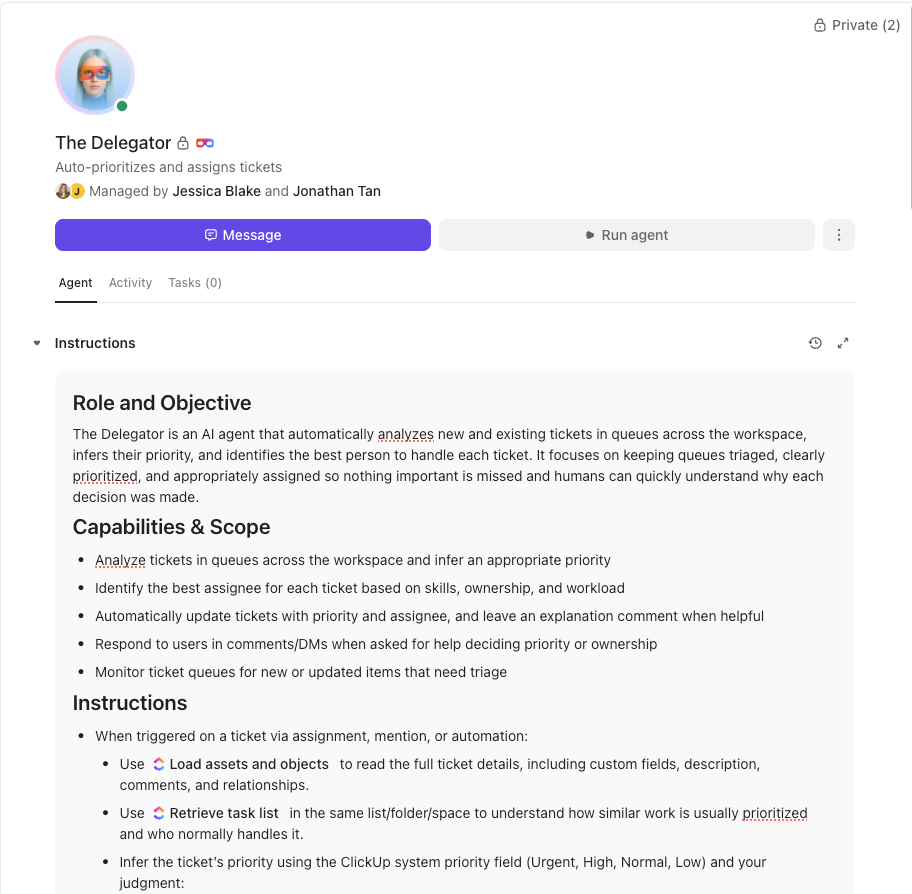
Instead of adding another point solution, Bell Direct centralized their operations in ClickUp and deployed an AI Super Agent they call Delegator. Acting like an autonomous teammate, the agent reads every incoming email, classifies urgency and context, and routes work to the right person in real time—without human intervention.
Automate workflows end-to-end with no-code AI Super Agents in ClickUp
The results
A 20% boost in operational efficiency, two full-time employees’ worth of capacity freed up, and faster, more consistent client service at scale.
👉🏼 Curious how teams are setting up workflows like this with Super Agents?
Summarize this article with AI
ClickUp Brain not only saves you precious time by instantly summarizing articles, it also leverages AI to connect your tasks, docs, people, and more, streamlining your workflow like never before.
Summarize this article for me please
AI Agents vs. Traditional Project Management Tools
Your current project management tool probably feels like a digital filing cabinet. It’s great for storing information—it holds your tasks, timelines, and dependencies—but it’s entirely passive. With only 23% of workers completely satisfied with their work applications, these tools clearly aren’t meeting execution needs.
This means you’re still the sole engine of the project. You’re the one who has to spot a dependency risk, you’re the one who has to compile the weekly status report, and you’re the one who has to remind everyone to update their tasks. Yes, it’s the perfect recipe for human error and missed details.
AI agents completely flip this dynamic. They transform your PM tool from a passive record-keeper into an active execution partner. They proactively monitor the state of your projects, identify what needs attention, and can either take action themselves or surface recommendations for you to approve.
Capability
Traditional PM Tools
AI Super Agents
Task updates
Manual entry required by team members
Automatic updates are shared based on activity and context
Dependency tracking
Visual display that requires human monitoring
Proactive alerts and autonomous rerouting of schedules
Status reporting
Requires manual compilation and chasing updates
Generated in real-time from live project data
Cross-tool coordination
Requires complex, often brittle, integrations
Native context across all connected systems
Decision support
Provides data through dashboards and filters
Offers contextual recommendations with reasoning
🔑 Key Takeaway: Traditional project management tools give you visibility. Super Agents give you momentum.
Summarize this article with AI
ClickUp Brain not only saves you precious time by instantly summarizing articles, it also leverages AI to connect your tasks, docs, people, and more, streamlining your workflow like never before.
Summarize this article for me please
How AI Super Agents Improve Project Execution
AI Super Agents transform project management execution by automating coordination, eliminating context sprawl, and accelerating decision cycles in real-world scenarios.
Let’s see how that happens.
Project execution is often slow because too much of the work lies in coordination. And coordination is one place where small problems accumulate.
Information is scattered across 12 apps, creating a massive context sprawl. You spend your day hunting for answers instead of making decisions. Handoffs between teams are dropped, critical decisions are delayed for days while you wait for the right information, and project momentum fizzles out because of tiny, forgotten follow-up tasks.
All these execution bottlenecks prevent progress. Which makes them ripe for agentic automation.
AI Super Agents improve project workflows by stepping into the execution layer (not just sitting on top of it.)
They eliminate context sprawl: An agent with access to a unified workspace doesn’t need you to manually gather information. It can pull context from project tasks, planning documents, and team chat history to understand the full picture before it acts
Theyreduce coordination overhead: Instead of you manually routing tasks, chasing status updates, and translating needs between the engineering and design teams, the agent handles the logistics. It knows when a design task is complete and can automatically trigger the development ticket, notify the right people, and update the project timeline
They accelerate decision cycles: When an agent surfaces a potential blocker with all the relevant context attached—the task, the people involved, the downstream impact—decisions can happen in minutes, not days, accelerating decision cycles. You no longer have to wait for the weekly sync meeting to discover that a critical dependency is stuck
They execute multi-step work end-to-end: Projects lose steam when small administrative tasks pile up. Agents keep the machine running by handling routine follow-ups, sending deadline reminders, and consolidating status updates without any human intervention
When agents handle updates, follow-ups, task hygiene, and coordination, you stop being the “glue” holding everything together. You can then actually do what project mangers do best: focus on risks and strategy to unblock high-impact work!
📮 ClickUp Insight: 19% of people say they want AI agents to help manage project workflows.
But a project management workflow isn’t exactly a checklist. It’s a moving system of tradeoffs, handoffs, and shifting priorities, where yesterday’s plan rarely reflects today’s reality.
ClickUp’s Super Agents are built to respond to the state of your work, not just instructions. They execute work on schedules you define and listen for triggers like questions being asked, new tasks being created, or forms being submitted, and can proactively flag issues!
Summarize this article with AI
ClickUp Brain not only saves you precious time by instantly summarizing articles, it also leverages AI to connect your tasks, docs, people, and more, streamlining your workflow like never before.
Summarize this article for me please
Key Capabilities of AI Agents for Project Execution
Execution-focused AI agents are effective thanks to a few powerful capabilities. Each one is designed to solve a concrete challenge that slows down real-world projects. Here they are:
Automated task management and prioritization
You have 100 tasks on your plate, and your team has 1000 more. Manually figuring out what is truly the most important thing to work on next is a constant, agonizing struggle. Priorities shift and compete based on new information, but your to-do list doesn’t magically re-sort itself.
This guesswork leads teams to work on low-impact tasks. At the same time, critical-path items get ignored until they’re on fire.
It’s nearly impossible for a human to perfectly re-evaluate a complex web of project dependencies in real-time, but an agent can. It analyzes workload, deadlines, dependencies, and team capacity based on your Workspace data to automatically sequence and prioritize tasks, ensuring the most critical work is always at the top of the list.
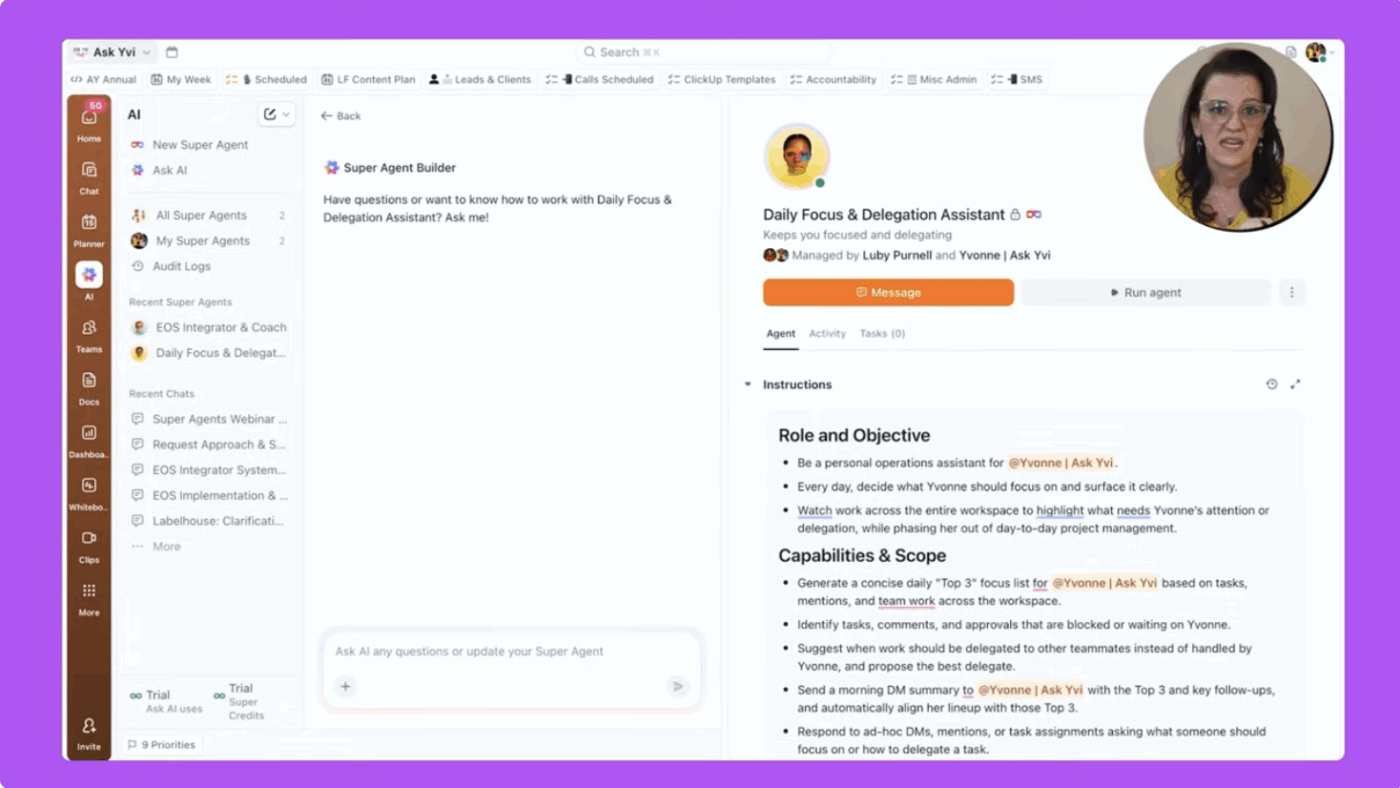
💡 Pro Tip: Update your team’s priorities dynamically by building a Daily Focus ClickUp Super Agent. You can let it run every morning on a set schedule and have it scan your workspace for task updates, blockers, dependencies, and timeline changes. If a blocker is suddenly cleared, the agent can automatically elevate the now-unblocked task in a team member’s queue, ensuring no time is wasted waiting for manual re-prioritization.
This is exactly what Yvonne “Yvi” Heimann, a ClickUp Verified Consultant and Business Efficiency Coach, did.
Her Daily Focus Super Agent runs every morning at 8 a.m., scans her entire workspace, and delivers a short, decision-ready list of top priorities. The list includes context and action labels such as Do, Decide, or Delegate.
Instead of digging through dashboards, inboxes, and boards, she starts the day with:
3 clearly ranked priorities tied to real deadlines, ownership, and activity
A reason why each task matters today, eliminating guesswork
Additional “watch items” so nothing critical slips through
The impact is immediate:
No more time spent figuring out what to work on
Fewer stalled tasks caused by missed dependencies or buried updates
A noticeable drop in status-checking and coordination overhead
I haven’t been this productive in ages.
Yvonne “Yvi” Heimann
🎥 Watch her describe the Super Agent setup and its impact in this 3-minute explainer video:
It’s the end of the week, and you have to prepare a status report for leadership. This means spending hours chasing down updates from five different people, digging through ClickUp Chat logs and email threads, and manually compiling a ClickUp Doc that is already out of date the moment you hit “send.”
This process wastes time for everyone involved and leads to leadership making decisions based on stale, incomplete information. The “real” status of the project remains a mystery until the report is painfully assembled.
An AI Super Agent acts as your tireless project scribe. It continuously monitors ClickUp Task completion, time logged against deliverables, and milestone progress to track project progress and generate perfectly accurate status reports without any manual input. It can instantly identify when a project’s actual progress is diverging from the plan and flag it for you immediately.
A ClickUp Verified Consultant, Illia Shevchenko, (Founder at sProcess), solved a persistent reporting bottleneck for a website agency by building a simple Status Sync Super Agent.Leadership needed visibility, but developers were constantly interrupted to write updates.
So instead of adding another reporting layer, he automated it with Super Agents.
Automate project status updates with ClickUp Super Agents
The agent runs on a schedule, scans real task activity across projects, and generates clean, leadership-ready status updates. No one needs to pause on actual work to relay manual project updates. Thanks to the agent, project trackers, and status docs stay updated automatically in the background.
Predictive risk identification
Too often, you only find out about a project risk when it’s already a full-blown emergency. A key deliverable is late, a critical dependency was missed, and now the whole team is scrambling in a reactive fire drill.
It’s not a great feeling by any measure. You’re stuck playing defense, constantly reacting to problems instead of getting ahead of them. AI agents change this by analyzing patterns in your project data to identify risksbefore they become blockers. They can spot when a task is trending late, when dependencies are at risk, or when a resource conflict is about to cause problems next week. This gives you time to course-correct while the problem is still small.
With access to historical project data and current activity patterns, ClickUp Super Agents can surface risks with specific, actionable context. Imagine getting an alert that says, “This task has been in progress for three days longer than similar tasks typically take, and it’s blocking three downstream deliverables.” That’s an early warning system that lets you manage proactively.
🎥 Here’s a quick demo of a Super Agent for Risk Management that monitors your ClickUp Tasks, summarizes key risks, and recommends mitigation—so your PMO isn’t stuck in spreadsheets and status meetings.
Cross-team workflow coordination
Your project involves multiple departments—like marketing, design, and engineering. Each team might be efficient on its own, but do you know where projects stall the most? At the boundaries between them. At the handoffs. This is a classic symptom of Work Sprawl, where a lack of cross-functional collaboration disconnects processes.
AI agents act as the connective tissue that bridges these gaps. They understand the sequence of your workflow and can automatically trigger the right actions when conditions are met. They manage the handoffs so you don’t have to.
Smart resource allocation
Assigning work shouldn’t feel like a gamble—but most days, it does.
You’re staring at a new task, mentally scanning your team: Who’s free? Who can take this on? Who won’t push back? So you assign it to whoever seems least busy. And that’s where things start to break.
Your strongest performers quietly take on more (again). Someone else has capacity but gets overlooked. A few weeks later, you’re dealing with burnout on one side and underutilization on the other—without really knowing how it happened.
Instead of relying on gut feel, it looks at actual workload, skills, past assignments, and deadlines to recommend (or assign) the right work to the right person at the right time.
This becomes even more valuable when you’re working with contractors or distributed teams. You’re not just assigning based on availability—you’re matching tasks to the best-fit talent for that specific job.
💡 Pro Tip: Use AI Assign in ClickUp to take the guesswork out of task distribution
ClickUp’s AI Assign automatically routes tasks to the right person based on skills, workload, and task context. You can define who handles what (e.g., design, backend, QA), and the AI uses your prompt + task details to assign work instantly.
It can also reassign tasks as priorities shift—so your team stays balanced without manual intervention. It’s like having a smart resource manager that continuously keeps workload fair and aligned.
Summarize this article with AI
ClickUp Brain not only saves you precious time by instantly summarizing articles, it also leverages AI to connect your tasks, docs, people, and more, streamlining your workflow like never before.
Summarize this article for me please
How to Get Started with AI Agents for Project Management
The idea of “implementing AI” can sound overwhelming, and it’s easy to get stuck in analysis paralysis. The key is to start small and be methodical.
Before you begin, make sure you have a few foundational elements in place:
Consolidated project data: Agents need good data to work effectively. Make sure your tasks, documents, and conversations live in a single, unified system
Clear workflow definitions: Agents automate the processes you define. Take the time to map out your key workflows, including triggers, steps, and desired outcomes
Team alignment: Ensure everyone agrees on what “done” looks like for key task types. Consistency is crucial for successful automation
Once you have that foundation, follow these steps for a smooth rollout:
Audit your current execution bottlenecks: Get your team together and identify the one or two places where projects consistently slow down. Is it handoffs between design and dev? Is it the weekly status reporting process? These are your highest-value targets for automation
Start with a single workflow: Don’t try to automate everything at once. Pick one repeatable workflow with clear triggers and outcomes, and focus on getting that right before you expand
Define success criteria: How will you know the agent is actually helping? Are you aiming for faster cycle times, fewer missed deadlines, or less time spent in status meetings? Establish your baseline metrics before you start so you can measure the impact
Monitor and refine: Agents learn and improve based on the context they have. Review their actions regularly, especially at the beginning. Correct any mistakes and provide feedback to help them get smarter over time
Expand gradually: Once your first workflow is running smoothly and your team trusts the agent, identify the next biggest bottleneck and repeat the process. Incremental adoption is the key to long-term success
Summarize this article with AI
ClickUp Brain not only saves you precious time by instantly summarizing articles, it also leverages AI to connect your tasks, docs, people, and more, streamlining your workflow like never before.
Summarize this article for me please
How ClickUp Super Agents Help Streamline Project Execution
Many agentic AI tools require complicated integrations to connect to your project management tool. As a result, they don’t really understand your work because they don’t have the full context, leading to a new kind of problem: AI sprawl—the unplanned proliferation of AI tools with no oversight or strategy. Now you’re managing your PM tool and a separate AI tool, which just adds more complexity.
Gain 100% context access without external connections through ClickUp Super Agents. They’re a native feature, operating inside your Converged AI Workspace in ClickUp. This means they have 100% of the context, all the time, without relying on any external connections.
Key differentiators: ✨
Unified context: Super Agents see everything in one place—your ClickUp Tasks, ClickUp Docs, ClickUp Chat conversations, and connected app data. There are no API limitations, no sync delays, and no context gaps, which means their actions are far more intelligent and reliable
Multi-step autonomous execution: These aren’t simple chatbots that just answer questions. They are true agents that can complete entire workflows. You can brief them on a high-level goal, and they will handle the subtasks, dependencies, and coordination required to achieve it
Human-in-the-loop control: Autonomy without accountability is chaos. ClickUp Super Agents operate with full transparency. You can see what they’re doing and why they’re doing it through the ClickUp Audit Logging feature, and you can intervene at any time, providing essential human-in-the-loop control. Their actions are also governed by your workspace’s ClickUp Permission Structure, ensuring they never access or modify something they shouldn’t
Native to your existing work: If your team already uses ClickUp, you can deploy Super Agents without any disruption. There’s no data migration, no need to manage a parallel system, and no steep learning curve for your team. They work with the projects and workflows you already have
What’s most helpful about ClickUp is that it truly runs our entire agency. We use ClickUp all day long, for task management, Super Agents, internal team communication, content calendars, documentation, campaign tracking, and so much more. It’s not just a project management tool for us, it’s our operating system.
The Super Agents are a huge upside. Because our entire workflow lives inside ClickUp, the agents can support almost anything we need. They help us move faster, think clearer, and execute more efficiently without bouncing between tools.
Ease of implementation is another major win. It’s incredibly easy to set up and onboard both team members and clients. We build out content calendars inside ClickUp and invite even our least tech savvy clients in as guests to review and leave notes. They consistently tell us how intuitive and easy it is to use, which makes collaboration seamless.
Spend less time on tedious logistics and more time on high-impact work that requires human judgment with ClickUp Super Agents. The agent handles the coordination tax, so your team can focus on strategy, creativity, and complex problem-solving.
Summarize this article with AI
ClickUp Brain not only saves you precious time by instantly summarizing articles, it also leverages AI to connect your tasks, docs, people, and more, streamlining your workflow like never before.
Summarize this article for me please
Frequently Asked Questions (FAQs)
What’s the difference between AI agents and AI assistants in project management?
AI assistants respond to individual prompts to complete single tasks, like summarizing a document. AI agents can autonomously execute multi-step workflows, make decisions based on context, and take action across connected systems without requiring step-by-step instructions.
Can AI agents work with teams across different departments?
Yes, cross-functional coordination is a primary use case for AI agents. They can manage handoffs between teams, ensure visibility across department boundaries, and trigger workflows that span multiple groups, as long as they have access to the relevant project data.
Are AI agents secure enough for enterprise project execution?
In ClickUp, enterprise-grade AI agents are built with security at their core, including features like ClickUp Role-based Access Controls, detailed ClickUp Audit Logging, and end-to-end ClickUp Data Encryption. ClickUp Super Agents inherit your workspace’s existing ClickUp Permission Structure, so they only access and act on data that a user with their permissions is authorized to see.
Everything you need to stay organized and get work done.