


Sorry, there were no results found for “”
Sorry, there were no results found for “”
Sorry, there were no results found for “”
Databases are an integral part of running a business. No matter if you’re trying to stay on top of product inventory, tracking customer information, or improving your sales lead generation, databases are the key that will help you organize and analyze your data.
To truly make all that data valuable and actionable, you’ll need database software—and a good one. You need to know what the data tells you, and the right software can help translate that data into veritable gold. ?
Let’s explore the top ten best database software options for Mac and help you choose the one that will help you make the most of your data.
An Excel database can only take you so far before you need to look for bigger, better, and more versatile solutions. When you start your search for database software for Mac computers, whether that’s for customer database software or a content database, there are a few factors that you’ll want to keep in mind:
Ready to find the best database software for Mac? Here are our top ten picks.
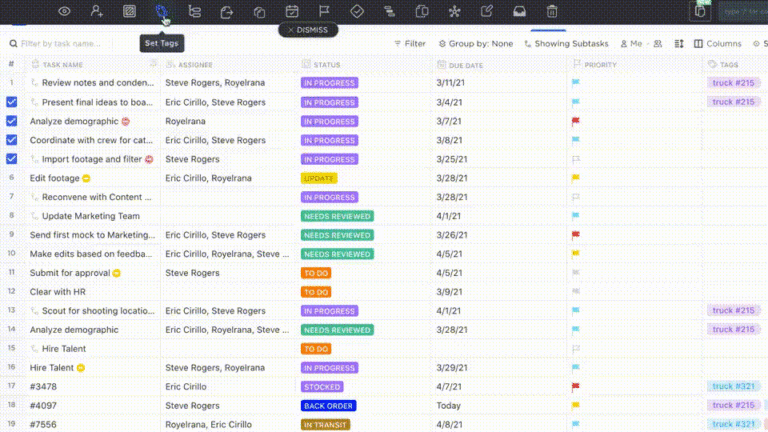
ClickUp is a well-rounded project management software solution that includes effective database software for Mac users. ClickUp’s unique Hierarchy in its online database management software scales and changes with your needs, making it an all-in-one solution for your business no matter what industry you’re in.
Break down your dataset into easy-to-manage groups, such as inventory, customers, or employees, then link them together to create a powerful relational database management system with stored procedures. Use Custom Fields in ClickUp as building blocks for adding key details to your database.
Turn features on and off within the database to streamline your analysis and get the information you need right at your fingertips. The easy-to-manage platform allows you to import or export data as necessary, quickly connecting with other software in your tech stack.
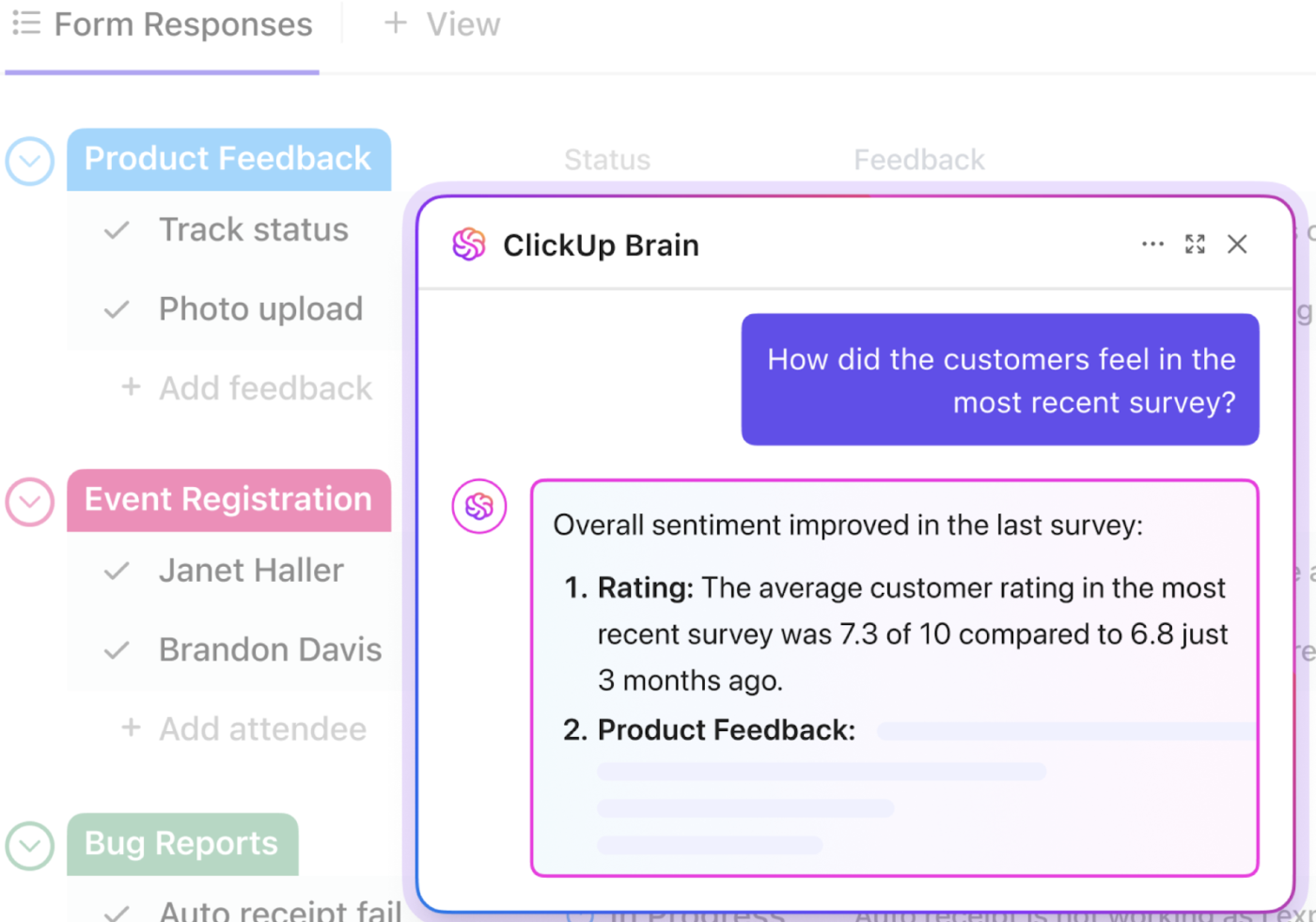
With its AI assistant, ClickUp Brain, you can also draw insights from vast data sets without spending hours decoding them manually. Simply ask Brain a question in natural language, and it will return the right data and analysis in seconds.
📮 ClickUp Insight: A typical knowledge worker has to connect with 6 people on average to get work done. This means reaching out to 6 core connections on a daily basis to gather essential context, align on priorities, and move projects forward.
The struggle is real—constant follow-ups, version confusion, and visibility black holes erode team productivity. A centralized platform like ClickUp, with Connected Search and AI Knowledge Manager, tackles this by making context instantly available at your fingertips.
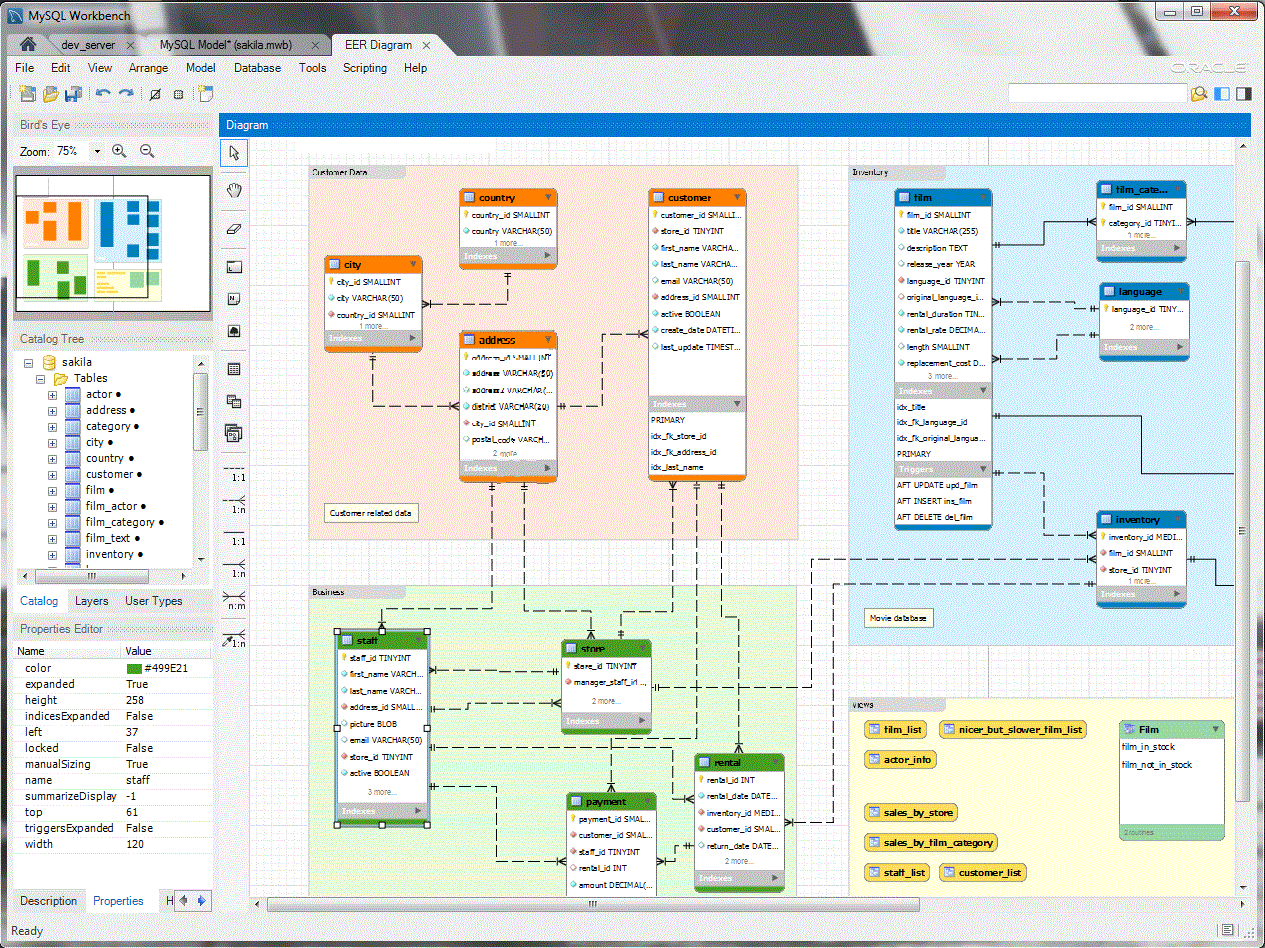
MySQL Workbench offers great database software for Mac computers when you need robust data management. It has a dedicated macOS version, so it will work seamlessly with your system.
The intuitive software has a user-friendly interface, making it easy to upload data, execute Structured Query Language (SQL) queries, and visualize your data quickly and easily. The software also offers data synchronization and performance tuning, which is excellent for more advanced users.
You’ll also find plenty of online support for the platform, so help will be readily available if you run into any resource constraints.
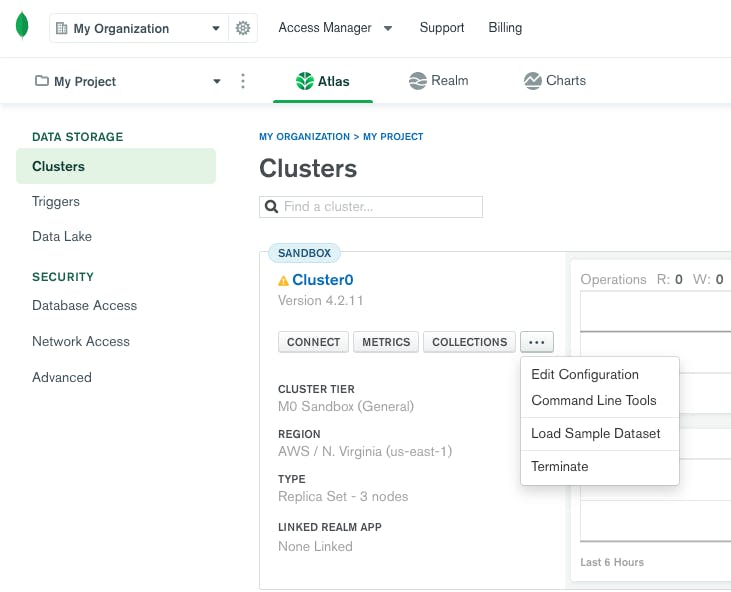
MongoDB offers native support for Mac users, so it will run well on all recent macOS systems. It’s a solid, free database software for Mac if you need to analyze structured and semi-structured data, and it’s excellent if you work with JavaScript Object Notation-like documents (that’ll be music to some developers’ ears).
You can scale and adapt MongoDB to your evolving needs, including integrating it with your preferred tools and languages.
Bonus: Flowchart software for Mac!

Ninox promises to be a low-code database solution for small- to medium-sized businesses. The platform allows you to build the software to meet your needs, so you can create the Mac database software you want with options to expand it later. There are templates to help you get started and plenty of workflow automations to speed things up.
Because Ninox is completely cloud-based, you can access the platform virtually anywhere, regardless of your operating system. That’s great news for businesses using both Macs and PCs.

Valentina might be what you need if you want feature-rich database software for Mac.
This impactful software for Mac can handle complex data and supports various data types, making it one of the best database software for Mac options with multiple applications. It offers high-performance data retrieval and processing and has great indexing options for data-intensive projects.
The powerful form and reporting features make it easy to access, analyze, and report on data.
Track tasks with Mac task management apps!
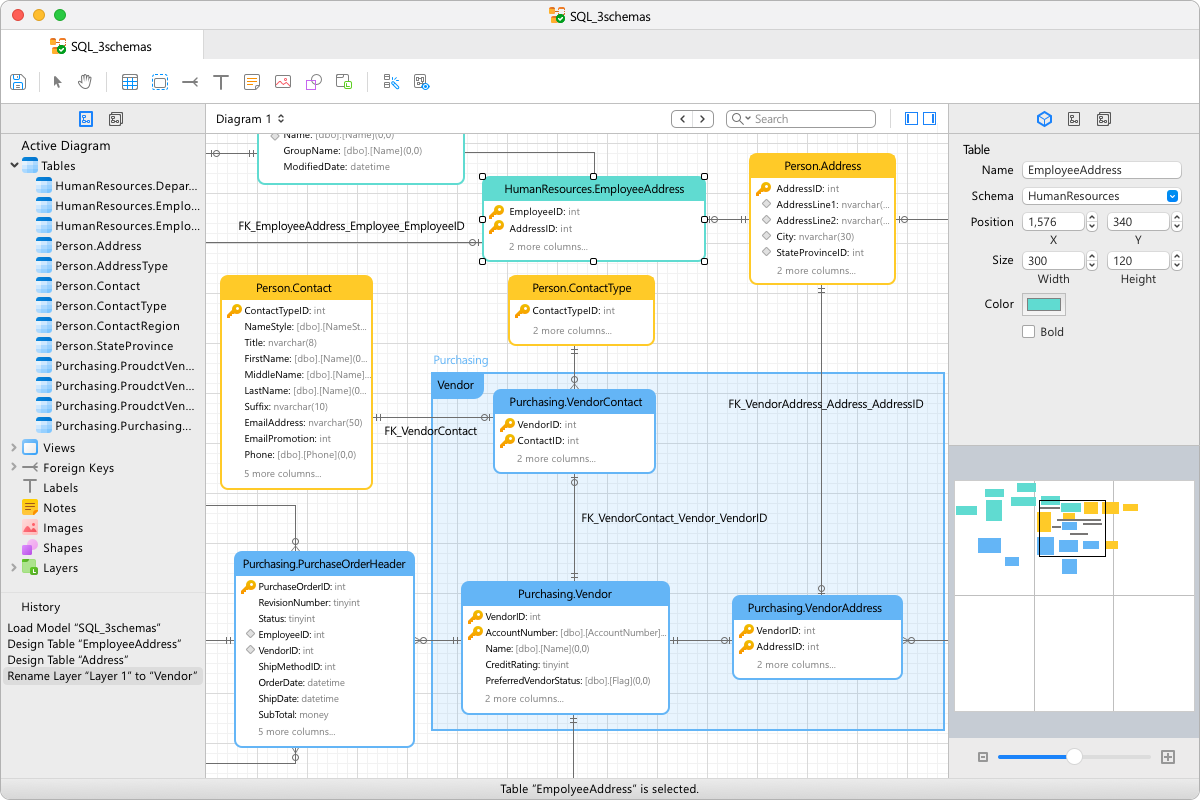
Navicat is an all-in-one tool that helps you connect with and manage your database. The software lets you connect with any data source, including Amazon Web Services, MySQL, and Oracle. From there, you can use the user-friendly interface to write SQL queries and create tables to start looking at and analyzing your data sets.
You can import and export data from the software, making synchronizing your data from multiple databases easy. It’s a great way to pull your data into one space to get more from every byte.

If you need a database solution but want to avoid coding, Knack has you covered.
Knack allows you to quickly build a database, including workflows, without coding. You can manage data in a way that makes sense to you, then create forms, maps, calendars, and reports that put that data into action.
The highly customizable user interface feels very up-to-date, making it an easy Mac database software solution.
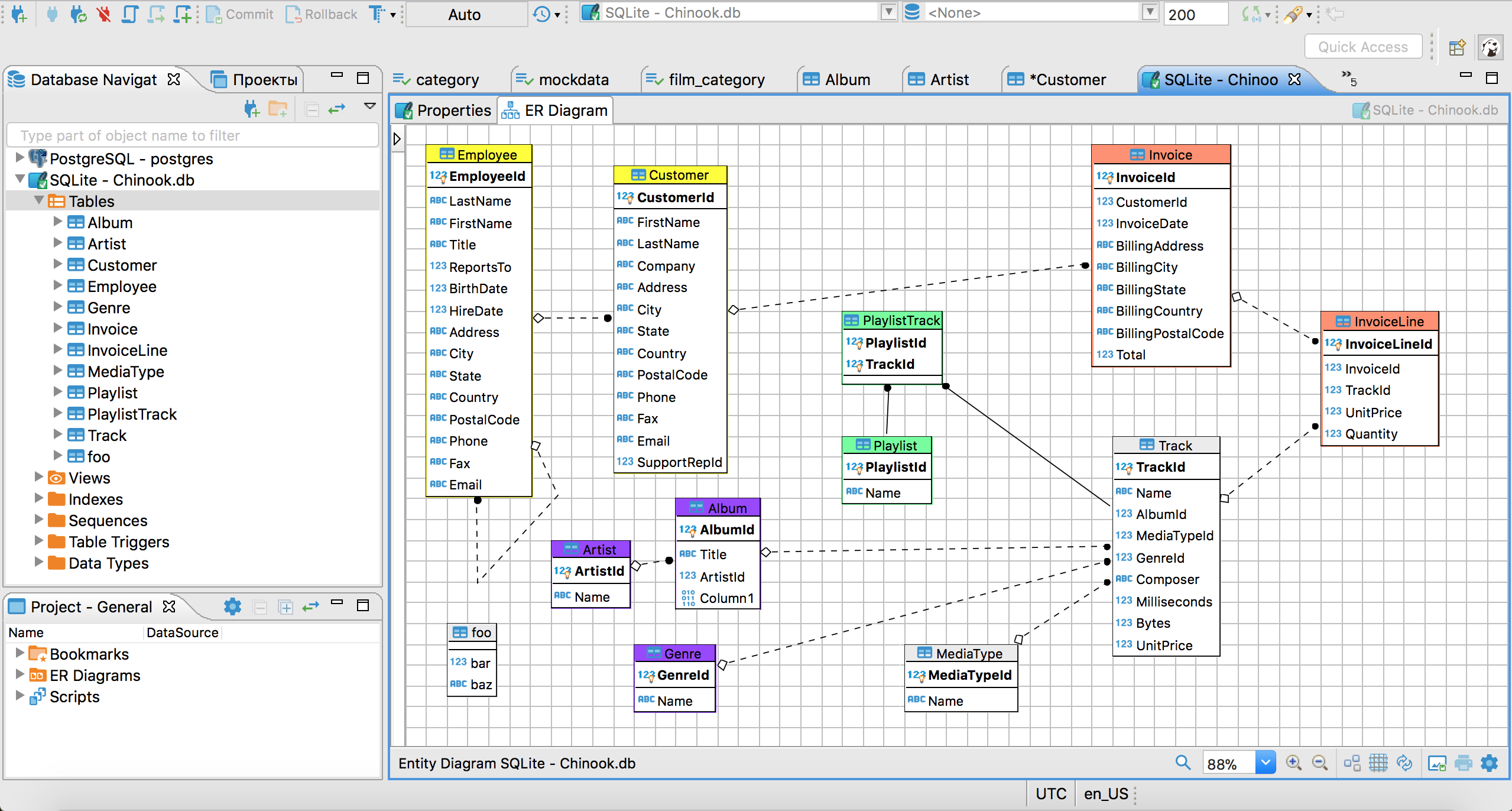
This cross-platform database software for Mac allows you to work with data from all the popular SQL server databases. With both an open-source and commercial version, there’s an option to suit every database need.
DBeaver has a highly customizable user interface, so users with some database experience should be able to pick it up quickly. It also has an active user community, so you can locate help online if you need it. Because it’s open source, you may find the third-party tools helpful.
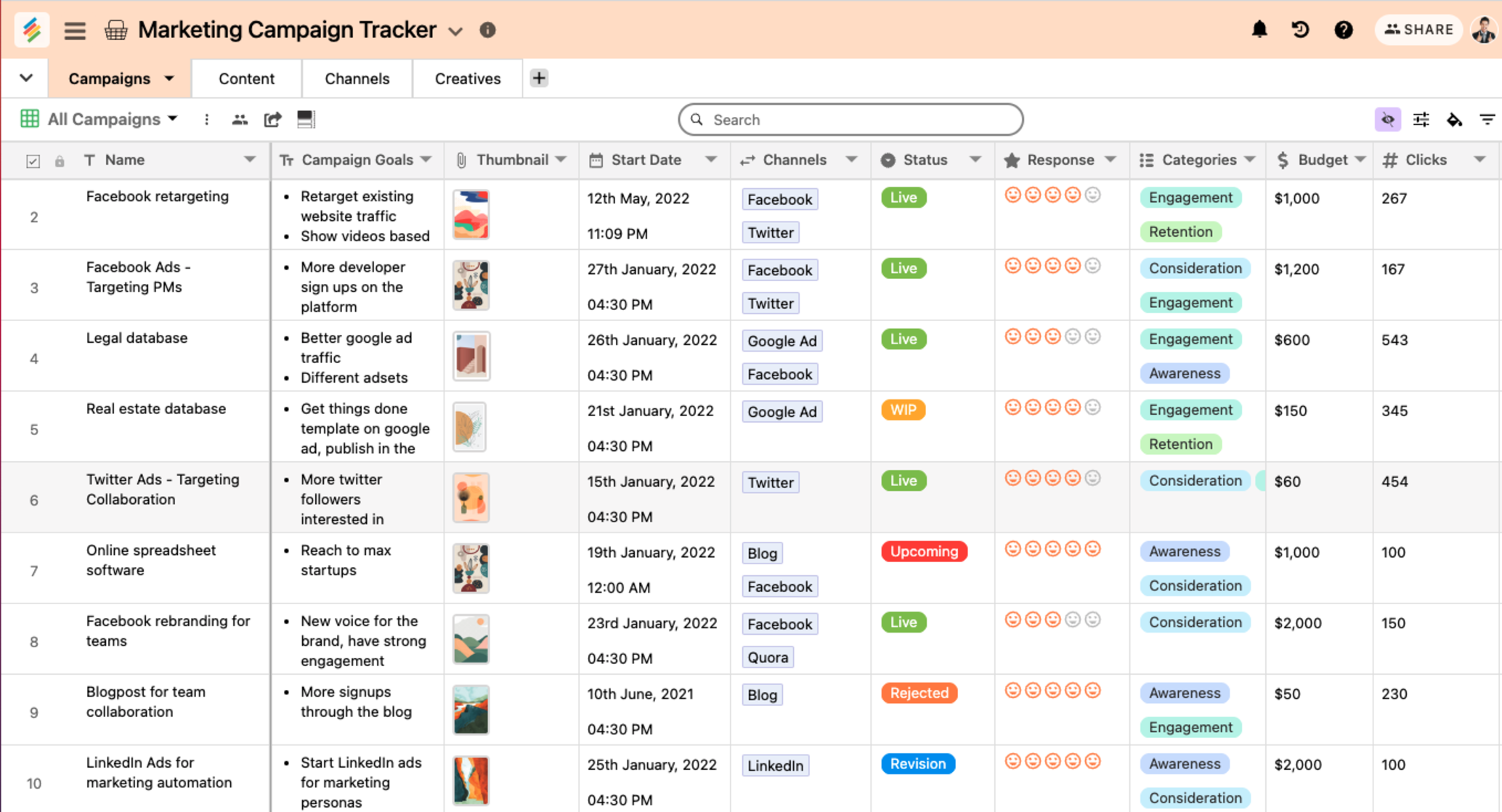
Stackby allows you to create relational databases without any coding. You can bring in spreadsheets, datasets, and other information to create the best database program for your business.
The platform allows Mac users to create Kanban, Calendar, and even gallery views depending on their needs. It’s a versatile database option that can help you overcome limitations you might experience with other platforms.

Redis offers cloud-based data management software. It’s great for automating data processing, making it an incredibly effective solution for users who need high-performance data management solutions.
As an in-memory database software for Mac, it easily handles real-time data and quickly caches information. It has a good user interface with plenty of advanced options to keep even the most demanding database managers happy.
Check out these time tracking software for Mac users!
Finding database software that fits your needs is necessary for overseeing your business. ClickUp’s versatile project management software makes staying organized simple. Plus, it’s a fantastic database software for Mac users with all the bells and whistles you need without bogging you down. See for yourself and try it today! ✨

Praburam Srinivasan
Max 18min read

Arya Dinesh
Max 11min read
Praburam Srinivasan
Max 45min read

© 2026 ClickUp





