






Still downloading templates?
There’s an easier way. Try a free AI Agent in ClickUp that actually does the work for you—set up in minutes, save hours every week.
Sorry, there were no results found for “”
Sorry, there were no results found for “”
Sorry, there were no results found for “”
Recurring revenue sounds like the dream, until you realize the complexity of managing hundreds of subscriptions without the right system. Consumption-based software companies have more than doubled in number since 2015, adding billing complexity that simpler tools weren’t built for.
This guide breaks down the top subscription lifecycle management software options and what to look for before you commit. It also shows you how tools like ClickUp connect billing workflows to the broader customer journey, so you catch every renewal opportunity. 👀
| Tool Name | Best For | Best Features | Pricing |
|---|---|---|---|
| ClickUp | Teams of all sizes managing subscription operations and customer workflows | ClickUp Dashboards for tracking renewal metrics, ClickUp Automations for lifecycle triggers, ClickUp Brain for AI-powered insights | Free Forever; customizations available for enterprises |
| Chargebee | Large B2B SaaS companies with complex billing needs | Revenue recognition, dunning management, subscription analytics | Start free; Paid plans from $7188/year |
| Stripe Billing | Developer-first enterprise teams needing flexible APIs | Smart retries, billing portal, usage-based billing | Custom pricing |
| Zuora | Enterprise subscription businesses at scale | Quote-to-cash automation, multi-entity support, CPQ integration | Custom pricing |
| Maxio | Medium to large-sized B2B SaaS companies needing financial operations alignment | SaaS metrics, ASC 606 compliance, billing automation | Custom pricing |
| Recurly | Mid-sized to large subscription businesses focused on churn reduction | Intelligent retry logic, subscriber management, analytics | Custom pricing |
| Zoho Billing | Small businesses in the Zoho ecosystem | Multi-currency support, payment gateway integrations, client portal | Paid plans start at $29/org per month |
| Paddle | Small to mid-sized SaaS companies wanting merchant of record services | Tax compliance, checkout optimization, subscription management | Pay as you go pricing |
| Agentforce Revenue Management | Large enterprises with existing Salesforce investments | CPQ, billing, revenue lifecycle management | Paid plans start at $150 per user/month (billed annually) |
| FastSpring | Global software companies selling digital products | Full-service ecommerce, tax handling, localized checkout | Custom pricing |
Our editorial team follows a transparent, research-backed, and vendor-neutral process, so you can trust that our recommendations are based on real product value.
Here’s a detailed rundown of how we review software at ClickUp.
Subscription lifecycle management software is a category of tools that help businesses manage every stage of a customer’s subscription journey—from initial sign-up and onboarding through renewals, upgrades, downgrades, and eventual cancellation or win-back.
It’s the operational backbone for any company with recurring revenue. Whether you run a SaaS product, a membership service, or a B2B platform with annual contracts, you’ll find yourself needing this software at some point.
Without dedicated subscription management, teams often juggle spreadsheets, disconnected billing systems, and manual renewal tracking. This creates silos of fragmented customer data.
You can’t spot churn risks or upsell opportunities when renewal dates sit in one spreadsheet, billing history in another, and customer notes in someone’s inbox.
📮ClickUp Insight: 92% of knowledge workers risk losing important decisions scattered across chat, email, and spreadsheets. Without a unified system for capturing and tracking decisions, critical business insights get lost in the digital noise.
With ClickUp Task Management capabilities, you never have to worry about this. Create tasks from chat, task comments, docs, and emails with a single click!
Most teams pick subscription billing software based on payment features alone and regret it later. The right subscription management platform offers visibility into the entire customer journey—not just invoicing.
Your platform also needs to connect with your CRM, accounting software, and the tools your customer success team already uses. When these systems don’t talk to each other, someone ends up manually reconciling data. That’s where errors and missed renewals creep in.
Here are the key capabilities to evaluate:
📮ClickUp Insight: 21% of people say more than 80% of their workday is spent on repetitive tasks. And another 20% say repetitive tasks consume at least 40% of their day.
That’s nearly half of the workweek (41%) devoted to tasks that don’t require much strategic thinking or creativity (like follow-up emails 👀).
ClickUp AI Agents help eliminate this grind. Think task creation, reminders, updates, meeting notes, drafting emails, and even creating end-to-end workflows! All of that (and more) can be automated in a jiffy with ClickUp, your everything app for work.
💫 Real Results: Lulu Press saves 1 hour per day, per employee using ClickUp Automations—leading to a 12% increase in work efficiency.
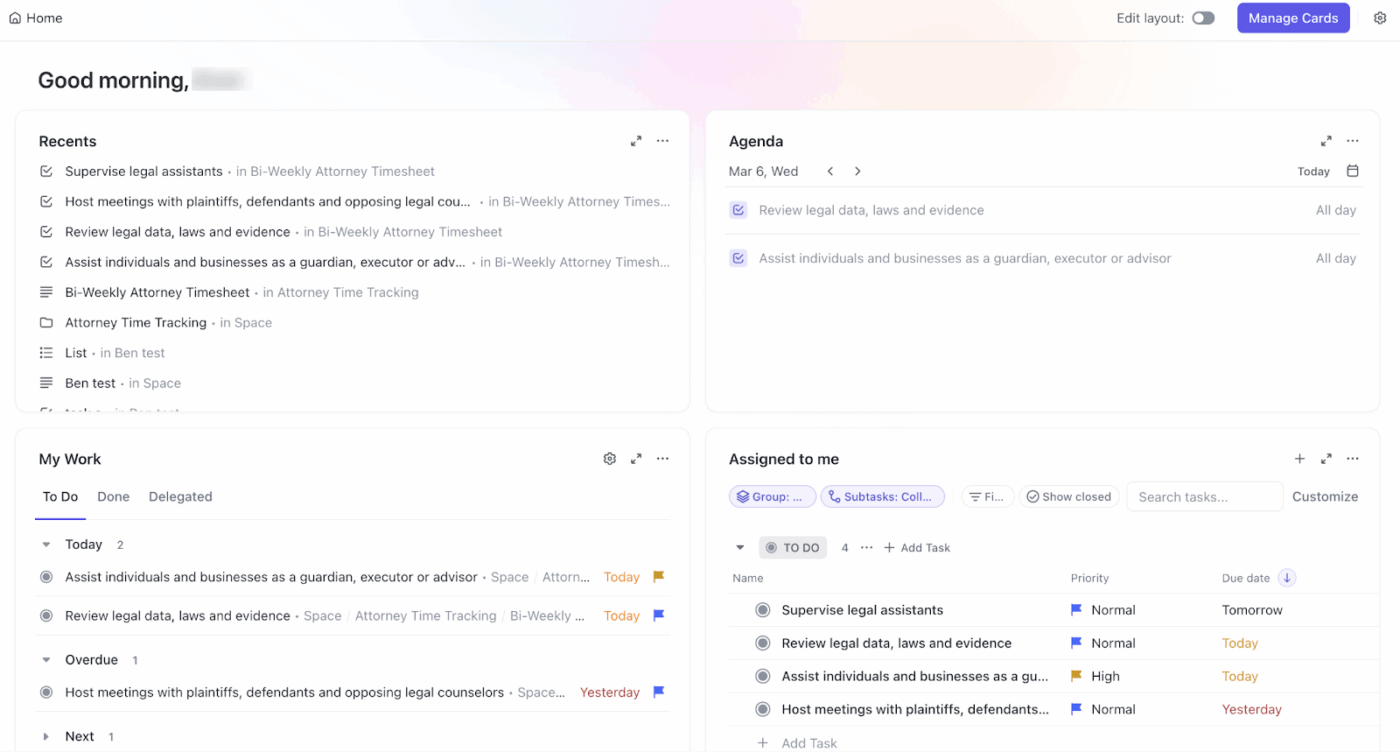
Managing subscription lifecycles isn’t just about billing. It’s also about coordinating the workflows, handoffs, and customer touchpoints that determine whether someone renews or churns.
With ClickUp, subscription teams can track every customer through their lifecycle stages, automate renewal workflows, and maintain full context on each account—without switching between disconnected tools.
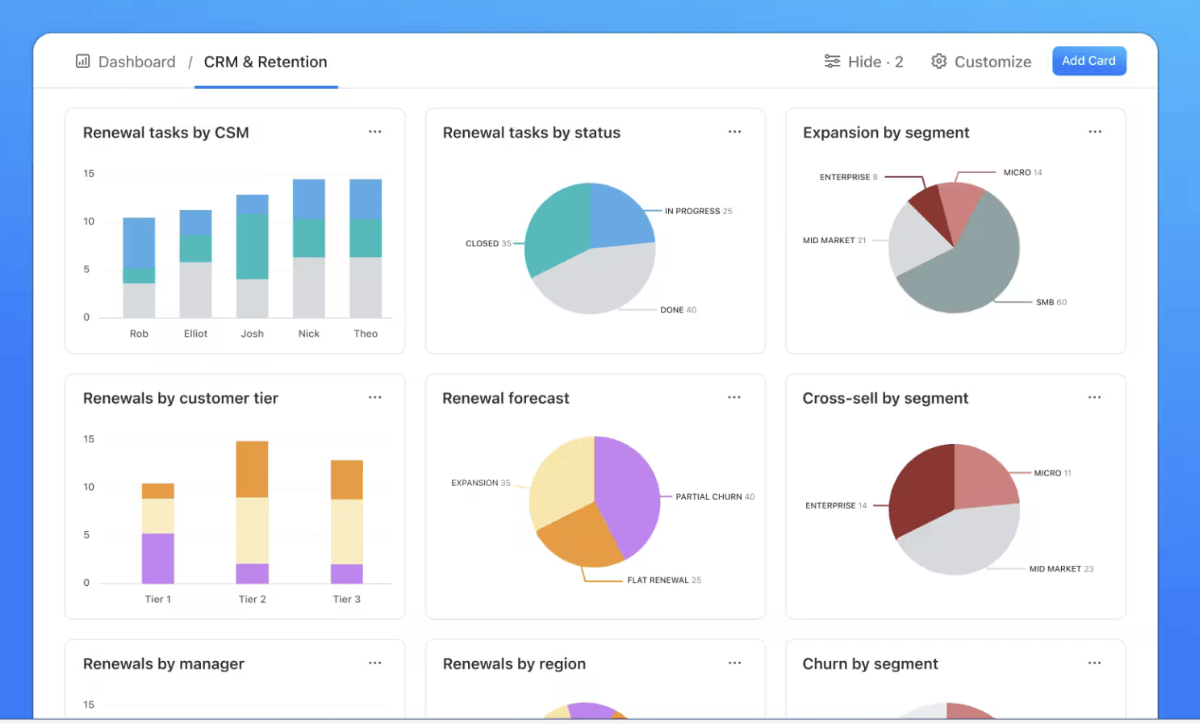
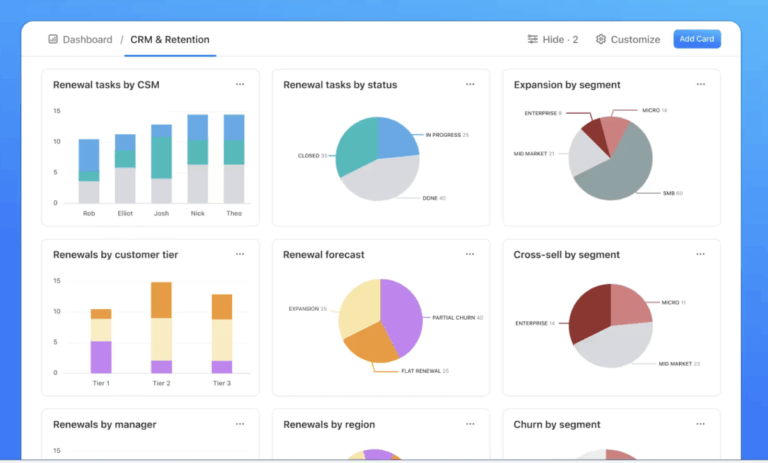
Build real-time views of renewal pipelines, at-risk accounts, and revenue metrics with ClickUp Dashboards.
They pull from the same workspace where customer tasks and communications live. This eliminates the context sprawl that happens when billing data sits in one system, customer notes in another, and renewal tasks in a spreadsheet somewhere.
By using customizable cards, you can track your total recurring revenue, upcoming renewal dates, and churn risks. Whether you need a pie chart to break down renewals by region or a “Calculation Card” to track annual contract value (ACV), Dashboards transform raw data into a visual roadmap.
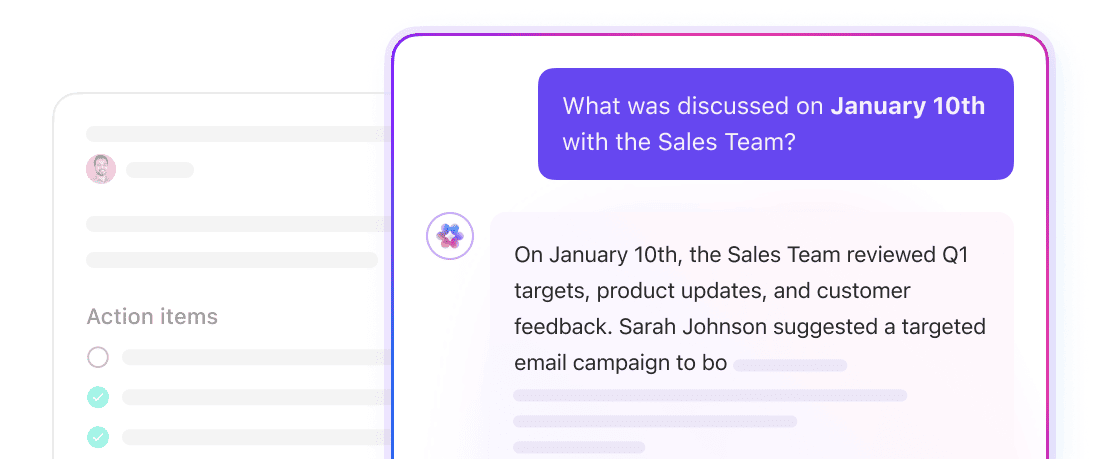
Identify patterns in customer behavior that might signal churn risk or expansion opportunity with ClickUp Brain’s AI-powered intelligence.
ClickUp Brain has the context of your subscription data, as well as customer meeting transcripts, and other tools integrated with your workspace. It can instantly summarize complex contract terms, identify “stuck” renewal tasks, and provide predictive insights.
Asking “Which renewals are due next month?” or “Summarize the negotiation history with Customer A” saves hours of manual digging.
Take it a step further with ClickUp Super Agents, AI-powered teammates that don’t just surface insights but act on them. Unlike static automations, Super Agents reason through multi-step workflows using live workspace context, so they adapt as your subscription data changes.
Build a Super Agent that autonomously:
🦸🏻♀️ Launch the Subscription Management Agent, which catches revenue-impacting events in real time and triggers the appropriate response.

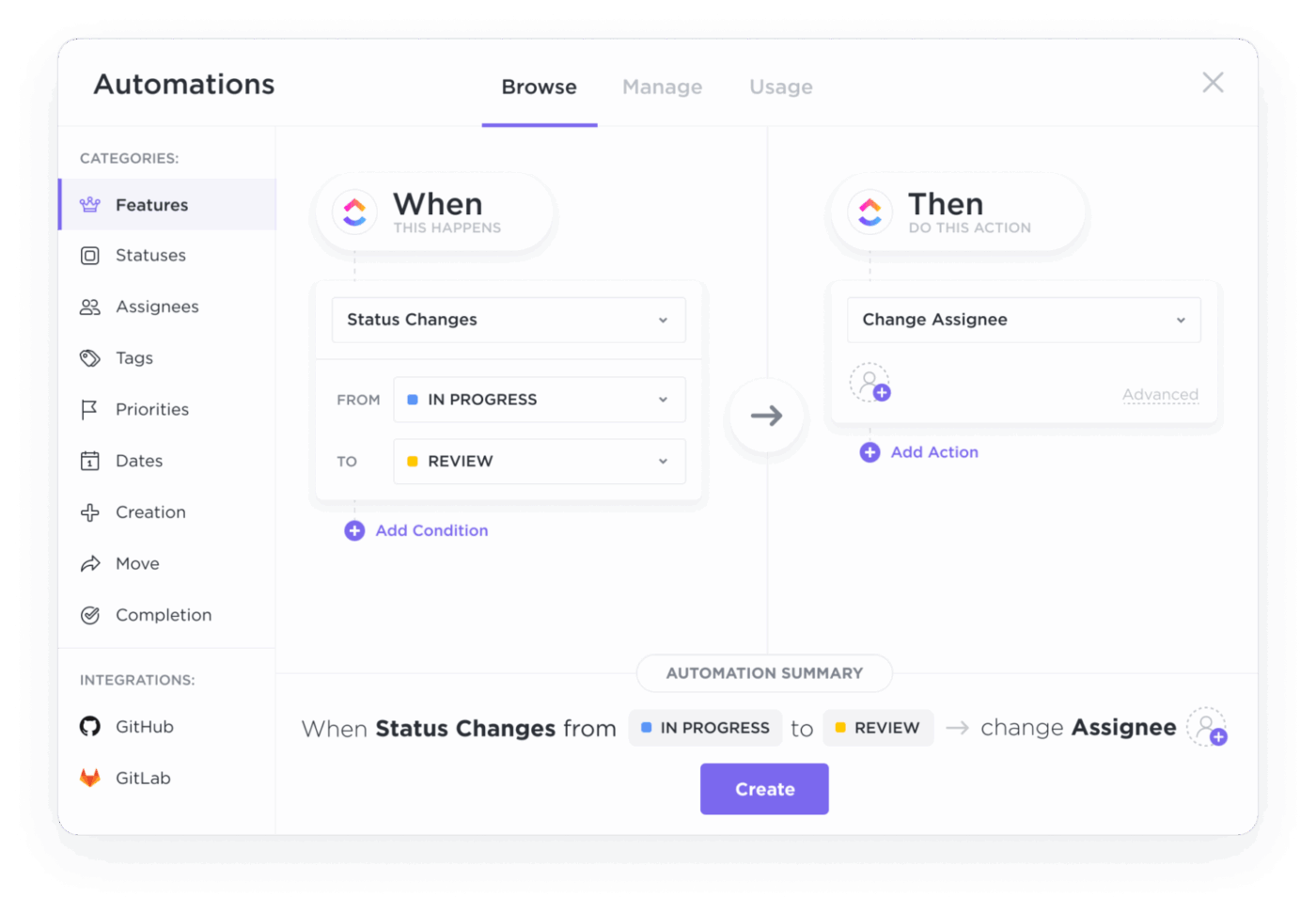
Handle repetitive lifecycle management tasks with ClickUp Automations. Using “if this, then that” workflows, you can automate:
When a customer enters a specific stage, automations can create follow-up tasks, send notifications to the right team members, update ClickUp Custom Fields, or move items through your pipeline.
Pros:
Cons:
A G2 user notes:
I’ve been using ClickUp and found it really helpful. It has a lot of useful features, and it’s easy to keep track of assigned tasks. I like that everything like tasks, updates, and chat is available in one place, so there’s no need to switch between tools. It makes managing work much simpler and more organized. Overall, it’s easy to use and works well for day-to-day task tracking.
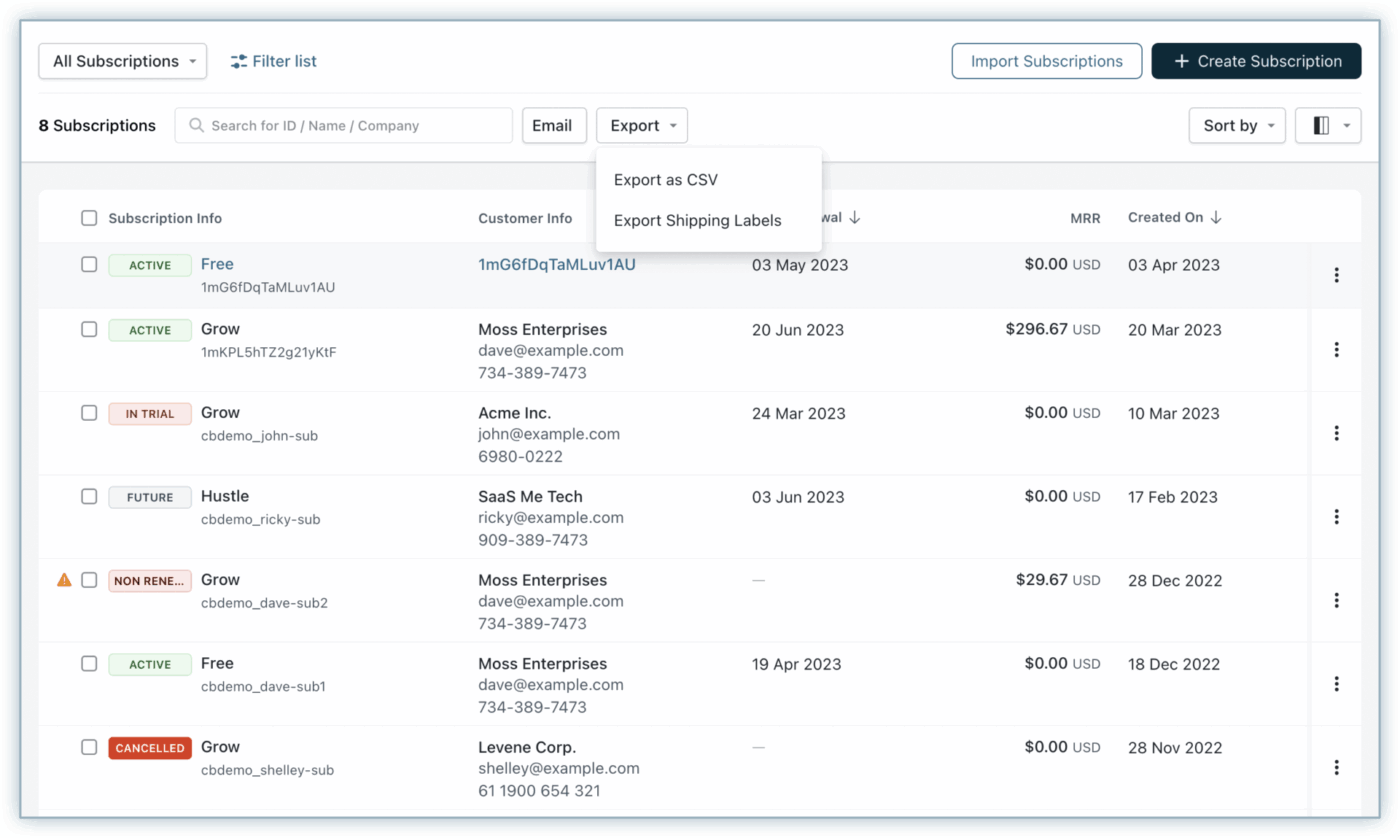
Chargebee is a subscription management platform for B2B SaaS companies with complex billing requirements.
The platform manages the full quote-to-cash cycle, from initial pricing and quoting through invoicing, revenue recognition, and renewal management. It can handle billing complexity across usage-based pricing, hybrid models, multi-currency invoicing, and complex proration scenarios.
Chargebee’s dunning management system uses machine learning to optimize retry timing for failed payments, recovering revenue that would otherwise churn. It also provides subscription analytics that go beyond basic MRR tracking.
Pros:
Cons:
A G2 user notes:
What I like best about Chargebee is that it makes subscription billing and customer management much easier. It helps keep everything organized in one place, saves time, and reduces manual work. The platform is also user-friendly, so it is easier to track payments, invoices, and subscription changes without too much confusion.
📚 Also Read: Top CRM and Invoicing Software
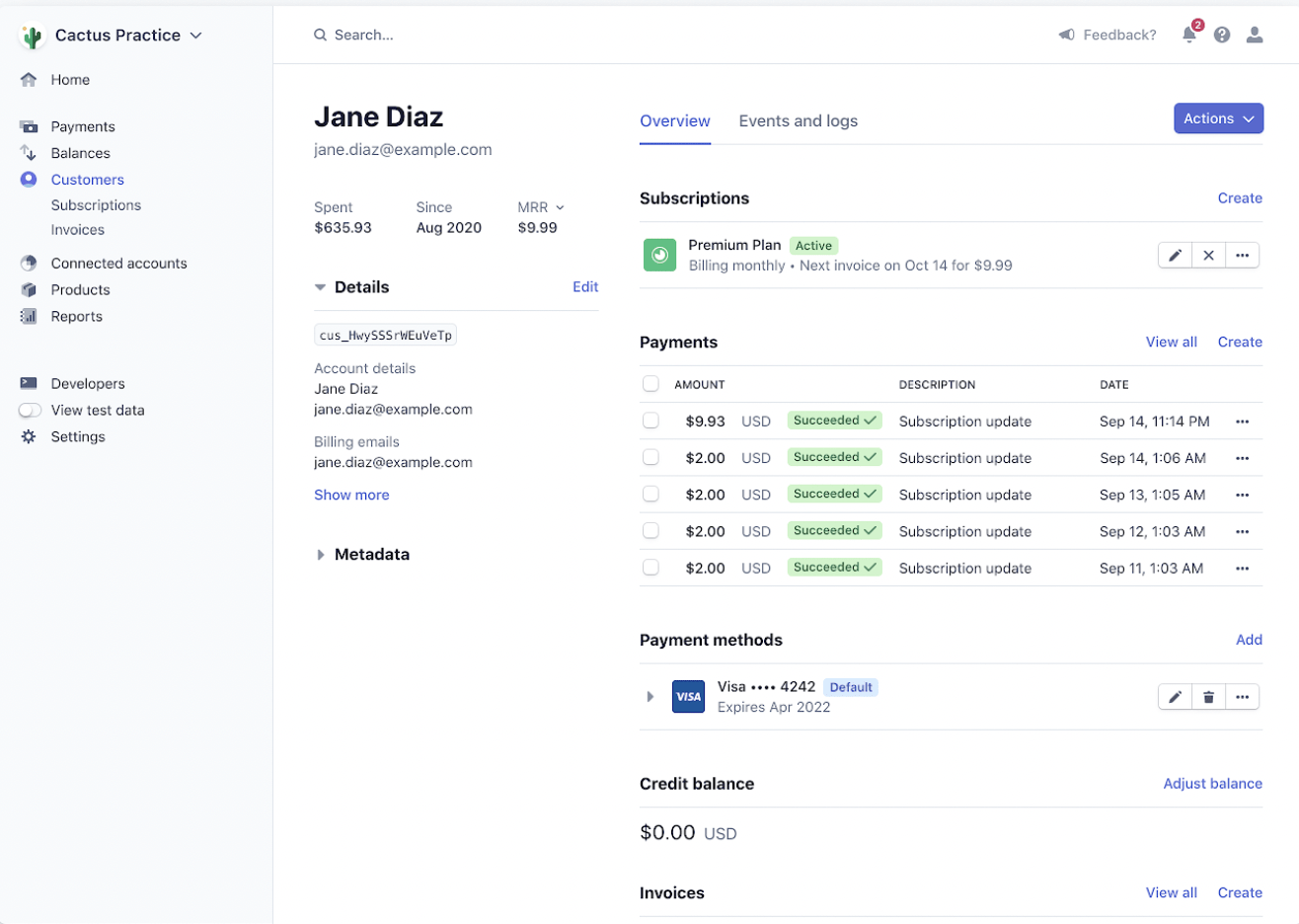
Stripe Billing extends Stripe’s payment infrastructure into subscription management, offering a developer-first approach to recurring revenue. Its APIs can handle virtually any billing scenario—from simple monthly subscriptions to complex metered usage models.
The platform’s smart retries feature uses machine learning trained on Stripe’s massive payment dataset to optimize the timing of failed payment retries. The customer billing portal allows subscribers to manage their own payment methods, view invoices, and update subscriptions without requiring support intervention.
Stripe Billing works best for companies already using Stripe for payments or those with development teams capable of building custom integrations.
Pros:
Cons:
A G2 user notes:
What I like best about Stripe Billing is its seamless automation of recurring payments and how easily it integrates with other platforms, reducing manual work
🚀 Install the Brain MAX Chrome extension to bring your workspace intelligence outside ClickUp. Reviewing a customer’s billing page in Stripe? Brain MAX can pull their renewal history, summarize recent account notes, and surface open tasks for that account, all from a hotkey without switching tabs. It’s like having your subscription context layer follow you across every tool.
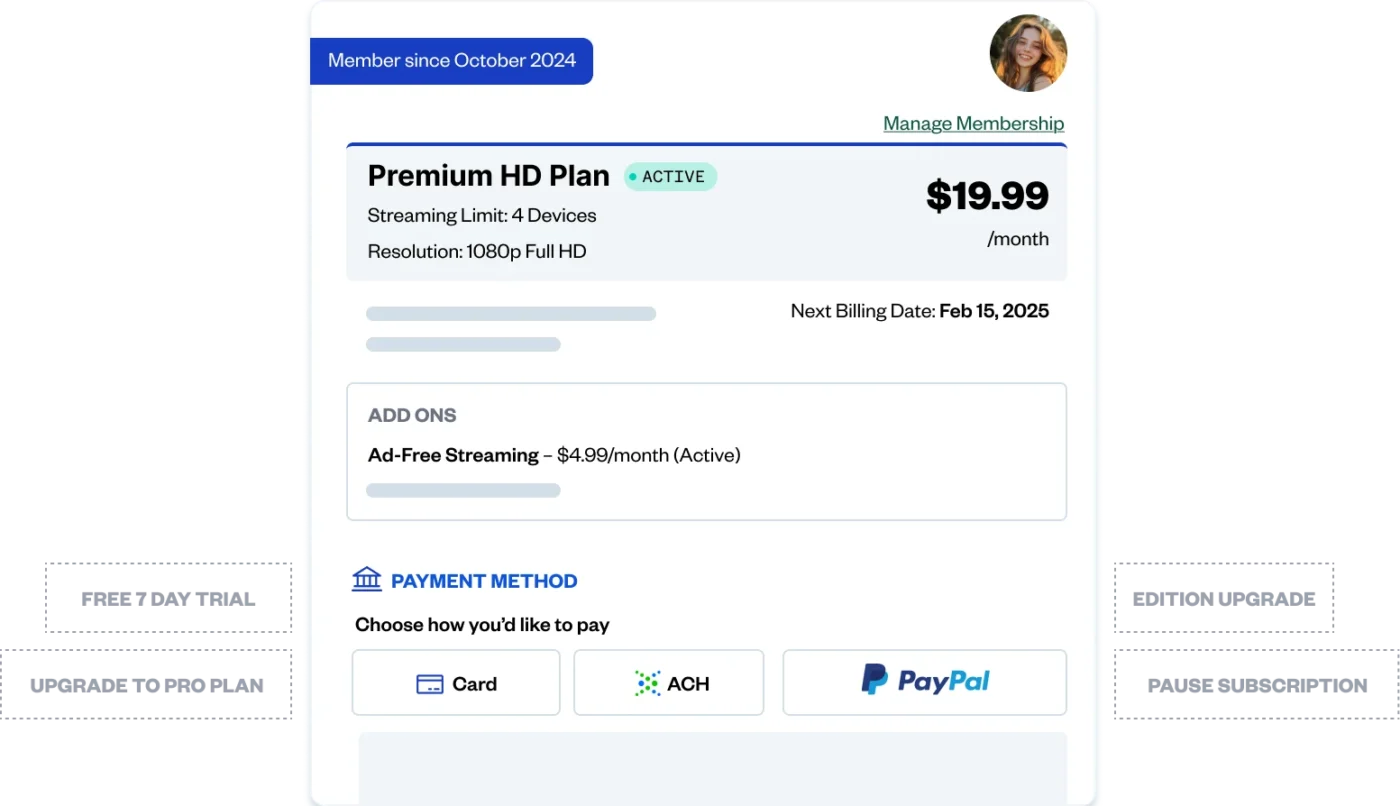
Zuora offers enterprise subscription businesses a comprehensive suite that spans the entire quote-to-revenue lifecycle.
The platform handles complex scenarios such as multi-entity billing across subsidiaries, complex contract amendments, and revenue recognition across multiple accounting standards simultaneously.
For large organizations with established subscription businesses, Zuora provides the governance, audit trails, and compliance capabilities that finance and legal teams require. The platform’s CPQ (configure-price-quote) functionality integrates with Salesforce and other CRMs, allowing sales teams to build complex quotes that flow directly into billing without manual handoffs.
Zuora’s analytics capabilities include subscription metrics dashboards, cohort analysis, and predictive churn modeling.
Pros:
Cons:
A G2 user notes:
Zuora provides strong flexibility in managing subscription billing and revenue recognition. Its automation features reduce manual work, and the platform scales well as the business grows. I particularly like how easily different pricing models can be configured, which helps adapt to changing customer needs. The reporting and dashboards also give good visibility into financial performance.
📚 Also Read: Best Customer Database Software Systems
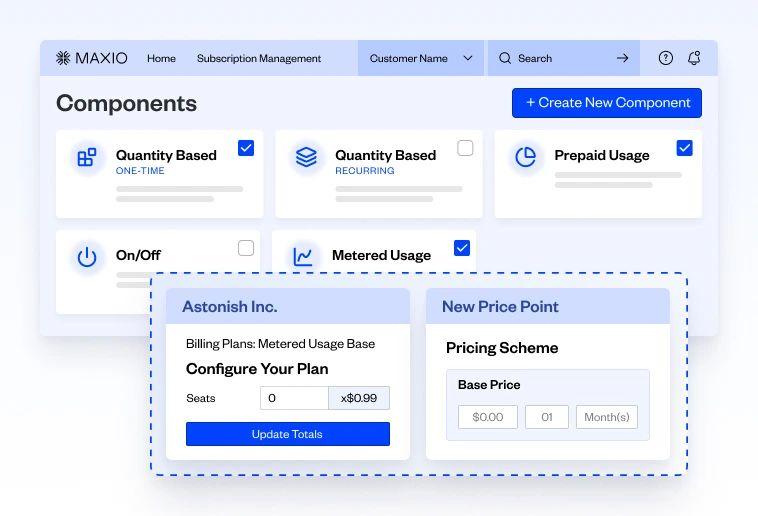
Maxio, formed from the merger of Chargify and SaaSOptics, gives B2B SaaS companies subscription billing with financial operations capabilities.
For SaaS finance teams, Maxio provides the subscription analytics that matter: MRR movements, cohort retention, expansion and contraction revenue, and customer lifetime value. These metrics are automatically calculated from billing data, eliminating the need for manual spreadsheet analysis.
The platform’s ASC 606 compliance features handle the revenue recognition complexity that subscription businesses face.
Maxio’s billing capabilities support the pricing models common in B2B SaaS: seat-based, usage-based, tiered, and hybrid approaches.
Pros:
Cons:
A G2 user notes:
I use Maxio for keeping track of all my clients’ invoices and subscription details. What I like most about Maxio is the ease of being able to look up an invoice or subtask subscription really easily while I’m on a call with a client. I can review an invoice quickly, within about two minutes, and access contact information easily. The platform is really easy to use. The initial setup was very easy for me, and I could access Maxio and review subscriptions and invoices from the first day.
🎥 For effective customer lifecycle management, an updated knowledge base is non-negotiable. See how AI can help you build and maintain it!
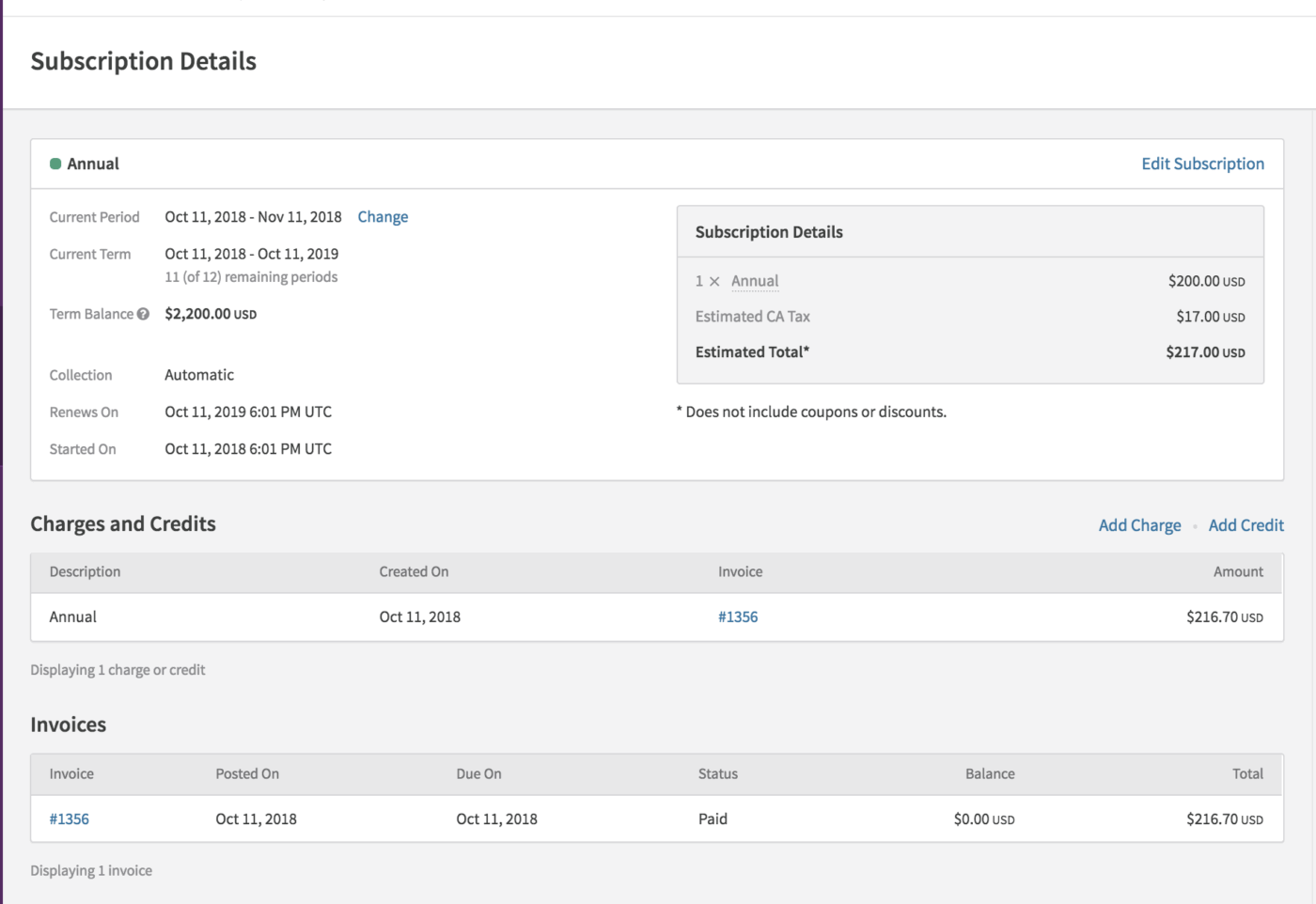
Recurly focuses heavily on subscription retention, positioning its platform around reducing both voluntary and involuntary churn.
The platform’s intelligent retry logic and decline management features recover failed payments before they result in lost customers. For subscription businesses where even small improvements in retention significantly impact revenue, this focus on churn reduction is compelling.
Recurly handles standard subscription billing scenarios well: recurring charges, one-time fees, usage-based components, and plan changes. The subscriber management interface gives teams visibility into individual customer accounts, including billing history, plan changes, and communication logs.
It integrates with major payment gateways and offers a hosted payment page for companies that don’t want to handle PCI compliance directly.
Pros:
Cons:
A G2 user notes:
I appreciate how Recurly provides a single source of truth for managing subscriptions, which is incredibly useful for our business operations. I love the capability to plug and play any payment services provider with minimal effort, which speaks volumes about its flexibility.
📚 Also Read: Customer Retention Software Tools
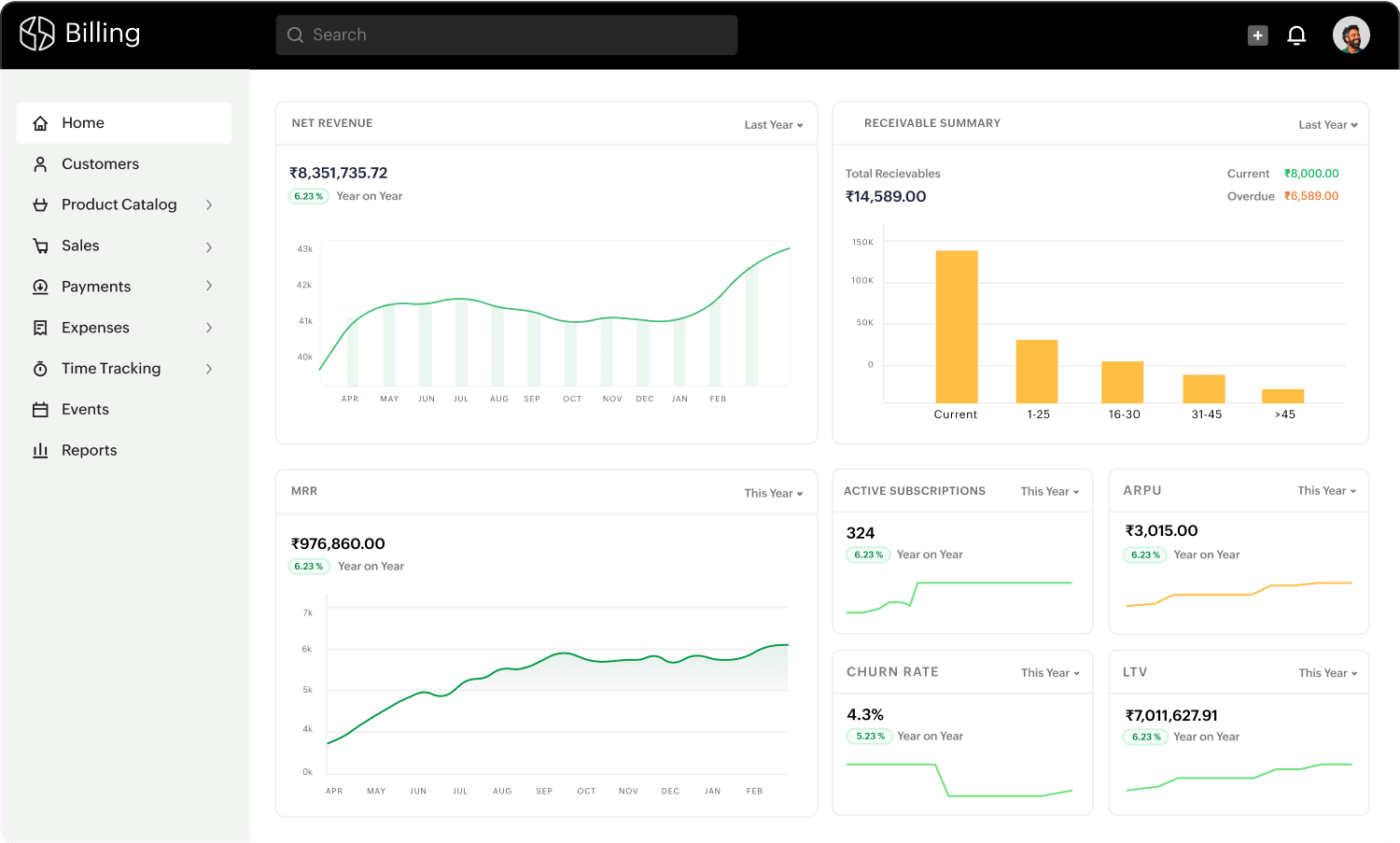
Zoho Billing, formerly Zoho Subscriptions, offers subscription management as part of the broader Zoho ecosystem. For businesses already using Zoho CRM, Zoho Books, or other Zoho applications, the native integration provides a unified experience.
The platform handles standard subscription billing scenarios: recurring invoices, multiple billing cycles, and basic usage-based charges. Zoho Billing’s client portal allows customers to view invoices, update payment methods, and manage their subscriptions. Multi-currency support makes the platform viable for businesses with international customers.
Zoho Billing works well for small to mid-sized businesses with straightforward subscription models.
Pros:
Cons:
A G2 user notes:
It makes it easy for me to collect payment from prospective customers. I like the history that you can view on each users tab, and the customization available too.
📚 Also Read: How To Manage Clients As Your Agency Scales Up
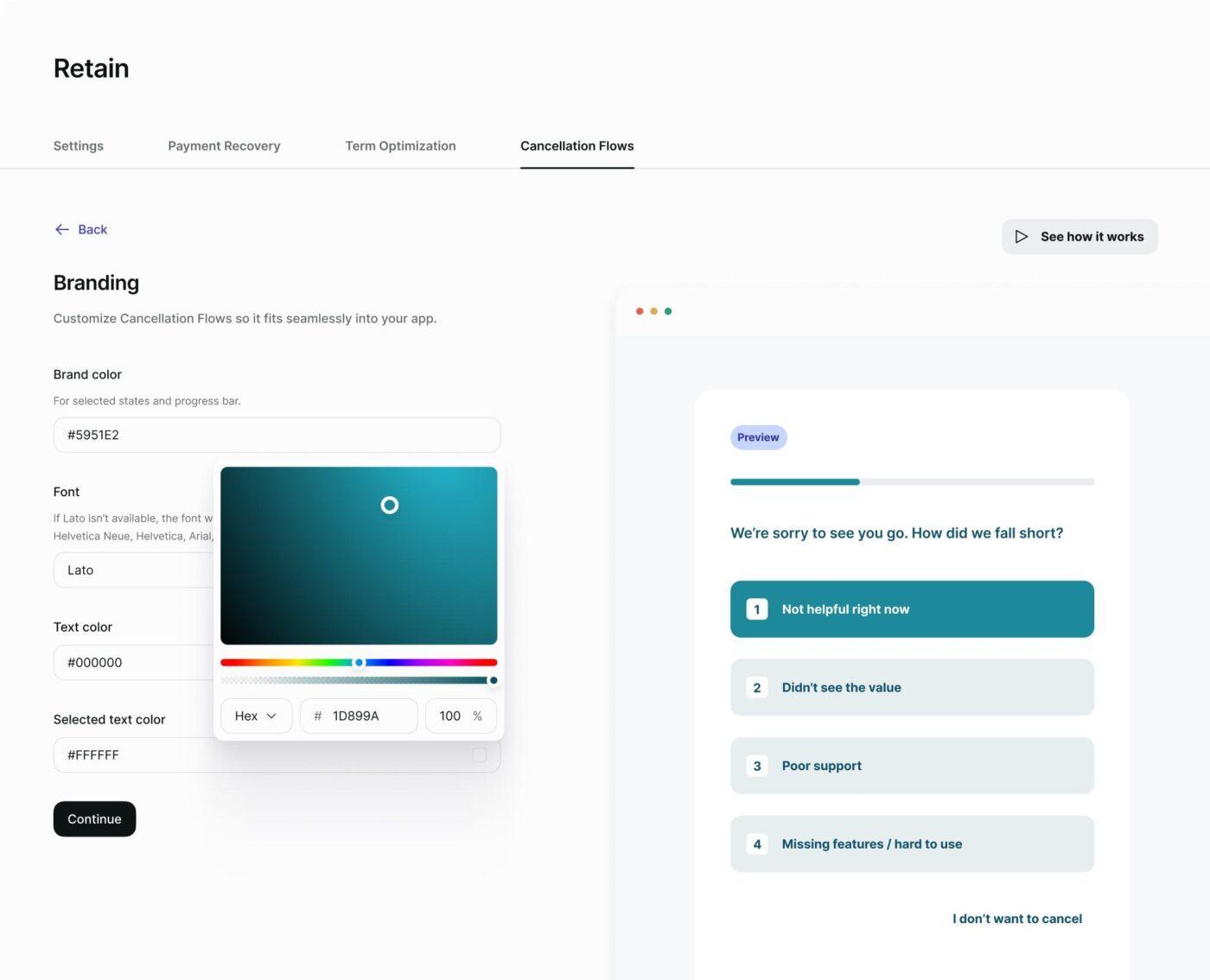
Paddle operates as a merchant of record, meaning they handle payment processing, tax compliance, and fraud protection on behalf of software companies. For SaaS businesses selling globally, this model eliminates the complexity of managing sales tax, VAT, and other tax obligations across different jurisdictions.
The platform combines checkout, billing, and subscription management in a unified system. Their checkout experience is optimized for conversion, with features like intelligent payment routing and localized payment options.
Paddle handles localized pricing, currency conversion, and payment method preferences for different regions. Subscription management capabilities include plan management, proration handling, and basic analytics.
Pros:
Cons:
A G2 user notes:
I use Paddle to manage payments and subscriptions for my software product. It handles billing, invoicing, and tax compliance for customers in different countries, which makes selling internationally much easier without having to deal with local tax rules ourselves. Paddle solves several payment and reporting issues I faced with other providers. With Paddle, payouts are more consistent, reporting is easier and cleaner, and it’s easier to understand fees, taxes, and final amounts, which reduces back-and-forth questions and errors on the platform.
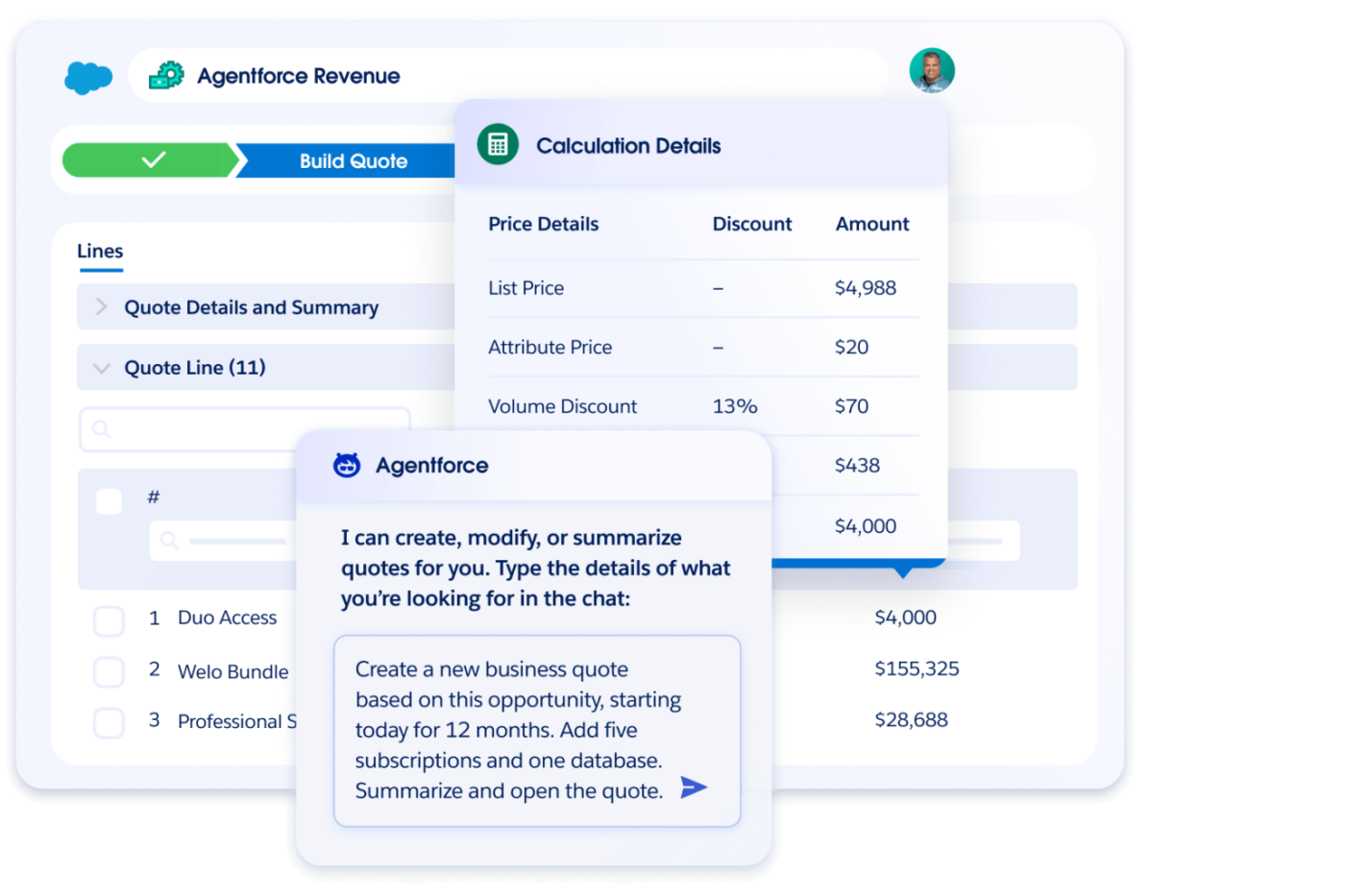
Agentforce Revenue Management (formerly Salesforce Revenue Cloud) brings subscription management into the Salesforce ecosystem, combining CPQ, billing, and revenue lifecycle management. For enterprises already invested in Salesforce, it provides a native solution that keeps customer, sales, and billing data unified within a single platform.
The platform’s CPQ capabilities allow sales teams to build complex quotes with subscription products, usage-based components, and one-time charges. These quotes flow directly into billing without manual handoffs, reducing errors and accelerating the quote-to-cash cycle.
It also handles contract amendments, renewals, and the revenue recognition implications of subscription changes.
Pros:
Cons:
A G2 user notes:
Salesforce Revenue Cloud is the industry leader in AI-driven revenue management – everything from Parts & Quote Management, all the way to Billing & Invoicing. It is by far the most powerful tool on the market that does this. Combine that with Agentforce and you get a top-notch solution and there’s nothing it can’t handle.
💡 Pro Tip: Use the Salesforce Connected Search integration to search for and preview Salesforce records in ClickUp! Search records, see detailed Salesforce link previews in tasks, and create new Salesforce tasks and leads from the AI Command Bar without leaving ClickUp.
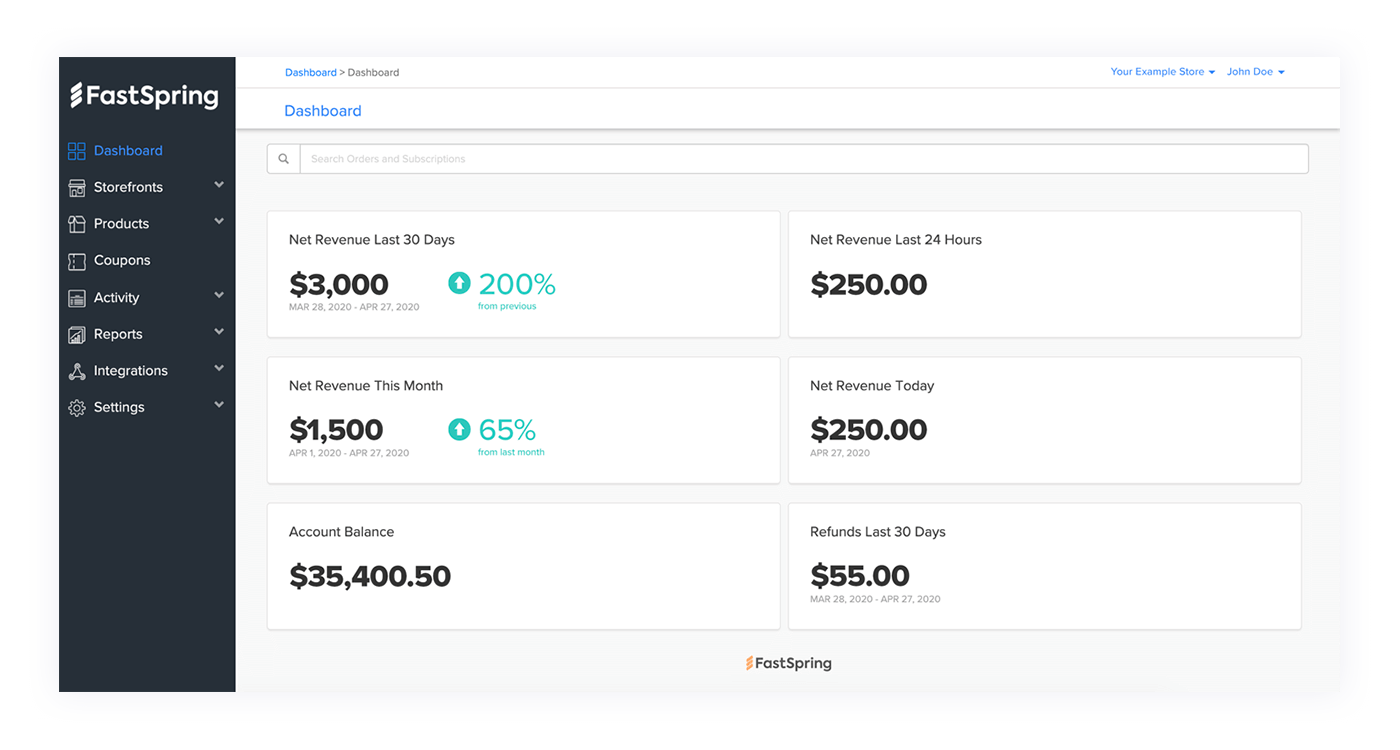
FastSpring provides full-service ecommerce for software and digital product companies, operating as a merchant of record.
The platform handles global payments, tax compliance, and subscription management, allowing software companies to sell internationally without building payment infrastructure. Its strength lies in its checkout optimization and global payment capabilities.
FastSpring supports localized pricing, multiple currencies, and region-specific payment methods. Their subscription management handles recurring billing, plan changes, and customer communications, though the features are less extensive than those of dedicated subscription platforms.
Pros:
Cons:
A G2 user notes:
I like FastSpring because it offers different payment methods, making online transactions flexible. It’s secure, which is a big plus for me when handling payments. Also, I appreciate its simplicity, as it makes things easier to manage.
⭐️ Reduce churn by giving your customer support teams the power of AI. This video shows you how to!
Choosing subscription lifecycle management software comes down to matching your operational complexity with the right level of platform capability. Simple subscription businesses can start with straightforward billing tools, while companies with usage-based pricing, enterprise contracts, or global customers need platforms built for that complexity.
The most important factor isn’t feature count—it’s whether the platform integrates with how your team actually works. Billing data that lives in isolation from customer success workflows creates the context sprawl that leads to missed renewals and preventable churn.
Manage subscription operations alongside broader customer workflows, build custom lifecycle tracking, automate renewal processes, and maintain full context on every account with ClickUp’s flexibility. Get started for free with ClickUp today.
Recurring billing software focuses primarily on processing payments and generating invoices on a schedule. Subscription lifecycle management encompasses the entire customer journey—onboarding, engagement, renewal, expansion, and retention—with billing as one component of a broader operational system.
Project management platforms like ClickUp create workflows that track customers through lifecycle stages, automate renewal reminders, and maintain context on each account. ClickUp Dashboards can visualize renewal pipelines while ClickUp Automations handle routine follow-ups.
Enterprise platforms typically offer multi-entity support, complex revenue recognition compliance (ASC 606/IFRS 15), advanced CPQ capabilities, granular user permissions, and extensive audit trails. Small business solutions prioritize ease of use and faster implementation over configurability.
It depends on complexity. Early-stage companies with simple pricing can often manage with basic invoicing tools. As pricing models become more complex—usage-based components, enterprise contracts, multiple products—dedicated subscription management becomes essential for accuracy and operational efficiency.

© 2026 ClickUp

There’s an easier way. Try a free AI Agent in ClickUp that actually does the work for you—set up in minutes, save hours every week.