








Still downloading templates?
There’s an easier way. Try a free AI Agent in ClickUp that actually does the work for you—set up in minutes, save hours every week.
Sorry, there were no results found for “”
Sorry, there were no results found for “”
Sorry, there were no results found for “”
You’ve spent hours engineering the “perfect” prompt. You have the vision, model, and potential for a massive productivity win. But one small tweak sends your output off the rails. Without a standard way to score results, you can’t tell if your AI is actually improving or just changing.
In fact, according to Wharton’s Prompting Science Report, simply rewording a prompt can shift performance by up to 60 percentage points.
This guide walks you through the best prompt performance benchmark templates in ClickUp. These are your repeatable blueprints for scoring outputs, tracking every iteration, and finally connecting your evaluation data to the work in your workspace. ✨
Here’s a quick overview of the prompt performance benchmark templates covered in this guide and the part of the evaluation workflow each one supports 👇
| Template | Download Link | Ideal For | Key Features |
|---|---|---|---|
| Benchmark Analysis Template by ClickUp | Get free template | Comparing prompt variants and scoring outputs | Visual benchmarking canvas, scoring fields, multi-view analysis |
| Experiment Plan and Results Template by ClickUp | Get free template | Running structured prompt experiments | Hypothesis tracking, test setup logging, results documentation |
| Test Management Template by ClickUp | Get free template | Managing large-scale evaluation workflows | Test case tracking, execution statuses, automation triggers |
| Test Case Template by ClickUp | Get free template | Documenting granular prompt failures | Input/output logging, expected vs actual comparison, pass/fail tracking |
| Performance Report Template by ClickUp | Get free template | Communicating benchmark outcomes to stakeholders | Executive summaries, data visualization, recommendation sections |
| Activity Report Template by ClickUp | Get free template | Tracking evaluation progress and workload | Activity logs, time-based filtering, workload visibility |
| Balanced Scorecards Template by ClickUp | Get free template | Aligning prompt performance with business goals | Multi-dimensional scoring, weighted metrics, strategy mapping |
| Project Assessment Template by ClickUp | Get free template | Improving benchmarking processes over time | Process evaluation, lessons learned, risk tracking |
| Heuristic Review Template by ClickUp | Get free template | Running qualitative AI output evaluations | Heuristic categories, severity ratings, expert feedback capture |
| Company OKRs and Goals Template by ClickUp | Get free template | Linking benchmark results to strategic goals | OKR hierarchy, progress tracking, cross-team visibility |
🧠 Fun Fact: “Benchmark” did not start in software or product teams. It originally meant a surveyor’s point of reference in the 1800s, long before it became the standard for measuring everything from website experiments to prompt performance.
A prompt performance benchmark template is a framework for evaluating, comparing, and scoring AI prompt outputs. It’s used to measure whether an artificial intelligence prompt is actually working or quietly getting worse with every model update.
Think of it as a standardized experiment setup:
👀 Did You Know? One of the most famous experiments in statistics began with a debate over whether milk or tea should be poured first. Ronald Fisher turned that tiny disagreement into a formal test with randomized cups, and it became one of the classic stories behind modern experimental design.
A good prompt template needs to do specific things well, or it’ll collect dust after the first sprint:
📮ClickUp Insight: 92% of knowledge workers risk losing important decisions scattered across chat, email, and spreadsheets. Without a unified system for capturing and tracking decisions, critical business insights get lost in the digital noise. With ClickUp’s Task Management capabilities, you never have to worry about this. Create tasks from chat, task comments, docs, and emails with a single click!
Each template below tackles a different angle of prompt performance benchmarking—from granular test cases to strategic reporting. Some are purpose-built for benchmarking; others are adaptable frameworks that prompt engineering teams to repurpose for evaluation workflows.
Let’s take a look:
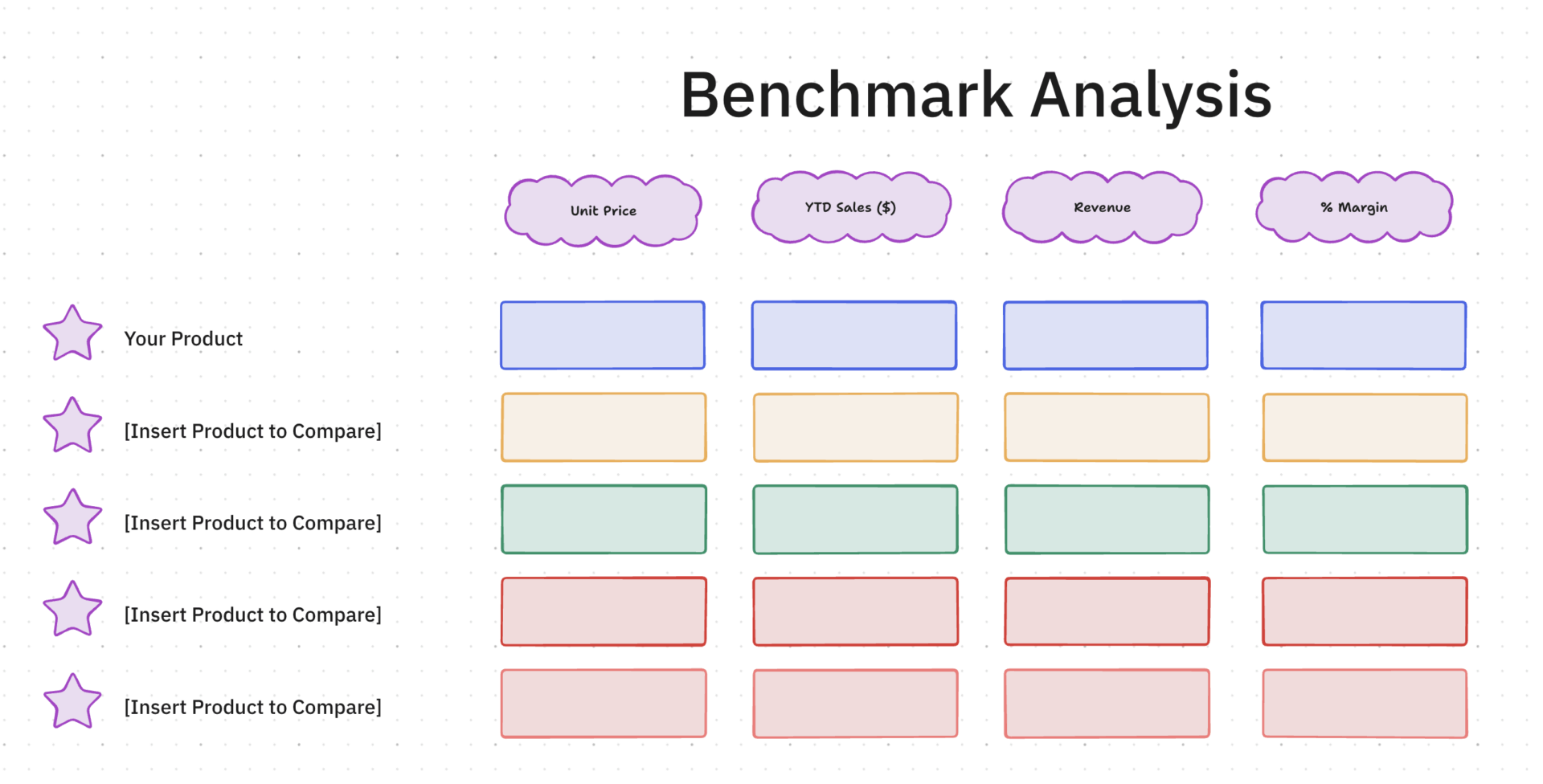
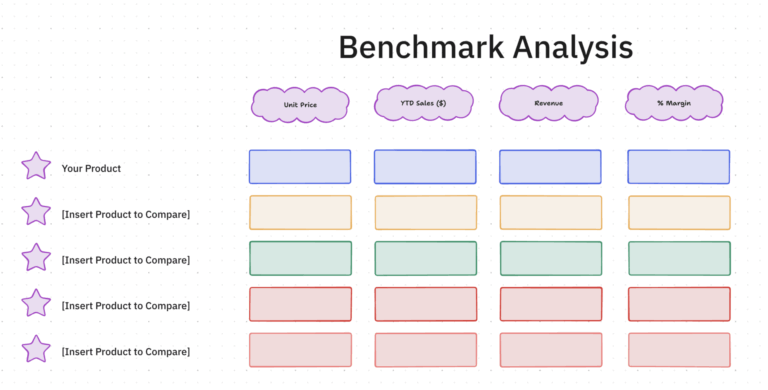
Evaluating prompt performance usually turns into a subjective mess without a fixed baseline for comparison. If you’re just reading through outputs, you’ll never truly know which logic tweak fixed a hallucination or improved a response.
The Benchmark Analysis Template by ClickUp™ acts as a visual evaluation lab on a ClickUp Whiteboard. It lets you plot prompt variants, scoring rubrics, and model results on a single infinite canvas so you can spot patterns in model logic that a standard list view would hide.
✅ Ideal for: AI researchers and prompt engineers coordinating rigorous A/B testing across multiple model variants, production logic, and sensitive data use cases.
⚡️ Want more benchmark analysis templates to choose from? We have curated a list for you here: Free Benchmark Analysis Templates for Teams
How do you benchmark a prompt without blurring the conditions behind its performance? The Experiment Plan and Results Template by ClickUp provides the exercise with methodological rigor. In this template, every prompt trial begins with a stated hypothesis, a test setup, and a record of what changed between runs.
As results come in, the template turns scattered observations into an evidence trail. Prompt variants, benchmark criteria, and outcome notes remain tied to the same workflow, giving your team a clearer read on performance.
✅ Ideal for: Content or support leads building a more reliable prompt library for production use.
👀 Did You Know? With 40% of enterprise apps projected to run on AI agents by the end of this year, our team at ClickUp has already moved our entire content system over to Super Agents.
These autonomous teammates handle end-to-end drafting, routing, and publishing, leaving us free to focus solely on high-level strategy.
Watch how they run our workspace below:
Scaling a prompt library usually fails because nobody knows which tests are actually finished. If you’re manually tracking “passed” or “failed” states in a random doc, you’re likely losing days to redundant testing and communication loops.
The Test Management Template by ClickUp provides a high-level orchestration layer for your evaluation suites. It turns scattered prompt-input pairs into a governed pipeline, where every test case has a clear owner and a live status, keeping your deployment schedule on track.
✅ Ideal for: QA leads and prompt operations managers coordinating high-volume evaluation suites across multiple model versions and technical workstreams.
💡 Pro Tip: Need answers fast? Use ClickUp Brain. It can pull test notes, failed cases, prompt changes, and rerun context from your workspace and connected apps. That way, you can see what happened before you run the next evaluation.
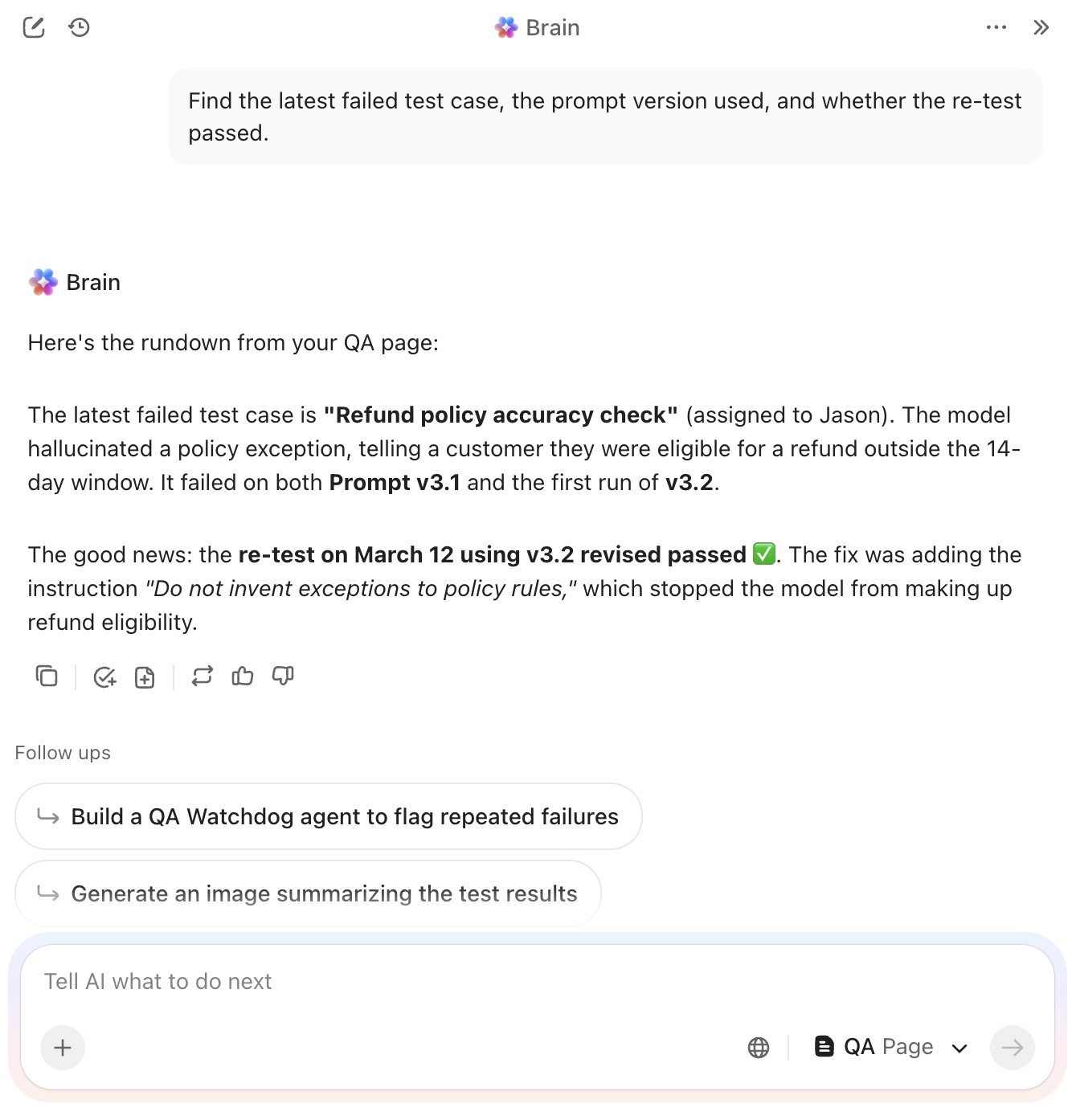
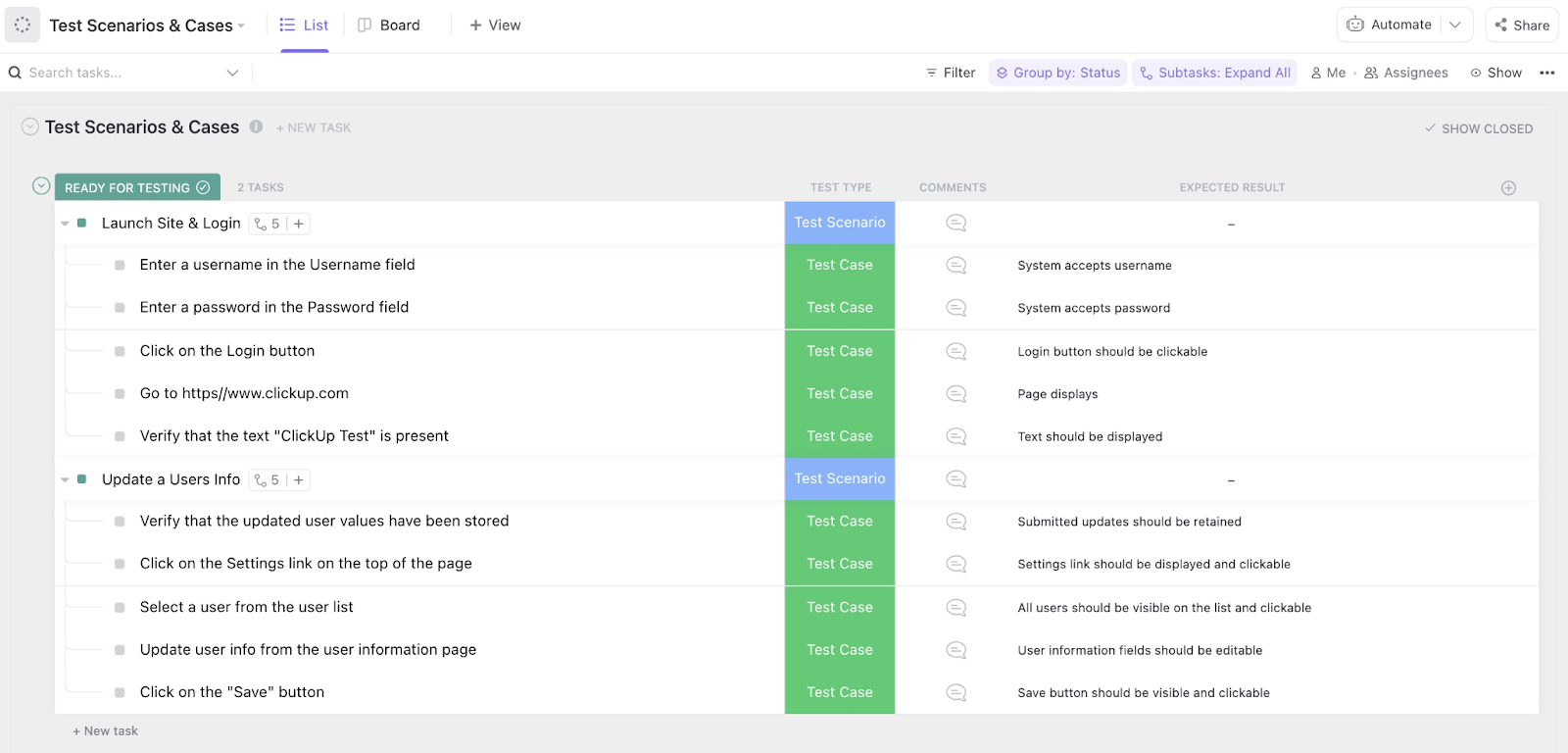
Atomic failures in your prompt logic are almost impossible to fix if they are buried in a generic status update. You need to see exactly where the model hallucinated or ignored a specific constraint without digging through hours of manual chat history.
The Test Case Template by ClickUp functions as the granular documentation layer for your evaluation suite. It breaks every prompt-input combination into an atomic task, forcing a direct comparison between your expected results and the model’s actual output.
✅ Ideal for: QA analysts and lead prompt engineers managing regression testing for high-stakes AI applications or sensitive customer-facing workflows.
🔮 Found a failure worth fixing? Bring in ClickUp’s Bug Reproduction Replicator Agent. It helps turn a failed test case into clear repro steps, so engineering can debug it faster. That is especially useful when one prompt breaks only under specific inputs or conditions.

📚 Also Read: AI Prompt Workflow Templates
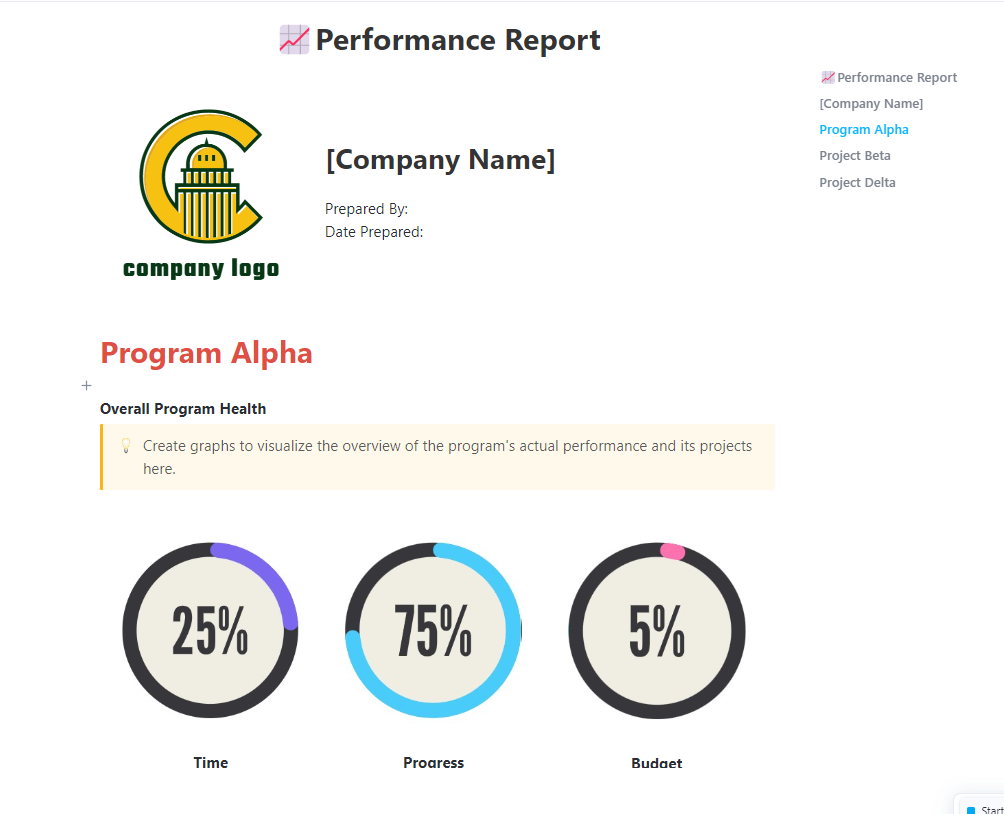
Stakeholders rarely have the patience to dig through raw test logs or technical scoring sheets. When a benchmark round ends, you’re usually left with the manual chore of translating those numbers into a narrative that justifies your next deployment.
The Performance Report Template by ClickUp™ serves as the definitive communication bridge for your AI operations. It organizes your findings into a high-level summary Doc that highlights model improvements and regression risks.
✅ Ideal for: AI program managers and technical product owners presenting model reliability and version readiness to executive leadership.
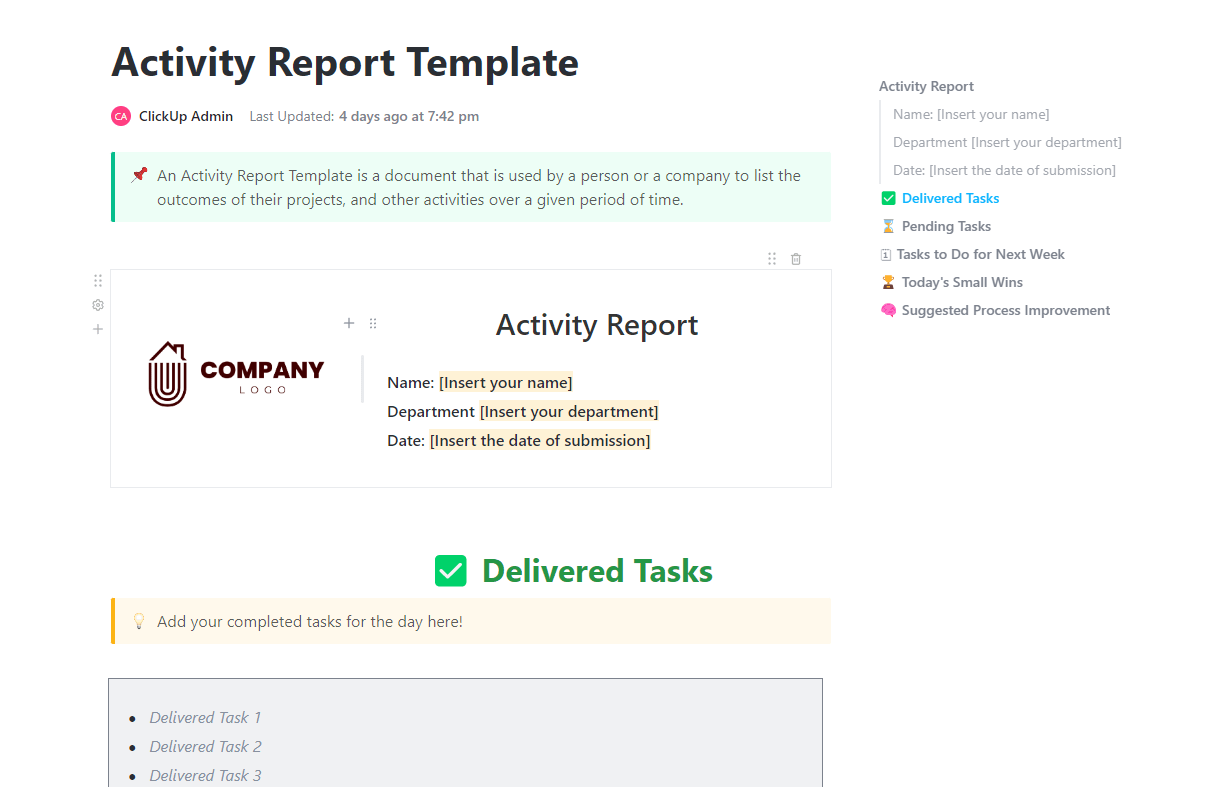
A benchmarking routine is only valuable if your team actually follows it. When testing tasks pile up, it’s easy to skip the documentation steps that maintain your audit trail.
The Activity Report Template by ClickUp™ acts as the operational heartbeat of your testing cycle. It tracks which evaluations have been delivered and which are still in the queue. This visibility helps keep your entire governance process on schedule.
✅ Ideal for: AI team leads and operations managers who need to ensure benchmarking workflows aren’t being ignored or delayed.
💡 Pro Tip: Schedule a 15-minute weekly “activity review standup” to review the Activity Report and flag evaluations stuck in the same status for over 3 days. Use ClickUp AI Notetaker to automatically capture action items and blockers discussed during the standup.

A prompt that scores 98% on accuracy might still be too expensive or slow to actually use. You need a way to see if your engineering tweaks are hitting technical benchmarks while also supporting your broader business goals.
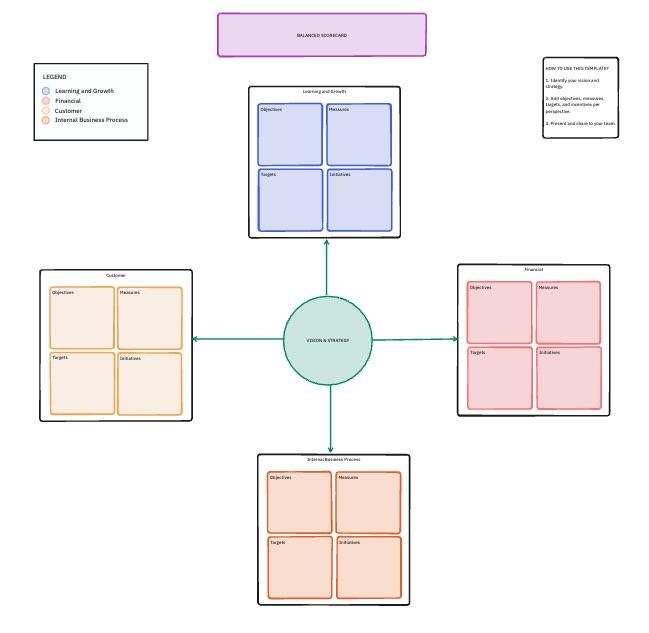
The Balanced Scorecard Template by ClickUp uses a Whiteboard to map out these connections. It’s a collaborative space for linking technical data to strategic categories like financial impact, customer satisfaction, and internal growth.
✅ Ideal for: Product managers and AI/ML leads who need to align prompt engineering performance with high-level business objectives and resource allocation.
Skipping a post-mortem on your benchmarking cycle is a missed opportunity to fix your testing bottlenecks. You need to know if your test cases were truly representative or if your scoring rubrics were too vague before you start the next round of deployments.
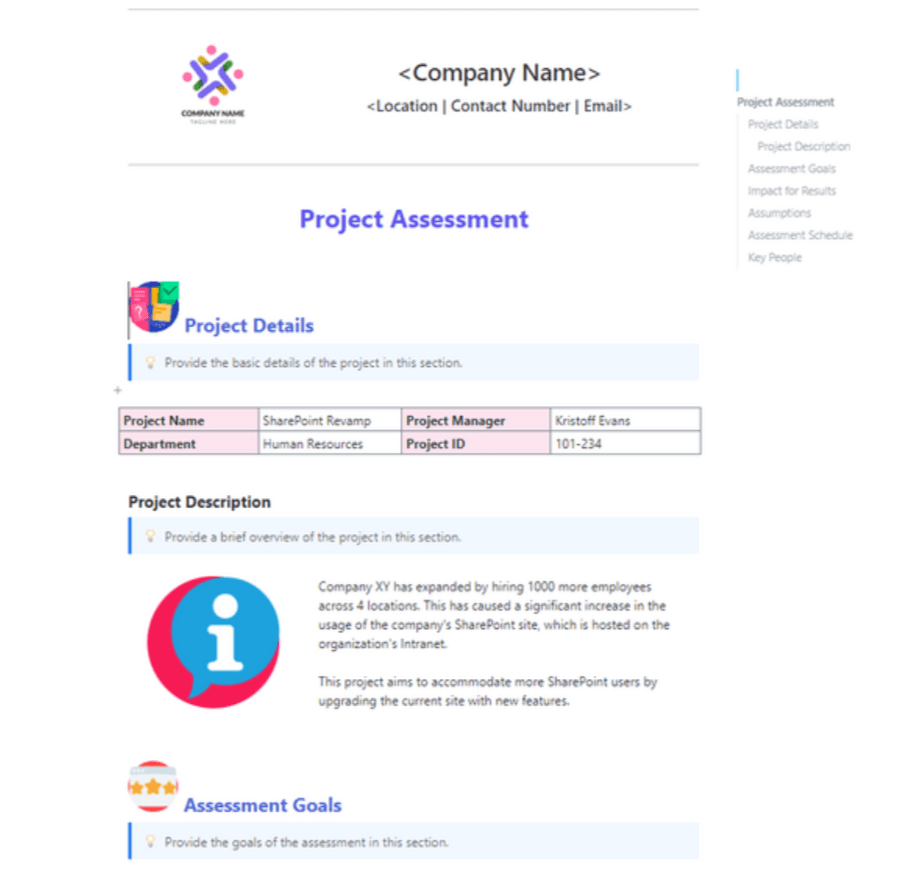
The Project Assessment Template by ClickUp helps you evaluate the evaluation itself. It moves you beyond raw prompt scores to examine the overall health of your testing pipeline, so each cycle leads to actual logic improvements.
✅ Ideal for: AI operations managers and QA leads who need to refine their testing methodologies and prove the ROI of their benchmarking efforts.
Numerical scores only tell part of the story when evaluating your AI outputs. A prompt might pass a factual accuracy test but still feel robotic, confusing, or slightly off-brand for your users.
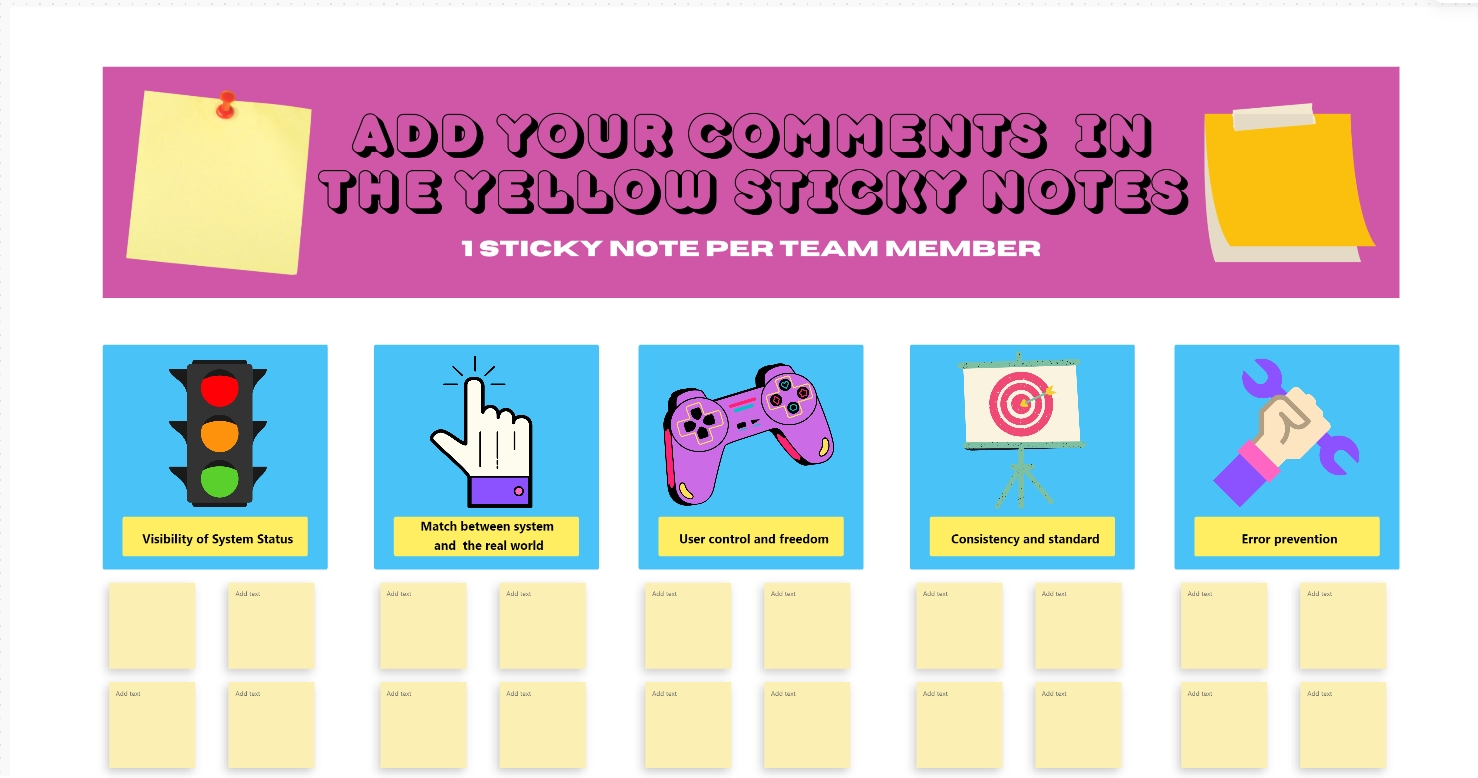
The Heuristic Review Template by ClickUp brings expert human intuition into your PromptOps workflow. It uses a collaborative Whiteboard to map results against core principles like clarity and error prevention. Your team can pin specific feedback to different heuristic categories using digital sticky notes to keep the audit organized.
✅ Ideal for: UX writers and PromptOps teams conducting expert manual audits to ensure AI-generated content meets high-level quality and safety standards.
📮ClickUp Insight: While 34% of users operate with complete confidence in AI systems, a slightly larger group (38%) maintains a “trust but verify” approach. A standalone tool that is unfamiliar with your work context often carries a higher risk of generating inaccurate or unsatisfactory responses.
This is why we built ClickUp Brain, the AI that connects your project management, knowledge management, and collaboration across your workspace and integrated third-party tools. Get contextual responses without the toggle tax and experience a 2–3x increase in work efficiency, just like our clients at Seequent.
Improving prompt accuracy from 72% to 88% is a massive technical win. However, that number only carries weight if leadership understands how those improvements directly impact your quarterly growth.
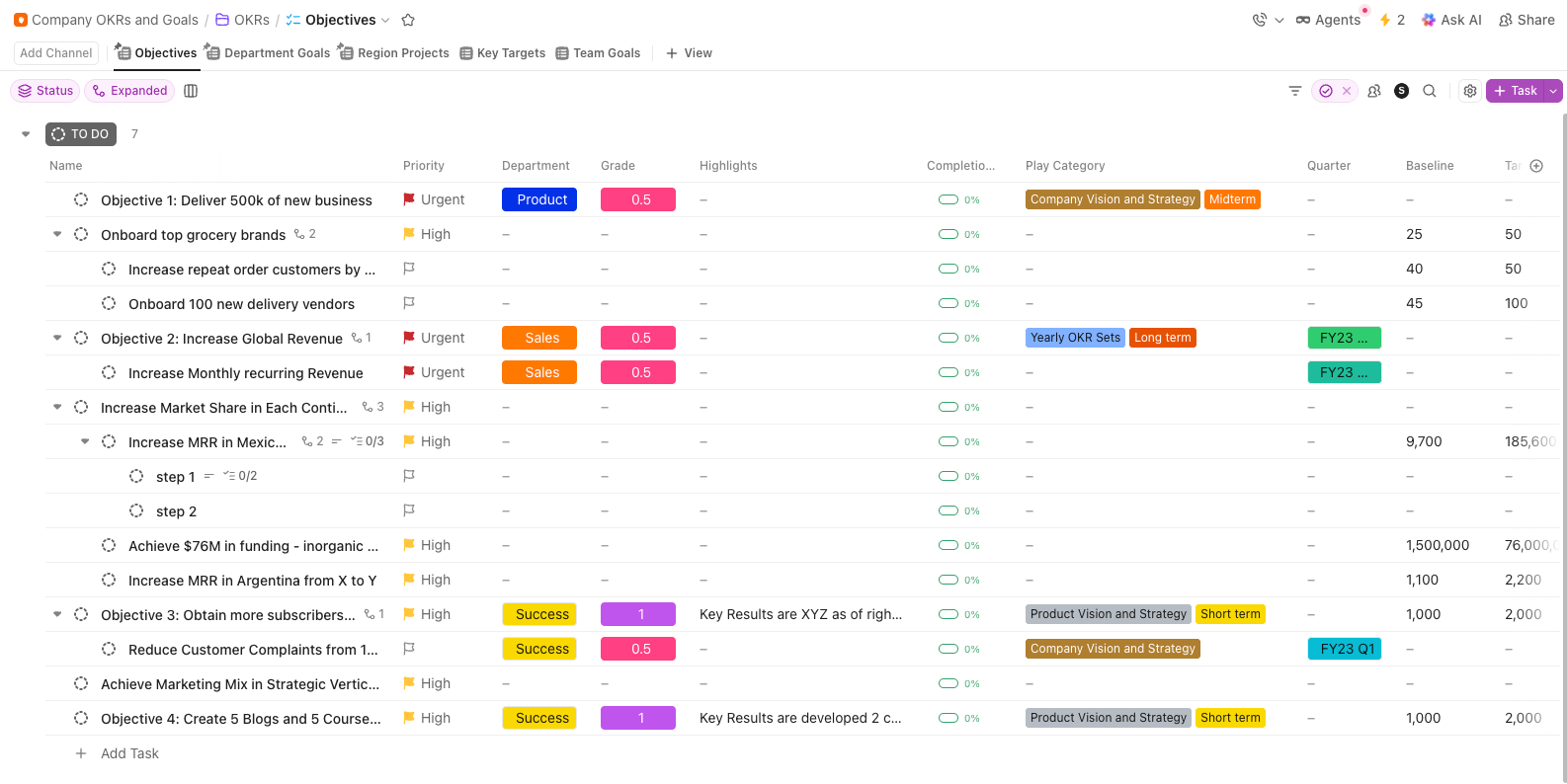
The Company OKRs and Goals Template by ClickUp bridges the gap between technical benchmarking and high-level strategy. It lets you nest specific performance targets under your main product objectives. This keeps the team focused on the technical outcomes that move the needle for the business.
✅ Ideal for: AI/ML teams formalizing benchmarking as a recurring objective with measurable outcomes.
More prompts mean more moving parts, more iterations, and more chances for output quality to slip.
With ClickUp, you build a converged workspace where benchmarking starts with structured evaluation in Tasks, and refinement stays aligned through Docs and Whiteboards. Additionally, AI is layered on top of every template and solution, automatically managing the repetitive analysis and versioning.
So, what are you waiting for? Get started for free with ClickUp and turn your benchmarks into results.
Core metrics include accuracy, relevance, coherence, and latency. You should also track the hallucination rate, tone adherence, and task completion rate. The right mix ultimately depends on your specific use case. For instance, customer-facing outputs prioritize tone and safety, while internal prompts focus more on accuracy and speed.
To adapt your template, start by adding fields for the model name, version, and parameter settings, such as temperature and token limits. You should also include a section for expected vs. actual output comparisons to measure performance. Finally, add version tracking to each run. This ensures that every benchmark is tied to a specific prompt iteration, enabling accurate long-term evaluation.
Quantitative benchmarking uses numeric scores (e.g., accuracy percentage, response time) for objective comparison. In contrast, qualitative benchmarking uses expert review against principles such as clarity, helpfulness, and brand voice—most effective prompt-testing programs use both.
Structured benchmarking catches prompt regressions before they reach your users. It creates a continuous feedback loop between evaluation and iteration, allowing you to refine performance over time. This process builds a solid evidence base for your prompt engineering decisions.

© 2026 ClickUp

There’s an easier way. Try a free AI Agent in ClickUp that actually does the work for you—set up in minutes, save hours every week.