






Still downloading templates?
There’s an easier way. Try a free AI Agent in ClickUp that actually does the work for you—set up in minutes, save hours every week.
Sorry, there were no results found for “”
Sorry, there were no results found for “”
Sorry, there were no results found for “”
Every great product starts with a spark of creativity—and a lot of coffee. ☕
From the first sketch to the final prototype, product design is equal parts art and architecture. But even then, design often stalls—not because of a lack of talent, but because feedback, briefs, and ideas get scattered across tools.
That’s where product design templates come in. They give shape to your creativity, standardize what’s repeatable, and keep your projects focused. Whether you’re mapping user flows, building wireframes, or managing design specs, the right template helps you move from concept to completion with clarity.
Below, you’ll find the best free product design templates to organize your ideas, collaborate better, and design smarter.
Product design templates are ready-to-use, customizable documents that enable designers to plan, organize, and communicate the elements needed to create a product. They standardize the product design process from ideation to execution, ensuring consistency and compliance.
A typical product design template includes sections like:
🔍 Did You Know? Even in today’s modern world of technology, 70% of designers resort to traditional sketchbooks to start their projects! 📖
Design isn’t just about creativity—it’s about process.
For UX/UI teams, product design templates are more than a shortcut; they’re a framework for consistency, speed, and collaboration. Templates help teams:
In short, templates empower UX/UI teams to deliver better products, faster—every time.
💡 Pro Tip: Design for Everyone
Accessibility isn’t an afterthought—it’s essential. Add accessibility checklists or sections to your templates to ensure your products are usable by all and meet modern standards from day one.
With thousands of product design tools and templates available online, it can get challenging to pick the right one. So, here are a few aspects you should look for:
⏩ Read More: Best Graphic Design Collaboration Software and Tools
| Template Name | Download Template | Ideal For | Best Features | Visual Format |
| ClickUp Product Design Wireframing Whiteboard Template | Get free template | UI/UX designers, product teams | Real-time brainstorming, visual frames, feedback on canvas | ClickUp Whiteboard |
| ClickUp Design Document Template | Get free template | Design leads, product managers | Structured docs, comments, real-time edits, standardization | ClickUp Doc |
| ClickUp Design Brief Whiteboard Template | Get free template | Creative directors, stakeholders | Visual overview, objectives, deliverables, whiteboard tools | ClickUp Whiteboard |
| ClickUp Product Customer Journey Map Template | Get free template | UX strategists, product marketers | Journey stages, touchpoints, user behavior insights | ClickUp List, Board |
| ClickUp User Flow Template | Get free template | Developers, product design engineers | Visual flows, annotations, task assignment, iteration tracking | ClickUp Whiteboard, Diagram |
| ClickUp Website Design Project Plan Template | Get free template | Web designers, devs, project managers | Task tracking, dependencies, role assignment, planning | ClickUp Board, List |
| ClickUp Web Design Template | Get free template | Freelance designers, agency teams | Page/section structure, sprints, comments, approvals | ClickUp Board, List |
| ClickUp New Product Development Template | Get free template | Product managers, cross-functional teams | Phase breakdown, dashboards, research/prototype tracking | ClickUp List, Board |
| ClickUp Creative and Design Template | Get free template | Creative teams, marketers | Asset management, visual boards, timelines, calendar sync | ClickUp List, Board, Calendar |
| ClickUp Design Portfolio Template | Get free template | Freelancers, design professionals | Project showcase, deliverables, version tracking | ClickUp List, Doc |
| ClickUp Graphic Design Simple Template | Get free template | In-house designers, marketers | Asset organization, revision tracking, board layouts | ClickUp Board, List |
| ClickUp Design Ideation Template | Get free template | Innovation teams, design thinkers | Idea grouping, linking concepts, progress tracking | ClickUp List, Board |
| ClickUp Design Teams Kanban Board Template | Get free template | Design managers, collaborative teams | Kanban workflow, blockers, feedback, color-coded labels | ClickUp Board |
You’ve seen the lineup—now let’s explore how each ClickUp product design template helps you bring your ideas to life.
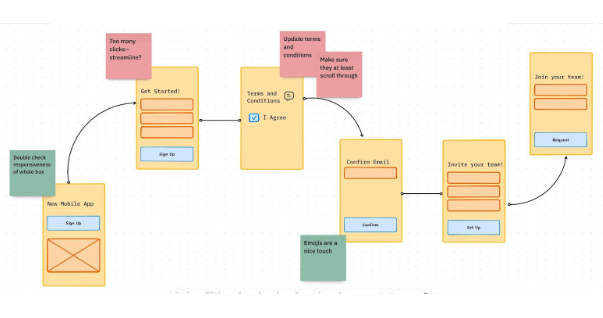
The first step in every product design process is wireframing. But if you have no previous experience with it, use the ClickUp Product Design Wireframing Whiteboard Template.
This free template lets you create visual mockups of products so you and other stakeholders can envision their interfaces. You can define user flows and highlight various product elements, such as layouts, menus, colors, and images.
It’s best suited for designing a product based on inspiration, as the template lets you quickly note down the USPs and build on similar ideas.
🔑 Ideal for: UI/UX designers and product teams visually planning wireframes and interface structures during early-stage product development.
🧠 Fun Fact: Humans process visuals 60,000 times faster than text, which is why wireframes and visual templates help teams align faster than long design docs. 👀
🎬 Watch this next: Ever wonder how AI actually fits into a designer’s workflow? This quick walkthrough shows how ClickUp’s AI helps teams brainstorm ideas, refine wireframes, and manage feedback—all in one space. It’s the missing link between creative spark and structured execution.
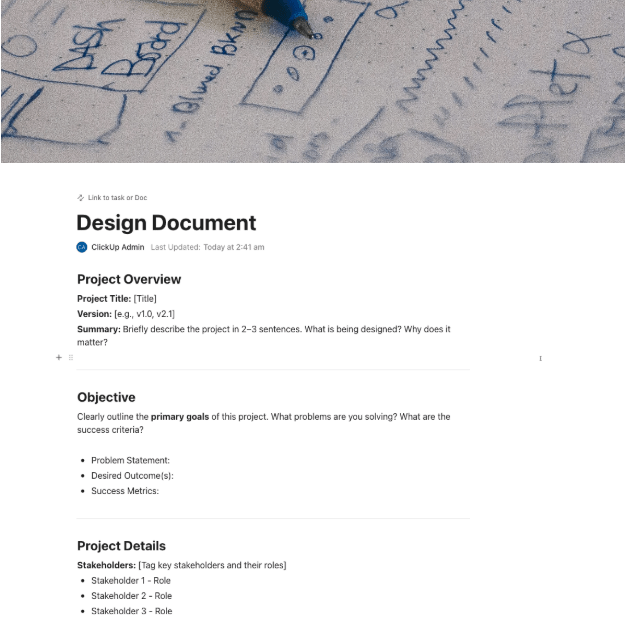
Is inefficient collaboration the biggest roadblock in your product design framework? The ClickUp Design Document Template is built to eliminate that.
This template is simple and effortless to use. It centralizes scattered ideas and resources, allowing you and your team to swiftly create product designs.
You can use it to create roadmaps, extract action items, set goals, track progress, and much more. The template also enables users to add comments and suggest edits in real time, making it particularly ideal for remote teams.
🔑 Ideal for: Design leads and product managers documenting design specifications, decisions, and workflows for cross-functional clarity.
📮 ClickUp Insight: 31% of managers prefer visual boards, while others rely on Gantt charts, dashboards, or resource views.
But most tools force you to pick one. If the view doesn’t match the way you think, it just becomes another layer of friction. With ClickUp, you don’t have to choose. Switch between AI-powered Gantt charts, Kanban Boards, Dashboards, or Workload View in a single click.
And with ClickUp AI, you can auto-generate tailored views or summaries based on who’s looking—whether it’s you, an exec, or your designer.
💫 Real Results: CEMEX sped up product launches by 15% and cut communication delays from 24 hours to seconds using ClickUp.
🎬 Watch this next: Ever wonder how AI actually fits into a designer’s workflow? This quick walkthrough shows how ClickUp’s AI helps teams brainstorm ideas, refine wireframes, and manage feedback—all in one space. It’s the missing link between creative spark and structured execution.
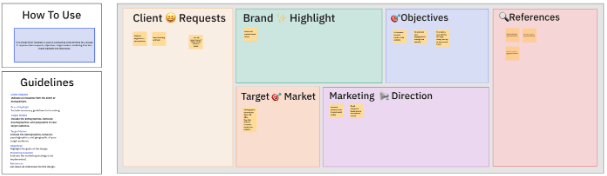
The ClickUp Design Brief Whiteboard Template is another invaluable resource for streamlining the design process, particularly when building from scratch.
This template accounts for every design nitty-gritty that you may miss out on if you’re not a professional. This includes the right product image, size, typography, hierarchy, texture, consistency, and more.
Additionally, use it to highlight objectives, client requests, and user feedback to ensure the smooth execution of design ideas.
🔑 Ideal for: Creative directors and project stakeholders outlining design goals, deliverables, and timelines for new creative initiatives.
👀 Trivia: Cemex, a leading global manufacturer and supplier of cement and concrete for the construction industry, was able to speed up its time-to-market by 15% thanks to ClickUp!
They recently put together a fantastic team of graphic designers and motion graphics creators who were looking for the right tools to help them grow efficiently.
By using ClickUp’s Task Relationships, they made it super easy to move projects along from the project leads to the designers and motion graphics creators. It’s been a game-changer for them!
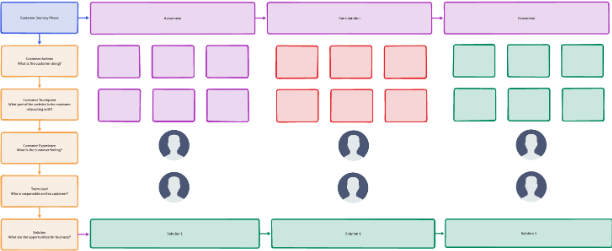
Precise customer journey mapping helps a company deliver the best experience to its customers—something 86% of buyers are ready to pay extra for. Fortunately, the ClickUp Product Customer Journey Map Template also helps with this.
You can also use this intuitive and easy-to-use template to analyze customer interactions and generate accurate journey maps. This helps identify crucial touchpoints, gain deeper insights into user needs, and take effective measures to enhance customer experience.
The template is also highly collaborative, allowing you to use it with your team effortlessly.
🔑 Ideal for: UX strategists and product marketers mapping user experiences, identifying friction points, and aligning product improvements with user behavior.
🔍 Did You Know? User journey mapping was inspired by detective-style storytelling—understanding the “who, what, where, and why” behind every user move. 🕵🏻
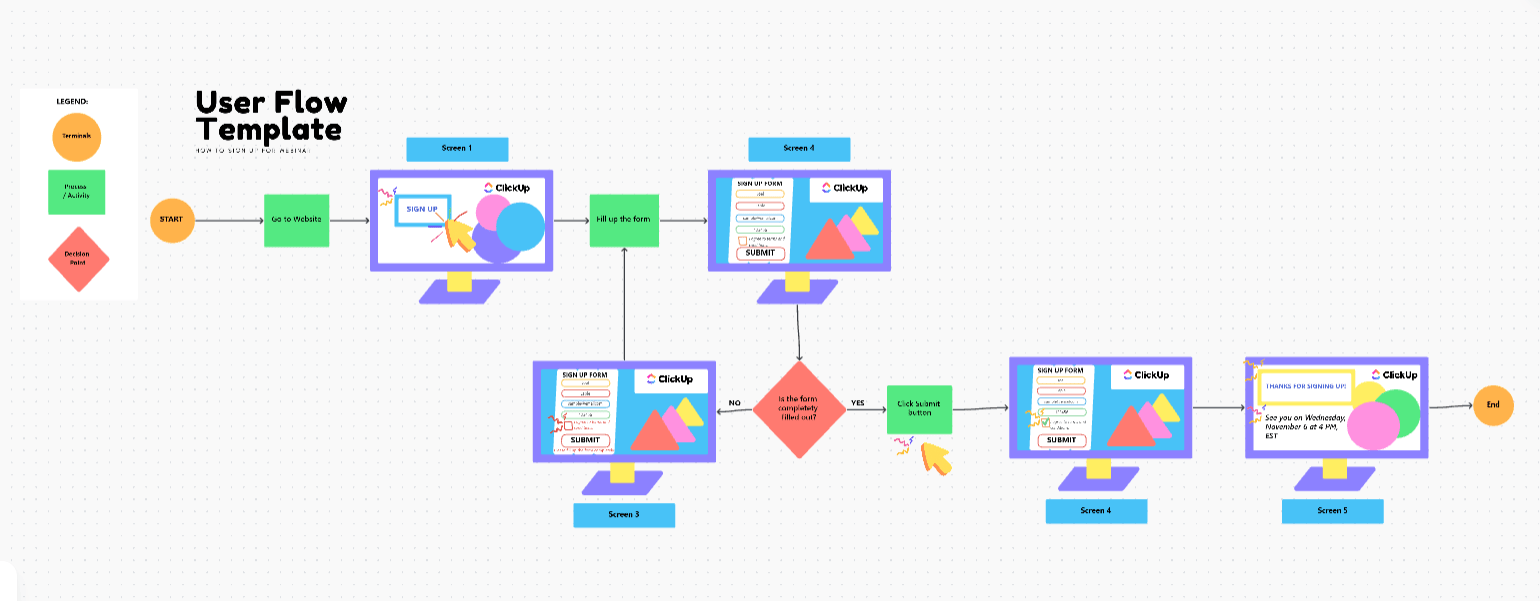
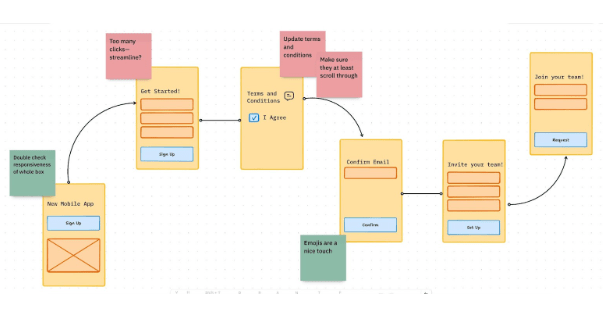
Akin to the previous one, the ClickUp User Flow Template helps develop comprehensive user journeys to support product design.
It maps out the steps a customer takes while using a product or service, from start to finish. This helps you determine pain points and fix loopholes, but that’s not all the template does.
Using it, you can also assign tasks and responsibilities to your team members and track progress to design efficient pathways and create a superior user experience.
🔑 Ideal for: Developers and product design engineers designing intuitive navigation paths and user actions for digital products or apps.
💡 Pro Tip: Check if each step in the user flow is actually supported by your product’s logic and backend APIs. This avoids building theoretical flows that can’t be implemented. ✅
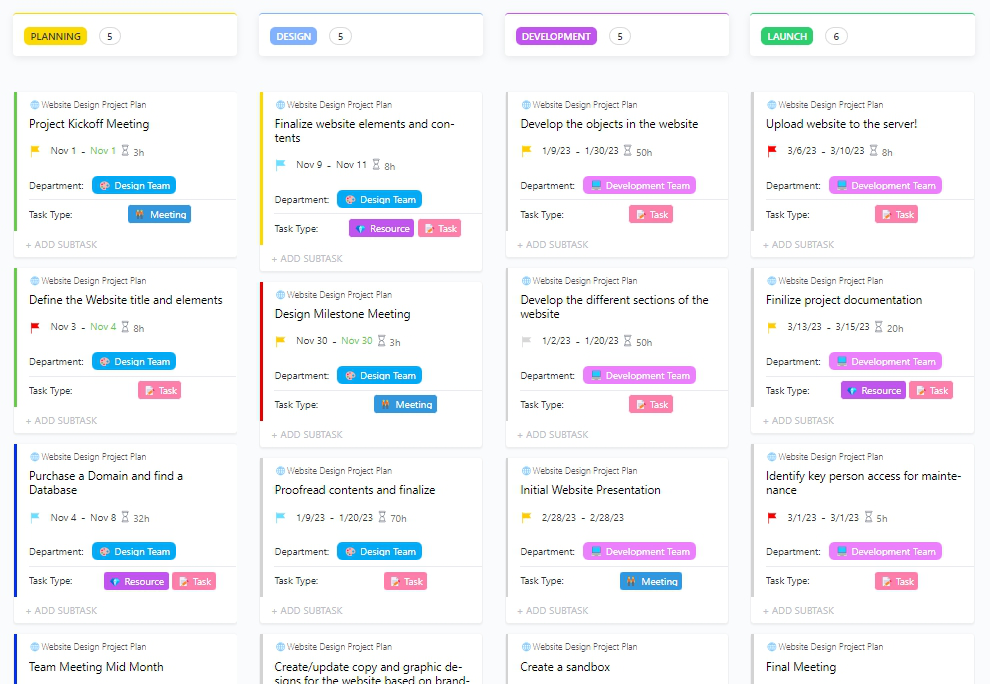
Designing a new website can seem like a daunting task. From choosing the right layout to deciding on the best color palette, there is a series of tasks involved. However, if you manage a team, the ClickUp Website Design Project Plan Template is particularly useful.
This template generates a board view of all website design tasks so you and your team can collaborate and accomplish them with efficiency. As you fill out the details, the template plans elements, delegates action items, and tracks their progress to ensure timely fulfillment.
It also allows you to prioritize tasks and assign or reassign responsibilities in the event of a change in plan.
🔑 Ideal for: Web designers, developers, and digital project managers overseeing end-to-end website creation and delivery across teams.
⏩ Read More: How to Improve Your Team Productivity
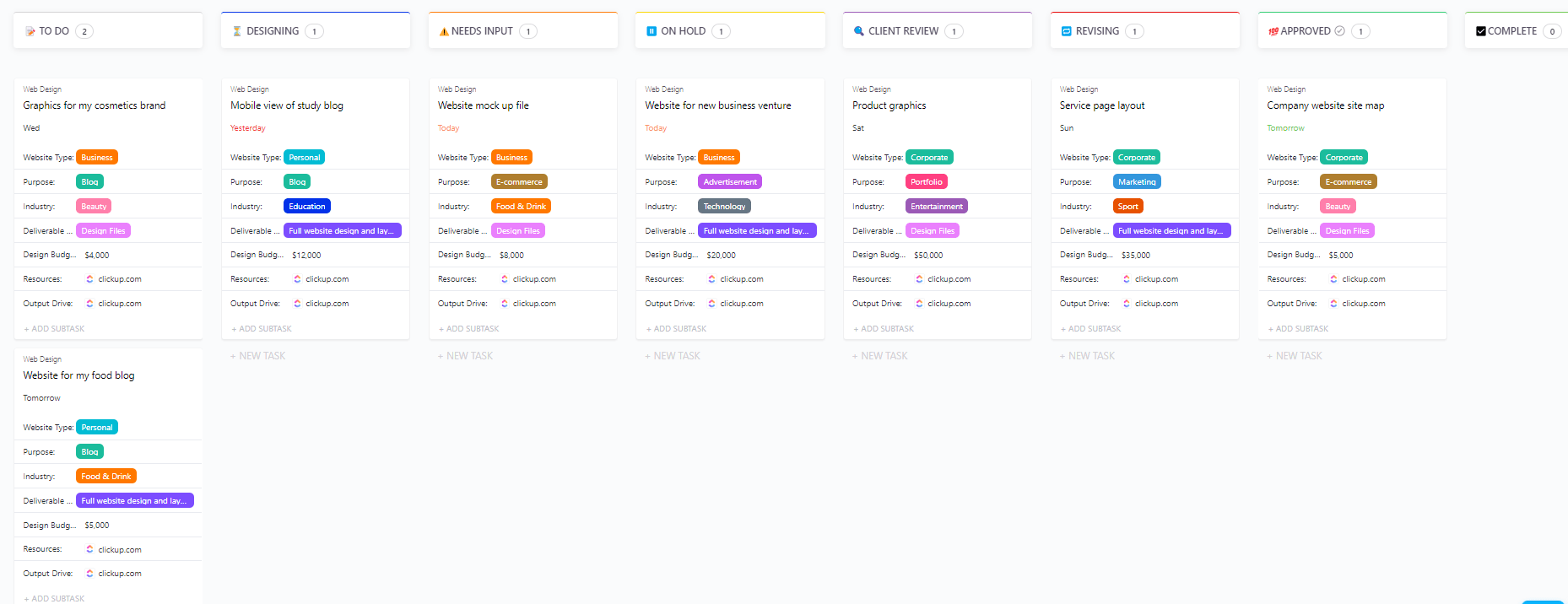
The ClickUp Web Design Template is another free resource for planning website design. It is clear, comprehensive, and involves no learning curve. If you’re building simple landing pages or microsites, it can help streamline the process.
The template lets you plan your entire website design workflow. It organizes tasks, resources, and communication in one place. Designed in a board format, it also provides a clear view of your progress through customizable reports.
🔑 Ideal for: Freelance designers and agency teams organizing page layouts, content, and assets for client-facing web design projects.
Design is Iterative
The best products are shaped by continuous feedback and rapid iteration. ClickUp’s templates and comment features make it easy to gather input, track changes, and evolve your design—so you’re always improving, never stuck.
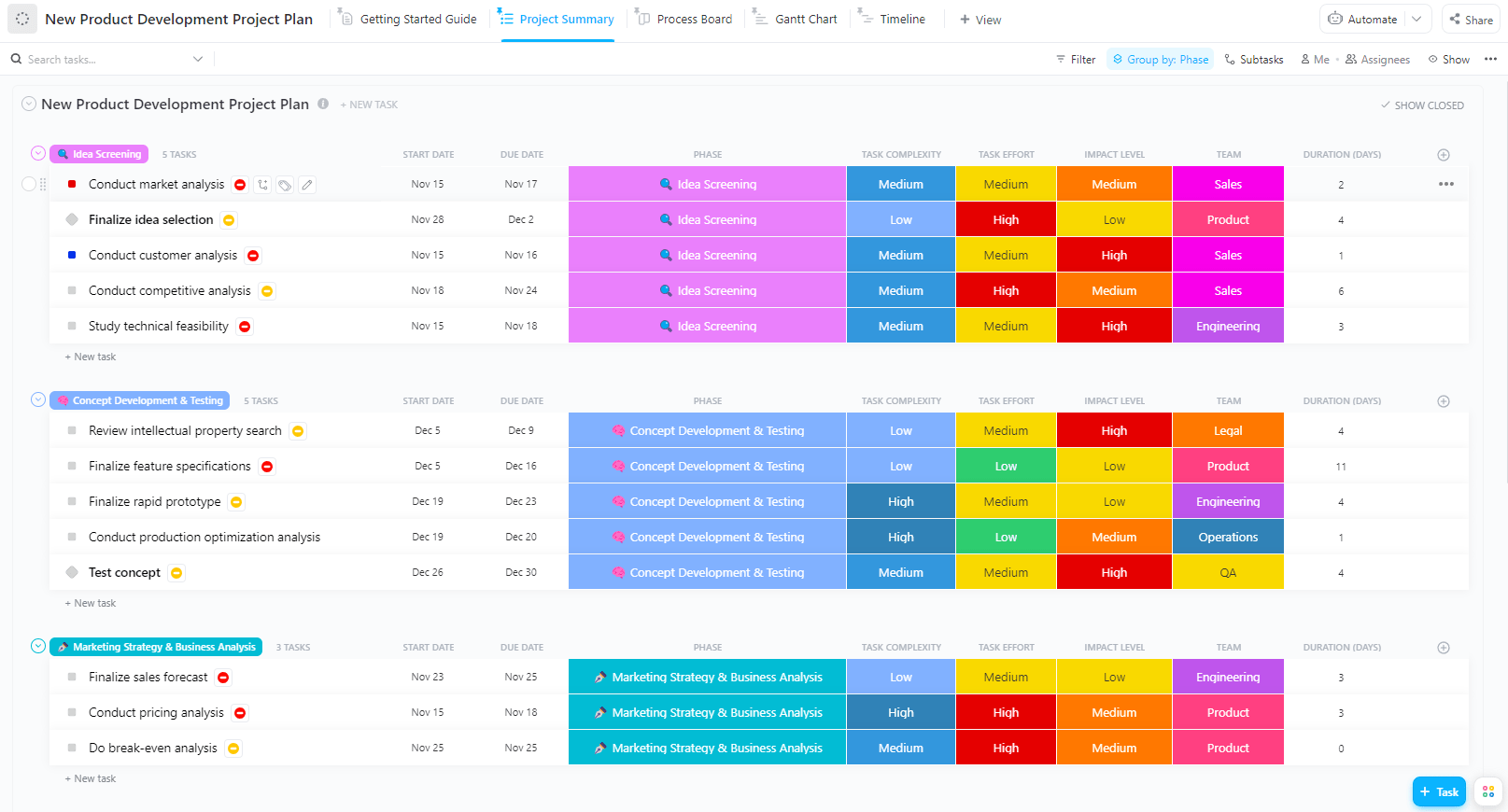
Did you know that out of 30,000 new products launched each year, 95% fail? To ensure your innovation doesn’t end up in the scrap pile, use the ClickUp New Product Development Template.
This template helps with every aspect of product development, from planning to execution. It allows you to create tasks, assign roles, and track progress to keep your development process in check.
This helps align cross-functional teams for materializing product inspiration. It also eliminates inefficiencies from the process, ensuring the newly developed product is flawless.
🔑 Ideal for: Product managers and cross-functional teams driving new product initiatives from concept through launch with structured workflows.
💡 Pro Tip: Connect your design stack
Designers use various tools, including Figma, Slack, Google Drive, and others. ClickUp’s integrations let you embed designs, link assets, and centralize feedback, so your team stays in flow without switching apps.
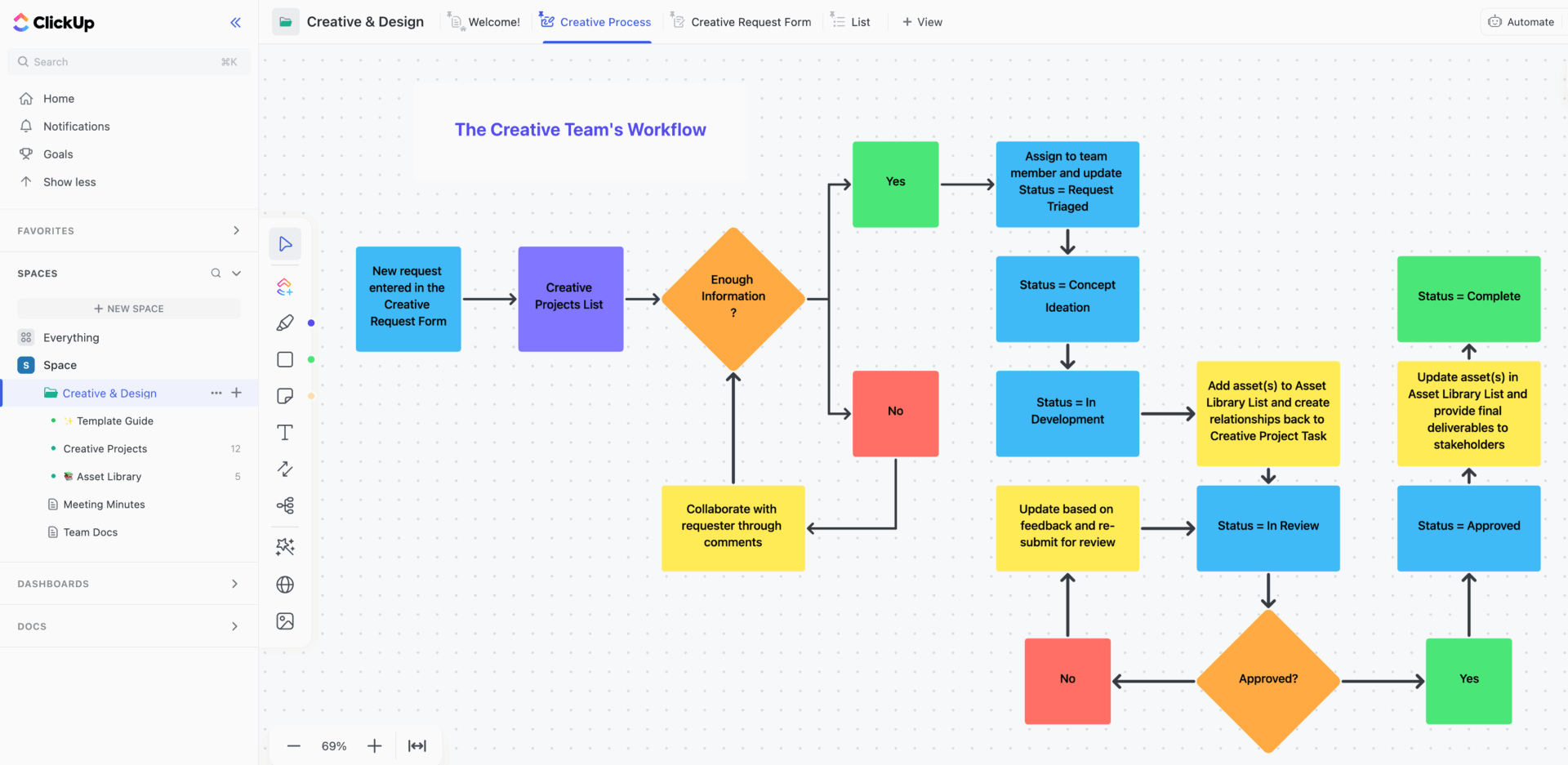
Struggling to organize the various elements of a product design project? Use the ClickUp Creative and Design Template to solve this issue.
A beginner-friendly template, it’s particularly helpful for teams building products from the ground up. It primarily functions as this unified space where you and your coworkers can gather and organize ideas.
Using this, you can create tasks, monitor their progress, and visualize the overall project timeline. The template is also visually appealing, with a flowchart guiding the entire process.
🔑 Ideal for: Creative teams managing visual content, branding, and marketing design projects across departments or clients.
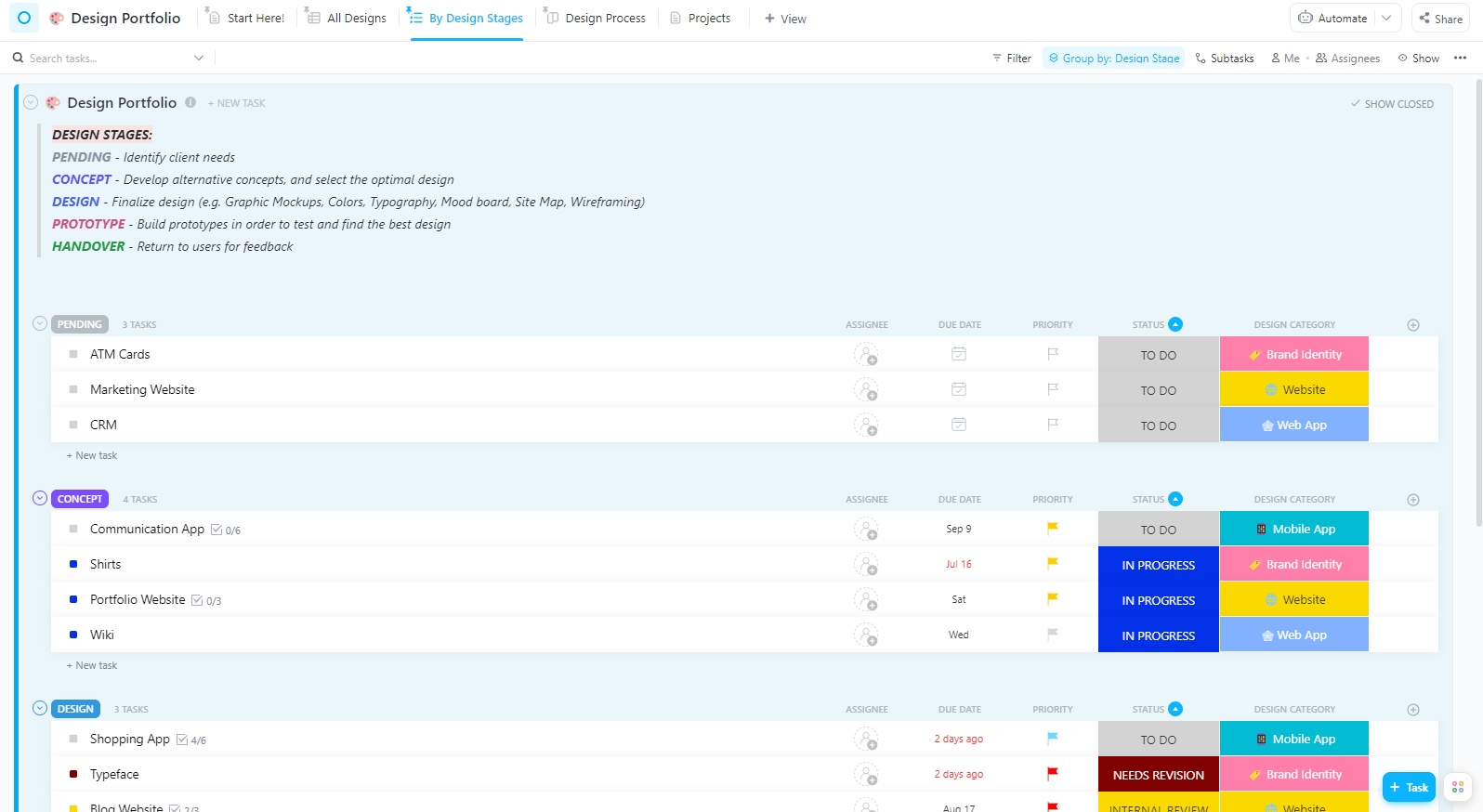
If you’re a designer who’s looking for a tool to build a strong portfolio for client presentations, use the ClickUp Design Portfolio Template. Whether you’re a beginner or a seasoned expert, you can easily customize it to create a fitting lookbook for yourself.
This template lets you organize all your past design projects and experiences professionally. You can also add essential details, like deliverables and timelines, to make your pitch sound comprehensive.
The template is simple to navigate and contains all the crucial elements that should be present in a professional design portfolio.
🔑 Ideal for: Freelancers and design professionals showcasing completed projects, case studies, and creative credentials in an organized format.
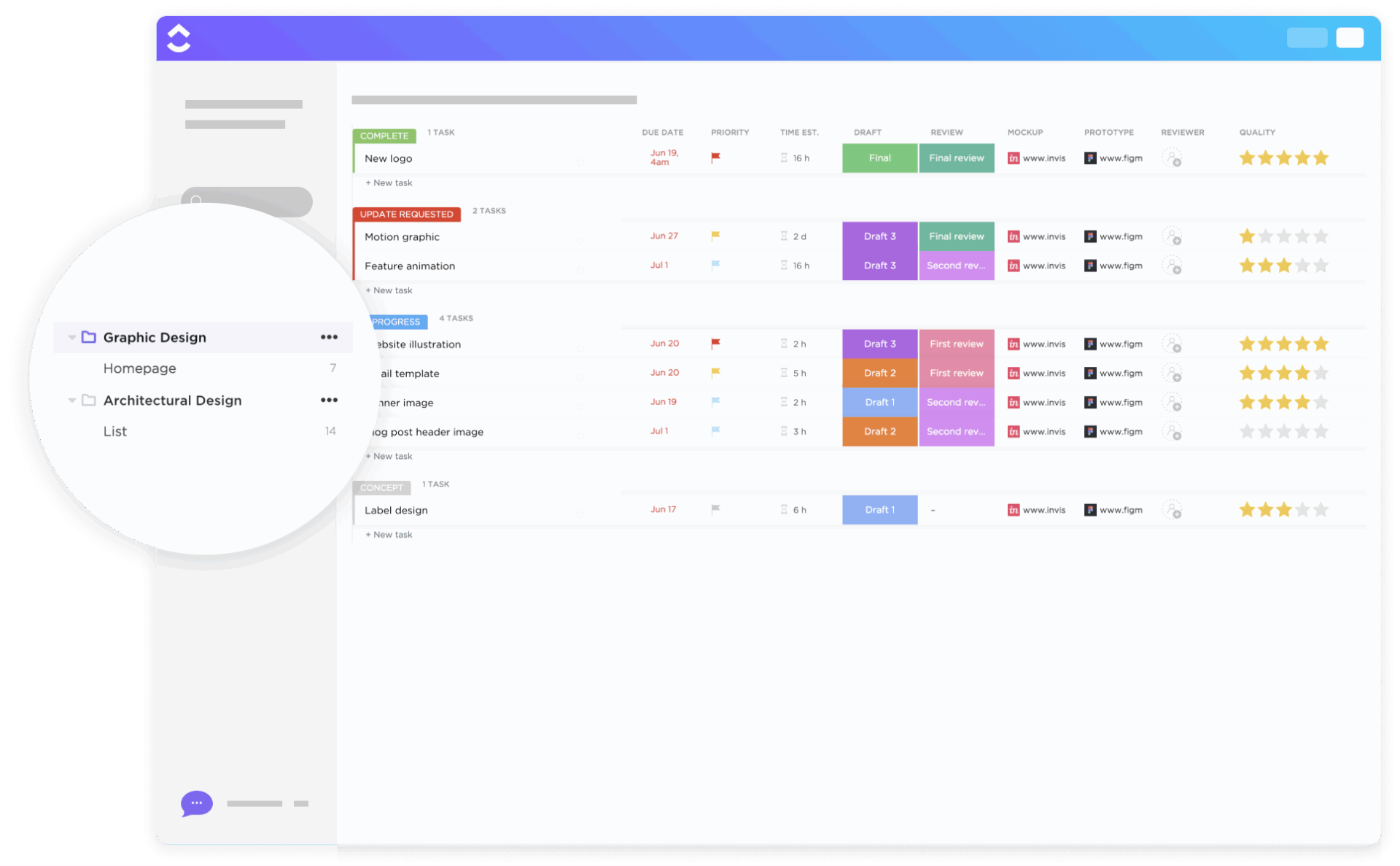
Designing a graphic can seem all fun and games until the deadline is nearing and you’re still in the imagination phase. But fortunately, this is where the ClickUp Graphic Design Simple Template steps in.
It’s a powerful tool that streamlines your design process. With its help, you can organize all your creative assets, such as images, videos, and texts, to plan your output granularly.
It also lets you create small, actionable tasks and set deadlines so you can make the graphic within the timeline.
🔑 Ideal for: In-house graphic designers handling recurring creative requests such as marketing materials, ads, or digital content creation.
💡 Pro Tip: Instead of repeatedly designing the same buttons, cards, or headers, build a centralized component library. This speeds up mockups, ensures visual consistency, and makes global updates effortless if specs change mid-project. 📈
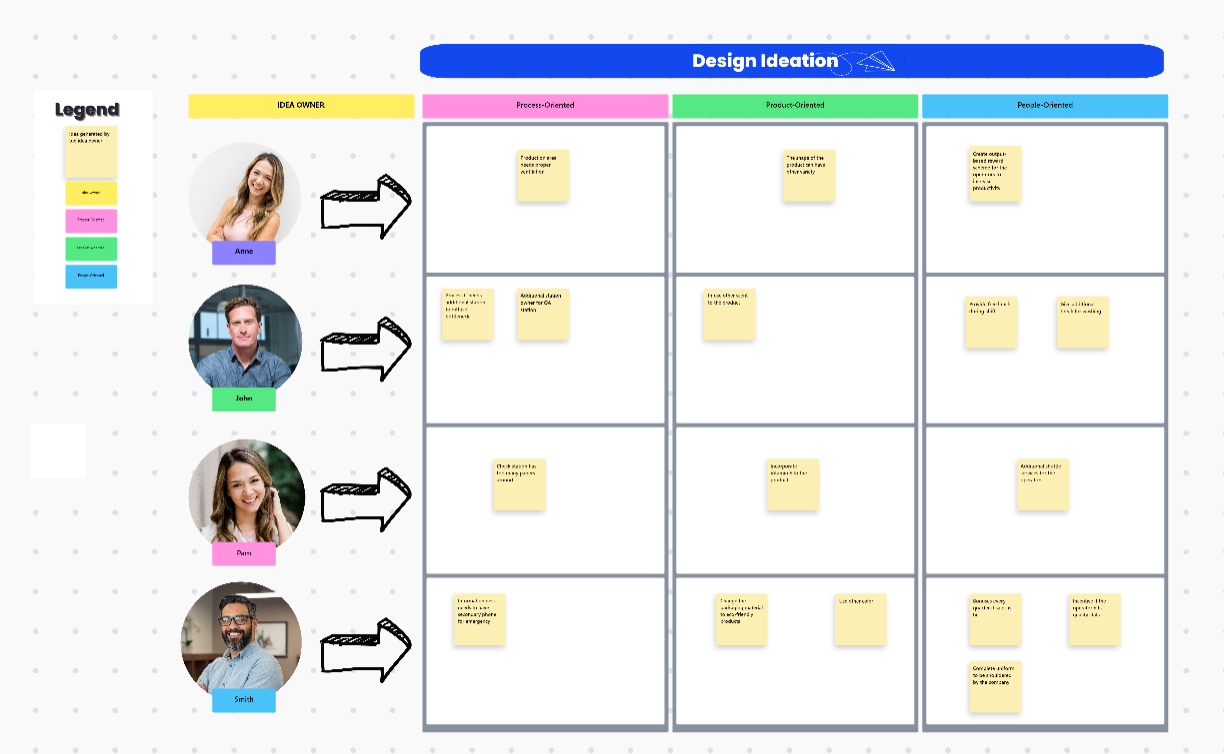
Want to create a novel product design but don’t have anything in mind? Let the ClickUp Design Ideation Template help you discover fresh ideas from scratch.
This template functions as a collaborative canvas where you and your team members can brainstorm ideas. Based on everyone’s input, you can prioritize and select the best proposal and start with the creative process.
The template also lets you track your design progress, making it your one-stop solution.
🔑 Ideal for: Innovation teams, design thinkers, and creative professionals capturing, organizing, and prioritizing raw ideas during brainstorming sessions.
⏩ Read More: How to Use AI in Product Design
Managing design workflows can quickly become chaotic, especially when multiple creatives are involved. The ClickUp Design Teams Kanban Board Template helps you stay on top of it all.
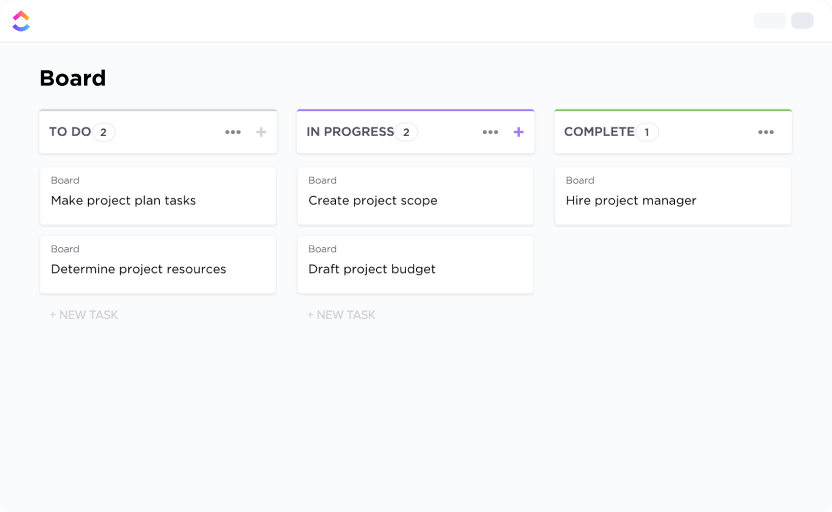
This template gives you a visual board where you can manage design projects by stage—like brainstorming, in progress, review, and final. You can assign roles, add attachments, track deadlines, and keep feedback in one place.
It also lets you customize columns, labels, and priorities to match your team’s unique design process.
🔑 Ideal for: Design managers and collaborative teams tracking design tasks, progress, and ownership in a visual, status-driven workflow.
🧠 Fun fact: The Kanban method, often used in design board templates, was invented by Toyota in the 1940s. 🚘
Great product design isn’t just about creativity—it’s about structure, iteration, and aligning everyone around the user’s experience.
Whether you’re mapping out a new user journey, building wireframes, or managing design deliverables, the right templates enhance clarity, speed, and collaboration.
ClickUp’s wide range of free product design templates gives teams a head start without forcing them to reinvent the wheel every time. Ready to streamline your product design workflow? Explore ClickUp’s product design templates today—start using them for free!
Product design templates cover the whole design lifecycle—research, ideation, testing—while UI templates focus solely on visual interface layout.
Yes. Templates like ClickUp’s Whiteboard and Doc templates centralize ideas, comments, and assets, reducing tool switching and version chaos.
Select one that aligns with your workflow stage—wireframing, journey mapping, or documentation—and offers customization options for team size and project type.

© 2026 ClickUp

There’s an easier way. Try a free AI Agent in ClickUp that actually does the work for you—set up in minutes, save hours every week.