








Still downloading templates?
There’s an easier way. Try a free AI Agent in ClickUp that actually does the work for you—set up in minutes, save hours every week.
Sorry, there were no results found for “”
Sorry, there were no results found for “”
Sorry, there were no results found for “”
Three providers, twelve prompt variations, and zero way to reproduce your best results—that’s where most multi-LLM experiments end up without a tracking system.
These ClickUp templates give your team a shared, consistent framework for planning, running, and comparing multi-LLM experiments. And the best part? They cover everything from hypothesis logging and quality scoring to stakeholder sign-off and final research reports.
Let’s jump in! 👀
Here’s a quick overview of the multi-LLM experiment tracking templates covered in this guide:
| Template | Download Link | Ideal For | Key Features |
|---|---|---|---|
| ClickUp Experiment Plan and Results Template | Get free template | Planning and documenting LLM experiments end to end | Hypothesis logging, test configuration fields, decision summaries |
| ClickUp Growth Experiments Whiteboard Template | Get free template | Managing and prioritizing experiment ideas | Visual backlog, voting system, idea-to-task conversion |
| ClickUp Spreadsheet Template | Get free template | Logging repeatable experiment runs at scale | Structured columns, filtering and sorting, automation triggers |
| ClickUp Software Comparison Template | Get free template | Comparing LLM providers across criteria | Side-by-side comparisons, dashboard visuals, evaluation scoring |
| ClickUp Project Management Dashboard Template | Get free template | Monitoring experiment performance across teams | Status tracking, provider comparison, workload visibility |
| ClickUp Weekly Status Report Template | Get free template | Reporting experiment progress and blockers | Weekly summaries, AI-generated updates, blocker tracking |
| ClickUp Activity Report Template | Get free template | Maintaining experiment history and audit trails | Activity logs, timestamped records, progress tracking |
| ClickUp Quality Control Checklist Template | Get free template | Validating experiment setup before execution | Parameter checks, scoring readiness, gated workflows |
| ClickUp UAT Sign-Off Template | Get free template | Documenting final model decisions and approvals | Approval tracking, audit trail, stakeholder sign-offs |
| ClickUp Research Report Template | Get free template | Presenting experiment findings and recommendations | Structured reports, AI-assisted summaries, collaborative editing |
📚 Also Read: ClickUp PromptOps Templates for AI Workflows
Multi-LLM experiment tracking is the practice of systematically logging, comparing, and analyzing outputs from two or more large language models against the same prompts or evaluation criteria. Any team deciding which LLM to deploy—or mixing models for different tasks—needs a repeatable way to capture what happened, what worked, and why.
Without structure, teams end up with fragmented notes across tools. Nobody can tell which model version was tested with which prompt, and sharing findings with people who weren’t in the room turns into guesswork.
This AI sprawl—the unplanned proliferation of AI tools, models, and platforms with no oversight or strategy—hits every team juggling multiple AI tools without a converged workspace.
Here’s what multi-LLM experiment tracking looks at:
| Component | Examples |
|---|---|
| Models | ClickUp Brain, Claude 3.7, GPT-4o, Gemini 1.5 |
| Prompts | System prompts, user prompts, few-shot examples |
| Parameters | Temperature, max tokens, top-p |
| Outputs | Raw responses, latency, token usage |
| Evaluation Metrics | Accuracy, BLEU/ROUGE scores, human ratings, cost |
| Metadata | Timestamps, dataset versions, environment info |
📝 Quick Note: Experiment tracking and ML observability aren’t the same thing. Tracking is the structured record-keeping layer. Observability handles real-time monitoring and alerting. Templates cover the tracking side without requiring engineering setup.
Before you pick a template, you need clear evaluation criteria. ✨
🧠 Fun Fact: The Transformer was introduced with one of the most confident paper titles ever: “Attention Is All You Need.” The paper proposed a model based solely on attention mechanisms, dropping recurrence and convolutions entirely—and that architecture went on to underpin modern LLMs.
📚 Also Read: Free AI Prompt Workflow Templates
Every template listed here lives inside ClickUp’s Template Library. You can customize each one with custom fields, statuses, views, automations, and much more.
Multi-LLM experiments are easy to run and much harder to interpret later. A result may look promising in the moment, but it loses value fast when the team cannot trace what was tested, which settings were used, or how the final decision was made.
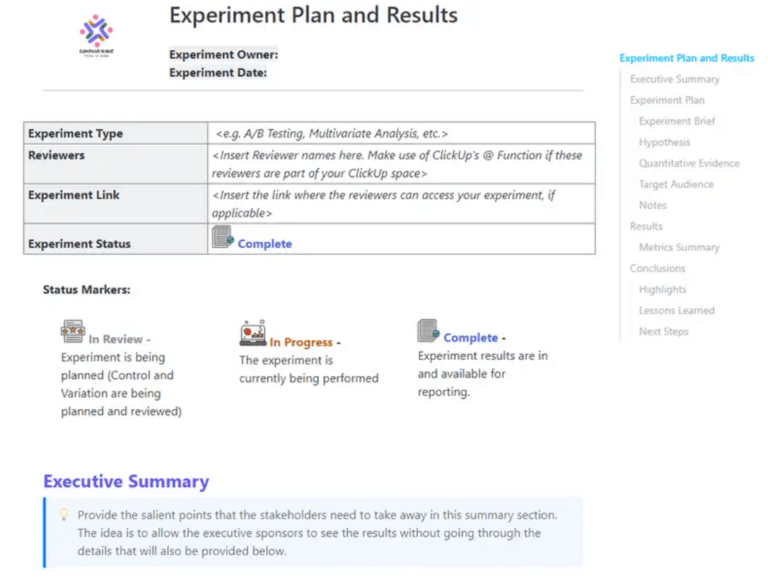
The ClickUp Experiment Plan and Results Template gives teams one place to define the experiment before running it and capture the evidence after it. That makes it easier to compare models, prompts, and configurations across experiments without losing the reasoning behind the final call.
✅ Best for: AI product managers running structured LLM evaluations.
💡 Pro Tip: Multi-LLM experiments can generate a mountain of output fast. ClickUp Brain helps you make sense of it by summarizing findings, standardizing takeaways, and turning results into trackable work in a single converged workspace. That way, the experiment doesn’t end as a pile of answers. It ends as something your team can review, act on, and build from.
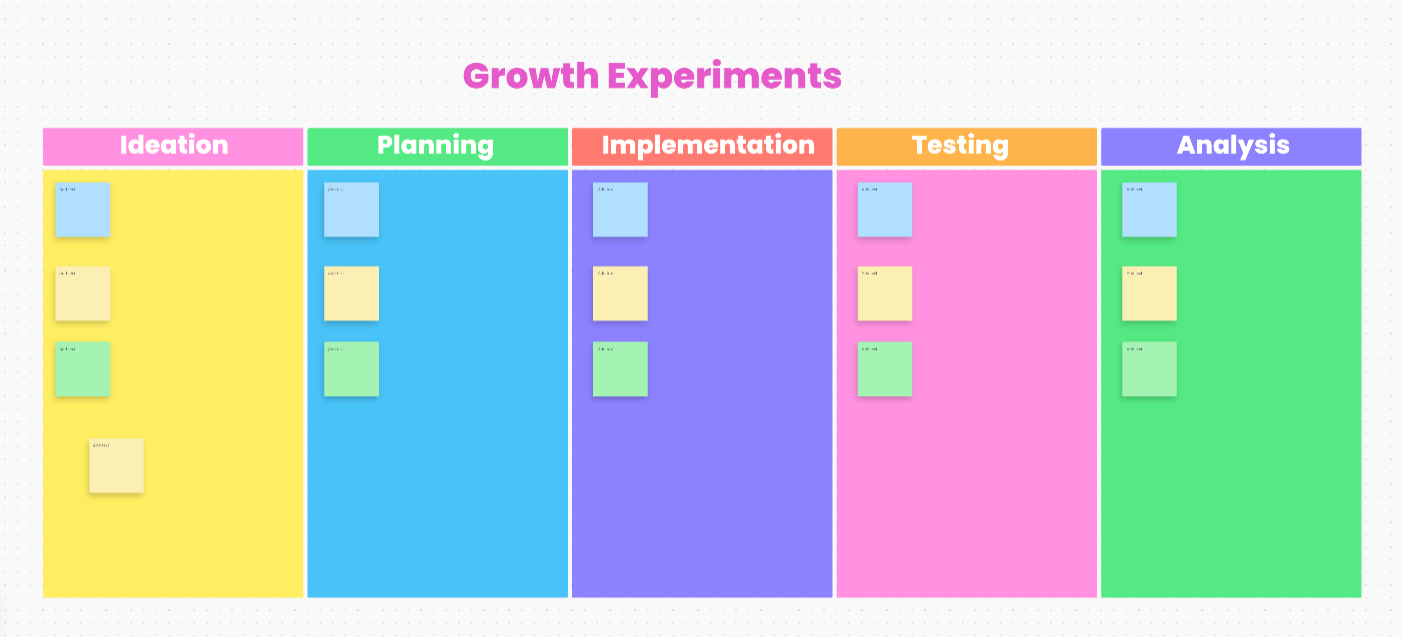
Once your team has more experiment ideas than it can actually run, the challenge shifts from testing to choosing. One prompt comparison leads to three more, different providers open up new variables, and soon the backlog starts growing faster than the team can evaluate it.
The ClickUp Growth Experiments Whiteboard Template gives you a visual space to sort through that early-stage thinking. Built on a visual canvas, it helps teams map ideas, spot the strongest comparisons, and move the best ones into action.
✅ Best for: PMs and research leads managing a high-volume experiment backlog.
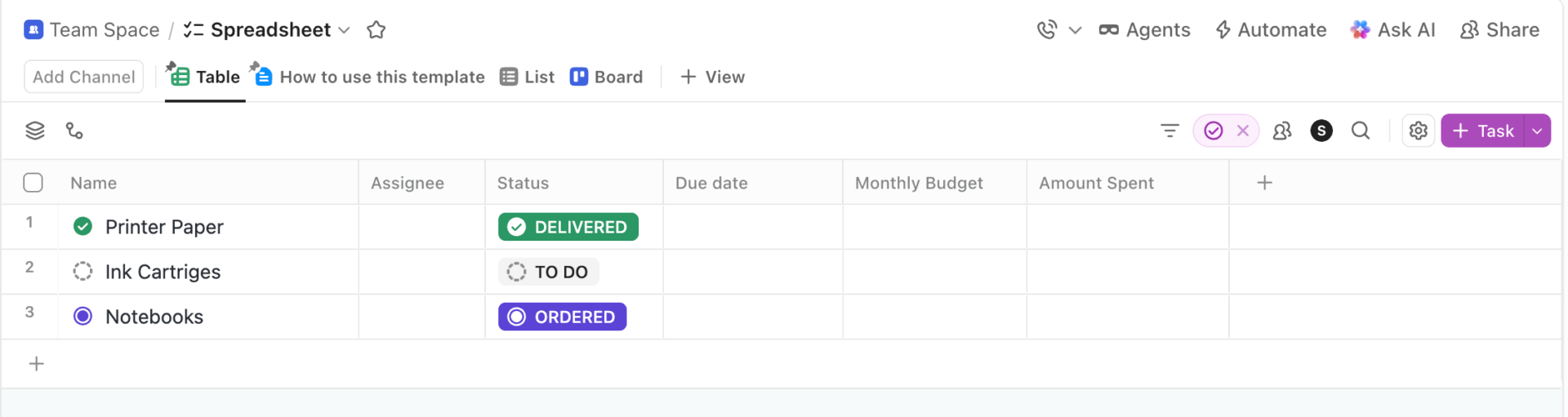
If your team’s been logging experiments in Google Sheets or Excel, the ClickUp Spreadsheet Template will look extremely similar. It’s based on the ClickUp Table View.
Each row is one experiment run (model + prompt + parameters), and columns capture outputs, scores, latency, cost, and notes—but with collaboration and automation built in.
✅ Best for: AI ops teams managing repeatable experiment logs.
🧠 Fun Fact: Neural networks are older than the term “AI.” In 1943, Warren McCulloch and Walter Pitts published the first mathematical model of an artificial neuron
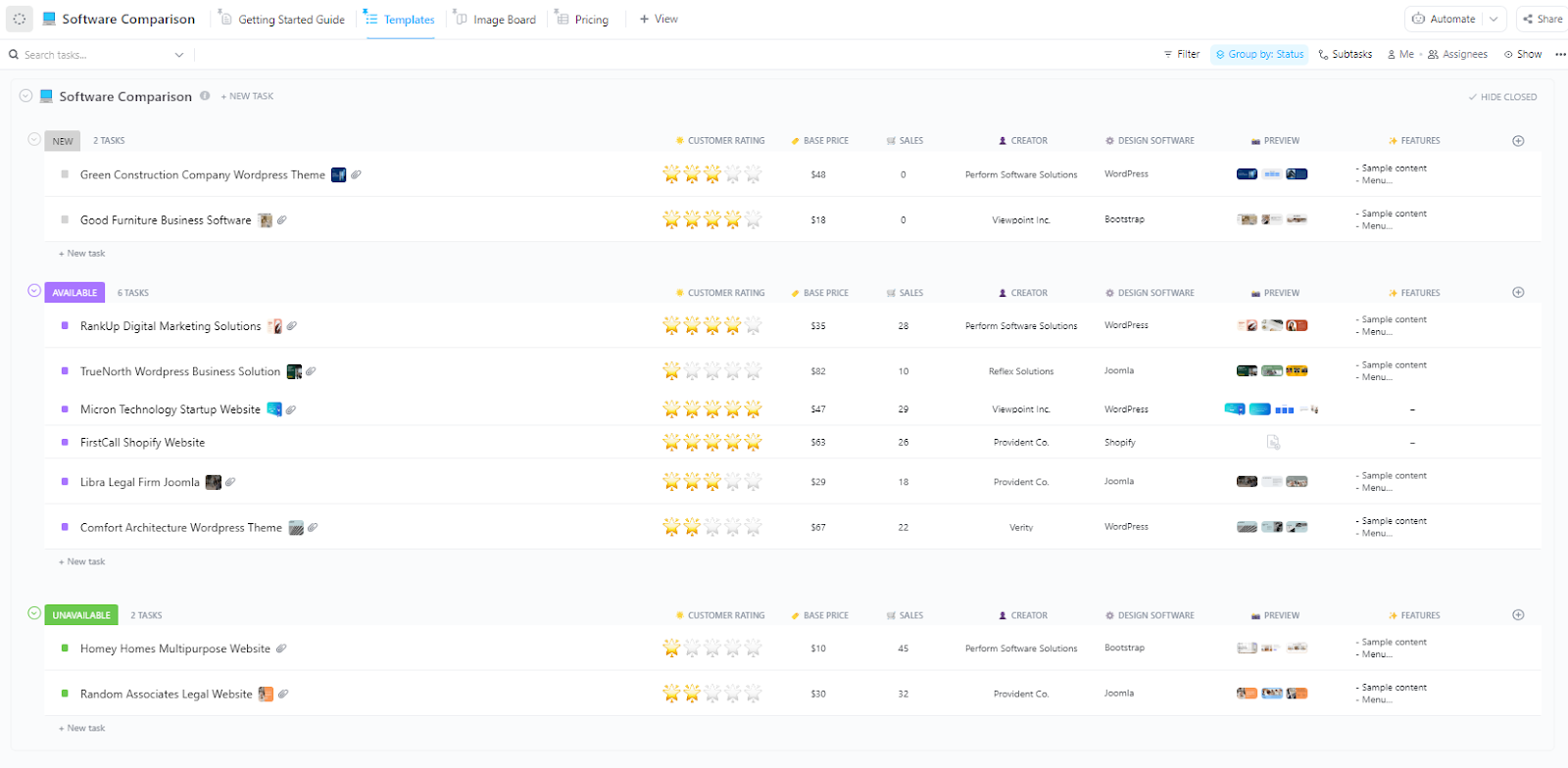
Originally designed for evaluating tools against shared criteria, the ClickUp Software Comparison Template works perfectly for comparing LLM providers head-to-head.
Instead of vendors, you’re comparing OpenAI, Anthropic, Google, and Mistral across output quality, speed, cost, context window size, and safety features.
When multiple models look strong for different reasons, this template helps you compare them against the same decision criteria and make the final call with more confidence.
✅ Best for: Product and engineering leaders reviewing model tradeoffs with security or procurement stakeholders.
📮 ClickUp Insight: 45% of our survey respondents say that they keep work-related research tabs open for weeks. For another 23%, these treasured tabs include AI chat threads stuffed with context.
Basically, a huge majority are outsourcing memory and context to fragile browser tabs. Repeat after us: Tabs are not knowledge bases. 👀
ClickUp Brain MAX changes the game here.
This AI super app lets you search your workspace, interact with multiple AI models, and even use voice commands to retrieve context from a single interface. Since MAX lives in your PC, it doesn’t compete for tab space and can save conversations until you delete them!
When you’re managing 50+ experiment runs across four providers, individual task views won’t cut it. The ClickUp Project Management Dashboard Template aggregates data from your experiment tasks into widgets and visualizes it all on one screen.
That makes it incredibly useful when your experiment program starts expanding beyond a few one-off tests. Instead of reviewing each run in isolation, you can monitor the health of the entire testing pipeline and spot where momentum is slowing.
✅ Best for: Applied AI leads managing experiment throughput across researchers, prompt engineers, and reviewers.
🔮 Bonus: Visibility is only one part of scaling multi-LLM experiments. ClickUp Super Agents give your team AI coworkers that can be messaged directly, assigned work, and set up with their own knowledge and memory.
Learn more here:
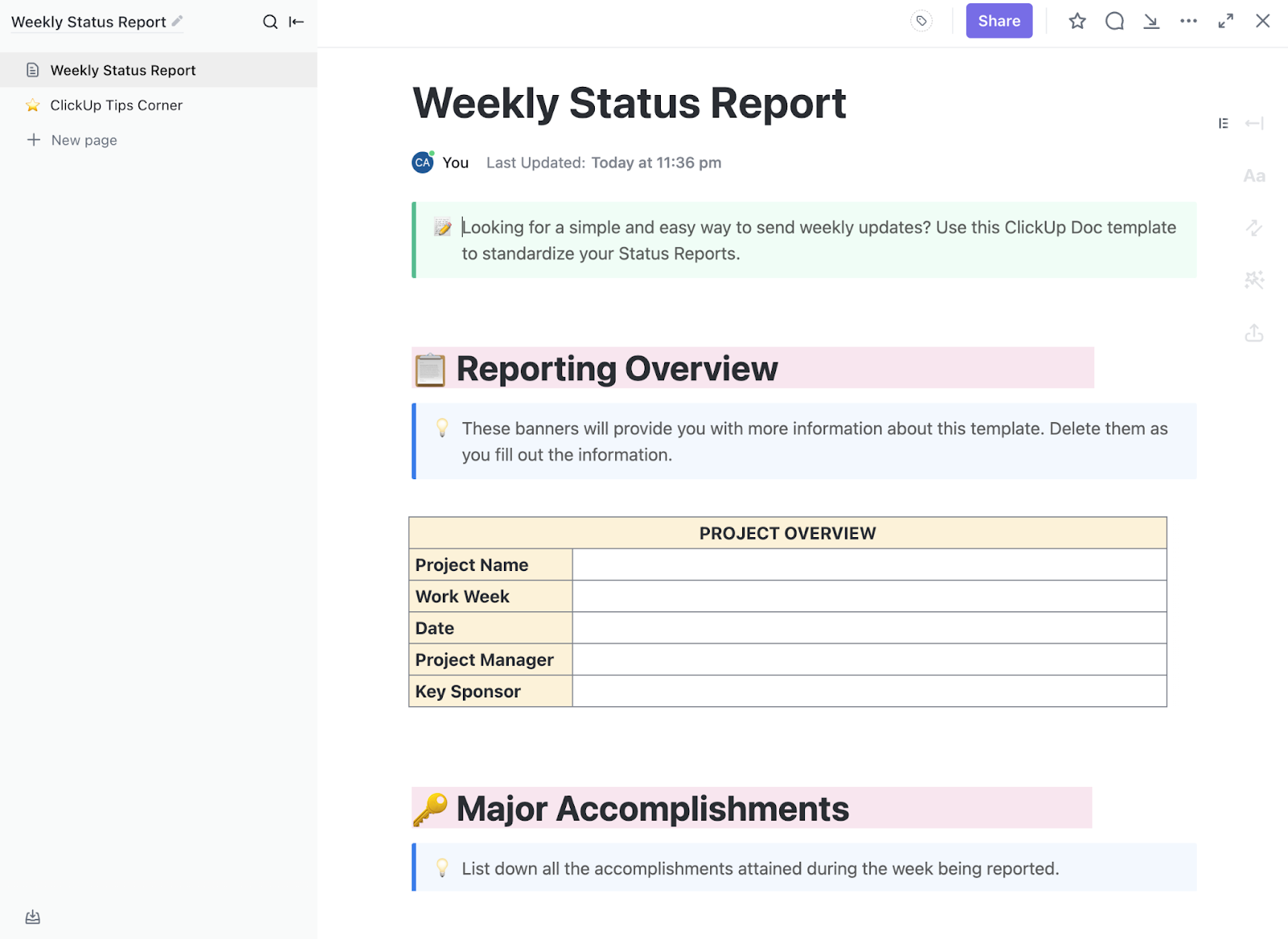
The ClickUp Weekly Status Report Template is handy for tracking completed tests and early findings. Plus, it helps you pinpoint any blockers, like delays in API access, missing datasets, or waiting on reviewer feedback.
Sections like project overview, major accomplishments, and weekly updates make it easier to show progress without having to rebuild the report each time.
It works amazingly well when experiments are moving fast, and leadership needs a clear read on what changed this week.
✅ Best for: Evaluation teams running recurring test cycles across prompts, providers, and use cases.
💟 Bonus: Work smarter—let a Super Agent take over the work of preparing daily status reports for your experiments! Here’s a video showing you how to do that.
A model change goes live. Two weeks later, someone asks why the prompt was revised, who approved the new version, and whether the team logged the result anywhere. If that history lives across comments, tasks, and scattered notes, the answer takes longer than it should.
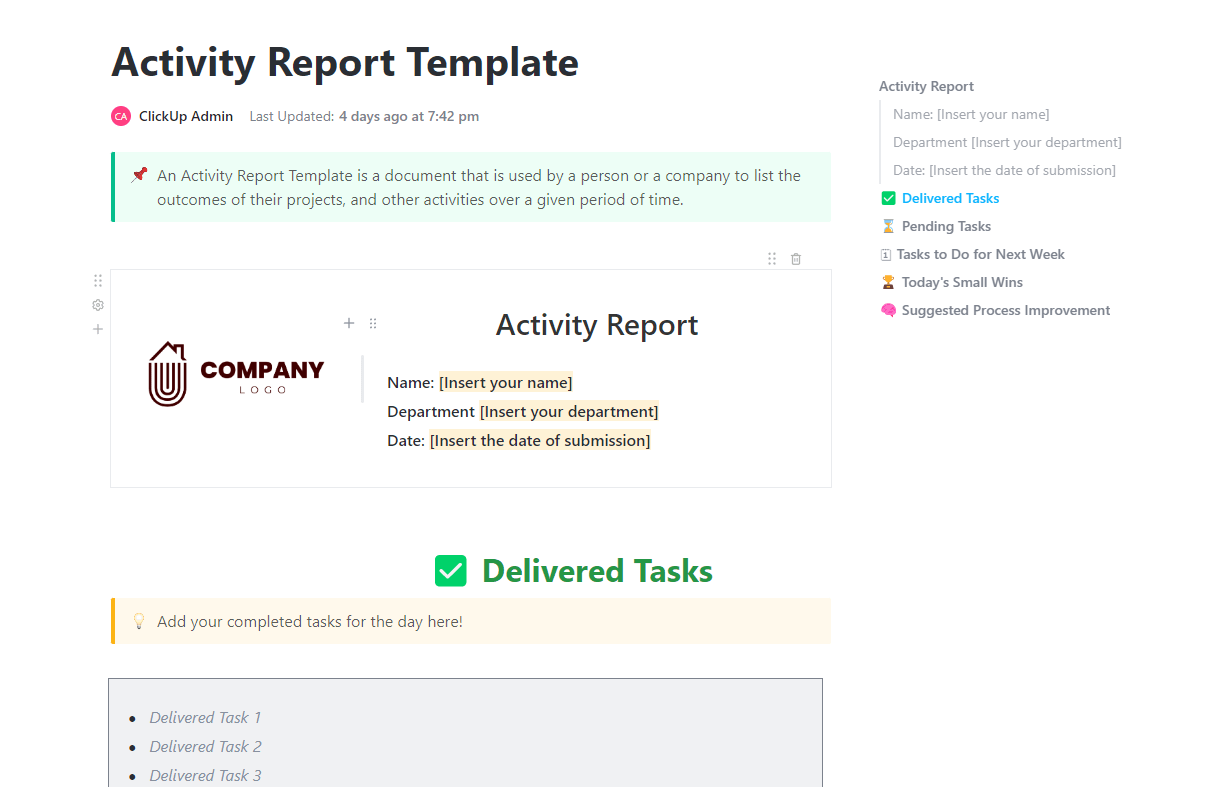
The ClickUp Activity Report Template provides teams with a clear record of what happened throughout an experiment cycle. You can use it to log delivered and pending tasks, next steps, small wins, and process issues in one place. For teams working in regulated environments or any workflow that needs traceability, that record matters.
✅ Best for: AI governance teams reviewing prompt, model, and approval history across experiment cycles.
📚 Also Read: Best LLMs for Language Summarization
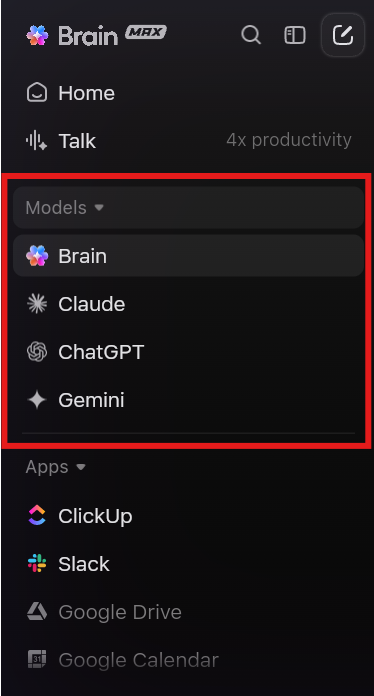
💡 Pro Tip: Running multi-LLM experiments usually means juggling too many tabs. ClickUp Brain MAX brings ChatGPT, Claude, and Gemini into one desktop companion, so you can switch models without splitting your notes, questions, and follow-up work across different tools.
One bad setup can ruin a clean model comparison. A missed temperature setting, a changed prompt, or a scoring rubric defined too late can skew the result before you realize it. When that happens, the experiment looks complete on paper, but the findings are hard to trust.
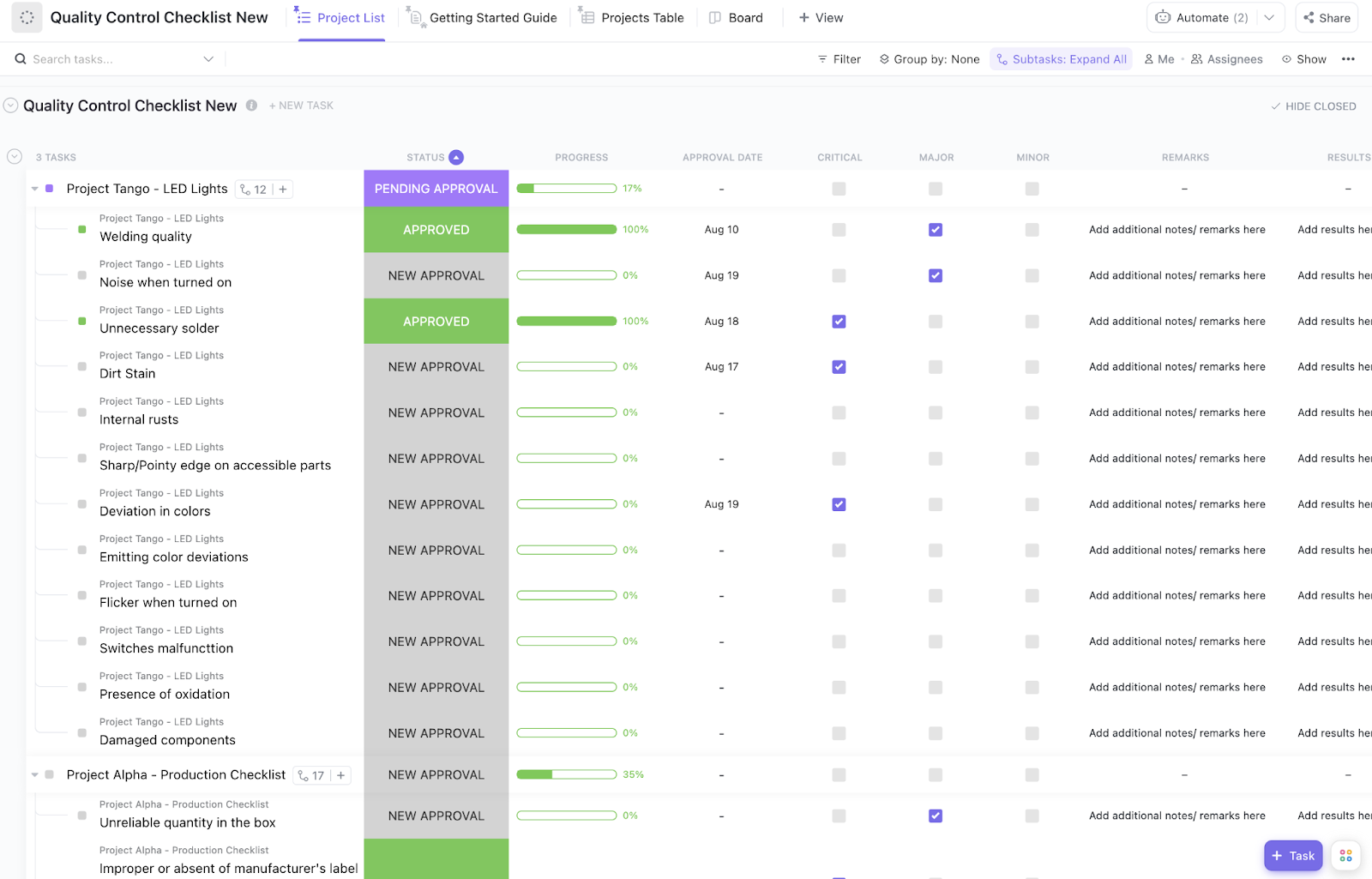
The ClickUp Quality Control Checklist Template gives teams a structured way to review setup quality before an experiment moves forward. In ClickUp List View, each experiment can have its own ClickUp Checklist to ensure prompt consistency, parameter review, scoring readiness, and final approval.
✅ Best for: AI QA leads who need a repeatable pre-launch check for model comparisons.
📚 Also Read: How to Mitigate AI Bias?
A model may win the experiment and still not be ready for production. Someone still needs to confirm the recommendation, review the known risks, and approve the rollout.
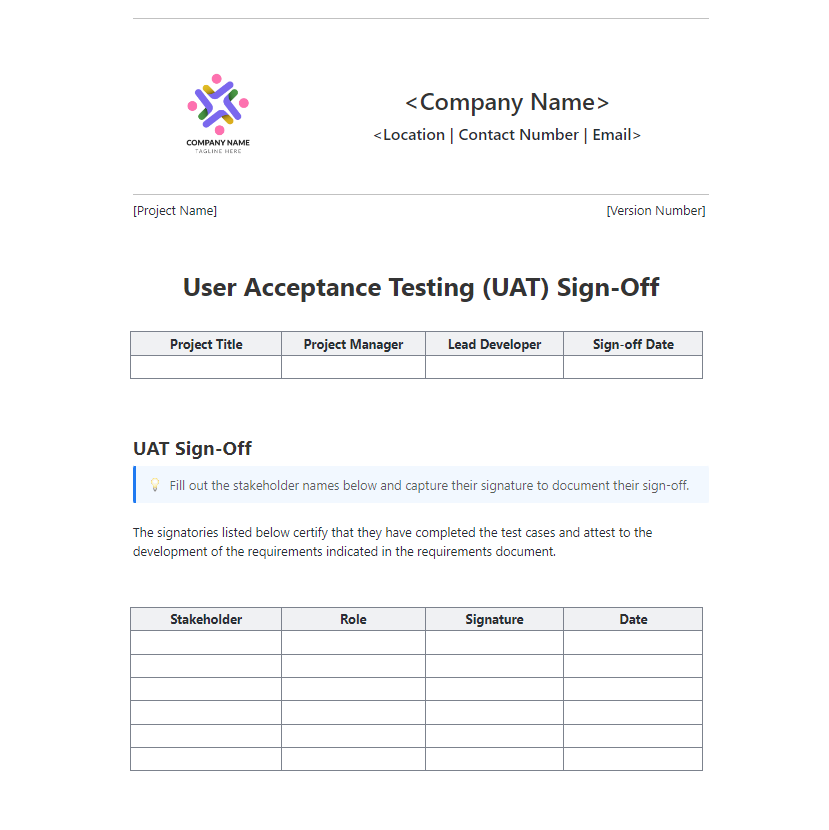
The ClickUp UAT Sign-Off Template gives teams a formal way to close that gap. Use it to document the experiment summary, the recommended model setup, key results, known limitations, and final approvals in one place.
It works well for multi-LLM programs where the final decision needs more than a verbal yes.
✅ Best for: Product, engineering, and compliance leads who need a documented sign-off trail for high-impact AI changes.
You can finish a strong round of LLM experiments and still struggle to explain what the team learned. The data may live in tasks, scorecards, dashboards, and comments. The recommendation may live somewhere else. That slows down the review and makes it harder to reuse the work later.
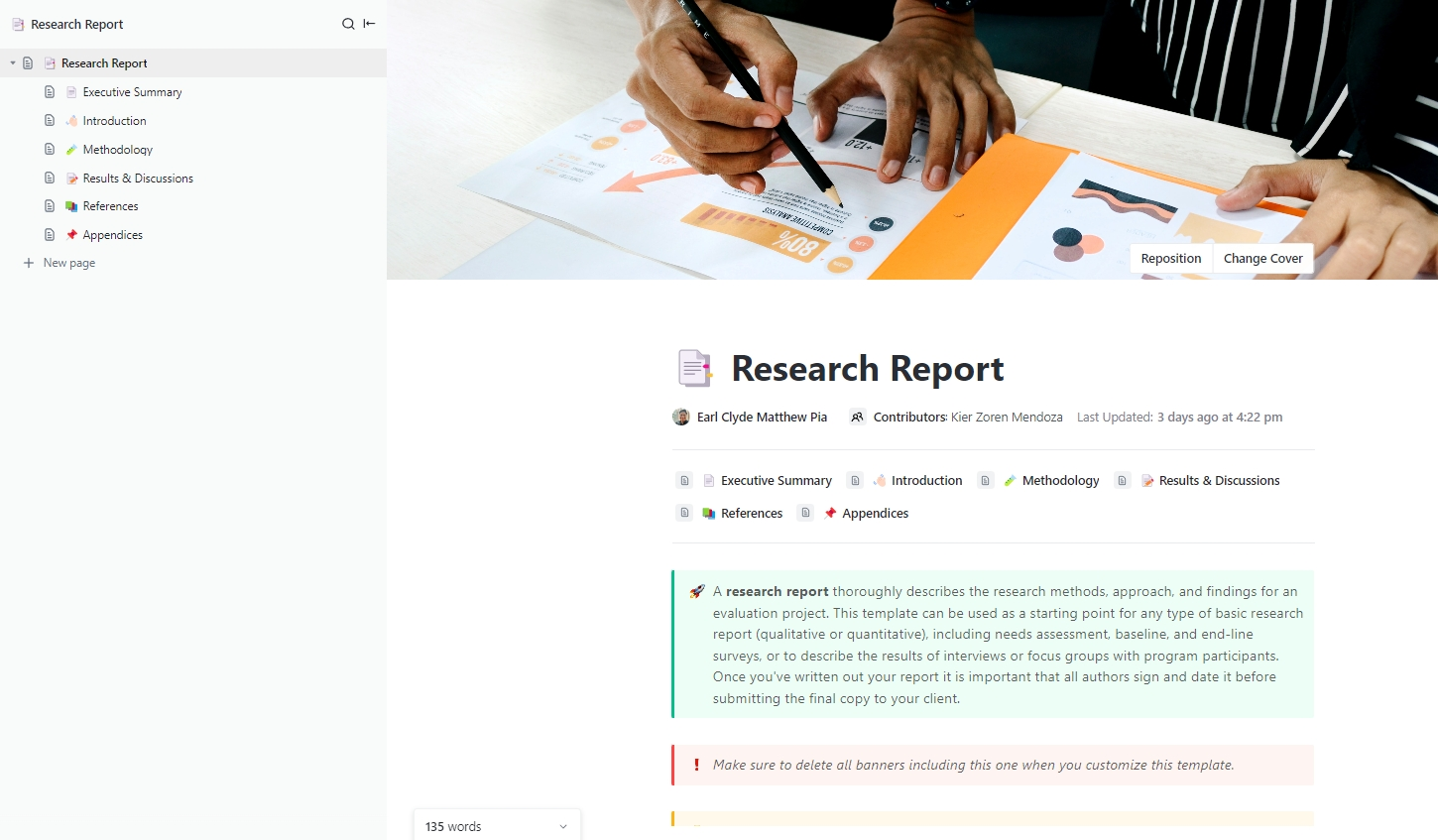
The ClickUp Research Report Template lets you turn experimental work into a clear write-up. Built on ClickUp Docs, it includes sections for the executive summary, methodology, results, references, and more.
It works well for internal evaluations where teams need to document why a model was tested, how it was scored, and what the results showed.
✅ Best for: AI researchers or product leads presenting methodology, findings, and rollout recommendations to leadership.
As your team moves from evaluating one or two LLMs to managing multi-model strategies across use cases, structured tracking becomes rather indispensable.
You’ve seen how each template handles a different piece of the experiment lifecycle. Start with the Experiment Plan and Results template for your next model comparison, then layer in the Dashboard template as you scale.
The real barrier to useful experiment tracking is the lack of a shared structure for capturing what you tested, found, and ultimately decided. When that data scatters across notebooks, chat threads, and personal spreadsheets, your team can’t learn from past tests and make confident model decisions.
That’s when ClickUp’s converged AI workspace comes into play. By keeping your experiment tasks, data, and team conversations in one place, all connected by AI, ClickUp gives your team the unified structure they need.
Get started for free with ClickUp and set up your first experiment tracking template today. ✅
Templates provide structured frameworks for documenting experiments, ensuring all important details are recorded for future analysis. Meanwhile, observability tools enable real-time monitoring of system performance, featuring automated alerts for anomalies and comprehensive telemetry data suitable for production environments. Many teams use both tools together, combining the organized approach of templates with the immediate insights from observability tools.
Yes, of course! In ClickUp, you have Custom Fields that let you define provider-specific metadata for each experiment entry. This lets you log and compare results from any provider without switching tools. And you can layer in Dashboards to get a better, high-level view of every experiment.
When comparing multiple LLMs in ClickUp, the key metrics to log span four areas: performance (latency, tokens per second, context window usage), quality (accuracy, hallucination rate, relevance score, and instruction-following consistency), cost (input/output token counts and cost per request), and reliability (error rate, retry count, and timeouts). For task-specific evals, also include BLEU/ROUGE scores for summarization, Pass@k for code generation, or tool-call accuracy for agentic tasks.
No—templates in ClickUp come pre-structured, so you can start logging experiments immediately, and ClickUp Brain can help you customize fields and set up automations using natural language.

© 2026 ClickUp

There’s an easier way. Try a free AI Agent in ClickUp that actually does the work for you—set up in minutes, save hours every week.