







Still downloading templates?
There’s an easier way. Try a free AI Agent in ClickUp that actually does the work for you—set up in minutes, save hours every week.
Sorry, there were no results found for “”
Sorry, there were no results found for “”
Sorry, there were no results found for “”
Right now, your team’s most valuable AI prompts are likely scattered across Slack threads and messy notes. When everyone is “winging it,” you risk inconsistent results, data leaks, and a whole lot of wasted time.
This guide gives you the best ClickUp templates to act as your AI control room. From versioning and bias checks to approval workflows, these prompt governance templates help you turn LLMs from a risky experiment into a safe, scalable, and high-performing company asset. 🙌
Here’s a quick overview of the LLM prompt governance templates covered in this guide and the stage of the prompt lifecycle each one helps you control.
| Template | Download Link | Ideal For | Key Features |
|---|---|---|---|
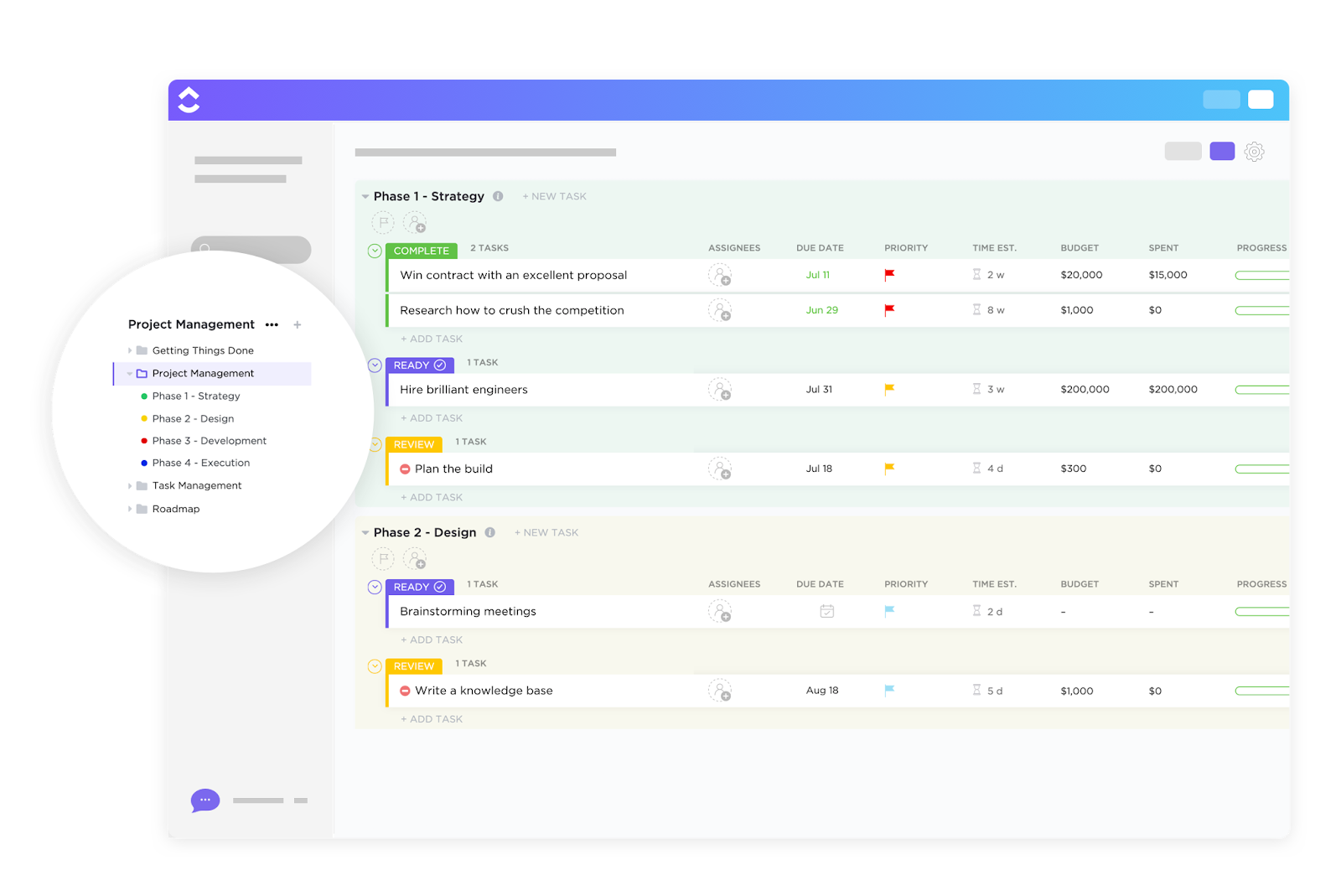
| ClickUp Project Request and Approval Template | Get free template | Managing prompt intake and approvals | Intake forms, approval workflows, audit-ready statuses |
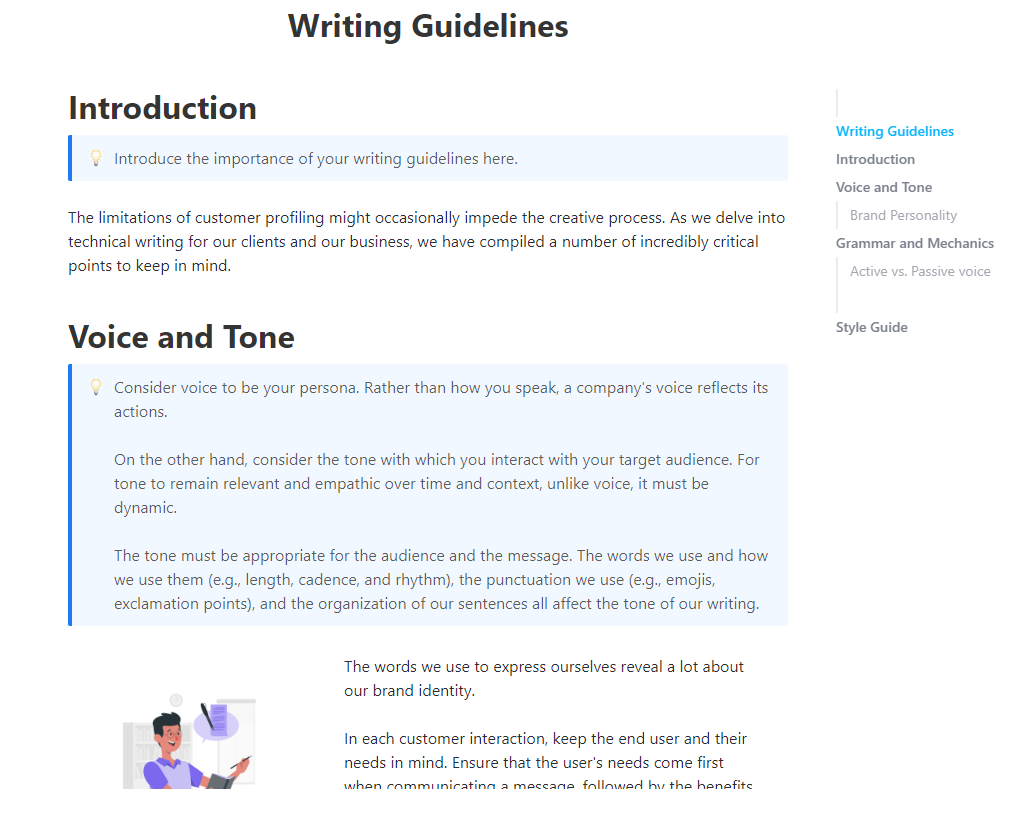
| ClickUp Writing Guidelines Template | Get free template | Enforcing brand voice in AI outputs | Style rules, tone guidelines, linked prompt tasks |
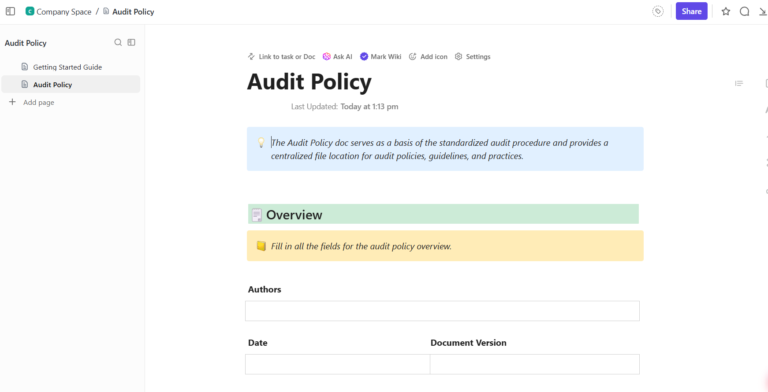
| ClickUp Audit Policy Template | Get free template | Running recurring prompt audits | Audit criteria, recurring reviews, compliance tracking |
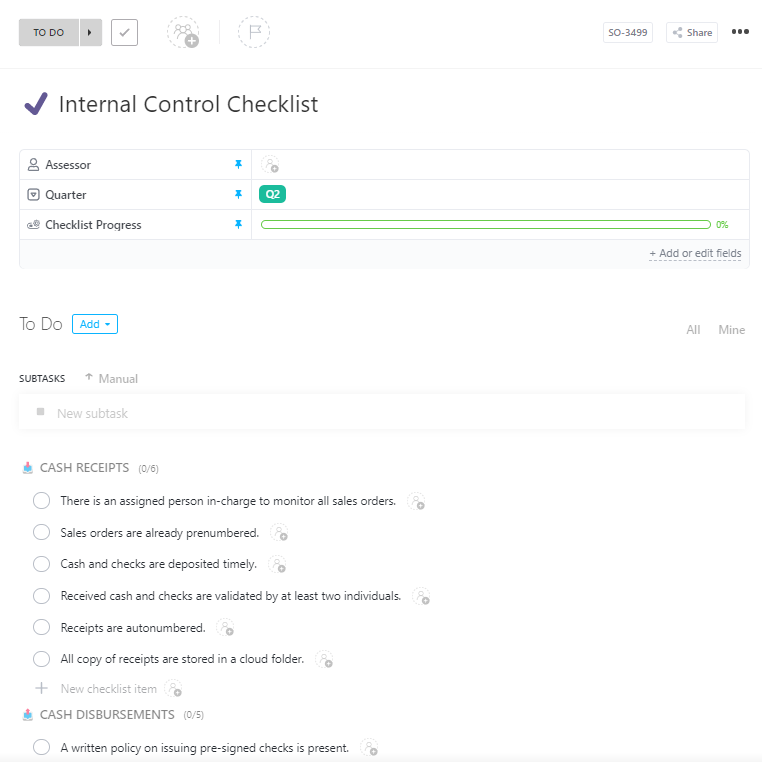
| ClickUp Internal Control Checklist Template | Get free template | Verifying prompt safety before deployment | Checklist-based controls, pass/fail statuses, bias checks |
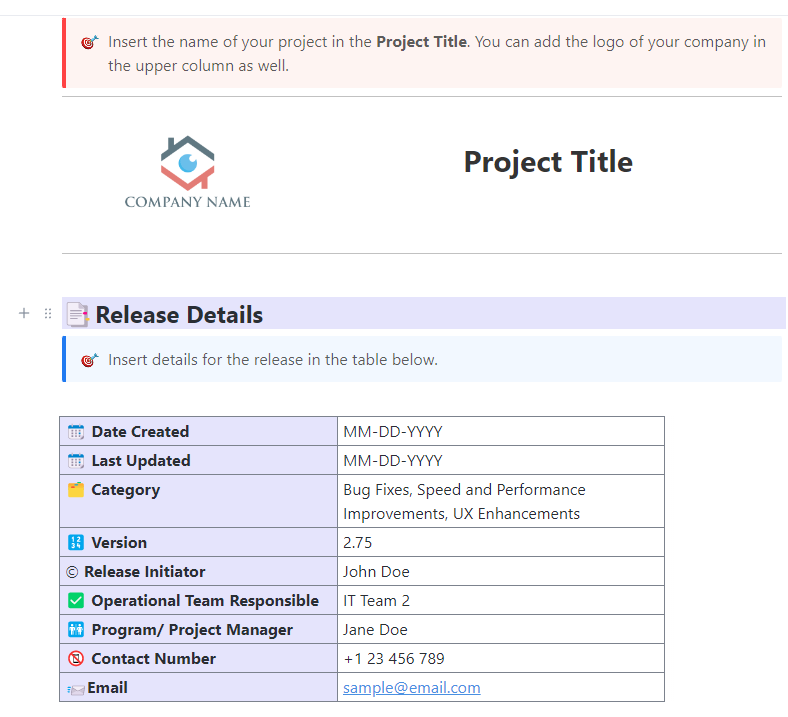
| ClickUp Release Management Template | Get free template | Tracking prompt versions and deployments | Version logs, rollout tracking, rollback planning |
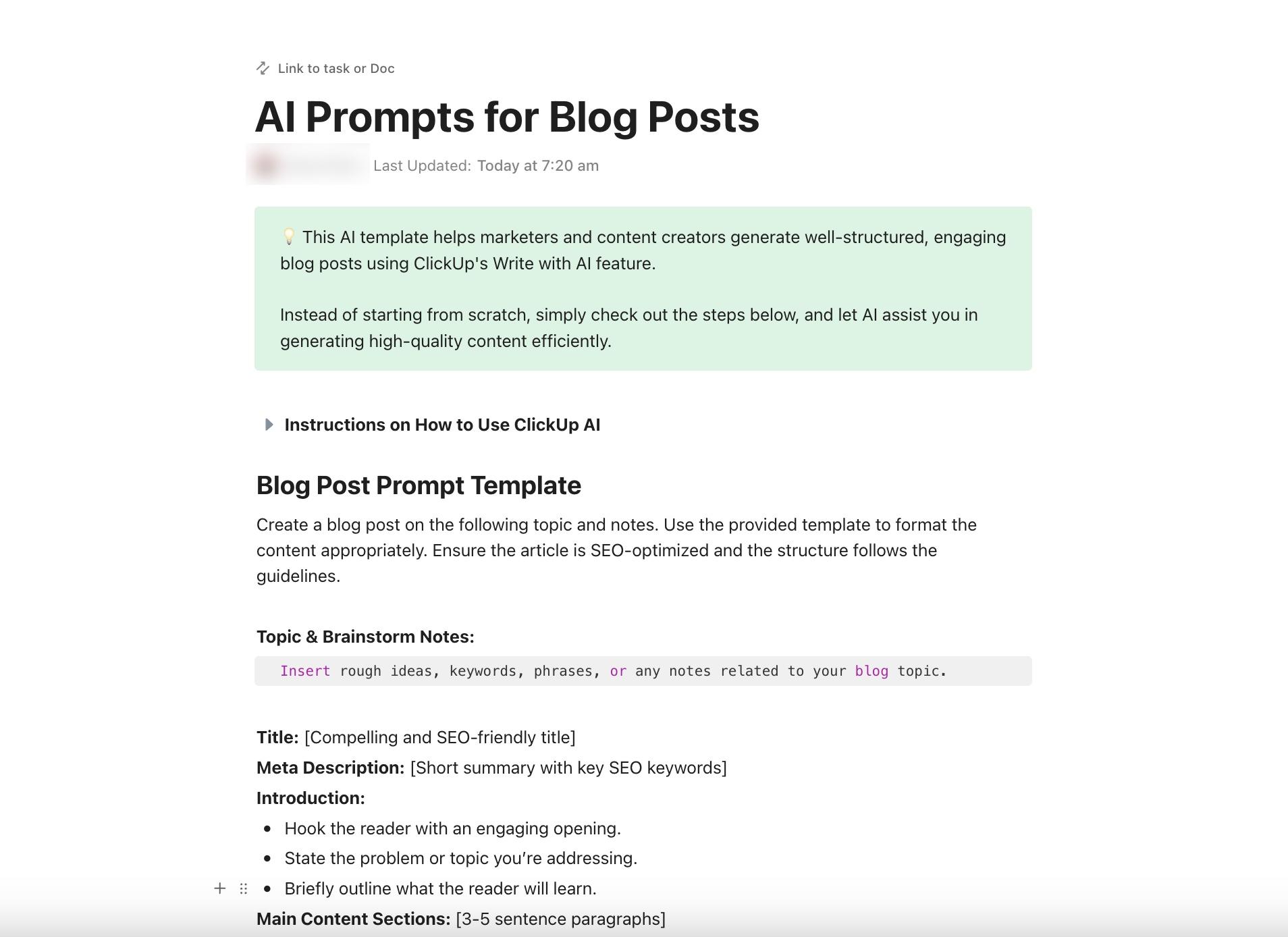
| ClickUp AI Prompt and Guide for Blog Posts | Get free template | Standardizing blog prompt inputs and QA | Prompt structures, SEO inputs, workflow integration |
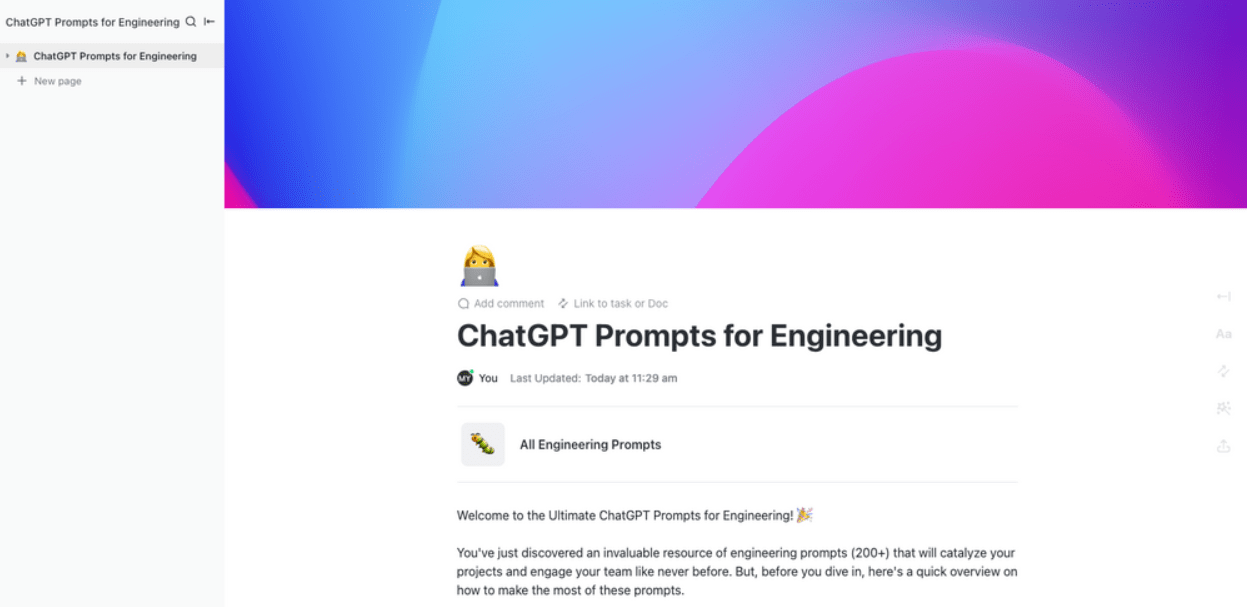
| ClickUp ChatGPT Prompts for Engineering Template | Get free template | Governing engineering prompt usage | Prompt repository, security checks, peer review workflows |
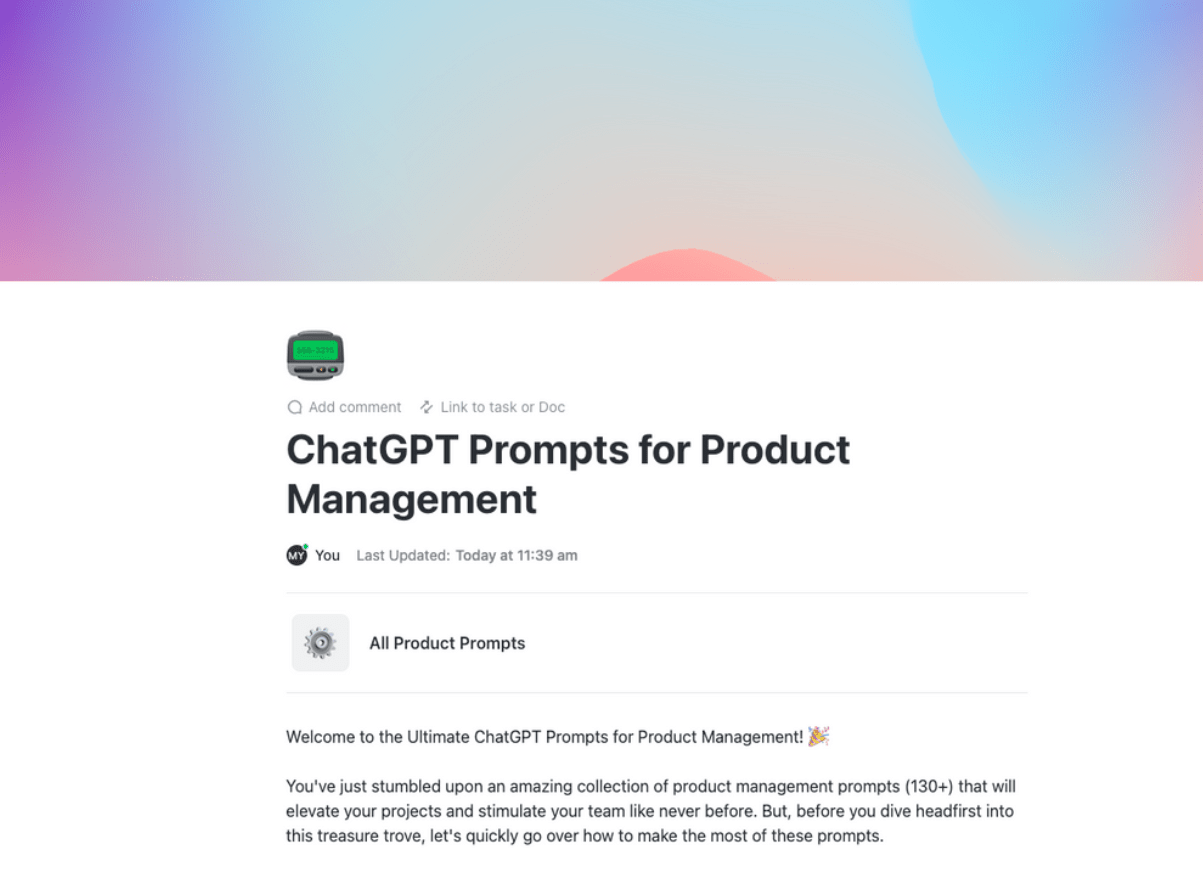
| ClickUp ChatGPT Prompts for Product Management Template | Get free template | Securing product-related prompts | Access controls, prompt categorization, PRD workflows |
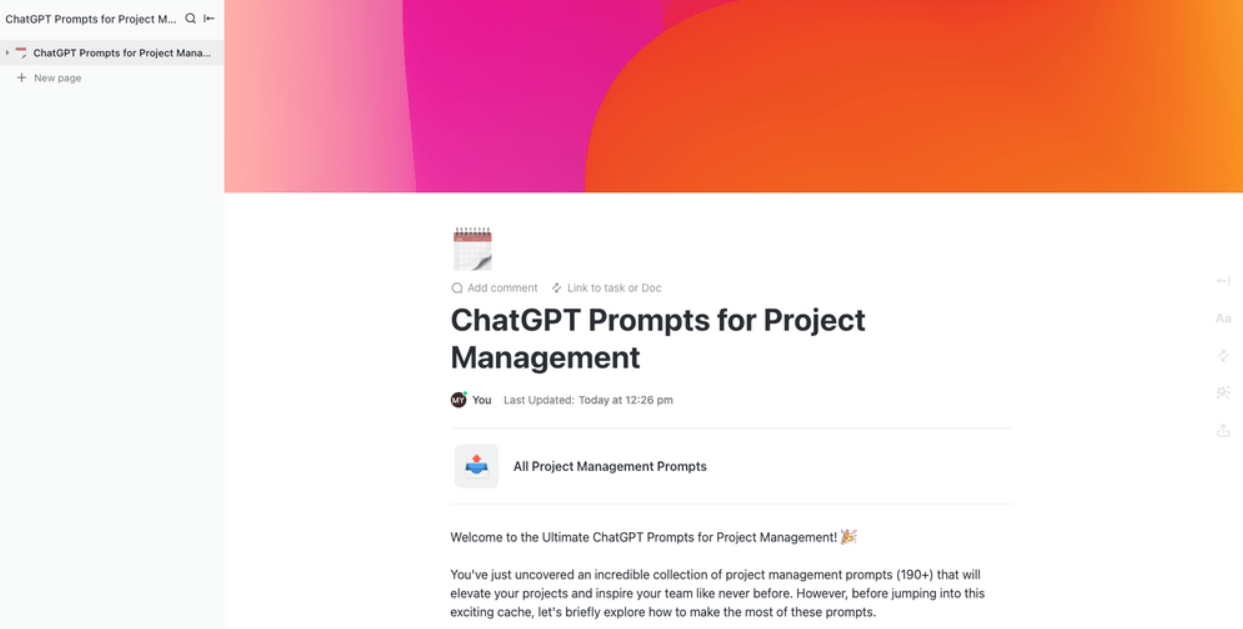
| ClickUp ChatGPT Prompts for Project Management Template | Get free template | Standardizing project-related AI workflows | Prompt library, real-time data summaries, review tracking |
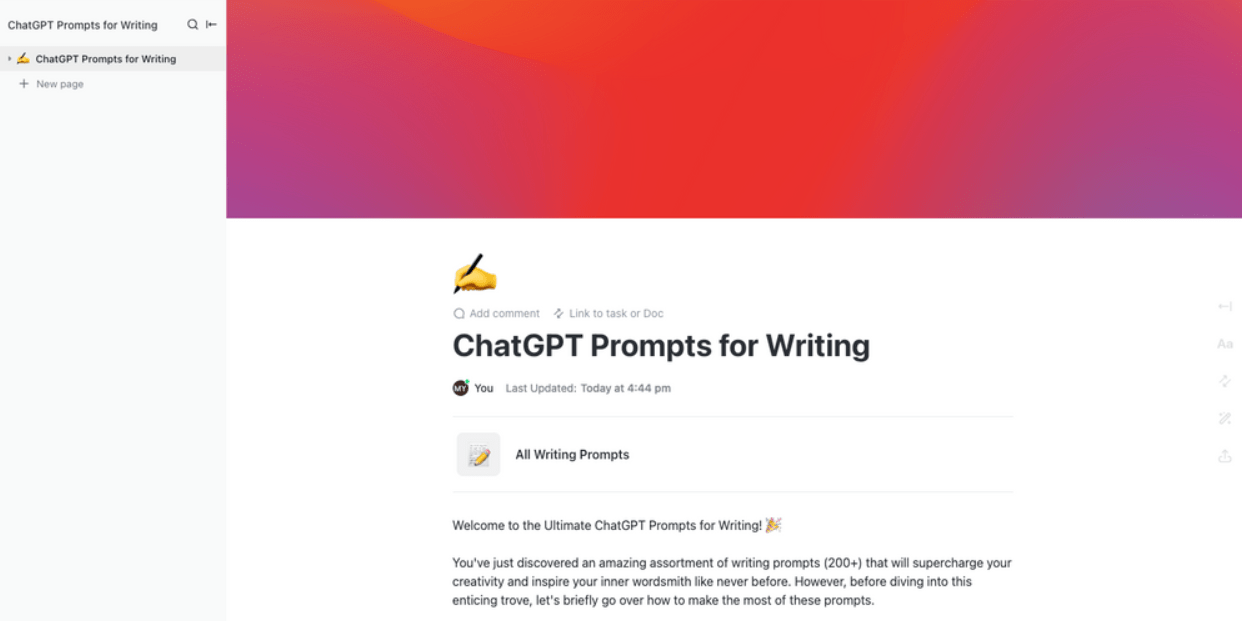
| ClickUp ChatGPT Prompts for Writing Template | Get free template | Maintaining consistency across content prompts | Centralized prompt library, version reminders, content categories |
⭐️ Bonus: Best Large Language Models
LLM prompt governance is the set of policies, workflows, and controls that dictate how AI prompts are created, reviewed, versioned, and retired across your organization. This means every prompt template your team uses goes through a structured lifecycle, rather than floating around in random docs and chat threads.
📌 Some examples of prompt chaos:
Most teams skip governance until something breaks. Maybe marketing’s chatbot prompt contradicts engineering’s support bot, or a new hire ships an untested prompt to production.
By then, you’re doing damage control instead of prevention.
Templates solve this by giving you a ready-made structure for each stage of the prompt lifecycle. Here’s how they help:
📮ClickUp Insight: 13% of our survey respondents want to use AI to make difficult decisions and solve complex problems. However, only 28% say they use AI regularly at work.
A possible reason: Security concerns! Users may not want to share sensitive decision-making data with an external AI.
ClickUp solves this by bringing AI-powered problem-solving right to your secure Workspace. From SOC 2 to ISO standards, ClickUp is compliant with the highest data security standards and helps you securely use generative AI technology across your workspace.
👀 Did You Know? Gartner found that organizations performing regular AI audits are over 3x more likely to achieve high GenAI value, and templates with built-in metadata fields make that traceable.
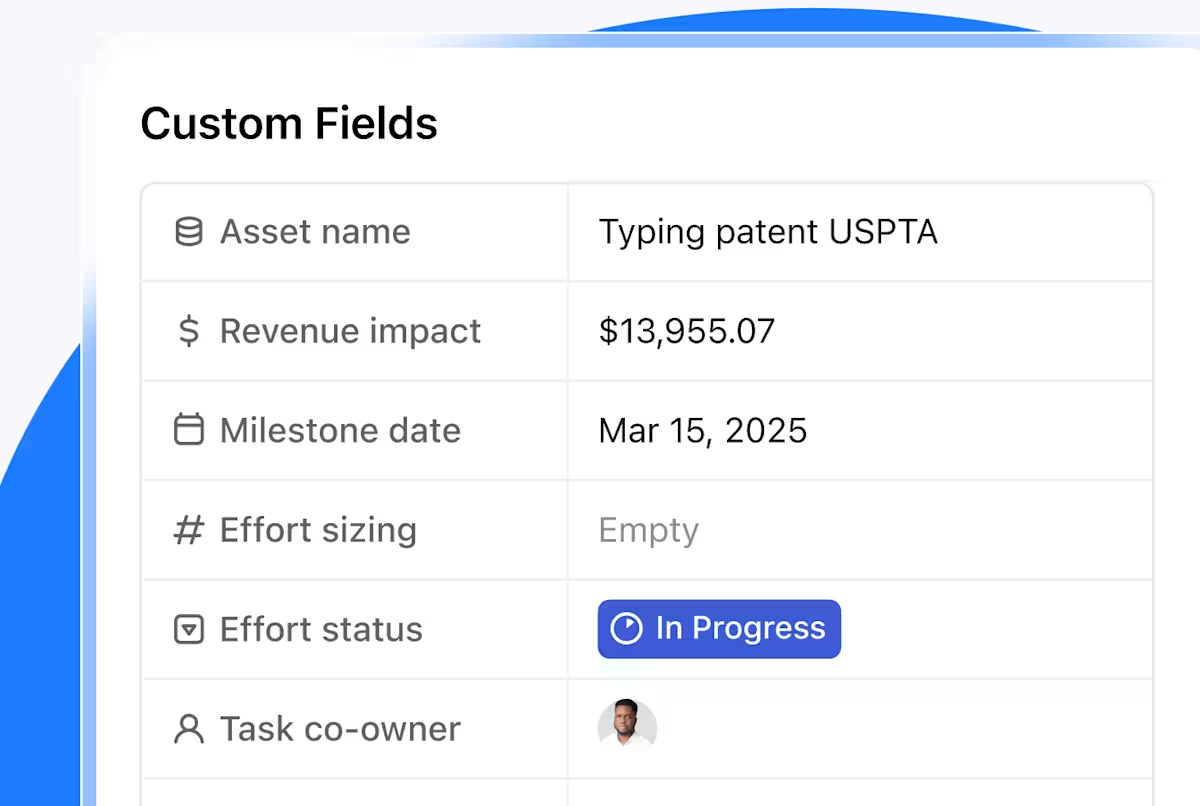
Each template below covers a different stage of the prompt governance lifecycle. They all live inside ClickUp, so you can customize fields, attach automations, and connect related docs without leaving the workspace. 🛠️
Pushing unvetted prompts straight to production? Without a formal gatekeeper, experimental logic can easily slip into your product, triggering compliance or security headaches.
The ClickUp Project Request and Approval Template establishes a centralized intake system to standardize how prompts are evaluated. Every model interaction undergoes a repeatable vetting process in which stakeholders sign off on technical specs and risk levels before deployment.
✅ Ideal for: AI governance leads, security architects, and prompt engineers managing complex approval cycles across multiple LLM environments, production pipelines, and sensitive data use cases.
👀 Did You Know? The global agentic AI market is set to explode from $10.86 billion in 2025 to nearly $199.05 billion by 2034. That’s an ~18x surge in just 9 years, fueled by a staggering 43.84% CAGR.
AI outputs can quickly go off the rails without a shared definition of what your brand sounds like. You often end up with a messy mix of stiff corporate speak and overly enthusiastic bot-talk that confuses your audience and dilutes your message.
The ClickUp Writing Guidelines Template fixes this by housing your voice, tone, and grammar rules in a collaborative ClickUp Doc. It bridges the gap between raw prompts and polished content, giving every team member a clear playbook for formatting, style, and restricted terms.
✅ Ideal for: Brand managers and lead prompt engineers standardizing AI-generated content across high-volume publishing pipelines, external agencies, or multi-modal LLM workflows.
🔮 Why review your tone and brand assets manually when ClickUp Brain can do it with you?
Ask Brain to rewrite a draft in your brand voice, flag where your messaging feels inconsistent, or explain why a paragraph is not landing. It pulls context from your Workspace and apps, so suggestions reflect your team’s actual work.
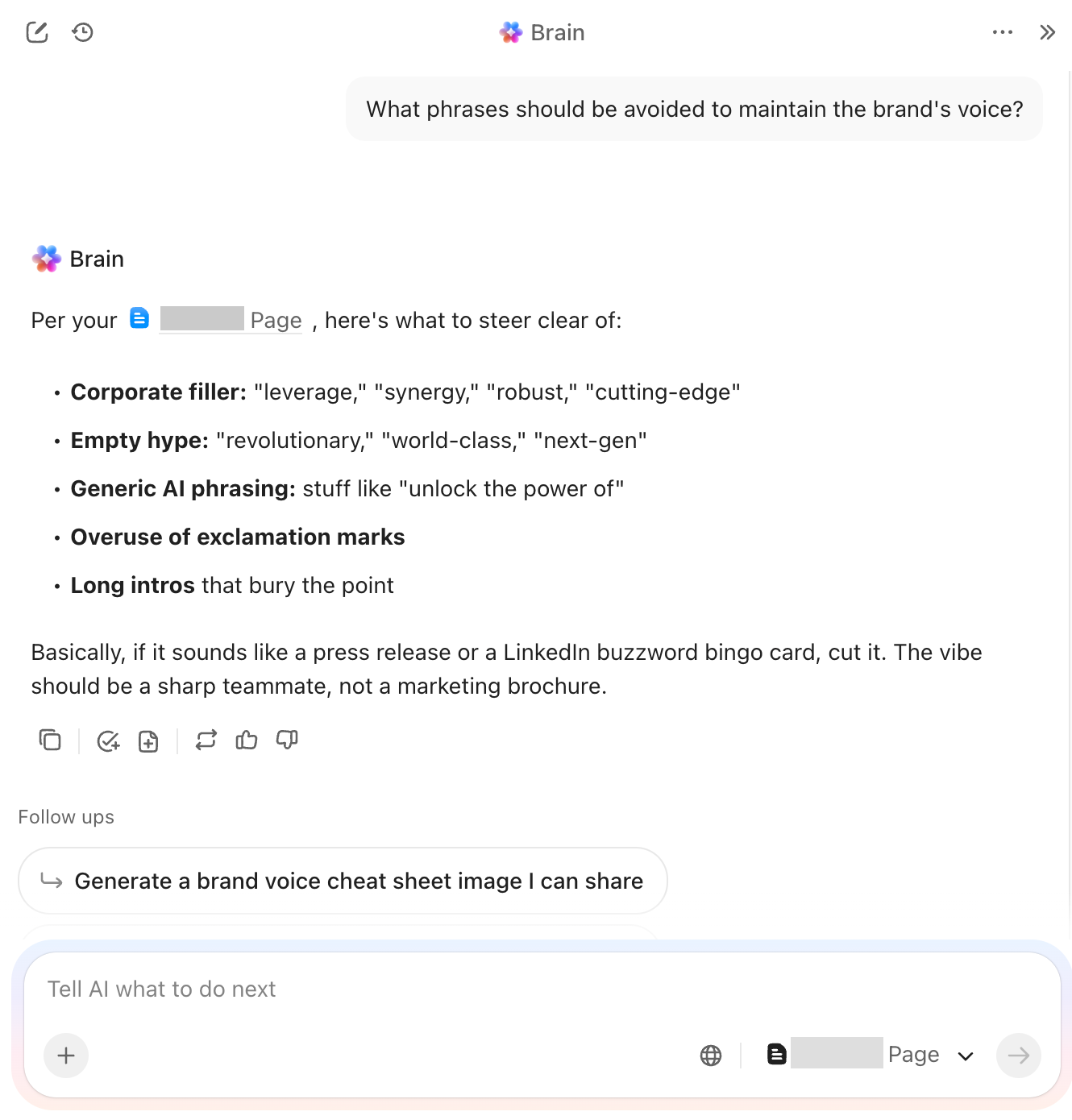
To get the best results, be specific in your prompt. Give it the tone to follow, the phrases to avoid, the structure you want, and the outcome you are aiming for. The clearer your input, the more useful the output.
A “set it and forget it” approach to prompts is a recipe for model drift and compliance headaches. As LLMs update and business rules shift, a prompt that worked perfectly six months ago might start returning biased or outdated results today.
The ClickUp Audit Policy Template turns manual oversight into a predictable, documented routine. It anchors your governance in a centralized Doc where you can define pass/fail criteria for accuracy and safety. This lets your entire prompt library stay in a continuous cycle of evaluation.
✅ Ideal for: Compliance officers, AI safety engineers, and legal teams responsible for maintaining long-term model reliability and regulatory alignment across enterprise prompt libraries.
Skipping a final QA check before a prompt goes live is an open invitation for data-handling errors or security oversights. Without a dedicated sign-off process, critical details like rollback plans or bias screenings often get lost in the rush to deploy.
The ClickUp Internal Control Checklist Template provides a granular safety net for every prompt in your pipeline. It breaks down complex governance requirements into actionable subtasks and items, making it impossible to “accidentally” overlook a security review or output validation step.
✅ Ideal for: QA leads and AI compliance auditors managing rigorous pre-deployment checks across high-stakes financial, medical, or legal prompt applications.
💡 Pro Tip: A failed prompt deployment can compromise your data integrity or user trust in seconds. Even with a rigorous checklist, you need a plan for when things go south. Use our Rollback Strategy Playbook to define specific triggers for version reversals and establish clear communication protocols for your engineering and compliance teams.
Treating a prompt update like a minor text change is a quick way to break a production workflow. Without software-level release discipline, you lose track of which model version is live and what changed in the logic.
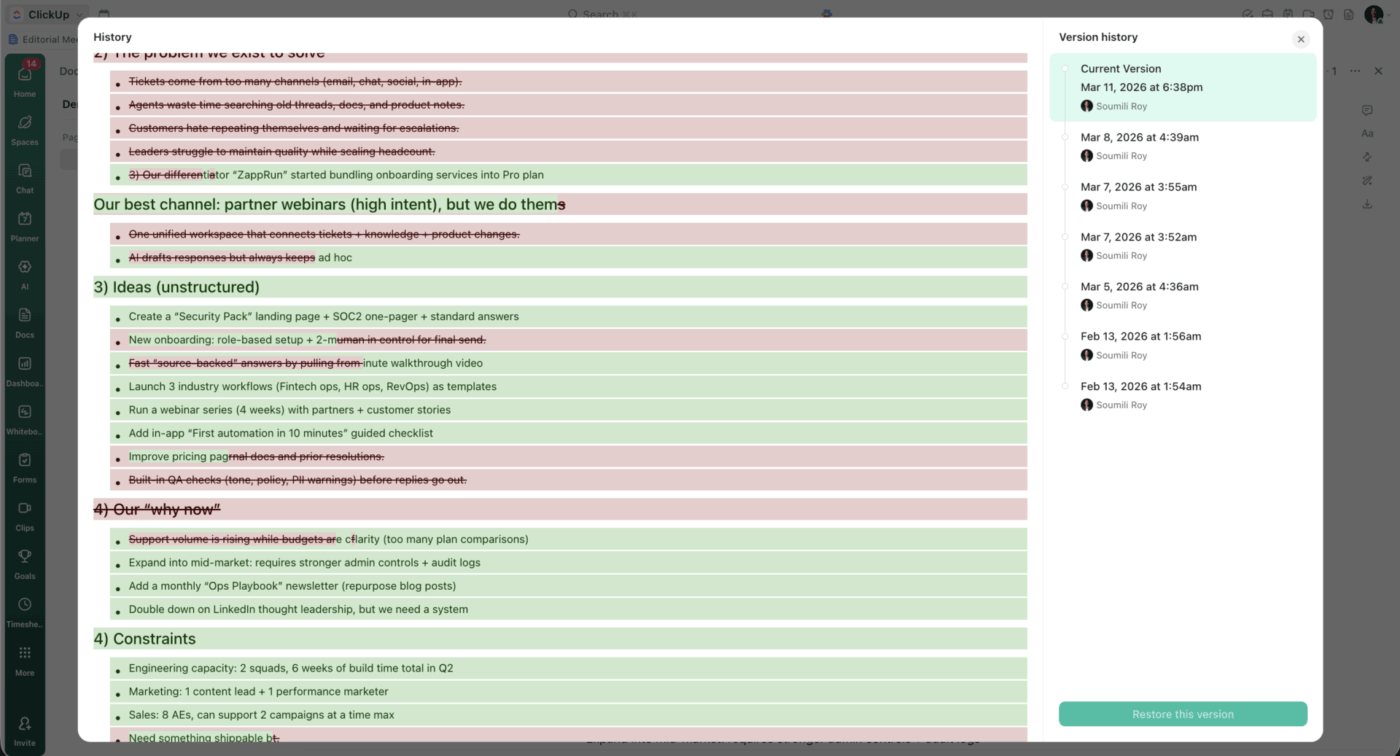
The ClickUp Release Management Template acts as a live version ledger for your entire prompt library. You can document changelogs, staging environments, and rollback protocols in one place, giving your team a clear, documented path for every migration.
✅ Ideal for: Release managers and AI engineers coordinating prompt deployments across complex staging and production environments.
When every writer uses a different logic for their drafts, your brand voice disappears under a mix of conflicting tones and inconsistent SEO structures.
The ClickUp AI Prompt and Guide for Blog Posts provides a standardized framework for your entire creative team. It uses a structured Doc to capture mission-critical details, such as target keywords and audience intent. This ensures every AI-generated draft meets your quality benchmarks from the first version.
✅ Ideal for: Content marketing managers and SEO specialists overseeing high-volume publishing schedules across internal teams and freelance networks.
⚙️ Automate your quality control
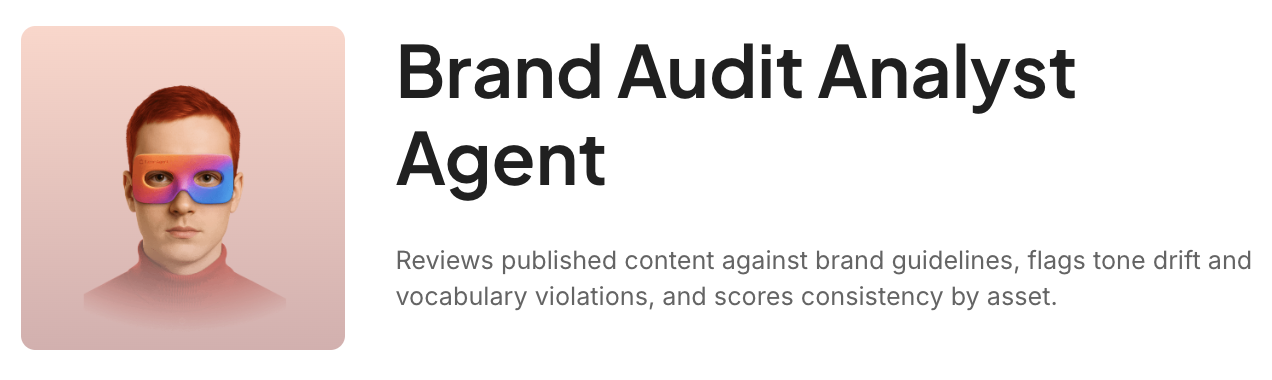
A prompt guide standardizes your inputs, but you still need a way to verify the results. Use the ClickUp Brand Audit Analyst Agent to automatically scan your drafts for tone drift and off-brand language. It flags consistency issues in real-time so your team can fix errors before the content ever moves to the next stage of review.
Engineers often treat AI as a quick shortcut for boilerplate or debugging, but a single unvetted prompt can inadvertently leak proprietary code or introduce security vulnerabilities. Without a structured guardrail, you risk shipping incorrect logic or exposing intellectual property to public models.
The ClickUp ChatGPT Prompts for Engineering Template brings high-stakes discipline to technical prompt engineering. It acts as a secure repository for over 200 pre-vetted prompts while enforcing a strict peer-review workflow for every new snippet your team develops.
✅ Ideal for: DevOps managers and lead software engineers implementing secure AI assistance across complex codebase migrations, debugging workflows, and feature development.
⭐️ Bonus: How to Use ChatGPT for Content Creation?
Product prompts often handle the “crown jewels” of your strategy, from unreleased roadmap features to sensitive competitive intelligence. If these inputs aren’t access-controlled, you risk exposing high-level data to the wrong stakeholders or accidentally leaking pricing models before they are finalized.
The ClickUp ChatGPT Prompts for Product Management Template provides a secure vault for over 130 pre-built prompts covering everything from PRD drafting to feature prioritization. It moves your product discovery out of scattered chat windows and into a governed environment where strategic context is protected and shared only with the right team members.
✅ Ideal for: Product operations managers and senior PMs coordinating high-stakes discovery and documentation across cross-functional engineering and design teams.
📚 Read More: Gemini vs. ChatGPT for Coding
Manual status reporting is a notorious time-sink that often results in surface-level updates. When PMs copy and paste from disparate notes, the final report usually misses the nuances.
The ClickUp ChatGPT Prompts for Project Management Template provides a technical structure for these daily oversight tasks. You get a library of 190+ vetted prompts that work with ClickUp Brain to turn real-time workspace activity into sharp, actionable summaries for your stakeholders.
✅ Ideal for: PMO leads and senior project managers coordinating high-velocity deliverables across cross-functional engineering and marketing workstreams.
🎥 Here’s a visual walkthrough of how ClickUp’s project planning templates work in practice.
High-volume writing workflows are often the first place brand consistency starts to crumble. If a formal proposal sounds stiff while the follow-up email feels overly bubbly, your messaging looks disjointed and risks confusing your audience.
The ClickUp ChatGPT Prompts for Writing Template acts as the definitive library for your team’s creative outputs. It centralizes over 200 vetted prompts into a governed Folder structure, so you maintain a unified voice across internal memos, social copy, and high-stakes client proposals.
✅ Ideal for: Content directors and communication leads managing high-volume publishing cycles across internal marketing departments or external agency partners.
📚 Also Read: How to Write AI Prompts?
🎥 Learn how AI negative prompts improve content quality, writing clarity, image generation, and coding results while keeping workflows organized inside ClickUp.
Having templates is step one. Connecting them into a working system is where governance actually takes hold. 👀
AICamp found that teams using shared prompt libraries are 40% more productive because they stop reinventing the wheel. Even better? They see 60% faster AI adoption across the entire company.
Prompt governance has moved from a technical concept to an operational reality. For any team whose workflow depends on LLMs, it offers more consistency, better security, and fewer costly surprises.
The revolution, however, isn’t just in building a better prompt library; it’s in the ability to manage, audit, and improve those prompts in the same place your team actually works.
By bridging the gap between AI intelligence and operational execution, you can break down the silos between your prompt data, brand standards, and project plans. And that’s what ClickUp’s converged AI workspace gives you, by keeping all your information, tasks, and team discussions in one place.
Ready to build a workflow that doesn’t just store prompts, but executes them?
Get started for free with ClickUp.
A prompt template is a reusable structure for writing effective LLM prompts, with fill-in-the-blank instructions. A prompt governance template is the policy and workflow layer that controls how those prompt templates get created, approved, versioned, and audited across your team.
Add a target model field to each template so reviewers can assess model-specific risks like context-window limits or data-retention policies. The governance workflow stays the same—only the metadata and evaluation criteria shift per model.
Yes—small teams feel the pain of inconsistent prompts faster because there’s less room to absorb mistakes. Even a lightweight setup with a shared prompt library, an owner, and a quarterly review prevents drift before it compounds.
Prompt governance is a subset of your broader data governance strategy. It applies the same principles—access control, audit trails, classification, and lifecycle management—specifically to the prompts and outputs flowing through your LLMs.

© 2026 ClickUp

There’s an easier way. Try a free AI Agent in ClickUp that actually does the work for you—set up in minutes, save hours every week.