From Mandate to Machine: How We Built 230 AI Workflows and Transformed a Marketing Org in 8 Months

Sorry, there were no results found for “”
Sorry, there were no results found for “”
Sorry, there were no results found for “”
No consultants. No “transformation office.” Just a weekly mandate, a homegrown system, and the relentless pursuit of output-to-headcount ratio.
Every company says they’re “doing AI.” Most of them mean someone on the team has a ChatGPT tab open. That’s AI tourism, not transformation.
Eight months ago, my marketing org at ClickUp was in that category. Sure, people were using AI here and there. Summaries, first drafts, meeting notes. But it was spotty, uneven, and had little structure behind it. I didn’t have visibility into what people were building. I had no way to know if we were actually getting better or just checking the AI box.
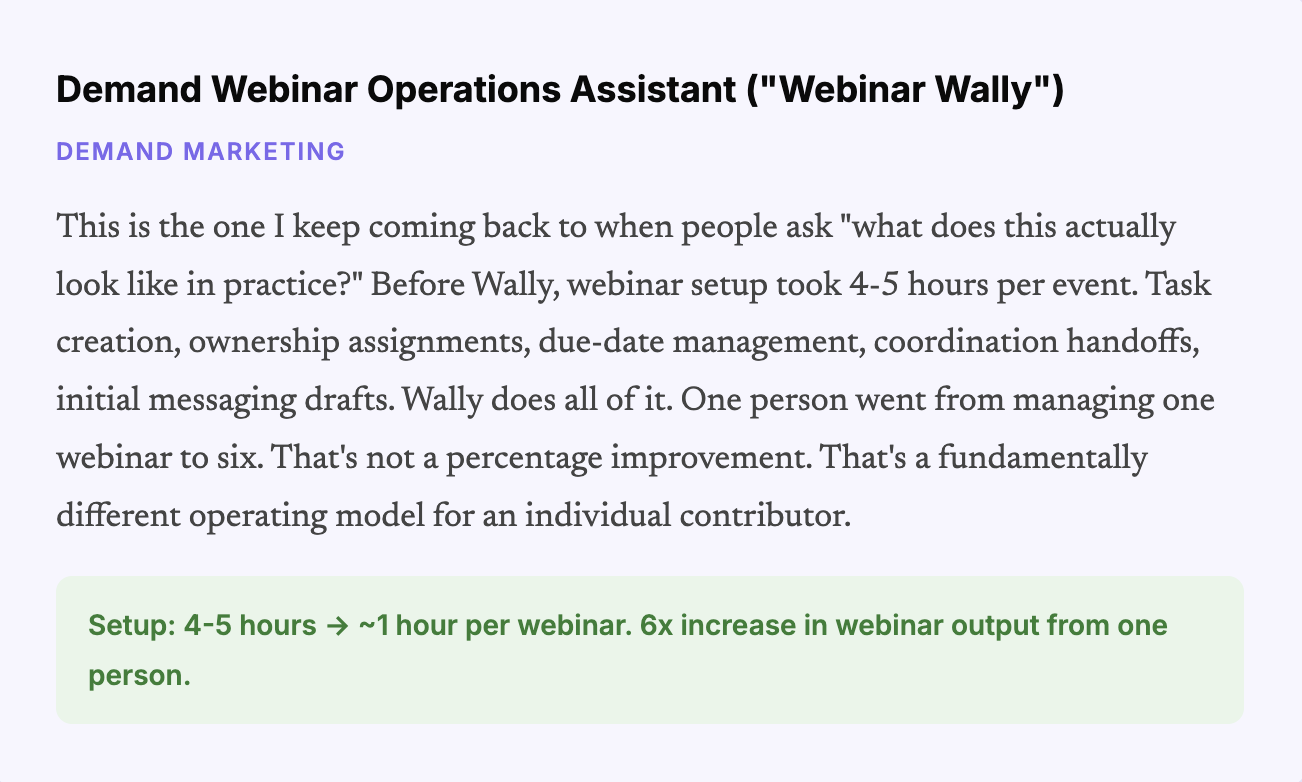
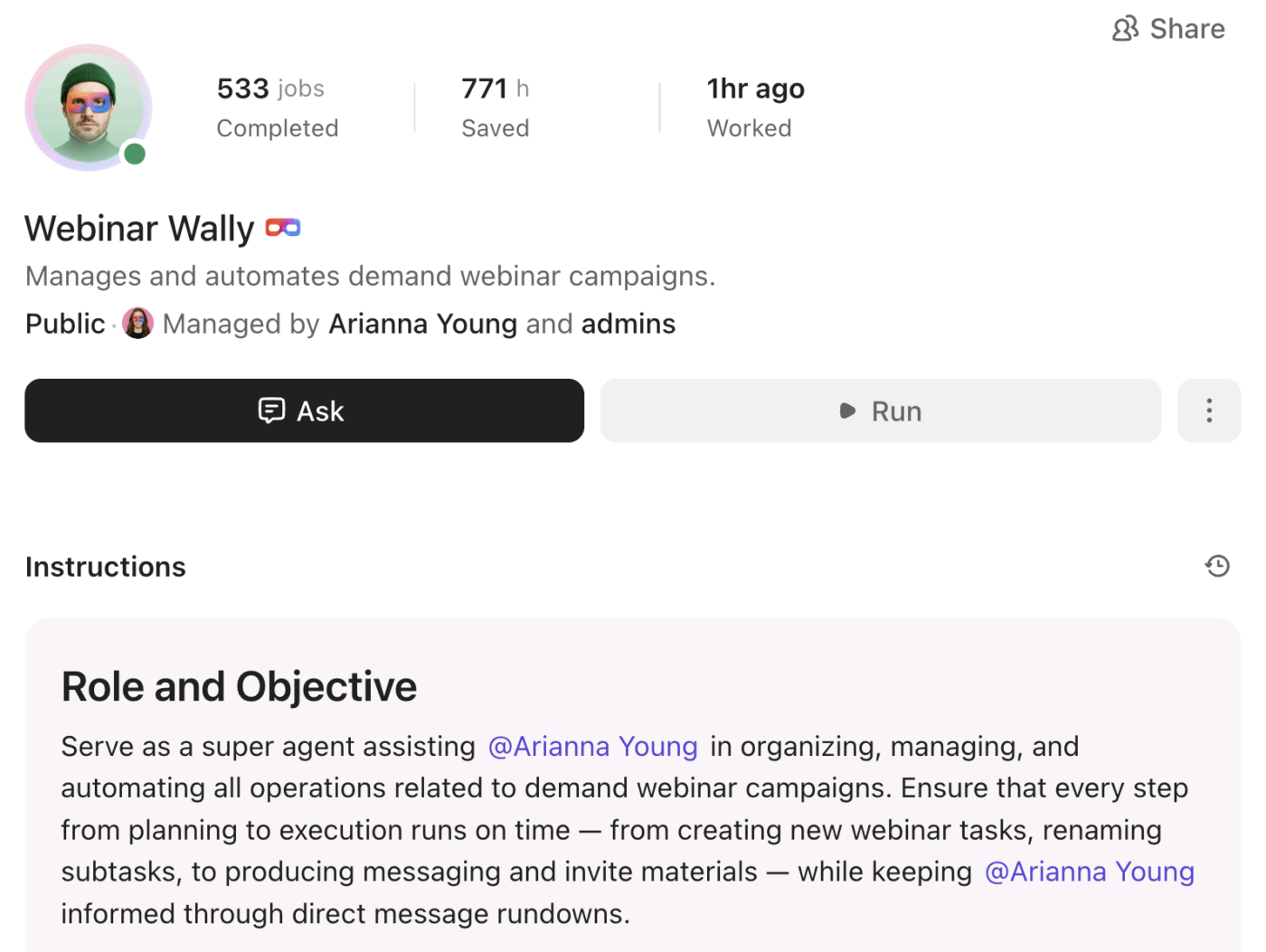
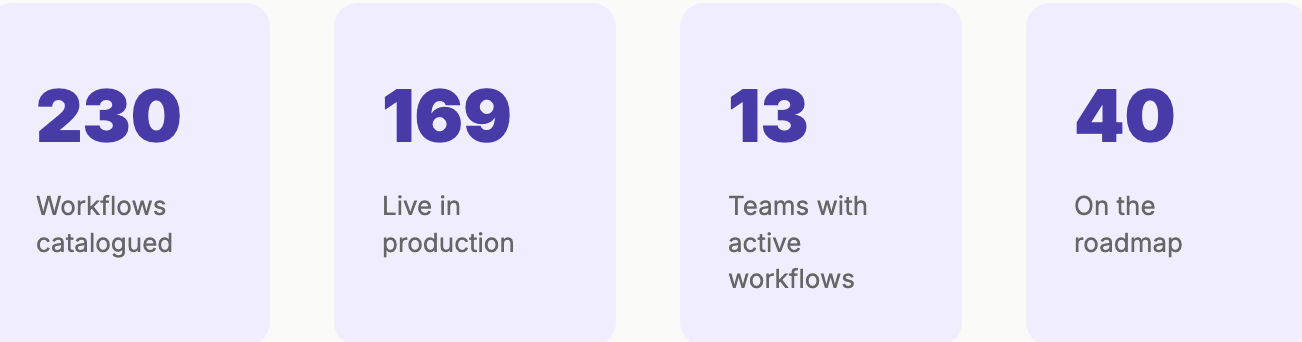
Today, we have 230 cataloged AI workflows across 13 teams. 169 of them are live in production. We increased AI usage 20x in the first six weeks of the transformation. Our SEO team went from needing 75 content producers to 8. One person on our demand team went from running one webinar a month to six. And I can pull up a single ClickUp view right now and tell you exactly where every team and person sits on the AI maturity curve, what they should build next, and why.
What follows is the actual playbook. All five phases, the mistakes I made, the numbers that came out of it, and the specific agents and workflows that are running the show today. If you lead a revenue or marketing team and you’re serious about this, please steal it.
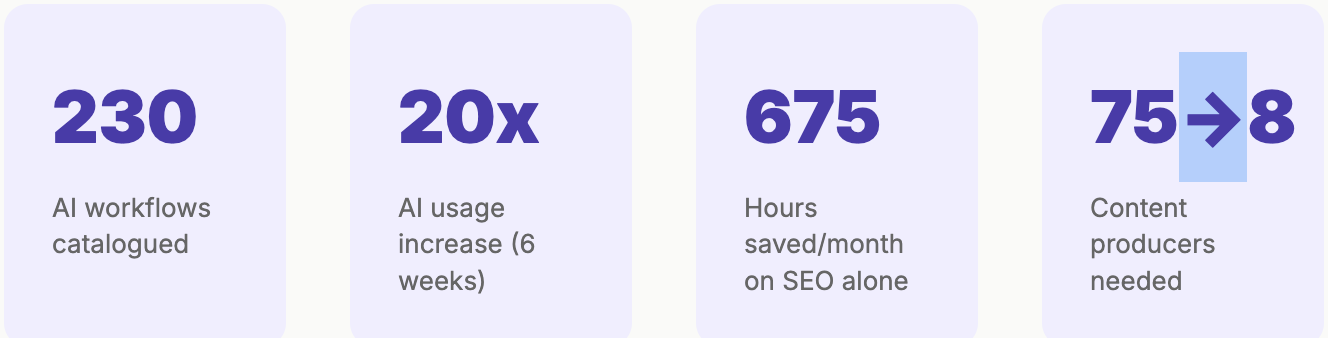
Before I get into the phases, you need to understand the metric that sits behind every decision we made—the output-to-headcount ratio. Every workflow, every agent, every reorganization we did was filtered through a simple question: Does this let us do more with the team we have, or do the same with fewer resources? We either need to accelerate growth or cut spending (or both)!
We’re not chasing novelty. We’re chasing leverage. And that framing matters, because it keeps the team focused on things that actually move the business instead of building cool demos that go nowhere.
📘 Also Read: AI in Marketing: 10 Practical Use Cases
Here’s a breakdown:
The first step we took in the summer of 2025 was nowhere near glamorous. No new tools, no big press release. Just a standing order: every member of the team, every week, in a dedicated ClickUp Chat channel, had to submit at least one new AI use case.
Could be anything. Something that saved 30 seconds. Something that saved 30 minutes.
The bar was deliberately low because the goal wasn’t to produce groundbreaking work on day one. The goal was to get people into a cadence of actually reaching for AI.
This is where building with ClickUp gave us a structural advantage. The AI was already in the tools people used every day. No context switching. No logging into some other platform. You could try something and share the results in the same Chat channel where the mandate lived. The friction was about as low as you can get it.
But the mandate alone is table stakes. Here’s the part most executives skip.
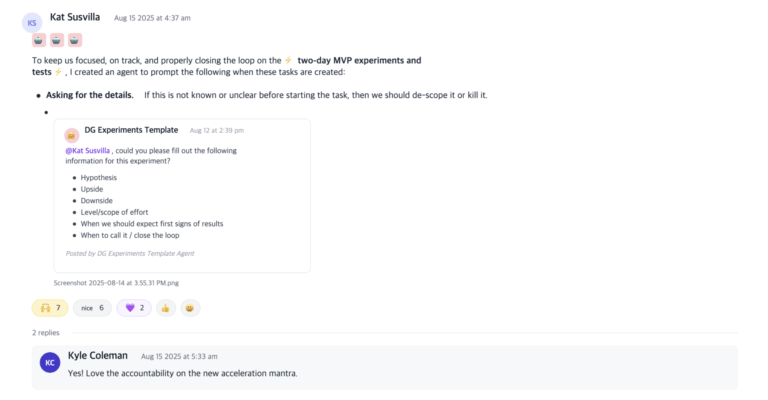
Every Friday night and Saturday morning (I’m on the East Coast, much of my team is on the West Coast), I read every single submission. Every one. I commented on each one with thoughts, suggestions, and encouragement. I said thank you. I asked follow-up questions. I showed that this wasn’t performative.
If your team senses for even one second that you’re just checking a box as a leader, the whole exercise dies. They need to see that you’re paying attention and that you actually care about what they’re discovering.
It took a lot of time on their end, and I needed them to know it wasn’t busywork. It was something leadership was genuinely invested in understanding.
We ran this for about six weeks. And then something clicked. We didn’t need the mandate anymore. People were hooked. The pressure came off because using AI didn’t have to be world-changing. It just needed to make you 1% better every day.
And the halo effect was huge. People saw what their colleagues were doing and started copying it. Prompts got reused. Agents got shared. One person’s experiment became ten people’s daily workflow. That’s where the real leverage lives.
After six weeks, I saw an encouraging indicator: a 20x increase in AI usage across the team.
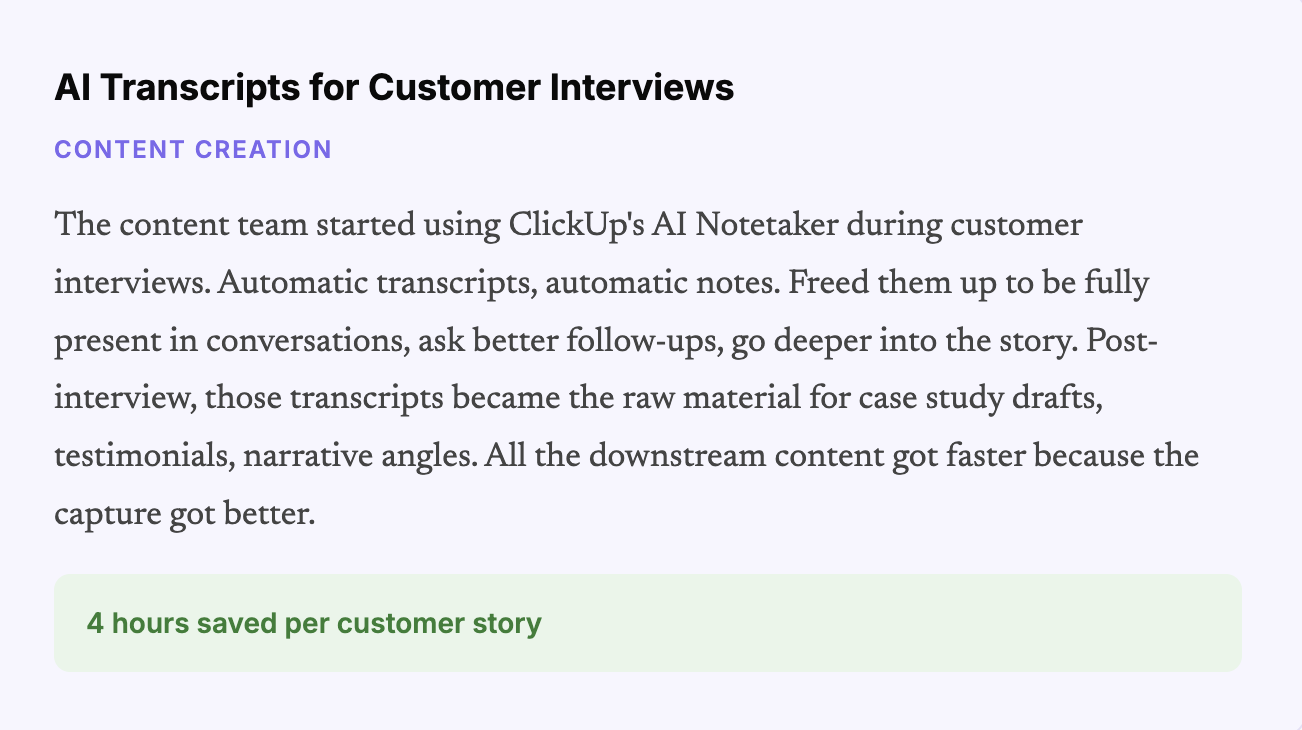
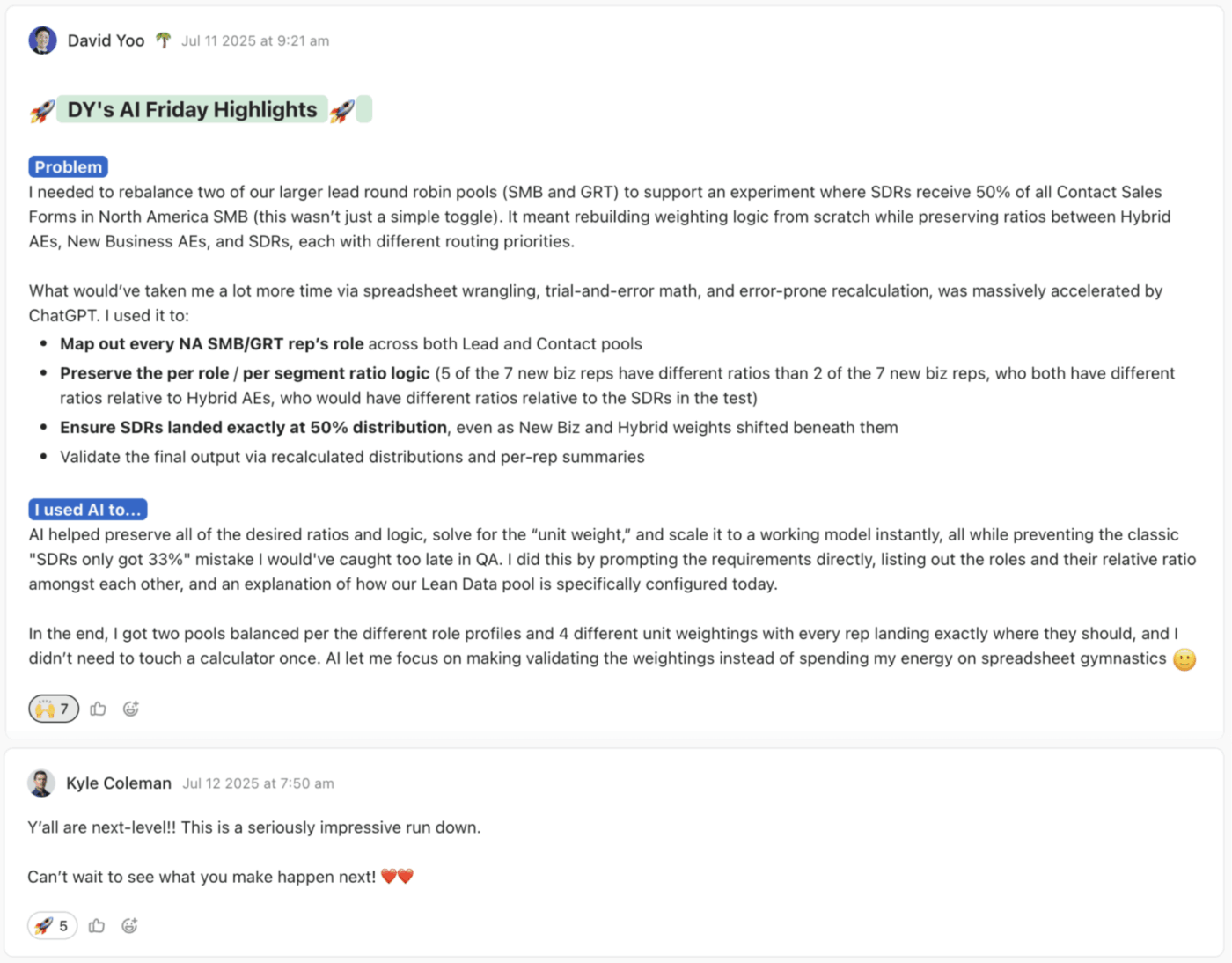
Create a public channel. Make submissions visible. Set the bar low to take pressure off. Run it for a fixed period, 4-6 weeks, long enough to build a habit but short enough that it doesn’t feel permanent. And the biggest one: leaders have to visibly engage. Comment on every submission. If you can’t commit to that, don’t bother with the mandate.
💡 Pro Tip: If you want this habit to stick, use a tool that lets leaders respond in context. With ClickUp Chat and task comments, feedback stays visible, reusable, and easy to build on, instead of disappearing into Slack history.
📘 Also Read: Best Marketing Automation Software Tools
By the fall, the team was thinking in AI terms. They’d internalized the basics: summarization, drafting, research, formatting, and lightweight analytics. But 80% of what they’d built was still task automation. A-to-B type stuff. Useful, and definitely moving the needle on our output-to-headcount ratio. But not completely game-changing.
Then, ClickUp launched Super Agents internally. And the whole equation shifted.
Instead of stitching prompts together manually and chaining simple automations into something more complex, a non-technical user could describe a multi-step workflow in plain language using an agent builder, and ClickUp could build the Super Agent for it. The barrier to creating real automation dropped to near zero. For a team that was already primed to think this way, it was like pouring gas on the fire.
We challenged the team to think bigger. Not A to B. A to Z. We asked everyone to identify the complex, multi-step workflows in their world that were eating time and should be automated. And because we knew we’d be launching Super Agents publicly in late December, everyone had a built-in incentive: their work would be featured. They’d get to show their own efficiency gains to the world.
By early January, we had a library of over 150 videos of our team building and using Super Agents. People took pride in their work. They positioned themselves as subject matter experts. And the whole exercise produced a flywheel where efficiency gains internally became marketing content externally.
Some of the work you did even last week is no longer relevant and needs to get sunset in favor of a new and better way. You can’t be too pearl-clutching about it.
This is something most teams get wrong. They build something that works, and then they protect it. But the pace of this stuff means you have to be willing to retire things constantly. We killed some of our summer automations within months because the Super Agent versions were just better. That’s not waste, that’s a natural part of the process.
📮 ClickUp Insight: 24% of people say they want AI agents mainly to automate boring tasks.
The expectation here is relief from low-value work, and that’s fair. If an agent needs ongoing setup, supervision, or prompting, it stops feeling helpful and starts feeling like more work.
In ClickUp, Super Agents operate continuously in the background, updating tasks, drafting docs, and moving work forward with the same tools your team already uses.
You can DM them for one‑off help, and even @mention them in a Doc to turn a brainstorm into a clear plan!
Ok, honest moment.
If I could redo one thing, this would be it. I would have started organizing from day one.
Here’s what happened instead. Nine months in, we had AI workflows everywhere. Every team had its own. Every individual had their go-to agents. But nobody, including me, had a comprehensive view of what actually existed across the org. It was powerful but invisible.
So I built a structured inventory. This is the moment the transformation stopped being a collection of wins and started becoming an operating system. Inside ClickUp, every live AI agent and workflow gets a task with Custom Fields that capture everything that matters:
What job does it do? Specific. Not “helps with marketing.” What exact task or process does this agent handle?
What’s the impact? Hours saved, money saved, throughput increase. Real numbers, not vibes.
Who owns it? Who built it, who maintains it, and who do you call when it breaks?
How often does it run? Daily? Weekly? On demand? Continuous?
Where does it live? ClickUp Super Agent, Cursor, Retool, Replit, Hex, Claude Code, AirOps. We use a lot of tools. The system column tracks all of them.
Which team? And critically, what maturity tier?
📌 ClickUp Advantage: Once you have hundreds of workflows across teams, finding the right one becomes its own problem. ClickUp Enterprise Search lets you search across tasks, docs, comments, and connected tools without relying on tribal knowledge or whoever happened to build the thing first.

Today, this list has 230 workflows. 169 live. 40 on the roadmap. 17 are actively being built and vetted. Across 13 functional teams. And because it’s in ClickUp, with real Custom Fields, views, and filters, I can slice it any way I want. By team, by maturity, by impact, by system, by status. It’s the control panel for our entire AI operation.
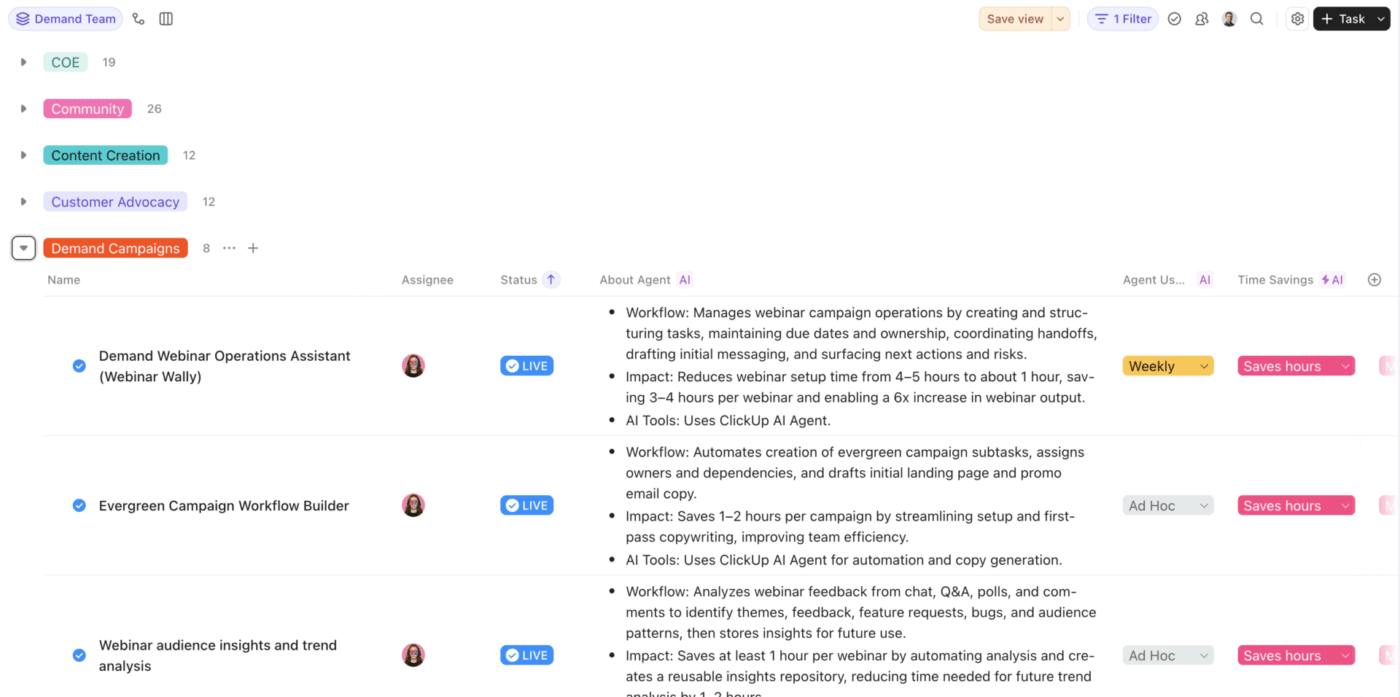
Here’s where I dump the receipts. These are real workflows running in production today, with real impact numbers pulled directly from the library.
| Team | Standout workflow | Impact |
|---|---|---|
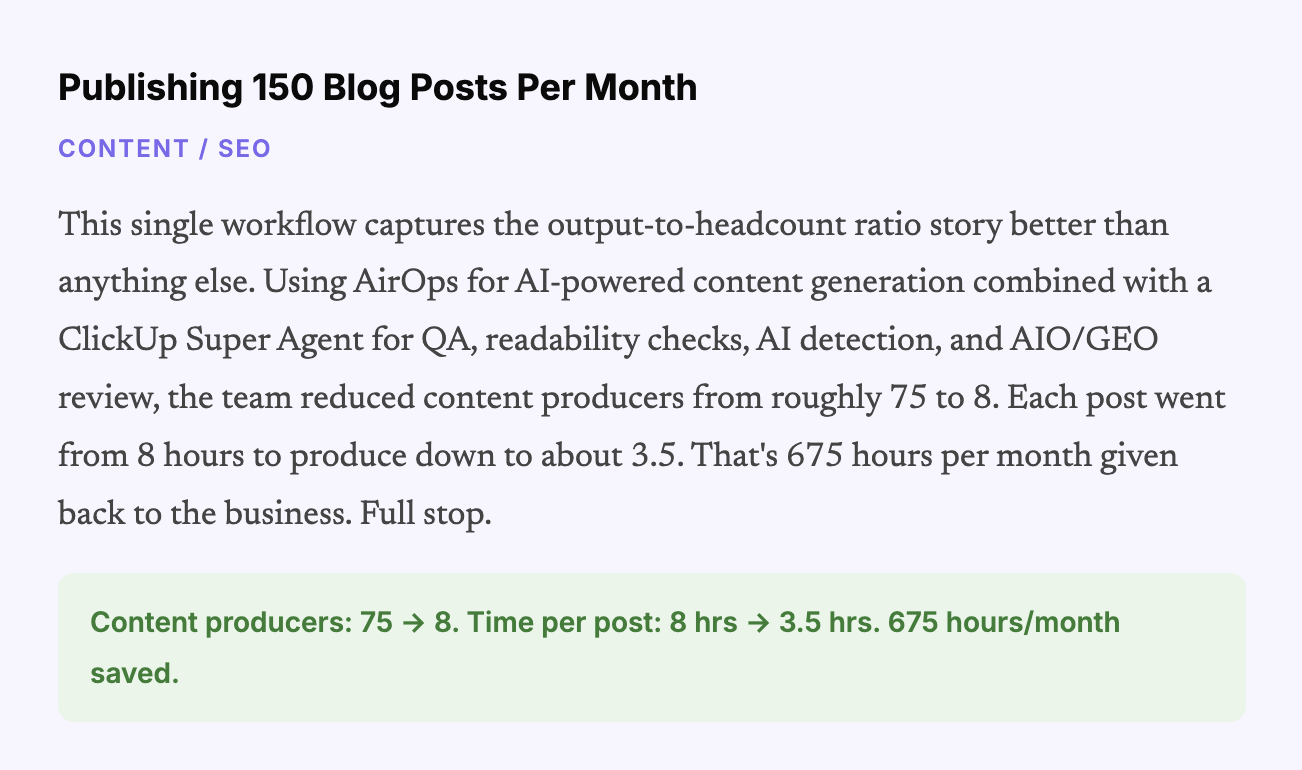
| SEO/Content | 150 Blog Posts Per Month (AirOps + QA Super Agent) | Producers: 75 → 8. Saves 675 hrs/month. |
| Video/Content | 100 YouTube Videos Per Month (Briefing + Publishing Kit agents) | 4 working days + $800/month saved. |
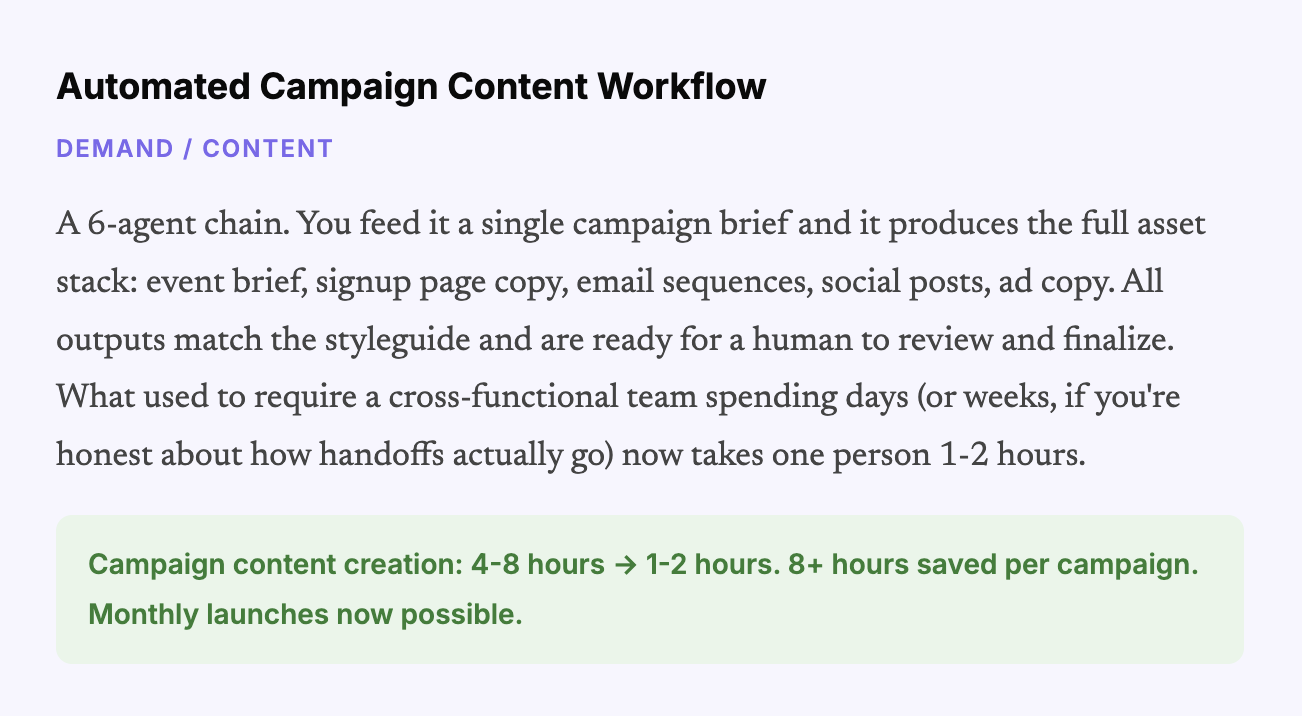
| Demand | 6-Agent Campaign Content Chain | Campaign creation: 4-8 hrs → 1-2 hrs. |
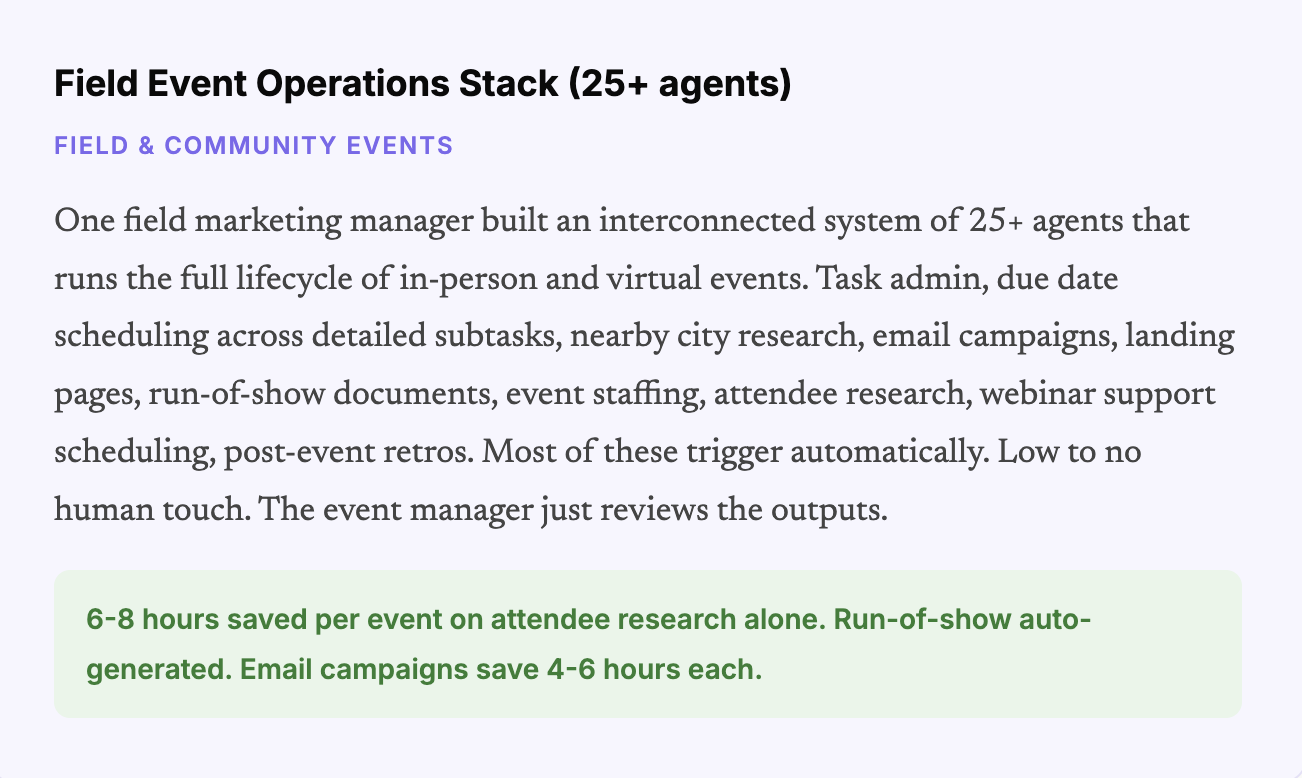
| Field Events | Full Event Lifecycle Stack (25+ agents) | 6-8 hrs per event on research alone. |
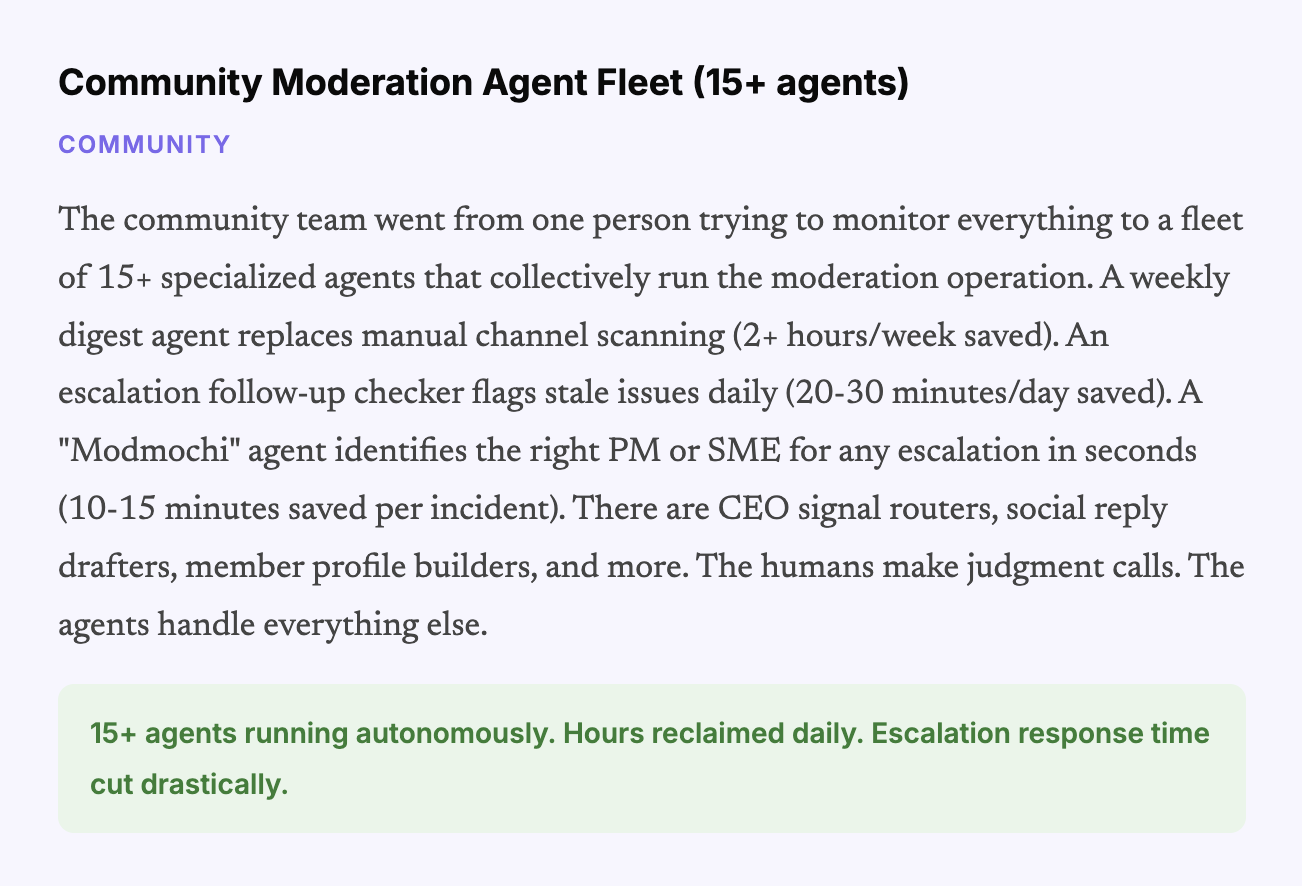
| Community | 15+ Moderation & Insight Agents | 2+ hrs/week on digests. 20-30 min per escalation. |
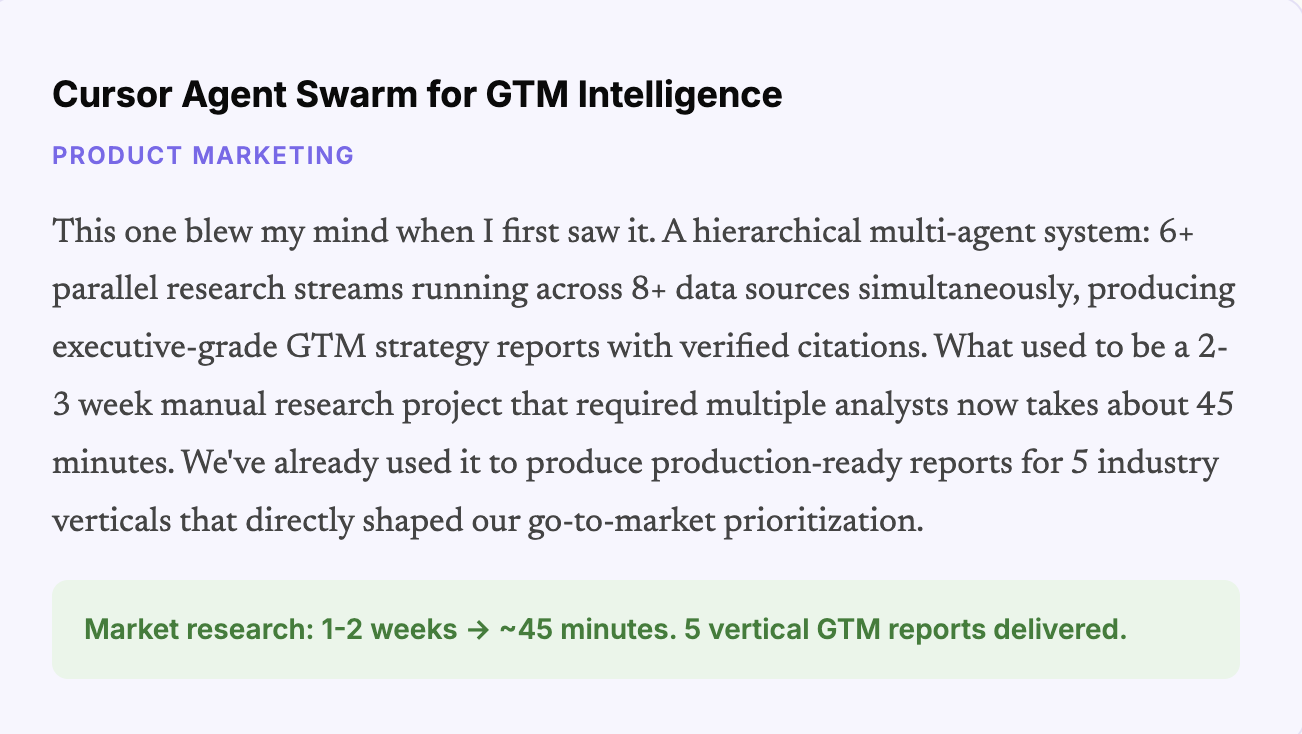
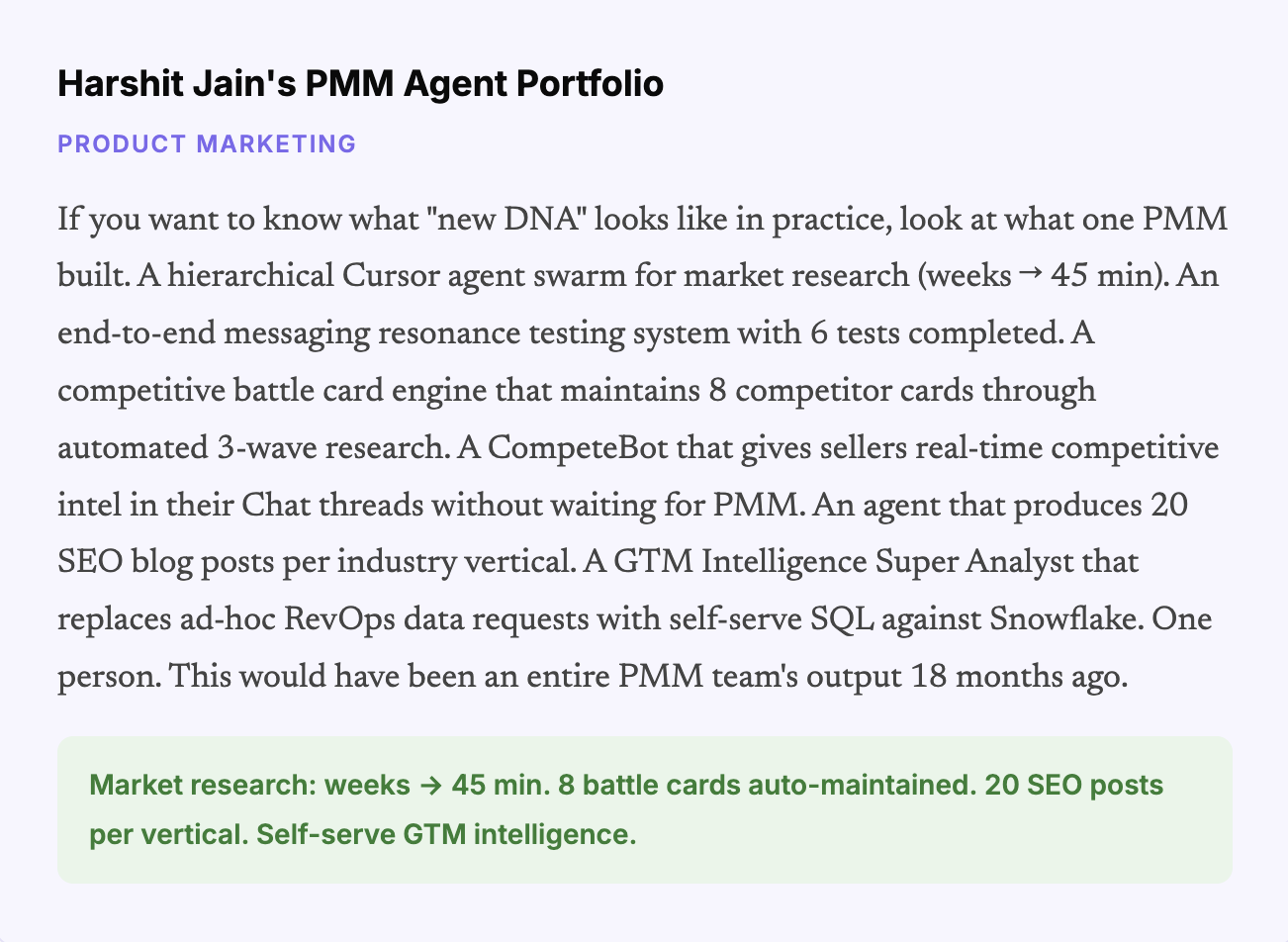
| PMM | Cursor Agent Swarm + CompeteBot + Resonance Testing | Market research: 1-2 weeks → 45 min. |
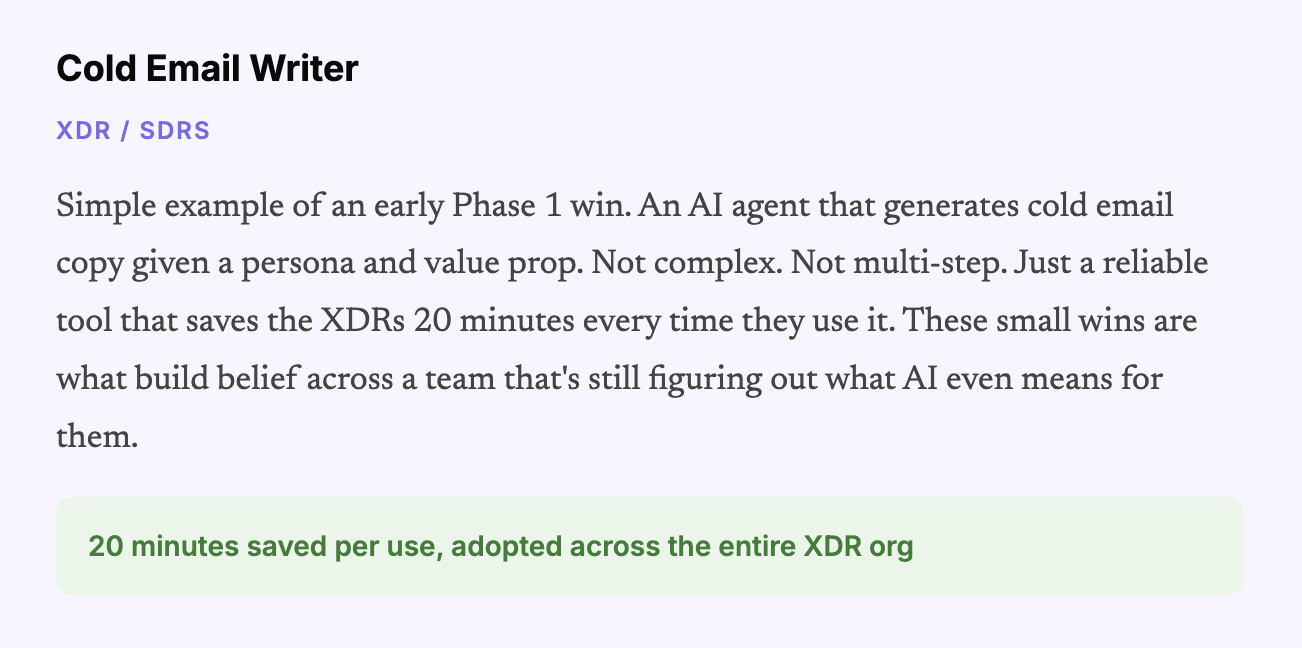
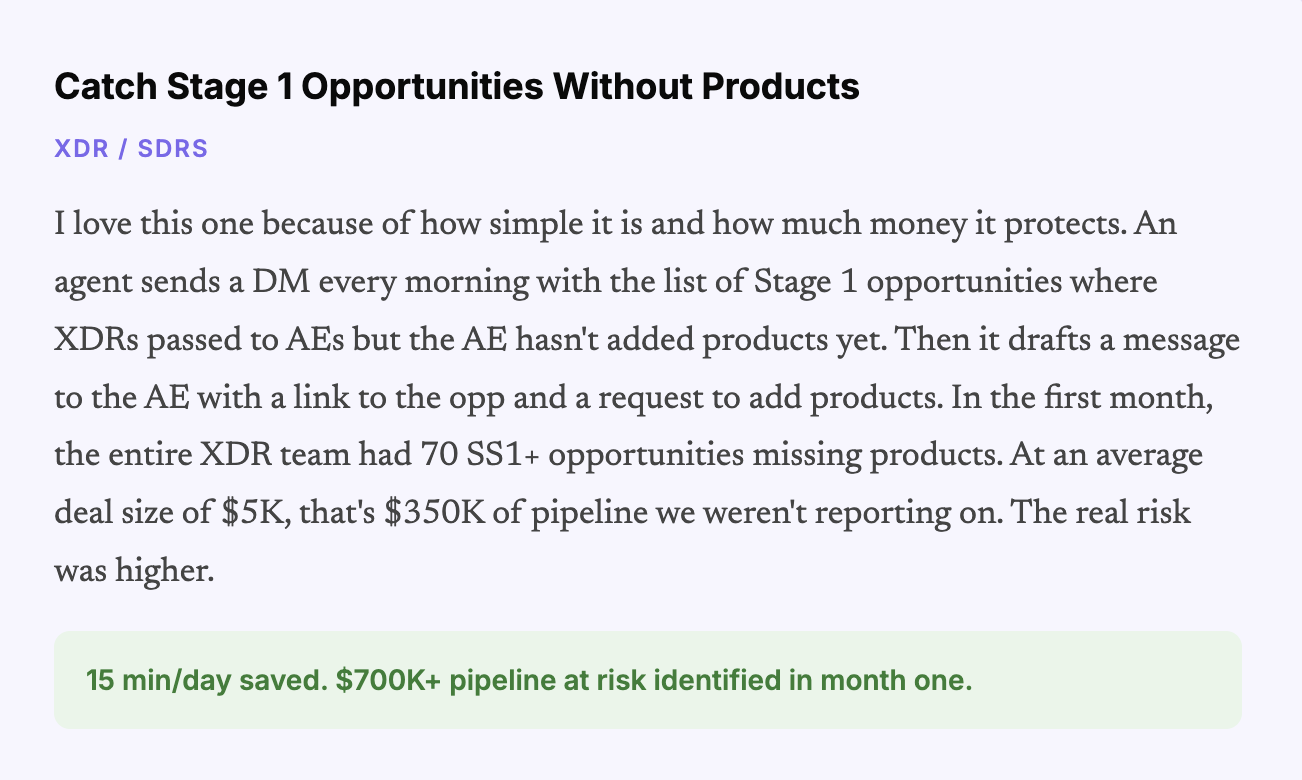
| XDR/SDRs | SS1 Opportunity Pipeline Guardian | $700K pipeline at risk caught in month one. |
| Customer Enablement | Help Center Agent + CUU Scriptwriting Agents | 20 hrs/week (Help Center). 4 hrs per script. |
| Growth & Ops | Compare Page Generation + Ad Strategist Suite | ~9,000 hrs saved. Ad suite ≈ 1 FTE. |
| Lifecycle | WrapUp Campaign Automation | Lead time: 3 months → days for 60K users. |
| DG Analytics | Agentic Analytics Suite (7+ Super Agents via Hex MCP) | Daily pipeline monitoring. Fully automated. |
| Technical Support | Bug Goblin + Stale Defect Agent | 1,551 stale bugs closed autonomously. |
| Professional Services | Renewal Risk Snapshot + TAM Prioritization | Quarterly book reviews done in minutes. |
What powered this system in ClickUp
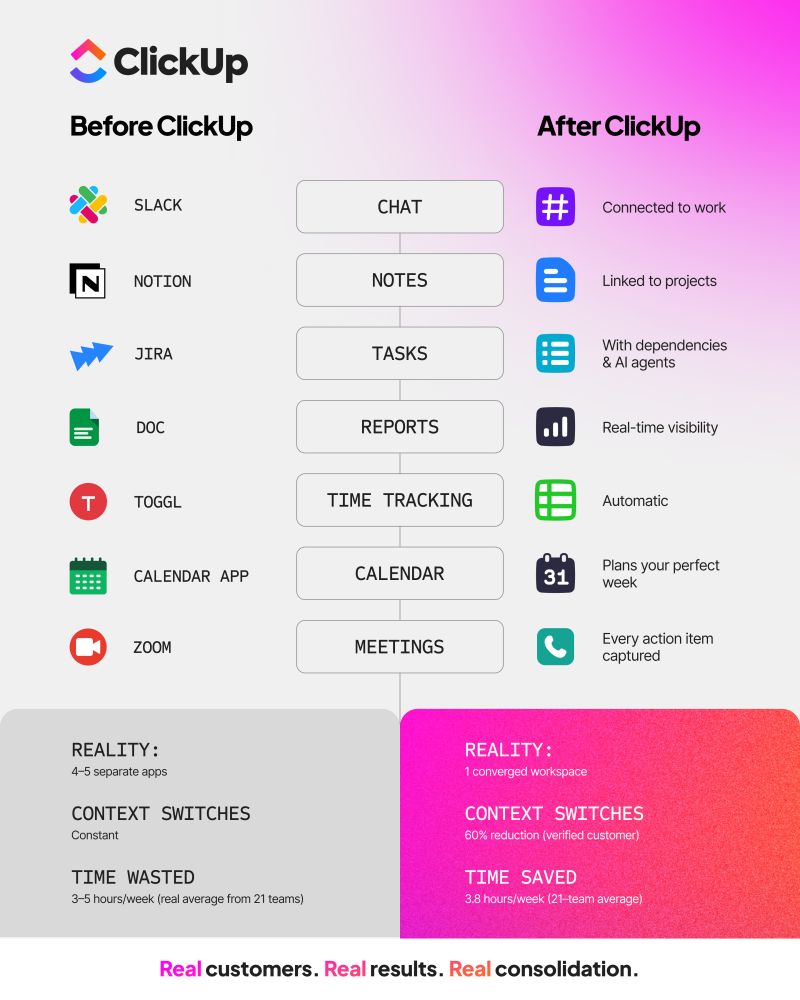
ClickUp Chat to collect and share use cases publicly
ClickUp Tasks + Custom Fields to catalog workflows, ownership, impact, system, and maturity
ClickUp Dashboards and Views to monitor the library across teams
ClickUp Automations and Super Agents to automate complex, multi-step workflows
ClickUp Brain and Brain MAX to analyze the library, spot gaps, and shape the roadmap
This is where it gets meta. And honestly, this is where the whole thing started feeling like a real system instead of a collection of projects.
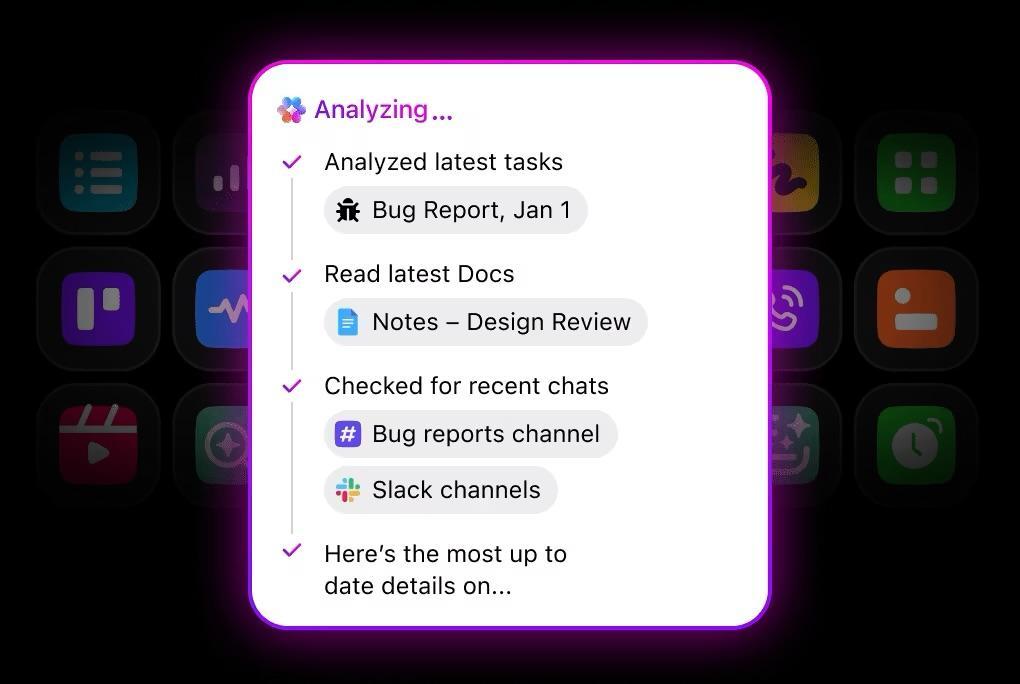
Once all 230 workflows were cataloged in ClickUp with structured data, I pointed ClickUp Brain at the entire list and asked it to evaluate the org. Which teams are furthest along? Which are still mostly at the “AI Assisted” tier? Where are the cross-functional gaps? What should we build next?
The biggest insight was unsurprising but important: most teams had built in silos. People automated their own tasks. Then they chained those automations together for team-level things. But the workflows stopped at the team boundary. The operations team was the exception, because they work cross-functionally by nature, so their agents naturally spanned multiple teams.
But everyone else? Siloed.
That insight alone was worth the entire exercise because it showed me exactly where the next wave of value lives: in the spaces between teams. The cross-functional stitching. The workflows that connect demand to field events to community to content. Those don’t get built organically. They need to be designed.
For the first time, I have an actual sense of what exists across my org from an AI maturity standpoint. And what’s next, and why. I can prioritize, resource, staff, build a roadmap. It’s a real program now.
⚠️ AI maturity is what separates leverage from noise
A few good workflows can look like progress. A real system is different.
The ClickUp AI Maturity Assessment helps you understand where your team stands today and what needs to change before AI starts compounding across the org.
👉 Take the assessment and see where your flywheel stands.
The maturity assessment gave us two things that changed how we manage the team going forward.
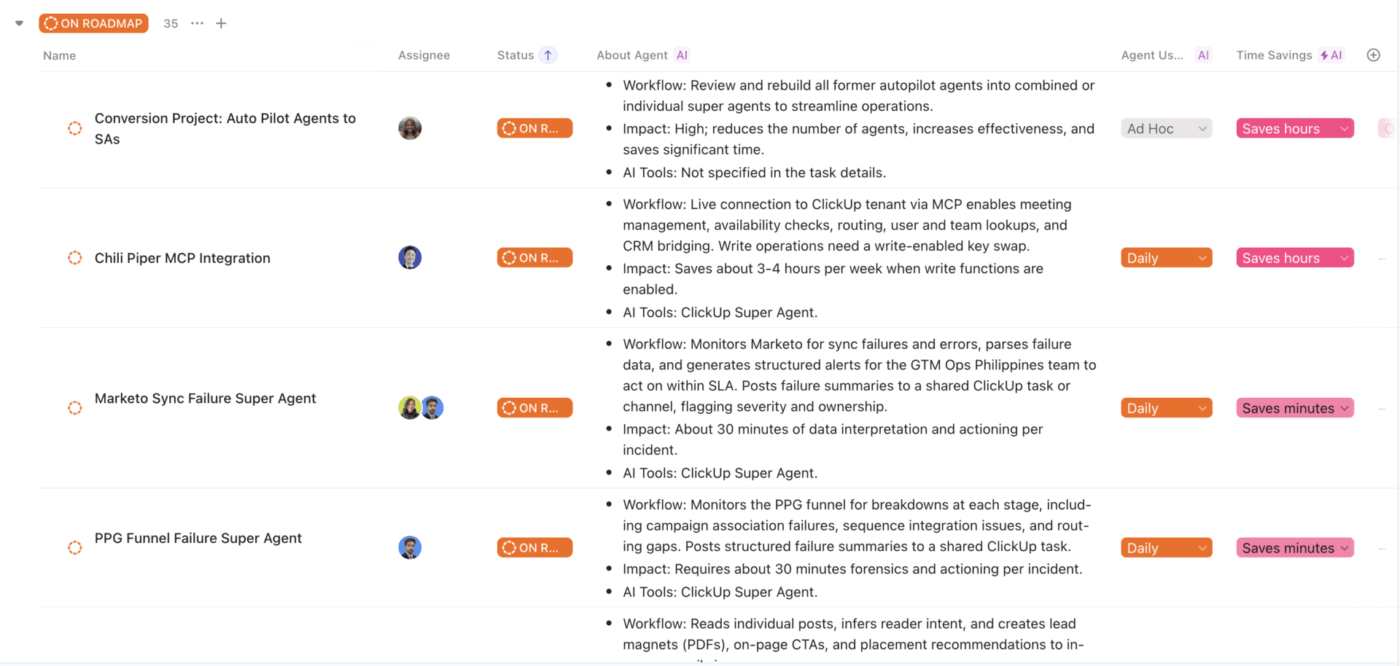
First: a real AI roadmap. Based on the gaps Brain identified, we now have 40 workflows queued with a “Roadmap” status in the same ClickUp list. I can see what’s being built, who owns it, and the rationale behind it. Cross-functional stitching gets prioritized. The gap between Demand and Community gets a dedicated agent.
The disconnect between PMM and field events gets addressed. For the first time, our AI transformation has actual project management behind it. Prioritization. Resourcing. Accountability. You know, the stuff that turns good ideas into real outcomes.
Second: individualized coaching plans. Every person on the team, myself included, gets a plan for how to close their AI skill gaps. Where are they strong? Where do they need to grow? What specific workflows should they tackle next? And the people who are further along become mentors to those who are still ramping up. It’s human enablement powered by AI assessment.
We also changed who we hire. Throughout this whole journey, we deliberately injected the team with people who are AI-first builders. Not just enthusiasts. People who understand complex agent systems, who think in workflows instead of tasks, who can build something and then teach three other people how to extend it. They’re the new DNA of the organization, and they’ve been force multipliers for everyone around them.
This is how we’ll continue to add leverage and crush our output-to-headcount ratio.
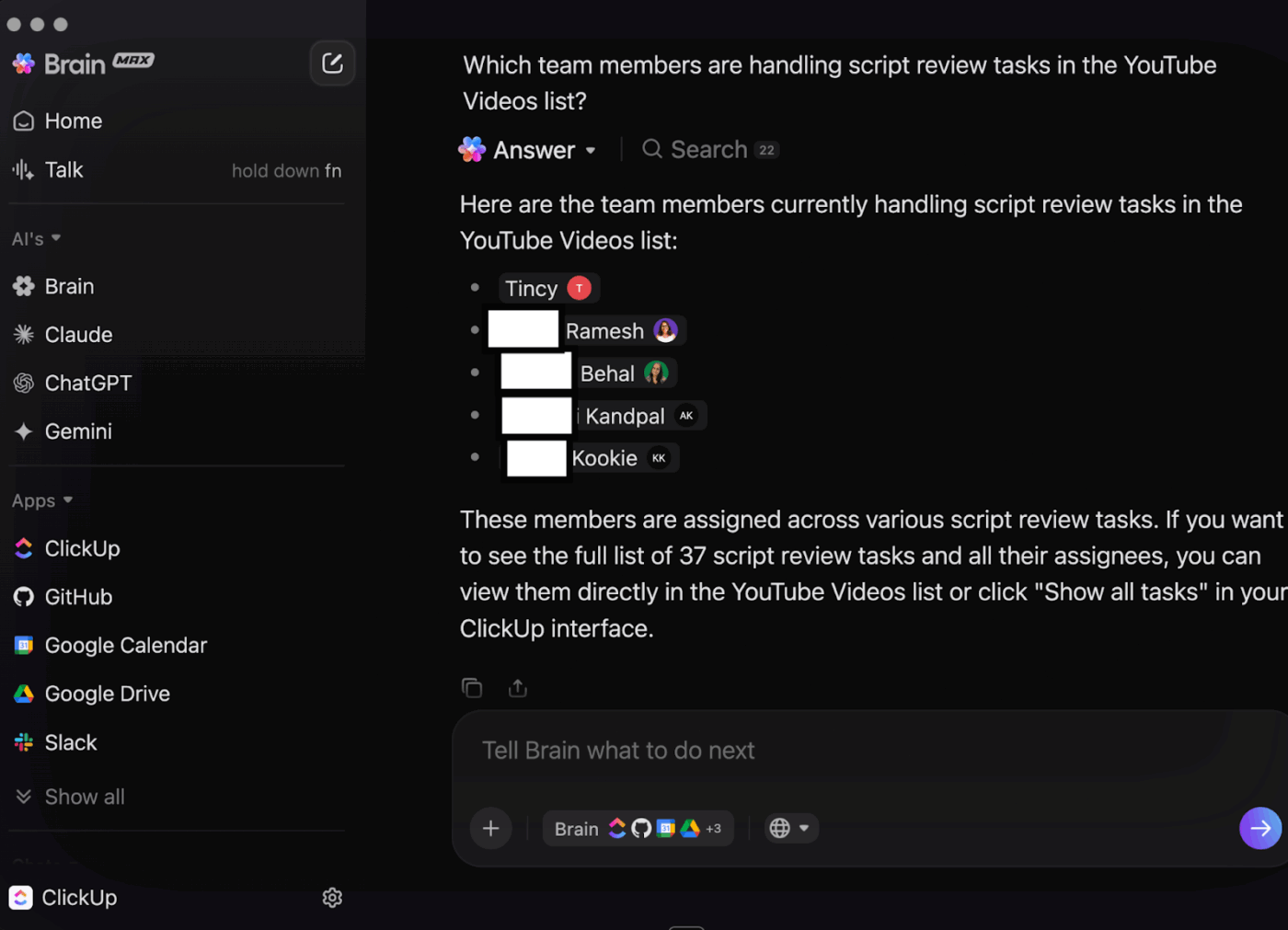
🚀 ClickUp Advantage: Once AI starts spreading across teams, the real problem is not access. It is fragmentation. ClickUp Brain MAX helps solve that by giving people one desktop AI layer across their work, with connected search, multiple models, and Talk to Text built in. Less tool juggling. Less “where did that live again?”
If you’re reading this and thinking “we need to do this,” here’s the version you can print out and tape to your monitor.
Start with a mandate, not a platform. The tech doesn’t matter if your team isn’t in the habit of reaching for AI first. Public channel. Weekly submissions. Low bar. 6 weeks. Engage personally with every single one.
Demystify, then let it spread. The biggest change wasn’t any single workflow. It was the moment people realized AI doesn’t have to be revolutionary to be valuable. Share everything publicly so ideas get reused.
When better tools arrive, raise the bar. Super Agents made complex automation accessible to non-technical people. Watch for these inflection points in your own stack and use them to push the team further.
Kill your darlings constantly. Some of our summer automations got retired within months. Good. That means we’re improving faster than we’re getting attached.
Catalog everything. Sooner than you think you need to. If I could redo one thing, I’d start the structured inventory on day one. The library isn’t documentation. It’s the foundation for AI-driven assessment, roadmapping, and coaching. Without it, you’re flying blind.
Turn AI on itself. Once your workflows are in a structured system, let AI read across them and give you the maturity assessment. It’ll find cross-functional gaps and siloed patterns faster than any human analysis.
Hire builders. You need a handful of people who are genuine AI-first operators. They don’t just build for themselves. They teach, they mentor, they raise the floor for everyone around them.
Manage it like a product. Roadmap. Backlog. Sprint priorities. Visibility. Leadership attention. If your AI transformation is a side project, it’ll stay a side project.
🎥 If you want a broader look at what AI transformation looks like when it is connected to real work, this video is a useful companion to the playbook above.
If you strip the whole transformation down to what actually made it work, it comes back to a few simple patterns:
Nine months ago, AI was something our team used when they remembered to. Today, we have 230 cataloged workflows, a three-tier maturity framework, a prioritized roadmap, individualized coaching plans for every team member, and a system that compounds every week.
We went from scattered experiments to a structured design. From siloed agents to cross-functional systems. From manual reporting to automated pipeline analytics. And we did it with the tools we already had, the people we already employed, and a commitment to treating AI maturity as a real program, not an aspiration.
The output-to-headcount ratio is the new measure of a team’s competitive fitness. The teams that build real systems behind it, instead of stopping at enthusiasm, are the ones that will win.
We’re early. And I feel good about where we’re headed.
If your team wants to do the same, ClickUp gives you the system to build, track, and scale it.
ClickUp’s marketing org built its structured AI operating system over roughly nine months, starting with a simple weekly use-case mandate and evolving into a tracked library of 230 workflows across 13 teams.
For this team, the output-to-headcount ratio was the key metric. Every workflow and agent was evaluated based on whether it increased output with the same team or maintained output with fewer resources.
A structured inventory enabled tracking of impact, ownership, maturity, and gaps across the org. Without that visibility, AI adoption stayed powerful but invisible.
The biggest factors were visible leadership involvement, a low-friction weekly habit, public sharing of use cases, and tools that let non-technical users build useful workflows inside the system they already used.
Once workflows were cataloged in ClickUp, the team used ClickUp Brain to assess AI maturity across teams, identify gaps, prioritize roadmap opportunities, and shape coaching plans for individuals.

Manasi Nair
Max 22min read
Manasi Nair
Max 24min read
Manasi Nair
Max 18min read

© 2026 ClickUp