


So, a new user downloaded your app. Congratulations! That’s the first step to fostering engagement that translates into higher conversion rates and lower churn.
However, while you might think your app is the bee’s knees, not all users will feel that way, especially if the app isn’t intuitive. The last thing you want is for a user to delete your app, which is why it’s so important to acquaint them with the user interface, pronto.
Mobile app onboarding flows are the best way to orient new users. Even if you think you have the simplest app in the universe, a quick onboarding process is the best way to retain users and get more value from your mobile application.
In fact, effective onboarding flows turn first-time users into long-term fans. Whether you’re fine-tuning notifications, refining onboarding screens, or simplifying the sign-up process, a successful app onboarding experience comes down to making a solid first impression.
An onboarding flow might sound like an extra step, but we promise you’ll see many benefits with effective user walkthroughs. In this guide, we’ll explain the importance of the app onboarding process, share our favorite onboarding best practices, and give you some real-world examples of onboarding flows in the wild.
Achieve Seamless Mobile App Onboarding: A Guide for Developers

 Summarize this article for me please
Understanding Mobile App Onboarding

Mobile app onboarding is a process that acquaints new users with your app. As the developer, you determine the onboarding steps that guide mobile users through key features and core functionality. Onboarding software sets the tone for the user experience and, more often than not, plays a big role in whether a user engages with your app or abandons it.
No pressure. 👀
Onboarding takes so many forms, including:
- Interactive walkthroughs
- Tutorials
- Tooltips
- Progress bars
All mobile app onboarding experiences should guide users through the app’s environment at a high level, making that initial interaction as intuitive as possible. Whether you target tech-savvy users or technology pariahs, onboarding processes are necessary for new users. Ultimately, the goal is to quickly transform first-time users into proficient app users.
We know you’re busy building the actual app, but you need to take the time to build an onboarding flow if you want people to use what you build. Mobile app onboarding benefits your biz in so many ways, including:
- Quickly highlighting the app’s value and relevance, which increases user retention rates
- Increasing user engagement and decreasing drop-offs. After all, a confident user is more likely to become a long-term user
- Earning higher star ratings on the App Store and Google Play store, which differentiates you from the competition
Different Types of Mobile App Onboarding
App development requires more than a one-size-fits-all approach. Different apps will require different onboarding strategies based on the user base and core features. Choose from these types of mobile app onboarding to find the most compelling option for your users.
Progressive approach
Progressive onboarding introduces the new features gradually. Instead of overwhelming users with tutorials, you show users how things work as they navigate the app one page at a time. This is effective if your app is more complex or has multiple features. Instead of scaring new users away with the world’s longest onboarding flow, you offer step-by-step instructions so you don’t overwhelm them with too much information.
Functional approach
Also known as function-oriented onboarding, the functional approach is a bare-bones way to showcase the app’s core functionality. If an app’s features are the main selling point, a functional approach is the most direct way to promote them to new users. It’s a more hands-on approach that immediately shows users the practical uses of the app, highlighting key functions and overall utility from the very first use.
Benefits-oriented approach
The benefits-oriented approach highlights the value of the app. Instead of highlighting the features, you focus on how the app makes the user’s life better or easier. This approach establishes the app’s value to skeptical users, creating a strong first impression that sets the stage for long-term engagement.
Summarize this article for me pleaseKey Elements of App Onboarding
Every app onboarding experience is different because no two apps are the same. However, your mobile app onboarding should still include these five key elements to educate users as efficiently as possible.
1. Welcome feature
The welcome feature is the first touchpoint between the app and the user. This sets the tone for the user experience, so a well-designed welcome screen is paramount. Your welcome screen should not only be visually appealing but convey the app’s value in a concise, engaging way.
First impressions matter here, so think through your design carefully. Wireframe a few options with your front-end folks to see which designs are the most effective for wowing first-timers. 🖼️
2. Promoting the app’s benefits
If users don’t see a point in using your app, they’ll delete it in a heartbeat. The pros of downloading the app have to outweigh a user’s desire for a clutter-free smartphone home screen. This part of the onboarding workflow should communicate your unique value proposition and highlight how the app solves problems or improves the user’s life.
Sure, you can highlight key features, but frame them in a way that tells users the app is worth their time. If you can distill them into a few sentences, throw in a case study or two to prove you get results.
3. User set-up and personalization feature
Today’s users crave personalization, so quickly walk them through how to make the app their own. With this step, you gather information from the user to optimize the app experience. By allowing users to set their preferences or choose their interests, your app will deliver a more relevant, user-centric experience out of the gate.
4. Interactive walkthroughs or instructions
Interactive walkthroughs are a helpful way to guide new users through the app’s functionality in less time. Incorporate interactive elements, like swipe-through tutorials or pop-up tooltips, to give users a hands-on learning experience. This makes onboarding way more engaging and encourages users to get started ASAP.
5. Support and helpful resources
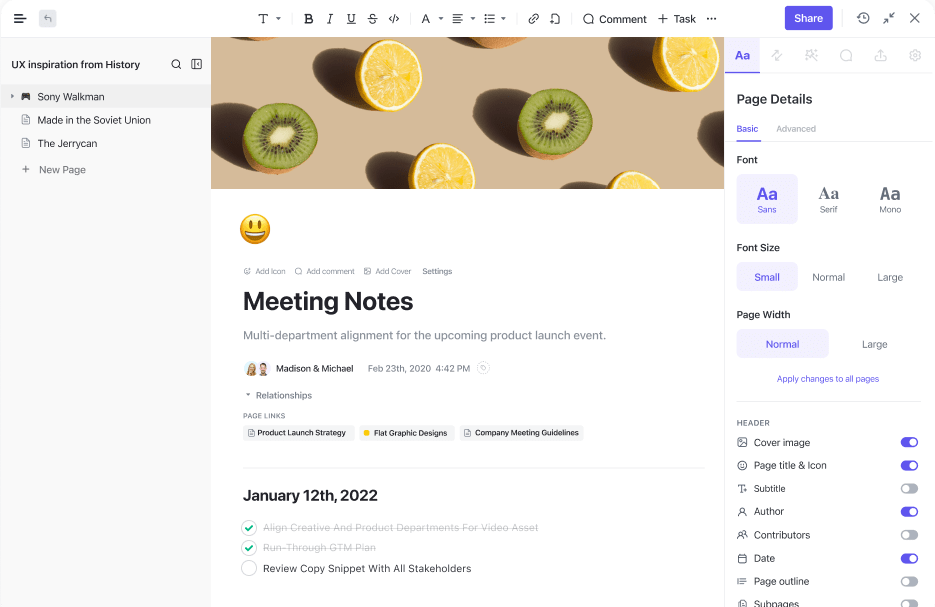
The mobile app onboarding process gives users a general area to start, but some folks might have questions after onboarding. Don’t leave them hanging! Provide support and resources for anyone who has additional questions. Provide a comprehensive FAQ area with SOP links, chat support, or embedded in-app messages offering help. However, double-check that this documentation is accurate. Nothing’s more off-putting than unhelpful or out-of-date resources. 📚
Summarize this article for me pleaseBest Practices for Mobile App Onboarding
Ready to set up your own mobile app onboarding experience? Follow these best practices to design a hassle-free experience your users will love.
Track your work in a project management solution

Elegant experiences matter. Project management solutions help software teams design better user experiences that reduce the need for long, drawn-out onboarding processes.
Software teams rely on ClickUp not only to manage their workloads but also to design brag-worthy experiences their users love. If you work on an agile team, use ClickUp’s all-in-one Sprint feature to hit your goals in record time. It even integrates with your favorite Git tools, bringing all of your work into one intuitive platform. 🛠️
Customize where you can
You don’t want your mobile app onboarding process to become a snoozefest. Users pay more attention to personalized onboarding experiences, so customize the process however possible. That might mean giving them the option to switch up views or focus on a specific feature based on their pain points. Gamification is also a fun way to boost engagement and pique users’ attention from day one.
Test your onboarding flows regularly

How effective is your user onboarding? Tools like ClickUp Dashboards give you a quick snapshot of user engagement metrics and overall performance. But even then, it’s still good to get eyes on the experience for yourself. Set reminders to test the onboarding experience at least once a quarter, or any time you make major updates to the app.
Remember, onboarding experiences can differ by OS and device, so test your onboarding experience in multiple environments. For example, if you created both an iOS and Android project, double-check that the onboarding experience works the same for both systems.
Summarize this article for me pleaseReal-World Examples of Successful App Onboarding
Theory is nice, but we know that real-world app onboarding examples help developers build more engaging experiences. Here are just a few examples of our fave app onboarding experiences, plus tips to help you emulate them:
- MyFitnessPal: You can create a MyFitnessPal account with either Facebook or email, which speeds up the account creation process. The welcome flow is particularly helpful, walking users through goal-setting, a step-by-step app guide, and even custom reminders. ClickUp Goals makes it possible to build 100% customizable dashboards like this, allowing you (or your users) to track goals with zero fuss
- WhatsApp: After confirming your phone number and accessing your contacts list, the onboarding wizard walks new WhatsApp users through the app’s features. We like the “Invite contacts” feature, which encourages users to bring their friends and family into WhatsApp. Referrals are a huge win for any app, so these are a no-brainer to include in your onboarding flow if possible
- Slack: We love how Slack’s onboarding process teaches users not only how the app works but also how to customize the app to their exact needs. Users learn how to navigate channels, search, manage sidebar settings, and more. Pretty much every part of ClickUp is customizable, too, so you’re free to switch up views, Hierarchies, and more to suit your users’ needs
Summarize this article for me pleaseCommon Mistakes to Avoid in Mobile App Onboarding
Project management apps like ClickUp will do a lot of the heavy lifting for you, but it’s still possible to make an onboarding faux pas. Keep your users happy by avoiding these common mobile app onboarding mistakes.
Developing non-intuitive apps
Sure, we’re focusing on onboarding here, but the quality of your app has a direct impact on a user’s onboarding experience. The quality of project development, then, affects pretty much everything.
It’s tempting to slap together a few features for the sake of completing an app, but nobody wants to use a complex app that doesn’t make sense. Prioritize user-friendly designs and experiences from the start, focusing on the user experience from project proposal to completion.
Building a complex onboarding process
Avoid making the onboarding process too lengthy or complicated. Users are interested in learning how to navigate the app, but drawn-out onboarding will frustrate them. Stick with key features that are the most relevant to new users. 📱
Focusing on features over value
A feature list is cool and all, but what do the features mean to your users? Instead of saying, “Get access to 500+ templates,” say, “Save four hours a week on average.”
However, not every user is looking for the same thing. What if you list benefits that they don’t really care about? This can get tricky, so do a little audience recon to see what your users want to get out of this app. A solution like ClickUp makes it a breeze to create user journeys, customer personas, and other helpful tools from user data to understand what “value” really means to your users.
Summarize this article for me pleaseStreamline Mobile Onboarding Flows With ClickUp
So many developers overlook the value of mobile app onboarding. It’s tempting to skip it, but solid onboarding boosts user engagement and squeezes more ROI out of your app. You have already put in the hard work to build this app. Why not get more value from your efforts by designing a high-quality mobile app onboarding experience?
You don’t have to do this manually, either. ClickUp helps product managers and developers streamline app onboarding. You don’t have to take our word for it, either: Sign up for your free ClickUp Workspace now.
Summarize this article for me pleaseFrequently Asked Questions
1. What is onboarding in a mobile app?
Mobile app onboarding is the process of acclimating new users to an app. This is a critical stage where users learn how the app works. Successful onboarding influences user retention, engagement, and overall satisfaction. Every app is different, but most onboarding experiences include welcome screens, tutorials, and setup wizards to make users more comfortable with the app.
2. What are the best examples of mobile app onboarding?
MyFitnessPal, WhatsApp, and Slack have great mobile onboarding experiences.
3. How do I create an onboarding app?
Use a solution like ClickUp to build an intuitive onboarding app that gives users a better idea of how to navigate your app. Every onboarding app should include:
- A welcome message
- A list of benefits
- Personalization
- Walkthroughs
- Additional resources


Everything you need to stay organized and get work done.

Recent Articles
How to Set Product OKRs That Survive the Quarter (With Examples) 
How to Set Product OKRs That Survive the Quarter (With Examples)
How to Set a Sprint Schedule: Length, Anchor Day, and Cadence 
How to Set a Sprint Schedule: Length, Anchor Day, and Cadence
6 Best Linear Alternatives for Product Teams in 2026 
6 Best Linear Alternatives for Product Teams in 2026
