






Still downloading templates?
There’s an easier way. Try a free AI Agent in ClickUp that actually does the work for you—set up in minutes, save hours every week.
Sorry, there were no results found for “”
Sorry, there were no results found for “”
Sorry, there were no results found for “”
You might have outgrown Outmarket AI because a single-purpose proposal tool can’t keep up when your team also needs to track client tasks, route follow-ups, and manage operations across departments.
🧠 Fun Fact: workers toggle between apps 1,200 times a day, nearly 4 hours a week in attention resetting, or 9% of annual work time.
That is a massive waste of time and resources, something many Outmarket AI users also face. Which is why this article breaks down the top Outmarket AI alternatives, from niche insurance automation tools to fully connected systems. 👇
| Tool | Best for | Best features | Pricing* |
| ClickUp | Teams needing an all-in-one workspace to move from insurance workflows to task execution | ClickUp Brain for contextual agency knowledge and Automations for policy pipeline management | Free forever; Customization available for enterprises |
| Cara by Oyster Technologies | Insurance brokers needing rapid, AI-driven proposal generation and policy comparisons | Automated policy data extraction and side-by-side coverage comparison mapping | Free; Paid plans start at $29.99/month |
| 1Fort | Commercial agencies automating multi-market submissions and client portals | Multi-market submission distribution and white-labeled self-service client portals | Free; Custom pricing |
| Sonant AI | Agencies requiring 24/7 AI voice reception and automated call handling | Insurance-specific voice AI for lead qualification and automated appointment scheduling | Custom pricing |
| Gaya AI | Agents looking to eliminate manual data entry across various carrier portals | AI-powered clipboard with computer vision for dynamic field mapping across portals | Custom pricing |
| Informer by Entrinsik | Non-technical managers needing self-service business intelligence and live reporting | Point-and-click ad-hoc reporting and automated performance report distribution | Custom pricing |
| Neural Earth | Underwriters and carriers requiring real-time planetary climate risk intelligence | Property-level multi-peril risk scoring and satellite-driven environmental analysis | Custom pricing |
| Acolite AI Agents | Operations teams deploying custom AI agents for specialized insurance tasks | Automated Quote Comparison and Schedule of Values (SOV) mapping agents | Custom pricing |
| LinqCo-Pilot | Sales professionals needing digital networking and automated lead follow-up | NFC-enabled digital contact sharing and AI-assisted lead capture from physical cards | Plus starts at $25/month |
| Indemn AI | Agencies building an omnichannel conversational strategy across voice and chat | Unified AI Associates for 24/7 service and AI Studio for custom insurance journeys | Custom pricing |
Our editorial team follows a transparent, research-backed, and vendor-neutral process, so you can trust that our recommendations are based on real product value.
Here’s a detailed rundown of how we review software at ClickUp.
If your team is spending more time context switching than executing work, it’s time to look at why a unified alternative might be the better play.
🔎 Did You Know? 81% of insurers now prioritize enterprise-wide risk management with GenAI, far beyond proposal generation alone.
Finding the right replacement means navigating a confusing mix of broad platforms and hyper-specific point solutions. Pick the wrong one, and you either end up with a tool that is too limited for your growth or too complex for your specific quoting and voice servicing needs.
We’ve broken down the top Outmarket AI alternatives based on their core strengths.
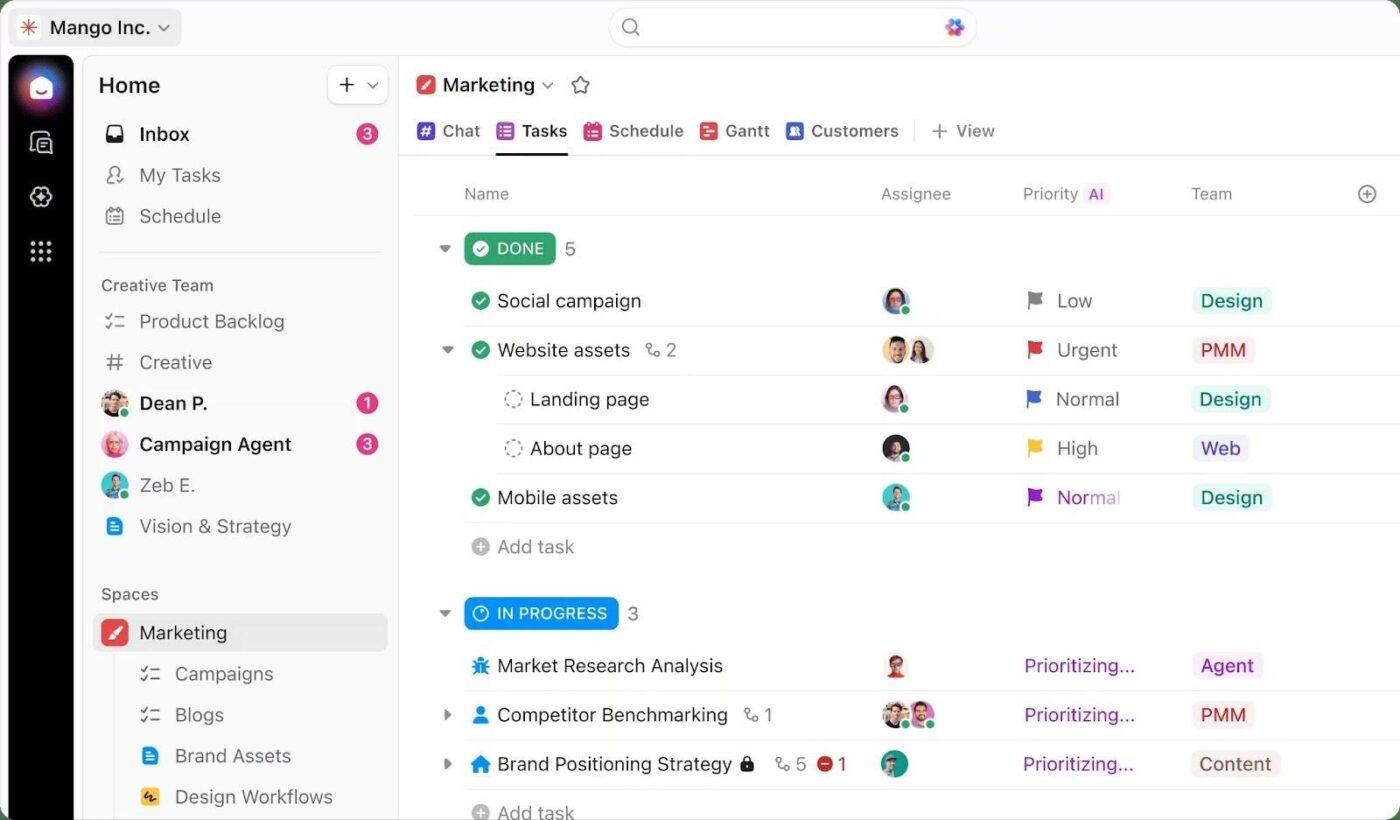
ClickUp is the world’s first Converged AI Workspace, keeping your chats, documents, and tasks centralized in an AI-enabled ecosystem. It helps you avoid Work Sprawl and move from a rough client inquiry to a final, bound policy in a single, uninterrupted flow.
While Outmarket AI and other standalone insurance tools focus on generating a quick project proposal or automating a specific document, they lack the surrounding operational context. The actual project plan, the renewal task assignments, the internal team handoffs, and the overall agency progress tracking usually end up living elsewhere in a disconnected silo.
ClickUp approaches insurance automation from a different angle than tools built only for proposal generation or niche servicing tasks.
Let’s see how!
ClickUp Docs act as self-updating knowledge bases for your company information. They ensure every SOP, policy summary, and client brief lives exactly where the work happens. Because these are collaborative, your team can edit in real-time, leave inline comments for clarification, and use version history to ensure no one is looking at an expired commission schedule.
The best part? You can store information in ClickUp Docs and use the information to directly create trackable ClickUp Tasks.
Every task is more than a simple to-do; it’s a container for custom data. Using Custom Fields, you can track specific insurance metadata, like policy numbers, carrier names, or renewal dates, directly within the task view.
This ensures that when a producer opens a ‘Renew ABC Corp’ Task, they can view the full technical context of the account they are working on.
You can also use ClickUp to embed a document directly into a Task or a Folder.
📌 For example: If a leadership team decides to pivot a strategy during a meeting, you don’t have to send a follow-up email. You can highlight any text in a Doc and convert it into a trackable task with a single click. This instantly assigns the action item to a producer with a set due date and priority, ensuring that a decision made in a document results in immediate, tracked progress.
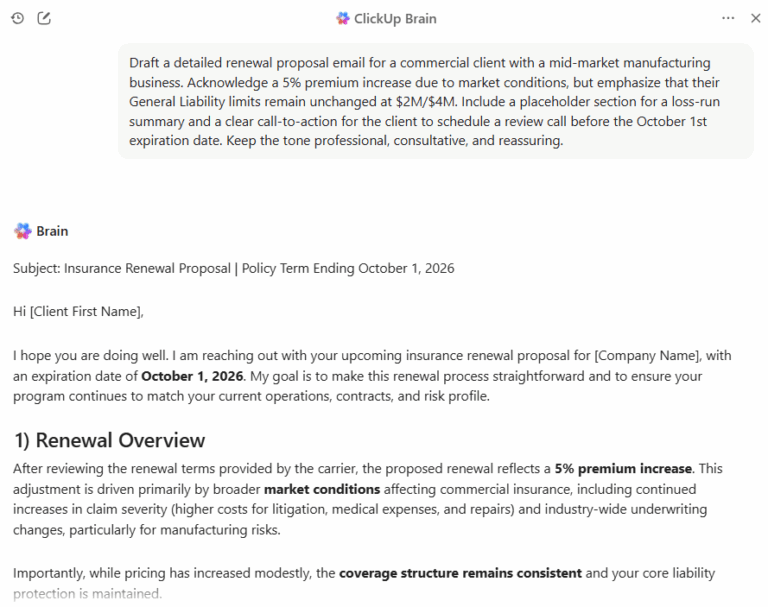
Once your knowledge and tasks are connected, ClickUp Brain acts as the intelligent thread that eliminates the search and rescue missions usually required to find agency data. It’s an integrated AI that understands the specific context of your insurance workflows.
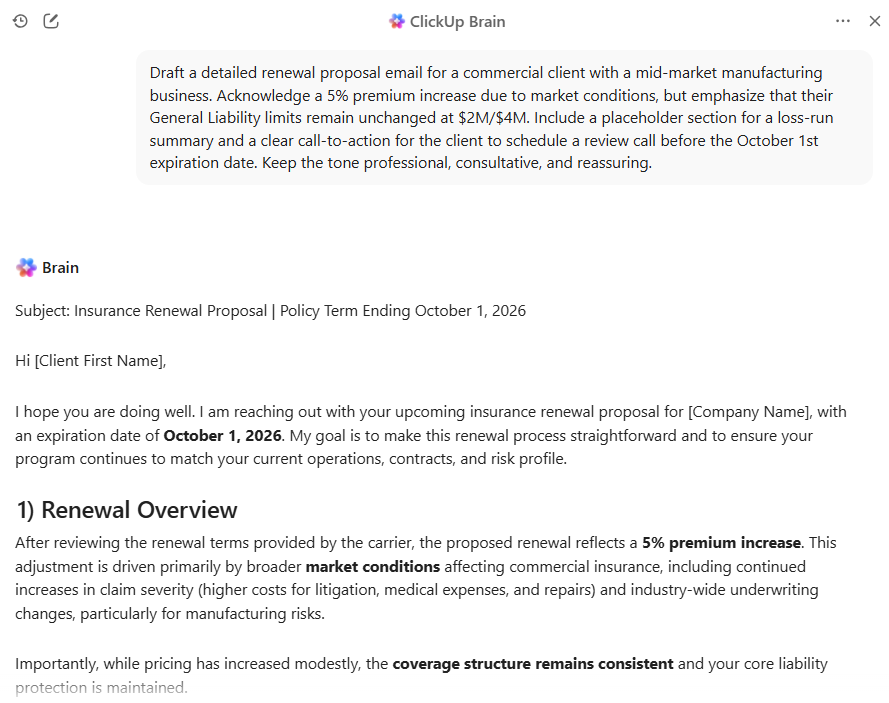
For example, when a client calls unexpectedly, you don’t have to toggle between tabs or hunt for a specific coverage limit. Simply ask the AI to surface that context. This allows you to walk into every renewal meeting or claims review with a complete history of the account at your fingertips, rather than a handful of disconnected notes.
ClickUp Cons:
This is what a Capterra reviewer thinks:
“I really like the way clickup allows you to collaborate on projects, and their automation makes things so much easier.”
💡Pro Tip: You can further extend these advantages by using Super Agents—autonomous teammates that live in your org chart and handle the insurance lifecycle. Instead of spending your afternoon drafting follow-ups, a Super Agent can manage, draft, and send clear, accurate emails.
Because these agents have infinite memory and access to your private Docs and Task history, they operate with a human-level understanding of your agency’s goals. While you focus on closing high-value accounts, your Super Agents run 24/7 in the background, auditing existing policies for compliance or preparing complex renewal briefs.
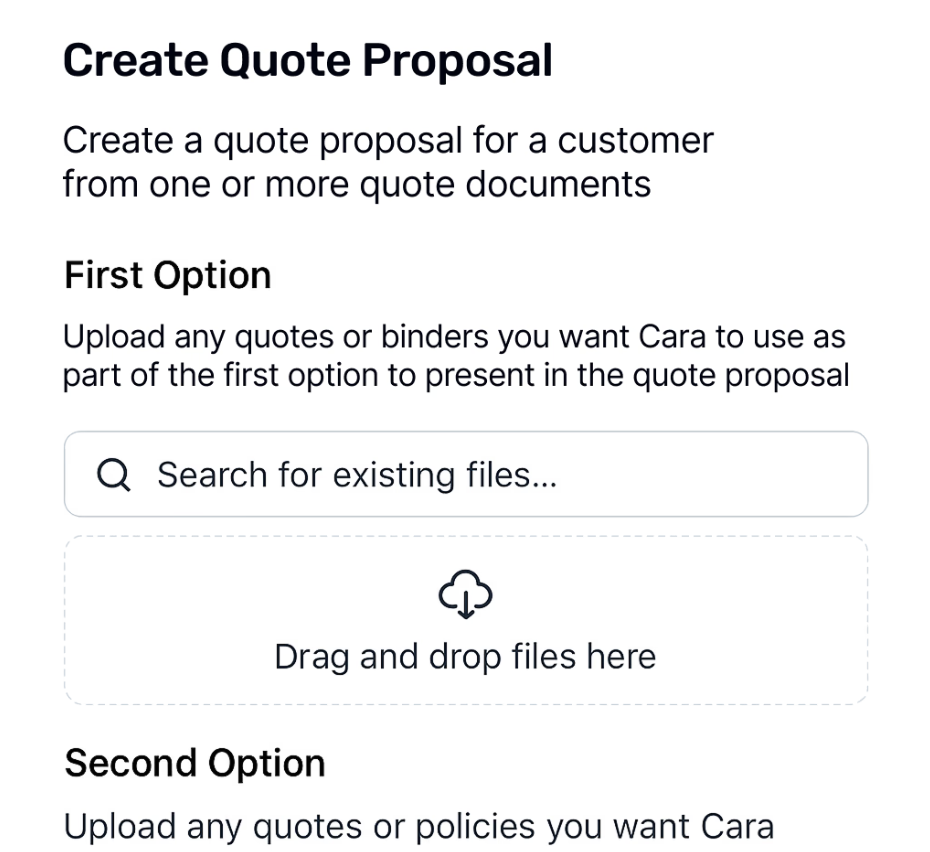
It’s human to get tired of the copy-paste-repeat cycle every time a client asks for a proposal. Cara by Oyster Technologies stays away from it. It eliminates manual grind by turning your policy data into professional presentations without the typical formatting headache.
The tool is built for moments when you need to show a lead exactly why your coverage wins, minus the three hours of spreadsheet gymnastics. It also identifies the nuances in policy language, like specific exclusions or sub-limits, and maps them directly into a side-by-side proposal format.
🧠 Fun Fact: Insurance respondents spend more than 50% of their time on data preparation alone, while 69% would prefer to spend less than 25%.
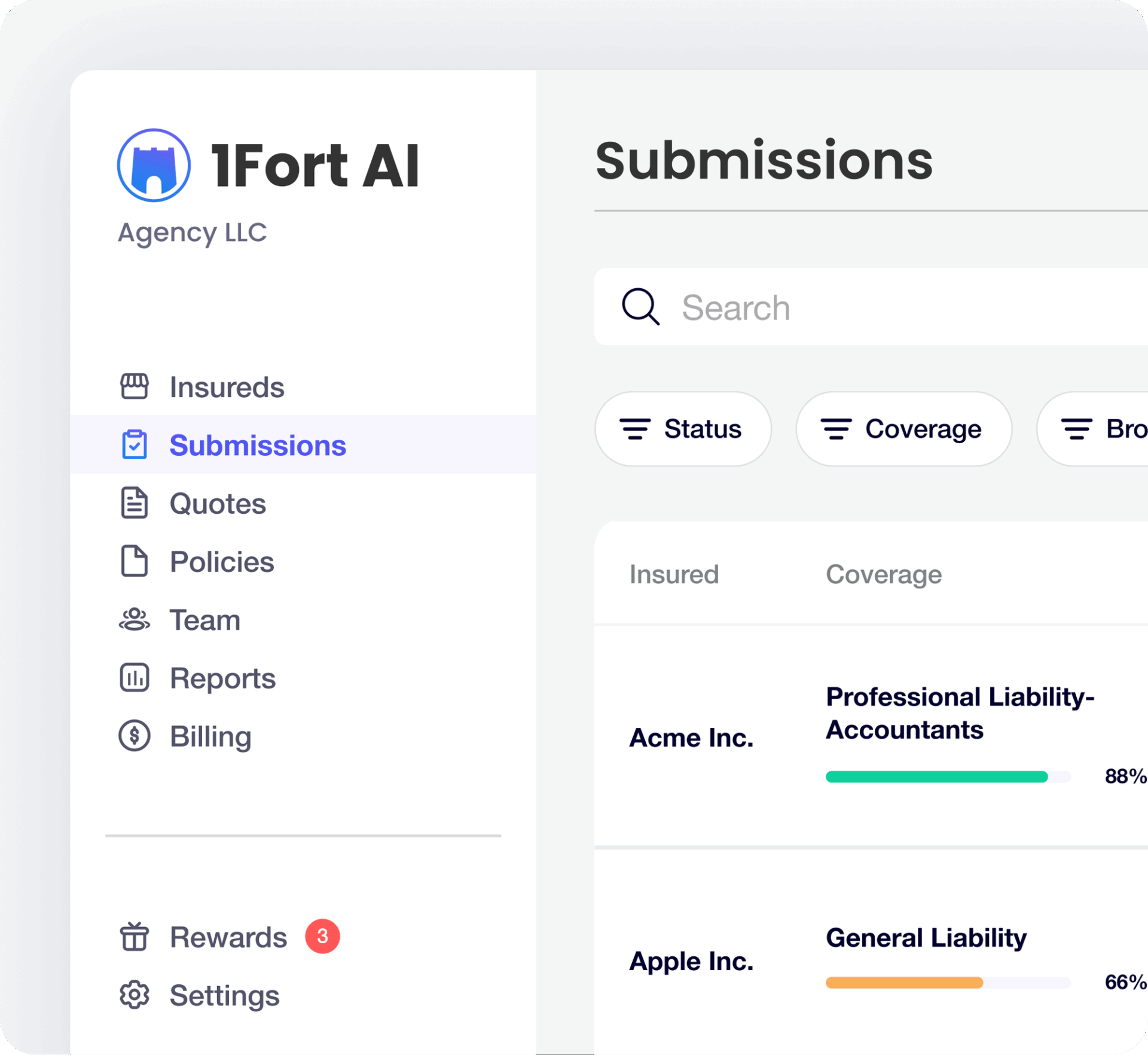
Commercial insurance agencies often juggle a messy patchwork of quoting, submission, and billing tools. Entering the same application data into multiple carrier portals creates massive bottlenecks, limiting the number of quotes an agent can process in a day.
1Fort consolidates that chaos. It’s built to function as a commercial engine that moves an application from intake to bind without the usual tool-hopping. It uses AI to automate the submission process and auto-generate comparison proposals. This effectively removes the administrative grunt work that typically limits how many accounts an agent can handle, easing task management.
This is what a Capterra reviewer thinks:
“The easiness and quickness of getting up and running, as well as the clean simple user interface. Very visual to know where there is a threat or problem that needs attention.“
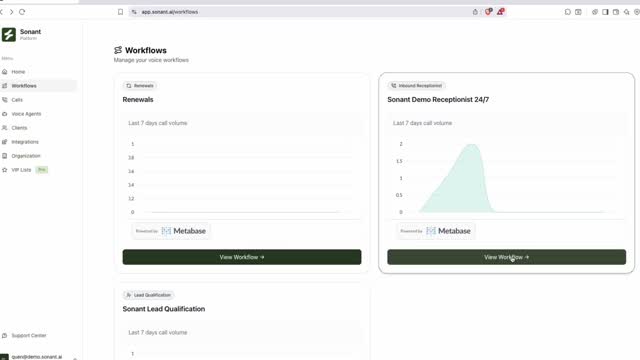
Sonant AI addresses the immediate revenue leak caused by missed calls and overwhelmed front desks. Instead of a generic IVR that forces clients through a ‘press 1 for sales’ menu, this voice AI understands insurance-specific context. For example, the difference between a deductible inquiry and a First Notice of Loss (FNOL).
It manages inbound traffic 24/7, qualifies leads, and handles routine servicing tasks like certificate requests or billing questions. All this happens without a call center agent needing to pick up the phone. This ensures every caller gets an instant response while your licensed producers stay focused on closing complex accounts.
Hear from a G2 reviewer:
“The system is very intuitive, and works effectively and efficiently to get calls where they need to go. Which enables our team to work on more value added tasks. The Support team helps to constantly revise our Agent to work in a custom way that fits our agency’s needs.“
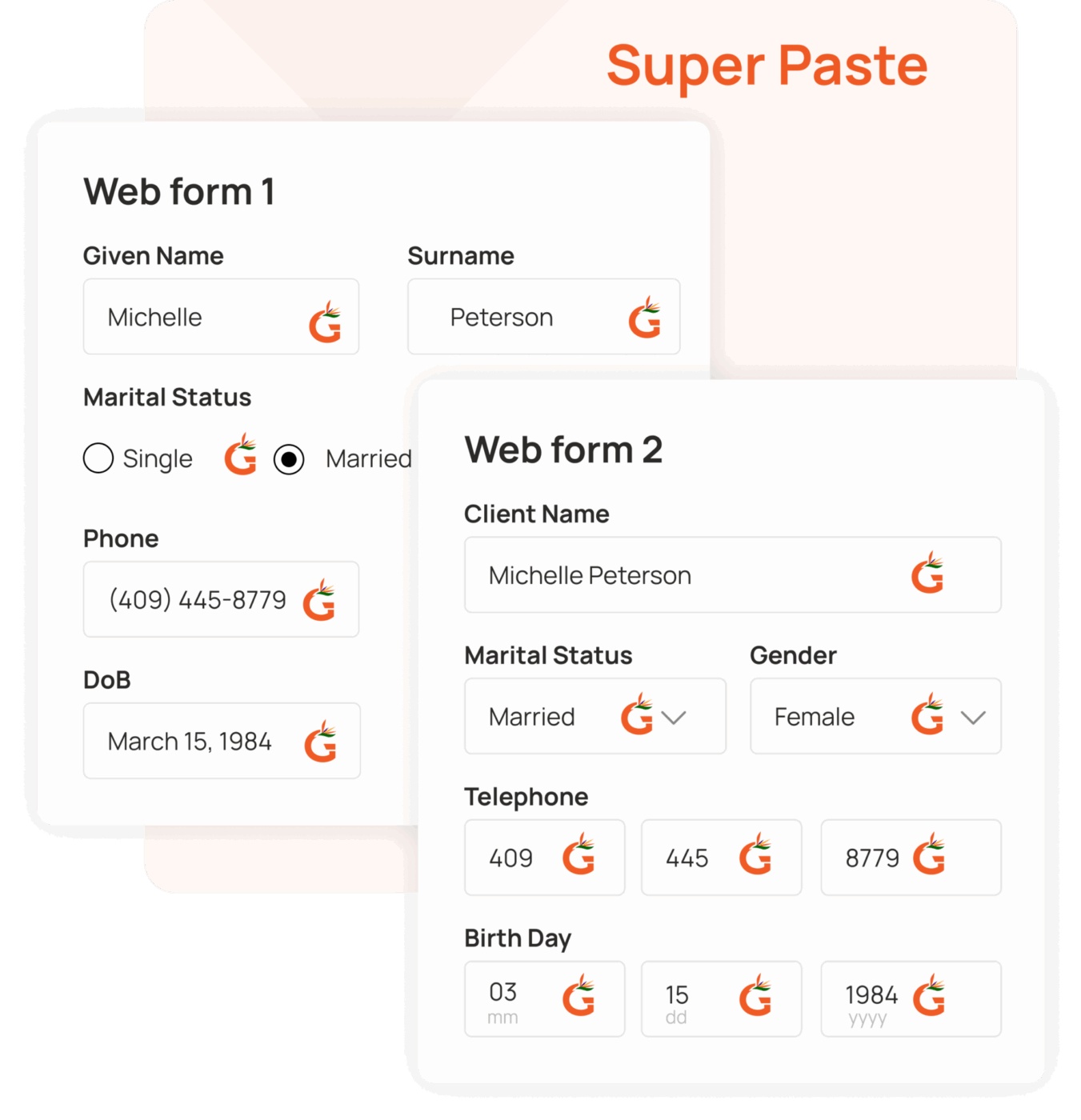
Repetitive tasks like re-entering the same client information into different carrier portals is mind-numbing work. It burns out your staff and introduces typos that can ruin a quote’s accuracy. Gaya AI is built for the agent who spends 50% of their day acting as a human bridge between an AMS and a dozen carrier portals.
It functions as an AI-powered clipboard that eliminates the need to manually re-type the same 200+ fields for every single quote. Unlike generic autofill tools, Gaya uses computer vision and insurance-specific LLMs to understand the semantic meaning behind fields. It recognizes that the Effective Date in one portal is the same as the Policy Start in another.
📮 ClickUp Insight: 43% of people say repetitive tasks provide helpful structure to their workday, but 48% find them draining and a distraction from meaningful work.
While routine can offer a sense of productivity, it often limits creativity and holds you back from making meaningful progress.
ClickUp helps you break free from this cycle by automating routine tasks via intelligent AI Agents, so you can focus on deep work. Automate reminders, updates, and task assignments, and let features like Automated Time Blocking and Task Priorities protect your power hours.
💫 Real Results: Lulu Press saves 1 hour per day, per employee using ClickUp Automations—leading to a 12% increase in work efficiency.
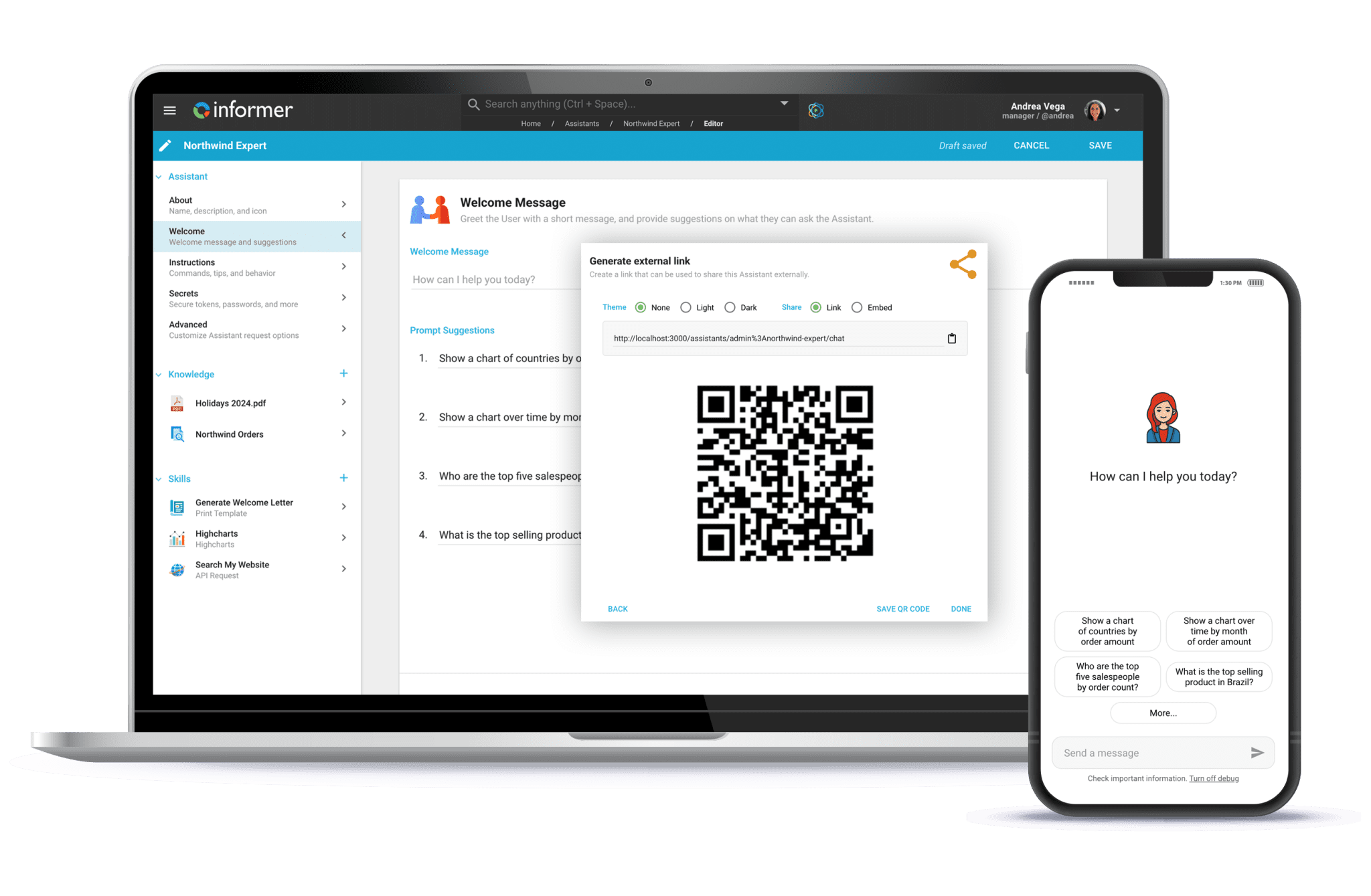
Relying on a data analyst for every operational report slows down decision-making. You can break that dependency with Informer by Entrinsik. Because it provides non-technical managers with a point-and-click interface to their own numbers.
It functions as a self-service analytics layer that sits on top of your existing systems, like AMS360 or Sagitta. Ultimately, this allows you to blend data from multiple sources into a single, live report. This moves the agency from reactive, end-of-month reporting to a proactive model.
In that case, every producer can see their own retention rates, commission splits, and pipeline health in real-time without waiting for a data analyst to pull a custom file.
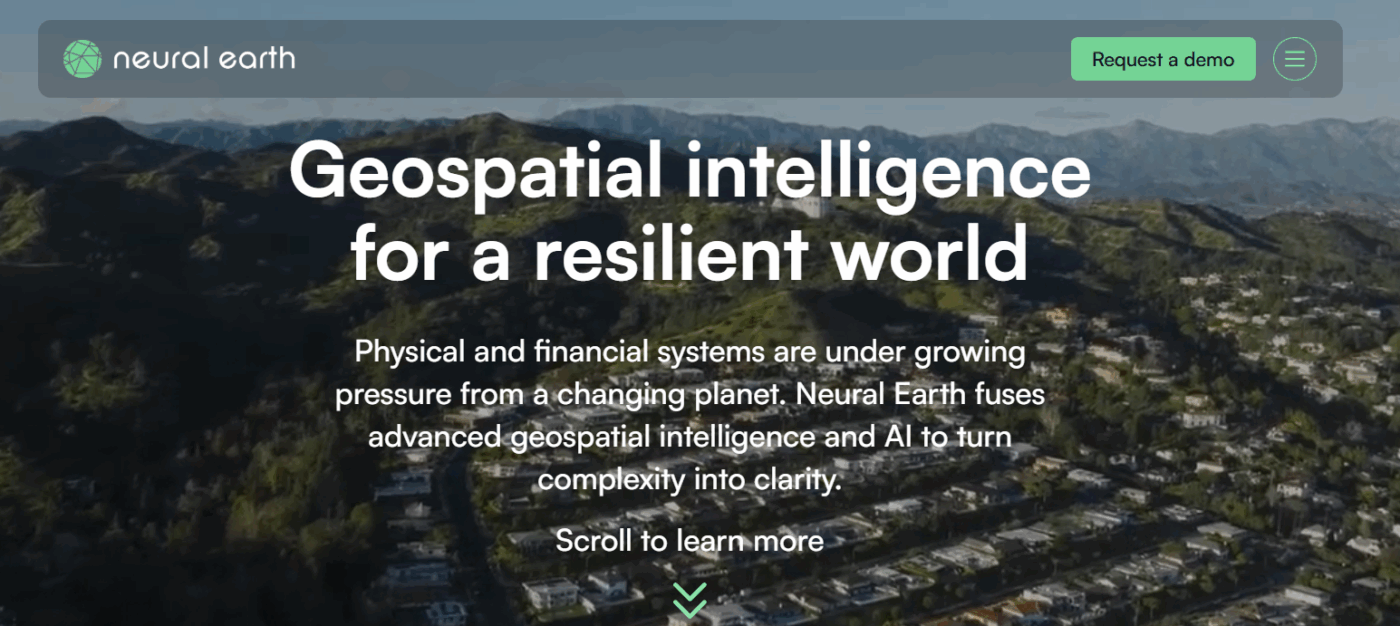
Traditional catastrophe models are essentially historical snapshots—they tell you what happened in the past. But they struggle to predict how a shifting climate will impact a specific rooftop tomorrow. Neural Earth replaces static maps with a live decision layer that fuses satellite imagery, environmental sensors, and proprietary AI to quantify risk in real time.
Instead of an underwriter spending days manually cross-referencing flood zones and wildfire perimeters, the platform delivers property-level risk scores across multiple perils in seconds. It’s designed to turn abstract environmental data into a clear operational signal. This helps agencies and reinsurers adjust their exposure before the next event hits.
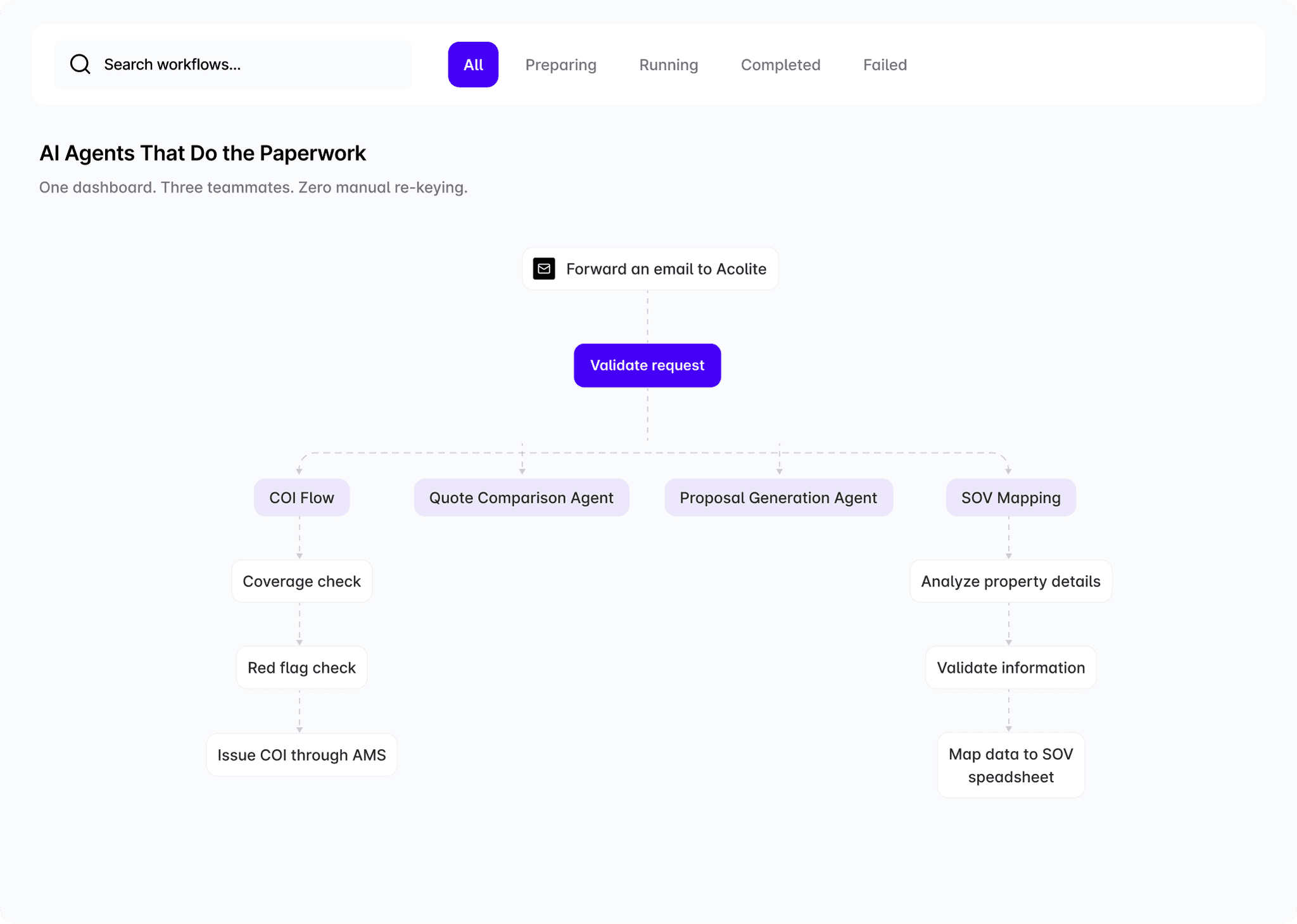
Acolite AI Agents is built for the agency that has outgrown traditional RPA but doesn’t have the developer resources to build custom LLM workflows from scratch. It functions as an AI teammate that you can drop into specific, high-friction operational holes—like certificate of insurance (COI) issuance or schedule of values (SOV) mapping.
Unlike a generic chatbot, these agents are pre-trained to read insurance documents and interact with your AMS just like a human account manager would. You simply forward an email or a carrier quote to the agent, and the agent handles data extraction, form filling, and system updates in the background.
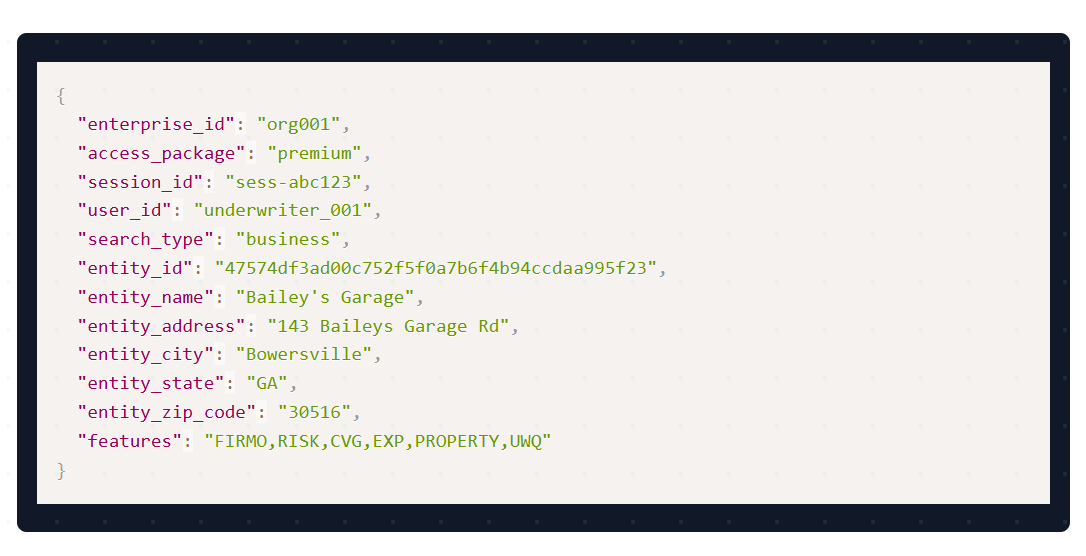
Forgetting to follow up with a warm prospect means throwing away potential revenue and wasting the money spent attending the conference in the first place. LinqCo-Pilot stops you from committing that mistake. It replaces physical business cards with NFC-enabled hardware that triggers immediate digital actions.
Put simply, a single tap on your Linq badge or card pushes your contact info, social links, and scheduling tools directly to a prospect’s phone. The Co-Pilot layer then uses AI to handle the administrative cleanup, transcribing your quick meeting notes and suggesting the best time to reach back out based on your recent interactions. This simplifies client management.
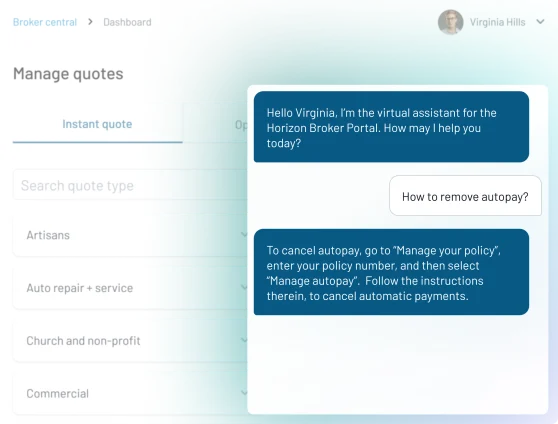
Managing client conversations across voice, chat, SMS, and email without a unified multichannel communication strategy creates massive communication silos. Clients get frustrated when they have to repeat their issue on the phone after already explaining it async, making your agency look disorganized.
Indemn AI unifies external client chats, ensuring that the context of a conversation follows the client. Instead of managing four different siloed tools, your team gets a unified AI Associate. It can handle routine policy service or initial lead intake autonomously, but knows exactly when to hand off the conversation to a licensed human with a full summary of what’s already been discussed.
Every time you add another point solution to fix a single problem, you make your tech stack more complicated, expensive, and harder for your team to use. Not only does this lead to Tool Sprawl, and increases the risk of choosing the wrong software, impacting the entire stack.
Eventually, this process will trap your team in a cycle of endless migration.
You can break this cycle by choosing a platform that adapts to your entire business. A connected workspace, like ClickUp, replaces the scattered tools that slow you down. Your team spends less time managing software and more time doing the work that drives revenue.
Try ClickUp for free today and see how it fits your workflow. ✅
A converged workspace unifies tasks, documents, and communications into a single platform, whereas a point solution is a niche tool designed to solve only one specific problem. By centralizing your operations, a converged workspace eliminates the need to toggle between disconnected apps, reducing fragmented work and improving team alignment.
AI agents improve workflow management by autonomously executing repetitive tasks based on specific triggers and workspace events. Unlike basic automation, agentic technology follows complex instructions to handle administrative busywork, such as drafting policy updates or routing leads, allowing your team to focus on high-value strategy and client relationships.
Context sprawl occurs when project data, client notes, and internal communications are scattered across multiple, disconnected applications. This fragmentation is harmful because it leads to lost information, missed deadlines, and significant time wasted on search and rescue missions to find the right documents.

© 2026 ClickUp

There’s an easier way. Try a free AI Agent in ClickUp that actually does the work for you—set up in minutes, save hours every week.