







Still downloading templates?
There’s an easier way. Try a free AI Agent in ClickUp that actually does the work for you—set up in minutes, save hours every week.
Sorry, there were no results found for “”
Sorry, there were no results found for “”
Sorry, there were no results found for “”
Your support team is drowning in scattered information. Answers live in old emails, buried chat logs, outdated wikis, and worst of all, in the heads of your most experienced agents.
This context sprawl means new hires ask the same questions over and over, while veteran agents waste time being internal search engines instead of helping customers.
This article walks you through how knowledge management for customer service works and why it’s the difference between a support team that scales and one that burns out.
You’ll learn how to build a system that actually gets used, including best practices and a step-by-step implementation guide. We’ll also cover how ClickUp’s connected workspace eliminates the friction that makes most knowledge bases fail.
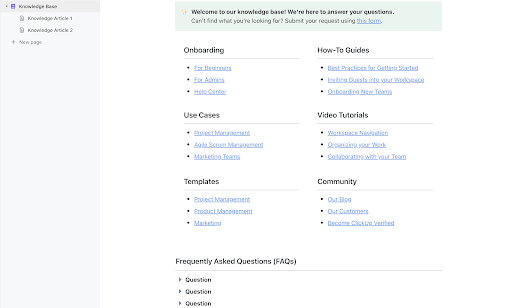
Build an accessible knowledge base for your internal team with the Knowledge Base Template by ClickUp.
It includes sections for knowledge articles, FAQs, and resources, making it easy to store and share knowledge within a company.
Picture this: A customer calls about a billing discrepancy. Your agent checks the wiki—outdated. They search Slack—nothing relevant. They ping a senior rep who’s already juggling three chats. Meanwhile, the customer waits.
Knowledge management for customer service helps fix this chaos. It’s the practice of creating, organizing, maintaining, and distributing information that helps your team resolve customer issues quickly and accurately.
This includes both the internal documentation your agents use and the external resources your customers can access to help themselves.
A strong customer knowledge management system includes:
The goal is to eliminate the “let me check on that and get back to you” moments that kill customer confidence. It’s about turning your team’s collective brainpower into a searchable, reliable resource.
This process involves two types of knowledge. The first is tacit knowledge—the expertise, workarounds, and instincts living inside your experienced agents’ heads. The second is explicit knowledge—the documented, structured information anyone can find and use.
Great knowledge management converts valuable tacit knowledge into explicit knowledge so your entire team can benefit, not just a few key players.
📮ClickUp Insight: 1 in 4 employees uses four or more tools just to build context at work. A key detail might be buried in an email, expanded in a Slack thread, and documented in a separate tool, forcing teams to waste time hunting for information instead of getting work done.
ClickUp converges your entire workflow into one unified platform. With features like ClickUp Email Project Management, ClickUp Chat, ClickUp Docs, and ClickUp Brain, everything stays connected, synced, and instantly accessible. Say goodbye to “work about work” and reclaim your productive time.
💫 Real Results: Teams are able to reclaim 5+ hours every week using ClickUp—that’s over 250 hours annually per person—by eliminating outdated knowledge management processes. Imagine what your team could create with an extra week of productivity every quarter!
When an agent has to scramble through five different tools to find an answer, the customer on the other end of the line feels it. That long pause, the frantic typing, the eventual “I’m not sure”—it all chips away at their trust and has real consequences for your business.
The pain of disorganized knowledge compounds quickly. New agents take far longer to become productive because they have no reliable place to find answers on their own. This forces them to constantly interrupt senior agents, pulling them away from complex customer issues to answer repetitive internal questions.
Meanwhile, customers who try to use your self-service portal and fail become even more frustrated. They arrive in your support queue with a negative mindset, making the interaction more difficult from the start. This flood of preventable tickets bloats your queue, increases wait times for everyone, and leads to agent burnout.
The math is brutal: if your average handle time increases by just 2 minutes per ticket due to information hunting, and you handle 10,000 tickets monthly, that’s 333 hours of agent time lost—roughly $8,000-$15,000 in labor costs alone.
📮ClickUp Insight: Can’t find the answer? Just ask a colleague—but at what cost? Nearly half of employees regularly interrupt teammates for information. And every time they do? Research from UC Irvine’s Gloria Mark found that it takes up to 23 minutes to refocus. That’s hours of lost productivity every week.
This is where you need a centralized brain for your organization. An AI-powered colleague, aka ClickUp Brain, can bring you everything you need in one place—answers, insights, files, context, you name it!
Putting a real system in place to manage your team’s knowledge isn’t just about being more organized. It delivers measurable results that show up in your support metrics and your company’s growth. Each benefit builds on the last, compounding your team’s productivity gains. 🤩
The most immediate win from a great knowledge base is speed. When agents can instantly search and find the correct procedure, they solve problems on the first try instead of escalating the ticket or promising a callback.
This is known as first-contact resolution (FCR), a gold-standard metric directly tied to both customer happiness and lower support costs.
👀 Did You Know: Qualtrics XM Institute’s Global Consumer Study found that less than 2 in 3 issues get resolved in the first call.
A well-structured knowledge base eliminates those awkward “hold, please” moments. Your agent stays confidently in the conversation, pulls up the right article, and walks the customer through the solution in real time. The ticket is closed, the customer is happy, and your agent is immediately ready for the next issue.
Your customers don’t care which channel they use—chat, email, phone, or social media—they just want the right answer. Without a centralized knowledge system, you risk agents giving slightly different or even contradictory information.
This inconsistency is a trust-killer and often creates new support tickets when confused customers write back to clarify.
A single source of truth ensures every agent, bot, and customer-facing doc is aligned. Whether a customer is talking to a new hire or a 10-year veteran, they get the same, verified information every time. This consistency is the bedrock of a professional and trustworthy customer support operation.
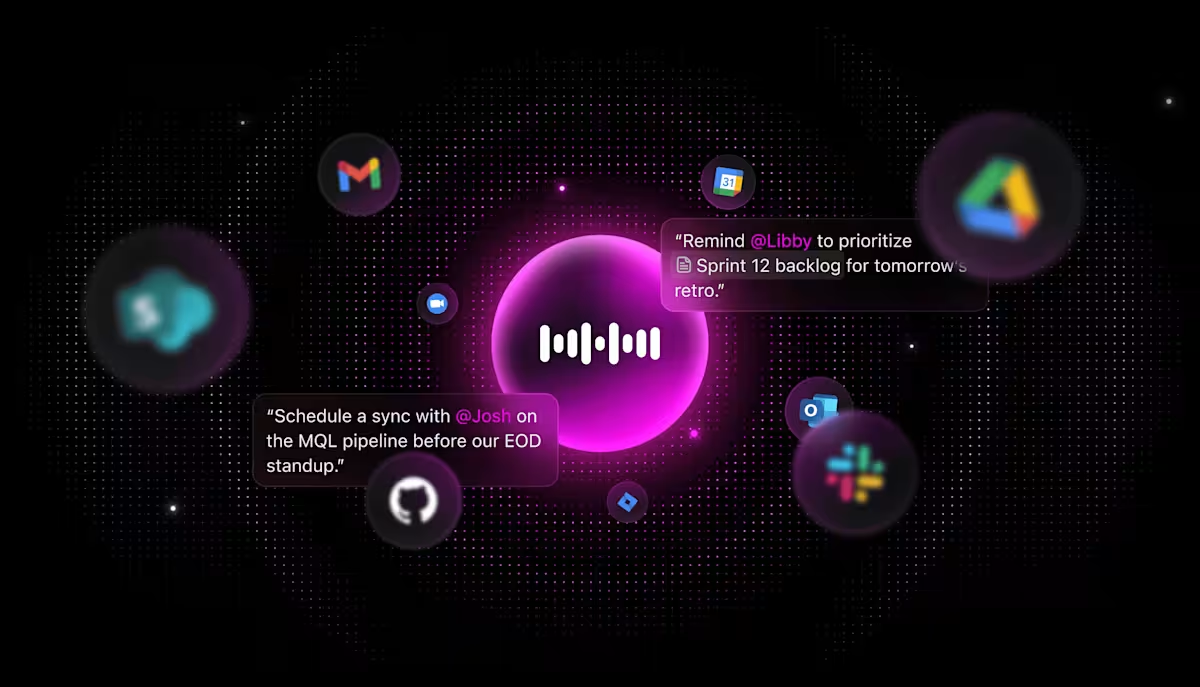
💡 Pro Tip: ClickUp Brain MAX can make customer service teams more effective by reducing time spent searching, summarizing, and routing work, and by accelerating first-draft responses and follow-ups. It can:
As your company grows, you’ll need a plan for scaling customer support: let response times slip or hire more agents. Knowledge management provides a third, more powerful option: make your existing team dramatically more efficient.
When answers are easy to find, each agent can handle a higher volume of tickets without feeling overwhelmed.
This efficiency also transforms your staff onboarding process. A comprehensive knowledge base is the ultimate training tool, slashing the time it takes for a new agent to become a productive member of the team. They can learn by doing, relying on documented knowledge to guide them rather than constantly shadowing senior staff.
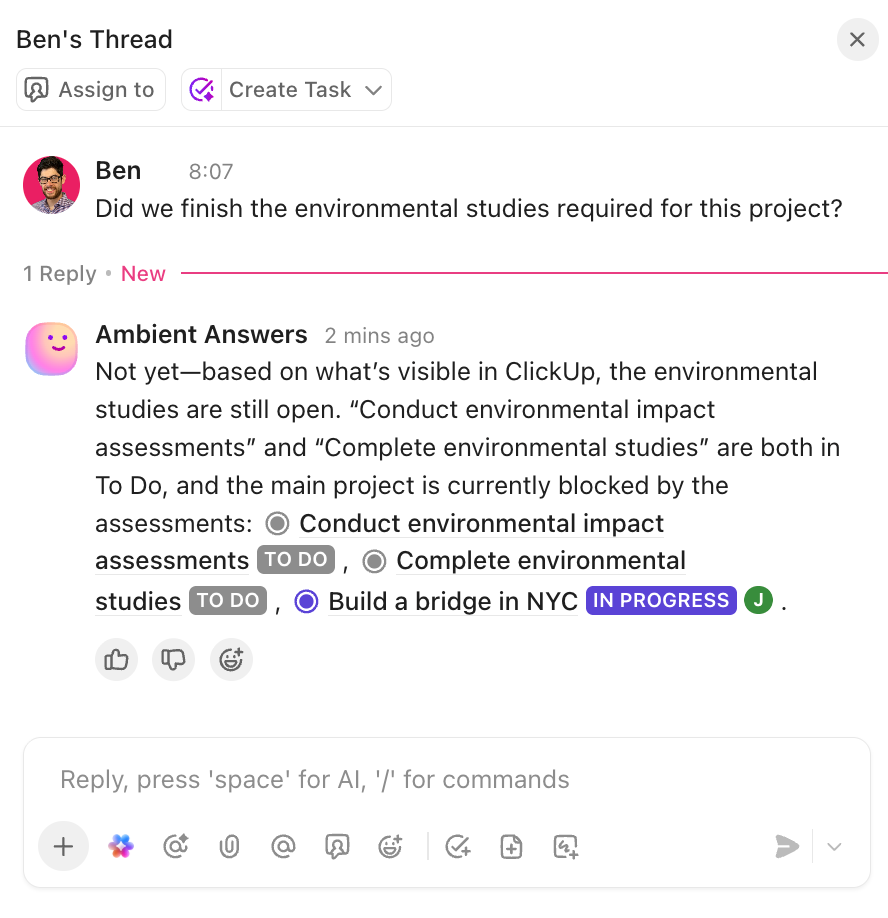
💡 Pro Tip: Ambient Answers in ClickUp helps your team get answers to questions without having to interrupt a teammate. Just set it up in a Chat Channel (you can even customize the knowledge it can access). For more complex questions, there is always ClickUp Brain, available with a simple @ mention!
Many customers would rather find an answer themselves than contact support. A robust, easy-to-navigate external knowledge base or self-service portal empowers them to do just that. This deflects a huge number of tickets from your queue, freeing up your agents to focus on the high-value issues that truly require a human touch.
The caveat: it has to actually work.
A messy, outdated, or unsearchable help center is more frustrating than no help center at all. Effective product knowledge management means your public-facing articles are always current, clearly written, and easy to find.
One way to upgrade and scale your customer service efficiently is by using AI. This video shows you how to go about this. 👇
Building a knowledge base is one thing; building one that your team trusts and uses every day is another. Avoid creating a digital graveyard of outdated articles by following these core principles. 🛠️
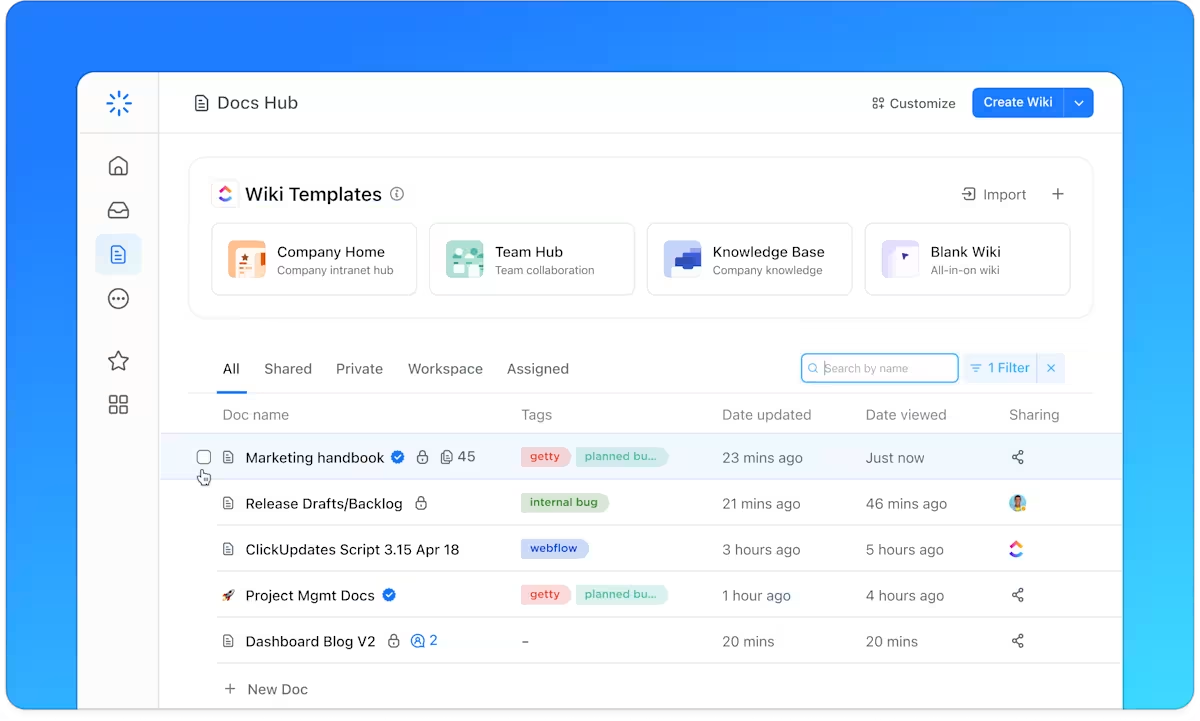
You can build a powerful knowledge management system by following a clear, step-by-step process. Breaking the project down into manageable stages turns a daunting task into an achievable goal.
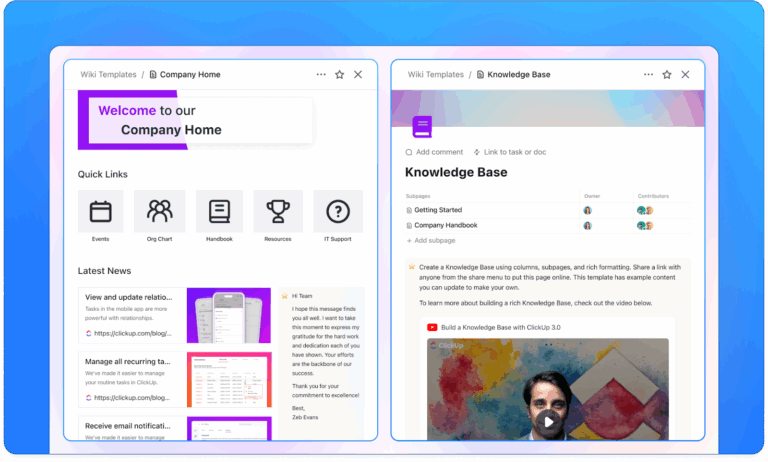
ClickUp’s Wiki Template helps you streamline the process of organizing, curating, and sharing information.
With this template, you can:
Watch this practical walkthrough to see how to create an internal knowledge base from the ground up, then follow the detailed steps below to implement your own system.
📚 Also Read: Free Knowledge Base Templates in Word & ClickUp
The biggest failure point for any knowledge system is friction. If an agent has to leave their ticketing queue, open another app, and manually search for an article, they’ll often just skip it and ask a colleague instead. This is the context sprawl that kills productivity.
ClickUp solves this by being a converged AI workspace—a single, secure platform where projects, documents, conversations, and knowledge live together—where your knowledge lives right alongside your work.
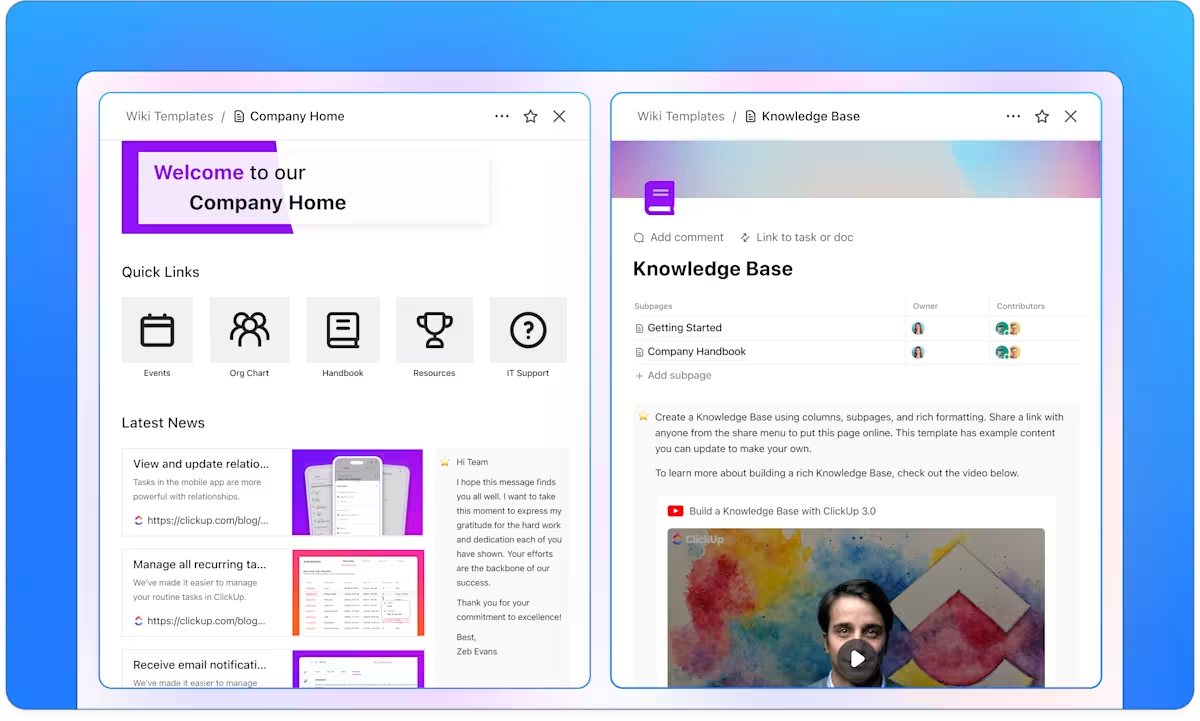
Your knowledge base works best when it lives alongside your work. Build a powerful, searchable knowledge base directly inside the platform your team already uses for tasks and projects with ClickUp Docs.
Agents can link troubleshooting guides to specific ticket types, update documentation in the same screen where they resolve an issue, and collaborate on new articles without ever switching tabs.
You can even turn key documents into wikis to ensure everyone can quickly identify the most up-to-date information.
Docs also enables version control and secure sharing permissions. When a support lead updates a policy in a ClickUp Doc, that change is instantly reflected everywhere that Doc is linked. No more outdated copies floating around in email attachments or chat threads; your team always works from a single source of truth.
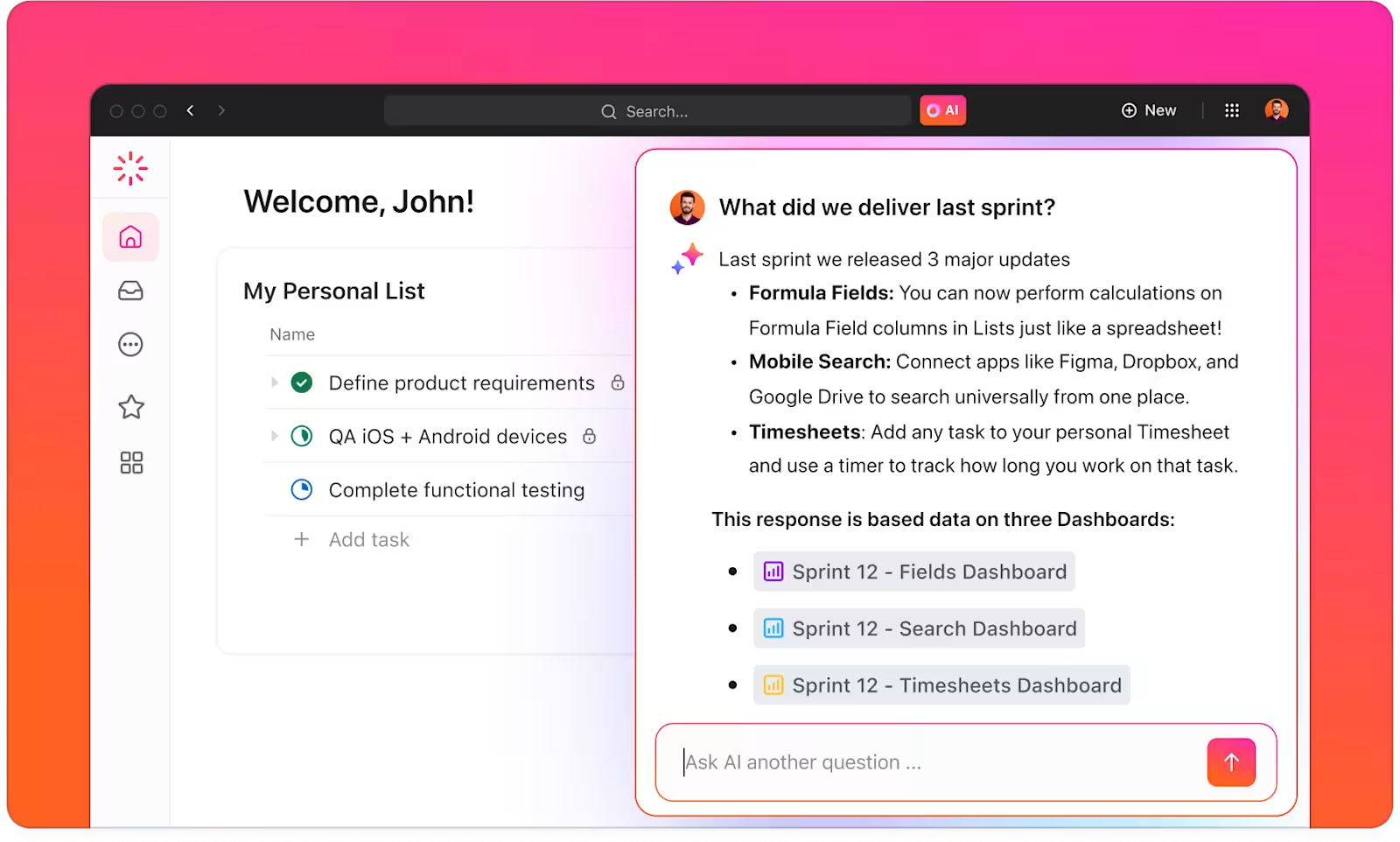
Eliminate the “I know I’ve seen this somewhere…” problem with ClickUp Brain. This is more than just a search bar; it’s an AI-powered feature in ClickUp that understands natural language.
An agent can ask, “What’s our process for handling refund requests for EU customers?” and ClickUp Brain will search across all your Docs, ClickUp Tasks, and Comments to synthesize a direct answer, complete with links to the source documents.
A connected workspace means agents find answers without leaving their workflow.
💡 Pro Tip: Super Agents in ClickUp can handle many of the repetitive tasks that plague customer support teams. They are your AI teammates that are autonomous, contextual, and ambient. Set up Agents to track response and resolve times, flag SLA risk, notify managers, and even draft initial responses to customer emails, freeing up your human teams for other tasks.
You can create them using the natural language builder, or start with prebuilt Super Agents from the Super Agent catalog.
Learn how to create your own Super Agent:
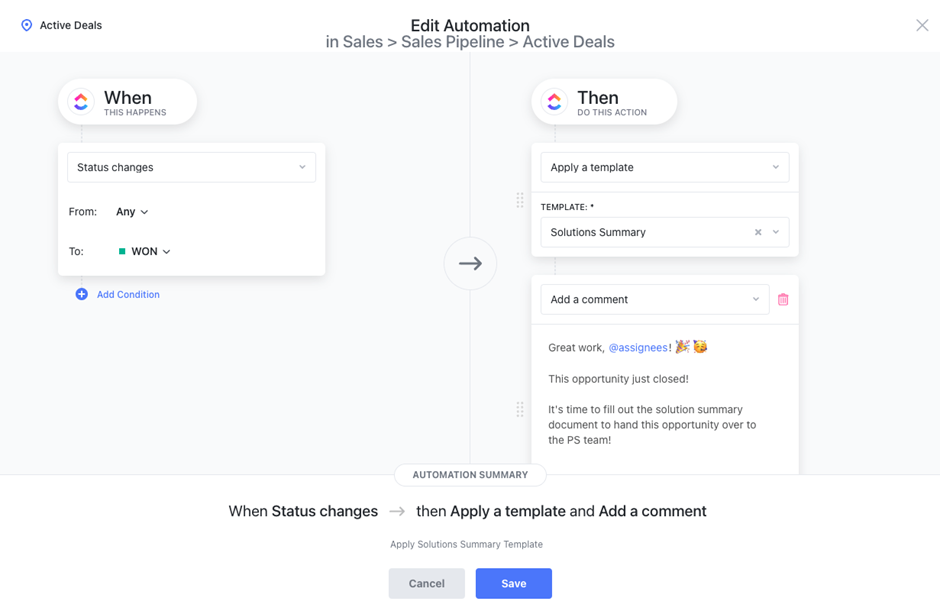
ClickUp Automations can free your team from the manual work of keeping information updated.
For example, set up an automation to create a review task for a content owner when an article hasn’t been updated in 90 days. Or, set up a rule that notifies the documentation team whenever a task related to a new product feature is marked as complete.
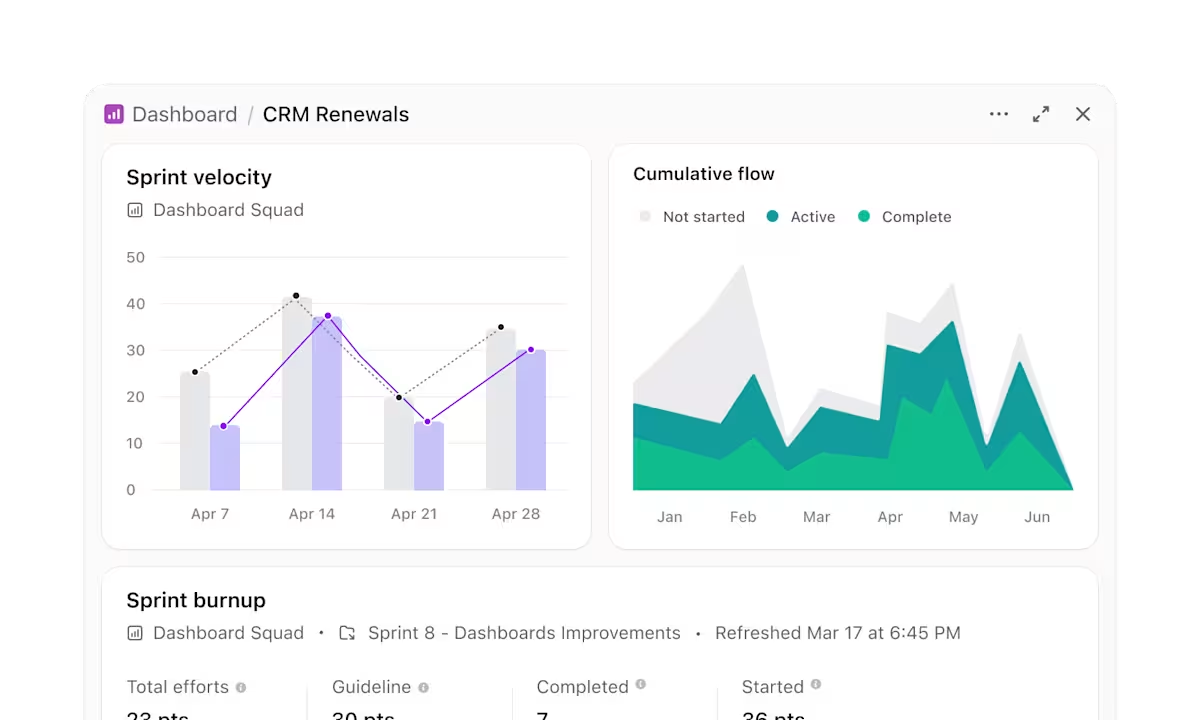
Customizable ClickUp Dashboards help you create custom visual reports to track key metrics like:
By bringing documentation, work, and communication into one place, you remove the friction that makes knowledge management fail. Your team can capture, find, and improve knowledge as a natural part of their daily workflow. Learn more about knowledge management in ClickUp here.
Knowledge management for customer service is about more than building a prettier FAQ page. It’s about creating a system that delivers the right information to the right person at the right moment. Whether that’s an agent on a complex call or a customer trying to solve a problem at midnight, instant access to accurate knowledge transforms the entire experience.
Scattered information leads to slow, inconsistent support that frustrates customers and burns out your team. A structured, integrated knowledge management system eliminates information silos and gives every agent instant access to accurate answers.
Teams with strong knowledge foundations resolve issues faster, improve customer satisfaction, and scale without proportional increases in headcount.
Ready to centralize your support knowledge and connect it to your work? Get started for free with ClickUp today.
A knowledge base is the tool—the collection of articles and guides. Knowledge management is the entire process of creating, maintaining, and improving the content within that tool to ensure it’s effective.
Yes, small teams often benefit the most. When every agent’s time is precious, you can’t afford the inefficiency of having them hunt for answers or answer the same questions repeatedly.
To prove the value of your efforts, track metrics like first-contact resolution, average handle time, ticket deflection rate from your self-service portal, and agent feedback scores on article helpfulness.

© 2026 ClickUp

There’s an easier way. Try a free AI Agent in ClickUp that actually does the work for you—set up in minutes, save hours every week.