






Still downloading templates?
There’s an easier way. Try a free AI Agent in ClickUp that actually does the work for you—set up in minutes, save hours every week.
Sorry, there were no results found for “”
Sorry, there were no results found for “”
Sorry, there were no results found for “”
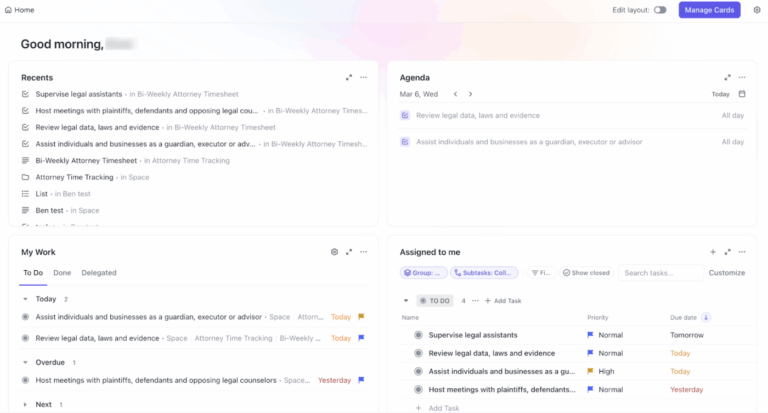
44% of Americans use an AI agent as a personal assistant, with interest rising to around 70% among Gen Z. That shift signals that teams want AI to automate workflows and create content end-to-end.
Sintra AI is a platform built around AI agents and assistants that automate busywork
If you’re exploring how to use Sintra AI for everyday execution—publishing social posts, summarizing updates, routing leads, or generating assets—this guide walks you through practical setups that plug into your stack and scale with your workflows.
Sintra AI is a digital-assistant platform built around specialized AI agents known as “helpers” that operate from a shared Brain AI knowledge base.
Think of it as a hub where Sintra AI bots handle distinct jobs—support (Cassie), analysis (Dexter, a data analyst persona), and content creation (Penn) for blogs and social media—while sharing context so outputs stay consistent.
You can chat with these AI assistants to set tone, length, and language, then let them streamline everyday business operations without heavy setup. It’s designed for small businesses, agencies, and freelancers who want one place to manage work and automate workflows.
Sintra brings structure to everyday work by pairing specialized AI agents with a shared knowledge base through these key features.
Please note: Sintra AI is retiring legacy products (including Sintra Prompts in Sintra Plus) to keep the platform simpler, faster, and easier to maintain. Effective February 1, 2026, these legacy products have reached end-of-life and are no longer available for use.
Your central memory for business context. With Brain AI, you can:
Twelve domain-specific AI assistants (your Sintra AI bots) for email drafting, blogs, SEO checks, product ideation, and even a data analyst persona for structured insights.
Each helper is designed for specific use cases, so you can spin up instant tasks for support, copy, or social media content without context loss.
Standalone workflows that run in the background once configured. They rely on integrations to automate repeatable business operations—from posting updates to syncing assets—so your team isn’t chained to manual follow-ups.
Schedule prompt-based routines on a timetable and let Helpers execute them automatically. Perfect for weekly summaries, content calendars, or lead-nurture touchpoints—freeing you to focus on higher-leverage tasks and decisions.
Sintra doesn’t offer a free trial, but it does include a 14-day money-back guarantee across all three plans. Pricing (without discounts):
Please note that promotions change, so it’s best to check their site for updated pricing and any ongoing deals.
📖 Also Read: Best AI Team Collaboration Tools to Use
📮 ClickUp Insight: Only 10% of our survey respondents use voice assistants (4%) or automated agents (6%) for AI applications, while 62% prefer conversational AI tools like ChatGPT and Claude. The lower adoption of assistants and agents could be because these tools are often optimized for specific tasks, like hands-free operation or specific workflows.
ClickUp brings you the best of both worlds. ClickUp Brain serves as a conversational AI assistant that can help you with a wide range of use cases. On the other hand, AI-powered agents within ClickUp Chat channels can answer questions, triage issues, or even handle specific tasks!
Getting started is straightforward. You’ll set up access, then personalize Sintra so its AI assistants work the way your team does. From there, you can connect context and kick off real business operations without extra setup.
Choose a subscription plan, and you’ll be taken to the checkout page.
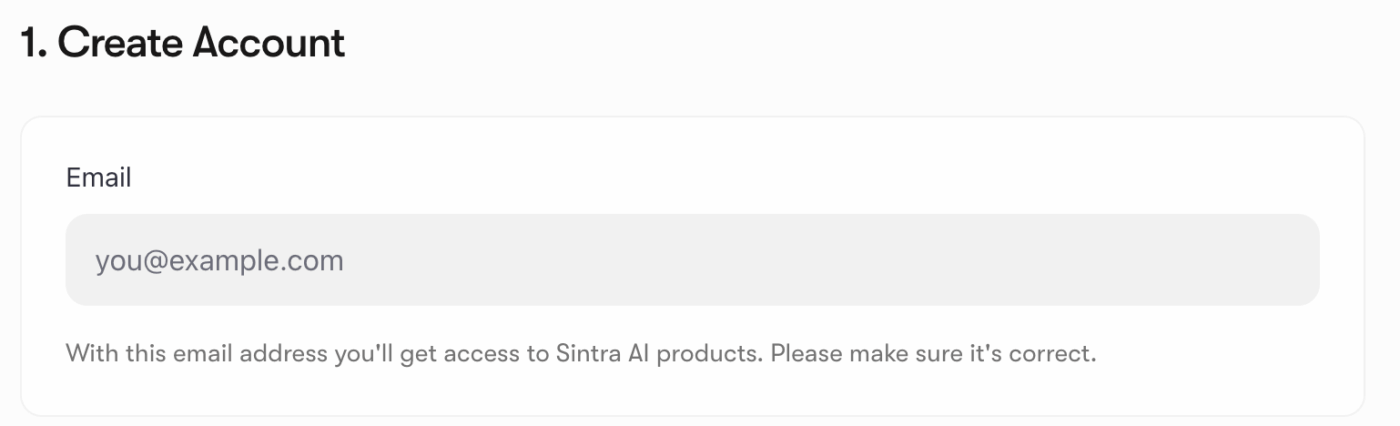
You can then enter your email address, choose your payment method, add your billing address, and submit. Your Sintra AI account is ready.
Then, you can head to Sintra’s login page and use the same email you used at checkout to sign in. You’ll receive a six-digit one-time code in your inbox—enter it to log in and complete onboarding.
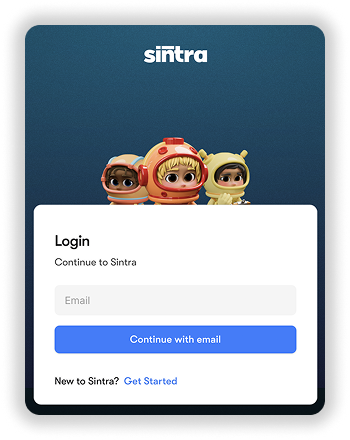
Then, check your email for a confirmation code.
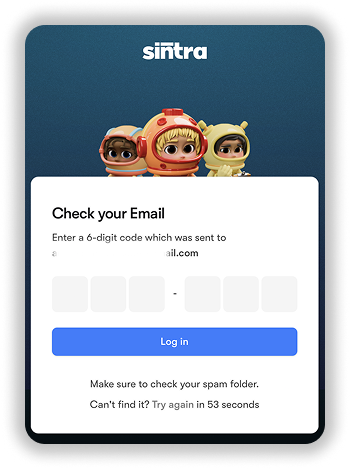
After your first access, set a permanent password so you can start working without friction. If the code doesn’t arrive, follow the platform’s troubleshooting steps to verify your email and resend.
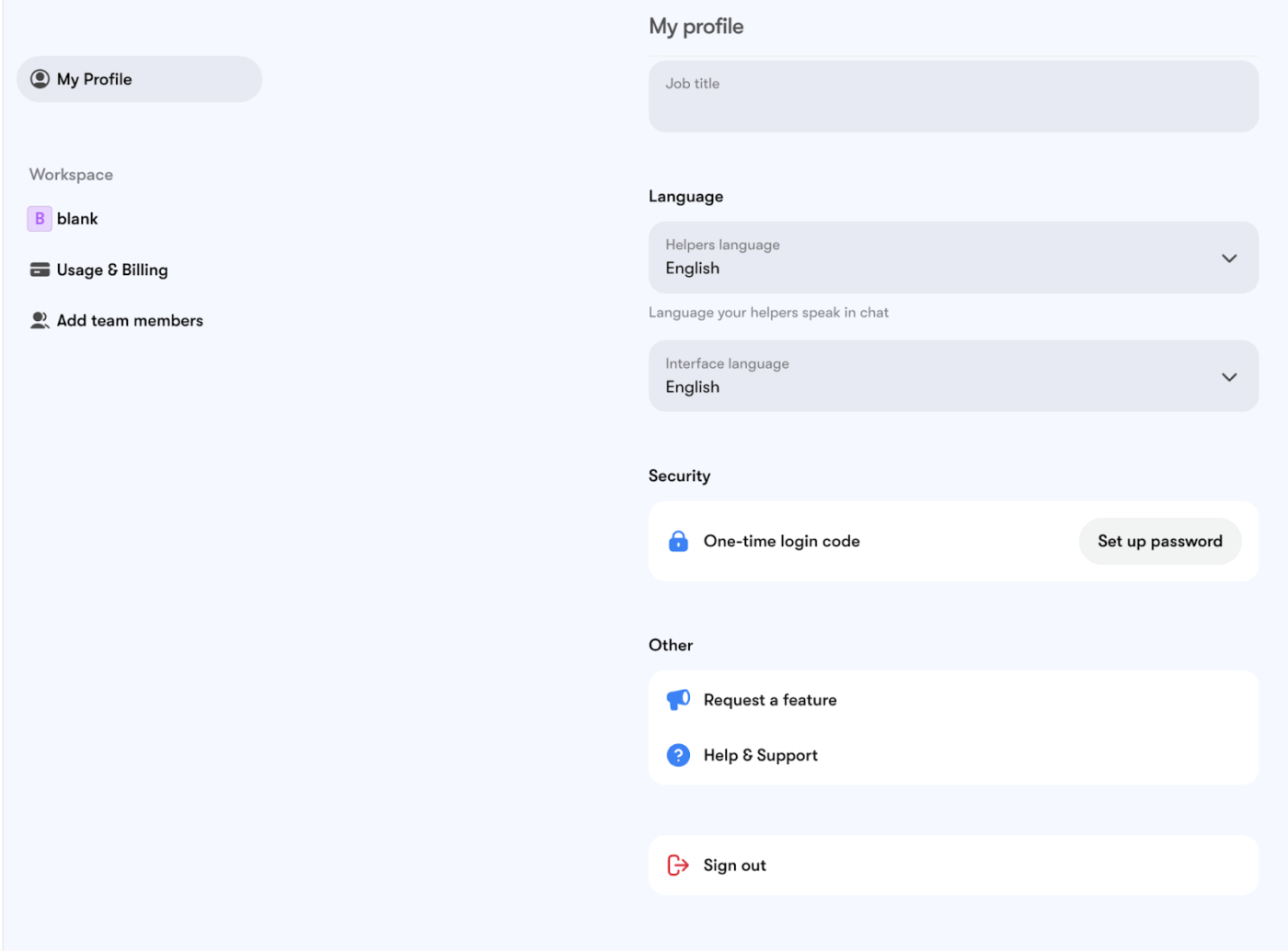
Once you’re in, you’re ready to connect context, configure helpers, and map initial tasks to your workflow on the platform.
💡 Pro Tip: Experiment with different levels of atmosphere and language for each helper to see what works best for your workflow. Customizing settings can make every interaction optimized.
📖 Also Read: How to Optimize Project Management with Automation
To effectively utilize Sintra AI for automation, it will be helpful to understand how its assistants are categorized based on their primary functions. Each assistant is tailored to excel within its specific domain, providing focused and efficient solutions.
You can start by giving Brain AI the context it needs. Add your playbooks, policies, workflow templates, FAQs, and recent campaign docs, so responses reflect your business operations. Treat it like a living knowledge base, and keep files current so your AI assistants stay on-brand and accurate.
Example: Emmie (Email Marketer) as your agent
Once your agents understand the context, let them handle repetitive tasks on a schedule so your team focuses on creative work.
Example: Soshie (Social Media Manager) with periodic posting
💡 Pro Tip: Use ClickUp Brain MAX as the “project brain” beside Sintra so content and automations don’t drift into side files:
Install the ClickUp Brain MAX Chrome extension to keep this project cockpit beside Sintra wherever your team works.
Enhance Sintra by connecting all your key tools. Link Google Drive, Gmail, LinkedIn, Facebook, and your calendar. These integrations unlock additional actions for helpers and enable automations.
Once connected, you should test each one to ensure everything functions properly. This step guarantees you won’t miss any updates, messages, or opportunities.
📖 Also Read: How to Use AI for Productivity (Use Cases & Tools)
🧠 Fun Fact: The idea of teams of AI agents isn’t new—MIT’s Pattie Maes wrote about “software agents” that reduce work and information overload back in 1994. Today’s multi-agent platforms are finally catching up to that vision.
Below are some well-known AI helper use cases of Sintra’s automation of business processes across various departments.
If you want on-brand drafts without handholding, use Penn—the copywriter among Sintra’s AI assistants. Penn turns briefs into outlines, headlines, long-form articles, and web copy while staying consistent with your knowledge base and brand guidance stored in Brain AI.
It’s built for ads, blog posts, websites, and more, so you can move from idea to publishable copy fast.
Try it like this: Load style guides and past posts into Brain AI → Penn generates blog outlines and first drafts aligned to voice and goals, then iterates via chat for section rewrites and CTAs.
Use Soshie when you need steady, scheduled social media content. After a quick setup, Soshie can generate weekly posts from Brain AI context, notify you for review, and place approved items on a publishing calendar—ideal for a social media manager workflow.
What this unlocks: Periodic post generation with calendar scheduling, media upload or AI images, review → approve → publish, plus inbox notifications to keep you moving without tab-hopping.
Bring in Emmie for lifecycle copy and campaigns. Connect your mailbox in Integrations, and Emmie can draft replies, personalize outreach, and pull relevant documents or snippets from Brain AI—useful for support, sales follow-ups, and newsletters without leaving Sintra.
Practical flow: Generate sequences, refine tone, and let Emmie search messages by sender/subject/time, so repetitive tasks around triage and templated responses don’t bog you down.
For quick briefs and competitive scans, lean on Brain AI (and, when needed, Dexter the data helper). Brain AI stores links/files and makes them searchable across chats; helpers use that context to synthesize insights, pull highlights, and keep your content accurate. Create multiple Brain profiles to separate teams or products.
Why it helps: Centralized memory (text, links, files, images, video), up to five Brain profiles by default, plus integrations—so your AI tools (Penn, Soshie, Emmie) write with facts.
📖 Also Read: How to Use AI to Automate Tasks
Here are three real-life examples of three different Sintra AI employees and their workflows:
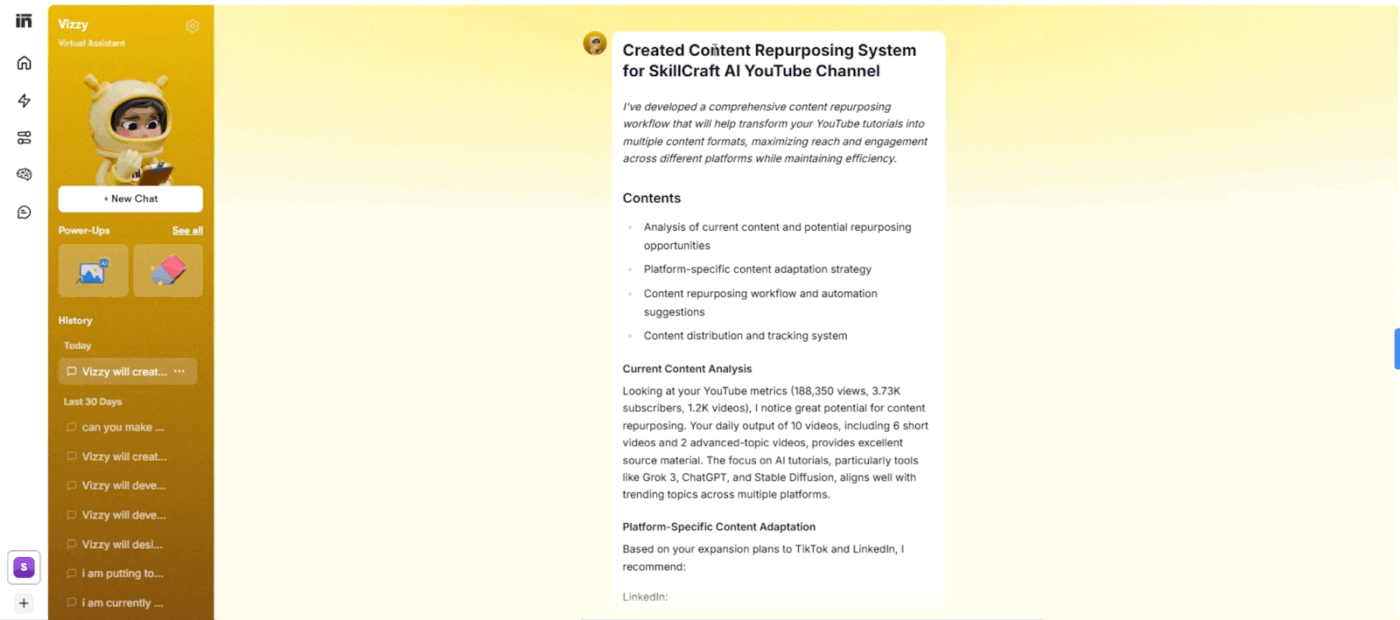
Here’s a real-world example of a user testing Vizzy to develop a comprehensive content repurposing workflow that will help transform YouTube tutorials into multiple content formats, maximizing reach and engagement across different platforms while maintaining efficiency.
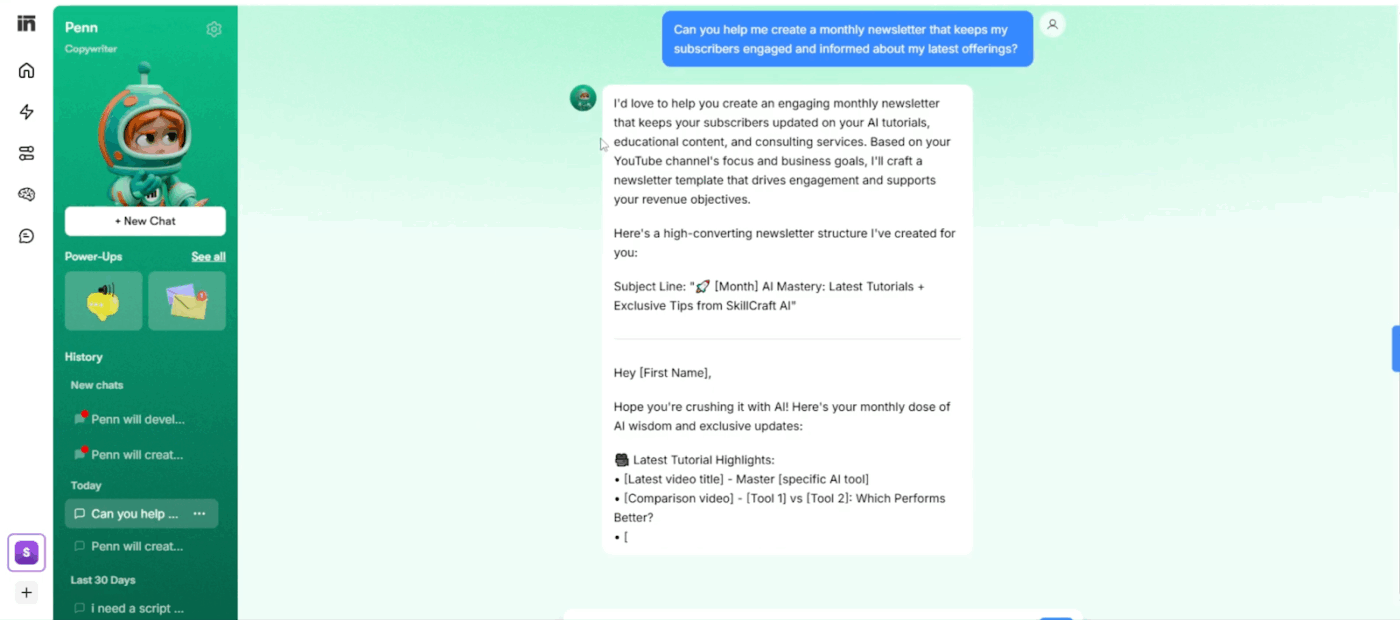
Another real-life example of Penn, the copywriter, addressing a newsletter making a request, along with valuable insights and an easy-to-use template. On the left, the red pop-up notifications you see in the image are Penn giving you ideas related to your field of work.
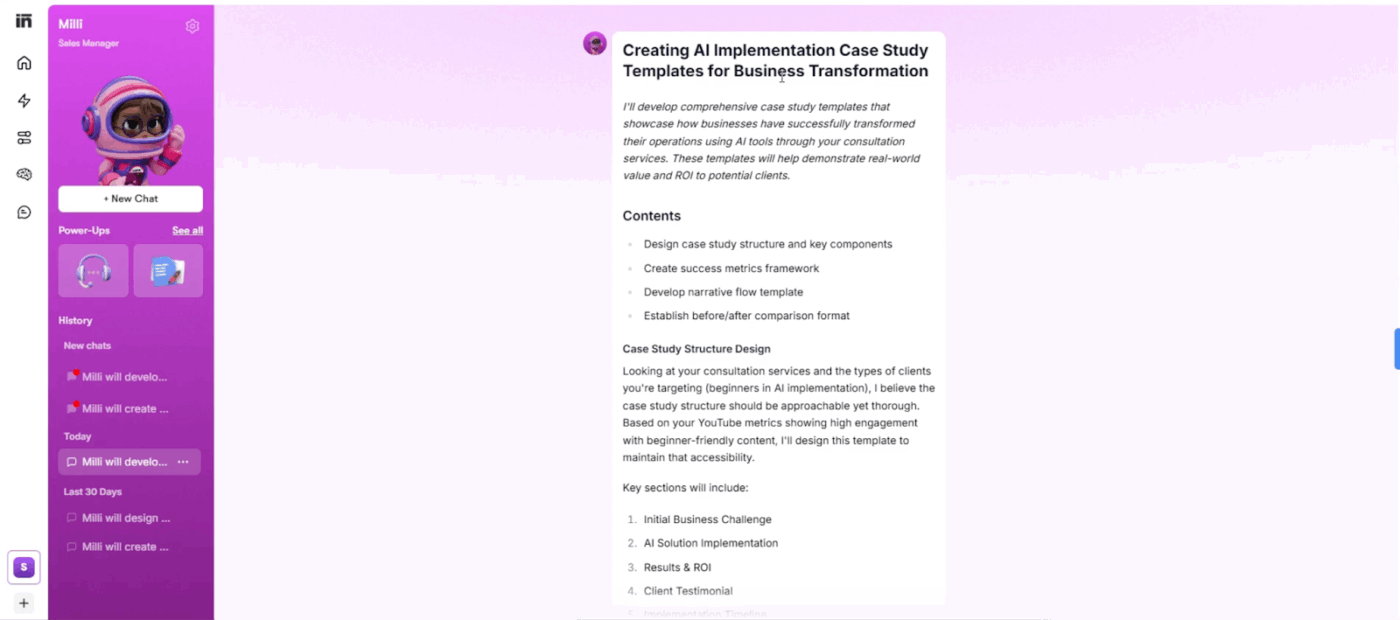
As you saw in the second example, how Sintra AI’s agents share valuable ideas on a day-to-day basis, here is another example showing that. Milly is suggesting she can create AI implementation case study templates for business transformation and develop
comprehensive case study templates that showcase how businesses have successfully transformed their operations using AI tools.
🎥 Wondering whether you’re really getting the most out of AI at work? Check out this video!
Getting value from AI caters to pairing the right AI assistants with the right business processes, feeding them good context, and iterating. Here’s how to level up AI-powered project management results without creating chaos.
Rolling out AI should feel like an upgrade, instead of an overhead. Most misses happen when teams rush setup or skip change management. Here are the pitfalls we see most often—and how to sidestep them while keeping momentum.
📖 Also Read: AI Task Managers That Actually Do the Work for You
After scanning recent Reddit threads from hands-on users, a few themes keep popping up. None are deal-breakers for every team, but they’re worth factoring into your rollout plan.
Some report overpromising behavior from the virtual assistant layer (for example, saying it moved chats between profiles and later admitting nothing happened).
This looks like classic LLM hallucination when tasks span profiles, long histories, or loosely scoped knowledge base actions. Guardrails and narrow prompts help, but expect supervision on multi-profile moves.
A recurring complaint is navigation friction—key profiles hidden behind overflow menus, extra clicks to switch work contexts, and small discoverability gaps.
For fast-paced teams, those micro-delays add up and can blunt the “one platform” promise during busy days
Users testing image-heavy tasks (e.g., palette options with labeled swatches and precise CMYK/RGB formulas) found helpers produced approximations without exact values or layout fidelity.
If your content creation includes design-grade outputs, you may still need dedicated tools and treat Sintra’s visuals as drafts rather than production assets.
💡 Pro Tip: Keep humans in the loop on cross-profile actions, document UI workarounds for your team, and pair Sintra with specialist apps for pixel-perfect creatives. Used this way, AI assistants can still offload plenty of repetitive tasks while you preserve quality where it matters.
📖 Also Read: How to Use AI to Automate Tasks
In case you’re looking for Sintra AI alternatives to dodge the above-mentioned limitations, here are some worthy platforms to consider.
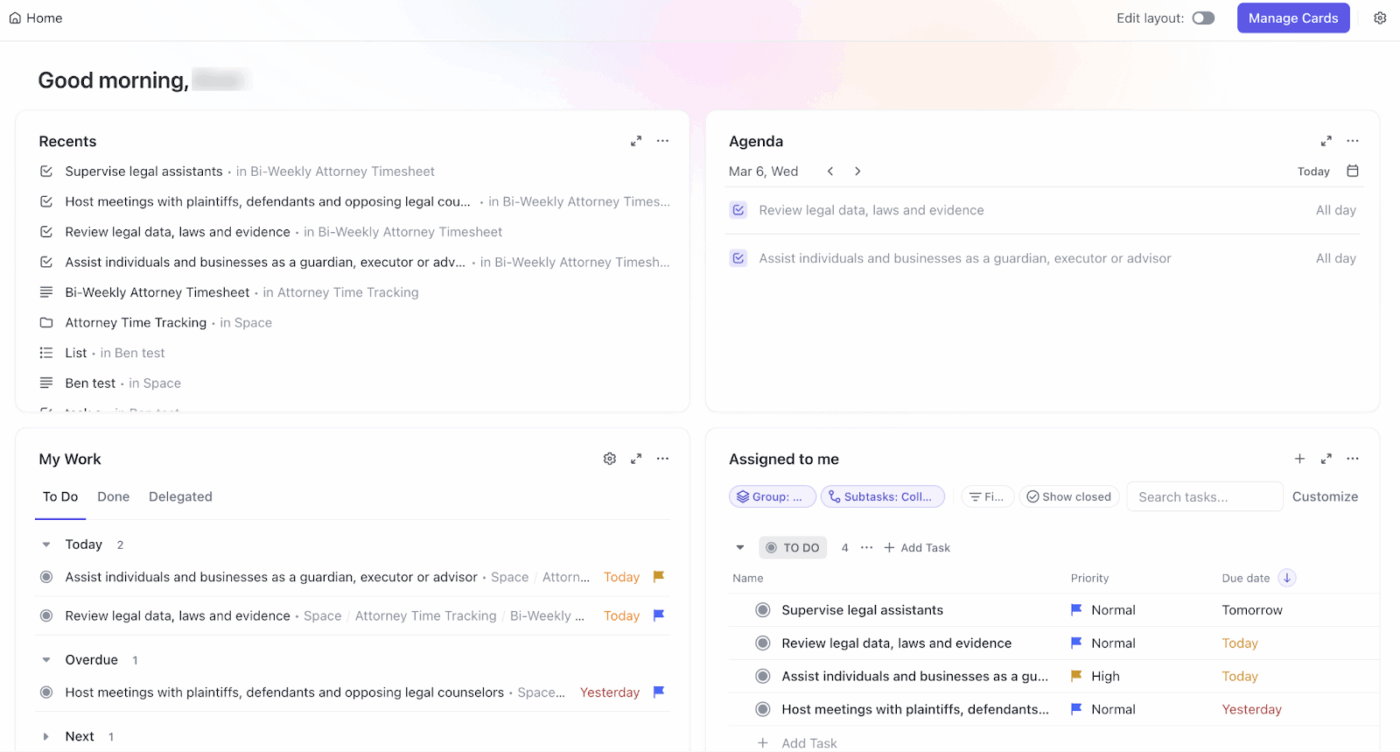
When teams start testing multiple AI tools, things fracture fast—one app for content creation, another for summaries, a third for metrics. That fragmentation turns into AI sprawl, where context splinters and updates slow down. ClickUp flips the script by embedding AI where work already lives, so context and execution stay in one place.
ClickUp takes a different route with the world’s first Converged AI Workspace. Instead of layering standalone AI tools on top of your stack, ClickUp brings AI directly into the workspace where work already happens.
Its AI Super Agents are AI-powered teammates that work directly inside your workspace. They observe activity across your ClickUp Tasks, ClickUp Docs, and timelines, take action based on defined rules, and surface the right information at the right time—without disrupting how teams work.
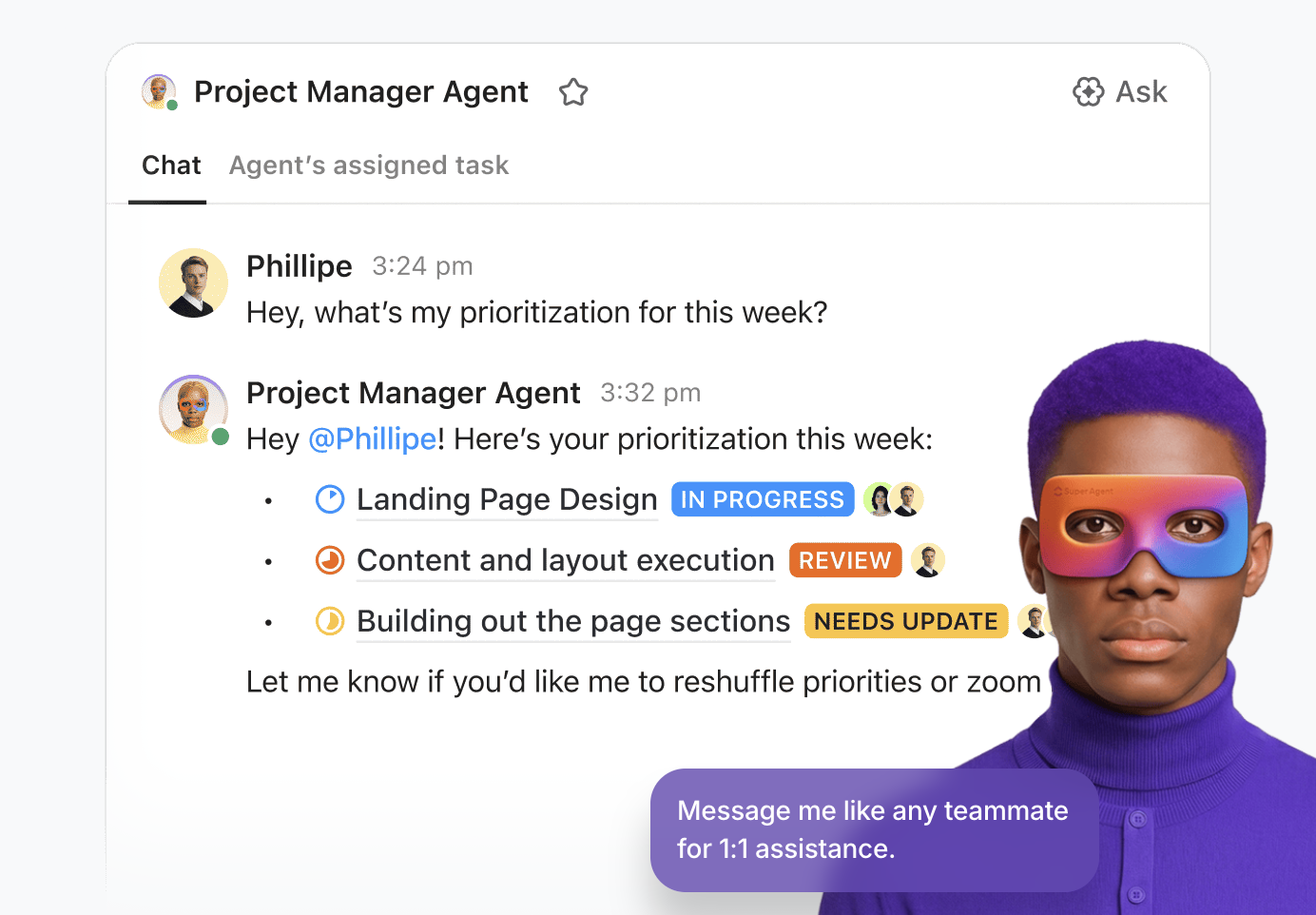
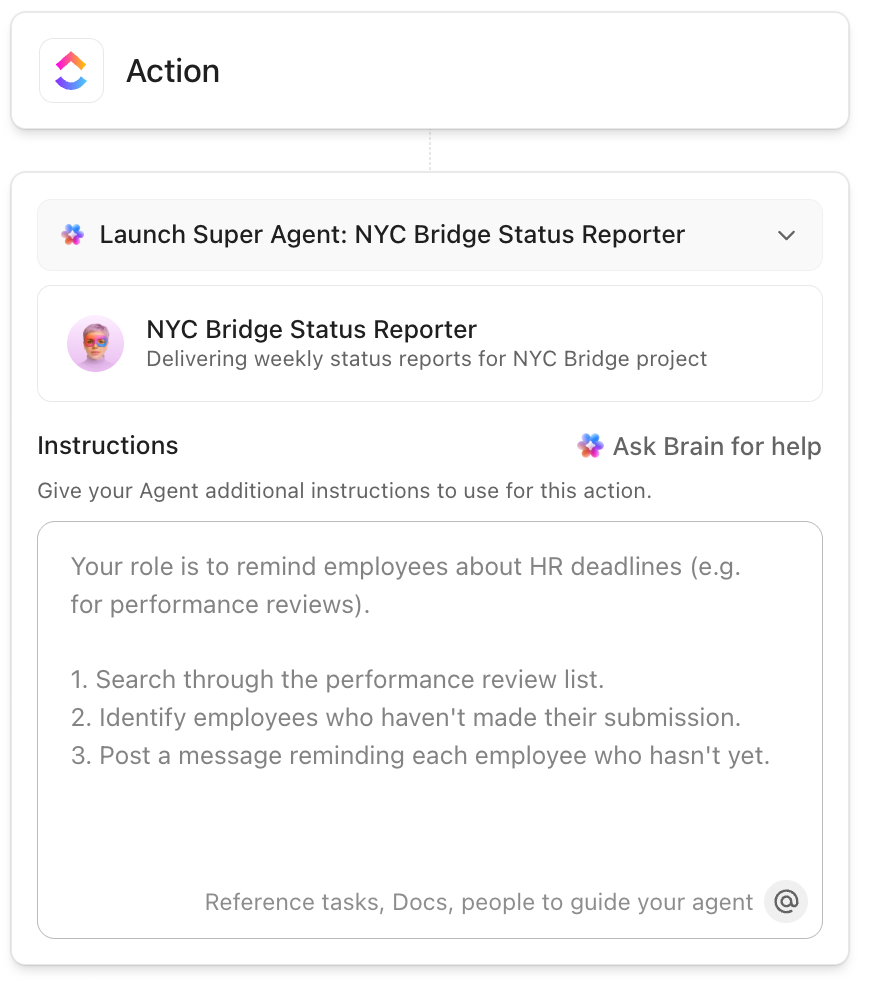
In ClickUp, you can spin up Super Agents with simple no-code settings. You can tell the agent what to watch (status changes, due dates), what to do (update fields, assign, post daily summaries), and click go. From there, it runs quietly in the background, boosting automation and reliability.
📖 Also Read: Types of AI Agents to Boost Business Efficiency
💡 Pro Tip: Working from a long ClickUp List of renewal accounts or open tickets? Open the List, trigger ClickUp Brain, your Contextual AI assistant, and ask it to help organize tasks or read comments. In seconds, it can surface the few actions that will actually move your customer outcomes.
ClickUp helps you evaluate, pilot, and scale AI responsibly with:
Because ClickUp’s AI agents live in the same workspace as your work and knowledge base, context stays intact. You spend less time fighting tool sprawl and more time improving processes at scale.
📖 Also Read: Best Workflow Automation Software Tools
If you’re looking for “AI employees” that handle the busywork for you—managing email, sorting your calendar, tallying CRM updates, even making phone calls—Lindy is a practical AI platform for building AI agents without writing code.
You start with templates or the Agents Hub, connect Gmail, Calendar, and other apps, then chain steps in a visual flow. These are instructions for your agent to read, reason, and act. Pricing is usage-based (pay per task/minute), which makes it easy to pilot before you scale.
n8n is an open-source, fair-code workflow automation platform. It uses a visual, node-based interface to connect applications and services, allowing users to automate repetitive tasks between them without extensive coding.
It supports custom scripting with JavaScript, and can be self-hosted or used through a cloud service.
You can blend APIs, databases, and AI agents in the same flow, add guardrails, and ship production-grade automations.
Make (formerly Integromat) is a no-code automation platform that connects apps and services to automate workflows and processes visually.
It allows users to build complex automations without writing code by creating “scenarios” that link different applications together with triggers and actions.
With Make, you can build quickly with drag-and-drop, prompt mode, and AI agentic workflow add-ons—then scale on cloud plans or run it yourself for tighter control.
🔎 Did You Know? The NIST AI Risk Management Framework (AI RMF 1.0) gives teams a practical playbook for governing AI systems—useful when you deploy agents that touch sensitive data or customer workflows.
Taskade is for teams that don’t just want “a bot for email” or “a bot for reporting,” but a place to design an entire agent-powered workspace.
Instead of juggling separate tools for task lists, mind maps, meetings, and AI chat, Taskade combines them into one collaborative canvas. This way, projects, notes, and conversations sit next to your agents.
Inside that canvas, you can spin up custom AI agents that draft content, analyze data, or manage workflows using your own docs and project context.
AI Project Studio helps you generate full project plans from a short brief or seed documents, while automations connect out to tools like Slack, Gmail, and Google Sheets. So, agents can actually do the follow-through work, not just make suggestions.
If you’re exploring Sintra-style assistants to speed up content and ops, remember the real win is connecting work, people, and context so business processes actually move. That’s where ClickUp stands out.
Instead of stitching together point solutions, you get one place to plan, discuss, and deliver—tied to a living knowledge base, unified tasks, and light automation you can trust. The result is less swivel-chair work, more momentum, and room to scale without juggling tools.
For teams that want seamless integration and clear ownership, ClickUp offers a pragmatic path forward: start small, prove impact, and expand with confidence.
Try ClickUp for free, create a workspace, and see how quickly your team finds its rhythm.
Strong options include ClickUp (workspace + AI agents), Zapier, n8n, Make, Lindy, and CrewAI. For dev-centric builds, consider LangChain or Microsoft. Match to your business operations and governance needs.
No. It’s a paid platform with tiered plans and a 14-day money-back guarantee. Pricing changes periodically, so confirm current rates on their site. Budget with expected usage of AI assistants and background automations to avoid surprises.
Yes. Helpers like a social media manager and copywriter can draft social media content, captions, and long-form content creation. You can review, refine tone, and schedule publishing via built-in automations for consistent brand output.
Generally, yes. It’s designed for non-technical users with guided prompts, starter “helpers,” and a centralized knowledge base. Expect a short ramp for integrations and permissions, especially if you plan to automate multi-step business processes.
It connects with Google services (e.g., Google Drive, Calendar, Gmail) and major social platforms for posting. Support for Notion or Slack can vary—check Sintra’s current integration list to ensure seamless integration.
OpenAI’s ChatGPT is a general AI assistant; Sintra packages task-specific helpers and automations. ClickUp Brain embeds AI inside tasks, Docs, and Dashboards—better when you need in-context execution and reporting across one workspace.

© 2026 ClickUp

There’s an easier way. Try a free AI Agent in ClickUp that actually does the work for you—set up in minutes, save hours every week.