






Still downloading templates?
There’s an easier way. Try a free AI Agent in ClickUp that actually does the work for you—set up in minutes, save hours every week.
Sorry, there were no results found for “”
Sorry, there were no results found for “”
Sorry, there were no results found for “”

What started as a community experience for gamers is now among the most popular chat platforms, with tens of millions of daily users.
And this is a natural progression.
Gamers still constitute the majority. But with voice, video, and text exchanges within invite-only communities, Discord has captured the imagination of practically every type of online community—artists, fandoms, influencers, enthusiasts, investors, backpackers—the list goes on.
Businesses aren’t far behind. Discord is emerging as a challenger to the tried-and-tested apps for internal communication. There’s a lot to discover with this platform, and armed with a list of Discord hacks, you can bring into play features that serve a variety of applications.
While Discord started as a platform for gamers to interact and team up, it has grown into a flexible chat platform that professionals outside gaming communities use. Its multiple features have expanded its user base, including businesses and brands.
Discord may seem easy to use, but its full range of capabilities lies in its hidden features. Let’s explore some Discord tips and techniques to enhance productivity and engagement in your community.
Discord quickly became gamers’ go-to social networking platform, slowly expanding into other industries like art, sports, and Web3. Discord offers more features for developers aiming to build a group than Discord alternatives.
How should your Discord group look, though? How do you establish and maintain a lively community?
It comes down to 15 simple Discord tips to create an engaging and productive community on Discord.
You can easily integrate ClickUp with Discord and your favorite apps in just a few clicks.
Build and automate workflows seamlessly by integrating these platforms, allowing you to design tasks for your work visually.
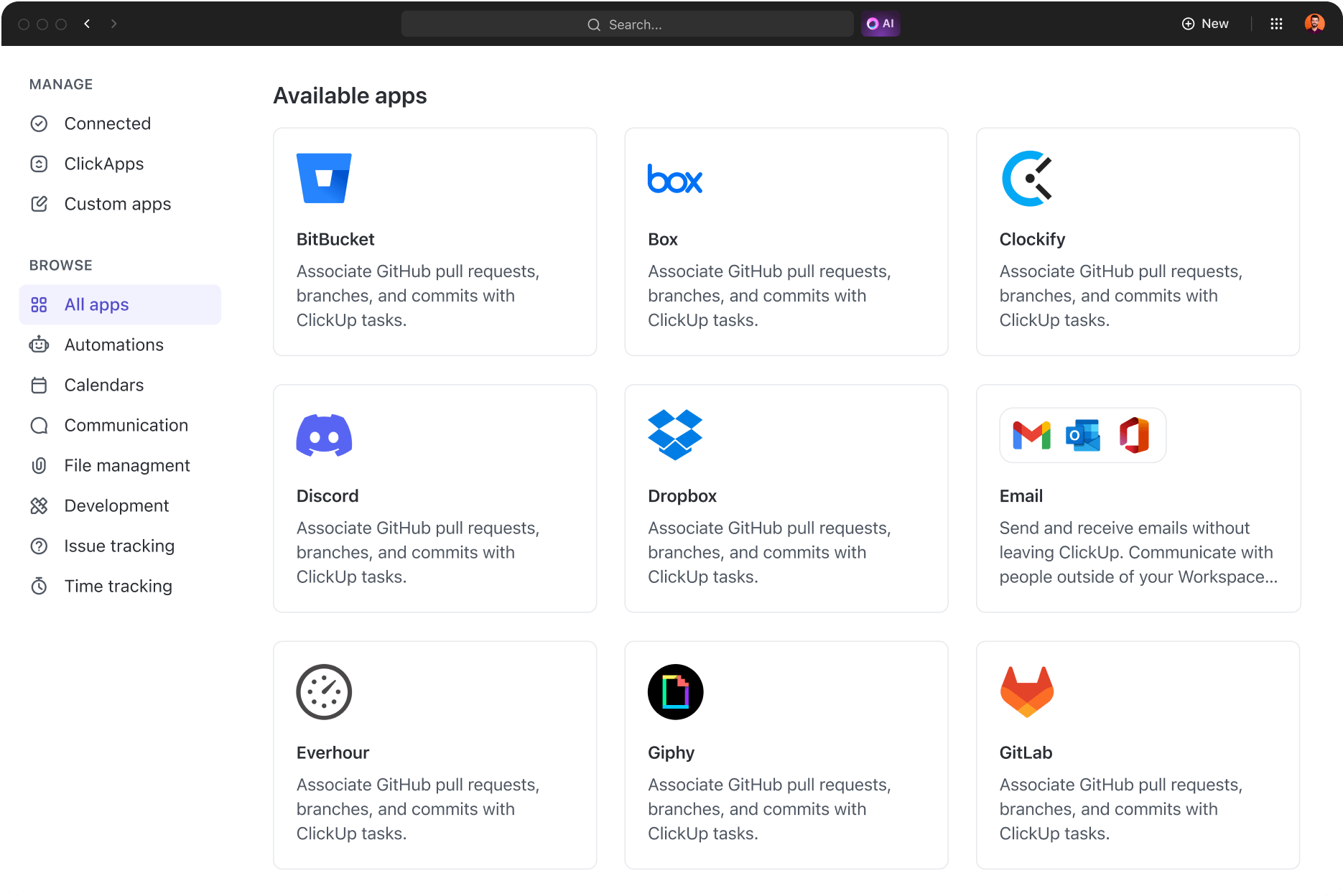
Here’s a step-by-step guide to integrating Discord with ClickUp.
1. Access the App Center
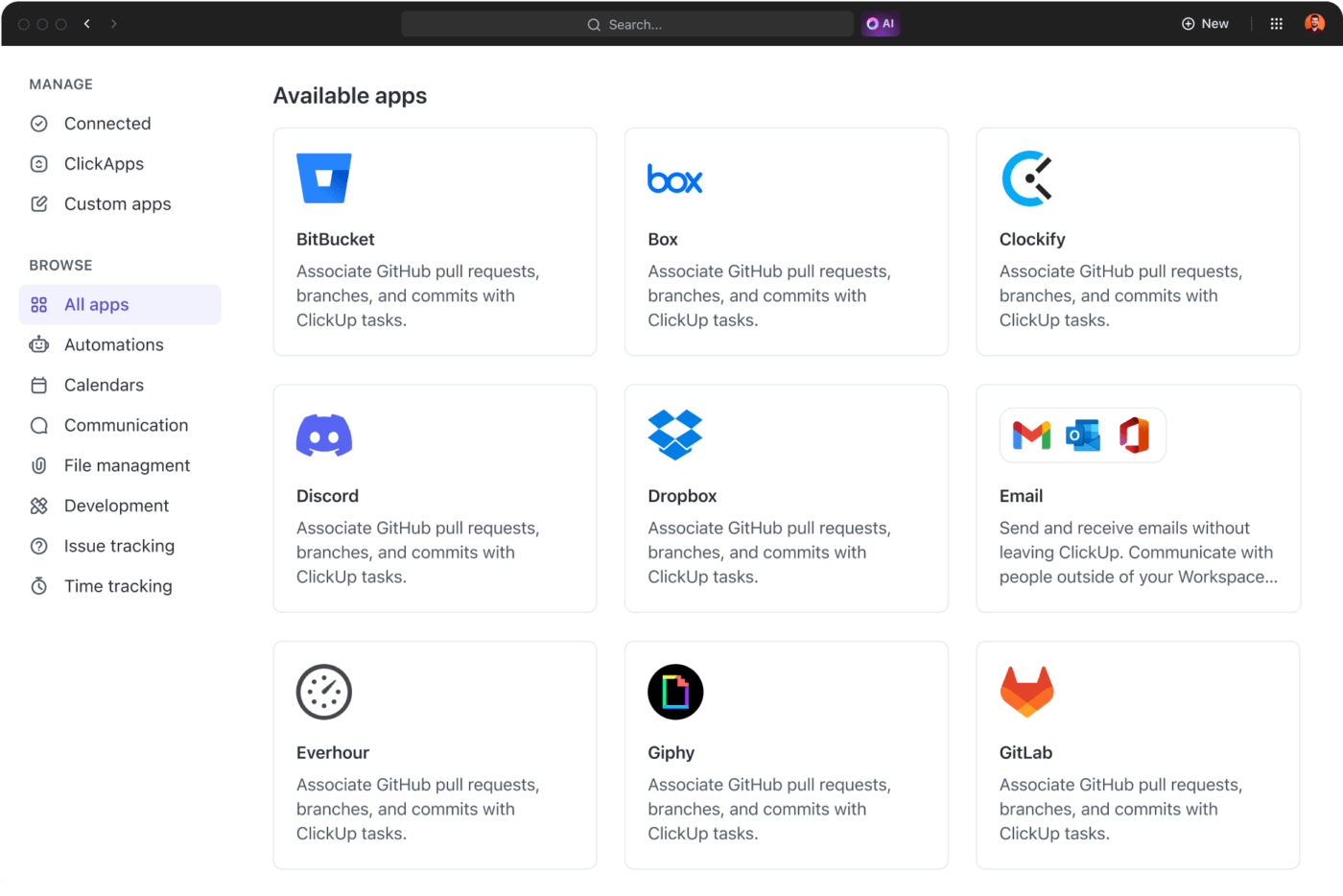
2. Select Discord
3. Manage integration:
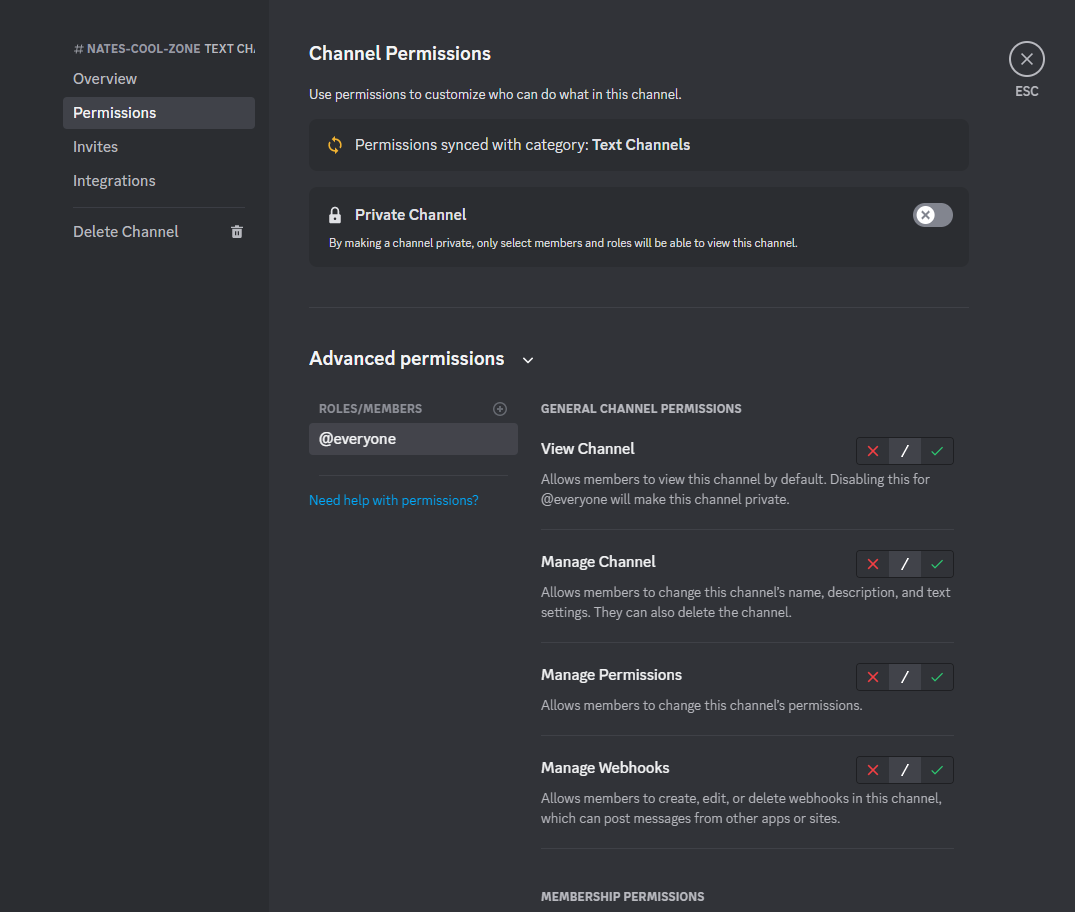
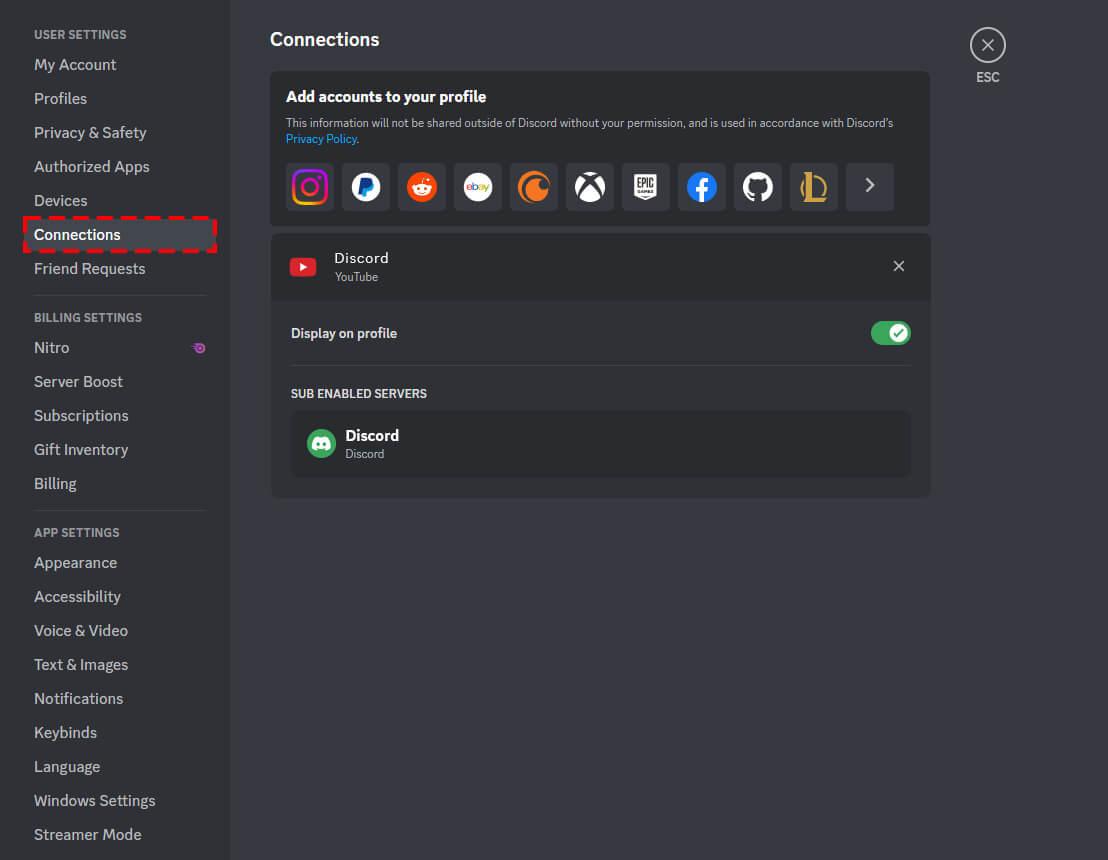
4. Authorize access
Once authorized, you can enable specific Discord notifications using ClickUp 2.0 or ClickUp 3.0
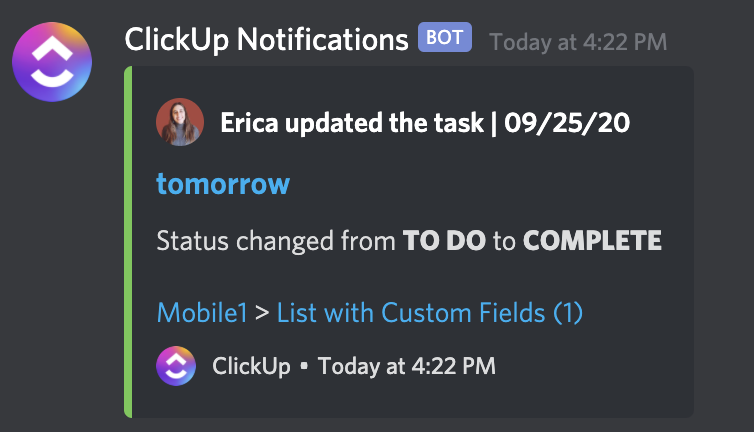
Access thousands of existing apps or utilize our toolkit to connect with apps not yet in our library without having to code.
Custom role icons are a fun way to personalize and categorize roles in your server. They can signify role hierarchies, reflect personal interests, or match your server’s theme for a more cohesive look.
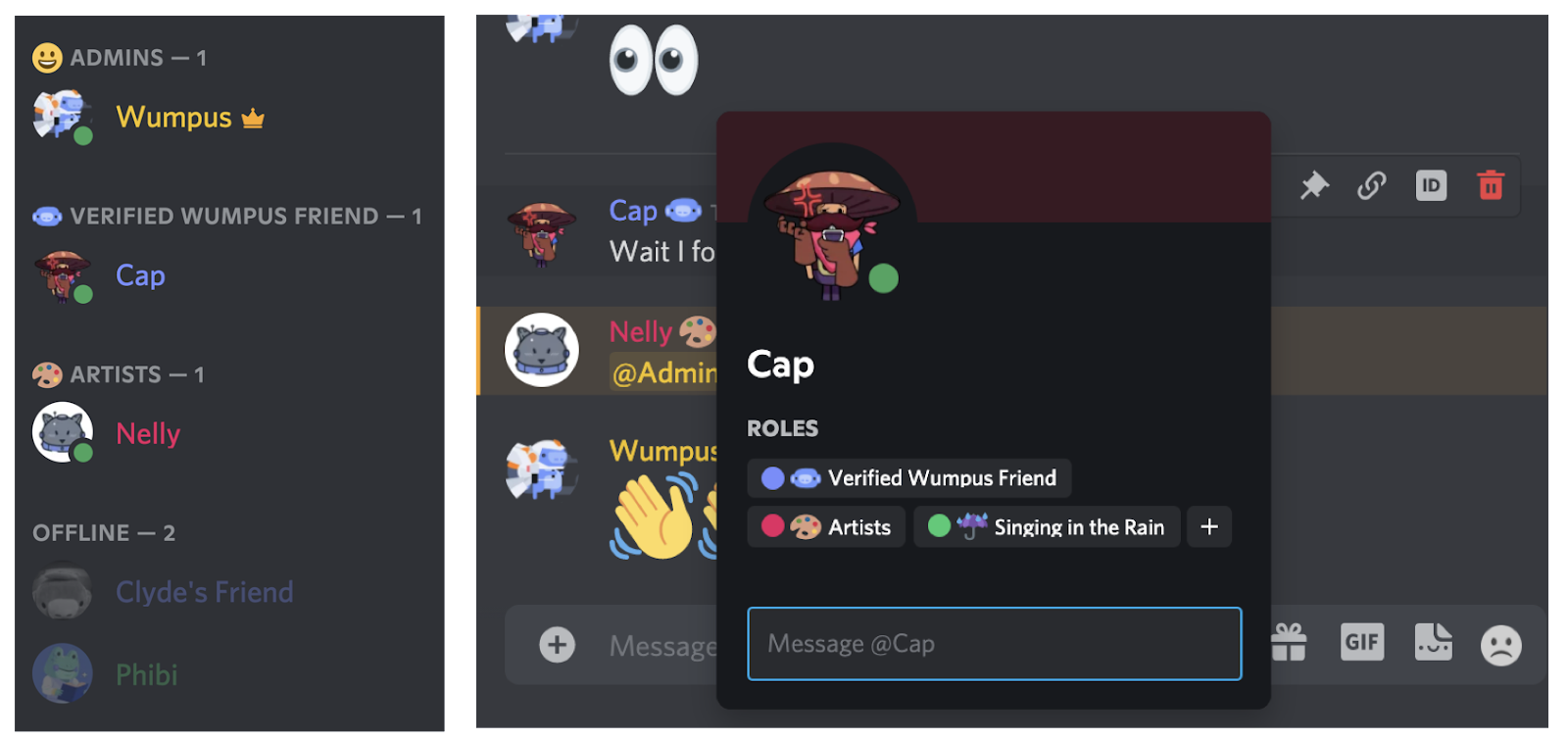
These role icons will appear in the members list alongside the role name and next to each user’s name in the chat. Additionally, within the server, you can view all the roles and associated icons in a user’s profile.
Interested in setting custom role icons?
First, ensure you have the ‘Manage Roles’ permission on your server. Only members with this permission can create, modify, or delete icons.
If you have the necessary permissions, follow these steps:
Open Server Settings > Roles
Remember that image requirements are 64×64 pixels, and the maximum size allowed is 256kb.
Discord bots are the best part of team communication apps. Marketers and business owners use them to automate different jobs on their servers.
Building a group on Discord gives you a unique chance to create a personalized and engaging community using your existing audience.
Effective Discord marketing uses high-quality bots to keep the group interested and entertained. Here are the ten most useful Discord bots:
VotaBot simplifies creating engaging polls on Discord. Type ‘!poll help’ to explore the available commands. The bot can only be used by admins or people with the ‘Poll Creator’ role. Check out ‘!poll’ examples for some samples.

Include the bot token with the prefix (!poll is the usual prefix), and add an invite link if you want to.
Increase engagement within communities by utilizing Discord’s polling feature.
Optimizing voice channels can significantly boost engagement on your Discord server. Here are some tips to make voice channels more effective for different purposes:
Select a reliable calendar bot like ‘CalendarBot’ or ‘ReminderBot,’ and seamlessly integrate it into your server.
Create a designated channel for event announcements and bot notifications, ensuring clear communication. Use the bot’s commands to create and manage events effortlessly, specifying crucial details like date, time, and RSVP instructions.
You can enable automated reminders to remind members about events, maintaining informative notifications without overwhelming the server. Additionally, you can manage event details efficiently by allowing organizers to edit, cancel, or reschedule events promptly.
Next, use workplace communication tools like posts with reactions, comments, and suggestions for future activities. Explore integrated features like syncing events with external calendars for added convenience.
Here’s a small list of steps to optimize Discord’s calendar integration for event organization.
Emojis and reactions can add a fun element to Discord conversations. Use emojis to match the message’s tone, keeping the conversation clear.
Like other Google chat alternatives, follow the Discord community’s rules regarding emoji usage, avoiding excessive use for a friendly chat environment. Include diverse emojis representing different feelings, cultures, and attitudes to support diversity and acceptance.
| Best Practices | Creative Engagement Ideas |
| Clarity and context | Reaction-based polls |
| Moderation | Interactive Emoji games (Identifying series of emojis) |
| Respect community norms | Emoji storytelling |
| Diversify your representations | Feedback via Emojis |
| Stay relevant | Ready to unlock content |
| Celebratory reactions | |
| Custom-made Emojis | |
| Emoji reactions for emotions |
Choose reactions relevant to the conversation and either support or add to what is being said.
Regarding moderation, community managers must keep things positive in the Discord group. Use monitoring bots like Dyno or MEE6 to manage users and automatically filter content.
Establish and regularly update clear guidelines and rules, specifying the expected behavior and content tone.
An essential part of keeping the atmosphere healthy is actively monitoring channels and responding quickly to reported material or conflicts.
Managing a group well involves using tools like moderation logs, conflict resolution skills, and feedback loops.
Providing moderators with training, resources, and a robust support system ensures they can handle different situations well, which helps the Discord community grow and feel welcoming.
Customizing notifications is like choosing the news you want to hear and when. Whether it’s updates on your phone or computer, you can tweak this as per your preferences.
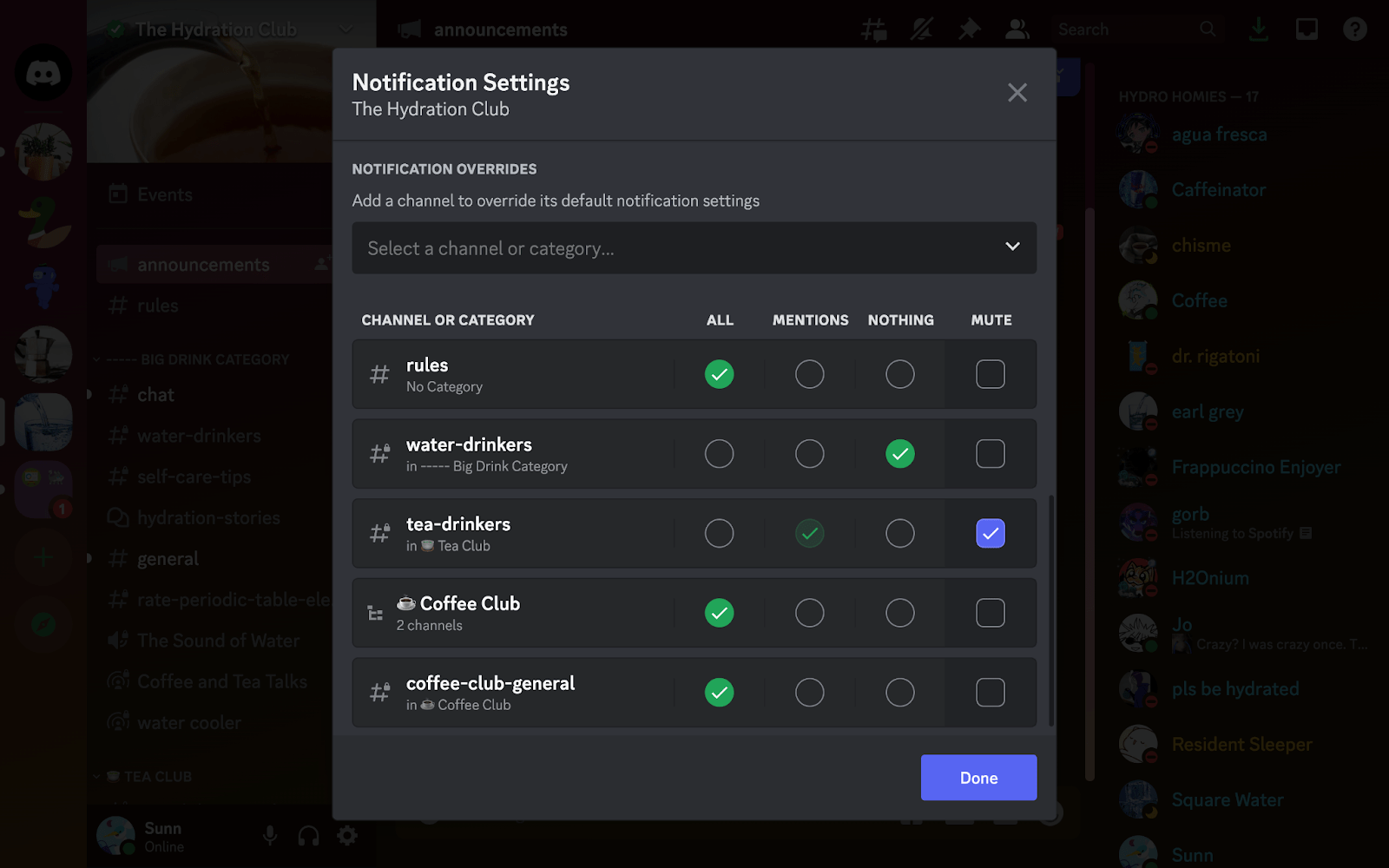
Plus, it’s a way to keep the Discord experience enjoyable and not too noisy. Customizing settings ensures everyone has a good time without feeling bombarded by too many alerts.
When you create custom commands on Discord, it helps automate repetitive tasks. With bots or specific features, these commands act as shortcuts, executing specific actions with a simple command.
| Commands | Functionality |
| !website | Instantly share your community’s website link |
| !rules | Provides a brief overview or a link to the server rules |
| !event | Sets up reminders for upcoming events, including date, time, and details |
| !role @user RoleName | Quickly assigns a specific role to a user upon command activation |
| !greet | Triggers a welcoming message for new members joining the server |
These commands will help you simplify repetitive tasks and create custom commands using bots and other features.
Discord’s analytics tools are a game-changer. They track metrics like the number of people on the server, message frequency, and the most active channels.
These tools help admins understand peak server activity, preferred topics or channels, and if the community is growing. They also reveal user retention and the impact of events and announcements.
By analyzing this information, admins can plan events, schedule quick meet-ups with online meeting tools, create enjoyable content, and adjust server settings based on popularity. Using these analytics enhances engagement for everyone within a server or channel.
Creating a secure environment within your Discord community is vital for the safety of all members. Remind members regularly to use strong, unique passwords (2FA) for their Discord accounts.
Here are a few additional tips to enhance security:
Regular security check-ins: Ask members to check their connected apps periodically and remove any they no longer use or trust to minimize vulnerabilities.
Link safely: Advise users to avoid clicking on suspicious or unfamiliar links within Discord messages to prevent phishing attempts or malware infections.
Beware of direct messages: Remind members to be cautious when engaging with unknown users via direct messages, especially if it involves sharing personal information or clicking on links
Adding multimedia to Discord enhances discussions. Use images or videos in relevant channels, such as gameplay snippets or teasers, to spark engaging conversations. Interactive events like creative contests encourage diverse content sharing and liven the community vibe.
Organizing your Discord server involves arranging channels for easy use. Start by grouping channels into gaming, hobbies, or announcements categories.
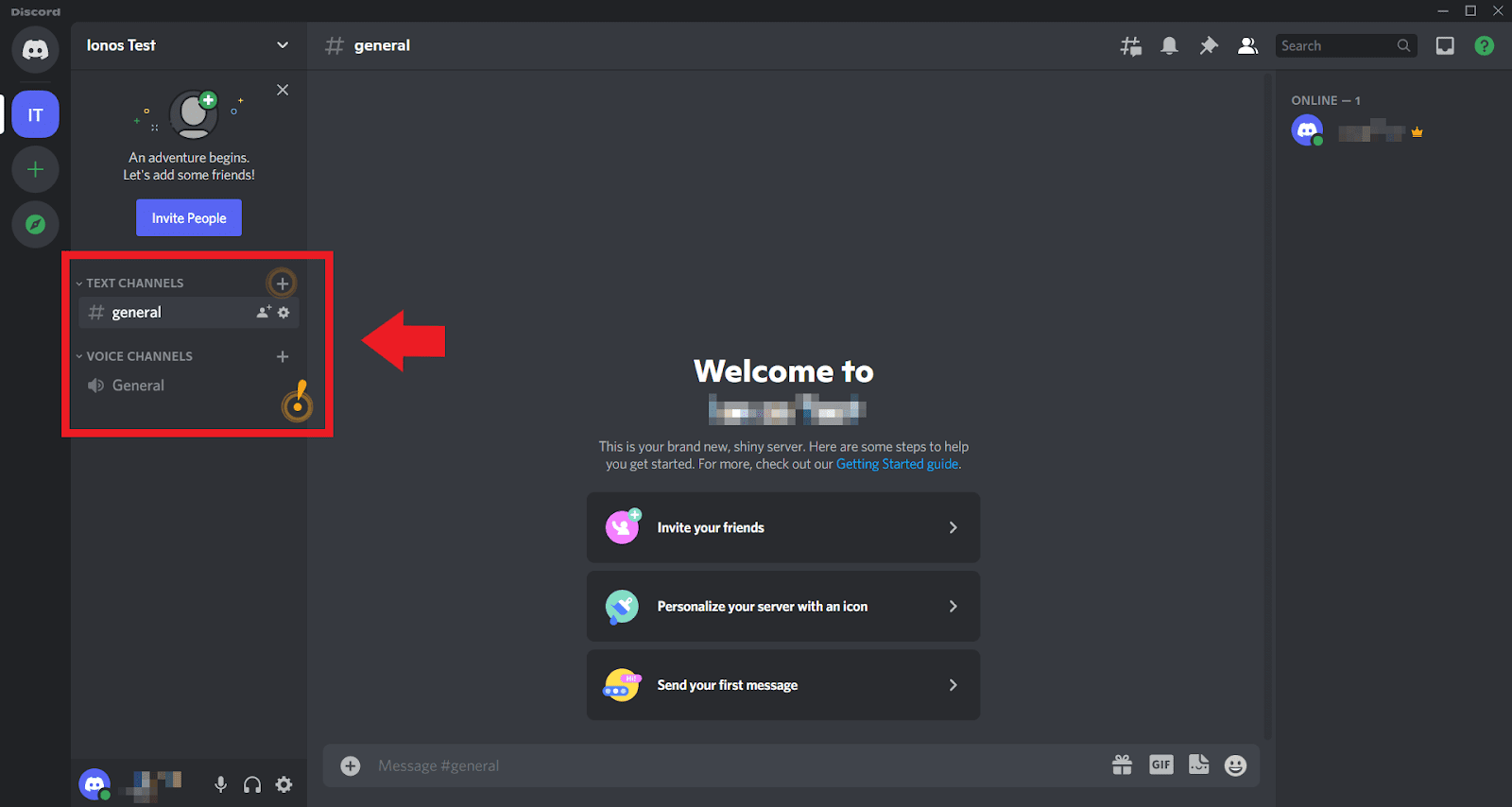
Then, name each channel according to its use with names like ‘General Chat’ or ‘Gaming Zone’ to help people know where to go.
Keep things consistent and tidy by regularly reviewing your channel setup. This way, everyone can easily find what they’re looking for, making chatting and sharing on your server simpler and more enjoyable.
Educators have explored various ways to integrate Discord into their classrooms. But before getting in, it’s critical to clarify your objectives, as the Discord server offers many uses.
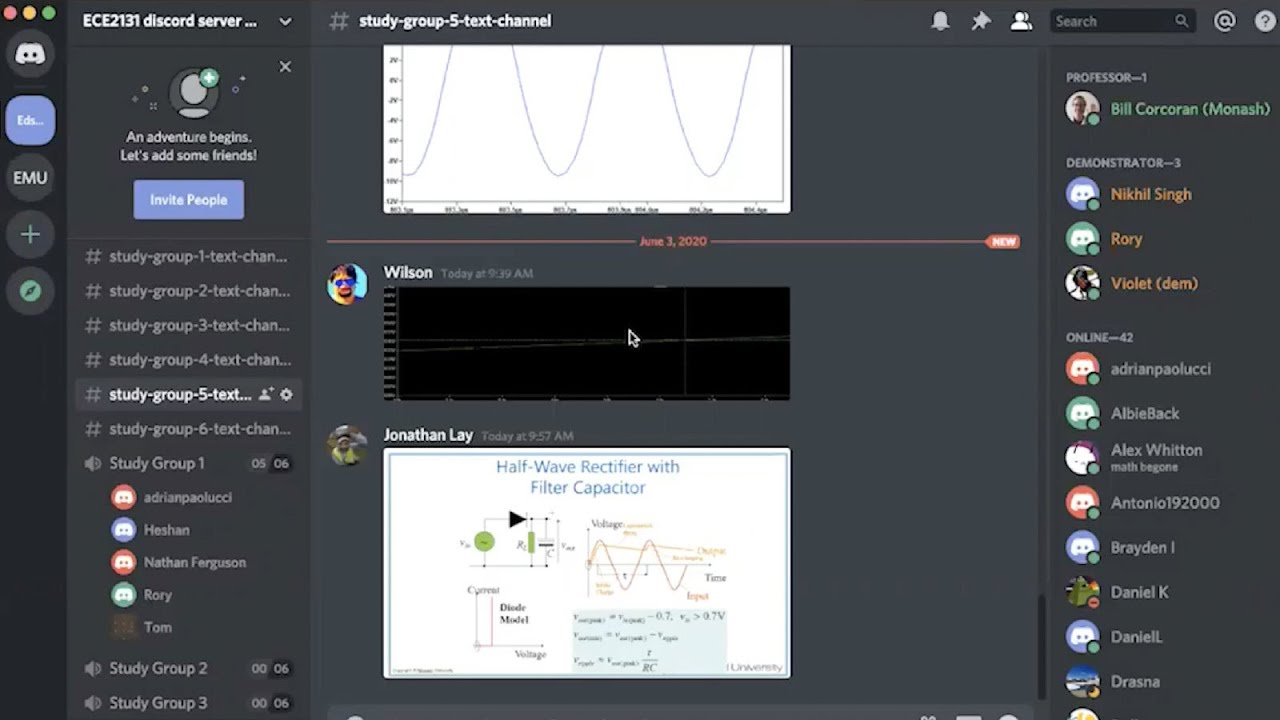
Whether you aim to facilitate class discussions, organize homework assistance, or provide online collaboration tools and features for student teams, Discord has everything you need.
Discord has grown into a dynamic platform offering team collaboration tools and has expanded beyond the gaming zone. This guide gives you advanced tips to boost engagement and results in any business.
There are many ways to work together on Discord, from using bots and combining tools like ClickUp to making the most of multimedia.
Why not start with the first one on the list? Get a free sign-up with Clickup and use Discord to the fullest.

© 2026 ClickUp

There’s an easier way. Try a free AI Agent in ClickUp that actually does the work for you—set up in minutes, save hours every week.