






Still downloading templates?
There’s an easier way. Try a free AI Agent in ClickUp that actually does the work for you—set up in minutes, save hours every week.
Sorry, there were no results found for “”
Sorry, there were no results found for “”
Sorry, there were no results found for “”
Crypto used to be a late-night curiosity. Now it’s a serious strategy.
Whether you’re in it for the tech or the returns, tracking your investments is key to making smarter decisions.
According to reports, 39% of US respondents say they buy and hold crypto to hedge against inflation, yet many still rely on a patchwork of exchange apps, open tabs, and half-filled spreadsheets.
A simple crypto watchlist template won’t predict the next bull run. But it will give you a clear, centralized view of your tickers, prices, entry points, and notes so your strategy stays organized, even when the markets aren’t.
In this article, we’ll share the best free crypto watchlist templates to help you monitor your portfolio with more structure and less guesswork.
Here’s a summary table for all the ClickUp and other crypto watchlist templates:
| Template Name | Download Template | Ideal for | Best Features | Visual Format |
| ClickUp Blockchain Ecosystem Template | Get free template | Research teams and protocol operators mapping chains and apps | Track development roadmaps with custom statuses across Board, List, and Gantt | ClickUp Board |
| ClickUp Portfolio Management Template | Get free template | Traders and PMs tracking multiple positions and projects | Centralize positions with owners and dashboards for allocation and exposure | ClickUp List |
| ClickUp Finance Management Template | Get free template | Active traders tracking budgets, fees, and PnL | Plan budgets per exchange and view clean P&L and cash snapshots | ClickUp List |
| ClickUp Investment Agreement Template | Get free template | Angels, funds, and operators managing SAFT, SAFE, or token warrants | Manage deal terms with KYC, funding, and signature tracking in one doc | ClickUp Doc |
| ClickUp Asset Tracking Template | Get free template | Individuals and teams recording wallets, keys, and access | Register wallets and licenses with owners, backups, and renewal reminders | ClickUp List |
| ClickUp List Template | Get free template | Traders and researchers turning a watchlist into tasks | Capture tickers with price, date, target, stop, and notes for quick action | ClickUp List |
| ClickUp Spreadsheet Template | Get free template | Analysts logging research, sources, and insights | Log thesis and sources in a table and link rows directly to tasks | ClickUp Table |
| ClickUp Kanban Template | Get free template | Visual thinkers tracking coins across statuses | Move coins across Watching, Bought, and Sold with clear card fields | ClickUp Board (Kanban) |
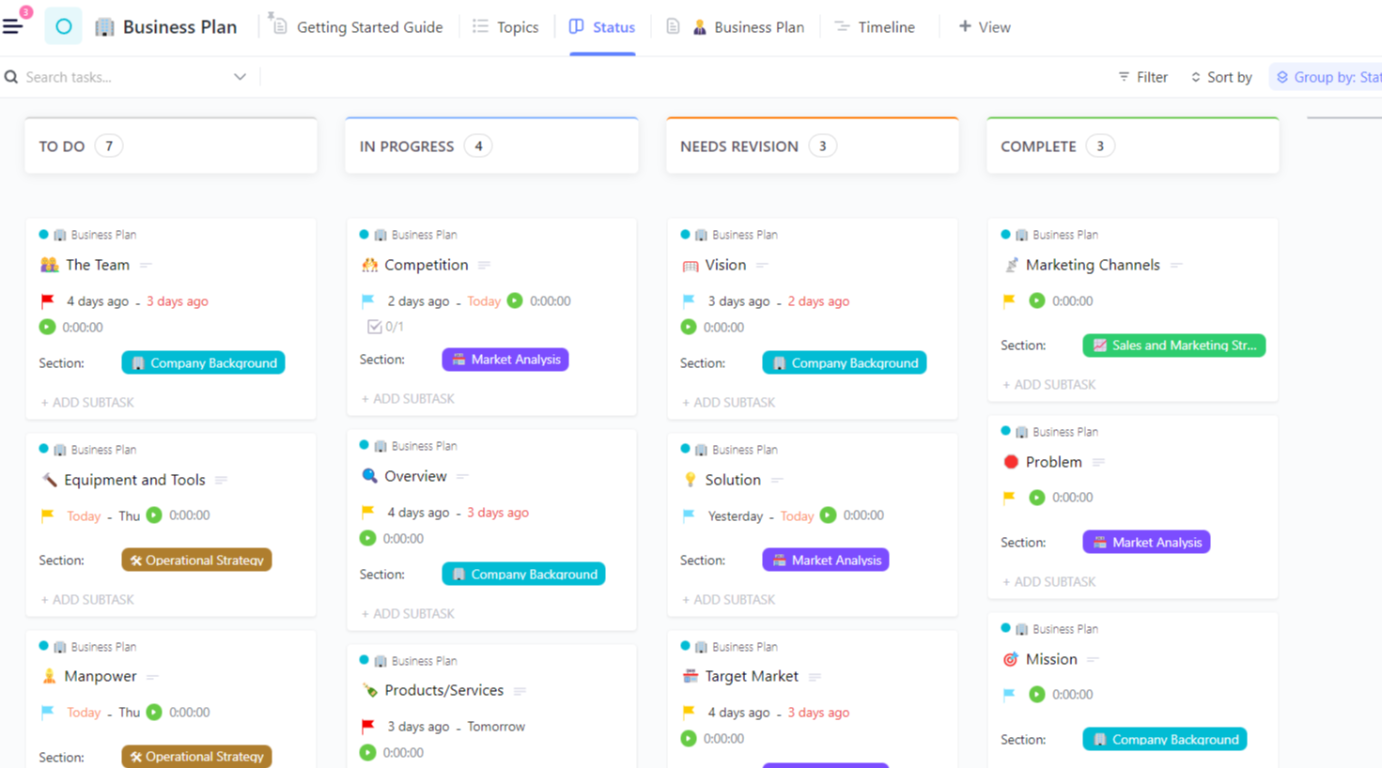
| ClickUp Investment Bankers Business Plan Template | Get free template | Investment teams aligning research, timelines, and decisions | Structure market, comps, and risks right beside tasks and timelines | ClickUp Doc |
| ClickUp Project Tracker Template | Get free template | Traders and ops leads schedule reviews and updates | Schedule recurring portfolio reviews and updates on Calendar and Gantt | ClickUp Gantt |
| ClickUp OKR Template | Get free template | Traders and teams setting measurable goals for discipline | Set quarterly objectives with measurable KRs linked to your sheet | ClickUp List |
| Google Sheets Crypto Portfolio Tracker by SpreadsheetPoint | Download this template | Anyone wanting a free, flexible sheet to track holdings | Pull prices with ImportHTML and compute holdings, value, and PnL | Google Sheets |
| Crypto Chart Template by Template.net | Download this template | Traders and writers turning sheet data into visuals | Turn sheet data into editable charts for price, market cap, and allocation | Template.net Chart Editor |
A crypto watchlist template is simply a structured tool for tracking coins you want to monitor before entering a trade. It centralizes prices, targets, and notes so decisions stay consistent.
Most crypto watchlist templates include structured fields such as:
You can log trades, group assets by sector or theme, and connect the watchlist to a simple portfolio sheet that shows allocation, unrealized P&L, and performance over time.
Whether you prefer a ClickUp List or a Google Sheets layout, the idea is the same: one watchlist you trust, instead of ten tabs you barely remember.
📖 Also read: How to Create a Portfolio Risk Management Strategy
A good crypto watchlist template keeps your data clear, current, and action-ready. You should be able to scan it in seconds and know which assets need attention today.
Look for templates that:
A strong crypto watchlist template also supports a repeatable process. You can reuse the same steps every week: add tickers, review levels, update status, and log outcomes. That is how you learn from past trades instead of repeating the same mistakes.
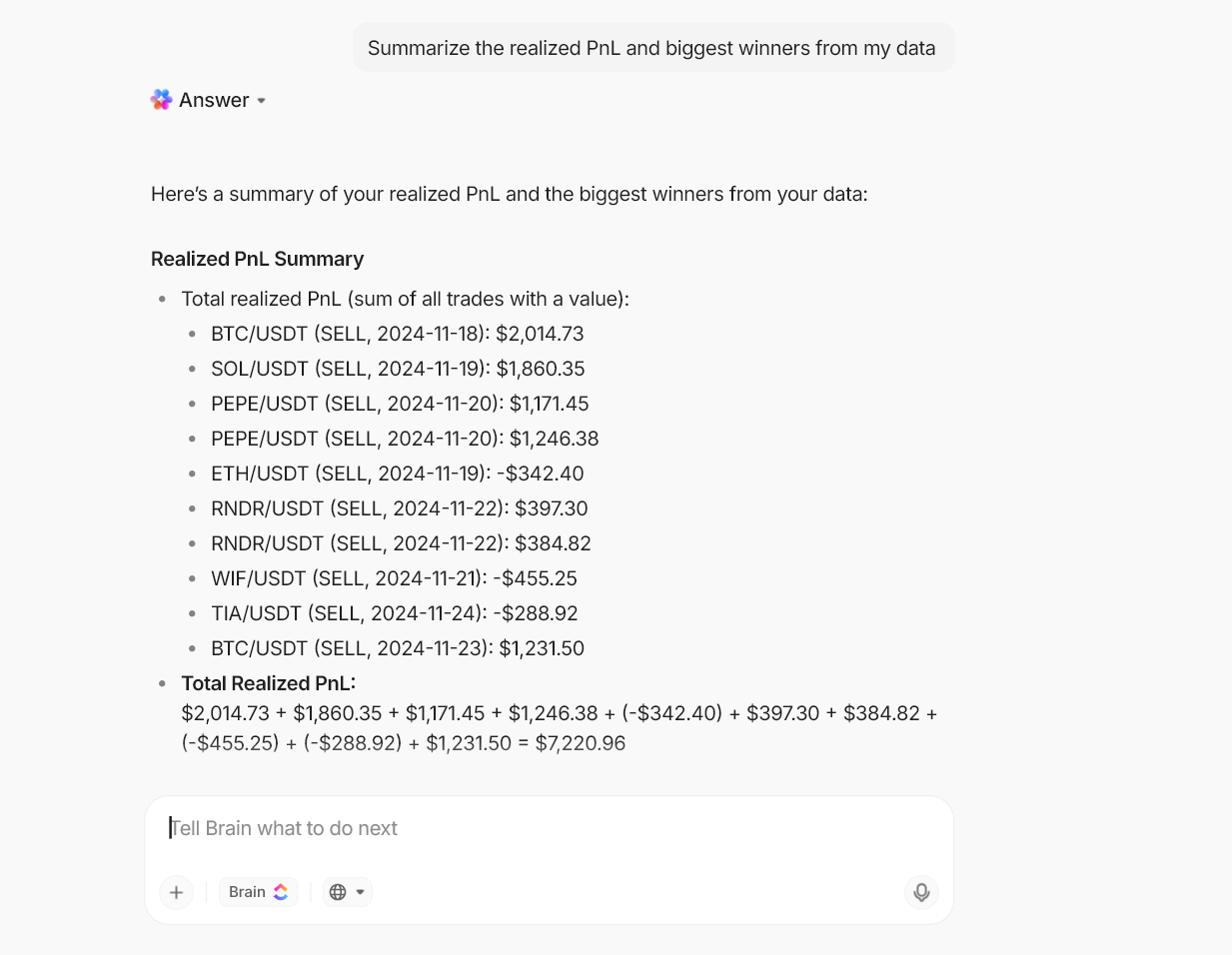
💡 Pro Tip: ClickUp Brain reads your Watchlist, Trades, and Portfolio views and turns scattered research into short summaries you can actually use.
Ask a plain question, and it pulls context from tasks, docs, and your linked sheet, then answers with the exact tickers, dates, and price levels you need. ClickUp Brain can also draft targets and stops from your notes and suggest missing fields so your template stays consistent over time.
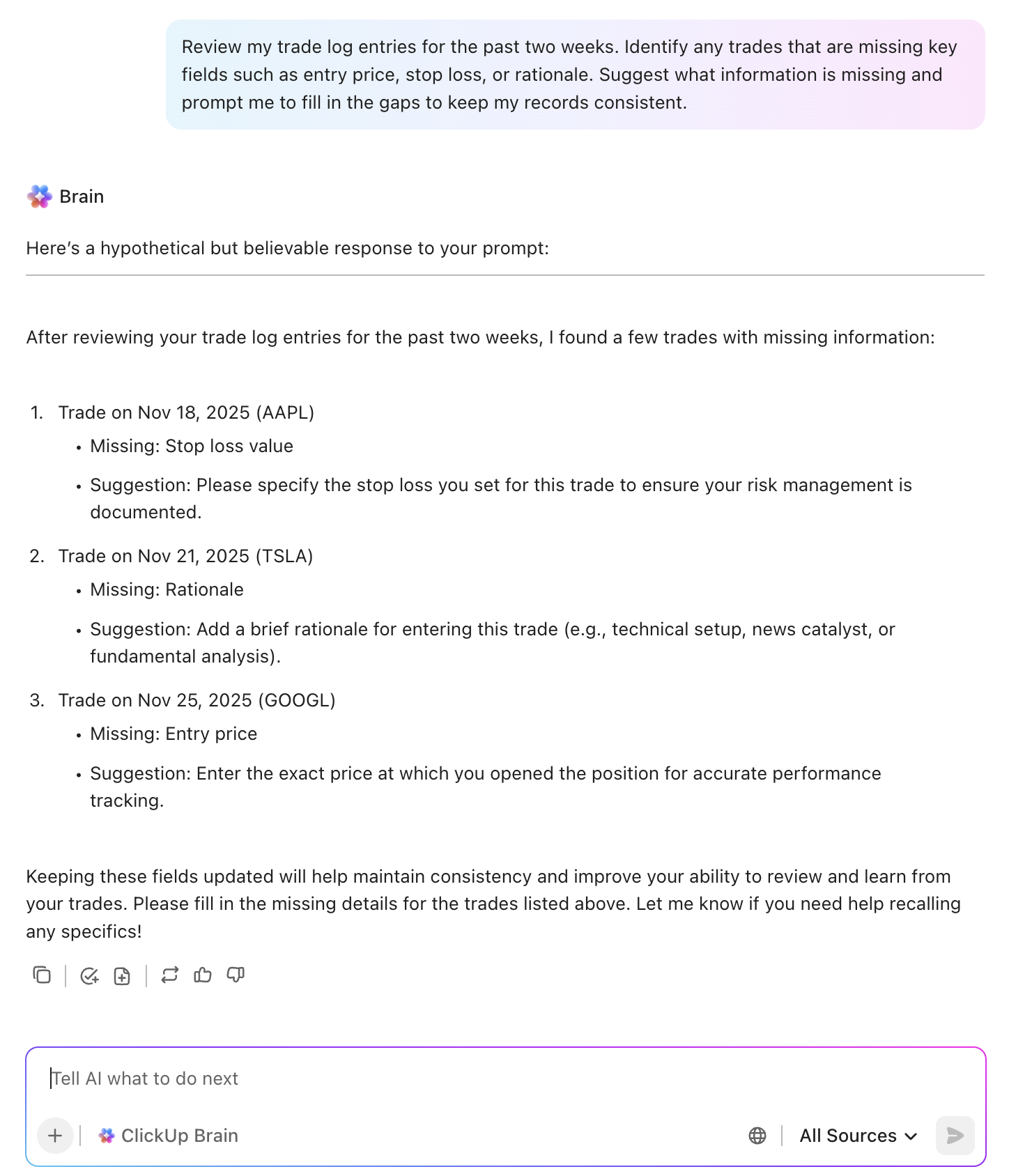
Tracking crypto price movements can become complicated quickly. One day you’re checking prices in an exchange app; the next day, you’re juggling watchlists across Sheets, screenshots in chat, and notes buried in Docs.
That pileup is work sprawl; when your information is scattered across different apps and documents.
ClickUp helps you pull that sprawl into one converged AI workspace. You can keep your crypto watchlist, portfolio data, research notes, and review tasks in the same workspace. Instead of bouncing between tools, you track assets, set reminders, and log trades where you already plan work.
These 13 free crypto watchlist templates give you options for how you think and work through lists, boards, sheets, and docs. Pick one that matches your style, then layer in ClickUp features to turn numbers into a process you can trust.
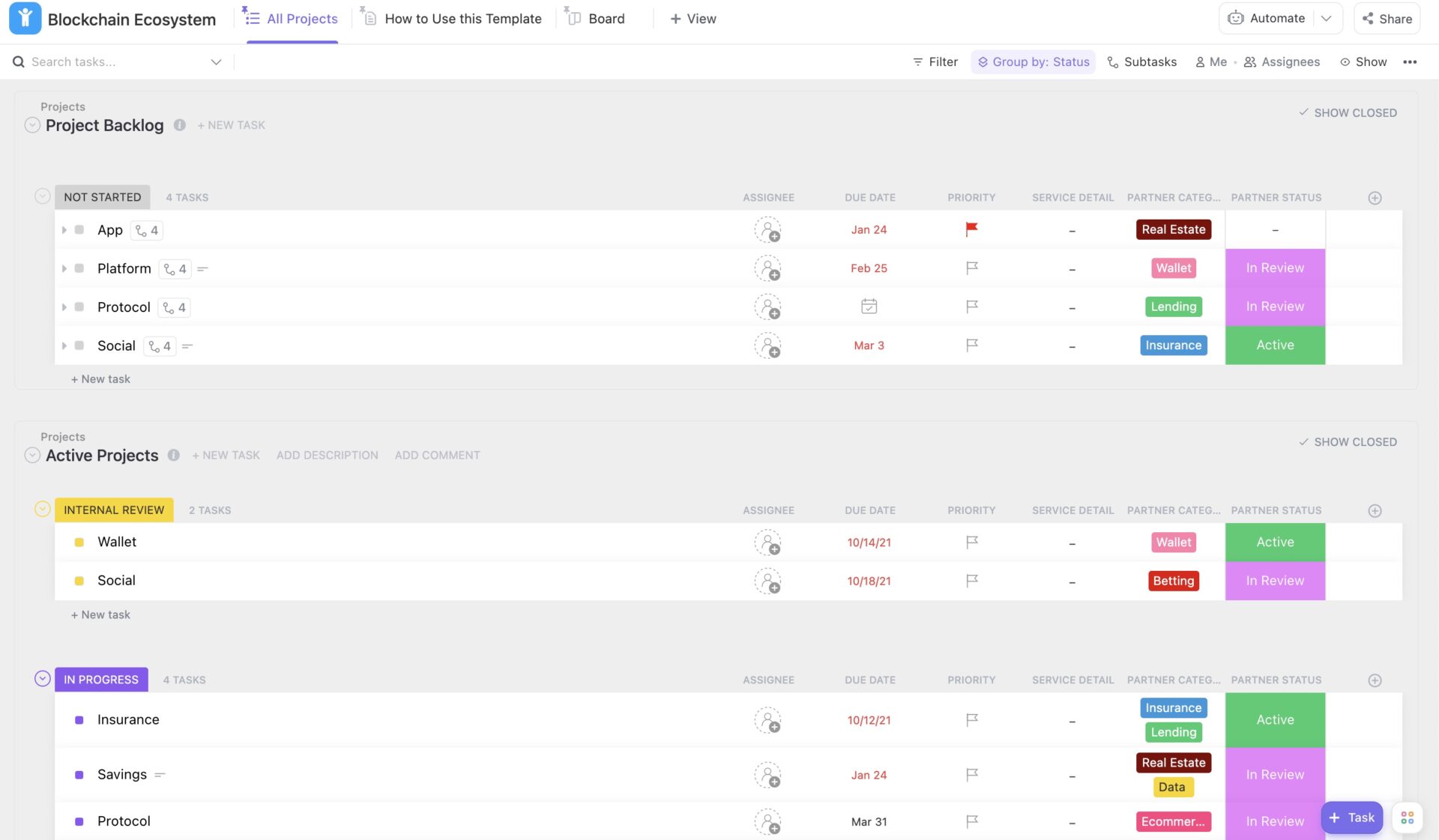
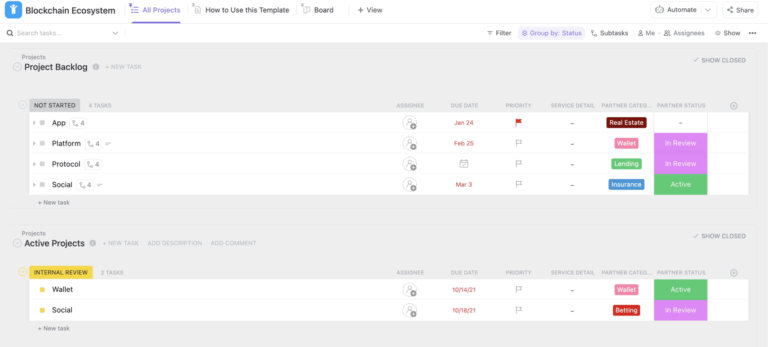
The ClickUp Blockchain Ecosystem Template gives you a single view of projects, people, and milestones around a chain or sector. Instead of scattered docs and ad hoc notes, you get Lists and Boards that show which protocols you follow, what they are building, and when key dates land.
You can add tasks for L1s, L2s, and major apps, then store links to whitepapers, audits, and your analysis. Views such as Board, List, and Gantt make it easier to see how development timelines align with your portfolio and watchlist.
✨ Ideal for: Research teams and protocol operators mapping chains and apps while tying each project back to a structured crypto watchlist.
📖 Also read: How to Organize Finances
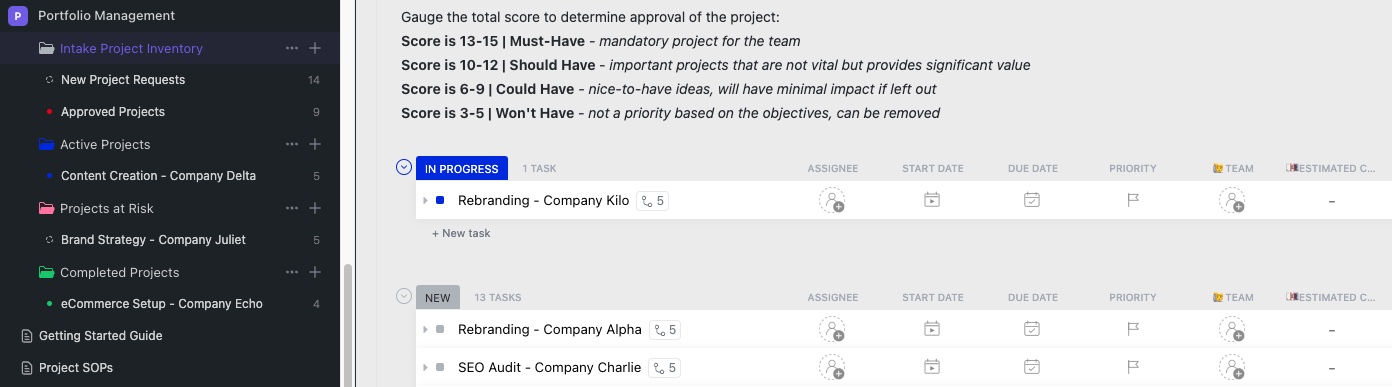
Crypto now sits alongside stocks and ETFs in many portfolios. The ClickUp Portfolio Management Template helps you treat your crypto watchlist like a real portfolio. Organize open positions, planned entries, and watch-only ideas in one List. Then you can use Custom Fields for ticker, asset type, entry price, size, and conviction.
Views for “Open Positions,” “Watchlist,” and “Closed Trades” allow you to see where your time and capital are being allocated. You can also log notes on why you entered, what you’re watching, and what would make you exit.
✨ Ideal for: Traders and PMs who want their crypto watchlist, active positions, and review cadence all in one portfolio view.
💡 Pro Tip: Turn portfolio reviews into a repeatable workflow with ClickUp Dashboards.
You can use ClickUp Dashboards to pull live data from your portfolio List, and allocate by asset, number of open trades, and tasks tagged as high risk. That way, your “portfolio review” is not another spreadsheet. Instead, it becomes a set of widgets that update automatically from the same data your team already maintains.
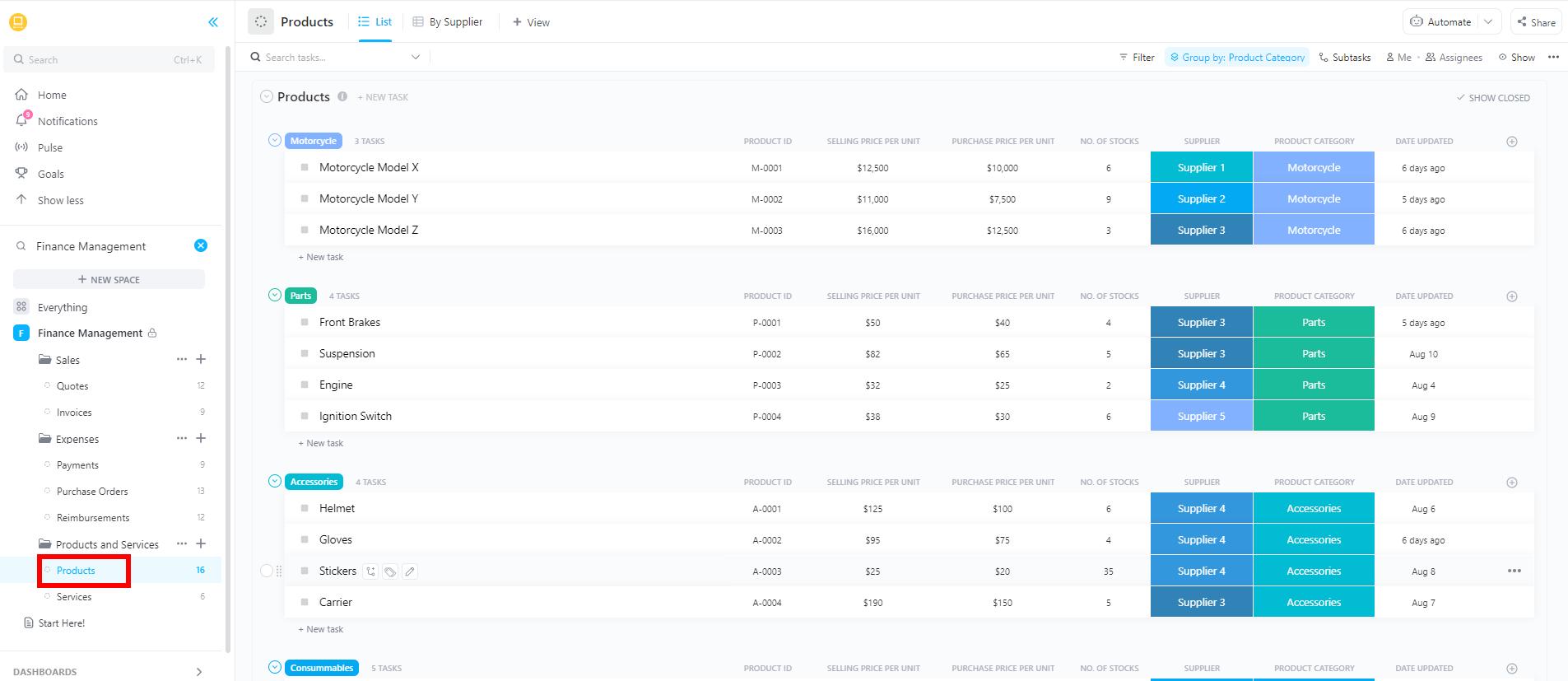
Trading without a budget can often be challenging for traders. You might get somewhere, but you won’t know how or at what cost. The ClickUp Finance Management Template provides a control panel for managing finances, covering key metrics such as exchanges, fees, cash buffers, and realized P&L.
You can set monthly trading budgets per exchange or strategy, log deposits and withdrawals, and tag each entry with a ticker or category. Because this lives in ClickUp, you can attach CSVs from exchanges, upload receipts, and store tax notes next to each record. That makes year-end reviews and reporting less painful.
✨ Ideal for: Active traders tracking budgets, fees, and PnL across exchanges, and tying that back to the assets on their watchlist.
📮 ClickUp Insight: Nearly 4 in 10 people say financial instability is their biggest worry when considering a portfolio career, and uncertainty sits at the top of the list.
Instead of guessing where your time and money go, track every hour inside ClickUp with built-in time tracking. Tag work by client or income stream, log billable hours, and use Custom Fields to store rates and payments.
With ClickUp Dashboards, you can see how much time you invest, what it’s worth, and which projects are most profitable in real time.
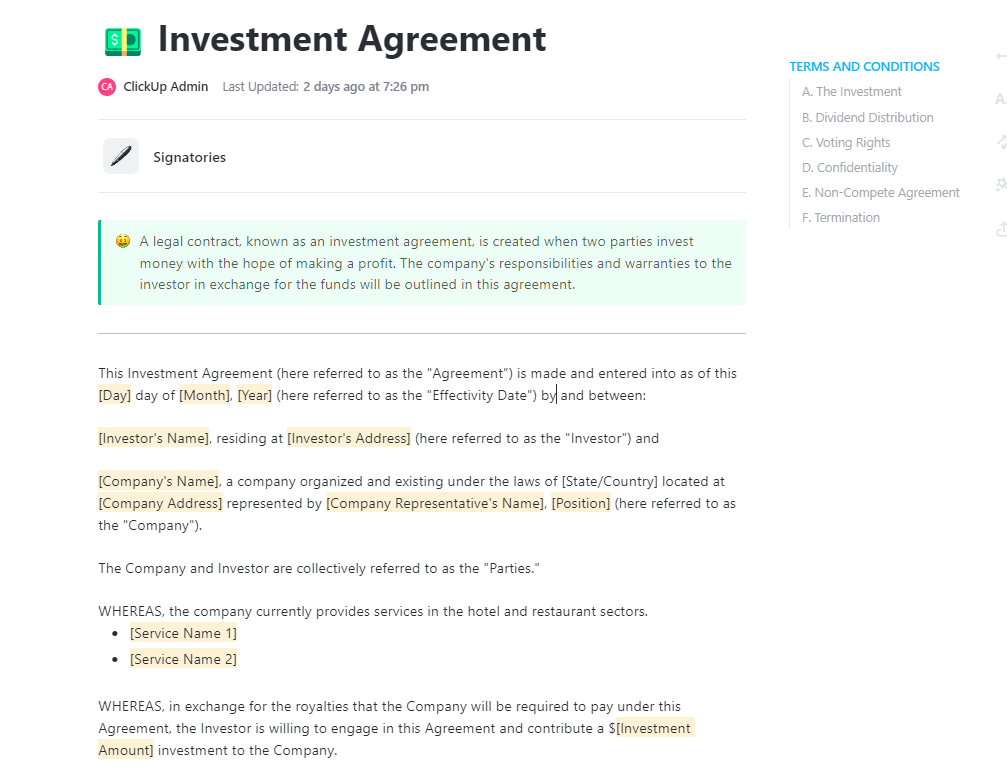
The ClickUp Investment Agreement Template helps you organize SAFTs, SAFEs, token warrants, and other deal docs in one structured ClickUp Doc. Sections for terms, vesting, rights, and wire details sit next to comments and tasks for due diligence and signatures.
You can track the status from “Draft” to “Signed” and set reminders for milestones, such as the first vesting date or lockup expiry. Then, link each agreement to the related ticker or project in your Blockchain Ecosystem or Portfolio Management views. That way, when a token unlock hits your sheet, you also see the legal context and original thesis behind the allocation.
✨ Ideal for: Angels, funds, and operators who want deal docs, legal terms, and watchlist data to live in the same workspace.
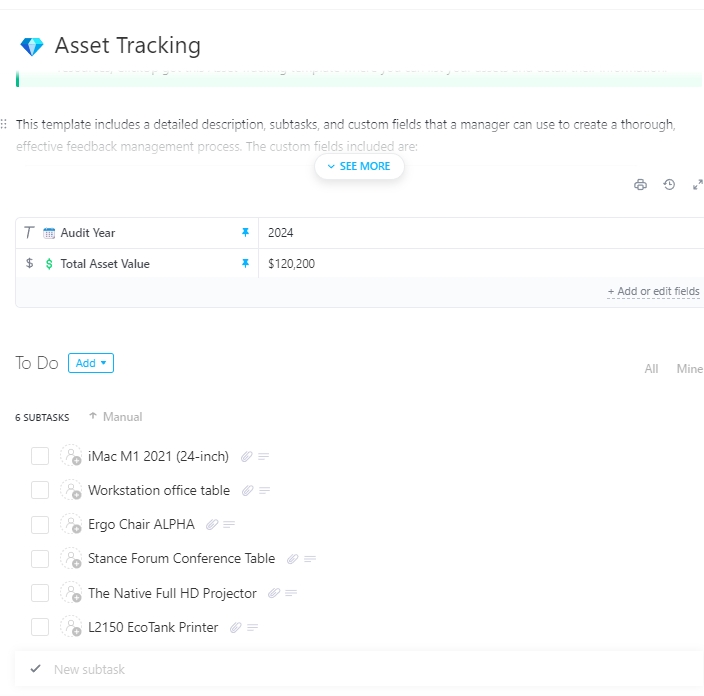
Losing a wallet key or forgetting which device holds a seed phrase is a risk no spreadsheet alone can fix. The ClickUp Asset Tracking Template gives you a centralized registry for everything that underpins your crypto portfolio.
You can record wallets, hardware devices, exchange accounts, NFTs, and licenses with fields for owner, access method, backup location, and last verification date. You can also add tags for “High Value,” “Custodial,” or “Cold Storage” so you can sort quickly.
✨ Ideal for: Individuals and teams balancing convenience and security while keeping asset records close to their crypto watchlist and portfolio data.
🤯 Fun fact: Analysts estimate that a meaningful share of all Bitcoin ever mined is inaccessible due to lost keys or forgotten wallets. This figure is often cited as around 20% of the total Bitcoin supply.
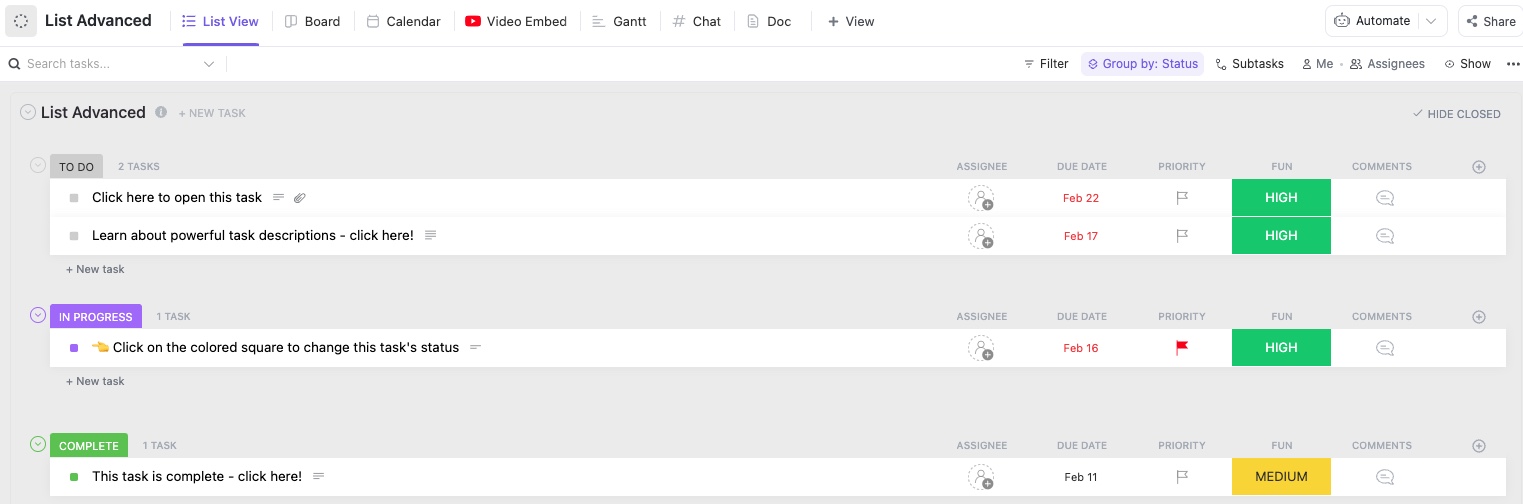
The ClickUp List Template is the simplest way to turn a crypto watchlist into a working to-do system. Each row becomes a coin, and each coin carries everything you need to act: ticker, current price, date added, thesis, target, and stop.
You can use one List as your master watchlist and slice it by view: “High Conviction,” “Short Term,” “Long Term,” or “Needs Research.” Comments store questions and follow-ups, while attachments hold screenshots or PDFs you’ll want later.
✨ Ideal for: Traders and researchers who want a straightforward crypto watchlist, a List they can update in minutes and act on without switching tools.
📖 Also read: The Psychology of Money Summary
Bitcoin surged to record highs on October 6, 2025, only to retreat soon after as shifting economic headlines triggered a broader risk-off mood. News, threads, and charts always come this quickly in crypto. The ClickUp Spreadsheet Template helps you log what you saw, when you saw it, and why it mattered, so your future self can understand past decisions.
Each row can hold a ticker, asset name, price at the time of note, date, thesis summary, source link, and a simple status like “Watching,” “Entered,” or “Passed.” You can add fields for catalyst window, risk tag, and conviction score.
✨ Ideal for: Analysts and traders who want a structured research sheet that connects cleanly to their crypto watchlist and portfolio workflows.
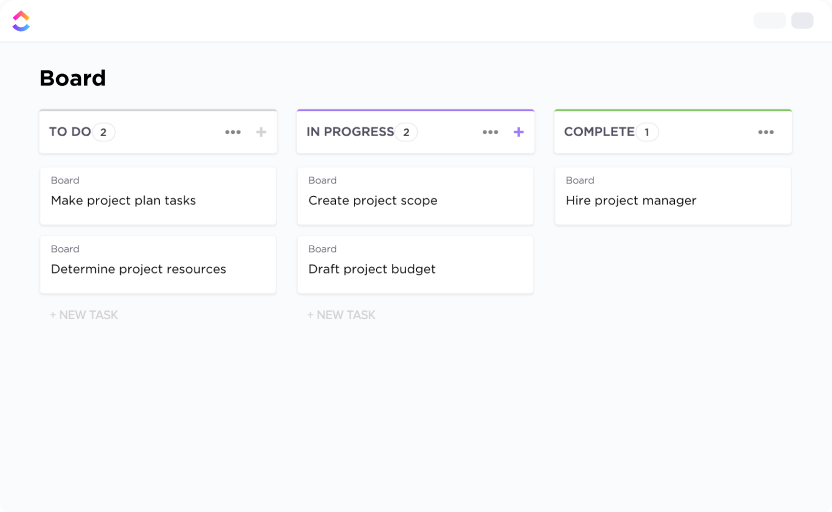
If you think in columns rather than rows, the ClickUp Kanban Template turns your crypto watchlist into a clean board. Set columns like “Watching,” “Entry Planned,” “Bought,” “Trimmed,” and “Sold,” then drag cards as trades evolve.
Each card can show the ticker, current price, entry date, target, stop, and a brief thesis. You can then group swimlanes by sector, conviction, or account so you see patterns at a glance. This board becomes a quick daily scan: check what’s in “Entry Planned,” confirm price levels, and either move to “Bought” or back to “Watching.”
✨ Ideal for: Visual thinkers who want a crypto watchlist they can read in a few seconds instead of scrolling a long sheet.
💡 Pro Tip: Turn your crypto notes into a voice-first workflow with ClickUp Brain MAX
When markets move fast, the bottleneck is usually your typing speed, not your thinking. ClickUp Brain MAX’s Talk to Text lets you speak watchlist updates, trade ideas, and journal entries while you keep your eyes on the chart.
It helps turn your speech into clean, structured text up to 4x faster than typing. But that’s not all. Because it’s wired into your ClickUp Workspace, those notes can instantly become tasks, comments, or updates on your crypto watchlist templates.
ClickUp Brain MAX also sits on top of multiple premium AI models like GPT-4.1, Claude Sonnet 4, and Gemini 2.5 Pro, and automatically picks the best one for what you’re doing.
For crypto specifically, you can:
By August 2025, worldwide M&A hit about $2.6 trillion year-to-date, with many teams now evaluating tokens alongside equities, revenue forecasts, and sector trends. The ClickUp Investment Bankers Business Plan Template gives you a doc-first layout where you can blend on-chain metrics with classic market analysis.
You can structure sections for market landscape, competitive set, revenue drivers, token economics, and key risks. Tickers and prices from your crypto watchlist can be referenced directly in these sections, so your plan stays tied to live data.
✨ Ideal for: Investment teams balancing token and equity exposure who need a structured plan connected to their ongoing watchlist and research.
📖 Also read: A Complete Guide to the BCG Growth Share Matrix
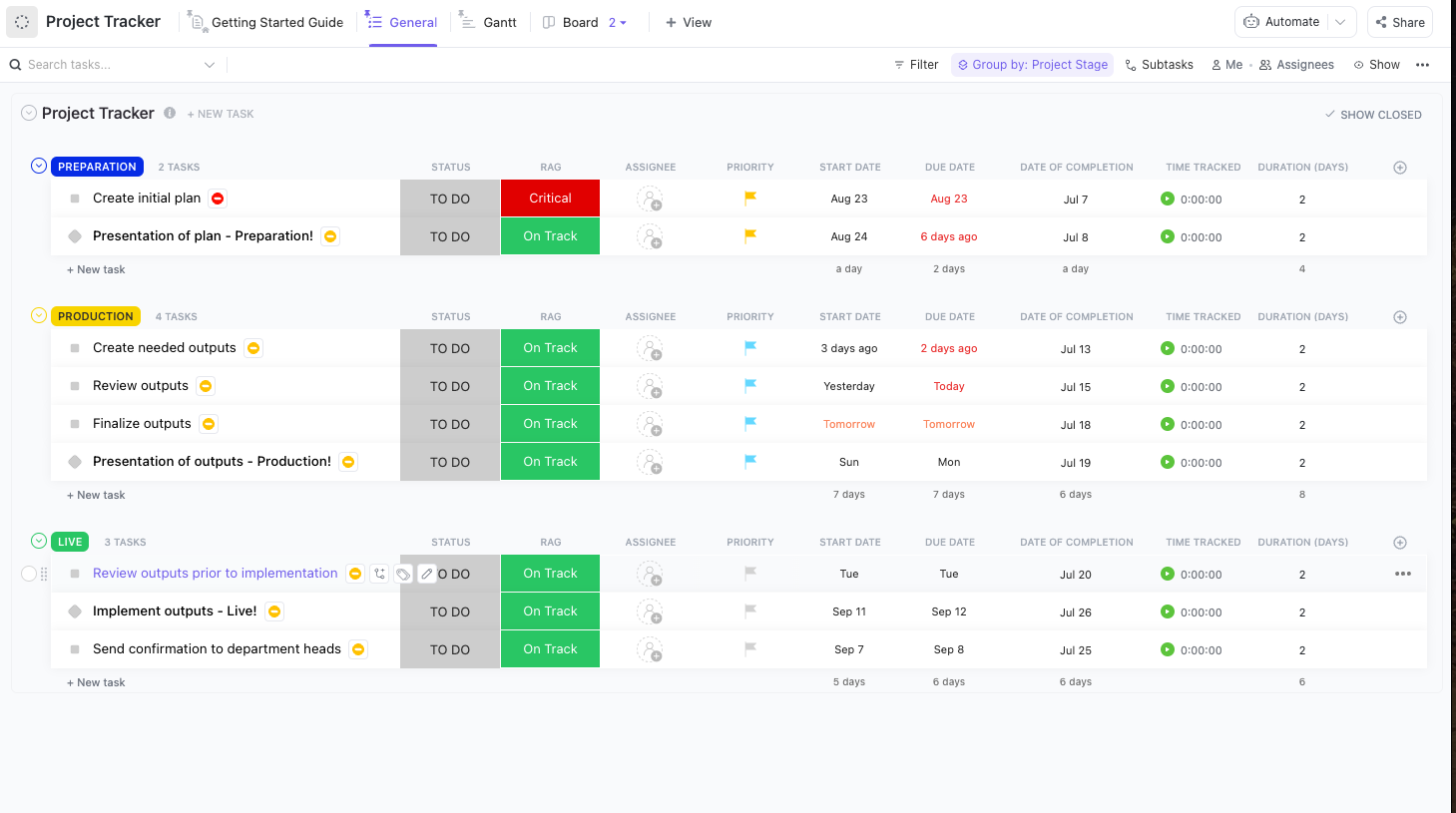
Markets move on their own schedule. Index rebalances, policy meetings, and exchange changes can all affect your portfolio. The ClickUp Project Tracker Template helps you schedule and track the recurring work around your crypto watchlist.
Set up tasks for weekly watchlist reviews, monthly rebalances, and quarterly strategy sessions. Use Calendar, Gantt, and Timeline views to see when key events cluster, then assign owners so someone is always responsible for checking risk and exposure. You can also attach screenshots or exchange notes from each review for further documentation.
✨ Ideal for: Traders and ops leads who want portfolio reviews to run on a schedule instead of only after big price moves.
💡 Pro Tip: ClickUp AI Notetaker can join your Zoom or other supported calls, record audio, generate a transcript, and highlight action items and decisions from the meeting.
Invite the AI notetaker to your monthly portfolio review, then link the summary directly to Tasks so follow-ups land in your workflow immediately.
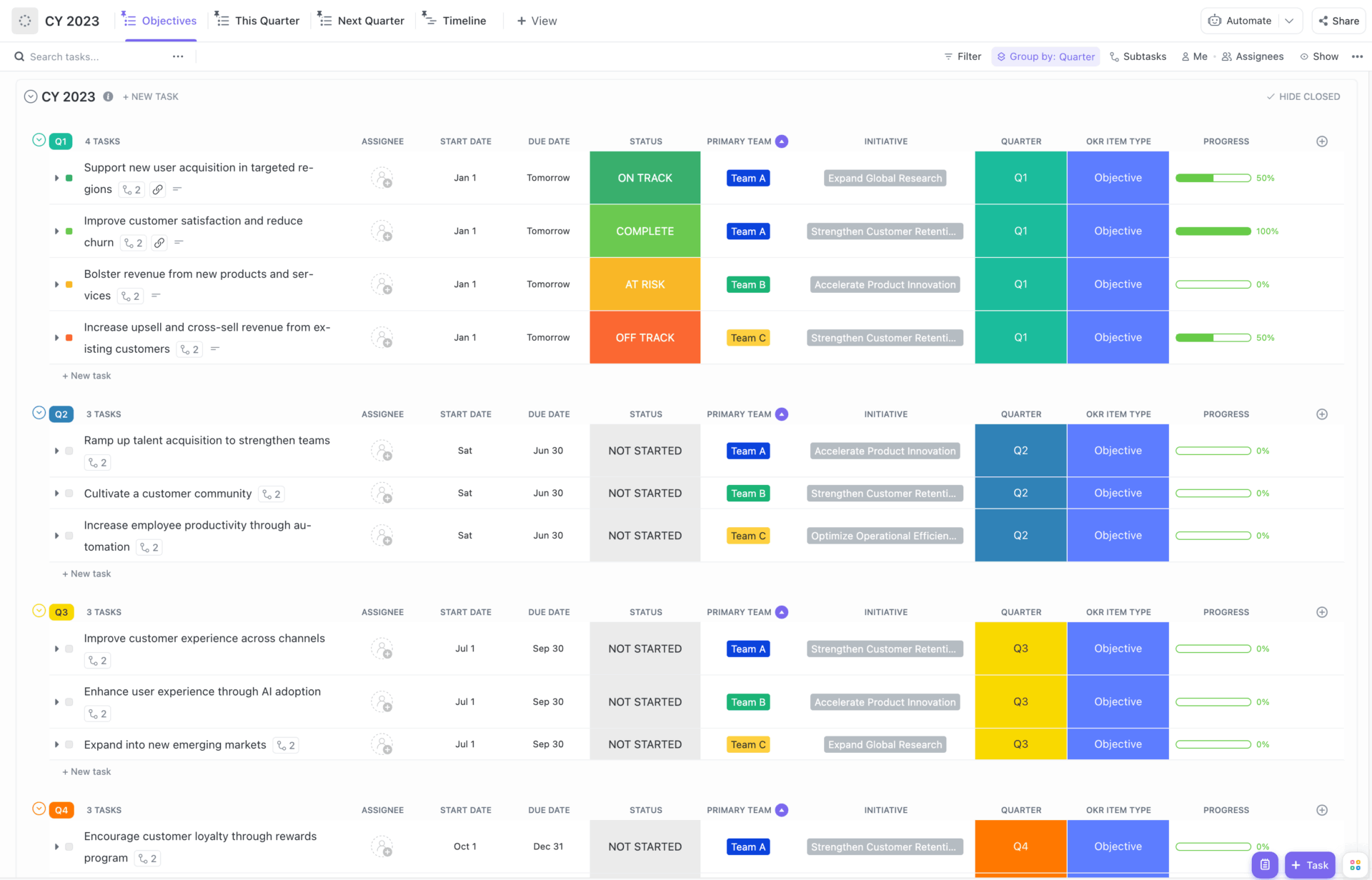
Good results come with good habits. The ClickUp OKR Template lets you set quarterly objectives for your crypto process and link them directly to your watchlist and trading data.
You might set an Objective like “Improve risk discipline” with Key Results such as “Log 100% of entries with price, date, and thesis” or “Keep maximum drawdown under a set percentage.” Each KR can link to a specific sheet tab, List, or dashboard. At each review, you can update progress, adjust targets, and note what worked or didn’t.
✨ Ideal for: Traders and small teams who want crypto watchlists and trading habits tied to clear, trackable goals.
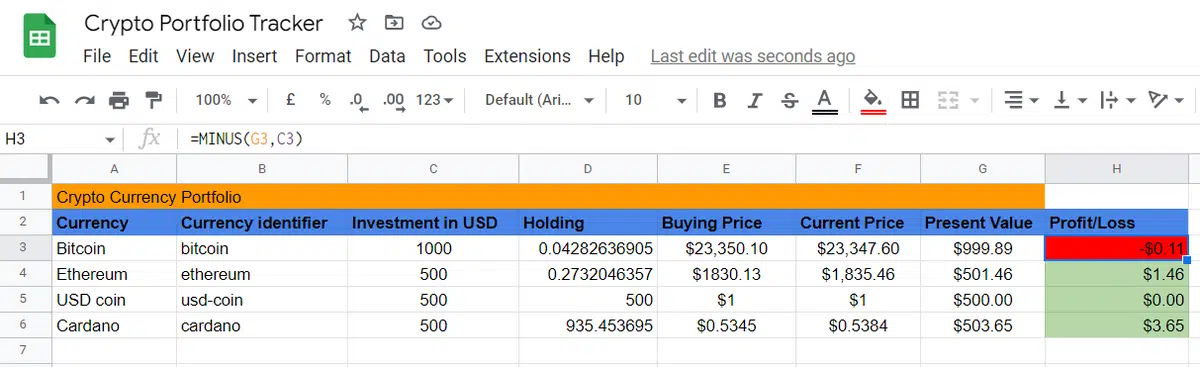
Some traders prefer staying in Sheets, especially when they want complete control over formulas. The Google Sheets Crypto Portfolio Tracker Template by SpreadsheetPoint gives you a ready-made crypto watchlist and portfolio in one sheet.
You can log the ticker, quantity, buy price, and buy date, then use formulas to calculate current value and P&L. Filters and simple charts make it easy to see which assets dominate your portfolio and which ones barely move the needle.
✨ Ideal for: Anyone who wants a free Google Sheets crypto watchlist and portfolio tracker they can customize as their strategy matures.
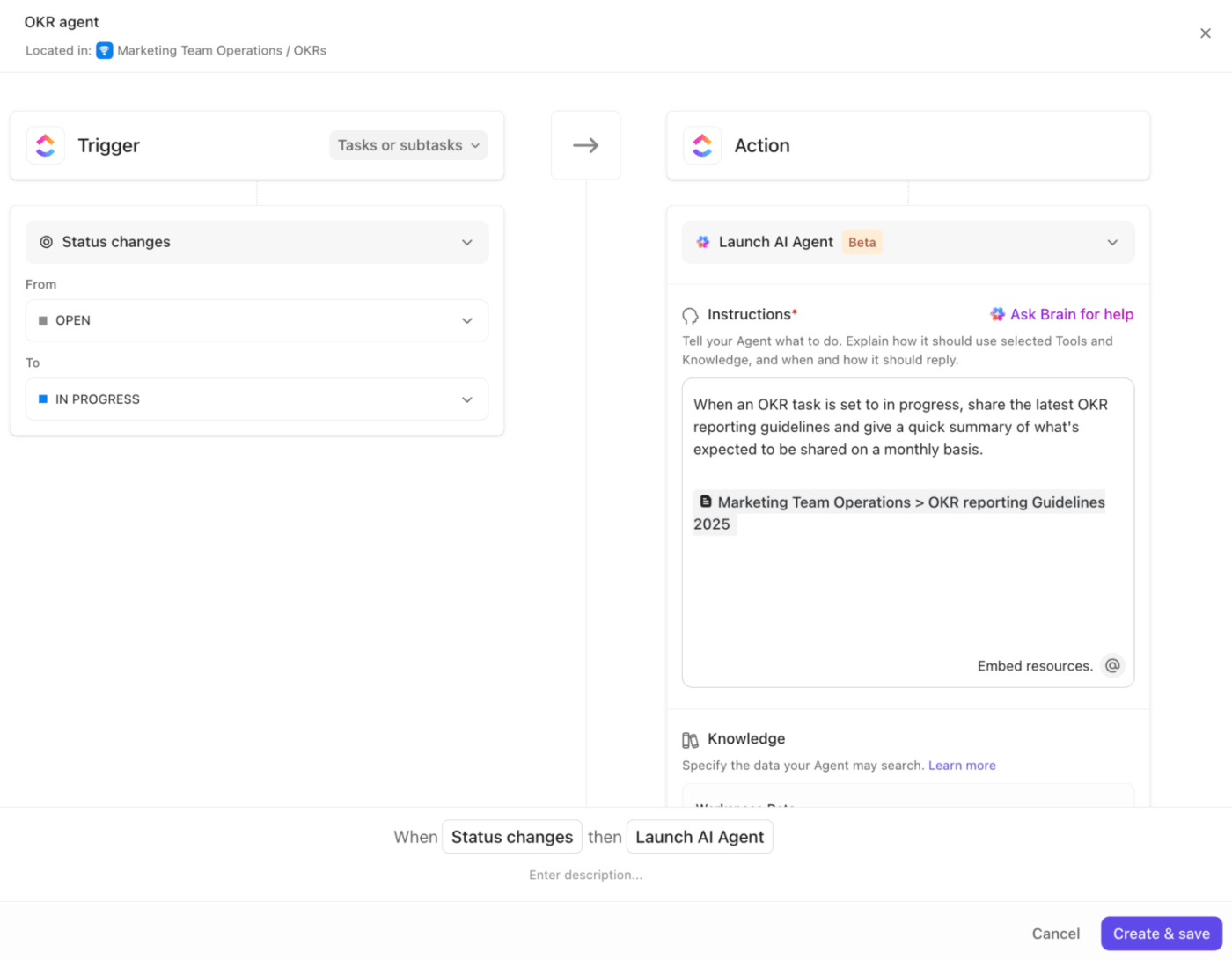
💡 Pro Tip: ClickUp’s AI Agents can watch Lists or Dashboards and trigger actions when something looks off, like missing fields or stale dates.
You can set an agent to scan your imported watchlist tasks each morning and create a task whenever a ticker is missing a target, stop, or latest price note. This can help your process stay tidy without manual checks.
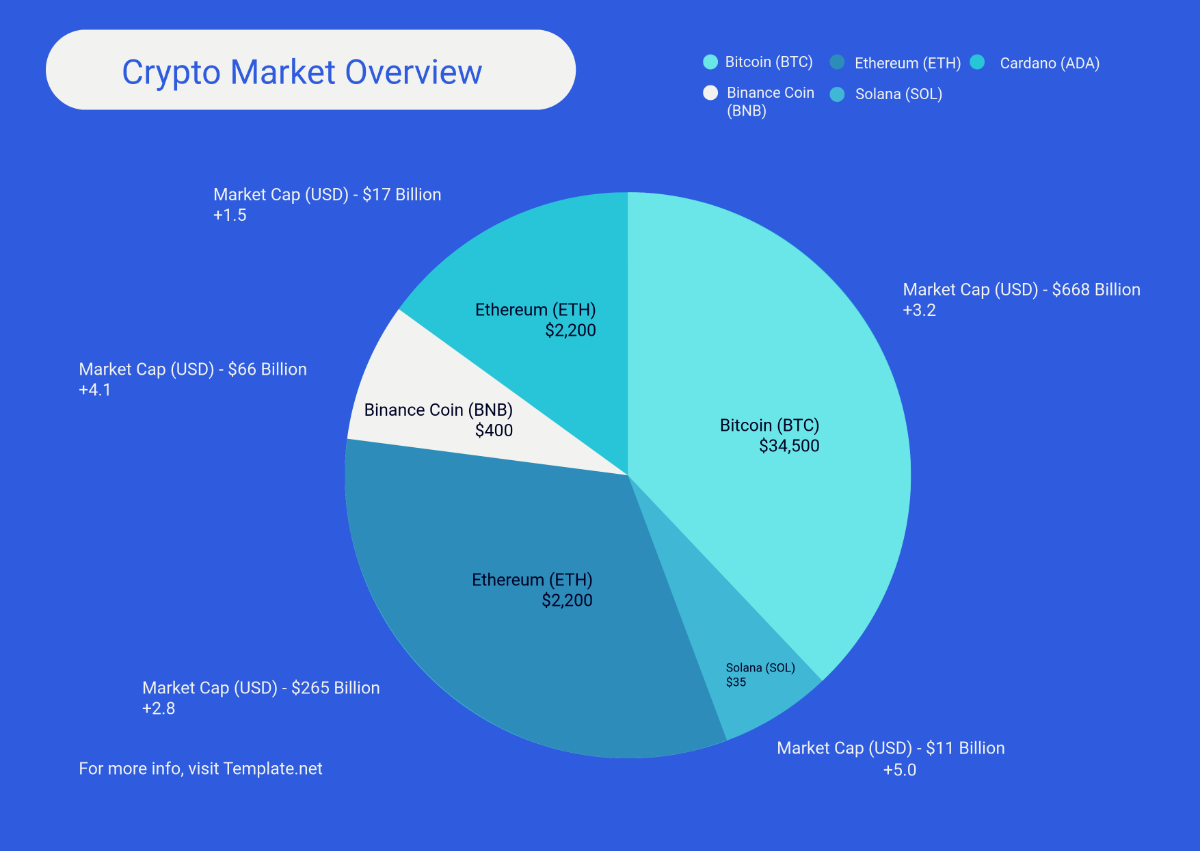
Numbers are useful, but charts are more memorable. The Crypto Chart Template by Template.net lets you plug in data from your crypto watchlist template or Google Sheets and immediately turn it into clean visuals.
You can show allocation by asset, price trends over time, or changes in dominance for top holdings. Swap bar charts for line charts, adjust labels, and highlight key levels you care about. Once set, these visuals are easily exportable for reports, threads, or team updates.
✨ Ideal for: Traders and writers who want a fast way to turn crypto watchlist data into charts for decisions and communication.
🤯 Fun fact: The US government now holds tens of billions of dollars in seized crypto assets, including a large Bitcoin reserve, highlighting how digital assets have become part of national balance sheets.
Most people start with a patchwork system: exchange apps for price, a Google Sheets watchlist, notes in chat, and a gut feeling that they’re missing something. Over time, that patchwork becomes work sprawl, and it gets harder to see which trades truly matter.
ClickUp gives your crypto watchlist a home. ✨
Centralize multiple data points in Lists or tables, attach research, schedule review tasks, and connect everything to Dashboards for a simple portfolio view. With ClickUp Brain, Brain Max, AI Notetaker, and AI Agents, you can summarize data, dictate notes, capture meetings, and automate small checks. If that sounds like the kind of order you want, sign up for ClickUp and start building a workspace where your watchlist, portfolio, and next steps finally live together.

© 2026 ClickUp

There’s an easier way. Try a free AI Agent in ClickUp that actually does the work for you—set up in minutes, save hours every week.