
Sorry, there were no results found for “”
Sorry, there were no results found for “”
Sorry, there were no results found for “”
Always-on campaigns. Looming deadlines. Stretched budgets. Marketing teams are constantly under pressure.
On top of that, you need to manage creative briefs and content calendars, track campaign metrics, and align cross-functional teams.
Marketing project management software brings sanity to this chaos. These platforms consolidate your marketing activities into a single source of truth, giving everyone visibility into progress and blockers. They also help in managing marketing tasks to streamline and speed up execution with automated approval workflows that reduce the back-and-forth.
In this guide, we’ve put together a list of the top marketing project management software platforms that help marketing teams plan and scale business operations and stay sane.
Our editorial team follows a transparent, research-backed, and vendor-neutral process, so you can trust that our recommendations are based on real product value.
Here’s a detailed rundown of how we review software at ClickUp.
Here’s an overview of the top marketing project management software, along with their key features and pricing structure.
| Tool name | Key features | Best for | Pricing* |
| ClickUp | Custom dashboards, whiteboards, team collaboration, integrated AI, multiple Views, proofing tools | Marketing teams and agencies needing an all-in-one AI-powered workspace | Free plan available; Custom pricing for enterprises |
| Wrike | Wrike AI, customizable request forms, proofing, Gantt charts | Marketing teams managing high volumes of requests, resources, and creative approvals with advanced reporting needs | Free plan available; Paid plans start from $10/user/month |
| Asana | AI Studio, team priorities, task comments, tasks, Work Graph® | Marketing teams running multi-channel campaigns who need visibility into how every task ladders up to objectives | Free plan available; Paid plans start from $13.49/user/month |
| Zoho Projects | Templates, Blueprint editor, critical path view, AI assistance, Zoho ecosystem integration | Marketing teams that want affordable project tracking, automation, and collaboration in one platform | Free plan available; Paid plans start from $4/user/month |
| ProofHub | Task lists, custom roles, annotation tool, Gantt chart, ProofHub forms | In-house marketing teams needing a centralized space for collaboration, discussions, and creative proofing | No free plan; Paid plans start from $50/month per user |
| Teamwork | Intake forms, timesheets, client portal, AI assistance, Portfolio boards | Marketing agencies managing client work, retainers, and invoices alongside campaign planning | Free plan available; Paid plans start from $10.99/month per user |
| Nifty | Orbit AI, Roadmap view, Swimlane view, Milestones, Docs | Marketing teams wanting workflow automation, milestone tracking, and predictive insights with AI | Free plan available; Paid plans start from $49/month per user |
| Hive | Hive Automate, AI assistance, time tracking, email and messaging, Zoom integration | Marketing teams needing built-in proofing, approvals, and AI-powered assistance | Free plan available; Paid plans start from $5/month per user |
| Basecamp | Focus mode, Doors, Hey menu, shared calendars, Hill Charts, Pings | Small marketing teams and startups that want simple project tracking and communication | Free plan available; Paid plans start from $15/month per user |
| Workfront | AI, capacity planning, custom views, approval flows, integration with Adobe tools | Enterprise marketing operations teams managing large-scale digital marketing campaigns with integrated Adobe workflows | Custom pricing |
| Trello | Visual boards, timeline view, Trello Planner, Trello Inbox, custom card, board buttons | Marketing teams that prefer a simple, visual tool for campaign calendars, events, and creative workflows | Free plan available; Paid plans start from $6/month per user |
⚡ Template Archive: Free Marketing Campaign Templates to Simplify Planning and Execution
Not all project management platforms are built with marketers in mind. To avoid picking a tool that adds more work than it saves, here are the features you’ll want to prioritize:
Below, we’ve compiled a list of the best marketing project management software tools you can use.
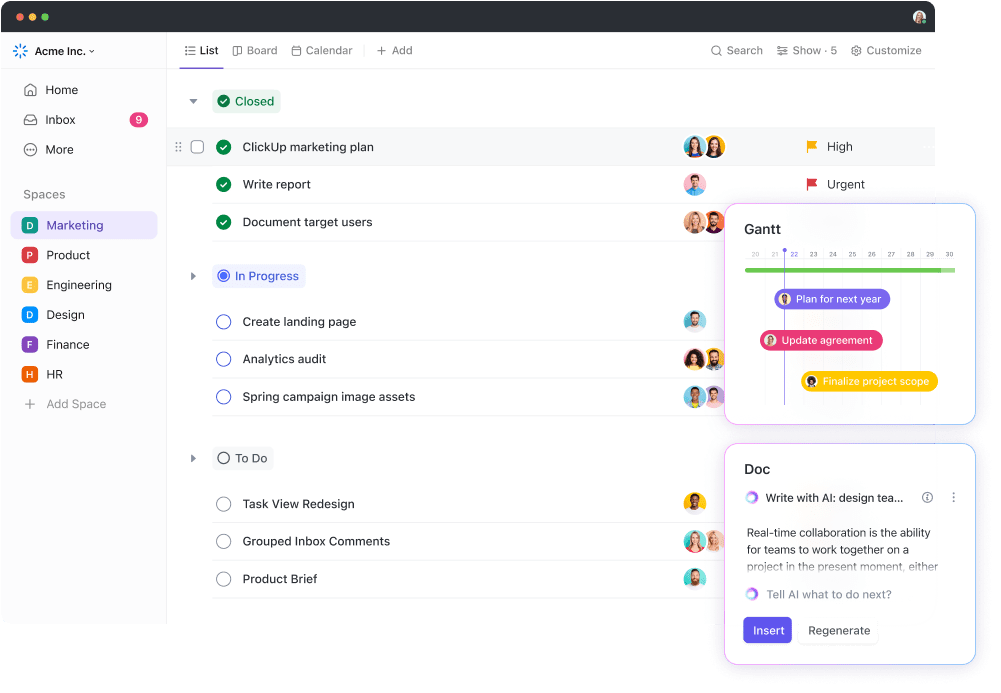
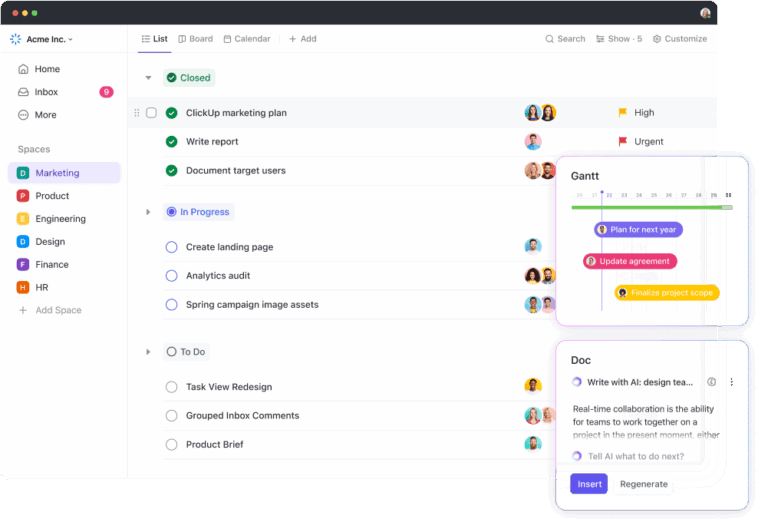
ClickUp, the everything app for work, centralizes your marketing campaigns, creative workflows, and cross-team collaboration.
With ClickUp’s Project Management Solution, you get three core building blocks for seamless collaboration on your marketing plan.
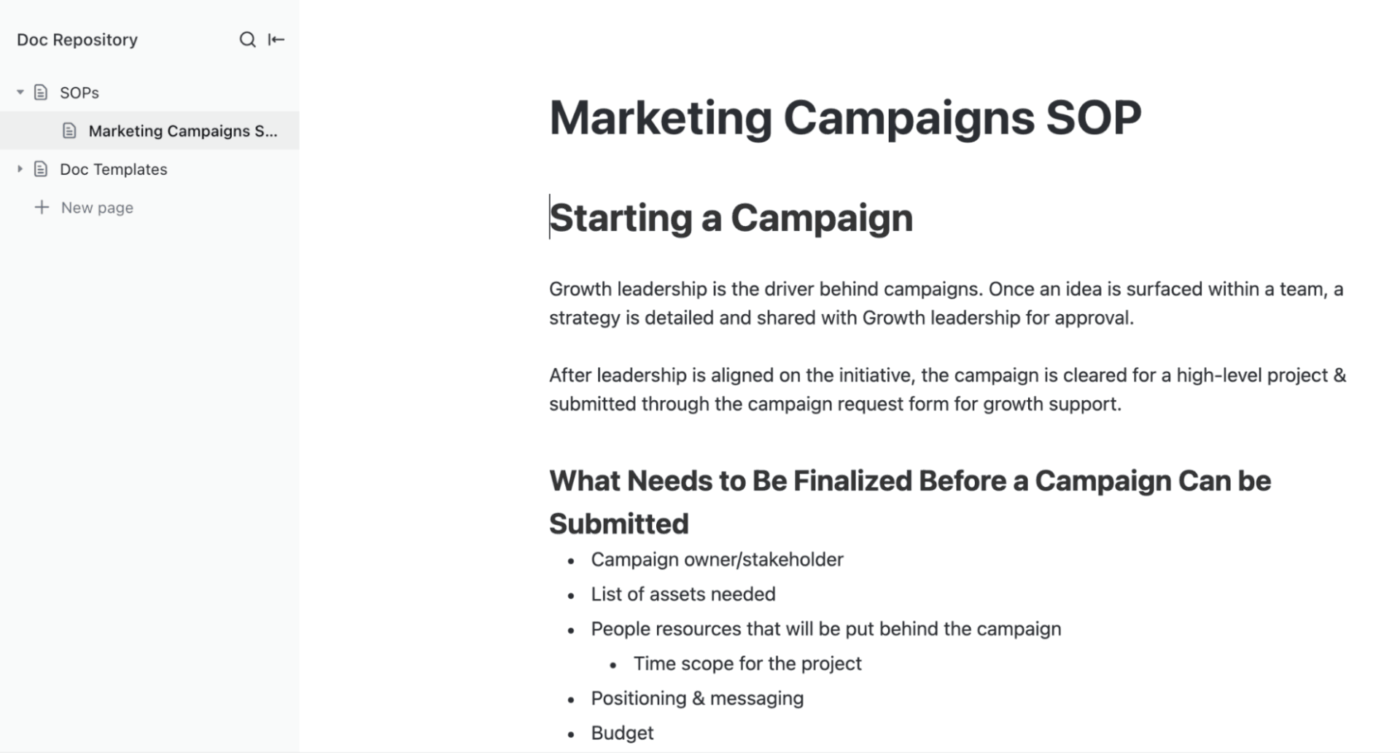
The first, ClickUp Docs, is a collaborative documentation tool that centralizes your campaign briefs, messaging guidelines, ad copy drafts, and even centralized learning notes.
With real-time editing and inline comments, multiple teammates can draft, review, and refine content simultaneously. It is perfect for coordinating between copywriters, designers, and campaign managers.
You can also @mention teammates, link tasks, or embed dashboards directly inside a doc, so context never gets lost.
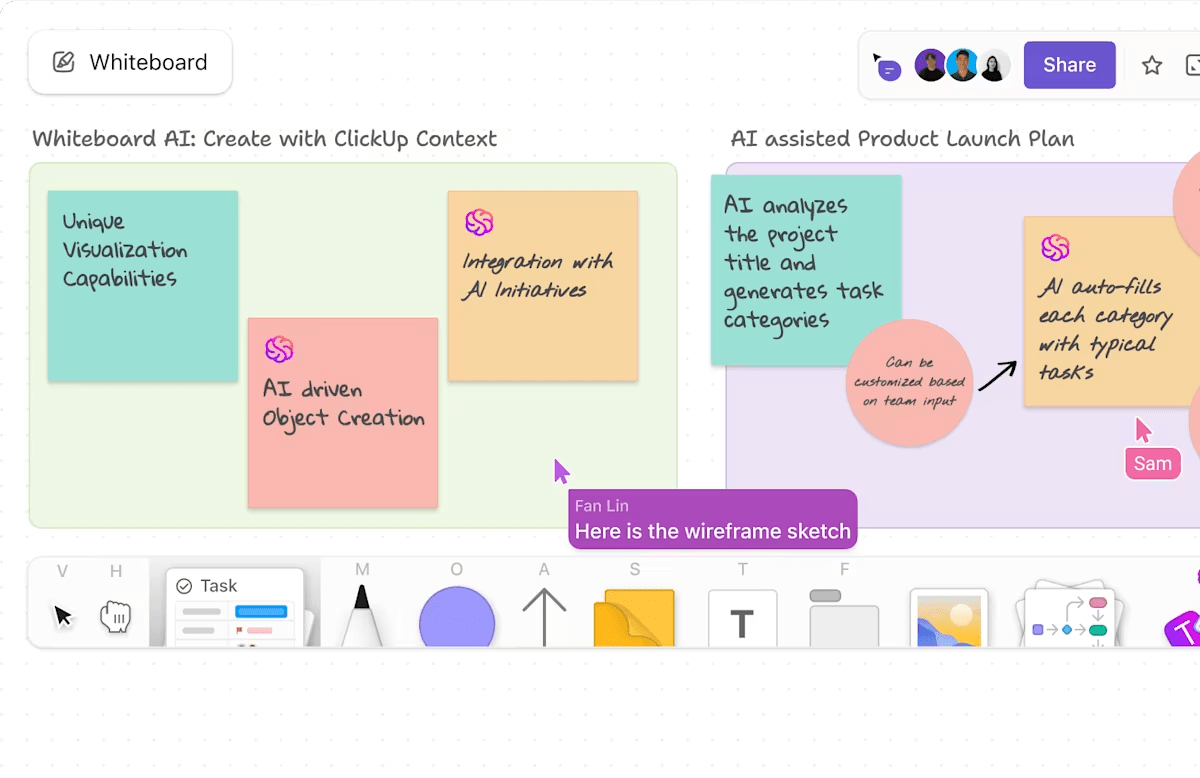
ClickUp Whiteboards turns your marketing brainstorms and brand storytelling into a blueprint for execution. As your AI-enabled virtual canvas, whiteboards allow you to sketch out your campaign concept, insert sticky notes, shapes, or images, and visualize funnels or launch flows.
Whiteboards work great for visual collaboration for remote or hybrid teams: multiple stakeholders can ideate in real time, with live cursors and seamless updates.
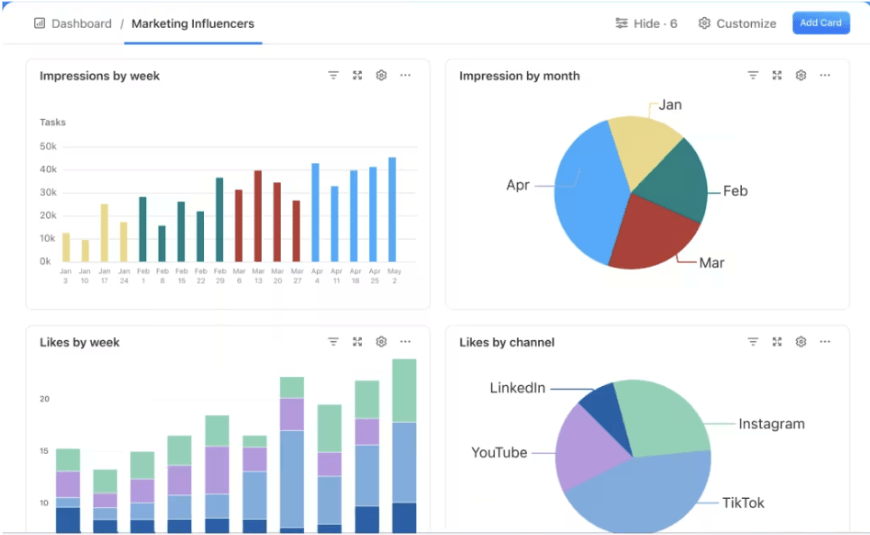
Then, using ClickUp Dashboards, marketing managers can track all their campaigns and activities in one place.
From monitoring campaign budgets and expenses to tracking granular campaign performance, project status, and return on ad spend, customizable dashboards do it all for you.
If you’re pressed for time or running low on inspiration, ClickUp Brain, ClickUp’s built-in AI assistant, is your brainstorming partner.
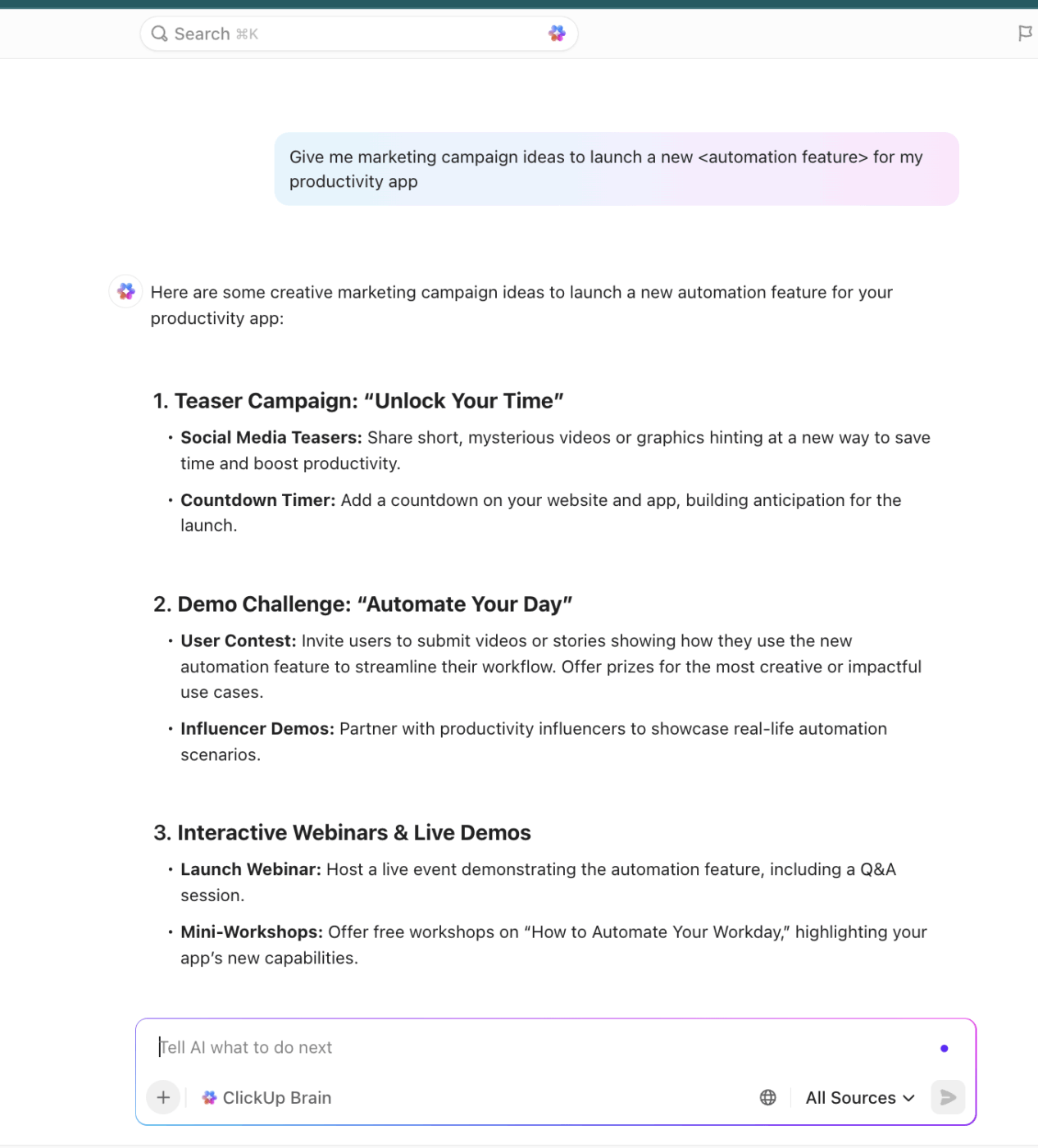
Brain helps you generate campaign ideas, plan marketing strategies, write blog briefs, draft progress reports, summarize research, and more.
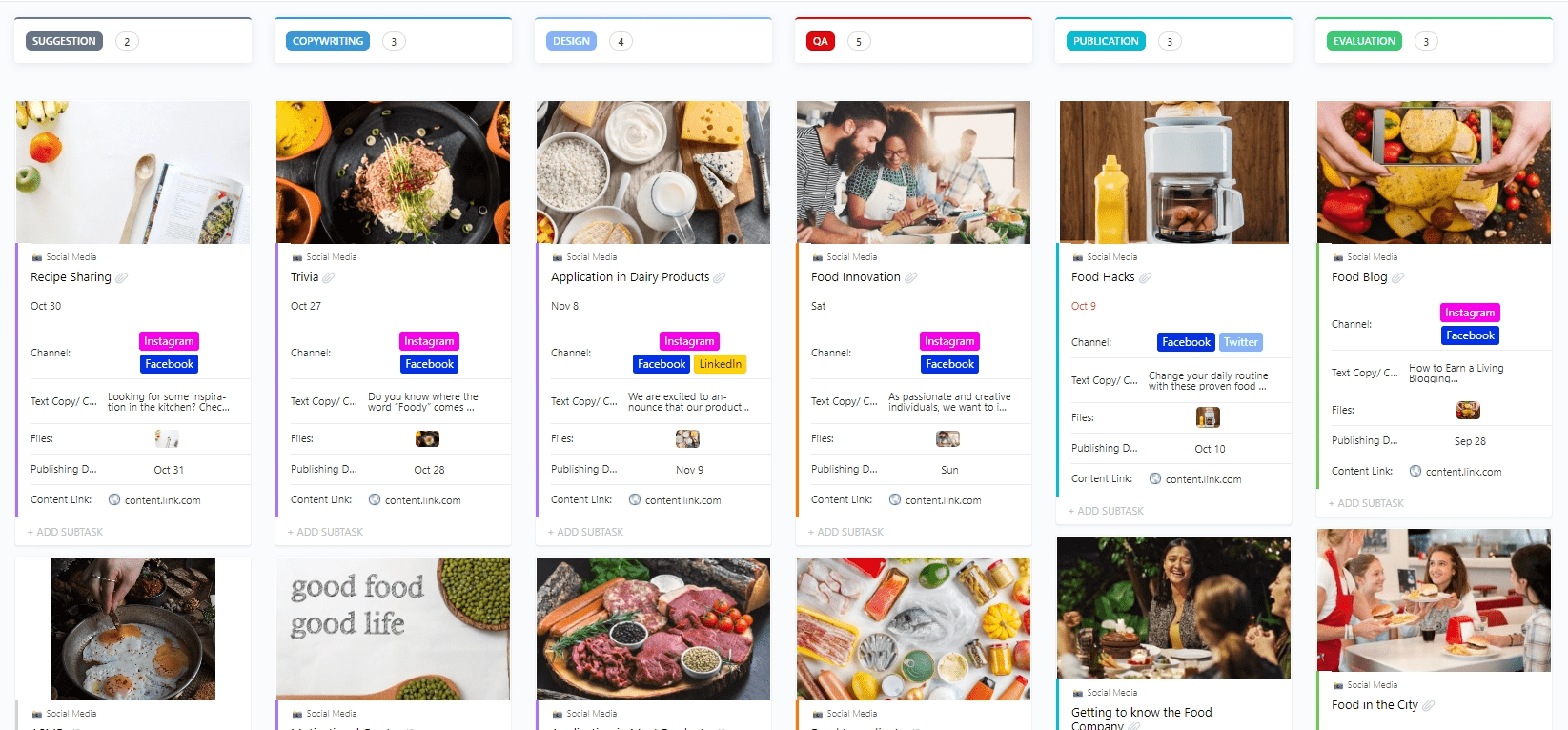
ClickUp’s Marketing Platform also offers pre-built templates for every use case. For example, ClickUp’s Social Media Posts Template helps you plan and organize social media content so you know what’s going live and when.
With this template, you can:

Sudarshan Somanathan
Max 15min read

Praburam Srinivasan
Max 22min read
Sudarshan Somanathan
Max 18min read

© 2026 ClickUp