
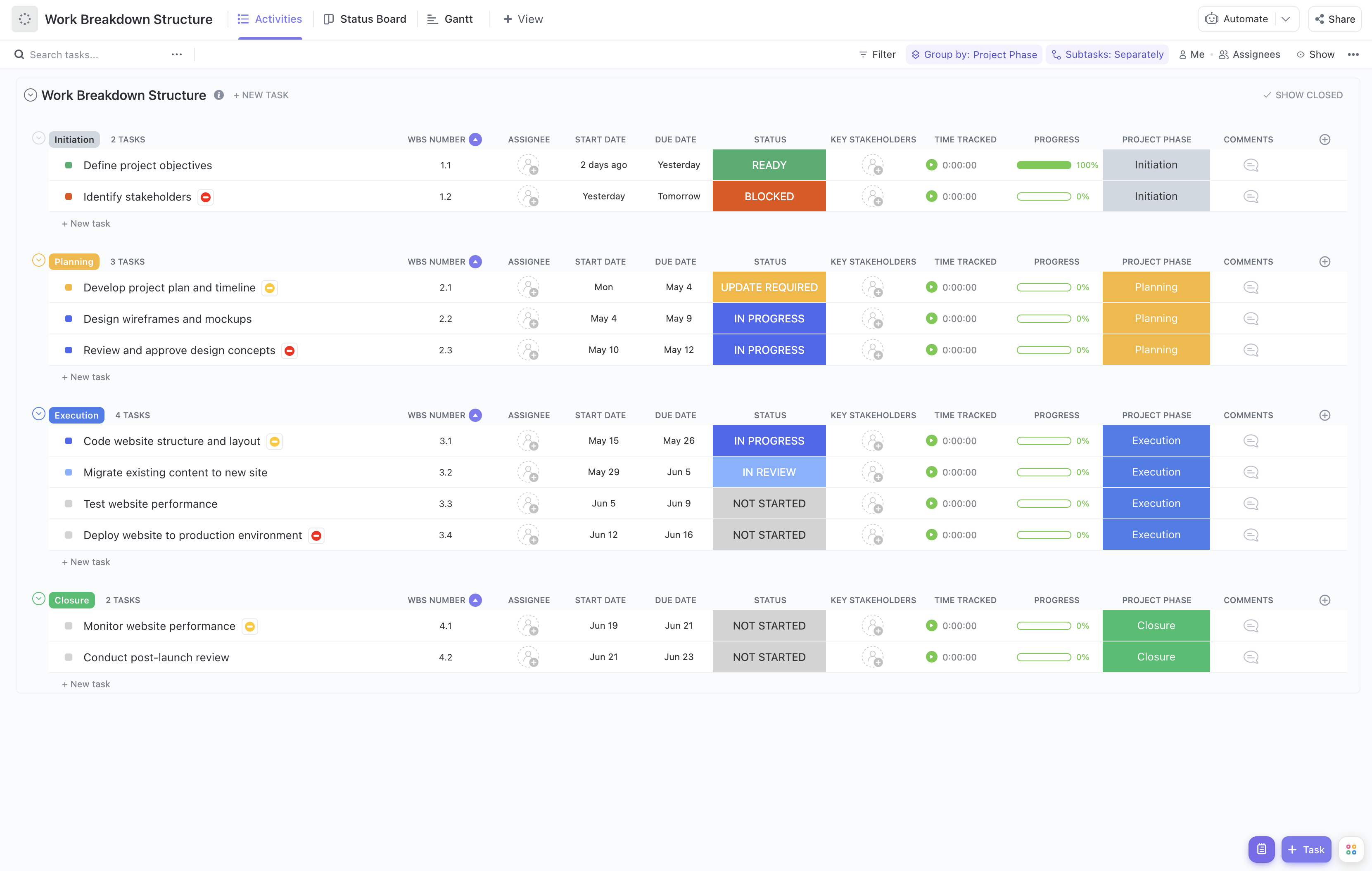


Executing an application project involves numerous interdependent tasks, from initial requirements gathering to deployment and maintenance. Managing these components effectively is crucial to delivering a successful application on time and within budget. Our Application Execution Framework Work Breakdown Structure (WBS) Template is crafted to help you break down your application projects into clear, manageable segments.
This specialized template enables you to:
- Decompose application execution phases into detailed tasks for enhanced clarity
- Assign responsibilities to development, QA, and operations teams seamlessly
- Track milestones and deliverables with real-time status updates
Best of all, this template requires no coding expertise or additional software—simply use ClickUp to get started and maintain full control over your application execution process.
Benefits of Using the Application Execution Framework WBS Template
Utilizing a WBS tailored for application execution offers numerous advantages, including:
- Clearly defining all phases of application development, testing, deployment, and support
- Providing transparency for team members on their specific roles and task dependencies
- Facilitating communication between project managers, developers, QA teams, and stakeholders
- Enhancing project efficiency by identifying potential bottlenecks early
Main Elements of the Application Execution Framework WBS Template
This template structures your application project into key components such as:
- Initiation and Planning:
Defining scope, requirements analysis, resource allocation, and risk assessment
- Development:
Coding, code reviews, integration, and unit testing tasks organized by modules or features
- Quality Assurance:
System testing, user acceptance testing, bug tracking, and resolution workflows
- Deployment:
Release planning, environment setup, deployment execution, and rollback procedures
- Maintenance and Support:
Monitoring, issue resolution, updates, and user training activities
Each task is linked with responsible teams and stakeholders, ensuring accountability and smooth handoffs. Progress tracking is integrated to provide visibility into each phase's status, enabling proactive management and timely delivery.
By adopting this Application Execution Framework WBS Template, project managers can confidently oversee complex application projects, ensuring all critical activities are accounted for and executed efficiently.












