
TALK TO BRAIN² IN CLICKUP
Dictate anything. Or ask Brain2 out loud.
Speak to type in any app, polished as you talk. Or start a call with Brain2 and hear answers from your tasks.
No credit card.
Free forever.
Free forever.
No credit card. Free forever.
 25,000+ reviews from

Trusted by the best
Two ways to talk to Brain2
Dictate when you want text. Call when you want an answer.
DICTATE
Write as fast as you talk
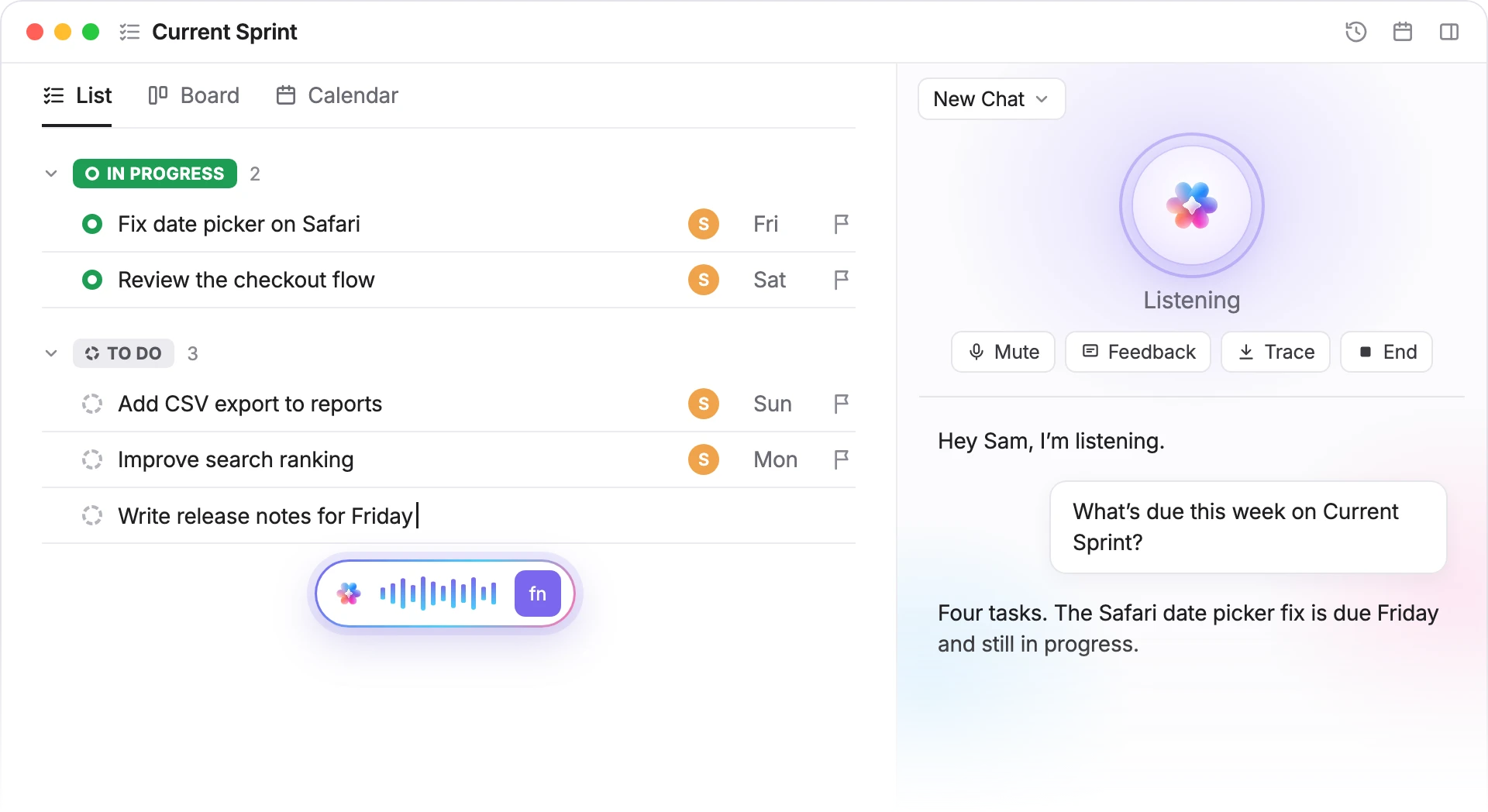
In the Brain MAX desktop app, press fn and speak wherever your cursor is: a doc, an email or a chat. Brain2 types it for you.
CALL
Call Brain2 and just talk
Click the round Talk with Brain button next to the mic. Brain2 greets you and listens, so you can think out loud between meetings or while your hands are busy.
More ways Brain2 works while you talk
Cleaner text, hands-free mute, answers from your work and a record of every call.
POLISHED
Clean text, not a raw transcript
Brain2 drops the ums, restarts and changed minds as you speak, so what lands on the page reads like you wrote it.
SPACE
Mute without breaking your flow
Press Space during a call to mute and unmute your microphone without reaching for the button. Keep your train of thought while someone walks up.
GROUNDED
Answers built from your tasks
Brain2 looks things up while it talks. Ask for tomorrow's stand-up agenda and it checks the List you have open, then answers from the work on it.
SAVED
Every call becomes a chat
When you hang up, the whole conversation stays in the AI panel as a regular Brain2 chat, so you can read it back or keep going in text.
HOW A CALL WORKS
From a question to an answer in three steps
1. Open the AI panel
Open the AI panel on the right of any page in ClickUp.
2. Click Talk with Brain
It's the round button next to the mic. The mic types what you say; this one starts a call.
3. Ask out loud
Brain2 answers out loud while a live transcript shows both sides. Click End when you're done.
Questions, answered
Say it instead of typing it
No credit card. Free forever.
No credit card. Free forever.


SOC 2
CERTIFIED

ISO 27001
CERTIFIED

GDPR
COMPLIANT

HIPAA
COMPLIANT