
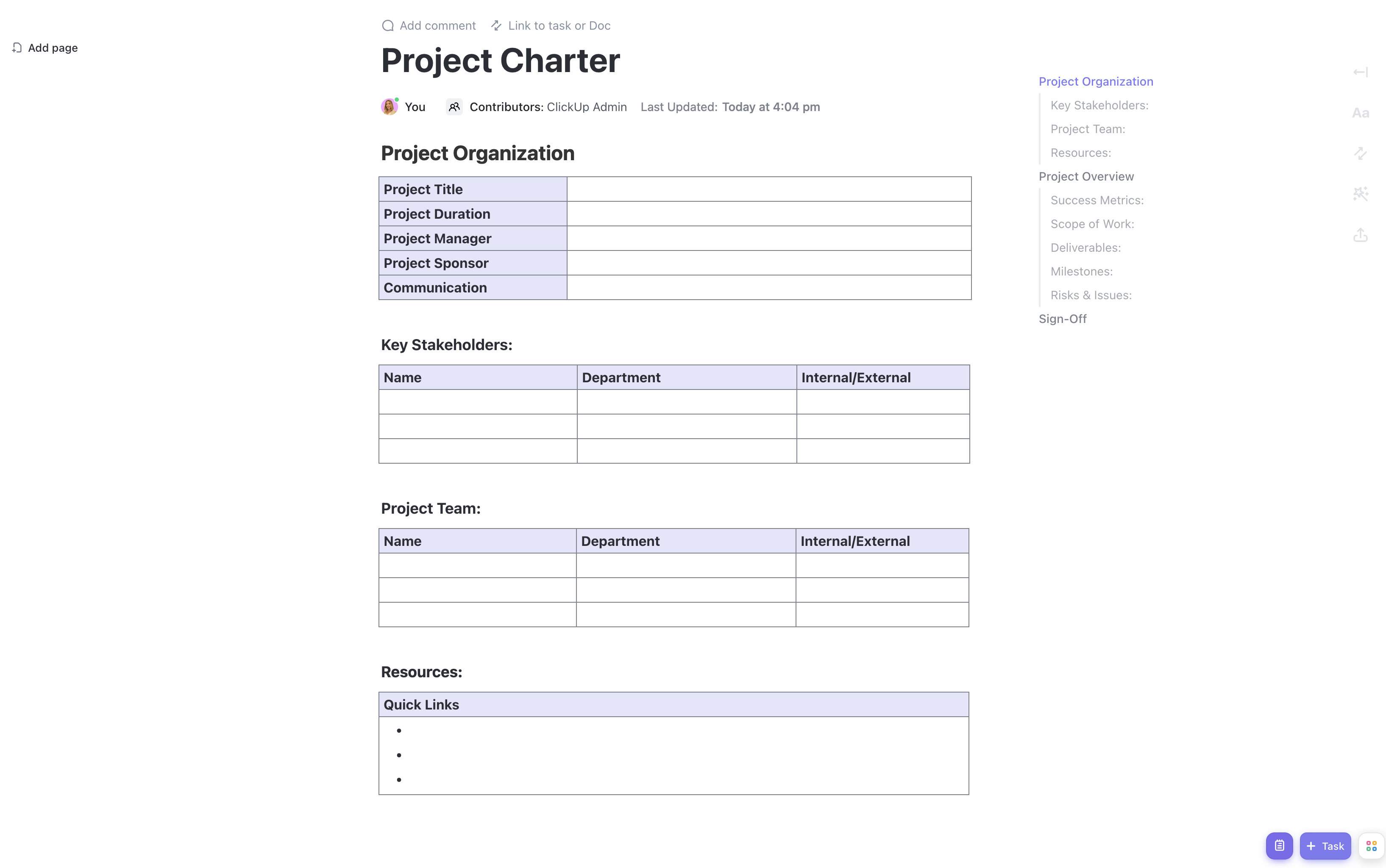


The IT project charter is a foundational document that authorizes and guides IT projects from conception to delivery. It clearly defines the project's purpose, scope, and stakeholder roles, serving as a roadmap for the entire project lifecycle—from initial planning to final implementation.
This IT Project Charter Template for Google Docs provides a structured framework to help IT teams and project managers plan, communicate, and execute projects effectively. It includes:
- A detailed overview of IT project goals, objectives, and success criteria
- A practical checklist to monitor progress and ensure all critical tasks are addressed
- Organized sections for sharing technical documents, project plans, and stakeholder notes within Google Docs
Start your next IT project with confidence using this comprehensive Google Docs template designed specifically for IT initiatives.
Benefits of Using an IT Project Charter Template in Google Docs
Utilizing this IT Project Charter Template in Google Docs offers numerous advantages for IT project managers and teams, including:
- Clear articulation of IT project objectives and deliverables, reducing ambiguity
- Enhanced alignment among technical teams, business stakeholders, and external vendors
- Streamlined delegation and tracking of IT-specific tasks and responsibilities
- Improved collaboration through Google Docs’ real-time editing and commenting features
Main Elements of the IT Project Charter Template
This template is designed to capture all critical aspects of an IT project charter, including:
- Project Purpose and Justification: Explanation of the IT need or problem the project addresses, such as system upgrades, software development, or infrastructure improvements.
- Project Objectives and Success Criteria: Specific, measurable goals like reducing downtime by a certain percentage or delivering a new application feature by a set date.
- Scope and Deliverables: Definition of what is included (e.g., deployment of new hardware) and excluded (e.g., end-user training) from the project.
- Stakeholder Identification and Roles: Listing of IT team members, business sponsors, vendors, and other key participants with their responsibilities.
- High-Level Timeline and Milestones: Key phases such as requirements gathering, development, testing, and deployment with estimated dates.
- Budget Overview: Summary of financial resources allocated, including hardware, software licenses, and personnel costs.
- Risks and Assumptions: Identification of potential technical challenges, resource constraints, and assumptions like availability of legacy system documentation.
How to Use the IT Project Charter Template in Google Docs
To maximize the effectiveness of this IT Project Charter Template, begin by clearly defining the project’s purpose and objectives to establish a shared vision. Use the stakeholder section to assign roles and ensure accountability across IT and business teams. Outline the scope carefully to prevent scope creep, especially important in IT projects where requirements can evolve rapidly.
Leverage Google Docs’ collaboration features to share the charter with all stakeholders, allowing for real-time feedback and updates. Maintain the high-level timeline and budget overview to monitor progress and resource utilization. Document risks and assumptions transparently to prepare for potential issues and facilitate proactive management.
This template is customizable to fit the unique requirements of your IT project and organizational standards, making it a versatile tool for IT project management within Google Docs.










