


Are you an up-and-coming project manager? Or maybe you’re an experienced director with dozens of successful projects under your belt?
Either way, it’s good to brush up on project management best practices. After all, it’s tough to gauge the success of your project if you don’t have clear, measurable objectives in place.
It might sound like an extra step, but defining project objectives before you start working is the best way to save time and hassle down the line—and maybe even a few bucks. 💸
In this guide, we’ll delve into project management objectives, why they’re so helpful, and how to set effective objectives that get your team across the finish line.
How to Set Effective Project Objectives (With Examples)


 Summarize this article for me please
What are Project Objectives?
Project objectives are a type of goal that is specific, measurable, achievable, relevant, and time-bound (SMART). Their purpose is to define what your project will accomplish before you start working.
Think of SMART project objectives as a type of roadmap that gets your project team through the project lifecycle. It also acts as a vision statement that keeps everyone on task and aligned with the project scope. (Because the last thing you need is scope creep.)
The biggest difference between objectives and goals is that objectives are more actionable and specific. For instance, a goal might be something like “I want to increase revenue.” But an objective would be “The marketing team will increase referral sources from social media by 10% by the end of Q2.” See the difference?
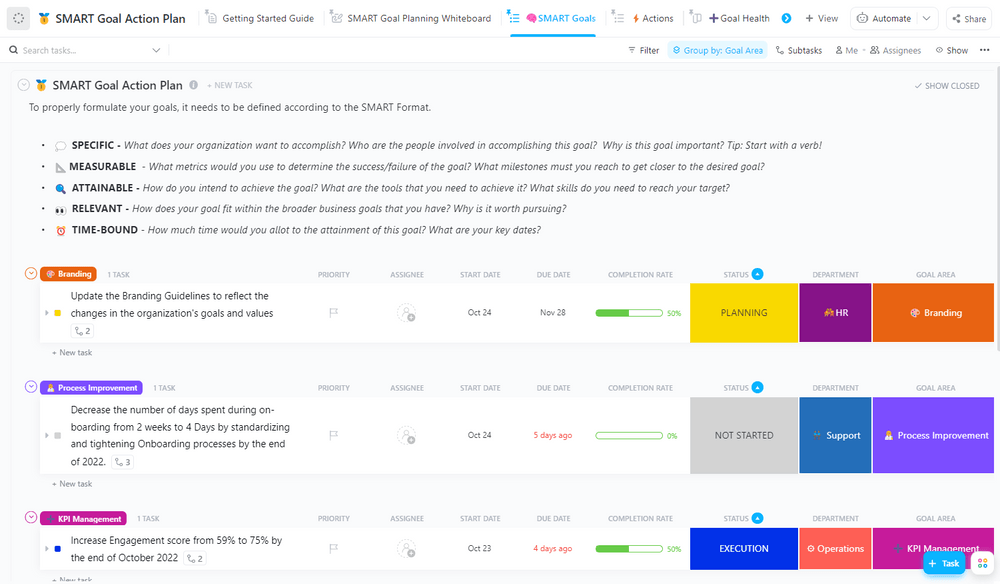
There are endless ways to write project objectives. Ultimately, the objective you write boils down to the project’s purpose. You could create business objectives for:
- Improving the user experience
- Launching a new product
- Financial success
- Feature rollouts
Most projects will have multiple objectives, so it’s a good idea to track your goals using objectives and key results (OKR) software or goal-tracking apps. These tools will keep your head on straight as you juggle different team members, tasks, and projects. 🤹
 Summarize this article for me please
Benefits of Setting Project Objectives
Setting project objectives helps with goal-setting from the start. You can then look back on the project and prove—often with hard data—that the project was a success. Or, if it wasn’t, you can pinpoint how far off you were from your desired results. 🎯
Setting project objectives can help you in many ways, but these are the biggest benefits:
- Make a solid project plan: As the team lead, it’s up to you to develop project management objectives. With SMART objectives in hand, you’ll create a great project plan that keeps the overall project on time and on budget
- Create documentation: Project objectives provide a much-needed paper trail to produce project documentation for your bosses as your project progresses. The documentation will also help you design better projects in the future
- Measure your performance: “Did we do a good job?” is a question that keeps PMs awake at night. Fortunately, project objectives make it pretty clear whether you did well or if you need to change something
- Do work that matters: Have you ever built something your business didn’t use? That’s a big waste of time. Project objectives ensure your project deliverables align with business goals. For example, if your organization wants to increase e-commerce revenue from international shoppers but your marketing team is focusing on domestic sales, that’s a mismatch your CEO won’t be too thrilled about
 Summarize this article for me please
Types of Project Objectives
Projects aren’t one-size-fits-all, and your project objectives shouldn’t be either. Depending on your project, you may need to create a goal that touches on one or more of these categories:
- Quality objectives: This project objective is all about quality. Set an objective focused on benchmarks, metrics, or certain standards. That could be customer service satisfaction rates or website bounce rates
- Financial objectives: Financial targets make the world go round. These types of project objectives put an emphasis on profitability and cost efficiency. This is also a good way to track your project budgets
- Time objectives: If you have multiple projects in your backlog, you need to complete everything as quickly as possible. Time objectives can help you better manage project time frames, but they can also track project milestones
- Process objectives: With process objectives, the team works together to improve a certain workflow or find new ways to boost efficiency. This is a very common objective for web development teams that follow an Agile methodology
- Learning objectives: Want to improve your team’s skills? Track their capabilities with learning objectives. These measure your team’s certification and knowledge levels
- Performance objectives: These are your target project outcomes, like speed or efficiency. Use performance objectives to track your team, project, or product performance indicators
- Compliance objectives: Nobody wants to get a letter from the legal department. Compliance objectives keep your business on target to meet certain industry or legal standards

Depending on the project, you might need to create a hybrid project objective. For example, maybe you need to improve your quoting process and save time (a combined process and time objective).
You’re free to customize as much as you want as long as you find the objectives clear and helpful.
How not to write project objectives
We know you’re busy. But the point of project objectives is to get your team on the same page. If you write vague, unhelpful objectives for the sake of quickly checking a box, that isn’t going to help your team write SMART project objectives.
Here are a few examples of unhelpful project objectives:
- “Make a better product.” What does “better” look like? Is it safer? Cheaper? How do you even know if the product is “better” than what you have right now?
- “Increase customer satisfaction.” We aren’t mad at this project objective, but it still isn’t very helpful. Specify where you want to increase customer satisfaction, how much you need it to increase, and by when
- “Improve team performance.” What does “performance” mean to you? Specify which team you’re talking about, the performance metrics that matter most, how much you expect these metrics to improve, and on what timeline
While an objective like “Complete the project on time” sounds good in theory, it isn’t very helpful.
Project objectives should follow the SMART acronym to create clear goals. This way, you (and your team) know exactly what you’re aiming for.
For example, the SMART project objective of “complete the project on time” could be:
- Specific: Name the specific project, especially if you run multiple projects at once (lucky you)
- Measurable: Set a quantifiable metric with a percentage or other calculable metric
- Achievable: You can’t turn around an enterprise marketing plan in a day, so pick a reasonably attainable goal
- Relevant: Customize the goal specifically for the project
- Time-bound: Set a firm due date
Clearly defined project objectives examples to follow
At this point, you know what not to do. You’re free to write project objectives however you want, but most project managers write them out as “objective statements.”
Following the SMART framework, let’s convert a few less-than-helpful project objectives into actionable objectives:
- “Make a better product” becomes “Increase generator power output by 5% in time for Q4 product launch”
- “Increase customer satisfaction” becomes “Boost our Net Promoter Scores (NPS) by 20% for food and beverage customers”
- “Improve team performance” becomes “Train team on management skills to increase employee retention by 45% over the next two years”
See the difference?
These new objectives are much clearer. It’s easy to look back on them at the end of the project and determine whether or not you met your goal. That’s a clear objective versus a flimsy statement like, “Let’s make more money.”
Here are a few more project objectives examples if you’re looking for inspiration:
- “Increase web traffic by 20% over the next quarter with a targeted content marketing strategy”
- “Reduce customer service response times by 30% over the next six months with a new CRM”
- “Reduce production costs by 15% over the next fiscal year by automating the product rendering process”
- “Increase sales by 10% over the next quarter by targeting our new customer personas in a social media marketing campaign”
- “Set up new free project management software by the end of the year to reduce project completion times by 25%”
- “Boost the size of our newsletter list by 30% in six months by adding an opt-in button to the e-commerce checkout page”
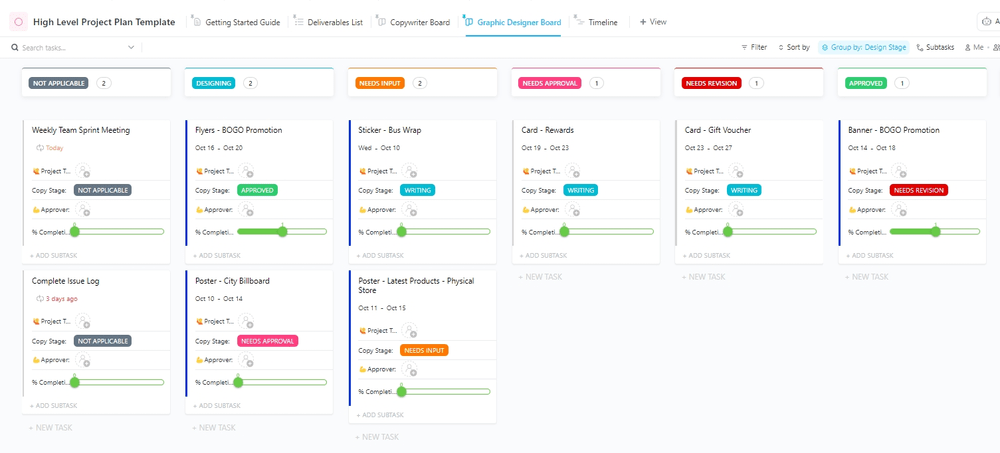 Summarize this article for me please
How to Set and Track Project Objectives
OK, so you’ve nailed the basics of writing primo project objectives. You put in all this work to write them. Now it’s time to make them as actionable and noticeable as possible.
Follow these tips to track your project objectives so you always stay on top of your goals. 🏆
Align with broader organizational goals
Talk to the C-suite or other important bigwigs in your company before you set project management objectives. Ask them what the organization’s goals are for the year.
Even if it’s a generic goal like “save money,” that gives you a clear direction to work with. For example, this isn’t the time to set objectives like “Increase marketing spend by 50%.”
When you know your organization’s larger goals, you choose project objectives that are more relevant to the project at hand.
Plus, it’s a lot easier to gain project stakeholder buy-in when you can prove that your objectives correlate to your organization’s annual goals.
Use templates to save time
No time to set up your own project objectives? No sweat. We get that it takes time to set these objectives—and sometimes, that’s extra time you don’t have.
When it’s crunch time, use templates for your OKRs and objectives. They’ll need customizing, but the formatting alone adds up to several hours saved each month.
Try the ClickUp Company OKRs and Goals Template to create an organizational structure that reflects your company’s vision and values—all in one place!
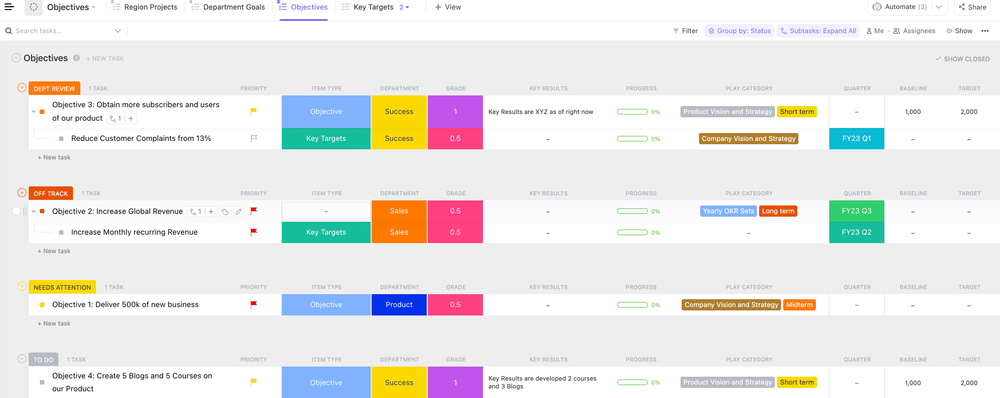
Set objectives as a team
Who says you have to shoulder all of the work solo? Tap into your team members’ expertise to set project objectives together.
Two heads are better than one, and team collaboration can make a big difference. Combining your brainpower makes it possible to think of bigger, better goals you might not have considered otherwise.
Monitor your KPIs with ClickUp Goals
You’ve created awesome project objectives, but how do you hold your team accountable to them? Enter ClickUp Goals.
With ClickUp Goals, set your project objectives and efficiently track them side-by-side with your tasks and workflows. Instead of flipping between different tools and platforms, everything you need is in one place.
Talk about a timesaver. ⏱️
ClickUp Goals make your timelines and targets clear as a bell. Set different types of Targets for:
- Numerical goals
- Monetary goals
- True/false goals
- Tasks
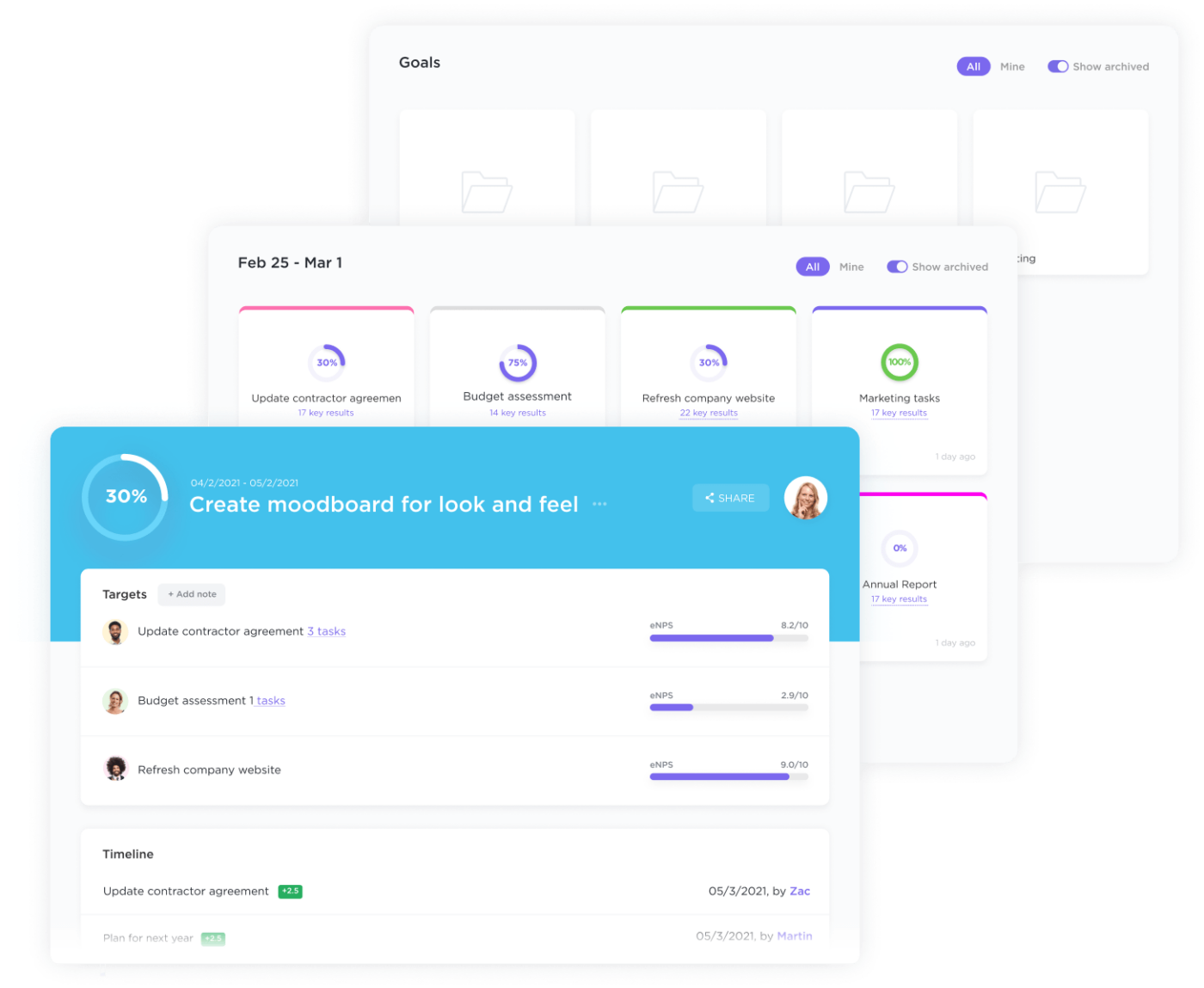
Need to convert a Task into a Goal? Do it in ClickUp with just a click—you never have to do double entry again.
The Goals folder system organizes and tracks all of your project goals in one dashboard. You can even assign goals to certain teams and people to hold everyone accountable.
We know you don’t have time to hound your team for project updates.
Simply assign a deadline to your Goals, and ClickUp will send you progress updates via weekly scorecards. With automatic tracking, you don’t have to wonder about everyone’s status. Instead, the team focuses more on the actual work and not on reports.
 Summarize this article for me please
Put Project Success on Autopilot
Project objectives are a must-have for any strategic project. Teamwork and templates will get you far. But when you need to bring your work and high-level strategies into the same platform, go with ClickUp.
ClickUp injects a dose of sanity into project management processes to make your job—dare we say?—fun.
But don’t take our word for it. Sign up for ClickUp to streamline your process and start setting actionable project objectives.


Everything you need to stay organized and get work done.

Recent Articles

Enterprise Project Management: How to Run Every Project as One Portfolio 
Enterprise Project Management: How to Run Every Project as One Portfolio
How to Build a Task Dashboard Your Team Actually Trusts
How to Build a Task Dashboard Your Team Actually Trusts
