


Sorry, there were no results found for “”
Sorry, there were no results found for “”
Sorry, there were no results found for “”
Picture this—you and a colleague both present ideas. But while your audience tunes out your talk, they fully engage with your colleague’s whiteboard animation video.
Questions are flying, ideas are being shared, and the audience is paying attention. Why? Because whiteboard animations make complex ideas easier to follow and way more engaging.
Studies show that whiteboard animation videos can boost knowledge retention by 15%, making them a powerful way to explain concepts.
The best part? You don’t even need technical skills to create videos—the right whiteboard software can do the heavy lifting.
To help you find the perfect whiteboard video maker, we’ve rounded up the 11 best options, covering key features, pricing, and user reviews, so you can easily start creating professional videos. Let’s get into it!
No matter what you need from your whiteboard animation software, there are a few key features you shouldn’t overlook. Here’s what to look for when making your choice:
Here’s a quick look at the best whiteboard animation software at a glance:
| Tool name | Key features | Best for | Pricing |
| ClickUp | AI-powered whiteboards, drag-and-drop, 1,000+ templates, real-time collaboration, AI image generator, task management, 1,000+ integrations | Visual collaboration, brainstorming, project management | Free plan; Paid plans from $7/user/month; |
| Doodly | Hand-drawn style, Smart Draw tech, drag-and-drop, 1,000+ images, voiceover recording, royalty-free audio | Beginners, simple doodle videos | Standard: $49/month; Enterprise: $79/month |
| Powtoon | Ready-made templates, customizable characters, media library, screen/webcam recording, one-click animations | Training courses, tutorials, marketing | Free plan; Lite: $50/user/month; Pro: $190/user/month; Agency: Custom |
| Videoscribe | 5M+ images, SVG Morph, 13 hand styles, voiceover/audio, camera focus, royalty-free tracks | Educational videos, teachers | Plus: $15/month; LitePro: $22.43/month; Core: $33.04/month; Max: $41.03/month |
| Vyond | Character builder, 200+ templates, lip-sync, export formats, voiceover import | Character-driven storytelling | Starter: $99/user/month; Premium: $89/user/month; Professional: $199/user/month; Enterprise: Custom |
| Renderforest | 1,200+ templates, AI scene suggestion, 3D animation, 50+ transitions, content library | Quick template-based animations | Free plan; Lite: $14/month; Pro: $39/month; Business: $49/month |
| Animaker | Infographic animation, spreadsheet integration, 50+ voiceovers, 100M+ stock assets, text-to-speech | Infographic-style whiteboard videos | Basic: $27/month; Starter: $45/month; Pro: $79/month; Enterprise: Custom |
| Adobe Animate | Custom hand movement, frame-by-frame, pressure-sensitive drawing, Creative Cloud integration, multi-format export | Advanced custom whiteboard animations | Animate: $34.49/month; All Apps: $89.99/month; Student: $19.99/month (1st yr) |
| Explaindio | Combine whiteboard, 2D/3D, motion graphics, 180+ texts, 200+ scenes, offline use | Mixing multiple animation styles | Monthly: $37; Annual: $67; One-time: $497 |
| TruScribe | Science-backed Scribology, professional artists, post-editing, custom voiceover, industry themes | Science-backed visual engagement, custom projects | Custom pricing |
| Filmora | Visual effects, motion tracking, transitions, audio tools, keyframes, templates | Visual effects, easy video editing | Basic: $9.99/month; Advanced: $34.99/year; Perpetual: $49.99; Team: $155.88/year; Student: $29.99/month |
🧠 Fun Fact: Did you know UPS once spent $35 million on just nine whiteboard animation videos? In 2007, their “Whiteboard” campaign featured a guy sketching on an actual whiteboard, turning simple ideas into powerful 30-second explainer ads. That’s how much they believed in the power of clear, visual storytelling!
Our editorial team follows a transparent, research-backed, and vendor-neutral process, so you can trust that our recommendations are based on real product value.
Here’s a detailed rundown of how we review software at ClickUp.
Without further ado, here are the top 11 whiteboard animation software:
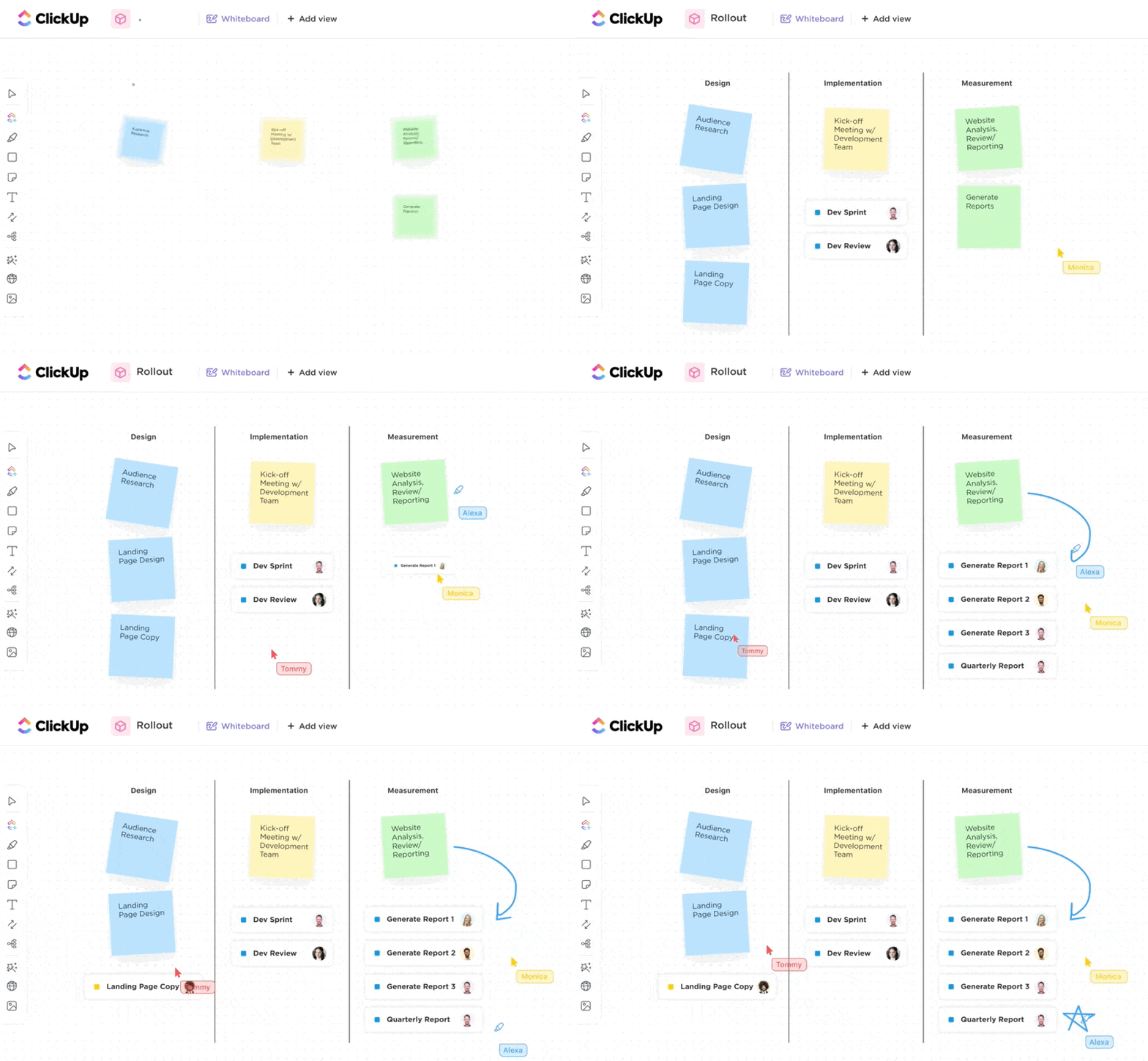
ClickUp is the everything app for work that combines project management, knowledge management, and chat—all powered by AI that helps you work faster and smarter.
It not only keeps your projects in order but also helps your team brainstorm, plan, and create whiteboard animation videos.
Earning the number one spot on our list, ClickUp Whiteboards isn’t just made up of simple drawing tools—it’s a powerful digital space where your team can map out concepts visually. Make real-time changes, and bring your best ideas to life together in one place!
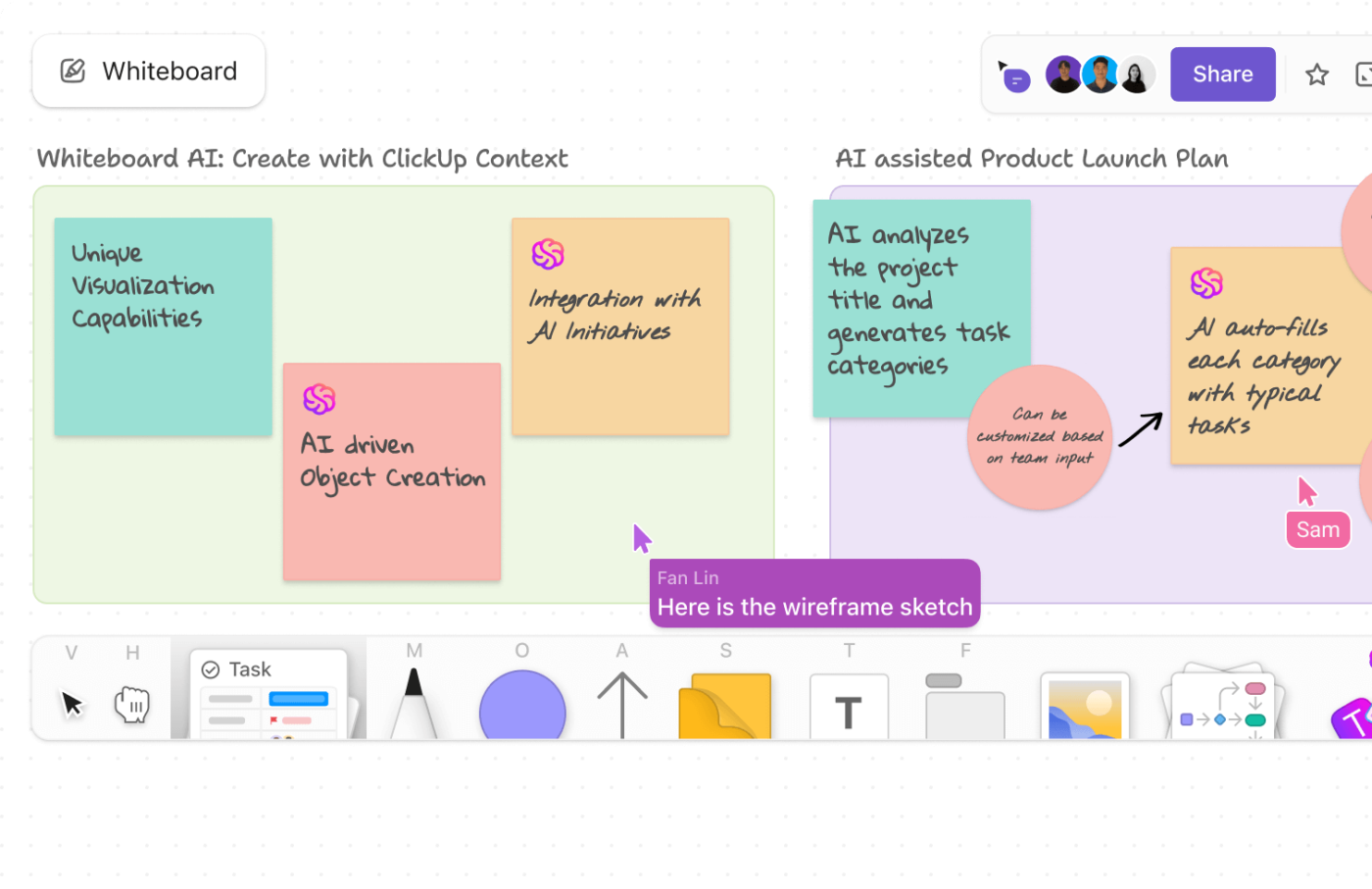
With Whiteboards, visual project management turns into a team sport. Everyone gets to jump in and sketch out scenes together, making sure the visuals match what’s in the script.
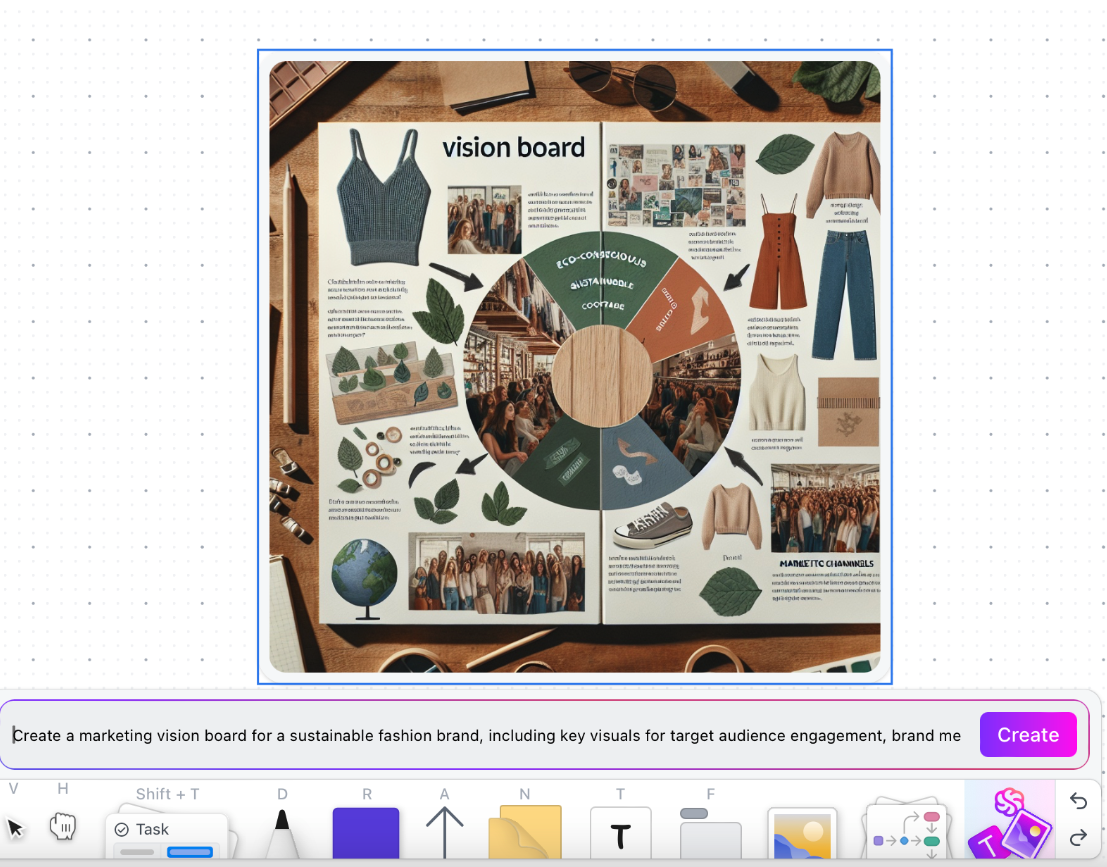
Need help visualizing ideas? Try ClickUp’s AI image generator in whiteboards. Simply describe your ideas, and the AI will generate images for you!
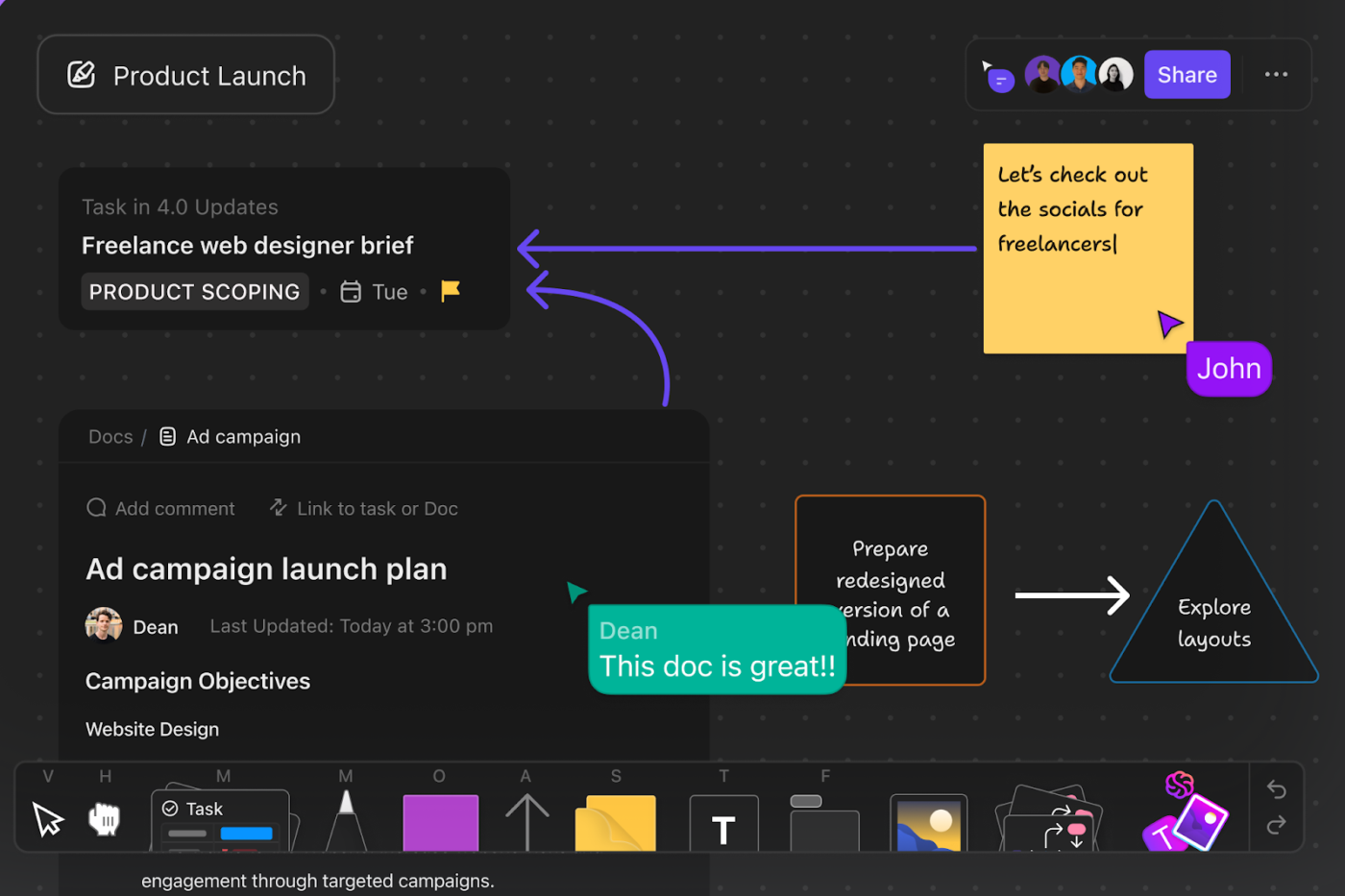
But wait, where do you get the script? From ClickUp Docs.
Access your vital documents right inside the whiteboard so your team can work on the content while looking at the digital storyboards. Everyone can pitch in to write and polish the script, ensuring the story flows well and matches your drawing.
Writer’s block? Turn to ClickUp Brain—the ultimate AI assistant that can suggest fresh concepts, themes, and visual styles and even fine-tune scripts and dialogues for clarity.
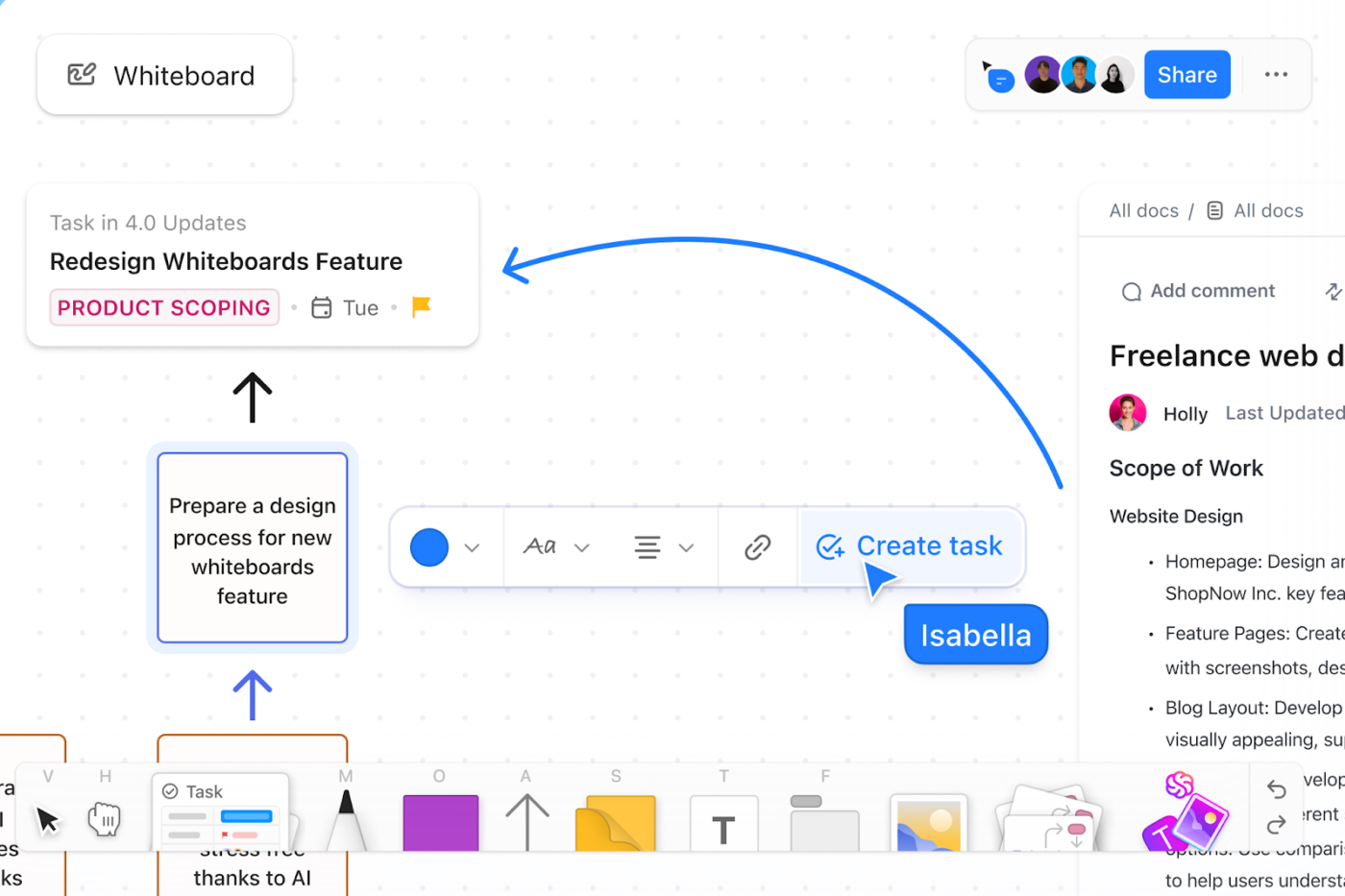
When you’re finally ready to roll, use ClickUp Tasks, the perfect set of management tools. You can convert your Whiteboard items directly into tasks, so it’s clear who’s doing what and when it needs to be done. This helps you track the entire animation process, ensuring you stay on track with your deadlines and progress.
ClickUp centralized our day-to-day operations, SOPs, and promoted collaboration across the department. We loved the dependency feature because our department worked cross-functionally too. This helped with knowing what next steps we were waiting for. Lastly, the whiteboard feature? Obsessed. This tool was often used during team meetings to brainstorm ideas or elaborate more on certain initiatives.
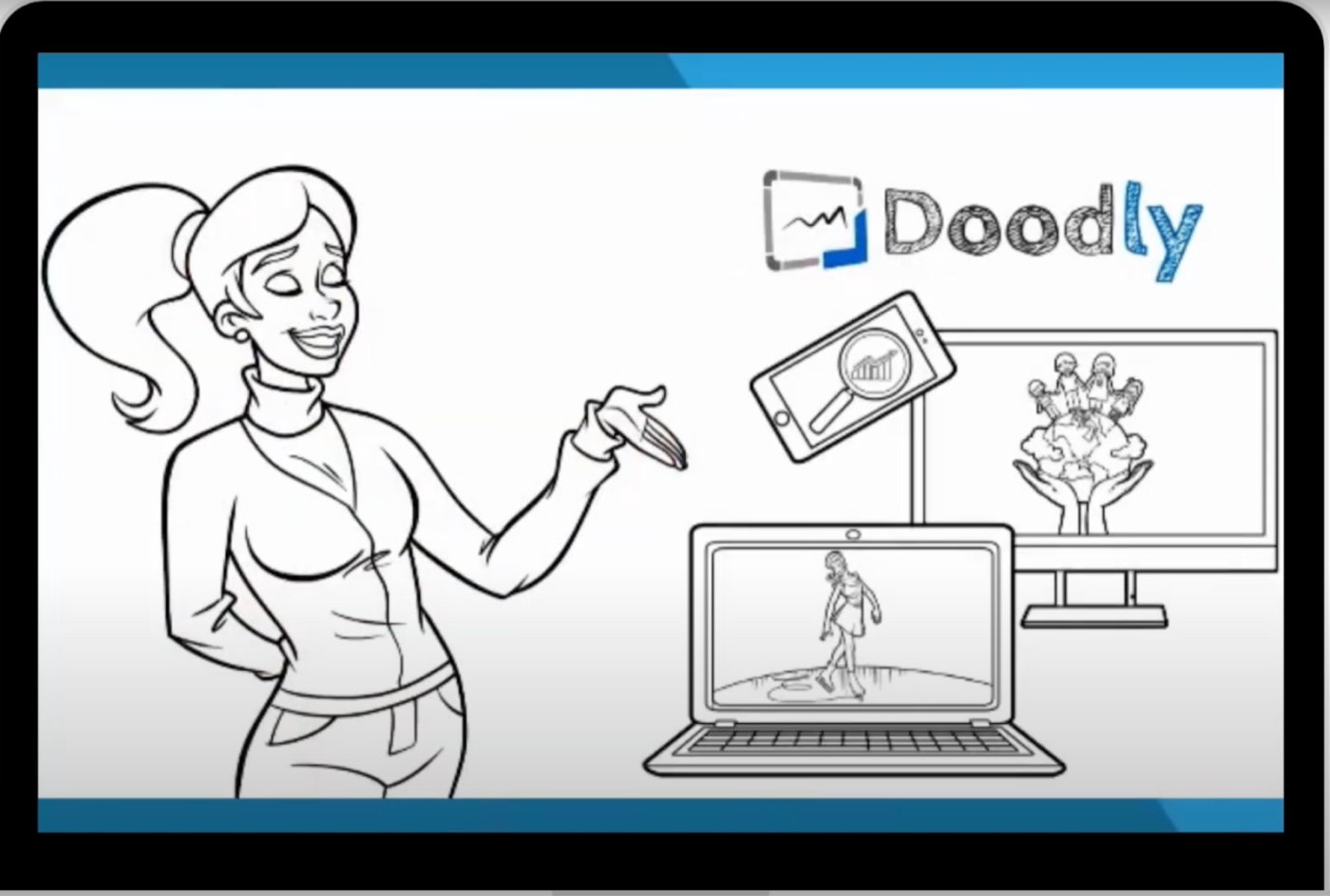
Doodly is made for all the newbies who want to create hand-drawn style animations or doodle videos with zero complexity.
It’s easy-to-use, simple drag-and-drop interface includes Smart Draw technology, which analyzes any uploaded image and creates a realistic drawing path. While other animation tools require manual keyframe adjustments to achieve this effect, Doodly does it automatically.
Instead of using basic drawing effects, it makes the animation feel more natural and less robotic.
A G2 review says:
Doodly is really easy to use. The design interface is very intuitive. The options for storytelling are limitless with add on features. I really like how easy it is to add text and other multimedia elements.
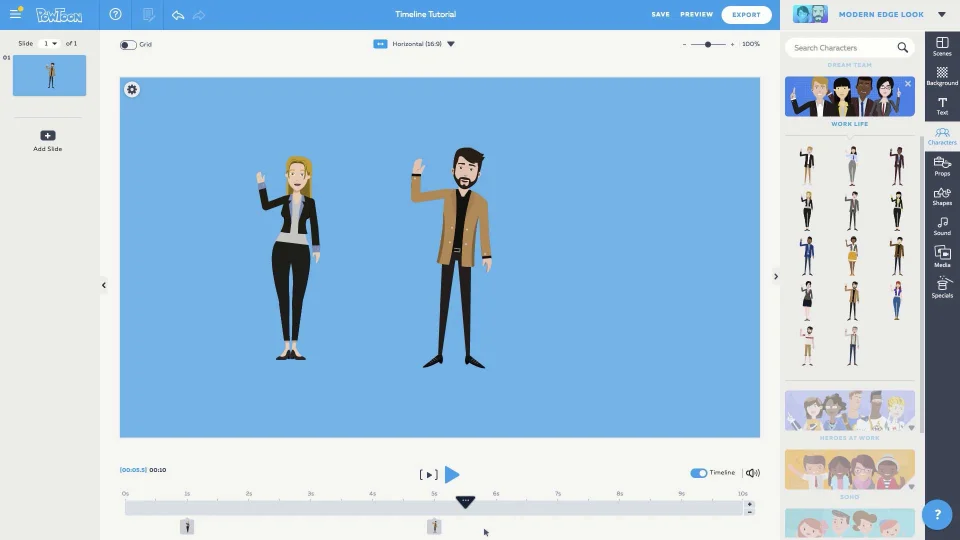
If you want to upgrade from dull PowerPoint slides without spending hours learning a new tool, try Powtoon.
Often used as a free video maker, this easy-to-use whiteboard animation maker comes with a vast library of ready-made templates for different teams, whether you’re in marketing, HR, sales, or training.
You also get customizable characters from various industries and other workplace-friendly visuals, making it easy to create training videos that feel relevant.
Plus, you’re not limited to whiteboard animations. Powtoon lets you mix things up with cartoon-style videos, live-action clips with overlays, and more, so your video content stays engaging and keeps people watching.
A Capterra review says:
I liked how straightforward the use of the product was. I created 10-12 videos in a two-week span that were all ~60-second animated videos for usage in video advertising. It was very easy to learn, the platform auto-saves your progress so there’s no fear of losing information, and it saves your video in whatever format you require.
💡 Pro Tip: Humans have a low selective attention span! So, make sure to hook your viewers fast with eye-catching whiteboard animations. But beware, don’t drag it out—long videos lose interest fast. Keep it short, snappy, and engaging!
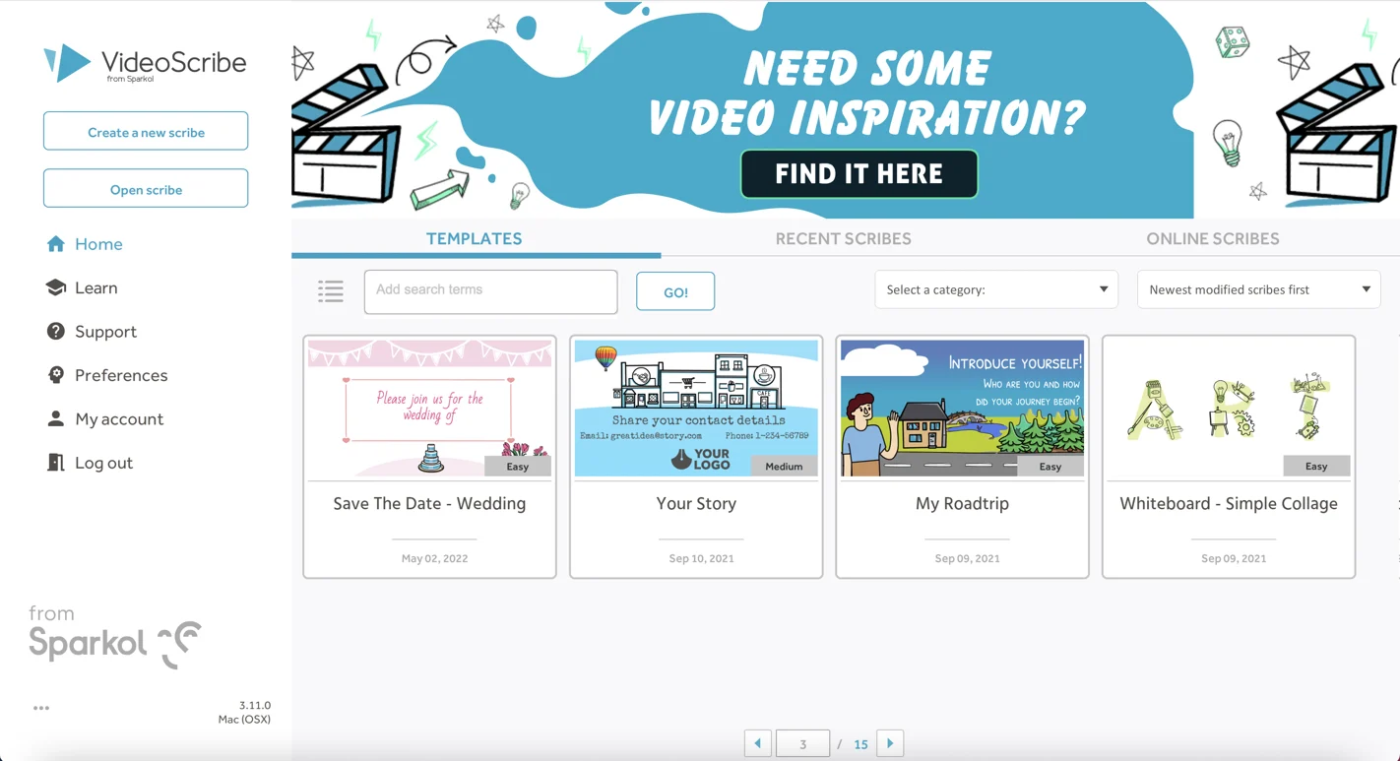
Videoscribe is a popular option for many U.S. educators to make learning more engaging through hand-drawn animations and interactive lessons.
This whiteboard video maker features a drag-and-drop interface and an extensive media library for easy video creation. It also includes SVG Morph, a tool that brings lessons to life by smoothly transforming one drawing into another.
So, instead of using separate static images, teachers can show how concepts evolve in a single, continuous motion, like a cell dividing or a chemical reaction taking place. This makes complex topics easier to understand and more memorable for students.
A Capterra review says:
What truly impresses me about VideoScribe is its ability to transform my instructional materials into engaging, whiteboard-style animations. This format resonates exceptionally well with adult learners, making it easier for them to grasp and retain information.
📮ClickUp Insight: 11% of our respondents leverage AI primarily for brainstorming and ideation. But what happens to these brilliant ideas afterward? This is where you need an AI-powered whiteboard, like ClickUp Whiteboards, which helps you instantly turn ideas from the brainstorming session into tasks.
And if you can’t quite explain a concept, simply ask the AI image generator to create a visual based on your prompt. It’s the everything app for work that enables you to ideate, visualize, and execute faster!
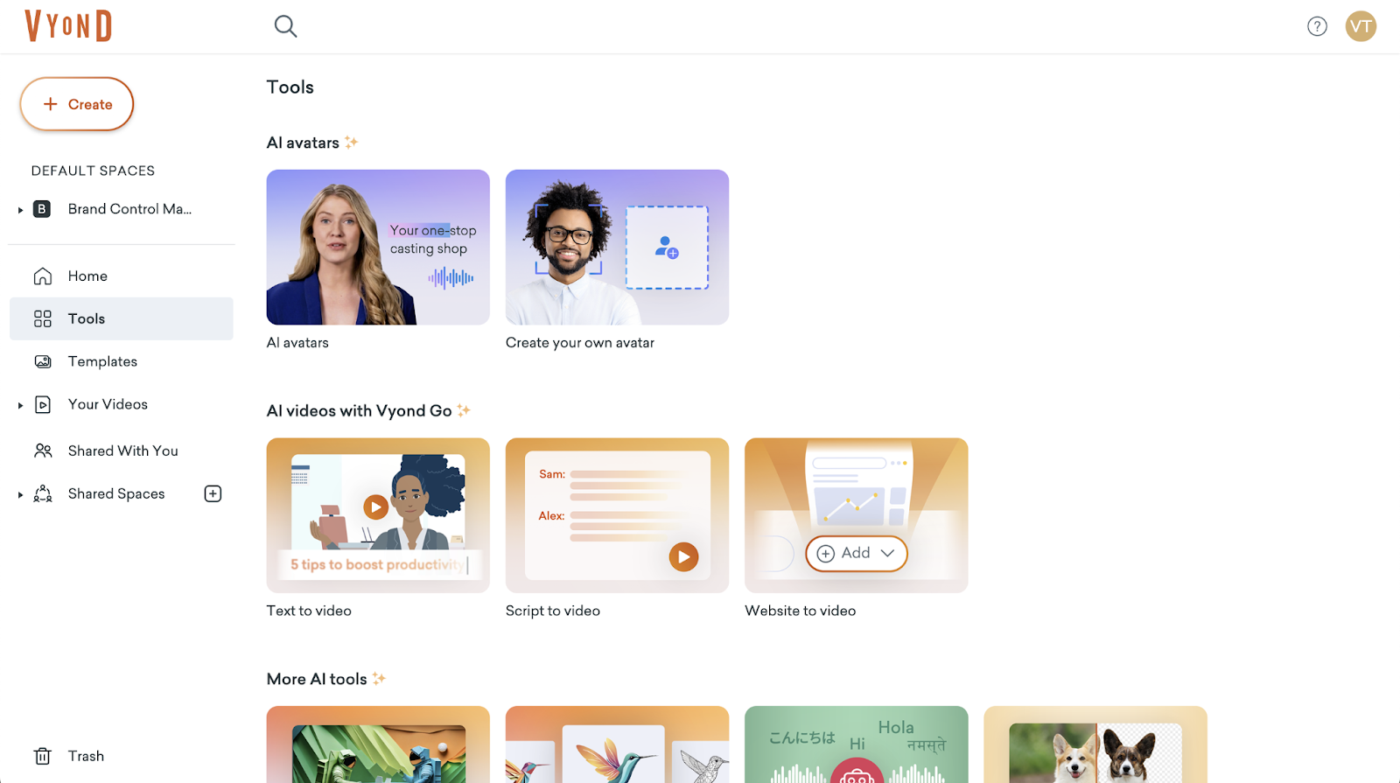
Vyond is a good choice for whiteboard animations that focus on storytelling.
You can use the platform’s Character Builder to design unique avatars with personalized features, outfits, and personalities that can perform hundreds of pre-animated actions, all while keeping the whiteboard animation style when needed.
Characters can display emotions and body language that match their dialogue and scene, switching between expressions, interacting with props, and engaging naturally. This creates more realistic and relatable stories, strengthening the emotional connection with the audience.
A G2 review says:
As a developer I can say this tool helps me create the most animated and engaging videos for training materials. I always get excellent feedback and it definitely helps me look like a professional even if I’m new at video creation. It has a lot of templates, it has AI features, and an incredible diversity of characters, voices, props, sounds, effects that will keep your audience engaged!
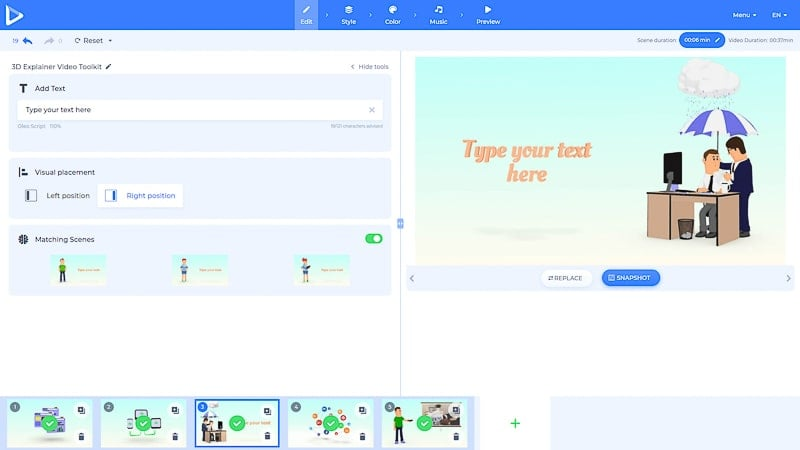
With over 1,200 ready-made templates across 10+ categories, Renderforest ensures you don’t have to start from scratch. Just swap out the placeholder text and images, and you’ll have a polished video in no time.
These fully customizable templates let you easily adjust scene durations using a simple slider or input box. Plus, Renderforest’s AI-powered tools can suggest scenes based on your script, making the video creation process faster and easier, especially when you’re on tight deadlines.
A G2 review says:
What I like best about Renderforest is how easy it is to create professional-quality content without needing extensive design skills. The variety of templates is fantastic, making it simple to produce everything from explainer videos to logos and mockups.
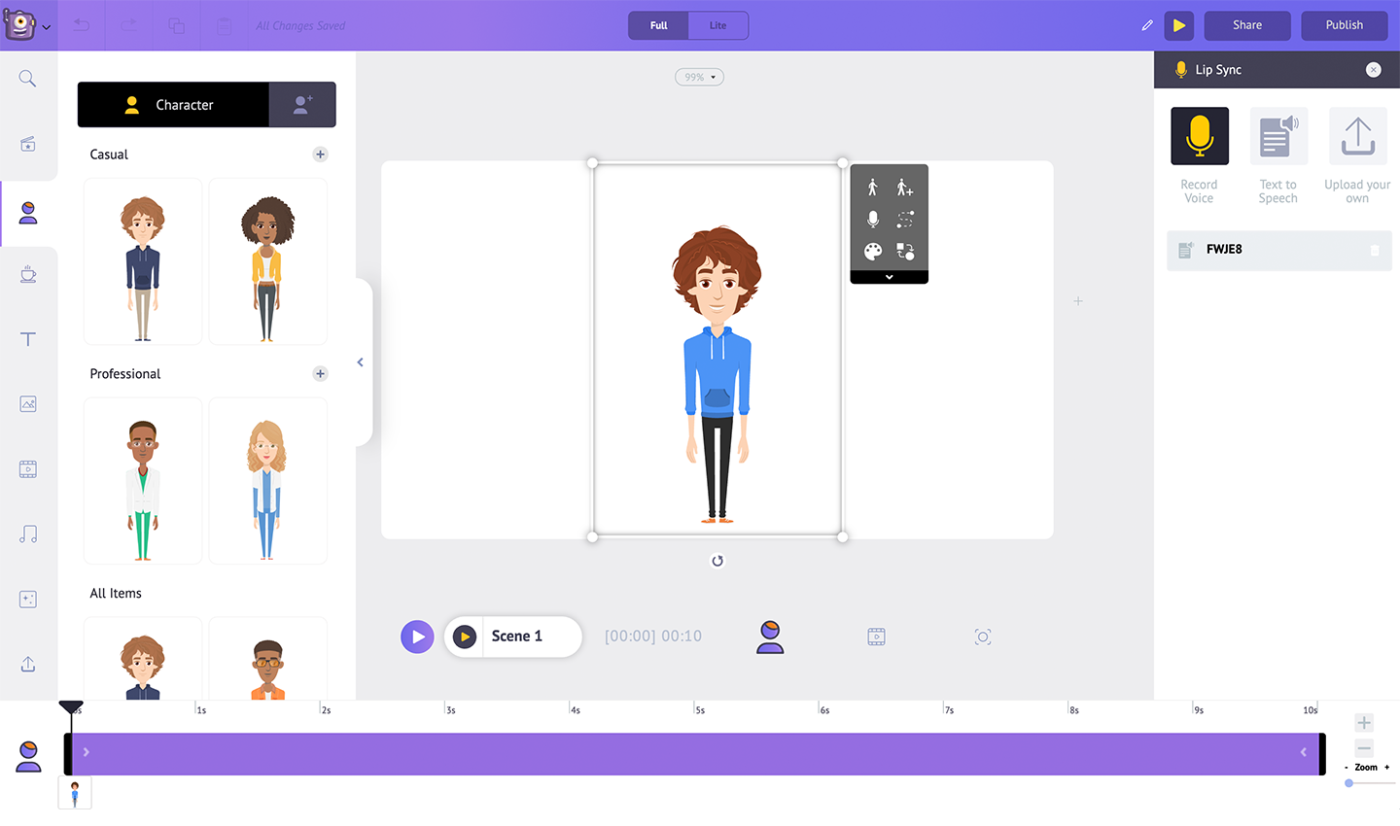
If you work with a lot of data and infographics, Animaker does a good job presenting them in a hand-drawn whiteboard style. Simply connect it to your spreadsheets and CSV files and create animated infographics that update automatically as your data changes.
The platform runs on a powerful HTML5 engine and offers different backgrounds, such as a blackboard, glassboard, and notepad. Its text-to-speech feature also lets you record or create your own voiceover.
A Capterra review says:
It was very good, i am not a designer but i can create pretty good video by my self, save cost and easy to use
➡️ Also Read: How to Video Record Yourself Presenting a PowerPoint?
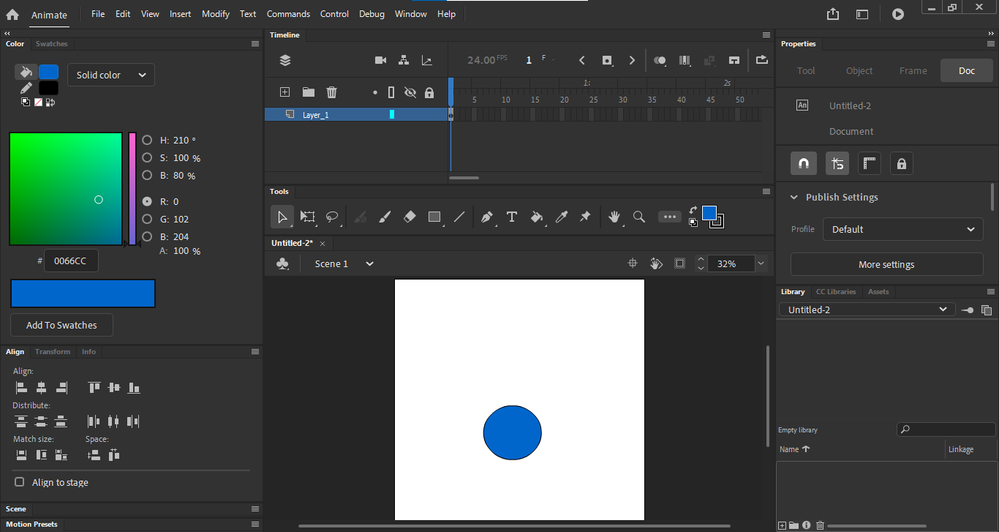
For advanced whiteboard animations, you need complete control over movement and drawing—and that’s precisely what Adobe Animate delivers.
Unlike template-based tools, Adobe Animate lets you create custom hand movements, detailed animations, and smooth drawing paths with frame-by-frame precision. However, what really makes it stand out is how it mimics real-life drawing pressure.
Lines can naturally change thickness based on speed and angle, making animations look more lifelike. With support for drawing tablets, you can create your own whiteboard videos that feel more natural and less mechanical than template-based options.
A G2 review says:
It’s interface is similar to other Adobe products so since I am familiar with the others, it was an easier learning curve. The bone tool and vector brushes are great.
👀 Did You Know? Adobe Animate was once called Adobe Flash. Yep, the same Flash that powered all those addictive computer games we played as kids! It turns out that the tool behind those fun games is the same one used to create whiteboard animations today.
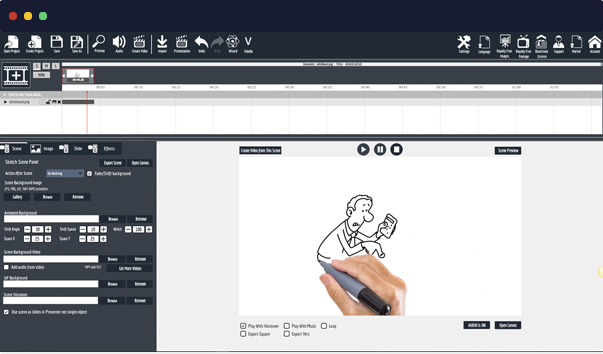
Want to mix different animation styles in one video? Try Explaindio. It lets you combine whiteboard drawings with motion graphics, 2D and 3D animations, and even live video without extra software or advanced technical skills.
That means you can make a hand-drawn character step off the whiteboard, turn into a 3D figure, walk through a scene, and then return to a drawing—all in one seamless motion.
This way, it’s easy to explain complex concepts with whiteboard animation and then switch to more dynamic visuals for demonstrations or a more significant emotional impact.
Plus, you can do all this offline since the platform doesn’t require cloud access.
💡 Pro Tip: Don’t fall into the hybrid video trap! Whiteboard animations aren’t just 2D videos with a different style—they need strong storytelling to keep viewers hooked. Even Coca-Cola knew this and used a content-rich script to make its whiteboard video engaging. So, take the time to craft a solid script—it’s worth it!
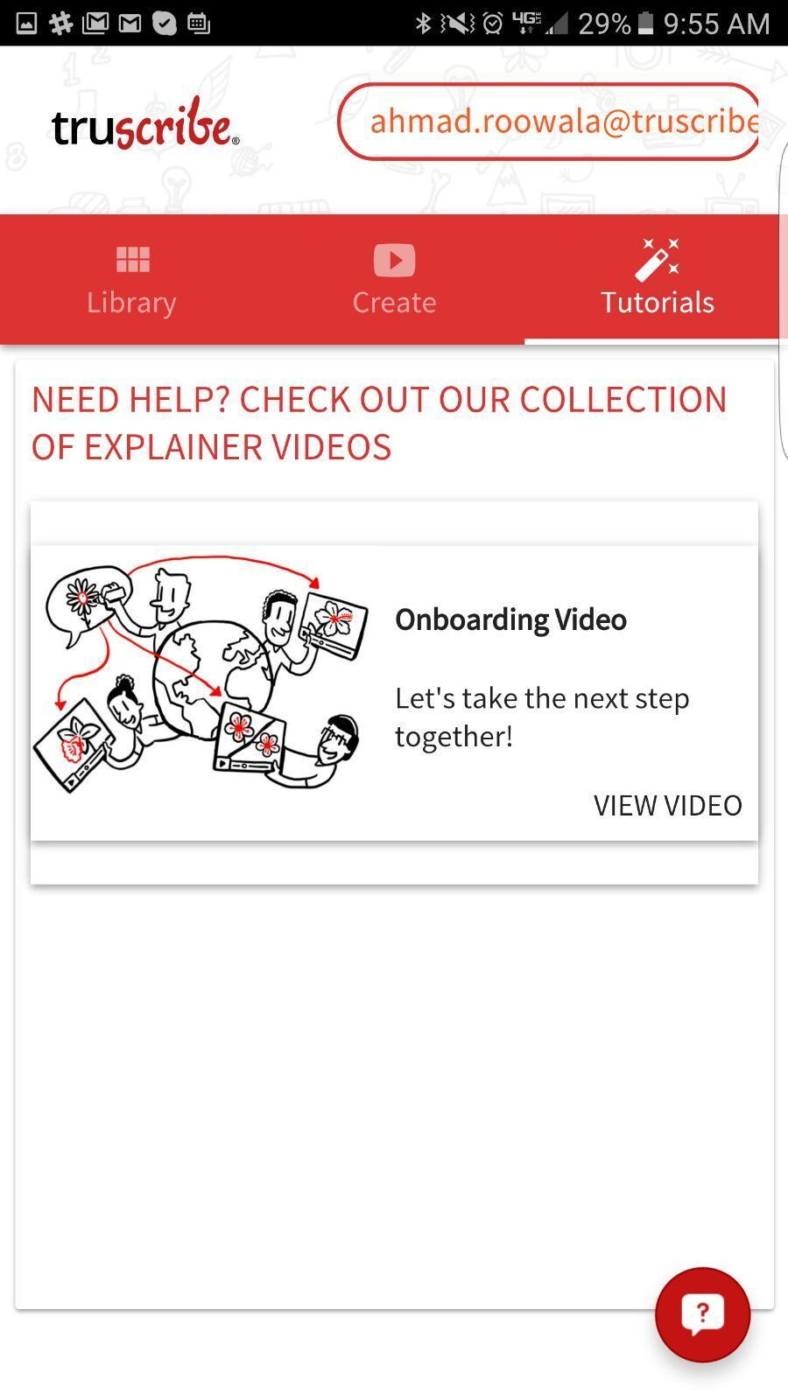
TruScribe is all about keeping viewers engaged using science.
Unlike other tools on our list, this one requires Scribology, a unique method for video creation. It applies neuroscience, behavioral psychology, and visual storytelling to make content more memorable.
TruScribe also allows you to engage professional artists to create real hand-drawn animations that feel more personal and captivating. From scriptwriting and storyboarding to illustration and voiceovers, opt for services that fit your needs and ensure your animations feel right.
Also Read: Diagram Examples for Any Type of Project
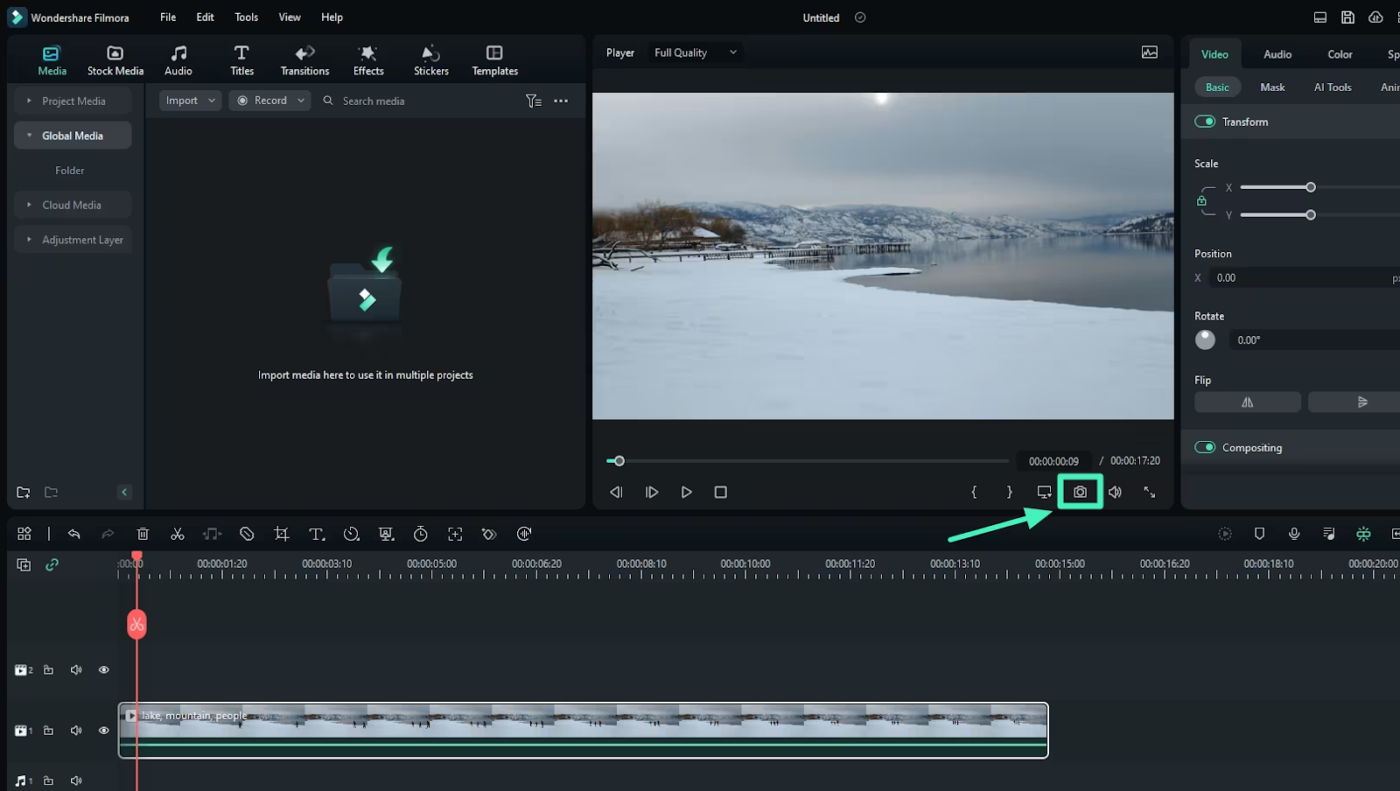
Filmora makes it easy to level up your whiteboard animations with fun visual effects. Its massive collection of transitions, filters, and audio tools adds flair while keeping the hand-drawn style natural and engaging.
This whiteboard animation maker also has a Motion Tracking feature that helps you track drawn elements and add effects that move with them. For example, you can add text bubbles that follow character animations or highlight key points as they appear.
A G2 review says:
After using WonderShare Filmora for some time, I can say that it’s a solid choice for beginners and casual video editors with multi platform support. My favourite part is the ease of use. Interface being clean and straightforward, with drag and drop facility that make editing a breeze even for the first time users. It also has a rich library of effects, transitions and text options, giving you plenty of creative freedom. The price is affordable compared to other options available.
The corporate world loves whiteboard animation videos. After all, they make training sessions more engaging, simplify complex ideas, and add a creative touch to presentations. But to get the best results, you need the right tool. And that depends on what aligns with your current needs.
If you’re just starting out and want something simple, Doodly is a good place to begin. Need more effects without too much complexity? Try Filmora. And if you’re after something advanced, Adobe Animate has you covered.
But why juggle multiple tools when you can do it all in ClickUp? With drag-and-drop editors, ready-made templates, and over 1,000 native integrations, you can create whiteboard videos inside your project management software with just a few clicks. No switching between apps—just smooth collaboration and clear task management.
Don’t take our word for it. Try ClickUp for free today and experience the difference!

Manasi Nair
Max 28min read
Manasi Nair
Max 26min read
Manasi Nair
Max 26min read

© 2026 ClickUp




