Top 11 Survicate Alternatives for Customer Feedback and Surveys

Sorry, there were no results found for “”
More than half of your customers stay silent after a bad experience—and that silence costs more than one unhappy user. It hides patterns, slows growth, and leaves you making decisions on guesswork.
The solution has always been to collect customer feedback before things go south.
Tools like Survicate help fill those gaps with features like survey logic and multi-channel distribution. However, it’s not the only option, and it may not be the best fit for your team.
Whether you’re after better pricing, deeper insights, or a more intuitive experience, there are plenty of strong alternatives out there. Here are the top Survicate alternatives to help you collect feedback, boost satisfaction, and make more confident product decisions.
🎯 In this guide, you’ll find:
As a Survicate user explains:
If it would have more advanced functionalities & advanced analytics, we would be able to use it for complex surveys as well.
While great for basic online surveys, Survicate falls short for businesses wanting overall reputation management. Here are some challenges you might come across with this tool:
| Name of the tool | Best for | Best features | Pricing |
| ClickUp | All team sizes (individuals, small businesses, mid-market companies, enterprises) | Feedback forms with automation, conditional logic, AI-powered insights, and team collaboration tools | Free forever plan; Customization available for enterprises |
| Typeform | Creative teams | Interactive UX and personalized question paths | Paid plans start at $29; Customization available for enterprises |
| Qualtrics | Enterprises | Custom logic for embedding surveys into websites, Google Analytics integration, and Stats iQ and Text iQ analysis with AI and ML | Custom pricing |
| Google Forms | Individuals and small businesses | Flexible form builder, personalization features, built-in data visualization tools | Free plan; Customization available for enterprises |
| SurveyMonkey | Small- to mid-market companies | Question bank, survey logic, multilingual support, and built-in analysis tools | Free plan available; Paid plans start at $11 |
| Jotform | Small businesses and mid-market companies | Payment integrations, automation features, and HIPAA compliance | Free plan available; Paid plans start at $39 |
| Zoho Survey | Mid-market companies | Multilingual support, email distribution, real-time reporting, and CRM integration | Free plan available; Paid plans start at $6 |
| GetFeedback | Mid-market companies and enterprises | Drag-and-drop builder, NPS tracking, Salesforce integration, and mobile-optimized surveys | Custom pricing |
| Forms.app | Individuals and small businesses | No-code form builder, product listings, and payment support | Free plan available; Paid plans start at $25 |
| ProProfs Survey Maker | Small businesses and creative teams | Customizable templates, scoring and branching logic, real-time analytics, and integrations | Free plan available; Paid plans start at $39 |
| Formstack | Mid-market companies and enterprises | E-signatures, workflow automation, and data encryption features | Paid plans start at $99 |
Our editorial team follows a transparent, research-backed, and vendor-neutral process, so you can trust that our recommendations are based on real product value.
Here’s a detailed rundown of how we review software at ClickUp.
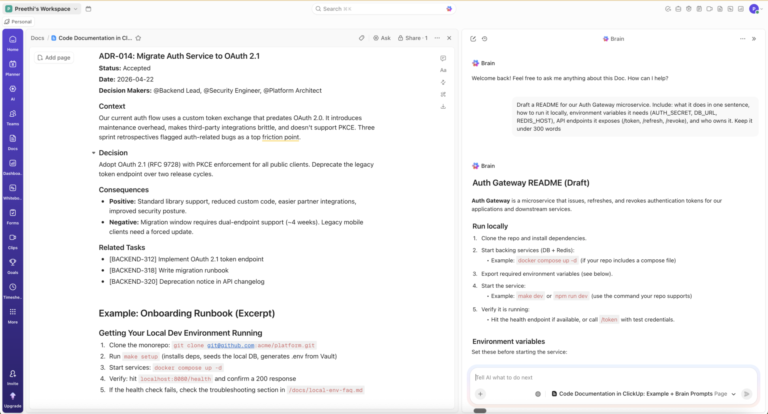
Investing in the right customer service tool is the easiest way to ensure your CS team thrives. Let’s dive into the best survey and online form builders that can enhance user experience through insights.

ClickUp, the first Converged AI Workspace, acts as a shared point of reference for businesses, marketers, and product teams. It’s a full-blown productivity platform that ensures the organization of collaboration, workflows, and critical data.
ClickUp’s customizable Forms feature allows users to easily build branded feedback surveys using a drag-and-drop interface, supporting a wide variety of field types (text, dropdowns, ratings, and more).
Whether you’re collecting post-purchase feedback, running NPS surveys, or gathering product feature suggestions, you can tweak all your questions to your target audience.
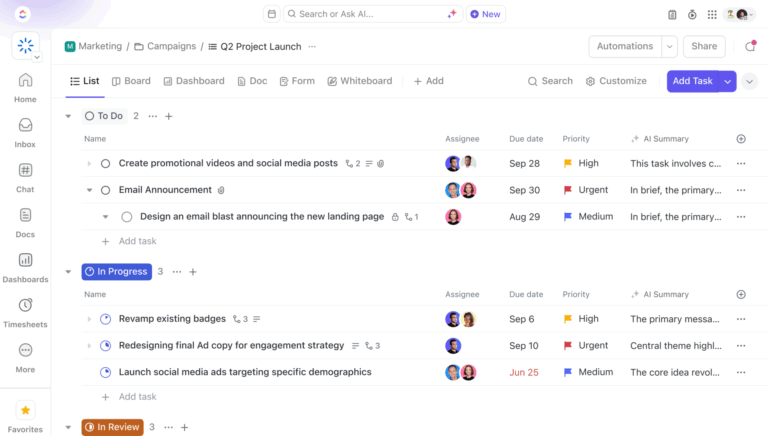
Unlike rigid survey tools, these forms feel native to your workflow and instantly connect submissions to actionable Tasks. No more copy-pasting data from one platform to another or file import headaches. This direct integration with ClickUp Task Management streamlines feedback management, turning each customer input into a trackable task.

To share your form, whether to collect customer feedback, product suggestions, or satisfaction scores, you can simply do it via a link or embed it into a web page.
The ClickUp Form View also doubles up as your command center.
It lives right in your Views Bar, Sidebar, or Forms Hub, letting you build and manage forms directly from the project you’re working on. You don’t need to leave your workflow to update a survey or launch a new one. It’s seamless and flexible, bringing feedback forms right into the heart of your daily operations.

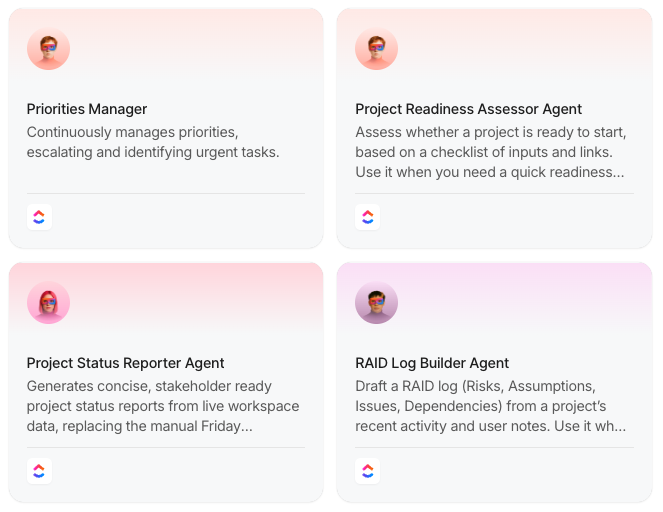
Once the responses start rolling in, you’ll want a system that does more than just store data. Enter ClickUp Automations + AI Agents, your tireless operations lead.
Want to instantly assign survey tasks to a product owner? Notify customer success when a score drops below a certain threshold? Automate next steps based on sentiment? Easy. Agentic automation in ClickUp ensures your team stays responsive without getting buried in manual work.
This automation not only saves time but also ensures that feedback is routed to the right team members and handled promptly, enhancing overall workflow efficiency.
To see the big picture, deploy your strategist: ClickUp Dashboards. It pulls insights from across your forms, tasks, and timelines—letting you visualize customer sentiment, team response time, or follow-up status.
Add Cards for survey results, trends, or SLA compliance, and you’ve got a live snapshot of your entire feedback ecosystem.
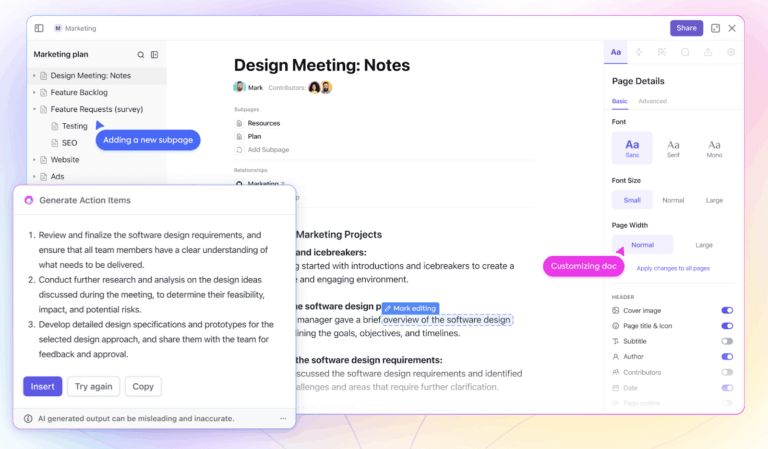
Now, let’s add some AI to the operation. ClickUp Brain empowers teams to quickly extract actionable insights from large volumes of website feedback surveys and online surveys, driving better product and service decisions.. All within your workspace.

You can unlock deeper insights with ClickUp Brain MAX. With Brain MAX, you get access to enhanced AI models, Talk-to-Text, deeper analytics, and more powerful automations—enabling you to analyze complex feedback at scale, generate detailed reports, and automate sophisticated workflows.
A TrustRadius review reads:
Our teams have used forms and templates to standardize some workflows. We’ve also used the built-in automation to ease some workflows, especially where custom fields are capturing information that can help determine who should be assigned to a task. Finally, we’ve also used the email integration and API features to automatically generate tasks when some platforms are alerting or showing possible performance issues.
💡 Pro Tip: Want ChatGPT to write for you? Or need Claude to work on some code? You can switch between different LLM models within the ClickUp workspace!

If Survicate feels too utilitarian, Typeform offers a more polished, user-friendly alternative. Its one-question-at-a-time layout creates a natural conversational flow on any device, boosting engagement and response quality.
The tool’s AI-powered analytics dig into sentiment, behavior, and intent, helping you understand what users say and why. It’s also a solid Jotform alternative for teams looking to simplify surveys without sacrificing insight.
A Capterra review reads:
I use typeform to screen new clients. It has helped tremendously because it minimizes the need for me to physically ask them the questions on the typeform. I can sort clients and review the data to help market.

Not every customer will tell you when something’s wrong, but their actions will.
Rage clicks, erratic scrolling, or abandoning a form halfway through can all signal frustration. Qualtrics AI detects this behavior to identify when users are struggling. You can identify the pain point in real time and plan a solution.
Qualtrics also generates predictive insights across the entire user journey by connecting the dots. You can track sentiment from the first website visit to the latest support call. It enables the team to visualize a comprehensive picture, driving retention, loyalty, and product improvements.
A G2 review reads:
Qualtrics platform offers wide integration capabilities with the various SAP and non-SAP systems , different communication channels for the survey distribution.
👀 Did You Know: 81% of consumers believe AI to be essential to modern customer service.

Already deeply embedded in the Google ecosystem?
Google Forms is your best bet for free and simple data collection. Its seamless integration with Google Drive ensures your forms are easily accessible, editable, and shareable.
The smart data validation rules prevent users from submitting invalid or incomplete data, saving you time reviewing and cleaning up responses later. With built-in rules, you can set up automatic checks to validate specific inputs based on the desired data type.
A Capterra review reads:
I love the ability to easily create forms for both external and internal form needs.
📖 Also Read: How to Create a Google Forms Survey
📮 ClickUp Insight: 88% of our survey respondents use AI tools for personal tasks every day, and 55% use them several times a day.
What about AI at work? With a centralized AI powering all aspects of your project management, knowledge management, and collaboration, you can save up to 3+ hours each week, which you’d otherwise spend searching for information, just like 60.2% of ClickUp users!
See it in action here. 👇🏼

SurveyMonkey’s forms put three mechanisms into place: skip logic, piping, and flip logic.
Skip Logic directs respondents only to the relevant questions based on their previous answers, eliminating unnecessary steps and improving survey flow. Piping takes it further by carrying forward responses into subsequent questions, creating a dynamic, personalized experience that feels more like a conversation.
Lastly, Flip Logic randomizes answer choices to minimize bias, ensuring that the order of options doesn’t influence how respondents answer ranking or multiple-choice questions.
A G2 review reads:
I appreciate how easy it is to create and distribute surveys with minimal effort. The drag-and-drop interface makes building surveys a breeze, even for people without any technical background.

Jotform is a powerful Survicate alternative that excels in creating highly customizable customer feedback surveys and online forms with ease.
It offers thousands of fully customizable survey templates, advanced design options including custom CSS, and an intuitive drag-and-drop form builder, enabling you to tailor surveys to your brand and specific needs.
It’s also a great SurveyMonkey alternative because it doesn’t need internet connectivity for data collection. The tool lets your customers fill out forms, post signatures, and submit responses offline. Once they’re back online, all data syncs automatically.
🧠 Fun Fact: Brands that invest in personalization are 71% more likely to experience improved customer loyalty.

A customer from Spain leaves a detailed product review in Spanish, which a vendor in France receives instantly in French, thanks to Zoho Survey’s response translation. It automatically translates short responses, detailed explanations, and matrix-style inputs into your chosen language.
Zoho also offers a wide range of question types and advanced survey logic, enabling more complex and targeted feedback collection compared to Survicate.
A G2 review reads:
I really like the way results are shown clean charts, reports, and easy filters. I’ve used it both for internal team assesments and for customer feedback forms, and it’s been smooth.

Customer feedback tools can shape business decisions, and GetFeedback aligns itself with this vision.
Once responses are collected, the tool maps them directly to Salesforce records, linking customer sentiment with existing CRM data. This creates a real-time view of customer satisfaction.
Teams can then track CX trends, identify pain points, and measure the direct impact of feedback on retention and revenue.

Unlike Survicate, which focuses primarily on surveys and customer feedback, Forms.app supports transactional workflows, making it ideal for businesses that need more than just feedback collection.
Imagine a bakery that sells custom cakes. Using Forms.app’s product basket feature, the bakery can create a form that lists all available flavors, sizes, fillings, and decoration options. Customers can easily select their preferences, upload reference images for their design, and instantly see the total price update in real time, thanks to the built-in calculator.
A Capterra review reads:
You can add your logo even in the free plan. I use it for collecting registrations, and I can easily keep track of the process.

ProProfs instantly delivers Net Promoter Score (NPS) surveys to customers via email, website embeds, in-app pop-ups, and social media. As responses come in, this Survicate alternative’s advanced features generate daily, weekly, and monthly reports, helping businesses track trends over time.
With visual dashboards, businesses can quickly analyze NPS percentages, identify areas for improvement, and spot potential churn risks.

Formstack focuses on what happens once data is collected. Built-in automation, prefilled forms, and dynamic approvals route information to the right people, populate documents, trigger approvals, and sync with your systems.
For example, a submitted lead form is instantly routed to the designated sales representative, while a patient intake form is directed to your records system.
This Survicate alternative also supports advanced features, such as conditional logic, dynamic forms, and seamless embedding on websites, making it easy to design interactive, branded surveys that drive higher engagement. Its intuitive interface and broad integration options help teams streamline data collection and enhance customer satisfaction insights.
👀 Did You Know: Organizations with top-performing customer education programs experience a 20% improvement in their customer loyalty score.
Gathering customer insights shouldn’t feel like a tedious chore.
The right survey tool doesn’t just gather feedback; it manages workflows, enhances collaboration, and helps you turn responses into action.
While Survicate offers solid features, it may not always meet your needs.
With AI-powered automation, flexible form creation, and seamless integrations, ClickUp is the perfect Survicate alternative, your all-in-one workspace to collect responses and execute projects.
Gather insights, act on them, and enhance user experience. Sign up for ClickUp for free today to collect feedback more effectively.
© 2025 ClickUp