


Sorry, there were no results found for “”
Sorry, there were no results found for “”
Sorry, there were no results found for “”
🧠 Knowledge might be invisible—but when it walks out the door, the impact is very real.
If Gina’s the only one who knows how to pull that complex report, what happens when she leaves? 🤷🏽♀️
That’s why knowledge management isn’t just a nice-to-have—it’s essential. Without a clear strategy, valuable insights stay trapped in inboxes, chats, or one person’s head. With the right approach, your team can turn scattered know-how into shared assets that drive clarity, speed, and smarter decisions.
Whether you’re leading a knowledge management initiative or simply want to prevent information bottlenecks, this guide will walk you through 10 proven strategies to capture, organize, and activate your team’s knowledge before it goes missing.
Knowledge management (KM) is a structured approach for capturing, organizing, sharing, and using your organization’s knowledge. Think of it as an internal knowledge base that makes the right information available to the right people at the right time.
Knowledge management isn’t just about building SOPs that nobody will read again. This approach codifies and shares knowledge in a single repository. Knowledge management software easily organizes knowledge like:
Best of all, knowledge management makes this information accessible to everyone who needs it. Instead of sending Slack messages back and forth asking for certain files or procedures, your team can find everything they need with a simple search in your knowledge management tool. If you store sensitive information, you can lock it down with tiered permissions, too.
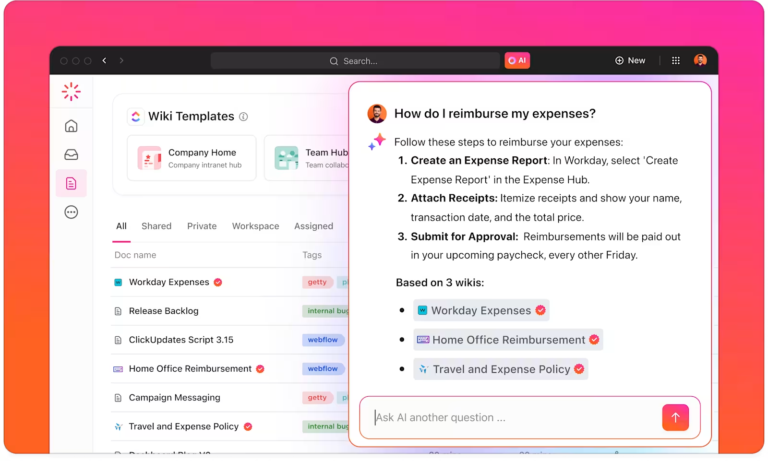
📮 ClickUp Insight: More than half of all employees (57%) waste time searching through internal docs or the company knowledge base to find work-related information. And when they can’t? 1 in 6 resorts to personal workarounds—digging through old emails, notes, or screenshots just to piece things together.
ClickUp Brain eliminates the search by providing instant, AI-powered answers pulled from your entire workspace and integrated third-party apps, so you get what you need—without the hassle.

Did you know there are different types of organizational knowledge? You might not realize it, but your team has a lot of knowledge resources at its disposal. It takes a little elbow grease, but your knowledge management process should gather these three types of information:
Explicit knowledge is easiest to document, but there’s real value in logging tacit and implicit knowledge in your systems, too. Fortunately, a solid knowledge management platform will guide you through a process of documenting all three types of knowledge.
Instead of making the same mistakes over and over, knowledge management helps you capitalize on collective knowledge and harness new knowledge for process optimization. From reducing misunderstandings to speeding up employee training, there’s a lot to love about knowledge management.
The longer an employee is with an organization, the more valuable they are. They’ve collected company knowledge over time that probably isn’t documented anywhere, which puts you at risk of losing it.
Knowledge management gives employees a structured process for documenting their experience and quickly sharing it with the team. Instead of allowing this information to languish in an SOP in a shared drive somewhere, your knowledge management solution connects this data to your workflows. It’s the best way to mobilize knowledge in your day-to-day work without bulky tools or additional processes.
Nobody knows everything. Instead of asking six people for information, an employee can quickly look up procedures in your knowledge base. This approach gets your team up to speed more quickly and cuts down on “Have you seen this file?” emails—it’s a real win-win.
Information silos are more likely to happen as your organization adds more departments, teams, and people into the mix. Before you know it, everyone in your business speaks a different language. Knowledge management strategies give everyone access to the same information and put everyone on the same page.
Knowledgeable teams are productive teams. Following proven knowledge management strategies creates a culture where team members are happy to share information. Over time, this boosts collaboration and trust, leading to more innovation and creativity. 🧠
Knowledge is a huge asset, but it isn’t easy to manage. Follow these 10 KM strategies to source, organize, manage, and mobilize your stakeholders’ valuable knowledge in one place.
The more your team learns, the more knowledge they’ll have. Unfortunately, it’s hard to invest in continuous learning, especially if your team has a lot of hard deadlines. Even so, building a culture of learning is a great way to improve the employee experience, increase morale, and encourage knowledge sharing.
This doesn’t have to take much time or distract your team from their full-time duties. A monthly training session, annual conference, or weekly lunch-and-learn are efficient ways to share knowledge.
Effective knowledge management requires a centralized knowledge base. Fortunately, you don’t have to build this from scratch: knowledge management software will do all the work for you.
In fact, most tools will automate knowledge capture and distribution. The right solution will offer features like searchability, collaboration tools, and integration capabilities, making it a cinch to get up and running for knowledge sharing.
Not all knowledge is valuable, so reviewing the information in your knowledge base is a good idea. Knowledge audits identify what knowledge your team has, what’s missing, and what’s no longer relevant. Annual audits continuously update and refine your knowledge management strategy and keep your KM program tidy and actionable. Plus, they’re a good opportunity for improving processes that are out-of-date or just not useful.

There’s a time and place for your team to operate as Lone Rangers, but knowledge is more actionable when it’s shared. Tools like intranets, wikis, and internal social networks facilitate collaboration by making it easy to ask questions and share information. Group brainstorming sessions are also great for synthesizing different perspectives for stronger, better ideas.
Knowledge management software is necessary, but you still need official policies backing up this tool. Without clear policies, you might manage knowledge inconsistently and find crucial data slipping through the cracks.
Work with your team to create shared documentation and content management practices. You might need policies for:
As always, document these policies in your knowledge management platform so your team can access them.
Effective onboarding is a management best practice, but it’s also a smart knowledge management strategy. Good onboarding processes help new employees quickly absorb organizational knowledge and understand their roles. Instead of telling new people to “just figure it out,” templatize your onboarding processes so all new hires get the same information in the same format.
A little generic knowledge is good, but expertise is worth its weight in gold. Every person on your team is an expert at something, so ask them to share that expertise with the entire company!
Ask IT to create best practices for cybersecurity or ask the good folks in customer service to provide do’s and don’ts for customer-facing interactions.
SMEs specialize in these areas and have valuable first-hand knowledge that the rest of the company might not know. For example, maybe your customers prefer certain phrases—log that in the knowledge management platform to get everyone on the same page, courtesy of the SME. 🤝
Knowledge without an application isn’t very valuable, so integrate your knowledge base into your business processes. For example, if your sales team compiles a thorough record of a client’s relationship with your company, read it before your next client call. Better yet, integrate it into your project management workflows so the team reviews this information every time.
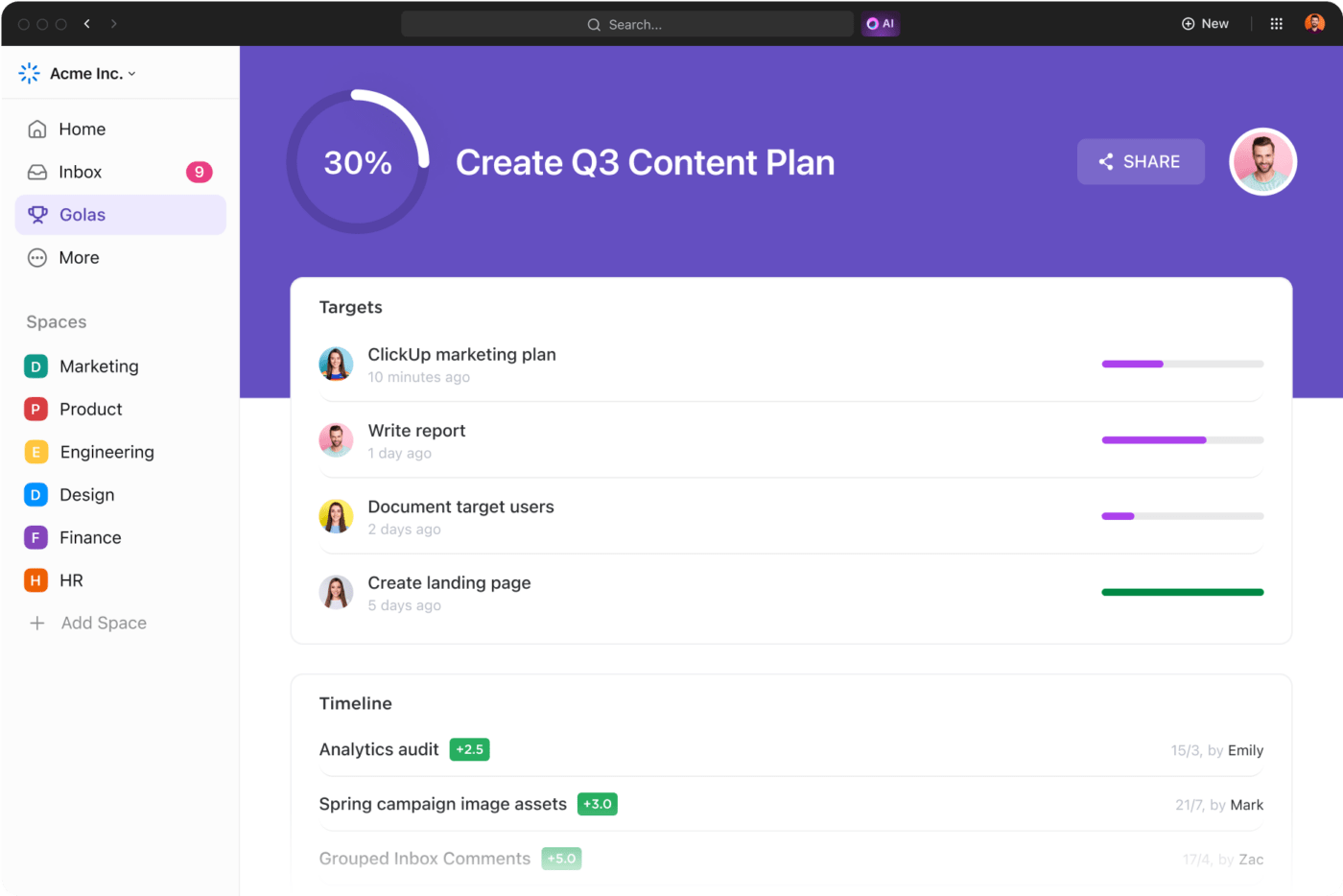
This knowledge management strategy is a must for any data-driven project team. Set a clear goal for your KM strategy and establish metrics supporting that goal. Whether you rely on knowledge management software for productivity or sanity, it’s important to check your metrics and see if knowledge management is helping—or hurting—your team.
Most knowledge management software comes with metrics baked into the platform. Track these key performance indicators (KPIs) over time to see how well everything is going:

Psst, we’ll let you in on a little secret: You don’t have to write or organize all of this knowledge manually. Artificial intelligence (AI) and machine learning complement any knowledge management strategy, helping with tasks like:
Even if your knowledge platform doesn’t include AI, look for trigger-based automations. These drag-and-drop automations make it a cinch to act on knowledge without dropping the ball.
Shared drives and spreadsheets can only take you so far. As your company grows, they become harder to manage, harder to search, and easier to ignore. That’s where knowledge management software steps in—designed to structure, centralize, and scale your team’s expertise.
These platforms let you document everything from SOPs and onboarding guides to meeting notes and project learnings—so your team can find answers fast, stay aligned, and work more efficiently.
ClickUp’s Knowledge Management features offer a flexible, all-in-one solution with collaborative Docs, AI-powered search, customizable permissions, and task linking—all in the same workspace where your team already works.
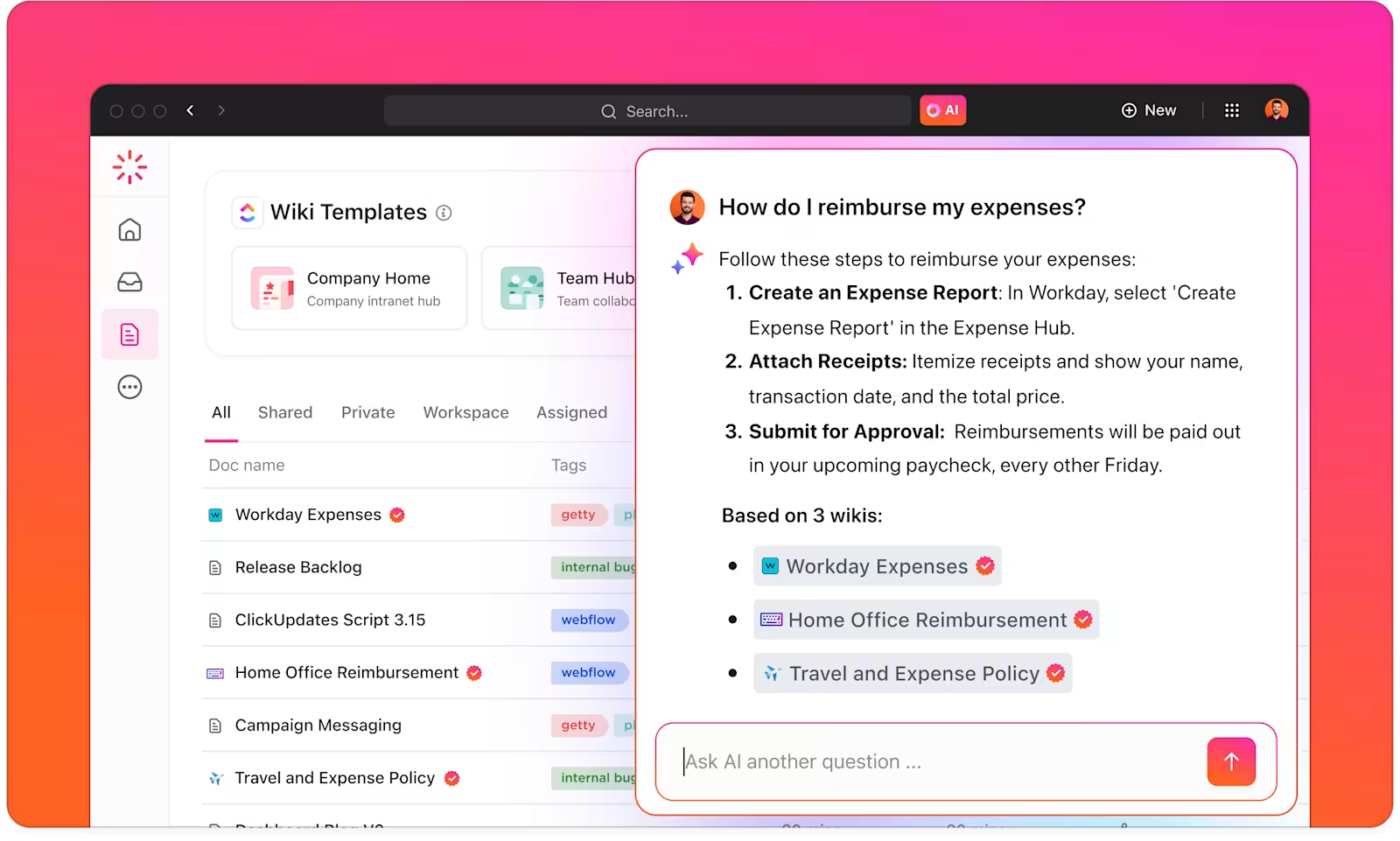
You can also use ClickUp AI to summarize information, generate documentation, or instantly answer questions based on existing knowledge. And with ready-made templates for wikis, SOPs, and internal documentation, you don’t have to start from scratch.

Project management is our bread and butter, but that’s just the tip of the iceberg. Project managers rely on ClickUp to add comments to any task or Doc, assign real-time action items, and share attachments from the knowledge base. Brainstorm in a Mind Map, Whiteboard, Doc, or wiki and connect it to your tasks and projects with a single click.

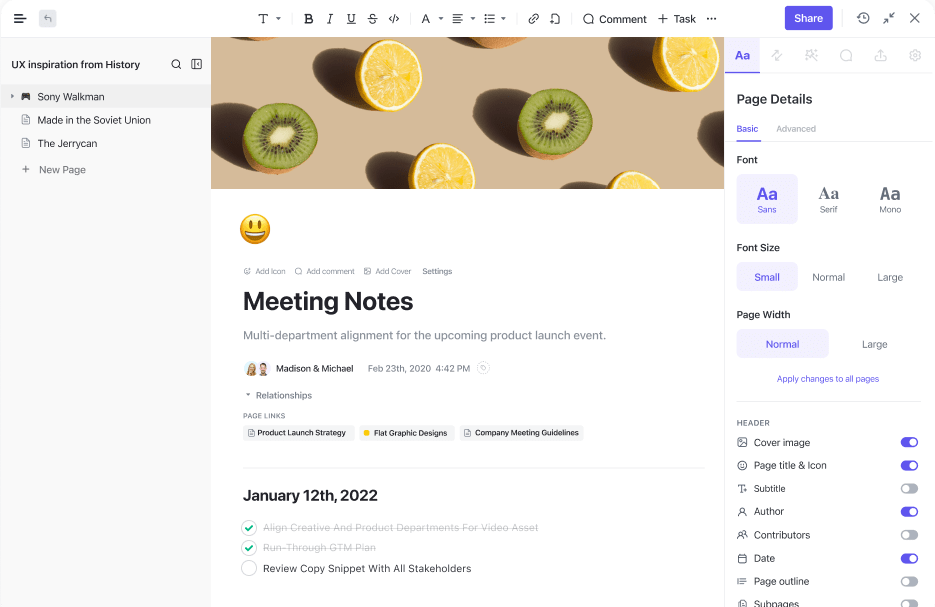
Why ask one team member to build a page for your internal wiki when you could ask the whole team to pitch in? ClickUp Docs supports real-time collaboration, tags, comments, and action items. You can even convert text into tasks with a single click to mobilize your knowledge with zero fuss.
By the way, you don’t have to build these Docs from scratch, either. Pick a ClickUp template, add your data, and you’re off to the races. For example, the ClickUp Wiki Template comes with everything you need to build a thorough wiki page, complete with eye-catching formatting.
For more hands-on assistance, give ClickUp AI a spin. Speed up your knowledge management strategies by asking the AI chatbot to summarize meeting notes or format tables.

Are you curious about how often your team accesses assets and Docs? ClickUp Dashboards make it a breeze to see all KM metrics at a high level. Just pick the metrics that matter most to you, and it’ll track the data for you. See which wikis get the most hits, which employees contribute the most to the knowledge base, and how effectively the knowledge base streamlines workflows. Everything is 100% customizable, so you’re free to adjust the Dashboard as you go.
Implementing knowledge management strategies is only half the story—the real win is knowing they’re working.
Here’s how you can measure KM effectiveness in ClickUp:
💡 Pro Tip: Add KPIs to ClickUp Goals so you can track improvement over time and tie KM impact directly to business outcomes
AI is reshaping how teams find and use knowledge. ClickUp Brain, our built-in AI assistant, simplifies every step of knowledge flow.
Here’s how AI enhances your KM strategy in ClickUp:
💡 Pro Tip: ClickUp supports multiple AI models and continues to expand its agent-driven capabilities for smarter knowledge workflows
Knowledge is an intangible but incredibly valuable asset for your company. Instead of letting knowledge float away into the ether, follow these knowledge management strategies to gain control over your internal knowledge.
Knowledge management strategies are a must, but you still need solid KM software in your corner to back up your big plans. Go with ClickUp to blend project management with knowledge management. Our all-in-one work platform saves your team the hassle of switching between platforms by bringing everything—including your knowledge—into a single place. ✨
Ready to build a smarter internal knowledge system?
Try ClickUp for free and bring all your knowledge, tasks, and teams together in one place.
What is the difference between knowledge sharing and knowledge management?
Knowledge sharing is one part of knowledge management. KM includes the full process—capturing, organizing, storing, and sharing knowledge across the company.
How can small teams implement KM strategies?
Start with a shared knowledge base using tools like ClickUp Docs and Templates. Even basic documentation and tagging go a long way in making knowledge accessible.
What are common challenges in knowledge management?
Lack of adoption, outdated documentation, and siloed tools. Use integrated platforms like ClickUp to centralize and automate updates.
Is AI essential for knowledge management?
AI isn’t mandatory—but it’s becoming a major advantage. Tools like ClickUp Brain simplify search, summarization, and context access.

Manasi Nair
Max 18min read

Arya P Dinesh
Max 26min read

Sudarshan Somanathan
Max 22min read

© 2026 ClickUp




