10 Best Bynder Alternatives for Digital Asset Management

Sorry, there were no results found for “”
Your team is ready to launch a campaign, but there’s one problem—you can’t find the right version of the logo. It’s supposed to be in your digital asset management (DAM) system, but after digging for what feels like forever, you scroll through old email attachments instead.
Sound familiar?
Bynder is a popular DAM choice, but it’s not always the best fit for every team.
If you’re looking for something more user-friendly, with better collaboration features, or a more affordable option, plenty of Bynder alternatives can enhance your workflow.
Here are 10 solid choices to consider. 🎯
From intelligent auto-tagging and smart categorization to seamless integrations and intuitive interfaces, the tools below are built for marketing teams, creative professionals, and enterprises looking to streamline digital asset management.
Here are the top 10 Bynder alternatives:
| Tool | Best for | Best features | Pricing |
|---|---|---|---|
| ClickUp | All-in-one productivity and DAM Team size: Individuals, small businesses, mid-market companies, enterprises | Task and project management, real-time collaboration, AI-powered search and auto-tagging, asset management templates | Free forever; Customization available for enterprises |
| Canto | User-friendly digital asset management Team size: Small to mid-sized businesses | AI-powered search, version control, team collaboration tools, facial recognition | Custom pricing |
| Filecamp | Customizable branding and access control Team size: Growing teams | Unlimited user accounts, customizable branding, advanced search and tagging, alerts for asset modifications | Starts at $29/month |
| Brandfolder | Scalability and customization Team size: Mid-size to enterprise companies | AI-powered tagging, customizable templates, brand consistency, advanced analytics | Custom pricing |
| Nuxeo | Advanced content management and integration Team size: Large organizations | Workflow automation tools, flexible data models, low-code development environment, robust APIs | Custom pricing |
| Frontify | Brand consistency and collaboration Team size: Teams maintaining visual identity | Brand guidelines, real-time collaboration, version control, performance analytics for branding strategies | Custom pricing |
| Adobe Experience Manager | Comprehensive marketing solutions Team size: Large enterprises | Integration with Adobe tools, content personalization engine, multi-site management, cloud-native architecture | Custom pricing |
| Acquia DAM (Widen) | Centralized media management and analytics Team size: Large organizations | Global content delivery, integration with 50+ tools, enterprise-level security, asset automation | Custom pricing |
| MediaValet | Robust search capabilities and integration Team size: Large teams | AI tagging, global distribution network, advanced search, integrations with tools like Adobe Creative Cloud | Custom pricing |
| Aprimo | Workflow automation and marketing resource management Team size: Larger enterprises | AI-driven search, real-time collaboration, advanced metadata management, content lifecycle tracking | Custom pricing |
What Is Bynder?
Bynder is a cloud-based digital asset management platform that centralizes digital content storage, organization, and distribution, such as images, videos, documents, and other creative files. It’s designed to help marketing teams and other departments collaborate efficiently, streamline content workflows, and maintain brand consistency across various channels.
The platform keeps your content on-brand and easily accessible for more efficient marketing workflows. It also makes managing digital content simpler, faster, and more secure, no matter where your team is working from.
🧠 Fun Fact: Bynder affectionately calls its team members ‘Byndies.’ The company regularly celebrates milestones with stories and memories from long-standing employees.
If you’re a freelancer, a small team, or a startup with a tight budget, Bynder might not be the best fit. It’s designed for large corporations with complex needs, and the price tag to match. Plus, keeping it running smoothly often requires an IT team, which isn’t ideal if you need something simple and cost-effective.
Here are some reasons you might consider alternatives to Bynder. 💁
📮ClickUp Insight: Low-performing teams are 4 times more likely to juggle 15+ tools, while high-performing teams maintain efficiency by limiting their toolkit to 9 or fewer platforms. But how about using one platform?
As the everything app for work, ClickUp brings your tasks, projects, docs, wikis, chat, and calls under a single platform, complete with AI-powered workflows. Ready to work smarter? ClickUp works for every team, makes work visible, and allows you to focus on what matters while AI handles the rest.
🧠 Fun Fact: The concept of digital asset management started in the late 1980s when companies needed a way to organize and retrieve large volumes of digital files. Early systems were simple databases used by print publishers.
Bynder is a solid digital asset management tool, but it’s not for everyone. Fortunately, many powerful Bynder alternatives offer better collaboration, automation, and cost-effective solutions.
Let’s get started! 💪
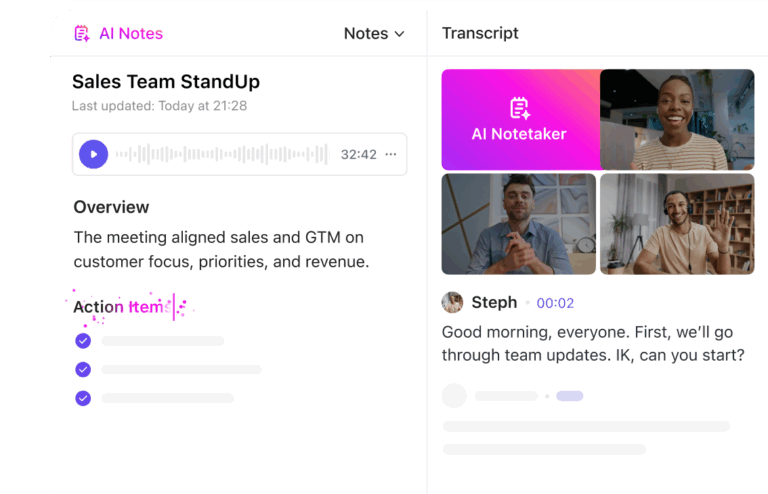
Employees spend 60% of their time searching for and updating information across different tools, which can drastically reduce productivity. ClickUp solves this problem with the everything app for work that combines project management, knowledge, and chat in one place—all powered by the world’s most cohesive work AI.
It helps your teams store, manage, and collaborate on digital assets within an integrated workflow.

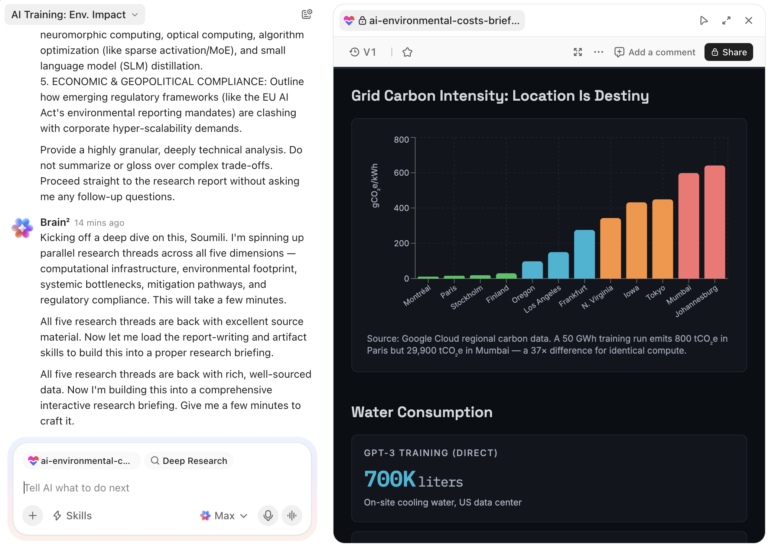
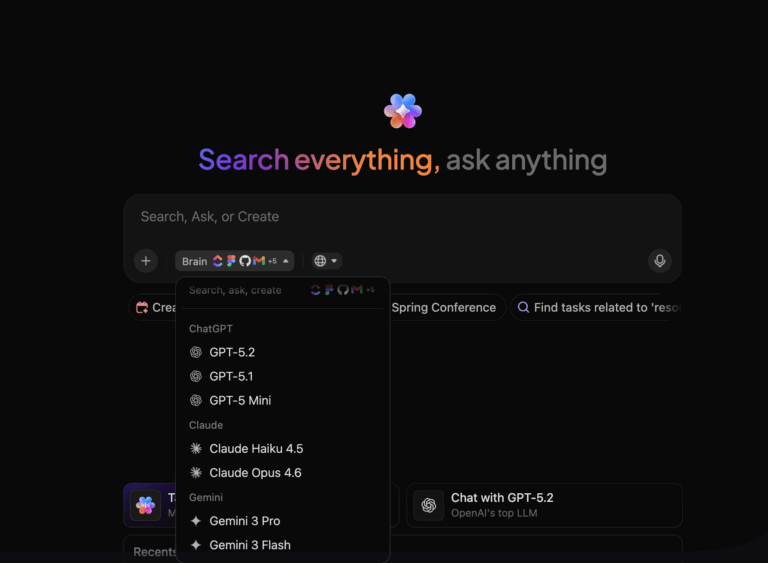
At the heart of this streamlined experience is ClickUp Brain, a feature that transforms digital asset management through intelligent, AI-driven solutions.
Using smart algorithms, ClickUp Brain understands the context of each file. It assigns relevant keywords and details to every asset, ensuring you locate the correct file quickly.
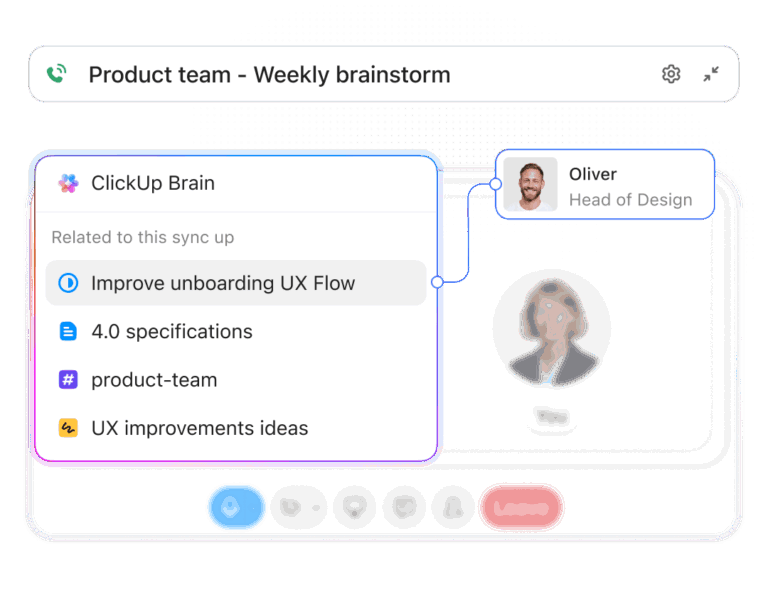
ClickUp Brain automatically tags assets and generates metadata, reducing errors and manual organization. Rather than spending time hunting for related files, it proactively surfaces assets relevant to your current project.

ClickUp Docs makes document collaboration effortless by transforming how teams create, share, and act on content. This dynamic document collaboration software allows you to collaborate in real time.
From drafting strategies and building knowledge bases to brainstorming ideas, ClickUp Docs enables multiple team members to edit documents simultaneously, leave comments, and tag colleagues—all in one place. Everyone stays on the same page without the confusion of conflicting versions.
Need to turn an idea into action? Docs make it easy. Just highlight the text, convert it directly into a Task in ClickUp, assign it to a team member, and track progress without leaving the document.

Collect digital assets and asset requests using ClickUp Forms. Whether you’re gathering creative briefs, intake requests, or content submissions, each form response becomes a trackable task. Add fields like asset type, project name, and file uploads, and use conditional logic to show only the fields that matter.
💡 Pro Tip: Automate follow-ups when assets are uploaded, assign tasks based on request type, and tag them by campaign without leaving ClickUp.

Managing digital assets also involves quick access, organization, and seamless collaboration. Instead of manually sorting through folders or searching endlessly, simply ask ClickUp Connected Search, and it will pull up the files, images, or documents relevant to your project.
Keep track of assets with the ClickUp DAM Template
The ClickUp Asset Management Template lets you organize and store all asset data in an intuitive database. You can track asset usage to ensure you use resources efficiently and visualize complicated processes with Gantt Charts in ClickUp.
The template gives you a head start at understanding current assets and their values, improving decision-making about asset acquisition and management, and reducing oversight.
ClickUp allows us to house all our projects in one place with ease. With each project, there can be issues or hurdles the team has to overcome, but ClickUp allows us to communicate quickly to those who we need to reach. Automations have allowed us to take a very outdated and time-consuming process to make it flow quicker and more accurately.
🧠 Fun Fact: Founded in 2013 in Amsterdam, Bynder started with the ambitious goal of becoming the best DAM company. Over the years, it has grown from a small startup into a startup player with offices in multiple cities (including Barcelona, London, and more).

Canto offers a user-friendly DAM experience that’s both intuitive and visually appealing. Its clean interface makes organizing and retrieving assets straightforward, relieving teams tired of clunky systems. Features like facial recognition and smart tags enhance searchability, ensuring you spend less time hunting for files.
Canto’s collaboration tools, such as commenting and version control, facilitate seamless teamwork. If you’re after a DAM that combines simplicity with useful features, Canto is worth exploring.
As one G2 reviewer noted:
There are some limitations in the backend file structure or metadata when loading to the system, however, the Canto team is nimble and R&D listens to customer comments and works on improvements. Otherwise, no major issues at this point.
💡 Pro Tip: Set up alerts for unauthorized modifications or incorrect formats (e.g., someone using a web-resolution image for print). This prevents costly reprints, brand inconsistency, and compliance issues.

Filecamp offers unlimited user accounts in all its plans, making it a cost-effective choice for growing teams. Its customizable branding options allow you to tailor the interface to match your company’s identity, providing a cohesive experience for users.
Organizing and sharing assets becomes efficient with features like advanced search, tagging, and lightbox collections. If you’re looking for a DAM that scales with your team without breaking the bank, Filecamp could be a great fit.
A G2 reviewer commented:
I suggest that metadata is added to the files, before they are uploaded to Filecamp. While there is a method to add it there, it’s a little clunky, due to the nature of the web interface. Not really an issue with Filecamp, in my opinion, just doing the right job with the right tool. Add your metadata while still on your desktop application or use a tool like Adobe Bridge to do it right.
🔍 Did You Know? The digital asset management (DAM) market is projected to nearly double, growing from $5.3 billion in 2024 to $10.3 billion by 2029, with a 14.0% CAGR.

Brandfolder emphasizes brand consistency and offers advanced analytics to track asset performance. Its AI-powered tagging and intuitive search capabilities make asset retrieval quick and painless.
The platform also provides customizable templates, ensuring that all team members effortlessly create on-brand content. Brandfolder’s analytics can provide valuable support for organizations that need to track asset usage and gain strategic insights.
According to a G2 user:
It seems like every single time that a new feature comes out that seems somewhat interesting it is snagged by the fact that it costs $$ to add. Even something like adding extra admins. Don’t get me wrong, I understand the concept of why would you expect stuff for free; however it would be nice, while we already pay handsomely, if not every single thing has to be a price gouge. We’ve been lucky enough to work around, but others may not.
🔍 Did You Know? North America holds the largest share of the DAM market, driven by a significant increase in digital data. In 2023, North American data traffic was reported to be around 6.4 exabytes.

Nuxeo offers a content services platform that goes beyond traditional DAM capabilities. Its flexible data model manages complex content types, making it suitable for organizations with diverse asset needs.
With robust APIs and integration options, Nuxeo can be tailored to fit into various digital asset management workflows and systems. When scalability and the ability to manage complex content structures are essential, this solution could be a good choice.
Please note: Nuxeo was acquired by Hyland Software in 2021.
A G2 reviewer mentioned:
Nuxeo is not well suited for small and departmental ECM implementations. Consider Nuxeo when you have a minimum of 100 users and plan to scale, in terms of both workforce, as well as content volume and diversity.
💡 Pro Tip: Schedule monthly reports that flag assets not accessed in 6+ months. Decide whether to archive, repurpose, or delete them to keep the library relevant and clutter-free.

Frontify combines DAM with brand guidelines and design systems to help teams enforce consistent branding across all channels. With dynamic brand manuals, asset versioning, and usage governance, it’s designed for organizations focused on maintaining visual identity at scale.
For companies prioritizing brand control over asset sprawl, Frontify offers structure without sacrificing flexibility.
Our success CSM very helpful with the onboarding process, but the learning curve for the platform can be a little steep, especially for creatives who do not have an asset management background. When questions or issues arise, we’ve been able to use Frontify’s chat service to effectively resolve our issues.
🔍 Did You Know? The United States dominates the global DAM market, with an estimated $9.61 billion in revenue, the highest among all countries.
Adobe Experience Manager (AEM) integrates DAM with a robust content management system, providing a comprehensive solution for managing digital experiences. It’s not just a stand-alone DAM—it’s part of the broader Adobe Experience Cloud, enabling seamless integration with other Adobe tools for efficient content creation, personalization, and distribution.
With features like automated workflow optimization tools and personalized content delivery, AEM helps refine operations. It provides a unified and robust platform for organizations heavily invested in the Adobe ecosystem.
A G2 review states:
One of the problems that we particularly have and would love to see a lot of improvements with is the we use cloud manager for deployments. Specifically with the managed services, we have a lot of issues with the fact that it is one pipe and one pipeline. […]
🔍 Did You Know? The number of digital asset users was estimated at 861 million in 2025, highlighting the widespread adoption of cryptocurrencies, NFTs, and tokenized assets.

Acquia DAM, formerly known as Widen, provides a scalable solution tailored to enterprise needs. Its robust metadata management and advanced search capabilities ensure efficient asset organization and retrieval.
The platform also offers comprehensive analytics, giving insights into asset usage and performance. Acquia DAM would be worth considering if you’re part of a large organization seeking a DAM with enterprise-level features and support.
A G2 user shared:
The DAM is feeling more and more dated. Both controls on the admin side, as well as the day to day user experience feels like a legacy enterprise system rather than a powerful new tool that is the future. This is not just the aesthetics, although this ofcourse plays in to the user experience, but it is also the number of clicks it takes to do anything, and how intuitive those clicks are.
💡 Pro Tip: Set automated reminders for asset expiration based on licensing agreements, brand updates, or seasonal content. This prevents outdated visuals from being mistakenly used and ensures compliance with usage rights.

MediaValet is a cloud-based DAM solution that offers unlimited user access, suitable for organizations with extensive teams. Its global distribution network ensures fast asset delivery regardless of location.
AI tagging and powerful search make it easy to locate what you need—fast. The advanced search functionality lets users quickly find assets using keywords, metadata, and visual attributes. Additionally, MediaValet integrates with various tools, including Adobe Creative Cloud, facilitating a cohesive workflow across platforms
As one G2 reviewer explained:
As someone who uses MV daily for work, I like this platform a lot more than others I have used previously….Uploading is a bit of a chore – there are a lot of windows to click through. Thankfully some have bulk options, but it can take a bit to get it all uploaded.
💡 Pro Tip: Instead of making metadata everyone’s responsibility (which often means it’s no one’s), assign a specific team member as the metadata lead for videos, product images, or marketing materials. They ensure tagging is consistent and meaningful.

Aprimo combines DAM with marketing resource management, providing a holistic solution for marketing teams. Beyond traditional DAM capabilities, Aprimo offers content planning, budgeting, and performance tracking, enabling teams to manage the entire content lifecycle efficiently.
The platform’s workflow automation and collaboration tools help refine marketing operations. If you’re seeking a solution that integrates asset management with broader marketing processes, Aprimo could be the comprehensive tool you need.
A G2 reviewer stated:
Because there is so much to this platform, a person literally has to go through hours of training before they know everything they need to know. That being said, the person that does that is the Aprimo Admin, so not everyone needs to go through the training.
💡 Pro Tip: Configure your DAM system to treat them as synonyms if your team uses different terms for the same thing (e.g., ‘headshots’ vs. ‘profile pics’). This prevents lost assets due to inconsistent terminology.
When evaluating options for a digital asset management solution, flexibility, ease of use, and affordability are key factors. Bynder works for some, but many businesses need a more adaptable and budget-friendly option without added complexity.
That’s where alternatives like ClickUp, the everything app for work, come into play.
ClickUp Brain enhances asset management with AI-driven tagging, smart search, and contextual recommendations, ensuring your files are always organized and accessible. Meanwhile, ClickUp Docs makes real-time collaboration effortless, allowing teams to create, edit, and act on content without switching tools.
Ready to make the switch? Sign up for ClickUp for free today! ✅
© 2025 ClickUp