


Sorry, there were no results found for “”
Sorry, there were no results found for “”
Sorry, there were no results found for “”
Taking notes no longer means scribbling in a notebook or frantically typing while trying to keep up with the conversation.
Thanks to AI that listens and takes notes, you can stay fully engaged in meetings, lectures, or brainstorming sessions, while the technology does the heavy lifting. These tools transcribe conversations in real time, summarize key points, and organize your notes automatically.
And it’s not just hype. According to ClickUp Insights, 88% of respondents use AI in some form, with more than half (55%) engaging with AI tools multiple times daily. Meeting assistants and AI meeting notes apps are among the top use cases here.
In this blog, we’ve rounded up the best AI note-taker tools that are helping professionals and students ditch manual note-taking for good.
Not every AI note-taker tool is the same.
Some simply transcribe your virtual meetings, while others turn unstructured team discussions into concise meeting summaries, highlight key action items, and integrate everything neatly into your workflow.
Here are a few things to keep in mind when choosing the right AI that listens and takes notes:
Our editorial team follows a transparent, research-backed, and vendor-neutral process, so you can trust that our recommendations are based on real product value.
Here’s a detailed rundown of how we review software at ClickUp.
Here’s a quick side-by-side look at the top note-taking apps, so you can compare AI features, pricing, and use cases at a glance.
| Tool Name | Best For | Key Features | Pricing* |
| ClickUp | All-in-one task, doc, and meeting management | • AI Notetaker with real-time summaries • Integrated with ClickUp Tasks and Docs • Centralized meeting notes with ClickUp Brain | Free forever; Customizations available for enterprises |
| Otter.ai | Real-time transcription and captions | • Live transcriptions with speaker ID • Otter AI Chat for instant Q&A • Automated slide capture during meetings | Free plan available; Paid plans start from $16.99/user/month |
| Fireflies | Sales and internal meeting recaps | • AI-powered transcription and search • Conversation intelligence & analytics • CRM and calendar integrations | Free plan available; Paid plans start from $18/user/month |
| Avoma | Revenue teams and customer-facing meetings | • Real-time note taking & meeting intelligence • CRM and video conferencing sync • Deal insights and coaching tools | Paid plans start from $29/user/month |
| Notta | Lightweight note capture and multilingual meetings | • Real-time transcription in 100+ languages • AI summaries with keyword detection • File uploads and custom vocabulary | Free plan available; Paid plans start from $13.49/user/month |
| Tactiq | Teams using Google Meet & Zoom | • Live transcript sidebar in meetings • Highlight and share notes instantly • Exports to Google Docs & Notion | Free plan available; Paid plans start from $12/user/month |
| Sembly | Team collaboration with conversation analytics | • AI meeting summaries & insights • Shared workspaces for notes • Task extraction and action items | Free plan available; Paid plans start from $15/user/month |
| Krisp | Noise cancellation with note-taking | • Noise and echo cancellation • AI Meeting Assistant with auto summaries • Talk-time and meeting analytics | Free plan available; Paid plans start from $16/user/month |
| Fathom | Free AI notes for Zoom and Google Meet | • AI-generated meeting summaries • Auto-organized notes by topic • CRM integration and transcript search | Free plan available; Paid plans start from $20/user/month |
| MeetGeek | Video calls with insights and automation | • AI summaries and transcript highlights • Auto-sharing to Slack, Notion, and HubSpot • Keyword tracking and analytics | Free plan available; Paid plans start from $19/user/month |
| Jamie AI | Fast, language-neutral note generation | • No bot joins required • Works across platforms • AI summaries delivered instantly post-meeting | Free plan available; Paid plans start from ~$28/month |
Let’s discuss each AI note-taker app in detail.

As the world’s first Converged AI Workspace, ClickUp is your command centre for turning conversations into trackable action items.
To start with, ClickUp Calendar intelligently finds the best times for your team, eliminating the back-and-forth of manual scheduling. Whether it’s recurring check-ins or one-off strategy calls, you can set up meetings directly from your workspace and let ClickUp handle the logistics.
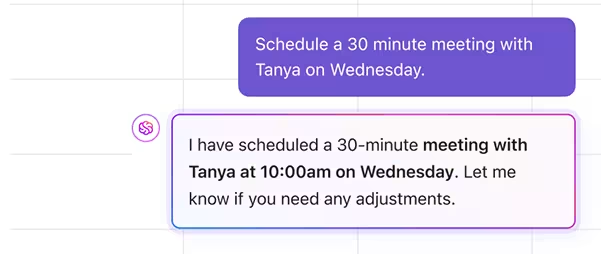
Whether it’s a recurring check-in to a one-off strategy call, the ClickUp AI Notetaker automatically joins your Zoom, Google Meet, or Microsoft Teams meetings, provides a meeting summary that’s complete with audio recording, main points of the meeting at a glance, and a checklist of action items to clarify responsibilities and keep things moving.
You’ll also receive a full transcript of the conversation, which you can expand and refer to whenever needed, along with a complete audio recording that is ideal for quick replays or catching up if you missed the meeting.

And the magic doesn’t stop there. ClickUp Brain, ClickUp’s powerful neural network, can translate meeting notes into any language, extract action items, convert them into tasks, and link them to your existing project timelines.
It can also uncover insights from previous conversations, as your transcripts are searchable on ClickUp. This way, you stay focused on the conversation while ClickUp handles the documentation and follow-up.
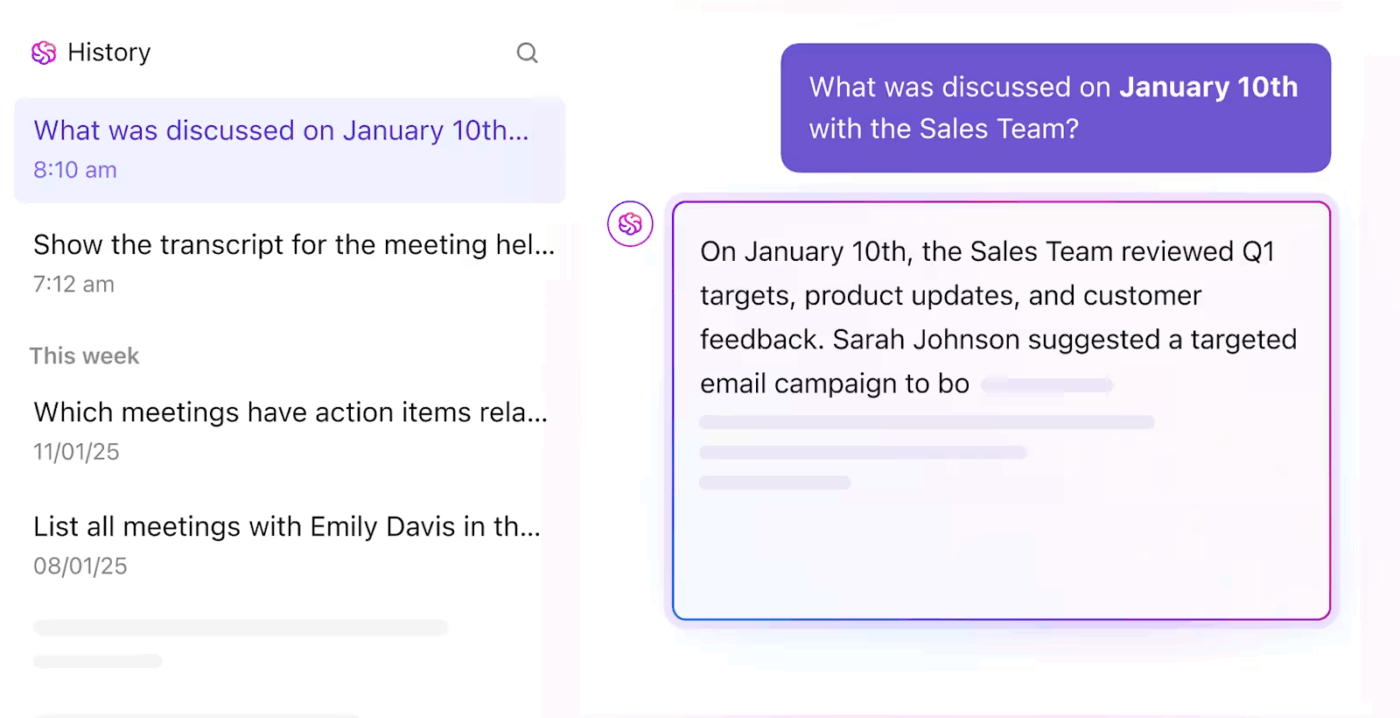
All your meeting notes get automatically stored in ClickUp Docs and can be easily accessed through your calendar or the Docs hub. Want to store ongoing discussions? Build an internal knowledge base. Prefer structured formats? Try a meeting notes template for daily standups or client updates.
But it doesn’t stop there. In ClickUp, your entire workflow—including chats and task comments—can be instantly converted into ClickUp Tasks. Whether you’re brainstorming in a Chat channel in ClickUp, leaving feedback on a document, or discussing next steps in a task comment, every conversation across the workspace is actionable.
With just a click, you can transform any message or comment into a trackable task, assign it to the right person, and set deadlines. This unified approach means that every discussion, decision, and idea—no matter where it happens—can be captured, tracked, and executed within ClickUp. Your team can move seamlessly from conversation to action, keeping projects on track and everyone aligned.
Want to see how ClickUp’s AI Notetaker helps make meetings more productive? Watch this video ⬇️
A G2 review says:
ClickUp is so useful just as a to-list alone! Initially, I was sure that I would prefer written notes but it’s so nice having everything laid out however you prefer and being able to change due dates and attach files to tasks etc. It ensures that nothing is ever forgotten because it’s all in one place.
💟 Bonus: Brain MAX is your AI-powered desktop companion that transforms the way you capture information with its advanced voice-to-text capabilities. Simply speak your thoughts, meeting discussions, or brainstorming sessions, and Brain MAX listens in real time, instantly transcribing your words into organized, searchable notes.
With deep integration across your workspace, it can automatically link notes to relevant tasks, projects, or contacts, ensuring nothing gets lost or forgotten. Whether you’re in a meeting, on a call, or just thinking out loud, Brain MAX makes note-taking effortless, accurate, and always in sync with your workflow.
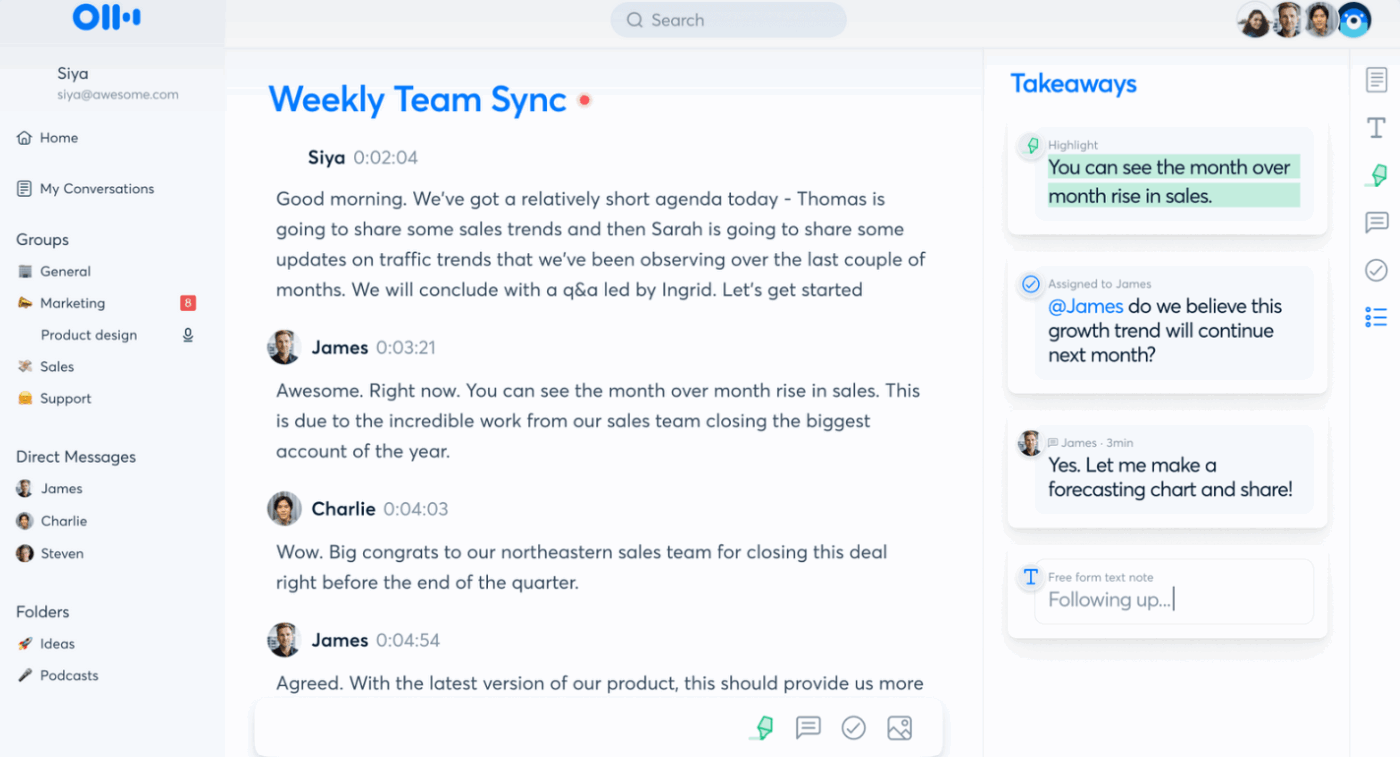
Otter’s free AI note taker listens in on your conversations across Zoom, Google Meet, and Microsoft Teams, then instantly creates smart meeting notes that you can edit, search, and share.
It seamlessly integrates with major video conferencing platforms via its “OtterPilot” bot, automatically joining calls to capture live, time-stamped transcripts with automatic speaker identification. The platform excels in post-meeting productivity by generating concise AI summaries, flagging action items, and offering a collaborative workspace where team members can edit transcripts.
You can also add comments and share highlights directly to tools like Slack, Notion, and Salesforce, all while learning custom vocabulary for improved accuracy.
A G2 review says:
I like how Otter AI goes through the entire meeting transcript and summarizes all the key talking points and if there is anything not listed you can edit the summary section to add it.
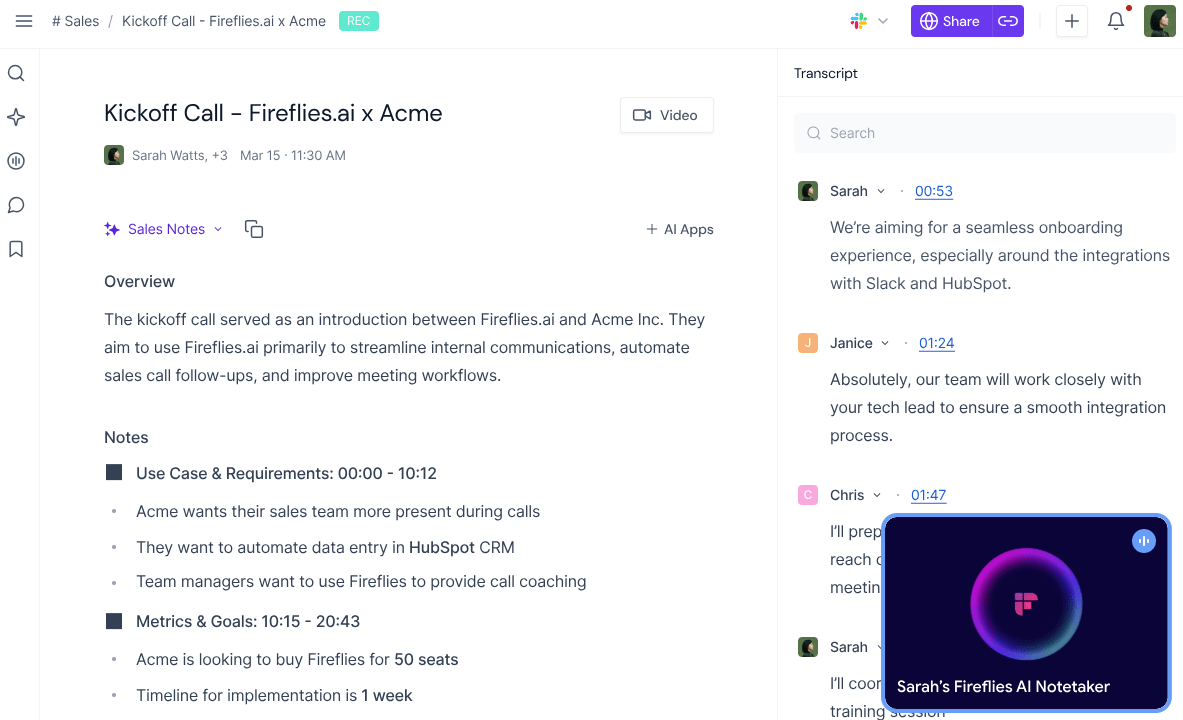
Fireflies is designed for teams seeking an AI meeting assistant that goes beyond simply generating notes. This tool listens to your meetings, transcribes them with accuracy, and provides searchable transcripts that allow you to revisit conversations days or even months later.
Fireflies distinguishes itself with deep conversation intelligence and a powerful “Ask Fred” feature, which uses GPT-powered functionality to enable users to chat with their meeting content, instantly retrieving answers, extracting key details, or generating follow-up content, such as emails or social media posts.
Beyond automatic transcription and AI summaries, Fireflies provides in-depth analytics that track speaker talk time and sentiment, as well as Topic Trackers to monitor specific keywords. This makes it a reliable tool for sales, marketing, and recruiting teams to analyze conversations, log data automatically into CRMs like Salesforce and HubSpot, and gain actionable insights from their calls.
A G2 review says:
Fireflies quietly joins each call, transcribes the conversation with surprising accuracy, and then creates action items, summaries, and even speaker-specific notes—without me lifting a finger. The AI search and Smart Highlights features are especially powerful when I need to recall discussions from weeks ago in seconds.
👀 Did You Know? The oldest notes in history were scratched on clay tablets in Mesopotamia over 5,000 years ago. Ancient scribes were basically the first note-takers!
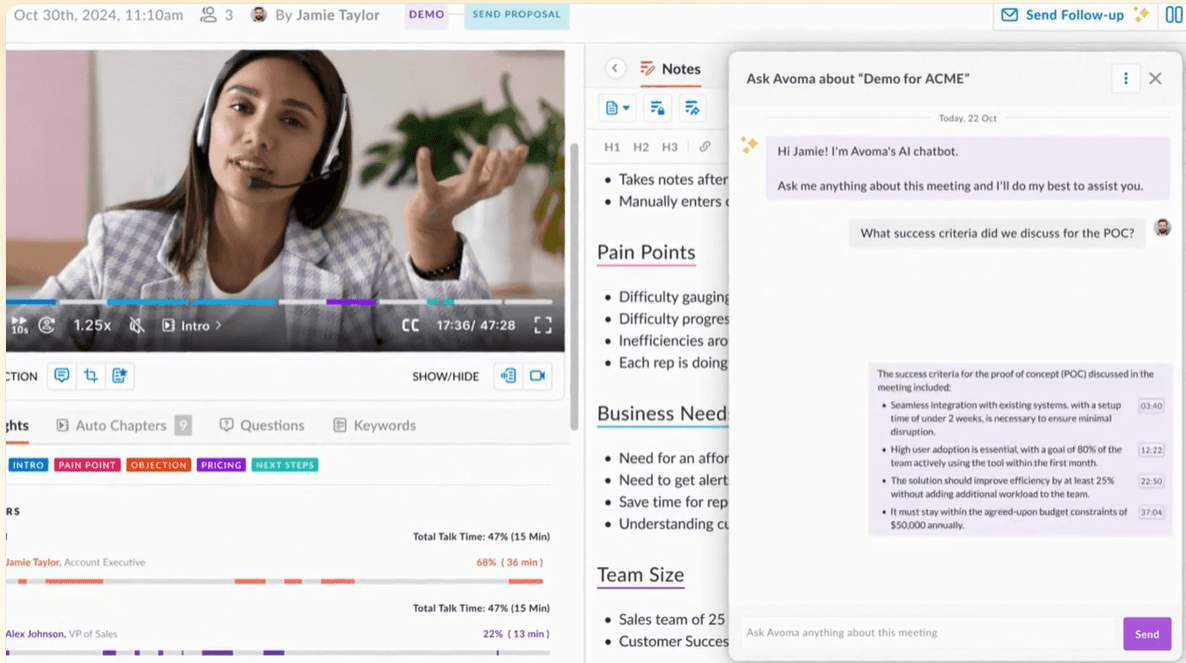
Avoma goes beyond the usual AI note-taking app by offering rich, contextual meeting intelligence.
Its key strength is the integration of four core modules: an AI Meeting Assistant for transcription and note-taking, a Scheduler & Lead Router for booking and routing, Conversation Intelligence for in-depth call analysis, and Revenue Intelligence for CRM automation and deal risk tracking.
Avoma can also generate customizable, context-aware coaching scorecards for reps, track adherence to sales methodologies (like MEDDIC/BANT), and automatically update CRM fields, providing a powerful system for pipeline health and team performance management.
From role-based meeting summaries to talk-time analytics, these insights are tailored for sales, customer success, and product teams. You can even plug these insights into an internal knowledge base to keep your team aligned.
A G2 review says:
Avoma has been a game-changer for our organization. The AI-powered transcription and meeting summaries ensure that customer insights are captured and actionable next steps are clear for everyone. There are native integrations with Zoom, HubSpot (our current CRM), and other tools which have enhanced our workflows, making it easier to align teams and keep projects on track.
💡 Pro Tip: Pick a note-taking method, depending on your goals, style, and how detailed you need the notes to be:
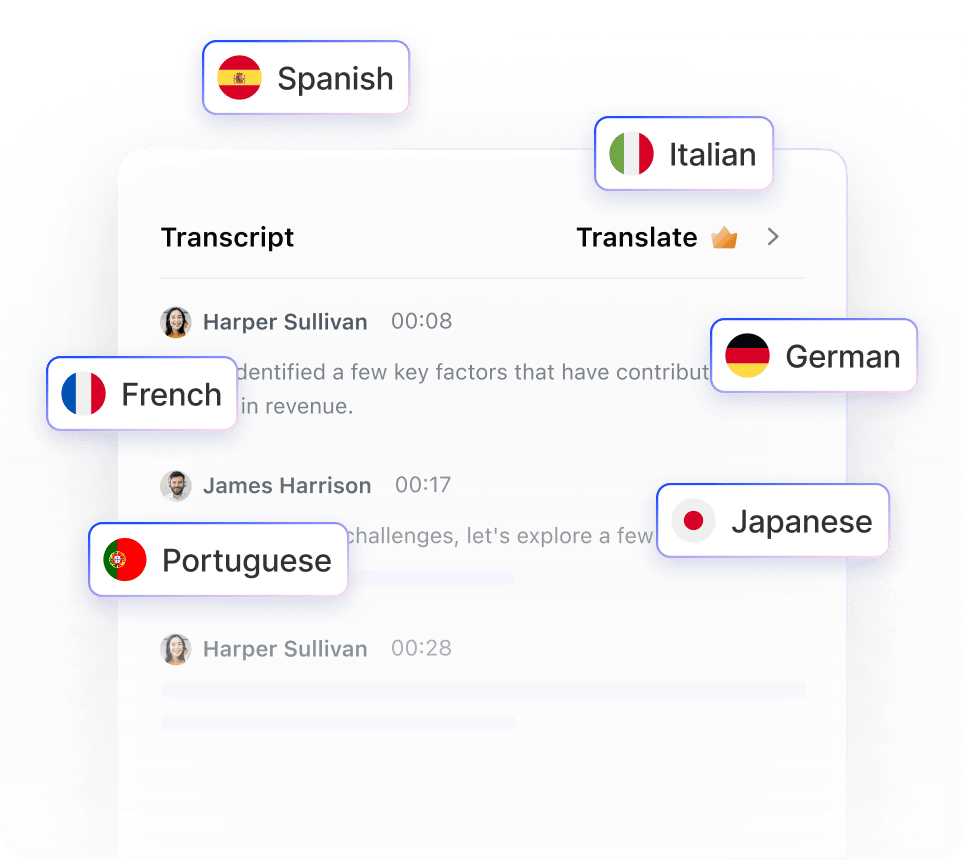
Notta supports real-time transcription through the Notta Bot, which can join meetings on Zoom, Google Meet, Microsoft Teams, and Webex, with options for both monolingual and bilingual transcription.
It excels in versatility and language support, providing exceptional transcription and summarization capabilities across an impressive 58 languages, with translation into 42 languages, making it a top choice for global teams and multilingual communication.
Notta’s standout features include the ability to record and transcribe up to five web pages simultaneously, a one-click summarization feature for YouTube videos, and hardware integration options, allowing users to effortlessly capture and organize audio from live virtual meetings, pre-recorded files, and even in-person discussions.
You get the option to apply note-taking templates and add custom vocabulary, such as company-specific jargon, to improve transcription accuracy. Transcripts can be exported in multiple formats, including TXT, DOCX, PDF, and SRT.
A G2 review says:
Drag and drop a video link or file in and get a complete video summary in seconds. I can drag multiple 10-20 files in at a time as well which I love. Then I convert to the youtube summary format. I use this for course videos and it is a must have!
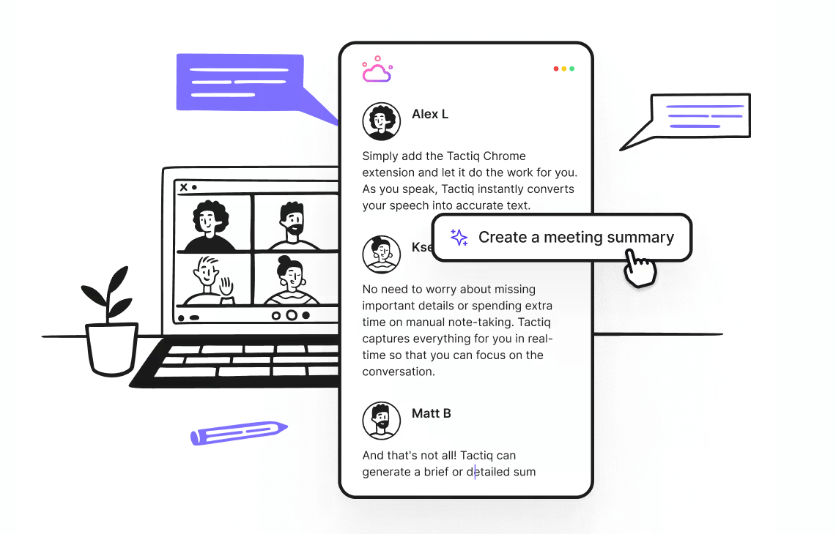
Tactiq uses a Chrome extension to transcribe meetings live, without requiring a bot to join the call.
You can use AI prompts to extract specific insights, follow-ups, recaps, project updates, etc., and even automate post-meeting tasks (share summaries, update CRMs, create tickets, sync insights) based on triggers.
It supports real-time transcription on Google Meet, Zoom, and MS Teams, and its customizable “Personalized AI Actions” ensure that your prompts are reusable.
Since this AI note generator ensures data security through SOC-2 Type II, ISO 27001, GDPR, and other relevant standards, it is a good option for organizations that prioritize confidentiality and compliance.
A G2 review says:
There are a few things, but probably my favorite feature is the AI-powered summaries. After my meetings, Tactiq gives me a quick summary, highlighting key points and action items. This is amazing, especially if I have back-to-back meetings and don’t have time to scribble down detailed notes.
📮 ClickUp Insight: 21% of respondents want to leverage AI to excel professionally by applying it to meetings, emails, and projects.
While most email apps and project management platforms have AI integrated as a feature, it may not be seamless enough to unify workflows across tools.
But we cracked the code at ClickUp!
With ClickUp’s AI-powered meeting management features, you can easily create agenda items, capture notes from meetings, create and assign tasks from meeting notes, transcribe recordings, and more—with our AI Notetaker and ClickUp Brain. Combine them with ClickUp’s Agents, and you now have a powerful suite of tools at hand!
⭐️ Save up to 8 meeting hours per week with ClickUp, just like our clients at Stanley Security!
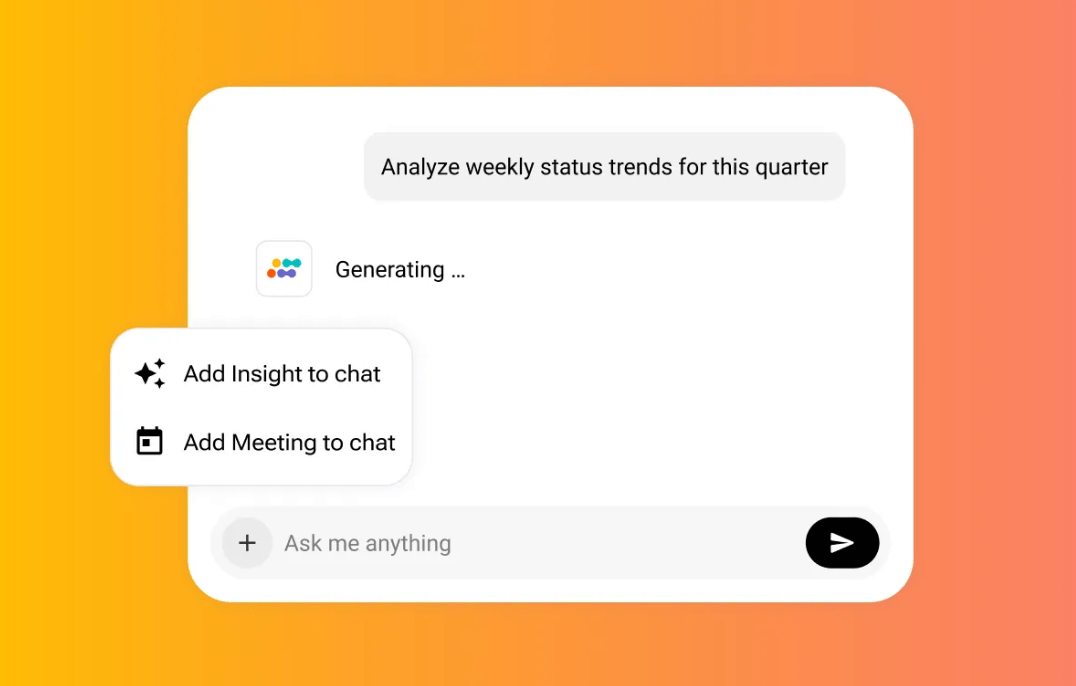
Sembly specializes in providing detailed, structured AI meeting summaries with a strong focus on task management and organizational knowledge.
Its standout capabilities include automatically recognizing and extracting key items, such as Decisions, Requirements, Risks, and Issues, from the transcript, ensuring no commitment is missed.
Sembly also offers “Multi-meeting chats” and “AI Artifacts,” which enable users to access their entire meeting history to find information across multiple discussions. It is a helpful tool for project and program managers who need to track progress and consolidate information over time.
A G2 review says:
I love the AI Chat. You can process the meeting notes by giving the AI Chat prompts. It was actually much faster and better than a human.
🧠 Fun Fact: A study by Frontiers in Psychology shows handwriting activates more brain regions and supports better memory vs. typing.
The good news is that many AI-powered note-taking apps can now recognize and index messy handwriting, making even handwritten notes searchable.
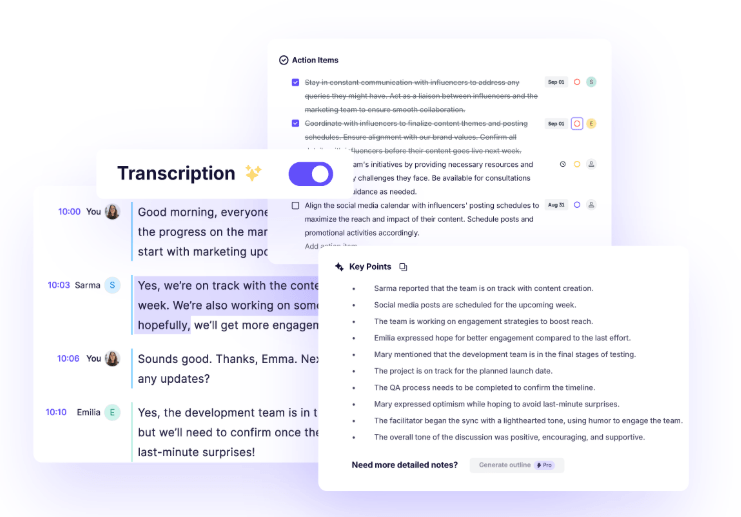
In addition to transcribing calls/meetings and giving you AI-generated notes, Krisp modifies the speaker’s accent in real time, so that the listener hears a more neutral or locally understandable accent.
Krisp’s core and most celebrated capability is its proprietary AI-powered noise, echo, and background voice cancellation technology. It delivers consistently clear audio quality by intelligently separating the user’s voice from virtually all surrounding sounds, including keyboard clicks, traffic, and other people’s conversations.
Operating as a lightweight virtual audio device, Krisp works seamlessly across all communication apps without requiring a bot or special hardware. Advanced features, such as an AI Agent Assist for meeting summarization, round out the offering.
A G2 review says:
It integrates smoothly with Zoom, Teams, and other conferencing tools, and the setup is quick and easy. The transcript quality has improved so much overtime, the video recording feature is great, the AI assistant on the Action Items from the meeting are always spot on!
💡 Pro Tip: Some professionals prefer structured templates, while others like freeform capture. Not sure what suits you? These note-taking methods can help you figure that out.
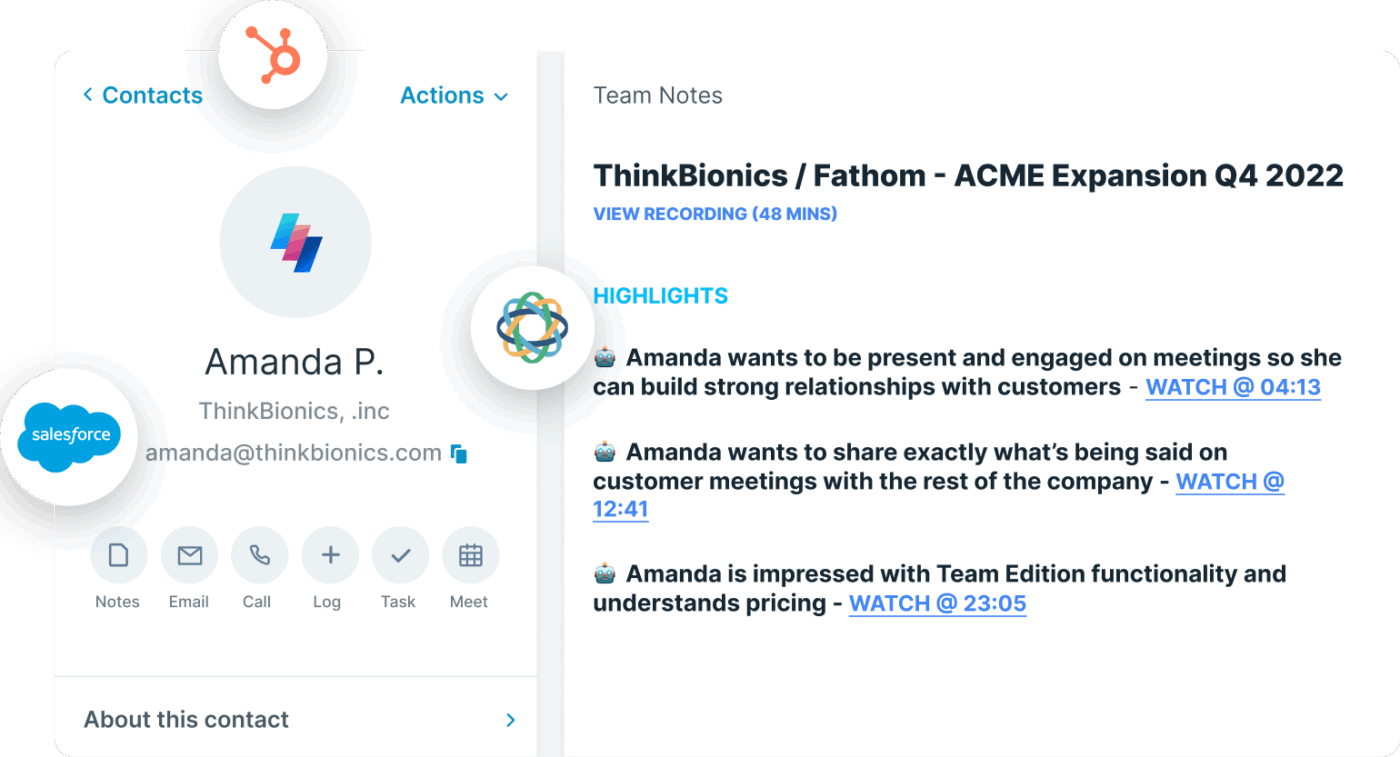
For project managers who want a low lag between meeting wrap-up and follow-up, Fathom is a good option, as it generates summaries within ~30 seconds of the meeting end.
There is also an AI-assistant interface where you can ask questions of your recordings (e.g., “What was said about X?”) and get quick answers.
It also boasts extensive integration, particularly for sales and customer success teams, by automatically syncing call videos, transcripts, and structured summaries directly into CRM platforms like Salesforce and HubSpot, along with an “Ask Fathom” AI assistant for querying the meeting content.
With this AI tool for meeting notes, teams can create a shared, searchable repository of previous calls/transcripts, preserving knowledge, allowing new team members to catch up, and enabling easy access to insights across meetings.
A G2 review says:
Fathom makes capturing meeting notes effortless — I can focus on the discussion without worrying about missing details. The automatic transcripts, summaries, and highlight features are a huge time-saver and ensure accurate follow-ups.
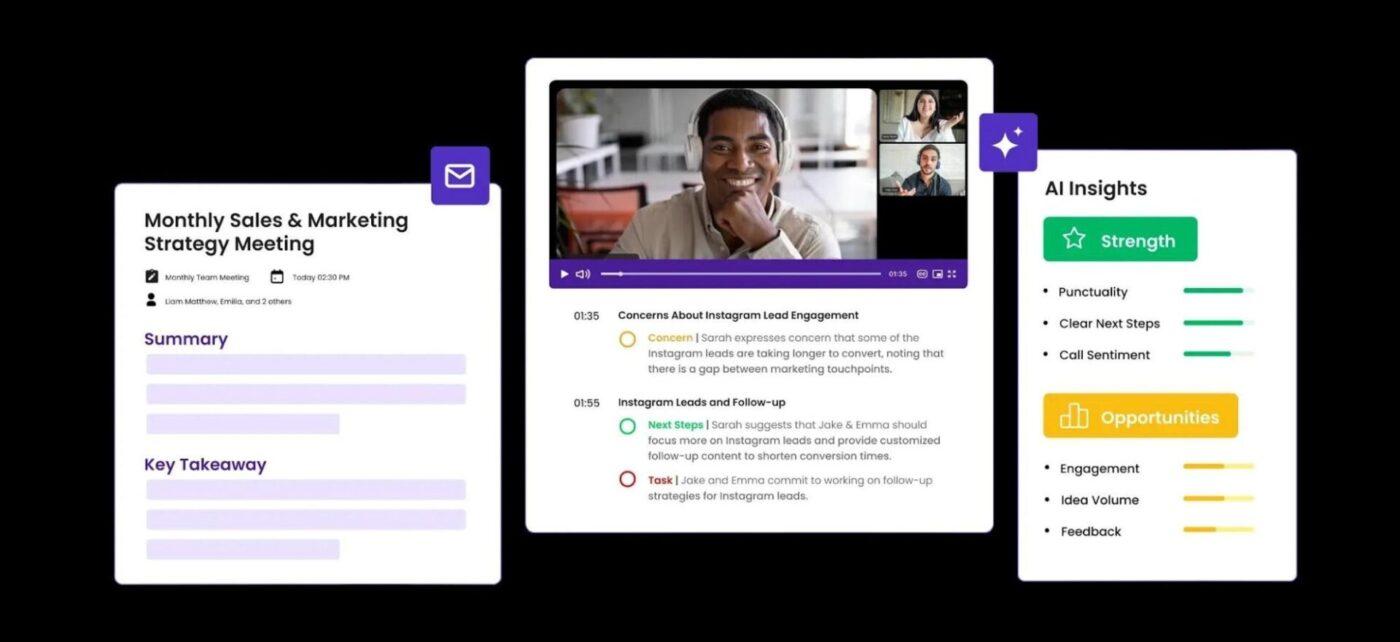
With MeetGreek, you can control which meetings the AI tool joins: whether all calendar meetings, only ones you host, or you can manually invite the notetaker or paste a meeting link.
The platform’s strength lies in its ability to automatically detect the meeting type (e.g., sales, team meeting, onboarding) and apply a corresponding, highly contextual summary template, ensuring the generated notes are immediately relevant and actionable.
It can provide in-depth analytics with over 100 Key Performance Indicators (KPIs) focused on engagement, efficiency, and speaker insights, which managers can use for team coaching.
For better privacy, the tool allows you to choose who receives the auto-generated meeting summary emails: everyone on the call, people in your company domain, or just yourself.
MeetGeek also offers an open API, allowing you to pull transcripts, highlights, summaries, and meeting data into your own tools or trigger workflows.
A G2 review says:
All I have to do is admit the bot to the meeting and everything else is taken care of for me. It is very easy to use and the addons help me keep an eye if needed.
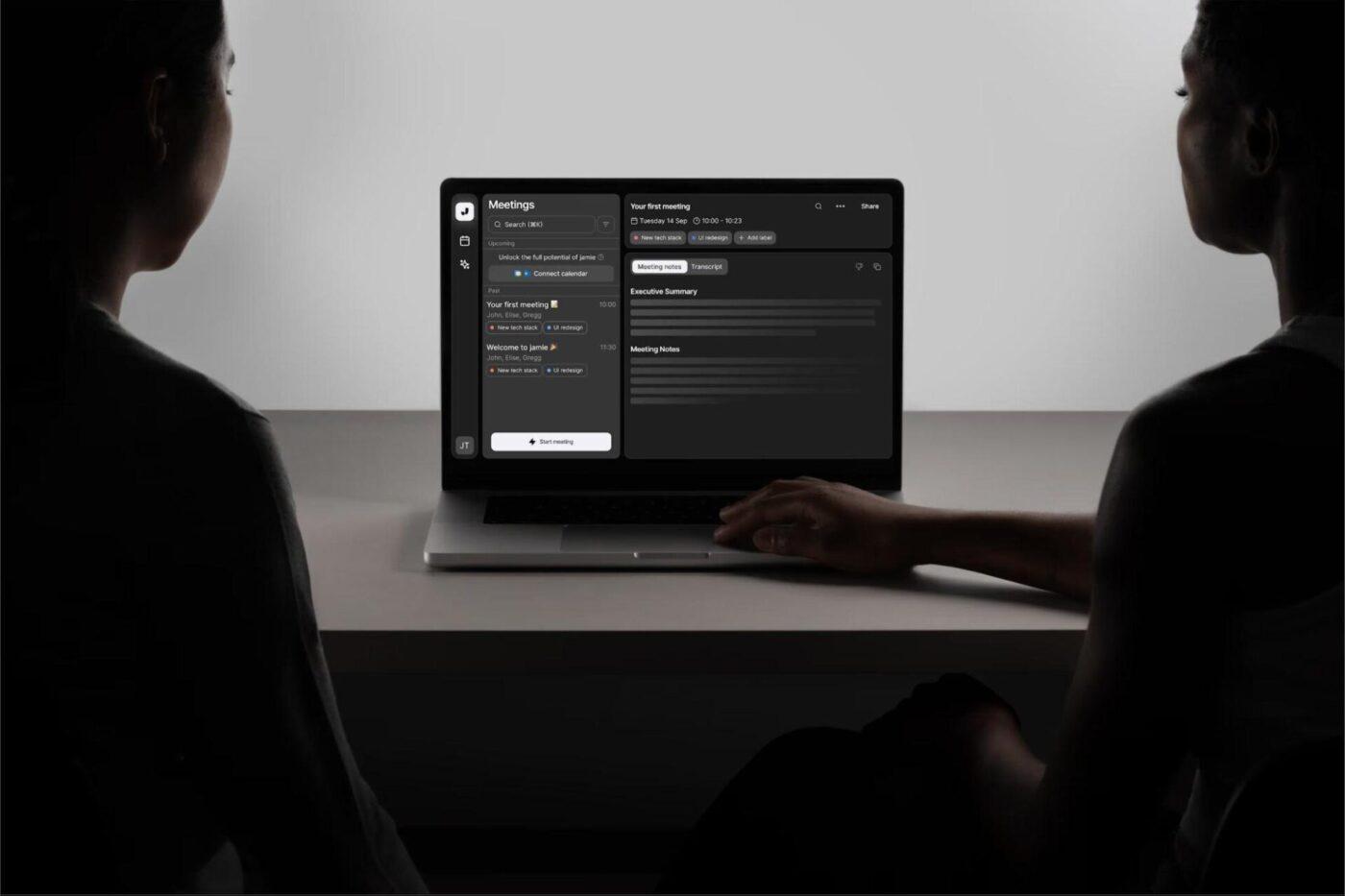
Many meeting tools require a bot to join meetings to capture transcripts. Jamie AI avoids this by capturing audio via your device/app silently in the background. Because of this, it is a solid choice for meetings in the field, in-person discussions, or hybrid settings.
With this AI note-taking tool, you get a centralized hub for all your meeting transcripts and summaries that are neatly organized, searchable, and tagged.
It focuses on generating high-quality, human-like meeting notes with advanced topic detection, which breaks down long discussions into organized, chaptered summaries. The privacy-first design, combined with features like smart speaker identification and the ability to chat with the AI for instant, context-aware answers, makes it ideal for users who prioritize discretion and clean, structured documentation.
There are plenty of AI note-taking tools that can transcribe meetings or summarize conversations.
Some are perfect for multilingual teams, others for coaching insights or CRM integration. The good news? You’ve got options.
But if you’re looking for something more than just another AI meeting assistant, ClickUp brings it all together—notes, tasks, docs, and AI—in one place. With the ClickUp AI Notetaker, you can capture meeting summaries, link them to your workflow, and actually get things done without hopping between tools.
Want to turn your meeting notes into action? Try ClickUp for free and see how it transforms your day.
Yes, AI can listen to audio and take notes. Modern AI-powered tools can transcribe spoken words from meetings, lectures, or conversations and automatically generate summaries or detailed notes, making it easier to capture important information without manual effort.
Yes, there are several AI tools designed to take notes for you. These applications can join meetings, record audio, transcribe the conversation, and provide organized notes or action items, helping users stay focused and save time on manual note-taking.
ChatGPT itself does not natively listen to audio, but when integrated with other tools or platforms that provide audio transcription, it can help summarize or organize the transcribed content into clear notes. Some platforms combine ChatGPT with voice recognition to offer this functionality.
Yes, there are many apps available that can listen to conversations or meetings and take notes automatically. Examples include Otter.ai, Microsoft Teams, Zoom with transcription features, and other meeting assistant tools that use AI to transcribe and summarize discussions in real time

Praburam Srinivasan
Max 10min read

Manasi Nair
Max 22min read
Manasi Nair
Max 24min read

© 2026 ClickUp




