Playbook

The 15-Minute AI Briefing for Leaders Who Haven't Started Yet

Right now, leaders like you are compounding advantages with AI you don't even know to look for yet. Every week you wait, the distance between you and them gets harder to close.

The Conversation You Haven’t Been Part Of (Yet)

There's a conversation happening right now among leaders at your level. 

Yes, it's about AI, but not in the way you might expect. That debate on “Does AI matter?” ended two years ago. Leaders are now discussing what worked, what turned out to be a waste of time, and what they wished someone had told them 6 months ago.

This briefing is the distilled version of that conversation. It pulls from our internal conversations as an AI-native company and the conversations we have every day with customers that represent 85% of the Fortune 500 companies.

These are leaders who started where you are right now: skeptical, busy, and unsure where to begin.

Here's where things stand

91%

of middle-market organizations now say they're using generative AI

52%

of private company leaders call AI a top-3 priority, up from 22% just a year ago

But when you look at the same population more closely, the picture changes: A ClickUp Survey of 30,000 knowledge workers found that:

23%

still aren't sure where to start

27%

say they need more training

Only 12%

use AI that's genuinely integrated into their day-to-day work tools

So while nearly everyone is “using AI,” very few people are seeing real business value. 

That gap is widening every week, because the small number of companies on the other side of it are compounding advantages that everyone else doesn't even know to look for yet. What separates them is one specific insight.

Sources: RSM Middle Market AI Survey 2025 (966 respondents, U.S. & Canada). Deloitte Private Company Outlook: Digital Investment, April 2026. ClickUp Insights AI Usage Survey (30,000 respondents).
The One Thing That Changes Everything: Context

AI’s usefulness at your company will be determined almost entirely by one variable: context.

You've used ChatGPT. Maybe you asked it to draft an email or help with a presentation. You probably came away thinking that the output was fine, but you still spent 20 minutes editing it into something that sounded like you and made sense for your specific situation. Most leaders have this experience, conclude that AI is interesting but not quite ready for real work, and move on.

To understand how context matters, we need to discuss its two dimensions.

AI needs to know your day-to-day

AI without context about your company is like a brilliant new hire on day one: they've read everything ever published, but know nothing about your customers, your Q3 priorities, or your product roadmap. Of course, the output is generic. They have no idea who they're working for. Three months in, same person, full context: their output sounds like your best employee on their sharpest day.

Beaconhouse X ClickUp

The problem nobody talks about: The single-player trap

Picture this scenario. Your marketing director perfected a ChatGPT prompt that produces excellent competitive briefs. Your sales lead discovered a technique for getting AI to write follow-up emails that sound on-brand. Your operations manager uses Claude for weekly data analysis, which saves her team 3 hours.

None of them knows about each other's discoveries. Those breakthroughs live in three separate browser tabs, and every person on the team is operating as a solo agent, learning in isolation.

This is what we call the single-player trap. The AI tools they're using have no built-in way to make their work visible, reusable, or collaborative. The output lives and dies inside a system that isn't connected to where the team actually works together.

So while AI may be functioning perfectly well, its value remains locked in scattered pockets, benefiting individuals alone, with no compounding effect on the organization.

The invisible cost:

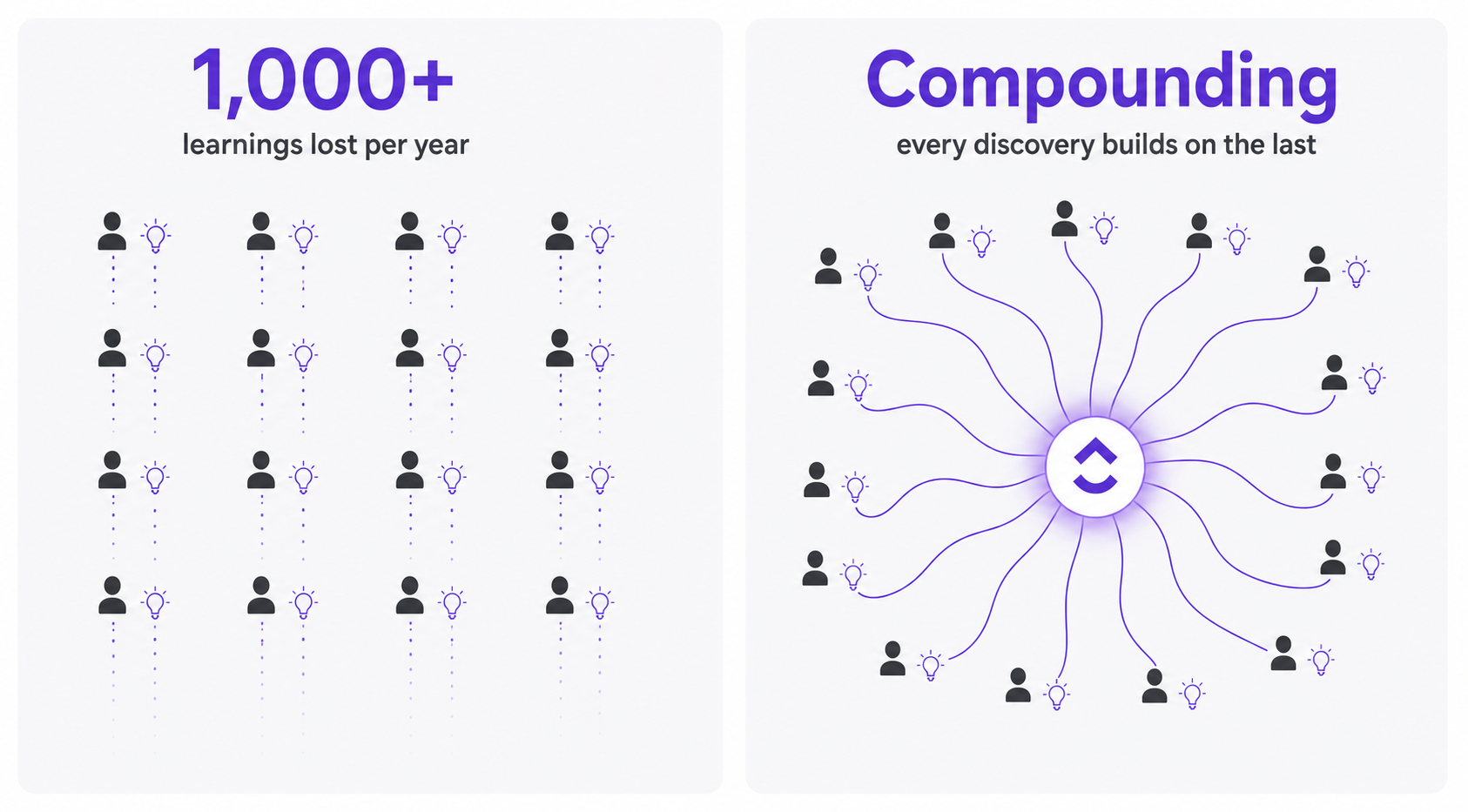
If 30 people on your team each figure out 3 useful AI techniques per month that nobody else ever sees, that adds up to 90 useful discoveries per month evaporating into browser history.

Over a year, that's more than 1,000 learnings your organization will never benefit from.

the invisible cost

Meanwhile, companies where AI lives in a shared workspace are banking on every single one. Each person's discovery becomes everyone's shortcut, and each experiment makes the whole system smarter.

The pattern we see in companies pulling ahead

Companies that treat AI as a destination (a place individuals visit to get help with a task),  tend to see individual speed improvements and not much else

Companies that treat AI as an environment (embedded where their team already works, with shared context and visible outputs) tend to see organizational transformation

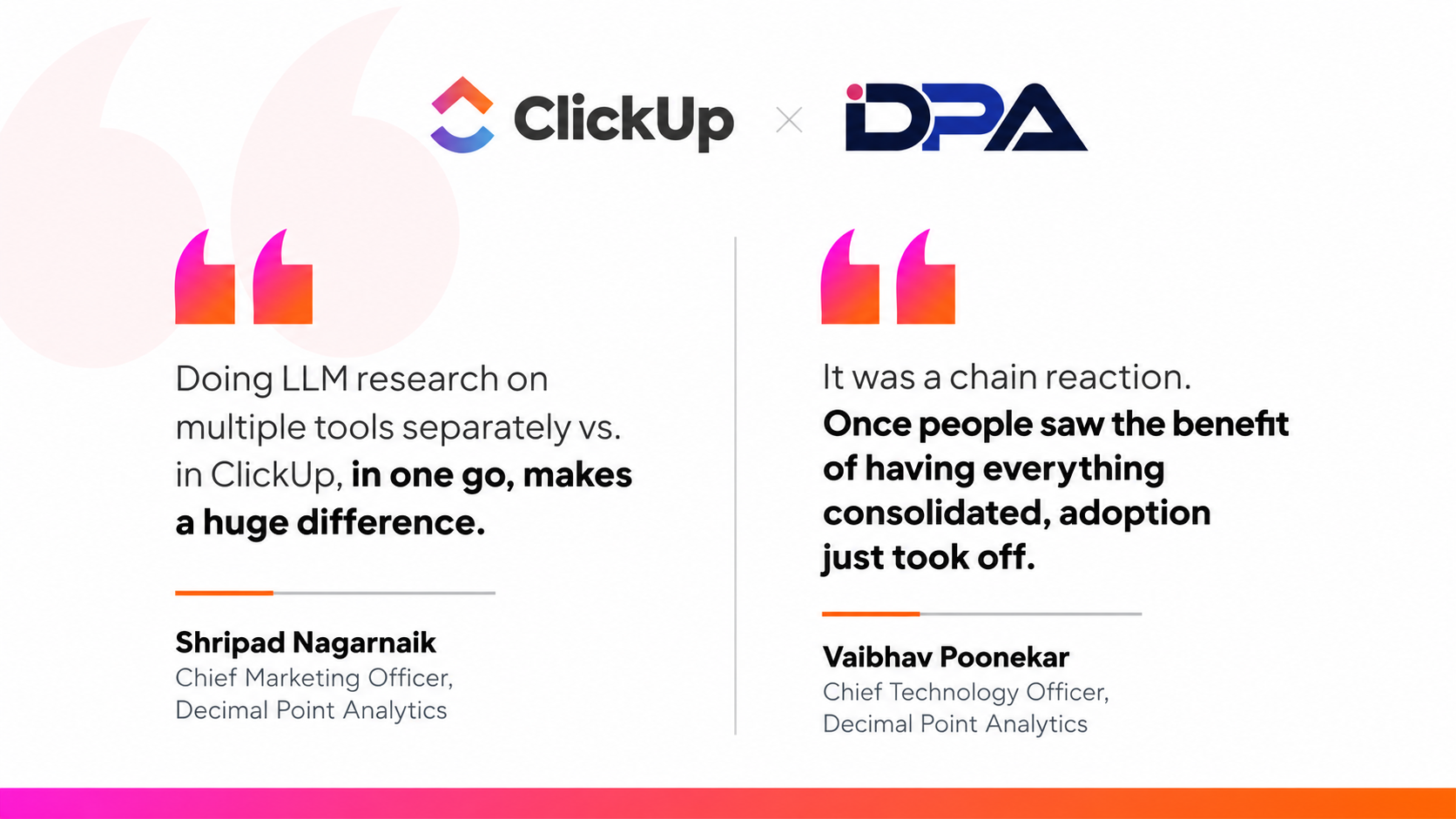
Decimal Point Analytics, a global data analytics firm with 800+ employees across 4 continents, spent years with AI scattered across individual people, individual tools, and individual chats. Then they moved AI into the workspace where their teams already lived. Same models, same people, but a different environment. The AI could now see the entire context of their work.

Marketing now works 40% faster with AI, saving two hours per person, per day on content creation and research

Multiple LLMs are accessible inside the same workspace, ending the tab-juggling that had been quietly costing teams hours

Decimal Point Analytics X ClickUp

That's the destination vs. environment gap we discussed. Closing this gap means letting your team’s knowledge compound.

62% of knowledge workers are still stuck with AI not built into their tools.

Why Most Leaders Misread the Starting Line

Most people assume the leaders who are “ahead” have some advantage they don't, like a bigger budget, a technical co-founder, a dedicated innovation team, or a strategy that took months to build. 

In reality, almost none of that is true. What those leaders have is roughly 90 days of messy experimentation.

Where mid-market companies actually stand right now

If you've been picturing everyone else with their AI strategy neatly buttoned up, the data tells a very different story.

62%

AI adoption among mid-market companies in 2024

Up 24

percentage points from the year before

That sounds impressive until you learn that before this jump, adoption had been stuck around 50% for 6 straight years. This wave is new. Most of it has happened in the last 12 to 18 months, which means the majority of companies your size are still figuring this out alongside you.

Even among people who say they're using AI regularly:

Only 34%

trust it fully

Another 38%

use it but double-check everything

And 23%

haven't started at all

Here's the honest part, though. The handful of leaders who already started their AI adoption journey are learning things now that you'll need significantly longer to catch up on. 

This is because experimentation compounds over time. Every week of trying, failing, adjusting, and sharing produces organizational knowledge. Each quarter you wait is a quarter of compounded learning, your competitors are banking that you aren't.

"AI cannot move the needle unless you can move the middle. The middle isn't the resistors. It's not the power users. It's the people who are capable and curious but don't know where to start. And until you figure out how to reach them, your AI rollout stalls."

— Dan Zhang, CFO, ClickUp on Larridin AI Impact podcast, April 2026

Video cover

Benchmark yourself against your peers on the AI adoption curve!

The complexity myth

The other reason leaders hesitate to start is that they assume AI implementation means a massive technical project. They imagine engineering resources, months of integration work, a steering committee, and a vendor evaluation that consumes an entire quarter.

That might have been an accurate picture in 2023, but not anymore. Almost everything in this space is now no-code for your HR director, your marketing manager, your finance lead, and so on. You describe what you want in plain English, and the tool builds it for you.

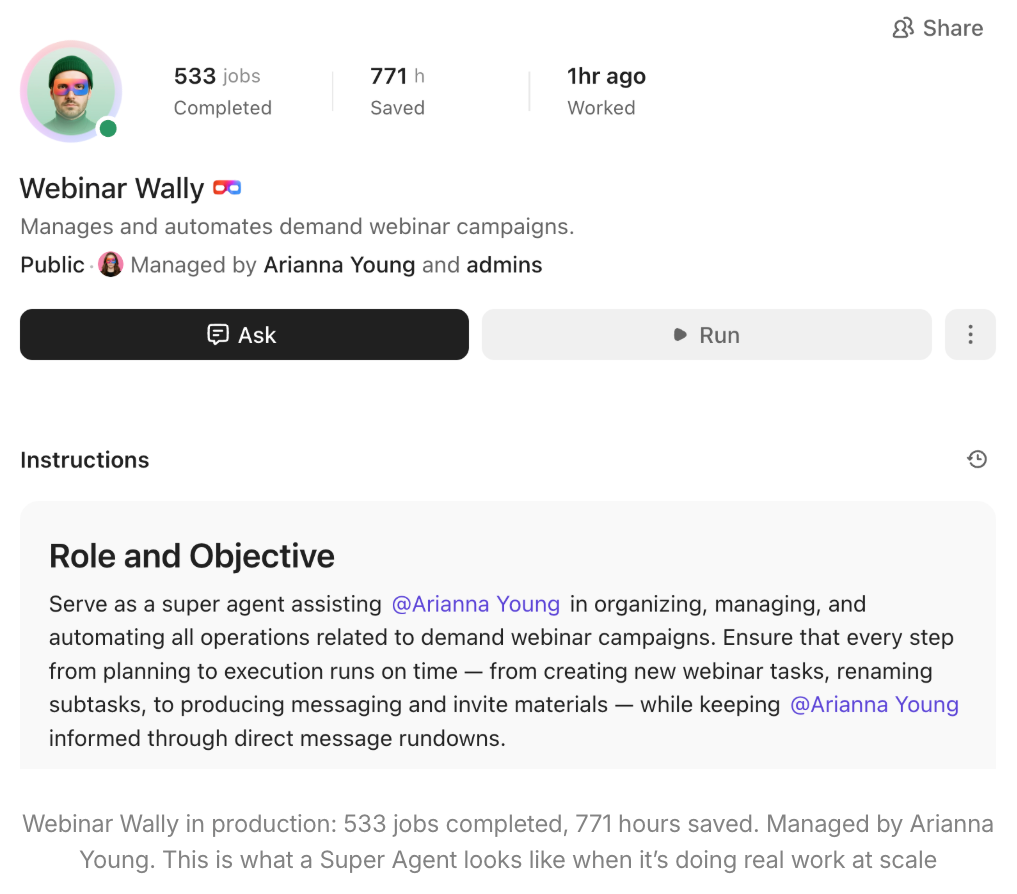
At ClickUp, Arianna Young built an AI Agent that runs the entire setup process for every webinar, including tasks, owners, handoffs, and messaging in one afternoon. Webinar setup time dropped from 4–5 hours to about 1 hour. Now, one person can run 6 webinars a month instead of 1.

Webinar Wally

A quick self-check

Here are three honest questions worth sitting with for a moment.

• Do you spend more time asking people for updates than doing the strategic work only you can do

• Think about one project your team runs every week. How many separate tools do they log into to get it done?

• When was the last time you personally used AI for something with real stakes? Not a LinkedIn post or a reworded email, but something that actually mattered to the business.

If you hesitated on the third one, that's the gap to close.

Sources: H Heuristics (1,200 mid-sized enterprises surveyed across 14 industries), McKinsey State of AI 2025 (November 2025), ClickUp Insights AI Usage Survey (30,000 respondents).

Want a clearer picture of where you actually stand? The AI Maturity Assessment takes 2 minutes and gives you a real benchmark against companies your size.

What Your Peers Did First (and What Didn't Work)

Let's talk about what actually happened when real companies decided to start.

Three expensive ways to feel productive without actually learning anything

1. The task force:

You assemble 6 smart people who meet biweekly for 3 months. They research tools, benchmark competitors, and produce a strategy deck. But nothing changes.

The task force becomes the reason nobody else has to think about AI: "The committee is handling that." All the organizational energy gets absorbed, and almost no learning gets produced.

2. The vendor evaluation:

You spend a quarter building a comparison spreadsheet and sit through several product demos.

By the time you pick a winner, the tools have launched new features, updated their pricing, and your team still hasn't typed a single prompt into anything.

You chose carefully, but you didn't learn anything along the way.

3. The wait:

You tell yourself you'll get to AI after Q3 priorities, and then after Q4, and then after the reorg, and then once you hire the new VP.

The right moment never arrives, because it doesn't exist.

Every major technology shift has rewarded messy first-movers over careful late-comers. This one won't be different.

What actually worked: two real stories

Story 1: A small video production company that started with tool consolidation

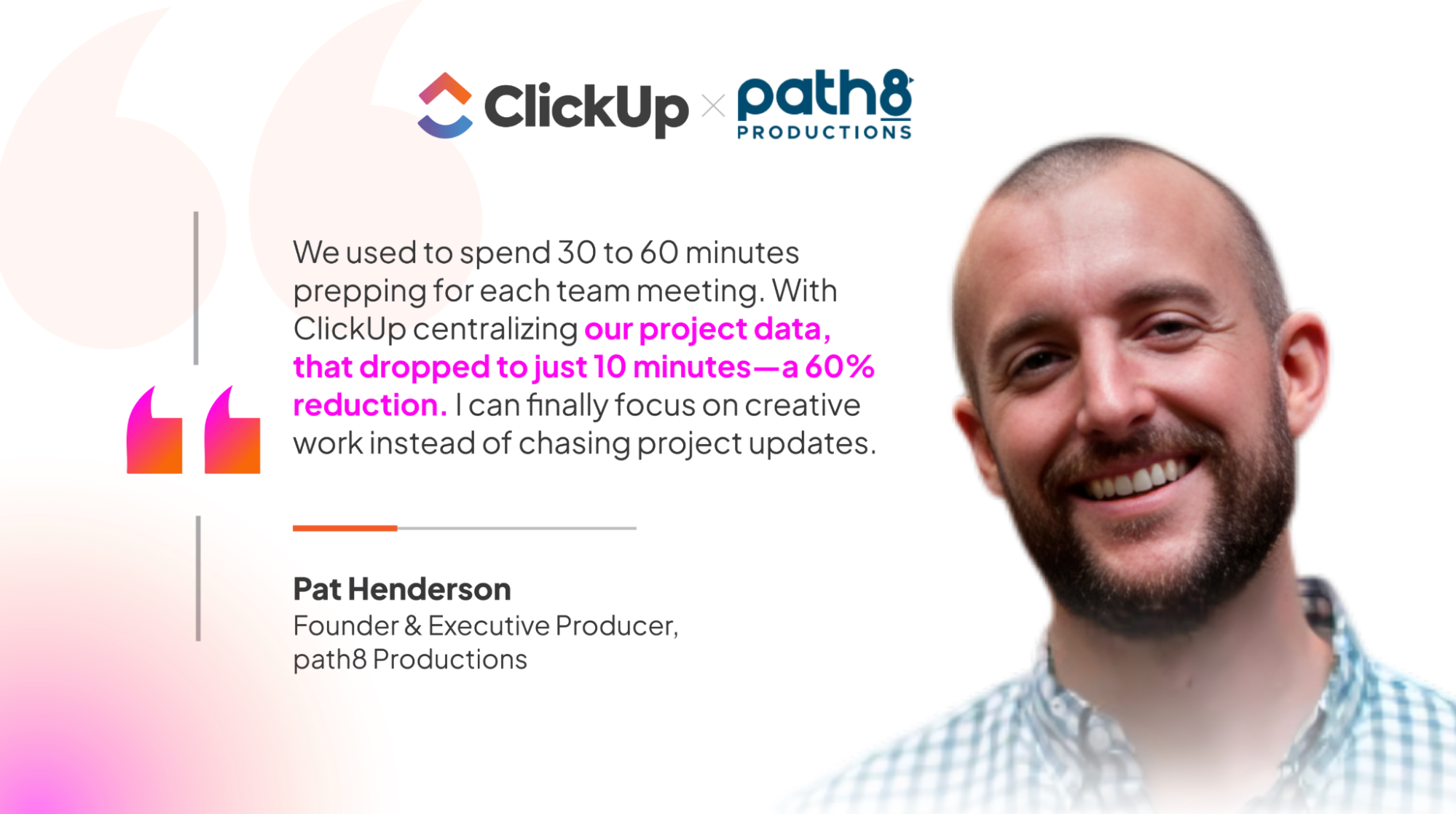
Pat Henderson runs a video production company, path8 Productions, with a team of under 50 employees. He was juggling 6 different tools just to keep projects on track, and spending valuable time chasing updates instead of doing the creative work his clients were paying for.

When he started using AI, he was able to consolidate his team's work into a single workspace, and within a few weeks, his meeting prep time had dropped by 60%.

path8 X ClickUp

The team found that once statuses are entered in the AI tool, they automatically sync across projects, views, and reports, which is invaluable for a small but highly performance-driven company. The project status updates came back sounding like they had been written by someone who'd been following the project for months. 

All the project data was right there in the workspace, and the AI simply needed to read it. This is the context principle we discussed earlier, doing exactly what it's supposed to do.

Video cover

Story 2: The Friday mandate for a 13-team marketing org

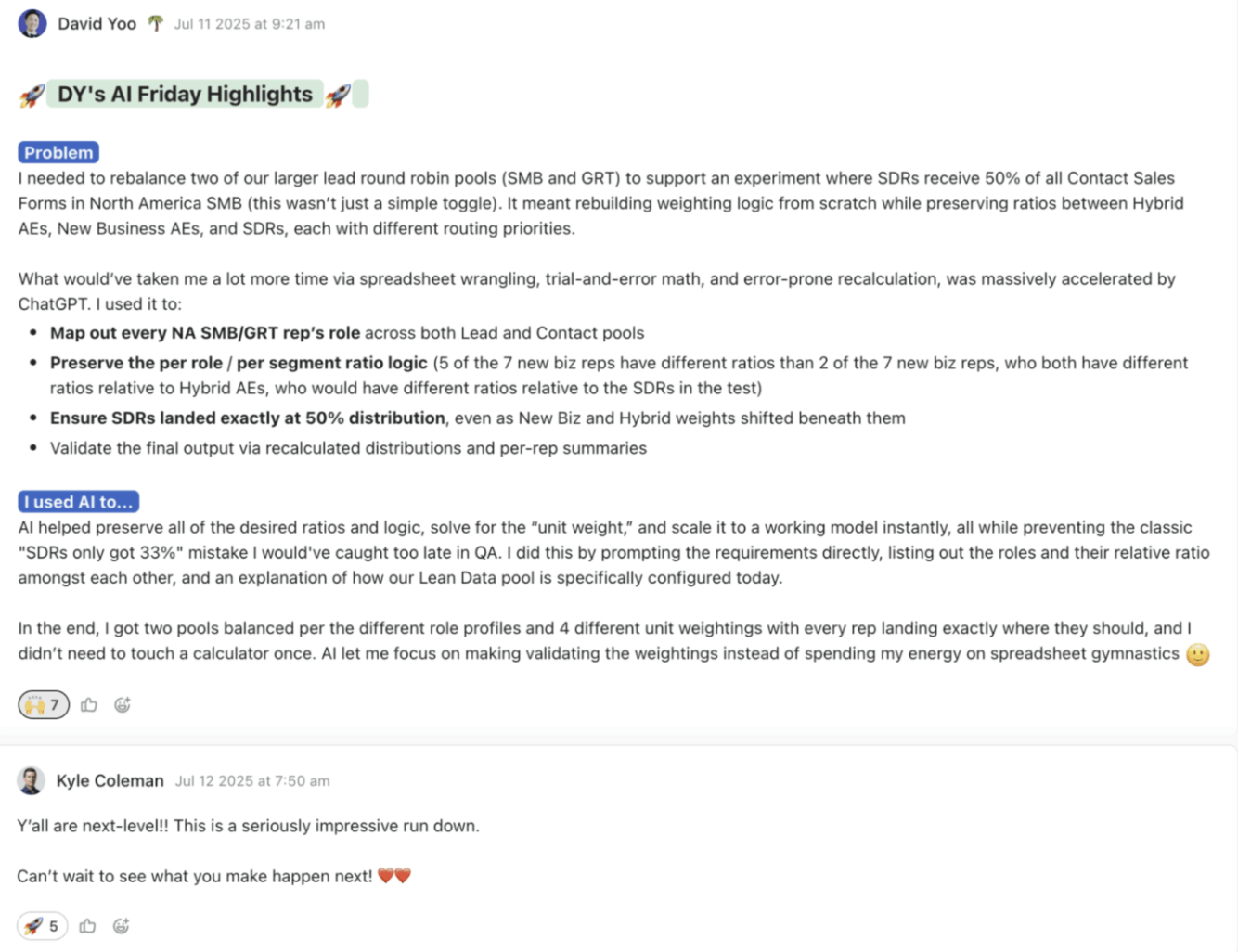
A different approach worked at a much larger scale. ClickUp’s marketing organization, comprising 13 teams, tried something simple. Every person, every Friday, had to post one new AI use case in a shared channel. It could be something that saves 30 seconds or 3 hours.

The part that made this work, and the part most companies would skip, is that Kyle Coleman, Global VP of Marketing at ClickUp, read and engaged with every single submission.

ClickUp's Friday mandate

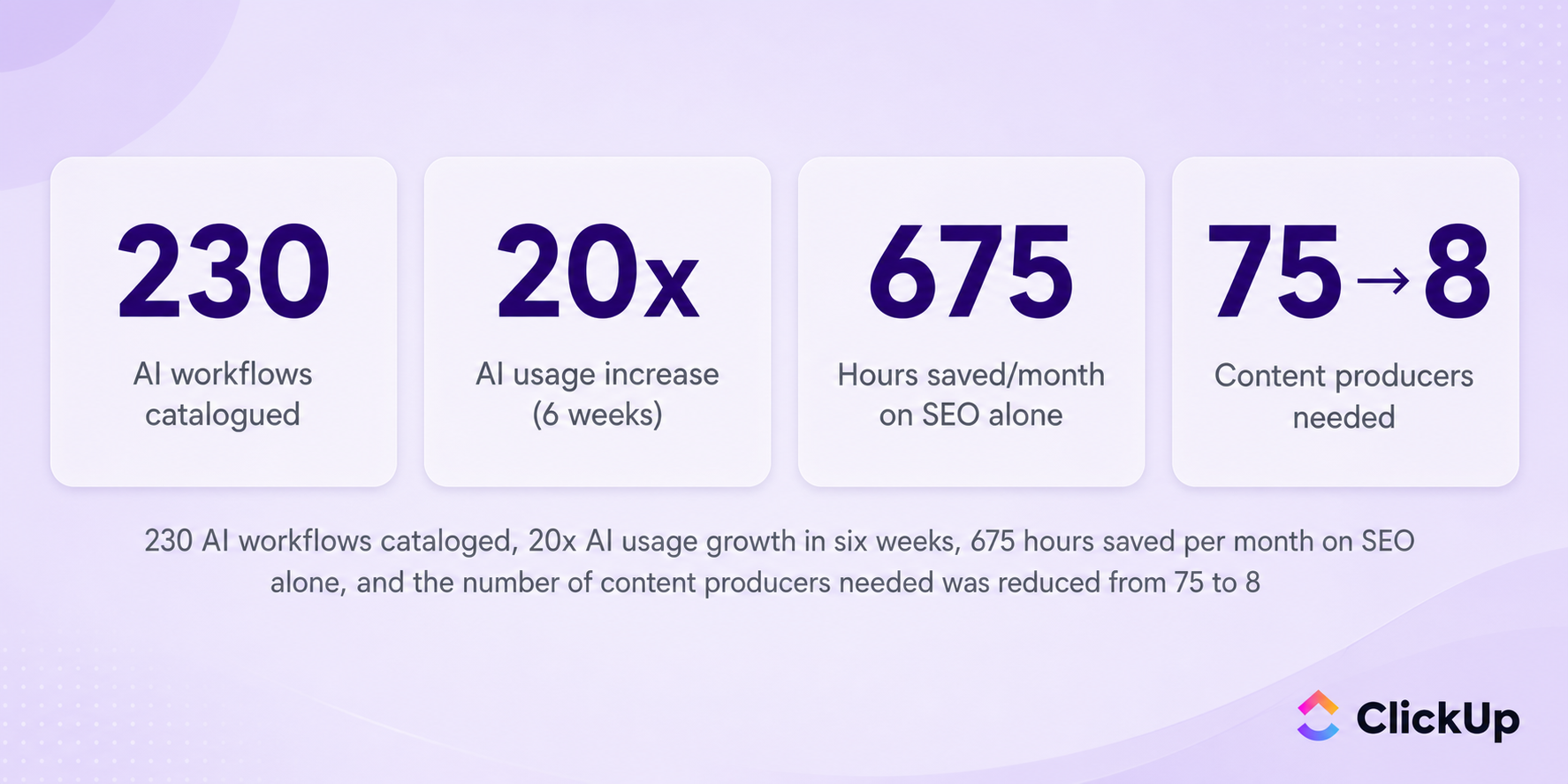
The effect was significant. Within 6 weeks, AI usage across the organization had increased twentyfold. People saw what their colleagues were doing and thought, “Wait, I could use that too.” One person's prompt got reused by others. One person's AI Agent got cloned across other teams. The experiments became a living library that anyone could search.

The result:

ClickUp's friday mandate results

Shared context, visible experimentation, and compounding knowledge played out at an organizational scale.

The “we're too lean to experiment” trap

There's a fear that stops lean teams more than any other: they barely have capacity for the work they're already doing, and that any time spent learning something new is time stolen from delivery. But it gets the math backwards.

If your team is stretched thin, every person is spending some portion of their day on repetitive work like status updates, meeting prep, and data compilation that follows the same pattern week after week. 

That repetitive work isn't free. It's a cost you've stopped noticing because you've been paying it every day for years.

It's some of the most expensive work your team does, because it consumes the same hours as strategic work without producing any of the leverage. And it happens to be the exact kind of work AI handles best. Currently available AI technologies could automate activities accounting for roughly 57% of US work hours.

The leaner you are, the more every wasted hour matters, because you don't have spare people to absorb inefficiency. Which means you actually have the most to gain from eliminating it.

The pattern

Every leader who's ahead of you right now did roughly the same thing: they picked one small thing, tried it, paid attention to what happened, and shared what they learned. They made AI experimentation multiplayer from day one. 

Source: McKinsey Global Institute (November 2025)

What Your Peers Solved in Week One

If you've read this far, there's a good chance you're thinking about one of two questions. Either “what about security?” or “how do I justify the investment before I've proven anything?” Both are fair concerns, and both were answered by your peers in about a week. Here's how they did it.

Security: a 10-minute conversation, not a 6-month project

AI tools aren't hacking into your systems or stealing your data overnight. The real risk is much simpler and much more immediate: your people are putting things into AI that they probably shouldn't be.

According to ClickUp's survey of 30,000 knowledge workers:

11%

worry about privacy when using AI

another 11%

don't fully trust AI yet

38%

who are open to it, double-check the outputs

Someone on your team may be pasting a client contract into the free version of ChatGPT to “get a quick summary” or feeding financial projections into Claude to help with the board deck. They are unaware that free versions of these tools may use their inputs to train future models.

So the risk is behavioral rather than technical, and it's solvable in about 10 minutes of clear communication.

The shortcut that eliminates the behavioral risk

AI security doesn’t require a separate apparatus. AI is a new vendor, and your existing data retention policies, compliance checklists, and security reviews already handle new vendors. AI isn't a special case here.

There's an even bigger shortcut available to teams whose AI lives inside a workspace they already control. When AI operates within your existing permissions, SSO, and data governance, you don't need to build a separate security layer. The same controls that protect your project data already protect your AI interactions.

The 10-minute version of the conversation

In a single team meeting, you can name what's off-limits, ask the team which tools they're already using, and route the answers through the vendor process you already have. From there, everything else is operational hygiene.

Get the SAFER framework and a 30-day plan to nail AI security from the get-go!

ROI: reframing the question

At some point, a board member or a CFO has probably asked you what the return on AI is going to be. And the honest answer probably felt uncomfortable: “I don't know yet.”

Here’s the reframe: asking for AI ROI before you've experimented is a bit like asking a new hire for their numbers on day two. That doesn't mean there's no data to work with, however. There's actually quite a lot of it now.

• Deloitte found that 64% of private companies with $500M+ revenue report moderate to significant ROI from AI investments, and most only made AI a priority within the last year.

• McKinsey's data shows that knowledge workers using AI Agents recover a median of 6.4 hours per week.

• The median payback period for AI investments is currently 4-7 months, and the average return is around 3.5x.

• Companies that have moved AI from pilots into production-scale processes report cost savings of 26-31% across operations, and some report returns as high as 8x.

The data is even more useful when you apply it to your own team.

Say you have 30 people on your team, and say AI recovers just 3 hours per week per person, which is roughly half the median McKinsey found. That's 90 hours of capacity coming back every single week. 

At an average cost of $75/hour, that works out to about $351,000 per year in human capacity currently going to work that doesn't require human judgment.

Dan Zhang

Dan ZhangCFO, ClickUP

My team came to me earlier this year and said they needed help with RFP analysis. The normal move would have been to start a job description. Instead, they tried ClickUp Brain first. The result was 30+ minutes saved per RFP, and the future hire we thought we needed turned out to be unnecessary. What got me wasn't the time savings. It was that the team was excited to tell me they didn't need more headcount. When your team celebrates doing more with less, that's a real culture shift.

The hidden cost you're already paying

Before you spend much time thinking about AI ROI, it's worth looking at what you're already spending on overlapping tools. path8 Productions was paying for six separate subscriptions to do work that now lives in one place. Wallester, one of Europe's fastest-growing fintechs, made the same move and recovered 20 hours per week from automated handoffs while shipping launches 15% faster.

Most mid-market teams use 8 or more tools for a single workflow: a project tool, a docs tool, a chat tool, a spreadsheet, a design tool, a whiteboard, a time tracker, and a reporting dashboard. That's 8 logins and 8 places where your data lives in isolation. It's also critically 8 reasons your AI will never have full context, because your work is scattered across systems that can't talk to each other.

Consolidation alone often pays for the AI investment, and it solves the context problem at the same time. When all your work lives in one place, AI can see all of it. The ROI ends up coming from both directions at once: you spend less, and what you do spend works harder.

Sources: Deloitte Private Survey (April 2026), McKinsey State of AI 2025 (November 2025), Bain Agentic AI Benchmark 2026, referenced in digitalapplied.com, Master of Code AI ROI Analysis (April 2026), Microsoft AI ROI validation study (November 2023)

Which Tool Do You Reach for First?

So what do you actually use when you sit down on Monday morning to make your first move? There are three categories of AI tools worth considering at this stage, and one of them is clearly the right place to start.

Option 1: A standalone AI tool

These are the generalists. Claude, Gemini, ChatGPT, etc., are impressive for personal tasks like brainstorming, research, first drafts, or explaining something complex in simple terms. Their main limitation is that every conversation starts from zero, and the context they have is what you give them with every prompt.

They're great for individual exploration, but they tend to be a dead end for organizational transformation.

Option 2: AI inside your existing work tools [START HERE]

This is AI embedded directly in the place where your team already does their work. There's nothing new to buy, no new login to remember, no new security review to run, and no new learning curve to climb. It's your existing workspace, now with an AI layer that understands everything inside it.

Your team can build on each other's work in this environment. When someone writes a great prompt, everyone can benefit. When someone builds an AI Agent, the whole team can use it. The compounding effect happens naturally, without you having to engineer it. 

This is also where every user story we discussed actually started.

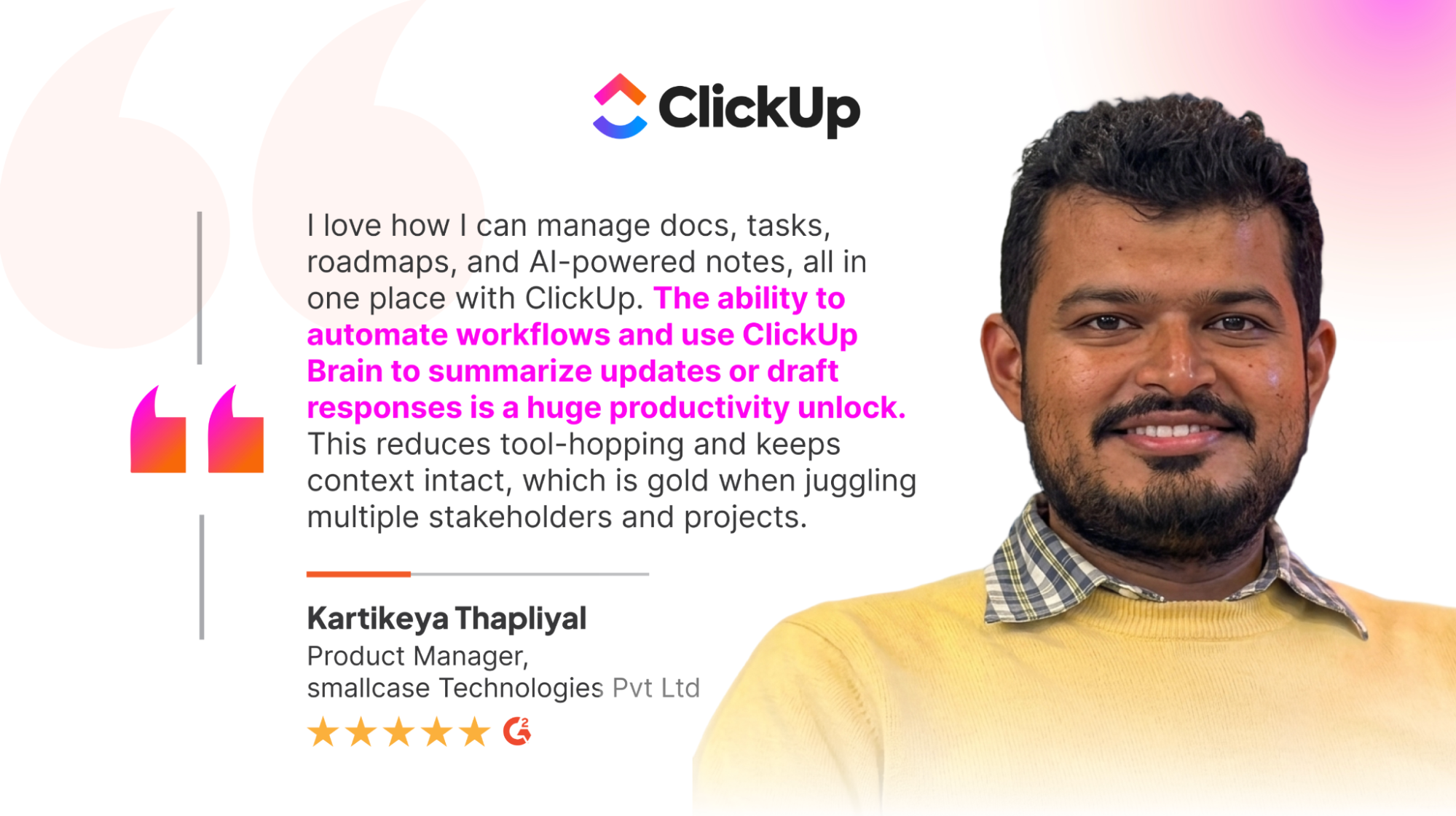
Smallcase review for ClickUp

Option 3: Agents (for when you find the right use case)

Agents are AI tools that don't just answer questions but actually take actions on your behalf. Especially on those manual, repetitive tasks that eat up hours. 

An Agent might update project statuses automatically, draft meeting recaps while you're still in the meeting, or triage incoming emails so humans only see the ones that genuinely require judgment.

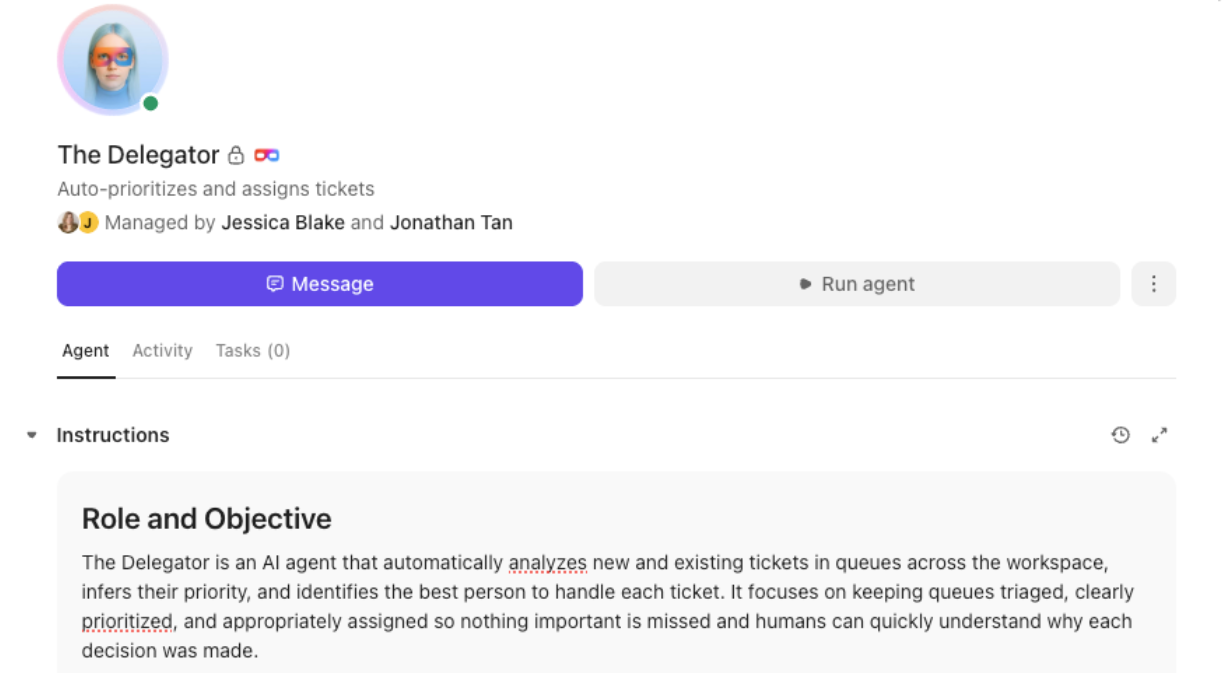
Bell Direct, a mid-market financial services company, uses AI Agents to triage more than 800 emails per day. That's one specific, repetitive task running at scale, and it saved them the equivalent of two full-time employees while improving operational efficiency by 20%.

The Delegator Super Agent

Bell Direct Jonathan Tan

Jonathan TanOperations Manager, Bell Direct

The AI Agent has become part of the team. Previously, we needed two full-time employees just to triage and assign tasks. Now, the AI Agent does it all, instantly and accurately.

Most people shouldn't start here, though. Agents are where you graduate to once you've found a workflow that's clearly repetitive, high-volume, and doesn't require human judgment at every step. Start with Option 2 first. You'll know when you're ready for this.

You Just Need To Make the First Move

This page is your homework: something specific to do before this time next week.

What to do first

Think about your typical week for a moment. The most repetitive kind of task is your test case. The thing you could almost do in your sleep, but still takes an hour because it has to get done.

Now try it with AI three times. The first time you try, you'll likely get a mediocre result and feel validated in your skepticism. Your prompt was probably vague, and you didn't provide enough context. The second time, you'll naturally adjust by being more specific. The result will improve noticeably. By the third time, you'll know what to ask for, and the output will be something you can actually use. That's the eureka moment.

If you want to go slightly bigger, build a culture of experimentation

The leaders we talked about did one thing differently. They made experimentation visible and shared across their teams, and there are a few common ways to do this.

The Friday Mandate model is the simplest: Everyone posts one AI experiment per week in a shared channel. After about six weeks, it becomes self-sustaining. People start sharing the coolest finds, and new employees can search the archive to get up to speed.

Experimentation Fridays are a lighter variant: One protected hour per week for everyone to try AI on one real task, with the only requirement being a five-minute standup to share what happened. Total investment is one hour per person per week, and the return is a team that teaches itself.

The sprint week is more concentrated: One dedicated week where the team picks three to five repetitive workflows and tests AI on each. Daily check-ins surface what's working, and by Friday, you know which two or three use cases are worth building into a permanent process.

The non-negotiable across all of these approaches is that leadership has to be visibly invested in the AI discoveries.

Kyle Coleman

Kyle ColemanGlobal VP of Marketing, ClickUp

If your team senses for even one second that you're just checking a box as a leader, the whole exercise dies. They need to see that you're paying attention and that you actually care about what they're discovering.

Choosing the lowest-friction entry point

The simplest place to start is with AI that's already connected to your existing tools. If your team uses a workspace with built-in AI features, you don't need a new vendor, a new login, or a new security review. You just need to switch it on. 

Most AI-native tools also offer free tiers, letting you test things before making any company-wide commitment. The stakes of your first move are about as low as they could possibly be: zero dollars and 15 minutes of your time.

Four questions to answer before Monday

• Is there a workflow my team repeats every single week? If yes, that's your test case

• Do we already have a tool with AI features we haven't turned on? If yes, start there today

• Can I give my team one hour this week to experiment? If yes, plan it for Friday

• Do we have a shared channel where people can post what they find? If not, make one, it takes about thirty seconds, and it's what unlocks the multiplayer effect we've been talking about

What not to do: Don't start with a company-wide rollout, a vendor evaluation, or a strategy document. All of these feel productive but tend to produce very little actual learning. Start with one task, one person, and one week. Share what you find. Then expand from there. Your strategy will emerge from what you discover. It can't really be written in advance, because you don't yet know what works for your specific team, your specific workflows, and your specific context.

Your Next Move

You've spent 15 minutes getting the lay of the land. Here's how to spend the next 15.

If you're ready to start solo

The Process Gap Analyzer is a useful starting point. It looks at your team's work, identifies where processes break down, and surfaces the inefficiencies worth fixing first. Pick one result and try it with AI this week.

If you want to bring your team along

Open a shared channel today and post one question: "What's one thing you do every week that feels repetitive?" See what comes back by Friday. That's your experiment list. Pick the top three answers and try AI on each of them next week. You'll have just planned your first sprint without a committee, a budget, or a strategy deck.

If you want to move faster with a guide

Talk to an expert at ClickUp. We'll take a look at your current stack, identify where AI fits without adding another tool to the pile, and map out a specific first move tailored to your workflows.

There's no perfect moment to start. But every week you spend experimenting is a week of organizational learning you can build on later. Starting this week means you're building that foundation now.

Glossary

Quick definitions for your reference. Skip it if you already know these, and jump back any time a term doesn't quite land.

LLM (Large Language Model)

The technology behind ChatGPT, Claude, and Gemini. You can think of it as a very fast reader that has absorbed most of the internet and can produce human-sounding text. It's powerful but generic, meaning it knows a lot about the world but nothing about your specific company unless you tell it.

AI Agent

AI that doesn't just talk to you but actually does things on your behalf. It might schedule meetings, update records, draft documents, route emails, or triage incoming requests. The simplest way to think about an Agent is as automation you can talk to in plain English.

AI Assistant

AI built directly into a tool you already use. It works alongside you in real time, suggesting, drafting, and summarizing as you go. There's nothing new to install or learn separately. It's just your existing software, doing more than it did last month.

MCP (Model Context Protocol)

A standard that lets AI connect to and understand data across multiple apps. If your work is spread across several different tools, MCPs let AI see the full picture instead of just one corner of it. You can think of it as plumbing that connects separate rooms into one house.

Context

The background information AI needs to give you specific, useful answers instead of generic ones. This includes your projects, your documents, your conversations, and your company's decisions. The more context AI has, the more its output sounds like it came from someone who actually works with you.

No-code

Tools that don't require any programming knowledge to use. You build things by typing what you want in plain language, clicking buttons, or dragging elements around. If you can write an email, you can use a no-code tool.

AI-native

A tool that was designed with AI built in from the start, rather than having AI added as an afterthought later on. When AI is native to a tool, it has access to everything inside it. When it's bolted on later, it usually only sees a fraction of your work.

Trusted by the best