
Sorry, there were no results found for “”
Sorry, there were no results found for “”
Sorry, there were no results found for “”
OpenAI shipped GPT-6 Astra and called it the start of the AGI era. The numbers hold up too: Astra scored 99.9% on ARC-AGI-3, hit 98% on FrontierMath Tier 4, and discovered actual zero-day vulnerabilities during its own safety testing.
By almost any technical measure, ChatGPT has never been this capable. And I still find myself reaching for a ChatGPT alternative half the time. Because the choice is not so obvious anymore.
The answer I keep landing on has nothing to do with the frontier models.
It comes down to how much I need to tell the tool about my work, my life, and my expectations: Can it see my tasks, my docs, my calendar, and the thread from yesterday and give me answers that are customized to me! Sure, MCPs and connectors have made every platform more interoperable than it was a year ago. But the gap between “connected” and “native” is still enormous in practice.
So, I set out to find the best ChatGPT alternative guided by the following question: Which of these AI tools actually supports the way I work and the platforms I work with? And that’s how I tested them: less by isolated output quality, more by what happened when the AI met my real workflow.
That usually means you’re using the wrong type of AI for the job.
Take this 1-min quiz to see if your tools overlap, lack context, or if it’s time to hand off work to an agent.
Gemini makes sense when my day runs through everything Google. ClickUp Brain fits work spread across tasks, projects, docs, and spaces specific to ClickUp. Copilot is the natural fit for Microsoft 365 teams. When the work isn’t tied to one system, Claude is strongest for long documents, writing, code, and careful reasoning, and Perplexity is my pick for citation-first research.
| Tool | Best for | Standout feature | Starting price* | Where it taps out |
|---|---|---|---|---|
| Claude | Long documents, careful reasoning, and code | Claude Design, Skills, connectors, remote MCP, Artifacts, Cowork, and Claude Code | Free; paid from $17/mo | It isn’t the strongest choice for native image or video generation, and heavy Claude Code or Cowork use can hit limits |
| Google Gemini | Teams already living in Google Workspace | Deep Research, Workspace integration, 1M-token context, Gems, image generation, video generation, and Guided Learning | Free; paid from $4.99/mo | Features can feel scattered across plans, account types, regions, and separate Google products |
| ClickUp Brain² | Grounding AI in your team’s actual work | Super Agents, Enterprise Search, Skills, Codegen, Artifact, and access to GPT, Claude, and Gemini with Workspace context | Trial on Free Forever; Brain AI available across other plans | It’s only as strong as the Workspace context underneath it, and the platform takes time to learn |
| Microsoft Copilot | Microsoft 365 organizations | Researcher, Analyst, Copilot Studio, Teams meeting intelligence, Pages, and native Microsoft 365 context | Paid from $9.99/mo | It’s harder to justify when most of your team’s work happens outside Microsoft 365 |
| Perplexity | Citation-first research | Source-backed answers, Deep Research, model choice, Perplexity Computer, Comet, and work-app connectors | Free; paid from $20/mo | Its default style leans toward research synthesis, so polished long-form writing often needs another editing pass |
| Gemini Notebook | Research grounded in a defined source set | Source citations, Audio and Video Overviews, slide decks, infographics, mind maps, quizzes, and Deep Research | Free; paid access through Google AI plans from $4.99/mo | It isn’t built to manage projects or take broad operational action across work systems |
| DeepSeek | Low-cost reasoning and self-hosting | Low-cost inference, 1M-token context, open-weight deployment, compatible APIs, context caching, and structured output | Free web app; API pricing is usage-based | It isn’t a polished workplace suite, and self-hosting shifts infrastructure responsibility to your team |
| Mistral Vibe | European data residency and private deployment | EU-hosted inference, on-prem deployment, Work Mode, Vibe Code, Skills, 100+ connectors, and Mistral Forge | Free; paid from $14.99/mo | It has less native ecosystem reach than Microsoft or Google |
| Grok | Real-time web and social intelligence | Live web and X retrieval, multi-agent mode, Grok Imagine, Grok Build, and Grok Bot | Free; paid from $30/mo | Real-time social data can mix strong signals with rumors and noise, so important claims still need verification |
| Jan | Running a private AI on your own hardware | Local inference, Cowork, OpenAI-compatible local API, MCP integrations, Jan CLI, and cloud-provider fallback | Free and open source | Performance depends on your hardware, especially for larger models, longer context, and harder reasoning |
Our editorial team follows a transparent, research-backed, and vendor-neutral process, so you can trust that our recommendations are based on real product value.
Here’s a detailed rundown of how we review software at ClickUp.
Once I started using these tools for real work, I stopped obsessing over small differences in model quality.
These are the five things I’d check first:
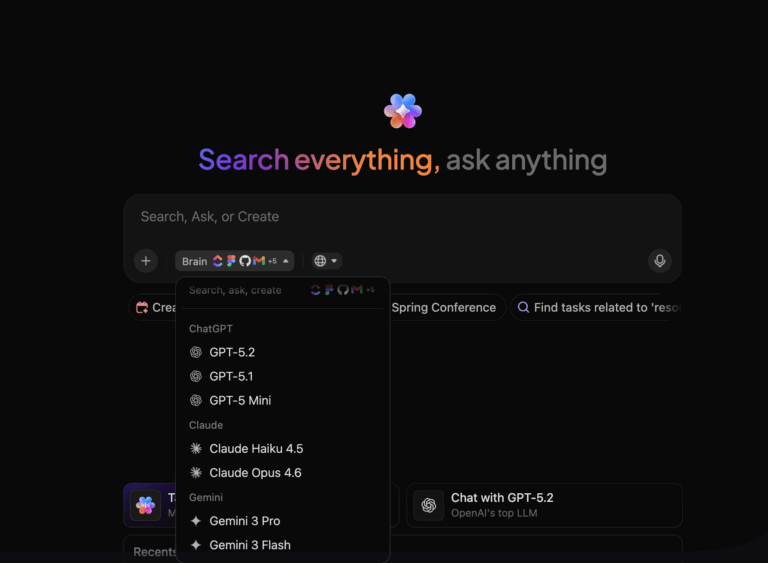
I’d also check model choice. Some platforms let me switch between GPT, Claude, Gemini, and other models within one subscription. That makes model selection a per-task choice and not a platform commitment.
The rest of this guide covers all 10 options, including pricing, trade-offs, and parts of the experience that only become obvious once I use them in real work.
Heads up: OpenAI is phasing out Custom GPTs. For affected Enterprise workspaces, the rollout is:
OpenAI says other plans are expected to follow. If Custom GPTs are part of your workflow, this is also a good time to compare ChatGPT alternatives with agents, skills, and reusable workflows.
The 10 strongest options are Claude, Google Gemini, ClickUp Brain, Microsoft Copilot, Perplexity, Gemini Notebook, DeepSeek, Mistral Vibe, Grok, and Jan. I put each tool through the kind of work I’d use it for: long documents, research, files, workspace context, and multi-step tasks.
The entries below cover standout features, pricing, user reviews where available, and where each tool taps out.
Note: AI models change fast, and new capabilities ship almost weekly. Everything below reflects what I could verify at the time of writing.
I usually go to Claude when I have a lot of material and don’t want the AI to rush to an answer. For example, I dropped a 40-page research stack into one conversation and asked it to find the three claims that contradicted each other. It caught all three and explained why the sources disagreed. That kind of patience with messy, qualification-heavy work is where Claude pulls ahead.
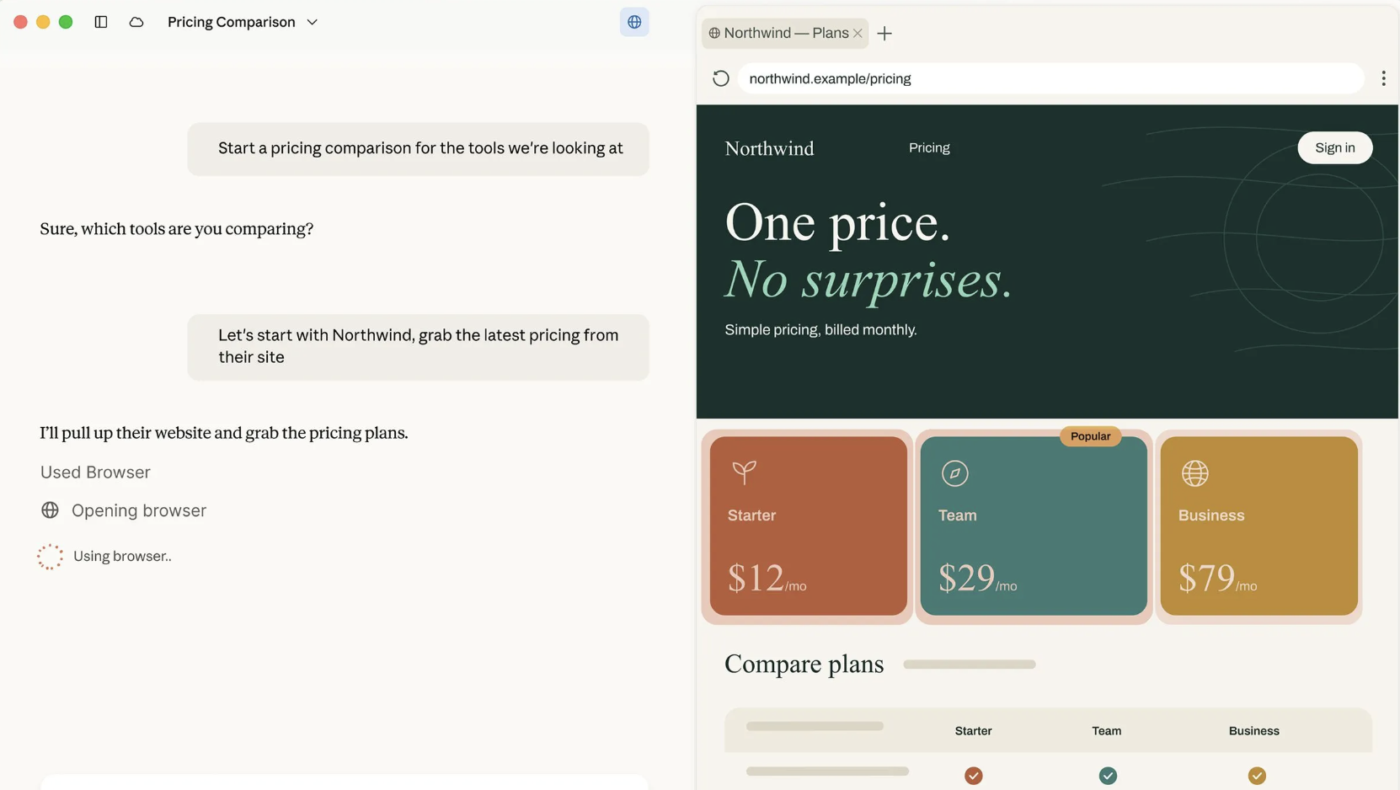
And it doesn’t feel boxed into chat anymore (thankfully!). Claude Cowork works through files, browser tasks, and multi-step jobs. Claude Code handles engineering work from the terminal. So I can run a research-heavy writing task in one session and a repo-wide coding job in another without switching tools.
Projects in Claude help with repetitive work, too. I can keep a client’s style guide, past briefs, and related conversations in one Project. That means I get to skip the first five minutes of re-explaining who the audience is and what tone to hit. It’s a small thing, but it compounds across a week.
A G2 reviewer said:
What I like most about Claude is that it is useful when I have to work through a detailed client query or understand a topic before giving my advice. I use it for researching Companies Act provisions, FEMA/RBI matters, compliance requirements and also for reviewing or improving documents and explanations prepared for clients.
It is particularly helpful when I have a lot of information to go through because I can discuss the matter step by step and ask follow-up questions. In my day-to-day consulting work, this saves me time in the initial research and helps me look at a client issue from different angles before I finalize my advice.
Where it taps out: Claude still isn’t the tool I’d pick for native image or video generation. Claude Design turns out solid visual work, but that’s not the same as having a dedicated image or video model. I’d also watch usage limits if I were leaning on Claude Code or Cowork all day.
Best for: Writers, researchers, analysts, and developers who work with a lot of context and want careful reasoning across both documents and code.
Skip it if: Your main reason for using AI is generating visual assets.
Also Read: Claude Alternatives
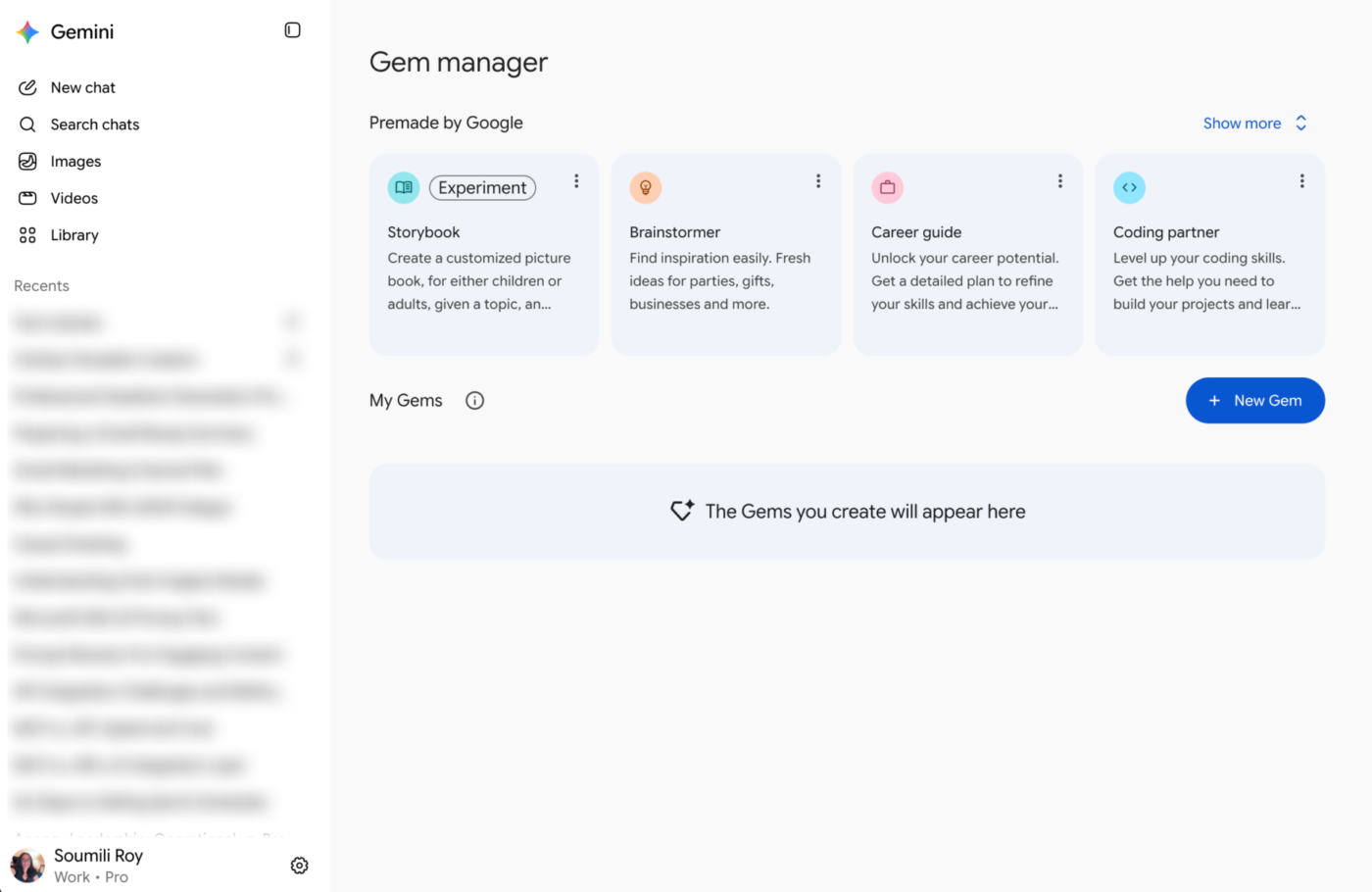
Gemini’s biggest advantage is that much of my work already lives in Google.
I can open the sidebar from Chrome, Sheets, Docs, or Gmail and ask a question about whatever I’m already looking at. It reads the page, the spreadsheet, the email thread, and answers right away. That’s exactly the kind of native experience I’m after.
Google has pushed the connection deeper inside Workspace too, so Gemini can research across files and folders, compare documents, and create new Docs, Sheets, and Slides from what it finds.
I also like that Gemini covers image generation, videos, and more without making me switch to another tool. For developers, Google AI Studio gives direct access to Gemini models for prompt testing, fine-tuning, and API prototyping. Plus, Google AI Pro and Ultra also get a 1-million-token context window, which can handle a large pile of material in one go.
A G2 reviewer said:
What I like best about Gemini is how well it integrates with Google’s ecosystem — Docs, Gmail, Search, Android — so it fits right into tools I already use daily. It’s also quick with real-time info since it can pull from the web, and it handles multimodal stuff (text, images, even voice) pretty smoothly. Honestly, the value feels solid for what I’m paying — the time it saves on everyday tasks like drafting, summarizing, and searching more than makes up for the cost. It’s not perfect, especially with the occasional wrong answer, but overall it pulls its weight for the price.
Where it taps out: Gemini’s feature set can feel scattered. What I can use depends on my Google AI tier, whether I’m on a personal or Workspace account, my region, and what a Workspace admin has enabled. Some of its best features are also spread across Gemini, Workspace, Flow, Search, and other Google products.
Best for: Teams already working heavily in Gmail, Drive, Docs, Sheets, Slides, and Calendar that want AI to use that existing context.
Skip it if: Your work mostly lives outside Google’s ecosystem and you want one self-contained AI workspace with fewer plan and product boundaries.
Also Read: Gemini Alternatives
In my search for a replacement to ChatGPT, I stumbled on two interesting trends.
The spending data suggests I’m not alone in my analysis. Ramp’s September 2026 AI Index shows 43.8% of U.S. businesses now pay for Anthropic products, compared with 39.8% for OpenAI, and the gap widened again from the previous month.
Similarweb measured 29 million people using ChatGPT, Gemini, and Claude together between March and May 2026, not picking a side but building a toolkit. The most capable model, by the benchmarks, keeps losing wallet share to alternatives that fit differently.
Even the labs’ own leadership is saying the quiet part out loud.
Dario Amodei argued in We Must Pace the Frontier that AI companies should “slow the pace at which we improve the capabilities of AI models” so safety work can keep up. Sam Altman echoed that shortly afterward: “No amount of American competitive pressure should justify recklessness.“
That makes choosing an assistant more interesting right now. The next few gains will potentially come from the product, its tools, context, and execution layer, not ‘who-has-the-best-frontier-model’ race.
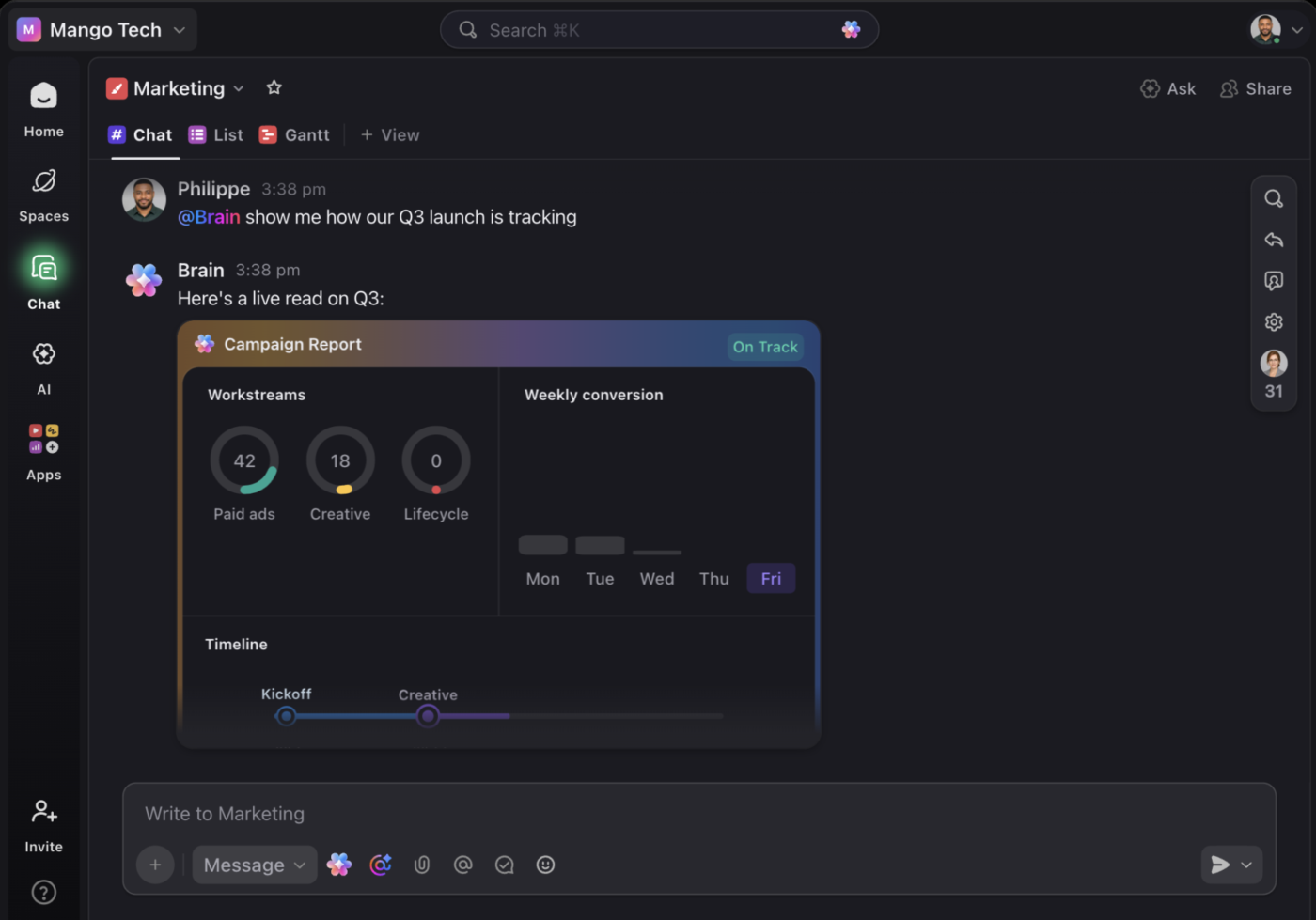
Brain² feels different from the other assistants on this list because I don’t have to start by explaining my work. It already sees the tasks, Docs, Chats, projects, and connected apps I have access to, so I can ask “What’s blocking this launch?” and get an answer grounded in the work itself.
That’s why it’s my work AI. I use it to research a topic, draft an email, summarize a project, analyze data, build a presentation, or move straight into the work that needs doing. If I want a specific model, I can switch between ChatGPT, Claude, Gemini, and ClickUp’s own model, Brain², and keep the conversation and Workspace context intact.
The biggest difference for me is that the answer is just the starting point. I asked Brain² to summarize a stalled project, and it came back with the summary, a draft status update, and three suggested next tasks, all inside the same Workspace.
A G2 reviewer said:
What I find most helpful about ClickUp is how it centralizes project information while still enabling strong collaboration and reporting. The platform offers excellent dashboards, flexible customization through custom fields and templates, and solid documentation and knowledge‑management features, which makes day‑to‑day project oversight more efficient. It also integrates well with Azure DevOps and includes outstanding AI capabilities to accelerate and support your work, helping you build your own skills and speed up tasks. It also provides automation credits that simplify several project‑management activities.
Overall, it stands out for collaboration, dashboards, reporting, and capacity planning, and it delivers well‑optimized capabilities for documentation and knowledge management.
Additionally, the quality and responsiveness of customer support add to the overall experience by helping resolve issues quickly and keeping the platform reliable in a fast‑paced environment.
Where it taps out: Brain² is only as sharp as the Workspace underneath it. If tasks are stale, decisions happen elsewhere, or the team barely documents anything, Brain and its agents have less reliable context to draw on. ClickUp also covers a lot of ground, so it takes time to get familiar with.
Best for: Project managers, operations teams, team leads, and cross-functional teams that want AI grounded in live company work and able to act on that context.
Skip it if: You only want a standalone chatbot for occasional questions and don’t need AI connected to shared projects, documents, or workflows.
Microsoft Copilot earns its place here through proximity. Word, Excel, Outlook, PowerPoint, and Teams already hold a large chunk of the work I’d otherwise have to bring into an AI by hand.
I can work from an email thread already sitting in Outlook, summarize a Teams meeting, or turn existing material into a PowerPoint deck. I can even ask questions about data in Excel, and everything stays right where it lives.
For a company already standardized on Microsoft 365, that context is hard to dismiss. Copilot grounds responses in work data that the user already has permission to access, which makes it more relevant for finance, legal, ops, and other teams dealing with information spread across the Microsoft stack.
But I have to add an honest caveat here. Copilot still carries the friction of the interface underneath it. The experience inside Word and PowerPoint can feel clunky in ways the AI can’t paper over: simple things like deleting a page, reformatting a section, or getting Copilot to edit what you’ve already written instead of generating something new from scratch still trip people up. The AI is smart, but the product it lives inside hasn’t always kept pace.
A G2 reviewer said:
What I like most about Microsoft Copilot is how seamlessly it integrates with Microsoft 365 apps and how well it supports everyday tasks. It makes writing emails, summarizing documents, generating ideas, analyzing information, and creating content much faster and more efficient. The natural-language interaction feels straightforward, and it boosts my productivity without requiring any advanced technical skills.
Where it taps out: Microsoft 365 Copilot sits on top of a qualifying Microsoft 365 plan, and more ambitious agent deployments add Copilot Studio or usage-based costs. I’d have a harder time justifying it for a team whose work mostly happens outside Microsoft 365.
Best for: Organizations already standardized on Microsoft 365 that want AI grounded in their email, meetings, documents, presentations, and spreadsheets.
Skip it if: Microsoft 365 isn’t where most of your team’s work and knowledge already live.
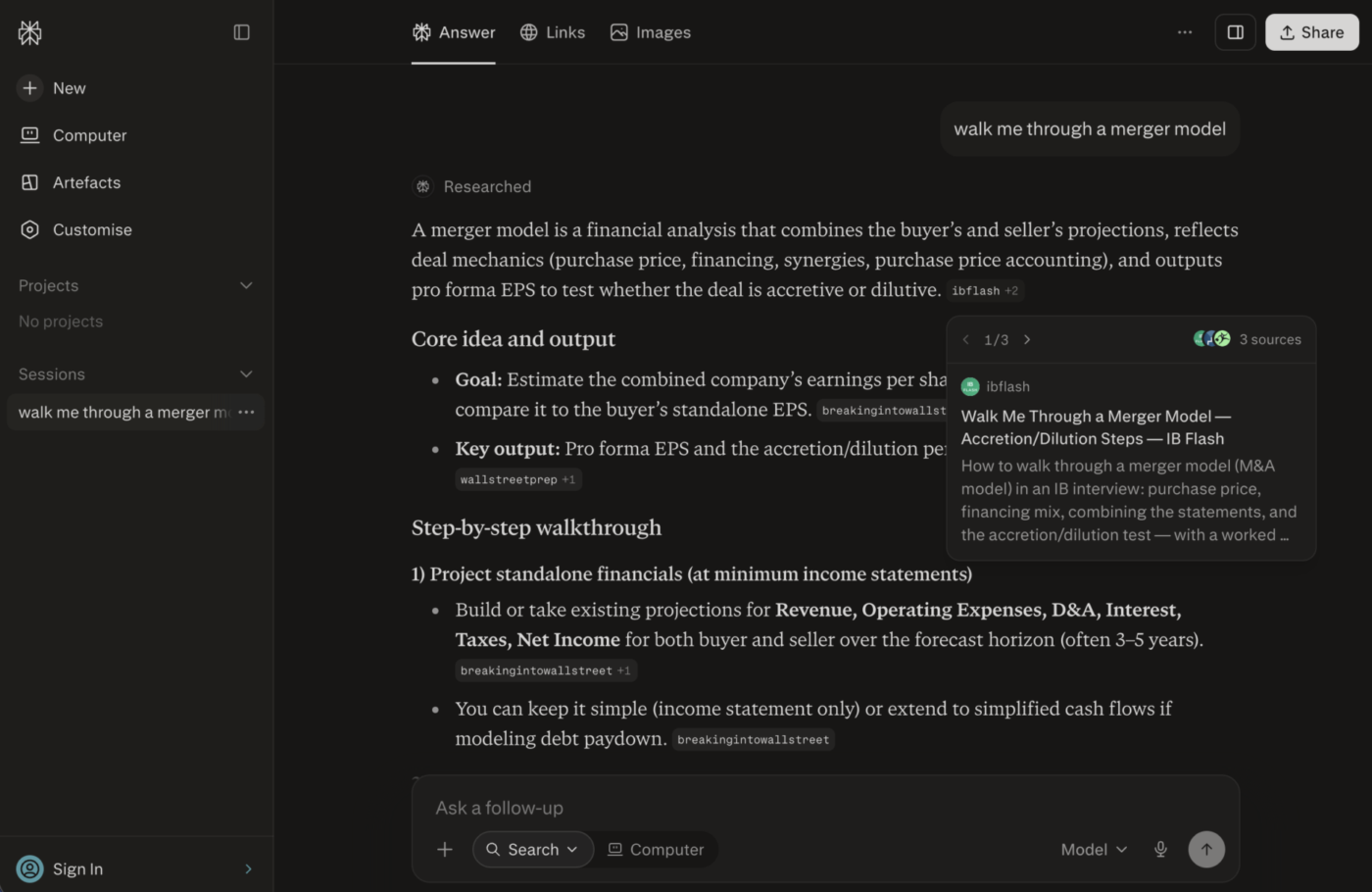
Perplexity started with a different premise from ChatGPT: give me a direct answer, and show me the evidence at the same time. Every response arrives as a synthesized answer with sources I can inspect as I go.
That citation-first design is still the reason I reach for it when I’m researching something unfamiliar. I can follow a claim back to its source, open the original page, narrow the question, and keep the whole investigation in one thread. When a normal search answer stops short, Deep Research runs a broader investigation across many sources and hands back a structured report. Other assistants cite sources too, but Perplexity built the entire experience around that behavior from day one.
It has also grown well beyond search. I can work with uploaded files, bring in connected tools, create documents and presentations from research, or let Perplexity handle longer browser-based tasks.
A G2 reviewer said:
What I like best about Perplexity is how quickly it combines web search with AI-generated answers while showing the sources clearly. The citations make it easy to verify information and explore the original references, which is especially useful for research and technical topics. I also like being able to ask follow-up questions without starting the search from scratch.
Where it taps out: I still wouldn’t make Perplexity my first choice for polished long-form writing. Its default output keeps the structure and tone of a research answer, so I usually need another editing pass before publishing.
Best for: Researchers, analysts, journalists, consultants, and writers who want web research, source checking, and synthesis in the same workflow.
Skip it if: Your main need is polished creative or long-form writing, and research comes along with it as a second layer.
Also Read: Perplexity AI Alternatives
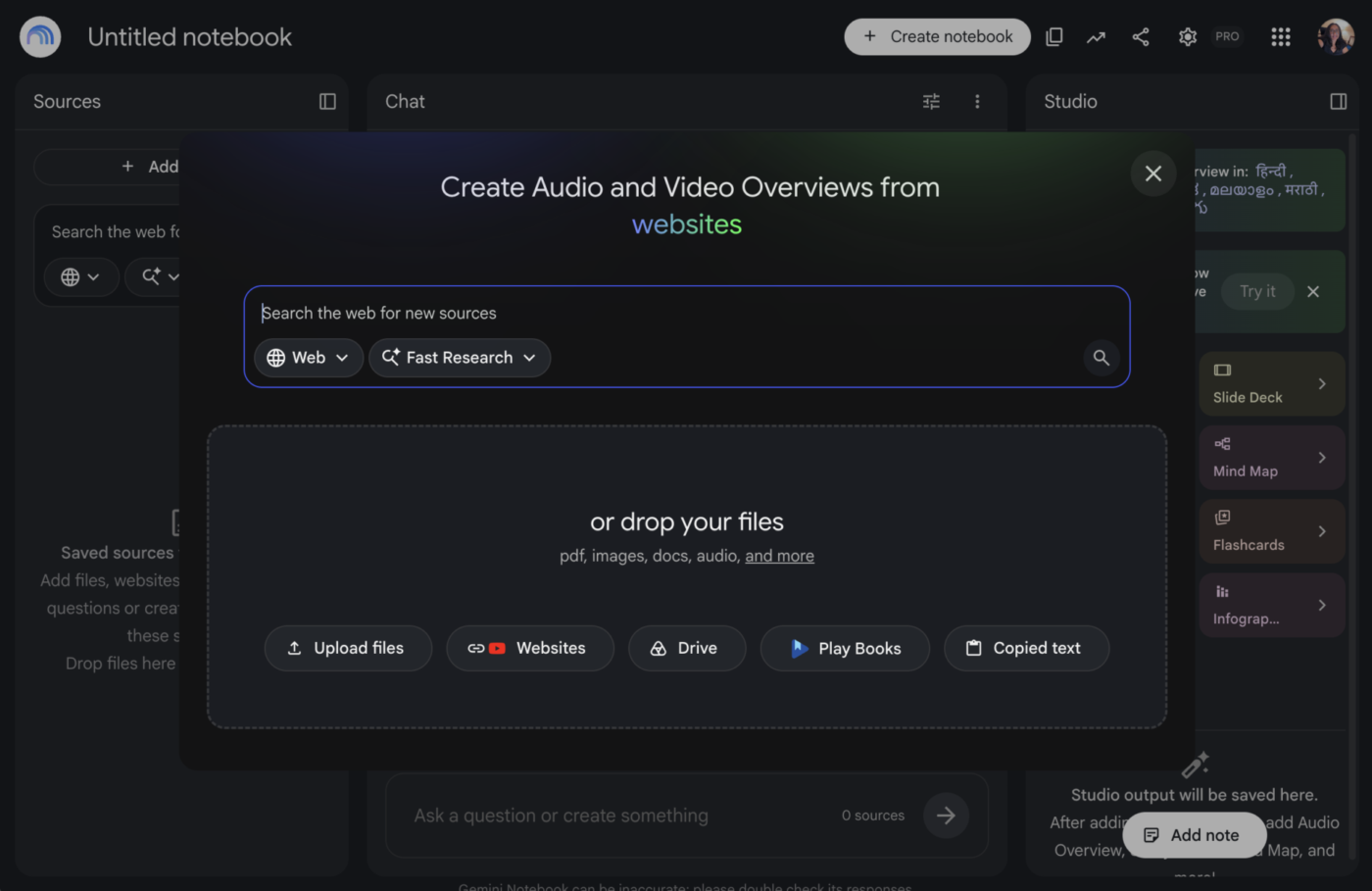
I use Gemini Notebook when I already have the material and need to understand it properly. I can load PDFs, Google Docs, Slides, websites, YouTube videos, audio files, and other sources into one notebook. Then I can ask questions across the whole collection with inline citations back to the material.
That source grounding changes the experience. I build the notebook around the papers, interviews, reports, or internal documents I want it to use, and every answer stays tied to that set. When I need more material, Discover Sources searches the web and suggests relevant pages to add to the corpus.
What I like most is how many ways it gives me to work through the same information. A dense source set can become something I read, listen to, watch, map visually, quiz myself on, or turn into a presentation, all from the same notebook.
Note: Google folds Gemini Notebook access into its AI subscriptions, with no standalone plan.
Gemini Notebook doesn’t yet have a standalone G2 or Capterra listing with a meaningful number of reviews, so I’ve leaned on my own testing.
A Reddit user said:
At work, it’s my second brain, everything I know work-related comes in there and if I ever want to know something, I can ask.
Where it taps out: Gemini Notebook is strongest when I can define the material I want it to work from. It has grown far more capable at research and analysis, but it still isn’t the tool I’d choose to manage projects, send emails, update tasks, or run a broader operational workflow across my work apps.
Best for: Researchers, analysts, students, writers, and teams working through a defined body of source material who want several ways to interrogate or repurpose it.
Skip it if: You need an AI assistant that primarily takes action across your work systems.
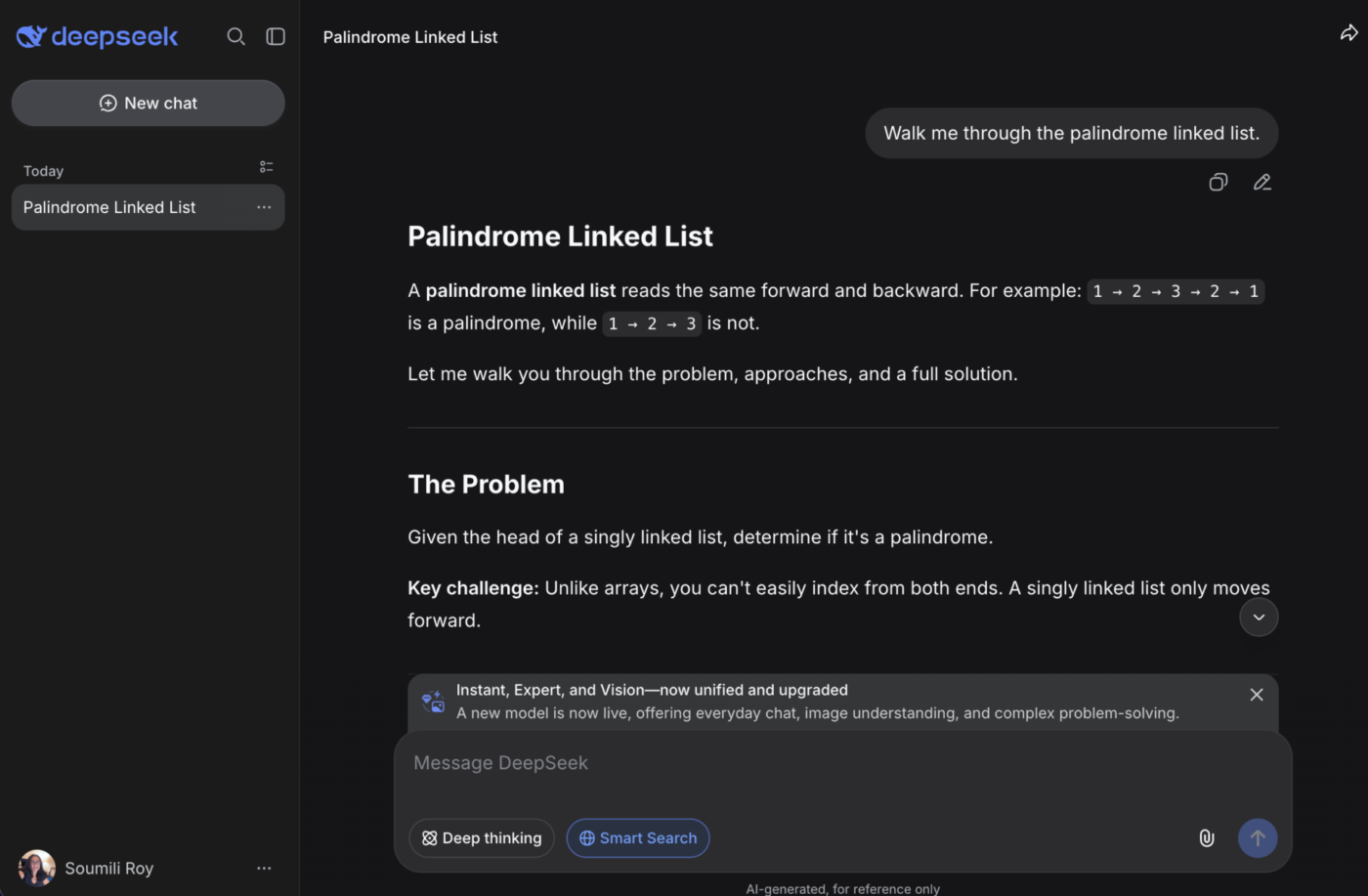
DeepSeek is the option I consider when inference cost matters at scale. Its reasoning models cost a fraction of what the larger frontier labs charge per token. This makes it appealing for high-volume API use, experimentation, and internal tools.
The 1M-token context window means I can hand it a large codebase or a stack of long reports without chopping them into pieces first. I also like that DeepSeek gives me more control over where the model runs. If I’d rather skip the hosted service, I can run its open-weight models on my own infrastructure.
The free web app is a handy way to test the models, and it handles images as well as text. Still, I treat DeepSeek as infrastructure first. It’s a model platform you build on, and the workplace assistant layer is something you bring yourself.
The trade-off to weigh: the hosted service stores data on servers in China, and several governments have already restricted it on official devices. For sensitive work, most teams self-host the open-weight models to keep inference in-region.
A G2 reviewer said:
DeepSeek offers a clean and user-friendly UI that makes navigation simple even for new users. The platform performs well with fast response generation and handles both technical and creative tasks efficiently. Its AI capabilities are impressive, especially for coding, research, brainstorming, and explaining complex topics in a structured way. I also appreciate how it improves productivity by saving time on drafting content and problem-solving. While integrations could expand further, the overall experience is smooth and reliable. In terms of pricing and ROI, it provides strong value compared to many AI tools available today.
Where it taps out: I wouldn’t choose DeepSeek for a team that wants a polished business app with mature admin controls, collaboration features, and hands-on enterprise support. Hosted deployments raise data-residency and vendor-risk questions for teams handling sensitive data, and self-hosting shifts the infrastructure burden onto the buyer.
Best for: Developers, AI teams, and organizations running high-volume workloads or wanting more control over model deployment.
Skip it if: You want a finished workplace suite with admin controls and support baked in.
Mistral Vibe is the one I would recommend if geography is part of your buying decision. Mistral runs inference on its own EU data centers, starting with Mistral Compute in France.
That makes it relevant for regulated teams, public-sector orgs, and companies whose legal or security teams care about regional processing. Enterprises can also deploy Vibe on-premises or in a private cloud with full data residency.
I can still use it as a general work assistant, and Work Mode connects to Google Workspace, Outlook, SharePoint, Slack, and GitHub to run multi-step tasks like inbox triage, spreadsheet analysis, and report drafting. Mistral Vibe shows me its plan and waits for sign-off before it starts.
The product has also matured well past the earlier Le Chat experience. Vibe now bundles chat, work automation, and cloud coding agents under one license, with Work Mode and Code Mode as the two main surfaces.
Vibe launched under its current name in May 2026, and the review footprint on G2 and Capterra still reflects the older Le Chat product. I’ve mostly leaned on my own testing here and skipped ratings that don’t describe the current release.
A Reddit user said:
Just spent some time testing Mistral Vibe on real use cases and I must say I’m impressed. For context: I’m a dev working on a fairly big Python codebase (~40k LOC) with some niche frameworks (Reflex, etc.), so I was curious how it handles real-world existing projects rather than just spinning up new toys from scratch.
The good (coding performance): Tested on two tasks in my existing repo:
– Simple one: Shrink text size in a component. It nailed it – found the right spot, checked other components to gauge scale, deduced the right value. Felt smart. 10/10.– Harder: Fix a validation bug in time-series models with multiple series. Solved it exactly as asked, wrote its own temp test to verify, cleaned up after. Struggled a bit with running the app (my project uses uv, not plain python run), and needed a few iterations on integration tests, but ended up with solid, passing tests and even suggested extra e2e ones. 8/10. Overall: Fast, good context search, adapts to project style well, does exactly what you ask without hallucinating extras.
Where it taps out: Mistral still has less native ecosystem pull than Microsoft or Google. If most of my work already lives in Microsoft 365 or Google Workspace, those assistants reach more context with less setup. Vibe makes the most sense when infrastructure control matters enough to outweigh that convenience.
Best for: European organizations, regulated teams, and companies that want more say over where their AI runs.
Skip it if: Your priority is the deepest native integration with Microsoft 365 or Google Workspace.
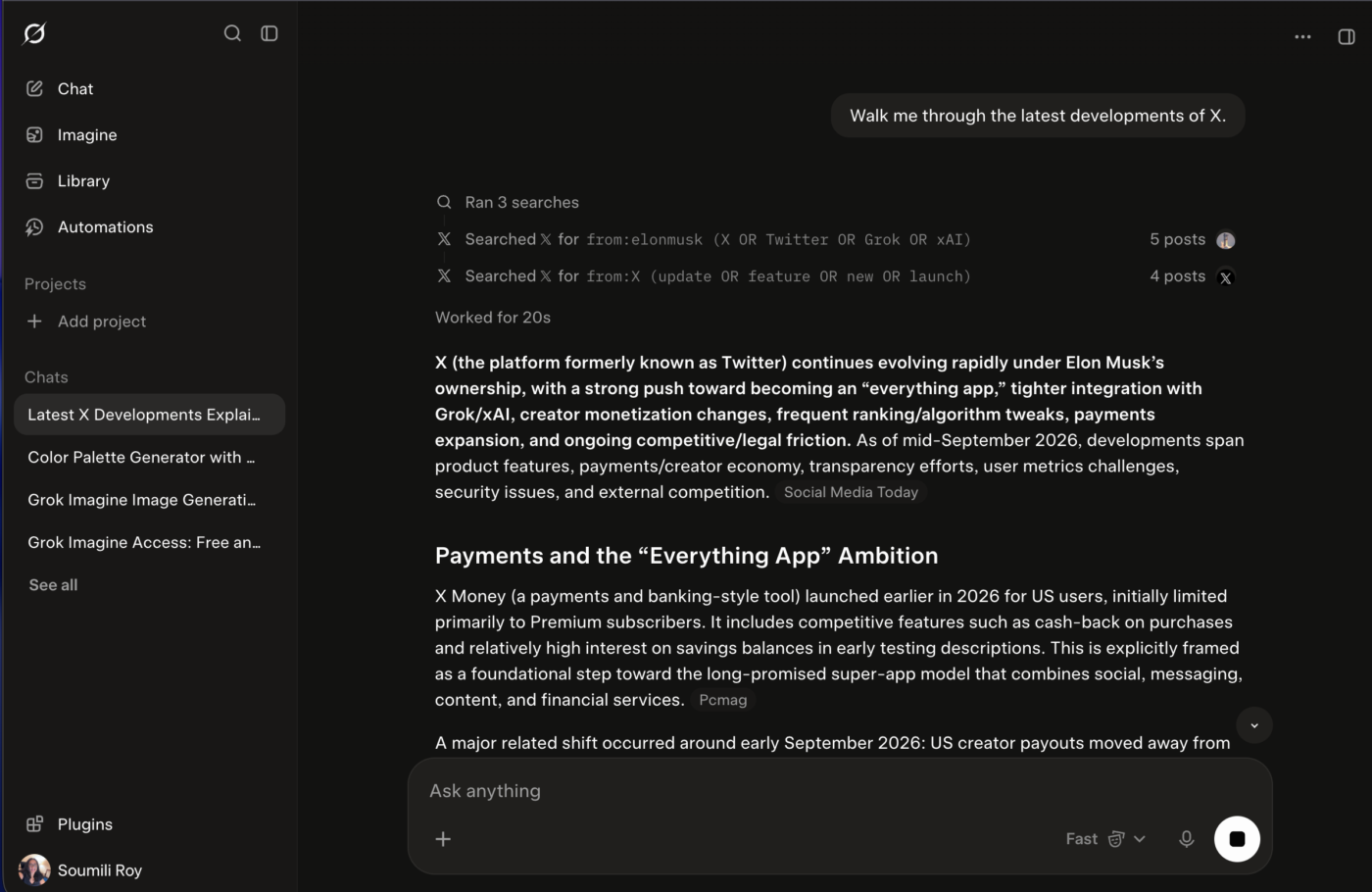
Grok has one source advantage I can’t reproduce in the other assistants here: it searches the live web and X together. When I’m following a breaking story, product launch, industry argument, or fast-moving trend, I can see what has been published and what people are saying about it right now. xAI treats that real-time web and X retrieval as the core of Grok Search.
That doesn’t mean I treat social posts as evidence by default. Grok is more useful to me for finding the signal early: which claims are circulating, which voices are shaping the discussion, and what I should investigate next. For communications, marketing, research, and news monitoring, this gives me a head start while indexed search results are still catching up.
The rest of Grok has become surprisingly broad, and the SpaceXAI acquisition of Cursor is the biggest reason to take it seriously beyond social monitoring. Grok 4.5 and 4.6 were built jointly with Cursor’s team, and Grok 4.6 is now available directly inside Cursor’s IDE alongside Grok Build.
That makes Grok a genuine contender for coding and knowledge work, competing head-on with Claude Code and OpenAI Codex. Connectors bring email, calendars, and files into the mix too. It’s a far more credible general ChatGPT alternative than it was two years ago.
A G2 reviewer said:
What I like about Grok is that it’s easy to use and has a clean, simple UI. It works well with other tools and is generally fast and responsive. The pricing feels reasonable for what you get, especially considering the time it can save.
Where it taps out: I’d be careful using Grok for anything where source quality matters more than speed. Its access to live X activity helps you spot a story early, but that same stream can mix firsthand information with rumors, jokes, speculation, and bad data. I’d treat Grok as a fast signal-finder, then verify anything important rigorously before it reaches a report, client, or public channel.
Best for: Communications teams, marketers, researchers, analysts, and anyone who regularly needs to know what’s happening on the web and X right now.
Skip it if: Most of your work depends on carefully curated internal knowledge.
Also Read: How to Use Grok Imagine?
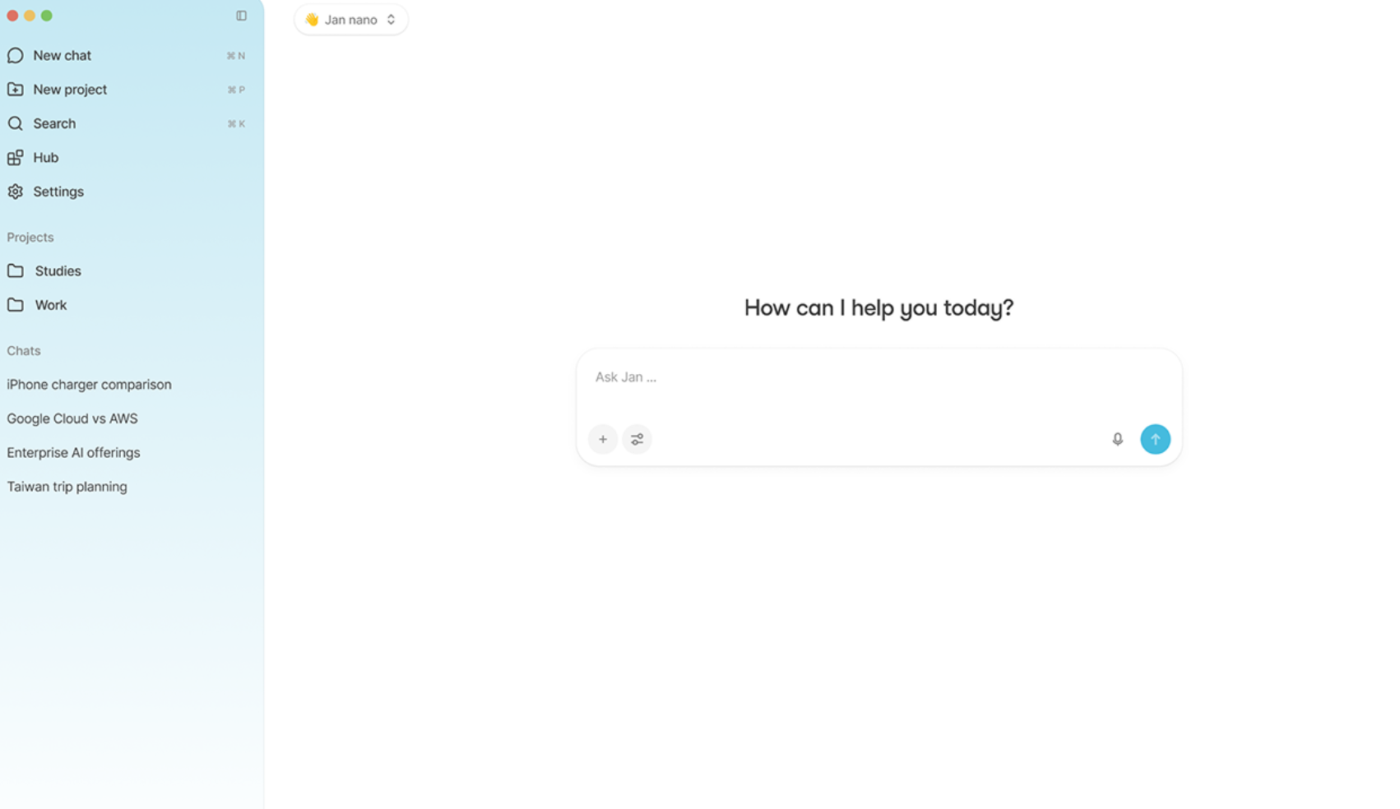
I pick Jan when I want the AI to stay on my machine. I can download a model, run it locally on Mac, Windows, or Linux, and keep the conversation and inference off a vendor’s servers. Jan even tells me whether a model is likely to fit my hardware before I download it. Once installed, it works offline, which suits sensitive notes, internal documents, experiments, or any workflow where the data shouldn’t leave the device. A year ago, local models needed serious hardware to be useful. Now I can run a capable model on a laptop with 8GB of RAM, and the quality gap keeps closing.
Local also comes with an escape hatch. Jan connects to hosted providers when I need a stronger model, so I can move between private local inference and cloud models from one interface. That gives me control over the trade-off between privacy, speed, and model quality.
For me, that’s the real reason Jan belongs on this list. It’s an assistant I own and configure, and the only subscription involved is whatever cloud provider I choose to plug in.
Jan is open source under the Apache 2.0 license, per its GitHub repository (janhq/jan), as of the time of writing.
Jan has no G2 or Capterra listing with a meaningful number of reviews. It does have 44,000+ GitHub stars, so I’ve relied on my own testing and its public documentation.
An XDA Developers writer said:
Ollama runs the models brilliantly, but Jan, as it turns out, runs the setup
Where it taps out: Jan’s biggest limit is the machine I run it on. Local models are private and affordable, but performance drops quickly when I move to larger models, longer context windows, or harder reasoning tasks. I can connect a cloud model when I need more power, but that gives up the fully local setup that makes Jan distinctive in the first place.
Best for: Developers, researchers, privacy-conscious professionals, and anyone who wants a local AI environment they can inspect, modify, and control.
Skip it if: You want frontier-model performance with almost no setup and don’t care whether inference happens on your own machine.
This list focused on 10 tools you can use for work today, but the frontier is moving fast. These five are worth keeping on your radar:
By this point, you might be ready to switch. But the context tax makes it harder than it looks. Every conversation history, every custom instruction, every project file you’ve built up inside one platform, that’s context you’d walk away from.
Ethan Mollick makes the same point in his guide, A Guide to Which AI to Use in the Agentic Era:
For most people, the model differences are now small enough that the app and harness matter more than the model.
That changes how I read the tools above. Gemini already integrates closely with Gmail and Drive. Copilot has Microsoft 365. ClickUp Brain has tasks, Docs, Chat, and workspace data. The value often comes from how much context the assistant can access before I start typing.
And once that context accumulates, moving becomes harder. Menlo Ventures partner Deedy Das said enterprises tend to stay with the vendor they’ve already chosen, adding that “even when switching costs are low, most just upgrade to the latest model from their preferred provider.”
Before comparing models, I’d ask where the work already lives. Email and documents favor an ecosystem assistant. Tasks and team conversations favor a work-native one. A fixed collection of papers or transcripts points toward Gemini Notebook. At company scale, that question starts looking more like enterprise search than chatbot shopping.
See contextual AI in action in this video:
Probably not. I wouldn’t pay for the strongest model available just because it tops the latest benchmark.
A study in the Journal of Economic Perspectives found that the price of LLM intelligence has fallen roughly 1,000-fold, while open-source models now cost about 90% less than comparable closed-source ones. The researchers also found that no single model leads across every use case.
Plenty of everyday work never comes close to needing frontier-level reasoning. Extracting fields from a document, classifying support requests, summarizing routine material, or running a predictable workflow are wasteful uses of your most expensive tokens.
I’d save frontier models for work where the extra reasoning has somewhere to go: messy planning, difficult coding, unfamiliar problems, or tasks where one decision changes what needs to happen next.
The real question is how much intelligence this particular job is worth paying for. “Which model is smartest?” is the wrong place to start.
Here, I’d start with the friction I want to remove.
Do I spend too much time rebuilding context? Checking sources? Moving outputs into another tool? Paying too much for API volume? Once that’s clear, the shortlist gets much smaller.
| If this is the friction | What to prioritize | Tools I’d shortlist |
|---|---|---|
| The work already exists somewhere and I keep briefing the AI on it | Native access to the system where the work lives | ClickUp Brain for project context; Gemini for Google Workspace; Copilot for Microsoft 365 |
| I work through dense reports or long source material | Long-context reasoning and source handling | Claude for open-ended analysis; Gemini Notebook for a defined source set |
| I need current research that I can verify quickly | Search depth, citations, and easy follow-up | Perplexity; Grok when live web and X activity matter |
| I want the AI to finish the work after it answers | Agents, tool use, and artifact creation | ClickUp Brain, Claude, Perplexity, or Mistral Vibe |
| I’m building with AI at scale | API economics, structured output, caching, deployment flexibility | DeepSeek |
| Sensitive data shouldn’t leave my machine | Local inference and offline operation | Jan |
| Data residency or private deployment matters | Regional infrastructure and deployment control | Mistral Vibe |
| I need images, video, decks, or interactive outputs | Native multimodal creation | Gemini or ClickUp Brain; Grok for images and video |
| I want several frontier models in one environment | Model switching that keeps my context intact | ClickUp Brain or Perplexity |
The deciding factor for me is usually what happens after the AI responds. If I still have to copy the answer into a task manager, rebuild it as a presentation, or brief another tool, I haven’t saved as much time as the response quality suggests.
That’s also why the same assistant can feel great to one person and frustrating to another. A researcher working from a fixed corpus has a different bottleneck from an ops lead coordinating live projects or a developer pushing millions of tokens through an API.
For business use, I’d look past the individual model and check what happens once 20, 50, or 500 people start using it.
The questions I’d ask are:
Data handling deserves particular attention. Anthropic says it doesn’t use data from Claude for Work or its API to train its models by default, unless an organization opts into its Development Partner Program. ClickUp also doesn’t use workspace data to train ClickUp AI or its partner models, and its LLM agreements require those partners to retain zero data.
For regulated teams, I’d still get the relevant privacy, retention, residency, and compliance terms confirmed during procurement.
Yes, but “free” means different things across these tools. Google Gemini, Claude, Perplexity, DeepSeek, and Grok all offer permanent free tiers. Jan is free forever because it runs locally on your own hardware. The rest depends on limits.
The limits vary a lot, though. Perplexity Free gives me basic search and a small number of Pro searches, but it holds advanced model selection and several higher-end features for paid plans. Microsoft similarly gives free Copilot users lower usage than its Microsoft 365 subscribers.
The free plan answering my prompts is only half the test. I’d check whether it gives me enough access to evaluate the feature I care about, such as connectors, larger context, advanced models, agents, or file analysis.
ClickUp is slightly different: every Workspace gets trial access to Brain AI, but Free Forever Workspaces receive a fixed number of trial uses in place of ongoing AI access. Once those are used, the Workspace has to move to a paid plan.
After working through these tools, I don’t think the goal is to find an assistant that replaces ChatGPT feature for feature.
I’d rather choose around the work. Perplexity can handle a research-heavy question. Gemini Notebook can make sense of a source library. And a work AI can take over when the job needs to move from an answer to actual execution.
That also makes switching less dramatic. I don’t have to migrate my entire AI life because another model gets better next month. I can keep the tools that earn a place in my workflow and drop the ones that don’t.
For me, ClickUp Brain makes the strongest case when the work itself comes first. It can use the projects, Docs, tasks, and conversations already in ClickUp, then help carry that context into whatever needs doing next.
Yes. Jan can run downloaded models entirely on your machine on macOS, Windows, and Linux, with no internet connection required for local inference.
Claude is a strong choice for coding through Claude Code, while DeepSeek is attractive when API cost and self-hosting matter. Grok has also become a serious coding option since the SpaceXAI acquisition of Cursor, with Grok 4.6 available directly inside Cursor’s IDE alongside Grok Build. Jan also lets developers run local models behind an OpenAI-compatible API.
Perplexity is a strong fit when source checking is central to the job. It searches the web in real time and includes citations linking back to the original sources.
It depends on what I want remembered. ClickUp Brain has persistent memory for personal preferences and also carries live Workspace context across conversations and model switches. Perplexity is building out its own memory features, while other tools lean more on projects, saved instructions, or connected sources.
A general AI assistant handles writing, reasoning, coding, files, and task execution. An AI search engine like Perplexity starts with search and sourcing, then builds an answer from what it finds. Perplexity now does much more than search, but citations and web research still sit at the center of the experience.
Gemini and Grok are strong choices when image and video generation are regular parts of the workflow. ClickUp Brain also creates visual artifacts, including images, slide decks, dashboards, and interactive outputs from the work context.

Manasi Nair
Max 17min read

Arya P Dinesh
Max 20min read
Manasi Nair
Max 22min read

© 2026 ClickUp





