Sorry, there were no results found for “”
Sorry, there were no results found for “”
Sorry, there were no results found for “”
Whether you’re an editor, product manager, or even a CEO, you likely come across several documents every day that need your feedback. However, typing suggestions on Google Docs can be limiting at times.
Occasionally, you may feel the need to write something down or draw something to better explain your ideas. A dash of color on a black-and-white document or a handy label is something most people appreciate.
That’s where annotation software comes in. 📝
The right annotation tool has several key features, like highlights, markups, and labels, to make editing more contextual and detailed. There are several annotation tools on the market, and I don’t want you to spend days going through each one to select the right fit.
In this blog, I’ve tried to compile the 10 best annotation software available today. Let’s explore different types of annotation tools and find the best option for your business.
Just like you have a whiteboard in your office, digital annotation tools act as a digital whiteboard.
The best data annotation tools let you scribble multiple ideas for work on a whiteboard and help you edit different content formats. Let’s check out the types of annotation tools available in the market:
Read More: 14 Office Whiteboard Ideas for Work
When choosing an annotation tool, it’s essential to consider the unique data management needs of your project and team. Here are key factors to keep in mind:
ClickUp is an all-in-one project management platform and annotation software that excels at collaboration. It has several customizable whiteboard templates that allow teams to interact in real time. Whiteboards are very handy for brainstorming ideas, creating project plans, and providing crisp edits on PDFs or documents.
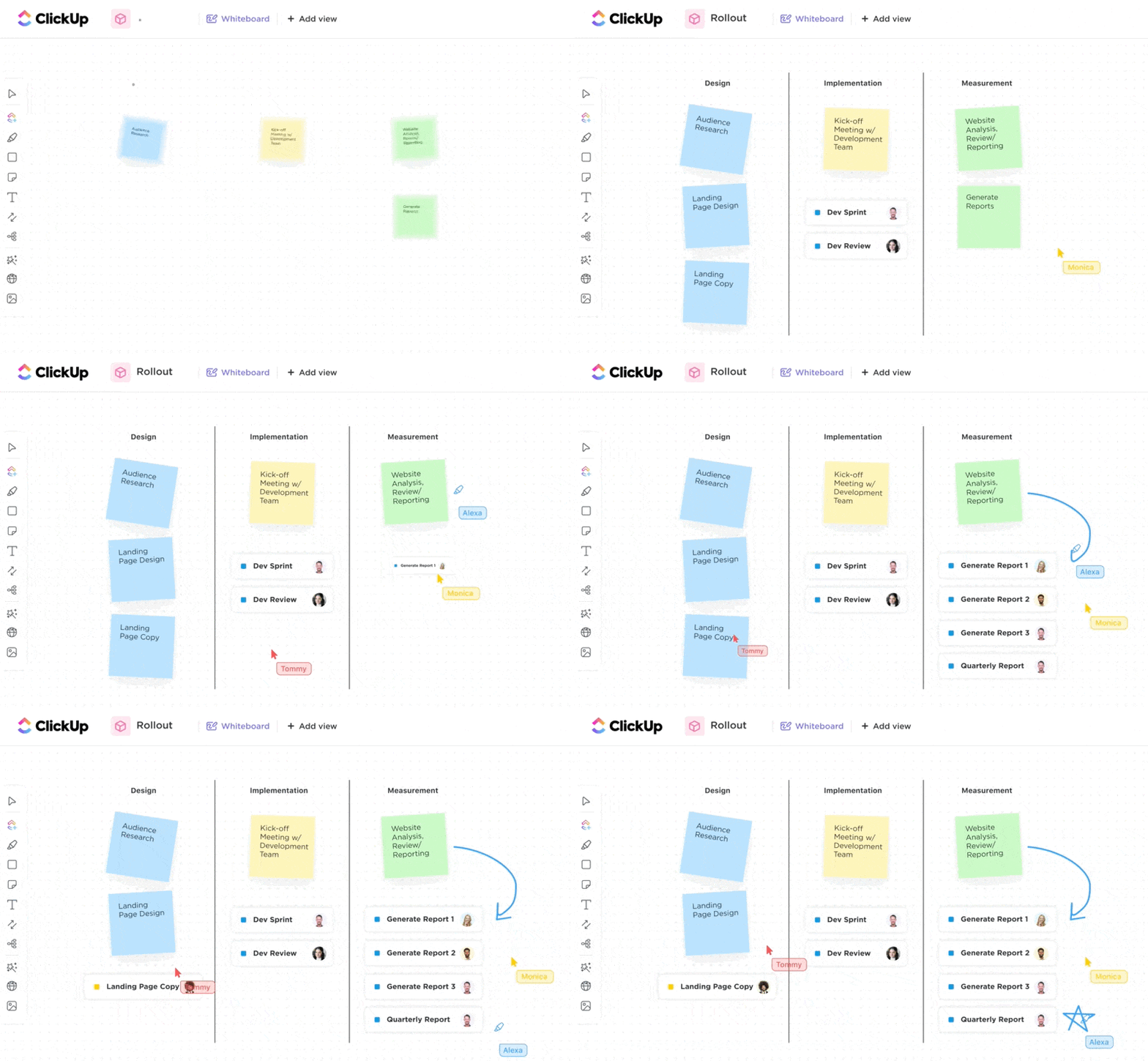
ClickUp’s Whiteboards provide an interactive space where users can draw, write, and connect ideas. The feature supports a variety of annotations, including sticky notes, freehand drawings, and text. You can also move items on a Whiteboard, zoom in and zoom out, and see who’s collaborating with you in real time.
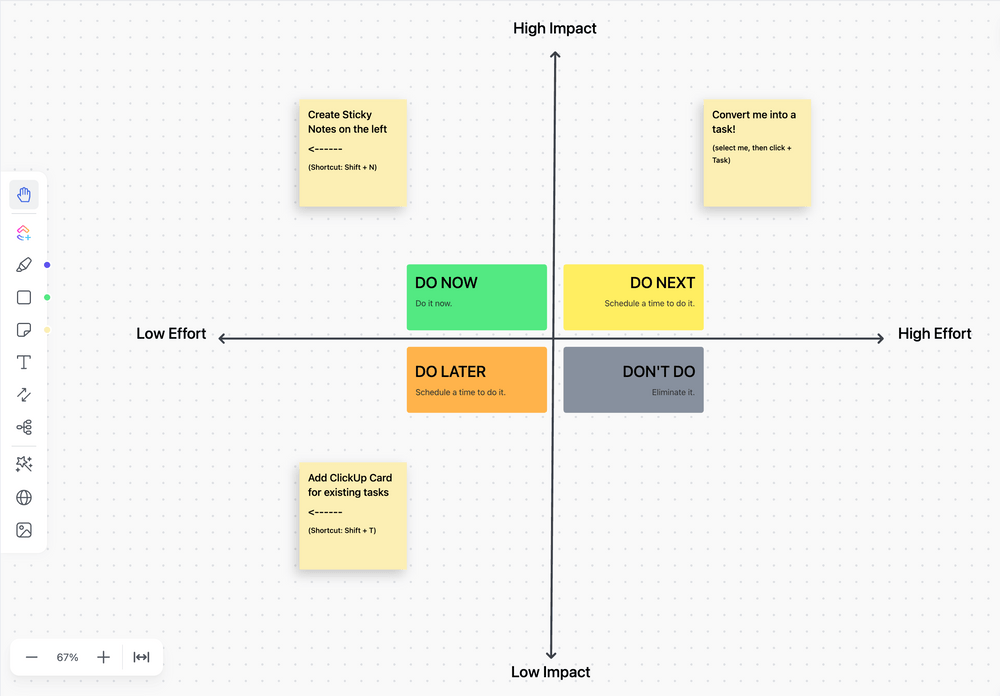
I used ClickUp’s Impact Effort Matrix Template to prioritize my editing tasks.
This template is intended to assist you in quickly and precisely evaluating the impact and importance of assignments so you can determine which projects should be addressed first. The template created a great action plan for my project, and I could quickly wrap up important edits instead of dwelling on a blank doc.
What distinguishes ClickUp Whiteboards further is the ability to convert practically any item on your board into a Task with a few clicks. I could convert sticky notes on the Whiteboards into Tasks and Docs and edit, annotate, connect, or duplicate them without leaving the canvas.

Apart from the above, let’s look at a few more major highlights of using ClickUp as an annotation tool.
📮ClickUp Insight: Context-switching is silently eating away at your team’s productivity. Our research shows that 42% of disruptions at work come from juggling platforms, managing emails, and jumping between meetings. What if you could eliminate these costly interruptions?
ClickUp unites your workflows (and chat) under a single, streamlined platform. Launch and manage your tasks from across chat, docs, whiteboards, and more—while AI-powered features keep the context connected, searchable, and manageable!

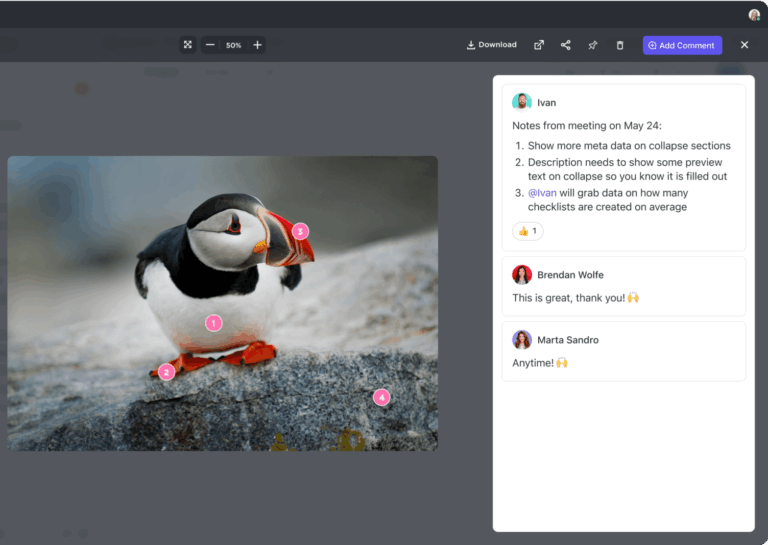
Filestage is a review and approval platform that helps you streamline your creative processes. Annotation tools in Filestage helped me review, comment on, and approve various types of content, from videos and images to PDFs and documents.

PDF Annotator is annotation software specifically designed for users who need to edit PDF documents. Whether you’re a student, professional, or educator, it has all the necessary tools to mark up PDFs efficiently.
Read More: How To Annotate A PDF (2024 Guide)

Ink2Go is one of the only data annotation tools that lets you annotate while recording. You can draw, write, and highlight directly on your screen in real time. It’s a great choice for educators, trainers, and professionals who need to engage their audience with live annotations.
Drawboard Projects is a powerful data annotation tool for professionals in the architecture, engineering, and construction (AEC) industries. It offers annotation for PDFs as well, but the USP is the collaborative feature for complex drawings and documents such as blueprints, CAD files, and other technical documents.

Prodigy is a versatile data annotation tool designed specifically for training machine learning models. This tool is ideal for data scientists, machine learning engineers, and researchers.

SuperAnnotate is an image annotation tool popular among AI and machine learning teams. Designed to handle large-scale annotation projects, it can create high-quality training data for computer vision models.

Labelbox is a leading data annotation tool designed for machine learning and artificial intelligence projects. It helps in data labeling, making it a go-to choice for data scientists and AI practitioners.

Adobe Acrobat is considered the industry standard when it comes to creating, editing, and annotating PDF documents. It has a suite of annotation tools for marking up documents for personal and professional use.

RectLabel is an offline data annotation tool that’s built to annotate images for machine learning purposes. It’s primarily used for creating bounding boxes and segmentation labels to train models in object detection, image classification, and other visual recognition tasks.
An easy-to-use annotation tool can help you edit documents, brainstorm ideas, and scribble creative ideas on digital paper. Transform a boring document into a colorful resource filled with the creative ideas of all your team members.
While all the annotation tools on the list are widely used, I have a clear favorite—ClickUp. The Whiteboard, Clips, Views, Brain, and other ClickUp features make it the perfect solution for all your annotation needs.
Whether you’re working with PDFs, images, or videos, ClickUp’s annotation offerings have your back. The best part is that it’s free to begin with, so you can try it immediately.
Sign up on ClickUp today to get started.

Arya P Dinesh
Max 15min read

Manasi Nair
Max 15min read
Manasi Nair
Max 19min read

© 2026 ClickUp