







Still downloading templates?
There’s an easier way. Try a free AI Agent in ClickUp that actually does the work for you—set up in minutes, save hours every week.
Sorry, there were no results found for “”
Sorry, there were no results found for “”
Sorry, there were no results found for “”
Whether orchestrating your next big event or spearheading a project through all its phases, the right project management tool is your gateway to turning ideas into reality.
There are solid project management apps, including both paid and free software, ensuring that one meets and exceeds your expectations. But here’s the thing—not all project management software are created equal.
Truthfully, you might not need every bell and whistle they offer. Amidst the sea of project management solutions, a few stand out, drawing users in with their advanced features and user-friendly experiences.
Two such tools are Microsoft Project and Monday.com. Join us as we dissect their features, pricing, and user-friendliness.
And keep an eye out; we’re throwing another contender into the mix to shake up the competition. 🌟
Let’s find the right tool to resonate with your project management goals.
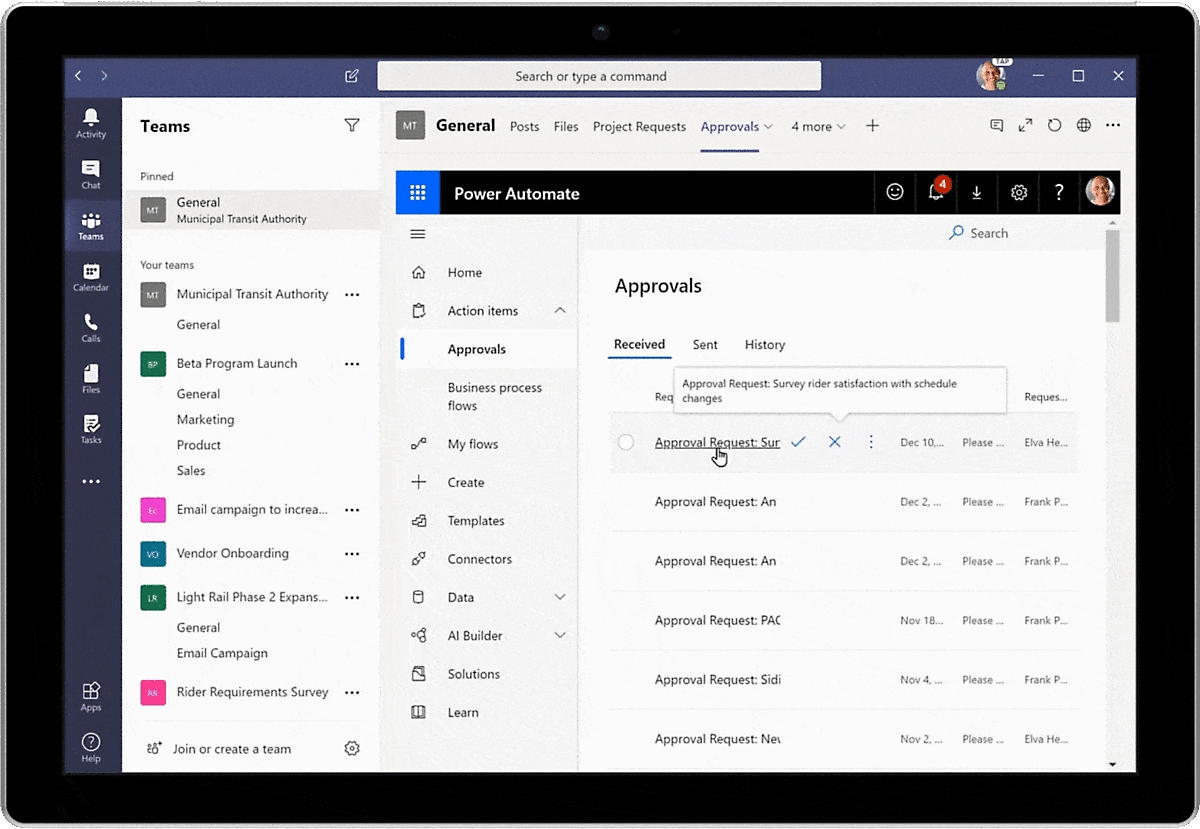
Microsoft Project, part of the vast Microsoft ecosystem, is a tool for the ambitious project manager. Focused on managing projects of various complexities, it integrates well with Microsoft products like Teams and Office, making it a go-to for businesses already embedded in Microsoft’s infrastructure.
With features that cater to detailed project planning tools—including Gantt charts, resource management, and portfolio management—it’s engineered to tackle more complex projects.
Whether you’re tracking multiple projects or need a comprehensive overview of your resources, Microsoft Project offers a structured approach to project management.
Exploring Microsoft Project’s features reveals how it can transform your project management approach:
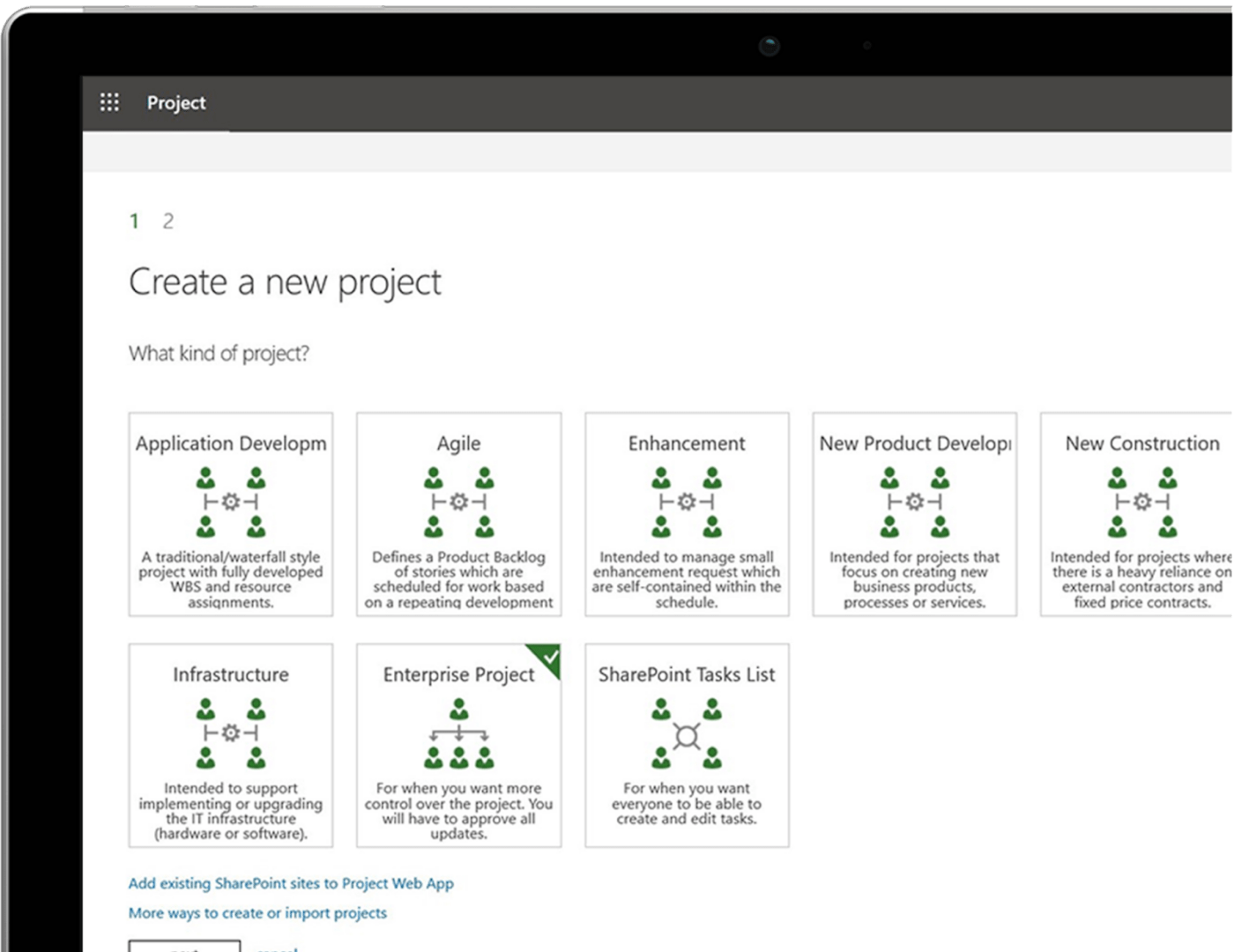
Microsoft Project simplifies project initiation with its range of built-in templates.
Whether you’re embarking on software development, construction, marketing campaigns, or event planning projects, these templates provide a structured framework incorporating best practices and standard project management methodologies.
This is particularly beneficial for teams drafting a comprehensive project proposal, ensuring consistency and quality across the board. This feature saves time and ensures consistency and quality across projects, allowing project managers to focus on executing projects rather than setting things up from scratch.
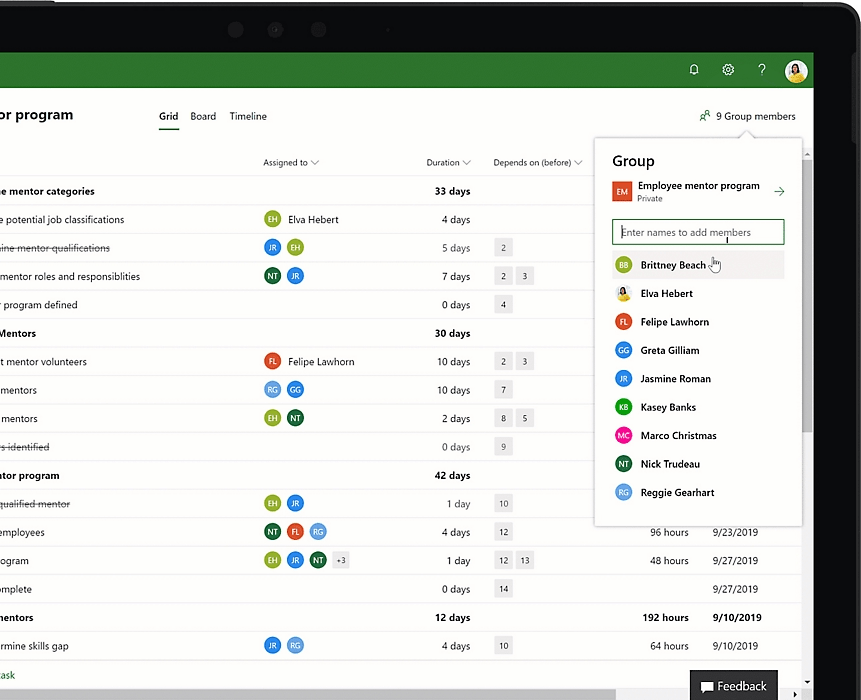
Effective resource management means understanding your team’s capacity and workload and allocating new tasks accordingly. With Microsoft Project, you can easily see who’s available and who’s overloaded, preventing burnout and ensuring even workload distribution.
This ensures your project planning process is as efficient as possible. It also reduces the chances of delays or obstructions in project delivery.
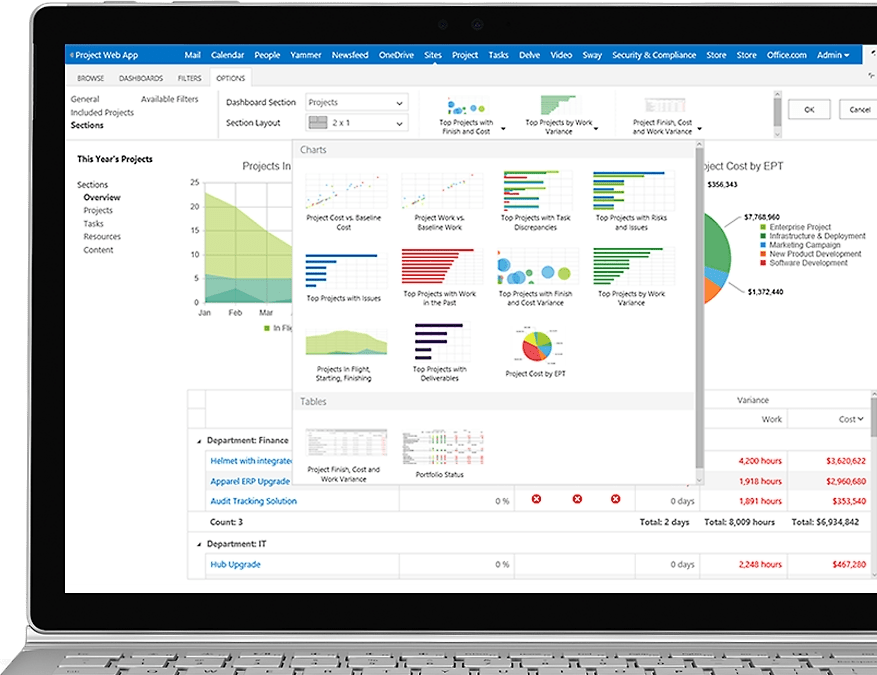
For those juggling multiple projects, portfolio management offers a bird’s eye view of everything on your plate.
This feature allows you to align projects with business goals, prioritize effectively, and allocate resources where needed most.
If your company works on several product launches simultaneously, portfolio management helps you track each project’s progress, ensuring resources are optimally distributed without jeopardizing any project’s success.
Cloud-based solutions:
On-premises solutions:
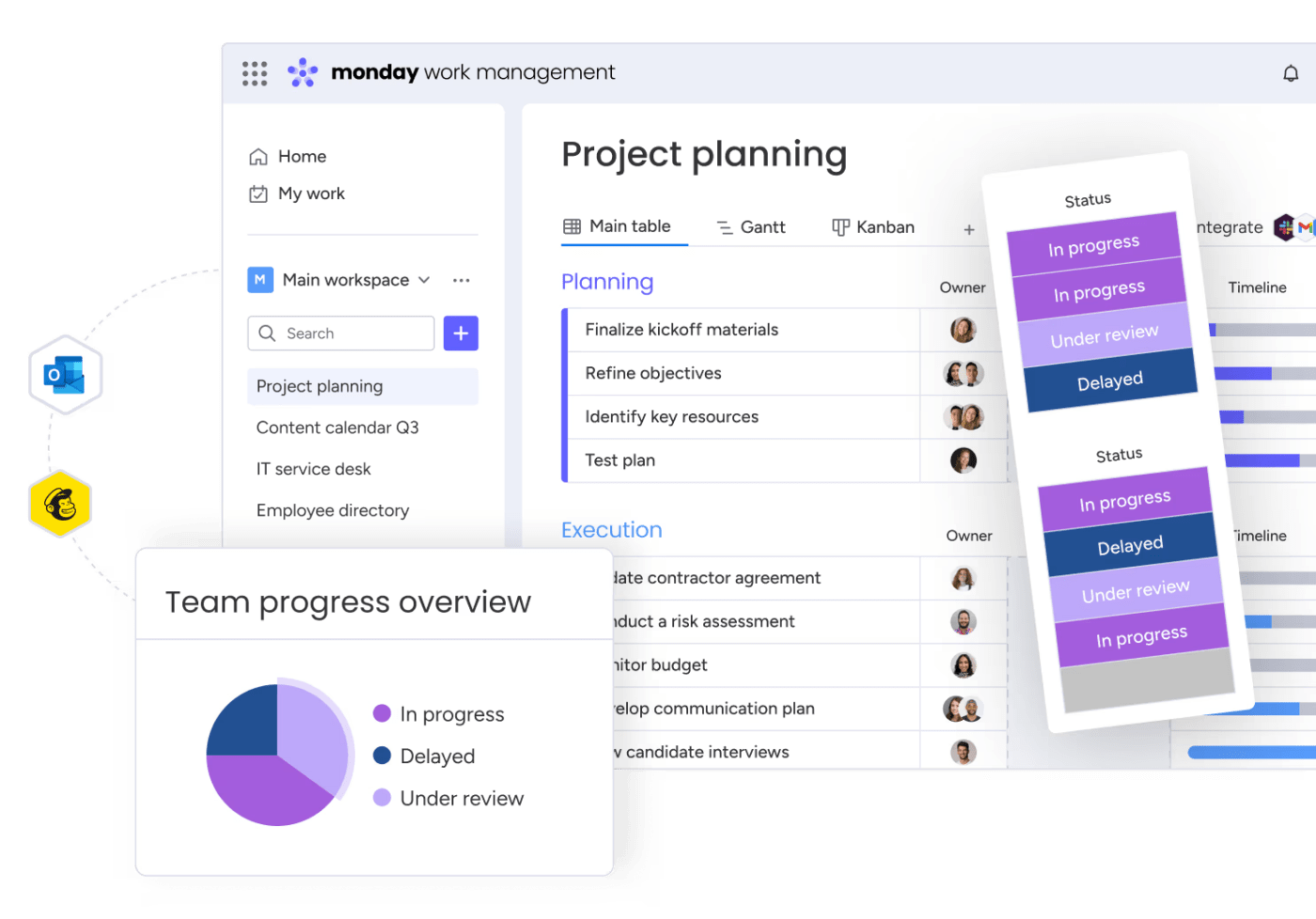
Monday is a dynamic, intuitive project management platform ideal for teams seeking a blend of simple interface and powerful features. It shines in environments that demand flexibility and customization, making project tracking and collaboration both engaging and efficient.
Unlike traditional tools that may require steep learning curves or an extensive setup, Monday is user-friendly, inviting teams of any size to manage their work easily.
Its integration capabilities with other apps ensure a seamless workflow, making it a favorite among businesses looking for an adaptable and scalable project management solution.
From task delegation to visual project tracking, Monday is crafted to simplify complex processes, simplifying project management for teams everywhere.
Here’s how Monday’s features can make a difference in your daily project management:
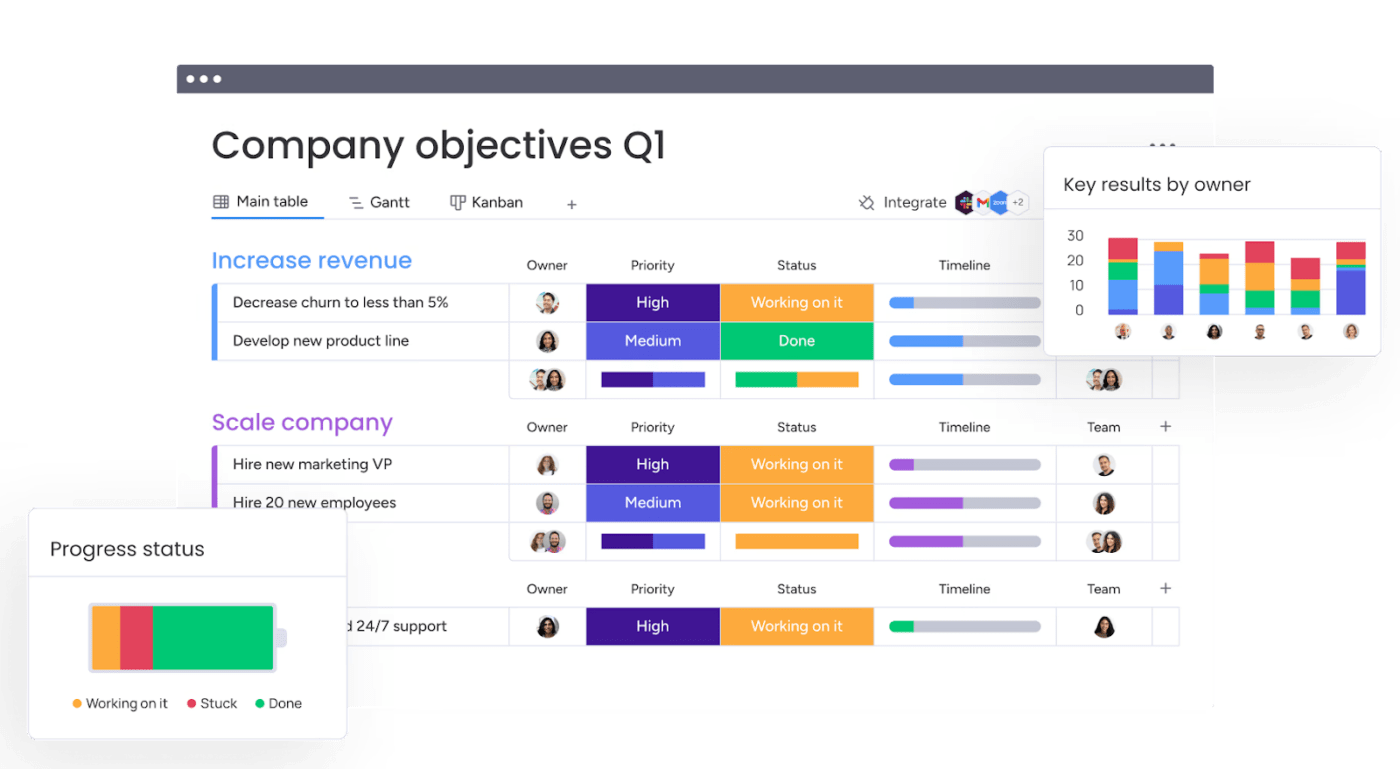
Monday’s task management is all about clarity and collaboration. You can create tasks, assign them to team members, and set deadlines with just a few clicks.
For instance, if you’re managing a marketing campaign, you can break it down into tasks like ‘Design Ad,’ ‘Write Copy,’ and ‘Publish Ad,’ assign them to your team, and track progress in real-time.
This keeps everyone focused on what needs to be done and promotes accountability.
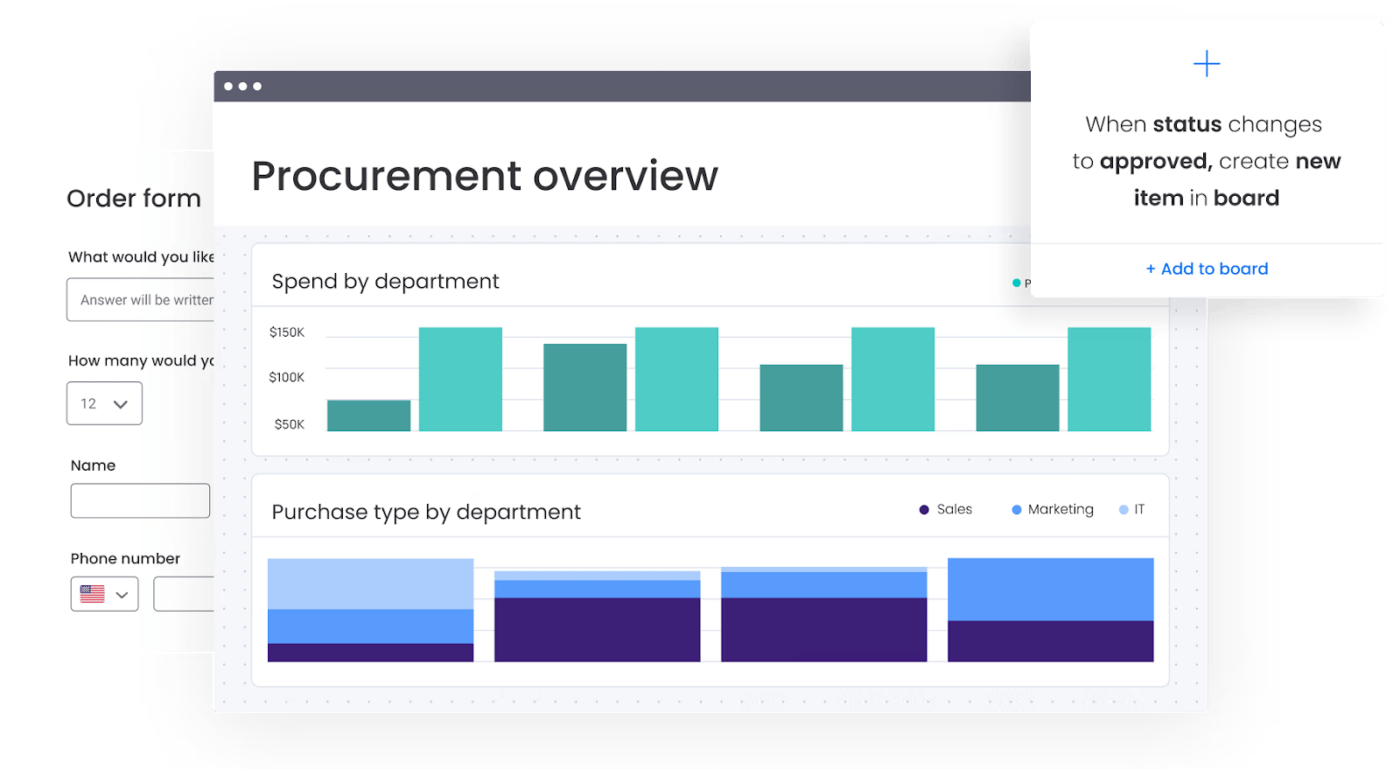
Monday simplifies business operations by offering a platform that adapts to various operational workflows, from managing sales pipelines to customer onboarding processes. Use it to customize workflows to match your business’s unique processes.
Imagine running a marketing agency where each project has different stages, requirements, and teams. With Monday, you can create a workflow that tracks each project from initial contact to delivery, monitoring milestones, managing documents, and keeping everyone in sync.
No matter the complexity of your operations, Monday keeps them organized and transparent, making it easier to identify areas for optimization and growth.
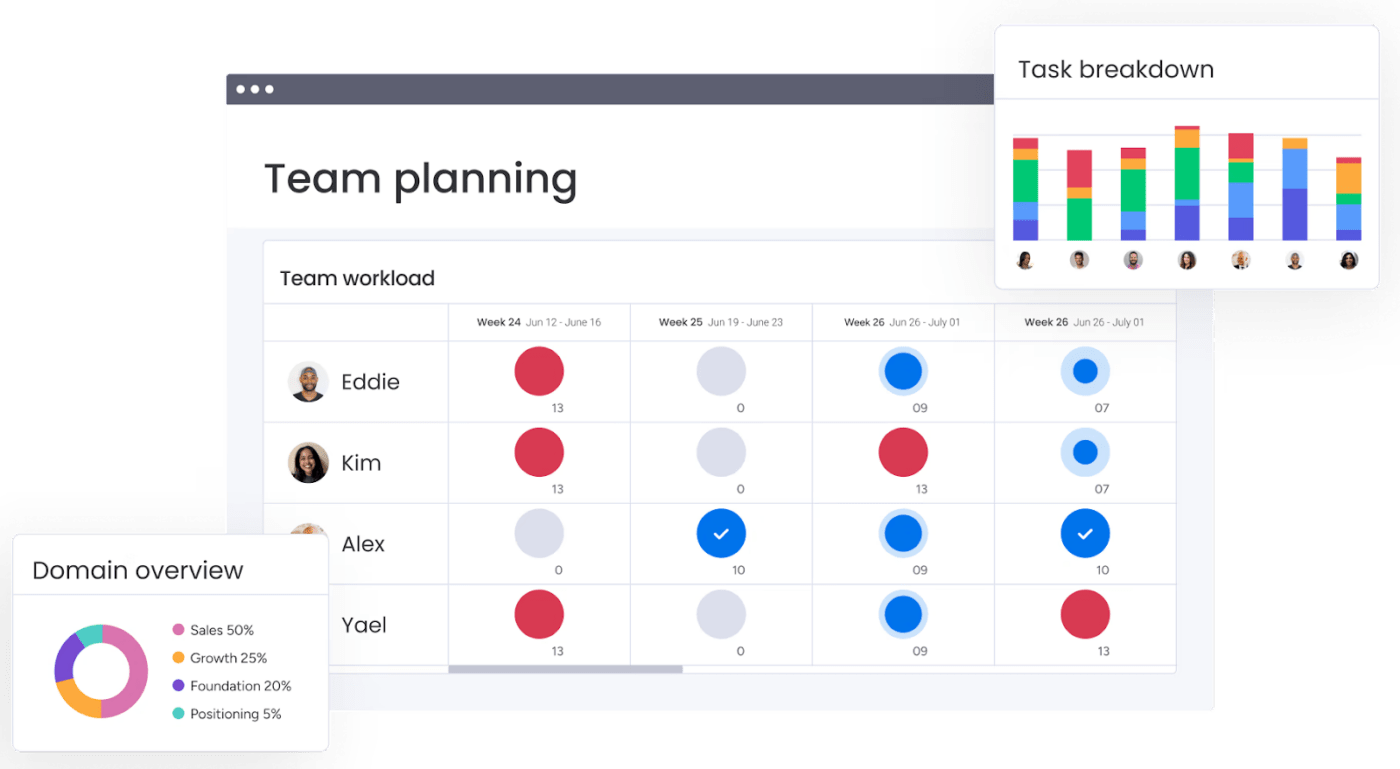
Resource management on Monday is more than just supervising who is doing what—it’s about maximizing your team’s productivity without burning them out. The platform provides a visual overview of your team’s workload, helping you balance tasks across your team members effectively.
For example, if you’re in charge of a software development team, you can use Monday to ensure that tasks are evenly distributed based on each member’s capacity and current workload. If a developer is overloaded, Monday makes it easy to shift tasks to others with more availability, preventing bottlenecks and keeping your projects moving smoothly.
This oversight of your resources helps in immediate task distribution and aids long-term capacity planning and team utilization, ensuring your projects are completed efficiently and your team remains motivated.
You’ve seen what Microsoft Project and Monday offer individually, but how do they compare head-to-head?
Here’s a breakdown:
| Feature | Microsoft Project | Monday |
| Gantt charts | Advanced | Basic, with Timeline View |
| Resource management | Comprehensive | Basic |
| Portfolio management | Comprehensive | Limited |
| Time tracking | Available via add-ons | Built-in |
| User interface | Classic | Modern and intuitive |
| Integration with other apps | Extensive within the Microsoft ecosystem | Broad, with various apps |
| Collaboration tools | Extensive with Microsoft Teams | Built-in |
| Task dependencies | Detailed | Available |
| Reporting | In-depth | Customizable |
| Task dependencies | Offers a detailed and hierarchical view of task dependencies, allowing for complex dependency structures suitable for intricate project timelines. | Supports task dependencies but with a more simplified approach, making it easier for teams that manage less complex projects. |
| Reporting | Provides in-depth reporting with a wide range of pre-built reports that can be further customized to match detailed project needs. | Offers customizable reports that users can tailor to their needs, though it may not have the same depth of built-in reporting options as Microsoft Project. |
| Mobile app | Available | Available |
| Free plan | Not available | Available for up to 2 users |
| Scalability | Suited for large teams and enterprises | Flexible for all business sizes |
Microsoft Project has many built-in templates, making it easy to kickstart your project with a solid foundation. These templates cater to various project types and incorporate industry standards and best practices.
For instance, if you’re managing a complex software development project, starting with a pre-designed template saves time and ensures you’re covering all critical phases from requirements gathering to deployment, streamlining the project setup process.
Monday offers customizable templates that can be adapted to any project type, promoting a fast and flexible approach to project setup. Whether you’re working on a marketing campaign, a product launch, or client onboarding, Monday’s templates are easily tailored to fit your specific workflow needs.
This adaptability makes Monday a strong contender for teams looking for a tool that can adjust to their dynamic project requirements, offering a balance between structure and customization.
Verdict?
Microsoft Project is ideal for those who prefer a more structured approach with industry-specific templates. At the same time, Monday appeals to teams seeking versatility and the ability to quickly customize templates to their unique project needs.
Beyond project tracking, Microsoft Project allows you to forecast resource needs, analyze utilization, and even integrate with HR systems to align project work with staff schedules.
This depth of resource management is indispensable for organizations where projects require careful balancing of personnel and material resources, such as manufacturing or IT.
With Monday, you can tag team members in tasks and see who’s working on what. This is ideal for smaller teams or projects that don’t require minute-by-minute resource tracking but still benefit from clear task ownership and status updates.
Verdict?
For project managers needing detailed resource management, Microsoft Project stands out. Monday keeps things lighter and more straightforward, suitable for simpler resource tracking.
The platform’s integrative capabilities mean you can connect it with time-tracking tools you may already use, such as those within the Microsoft ecosystem. This setup would be most valuable in scenarios where your time tracking needs to feed into other business processes, like payroll or billing.
Its integrated time-tracking tool is user-friendly, allowing team members to start and stop timers as they work through tasks. For agencies or freelancers where time is directly tied to billing, this could be a game-changer in how efficiently you can bill clients and analyze productivity.
Verdict?
Monday could be your pick if direct time tracking on tasks is critical for your operations.
When selecting the right project management tool, understanding the pricing structures of Microsoft Project and Monday.com is essential.
Cloud-based solutions:
On-premises solutions:
Evaluating both platforms against your project management requirements and budget will help you select the best tool for your team, ensuring that your projects are managed efficiently and effectively.
Final verdict?
Microsoft Project is equipped to meet demands for intricate planning and detailed resource oversight.
Monday is better for teams prioritizing ease of use, straightforward task management, and direct time tracking. Both tools have their strengths, and the best choice is one that aligns with your workflow and helps your team excel.
Curious about real-world experiences? We scoured Reddit to see what users had to say about Microsoft Project and Monday.com.
One Reddit user, z1ggy16, praises Microsoft Project:
“…I use it daily for project planning and tracking of tasks. I use it to advise management on critical path lines and what actions will cause delays vs what won’t. It quickly lets me experiment with different execution methods to find optimal solutions”.
Another user, Chrono978, similarly notes:
“MS Project is good at what it’s designed for which is more complex [project management].”
Conversely, another user on Reddit, SpecialistTale7438, highlights Monday’s efficiency by saying,
“Last year, we decided to give Monday.com a try in order to improve our workflow and streamline our daily tasks. After using their service for one year, I can honestly say that it has been a positive experience with some caveats.
…After moving to Monday, we saved time creating new tasks, preparing for our weekly management meetings, and we saved money tracking the progress of projects.”
However, another user, Best Tools pointed out these drawbacks for Monday:
“Confusing per-seat pricing model. Minimum team size of three for paid plans. Limited 14-day free trial. Agile sprints may be clunky. Pro account required for time tracking.”
Both platforms have their advocates and critics, but it’s clear that each one offers distinct advantages that can cater to different project management styles and needs. Whether it’s the comprehensive control and customization of Microsoft Project or the user-centric, efficient workflow of Monday, users find value in both tools.
ClickUp isn’t just another name in the project management arena. It’s a comprehensive platform that merges in-depth project planning with user-friendly design.
Let’s explore why thousands of users find ClickUp the perfect alternative for their project management needs.
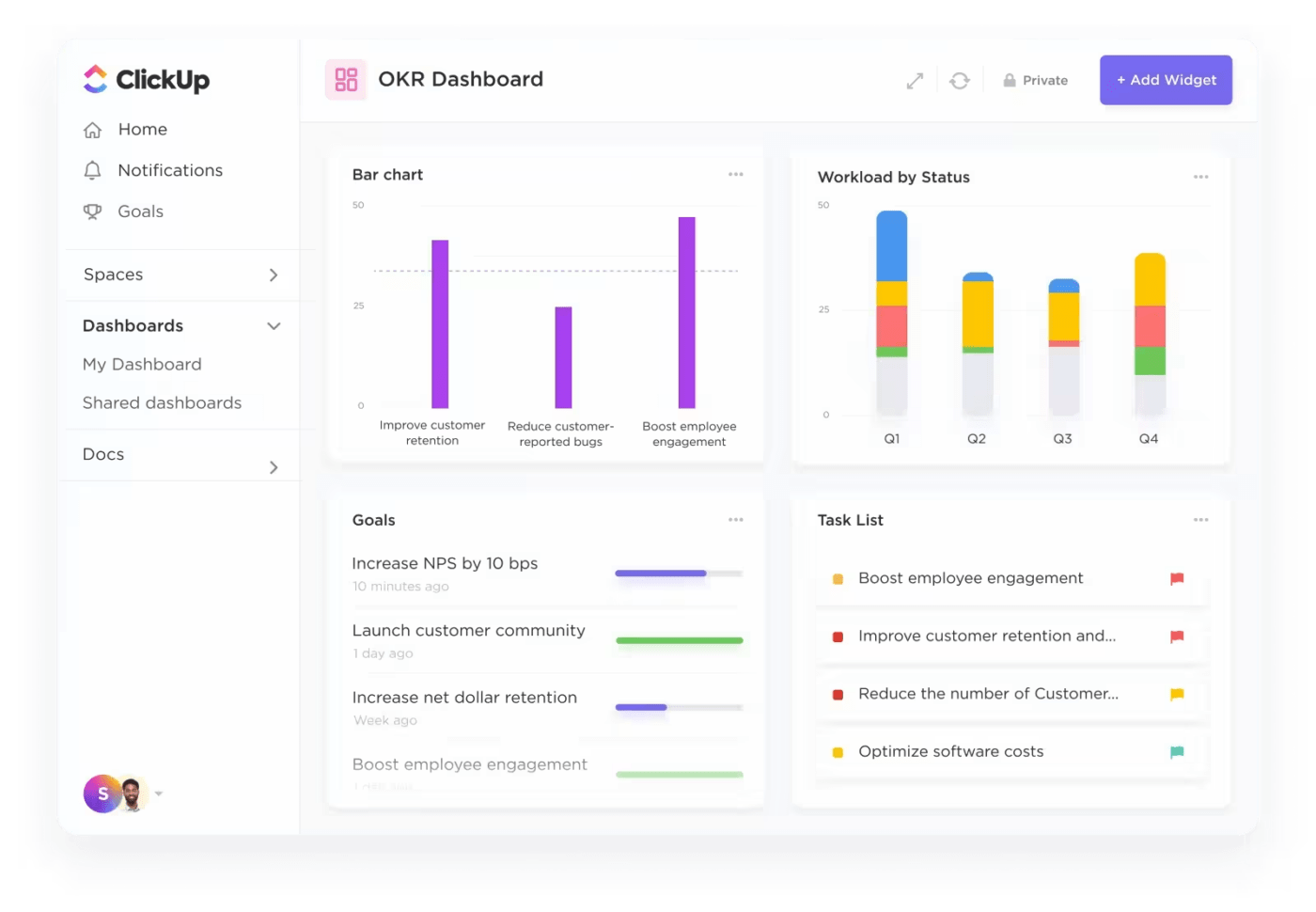
The ClickUp Project Management platform goes beyond traditional task organization by using artificial intelligence to anticipate project needs, suggest efficiency improvements and provide tailored recommendations to fit your unique project flow.

For instance, consider you’re managing a series of interrelated projects, each with its own set of deadlines, priorities, and team members. With ClickUp Brain, your team’s collaboration is simplified. It identifies and aligns tasks with the right personnel, ensuring a smooth workflow and timely delivery.
It can also analyze past project data to predict potential bottlenecks before they happen, recommend adjustments to your project plan to avoid delays, and even suggest the best team members for tasks based on their previous performance and current workload.
Additionally, teams receive personalized notifications about deadlines, task dependencies, and updates, ensuring they focus on the most critical tasks, reducing noise, and increasing productivity.
ClickUp also provides you with the following benefits:
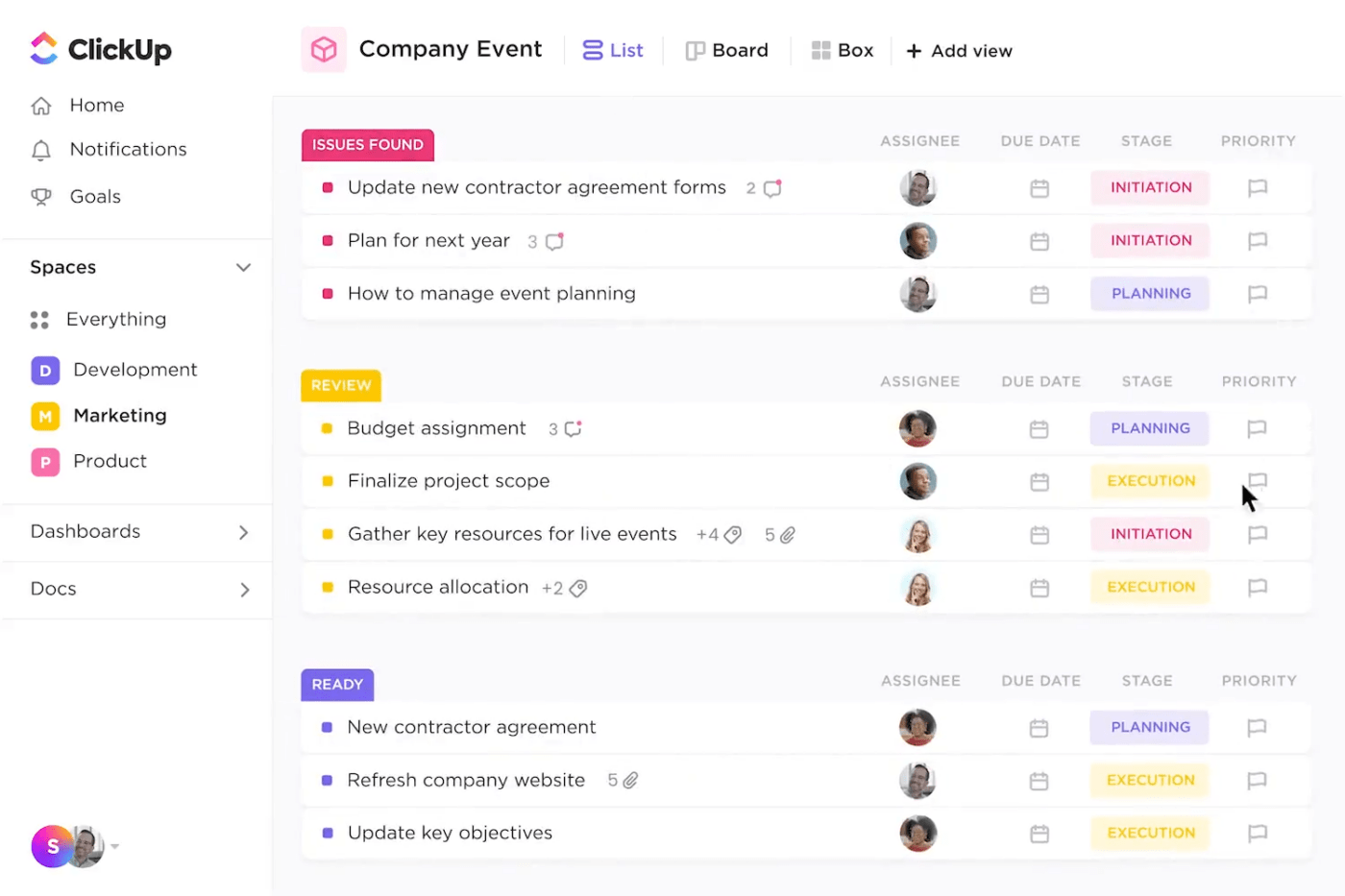
With ClickUp Tasks, you can track any assignment, big or small. For instance, if you’re launching a marketing campaign, ClickUp Tasks enables you to segment tasks into actionable subtasks, assign them to specific team members, and even track the time spent on each component.
ClickUp is task management with a bird’s-eye view and ground-level details—all in one.
Make use of the following capabilities to stay on top of your to-dos:

ClickUp Kanban Boards make it easier to track project progress visually. Each project phase—from ideation to deployment or delivery—is a column, and tasks glide from left to right as they advance. This is immensely helpful in understanding what you’ve ticked off and what still needs to be done for the project to be completed.
Here are the best features of ClickUp’s Kanban Boards to help you stay on top of your projects
Whether you lean towards the structured depth of Microsoft Project with its project management templates and project plan templates or Monday’s flexible, user-centric design, the decision ultimately hinges on your project’s specific requirements and your team’s working style.
For those seeking Microsoft Project alternatives or Monday alternatives, we recommend ClickUp.
ClickUp is the ideal project management software—flexible enough to adapt to your methodology, enhances collaboration with its team-friendly features, and drives productivity by keeping everyone on track.
Embrace the ease of task management, the clarity of Kanban boards, and the intelligence of AI-assisted planning, all within a single platform.
Ready to redefine your project management experience? Take the leap and explore ClickUp today—where projects thrive, teams connect, and success is just a click away.

© 2026 ClickUp

There’s an easier way. Try a free AI Agent in ClickUp that actually does the work for you—set up in minutes, save hours every week.