
Sorry, there were no results found for “”
Sorry, there were no results found for “”
Sorry, there were no results found for “”
Nearly 9 in 10 organizations now regularly use AI, yet only 39% see an EBIT impact at the enterprise level. Safe to say, adoption is universal, but results aren’t.
If marketing agencies want to avoid getting stuck in this gap, they need to stop using Claude as a casual, browser-based AI. The agencies seeing returns let Claude draw from live task status, not pasted fragments. That’s the difference between a brainstorming toy and a tool that touches your margin.
Here are seven workflows that define how agencies use Claude, plus where each one breaks down.
TL;DR: AI drafts can cost more to review than the manual work they replaced. This is the ‘revision tax,’ and it lands on your most expensive people. The fix isn’t better prompts; it’s giving the model something to look at.
This article covers three Claude integration levels (side tab, connected assistant, autonomous agent), seven specific agency workflows, a five-step rollout sequence, the AI governance policy you need before connecting client data, and the five adoption mistakes that show up after month one.
Start with internal reporting, connect to a single source of truth, and track coordination hours, not automated tasks.
Marketing agencies use Claude to write copy, summarize massive client files, and automate daily team operations. It acts as an AI assistant that you can use through a web browser, extensions, or direct software integrations.
Top-performing agencies should start treating Claude less like a simple chatbot and more like a dependable junior team member. It tends to deliver value across three main areas:
On Reddit’s r/ArtificialInteligence, marketers discussing Claude uses for marketing managers frequently point to its superior document handling. Here’s what one Redditor shared when asked whether Claude is worth it for marketers:
Yes, specifically for long form work. Better than ChatGPT at following a brief without going off track. Handles big documents well so you can feed it a full campaign strategy and get something useful back.
For short copy and quick social posts either works fine. But if you’re dealing with lengthy briefs, brand guidelines, or research heavy content Claude pulls ahead.
Claude compresses the drafting step: it reads the brief and organizes the first pass. Whether it also compresses the retrieval step depends entirely on how you’ve wired it up, which is the rest of this article.
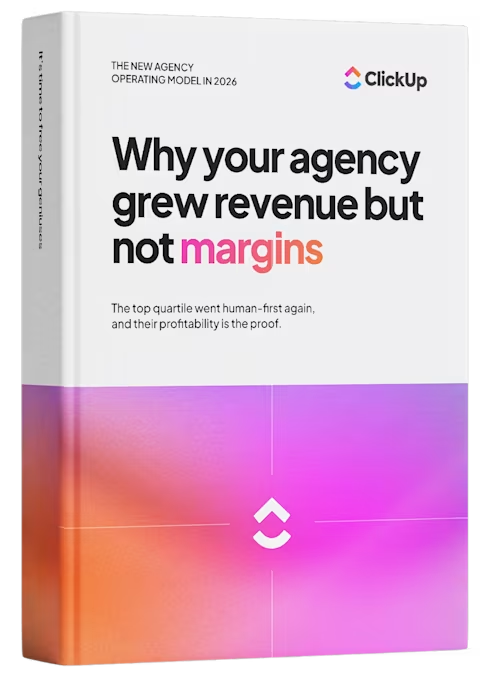
This article covers the how; ClickUp’s Agency Operating Model playbook covers the why now.
We studied the agencies that kept 25 cents on the dollar while the industry averaged 13. The result is a report with five operating shifts, real case studies, and a two-minute calculator that shows where your hours are leaking.
If you’re just getting started with using Claude, here’s a useful video about the best Claude prompts to use.
There are three Claude levels at an agency: the side tab (copy-paste into a chat window), the connected assistant (Claude reading your workspace through MCP, in Chat or through Cowork), and the agent in the workflow (Claude running on triggers inside your system).
Here’s what each level actually looks like, and why most agencies stall at level one.
| Level | Strength | Weak spot | Best for |
|---|---|---|---|
| The side tab | Zero setup, works today | No view of the account, deadline, or budget burned | Individual drafting and brainstorming |
| The connected assistant | Drafts from live project state, not pasted snippets. Cowork extends this to multi-step tasks that return finished files | Still waits for a human to ask | Client updates, SOWs, and estimates built from real data |
| The agent in the workflow | Runs without anyone remembering to trigger it | Needs a named owner, or it quietly rots | Recurring coordination: routing, status assembly, scope-drift flags |
Level one is Claude in a browser tab. It reads whatever someone types or pastes into the conversation, and nothing else.
That puts the context-gathering on a person. Before Claude can draft a client update, someone opens the project tool and checks live statuses. Then, they pull the details and paste them all in. Claude handles the writing well. The person handles retrieval, which takes up most of the hour.
What works well:
Limitations:
Skip it if: The output has to reflect anything specific about the account: hours logged, what shipped last week, or who owns the next step. You’ll spend more time gathering information than writing the thing yourself.
Best for: Individual drafting, summarizing, and brainstorming, where the input fits in a chat box, and the reader is you.
At level two, Claude is wired to your work platform via MCP, an open standard from Anthropic that enables a model to read from and act within external systems.
What changes is the source of the context. At level one, a person gathers the project state by hand and pastes it in. This way, the output is only as complete as that manual collection. At level two, Claude queries the source directly: task statuses, assignees, due dates, time entries, and comment threads. The retrieval step moves from the human to the model.
What works well:
Limitations:
Skip it if: Your work is scattered across five disconnected tools. There’s no single live context to point Claude at yet, and consolidating comes first.
Best for: Agencies whose tasks, docs, and time already live in one system, where the bottleneck is turning that data into client-ready documents.
Chat returns a reply. Cowork returns files. Anthropic launched it in January 2026 as a separate mode in the Claude desktop app: you point it at a folder or a set of connected tools, hand it a goal, and come back to finished work for review.
For an agency, that difference matters most on the jobs too big for one prompt. Think monthly reporting across eight accounts, a folder of ad exports turned into eight client-ready summaries, and a brand audit that has to read forty pages before it writes one. In chat, those become a sequence of prompts someone has to shepherd. In Cowork, they become one instruction and a review queue.
And then there are plugins. A plugin bundles skills, connectors, and slash commands into one install, so your reporting format, your voice references, and your data connections travel together to every seat.
What it doesn’t solve: The trigger. Cowork still runs when someone opens it and asks. It also runs on your machine, so the laptop has to stay awake for the duration, and it consumes usage quota faster than chat because a single task can span dozens of steps. Enterprise admins can cap and track that spend; on the Team plan, you’ll want to know which workflows are expensive before you scale them.
Level three is Claude running on triggers inside your work platform instead of waiting for a request. A task moving to ‘client review,’ or a new request landing on a fixed-fee project: each one can start a workflow on its own.
That removes the last human step from the loop. At level two, someone still has to remember that Thursday is status update day. At level three, AI agents for agency management stop being a demo and take a step. The workspace remembers, and the person’s job shifts to reviewing what the agent produced and approving what goes out.
Cowork is a powerful hand-off, not an automation. You still start it. A workflow agent starts itself.
The practical read: use Cowork for the heavy, occasional, judgment-adjacent work. The half-yearly audit, the pitch research, and the reporting pass that only comes around at quarter close. Use workflow agents for the light, constant, predictable work like status assembly, routing, and scope-drift flags. Get this backward, and you either automate work that needed a person’s framing, or you keep manually triggering something that should have been running on its own since March.
What works well:
Limitations:
Skip it if: You haven’t run level two long enough to trust the underlying data. Automating on top of a messy workspace scales the mess.
Best for: High-volume, low-judgment coordination work that repeats on a schedule or a clear trigger, and that requires human sign-off before anything reaches a client.
The mistake is treating the levels as a ladder you graduate from, instead of a stack. An agency running level three on recurring reports should still have a strategist drafting in a side tab at 9 am. The question isn’t which level you’re on, it’s whether each type of work sits at the right one.
Next to-do: Sort your agency’s week into two piles: work that needs judgment, and work that hinges on a predictable trigger and a predictable outcome. The first pile is your premium and stays human. The second pile is your level-two and level-three roadmap.
AI shifts production hours up the agency pyramid rather than removing them. A junior used to write the recap, and a team lead reviewed it. Claude writes it in a minute now, and the review still happens, except that a polished draft takes longer to check than a rough one. The reviewer can’t see which parts the model knew and which parts it filled in, so they verify everything.
Optimizely’s global study directly measured the cost. Across more than 2,000 marketing leaders, 76% now spend three or more hours every week editing, fact-checking, or correcting AI-generated output. Only 4% said AI saves time at every stage of their workflow. Optimizely calls it the ‘revision tax’: for every hour automation saves in production, a portion of that time is spent on review work that didn’t exist before the tool arrived.
The dynamic is not unique to marketing. Workday’s research found that roughly 40% of AI time savings are consumed by rework, meaning that for every 10 hours gained, nearly half are lost correcting outputs.
In an agency, those hours are charged to a creative director or account lead, which makes the same deliverable more expensive than when a junior wrote it. Almost nobody catches this happening, because the person drafting feels only the speed. The correction time shows up on other people’s days, so the gain and the cost never appear on the same timesheet.
In an agency setting, the cause is context: which deliverables shipped, what the client already knows, and how many hours remain on the retainer. A model with no view of the account fills those gaps in itself, and those inventions are what the team lead spends two hours undoing.
It also explains why agencies that wire Claude into their work report time savings, while agencies running it in a side tab argue about whether it helps: both groups are telling the truth about their own setup. Track review minutes per deliverable. It’s the only number that tells you whether the tool is paying for itself.
Agencies get the most out of Claude on three jobs: turning discovery notes into a scope, assembling client status updates from live project data, and catching out-of-scope requests before they’re worked.
Four more workflows below extend the same pattern into content, reporting, and call prep. Each one names the Claude feature it depends on. Projects hold reference material, Artifacts give you a working canvas, Skills carry your process, and MCP connects the model to your live workspace.
Give Claude the discovery call transcript, the client’s email thread, and your last three signed SOWs, all loaded into a Claude Project so the reference material persists across chats. Claude reads the pile and returns deliverables, phases, and a timeline draft in your own template’s shape rather than a generic one. The value isn’t the writing speed; it’s that nothing from the call gets dropped. The line a client mentioned once in minute forty usually survives; in a human’s notes, it usually doesn’t.
Media agency Brainlabs ran this at scale. Drafting creative briefs was one of the recurring workflows it pushed onto Claude across strategists, planners, and creative leads, with Cowork preloaded with the company style guide and each person’s individual writing style, so drafts land “around 80% of the way there” rather than starting blank. The strategists spend their hours on judgment, prioritization, and client strategy.
Where it breaks: Claude has no record of what similar work actually took your team, so it produces plausible numbers with nothing to back them up. An account lead prices the scope before it becomes a quote.
MCP lets you create client updates without context switching. Claude checks completed tasks, open blockers, and logged hours to draft a clean progress email. An account manager spends two minutes checking the tone and reviewing sensitive details, then hits send. It turns a long Friday chore into a quick review step.
Plurali Studio is a 2–3-person SEO agency in Barcelona running 8–10 client accounts from a single workspace. Before connecting AI to their project data, every morning meant opening one client space at a time, reading through the tasks, noting what had shifted, then moving on to the next. Twenty to thirty minutes vanished before the first deliverable was touched.
Now, the AI reads across client spaces and delivers the agency’s day in a single consolidated digest. That daily standup takes under two minutes. When a deadline shifts mid-sprint, the account lead can request a status summary across affected clients and decide which slips to prioritize.
For a team this small, reclaiming that time matters disproportionately. Three people running ten accounts have zero margin for work that produces no deliverables.
Where it breaks: A digest is only as honest as the workspace behind it. If half the team logs time on Friday afternoon, Monday’s summary is fiction.
This is the workflow with the clearest dollar figure attached. Ignition’s State of Agency Pricing survey of 273 agencies found 87% lose at least $1,000 a month to unbilled scope work, and only 1% bill clients for all of it. That’s not a few badly run shops. That’s the operating norm.
Feed it the signed SOW’s deliverables list and exclusions as Project knowledge, then point MCP at incoming task requests on that account. Claude compares each new request against what the client actually bought and flags the mismatch: a second round of revisions on a one-round deliverable, a landing page that was never in the retainer.
The setup is not a big lift. One practitioner documented building a working scope-detection system on Claude plus Zapier in under two hours, comparing each incoming request against contract terms before anyone says yes. At a freelance scale, that’s a weekend project; at an agency scale, the same logic runs against your task intake instead of an inbox.
The point is timing. Scope creep is cheap to raise the day it arrives and expensive to raise in month three, once your team has already done the work.
Where it breaks: Claude flags, but it doesn’t decide. Plenty of out-of-scope work is worth absorbing for a renewal, and that’s a judgment call. It also can’t see requests that arrive verbally on a call, so the flag rate is only as good as your intake discipline.
Paste a finished blog post, that client’s brand voice reference built from approved copy, and your channel rules into Claude. Open Artifacts as a side-by-side canvas. Ask for five LinkedIn posts, a three-email nurture sequence, and two ad variants. Artifacts keeps each draft editable next to the source, so you can tighten a hook without regenerating the set. This is content repurposing at its most literal. One asset, one pass, a campaign’s worth of surface area.
The same compounding shows up in adjacent production work. RSL/A, a two-person agency, tracked exactly this. A five-email nurture sequence went from four hours to 45 minutes. Blog production went from a full day to two or three hours, and they batched 12 posts in 2 days, each with custom images, schema, and cross-links. Same headcount, roughly triple the monthly output.
Where it breaks: As RSL/A observes, without a detailed CLAUDE.md and writing guide, the content sounds AI-generated. The setup investment is real and necessary. The fix is a separate voice reference per client, not a paragraph describing their tone. More on that in the mistakes section below.
Repurposing stops at text unless someone opens a design tool. Claude Design, an Anthropic Labs product launched, picks it up from there: describe a pitch deck or a landing page prototype, and Claude builds a first draft on a canvas you can edit directly or hand off to Claude Code.
For an agency, the useful part is the design system import. Load a client’s colors, typography, and components once, and everything for that account comes out on brand instead of in Claude’s house style. It’s the same discipline as a per-client voice reference, applied to visuals, which is what keeps QBR decks and pitch collateral from needing a designer for the first pass.
What it doesn’t solve: The numbers. Design will lay out a quarterly review from whatever you paste in, and it has no idea what the account actually did last quarter. A strategist still checks every figure on the slide before it reaches a client.
Feed Claude the ad performance CSV, the traffic export, and the prior period’s numbers for comparison. A Claude Project holds them together; Cowork can work across a whole folder of exports if you’re pulling several accounts at once.
Ask direct questions, and you get a written narrative for the deck instead of a screenshot with a caption. Month-over-month movement, which channel carried the quarter, and which line item doubled.
RSL/A runs this through MCP rather than uploading. Claude queries the CRM directly, analyzes engagement, and drafts the summary. Weekly client updates went from 30 minutes of dashboard navigation to five.
Brainlabs reports the same shift; pulling client reporting was one of the recurring jobs that moved entirely off strategists’ plates. The pattern in both cases is that nobody is faster at reading a dashboard. The dashboard step is gone.
Where it breaks: Claude occasionally inverts direction, calling a decline an improvement. It will also explain why a number moved when all it can see is that the number moved. Have a strategist verify direction on every trend, and keep causation human.
Drop your agency’s repeatable formats into Claude Skills. The QBR outline, the technical audit checklist, the negative keyword rules, and the weekly recap structure. Each becomes a Skill: an instruction pack any team member loads on demand, so Claude knows your process before anyone types a word.
Market Correct, a small agency running about 30 Claude Skills with a dozen in daily use, explains the prompt vs. skill distinction well: “A prompt is a request. A skill is a job description. The first lives for one conversation. The second lives across thousands.” Their Google Ads account audit went from half a day to an hour once the framework lived in a skill instead of an operator’s memory.
Brainlabs put Cowork in front of roughly 1,000 employees and had staff author about 400 skills in four weeks. Skills pair with MCP: the skill dictates format, MCP supplies the live data, and one click produces a client-ready draft.
Where it breaks: An unowned library rots like an unowned automation. Thirty skills nobody opens is worse than three that run daily. Start with what you do every week, and name an owner per skill.
Feed recent client emails, open task tickets, and meeting notes into Claude. With MCP connected, Claude pulls the task and time side itself, and you only supply what lives outside the workspace.
What comes back is a one-page briefing: current priorities, open decisions, blockers, and anything the client is still waiting on. A senior strategist walks in current on an account they touch twice a month, without an hour of scrollback.
Where it breaks: Recency bias can creep in here. A decision made five months ago that still governs the account can drop out of the summary entirely. Name your date range explicitly and ask for open decisions as a separate section, or you’ll get a summary of last week instead of the full history.
Want to see all the ways you can use AI for real marketing ROI? Watch this.
Want to go beyond Claude Chat and Cowork? See how you can use Claude Code for marketing.
Knowing which workflows to run is the easy half. Sequencing them so your team doesn’t end up hand-checking all seven is the part agencies get wrong. Rolling Claude out takes five steps: pick one low-risk workflow, connect it to your project data, decide where a human signs off, assign every workflow an owner and a review date, and then measure coordination hours rather than the number of tasks automated.
The sequence matters more than the speed. Agencies that switch on everything at once end up checking it all by hand, which costs more than the manual process did.
Pick one workflow that runs every week and reaches nobody outside the agency. For example, internal status roundups. Your team gets hours back on day one, and a bad draft costs you a correction instead of a client relationship.
Score your candidate workflows on three things:
Start with the highest-frequency, lowest-blast-radius, and lowest-judgment workflow on the list.
Pro Tip: Have one person keep the manual version running in parallel for two weeks. Comparing both outputs reveals where the AI version drops detail before anyone depends on it.
Wire Claude into your project data through MCP so it reads task status, owners, dates, and logged hours directly. Until you do this, every output depends on what a person remembered to paste in, and the quality of your reporting tracks how rushed that person was.
Get three things in order before you connect anything:
Pro Tip: Audit your time entries first. Reports built on half-logged hours look authoritative and read as wrong to anyone who knows the account, which destroys trust faster than a missing report.
Write down what outputs a person approves before it leaves the agency, and do it before you turn anything on. Any LLM will state a wrong date as confidently as a right one. So treat it as a drafting engine rather than a source of truth.
Sort your outputs into three tiers:
Assign a name to each automated workflow and add a recurring review to the calendar. Automations fail without notifying: the process changes, the trigger keeps firing, and the output stays plausible enough that nobody catches it for a quarter.
Record four things per workflow:
Track the hours your team spends writing status emails, chasing time entries, formatting client updates, and routing work between people. That number is the actual cost you’re trying to cut, and a dashboard that counts automated tasks tells you nothing about whether that cost moved.
Baseline these three before you start, then check them each quarter:
Pro Tip: Pull the baseline from logged time before you connect anything. Without a starting number, you can’t separate real savings from the feeling of having new tools.
Coordination hours are the number you’re trying to cut. Token spend is the number that quietly replaces it, and almost no agency baselines it before switching things on.
Classic MCP loads every tool definition from every connected server into context on every request, whether or not the model ever calls those tools. A single GitHub server exposing 93 tools runs roughly 55,000 tokens before the task begins, at somewhere between 550 and 1,400 tokens per tool. Connect three servers, and you can burn 143,000 tokens of a 200,000-token window on schemas nobody touched.
Anthropic has published its own guidance on the problem, recommending agents write code to call tools rather than invoking each one directly: “Direct tool calls consume context for each definition and result. Agents scale better by writing code to call tools instead.”
For an agency, this lands the same way the revision tax does. Both are real costs that arrive after the pilot, on someone else’s line item, and neither shows up in a dashboard counting automated tasks.
Three things to do about it:
Pro Tip: Run one workflow for two weeks and read the actual usage before adding a second connector. Cost scales with what’s attached, not with what you asked for, so the second server is often more expensive than the first workflow was.
An agency’s Claude policy has to answer three questions before anything else: which client data can enter a model, who approves a new connection, and who signs off on client-facing output. Seven more follow from those. Here’s the full checklist.
Scattered context, like tasks in Asana, docs within the Google ecosystem, and chat in Slack, only creates context sprawl.
This also leads workers to toggle 1,200 times a day. Instead, give Claude a full view of your client work by keeping tasks, docs, time, and client conversations in one ClickUp Workspace, then connecting the model to it. You can either point Claude at the Workspace from the outside, or use it inside ClickUp with Workspace context already attached.
What works well for agency AI workflows specifically:
Limitations:
Skip it if: Your agency runs a handful of clients, and coordination happens in a conversation rather than a process.
Best for: Agencies past the point where one person can hold every account in their head, who want Claude to read live project data instead of whatever someone remembered to paste.
The most common Claude mistakes at agencies are not technical: pricing the old way, flattening client voices, cutting training out, using AI in trust moments, and forgetting that clients have the same tools. Each one shows up months after AI adoption, when the tooling is working fine and something else is breaking.
Your team delivers a weekly client recap in 10 minutes that used to take 90, and the invoice drops from 1.5 hours to 0.2. Or worse, an account lead logs the old time because the client expects the number. Time-based pricing turns every efficiency gain into a pay cut.
Fix: Reprice before you scale the tooling. Move to deliverable-based or outcome-based pricing. A client update is worth what it saves the client in confusion, not what it costs you to produce.
Six months in, your fintech client’s blog posts and your DTC client’s email sequences read like the same writer. Claude defaults to a competent middle register. When every account runs through the same prompts with the same house context, the output converges without anyone noticing until a client points it out.
Fix: Build a separate brand voice reference for each client from their approved copy, not a single paragraph describing their tone. Before sending, ask: could this have been written for any other account on our roster? If yes, it’s drifting.
A mid-level hire flags that a draft ‘feels off’ but cannot explain what’s wrong or rewrite the paragraph. That judgment used to come from writing bad first drafts and getting them corrected. When Claude writes the first draft, the learning loop disappears, and the role shifts to reviewing before anyone has the reps to review well.
Fix: Give juniors the reps elsewhere on purpose. Have them write the strategy rationale before they see Claude’s version, or own one small account end-to-end without AI drafting. Reviewing AI output is a skill built on judgment, not a way to build it.
A client starts routing scope conversations over the phone instead of responding to your carefully structured email. That’s because a missed-deadline explanation or a renewal negotiation is the message clients read word for word. A polished, slightly generic message at those moments reads as evasive.
Fix: Name your trust moments explicitly: scope disputes, deadline misses, renewal pitches, project post-mortems. Mark them human-written by default. A plainly worded email from the account lead does more for retention than a well-structured one from a model.
Your client’s in-house marketer asks why a competitive analysis costs $2,000 when they generated something similar in 15 minutes on the same subscription you use. The production work you automated is now visibly cheap, and the client can see it.
Fix: Move what you sell toward what a prompt cannot buy. For example, the judgment behind which channels to cut, or the coordination across five vendors who won’t talk to each other. Then say that in your pitch, because ‘we use AI too’ is table stakes, not a differentiator.
What separates agencies that make money from AI from those that pay for it is not the model. It is whether that model can see the account.
The pattern is predictable. Month one feels great. Drafts come back in seconds, the team is faster, and everyone is convinced. By month three, a creative director is spending a couple of afternoons each week reading through work that was supposed to be finished but wasn’t, and nobody has connected that cost to the tool that created it.
Agencies that get this right are not better at prompting. They move Claude out of the side tab and into their project data, so it works from context. Then they keep a human on every judgment call and track coordination hours instead of automating tasks.
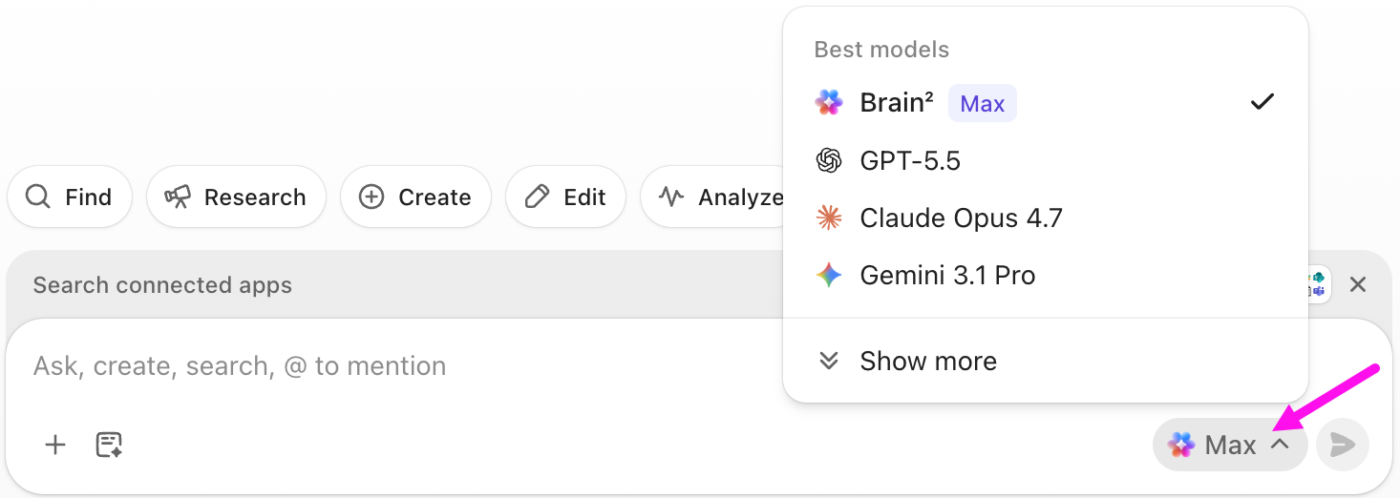
If your agency is past the point where one person holds every account in their head, ClickUp gives Claude somewhere to look. Tasks, docs, time, and client conversations live in one Workspace, so you can connect Claude through MCP or run it directly inside Brain with that context already attached. Agents handle the recurring coordination, and Dashboards show whether non-billable hours per client are actually falling quarter over quarter.
Get started for free with ClickUp.
Claude Code is Anthropic’s command-line and agent tool for building small automations. Agencies use it to build internal-linking agents, brand-mention trackers, and content-refresh scripts without a developer on staff. Most agencies do not need it on day one. Start with Claude in chat and connected to your workspace; reach for Claude Code once a repeatable, technical task justifies the setup.
Anthropic offers a free tier with usage caps, individual Pro plans, and Team plans priced per seat per month, plus API pricing billed by usage. The Team Standard plan costs ~$20/seat/month, annual, five-seat minimum. Most agencies move to a paid Team plan quickly because the free tier’s limits are hit during a normal workday. Budget separately if you run Claude through the API for agents or connected workflows, since API usage is billed per token, not per seat.
Claude is a general-purpose model family from Anthropic that you connect to your data. ClickUp Brain is an AI layer built directly into the ClickUp workspace, so it already has full context of your tasks, docs, and time without a separate connection. Many agencies use both: Brain for in-workspace drafting and summaries, and Claude via MCP when they want Anthropic’s models acting on that same live data.
Both ChatGPT and Claude are capable for marketing work, and the honest answer is that placement matters more than the model. Claude is often praised for handling long documents and nuanced writing, while ChatGPT has a wider ecosystem of plugins and integrations. For agencies, the bigger decision is whether your chosen model connects to your live workspace, because a connected model of either brand beats a disconnected one in a side tab.
An AI marketing agency embeds AI into how it delivers work, not just what it sells. In practice, that means using models like Claude for production and analysis, running agents for coordination and reporting, and keeping human experts on strategy, creative judgment, and client relationships. The label matters less than the operating model underneath it.
AI is replacing the production and coordination work agencies used to bill for, not the judgment and orchestration clients actually pay a premium for. Agencies that reprice around expert judgment and use AI to clear the machine work are growing margins. The ones treating AI as a way to produce more of the same commodity output are the ones under real threat.

Manasi Nair
Max 27min read
Manasi Nair
Max 20min read
Manasi Nair
Max 27min read

© 2026 ClickUp




