How to Use Google Calendar Color Schemes Effectively

Start using ClickUp today

  • Manage all your work in one place
  • Collaborate with your team
  • Use ClickUp for FREEโ€”forever

Do you want your online calendar to have that personal touch? If you use Google Calendar, you can do so.

One of the most popular calendar apps, Google Calendar, is used by over 500 million people to manage their personal and professional schedules. However, most are not aware that it can be customized.

Google Calendarโ€™s default interface features a light blue color palette. If you have a hectic schedule, this color scheme can make it challenging to organize multiple events. And letโ€™s be honestโ€”itโ€™s pretty boring too.

So, read this blog to learn how to create your own Google Calendar themeโ€”with custom colors and hues. 

Before you dive in, check out this video to get your hands on some hacks for managing multiple calendars like a pro! ๐Ÿ‘‡๐Ÿป

Summarize this article with AI ClickUp Brain not only saves you precious time by instantly summarizing articles, it also leverages AI to connect your tasks, docs, people, and more, streamlining your workflow like never before.
ClickUp Brain
Avatar of person using AI Summarize this article for me please

Why Use Google Calendar Color Schemes?

There are various advantages to using custom color themes in Google Calendar:

  • Enhances organization: Using custom calendar color schemes helps you organize Google Calendar events more neatly. For instance, you can sort them based on their type, like urgent events, recurring events, etc., for enhanced visibility
  • Minimizes scheduling conflicts: Using a unique event color for every event type minimizes overlapping risk. Especially if you manage multiple calendars, this strategy can alert you to any conflict so you can make early adjustments and optimize your schedule 
  • Improves time management: Color-coding all the events helps you identify which ones are high priority and which can be delayed. This leads to less clutter and better time management 
  • Boosts productivity: An organized calendarโ€”with unique and recurring Google events markedโ€”reduces mental strain and improves clarity. This helps you focus on your work more efficiently
  • Increases aesthetic appeal: Using a custom Google Calendar color palette for every calendar enhances its aesthetic appeal and makes it more intuitive than before

๐Ÿง  Fun Fact: Unlike many calendar apps, Google Calendar lets you respond with ‘Maybe’ to events when unsure. ๐Ÿค”

Summarize this article with AI ClickUp Brain not only saves you precious time by instantly summarizing articles, it also leverages AI to connect your tasks, docs, people, and more, streamlining your workflow like never before.
ClickUp Brain
Avatar of person using AI Summarize this article for me please

Get rid of that basic Google Calendar interfaceโ€”check out this list of Google Calendar hex codes to create custom colors and build calendars that reflect your personal preferences:
1. Lavender fields color scheme 

Google Calendar Color Schemes: Lavender fields color schemeย 
Lavender fields color scheme 

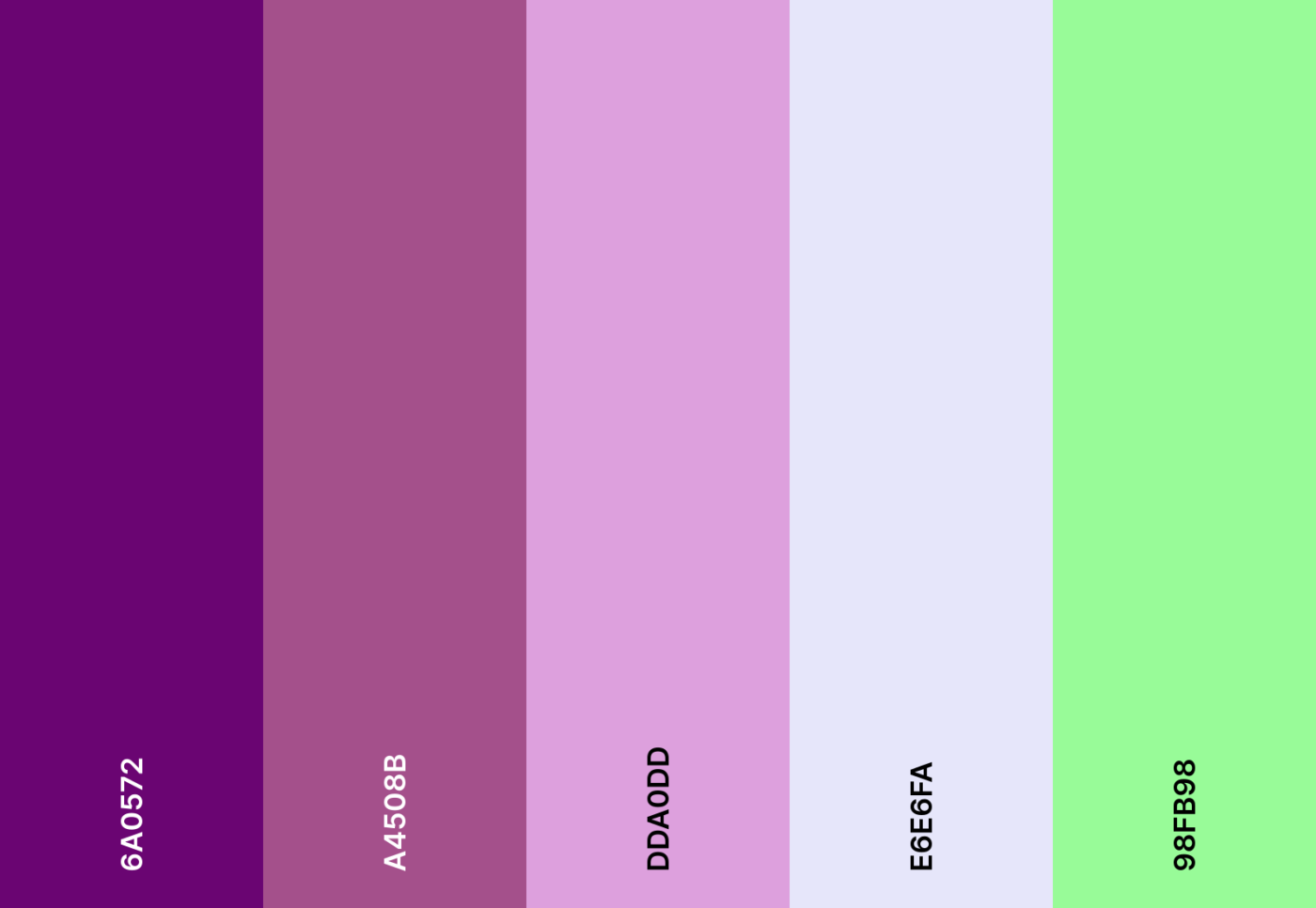
Step into a lavender-scented dreamscape where soft purples and cool greens create a calming theme for your schedule.

Lavender fields emoji combo

๐Ÿ’œ ๐ŸŒฟ ๐Ÿ•Š๏ธ โ˜๏ธ ๐Ÿ‡

Lavender fields hex color codes

  • #6A0572
  • #A4508B
  • #DDA0DD
  • #E6E6FA
  • #98FB98

2. Retro 80s color scheme

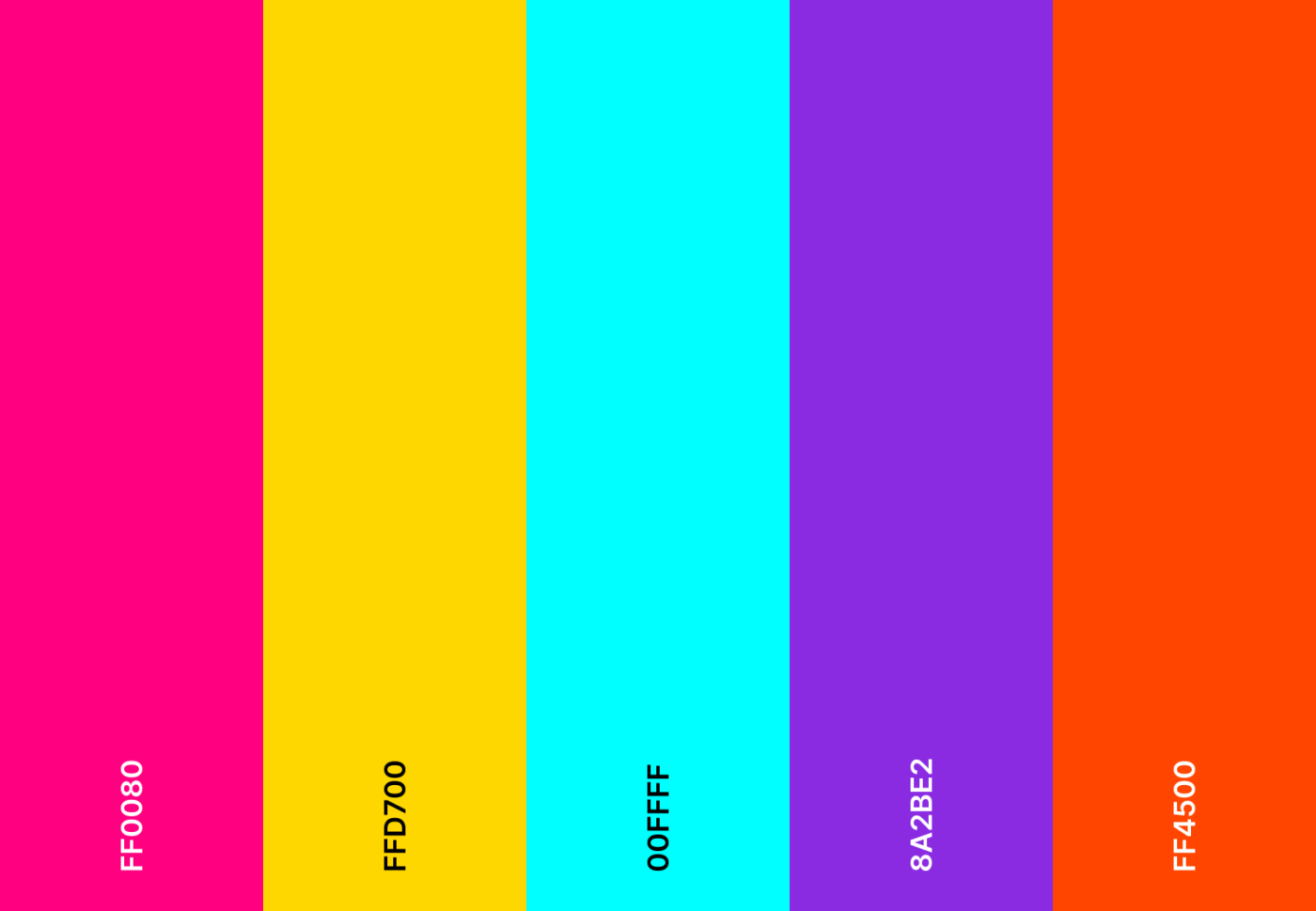
Retro 80s color scheme

Arcade lights, synth beats, and neon glowโ€”this retro 80s hot pink and baby blue mix fuels nostalgia.

Retro 80s emoji combo

๐ŸŽง ๐Ÿ•ถ๏ธ ๐ŸŽฎ ๐Ÿ“ผ ๐Ÿ’พ

Retro 80s hex color codes

  • #FF0080
  • #FFD700
  • #00FFFF
  • #8A2BE2
  • #FF4500

โžก๏ธ Read More: How to Make a Google Sheets Calendar
3. Minimalist greyscale color scheme

Google Calendar Color Schemes: Minimalist greyscale color scheme
Declutter your schedule with a crisp, minimalist customization

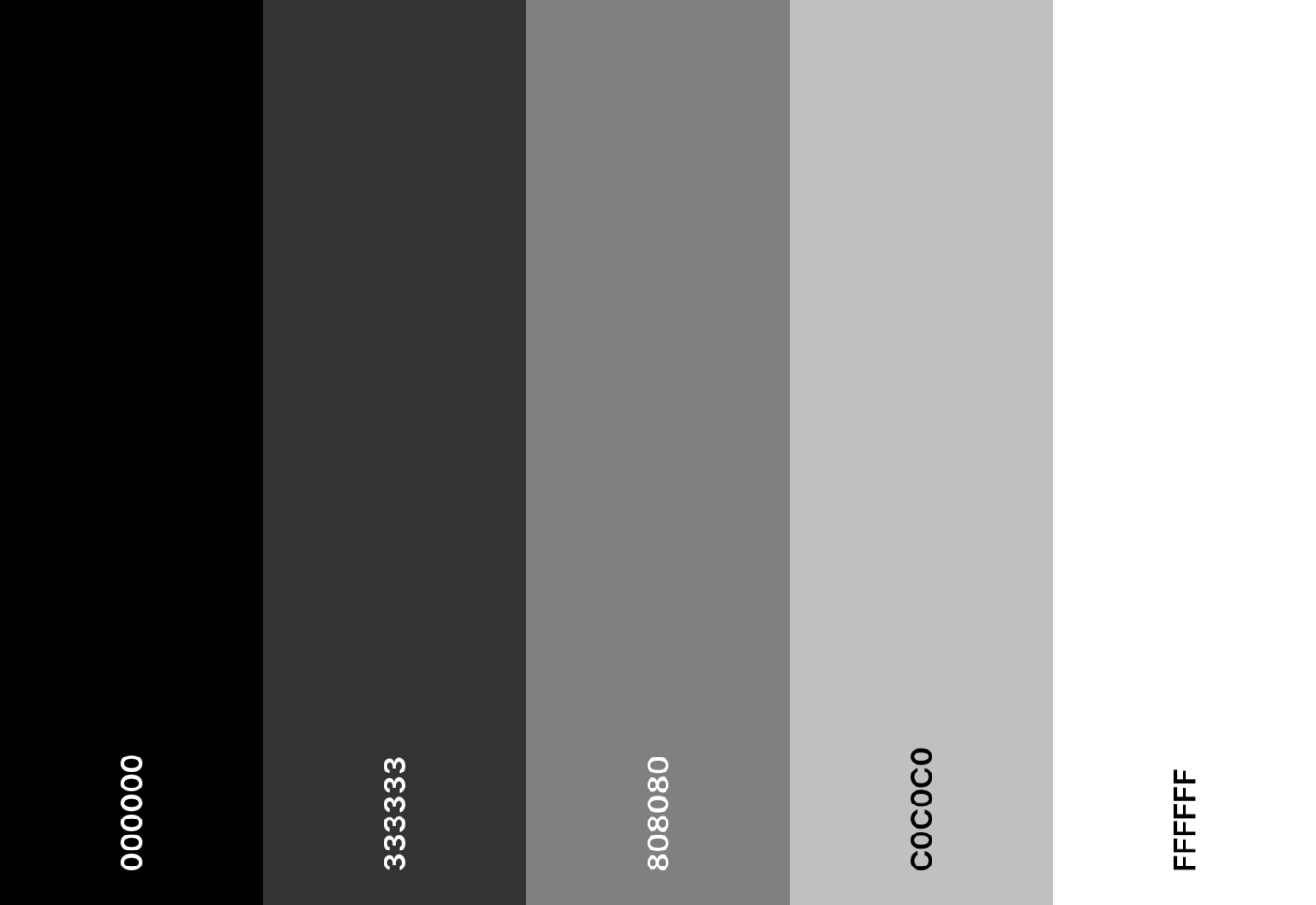
Declutter your schedule with a crisp, minimalist customization. Slate gray, black, and white create a sleek, distraction-free aesthetic for Google Calendar.

Minimalist greyscale emoji combo

โšซ โšช ๐ŸŽฉ ๐Ÿ™๏ธ ๐Ÿ–‹๏ธ

Minimalist greyscale hex color codes

  • #000000
  • #333333
  • #808080
  • #C0C0C0
  • #FFFFFF

4. Strawberry lemonade color scheme

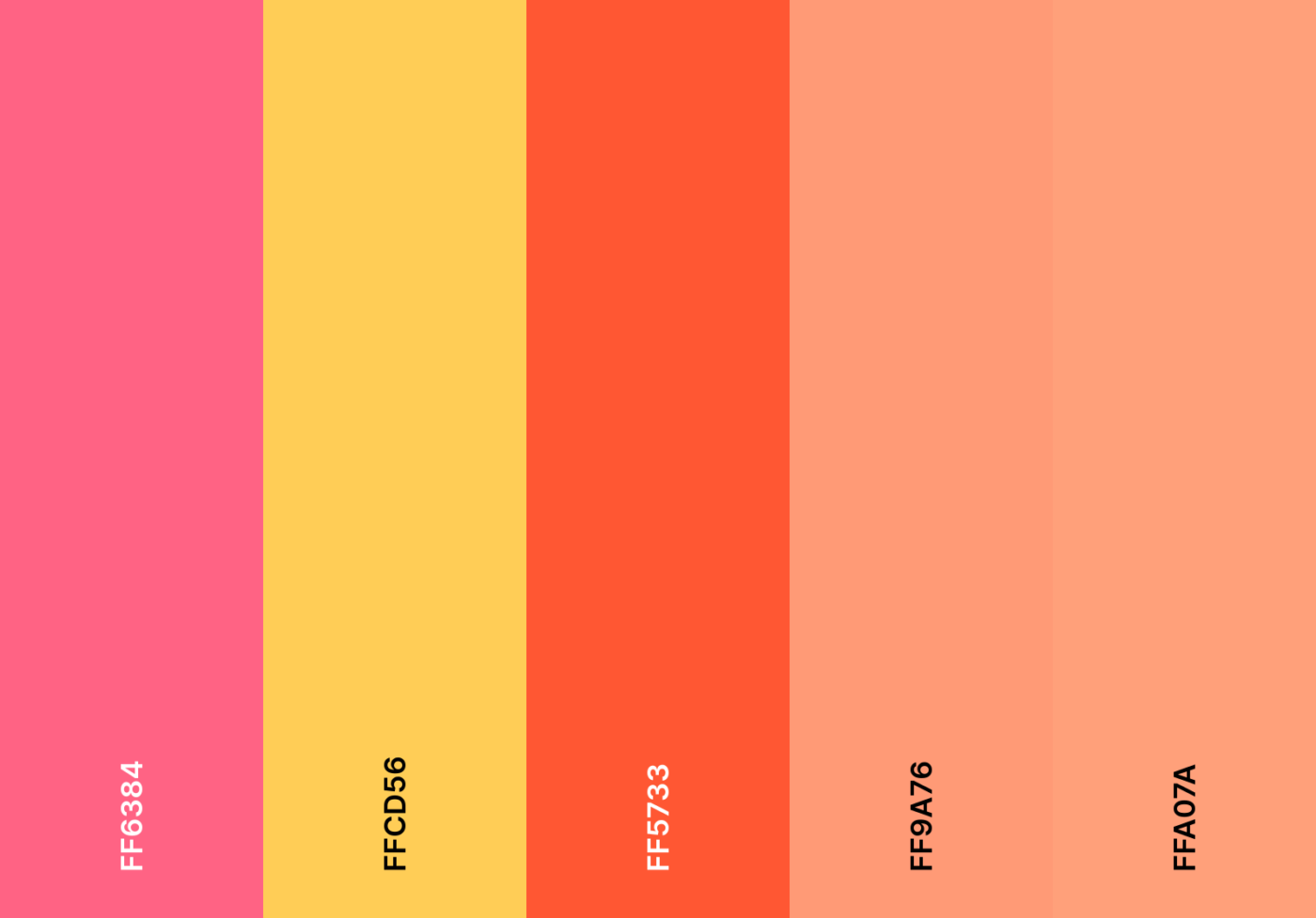
Strawberry lemonade color scheme

Fresh, fruity, and fun! Bright pinks and tangy yellows turn your shared calendar into a summer daydream.

Strawberry lemonade emoji combo

๐Ÿ“ ๐Ÿ‹ ๐Ÿน ๐ŸŒž ๐Ÿ‰

Strawberry lemonade hex color codes

  • #FF6384
  • #FFCD56
  • #FF5733
  • #FF9A76
  • #FFA07A

5. Galaxy nebula color scheme

Google Calendar Color Schemes: Galaxy nebula color scheme
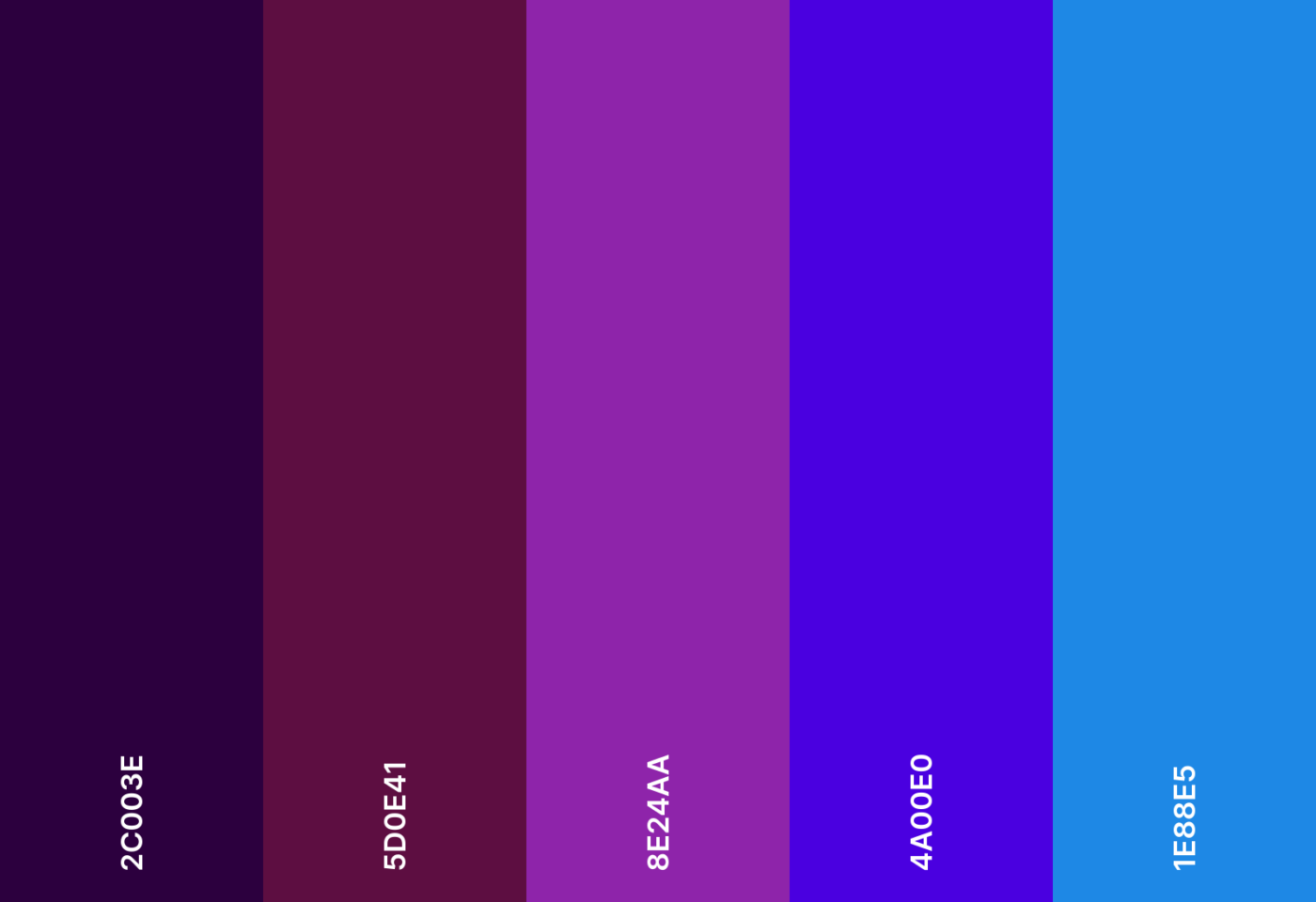
Galaxy nebula color scheme

The universe is at your fingertips. Cosmic purples, deep blues, and hints of maroon make every plan feel limitless.

Galaxy nebula emoji combo

๐ŸŒŒ ๐ŸŒ  ๐Ÿ›ธ ๐Ÿ”ญ ๐Ÿช

Galaxy nebula hex color codes

  • #2C003E
  • #5D0E41
  • #8E24AA
  • #4A00E0
  • #1E88E5

6. Mossy meadow color scheme

Mossy meadow color scheme

Nature lovers, rejoice! Earthy greens bring the serene charm of a forest clearing to your planner.

Mossy meadow emoji combo

๐ŸŒฟ ๐Ÿƒ ๐Ÿธ ๐Ÿก ๐Ÿฆ”

Mossy meadow hex color codes

  • #4B6F44
  • #739E82
  • #A4C3B2
  • #D2E3C8
  • #EEF4D4

7. Cozy cabin color scheme

Cozy cabin color scheme: Cozy cabin color scheme
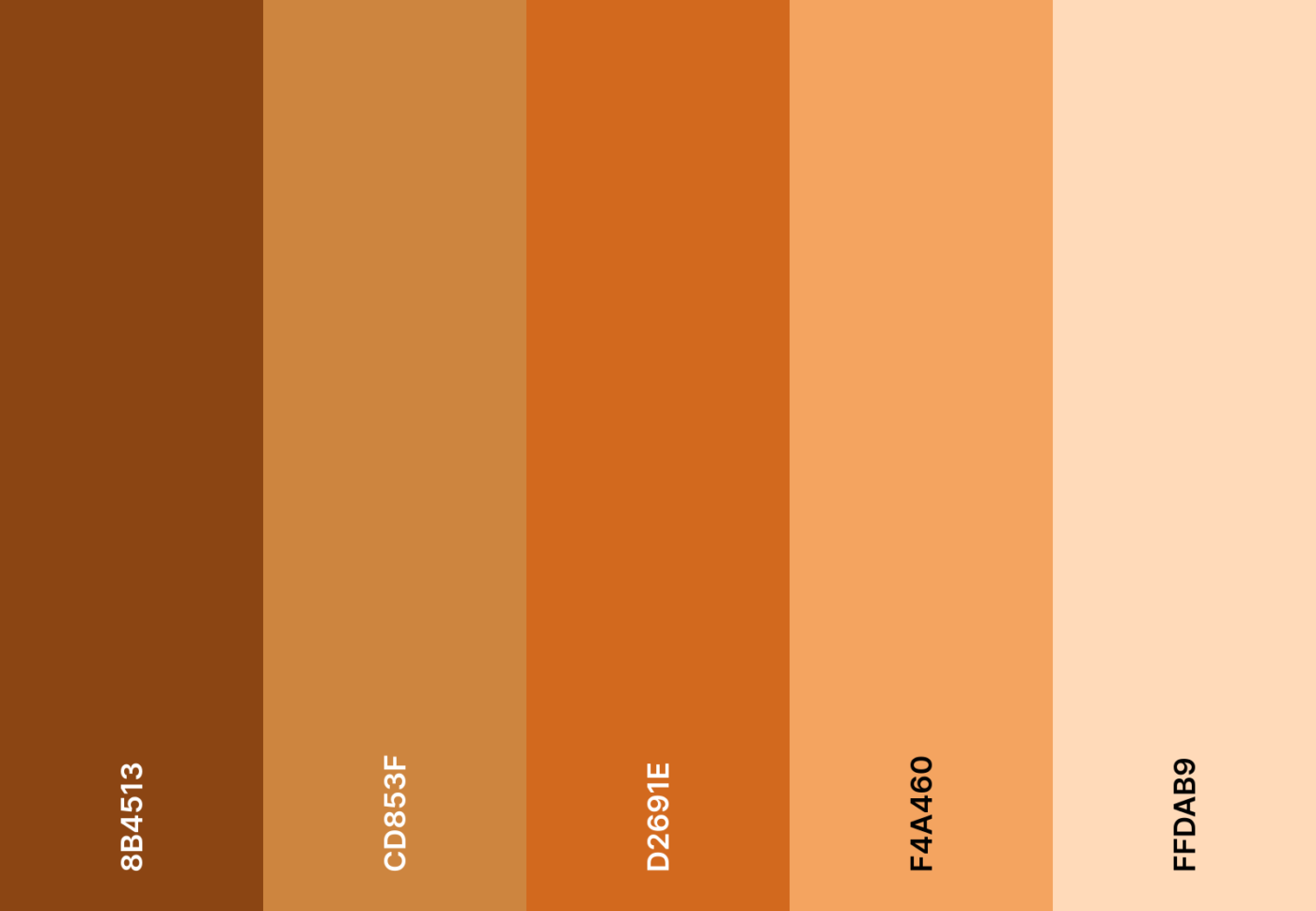
Cozy cabin color scheme

Nothing beats the warmth of a cozy cabin. Rustic reds and deep browns wrap your schedule in an autumn embrace.

Cozy cabin emoji combo

๐Ÿ”ฅ ๐Ÿ‚ ๐Ÿก โ˜• ๐Ÿ“–

Cozy cabin hex color codes

  • #8B4513
  • #CD853F
  • #D2691E
  • #F4A460
  • #FFDAB9

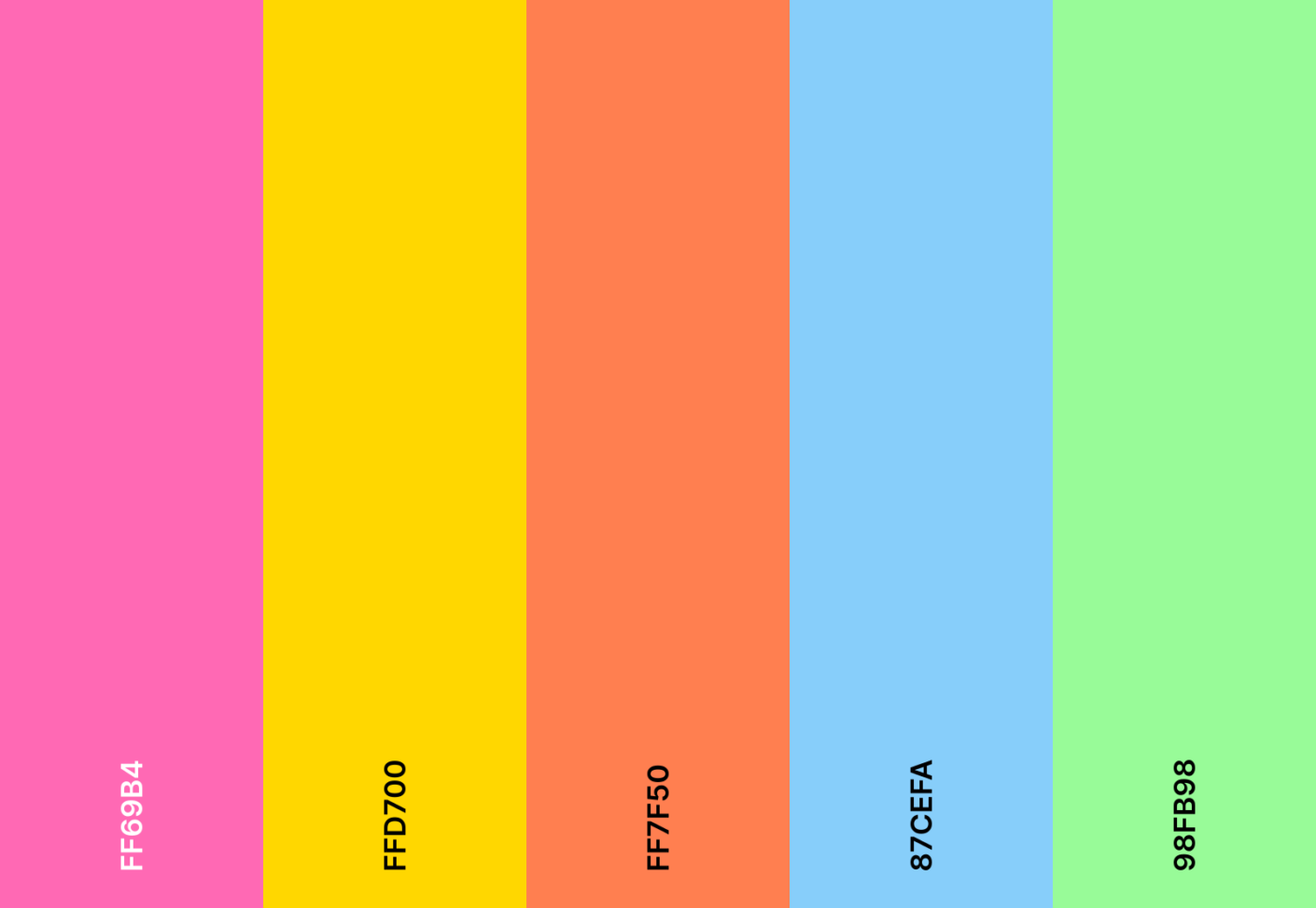
8. Candy shop color scheme

Make your calendar candy coated with vibrant colors of playful pinks, pastel blues, and cheery yellows
Make your calendar candy-coated with vibrant colors of playful pinks, pastel blues, and cheery yellows.

Your calendar, but make it candy-coated! Vibrant colors of playful pinks, pastel blues, and cheery yellows make work feel like fun.

Candy shop emoji combo

๐Ÿฌ ๐Ÿญ ๐ŸŽ  ๐Ÿฉ ๐Ÿช

Candy shop hex color codes

  • #FF69B4
  • #FFD700
  • #FF7F50
  • #87CEFA
  • #98FB98

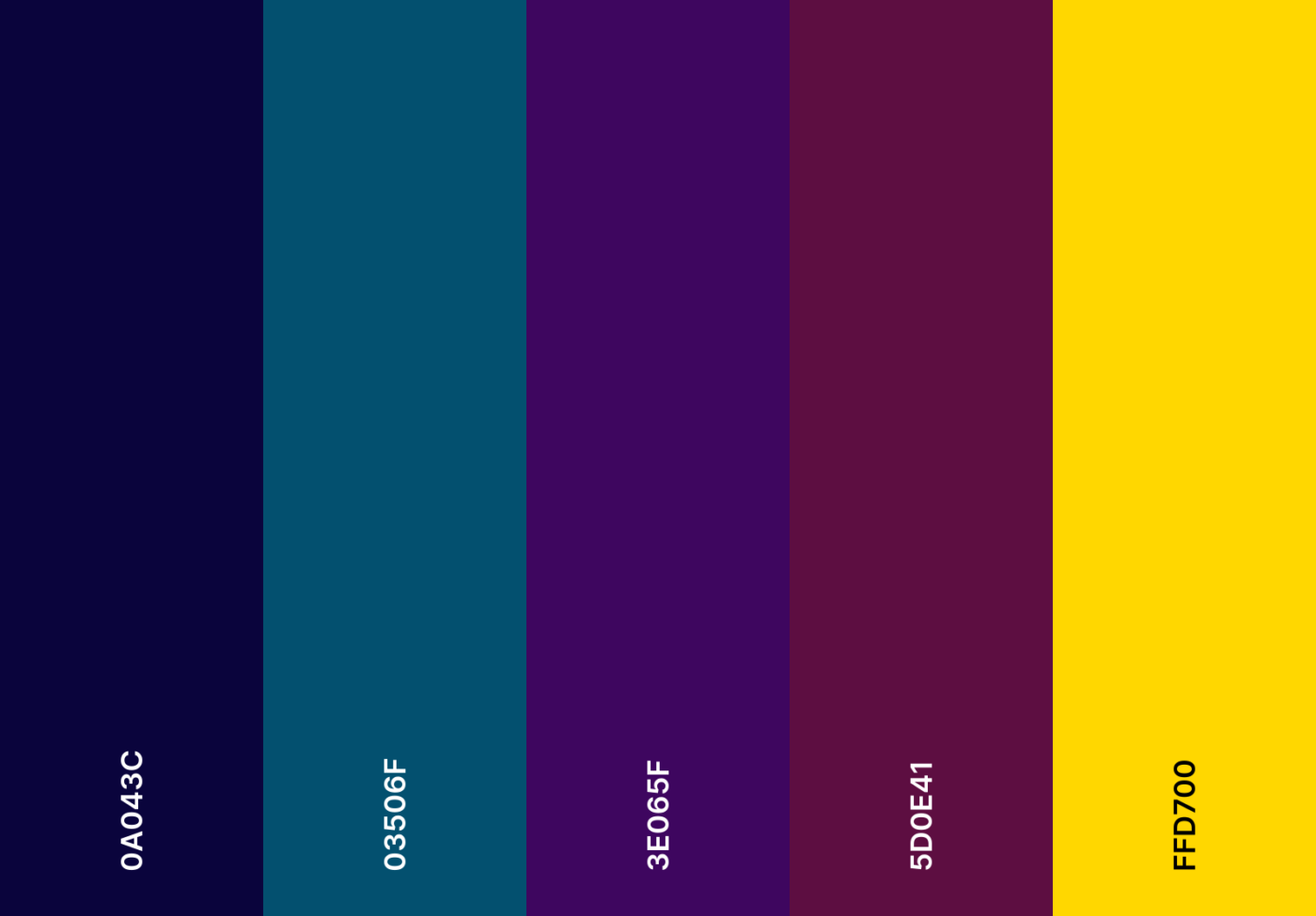
9. Midnight luxe color scheme

Google Calendar Color Schemes: Make your calendar Refined, moody, and luxurious with midnight luxe color scheme
Make your calendar Refined, moody, and luxurious with a midnight luxe color scheme.

Refined, moody, and luxurious, this palette combines deep navy, rich plum, and a touch of yellow to elevate work meetings with first-class sophistication.

Midnight luxe emoji combo

๐ŸŒ™ ๐ŸŒŒ ๐Ÿ•ถ๏ธ ๐ŸŽฉ ๐Ÿ›๏ธ

Midnight luxe hex color codes

  • #0A043C
  • #03506F
  • #3E065F
  • #5D0E41
  • #FFD700

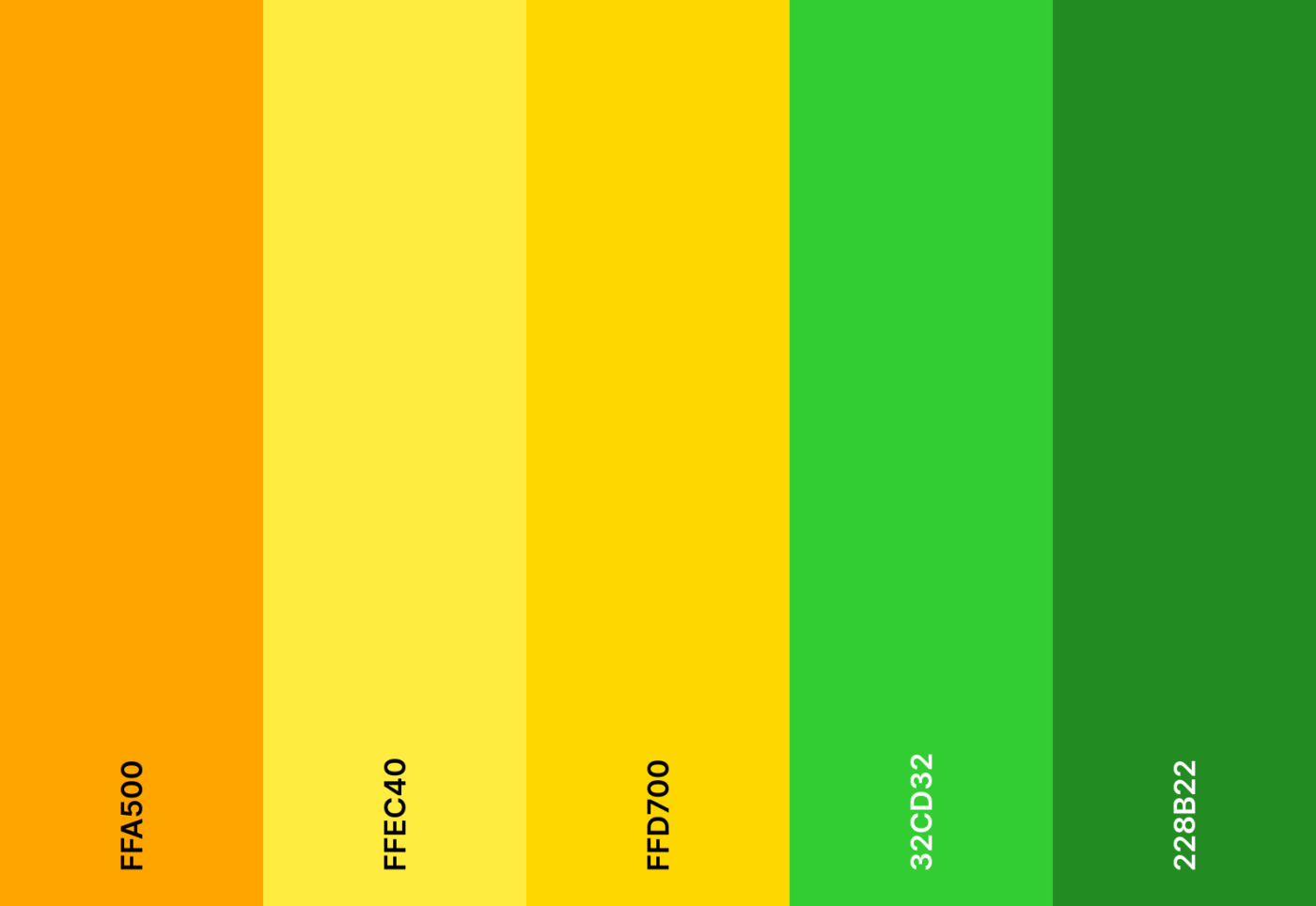
10. Citrus burst color scheme

Citrus burst color scheme

Bright, zesty, and full of energy! A splash of citrus-inspired oranges and greens ensures your schedule stays as sharp as freshly squeezed lemonade.

Citrus burst emoji combo

๐ŸŠ ๐Ÿ‹ ๐Ÿฅญ ๐Ÿ ๐ŸŒฟ

Citrus burst hex color codes

  • #FFA500
  • #FFEC40
  • #FFD700
  • #32CD32
  • #228B22

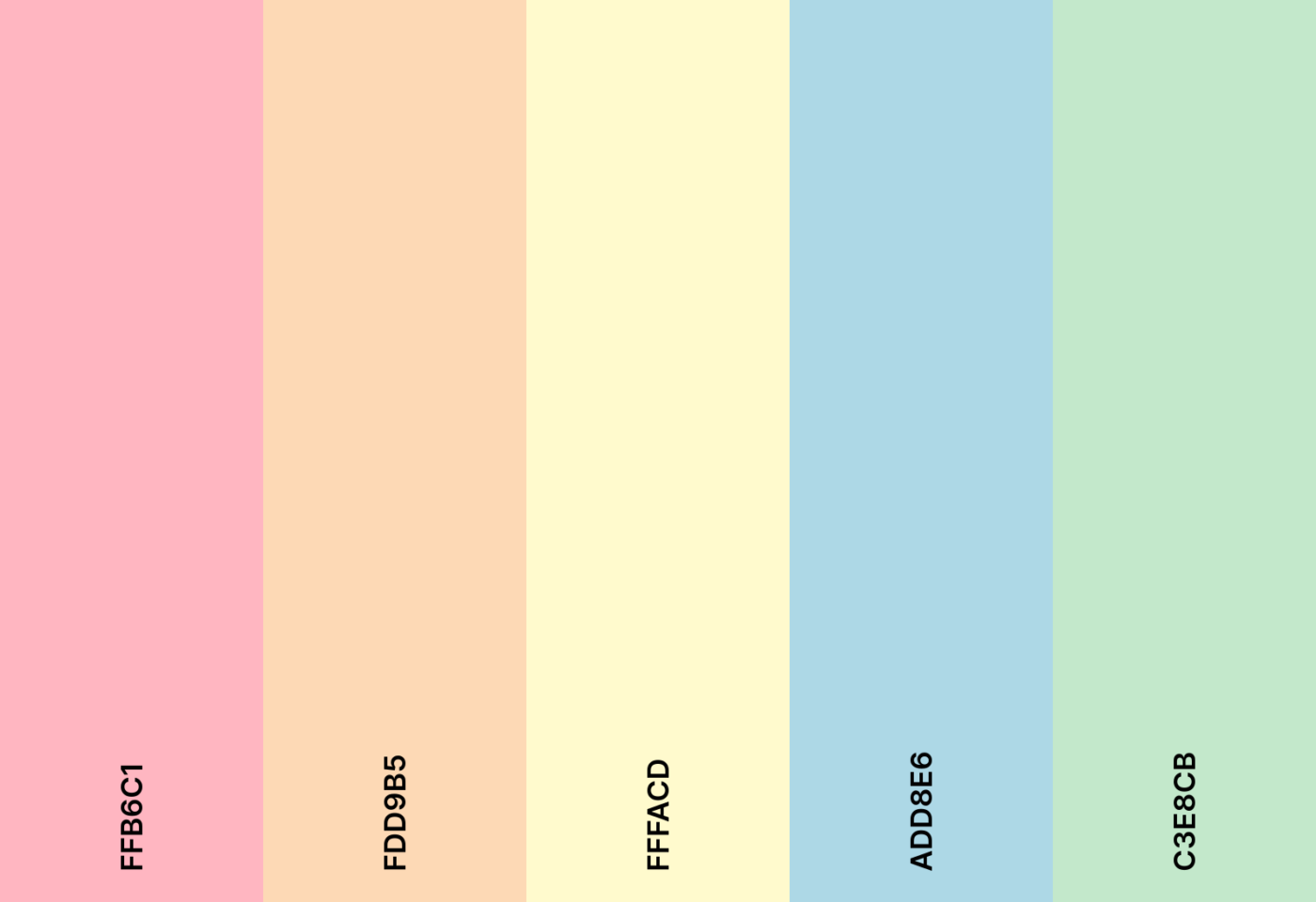
11. Ice cream parlor color scheme

Google Calendar Color Schemes: Make your calendar a scoop of pastel perfection with ice cream parlor color scheme
Make your calendar a scoop of pastel perfection with an ice cream parlor color scheme.

Indulge in nostalgia with a scoop of pastel perfection. Soft pinks, blues, and creamy yellows make every task feel sweet.

Ice cream parlor emoji combo

๐Ÿฆ ๐Ÿง ๐Ÿจ ๐Ÿ’ ๐Ÿซ

Ice cream parlor hex color codes

  • #FFB6C1
  • #FDD9B5
  • #FFFACD
  • #ADD8E6
  • #C3E8CB

12. Superhero theme color scheme

Superhero theme color scheme

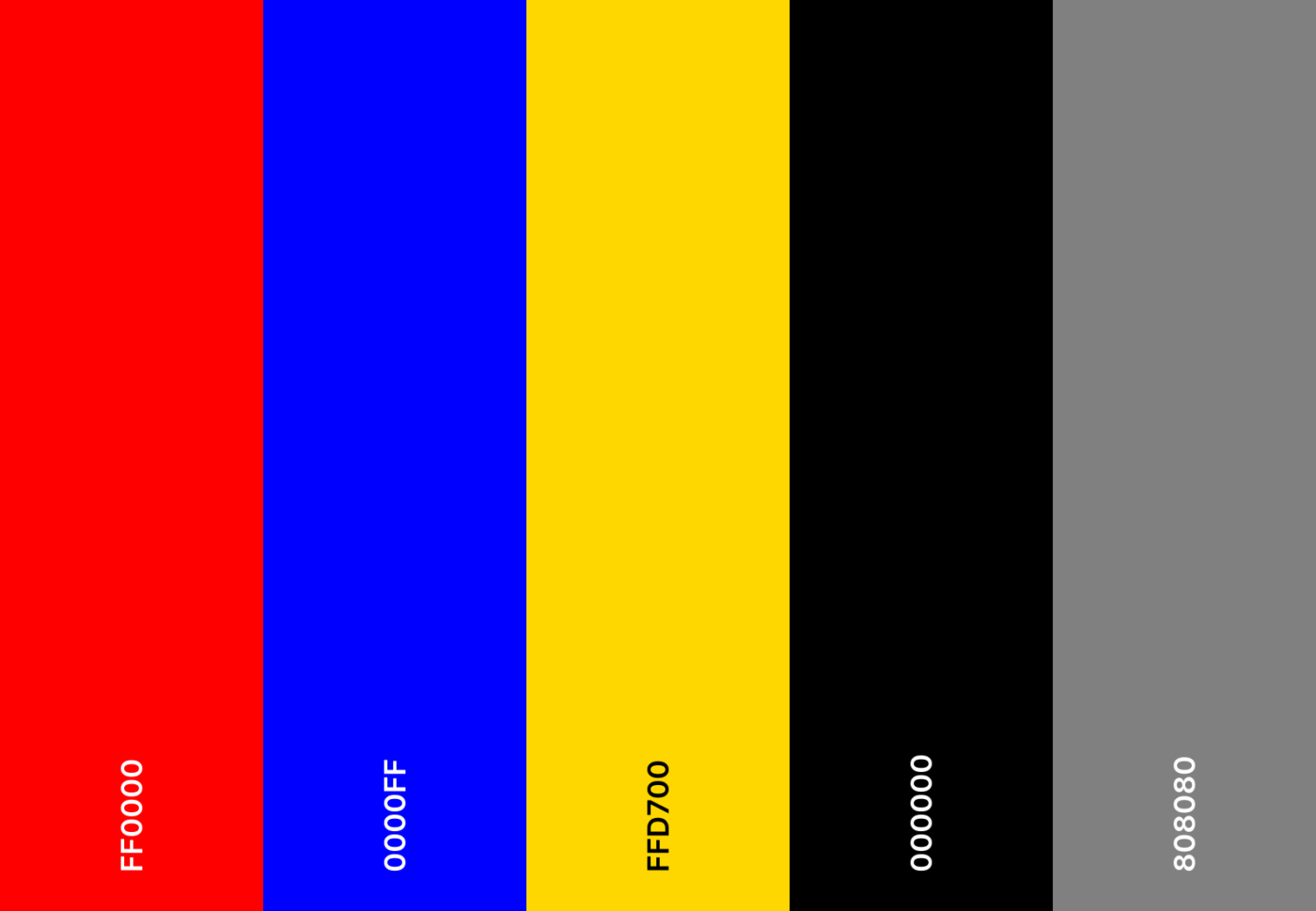
Power up your schedule with heroic energy. Bold reds, deep blues, and golden yellows bring a comic book punch to your daily tasks.

Superhero theme emoji combo

๐Ÿฆธโ€โ™‚๏ธ ๐Ÿฆธโ€โ™€๏ธ ๐Ÿ’ฅ โšก ๐Ÿ†

Superhero theme hex color codes

  • #FF0000
  • #0000FF
  • #FFD700
  • #000000
  • #808080

๐Ÿ” Did You Know? If you work across time zones, enable World Clock in Google Calendar settings to see multiple time zones simultaneously. ๐ŸŒ

13. Royal jewel tones color scheme

Google Calendar Color Schemes: Royal jewel tones color scheme
Royal jewel tones color scheme

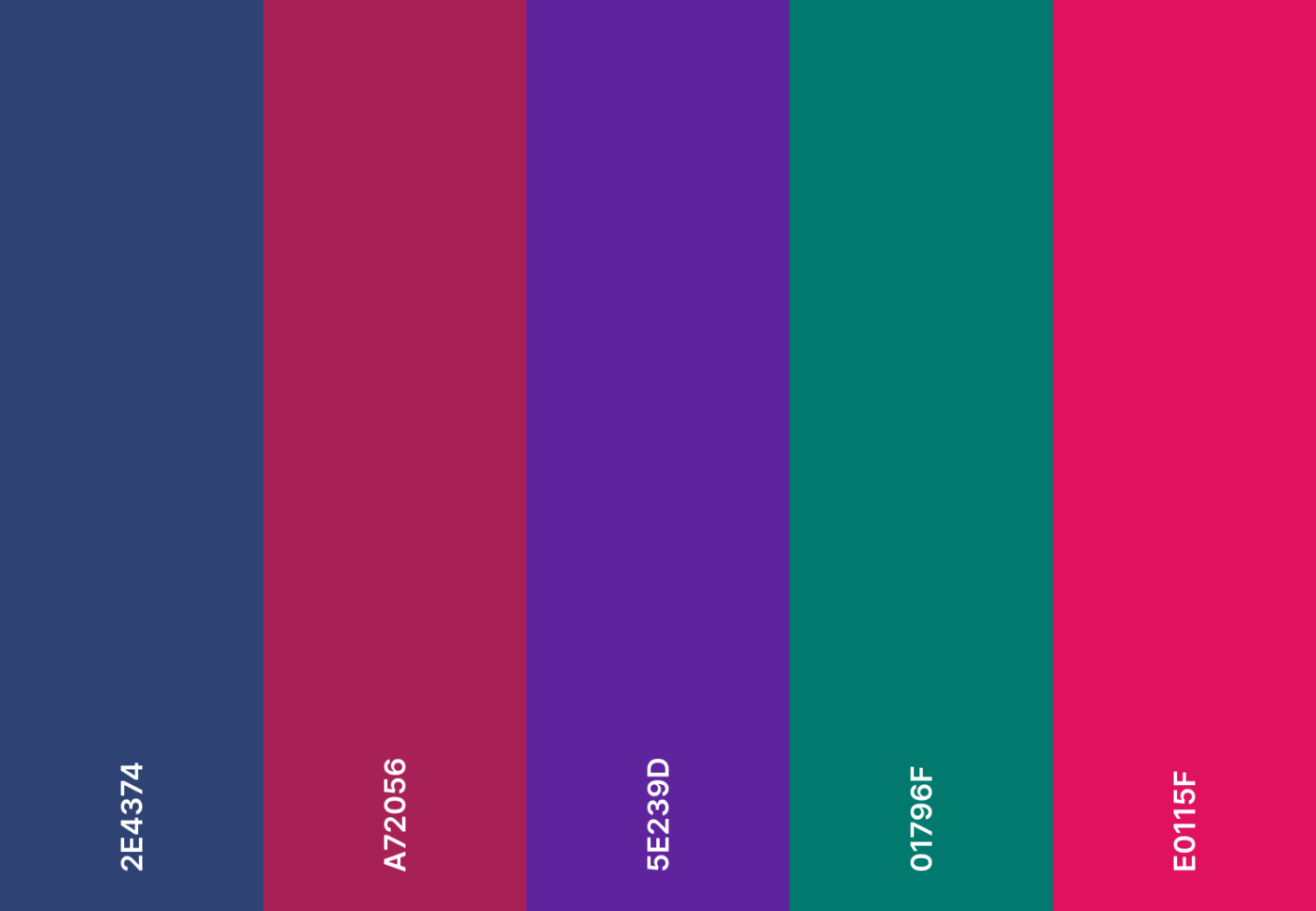
Plan like royalty with jewel-toned elegance. Emerald green, ruby red, and sapphire blue enrich your day.

Royal jewel tones emoji combo

๐Ÿ‘‘ ๐Ÿ’Ž ๐ŸŽญ ๐ŸŽป ๐Ÿ›๏ธ

Royal jewel tones hex color codes

  • #2E4374
  • #A72056
  • #5E239D
  • #01796F
  • #E0115F

14. Sakura blossom color scheme

Sakura blossom color scheme

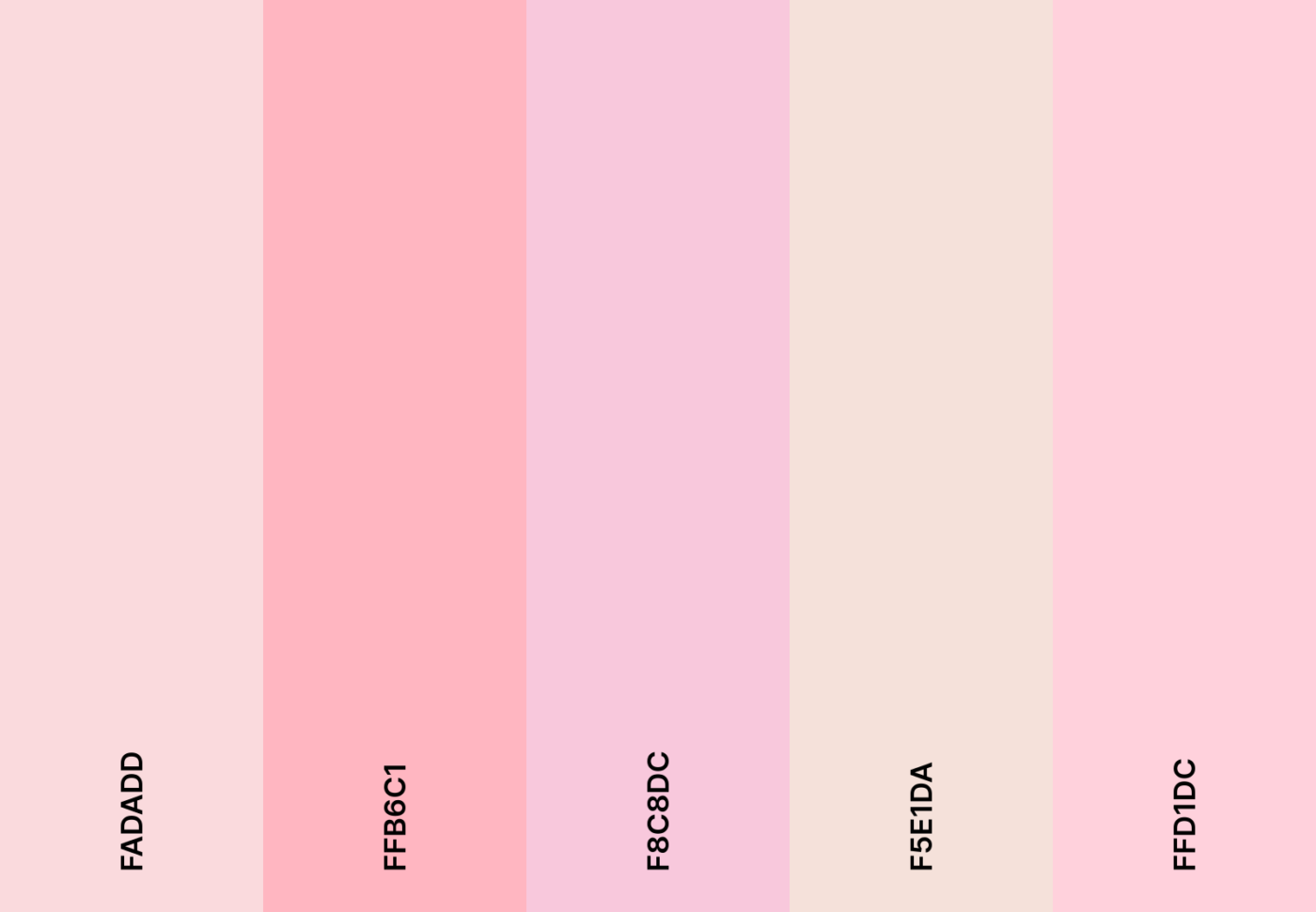
Bask in the fleeting beauty of cherry blossoms. Delicate pinks and soft whites infuse your plans with spring serenity.

Sakura blossom emoji combo

๐ŸŒธ ๐ŸŽŽ ๐Ÿต ๐Ÿฏ ๐Ÿฆ

Sakura blossom hex color codes

  • #FADADD
  • #FFB6C1
  • #F8C8DC
  • #F5E1DA
  • #FFD1DC

15. Ocean deep color scheme

Google Calendar Color Schemes: Ocean deep color scheme
Ocean deep color scheme

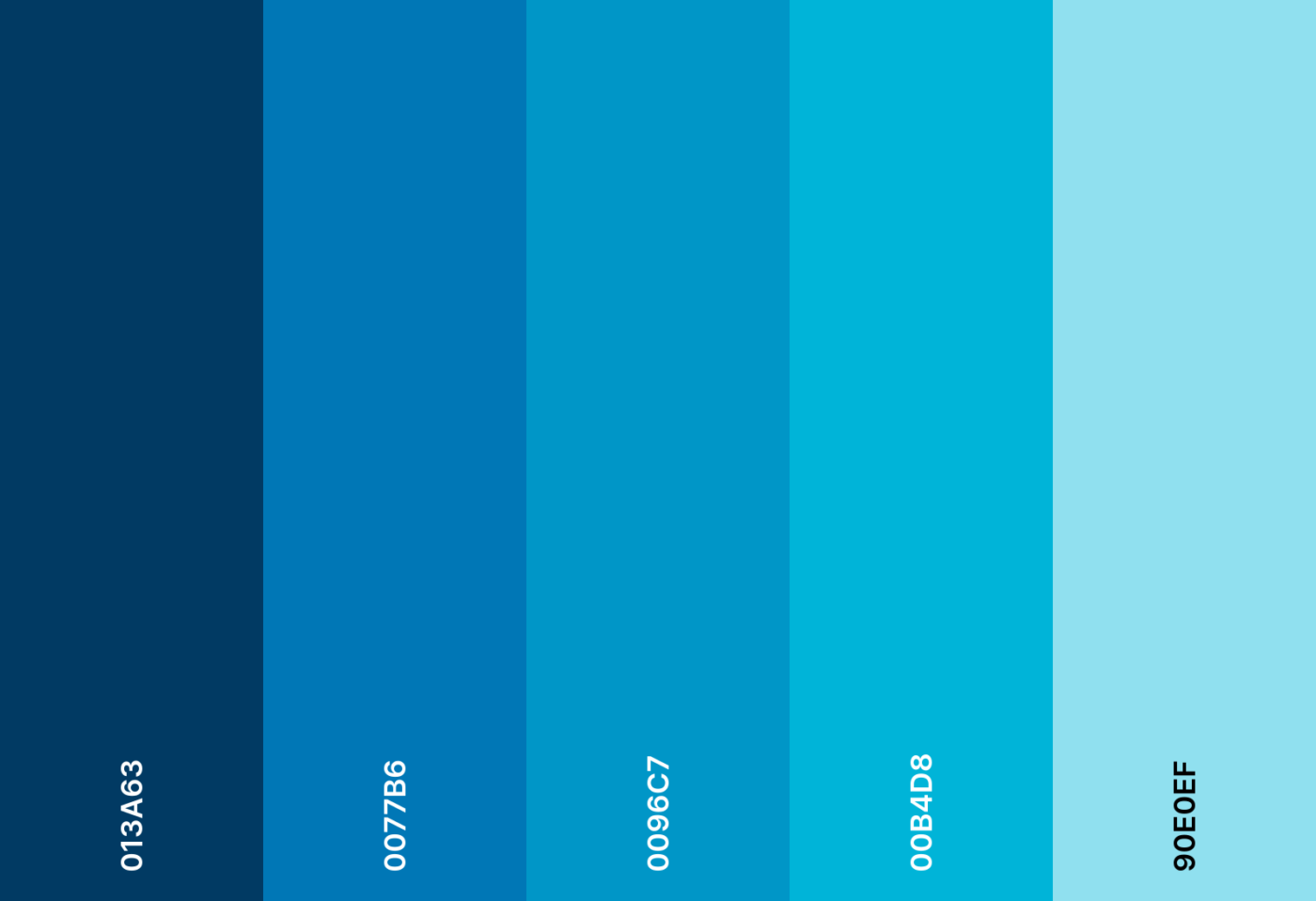
Drift into the ocean depths with tranquil blues. A peaceful blend of turquoise, deep navy, and cool teal washes stress away.

Ocean deep emoji combo

๐ŸŒŠ ๐Ÿณ ๐Ÿ๏ธ โš“ ๐Ÿ 

Ocean deep hex color codes

  • #013A63
  • #0077B6
  • #0096C7
  • #00B4D8
  • #90E0EF

16. Autumn harvest color scheme

Autumn harvest color scheme

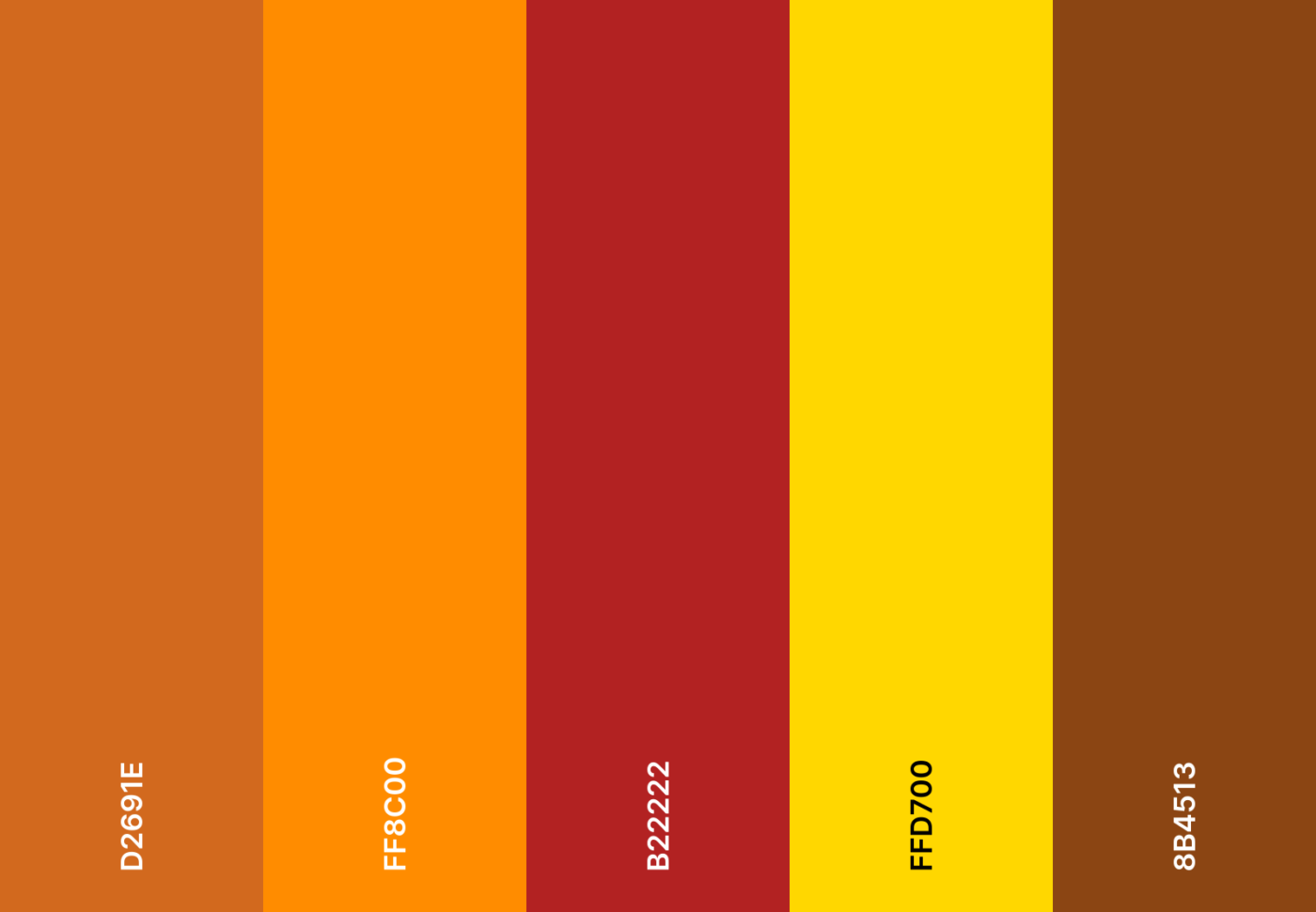
Crisp autumn air meets golden hues. Burnt oranges, rich browns, and deep reds bring a cozy harvest feel to your calendar.

Autumn harvest emoji combo

๐Ÿ ๐ŸŽƒ ๐Ÿฆƒ ๐Ÿ‚ ๐Ÿ•๏ธ

Autumn harvest hex color codes

  • #D2691E
  • #FF8C00
  • #B22222
  • #FFD700
  • #8B4513

โžก๏ธ Read More: How to Export Google Calendar to Excel
17. Coffee house color scheme

Google Calendar Color Schemes: Coffee house color scheme
Coffee house color scheme

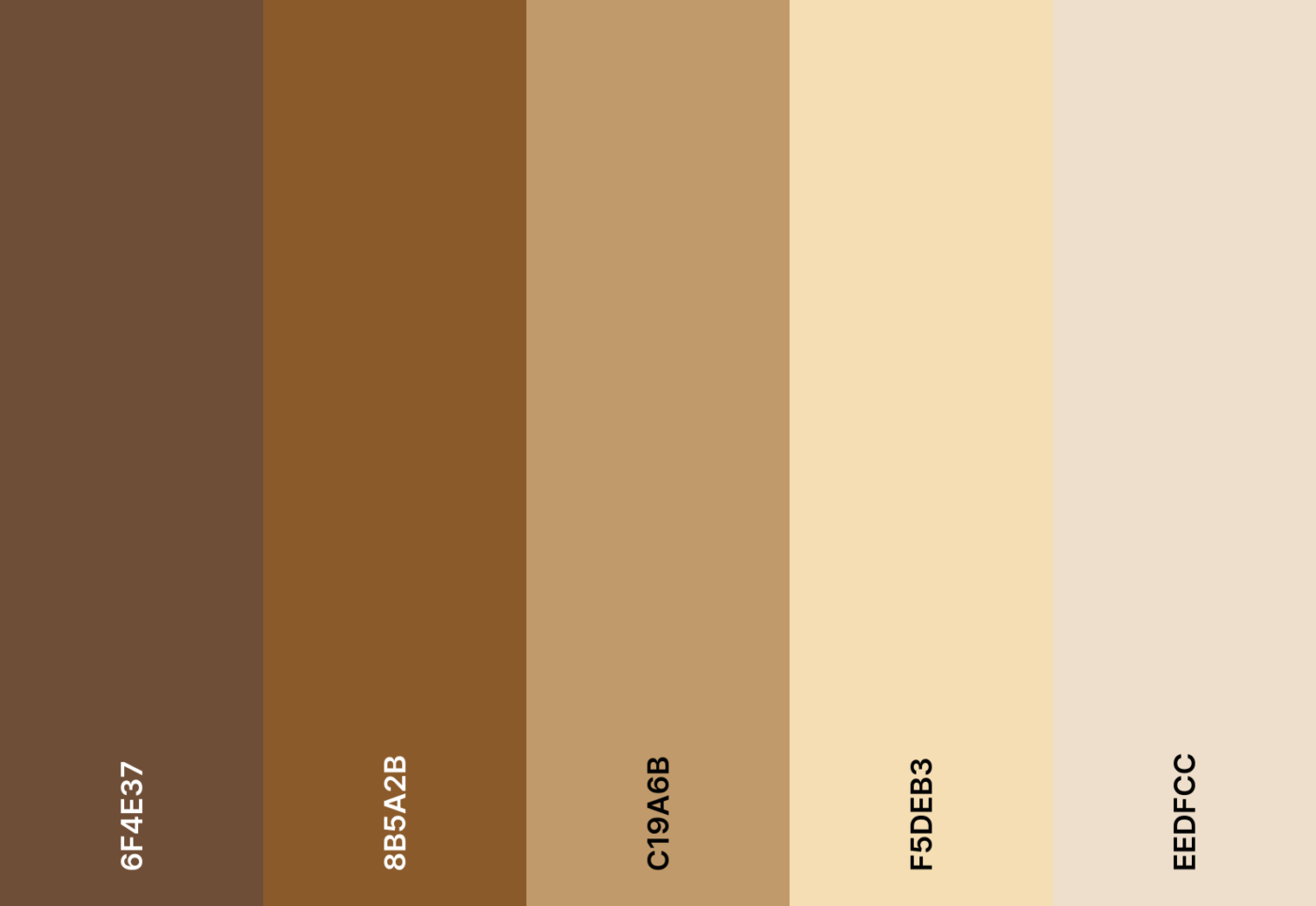
A warm espresso, a fresh to-do list. Earthy browns, creamy beiges, and caramel tones give your calendar that comforting coffee house vibe.

Coffee house emoji combo

โ˜• ๐Ÿ‚ ๐Ÿซ ๐Ÿฅ ๐Ÿ“–

Coffee house hex color codes

  • #6F4E37
  • #8B5A2B
  • #C19A6B
  • #F5DEB3
  • #EEDFCC

18. Cyberpunk neon color scheme

Cyberpunk neon color scheme

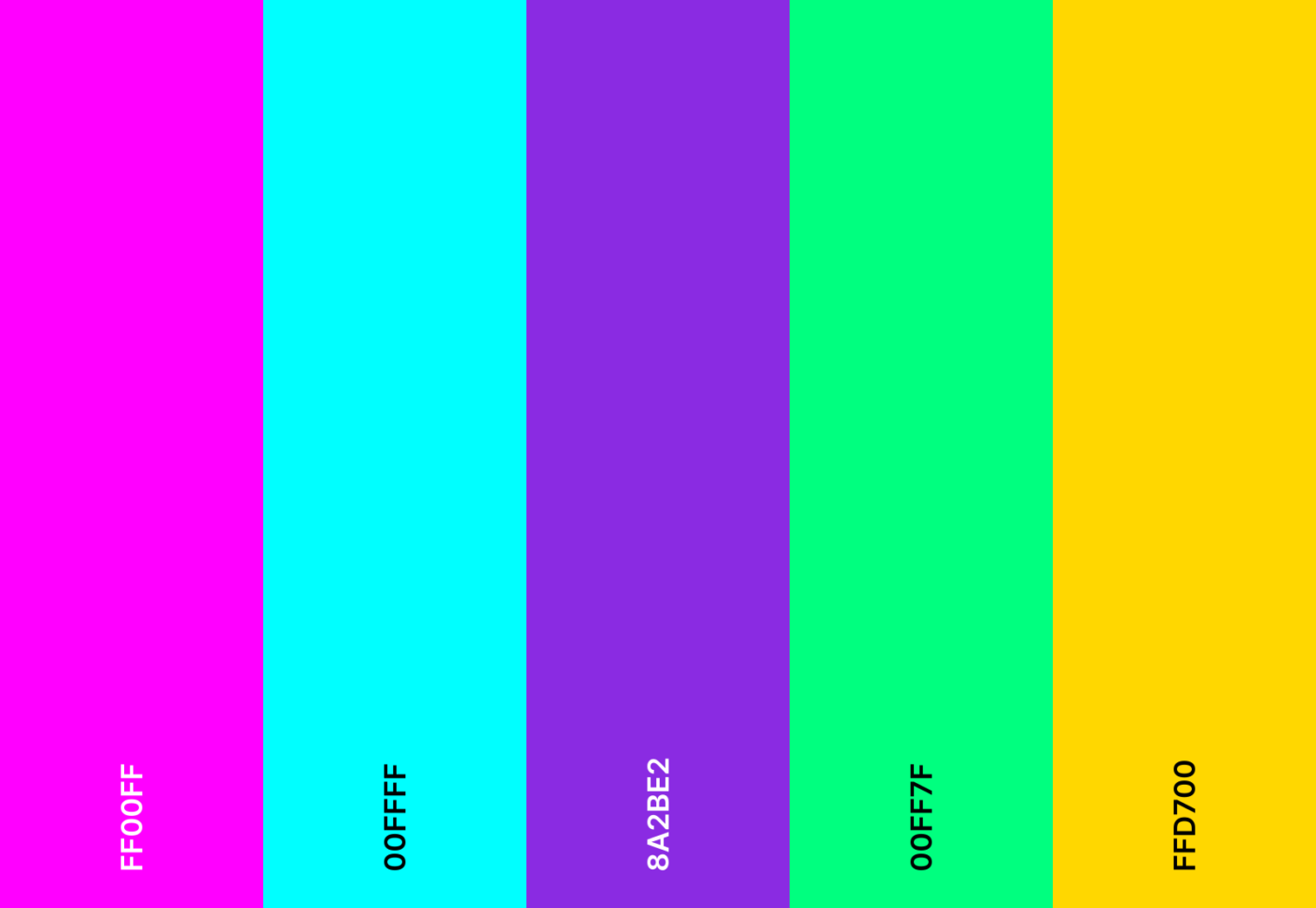
Neon lights flicker in a futuristic skyline. Cyberpunk energy meets electric pinks, deep purples, and high-contrast blues.

Cyberpunk neon emoji combo

๐Ÿ”ฎ ๐Ÿ•ถ๏ธ ๐ŸŒƒ ๐Ÿ’พ ๐Ÿšฅ

Cyberpunk neon hex color codes

  • #FF00FF
  • #00FFFF
  • #8A2BE2
  • #00FF7F
  • #FFD700

19. Soft neutral color scheme

Google Calendar Color Schemes: Soft neutral color scheme
Soft neutral color scheme

This is a gentle, refined palette for personal planning. Soft neutrals, warm taupes, and muted grays create a subtle yet aesthetic Google Calendar.

Soft neutral emoji combo

๐Ÿค โ˜๏ธ ๐Ÿ•Š๏ธ ๐Ÿก ๐Ÿ“–

Soft neutral hex color codes

  • #F8F1F1
  • #EDEADE
  • #C8C6C6
  • #A8A7A7
  • #7E7D7D

20. Fire and ice color scheme

Fire and ice color scheme

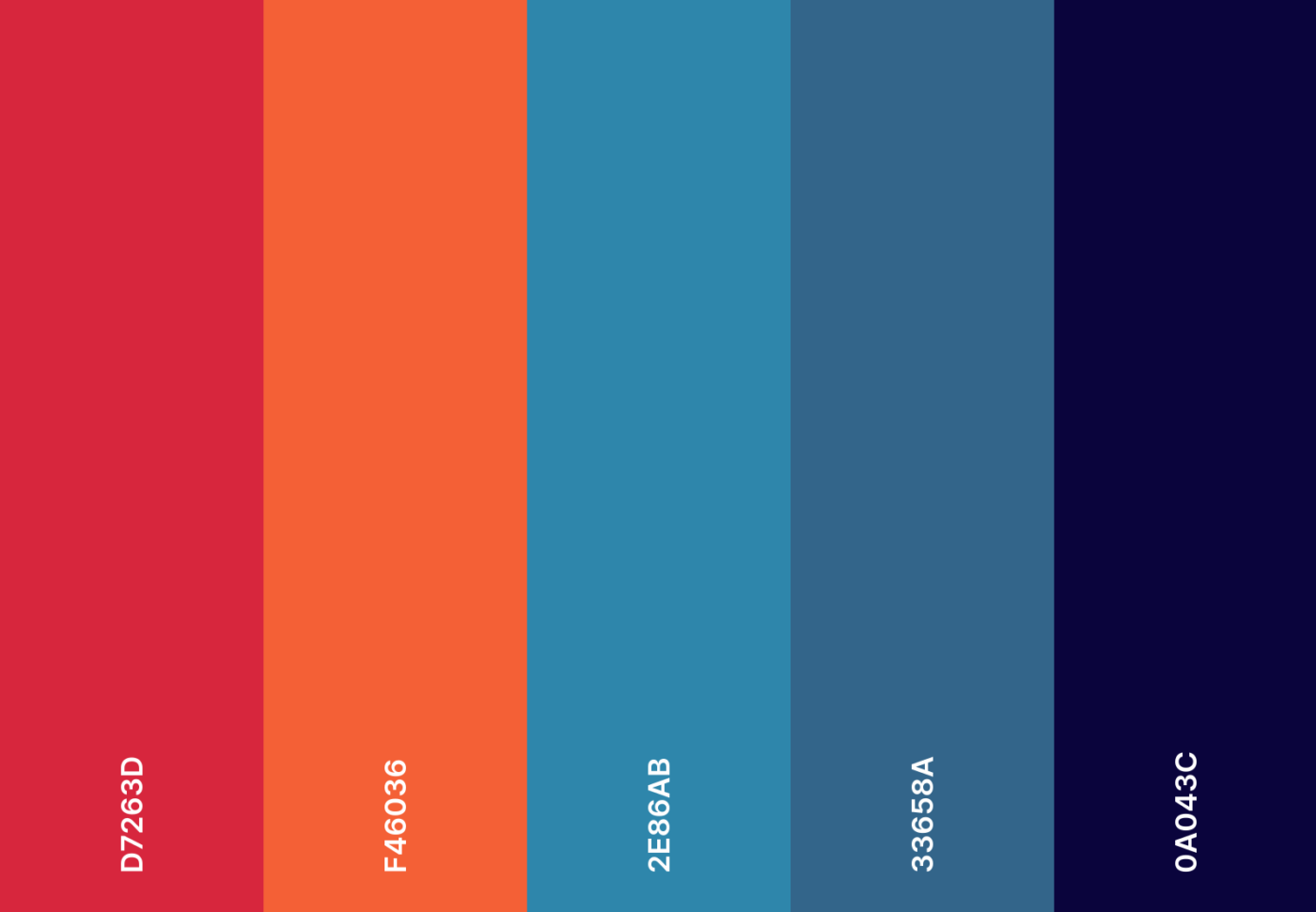
A striking balance between extremes. Fiery reds and icy blues collide in a bold contrast that perfectly harmonizes every task.

Fire and ice emoji combo

๐Ÿ”ฅ โ„๏ธ ๐Ÿ”ต ๐Ÿ”ด ๐ŸŒŠ

Fire and ice hex color codes

  • #D7263D
  • #F46036
  • #2E86AB
  • #33658A
  • #0A043C

21. Deep space color scheme

Google Calendar Color Schemes: Deep space color scheme
Deep space color scheme

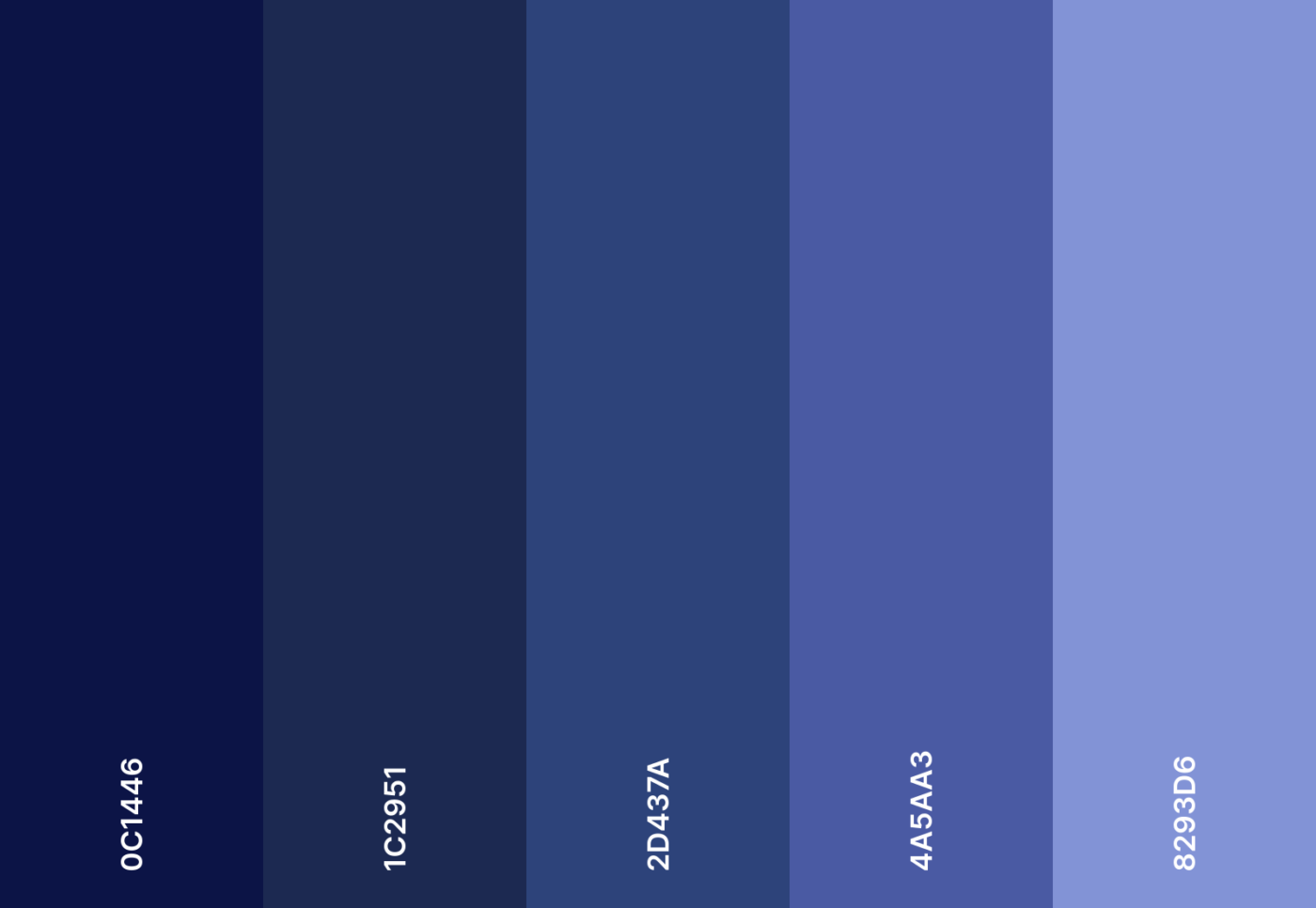
Your schedule, but with the mystery of deep space. Midnight blues and dark indigos create an otherworldly effect for your project calendar.

Deep space emoji combo

๐ŸŒŒ ๐Ÿš€ ๐Ÿช โœจ ๐Ÿ›ธ

Deep space hex color codes

  • #0C1446
  • #1C2951
  • #2D437A
  • #4A5AA3
  • #8293D6

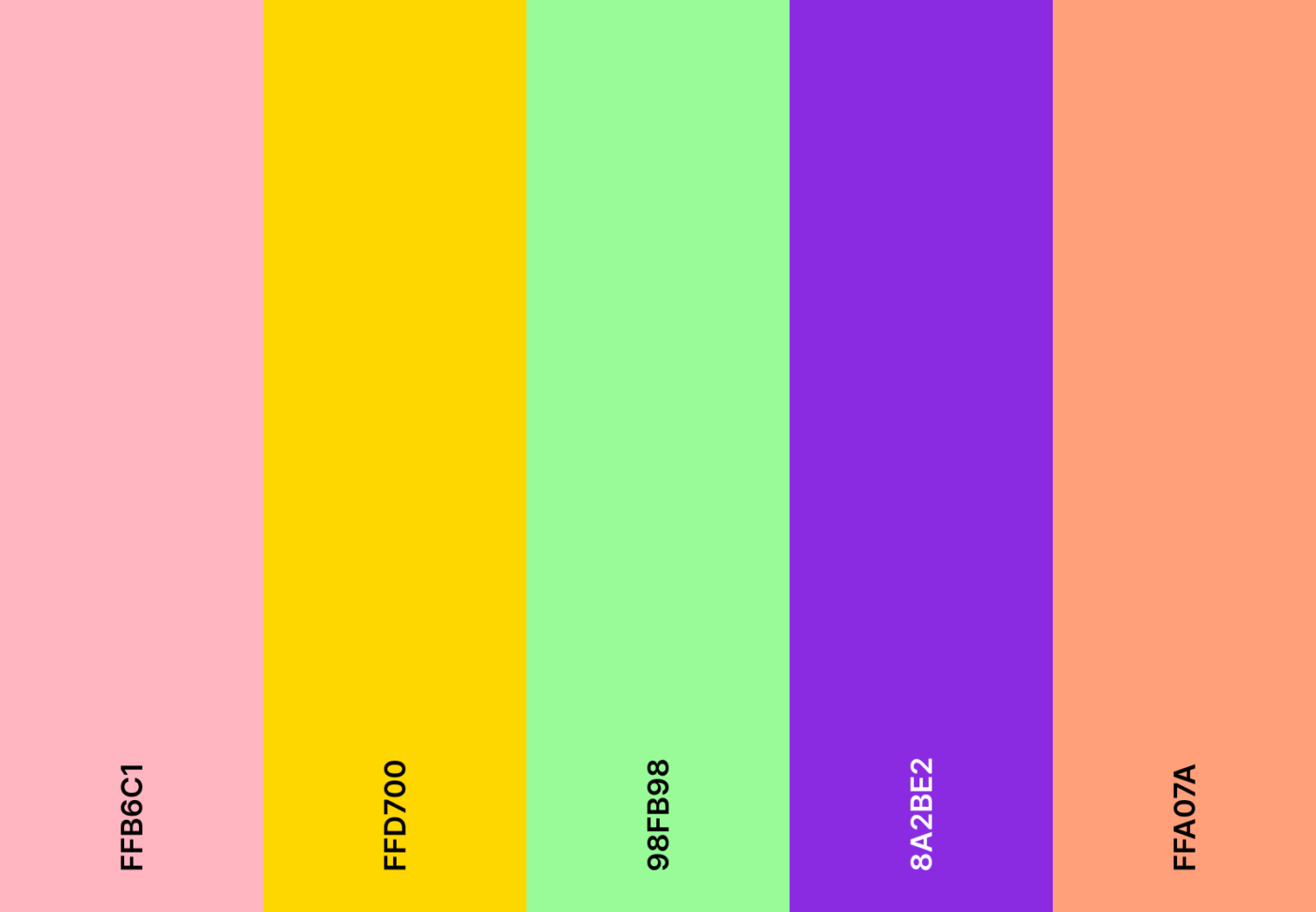
22. Spring bloom color scheme

Spring bloom color scheme

The spring season awakens in a burst of florals. Lively pinks, greens, and yellows give your plans a fresh, rejuvenating feel.

Spring bloom emoji combo

๐ŸŒธ ๐ŸŒท ๐ŸŒฟ โ˜€๏ธ ๐Ÿ

Spring bloom hex color codes

  • #FFB6C1
  • #FFD700
  • #98FB98
  • #8A2BE2
  • #FFA07A

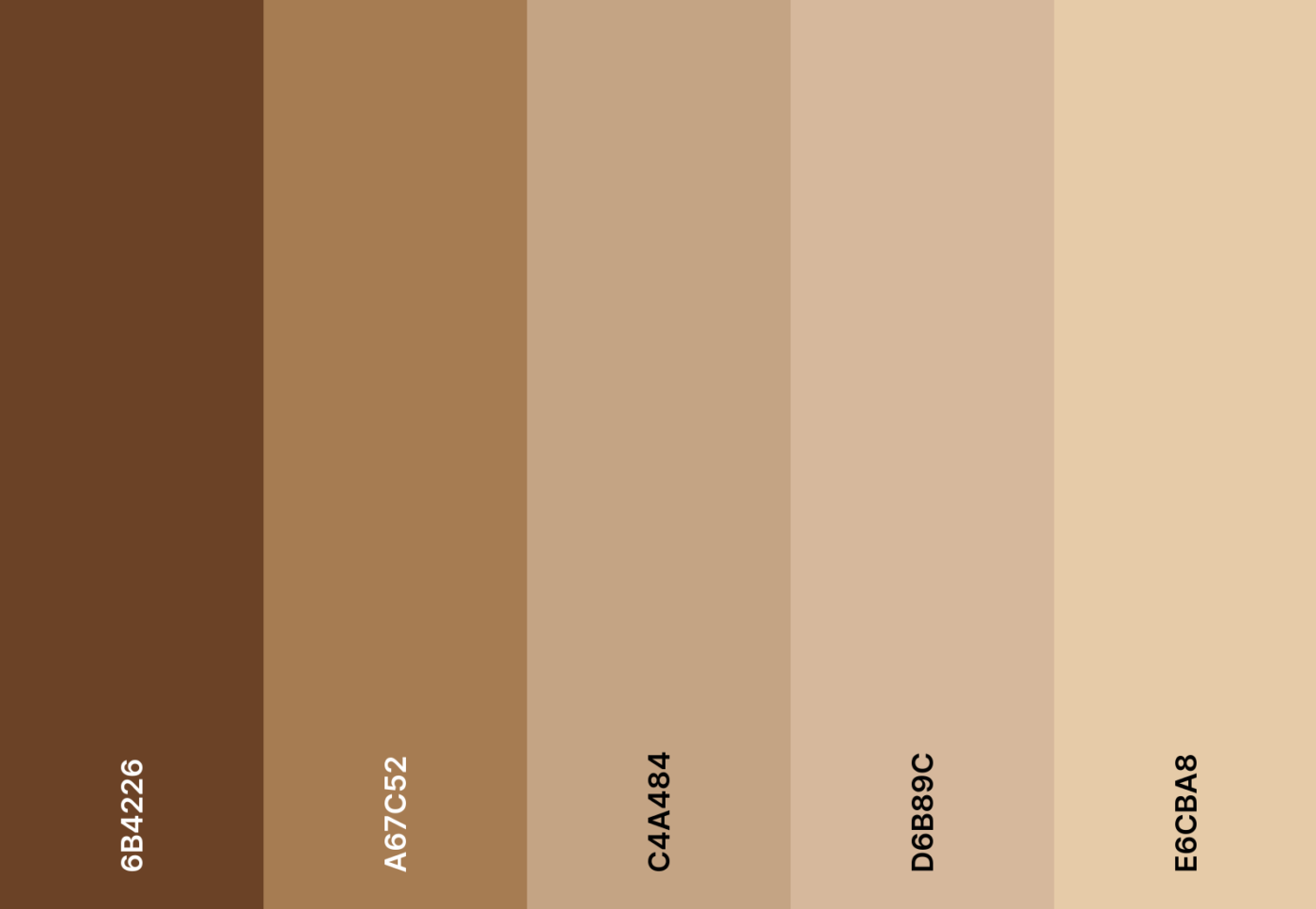
23. Vintage film color scheme

Google Calendar Color Schemes: Vintage film color scheme
Vintage film color scheme

This is a vintage-aesthetic Google Calendar color scheme for old souls. Faded browns, soft sepia, and muted beige bring a cinematic charm to your schedule.

Vintage film emoji combo

๐Ÿ“ฝ๏ธ ๐ŸŽž๏ธ ๐Ÿ“ท ๐Ÿ›ค๏ธ ๐ŸŒ…

Vintage film hex color codes

  • #6B4226
  • #A67C52
  • #C4A484
  • #D6B89C
  • #E6CBA8

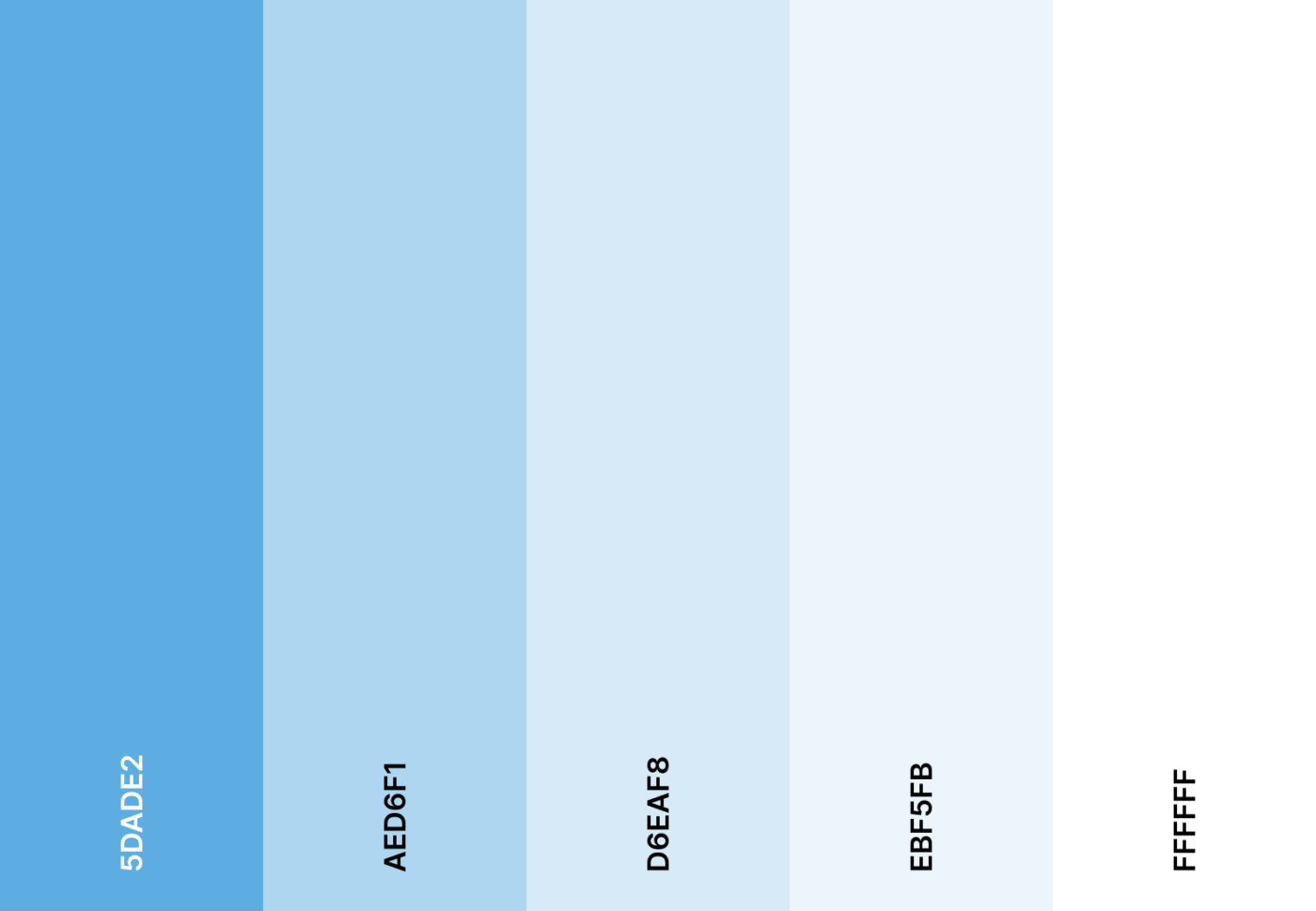
24. Ice queen color scheme

Ice queen color scheme

This is an icy, regal chill for your planner. Frosty blues and shimmering silvers turn scheduling into a winter wonderland.

Ice queen emoji combo

โ„๏ธ ๐ŸงŠ ๐Ÿ”๏ธ ๐Ÿ‘‘ ๐Ÿ’Ž

Ice queen hex color codes

  • #5DADE2
  • #AED6F1
  • #D6EAF8
  • #EBF5FB
  • #FFFFFF

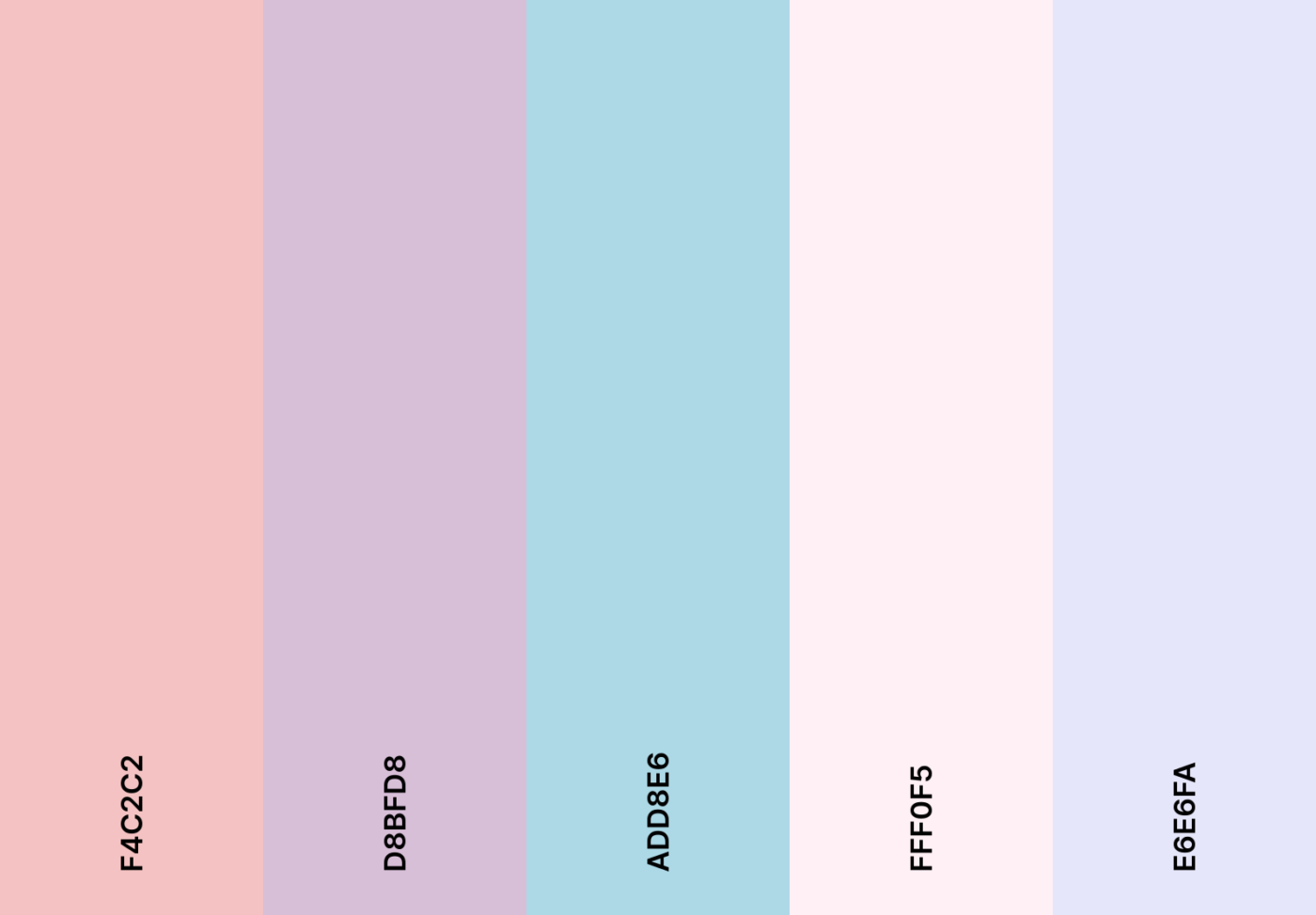
25. Fairy tale color scheme

Google Calendar Color Schemes: Fairy tale color scheme
Fairy tale color scheme

Step into a storybook dream. Soft pastels and romantic lavenders set the stage for this whimsical, fairytale-inspired calendar.

Fairy tale emoji combo

๐Ÿฆ„ โœจ ๐ŸŒธ ๐Ÿงš ๐ŸŒ™

Fairy tale hex color codes

  • #F4C2C2
  • #D8BFD8
  • #ADD8E6
  • #FFF0F5
  • #E6E6FA

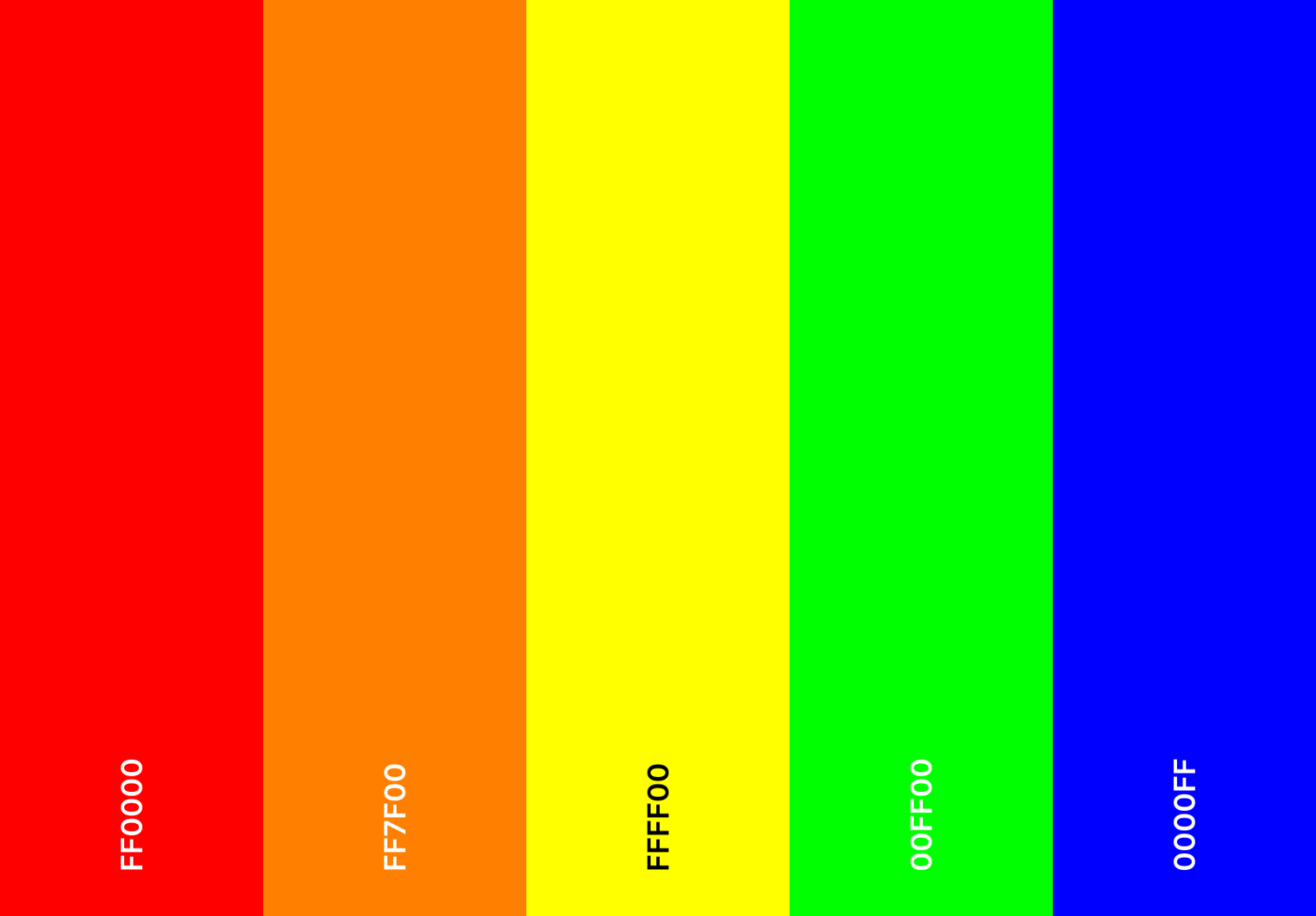
26. Rainbow bright color scheme

Rainbow bright color scheme

A rainbow explosion of excitement. Every color imaginable comes together to make your plans as lively as possible.

Rainbow bright emoji combo

๐ŸŒˆ ๐ŸŸฃ ๐Ÿ”ด ๐ŸŸ  ๐ŸŸก ๐ŸŸข ๐Ÿ”ต

Rainbow bright hex color codes

  • #FF0000
  • #FF7F00
  • #FFFF00
  • #00FF00
  • #0000FF

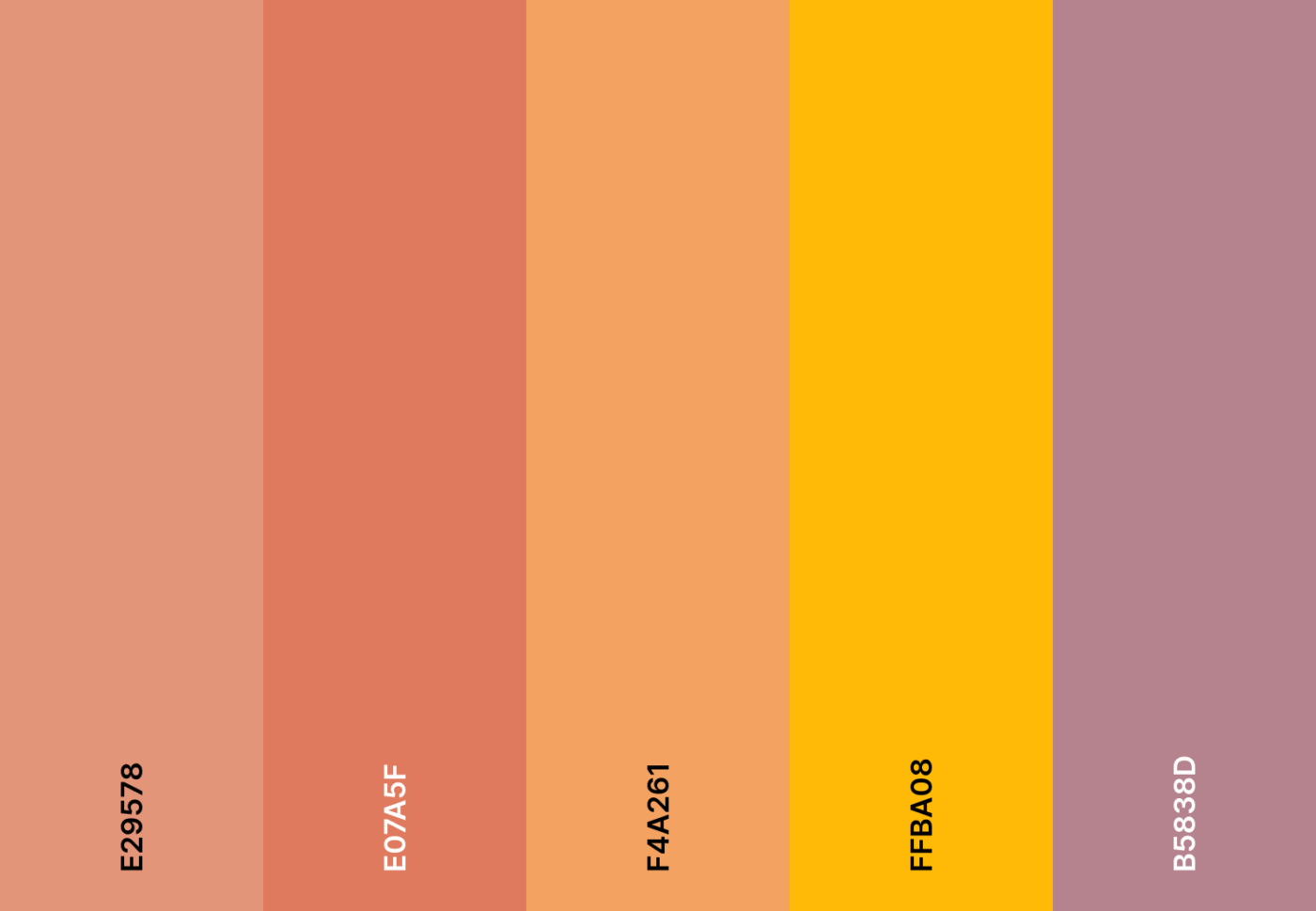
27. Desert mirage color scheme

Google Calendar Color Schemes: Desert mirage color scheme
Desert mirage color scheme

Sands shift beneath a golden sun. Warm terracotta, sandy beige, and sunset oranges capture the beauty of a desert mirage.

Desert mirage emoji combo

๐Ÿœ๏ธ ๐ŸŒ… ๐Ÿบ ๐Ÿช โ˜€๏ธ

Desert mirage hex color codes

  • #E29578
  • #E07A5F
  • #F4A261
  • #FFBA08
  • #B5838D

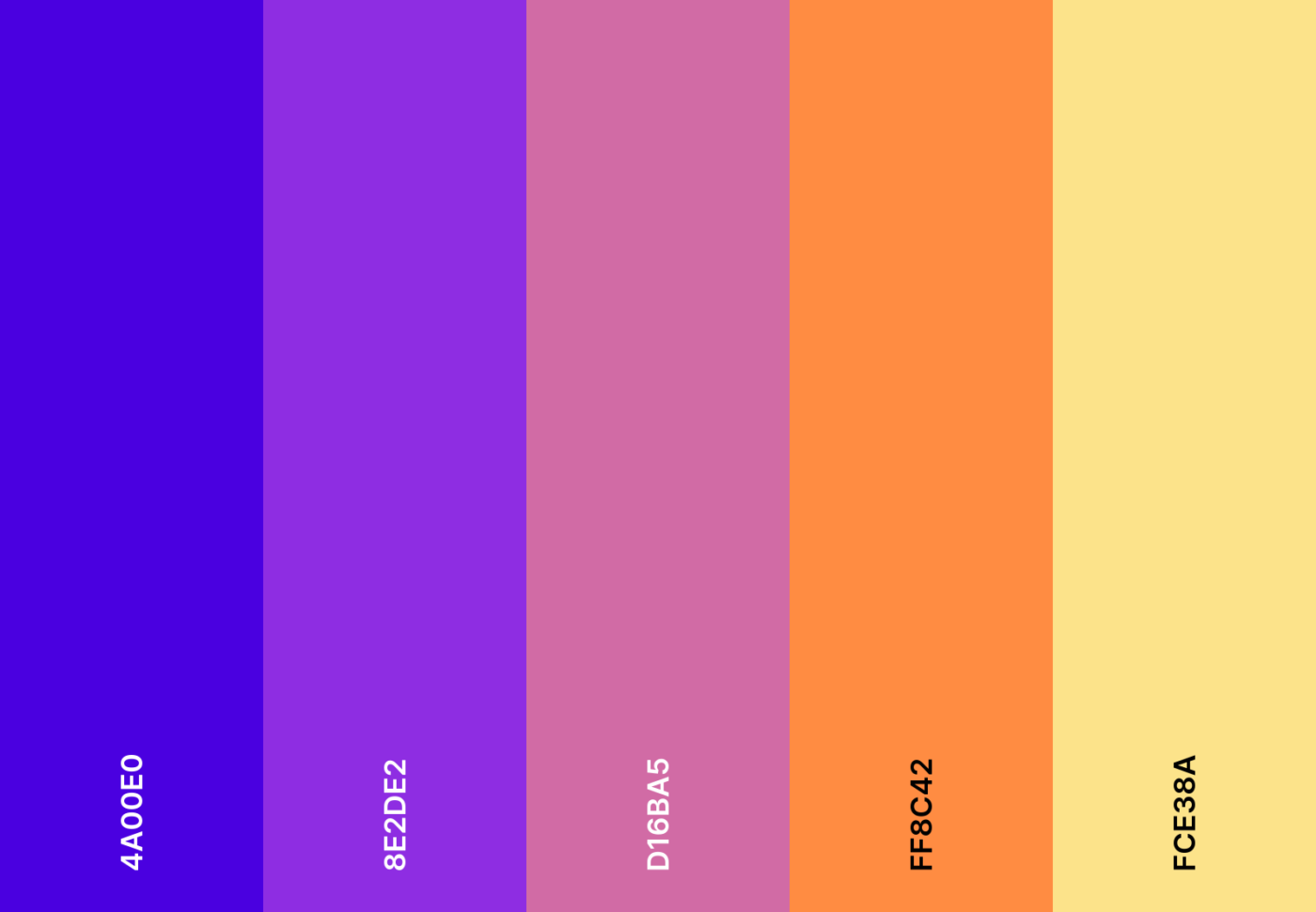
28. Cosmic dreams color scheme

Cosmic dreams color scheme

Stargazing is on your schedule! Celestial pinks, deep blues, and dreamy violets bring cosmic dreams to life.

Cosmic dreams emoji combo

๐Ÿš€ ๐ŸŒ  ๐Ÿ”ญ ๐ŸŒŒ ๐Ÿช

Cosmic dreams hex color codes

  • #4A00E0
  • #8E2DE2
  • #D16BA5
  • #FF8C42
  • #FCE38A

29. Fresh mint color scheme

Google Calendar Color Schemes: Fresh mint color scheme
Fresh mint color scheme

Refreshing, crisp, and cool. Minty greens and soft teals add fresh air to your plans.

Fresh mint emoji combo

๐ŸŒฟ ๐Ÿƒ ๐Ÿ ๐ŸงŠ ๐ŸŒฑ

Fresh mint hex color codes

  • #A7E9AF
  • #3AAFA9
  • #DEFDE0
  • #B8E994
  • #75B79E

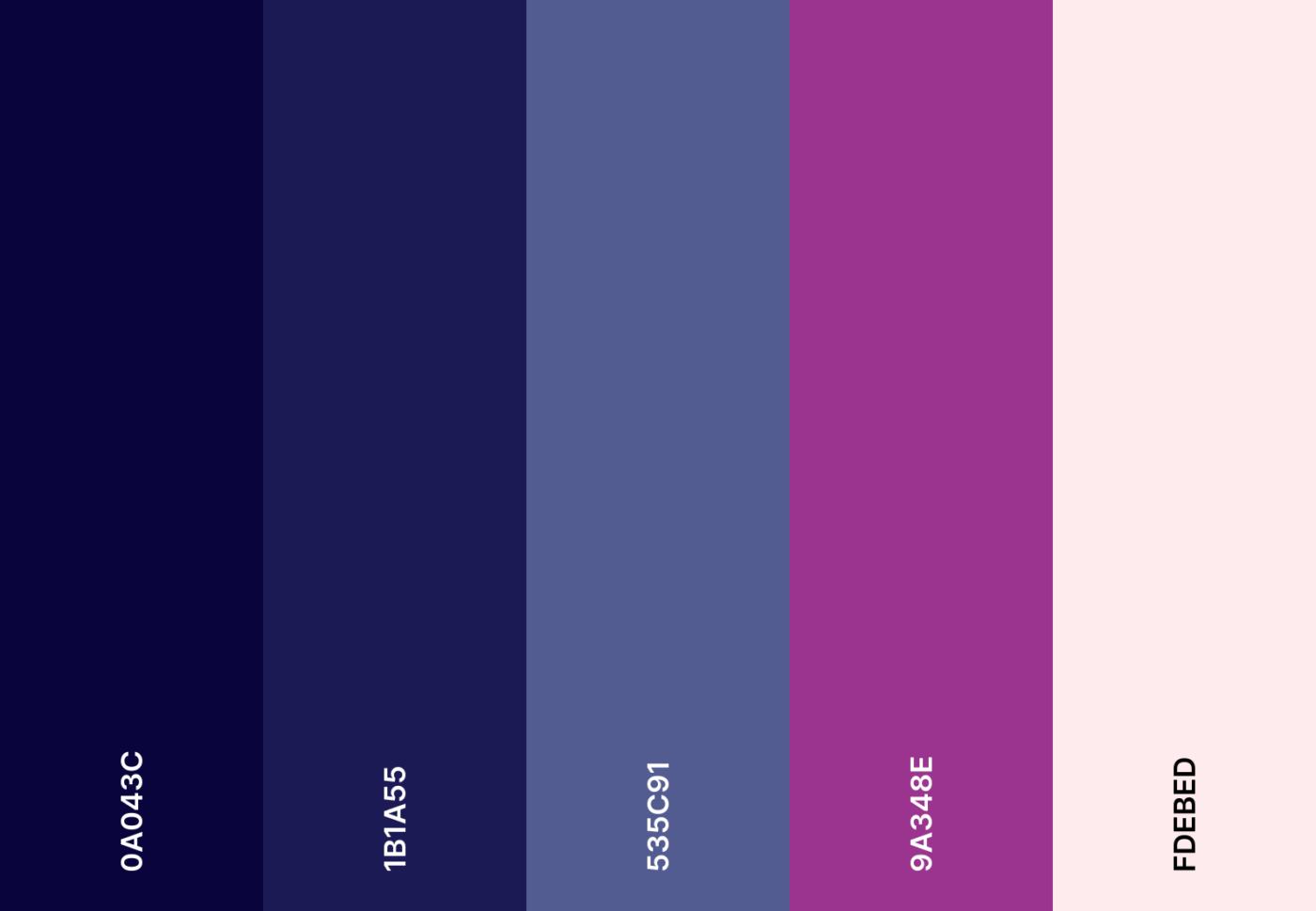
30. Midnight mystery color scheme

Midnight mystery color scheme

Darkness meets intrigue. Deep plums and smoky blacks add mystery, keeping your calendar effortlessly sleek.

Midnight mystery emoji combo

๐ŸŒ™ ๐Ÿ”ฎ ๐Ÿ–ค ๐ŸŽญ โœจ

Midnight mystery hex color codes

  • #0A043C
  • #1B1A55
  • #535C91
  • #9A348E
  • #FDEBED

31. Coastal serenity color scheme

Google Calendar Color Schemes: Coastal serenity color scheme
Coastal serenity color scheme

Let the waves guide your plans. Ocean blues and sandy neutrals make every task feel like a day by the shore.

Coastal serenity emoji combo

๐Ÿ–๏ธ ๐ŸŒŠ ๐Ÿš โ˜€๏ธ ๐Ÿ๏ธ

Coastal serenity hex color codes

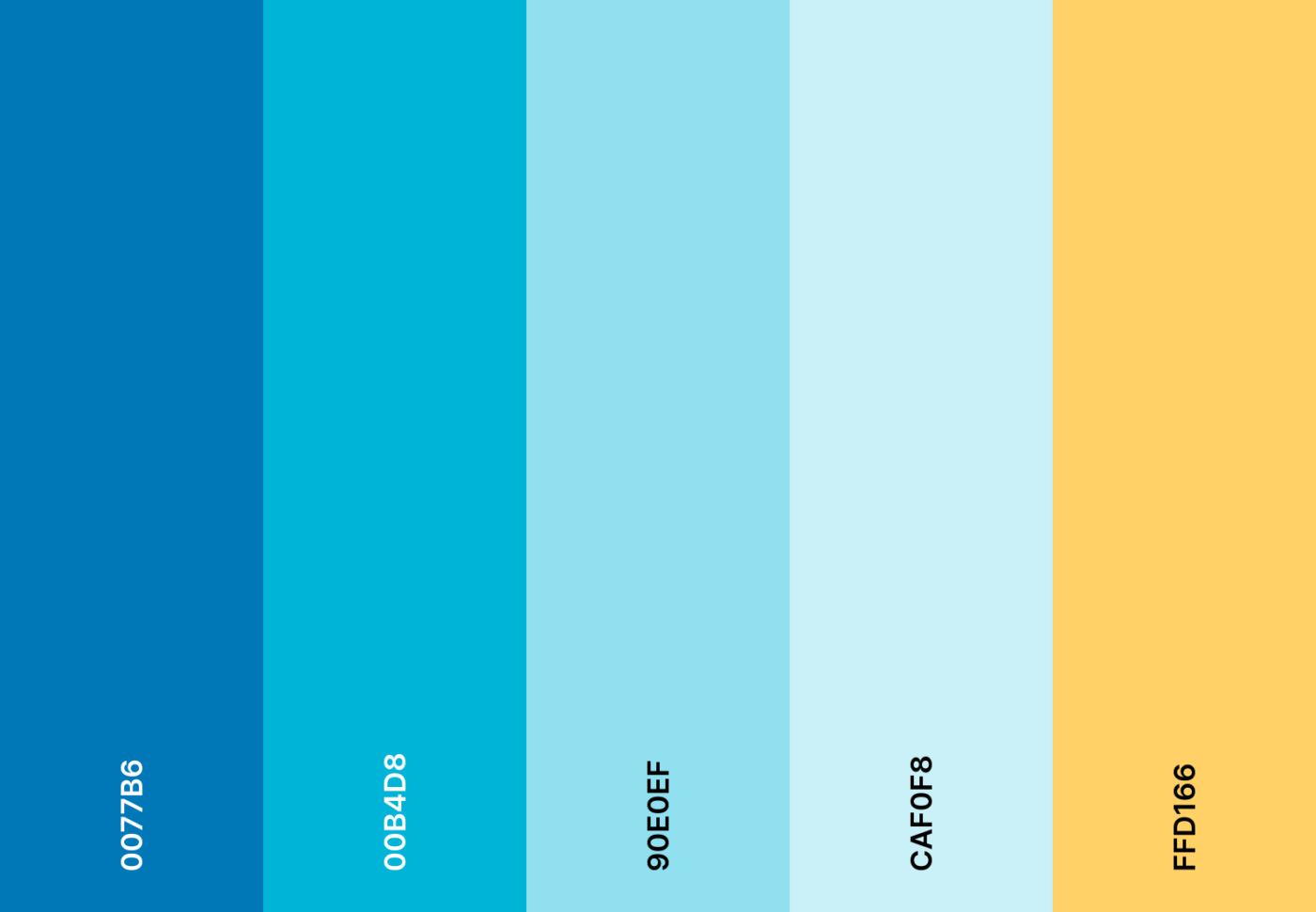
  • #0077B6
  • #00B4D8
  • #90E0EF
  • #CAF0F8
  • #FFD166

32. Candy pop color scheme

Candy pop color scheme

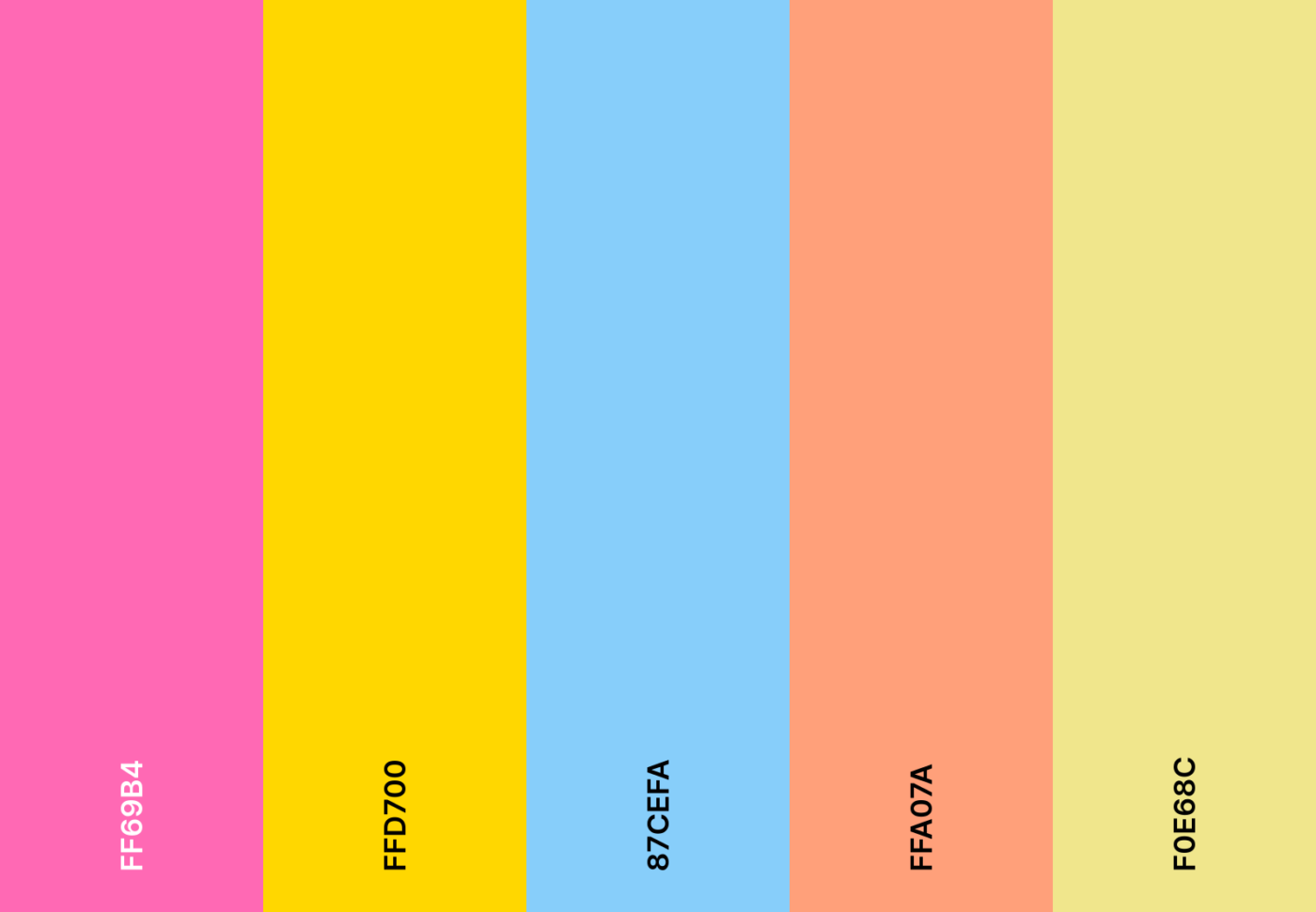
Sweet, fun, and playful! Bright pinks and candy-inspired yellows infuse joy into every deadline.

Candy pop emoji combo

๐Ÿญ ๐Ÿฌ ๐ŸŽ€ ๐ŸŒˆ ๐Ÿ’–

Candy pop hex color codes

  • #FF69B4
  • #FFD700
  • #87CEFA
  • #FFA07A
  • #F0E68C

33. Galaxy night color scheme

Google Calendar Color Schemes: Galaxy night color scheme
Galaxy night color scheme

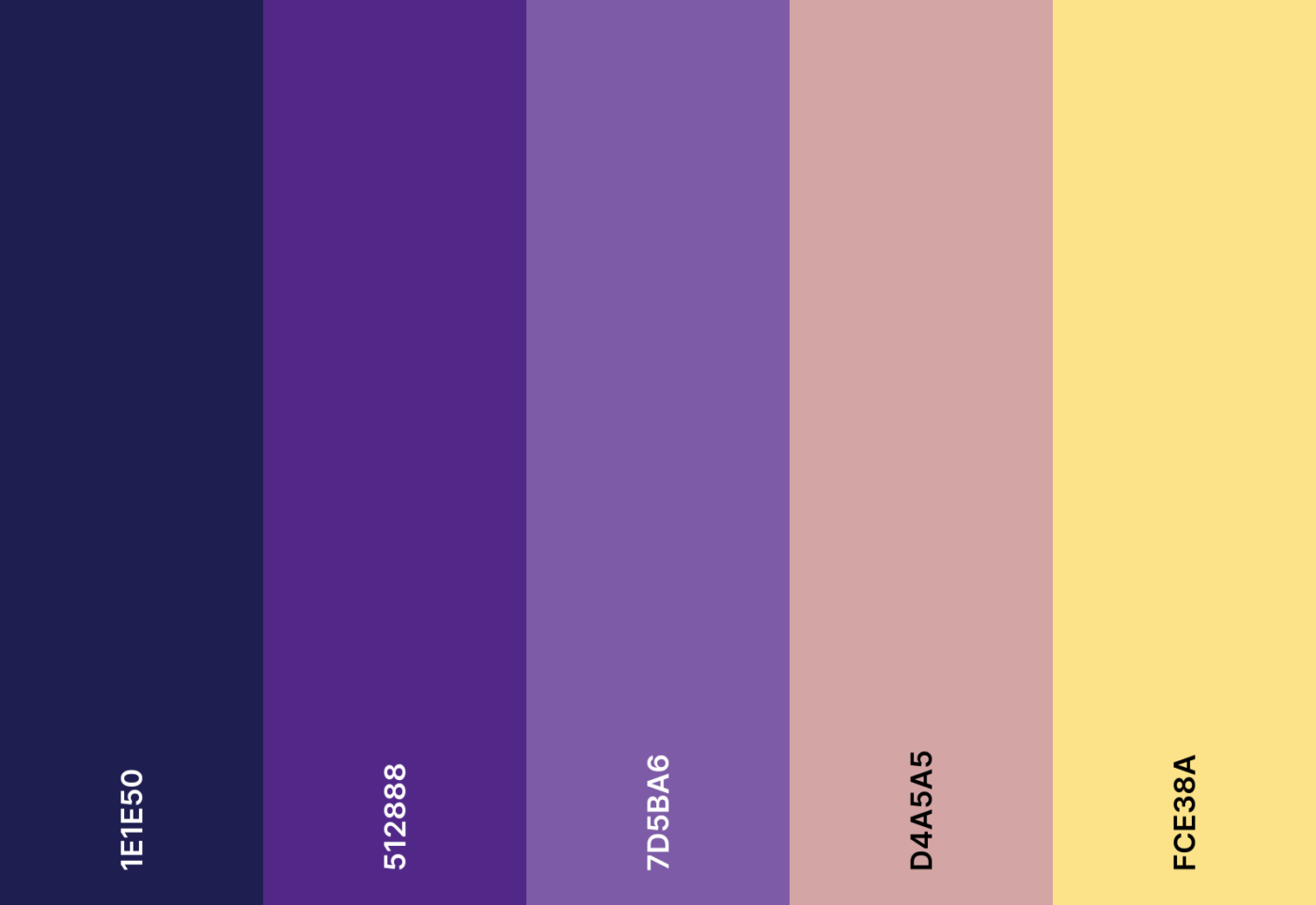
The night sky is forever dazzling. Midnight blues and twinkling purples add a celestial glow to your calendar.

Galaxy night emoji combo

๐ŸŒŒ โœจ ๐ŸŒ  ๐Ÿ”ฎ ๐ŸŒ™

Galaxy night hex color codes

  • #1E1E50
  • #512888
  • #7D5BA6
  • #D4A5A5
  • #FCE38A

34. Neon pop color scheme

Neon pop color scheme

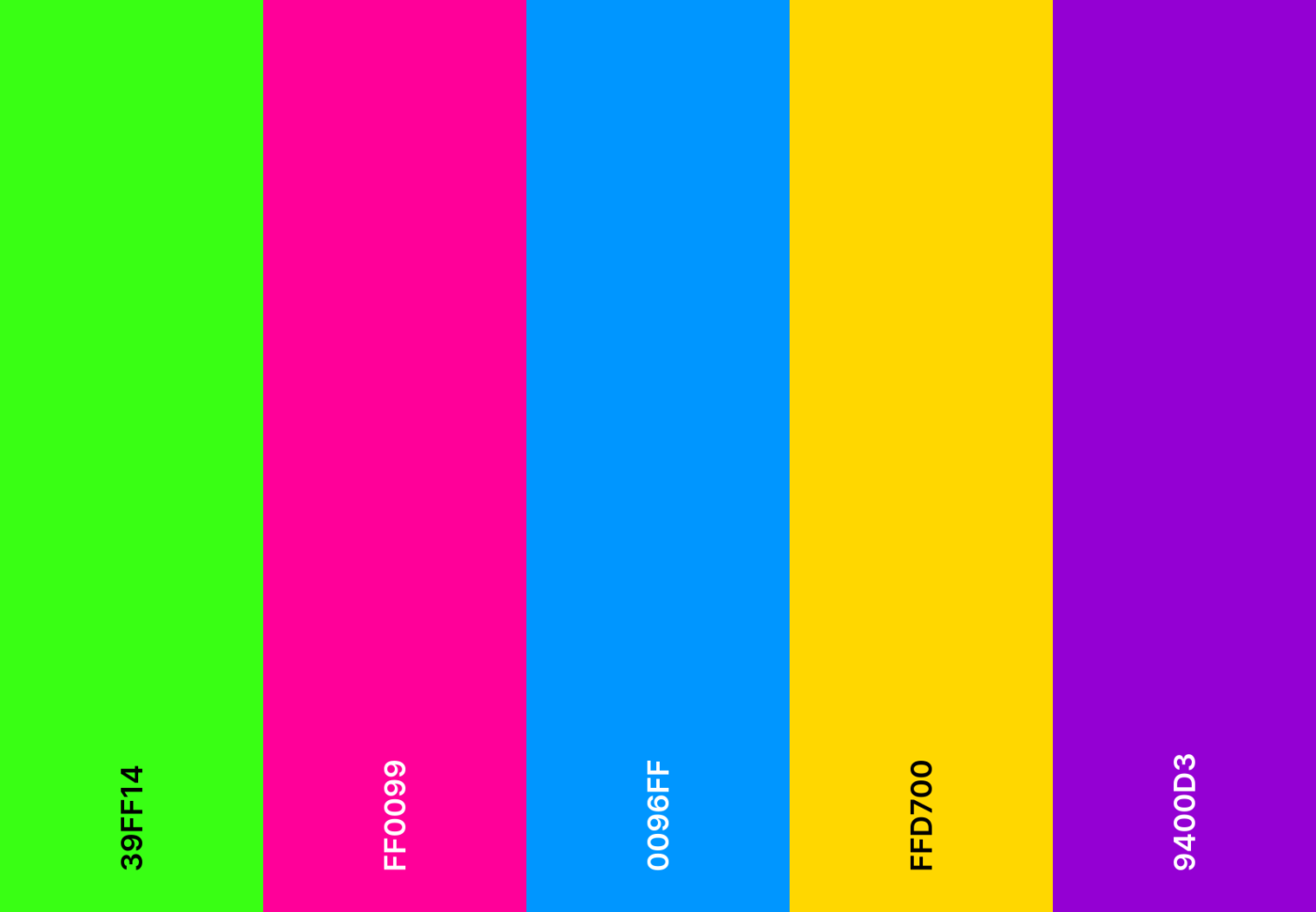
A splash of electric energy! Neon pinks and bold greens ensure your schedule stays dynamic and attention-grabbing.

Neon pop emoji combo

๐Ÿ’š ๐Ÿ’– ๐Ÿ’™ ๐Ÿ’› ๐Ÿ’œ

Neon pop hex color codes

  • #39FF14
  • #FF0099
  • #0096FF
  • #FFD700
  • #9400D3

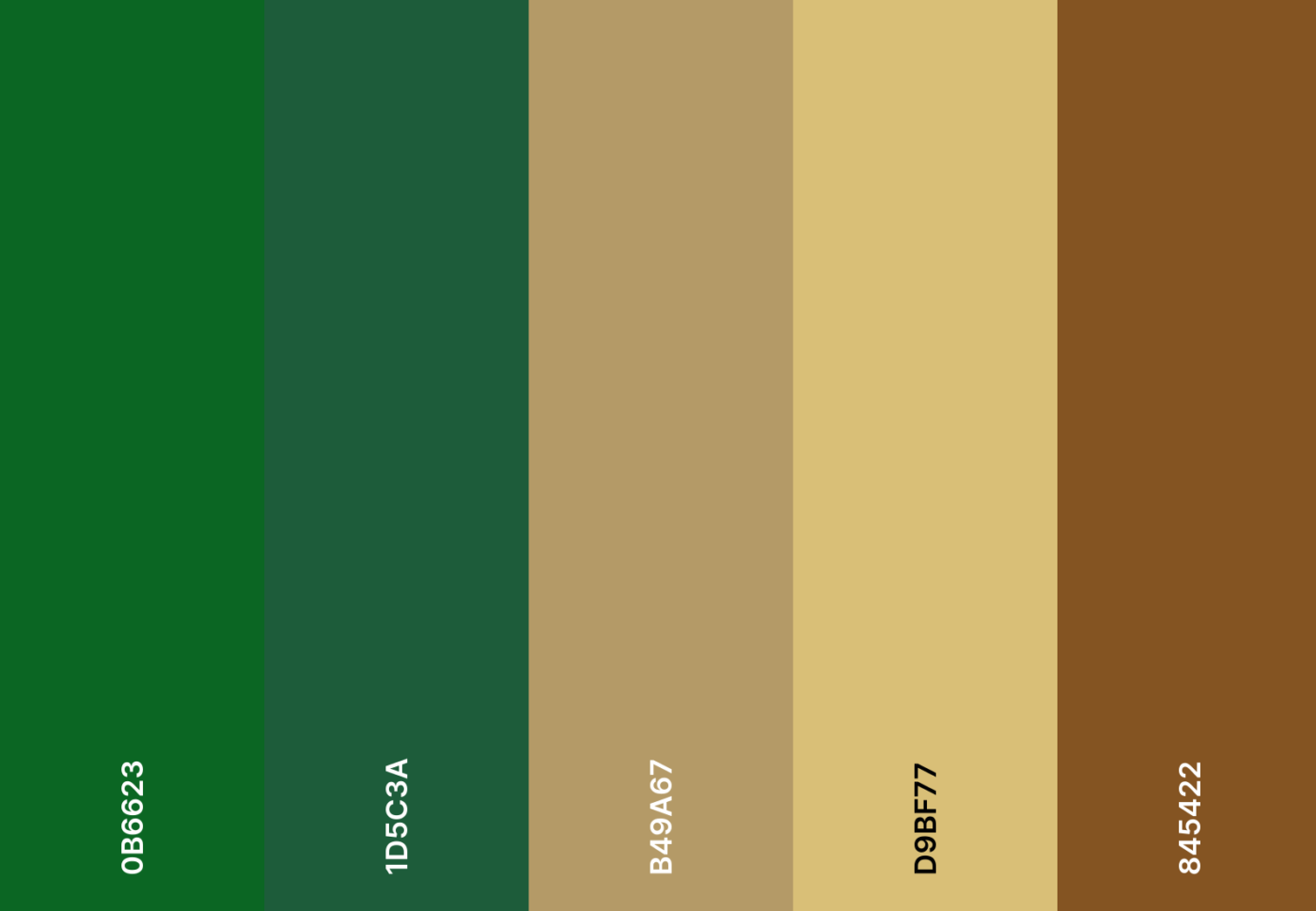
35. Forest retreat color scheme

Google Calendar Color Schemes: Forest retreat color scheme
Forest retreat color scheme

Natureโ€™s escape is now in your planner. Deep greens and rich browns bring the essence of a peaceful forest retreat.

Forest retreat emoji combo

๐ŸŒฒ ๐Ÿƒ ๐ŸฆŒ ๐Ÿ‚ ๐Ÿ•๏ธ ๐ŸŒณ

Forest retreat hex color codes

  • #0B6623
  • #1D5C3A
  • #B49A67
  • #D9BF77
  • #845422

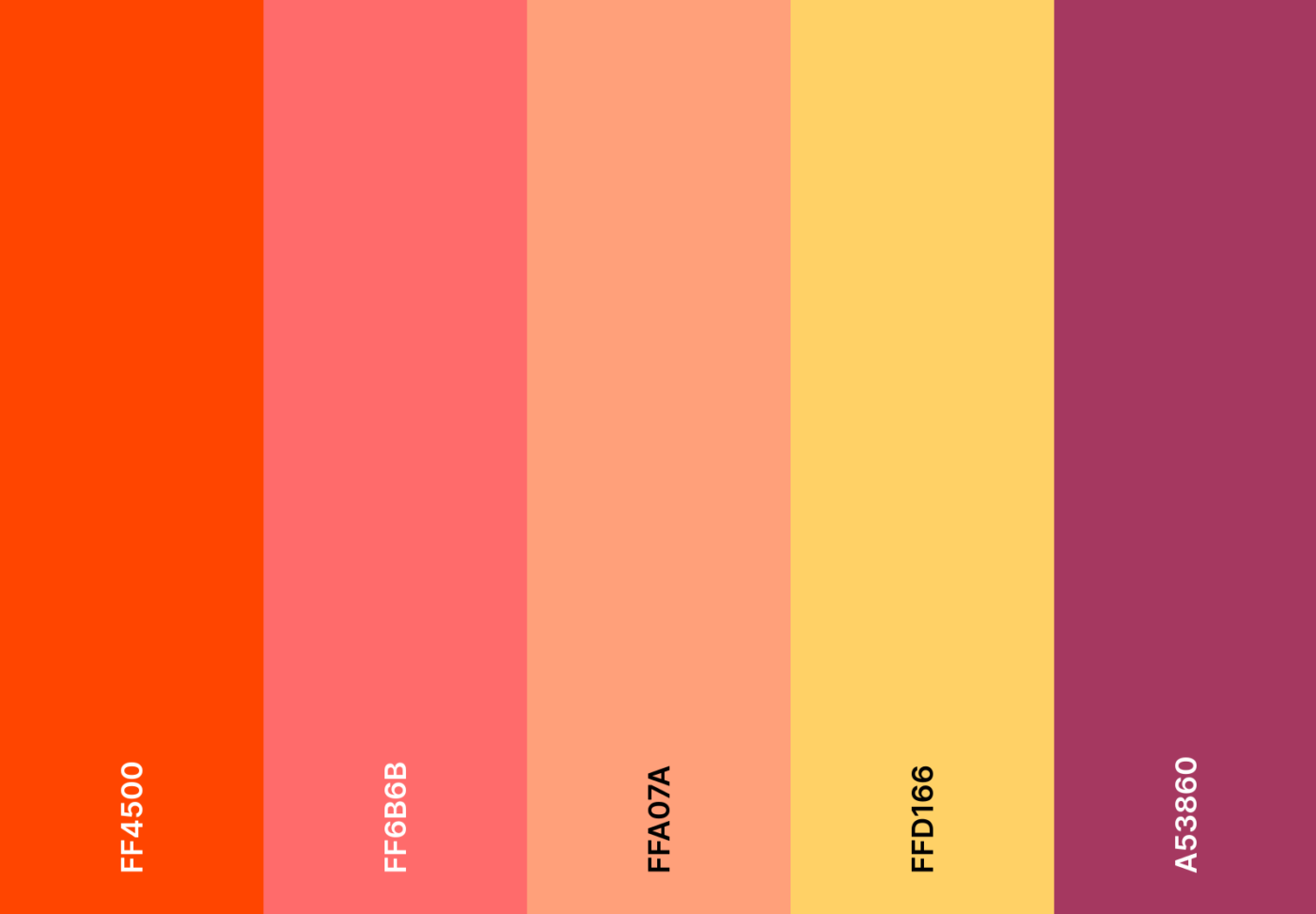
36. Sunset glow color scheme

Sunset glow color scheme

Golden hues meet soft pink skies. Sunset-inspired oranges and deep reds bring warmth to your calendar.

Sunset glow emoji combo

๐ŸŒ… ๐Ÿ”ฅ ๐Ÿ‚ ๐Ÿงก ๐Ÿœ๏ธ ๐ŸŒ„

Sunset glow hex color codes

  • #FF4500
  • #FF6B6B
  • #FFA07A
  • #FFD166
  • #A53860

๐Ÿง  Fun Fact: Studies show that using specific colors for different tasks boosts memory recall. So, that bright red URGENT meeting? Your brain takes it seriously.ย 

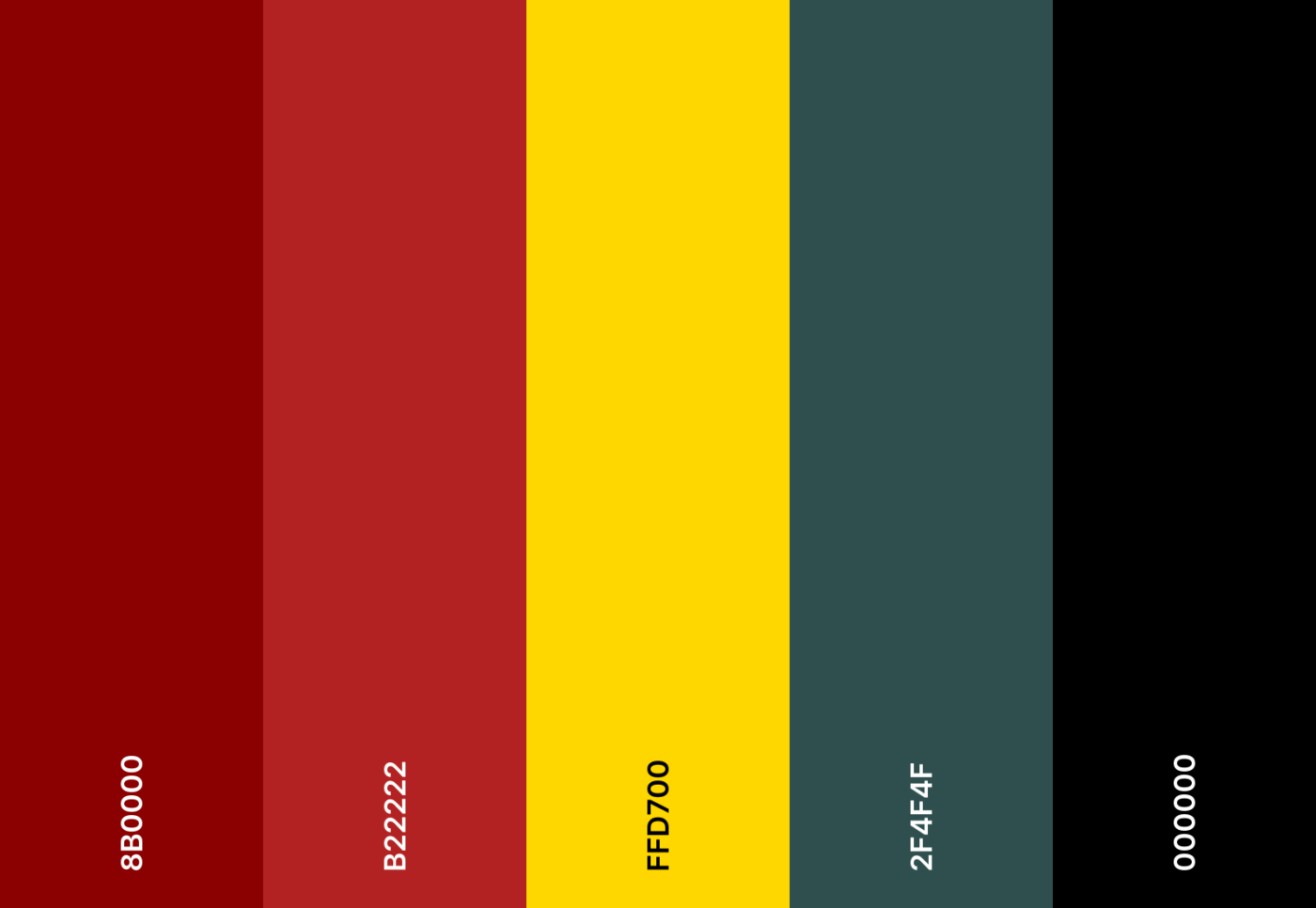
37. Movie night color scheme

Google Calendar Color Schemes: Movie night color scheme
Movie night color scheme

Dim the lightsโ€”itโ€™s showtime! Dark reds and classic blacks create a movie night-inspired planner experience.

Movie night emoji combo

๐ŸŽฌ ๐Ÿฟ ๐ŸŽฅ ๐ŸŽญ ๐Ÿ†

Movie night hex color codes

  • #8B0000
  • #B22222
  • #FFD700
  • #2F4F4F
  • #000000

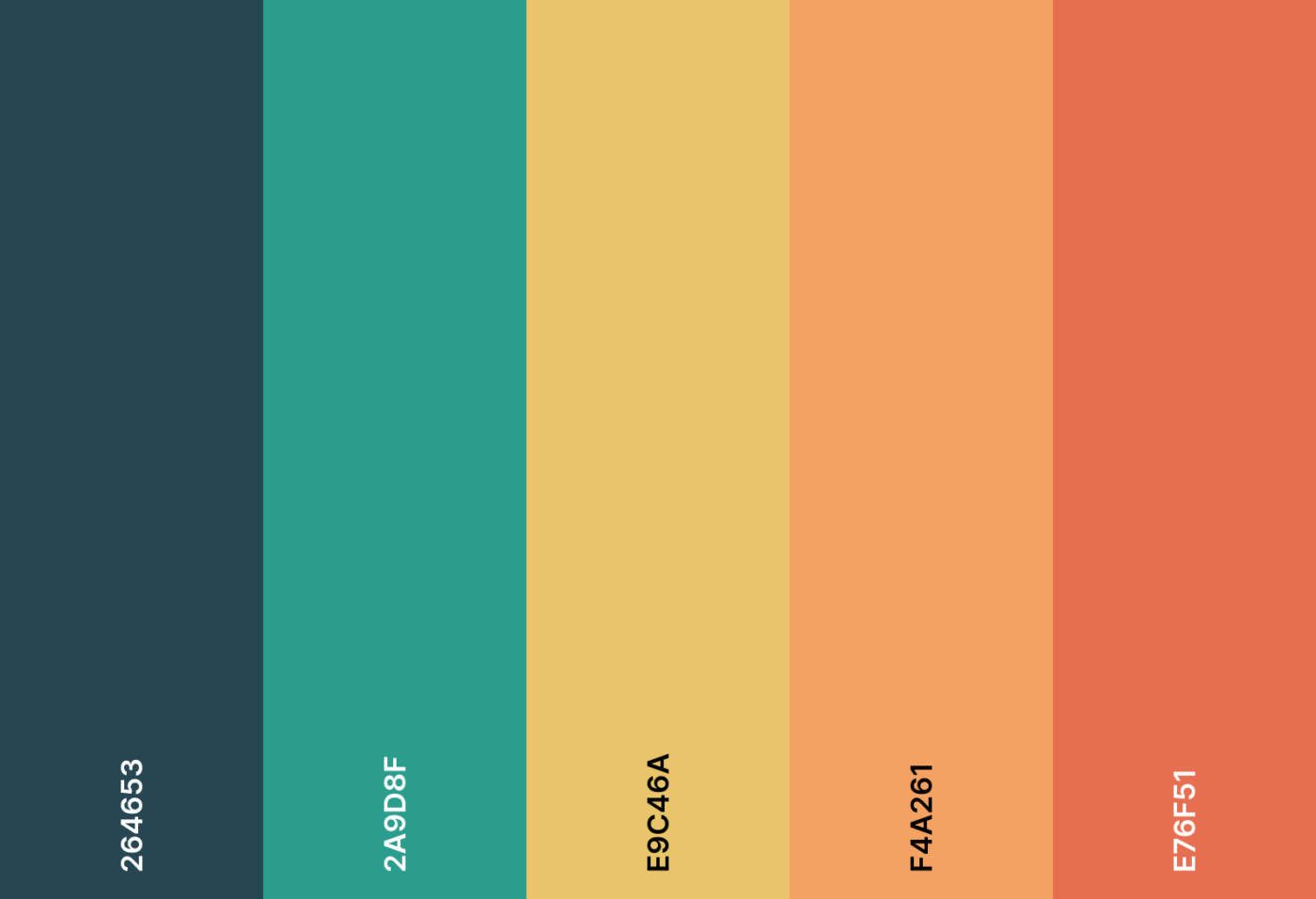
38. Enchanted forest color scheme

Enchanted forest color scheme

Wander into an enchanted woodland. Shades of orange and mossy greens weave a fairytale feel into your daily plans.

Enchanted forest emoji combo

๐ŸŒฒ ๐Ÿง™โ€โ™‚๏ธ ๐Ÿ”ฎ ๐Ÿฆ‰ ๐Ÿ„

Enchanted forest hex color codes

  • #264653
  • #2A9D8F
  • #E9C46A
  • #F4A261
  • #E76F51

39. Wildflower garden color scheme

Google Calendar Color Schemes: Wildflower garden color scheme
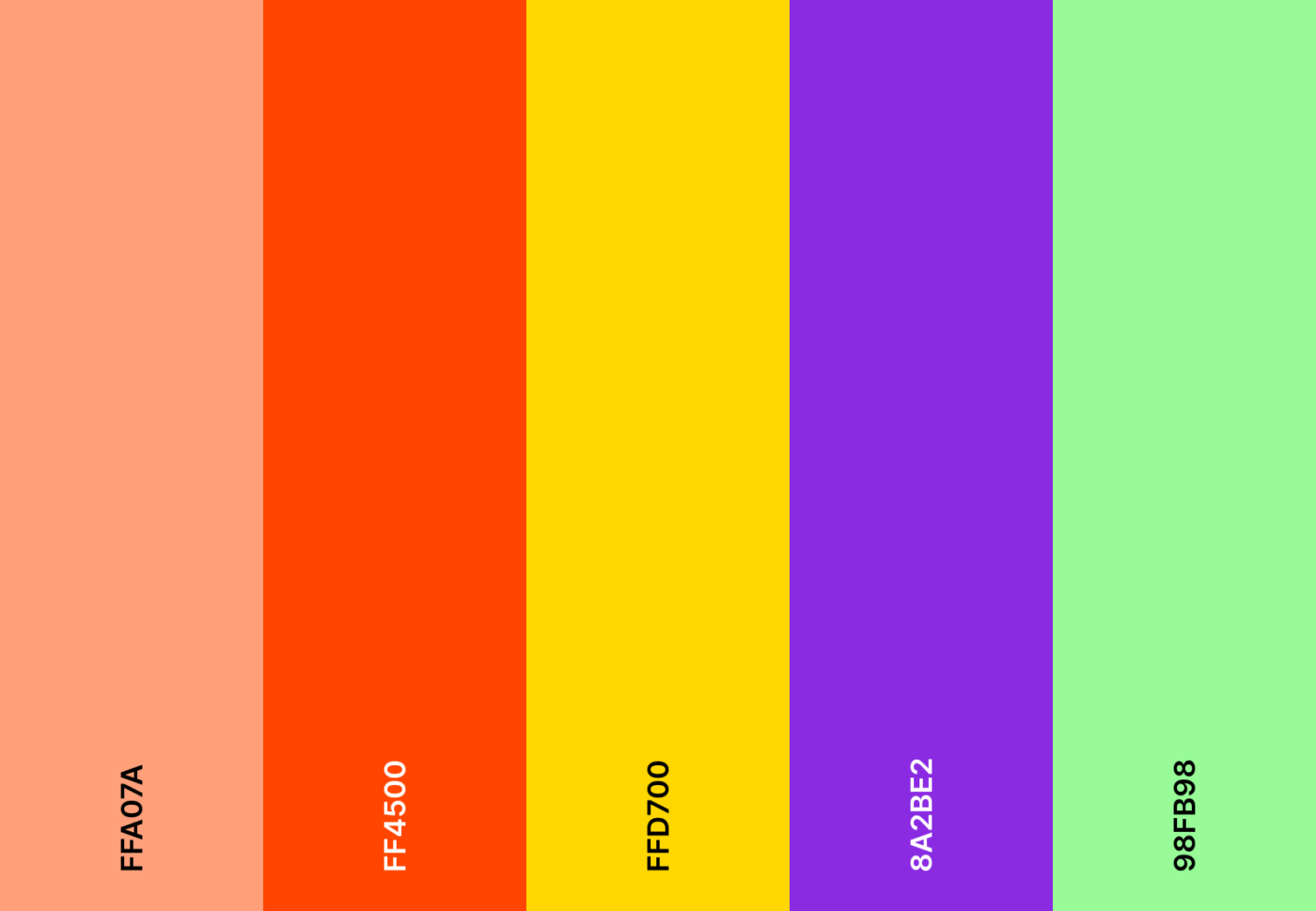
Wildflower garden color scheme

Your schedule is in full bloom. Bright floral hues scatter joy across every event, making tasks feel fresh and vibrant.

Wildflower garden emoji combo

๐ŸŒป ๐ŸŒบ ๐Ÿ ๐Ÿฆ‹ ๐ŸŒธ

Wildflower garden hex color codes

  • #FFA07A
  • #FF4500
  • #FFD700
  • #8A2BE2
  • #98FB98

40. Frosty morning color scheme

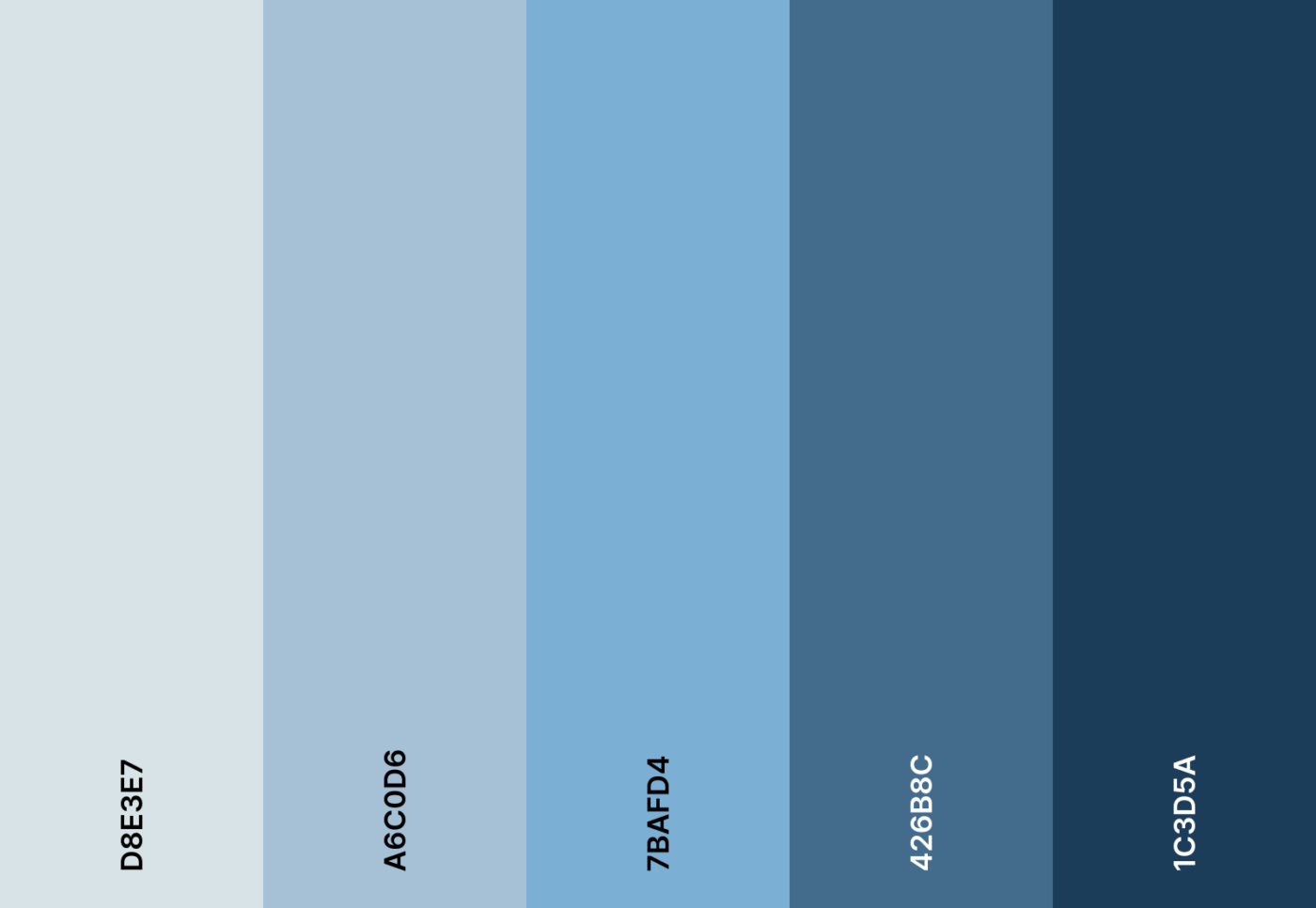
Frosty morning color scheme

A chill in the air, a crisp new day. Frosty blues and soft grays bring the quiet beauty of a different color palette to your calendar.

Frosty morning emoji combo

โ„๏ธ โ˜ƒ๏ธ ๐Ÿงฃ ๐Ÿต ๐ŸŒจ๏ธ

Frosty morning hex color codes

  • #D8E3E7
  • #A6C0D6
  • #7BAFD4
  • #426B8C
  • #1C3D5A
Summarize this article with AI ClickUp Brain not only saves you precious time by instantly summarizing articles, it also leverages AI to connect your tasks, docs, people, and more, streamlining your workflow like never before.
ClickUp Brain
Avatar of person using AI Summarize this article for me please

How to Create and Apply Custom Palettes in Google Calendar

Creating and applying custom color palettes in Google Calendar is super simple. This aesthetic Google Calendar tutorial breaks down how to do it on desktop, iPhone, and Android devices.

1. On desktop

  • Open Google Calendar on your browser extension
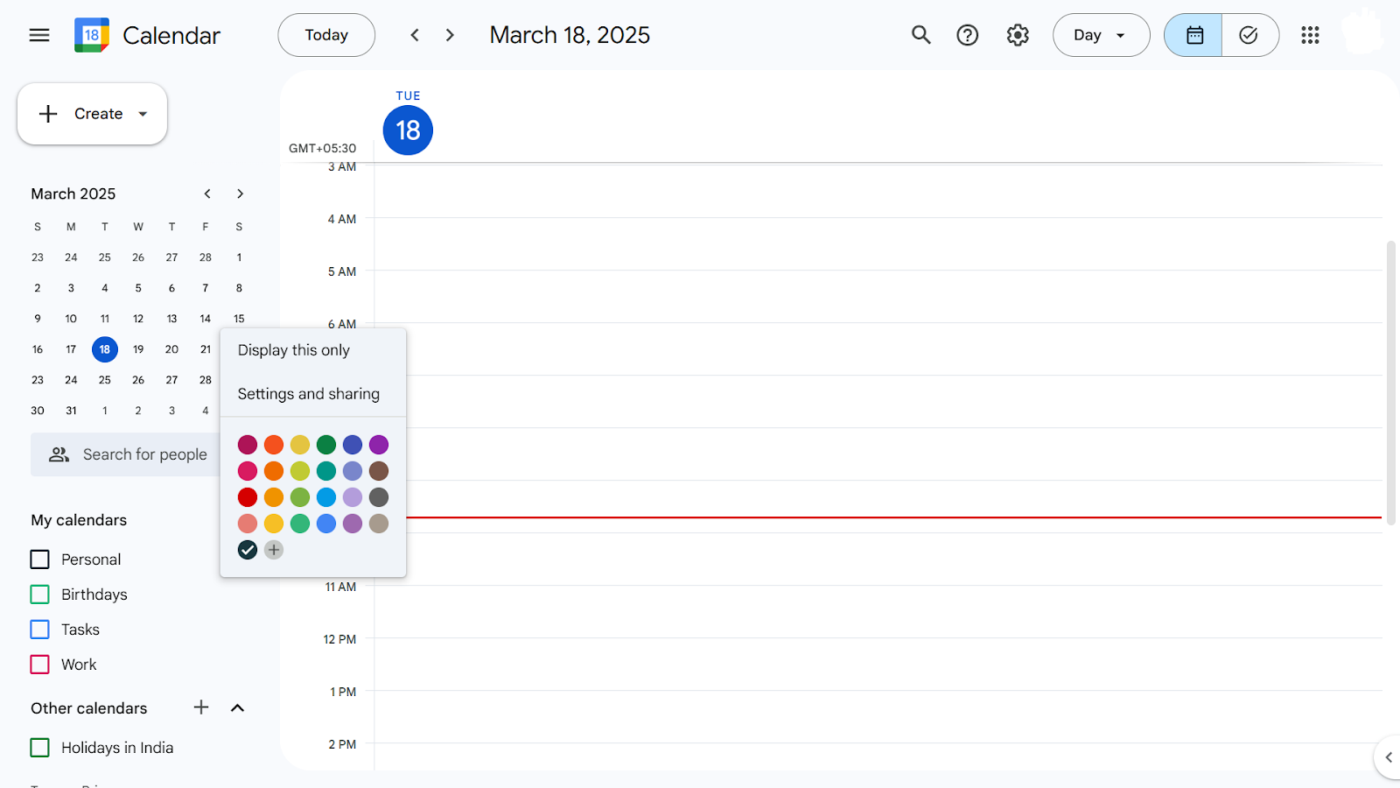
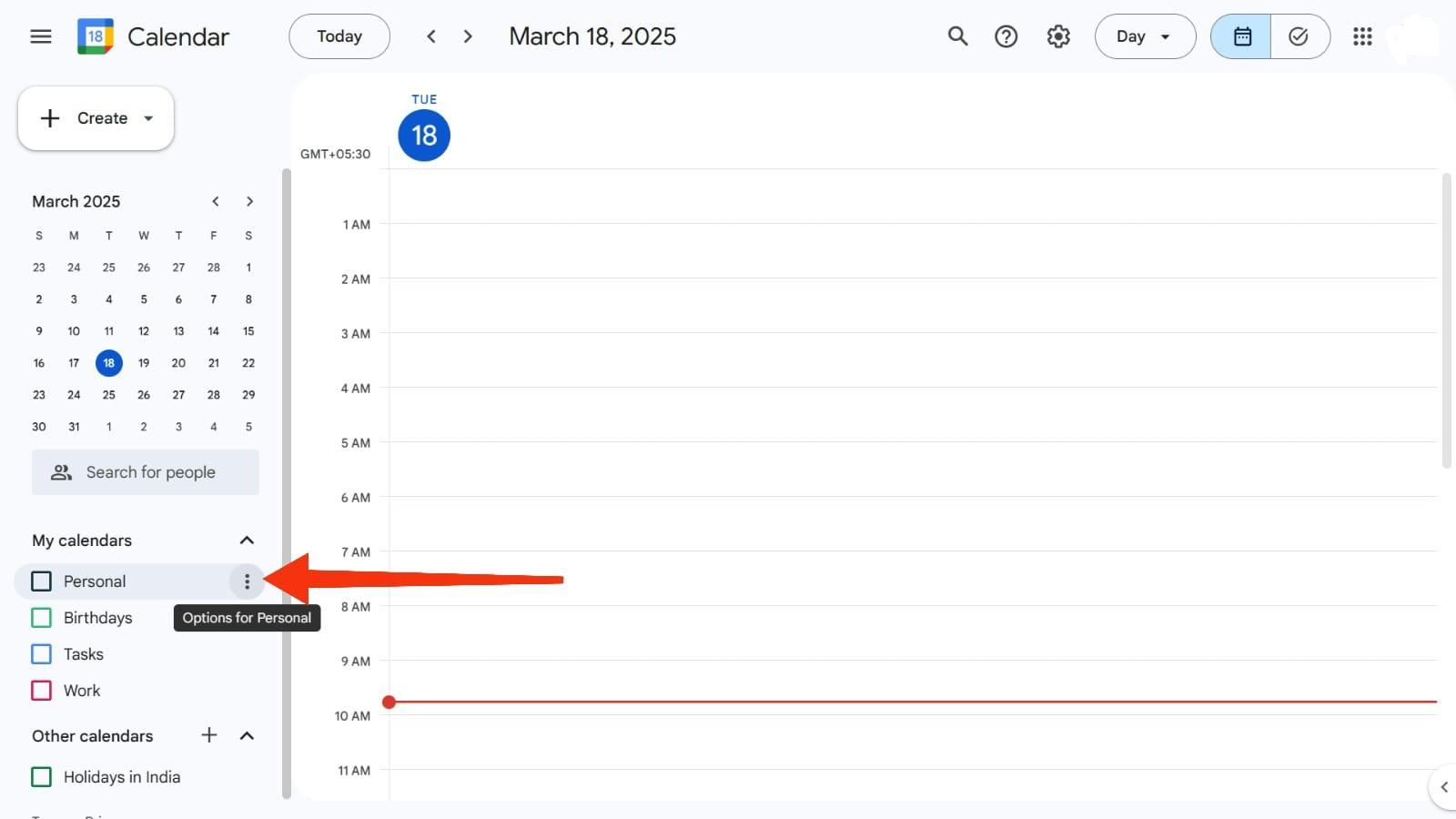
  • Go to My Calendars and select the specific calendar whose theme you want to modify
Google Calendar Color Schemes: Modify Google Calendar
  • Once selected, click on the three dots next to the calendarโ€™s name
Modify Google Calendar
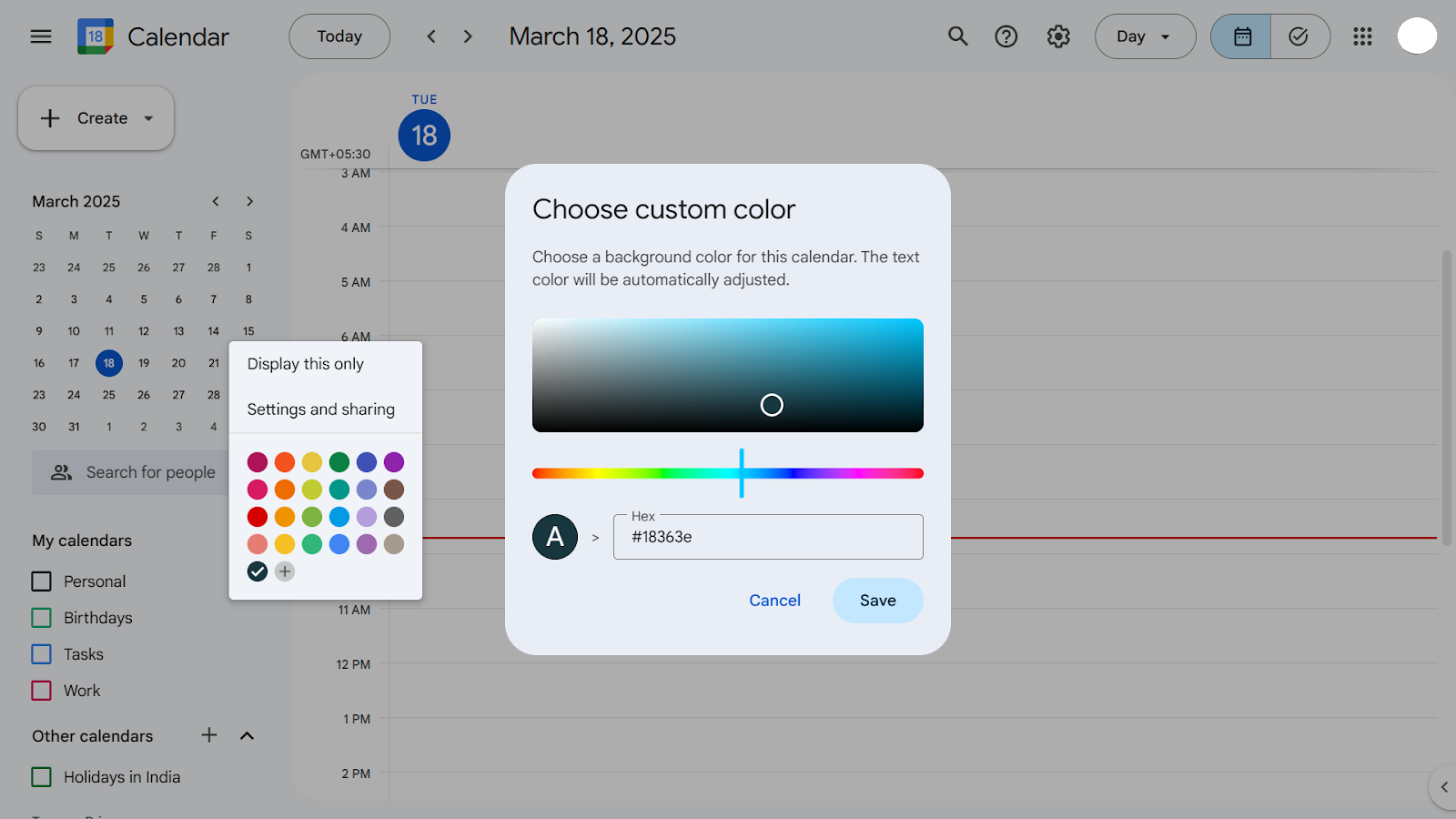
  • A drop-down menu will appear. From there, choose the color you want to use in the calendar
Google Calendar
Google Calendar
  • Tap on the + icon to explore more colors or enter a hex code 

โžก๏ธ Read More: How to Color Code Google Calendar
2. On iPhone

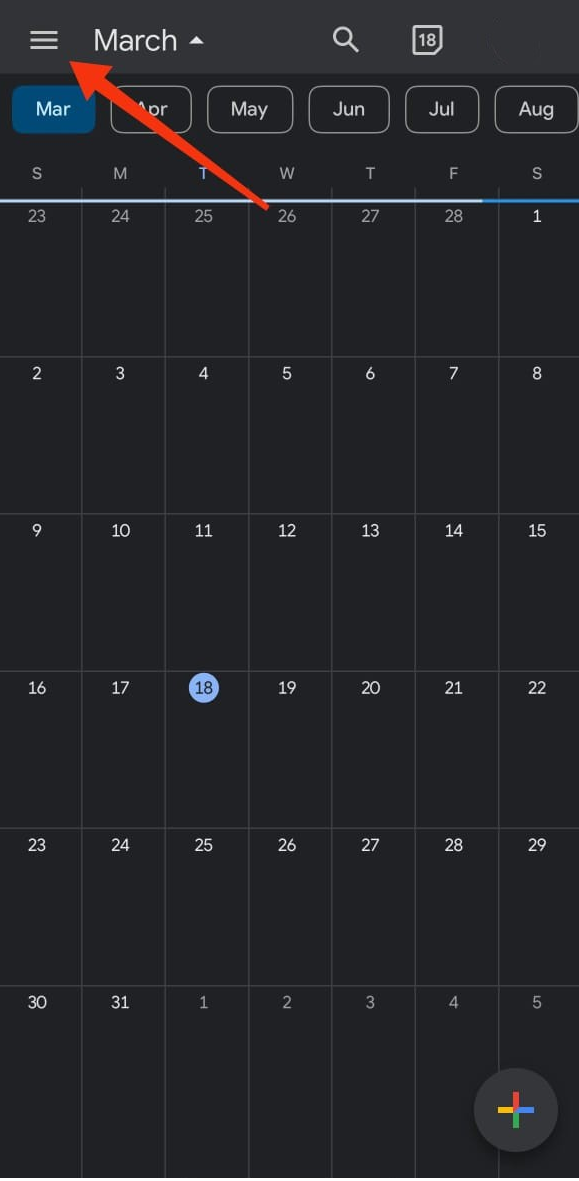
  • Open the Google Calendar app on your iPhone
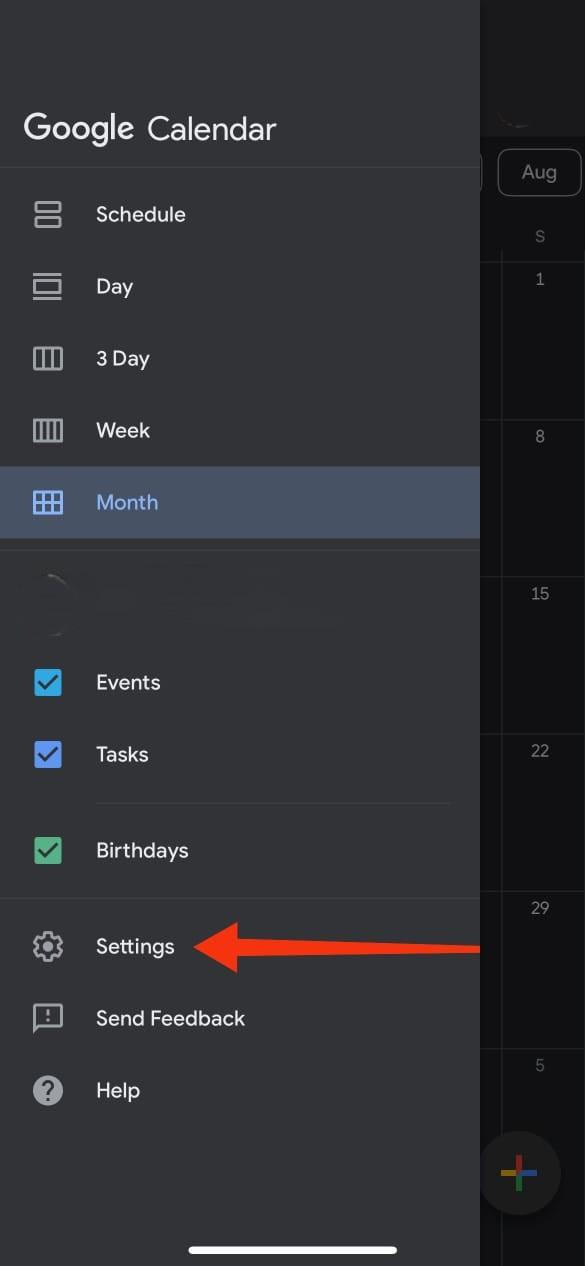
  • Click on the three horizontal lines on the top left of the screen
Google Calendar Color Schemes: Google Calendar app on iPhone
The Google Calendar app on iPhone
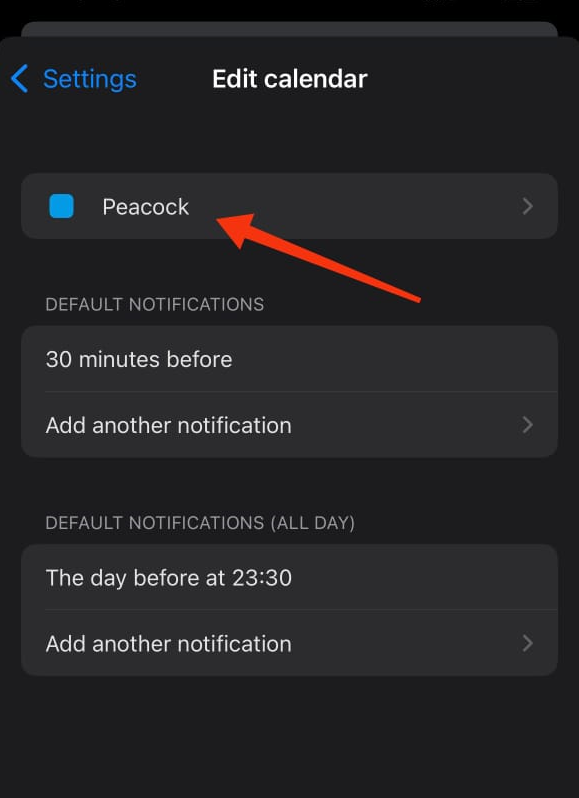
  • Click on Settings, and select the calendar name you want to assign colors to
Google Calendar Setting on iPhone
Google Calendar Settings on iPhone
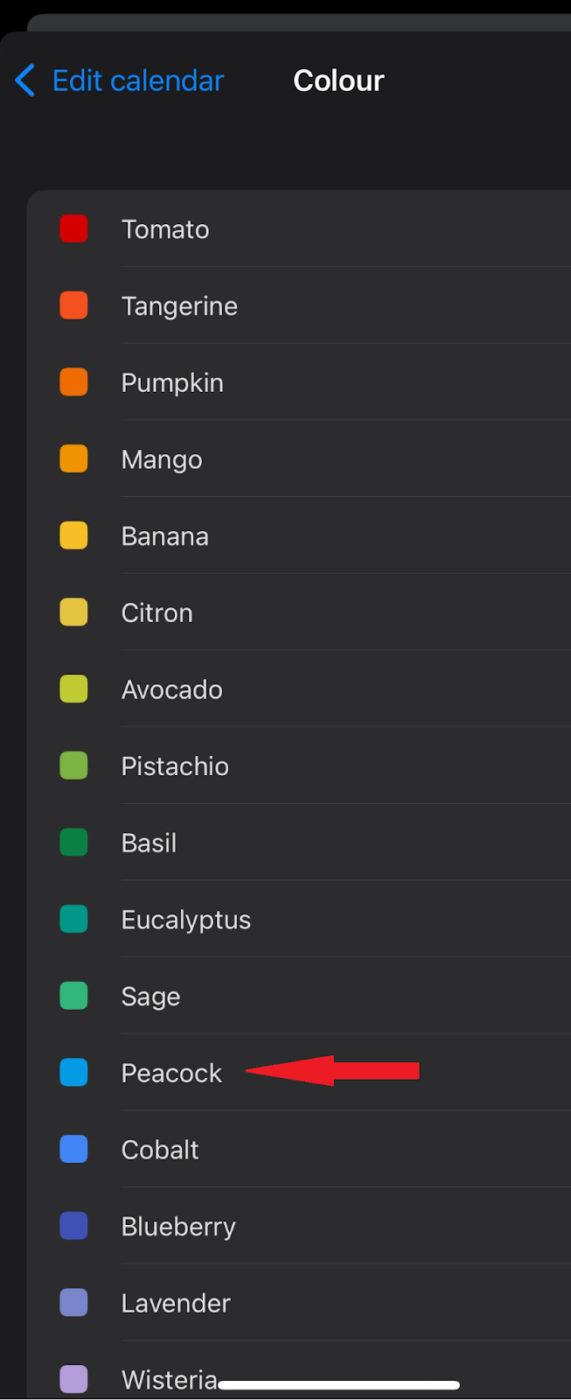
  • Tap on the color name at the top
Google Calendar Color Schemes: Google Calendar Settings
Colour settings in Google Calendar’s settings
  • Pick the shade you like
Google Calendar Settings

โžก๏ธ Read More: How to Merge Two or More Google Calendars
3. On Android

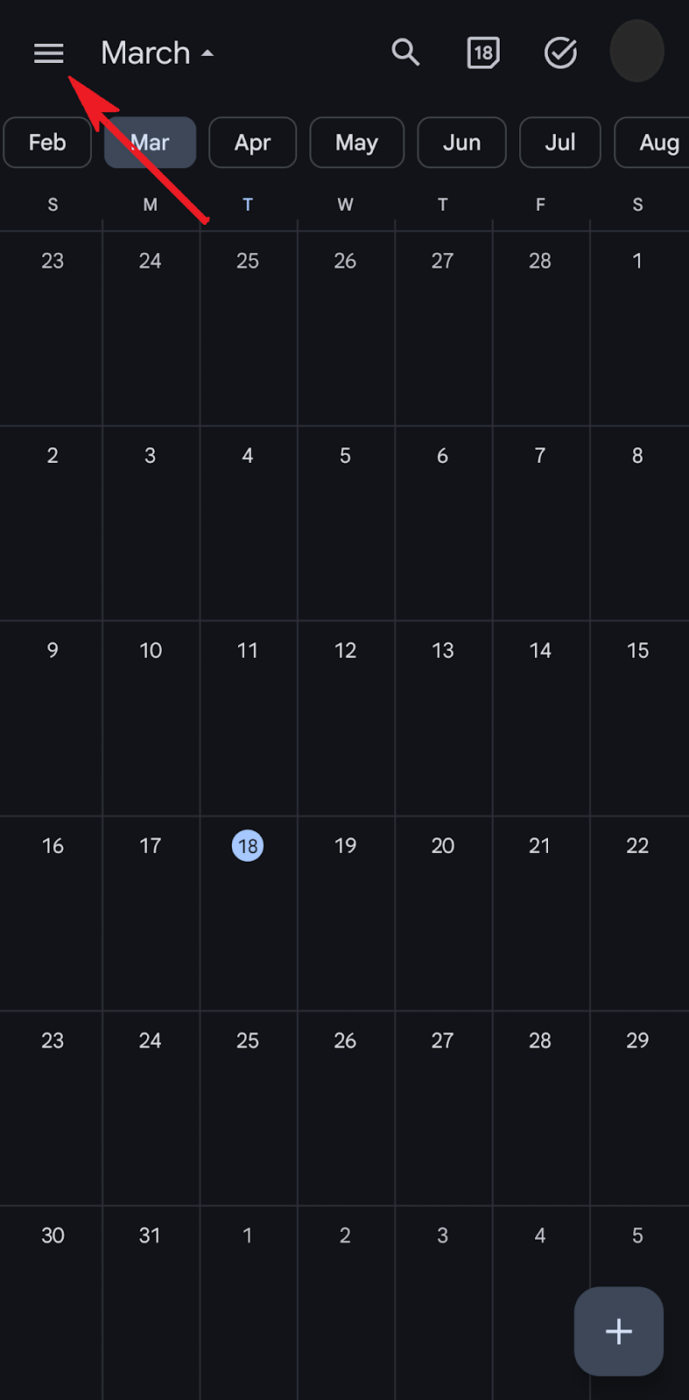
  • Open Google Calendar on your Android phone
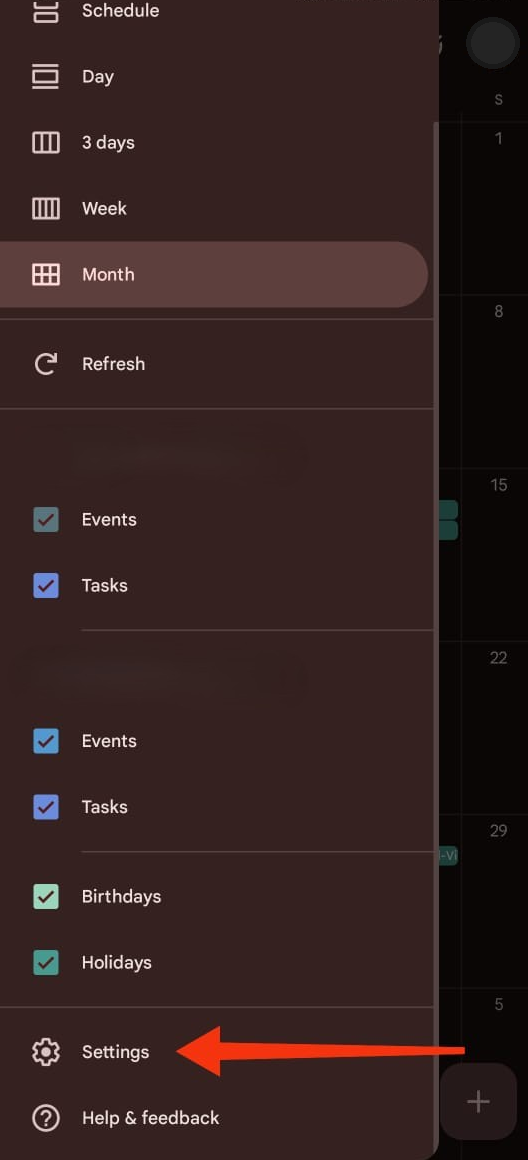
  • Tap on the three horizontal lines in the top left corner of the screen
Google Calendar Color Schemes: Google Calendar on Android phone
Google Calendar on an Android phone
  • Click on Settings, and select the calendar you want to color-code events of
Google Calendar Android Settings
Android Settings for Google Calendar
  • Tap Color and pick your preferred color label from the available options
Google Calendar Color Schemes: Google Calendar Android Color Settings
Color Settings: Google Calendar on Android

๐Ÿ’ก Pro Tip: Turn on Speedy Meetings in Settings to automatically shorten 60-minute meetings to 50 minutes and 30-minute meetings to 25 minutesโ€”giving you breathing room. ๐Ÿ˜Œ

Summarize this article with AI ClickUp Brain not only saves you precious time by instantly summarizing articles, it also leverages AI to connect your tasks, docs, people, and more, streamlining your workflow like never before.
ClickUp Brain
Avatar of person using AI Summarize this article for me please

Limitations of Using Google Calendar and Color Schemes

Although Google Calendar lets you customize calendar colors, it has a few quirks. It’s good to keep these little limitations in mind to avoid any frustration down the line!

  • Limited default color options: Google Calendarโ€™s default color palette only offers 24 preset colors. So, unless you know how to use hex codes or create custom shades, this can be an obstacle when customizing multiple calendars
  • Color visibility issues: Some colors may be hard to distinguish, especially on smaller screens or for individuals with color blindness, making it less effective for clear organization
  • No custom color creation: Unlike other calendar apps, Google Calendar doesnโ€™t allow you to create custom colors. Youโ€™re stuck with the preset options, which may not always suit your preferences
  • Color syncing inconsistencies: Color schemes might not appear the same across different devices or platforms, leading to potential confusion when switching between devices like your phone, laptop, or tablet
  • Limited calendar separation: While you can assign different colors to different calendars, thereโ€™s no way to apply color schemes to specific event types within the same calendar, limiting your ability to further categorize within a single calendar

๐Ÿ“š Also Read: Here’s how you can make a calendar in Microsoft Word

Summarize this article with AI ClickUp Brain not only saves you precious time by instantly summarizing articles, it also leverages AI to connect your tasks, docs, people, and more, streamlining your workflow like never before.
ClickUp Brain
Avatar of person using AI Summarize this article for me please

ClickUp as an Alternative to Google Calendar

Google Calendarโ€™s customization features are ideal for casual users. However, it may not be sufficient if you manage multiple calendars and want to personalize each to your preference. But donโ€™t worryโ€”ClickUp, the everything app for work, has got your back! 

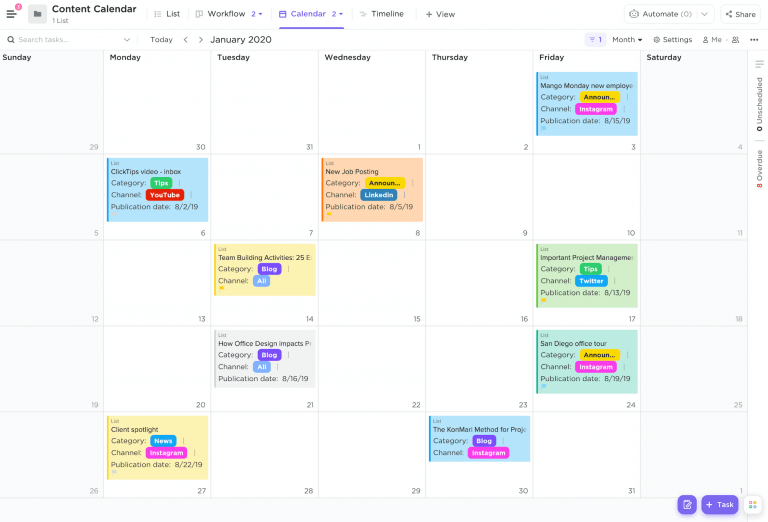
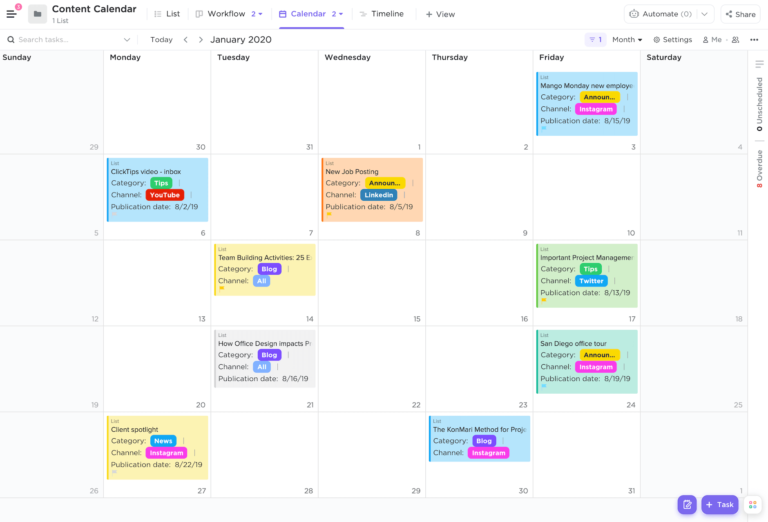
For instance, ClickUpโ€™s Calendar View lets you customize every aspect of your schedule.

Hereโ€™s what this TrustRadius user has to say:

Use of calendars to complete tasks before deadlines is always critical. With ClickUp, this is very easy as your deadlines are visible on your calendars along with the tasks, so planning your day/week bandwidth is super easy and fast.

Kartikeya Thapliyal,ย Product Manager, smallcase

With ClickUp, you can not just change how your calendar looksโ€”you can revamp your entire workspaceโ€™s appearance. From goals, tasks, and mind maps to forms, buttons, and linksโ€”select a theme color and customize each element. 

Thatโ€™s not allโ€”you can also select and change folder colors to enhance organization and boost productivity.

๐Ÿ“ฎ ClickUp Insight: 18% of our survey respondents want to use AI to organize their lives through calendars, tasks, and reminders. Another 15% want AI to handle routine tasks and administrative work.

To do this, an AI needs to understand the priority levels for each task in a workflow, run the necessary steps to create or adjust tasks, and set up automated workflows.

Most tools have one or two of these steps worked out. However, ClickUp has helped users consolidate up to 5+ apps using our platform! Experience AI-powered scheduling, where tasks and meetings can be easily allocated to open slots in your calendar based on priority levels. You can also set up custom automation rules via ClickUp Brain to handle routine tasks. Say goodbye to busy work!

Unlike Google Calendar, ClickUp lets you customize calendar events and tasks by color. All you need to do is select an event color from the custom color options, and youโ€™re good to go. 

With well-defined color categories, you can easily mark specific events, recurring events, and even reminders to stay on top of your schedule. 
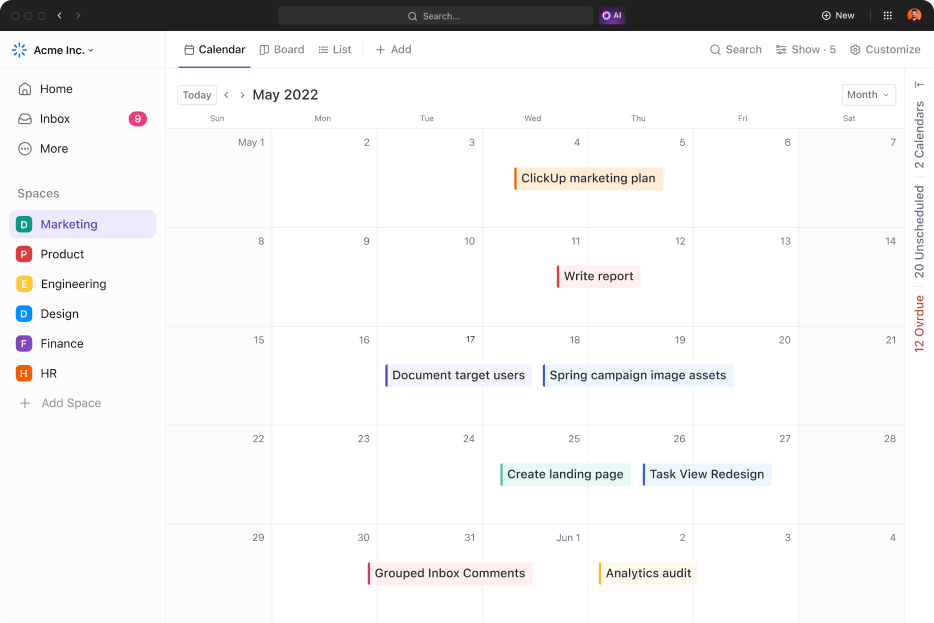
ClickUp's Calendar Event
ClickUp’s Calendar Event

You can also customize your Calendar View in other ways:

  • Show subtasks as separate Calendar events
  • Choose your preferred time and date format
  • Show or hide weekends, week numbers, and hour gridlines
  • Filter tasks, and show or hide specific task fields and dates
  • Add national holidays to the calendar

And thatโ€™s not even all! The AI-powered ClickUp Calendar gives you capabilities beyond your usual calendar app. Hereโ€™s how:

Google Calendar Color Schemes: View and categorize all your tasks with ClickUp Calendar
View and categorize all your tasks with ClickUp Calendar
  • See your priority, overdue, and backlog tasks in one compact view. Changes made in ClickUp sync with the Calendar and vice versa!
  • Receive AI-generated suggestions of tasks to prioritize
  • Schedule tasks using AI and time estimates
  • Search and ask questions about your schedule from anywhere in ClickUp
  • Join and schedule meetings in one click, from anywhere in ClickUp 

โœจ Bonus Tip: Unlike traditional calendar apps, ClickUp lets you switch between List, Board, Gantt, and Calendar views to plan whatever works best for you. Thatโ€™s not allโ€”you can even view them side by side for a complete overview!ย 

Summarize this article with AI ClickUp Brain not only saves you precious time by instantly summarizing articles, it also leverages AI to connect your tasks, docs, people, and more, streamlining your workflow like never before.
ClickUp Brain
Avatar of person using AI Summarize this article for me please

Upgrade From Your Basic Google Calendarโ€”Use Clickup to Manage Your Schedule

Google Calendar is an excellent tool for managing a busy scheduleโ€”it syncs across devices, sends reminders, and keeps everything in one place. Plus, you can customize colors to organize events better.

But it has its downsides. Default color options are limited, shared calendar changes can be tricky, and event visibility settings arenโ€™t always flexible.

Thatโ€™s where ClickUp comes in. It offers advanced scheduling, task integration, and full-color customization to help you plan smarter and collaborate better.

And of course, it allows document management, chat, team collaboration, and project management, all in one intuitive platform. Why use anything else?

Are you looking for a calendar that does more? Try ClickUp todayโ€”sign up today for a free trial!

Everything you need to stay organized and get work done.
clickup product image
Sign up for FREE and start using ClickUp in seconds!
Please enter valid email address