


According to a recent report from Buffer, 50% of remote workers list instant messaging apps as the number one tool for collaborating with team members in 2024. What’s more, group messaging was more than twice as popular as any other communication tool.
With this in mind, it’s no wonder that chat services like Flock are so popular.
These collaboration platforms allow colleagues to catch up in real-time, stay on track, and avoid those long-winded emails that nobody has time for.
But with Flock carrying a heavier price tag (and perhaps a clunkier user experience) than its competitors, you might be looking into alternatives.
That’s where this list comes in. ?
Join us as we walk you through the best Flock alternatives for effective team communication and collaboration. Compare each tool’s top features, limitations, pricing, and more to find the perfect tool for your situation.
This Article Contains:

 Summarize this article for me please
What Should You Look for in a Flock Alternative?
The goal of an instant messaging service is simple: increase team communication without sacrificing productivity. (Translation: Don’t schedule a 30-minute meeting for a question that could have been answered in a two-sentence Slack message.) ?
When evaluating the best Flock alternative, consider the following:
- Integrations: The best collaboration software doesn’t operate as a standalone entity. Instead, it works seamlessly with your email, CRM system, or project management tools
- Editing capabilities: Yes, chat apps are typically less formal than email or meetings, but rich editing solutions can help decrease the risk of miscommunication
- File organization: Your communication platform should allow you to share attachments, including onboarding documents, files, and client deliverables
- Different channels: Team members should be able to create different chat channels based on specific departments and/or projects
- Notifications: Colleagues shouldn’t be expected to exist within a direct messaging app all day. Instead, the service should provide notifications so team members can catch up on messages
- Different communication styles: The best cloud-based chat services provide multiple communication opportunities on one platform. For example, chat apps should allow team members to place voice calls, and audio messages, partake in video streams, or even brainstorm on a whiteboard
Summarize this article for me pleaseThe 10 Best Flock Alternatives to Use
Looking for a team collaboration solution but don’t know where to start? Consider the top alternatives to Flock to boost your team communication stat!
1. ClickUp
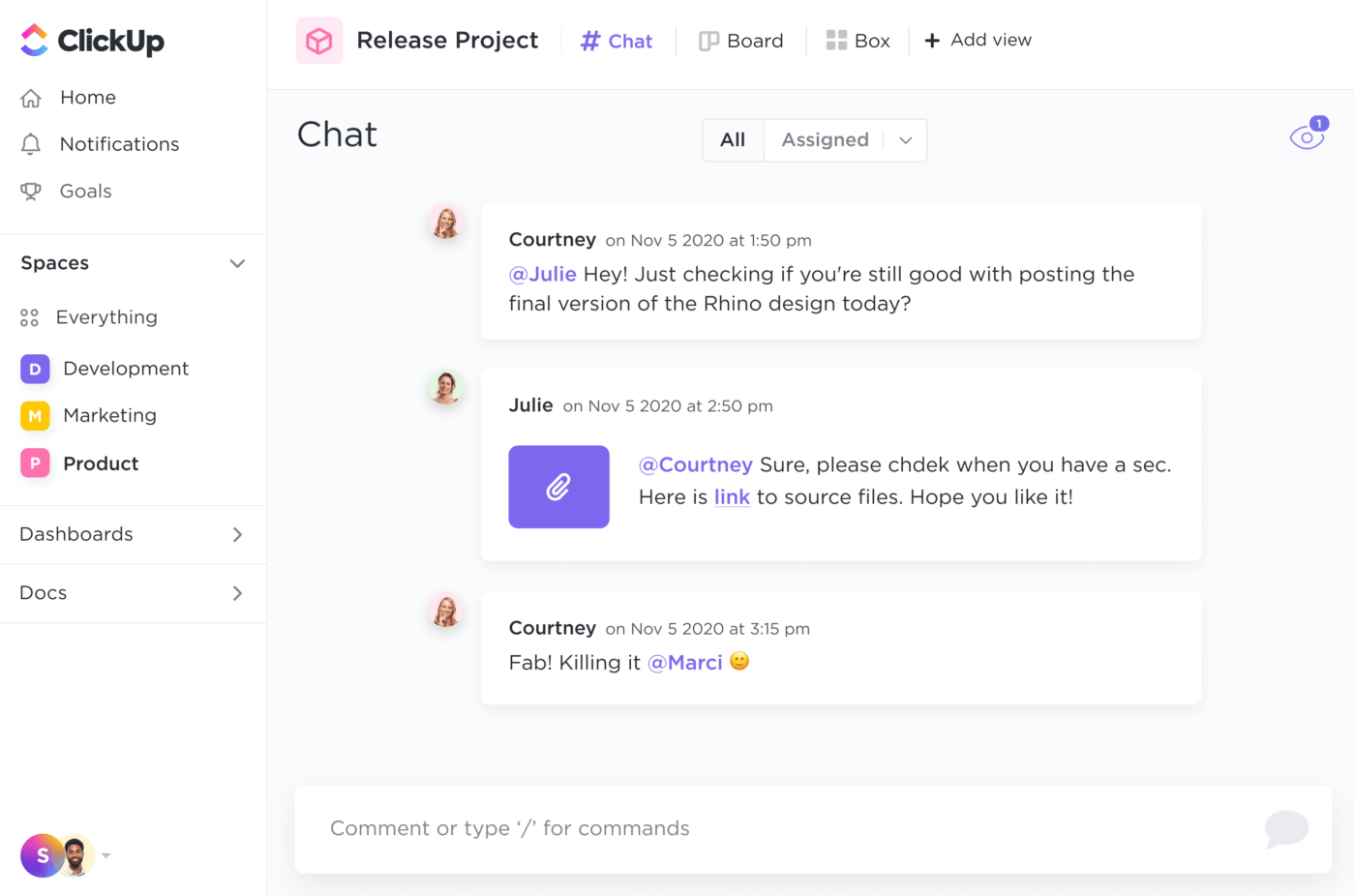
ClickUp is an all-in-one collaboration platform with all your favorite productivity tools in one place. With ClickUp’s Chat view, you can easily access all relevant conversations in a central Workspace location and directly message other colleagues working on the same project. You can also leverage @mentions and assign comments to keep colleagues updated on project developments. ⚒️
Create a Chat view for any team or project inside ClickUp using the ClickUp Instant Message template. Your team can seamlessly brainstorm new ideas—without having to schedule a meeting—using ClickUp Whiteboards. Or you can speed up delivery of client deliverables with ClickUp Docs. ?

No matter which tools you decide to use, ClickUp Collaboration Detection lets team members know when they’ve been assigned new tasks or need to respond to a new comment.
ClickUp best features
- Create a ClickUp Chat view with virtually any project or team
- Assign tasks with @mentions to meet deadlines and keep team members on the same page
- Embed webpages, spreadsheets, videos, documents, and other files in your chat
- Include code blocks, bulleted lists, and other rich formatting options within the chat editor
- Limit who has access to different chats
- Increase team collaboration through ClickUp Docs and Whiteboards
ClickUp limitations
- The vast customizations can be overwhelming to some new users
- Not all views are available in the mobile app—yet
ClickUp pricing
- Free Forever
- Unlimited: $7/month per user
- Business: $12/month per user
- Enterprise: Contact for pricing
- ClickUp Brain: Available on all paid plans for $5/Workspace member/month
ClickUp ratings and reviews
- G2: 4.7/5 (8,900+ reviews)
- Capterra: 4.7/5 (3,800+ reviews)
2. Chanty
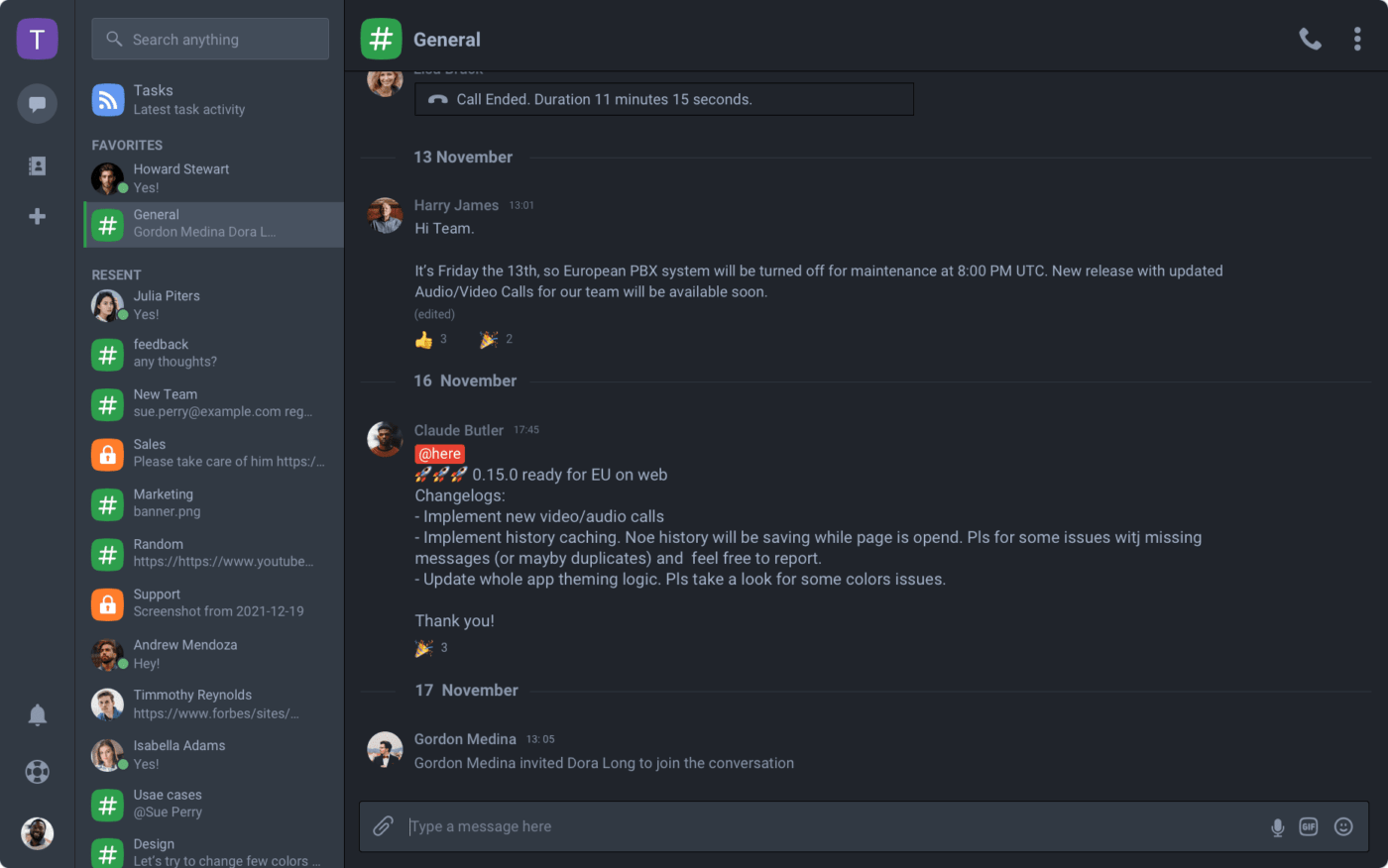
Chanty is a user-friendly team collaboration tool offering unlimited messaging. With the Teambook tool, users can store daily tasks, one-to-one discussions, public conversations, calls, and shared files all in one place.
Team members can alert one another via @mentions, pin innovative ideas, or even share clean lines of code via code snippets. Customize your dashboard to organize workflows or integrate with other platforms to stay on top of project management. ?
Chanty best features
- Leverage Teambook as a single hub for organizing tasks, managing public and private conversations, and pinning important conversations
- Always have instant access to your entire message history
- Share content from YouTube, Coub, GIFs, and other social network channels on one platform
- Partake in smarter team communication by assigning and filtering tasks by status, dates, and people
- Communicate with team members in real-time through audio and video calls
Chanty limitations
- The user base is smaller than other similar platforms so it’s difficult to find reviews on the software
- Offers less advanced customizations compared to competitors
Chanty pricing
- Free forever
- Business: $4/month per user
Chanty ratings and reviews
- G2: 4.5/5 (38 reviews)
- Capterra: 4.7/5 (34 reviews)
3. Microsoft Teams
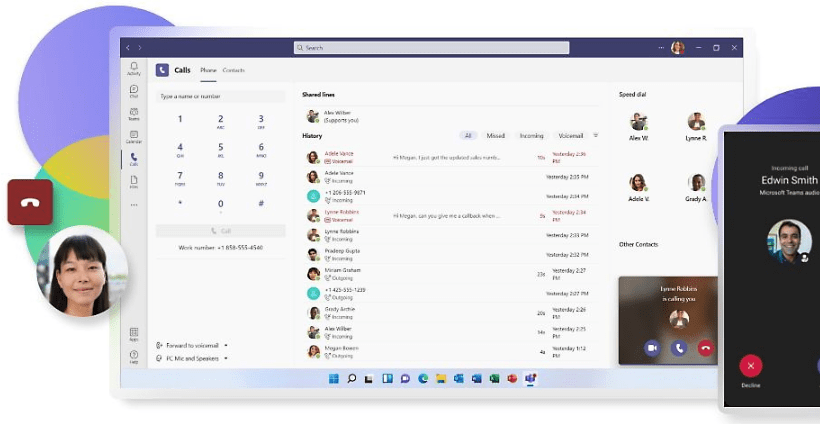
Microsoft Teams is a team communication tool best known for video conferencing. Colleagues, students, administrators, and other teams can meet from anywhere with all sensitive information encrypted in chats or calls. Colleagues can easily message one another or coordinate events through a single app, making Teams a strong Flock alternative.
Microsoft best features
- Improve internal team communication with AI-powered recordings, transcriptions, and meeting recaps
- Share files or co-author content through Microsoft Whiteboard
- Set up private spaces for teams to communicate or access files or notes
- Make presentations more accessible through live captioning
- Create a hybrid work environment by integrating with other platforms like Adobe Creative Cloud, Asana, or Polly
Microsoft Teams limitations
- Emphasizes video conferencing versus instant messaging so fewer features may be available
- Offers a more seamless integration option with Microsoft products versus third-party platforms
Microsoft Teams pricing
- Microsoft Teams Essentials: $4/month per user
- Microsoft 365 Business Basic: $6/month per user
- Microsoft 365 Business Standard: $12.50/month per user
Microsoft Teams ratings and reviews
- G2: 4.3/5 (14,000+ reviews)
- Capterra: 4.5/5 (9,000+ reviews)
4. Ryver
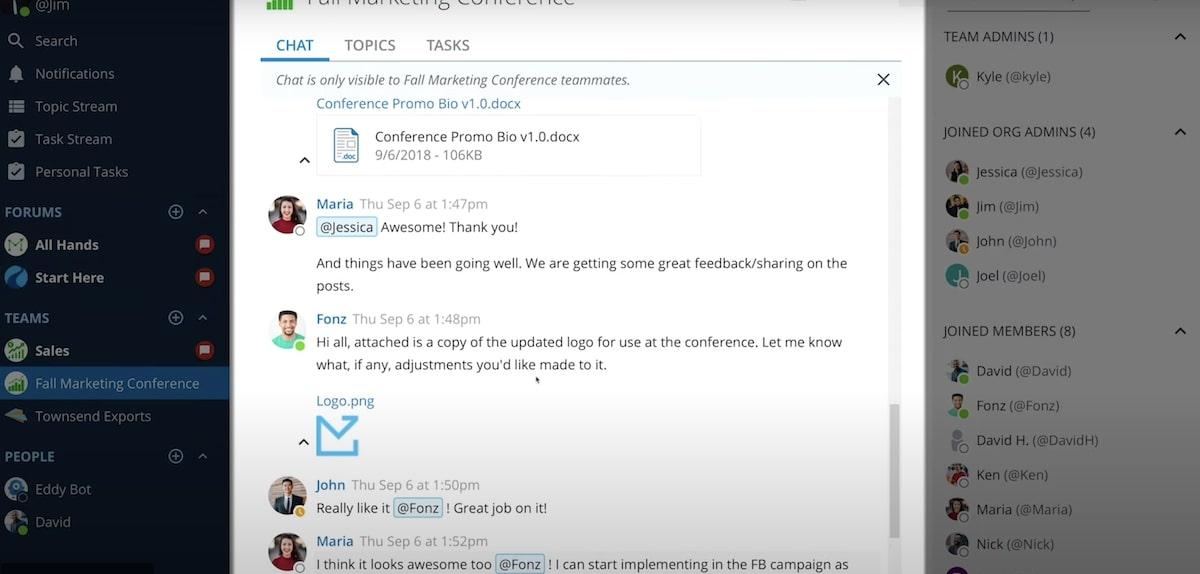
Ryver allows teams to maximize their productivity through instant messaging, voice and video calls, and task management. Users can boost internal and client collaboration through open forums, private conversations, and one-to-one interactions. ?
Teams can improve internal processes by sharing files, assigning and tracking tasks, and screen-sharing their current projects. All data is secure with single sign-on (SSO), robust encryption, and two-factor authentication.
Ryver best features
- Enjoy unlimited collaboration with unlimited chat, tasks, voice and video calls, and file sharing
- Find the exact conversation you’re looking for with searchable forums
- Integrate your messaging service with must-have tools like Dropbox, Box.com, Google Drive, and thousands of other apps through Zapier
- Stay up-to-date with an RSS feed of LinkedIn posts, news articles, or even updates on your competitors
- Create custom communication channels for company-wide announcements or private channels for specific teams, like sales or customer service
Ryver limitations
- The user experience can cause confusion when using the chat feature
- There’s a lack of advanced features compared to competitors
- No free plan
Ryver pricing
- Starter: $69/month for 12 users
- Standard: $129/month up to 30 users
- Medium Pack: $4/month per user
- Enterprise: Not listed on website
Ryver ratings and reviews
- G2: 4.4/5 (150+ reviews)
- Capterra: 4.4/5 (43 reviews)
5. Discord
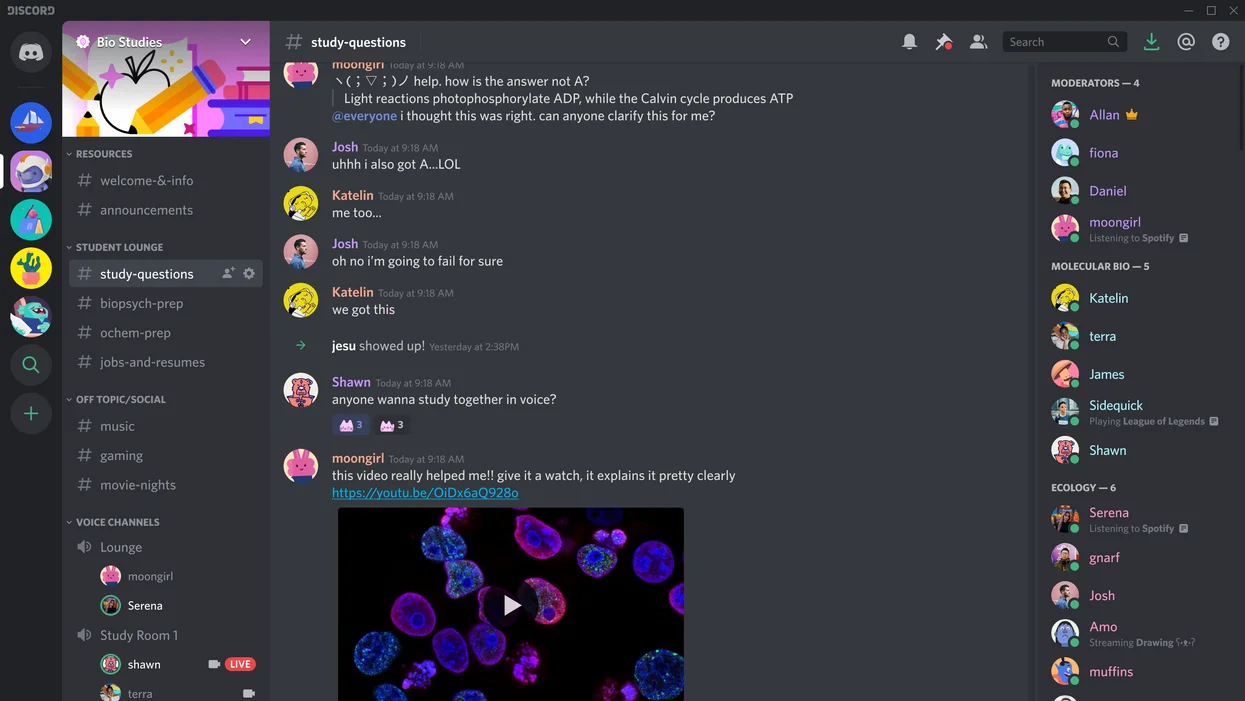
Discord is a place for students, friends, and gamers to hang out online. With download options available for iOS, Android, Linux, and Windows, users can create topic-based channels where they can talk about everyday life.
Friends can voice message without having to place a call, set up a video call for streaming games, or screen share their current projects. Plus, users can leverage moderation tools to keep communities friendly and welcoming. ?
Discord best features
- Browse through a library of nearly 30,000 communities to find relevant topics of interest
- Leverage the Family Center tools to access safety features for teens
- Access downloadable apps for virtually any device
- Talk to friends through voice or video calls
- Leverage moderation tools to offer custom member access to your community
Discord limitations
- The platform was built to bring friends and families together, not necessarily corporate colleagues
- The mobile version lacks some features available on the desktop
Discord pricing
- Discord: Free
- Nitro Basic: Pricing depends on country and plan
- Nitro: Pricing depends on country and plan
Discord ratings and reviews
- G2: N/A
- Capterra: 4.7/5 (300+ reviews)
6. Rocket.Chat
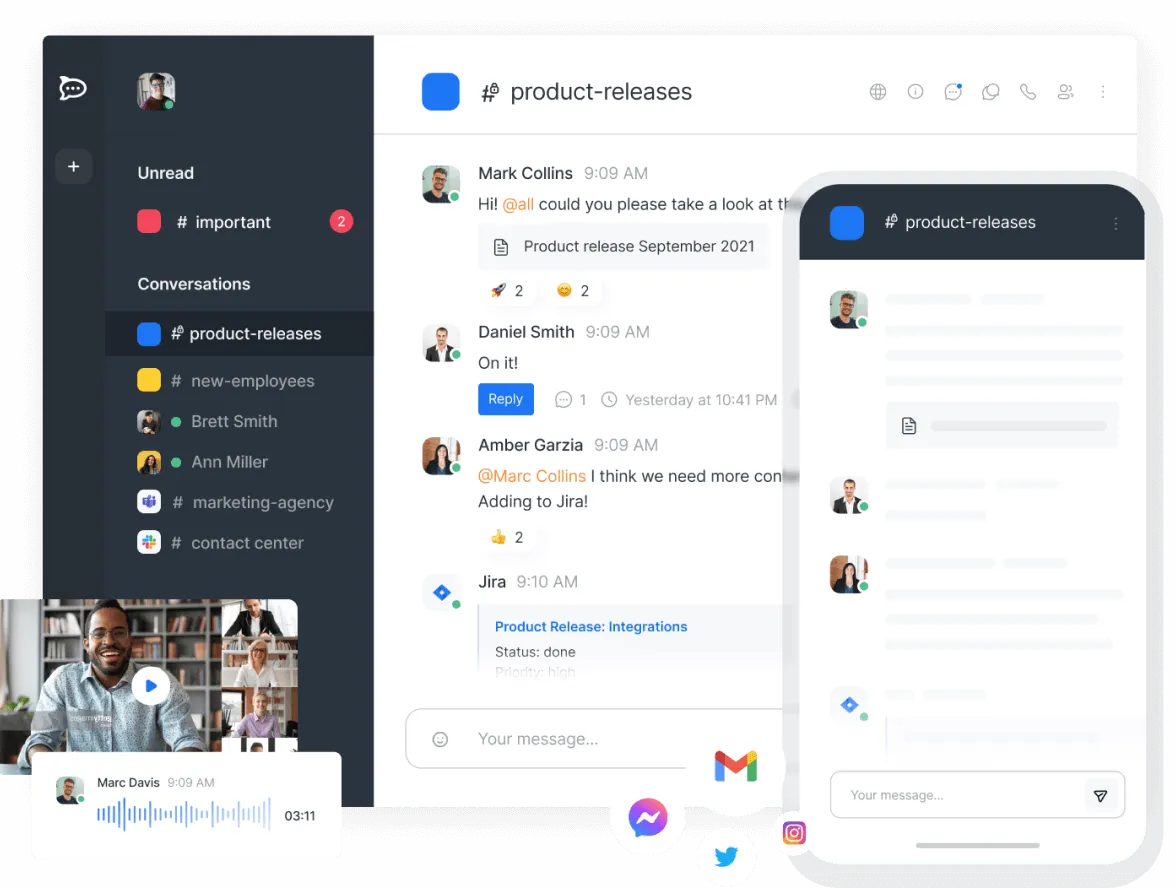
Rocket.Chat is an open-source collaboration app used by global enterprises. The remote-first platform allows teams to monitor messages, projects, and tasks all in one place. Since the tool’s functionality can be white-labeled, enterprises can customize Rocket.Chat to fit their unique needs.
Rocket.Chat best features
- White-label all Rocket.Chat components to meet your unique communication goals
- Take advantage of the open API to create custom workspaces and integrate with other platforms
- Automate conversations with chatbots across Instagram, WhatsApp, Facebook Messenger, and other platforms
- Create a custom chat experience with chat, video, voice messaging, and file sharing for cross-functional teams
Rocket.Chat limitations
- The initial setup can be difficult and overwhelming for new users
- The core software is open source, which could be a challenge for those who don’t know how to code
Rocket.Chat pricing
- Community: Free forever
- Enterprise: $7/month per user or $35/month per agent
Rocket.Chat ratings and reviews
- G2: 4.2/5 (300+ reviews)
- Capterra: 4.3/5 (100+ reviews)
7. Twake
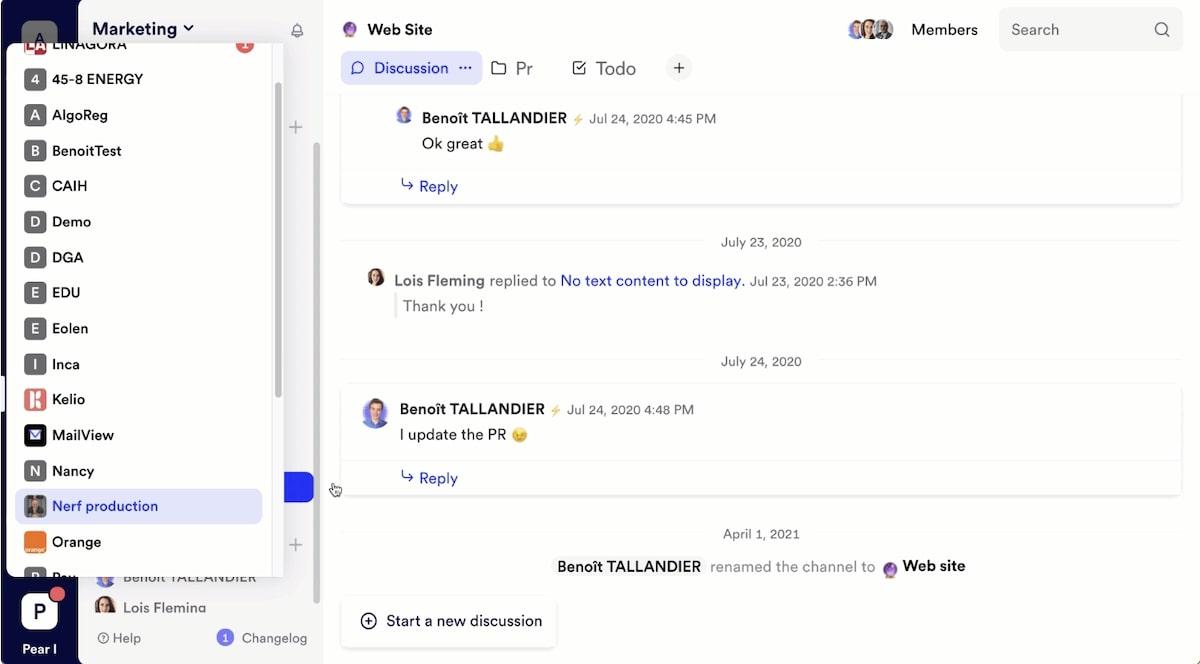
Twake is an open-source communication platform for businesses. Colleagues can collaborate via chat, video conferencing, file sharing, and data storage. Plus, you can transform Microsoft Office 365 documents into live documents, co-editing files in real time without downloading them to your computer.
Twake best features
- Easily create relevant threads to keep track of important topics
- Integrate your communication platform with other popular office tools
- Keep your conversations secure with point-to-point encryption
- Invite clients or team members to specific threads to keep your communication plan organized
Twake limitations
- The platform is open source, which is not feasible for most small businesses
- Some teamwork tools available on the desktop are not available on the mobile app
Twake pricing
- Free: $0/month per user
- Standard: €4,19 ($4.40)/month per user
- Premium: €10,39 ($10.92)/month per user
- Enterprise: Custom pricing
Twake ratings and reviews
- G2: 5/5 (1 review)
- Capterra: 4.1/5 (7 reviews)
8. Google Keep

Google Keep is a note-taking platform provided within the Google Docs Editors suite. Anyone with a Google account can use the platform to create, edit, and share notes.
Make lists, create drawings, color-code or pin specific notes, and set up reminders. Users can also share notes with others by giving them editing rights. ?
Google Keep best features
- Brainstorm new ideas with digital sketches using the drawing area
- Keep on top of your to-do list using the list features
- Never forget your top priorities by pinning notes
- Keep projects and tasks organized by creating your own color-coding system
- Record notes on the go with voice-to-text
Google Keep limitations
- With the exception of sharing notes, it’s not meant as a chat feature
- The functionality can be limited compared to other platforms
Google Keep pricing
- Free with a Gmail account
Google Keep ratings and reviews
- G2: N/A
- Capterra: 4.7/5 (150+ reviews)
9. Fleep
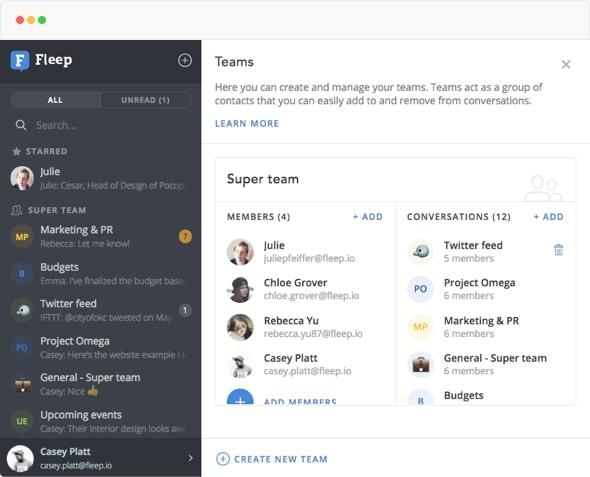
Fleep is an affordable, easy-to-use collaboration app built for teams of all sizes. Reduce your time spent in meetings through direct chats or group conversations and cut down on inbox clutter by sending emails straight through Fleep. The tool also boosts team productivity through file sharing, task management, and voice calling.
Fleep best features
- Automatically get 100GB of file storage for each user
- Use the Pinboard to highlight plans made for various projects
- Create and assign tasks using the Taskboard
- Know which team members are online using the offline/online indicators
- Keep team members on the same page with audio calling, voice calling, and screen sharing
Fleep limitations
- It’s not as widely used as other platforms, which could require a steeper learning curve for new colleagues
- Some notifications aren’t available on all devices
- Does not offer a free version
Fleep pricing
- Business: €5 ($5.26)/month per user
- Enterprise: Custom pricing
Fleep ratings and reviews
- G2: 4.4/5 (28 reviews)
- Capterra: 4.7/5 (34 reviews)
10. OI Chat
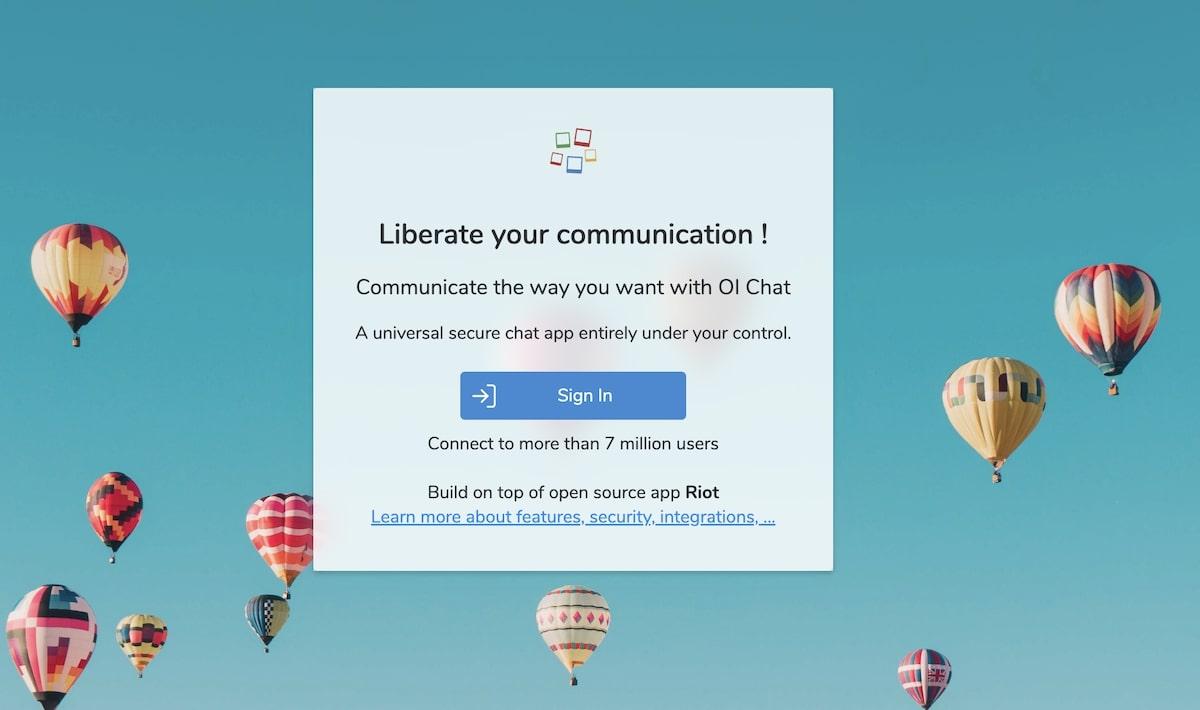
OI Chat is a secure chat software built on top of the open-source platform, Riot, and a web client for the decentralized communication network Matrix.org. With this tool, Blockstack and EOS users can connect with millions of other users.
OI best features
- Users get instant access using the ID on their preferred blockchain
- Protect your conversations with end-to-end encryption
- Stay up-to-date with team members with voice and video calls
- Create widgets and team chats for specific projects
OI limitations
- You have to create an identity with Blockstack to register with the platform
- The platform can be confusing to new users
OI pricing
- Free
OI Chat ratings and reviews
- G2: N/A
- Capterra: N/A
Summarize this article for me pleaseBoost Team Collaboration With ClickUp
When you and your colleagues need answers fast, instant messaging can be a lifesaver. The right messaging tool can declutter inboxes, preserve calendar space, and ultimately help teams get more done in less time. ?
While all of these tools are great options to connect teams and manage communication, it doesn’t get better than ClickUp. Yes, we’re a bit biased, but the platform speaks for itself.
ClickUp is so much more than a chat service. This all-in-one platform helps you work smarter, not harder, so you can manage your projects, streamline workflows, and boost productivity. Use ClickUp Chat view to collaborate on files, brainstorm new ideas with Whiteboards, and so much more.
Ready to see how ClickUp can take your team comms to the next level? Sign up for ClickUp today—it’s free!


Everything you need to stay organized and get work done.

Recent Articles
Confluence vs. Google Docs: Which Should Your Team Use in 2026? 
Confluence vs. Google Docs: Which Should Your Team Use in 2026?
Linear vs. Jira: Is Linear Just Jira Before the Mess? 
Linear vs. Jira: Is Linear Just Jira Before the Mess?
