Gantt Chart Software for Primary School Teachers
Organize Classroom Projects With Intuitive Gantt Charts
Plan lessons, track assignments, and coordinate school events with a visual timeline designed to ease your busy teaching schedule.
 25,000+ reviews from
Trusted by the best
Why Choose Gantt Charts
The Essential Role of Gantt Charts in Primary Education
Managing classroom activities without a clear timeline can feel overwhelming. Tasks blend together, deadlines sneak up, and priorities get lost.
Here’s what becomes challenging without a visual schedule:
- Lesson plans overlap and cause confusion — it’s hard to track what’s been taught and what’s next.
- Homework assignments slip through the cracks — students miss deadlines and parents stay uninformed.
- Event coordination becomes chaotic — school trips, parent-teacher meetings, and assessments collide unexpectedly.
- Resource scheduling gets tangled — sharing rooms and materials leads to conflicts.
- Communication gaps widen — emails and notes scatter information, making follow-ups difficult.
- Progress tracking feels unclear — monitoring student milestones lacks a central view.
- Last-minute changes disrupt flow — adjustments to schedules create uncertainty.
- Collaboration with assistants and staff lacks clarity — roles and responsibilities blur without clear timelines.
Traditional vs ClickUp
Why Traditional Scheduling Falls Short for Teachers
Discover how ClickUp’s Gantt Charts bring clarity and control to your classroom management.
Traditional Methods
- Rely on paper planners and sticky notes
- Juggle multiple calendars and emails
- Manually track assignment deadlines
- Coordinate events with phone calls and messages
- Struggle with last-minute changes
- Keep resources and materials info scattered
ClickUp Gantt Charts
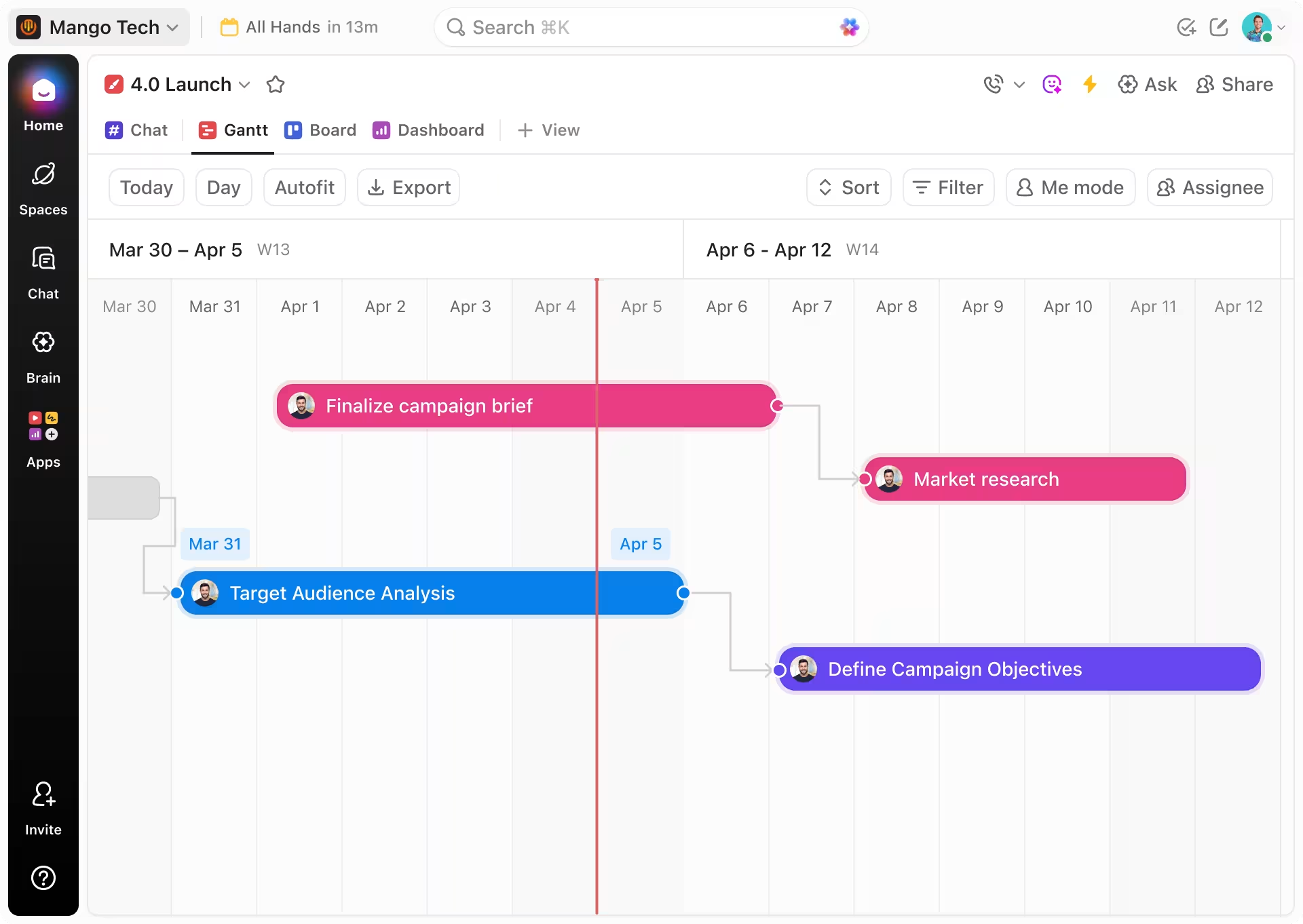
- Visualize lesson plans and deadlines in one timeline
- Assign homework with clear due dates
- Schedule events and coordinate resources effortlessly
- Adjust plans dynamically with drag-and-drop
- Collaborate transparently with assistants and parents
- Link lesson materials and communications directly to tasks
Use Cases
How Gantt Chart Software Empowers Primary School Teachers
See how a clear visual timeline streamlines your daily teaching tasks and school projects.
#UseCase1
Visualizing Lesson Plans Across Weeks
Plan your curriculum by mapping lessons, activities, and assessments on a timeline to ensure balanced coverage and pacing.
#UseCase2
Coordinating Homework Assignments and Due Dates
Assign tasks with clear deadlines so students and parents stay informed and submissions happen on time.
#UseCase3
Scheduling School Events and Field Trips
Keep track of all school activities, ensuring no overlaps and smooth preparation with team collaboration.
#UseCase4
Managing Classroom Resources and Materials
Avoid conflicts by scheduling the use of shared materials and spaces in advance.
#UseCase5
Tracking Student Progress and Milestones
Monitor individual and class-wide achievements with a visual overview that highlights upcoming targets.
#UseCase6
Communicating with Teaching Assistants and Parents
Keep everyone aligned by assigning tasks and sharing updates within the timeline context.
#UseCase7
Avoiding Missed Conference Deadlines & Journal Revisions
Gantt charts reveal the full submission timeline—abstracts, figures, slides, manuscripts—so you can plan realistically and hit every deadline.
#UseCase8
Organizing Literature Reviews Without Overlap
ClickUp lets you assign papers, sequence reading stages, and track everything on one timeline—eliminating confusion and duplication.
#UseCase9
Turning Supervisor Meetings Into Actionable Timelines
ClickUp turns meeting notes into tasks on the Gantt timeline, assigns owners, and ensures next steps are followed.





Key Beneficiaries
Who Benefits Most From Gantt Chart Software in Primary Education
Ideal for teachers balancing lesson planning, student progress, and school activities.
If you’re a Classroom Teacher Managing Multiple Subjects
Visualize all your lesson plans and assignments in one place to prevent overlap and ensure timely delivery.

If you Coordinate School-Wide Events
Use Gantt charts to schedule trips, meetings, and celebrations without conflict across classes.

If you Collaborate with Teaching Assistants and Parents
Keep communication clear by assigning tasks and sharing timelines that everyone can follow.

How ClickUp Supports You
How ClickUp Gantt Charts Simplify Teaching Management
Turn your teaching challenges into a clear, manageable plan.
Centralize Lesson Plans and Materials
Keep all your lesson notes, resources, and assignments linked to tasks for quick access.
Plan Academic Year in Phases
Map out terms, units, assessments, and holidays for a clear overview.
Standardize Assignment Scheduling
Use templates and deadlines to ensure consistent homework planning and grading.
Visualize Team Collaboration
Assign tasks to assistants or coordinators and track progress in real-time.
Turn Meetings into Actionable Tasks
Convert parent and staff meetings into follow-up tasks on your timeline.
Never Miss a Deadline
Set automated reminders for assignments, events, and administrative tasks.