
AI experiment tracking exists for a simple reason: ML work is inherently messy, and without a system to capture decisions, it’s almost impossible to build on what you’ve already done.
Every experiment involves dozens of moving parts—datasets, parameters, model versions, and evaluation metrics. But just as important is the why behind each change. Why did you tweak that feature? Why did this version perform better? Without a clear record, that context disappears.
And for the ~55% of teams still operating without a dedicated experiment tracking system, that loss of context shows up everywhere.
Notes in Jupyter, metrics in spreadsheets, decisions buried in Slack. With this chaotic lack of a system, you can’t reproduce results. You end up repeating failed ideas, and it becomes harder to scale wins.
This guide covers 10 free AI experiment tracking templates designed to fix that. Each one tackles specific parts of your workflow, from structuring hypotheses to tracking growth experiments, so your system stays useful as your work gets more complex.
What Is an AI Experiment Tracking Template?
An AI experiment tracking template is a pre-built framework that helps teams document, organize, and analyze machine learning experiments. It captures everything from model parameters to performance metrics in one structured place.
For data science teams, ML engineers, and product managers running growth experiments, it provides a systematic way to track what they’ve tested and what actually worked.
Without a centralized system, teams lose the context behind decisions. Work Sprawl takes over, with information scattered across tools, leading to repeated mistakes, lost insights, and messy handoffs that make experiments hard to track or replicate.
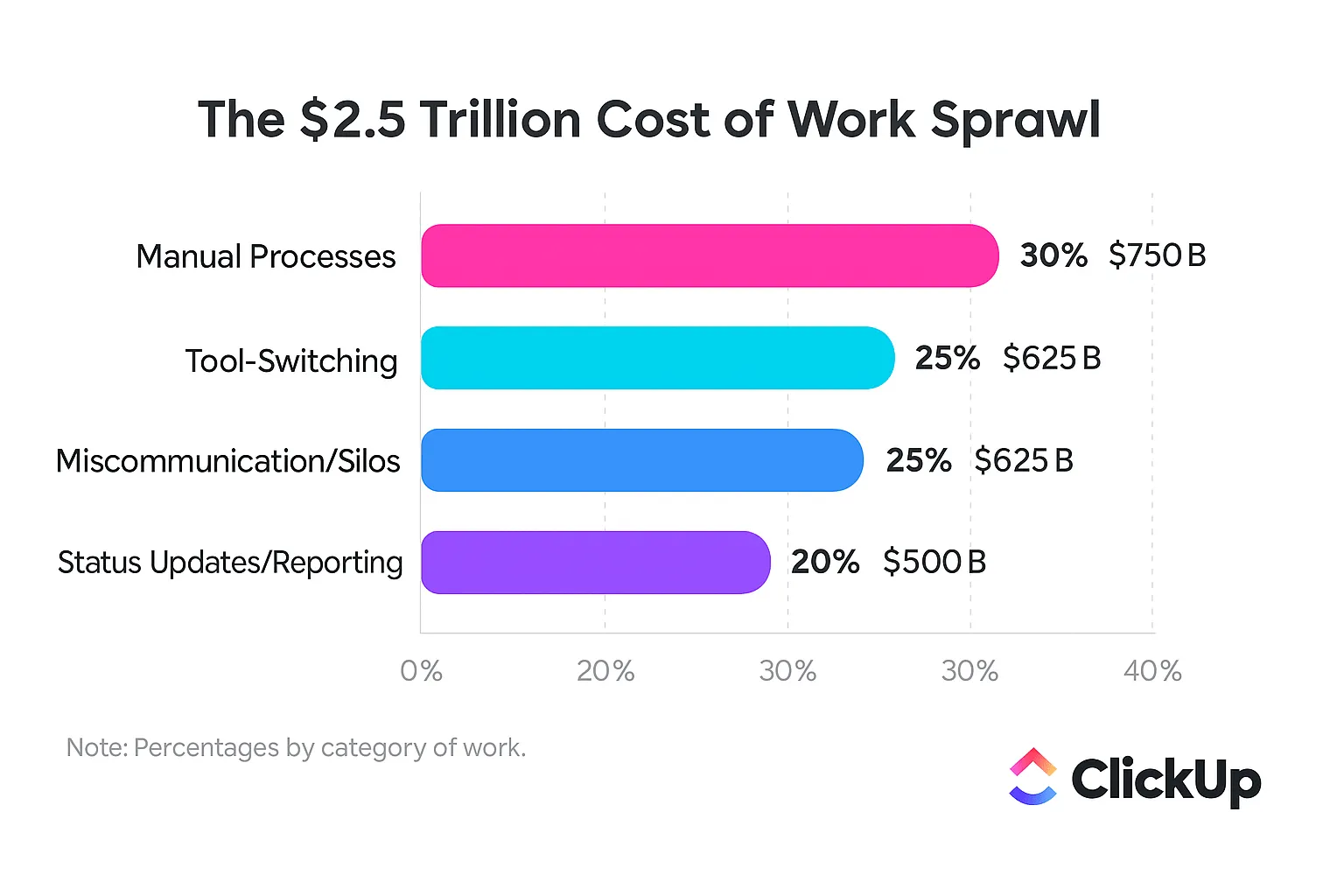
An AI experiment tracking template solves this by creating a single source of truth where every hypothesis, parameter change, and outcome live together. It eliminates the “which version was that?” confusion for good.
AI Experiment Tracking Templates at a Glance
| Template name | Download link | Ideal for | Best features | Visual format |
| Experiment Plan and Results Template by ClickUp | Get free template | ML, product, and growth teams running structured experiments with clear hypotheses and outcomes | Structured experiment fields; centralized planning and tracking; trend visibility; collaborative documentation | List-based experiment tracker with structured fields and status workflow |
| Growth Experiments Whiteboard Template by ClickUp | Get free template | Product and growth teams brainstorming and prioritizing experiments before execution | Visual ideation space; ICE prioritization framework; drag-and-drop planning; task conversion from ideas | Interactive whiteboard with visual mapping and prioritization lanes |
| Spreadsheet Template by ClickUp | Get free template | Teams relying on spreadsheet workflows but needing collaboration and connected context | Grid-based tracking; real-time collaboration; flexible filtering and sorting; connected rows to tasks/docs | Table view (spreadsheet-style grid) with live collaboration |
| Analytics Report Template by ClickUp | Get free template | Data, product, and marketing teams presenting experiment results to stakeholders | KPI-focused reporting; built-in visualizations; trend analysis; structured reporting sections | Dashboard-style report with charts and summary sections |
| Data Analysis Findings Template by ClickUp | Get free template | Data scientists and analysts capturing exploratory insights across datasets | Centralized findings hub; anomaly and pattern tracking; structured insight capture; follow-up recommendations | List-based knowledge repository with tagged insights |
| Engineering Report Template by ClickUp | Get free template | ML engineers documenting infrastructure changes, deployments, and performance benchmarks | System-level documentation; reproducibility tracking; linked engineering context; structured reporting format | Document-style report linked to tasks and technical workflows |
| Research Report Template by ClickUp | Get free template | Research teams and ML practitioners publishing structured, reproducible findings | Academic-style structure; centralized research data; clear methodology and conclusions; long-form docs support | Multi-page document with nested Docs for detailed write-ups |
| Evaluation Report Template by ClickUp | Get free template | Teams running A/B tests or evaluations that require clear comparison and decision criteria | Structured evaluation framework; side-by-side comparisons; customizable scoring and tracking | Structured report with evaluation sections and scoring fields |
| Test Case Template by ClickUp | Get free template | ML and QA teams testing models across edge cases and input variations | Test case standardization; coverage tracking; status-based workflow; issue-to-resolution tracking | QA-style table with test cases, statuses, and result fields |
| Conversation Log Template by ClickUp | Get free template | Teams working on LLMs, chatbots, or prompt engineering workflows | Prompt-response tracking; iteration history; response quality scoring; searchable logs | Log-style table capturing prompts, outputs, and ratings |
What to Look for in AI Experiment Tracking Templates
A good experiment tracker fits naturally into your workflow. It should help you move faster, not slow you down with extra admin work. You need more than a spreadsheet with a fresh coat of paint.
Here’s what’s worth paying attention to:
- Structured metadata fields: Your template should include dedicated fields to capture essentials such as model type, hyperparameters, dataset version, and training environment. This avoids the pain of inconsistent data entry, where one person writes “learning_rate” and another writes “LR”
- Comparison views: The ability to see experiments side-by-side is non-negotiable. This is how you spot the one variable change that actually moved the needle on your key metrics
- Status tracking: Clear, visible experiment states—such as planned, running, completed, or archived—are crucial. They prevent two team members from accidentally running the same test and wasting valuable resources
- Integration flexibility: Your experiment tracker shouldn’t force you to abandon your favorite ML tools. It needs to work alongside them, acting as the central hub that connects everything
- Project collaboration features: Experimentation is a team sport. Your template needs features like Comments and Mentions to keep cross-functional teams—from engineering to product—aligned on priorities and results
- Automation potential: The best templates reduce manual overhead. Look for the ability to automatically log results or trigger next steps based on outcomes, saving your team from tedious copy-pasting
With ClickUp by your side for managing and tracking experiments, you can finally stop forcing your workflow into a rigid structure.
You can tailor your metadata to your exact ML workflow with ClickUp Custom Fields, adding fields for anything from locations to AI-powered analysis. On top of that, you can build a visual pipeline that matches your experiment lifecycle using ClickUp Custom Statuses, so everyone knows what’s happening at a glance.
ClickUp Automations eliminate the need for manual updates, automatically moving experiments through stages when results are logged.
🎥 Since you’re already experimenting with AI, here’s a quick video tutorial on how to use AI to work smarter:
10 AI Experiment Tracking Templates
We’ve curated a list of templates that go beyond basic logging. They provide the structure you need to run faster, more organized experiments.
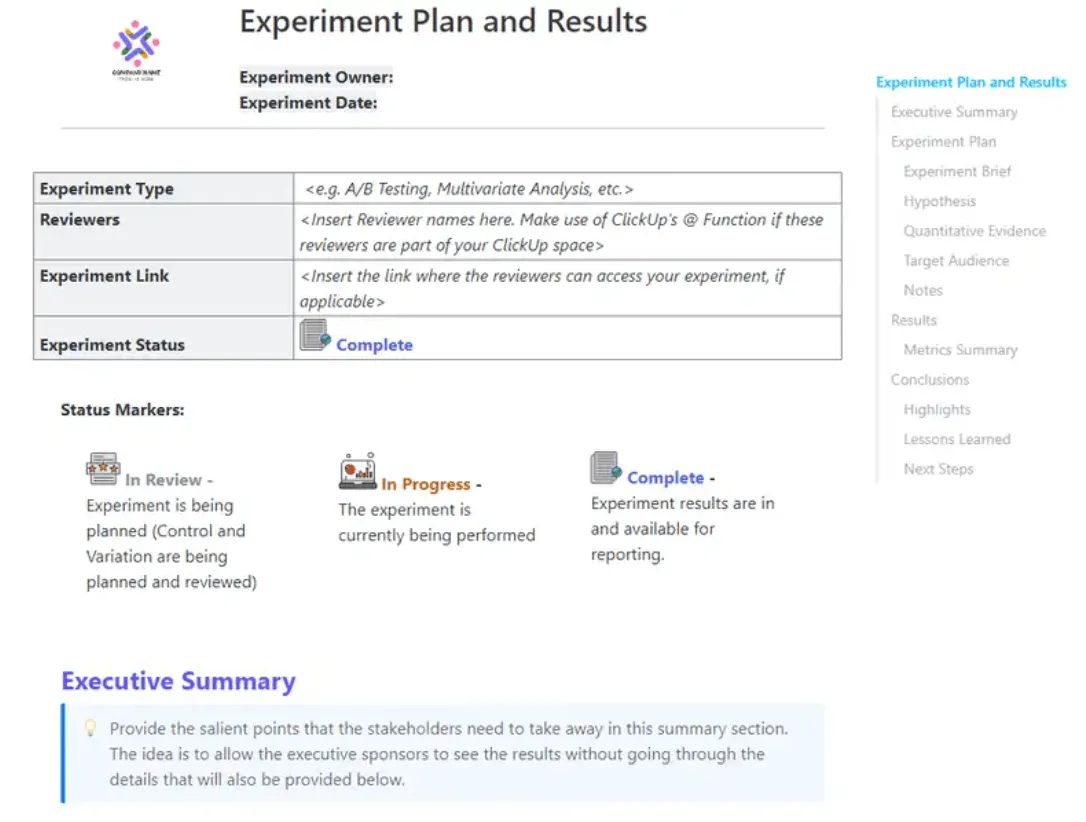
1. Experiment Plan and Results Template by ClickUp
Tired of experiments that start with a vague idea and end with inconclusive results? This Experiment Plan and Results Template by ClickUp forces discipline by providing an end-to-end framework for documenting hypotheses, methodologies, and outcomes in a single, structured view. It’s perfect for ML teams running controlled experiments who need clear before-and-after documentation to prove their work’s impact.
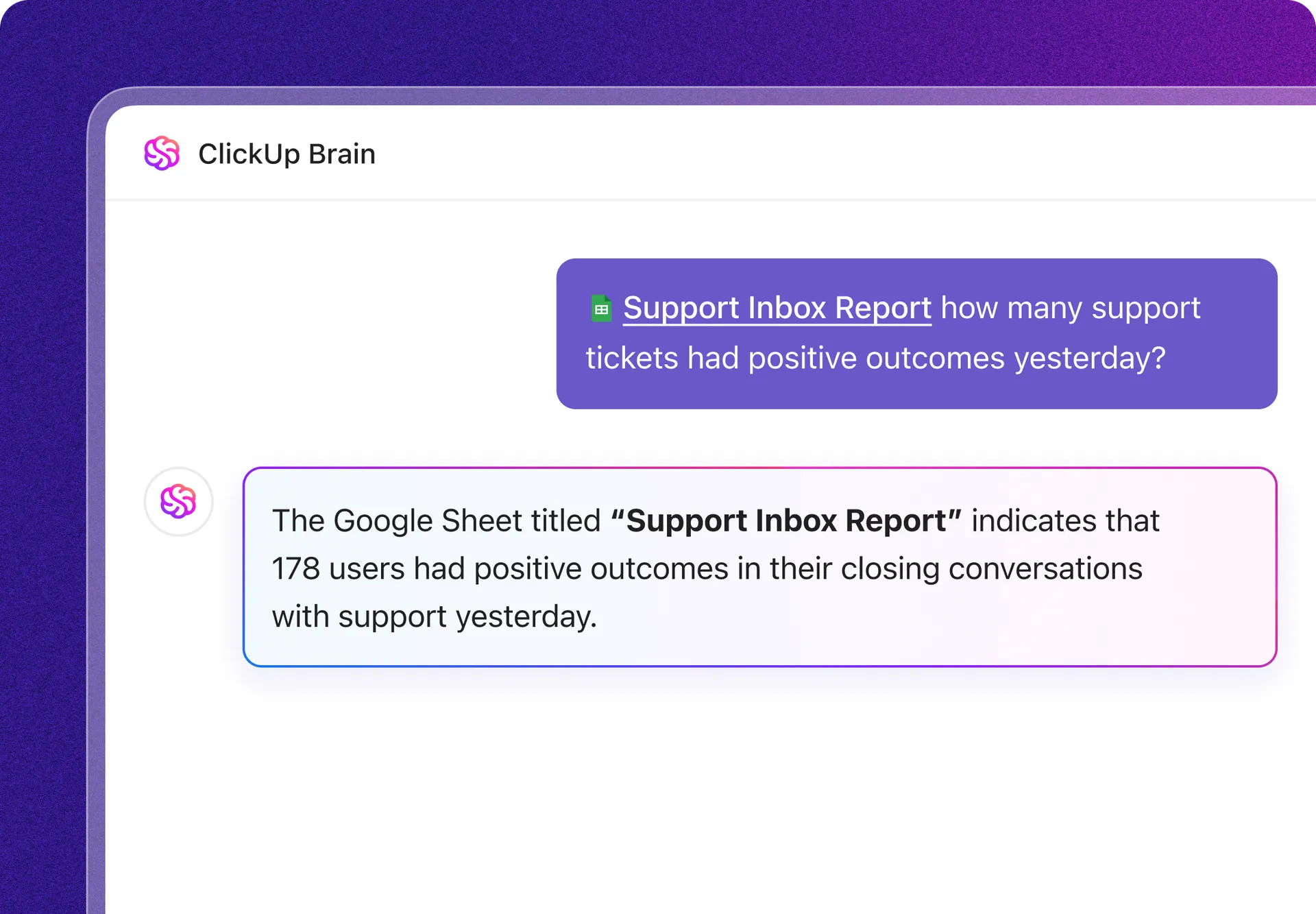
The standout feature is its pre-built sections for hypothesis, variables, success criteria, and results analysis. Once your experiment is complete, you can also use ClickUp Brain (ClickUp’s native, context-aware AI) to summarize the findings and automatically generate next-step recommendations.
Why you’ll like this template:
- Structured experiment fields: Built-in sections for hypotheses, variables, methods, and results
- Centralized workspace: Plan, run, and review experiments in one place without switching tools
- Trend visibility: Spot patterns across experiments to make more informed decisions
- Team collaboration: Share progress and results with full visibility across your team
🔎 Ideal for: ML, product, and growth teams running structured experiments who need clear, end-to-end documentation from hypothesis to results.
📮 ClickUp Insight: While 35% of our survey respondents use AI for basic tasks, advanced capabilities like automation (12%) and optimization (10%) still feel out of reach for many. Most teams feel stuck at the “AI starter level” because their apps only handle surface-level tasks. One tool generates copy, another suggests task assignments, a third summarizes notes—but none of them share context or work together. When AI operates in isolated pockets like this, it produces outputs, but not outcomes. That’s why unified workflows matter. ClickUp Brain changes that by tapping into your tasks, content, and process context—helping you execute advanced automation and agentic workflows effortlessly, via smart, built-in intelligence. It’s AI that understands your work, not just your prompts.
2. Growth Experiments Whiteboard Template by ClickUp
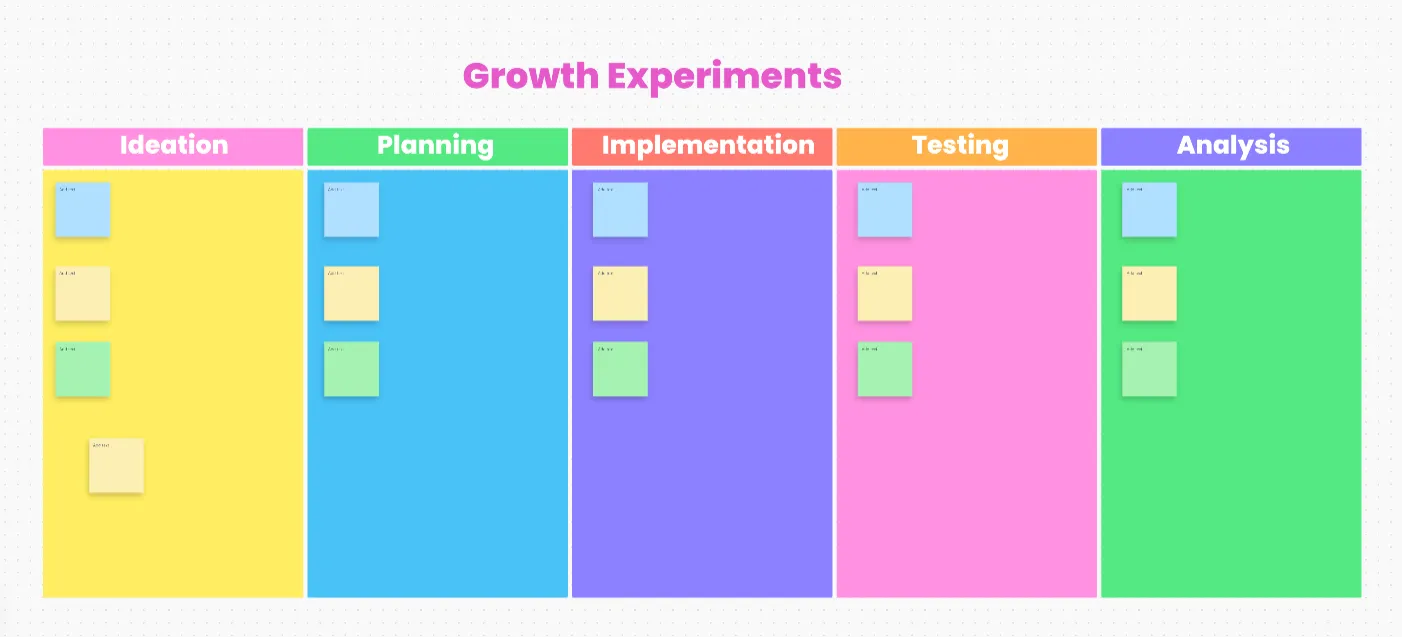
Great ideas for growth experiments often die in meeting notes or random chat threads. The Growth Experiments Whiteboard Template by ClickUp is designed to stop that from happening.
It’s a space for brainstorming, prioritizing, and mapping out growth experiment ideas before you commit a single line of code. It’s ideal for product and growth teams running rapid experimentation cycles across multiple channels.
The template’s best feature is the drag-and-drop prioritization framework with built-in ICE scoring (Impact, Confidence, Ease). This helps your team quickly align on which ideas to pursue next based on data, not just opinion.
Plus, you can turn brainstormed ideas directly into trackable ClickUp Tasks without losing initial context, thanks to ClickUp Whiteboards, which form the foundation of the template.
Why you’ll like this template:
- Visual experiment planning: Map out growth ideas and experiments on a shared whiteboard so your team can see the full picture from ideation to execution
- Built-in prioritization: Organize and rank experiments based on impact, effort, and goals to focus on what drives the most growth
- End-to-end visibility: Track progress, document experiments, and analyze outcomes in one place without losing context
- Collaborative workflow: Brainstorm, assign tasks, and align teams in real time with shared views and customizable fields
🔎 Ideal for: Product and growth teams that need a visual, collaborative space to brainstorm, prioritize, and track growth experiments.
📚 Also Read: How to Build an AI-Led Growth Playbook that Works
3. Spreadsheet Template by ClickUp
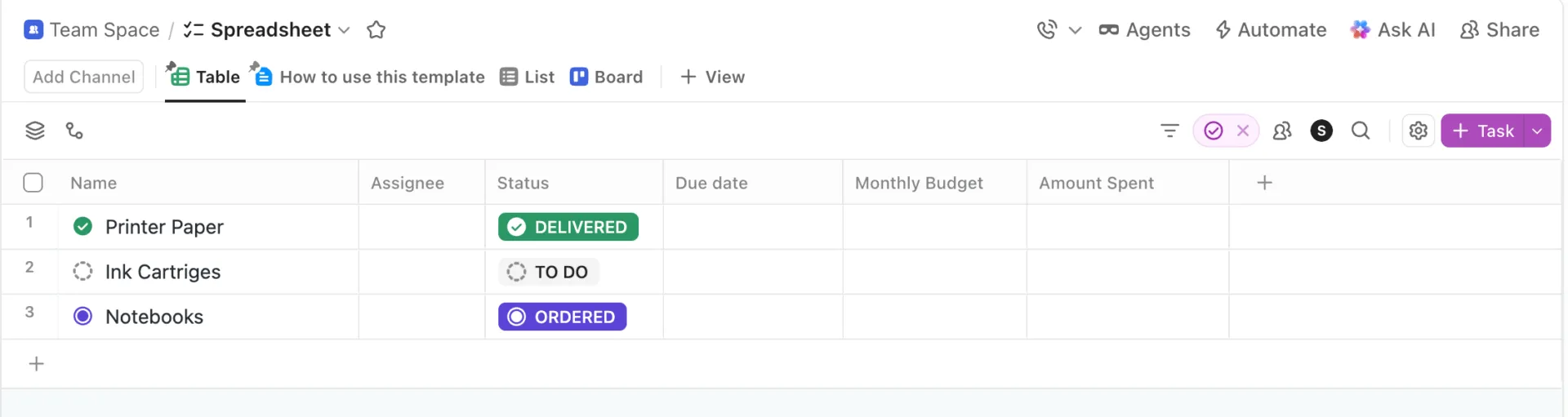
You may love your spreadsheets. Especially ones that come with Excel’s analytical power. But the problem is that traditional Excel files are terrible for collaboration and quickly become a source of version control issues.
This Spreadsheet Template by ClickUp gives you the familiar grid-based format you love, but supercharges it with modern collaboration features.
It’s built for data analysts and teams who prefer a spreadsheet workflow but are tired of the limitations of offline files. You get full formula support and conditional formatting, but with the added power of real-time, multi-user editing.
💡 Pro Tip: Get full context for every experiment by linking spreadsheet rows directly to related ClickUp Tasks or ClickUp Docs. You can also automatically surface patterns and insights by feeding the data to ClickUp Brain when you’re ready for analysis.
Why you’ll like this template:
- Spreadsheet-style workflow: Work in a familiar grid layout while turning each row into a trackable, connected item
- Live collaboration: Update data with your team in real time without dealing with duplicate versions
- Flexible data views: Filter, sort, and customize how you view information without breaking the underlying structure
🔎 Ideal for: Teams that rely on spreadsheets for tracking experiments or data but need better collaboration, visibility, and connection to actual workflows.
4. Analytics Report Template by ClickUp
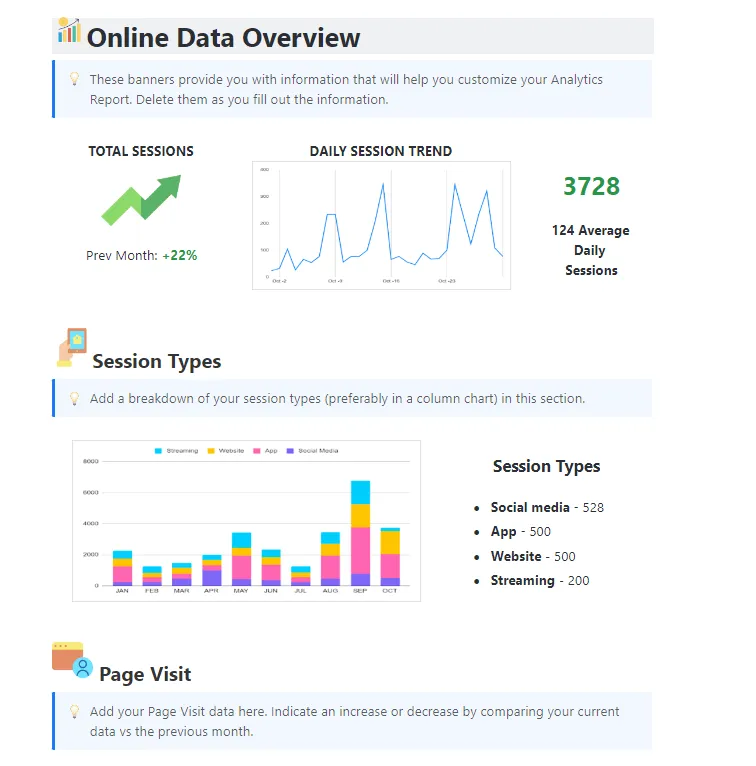
You ran a successful experiment, but now you have to explain it to leadership. Sharing a Jupyter notebook or a raw data file is a recipe for blank stares. This Analytics Report Template from ClickUp provides a structured reporting format for presenting experiment analytics to non-technical stakeholders.
It comes with pre-formatted sections for key metrics, placeholders for visualizations, and an executive summary, so you can build a compelling story around your data.
Plus, the template links to ClickUp Dashboards, which can pull live data from your experiments into structured visuals such as bar graphs, pie charts, and line charts, and even AI summary cards!
As a result, your reports stay automatically up to date, and stakeholders get a real-time view of your progress.
Why you’ll like this template:
- KPI-focused reporting: Track and present key performance metrics clearly so leadership can understand what’s working and what’s not
- Built-in data visualization: Turn complex data into simpler charts and graphs that make insights easier to digest
- Trend and pattern analysis: Identify correlations and performance trends to support better decision-making
- Structured reporting workflow: Use pre-defined sections and customizable fields to standardize how reports are created and shared across teams
🔎 Ideal for: Data, product, and marketing teams that need to present experiment results and performance insights in a clear, stakeholder-friendly format.
5. Data Analysis Findings Template by ClickUp
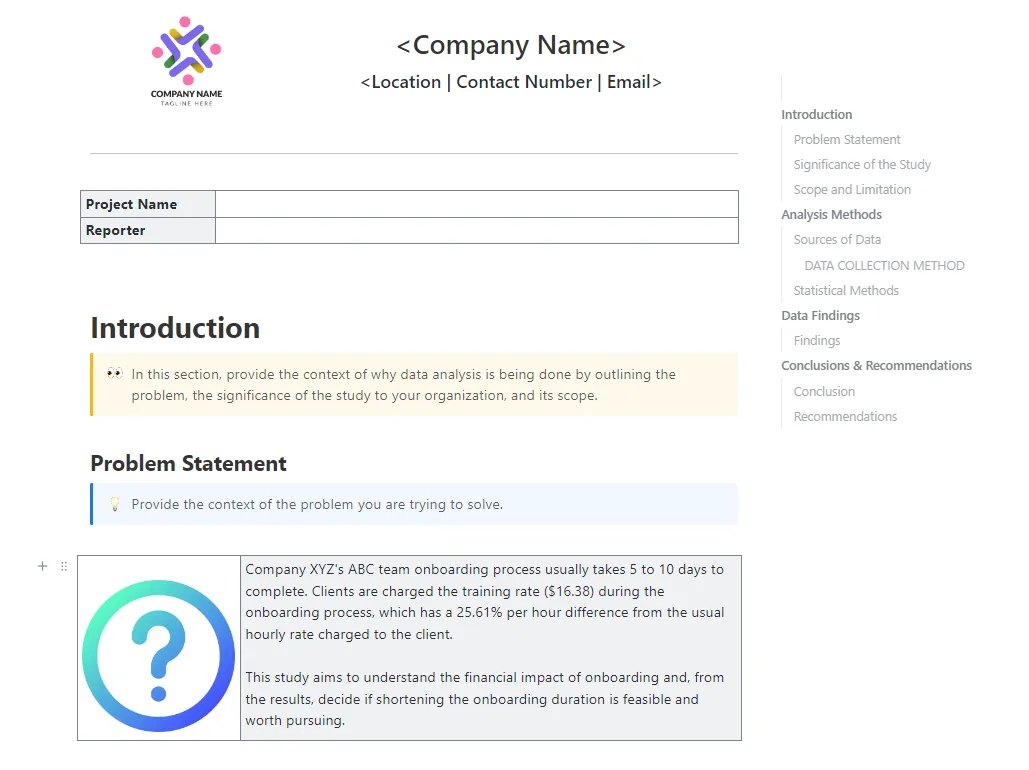
During exploratory data analysis using AI, data scientists often find insights, anomalies, or data quality issues that don’t belong to a specific experiment but are critical for future work. Most of the time, these findings get lost in personal notebooks. The Data Analysis Findings Template by ClickUp provides a dedicated documentation framework to capture and organize those “aha!” moments.
It includes sections for data quality notes, anomaly flags, and recommended follow-up experiments, creating a searchable library of institutional knowledge.
What’s more? You can make these insights discoverable by tagging them with ClickUp Custom Fields.
Now, when someone on your team starts a new project, they can quickly search for past findings related to the dataset, and they won’t have to deal with the same issues you already solved.
Why you’ll like this template:
- Centralized findings hub: Capture insights, anomalies, and data notes from multiple sources in one place so nothing gets lost
- Pattern and anomaly detection: Spot trends, correlations, and outliers faster without digging through scattered notes
- Structured insight capture: Use a consistent format to document findings, improving accuracy and making insights easier to revisit
- Insight-to-action flow: Turn observations into recommendations and follow-up tasks so discoveries actually lead to next steps
🔎 Ideal for: Data scientists and analysts who want a structured, searchable way to capture exploratory insights and reuse them across future projects.
6. Engineering Report Template by ClickUp
When you’re experimenting with infrastructure changes, model deployments, or pipeline optimizations, the technical details matter—a lot.
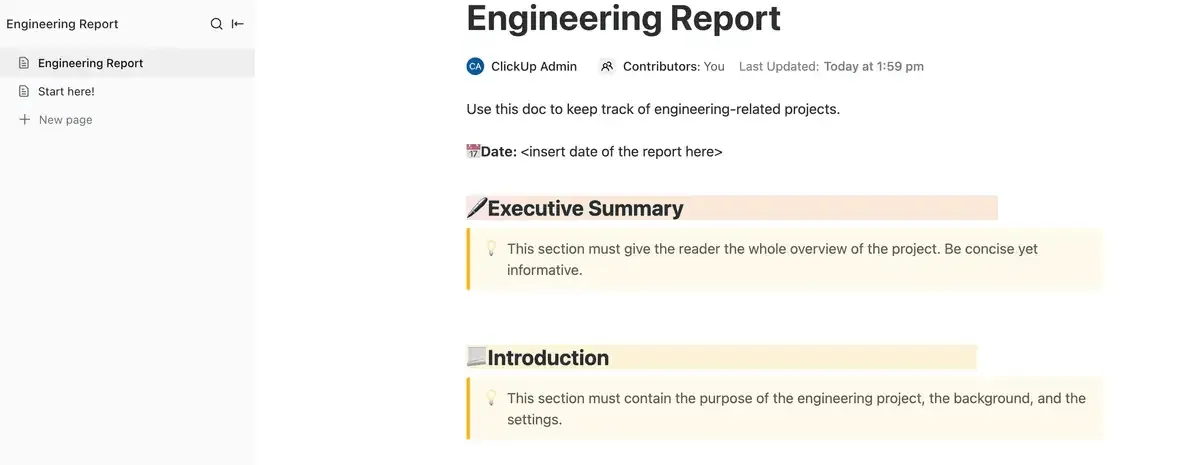
Forgetting to document a specific library version or system configuration can make it impossible to reproduce a performance gain. ClickUp’s Engineering Report Template by ClickUp is built for ML engineers who need to capture that deep technical context.
It includes dedicated sections for system specs, performance benchmarks, and technical debt notes. With this template, you can stop burying this critical information in commit messages or scattered README files. Keep all your technical context in one place by using ClickUp Tasks with relationships to link your engineering reports directly to the relevant code repositories or deployment tasks.
Why you’ll like this template:
- Capture system-level details: Document configurations, environments, and performance benchmarks in a structured report
- Support reproducibility: Keep a clear record of dependencies and changes so results can be validated later
- Keep context connected: Link reports to related tasks, deployments, or code work so nothing gets lost
- Make reports easier to review: Present technical findings in a format stakeholders can follow without digging through logs
🔎 Ideal for: ML engineers and technical teams documenting infrastructure changes, model deployments, or performance improvements where detailed context is critical for future reference.
7. Research Report Template by ClickUp
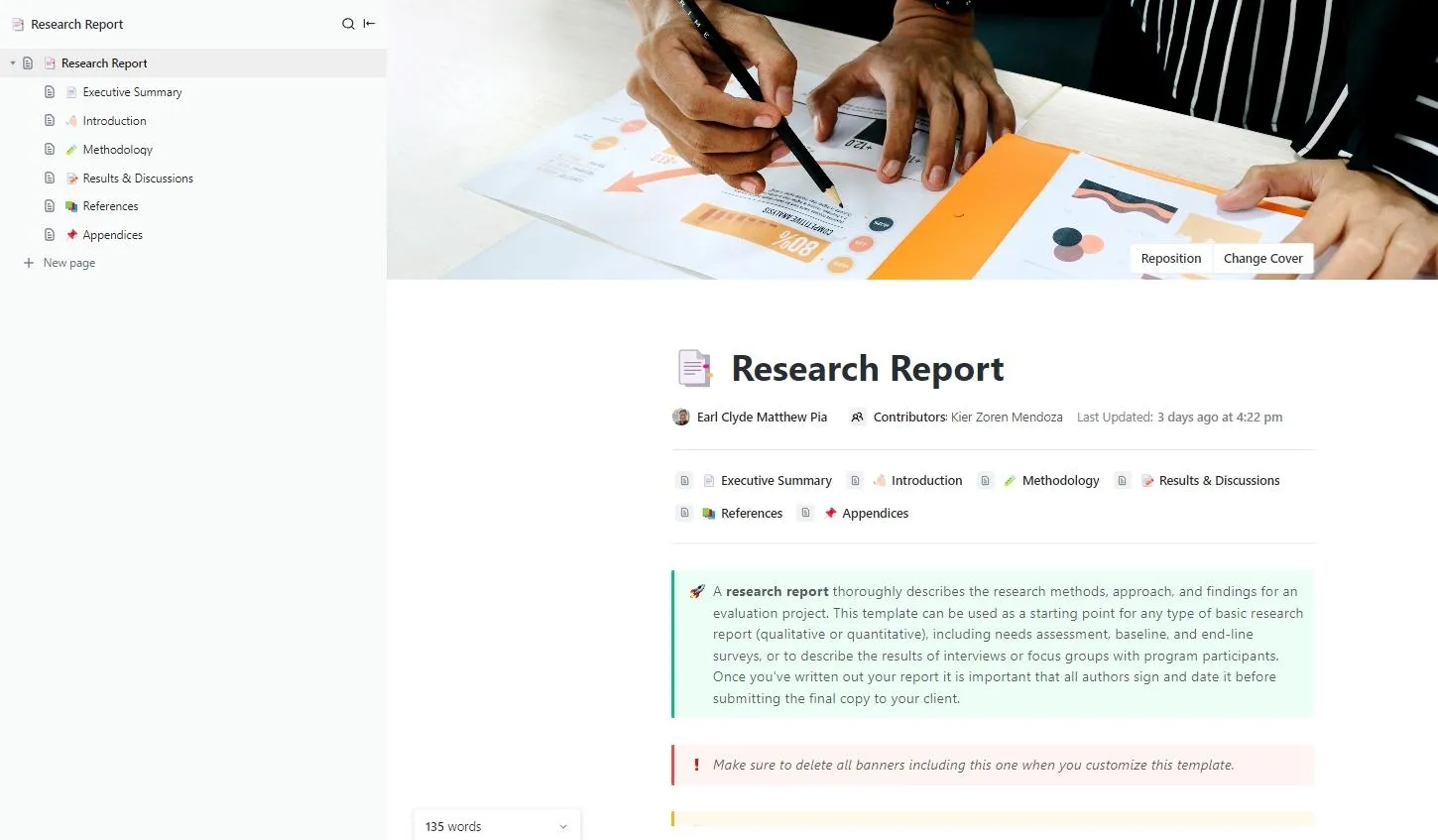
For research teams or ML practitioners who need to publish their findings, reproducibility is everything. This Research Report Template by ClickUp provides an academic-style structure for documenting research experiments with the necessary methodological rigor. It ensures your work can be understood, validated, and built upon by others.
It features sections for a literature review, a detailed methodology breakdown, and a discussion of limitations.
💡 Pro Tip: Create comprehensive write-ups for deep, complex methodologies by using ClickUp Docs and nesting them within the template. That way, you can create multi-page write-ups while keeping the main report clean and readable.
Why you’ll like this template:
- Structured research framework: Organize your report with clear sections for methodology, findings, and conclusions so your work stays consistent and easy to follow
- Centralized data and insights: Gather research data, notes, and analysis in one place instead of spreading them across tools
- Built for clarity and communication: Present research insights and recommendations in a format that stakeholders can quickly understand
🔎 Ideal for: Research teams, analysts, and ML practitioners who need a structured, collaborative way to document and present complex research findings clearly.
📚 Also Read: Why Is Document Version Control Important? ClickUp
8. Evaluation Report Template by ClickUp
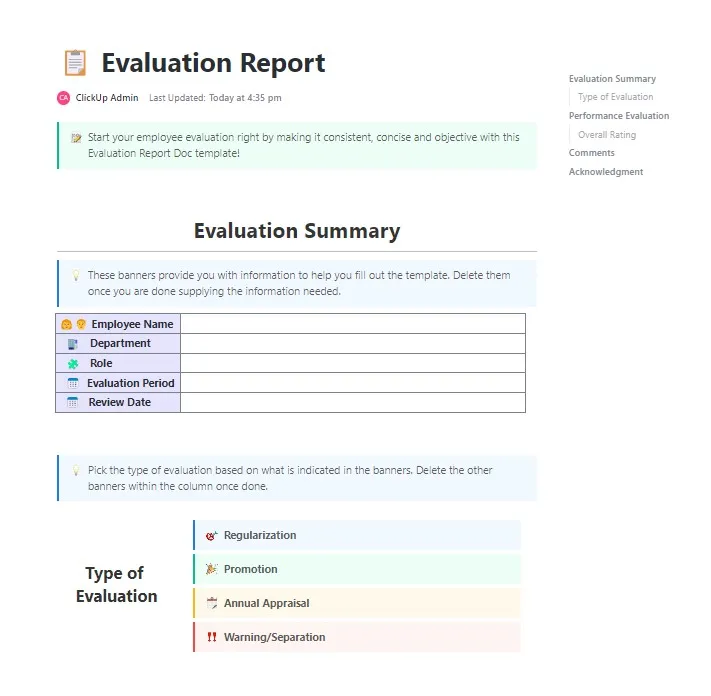
Running A/B tests or model evaluations without clear, objective criteria often leads to debates over whether an experiment was truly a “success. ” This Evaluation Report Template by ClickUp removes ambiguity. You get a structured format for assessing outcomes against predefined success criteria. It’s perfect for teams that need clear pass/fail documentation.
Its built-in rubric sections let you score experiments against multiple criteria rather than a single metric. You can then automatically calculate evaluation scores based on your input metrics using Formula Fields in ClickUp.
Why you’ll like this template:
- Clear evaluation structure: Break down experiments into defined sections so results are easier to interpret and communicate
- Side-by-side assessment: Compare outcomes across different tests using a consistent format that reduces confusion
- Customizable tracking: Use ClickUp’s Custom Fields and 15+ Views to tailor how you measure and present evaluation results based on your criteria
🔎 Ideal for: Teams running experiments or evaluations who need a clear, consistent way to document results and compare outcomes.
9. Test Case Template by ClickUp
ML models can fail in strange and unexpected ways, especially on edge cases.
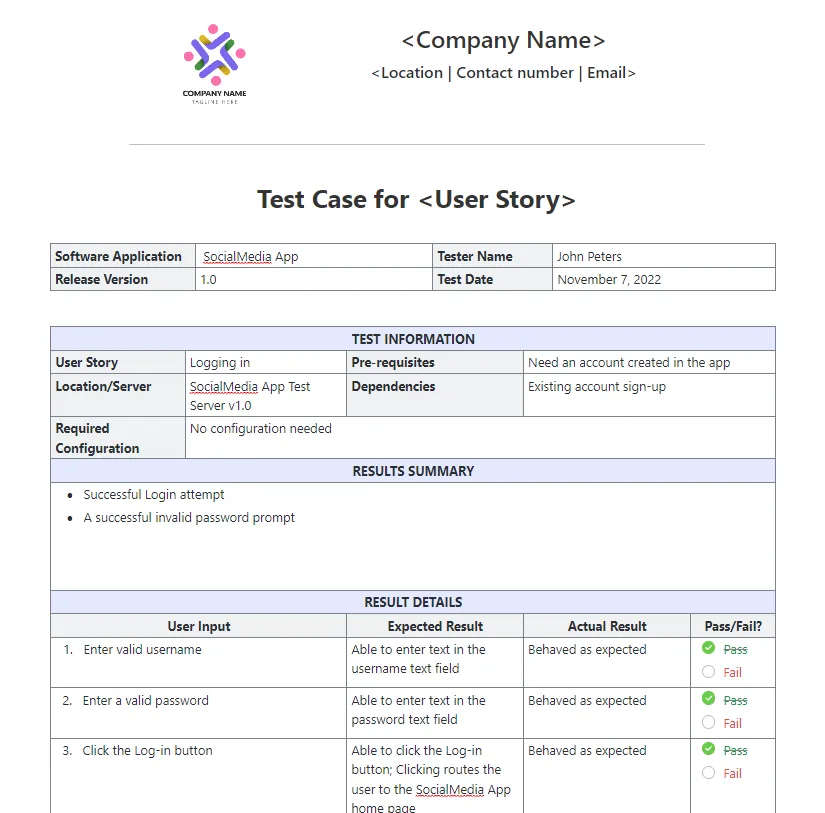
Simply tracking overall accuracy isn’t enough; you need to validate model behavior across a wide range of specific inputs. That’s what the QA-style Test Case Template by ClickUp is tailored to do.
It provides a structured format with a test case ID system, columns for expected vs. actual results, and status tracking. Use it to systematically build your test coverage and identify specific failure modes.
💡 Pro Tip: Close the loop between testing and resolution by using ClickUp Automations to automatically flag failed tests, create follow-up bug-fixing tasks, and assign them to the right engineer. Using if-then triggers and actions, Automations let you keep handoffs moving forward without manual intervention.
🎥 Check out how engineering teams are using ClickUp Automations:
Why you’ll like this template:
- Test case standardization: Use a consistent format with IDs, steps, and expected vs. actual results to validate model behavior
- Coverage tracking: Build and manage a library of test cases so edge scenarios don’t get missed
- Status-based workflow: Track each test as pass, fail, or in progress to keep testing organized
- Integrated issue tracking: Convert failed tests into tasks so fixes are assigned and resolved without delay
🔎 Ideal for: ML and QA teams testing models across different inputs and edge cases who need a clear way to track results and act on failures quickly.
10. Conversation Log Template by ClickUp
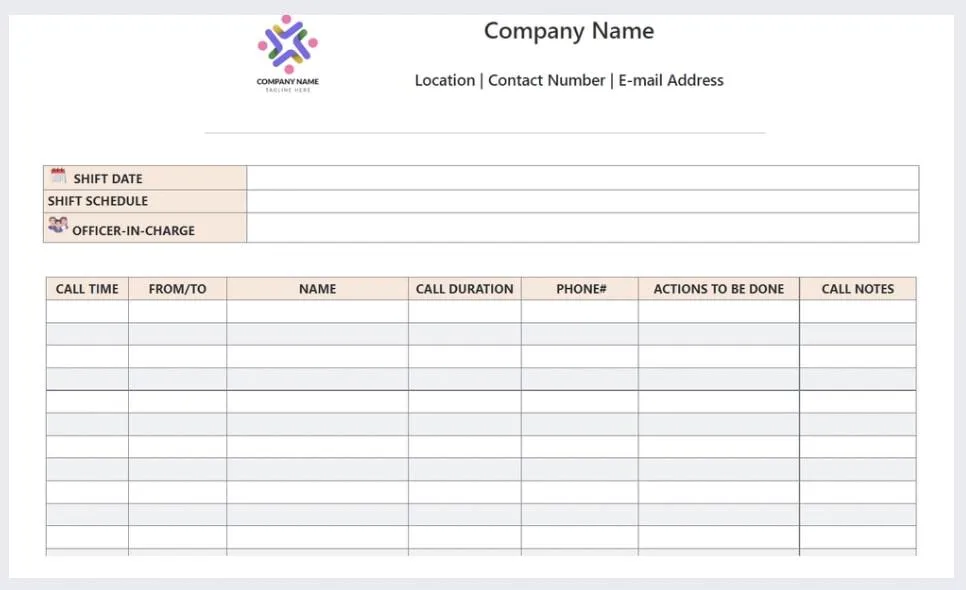
Fine-tuning conversational AI or perfecting a prompt for an LLM can feel like an art. This Conversation Log Template by ClickUp makes the process scientific by providing a structured way to track interactions and outputs. It’s designed for teams working on chatbots, virtual assistants, or any prompt engineering task.
It includes fields for the input prompt, the model’s response, a quality rating, and notes on the iteration. This log creates a detailed history of what works and what doesn’t.
Why you’ll like this template:
- Prompt-level tracking: Log each input and model response so you can clearly see what’s driving better outputs
- Iteration visibility: Track changes across prompts and responses to understand what improves performance over time
- Response quality scoring: Rate outputs consistently to compare different prompt variations and refine results
- Organized experiment history: Build a searchable log of interactions so past learnings don’t get lost
🔎 Ideal for: Teams working on LLMs, chatbots, or prompt engineering projects, and who need a structured way to track prompt iterations and improve response quality over time.
Best Practices for AI Experiment Tracking
Having great templates isn’t enough. If your team’s habits are inconsistent, your “single source of truth” can quickly become a single source of confusion. 😅
Adopt these best practices to ensure your experiment tracking system actually delivers value:
- Document before you run: The most common failure point is trying to remember the hypothesis after seeing the results. Log your hypothesis and success criteria before you start. This prevents post-hoc rationalization, which kills experiment integrity
- Standardize your metadata: Your team must agree on a required set of fields (like model version, dataset, and key parameters) for every experiment. This is the only way to ensure your experiments are comparable
- Version everything: Don’t just link to “the latest” dataset or code. Link to specific dataset versions and code commits. This is fundamental for experiment reproducibility
- Set clear stopping criteria: Define when an experiment is considered done. It prevents endless iteration on a single idea without ever making a decision
- Review experiments regularly: Schedule a recurring weekly or biweekly meeting to review completed experiments. This is where you’ll archive stale tests, identify patterns across results, and share learnings with the wider team
- Connect experiments to decisions: An experiment without a resulting decision is a waste of time. Every completed experiment should link to a concrete next action, whether it’s “ship it,” “revert it,” or “run a follow-up test”
👀 Did You Know? Studies show that sharing both code and data boosts reproducibility to 86%, while sharing only data drops it to 33%.
You can enforce these habits directly in your workflow, using ClickUp. Enforce documentation habits automatically by using ClickUp Automations to require key ClickUp Custom Fields, like “Hypothesis,” to be filled out before an experiment’s status can be changed to “Running. ”
A simple rule to ensure you never have an experiment record without the most critical piece of context.
Track Experiments without the Context Chaos
Effective experiment tracking is your team’s best defense against repeated work and lost context.
When you standardize your documentation, you make your experiments comparable, reproducible, and most importantly, valuable. The right template should always match your team’s workflow, not the other way round.
Context sprawl across dozens of tools is what kills experiment velocity. By bringing everything into a centralized tracking system, you create an institutional memory that survives team changes and helps new members get up to speed faster.
Teams that systematize their experiment tracking compound their learnings, with each new experiment building on a documented history of what has and hasn’t worked.
Bring your experiment tracking into ClickUp’s converged AI workspace and start building on a documented history of learning. Get started for free with ClickUp today. ✨
Frequently Asked Questions About AI Experiment Tracking Templates
What is the difference between an AI experiment tracking template and an ML monitoring tool?
An experiment tracking template is for documenting the process of developing and testing a model: the “what did we try” part. An ML monitoring tool is for tracking a model’s performance after it’s been deployed in a live production environment—the “how is it performing now” part.
How do I customize a ClickUp template for machine learning experiment tracking?
You can add ClickUp Custom Fields to capture your team’s specific metadata, like hyperparameters or dataset versions. Then, create Custom Statuses that match your unique experiment lifecycle and use ClickUp Automations to enforce documentation rules as experiments move through your pipeline.
Can I use experiment tracking templates alongside dedicated ML tools like MLflow or Weights & Biases?
Yes, they work great together. Use dedicated ML tools for technical logging and then use your ClickUp template as the central collaboration and documentation layer. You can simply link to your MLflow runs or W&B dashboards from your experiment task in ClickUp to keep all technical and strategic context in one place.
Are free experiment tracking templates suitable for enterprise AI teams?
Free templates are a great starting point, but enterprise teams often need more advanced governance. This includes features such as granular permissions to control who can see or edit specific experiments and audit trails to track all changes for compliance purposes, both of which are available in ClickUp.