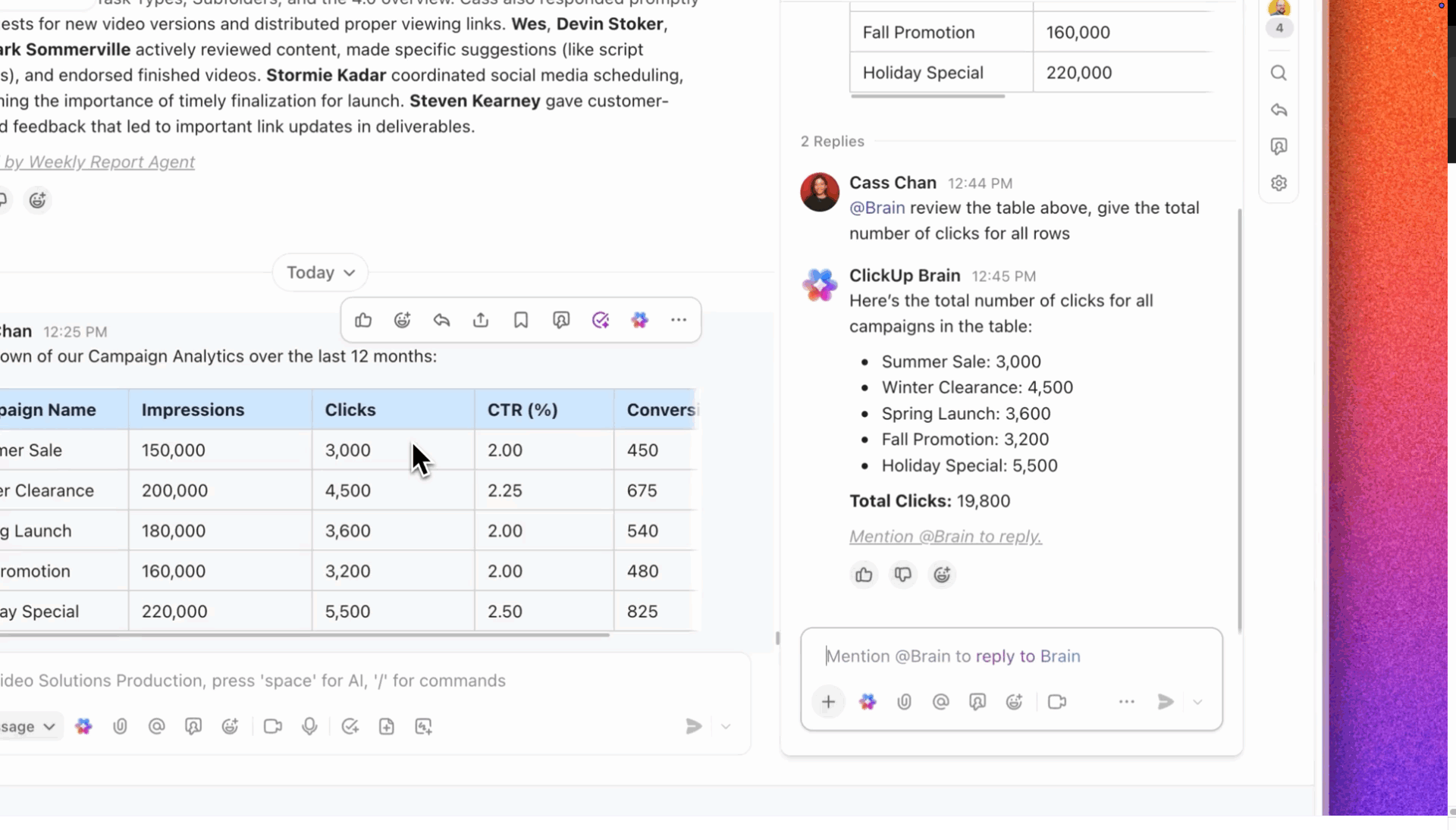

SMBs don’t have a tool problem. They have a coordination tax problem.
According to NFIB’s 2025 Technology Survey, 57% of small business owners introduced new technology in just the past two years—and every extra app your team adds quietly charges you in lost time, missed context, and decisions made on incomplete information.
This article breaks down why small businesses are ditching fragmented stacks in favor of all-in-one platforms, what a genuinely converged workspace looks like in practice, and how ClickUp brings tasks, docs, chat, dashboards, and AI together so your team spends less time managing tools and more time doing actual work. 🙌
The Real Cost of Tool Sprawl for Small Businesses
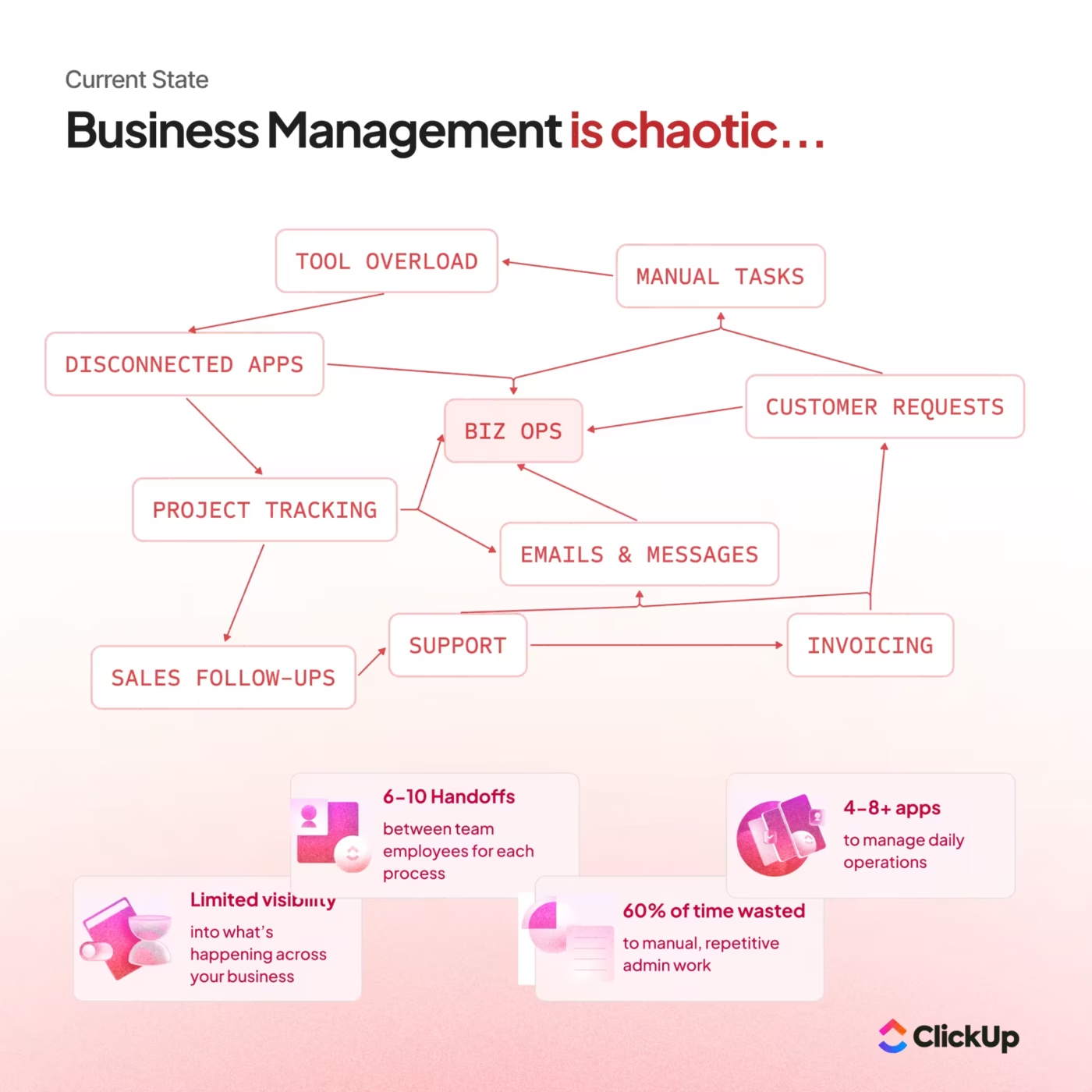
Tool sprawl occurs when your team stitches together separate apps for project management, documents, communication, and file storage.
Each app has its own login, data, and way of doing things. For SMBs without a dedicated IT department, this fragmentation quietly drains attention, speed, and decision-making every single day. 👀
Here’s what that looks like across your team:
- Context switching eats focus: Your marketing lead checks campaign status in one tool, updates a brief in another, then jumps into a messaging app to ask a question. Every tab swap is a micro-interruption that compounds fast
- Work lives in silos: Leadership pieces together project status from separate dashboards and chat threads. Nobody has the full picture
- Manual handoffs create errors: Someone on your team always ends up being the “human integration layer,” copying info from one app to another
- Onboarding drags on: New hires have to learn five or six platforms before they can do their actual job
A converged workspace, or all-in-one platform, is a single environment where tasks, documents, chat, and AI-powered automation coexist natively. This means context travels with the work instead of getting stuck in a separate app.
📖 Read More: 15+ Best Small Business Apps to Simplify Your Work
What an All-in-One Platform Really Means for SMBs
There’s an important distinction to be made here. An all-in-one platform for small businesses isn’t one bloated app that does everything poorly.
It’s a connected ecosystem where task management, documentation, real-time communication, reporting, and automation share the same foundation from the ground up.
There’s a big difference between the two approaches that often get confused. 🛠️
| Stitched-together stack | All-in-one platform | |
|---|---|---|
| Search | Check each app separately | One search across everything |
| Automation | Requires middleware like Zapier | Native workflows across tasks, docs, and chat |
| Onboarding | Train on five or more tools | Learn one platform |
| Context | Scattered across apps | Travels with the work |
| Data visibility | Assemble reports manually | Real-time dashboards update automatically |
For SMBs, a converged platform removes the need to maintain integrations, manage permissions across tools, and fix issues when syncs break. The platform handles that natively—so your team spends time on work that matters.
📮ClickUp Insight: Low-performing teams are 4 times more likely to juggle 15+ tools, while high-performing teams maintain efficiency by limiting their toolkit to 9 or fewer platforms.
Video production company path8 Productions hit that point as they scaled. Work was spread across tools like Smartsheet, Slack, Toggl, and Dropbox Paper. Producers spent time copying updates between systems rather than moving projects forward, slowing delivery and increasing the risk of slips.
Instead of adding more process or headcount, they consolidated everything into ClickUp’s Small Business Suite.
⚡ The impact
With communication, project tracking, and time logs centralized, the “update every tool” problem disappeared. Producers now log time directly on tasks, conversations stay tied to the work, and meeting agendas build themselves from live project data. Hear it from Founder, Pat Henderson! 👇🏼
📮ClickUp Insight: Low-performing teams are 4 times more likely to juggle 15+ tools, while high-performing teams maintain efficiency by limiting their toolkit to 9 or fewer platforms.
Video production company path8 Productions hit that point as they scaled. Work was spread across tools like Smartsheet, Slack, Toggl, and Dropbox Paper. Producers spent time copying updates between systems rather than moving projects forward, slowing delivery and increasing the risk of slips.
Instead of adding more process or headcount, they consolidated everything into ClickUp’s Small Business Suite.
⚡ The impact
- 6 tools replaced with one unified workspace
- 60% less time spent preparing for team meetings (from 30–60 minutes to ~10 minutes)
- Fully rolled out in under 8 weeks with ClickUp’s support
- Real-time visibility across planning, messaging, and time tracking
With communication, project tracking, and time logs centralized, the “update every tool” problem disappeared. Producers now log time directly on tasks, conversations stay tied to the work, and meeting agendas build themselves from live project data. Hear it from Founder, Pat Henderson! 👇🏼
Why Small Businesses Are Switching to Unified Platforms
The shift isn’t just about cleaning up a messy tech stack.
Several factors have changed how SMBs operate, making consolidation feel urgent.
- Remote work exposed the cracks: When everyone sat in the same office, hallway conversations covered gaps in your tools. Distributed teams can’t do that—the tools have to carry the context now
- AI only works with full context: SMBs are rapidly adopting AI for drafting, summarization, and search— 58% of small businesses now use generative AI according to the U. S. Chamber of Commerce. But AI that only sees data inside one app gives incomplete answers. A converged workspace gives AI access to tasks, docs, and conversations together—so the output is useful instead of generic
- Fewer people, more responsibilities: One person might handle project management, client communication, and reporting. Switching between four tools to do all of that is a productivity killer
- Integration fatigue is real: Maintaining middleware workflows, debugging broken syncs, and paying for connectors adds up. Teams are tired of being their own IT department
Are these random complaints? Nope. They’re symptoms of work sprawl —the fragmentation of work activities across multiple disconnected tools and systems that don’t talk to each other.
Which contributes to context sprawl —where teams waste hours switching between apps, hunting down files, and repeating the same updates across platforms—the invisible drag of having your work, data, and conversations scattered across disconnected tools.
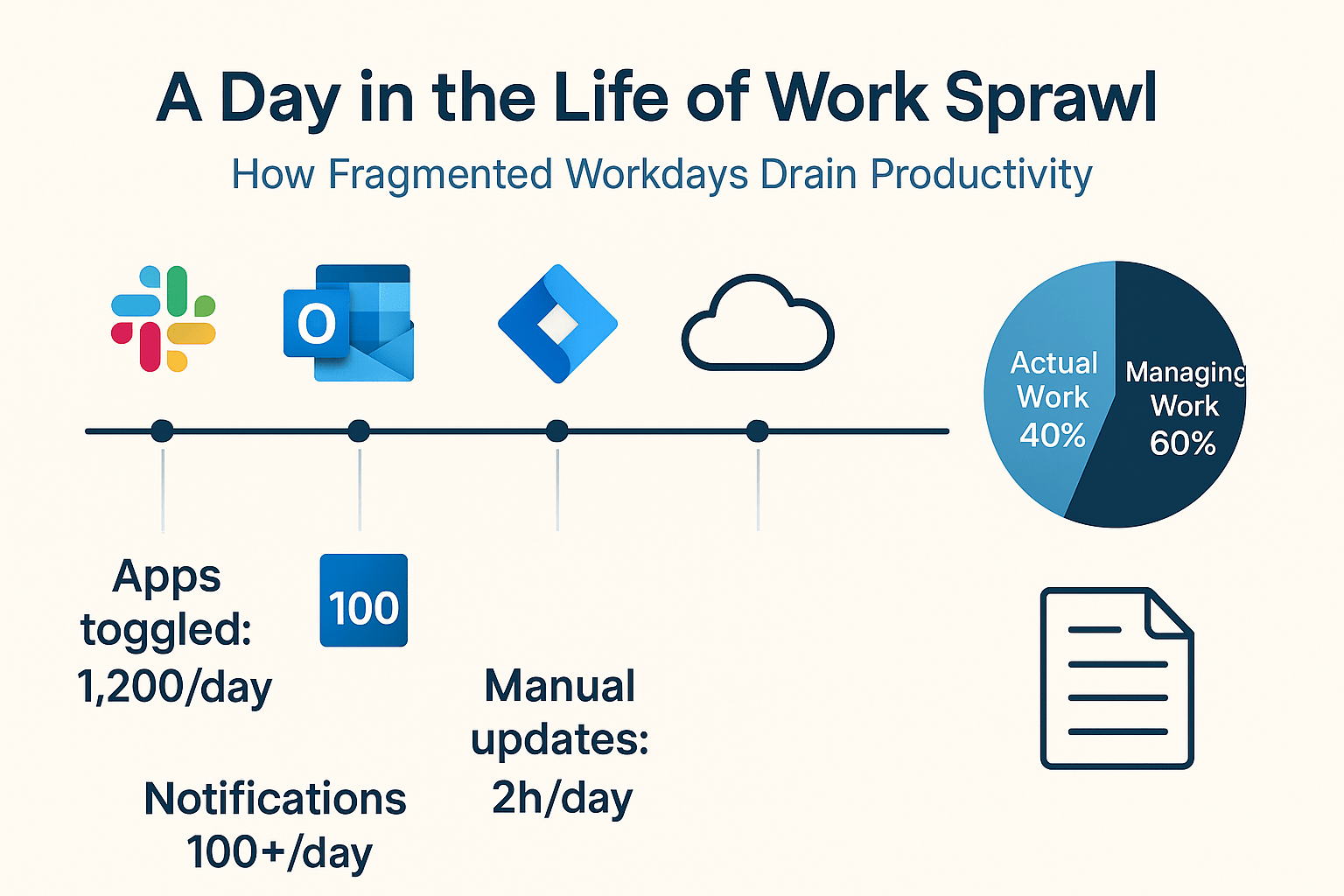
📮 ClickUp Insight: 1 in 4 employees uses four or more tools just to build context at work.
A key detail might be buried in an email, expanded in a Slack thread, and documented in a separate tool, forcing teams to waste time hunting for information instead of getting work done. ClickUp consolidates your entire workflow into a single platform.
With features like ClickUp Email Project Management, ClickUp Chat, ClickUp Docs, and ClickUp Brain, everything stays connected, synced, and instantly accessible. Say goodbye to “work about work” and reclaim your productive time. 💫 Real Results: Teams are able to reclaim 5+ hours every week using ClickUp—that’s over 250 hours annually per person—by eliminating outdated knowledge management processes. Imagine what your team could create with an extra week of productivity every quarter!
How All-in-One Platforms Boost Productivity and Cut Costs
We’ve talked about the hidden “coordination tax” of tool sprawl. But what exactly happens to your bottom line when you finally eliminate it?
To put hard numbers behind the shift to a converged workspace, Forrester Consulting conducted a Total Economic Impact™ (TEI) study on organizations using ClickUp. They analyzed the financial impact of moving from a fragmented, stitched-together tech stack to a single, AI-powered platform.
The results? Organizations achieved a 384% Return on Investment (ROI) and saw the platform pay for itself in under 6 months. 🤯
Here is exactly how consolidating your tools translates into measurable growth and savings.
⏰ Reclaiming lost time with automation and AI
When your team doesn’t have to act as the “human integration layer,” productivity skyrockets. By replacing manual updates, status hunting, and endless tab-switching with native AI and automated workflows, employees reclaim a massive amount of focus.
- The data: By Year 3 of using a unified platform, employees saved an average of 12 hours per month. Over a three-year period, the modeled organization eliminated 92,400 hours of busywork
- The reality: That’s nearly a day and a half of deep work handed back to every team member, every single month
💸 Slashing the SaaS bill
Every separate app you use comes with its own licensing fee, admin overhead, and maintenance headaches. Moving to an all-in-one platform doesn’t just centralize your work; it aggressively trims your software budget.
- The data: Organizations reduced their legacy project management costs by 60% by Year 3, successfully retiring costly, redundant point solutions
- The reality: IT and operations teams stopped wasting hours managing permissions and broken syncs across half a dozen platforms, yielding significant admin labor savings
📈 Turning saved time into direct revenue
What happens when your team gets those 12 hours back each month? They don’t just sit on their hands but drive the business forward. The study found that teams used this newfound capacity to execute more revenue-driving projects without needing to inflate their headcount.
- The data: Teams saw a dramatic increase in output. One gaming company went from producing 12 games annually to 84—a 7x increase in output—simply by removing workflow bottlenecks. A marketing team managed to double its task capacity, avoiding costly project delays
😊 The “unquantifiable” wins
Some of the most profound benefits of a unified workspace don’t cleanly fit on a balance sheet, but they radically change how your business operates:
- Happier employees: Centralizing tasks and communication drastically reduces burnout. One director noted that a clear, unified system took a team member from “tears in the bathroom” during a chaotic, busy season to comfortably taking a vacation during that same season the following year
- Higher client satisfaction: Faster response times and fewer errors mean happier clients. With a single source of truth, anyone on the team can access a project’s full context instantly, effectively ending the “let me track that down and get back to you” dance
The ROI of consolidation at a glance
| Overall ROI | 384% |
| Payback Period | < 6 Months |
| Time Saved | Up to 12 hours per employee/month |
| Legacy Costs | 60% reduction in overlapping software costs |
When your work, data, and conversations live in the exact same place, you stop paying the coordination tax. You aren’t just buying a new tool; you’re buying back your team’s focus, speed, and sanity. 🙌
📖 Read More: Why Small Businesses Pay More for Less
Why Centralized Data Changes How SMBs Work
In a fragmented stack, reporting means exporting CSVs from three tools, pasting them into a spreadsheet, and hoping the data is up to date. By the time you’ve built the report, it’s already stale. For SMBs where leadership needs to make fast calls, this lag is a real bottleneck.
Centralized data fixes this in three ways:
- Real-time visibility without manual assembly: When tasks, time tracking, workload, and project status all live in one platform, dashboards update automatically. Nobody has to build the report—it builds itself
- AI-powered insights with full context: An AI that can see your tasks, docs, chat history, and project timelines together can flag risks a single-app AI would miss—like noticing that three dependent tasks are behind schedule and a deadline is at risk
- Single source of truth for every team: Engineering, marketing, and operations all look at the same data. For SMBs where cross-functional collaboration isn’t optional, this alignment is how the business runs
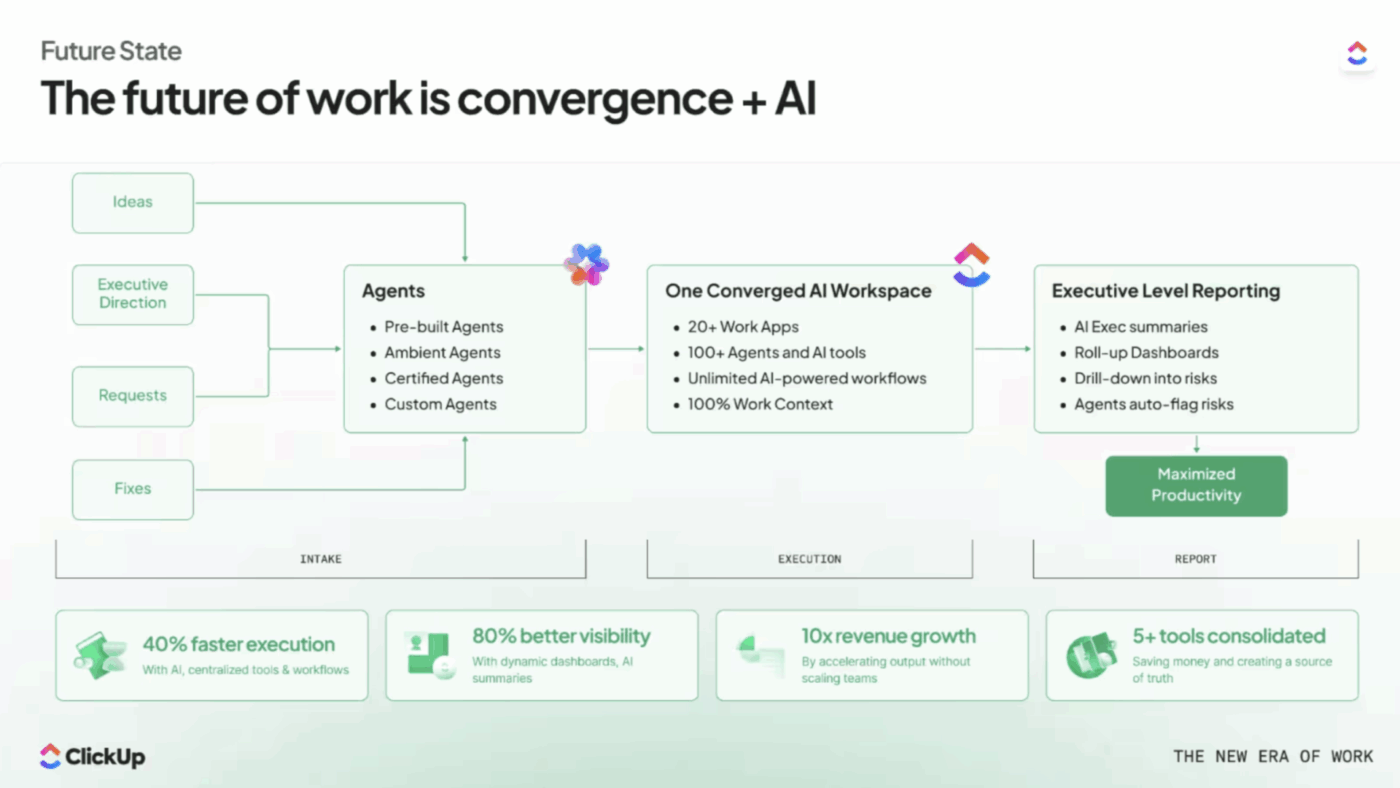
The takeaway isn’t just that centralized data saves time. It changes the quality of your decisions. Here’s a visualization of the ideal workflow:
🎥 Hear it first-hand from a small business founder. 👇🏼
How ClickUp Works as the Everything App for Work
Remember the “coordination tax” we talked about earlier?
The endless tab-swapping, the manual data entry, and the siloed information? As the world’s first converged AI workspace, ClickUp’s Small Business Suite eliminates those bottlenecks by building every core work function on a single, shared foundation.
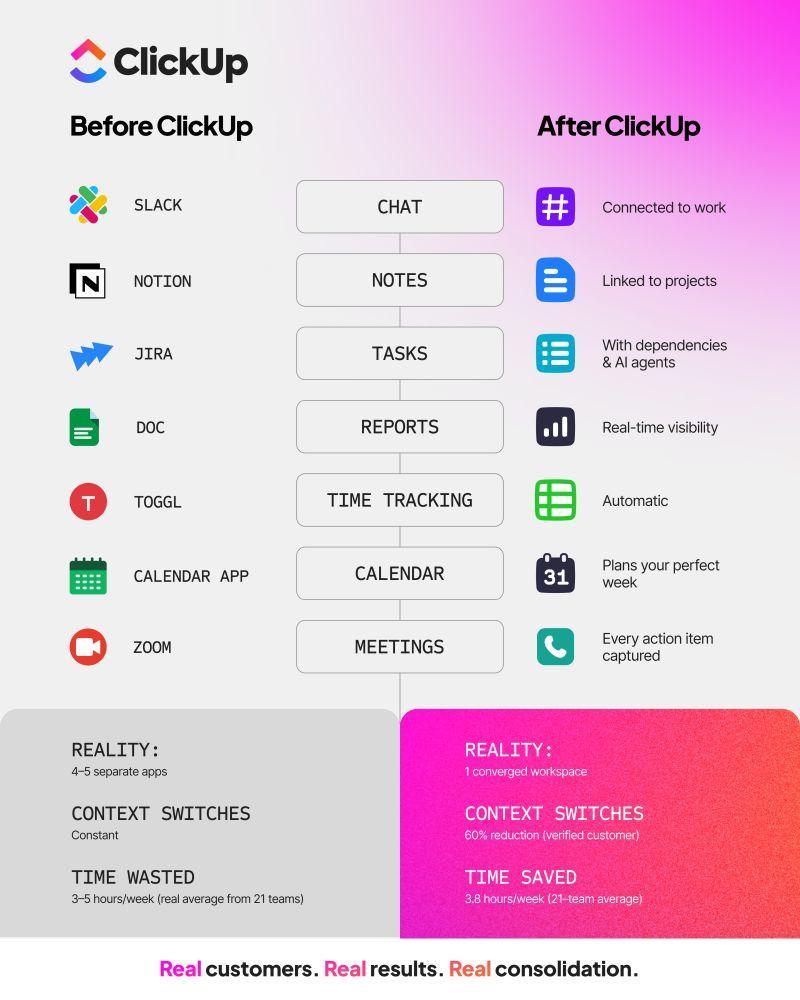
It brings your tasks, docs, chat, dashboards, and AI together in a single workspace—which is exactly why SMBs are choosing this all-in-one platform for their operations. 🤩
Let’s look at what a genuinely converged workspace looks like in practice.
1. Task management and reporting that adapt to your team
Work shouldn’t get lost in the void, and leadership shouldn’t have to chase people for status updates.
ClickUp Tasks represent your actionable work items—from a quick bug report to a massive client deliverable. You can visualize this work exactly how your brain works using multiple views (List, Board, Calendar, or Gantt), and keep things organized with Custom Fields, priorities, and dependencies.
Instead of manually assembling reports for leadership, ClickUp Dashboards pull live data directly from those tasks.
You get customizable cards that show sprint velocity, priority breakdowns, and tracked time, all updating in real time. Teams can even schedule these reports to automatically send to stakeholders, completely removing the “human integration layer. ”
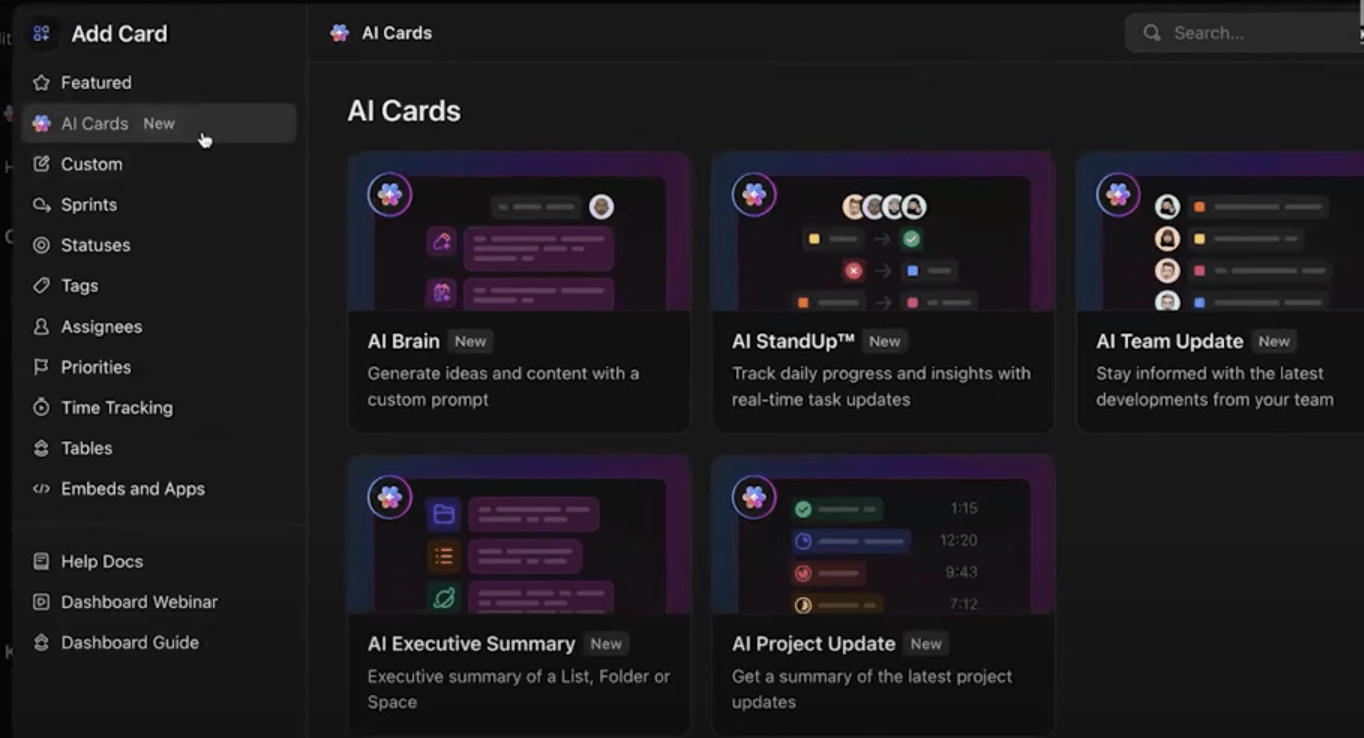
2. AI that actually has the full picture
We noted earlier that AI is only as smart as the data it can access. Generic AI tools give generic answers because they can’t see your company’s actual work.
The more work that happens inside a converged workspace, the more context the AI has. This is the opposite of AI sprawl, where every app has its own AI assistant with a partial view of your work.
ClickUp Brain solves this as the native AI feature with access to your entire workspace.
You can use it for connected search across tasks, docs, and chat to instantly find what you need. It can generate automatic project summaries, draft content directly inside ClickUp Docs, and even write task descriptions for you.
For power users, ClickUp Brain MAX acts as a desktop AI companion—allowing you to search ClickUp, the web, or connected apps like GitHub and Google Drive. You can even use Talk to Text to convert your voice to text hands-free.
3. Real-time communication without context switching
Every time you leave a project board to ask a question in a separate messaging app, you lose focus. ClickUp Chat keeps real-time messaging right alongside your tasks and docs.
You can set up dedicated Chat Channels for specific teams, squads, or projects. Because the chat is native to the platform, every conversation is fully searchable.
Best of all? If someone drops an action item in the chat, you can turn that message into a tracked task with a single click. No more copying and pasting action items between windows.
4. Centralized knowledge that travels with the work
Context sprawl happens when your project plans live in a task manager, but the actual brief lives in a separate drive. ClickUp Docs solves this by letting you create and collaborate on documents right inside your workspace.
You can turn any Doc into a company wiki to manage institutional knowledge, nest pages and subpages for a clean structure, and use the Docs Hub to organize your records from one centralized location. The document is no longer separated from the work; it is part of the work.
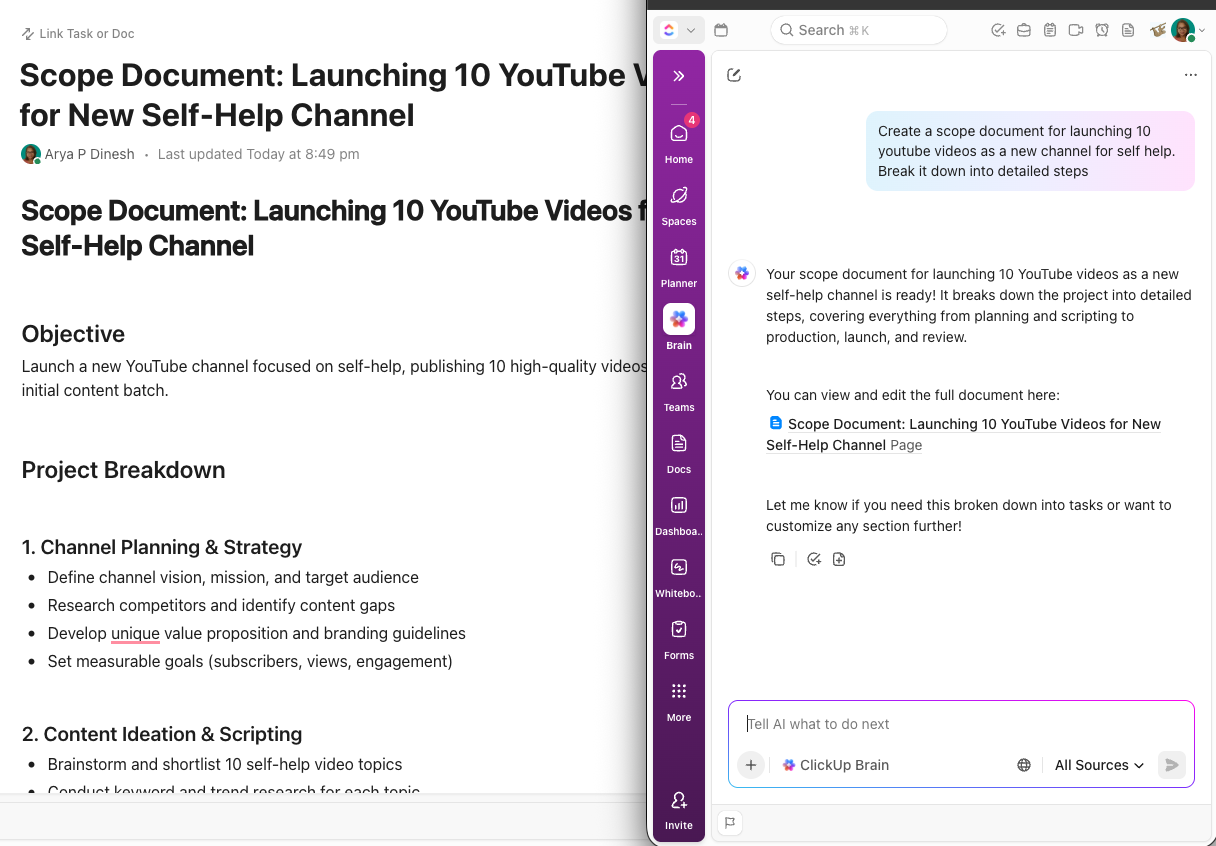
But what about the knowledge shared out loud? Instead of furiously typing out meeting minutes and letting action items fall through the cracks, you can use the ClickUp AI Notetaker.
It acts as an automated assistant that joins your calls, records them, and instantly drops a searchable transcript, smart summary, and extracted action items directly into a private ClickUp Doc. You stay focused on the conversation, and the follow-up work organizes itself.
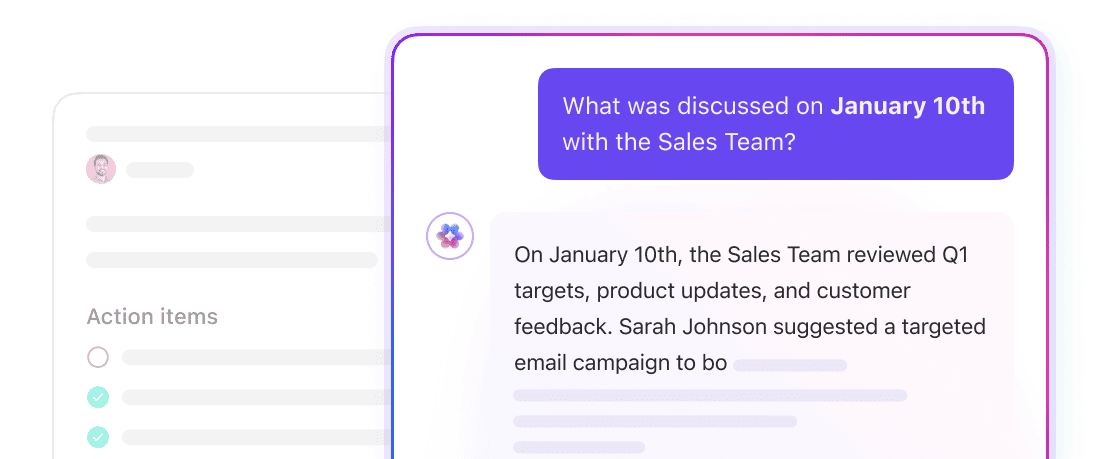
And when you need to track down a specific piece of information from six months ago, ClickUp Enterprise Search puts your entire company just one query away. It’s a deep, AI-powered contextual search.
Whether the answer is buried in a ClickUp task, a team chat, a past meeting transcript, or even a connected app like Google Drive or Slack, Enterprise Search pulls it all together and delivers a trusted, readable answer with citations. You completely eliminate the “where does this live?” guessing game.
5. Automations and Super Agents that do the heavy lifting
If your team is constantly acting as the glue between different apps, you aren’t doing the work—you are just managing the work. ClickUp changes this by letting you offload repetitive tasks to a natively connected engine.
With ClickUp Automations, you can choose from over 100 pre-built templates or build your own custom workflows. Need to automatically assign a developer when a task status changes to “In Review”? Or automatically send an email to a client when a form is submitted? You can set up triggers and actions across your tasks, docs, and integrations to make sure projects move forward without human intervention.
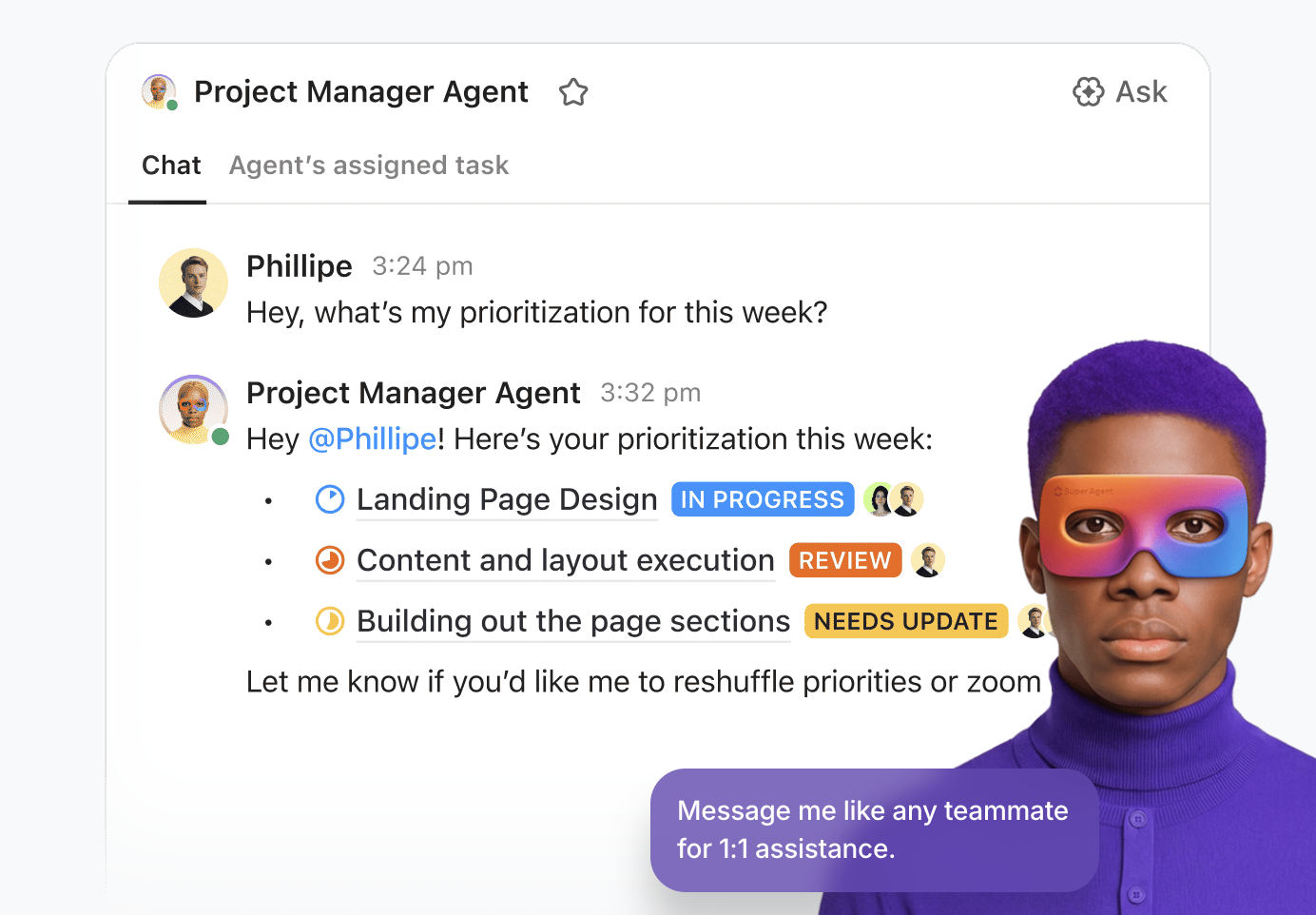
But for true workflow transformation, you can deploy ClickUp Super Agents . These aren’t just simple rule-based bots; they are self-learning, AI-powered teammates that understand the full context of your workspace.
You can build Super Agents using plain English to execute multi-step workflows. For example, you can deploy a “Project Triage Agent” to read incoming requests, assign priorities based on your SLAs, and route them to the right team members.
Teams can even set up agents to automatically draft weekly project reports from your task data or answer employee questions based on your company wiki. By handing the busywork over to your AI workforce, your team regains the time to focus on high-impact strategies.
📖 Read More: Why Small Businesses Love ClickUp
The Long-Term Value of Platform Consolidation for Growing Teams
When you outgrow a tool in a fragmented stack, you rip it out, lose data, retrain the team, and rebuild workflows. A converged platform grows with you. New team members, departments, and workflows all plug into the same system—whether that’s product, engineering, design, or operations.
When someone leaves the company, their knowledge doesn’t scatter across five tools. In a converged workspace, that knowledge lives in shared docs, task comments, and searchable chat history—findable by anyone, including ClickUp AI. For SMBs competing against larger companies with bigger teams and budgets, spending less time on tool management is a genuine competitive edge. 🙌
Tool consolidation isn’t a cost-cutting exercise. It’s a strategic decision that compounds in value the longer you stick with it. Get started with ClickUp and bring tasks, docs, chat, and AI into one place.
Frequently Asked Questions
An ERP manages back-office functions like accounting, inventory, and supply chain for larger organizations. An all-in-one work platform focuses on how teams plan, execute, and communicate daily, combining project management, docs, chat, and AI in a single workspace.
Most teams migrate in phases—starting with one department or workflow, importing existing data, and expanding once comfortable. Import existing data from tools like Asana, Trello, Monday. com, Jira, or Wrike to ClickUp, and use templates to give your team a running start.
Yes. Different teams use different views and workflows—engineering might use a Board view with ClickUp Sprints while marketing prefers a Calendar view—but they all share the same data layer, permissions, and ClickUp AI.
Integrations pass data between separate apps, but each app keeps its own search, permissions, and AI. A converged workspace is a single platform where all functions share the same foundation—so search, automations, and AI have full context rather than a partial view.