






Still downloading templates?
There’s an easier way. Try a free AI Agent in ClickUp that actually does the work for you—set up in minutes, save hours every week.
Sorry, there were no results found for “”
Sorry, there were no results found for “”
Sorry, there were no results found for “”
Unpopular opinion: A virtual sales kickoff (SKO) can actually be better than an in-person one.
Sure, you miss out on the team dinners and hallway chats. But you also skip the travel logistics, scheduling conflicts, venue hunts, and the pressure to cram everything into a single day.
The problem comes when companies simply take their in-person kickoff agenda and try to run it over Zoom. Listeners zone out after 90 mins max, while speakers feel like they’re talking to themselves.
Delivering a high-impact virtual sales kickoff needs much planning and a strategic roadmap. We cover it all in this guide.
A virtual sales kickoff is an online, annual event where you align your entire revenue organization (sales, marketing, ops, engineering, product, and leadership) for the upcoming fiscal year.
This involves communicating business goals, sharing product or process updates, celebrating past wins, and training team members for new initiatives.
While the objectives are the same as an in-person event, the execution is very different. Here is how they compare:
| Aspect | Virtual sales kickoff | In-person sales kickoff |
| Mode | Held online via platforms like Zoom, Teams, or Hopin | Held at hotels, conference centers, or offsites with live stages and AV setups |
| Cost-effectiveness | High; Pay only for software and guest speakers | Low; Includes hotel, venue, catering, production, and travel costs |
| Duration | 1–2 days; 60–90 min sessions to fight fatigue | 2–4 days; full 8-hour meetings + networking sessions |
| Accessibility | Easier to include global and remote teams across time zones | Attendance may be limited due to travel budgets, visa issues, or scheduling conflicts |
| Audience engagement | Requires interactive tools such as polls, Q&A sessions, and collaborative exercises | Natural energy from live reactions, hallway chats, and group activities generates excitement |
| Content delivery | Presentations, demos, and training can be recorded and shared easily for later reference. | Content is typically delivered live only |
| Scalability | Easy to scale since there’s no venue capacity limit or travel coordination | Hard to scale as attendee numbers increase logistics and costs exponentially |
| Analytics | Meeting platforms help track engagement metrics such as attendance, participation rates, and session activity | Not much insights beyond attendance and feedback surveys |
🧠 Fun Fact: In 1927, Herbert Hoover participated in the first public demonstration of a two-way video meeting. Using a massive setup of spinning disks and neon lamps, he spoke from Washington to an audience in New York. Though it was technically a virtual meeting, the equipment was so large that it required an entire room of engineers to operate.
When planned correctly, virtual SKOs offer the same strategic alignment and training value as in-person SKOs, along with several operational benefits:
📮 ClickUp Insight: When asked what would make AI agents truly useful, the top answer wasn’t speed or power. Nearly 40% of respondents said they need an agent with a perfect understanding of their work context.
Which makes sense because most AI agents fail when they don’t understand why decisions were made or how work is supposed to flow.
Since Super Agents retain context, remember past decisions, and operate continuously, they’re able to act with far more reliability than prompt-based agents. They work from a living workspace history, stay active as work evolves, and operate within clear permission boundaries and audit trails.
When intelligence understands the work and carries it through safely, you’ll finally feel like you’re working with a virtual coworker you can actually rely on.
⚡ Template Archive: Free Sales Proposal Templates to Close Deals Faster
To run a successful SKO event virtually, you must include these five key components without fail:
🧠 Fun Fact: The word “agenda” comes from the Latin agendum and literally means “things to be done.” In the Middle Ages, it referred specifically to religious duties that had to be performed daily.
Ready for the meat of the blog? Here’s your virtual sales kickoff guide that includes all steps and tips to create a high-impact online SKO event:
A successful sales kickoff inspires, educates, and aligns the team around a common sales strategy.
But using such broad goals to create an SKO agenda is too vague. You must define the specific sales outcomes you want to achieve in the upcoming year.
To do this:
Once you’ve gathered these insights, write your purpose down in a sentence or two.
📌 Example: “This year’s SKO will prepare the team to sell our new product line confidently and ensure everyone understands our updated sales process.”
📚 Read More: Video Conferencing Etiquettes You Must Know
With your goals all set, now list every single person who will be involved in this SKO—both speakers and participants.
In most cases, this includes your sales team—account executives, SDRs, sales managers, and sales leadership.
However, many SKOs also include roles that influence revenue performance, such as sales enablement, revenue operations, customer success, product marketing, and executives.
When you know exactly who is attending, you can tailor the agenda, content, and session formats to fit their specific needs. Don’t forget to include guest speakers, external partners, and industry experts in your list.
📚 Read More: Top Internal Communication Tools for Businesses
A sales kickoff agenda primarily focuses on three things:
Start by listing the main events for each day.
Note the session topic, the leader, key takeaways, benefits, and duration. Aim for 4–5 sessions per day, keeping each to a maximum of 40–50 minutes.
Ensure the sessions are planned so everyone has a chance to contribute rather than just listen. Include activities that encourage participants to interact with one another.
Once your agenda is ready, share it with everyone ahead of time. Promote it via email, short reels, your team chats, or the company portal to build up hype. This also helps set expectations so that sales team members prepare questions beforehand.
💡 Pro Tip: Choose a central theme for the entire agenda. This ensures that all content, strategies, and engagement tactics align with a single goal, keeping participants excited.
Some virtual SKO agenda themes to try:
With the agenda set, focus on the content itself. It should ideally be a mix of different formats and types, such as:
Make content interactive whenever possible. Use live polls, Q&A segments, breakout rooms, or group discussions to get people involved.
It’s also a good idea to create an SKO resource library. Record all sessions and gather materials in one place so the team can revisit them anytime.
During final content delivery, use real-world examples and practical tips that the team can apply immediately. Encourage questions and feedback throughout so everyone feels included.
⭐ Bonus: Blend the following content formats in your virtual sales kickoff to keep energy high:
🔔 Reminder: Many SKOs now include sessions on how AI can help reps research prospects, personalize outreach, and analyze deals faster.
If you’re introducing AI-powered selling to your team for the first time, this mini guide on how to use AI in sales walks through how it fits into a rep’s everyday workflow.👇
Below are three virtual SKO agenda frameworks you can adapt based on your company’s maturity, team size, and global time zones:
This format packs everything into a single high-energy day. Perfect for when you need to quickly align your team and have a tight schedule to follow.
Here’s what it includes:
✅ Best for: Small teams or companies that need rapid alignment.
⚡ Template Archive: Free Presentation Templates to Plug and Play Your Information
This format spreads the kickoff across shorter sessions to reduce screen fatigue and allow for better information processing.
Here’s what it includes:
✅ Best for: Mid-sized or global teams that need deeper training and better pacing.
⚡ Template Archive: Free Marketing Calendar Templates for Scheduling
For larger revenue teams, a general agenda can feel too broad. Role-based tracks offer parallel sessions tailored to each member’s specific role or department.
Here’s what it includes:
✅ Best for: Larger sales organizations with multiple revenue roles
📚 Read More: Workflow Automation Examples and Use Cases
Below are some tips to keep team members engaged and encourage active participation in your virtual sales kickoff event:
Now, let’s go through the top platforms to host your next virtual sales kickoff meeting on:
ClickUp is the first converged AI workspace that lets you plan, execute, and track your entire virtual SKO in one place—without switching tabs and scattered docs.
Use it to build your agenda, assign prep work, coordinate in real time, and measure follow-through while AI handles the note-taking.
Here’s how you use this project management tool step by step to run a tight virtual sales kickoff:
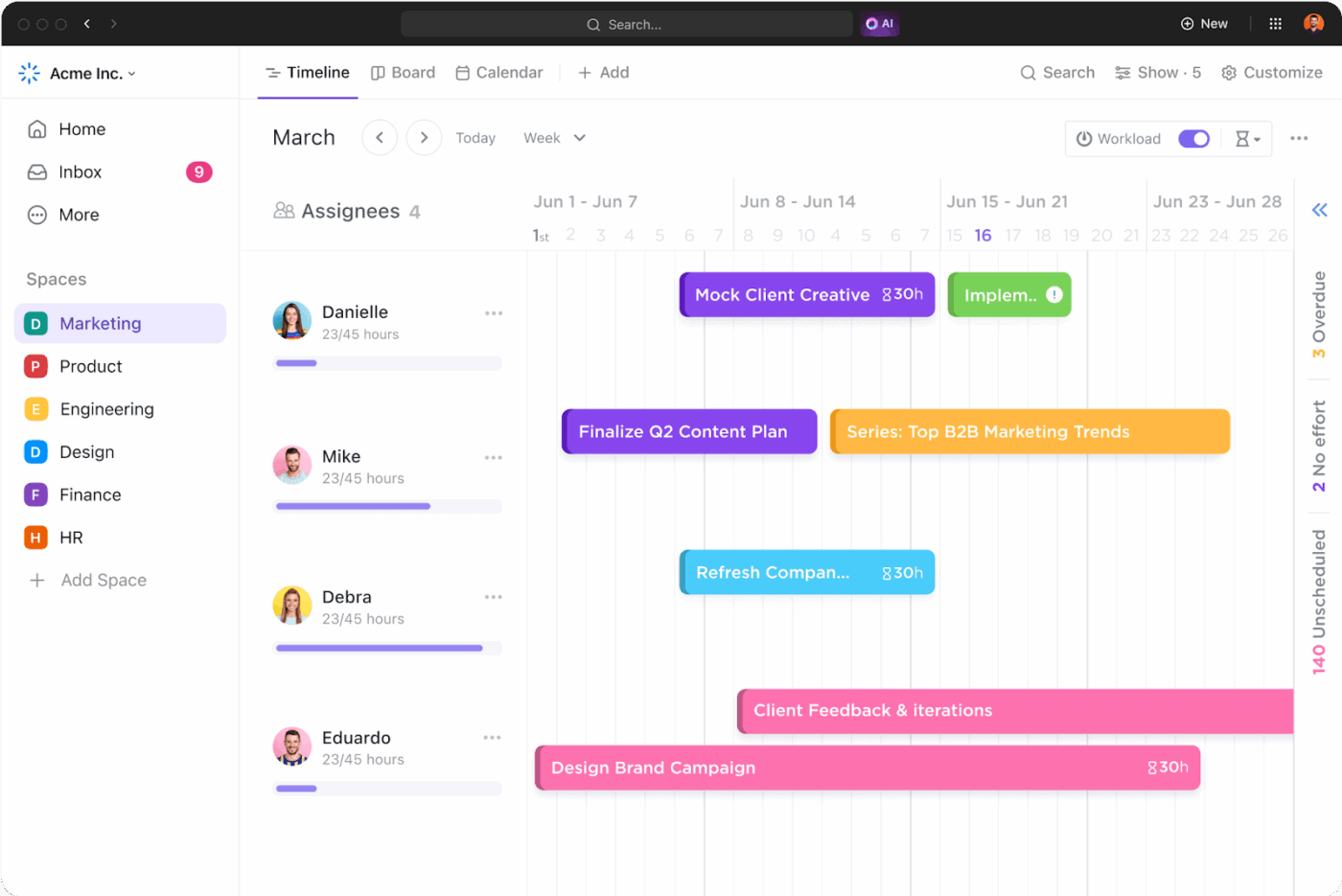
ClickUp’s Timeline View provides a visual, Gantt-style layout for your SKO agenda. Each session (e.g., “CEO Keynote”) appears as a draggable bar with exact start and end times.
Using this view, you can:
Group sessions by role (AE Track, SDR Track) or status (Prep, Rehearsed, Live) to spot overlaps instantly, like two workshops clashing.
ClickUp Dependencies lets you add a fixed order to the sequence of events. For example, “Speaker Rehearsal” must finish before “Day 1 Strategy” starts.
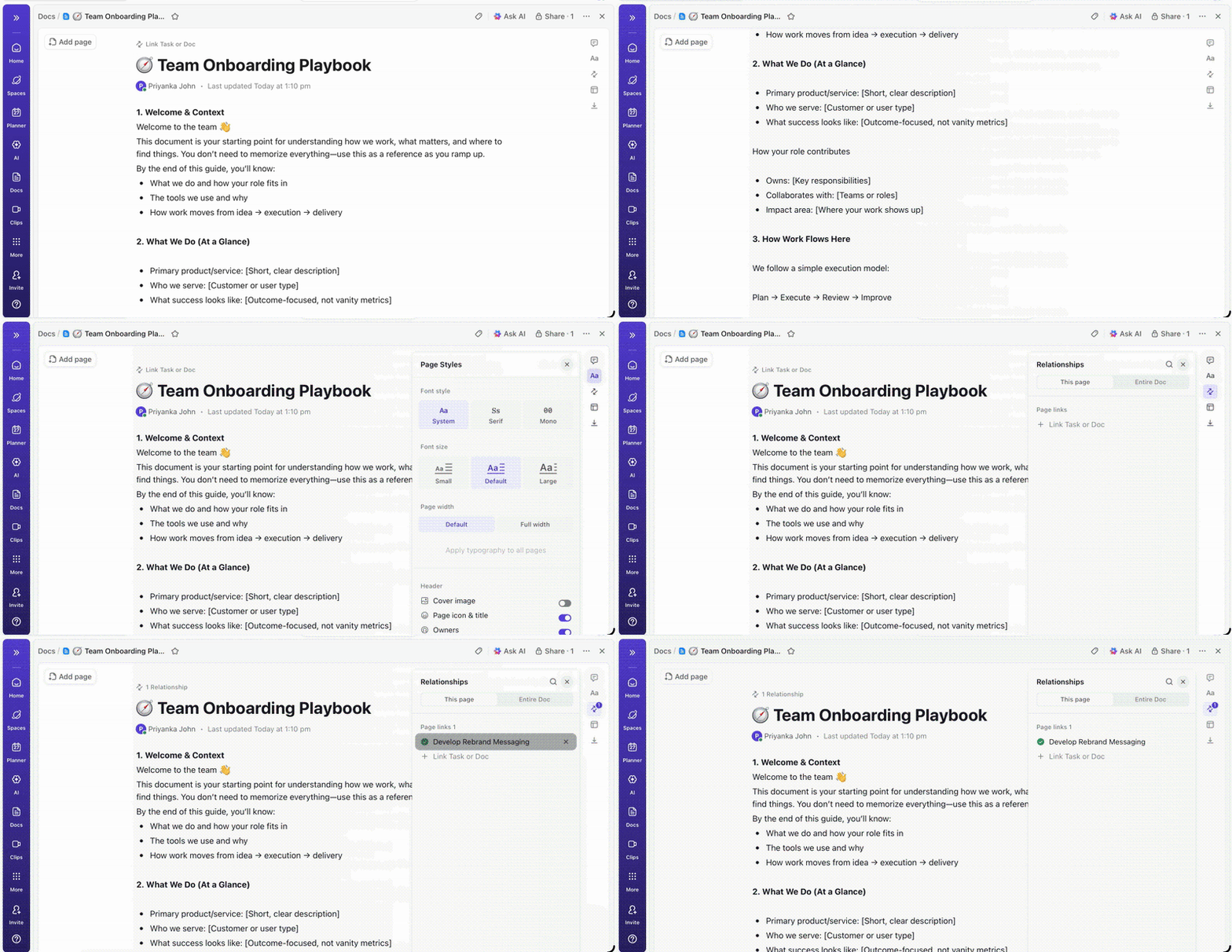
Once the agenda is locked in, use ClickUp Docs to create and store all your content resources—sales pitch decks, training manuals, keynote speaker quotes, questions for the Q/A sessions, etc.
Docs makes it easier to format, edit, and structure your content assets. Here’s how:
But that’s not all. What makes Docs special is the embedded contextual AI assistant, ClickUp Brain, that helps you write and create stunning content for your virtual SKOs.
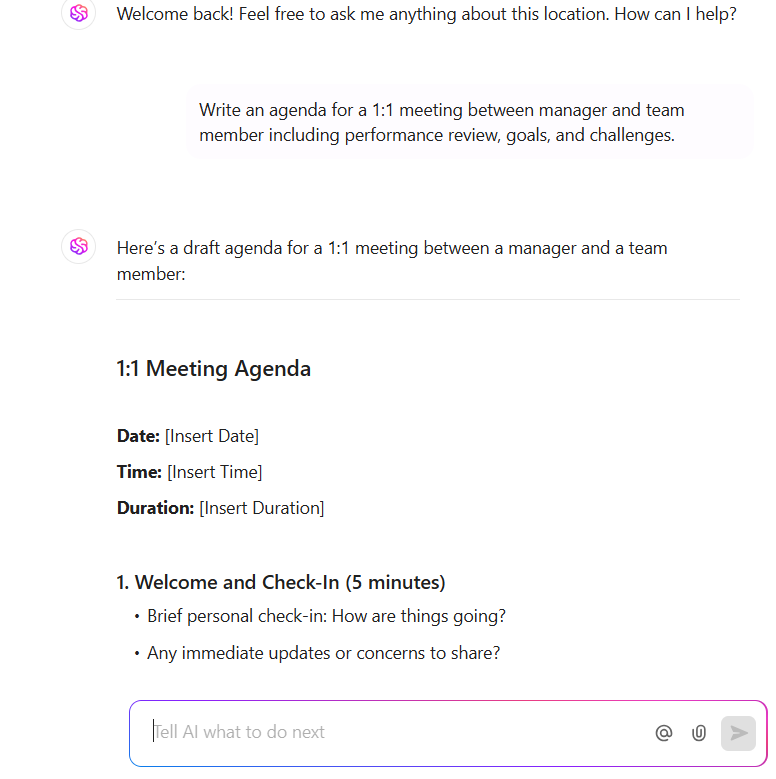
Let’s see how:
Since Brain is natively integrated into ClickUp, you don’t need to switch between multiple AI tools to prepare SKO materials. Draft content, collaborate on documents, and refine presentations in one place.
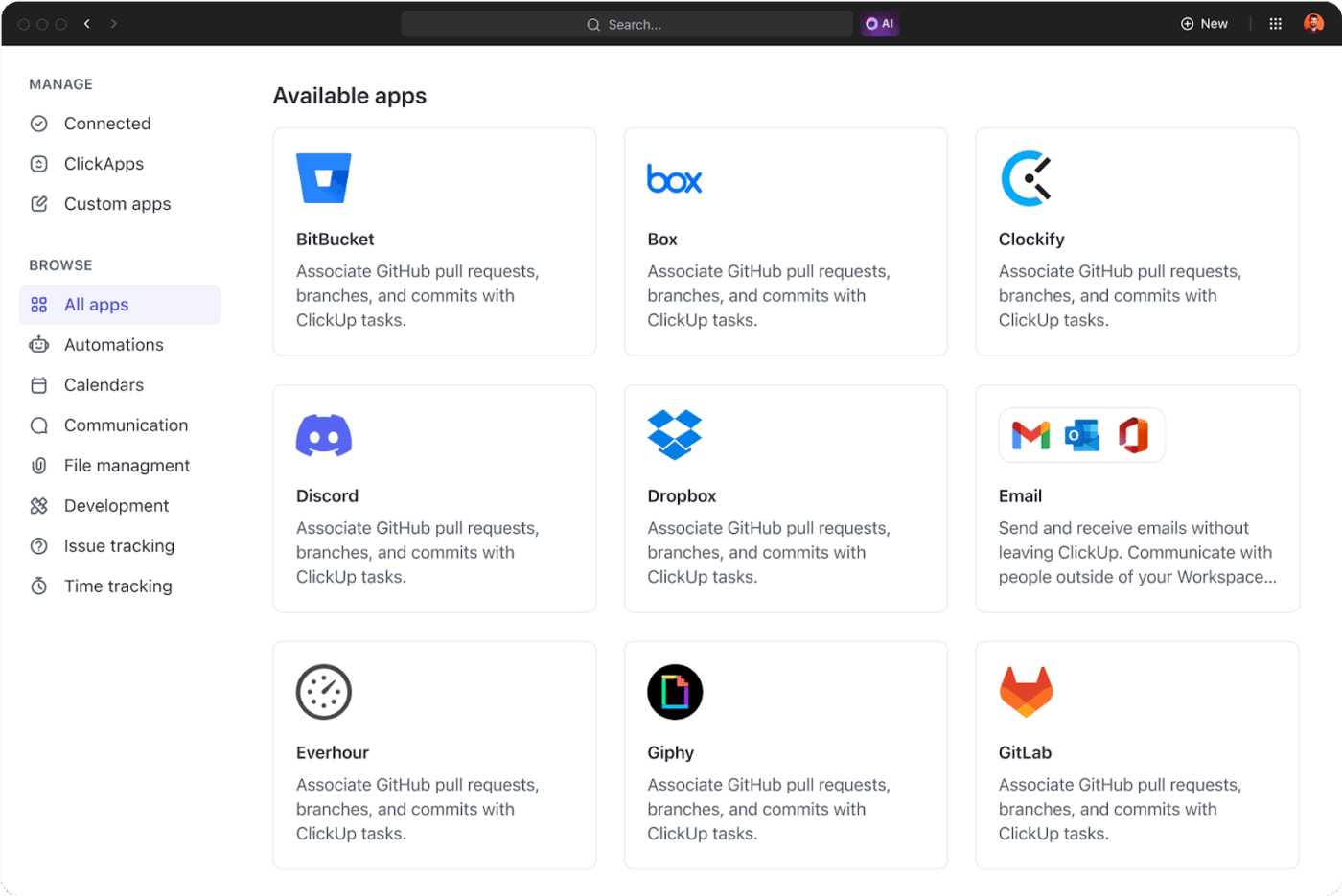
Running a virtual sales kickoff usually involves several meetings before and during the event. Inside ClickUp, teams can connect their workspace with common meeting and calendar tools (Zoom, Google Calendar, Microsoft Outlook) through ClickUp Integrations.
Once connected, organizers can attach meeting links directly to SKO planning tasks or documents. For example, a task assigned to a session speaker can include the rehearsal meeting link, preparation materials, and the session outline in one place.
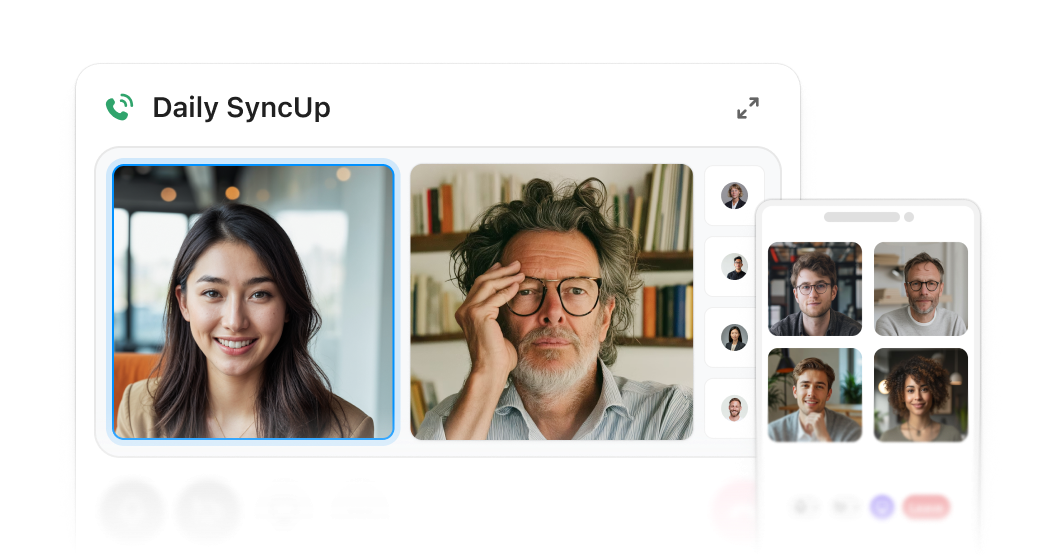
In fact, you can also directly host an effective sales kickoff online here with ClickUp SyncUps. No need to direct your entire sales team to a separate platform disconnected from your main workspace.
With SyncUps, your entire meetings and work stay in one place. Plus, you get AI-powered summaries, key takeaways, auto-generated notes, next steps, and a lot more using ClickUp Brain right inside your kickoff meetings!
Plus, you can also record these meetings (both rehearsal and live ones) using the ClickUp AI Notetaker. After the meeting ends, the AI Notetaker automatically creates a summary of the key points discussed and highlights action items that need follow-up.
The notes generated by the AI Notetaker can also be linked back to planning tasks in ClickUp. So, if a meeting discussion leads to some changes in the SKO agenda, the Notetaker captures that, creates relevant tasks in your board, and assigns them to the right person.
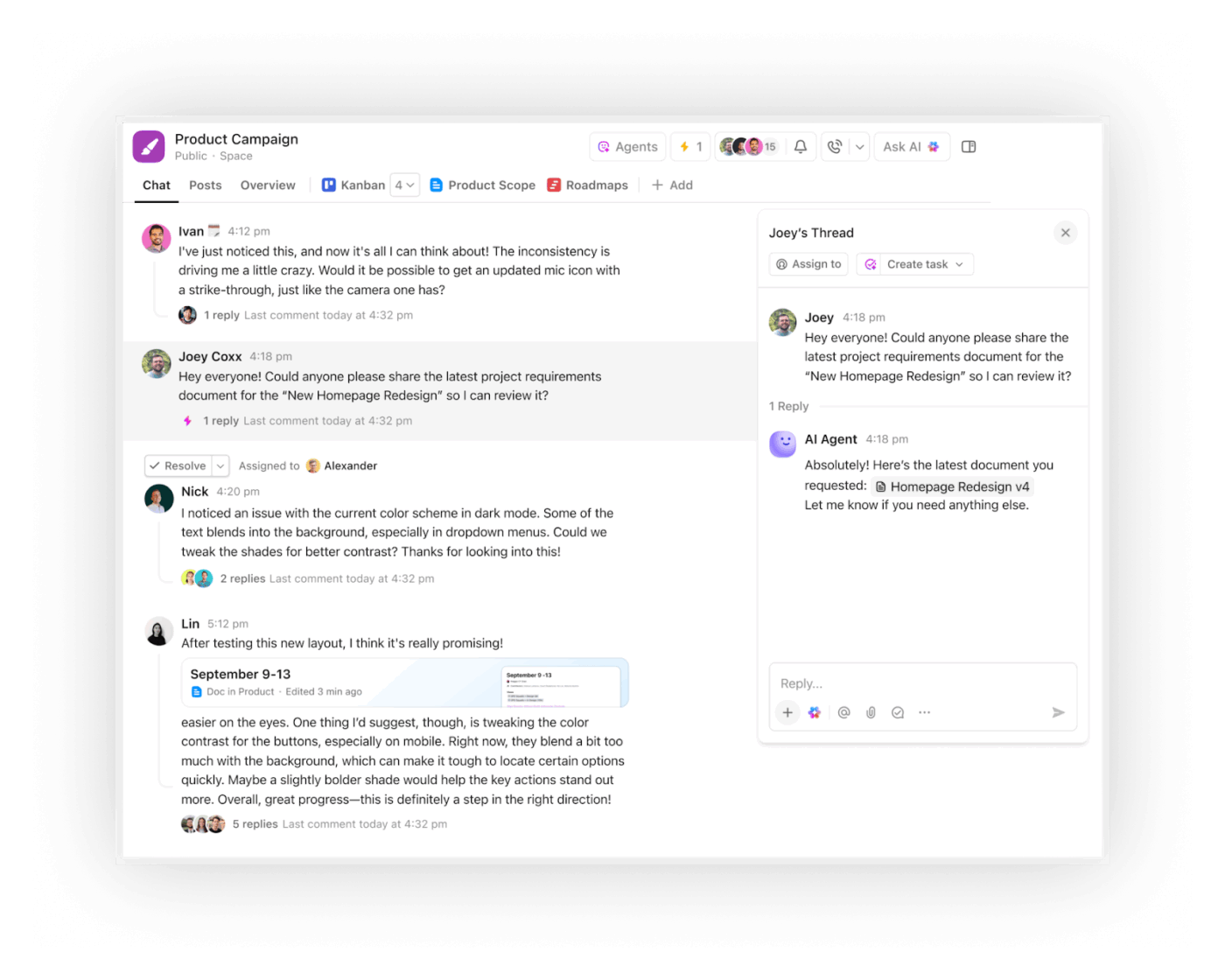
Planning a SKO is not a one-person job. You’ll likely communicate with the sales manager, leaders, consultants, etc., to host this event.
ClickUp Chat helps you organize all your conversations in one place. Teams can discuss session ideas, share updates, and resolve questions without leaving the workspace.
Because these conversations exist alongside planning tasks and documents, it’s easier for everyone to understand the context of what’s being discussed.
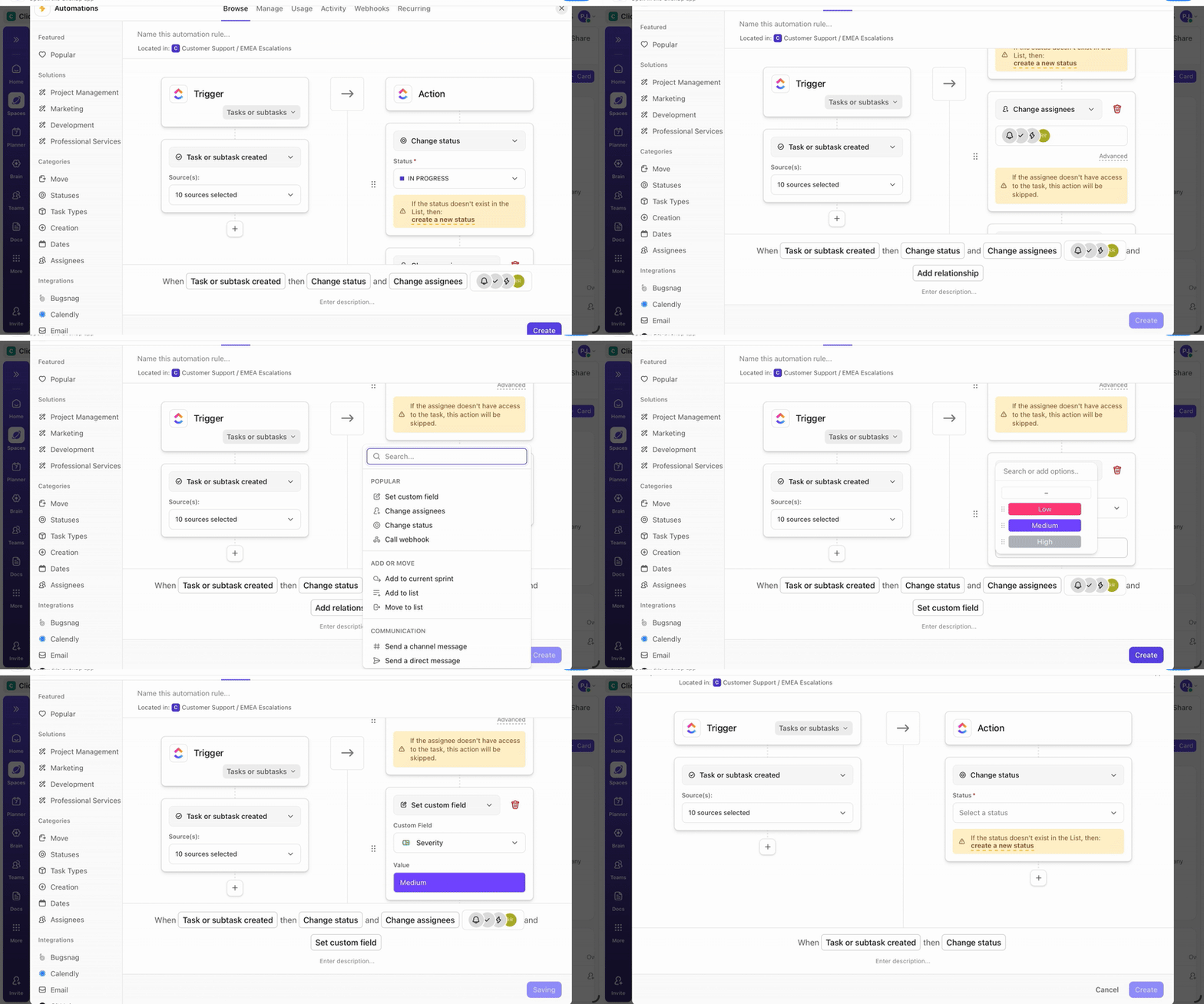
Choose from a comprehensive library of prebuilt ClickUp Automations that let you trigger actions based on certain conditions. For example, when a session outline is marked as approved, automatically assigned to the presenter to prepare the final slide deck.
Besides pre-built automations that are easy to choose, you also get the flexibility to build custom automations using a no-code AI builder. Here, simply chat with Brain to describe your desired automation in natural language, and Brain will handle the setup, logic, and deployment for you!
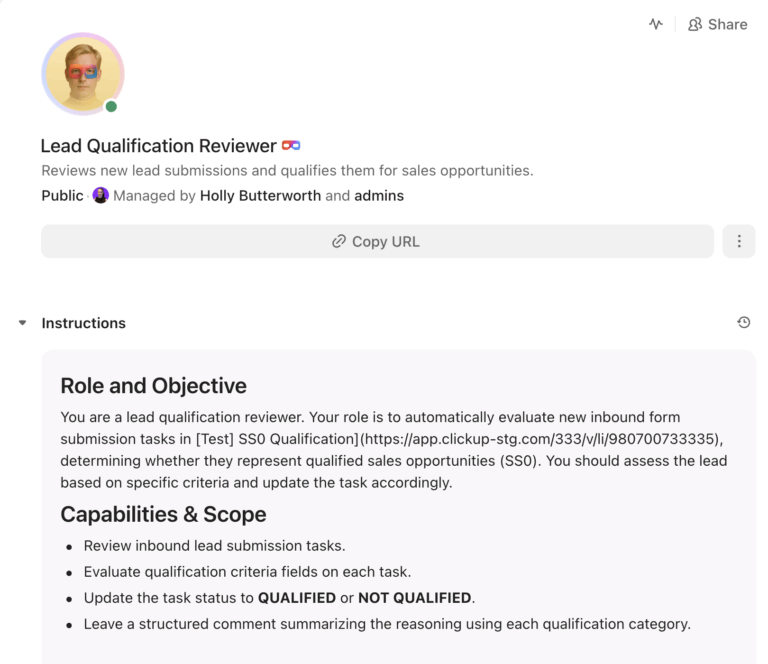
🚀 ClickUp Advantage: For longer workflows that are repetitive and predictable but equally complex to automate using rule-based logic—use ClickUp’s AI Agents.
For example, you can set up an Answers Agent to automatically resolve your doubts when planning SKO content, using the info from your knowledge base. This saves plenty of time that otherwise would have been spent hunting for the right docs and manually cross-checking info.
Here’s how sales enablement teams can manage product demos with Super Agents 👇
📚 Read More: Event Management Software Features You Need
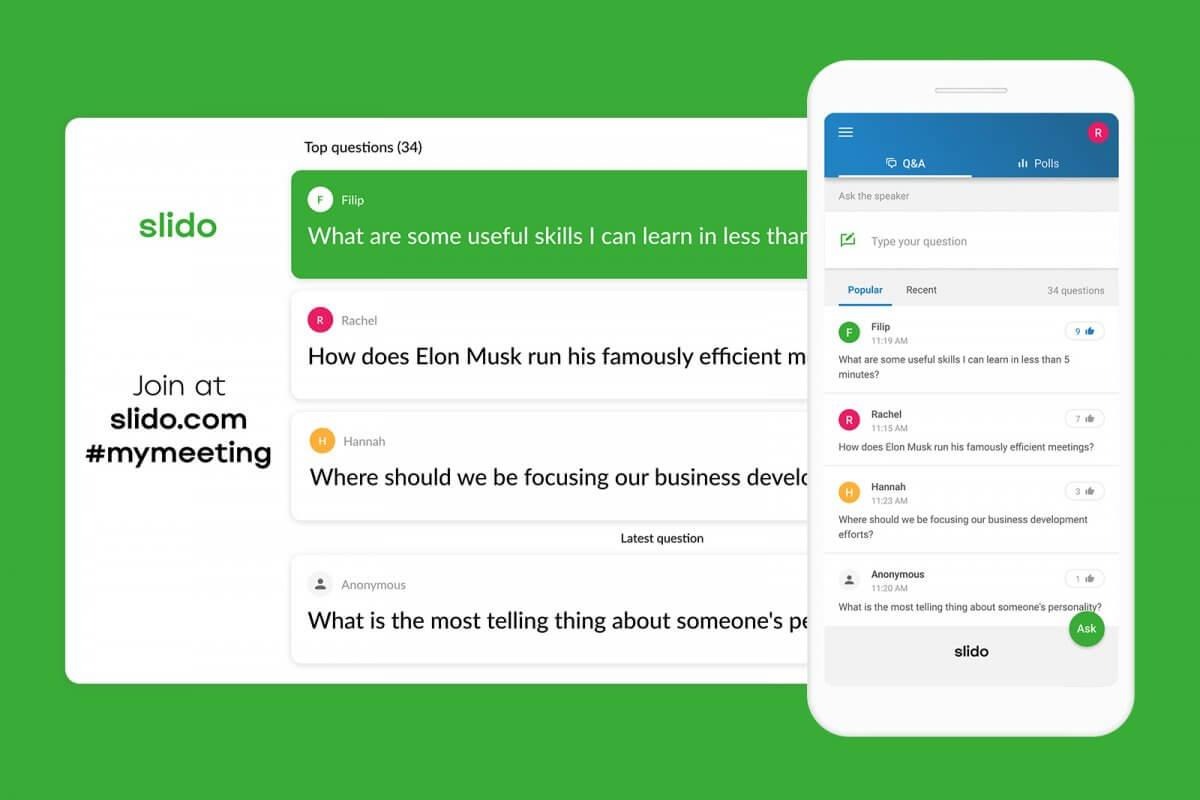
We talked about including live polls, interactive Q/A sessions, and other team-building activities to make your SKOs engaging, right? Slido helps you do exactly that.
It gives everyone a way to contribute without needing to turn on their microphone. This encourages more people to participate and makes the session feel more collaborative.
For example, speakers can run quick polls in real time to collect customer feedback. Or they can launch short quizzes to reinforce newly taught topics during training sessions.
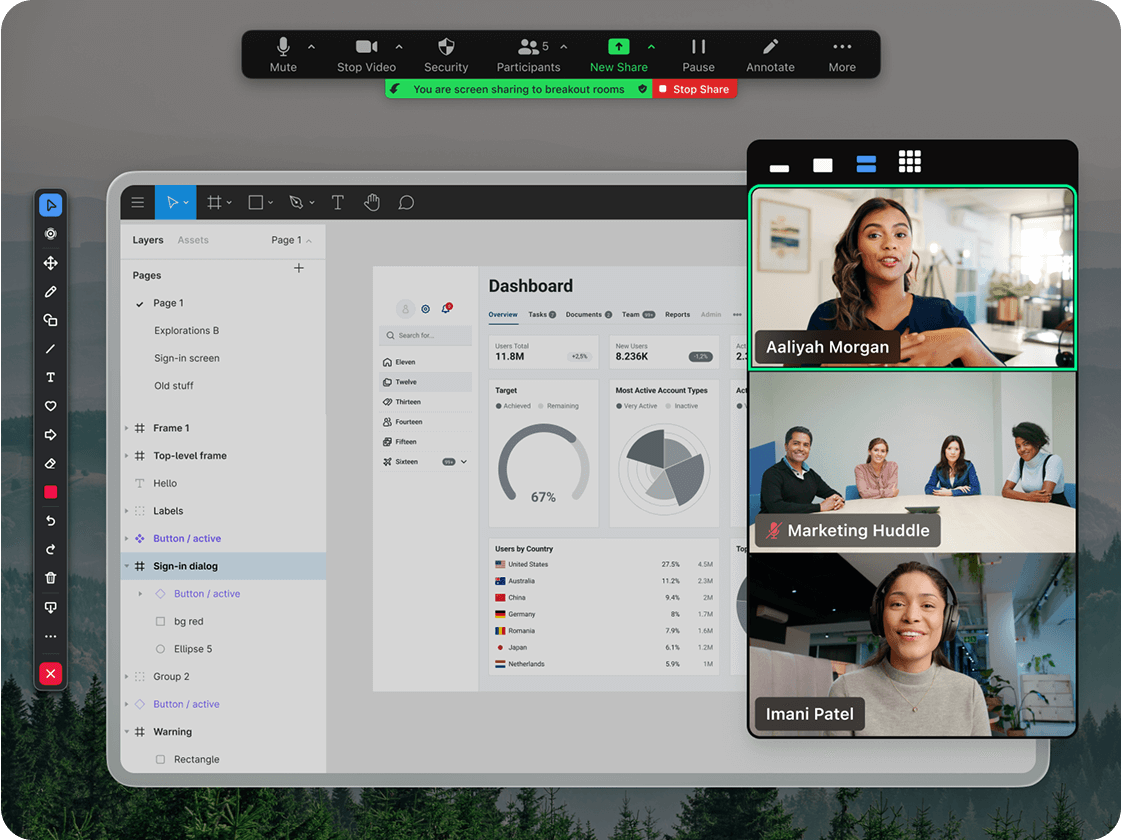
Zoom is popular for remote conferencing because it supports large meetings, interactive discussions, and live presentations—all essential elements of a successful SKO.
Speakers can share slides, product demos, dashboards, or other visual content directly from their screen. Presenters can also switch between speakers smoothly, which helps maintain the flow during leadership keynotes, product updates, or panel discussions.
📚 Read More: Best Sales Collaboration Software for Sales Teams
A sales kickoff should do more than deliver information. The real value shows up when sales teams start applying what they learned in their day-to-day selling.
To make the kickoff meaningful, you need to plan for follow-through from the beginning:
⚡ Template Archive: Free Sales Plan Templates in Word, Excel, and ClickUp
Before we wrap up, let’s quickly take a look at some common pitfalls companies face during the SKO planning process:
| Common mistake | Solution |
| Tech glitches derail the entire event | Run a full tech rehearsal 48 hours before with all speakers. Have a dedicated host monitoring chat/Zoom health, with backup links ready. |
| Speakers simply read slides verbatim | Coach them ahead—”Slides are visuals only; tell stories live.” Rehearse 20-minute segments with feedback on pace and engagement. |
| Running back-to-back sessions | Give breathers to your audience. Include a 15-20-minute break between any two sessions, if the attending participants are the same |
Hosting a virtual sales kickoff is equally fun and engaging as any in-person event. All you need are some solid sales kickoff ideas, a clear agenda, member-relevant content, and glitch-free tools to run the meetings.
ClickUp helps you with all of that + gives you a powerful, native AI assistant that works at your beck and call to assist with every task.
You can use ClickUp Brain to brainstorm fresh perspectives, plan an agenda as per your real-time employee schedules, create ready-to-use content assets, automate repetitive tasks, transcribe meetings, and a lot more.
So, what are you waiting for? Sign up for free today!
The purpose of a virtual sales kickoff is to educate, inspire, and align your revenue teams on everything sales for the next year—new strategies, product releases, positioning and messaging, GTM initiatives, and broader vision.
But most importantly, a virtual SKO brings together remote and global teams digitally, strengthening collaboration and trust.
Ideally, a virtual SKO should run for one full day or be split across two to three shorter half-day sessions. This keeps things focused and helps reps stay engaged.
Mix presentations with interactive elements like polls, breakout discussions, Q&A sessions, and short workshops. Real deal breakdowns, healthy competitions, and recognition segments also help keep energy levels high during the event.
A good SKO usually covers company strategy, revenue goals, product updates, sales training, messaging improvements, and competitive insights. Many teams also include customer stories and awards to celebrate wins and motivate the team.
Look at engagement during the event, feedback from attendees, and participation levels. After the kickoff, check whether teams are applying the new messaging, processes, or strategies that were introduced during the sessions.

© 2026 ClickUp

There’s an easier way. Try a free AI Agent in ClickUp that actually does the work for you—set up in minutes, save hours every week.