


Building a project without a diagram or a blueprint can feel like assembling a jigsaw puzzle in the dark.
With UML diagram software, we switch the lights on!
This article presents 10 exceptional UML diagram templates, each designed to visualize your project and lead you smoothly to success.
10 UML Diagram Templates to Visualize Your Project
- What is a UML Diagram Template?
- What Makes a Good UML Diagram Template?
- 10 UML Diagram Templates to Use in 2024
- 1. ClickUp UML Activity Template
- 2. ClickUp UML Class Diagram Template
- 3. ClickUp Swimlane Flowchart Template
- 4. ClickUp Data Flow Diagram Template
- 5. ClickUp Project Charter Template
- 6. ClickUp Company Processes Document Template
- 7. ClickUp Sales Process Template
- 8. ClickUp Project Network Diagram Template
- 9. ClickUp Marketing Team Processes Template
- 10. ClickUp Block Diagram Template

 Summarize this article for me please
What is a UML Diagram Template?
A UML diagram template is a tool you can use as a starting point for creating a customized UML diagram. It’s a visual representation showing how parts of a program, system, or process work together.
UML stands for Unified Model Language, which is a visual language with a specific set of rules used for drawing UML diagrams.
Think of a UML diagram like a map, but instead of showing where specific points, objects, and places are, it shows how they’re connected. There are many types, but here are just a few UML diagram examples you’ll most commonly find:
- Class diagrams: A class diagram shows the different classes of things in a program and how they relate to each other. They are often used in agile methodology
- Sequence diagrams: You can use sequence diagrams to understand how things happen in a program or business process, one step at a time
- Activity diagrams: The purpose of activity diagrams is to analyze each step in a process and determine how each of the steps are connected
- Behavioral UML diagrams: Behavioral diagrams describes how your system interacts with both itself and other systems based on the effects of time or precipitating events
- Component diagrams: Break down the component objects of your system—think files, libraries, and executables—with component diagrams so you have a better fundamental understanding of the parts that make your system tick
- Deployment diagrams: This type of UML diagram maps out the physical hardware of your system, and how it relates to the software that runs on that architecture
- Object diagrams: Software teams use an object diagram to represent a snapshot of one piece of their system. This snapshot captures that object at a certain time and in a particular state of being to make that one instance easier to study and understand
- Structural UML diagrams: Structural UML diagrams give you an overview of the entire system. You get a bird’s eye view of your classes, objects, packages, and components so you get a better understanding of how each of those categories relates to the other.

UML diagrams are often used by software engineers and developers to understand processes, organize data, and decipher relationship lines. Additionally, these maps and sequence diagrams are often created on advanced software development project management tools.
But, as you’ll see in our review below, UML diagrams are also a great way to create diagram processes for project managers, marketing teams, and other business professionals to visualize business processes.
Summarize this article for me pleaseWhat Makes a Good UML Diagram Template?
The best UML diagram templates (Unified Modeling Language) are a visual unified modeling language that helps people visualize processes, complex programs, or systems. Here are six things to look for when choosing UML diagrams:
- Clarity: It should be easy to understand and clearly show the different parts of a program, and how these parts work together
- Accuracy: It should correctly represent the program. So, all the details in the diagram should match exactly with what the program does
- Easy to use: These diagram templates should be simple to use so people can easily visualize their systems and processes
- Easy to update: As people keep improving their software, they need to change the diagrams. A good template makes changes and customizations easy
- Sharing: It should be easy to share with others. That way, everyone working on the program can see and understand it
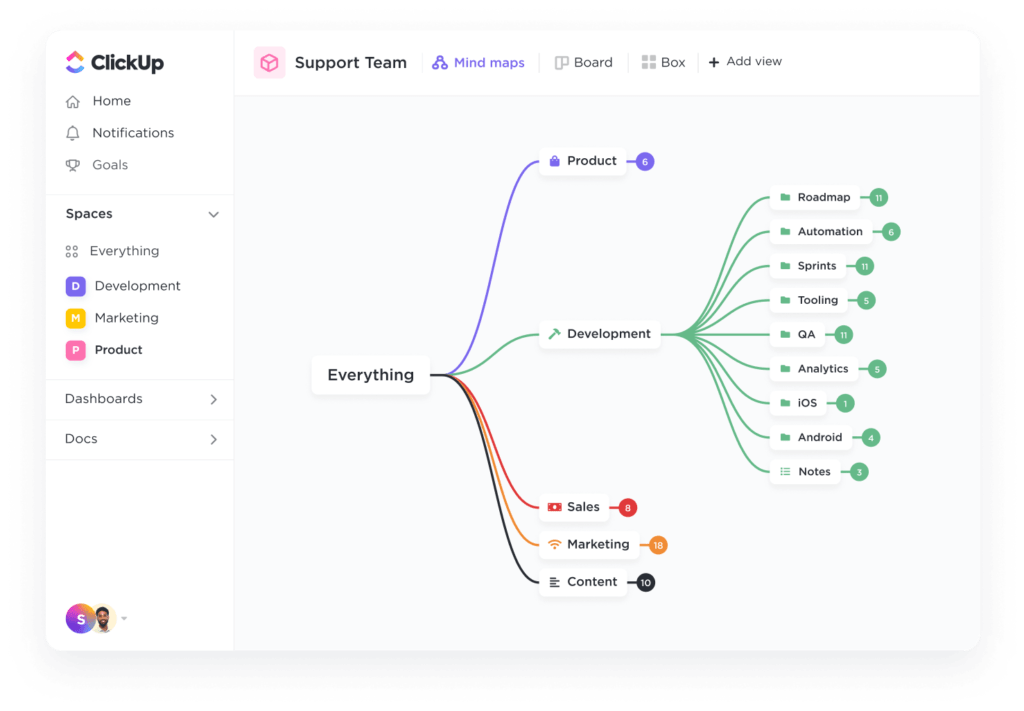
- Mind Mapping: Whiteboards make great UML diagram types and are a bonus because they can also act as mind-mapping software
In short, a good UML diagram makes creating and understanding programs (or software systems and processes) easier.
Summarize this article for me please10 UML Diagram Templates to Use
As we move through 2024, mastering project management with the right software systems and tools has never been more critical. These 10 exceptional UML diagram templates will help streamline your workflows and organize your projects before the year is out.
1. ClickUp UML Activity Template
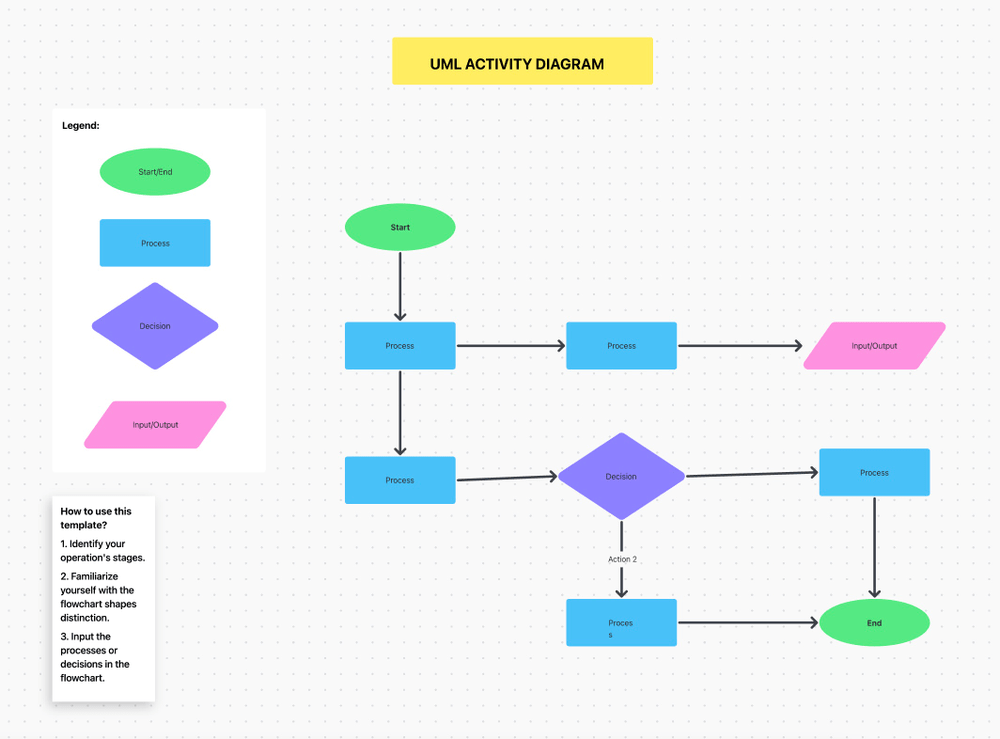
Looking for an intuitive, visual way to map out and design processes within a software development project? The UML Activity Template by Clickup is here for you!
The UML activity diagram, set in Whiteboard view, is commonly used to analyze software.
The template gives everyone on your team an overview of the system’s structure.
So, if you’re wanting to create UML diagrams that provides a crystal-clear, visual look at your systems, ClickUp’s UML activity diagram is a great bet!
2. ClickUp UML Class Diagram Template
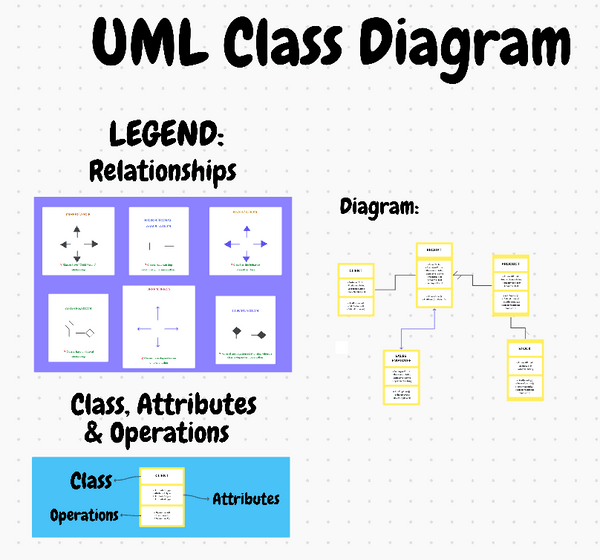
The UML Class Diagram Template by ClickUp gives you all the tools you need to create, share, and track class diagrams.
Visualize, collaborate, and store your diagrams in a way that keeps them organized and clear.
This template is great for modeling complex systems and applications in UML diagrams.
Present complex object-oriented systems within a Whiteboard setting system that allows you to:
- Organize classes into logical groupings
- Identify relationships between classes
- Compare multiple versions of a system
- Save diagrams in an organized database
This template provides customizable views, statuses, and fields so you can easily tailor views and information.
And, its project management functions help improve tracking with features like tagging, nested subtasks, priority labels, and more.
And the best part? You can do it together with your team, thanks to real-time collaboration.
So, for all builders of computer programs, these UML diagrams are an amazing tool. Give this one a try, for free, today!
3. ClickUp Swimlane Flowchart Template
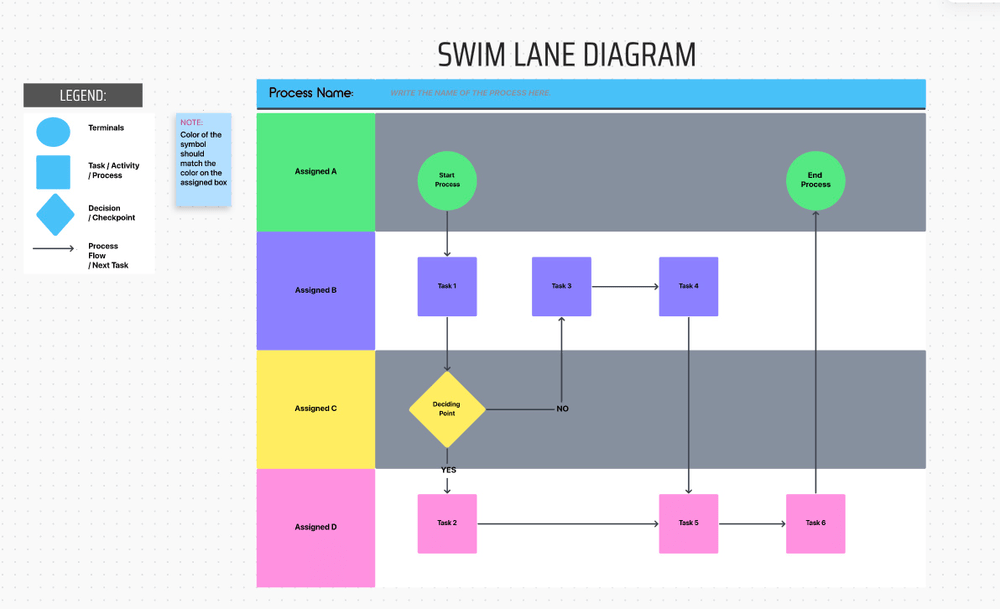
To map out workflows and identify roles and responsibilities within a project, you need a tool to help visualize the overall process. That’s where the Swimlane Flowchart Template by ClickUp shines.
A swimlane template structures its flowchart in the shape of a swimming pool, using vertical and horizontal shapes that look like lanes. ?
This template is a flowchart software tool, in Whiteboard format, that allows you to:
- Visualize project steps, people, and departments
- Identify roles and responsibilities
- Clarify complex processes
- Improve process understanding
- Collaborate with team members and stakeholders
These features make working on a project so much easier. If you want to make your projects feel simple and natural, try ClickUp’s Swimlane Flowchart Template!
4. ClickUp Data Flow Diagram Template
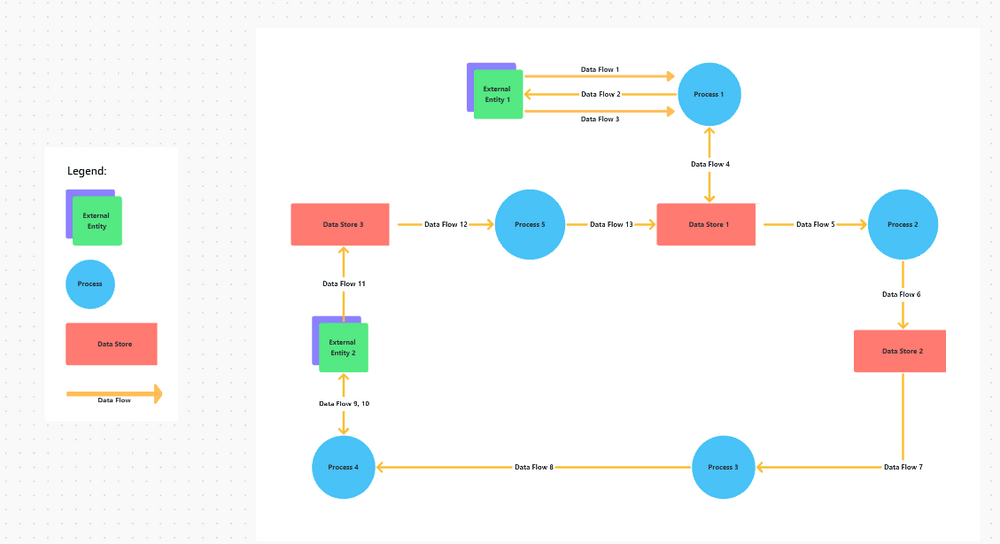
The Data Flow Diagram Template by ClickUp is a super helpful tool that allows systems analysts, software engineers, developers, and project managers to better understand the information moving through their systems and processes.
A Data Flow Diagram (DFD) is like a map of a city but for information in a computer system. Instead of roads and buildings, it shows how information, or ‘data’, moves from one place to another inside a computer program.
You can see where the information comes in, like cars entering the city. Then, you can follow its journey as it gets processed or changed, just like cars driving around different city blocks. ?️
Finally, you can see where the data leaves, like cars getting on the offramp to leave town. Ready to diagram your systems and processes? Download ClickUp’s Data Flow Diagram now and make your systems and processes as visual as a city map.
5. ClickUp Project Charter Template
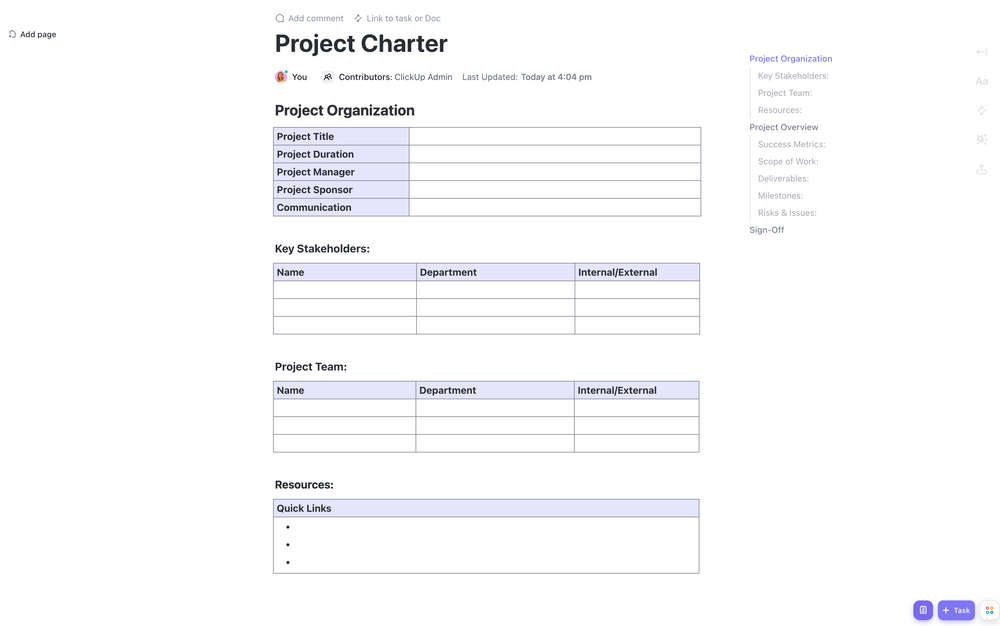
The Project Charter Template by ClickUp helps you record the key elements of a project. A Project Charter is a critical project document that formally starts and concludes a project.
It helps you clarify a project’s scope, objectives, resources, and the key people involved. This template helps you formally identify key structural elements within a project such as:
- Your project’s purpose
- Your project’s goals
- Your team members and their roles
- Timelines
- Success criteria
Make sure everyone understands the important details of your software project’s plan so there’s no confusion when it’s time for project execution. The Project Charter Template is like a compass, pointing you and your team in the right direction along the way.
Ready to start your journey? Download the Project Charter Template by ClickUp!
6. ClickUp Company Processes Document Template

The Company Processes Document Template by ClickUp is like an easy-to-use recipe book for all the tasks in your company.
The template helps you record step-by-step instructions that record all your business processes for things like:
- Hiring new team members
- Teaching new people their jobs
- Making sales
- Handling the company’s money ?
Using the company processes template will help your company maintain the kind of consistency and efficiency it needs to grow.
Ready to run your company as smoothly as a Michelin Star kitchen? Don’t miss out on the secret ingredient: ClickUp’s Company Processes Document Template. Download it now and start dishing up some serious organization and consistency.
7. ClickUp Sales Process Template
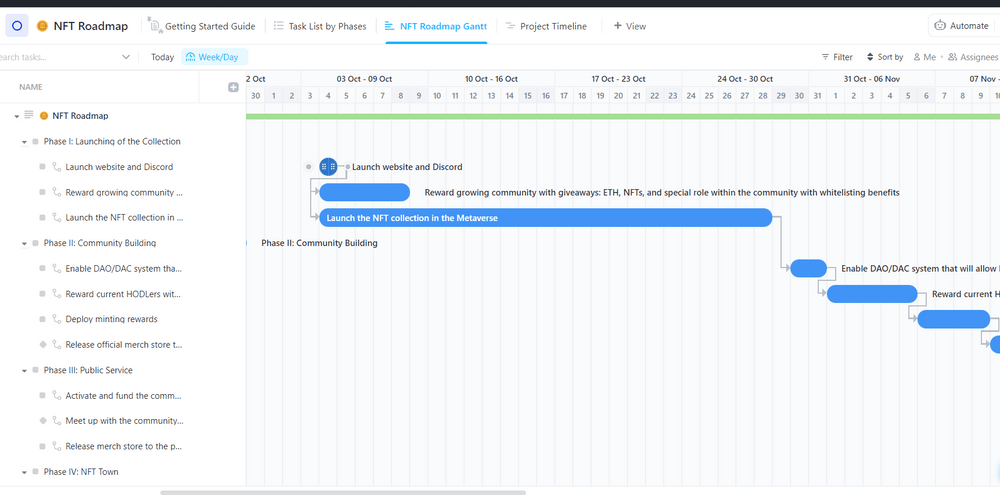
The Sales Process Template by ClickUp is a fun diagram that helps your team sell better.
UML diagram types like this will walk you through all the steps required to create documentation and for sales process mapping. It will help you support your sales team by outlining exactly what steps they should take to nurture leads from prospect to customer.
Don’t leave your salespeople in the dark. Instead, diagram a well-organized sales process guide that outlines your brand’s guidelines and explains how to:
- Identifying target customers and finding leads
- Communicating with potential customers
- Offering deals
- Making the sale
This Sales Process Template Includes eight custom fields:
- Opportunity
- Customer Email
- Qualify Lead
- Contact Number
- Website
- Sales Phase
- Customer Type
- Sales Status
This template helps you diagram all these steps so your team is clear, consistent, and successful at converting leads to customers. So if you’re a team leader and want your team to sell like champs, try ClickUp’s Sales Process Template today!
8. ClickUp Project Network Diagram Template
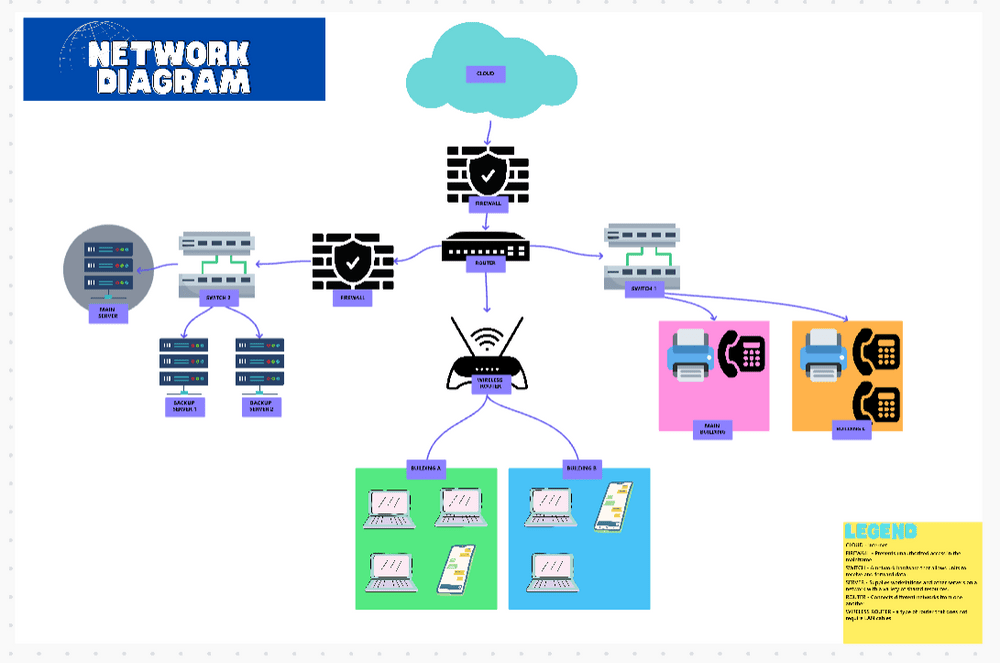
Is your project starting to look like a pile of Legos scattered across random departments? We’ve got you covered! The Project Network Diagram Template by ClickUp allows you to visually represent the full sequence diagram of tasks and activities in any project.
A Project Network Diagram makes it easier to communicate the moving parts of a software project so the whole team understands their role in the entire process. It helps keep things on track so you can avoid falling behind on projects.
Whether it’s an engineering project, case diagram, business plan, marketing strategy, or something in between, this template helps you clarify the big picture. Use it to help create a visual diagram for things like:
- A sequence diagram of activities
- How tasks are connected
- What resources each task needs
- Where potential delays might occur
- What the global task relationships look like
Download the template today and start reducing errors, strengthening consistency, and communicating progress updates to the people that matter.
Bonus: Affinity diagram templates & affinity diagram software!
9. ClickUp Marketing Team Processes Template

Are you looking to create step-by-step instructions for all your SOP (Standard Operating Procedures) repeatable processes?
The Marketing Team Processes Template by ClickUp can set you up with an organized, efficient blueprint for doing just that.
This template includes seven pages to cover a variety of marketing processes:
- Blog Voice
- Marketing Team Processes
- Campaign Process
- Blog Process
- Design Process
- Creative Processes
- Video Process
Finally! Building an instruction library for your marketing team is now quicker, easier, and more efficient with ClickUp’s Marketing Team Processes Template. Start diagramming today!
10. ClickUp Block Diagram Template
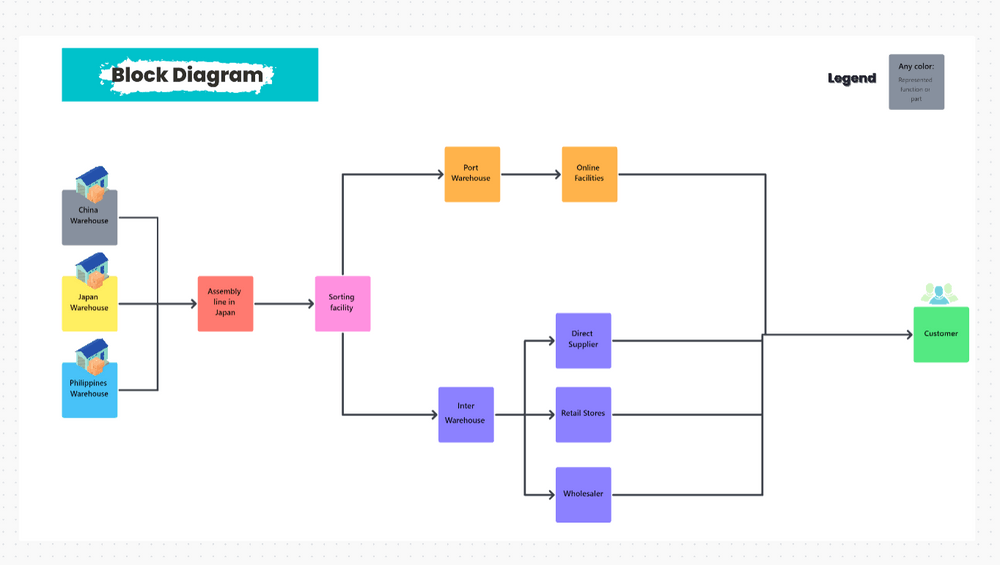
The Block Diagram Template by ClickUp helps engineers create a visual representation of the main components and functions of a system.
Whether you need it for a sequence diagram, context diagram, process flow diagram, software design interaction overview diagram, object diagram, electronic design, or hardware design, these UML diagrams have got your back.
Enjoy designing and remember: time is of the essence, so don’t wait to simplify your life. Download the ClickUp Block Diagram Template now and step into a more organized, efficient future.
Summarize this article for me pleaseExploring the Power of UML Diagram Templates
We’ve shown you 10 awesome UML diagrams to help visualize your projects, systems, and programs. Just like turning on a light in a dark room, these diagram templates can help you see exactly what you’re doing!
UML diagrams aren’t just for people who build computer programs; they’re great for managers, marketers, and many others too. What type of UML diagram will you use? Whichever diagrams you need, ClickUp has the tools to make it happen!
With our amazing types of UML diagrams and templates, planning and visualizing your projects can be easier and more efficient.
Don’t just take our word for it, give ClickUp a try today!


Everything you need to stay organized and get work done.

Recent Articles
8 Communication Strategies That Actually Fix Team Chaos 
8 Communication Strategies That Actually Fix Team Chaos
10 Free Project Status Report Templates (Daily, Weekly, Monthly) 
10 Free Project Status Report Templates (Daily, Weekly, Monthly)
