






Still downloading templates?
There’s an easier way. Try a free AI Agent in ClickUp that actually does the work for you—set up in minutes, save hours every week.
Sorry, there were no results found for “”
Sorry, there were no results found for “”
Sorry, there were no results found for “”
According to McKinsey, 78% of organizations now use AI in at least one business function, and that number is climbing fast. But most AI tools still just talk. OpenClaw actually does things.
People have used it to negotiate thousands off car purchases, file legal rebuttals, and automate entire workflows, all from a text message.
If you are wondering what is actually possible with this tool, here are the top OpenClaw AI agent use cases worth knowing about. We also look at how ClickUp offers a more practical alternative for teams. 🤩
OpenClaw is an open-source framework that lets teams build, deploy, and run autonomous AI agents capable of completing multi-step tasks across apps and data sources. It’s built for developers, ops teams, and increasingly non-technical teams who want agents that go beyond single-prompt responses.
Most AI tools still operate in a request-reply loop. You ask, they answer, and you copy-paste the output somewhere else. OpenClaw agents break that pattern by chaining actions, like browsing, writing, filing, and messaging, without waiting for a human to babysit each step.
It gives agents access to real tools like browsers, APIs, and file systems so they can act, not just advise. Because it’s open source, teams can inspect, modify, and self-host their agents with zero vendor lock-in.
Three concepts you’ll need before moving on. 👀
Watch this overview on how AI tools can help you work smarter:
Every OpenClaw agent runs on a repeating cycle called the agent loop. It’s the mental model that makes OpenClaw AI agent use cases click.
This loop is what separates OpenClaw from single-shot AI tools. The agent does not stop after one response. It keeps going until the work is complete or it hits a boundary you have set.
You can trigger agents manually, on a schedule, or via webhooks (automated signals sent between apps when a specific event happens). This flexibility is what makes these agents practical for production workflows.
🔍 Did You Know? AI agents are becoming research collaborators. In one study, an AI agent matched human survey responses 85% of the time, showing potential for social science and research automation.
With so many AI agent building tools on the market (both open source and proprietary) it helps to know where OpenClaw fits. 👇
OpenClaw works best when you have a clear workflow to automate and some technical comfort, or when you pair it with a platform that handles the orchestration layer for you.
Before diving into specific OpenClaw implementations, watch this overview of how AI use cases are transforming modern workflows:
The real test of any agent framework is whether it saves time on the work your team does every week. Below are five OpenClaw AI agent use cases that represent the strongest patterns right now. 🛠️
Engineers waste hours context-switching between their phone, their desk, and their tools. OpenClaw fixes this by letting you trigger real shell and browser actions from whatever messaging app your team already uses.
This is a sample workflow:
💡 Pro Tip: Limit who can create and edit AI agents. Otherwise, you’ll end up with five overlapping bots doing slightly different (and confusing) things.
Support teams often get buried in routing work before the actual support even starts. OpenClaw’s multi-channel Gateway pulls tickets from every platform into one place and handles the classification automatically.
This may look like:
📮 ClickUp Insight: 44% of teams fix issues immediately without any formal triage process.
Acting fast on a fix feels productive, but urgency can easily override the team’s ability to deliver an effective fix.
What you need is a system to route incoming issues through a structured intake process. ClickUp Forms can capture the necessary context upfront, while a Super Agent can triage submissions, assess severity, and route the request to the right owner or queue before work begins.
Most teams do competitive research once a month, if that. OpenClaw’s heartbeat scheduler runs checks at a set interval without anyone prompting it, so nothing slips through.
Example of the workflow:
🧠 Fun Fact: AI agents are shifting from ‘thinking’ to ‘doing.’ Research shows the share of agent tools that can take real actions (like editing files or sending emails) jumped from 27% to 65% in just over a year.
Good outreach takes 20 to 30 minutes of research per prospect. OpenClaw does that research automatically, using web browsing and session memory to build context before your reps touch a single draft.
Here’s what the workflow looks like:
🔍 Did You Know? The Stanford HAI AI Index 2025 shows 78% of organizations now use AI, yet advanced systems like agents are still emerging rather than fully deployed.
OpenClaw improves the meeting handoff by transcribing, summarizing, and distributing action items automatically right after the call ends. A sample workflow looks like this:
💡 Pro Tip: Steal 30 minutes a week for cleanup. A quick routine to apply:
That alone will put you ahead of most teams.
Your tasks, projects, conversations, and AI agents all live inside ClickUp. So when your work changes, your agents change with it.
That matters more than it sounds. Agents need clean context, clear scope, and real instructions to do useful work. ClickUp gives you all three without extra setup and context switching. Here’s how to build and manage agent workflows inside it. 🔁
Before you configure anything, you need to know which type of ClickUp agent fits the job. There are two: Super Agents and Autopilot Agents.
Quick context if you’re new to ClickUp AI
ClickUp Brain is the intelligence layer running across the whole platform. It connects your tasks, docs, chat messages, and team data, so every agent you build already has workspace context built in.
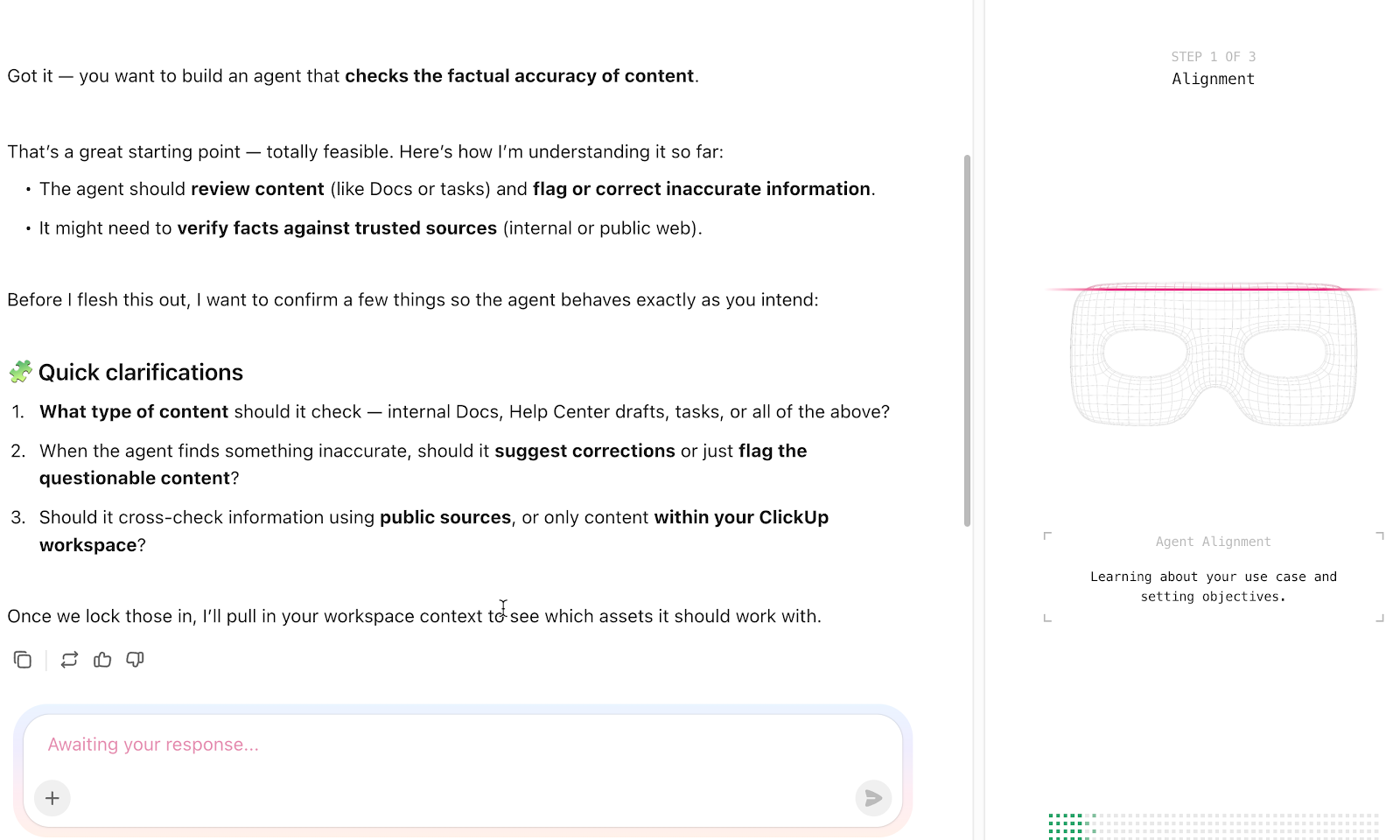
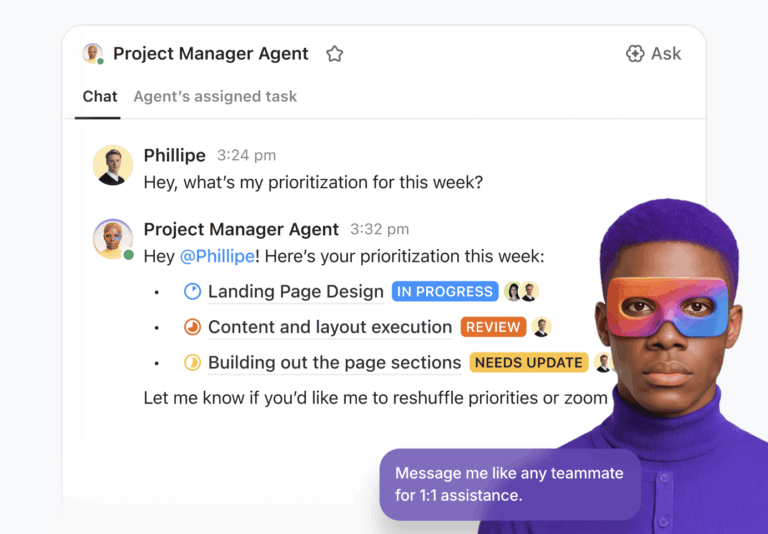
These are adaptive, multi-step AI teammates. You can trigger them manually by DMing them, @mentioning them in a task comment or chat channel, or assigning them a task directly. You can also connect them to ClickUp Automations so they fire on their own.
Because they carry richer memory, including recent interactions, saved preferences, and self-stored intelligence, ClickUp Super Agents handle end-to-end workflows well.
For example, a Super Agent assigned to your content pipeline could accept a task, pull relevant docs for context, draft a brief, flag a gap, and post a summary, all without a human touching it between steps.
Watch this walkthrough to set up a Super Agent:
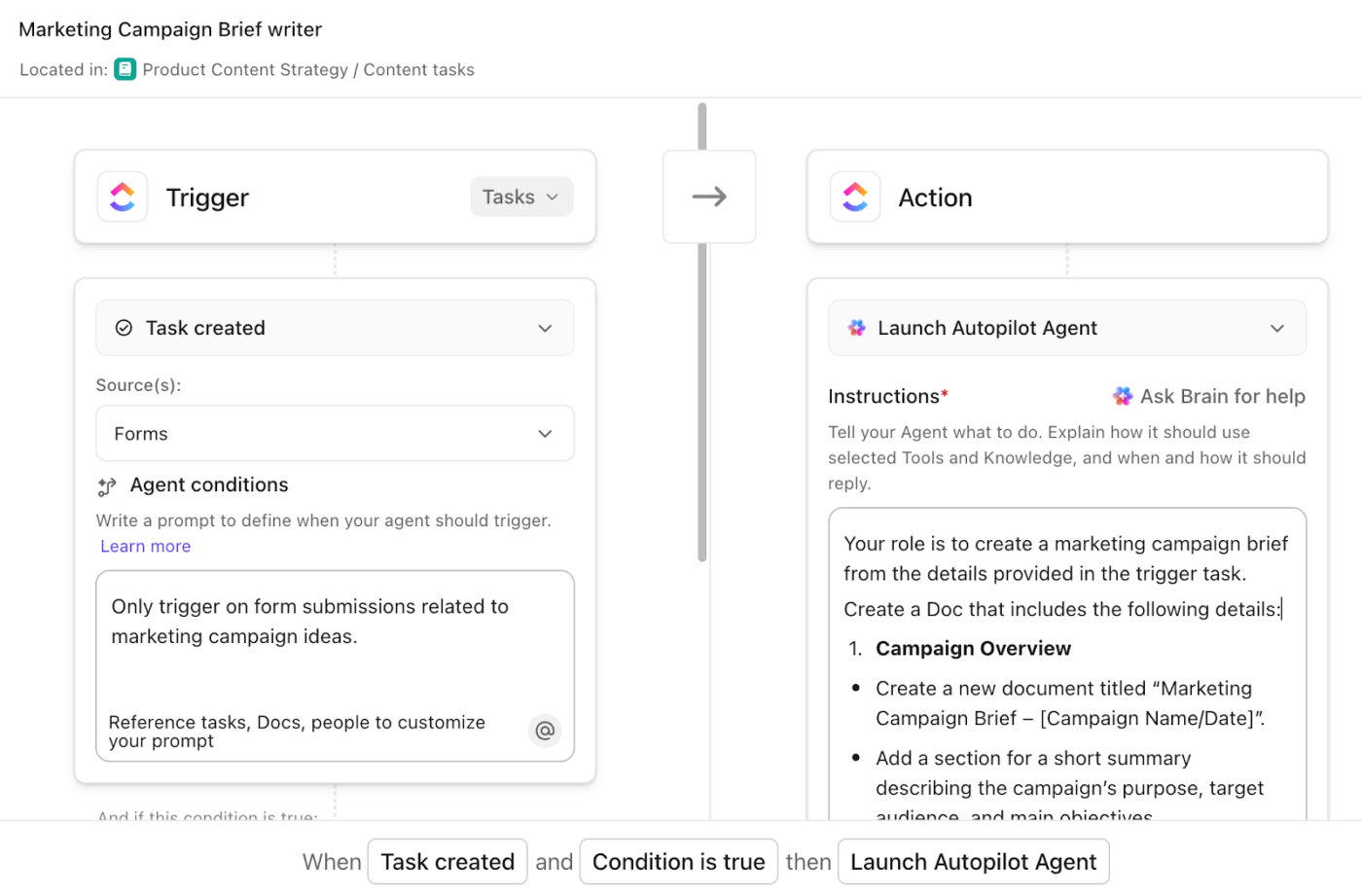
These run on defined triggers and conditions in a specific location: a List, Folder, Space, or Chat channel. They’re the right pick for consistent ‘if X, then Y’ execution.
For instance, say your support team gets a flood of repetitive questions in a Chat channel. A ClickUp Autopilot Agent scoped to that channel, with the right conditions and a linked knowledge doc, handles those queries every time without anyone prompting it.
A simple rule of thumb: start with Autopilot Agents for well-defined, repeatable tasks. Move to Super Agents when the work requires reasoning, multiple steps, or a persistent presence your team can interact with.
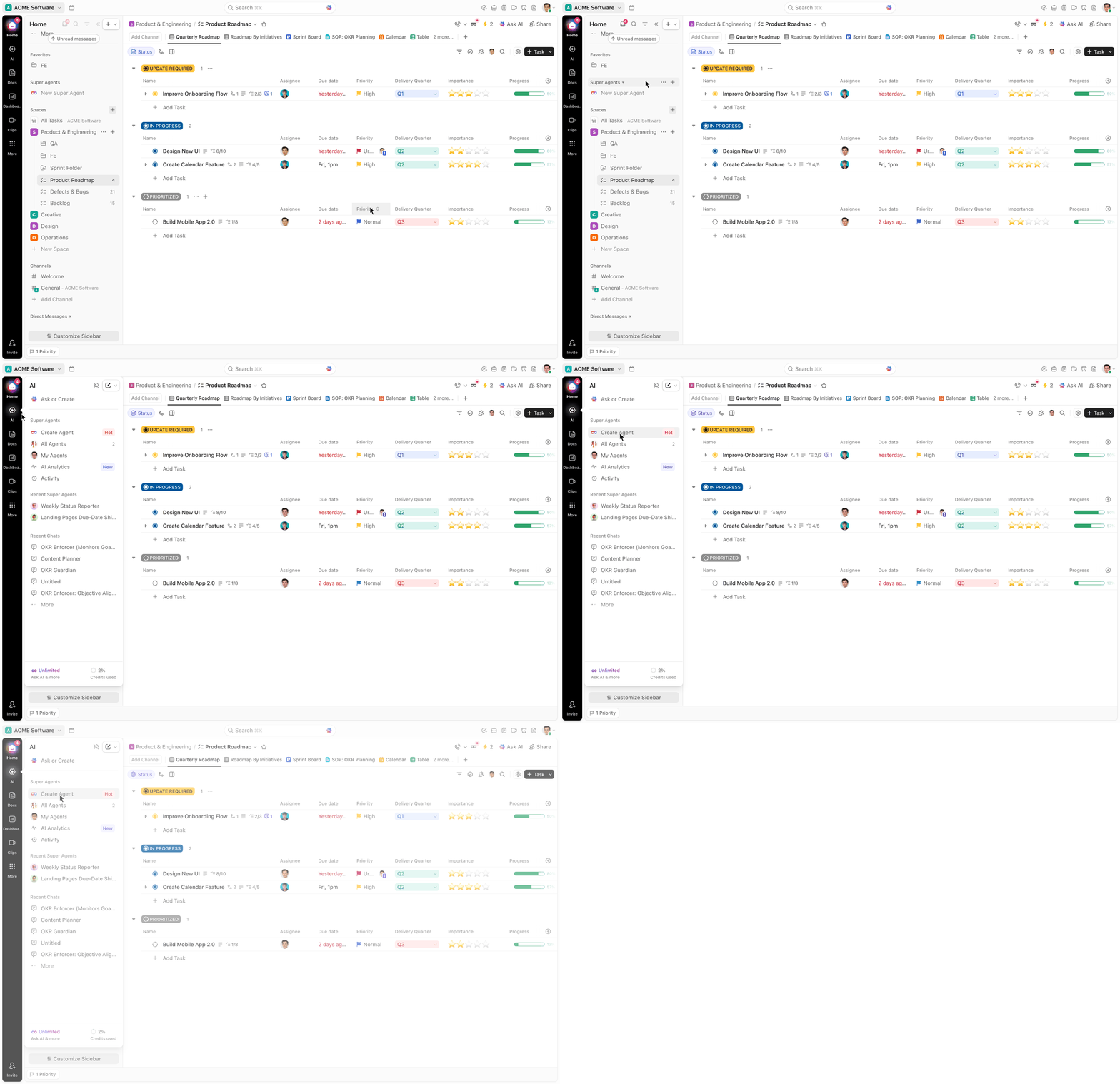
Before touching any settings, define the outcome you want the agent to produce. Then let that drive everything else. Here’s what that may look like:
A G2 review also adds:
I really appreciate ClickUp’s constant innovation and how it leans hard into AI. The AI Super Agent is powerful and allows you to configure routine tasks very quickly. I also find the templates helpful during the setup process, even though it requires a lot of time and effort to get set up properly.
💡 Pro Tip: Launch your Super Agent in a single List or Channel using sample tasks. This controlled environment helps you catch issues early without disrupting real workflows.
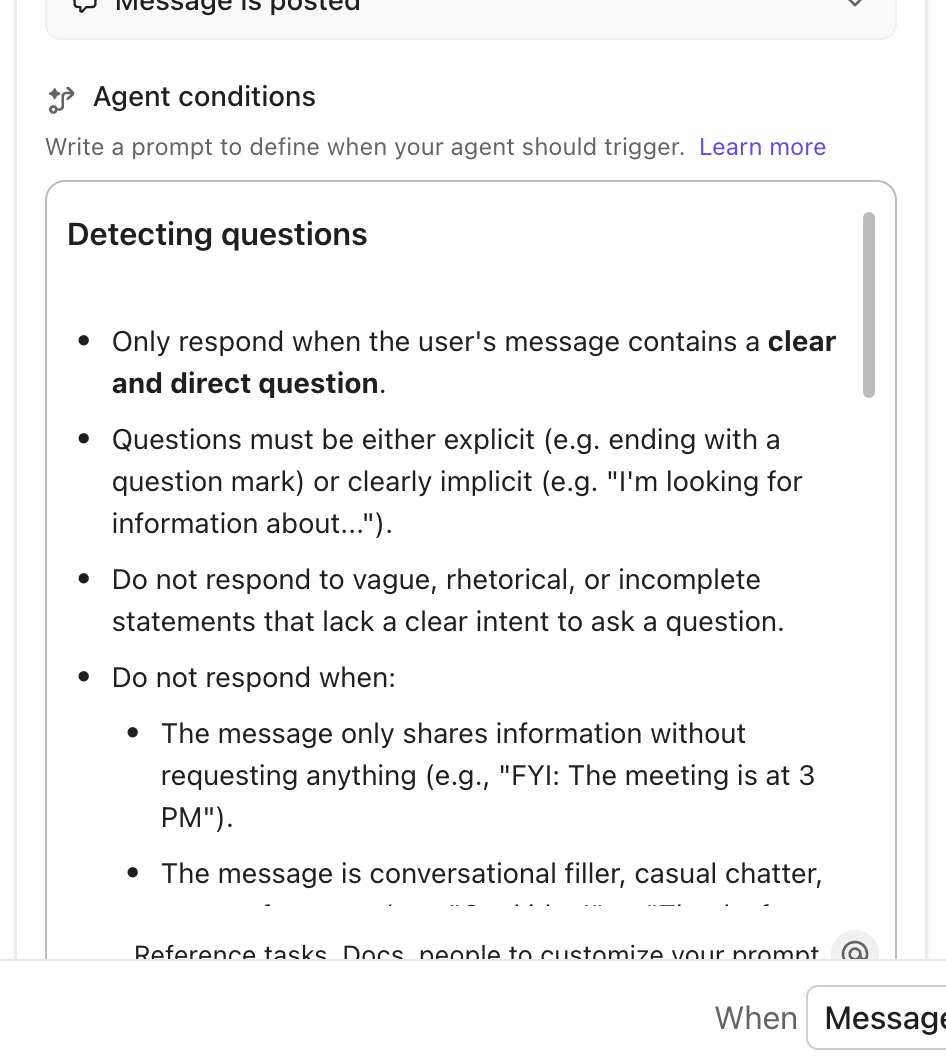
Without conditions, agents fire on everything, including ‘who’s joining the lunch run?’ Conditions fix that:
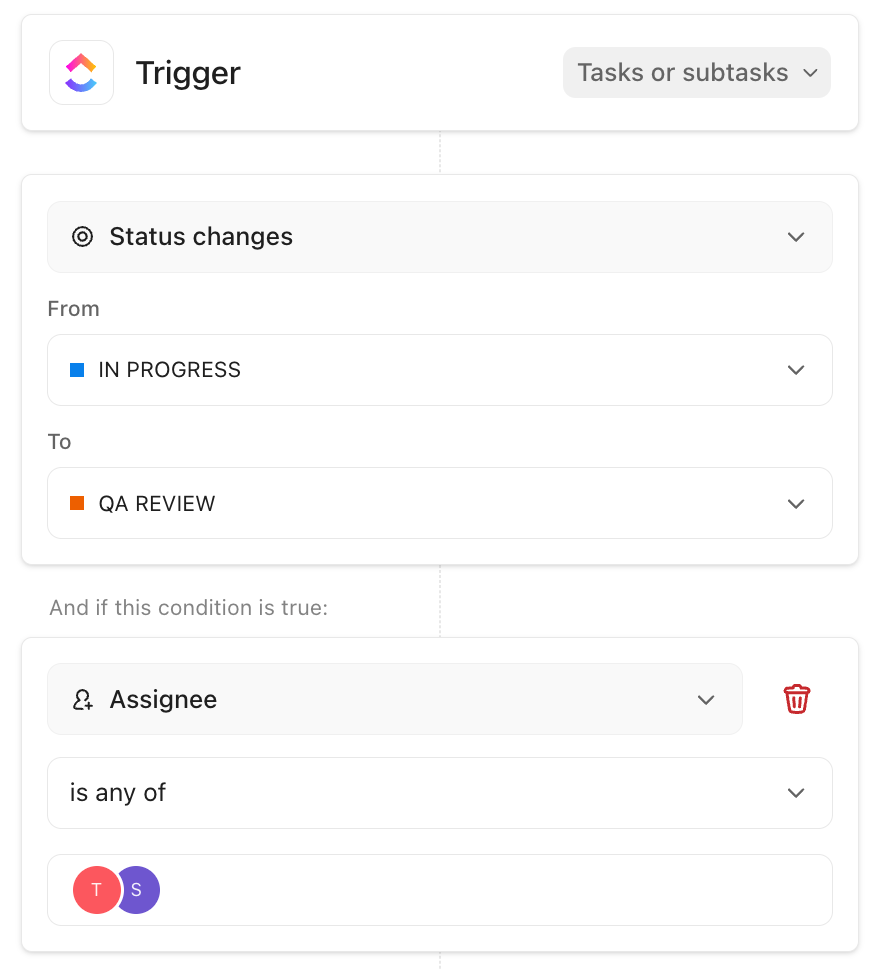
For task-based agents, stack Automation Conditions on top of the trigger. ‘Trigger when a task is created’ plus ‘only when priority is High’ eliminates most false positives.
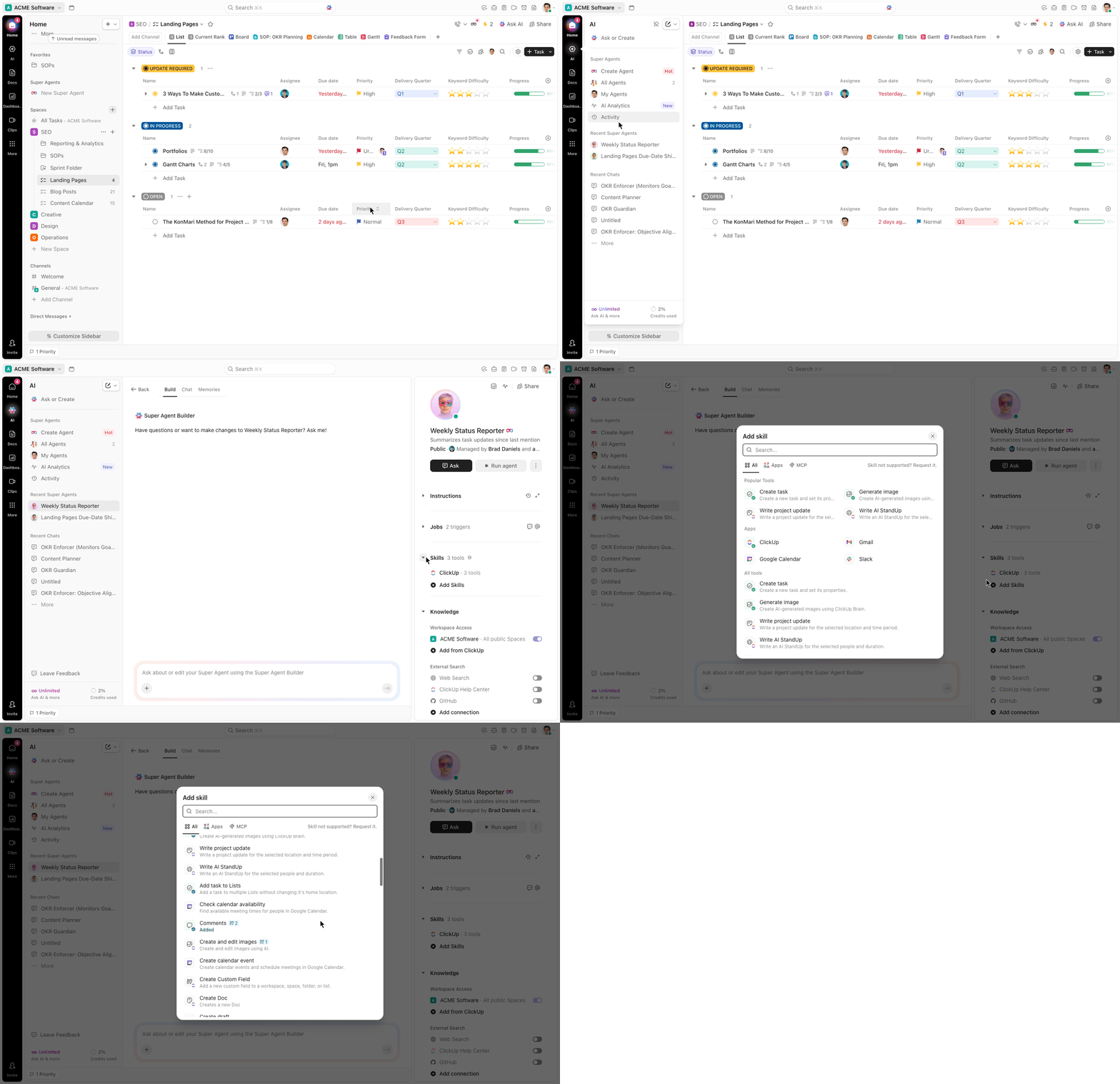
Vague instructions produce vague outputs. Every instruction set needs three things:
ClickUp Brain can draft these instructions for you. Describe what you need in plain language, and it generates a structured instruction set you can refine.
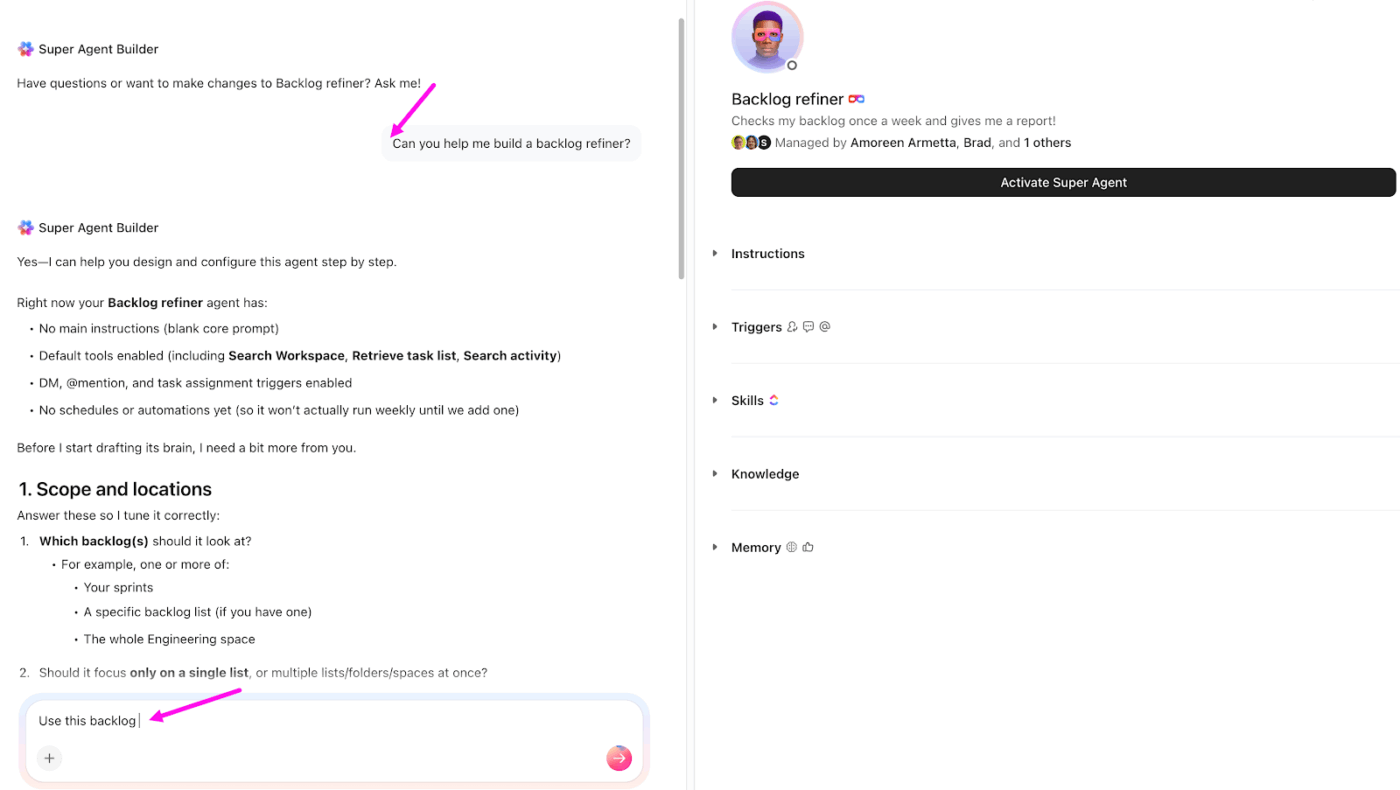
💡 Pro Tip: Before automating anything, trigger your AI Agent using simple actions like DMs or @mentions. It will ensure the logic and responses behave exactly as expected.
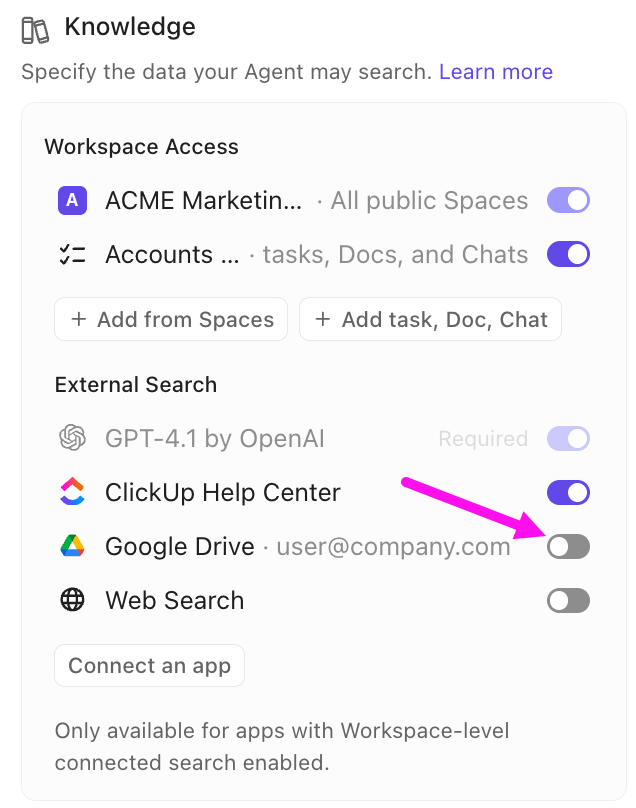
Scope this tightly. Too much access produces unreliable answers. Too little access and the agent fails at the job:
💡 Pro Tip: Make it feel legit (or no one will use it). If your Agent is named ‘Test Bot v2’… people will ignore it. Give it a clear name, a decent avatar, and a description that answers: ‘Why should I trust this?’
OpenClaw shows what’s possible when AI can plan, act, and complete multi-step tasks without constant input. From support triage to competitive monitoring, these agents handle real workflows that teams deal with every day.
Still, building and managing those workflows takes structure. Agents need clear instructions, defined triggers, and access to the right data. Without that foundation, even powerful agents turn messy, unpredictable, or hard to scale.
ClickUp brings everything together. It gives you a workspace where tasks, docs, conversations, and AI agents stay connected.
Super Agents handle complex, multi-step work, while Autopilot Agents run structured workflows automatically. You define the outcome, set the conditions, and let the system handle execution without constant oversight.
OpenClaw shows what AI agents can do. ClickUp makes that power usable across your everyday work.
Sign up for ClickUp today!
Yes, one of the most common OpenClaw use cases is parsing inbound emails and generating structured tickets in Jira (or any ticketing tool) with fields like priority, category, and description already filled in.
AI writing tools generate text from a prompt, while OpenClaw agents handle the full workflow around that text. That includes researching, drafting, routing for approval, and publishing, so the output reaches its destination without manual steps in between.
Some technical comfort helps for custom agent builds, but pre-built agent templates and no-code orchestration platforms are making OpenClaw increasingly accessible to non-developers.

© 2026 ClickUp

There’s an easier way. Try a free AI Agent in ClickUp that actually does the work for you—set up in minutes, save hours every week.