
Sorry, there were no results found for “”
Sorry, there were no results found for “”
Sorry, there were no results found for “”
Managing business expenses can feel like herding cats, especially for small businesses without the luxury of pricey software. Every receipt, petty cash purchase, and invoice piles up faster than you can say “fiscal responsibility.”
Thankfully, Excel exists.
We’ve compiled a list of the best Excel expense report templates designed to simplify your life. These templates will help you keep track of your spending, stay organized, and ensure your finances are in order every month and quarter.
You want your Excel expense report template to be straightforward to manage and interpret, complete with handy visuals like bars, graphs, and other engaging data displays. Here’s what to look for in an ideal Excel expense report template:
Explore our handpicked selection of Excel Expense Report Templates, made for efficient financial management. No matter your industry, these are suitable for all, from freelancers to corporate teams. They’re practical, don’t fuss, and are ready to work hard.
Ready, steady, let’s go! 🚦
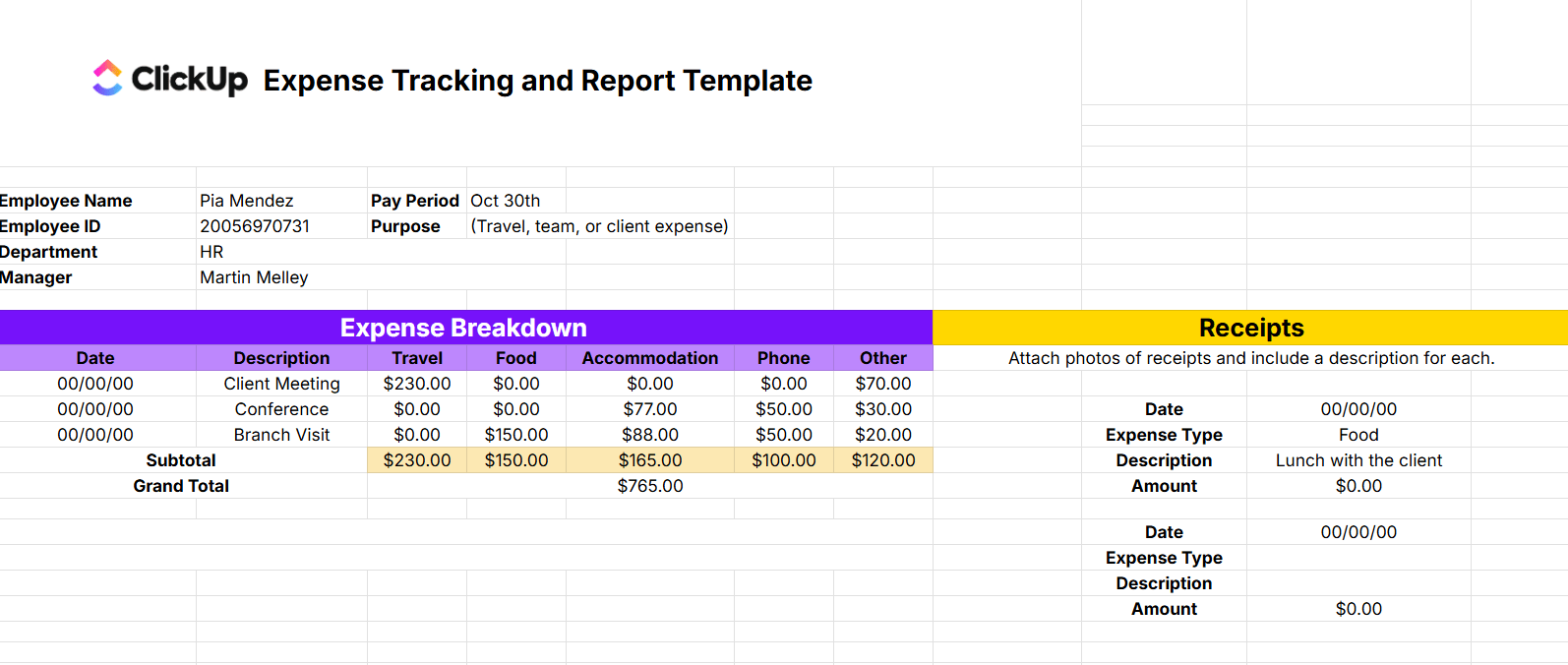
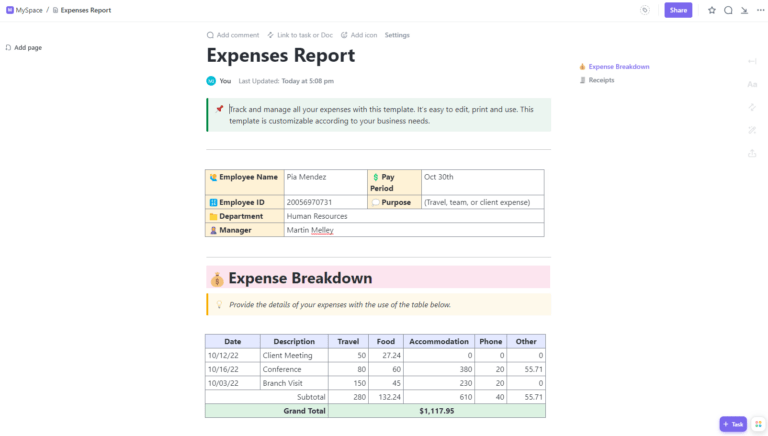
The Expense Tracking and Report Template by ClickUp is designed to help employees submit clear and organized expense reports while giving managers and finance teams all the details they need in one place.
It begins with key employee information, including Name, ID, Department, Manager, Pay Period, and the Purpose of the expenses. The main Expense Breakdown section allows you to log each expense by Date and Description, and categorize costs under Travel, Food, Accommodation, Phone, and Other. Subtotals are automatically calculated, giving an accurate total for reimbursement or review.
A separate Receipts section captures supporting details like Expense Type, Amount, and Description, with space to attach documentation, ensuring your report is both complete and compliant.

This Expense Report Template is good for those who like their financial tracking served straight up—no frills, no fuss. It’s designed to handle everything from tracking travel expenses to tallying the cost of daily errand runs, making it a solid choice for straightforward expense management. The layout is clean and intuitive, so you won’t need a GPS to navigate columns.
However, it’s worth noting that if your financial tracking needs are more detailed and complex, you might find this template too basic. It lacks the bells and whistles of more sophisticated systems required to achieve efficiency in accounting and budget management.
This Excel expense report template should serve the purpose for anyone needing simple, effective expense tracking.

If you love precise control over your spending and crave a detailed financial overview, this Expense Tracker Template is perfect. It lets you easily monitor daily expenses across various categories, such as food, transport, and credit card debt. The cells are fully customizable, and the template includes visualization options such as charts.
However, if you prefer a simple approach to budgeting and a structured cost-benefit analysis, this template might feel too complex. This template will suit you to a T if you want to dive deep into your spending habits with military precision. But if you’re after something that requires less daily commitment, you might want to keep looking.
📮ClickUp Insight: 37% of workers send follow-up notes or meeting minutes to track action items, but 36% still rely on other, fragmented methods.
Without a unified system for capturing decisions, key insights you need may get buried in chats, emails, or spreadsheets. With ClickUp, you can instantly turn conversations into actionable tasks across all your tasks, chats, and docs—ensuring nothing falls through the cracks.

The Basic Expense Report Template offers a no-nonsense solution to expense tracking. It strips down the expense tracking process to the bare essentials, making it incredibly user-friendly. With a separate segment for personalization (Employee name, role, manager, etc.) and columns to track date, type, and total amounts for each expense, this simple spreadsheet enables a granular overview of employee spending. This template is straightforward and in an easy format that helps you manage your finances efficiently.
Yet, its simplicity might not suffice for larger companies or detailed financial analyses. It’s good for personal use or small businesses that need basic expense tracking.
While Excel might be the old, reliable tool for tracking expenses, it’s not without its quirks, which can make you want to pull your hair out.
So, Excel may be great, but it’s not perfect. It lacks real-time collaboration and often clashes with other financial tools, leading to unnecessary complications and errors.
Related: Google Sheets expense tracker templates!
If Excel’s limitations have you boxed in, consider ClickUp templates. These templates are designed to enhance modern workflows, boosting collaboration without the usual spreadsheet-induced headaches.
ClickUp’s features go beyond basic data storage. As a complete project management solution, it offers real-time collaboration, enhanced security, and seamless integration with other platforms, efficiently keeping your expenses organized.
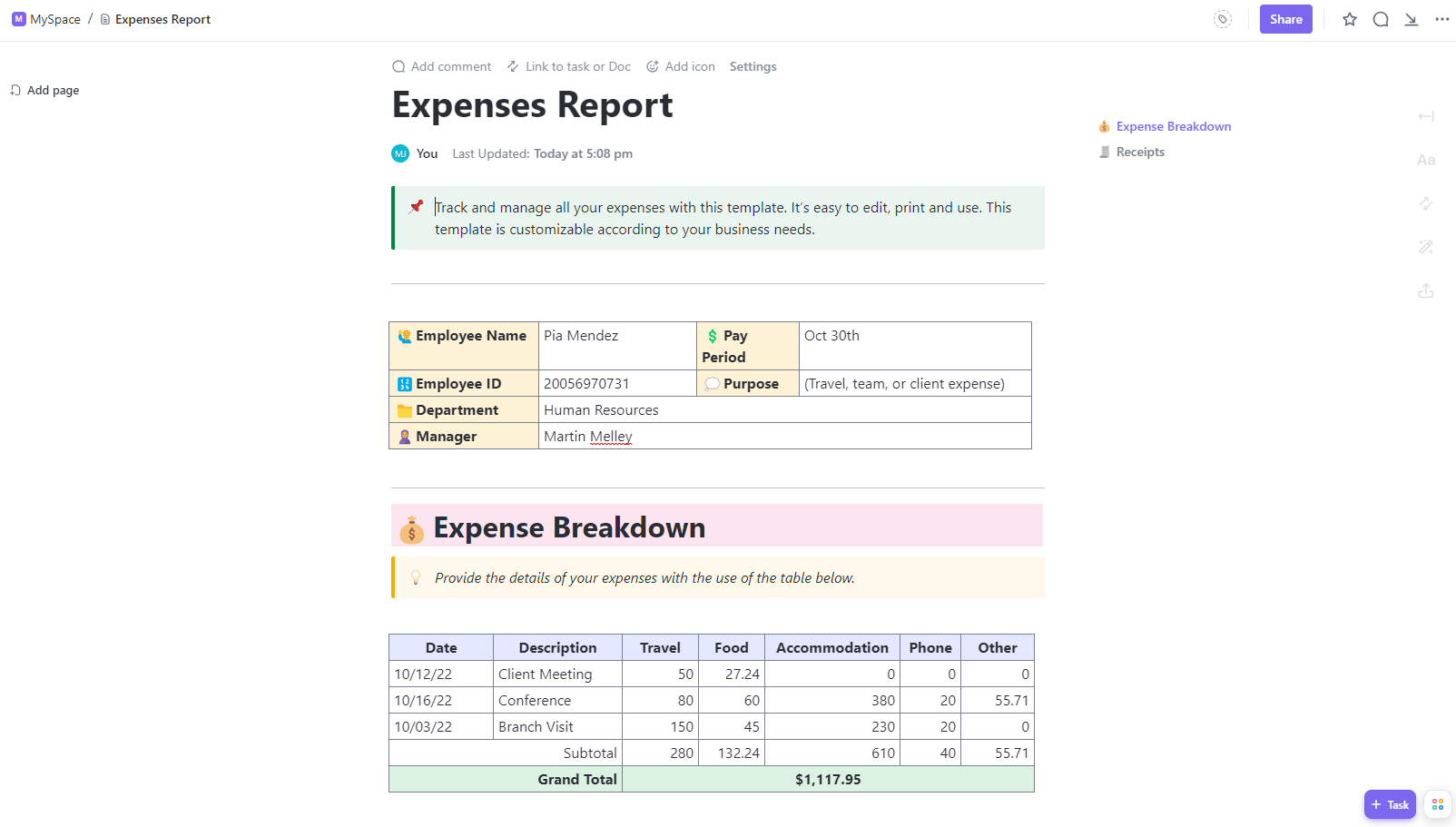
Make tackling your business expenses less of a chore and cut through the clutter with this clean Expense Report Template by ClickUp. It’s here to make life easier for anyone who’s ever felt overwhelmed by piles of receipts and spreadsheets.
Equipped with automated categorization, it simplifies the number-crunching process, directly sorting each expense into the right category for you. The layout is straightforward, eliminating the usual tangle of data. Real-time insights and organized frameworks clarify financial paths and potential savings.
Key features to love:
With ClickUp’s efficient interface, you can keep your budget on track while working with other financial reports and processes, such as bookkeeping templates and account planning. It saves time, boosts collaboration even if you’re worlds apart, and reduces the grunt work of managing expenses so you can focus on bigger financial strategies.
Consider this template your go-to for keeping your business spending in check. We’d say give it a whirl as a weekly expense report template or a monthly one and see your expense management transform!
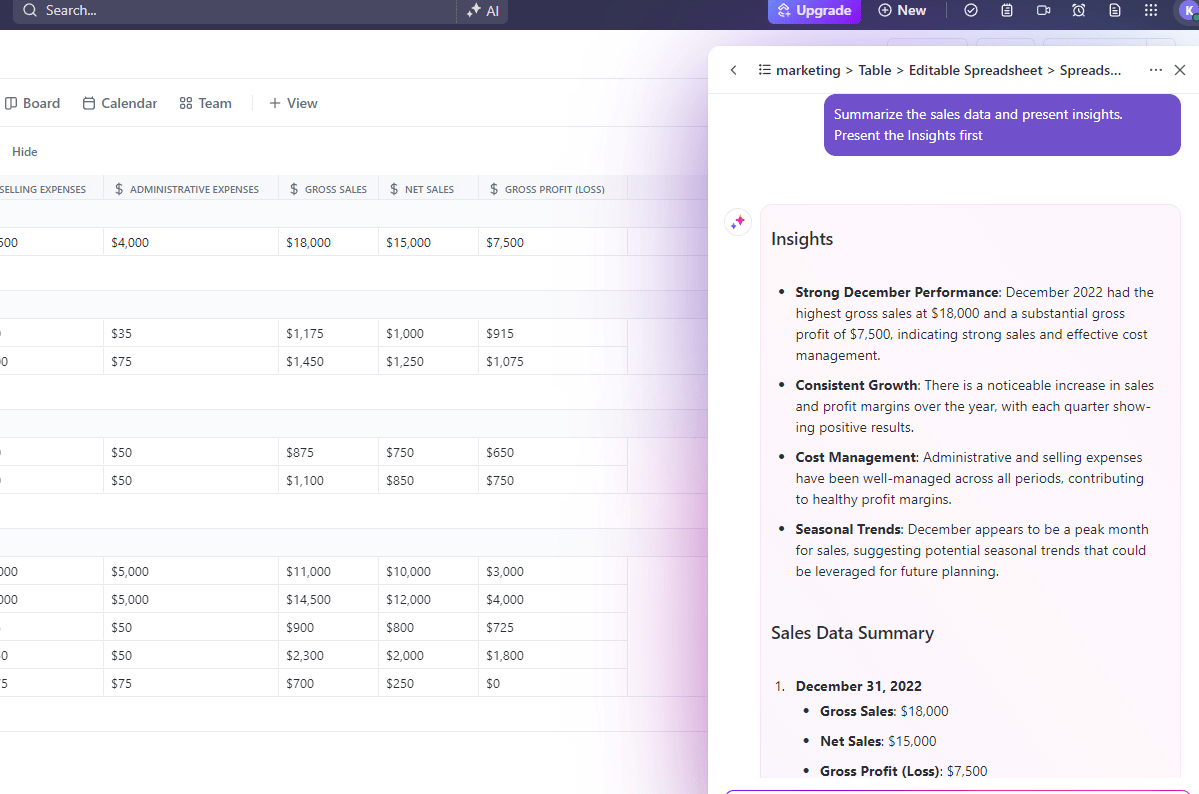
🌟 Automate all those pesky report-generation tasks with AI. Learn how. 👇🏼
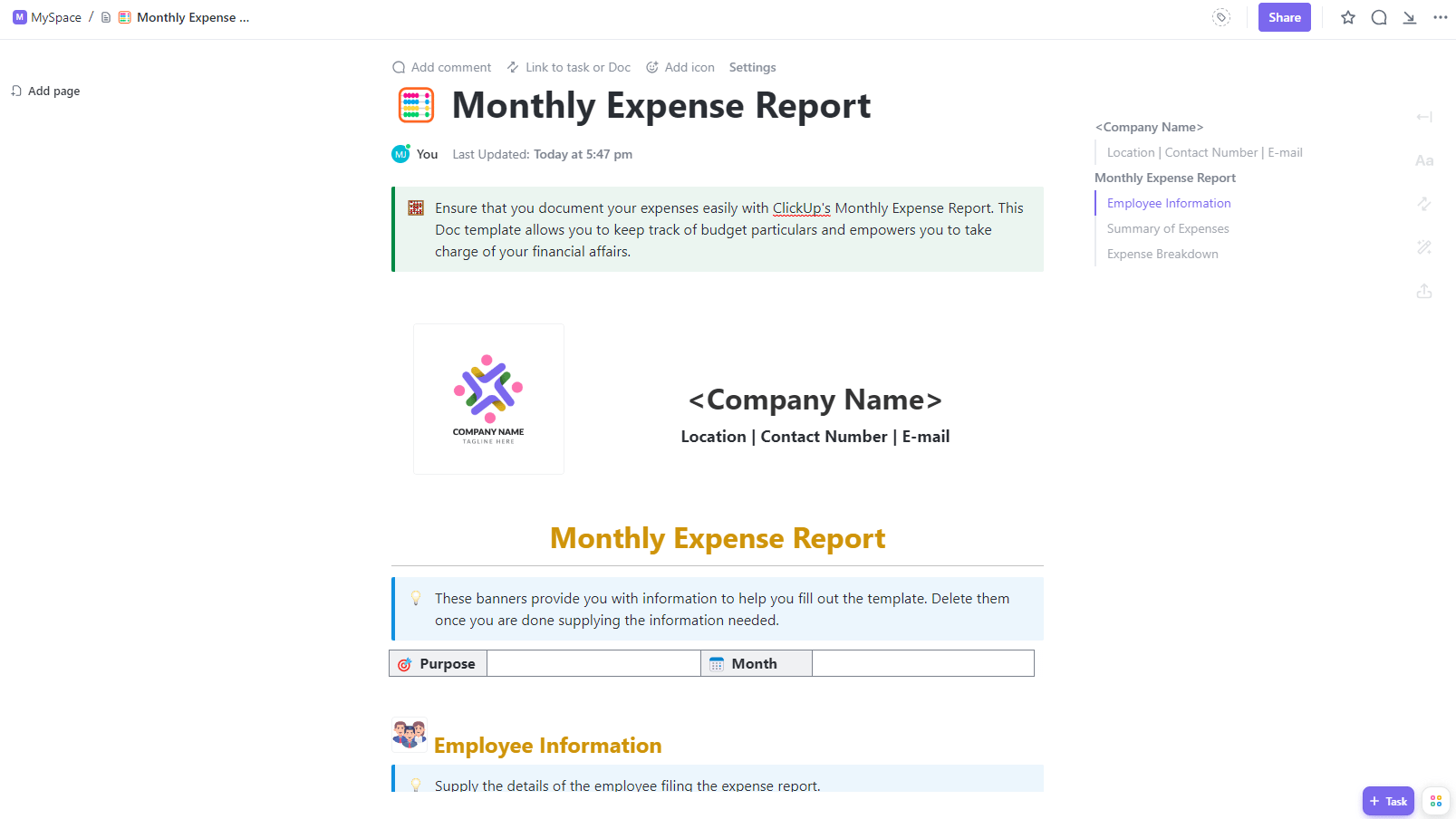
It’s time to get a grip on your monthly spending (minus the pain). Monthly Expense Report Template by ClickUp is here to break down your spending patterns. It’s a lifesaver for businesses to organize chaotic financial data into a neat, actionable spreadsheet.
Understanding a business’s financial habits is the first step to saving for a big investment or cutting back on unnecessary spending. So, it’s ideal for anyone looking to tighten their financial belt. This template provides a visual breakdown of your expenditures, making it easy to spot trends and adjust your budget accordingly.
Standout features you’ll love:
The template’s intuitive design makes it accessible for both personal and business use, ensuring you can keep tabs on all types of expenses. With ClickUp’s easy-to-digest and clear overview, you can decide what’s important to track. Use built-in graphs to spot spending trends, make smarter budget decisions, and keep your financial data up-to-date.
Keep a closer eye on your monthly burn, embrace financial clarity with this Excel expense report template, and start making smarter choices that boost your bank balance.
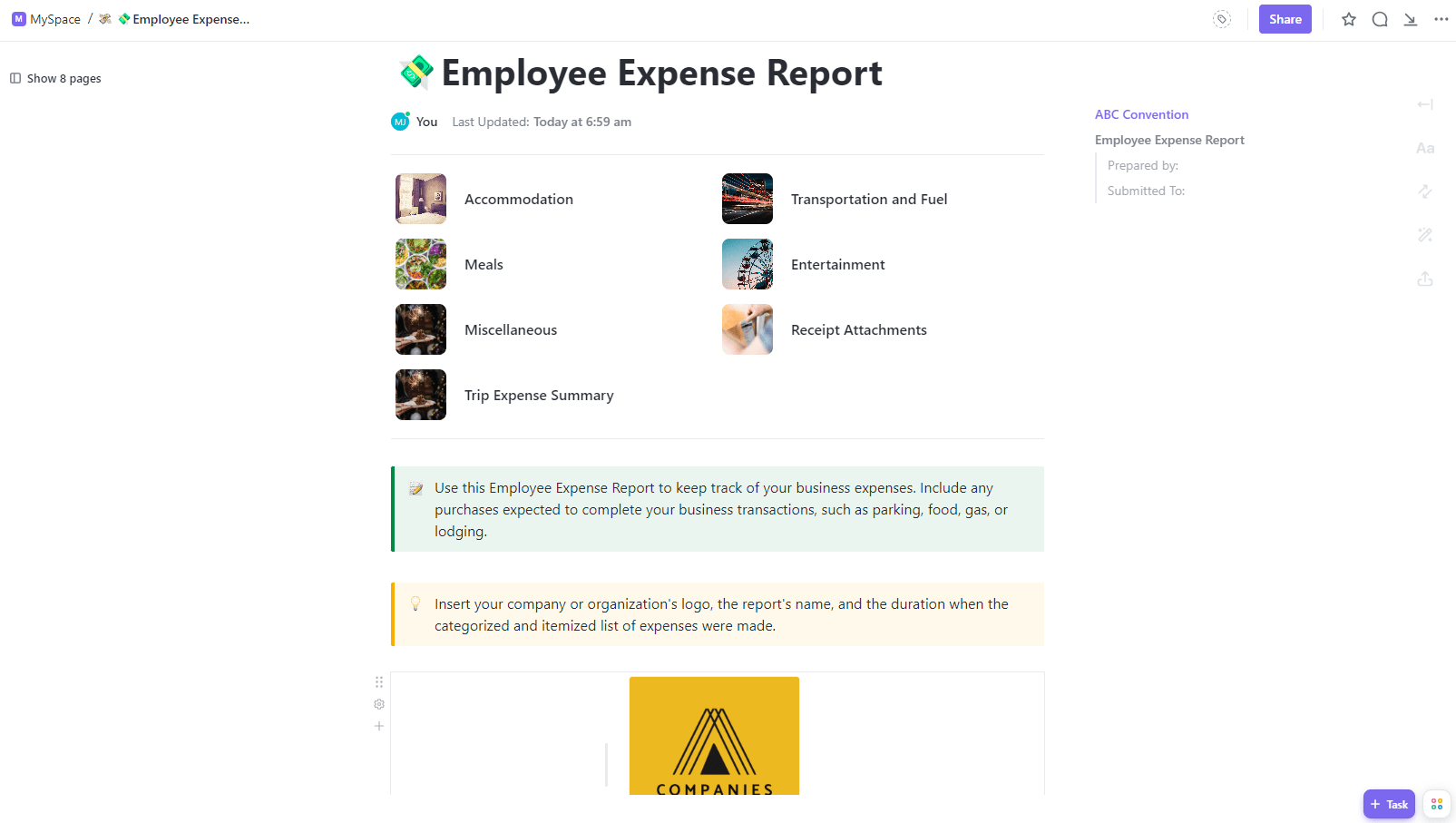
Handling team expenses can be a logistical nightmare, especially when juggling everything from mileage reimbursements to client dinner bills. But don’t sweat it—the Employee Expense Report Template by ClickUp is here to trim the process.
This beginner-friendly template allows you to track every dollar spent by your team. With fields for every type of expense, from meals to entertainment, it ensures nothing slips through the cracks. It can also double up as a travel expense report template!
The template automatically calculates totals and simplifies the process of building an expense management report in Excel, saving you time and reducing the risk of errors.
Why you’ll appreciate this template:
Plus, you can use ClickUp’s diverse viewing options, from ClickUp Lists to ClickUp’s Calendar view, to better track deadlines and submissions. Overall, it empowers you to maintain control over your budget effectively.
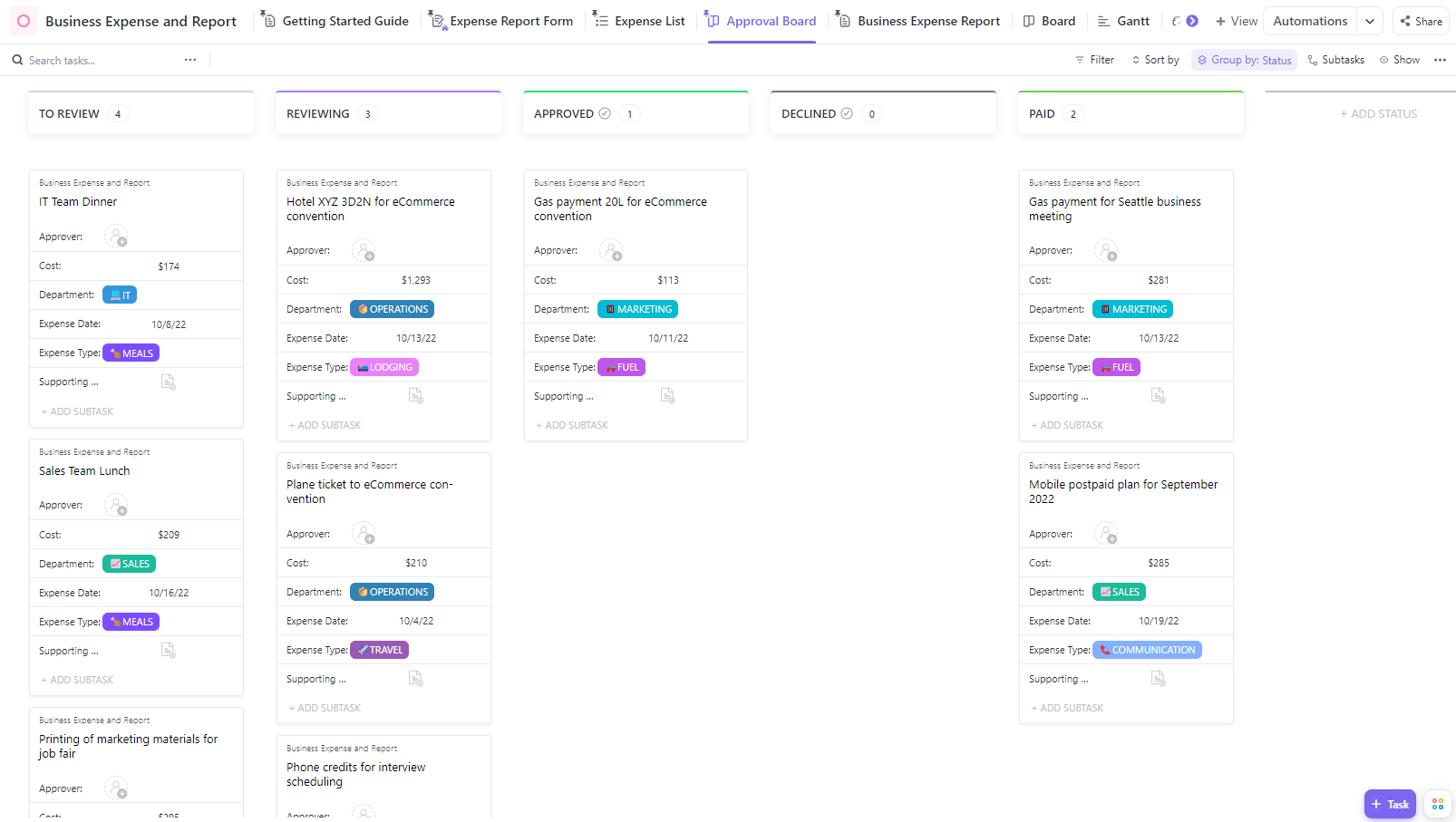
Master cash flow through a detailed overview of expenses and status tracking with the Business Expense & Report Template by ClickUp
Staying organized is a necessity when handling your team’s expenditures. Meet the ClickUp Business Expense & Report Template. It makes managing business expenses, which is typically tedious, easy.
This simple expense report template helps you and your team stay on budget, spot saving opportunities while tracking business expenses, and keep up with financial rules from one central platform.
Core features include:
This template simplifies tracking and managing expenses and makes expense reporting easier. With ClickUp, don’t just keep track of numbers but also get the insights needed to improve your business’s financial health.
Managing finances in a small business doesn’t have to involve over-the-top systems designed for giant corporations. But you do have to keep a close eye on your expenses. The Small Business Expense Report Template by ClickUp is made for the underdogs, aka the bustling startups and local shops striving to keep their financials in place while saving time and effort.
Quickly log all expenditures; visualize them with charts and graphs for better insight. It speeds up the expense tracking process with automation, reducing manual entry and potential errors. The custom-tracking feature lets you adjust statuses and fields to fit your business needs, from supplier costs to daily operational expenses.
Why use this template?
This template will help you track and organize your expenses in one easy-to-use place. You can follow the steps below to get started with writing a report about your finances:
Small business owners can use this Small Business Expense Report Template to help everyone stay on the same page regarding expense tracking and budgeting.
Excel is very useful in getting your monthly and quarterly finances in order, but it’s even better when you don’t have to start from scratch. The right templates can make things so much faster and simpler.
Yes, Excel expense report template(s) may feel outdated, especially for business accounting, but it gets the job done. If you want a more intuitive experience, ClickUp is free to use and offers many useful features that Excel doesn’t offer.
Before you leave, here’s a pro tip: If none of the free expense report templates above match what you need, build your own! Go back to the most decent expense reports you can find, get rid of the data, make a couple of tweaks, and hit save.
Customization comes in handy if your accounts team is bullish on doing things a certain way. And ClickUp makes customization so much more simple and fun!
Sign up for ClickUp today and experience it yourself.

PMO Team
Max 9min read

Praburam Srinivasan
Max 21min read
Praburam Srinivasan
Max 16min read

© 2026 ClickUp