Sorry, there were no results found for “”
Sorry, there were no results found for “”
Sorry, there were no results found for “”
According to a survey of more than 5,000 professionals, 83% of knowledge workers say important information gets lost across scattered emails and chats. Dropbox Dash is one answer to that problem: a universal search bar and AI chat across your connected apps, plus Stacks for organizing what it finds.
Teams usually start looking for Dropbox Dash alternatives for one of these four reasons. Dash for Teams costs $19 per user per month on monthly billing and caps out at 100 users. Dash for Business is $35 per user per month, billed yearly only. The tool also reserves the right to add a future limit on how many items each member can use with Dash. And if a trial lapses, Dropbox removes connected apps and deletes search and chat history 30 days later.
A better search bar rarely solves this on its own. The bigger decision is which tool sits closest to where your files already live. So we’ve rounded up nine alternatives, ranked by how well each one replaces Dash’s core job, with live-verified pricing and the specific limit that should make you skip each one.
TL;DR: The best Dropbox Dash alternative depends on where most of your content already lives. Glean fits companies that want search across a large, mixed app stack. Microsoft 365 Copilot fits teams whose files sit in SharePoint and OneDrive. ClickUp Brain fits teams that want answers next to their tasks and docs, and it can still search Dropbox. Gemini Enterprise suits Google Workspace teams. Guru suits teams that need verified answers. Slack only replaces Dash on its Enterprise+ plan. Notion AI suits teams with a Notion wiki, Dust suits teams building custom agents, and Onyx suits teams that must self-host.
| Tool | Best for | Standout feature | Starting price | G2 rating | Where it taps out |
| Glean | Company-wide search across a large app stack | Agent Builder, plus embedded apps in Slack, Zoom, and Microsoft Teams | Custom pricing | 4.7/5 (300+ reviews) | Heavier use draws on shared credits, and pricing is through sales only |
| Microsoft 365 Copilot | Teams whose files already live in Microsoft 365 | Work IQ grounding plus the Researcher and Analyst agents | Copilot Chat included with eligible Microsoft 365 plans; paid tiers from $25.20/user/month | 4.4/5 (300+ reviews) | Free Copilot Chat meters connectors; paid tiers need a qualifying Microsoft 365 plan |
| ClickUp Brain | Teams that want search answers next to their tasks and docs | Enterprise Search across 12 apps, including Dropbox, plus model switching and MCP connections | Free Forever; custom plans for enterprises | 4.6/5 (14,900+ reviews) | Notion pages show up in results, but Brain can’t answer from them |
| Gemini Enterprise | Google Workspace teams that also touch Microsoft 365 | Gemini Notebook and the Deep Research agent | $21/seat/month | 4.6/5 (27 reviews) | Advanced compliance needs Standard or Plus, sold through sales |
| Guru | Teams that need answers a person has verified | Verification workflows and MCP delivery | Custom pricing | 4.7/5 (2,200+ reviews) | Needs someone to keep answers current |
| Slack | Organizations where Slack is already the front door to work | Enterprise search results inside Slack | Free; cross-app search on Enterprise+ (custom pricing) | 4.5/5 (37,900+ reviews) | Cross-app search needs Enterprise+, or Enterprise Grid with the legacy Slack AI add-on |
| Notion AI | Teams already running their wiki in Notion | Verified pages that carry into search results and AI citations | Free; Business $24/member/month billed monthly ($20 billed yearly) | 4.6/5 (12,500+ reviews) | Enterprise Search is still in beta |
| Dust | Teams building custom agents on company data | 20+ models and scheduled multi-agent workflows | Free; Pro $30/seat/month billed monthly | 4.6/5 (87 reviews) | Self-serve Business plan connects up to 3 data sources |
| Onyx | Teams that need self-hosted, open-source search | Self-hosted or air-gapped deployment with 50+ connectors | $25/user/month billed monthly ($20 billed yearly) | No G2 listing | Self-hosting puts upgrades, scaling, and uptime on your team |
Our editorial team follows a transparent, research-backed, and vendor-neutral process, so you can trust that our recommendations are based on real product value.
Here’s a detailed rundown of how we review software at ClickUp.
A Dropbox Dash alternative should search your connected third-party apps, answer with links to the source, and respect the permissions each app already enforces. Every tool in this list passes that test. Use these questions to separate them:
The right Dash alternative is usually the search layer attached to the place where most of your content already sits. We call this the content-gravity test, and it settles most shortlists before a single demo.
Every AI search tool works the same way underneath. It reads from source apps, checks permissions, and answers from what it can see. The closer the search layer sits to the source, the fewer connectors you configure and the fewer permission models you reconcile. A team with 80% of its files in SharePoint already pays for a search layer that reads SharePoint natively. Adding a standalone tool on top buys a second index of the same files, and a second document management workflow to maintain.
Standalone search tools like Glean and Dash earn their seat in one situation: content spread evenly across many vendors, with no single home. That’s common in large companies after years of team-by-team tool choices, and it’s exactly the pattern these knowledge management system examples illustrate. It’s far less common in smaller teams, which Dash’s 100-user Teams plan is built for.
| If most of your content lives in… | Start your shortlist with |
|---|---|
| Microsoft 365 (SharePoint, OneDrive, Teams) | Microsoft 365 Copilot |
| Google Workspace | Gemini Enterprise |
| Slack conversations, on an Enterprise+ plan | Slack enterprise search |
| Notion pages | Notion AI |
| Tasks, docs, and project work in one workspace | ClickUp Brain |
| Five or more apps with no clear home | Glean, Dust, or Onyx |
The test has one caveat. If people search all day because work is scattered across tools, a better search bar treats the symptom. The cheaper fix is often fewer places to look, which is the same problem behind the cost of context switching.
Read More: 10 AI Enterprise Search Use Cases
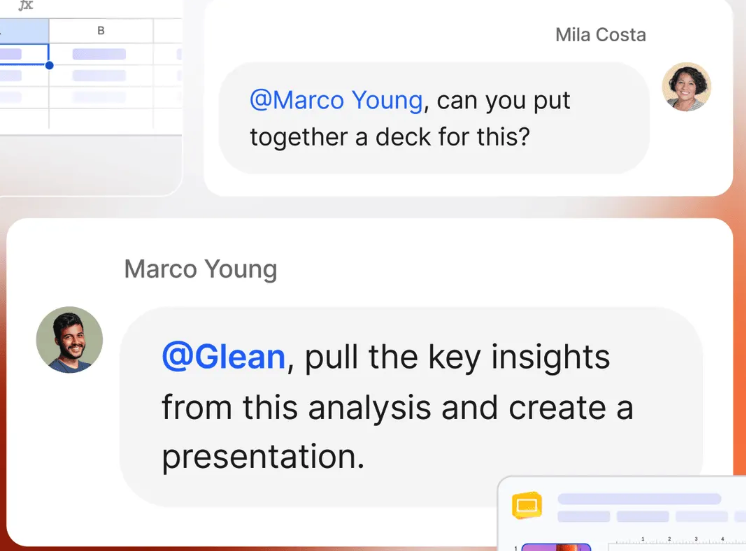
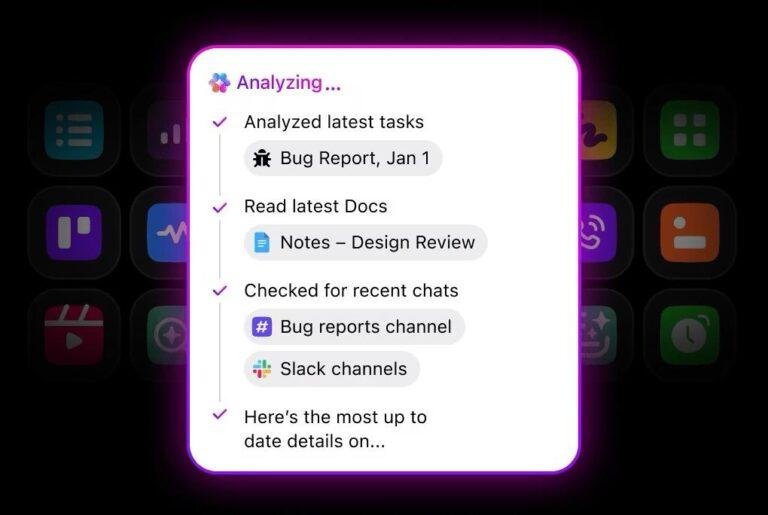
Glean indexes your company’s apps into one search bar and an assistant that answers with citations. It enforces each source system’s permissions, so people only see what they could already open. Its Enterprise Flex model is designed to be deployed to every employee, and the platform combines indexing connectors, federated search connectors, and live-query connectors under one admin console.
When a support lead needs the current refund policy, they can ask Glean from inside Slack, Zoom, or Microsoft Teams through Glean’s embedded apps. The answer cites the Confluence page and the Google Drive doc it came from, and your team doesn’t need to open a separate search tab.
Glean Assistant lets you choose how deeply it works on a question. Fast Mode handles quick lookups, like finding a policy or a doc owner. Thinking Mode takes more steps for harder questions, such as comparing two vendor contracts. Admins can choose which AI models the assistant can use. Glean also remembers context through saved memories, which you add yourself, and learned memories, which it builds from how you work. Over time, answers become more closely aligned with your role and your projects.
Where it taps out: Glean’s cost isn’t fixed at the seat price. Fast Mode answers are unlimited, but heavier Thinking Mode use, premium models, agent runs, and learned memories all draw from a shared pool of credits. Pricing is available only through sales, so a small team can’t test how quickly that pool runs down before committing.
Best for: Company-wide search across a large app stack
Skip it if: You need a predictable per-seat cost, or want to try AI search with one team before talking to sales
A user review says:
Glean’s context awareness sets it apart from the other enterprise AI tools we use internally. It’s also the most token-efficient option we have for helping our internal customers get their work done. On top of that, I really appreciate that we can implement new features ourselves, directly, without needing professional services.
This ClickUp walkthrough covers the Glean alternatives category, which overlaps almost completely with Dash’s:
Microsoft 365 Copilot works inside the apps your team already has open: Word, Excel, PowerPoint, Outlook, and Teams. Its answers draw on Work IQ, which grounds AI chat in your Microsoft 365 content. Copilot connectors bring in data from outside tools too. If most of your files sit in SharePoint and OneDrive, Copilot searches where they already live, under the permissions Microsoft already enforces.
Take a client review on Friday. Copilot in Teams recaps the call where the scope changed, and Copilot in Outlook summarizes the latest status thread. A project manager can then ask Copilot Chat to pull those summaries and the current SharePoint deck into one prep brief. For a deeper question, like how this client’s spend compares to last quarter, the prebuilt Researcher agent takes over. Teams that mostly work in documents can see how this looks in Microsoft Copilot in Word.
Where it taps out: Know which Copilot tier you are buying. Copilot Chat comes with eligible Microsoft 365 plans at no extra cost, but external connectors are metered, and search is limited there. The paid license includes connectors. Both paid tiers require a qualifying Microsoft 365 base plan, and Microsoft lists no trial for the enterprise tier.
Best for: Teams whose files already live in Microsoft 365
Skip it if: Most of your documents and conversations live outside Microsoft’s apps
A user review says:
It’s good at searching Outlook mail because we use Outlook and it’s linked together. I also tend to use it to edit my text and polish what I write. Sometimes I give it files and ask it to answer my questions based on those documents, and it does that very well. It makes my job easier, and I use it every day. I’m glad to have it.
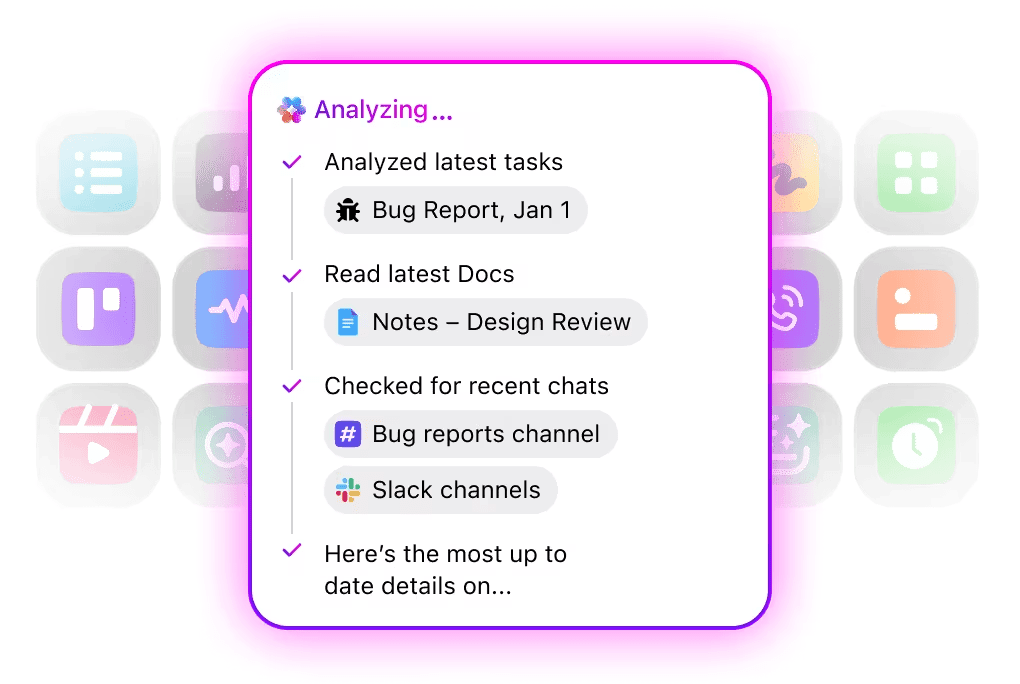
ClickUp Brain answers search questions inside the Workspace where your team already plans and tracks work. Through Enterprise Search, it connects to 12 apps, including Google Drive, Slack, SharePoint, Jira, Salesforce, Microsoft Teams, and Dropbox, and respects each app’s permissions. For a team leaving Dash, files can stay in Dropbox and still show up in answers. The ClickUp Dropbox integration handles the connection.
Brain works with more than one AI model. Max is the default, and you can switch to ChatGPT, Claude, or Gemini models at the start of a chat or partway through one. Your Workspace context carries across every model. A project lead can ask Max to pull related tasks, past decisions, and the spec from Google Drive, then switch to Claude to structure the plan without re-explaining anything. The finished answer can become a ClickUp Task or ClickUp Doc from the same response.
ClickUp Super Agents handle multi-step workflows. Each agent has its own instructions, Skills, knowledge, tools, and model. It runs when someone @mentions it, assigns it a task, or sends it a DM, and it can also run on a schedule or from an Automation. Connect an external MCP server, such as GitHub, Atlassian, or your CRM, and both Brain and Super Agents can use that app’s tools, like creating a CRM record from a Chat request. ClickUp also runs its own MCP server, so ChatGPT, Claude, and Cursor can search and update your ClickUp work.
Where it taps out: Brain answers from a fixed list of 12 connected apps. Notion pages appear in Enterprise Search results, but Brain and Super Agents can’t read them to answer questions. A team whose main knowledge base lives in Notion gets links back, not answers.
Best for: Teams that want search answers next to their tasks and docs
Skip it if: Notion is your main knowledge base, and you want advanced AI or agent-led search on it
A user review says:
What I like most about ClickUp is that it feels more like a complete workspace than a tool built around a single function. We can use it as a central platform for project management, task tracking, documentation, communication, and organizing our day-to-day workflow, without relying on a separate app for each part of the process.
The flexibility of the workspace is especially useful for a small studio like ours. Features such as customizable Lists, Boards, Docs, task relationships, statuses, custom fields, and dashboards allow us to structure different projects and workflows in ways that fit our needs rather than forcing everything into one rigid system. Having our project information and documentation connected to the work itself also makes it easier to keep context in one place.
The integrations are another benefit, since ClickUp can connect with some of the other tools we already use rather than requiring us to completely change our existing workflow. Its AI features are also useful for smaller tasks such as summarizing information, helping organize or refine content, and reducing some of the repetitive work involved in managing projects and documentation.
Teams that use Google Workspace don’t keep everything in Drive. Their contracts may be stored in OneDrive, while meeting notes are stored in Notion. Gemini Enterprise connects to Microsoft 365, Google Workspace, HubSpot, Notion, Slack, Jira, GitHub, and more. The tool grounds its answers and the content it generates in that company data, which helps teams split across OneDrive and Google Drive.
The same chat handles very different jobs. An operations lead can pull inventory data from OneDrive, Google Drive, and Box, list this week’s five best sellers, and flag anything below 500 units. A sales rep can draft outreach using context from Confluence, Notion, and Slack. For campaigns, Nano Banana generates images grounded in your product photos and brand guidelines.
Gemini Enterprise also runs multi-step workflows that span several apps. Google doesn’t use your prompts, outputs, or company data to train its models. Model Armor, its built-in protection layer, blocks harmful content and guards against data leakage.
Where it taps out: The Business edition comes with basic admin controls. Admins can add or remove members, choose which connectors the team can use, and turn chat sharing on or off. Employees can’t connect their own data to anything an admin hasn’t approved. Enterprise-grade compliance needs the Standard or Plus edition, which you buy through Google’s sales team.
Best for: Google Workspace teams that also touch Microsoft 365
Skip it if: Your security team needs advanced compliance controls before anyone runs a trial
A user review says:
The clean UI / UX fits naturally into our daily workflow. Its deep Integrations with Google Workspace and external databases make retrieving data seamless, while the overall Performance is fast and responsive. We are already seeing a great Pricing / ROI from the time saved on routine tasks, and the excellent Support / Onboarding resources made it easy to get our entire team up to speed quickly.
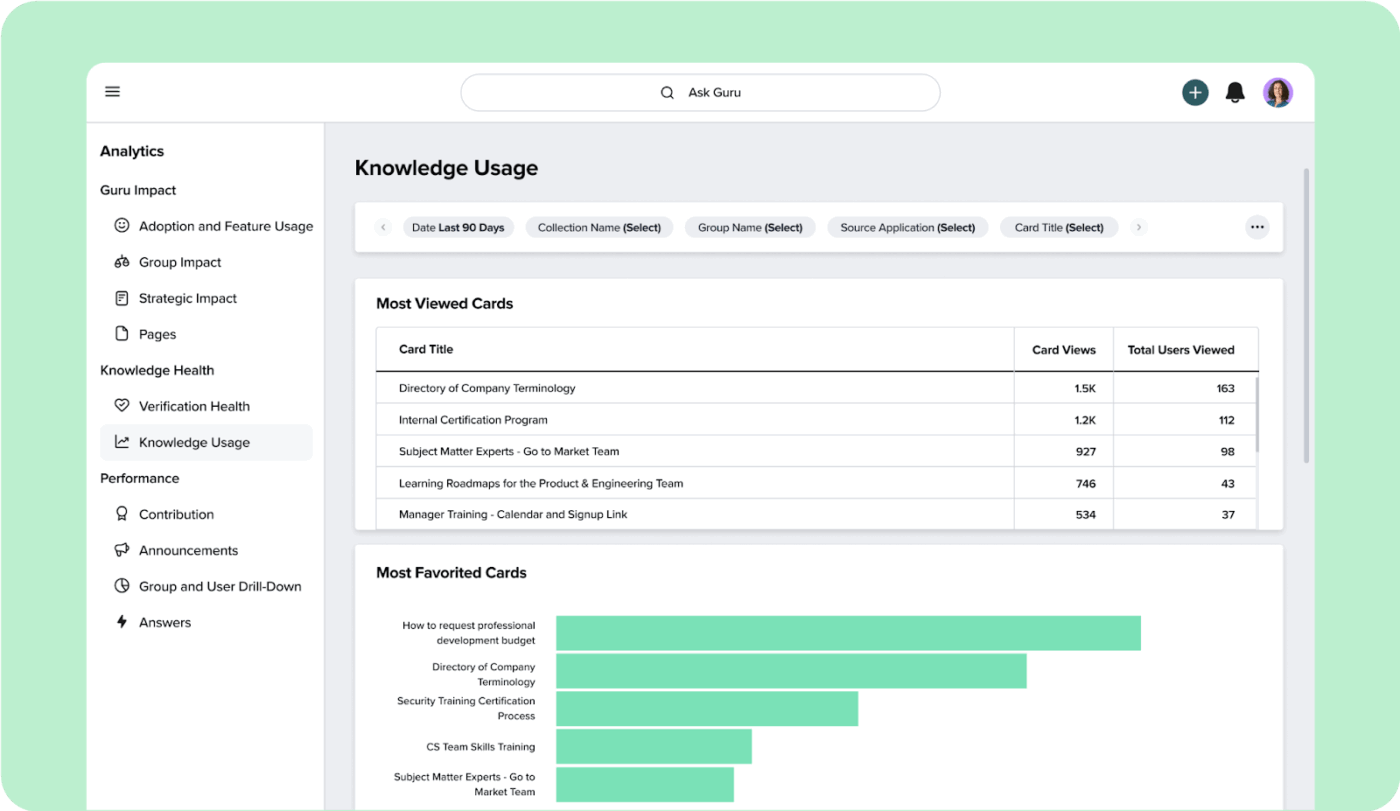
Guru treats company knowledge as something people maintain, with search built on top. It connects to more than 100 tools, including Slack, Microsoft Teams, Salesforce, Zendesk, Confluence, and SharePoint, and organizes what it finds into one governed knowledge layer. Every answer comes with citations and lineage. Permissions carry over from your existing systems and are enforced in real time.
When a support team’s return policy changes, the owner corrects it once in Guru, and the fix carries to every tool that pulls from Guru. That includes other AI assistants and agents, which read the same knowledge layer over MCP without rebuilding permissions for each tool.
Further, Guru is built for teams where a wrong answer has consequences, such as support, HR, and compliance. Content owners set verification intervals, so a policy page has an expiry date and comes back for review before it goes stale. On the governance side, Guru is audited for SOC 2 Type II and supports HIPAA and GxP requirements.
Where it taps out: Guru depends on people keeping it current. Setup is scoped on a call, with Guru’s solution engineers designing your knowledge architecture. After launch, someone on your team has to review flagged pages and keep answers accurate. A team without a clear owner for shared knowledge ends up with more process than it needs. This is the job a knowledge base manager usually holds.
Best for: Teams that need answers a person has verified
Skip it if: You don’t have a dedicated team member who can own and review shared answers
A user review says:
The best part about Guru is how seamlessly it fits into my daily workflow. Having instant access to verified, up-to-date SOPs and troubleshooting guides—without needing to leave my current tab or dig through old documents—saves me a huge amount of time and lets me resolve customer cases much faster.
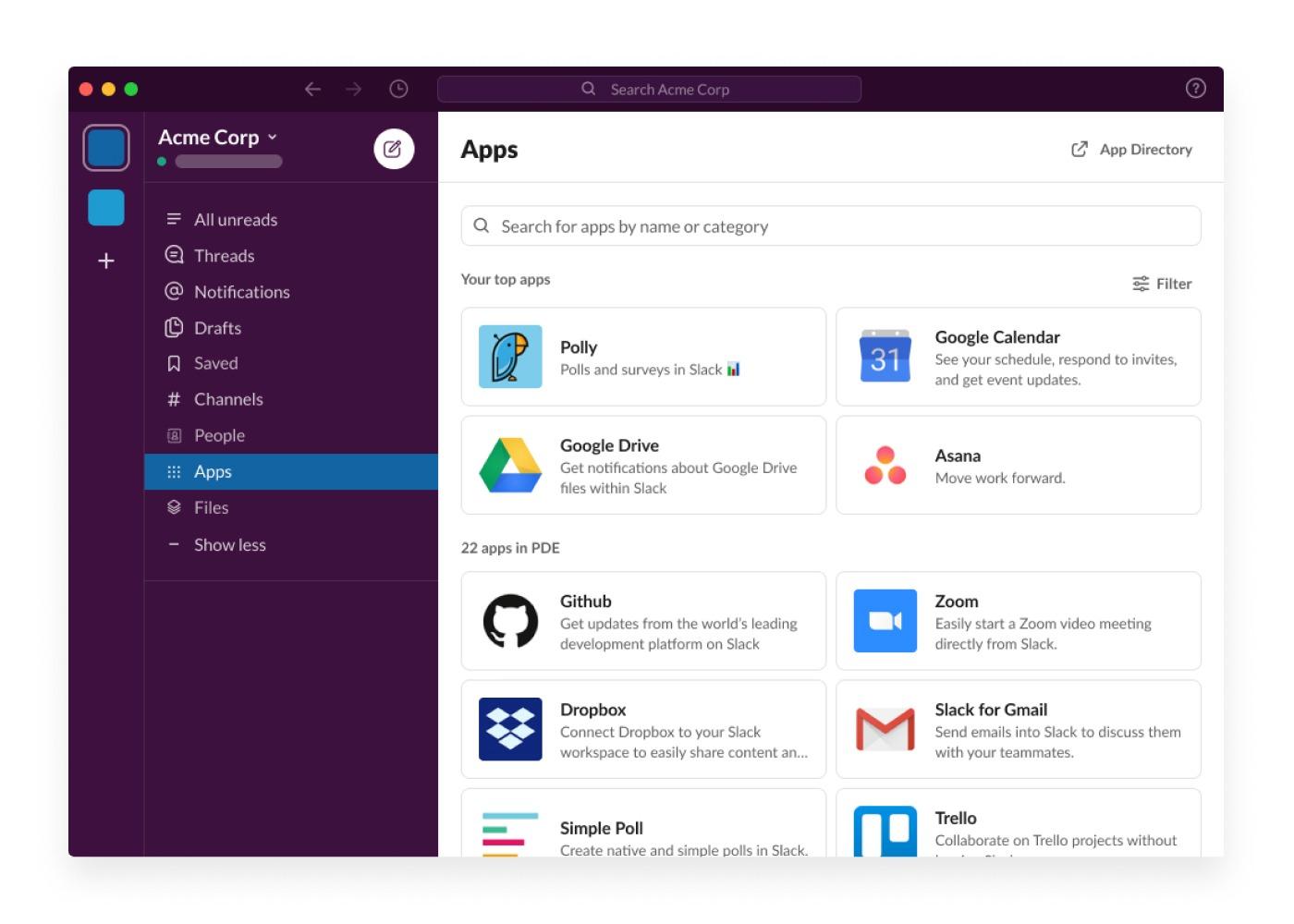
For teams that already ask questions in Slack all day, enterprise search brings the answer to the same place. A search pulls results from connected apps like Google Drive, GitHub, OneDrive, SharePoint, and Salesforce. Slack AI answers appear at the top of the results page. You can ask a plain question, like “What’s the status of Project Acme?”, instead of guessing at keywords.
Results are personal to each person. Every member connects their own account to each data source, so search and Slackbot only surface content that person can already open. Guests can use enterprise search too. If your org already runs the Google Drive or OneDrive and SharePoint apps in Slack, members may be connected to those sources automatically. People can start searching without extra setup.
When an engineer searches for a release decision, the results can show the GitHub pull request and the Google Drive spec next to the thread where the team agreed on the change. Slack is also adding agent features on top of search, which we cover in Slack AI agents.
Where it taps out: Searching across other apps is reserved for Slack’s top tier. Pro and Business+ teams get AI search across Slack messages and files only. To make Slack a real Dash replacement, you need Enterprise+, or Enterprise Grid with the legacy Slack AI add-on.
Best for: Organizations where Slack is already the front door to work
Skip it if: You’re on Pro or Business+ and have no plans to move to Enterprise+
A user review says:
I find it quite easy to maintain communication on Slack since everything is neatly organized. The use of channels allows one to separate different discussions depending on what they are about, while direct messaging is more convenient to use when there is a need for instant communication. It is also convenient to use it because one can easily send files and search past discussions.
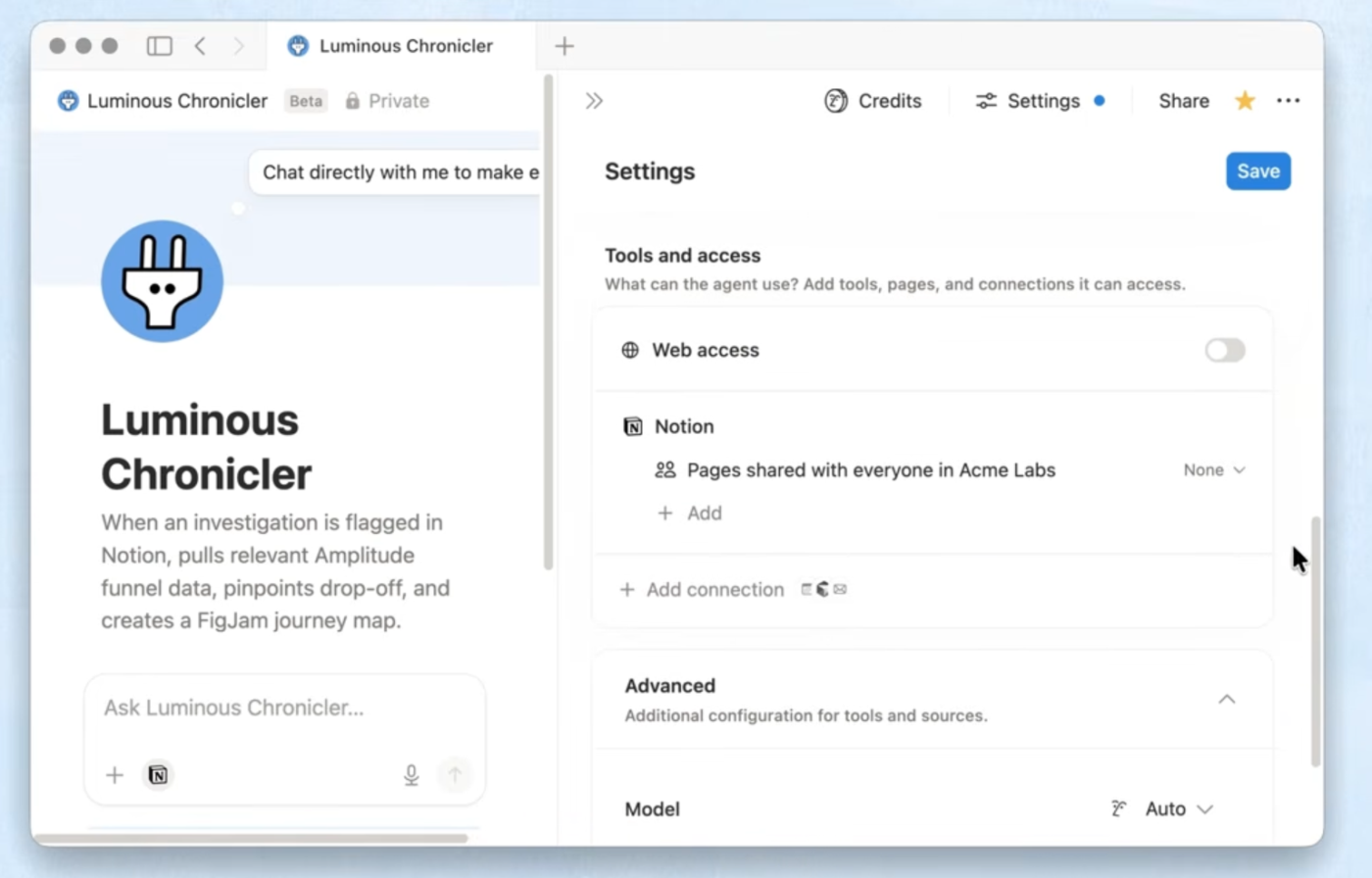
A new hire asks Notion AI how releases ship. Notion points them to the “How we ship” page the onboarding lead reviewed last month, not last year’s draft. Verified pages carry a badge into search results and AI citations, so people can tell a reviewed answer from an old one. For teams that already run their wiki in Notion, this is the strongest reason to keep search there.
Enterprise Search, on the Business plan and up, extends those answers beyond Notion. It searches your workspace along with connected tools like Slack, Microsoft Teams, and GitHub. Notion Agent can then take the answer further, using context from Notion, connected apps, and the web to complete multi-step tasks.
The AI also covers work that happens outside the wiki. AI Meeting Notes transcribes and summarizes calls without a bot joining. Custom Agents handle repetitive tasks on their own, like triaging requests or updating a database. Their output lands in the same pages your team already searches.
Note: Free and Plus include a trial of Notion AI. Enterprise Search starts on Business.
Where it taps out: Enterprise Search is still in beta. Notion labels it Beta on its own pricing page, along with several of its connectors. A team that needs answers mainly from tools outside Notion is relying on beta features for the core job of a Dash replacement.
Best for: Teams already running their wiki in Notion
Skip it if: Your knowledge mostly lives in tools whose Notion connectors are still in beta
A user review says:
The UI / UX is quite vast. If you are new to notion I would say that using the templates is a great starting point. There are so many things you can do with it that it can easily become disorganised. The claude MCP integration has helped me a lot with building databases and useable workspaces for our team. The notion AI capabilities are also pretty extensive to use as support or guidance to get the most out of it. As for support I have never really had to use or access this as there is a lot of info out there and nothing the MCP cannot help me with. As for pricing and ROI we use it company wide so I would say that we do get that ROI. Performance, I would say I have not explored the reporting capabilities enough to give a good view.
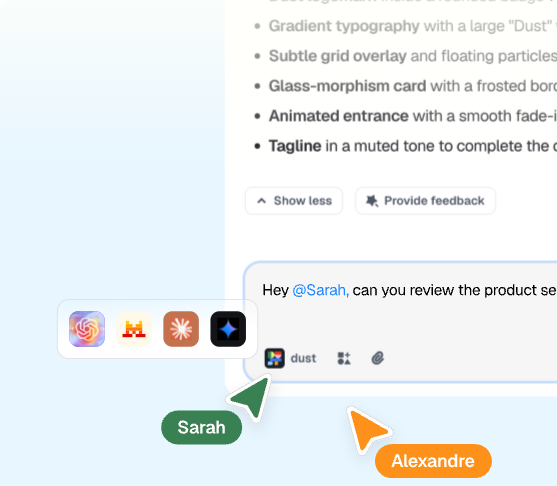
A sales ops lead wants a weekly summary of new competitor notes without writing it by hand. In Dust, they build an agent once. It reads the team’s Notion and Google Drive, runs on a schedule, and posts the summary where the team can reuse it. Dust is built around agents like this one. Search is one step inside the workflow, the same shift showing up in AI agents for meetings.
Each agent gets its own skills, knowledge, and tools. Teams get to pick from more than 20 models from OpenAI, Anthropic, Google, Mistral, and DeepSeek, and choose the right model for each agent. Dust connects to Slack, Notion, GitHub, Drive, and more, and to any other tool through MCP. Agents can also search, query, and extract data across those sources rather than return a list of links.
Dust gives teams shared spaces to work with agents. Pods are collaborative workspaces with shared context, so a project team works from the same background instead of re-explaining it in every chat. Agent output can become a Frame, an interactive dashboard or small app the team can open and reuse. Data stays in the US or the EU, depending on which residency you choose.
Where it taps out: The self-serve Business plan connects to up to three company data sources. Replacing Dash usually means covering more apps than that, which pushes most teams toward the sales-led Enterprise plan.
Best for: Teams building custom agents on top of company data
Skip it if: You need search across more than three apps without a sales conversation
A user review says:
Dust brings all the power of AI to me in the same tool. I don’t have to ask myself between wich LLM I choose choose or pay for, Dust give me access to all of them and will adapt them depending on my AI agents’ needs. Its integration to all of my different knowledge sources and tools makes it vert personalized and give context to our AI agents. There support are reactive and the Onboarding is very efficient. Shout out to Gaëlle from the Parisian team, she has been incredible to get us started and make sure we take the most out of the tool
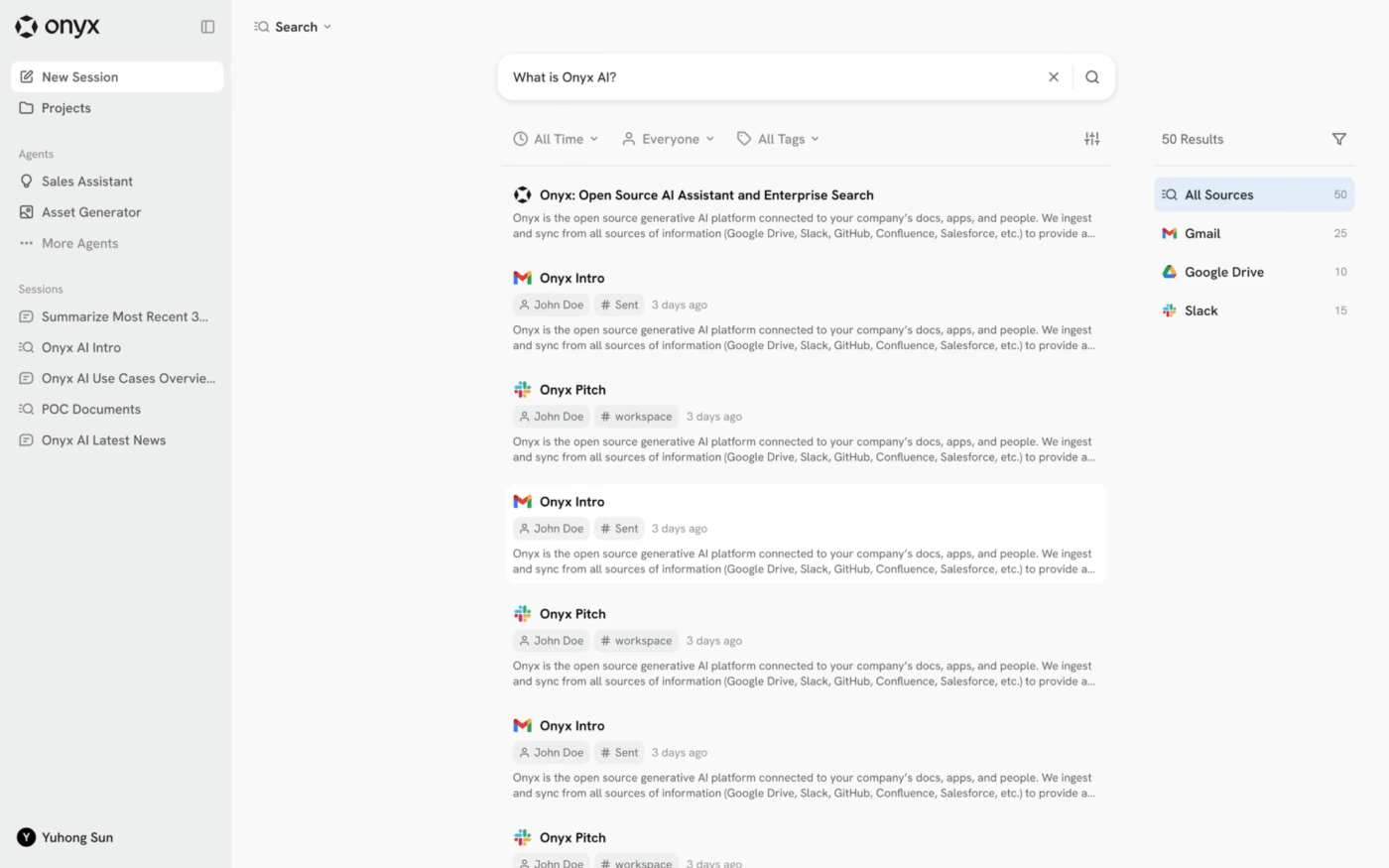
For teams that can’t send company data to someone else’s cloud, Onyx runs enterprise search and AI chat inside their own environment. It deploys on AWS, GCP, Azure, your own Kubernetes, or bare metal, and it can run fully air-gapped. The index, the embeddings, and the model traffic stay inside the boundary your security team already controls.
Because the code is open source, that team can audit it end to end. That makes Onyx a common pick for teams writing their IT knowledge management policy around data custody.
Onyx searches all connected sources at once rather than one app at a time. Onyx’s own example is “Why did our AWS bill jump $40K this month?” Onyx checks GitHub, Drive, Slack, and Confluence in parallel and traces the jump to a test cluster that was never shut down. The answer cites the Slack channel, the pull request, and the cost export it came from. More than 50 connectors stay synced, and each source’s permissions are enforced at query time.
Teams aren’t tied to one AI provider. Admins can swap models, route each team to a different one, or run open-weight models on their own GPUs. Beyond search, teams can build agents with custom instructions, knowledge, and actions that automate work in connected apps. Code execution inside chat handles calculations and data analysis.
Where it taps out: Self-hosting puts the infrastructure work on your team. Upgrades, scaling, and uptime become your job instead of the vendor’s. A team without someone to run that infrastructure is better served by Onyx Cloud or a fully managed tool.
Best for: Teams that need self-hosted, open-source search
Skip it if: No one on your team can own a self-hosted deployment
A user review says:
I’ve been playing around with Onyx and it is definitely impressive, but I’ve also been using Context Link to connect my docs and other sources to my AI chats. What I like about Context Link is that it handles the RAG stuff for me, so I can just ask my AI to “get context on {topic}” and it pulls in the most relevant info. Might be worth checking out if you’re looking for a more streamlined workflow.
Atlassian Rovo (Included with paid Atlassian Cloud plans). Rovo adds search, chat, and agents to Standard, Premium, and Enterprise Cloud plans of Jira, Confluence, and Jira Service Management, with no separate purchase. The catch is that it’s built for Atlassian shops, and AI actions draw on a monthly credit allowance per user.
Moveworks (Custom pricing). Moveworks pairs enterprise search with an AI assistant aimed at IT and HR requests, so employees can find answers and resolve common tickets in one place. The catch is a sales-led rollout sized for large organizations.
BA Insight (Custom pricing). BA Insight connects enterprise search to SharePoint and other systems for organizations that want to build search into their own portals. The catch is that it’s infrastructure you configure, not an app a team turns on in an afternoon.
Test two finalists on the same set of real questions your team asks, with Dash as the baseline, and score every answer the same way. The content-gravity test above gives you your two finalists. This four-step pilot helps you pick between them.
Pull questions people asked in the last month from Slack threads, support tickets, and onboarding docs. Use a mix of four types:
Write down the correct answer and its source before the pilot starts. That way, scoring is a check against a known answer, not a judgment call.
Connect the same 3 to 5 sources to both finalists. Pick a pilot group of 5 to 10 people from at least two teams. Include one person with restricted access, such as a contractor or a new hire. Keep Dash running on the same questions so you have a baseline. If a tool has no self-serve trial, ask the vendor for a proof of concept on your own data.
| Check | What to record |
| Right source | Does the answer cite the doc you wrote down in step 1? |
| Current version | Did it pick the current doc over the stale one? |
| Permission check | Did the restricted user see anything they can’t open in the source app? |
| Time to answer | How long until the person had what they needed, including follow-up questions? |
| Follow-through | Could they act on the answer (share it, create a task, draft a reply) without leaving the tool? |
A single permission miss rules a tool out, however well it scores elsewhere. If both tools pass the permission check, compare right-source answers on the decision and stale-answer questions, and weight those more than lookups. Then check the usage meter: scale what the pilot group used up to your full headcount to see which plan you’ll actually need.
The best Dropbox Dash alternative is the one that answers your team’s real questions from the right source. Every tool on this list searches connected apps and cites its sources.
The differences show up on your own content: whether answers come from the current doc, whether permissions hold, and whether people can act on what they find. Run the pilot on your two finalists and pick the one that scores best.
If your pilot shows people finding the answer and then switching tools to act on it, ClickUp handles both steps. ClickUp Brain answers from your Workspace and connected apps, including Dropbox. It can then turn that answer into a task or Doc in the same place.
Dropbox Dash for Teams costs $19 per user per month on monthly billing or $15 per user per month billed yearly, for up to 100 users. Dash for Business costs $35 per user per month, billed yearly only, for teams over 100 users. Dropbox offers 50% off to customers on its Standard, Advanced, Business, and Business Plus plans.
No. Dropbox Dash offers a 30-day free trial, not a free plan. Thirty days after a trial ends, Dropbox removes connected apps and deletes search and chat history, so export anything you need before the trial closes.
Glean is the better fit for large companies that need search across many apps and a company-wide rollout, while Dash fits smaller teams with self-serve plans. Glean is sold through sales on an Enterprise Flex model built for every employee. Dash publishes prices and caps its Teams plan at 100 users.
Enterprise search software lets employees find information across a company’s apps, files, and conversations from one search interface, while respecting each source’s permissions. AI enterprise search adds generated answers with citations on top of the results. Examples include Glean, Microsoft 365 Copilot, Gemini Enterprise, and ClickUp Brain. For more, see these knowledge base search tips.
The best enterprise search software is the one attached to where most of your content lives. Microsoft 365 Copilot leads for Microsoft-centered teams and Gemini Enterprise for Google Workspace teams. Glean fits companies with a large, mixed app stack, and Onyx fits teams that must self-host.
No. Glean doesn’t publish a free plan or public pricing. Seats are licensed per user through its Enterprise Flex model and quoted by sales. Onyx and Dust are the closest options with free entry points: Onyx offers a free trial and an open-source core, and Dust has a free seat type.
Enterprise search cuts the time people spend hunting for files and asking colleagues where things are. ClickUp’s State of Workplace Communication 2025 survey of more than 5,000 professionals found that 83% of knowledge workers lose important information across scattered emails and chats.

Manasi Nair
Max 27min read
Manasi Nair
Max 17min read

Arya P Dinesh
Max 20min read

© 2026 ClickUp