






Still downloading templates?
There’s an easier way. Try a free AI Agent in ClickUp that actually does the work for you—set up in minutes, save hours every week.
Sorry, there were no results found for “”
Sorry, there were no results found for “”
Sorry, there were no results found for “”
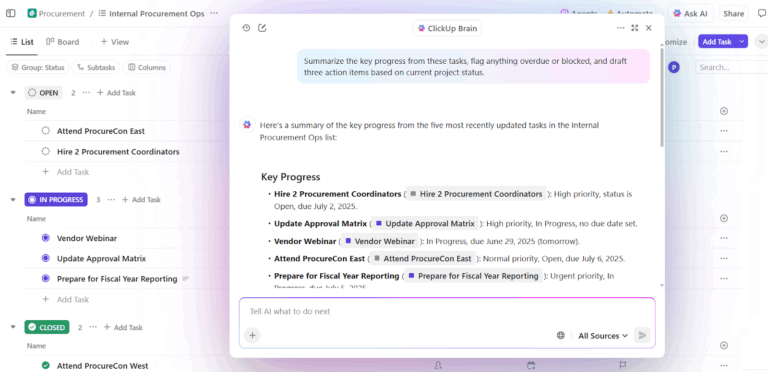
Most teams think they’re building AI-native workflows when they’re really just layering AI features on top of the same slow, fragmented processes they’ve always had.
McKinsey’s 2025 global survey confirms this gap: 88% of organizations regularly use AI in at least one function, yet only about one-third have begun scaling it across the enterprise.
This guide breaks down what a genuine AI-native workflow looks like and how to spot the real thing in the tools you evaluate.
You’ll also learn how ClickUp, the world’s first Converged AI Workspace, is built from the ground up to let AI handle the execution while you focus on the decisions that matter. 💫
An AI-native workflow is a process built from scratch so AI handles the default execution, like drafting, routing, analyzing, and deciding, while you steer, approve, and refine.
It’s the opposite of ‘AI-assisted,’ where you still do all the heavy lifting and AI just nudges you from the sidebar. If your team already uses AI tools but still burns hours on manual handoffs, status updates, and copying things between apps, this distinction matters a lot.
In an AI-native workflow, there’s an AI agent orchestration layer. It knows the project, the team’s history, and the goal, so it can act. Five characteristics separate this approach from everything else:
The shift from AI-assisted to AI-native changes who does the default work.
Go AI-native:
Every tool slaps ‘AI-powered’ on the homepage now. But here’s a quick test you can run yourself: does the product start with AI doing the work, or does it start with a blank screen and offer AI as a side feature?
Two design patterns separate genuine AI-native products from rebranded legacy tools. 👀
In a legacy tool, you open an empty document, empty board, or empty form and build from zero. An AI-native product flips this. It generates a first draft, a suggested structure, or a pre-populated workspace based on the context it already has, such as your project type, past work, and stated goal.
Think about what this looks like across different work types. A project plan that auto-populates tasks based on a brief. A design layout that generates options from a prompt. Code scaffolding that mirrors your repo’s existing patterns. In each case, AI handles the highest-friction moment in any workflow: starting.
This shifts your role from creator to editor. You’re refining something that already exists instead of staring at a blank page wondering where to begin.
📮ClickUp Insight: Only 12% of our survey respondents use AI features embedded within productivity suites. This low adoption suggests current implementations may lack the seamless, contextual integration that would compel users to transition from their preferred standalone conversational platforms.
For example, can the AI execute an automation workflow based on a plain text prompt from the user? ClickUp Brain can! The AI is deeply integrated into every aspect of ClickUp, including but not limited to summarizing chat threads, drafting or polishing text, pulling up information from the workspace, generating images, and more! Join the 40% of ClickUp customers who have replaced 3+ apps with our everything app for work!
Once you’ve got a first draft, the next question is how the product handles revisions. Legacy tools treat editing AI content as a manual, one-directional process. AI-native products build collaborative loops where you give feedback, the AI revises, and the cycle repeats until you’re happy with it.
This isn’t just a ‘regenerate’ button. Good iterative editing means the AI remembers what you changed and why. It applies those preferences going forward and can upscale or remix outputs into new formats.
The best AI-native editors reduce the number of revision cycles, not just the effort per cycle. Combine that with blank-page solving, and you’ve streamlined the entire workflow timeline.
Automate complex tasks:
Right now every AI-native tool invents its own interaction model.
As the category matures, expect shared protocols, like MCP (Model Context Protocol), that let agents hand off context across platforms. This means an agent in your project management tool could pass information to an agent in your code repository.
Human-AI boundaries will also get more formal. Today, teams are experimenting, figuring out where to insert human-in-the-loop checkpoints. Over time, those boundaries will become explicit, role-based, and auditable. Designing clear handoff points between humans and AI will become a real discipline, not an afterthought.
The landscape is already shifting and the tools themselves are converging in capability. The teams that get results will be the ones that reengineer their business processes fastest. Cultural adoption and training your people to work differently are the real blockers.
🧠 Fun Fact: One of the earliest AI programs, Logic Theorist, was developed in 1955-1956 by Allen Newell, Herbert A. Simon, and Cliff Shaw. It successfully proved 38 of the first 52 theorems in Whitehead and Russell’s Principia Mathematica, even finding a more elegant proof for Theorem 2.85.
If Context Sprawl is the reason your team is getting marginal returns from AI even after adopting multiple tools, you need to switch to ClickUp.
Its Converged AI Workspace is a single, secure platform where projects, documents, conversations, and analytics all live together. Plus, there’s a contextual AI embedded as the intelligence layer.
Let’s explore some of its best AI features:
AI-native workflows begin with context and ClickUp Brain acts as a unified intelligence layer across your entire workspace. Instead of digging through folders, threads, or dashboards, your team can simply ask questions and get precise, contextual answers in seconds.
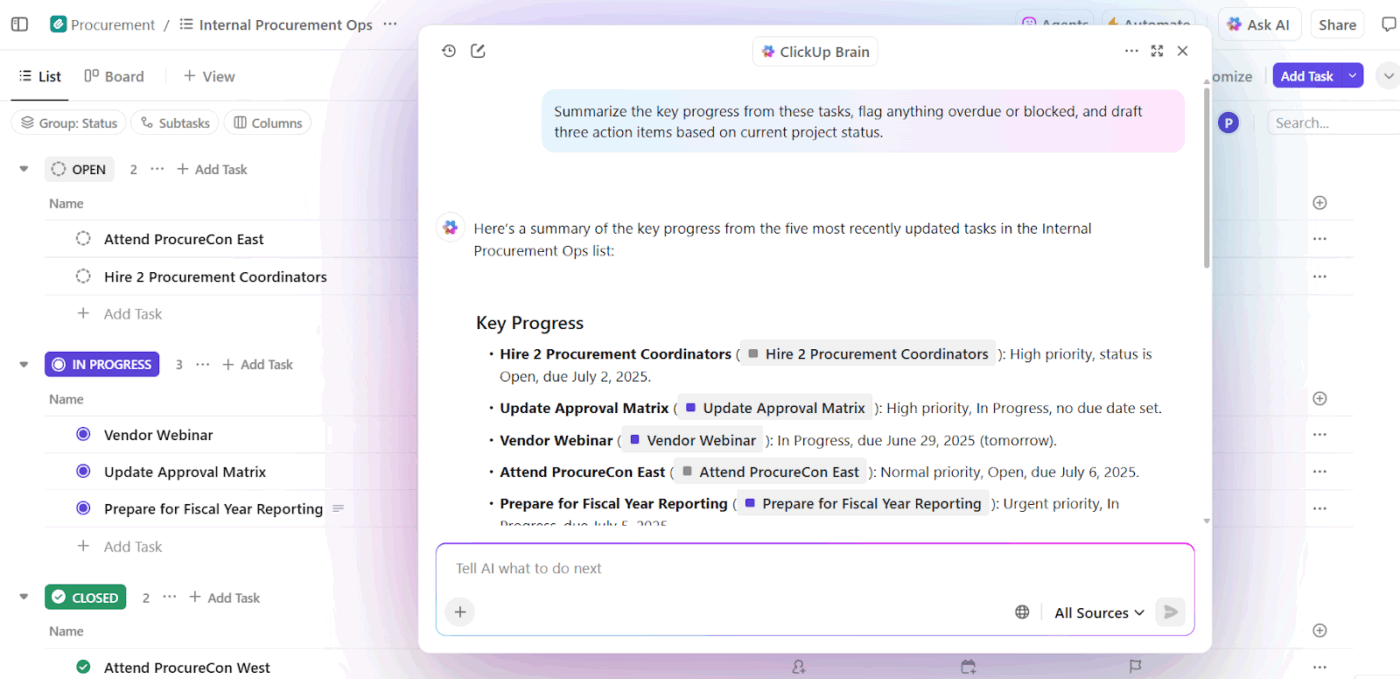
Here’s how it works across key areas:
For instance, a project manager is preparing for a stakeholder meeting. They can just ask ClickUp Brain: ‘Give me a summary of project status, risks, and pending approvals.’ Within seconds, they have a complete, accurate briefing pulled from tasks, docs, and chats.
📌 Example prompts:
🚀 ClickUp Advantage: Ensure that every conversation is captured, structured, and instantly turned into action with the ClickUp AI Notetaker. It automatically records key points, extracts decisions, identifies action items, and assigns owners, all within your workspace.
Once you have access to context, the next evolution is using AI to reason, analyze, and guide decisions. ClickUp Brain MAX builds on the foundation of Brain by adding more advanced capabilities for synthesis, pattern recognition, and strategic insights.
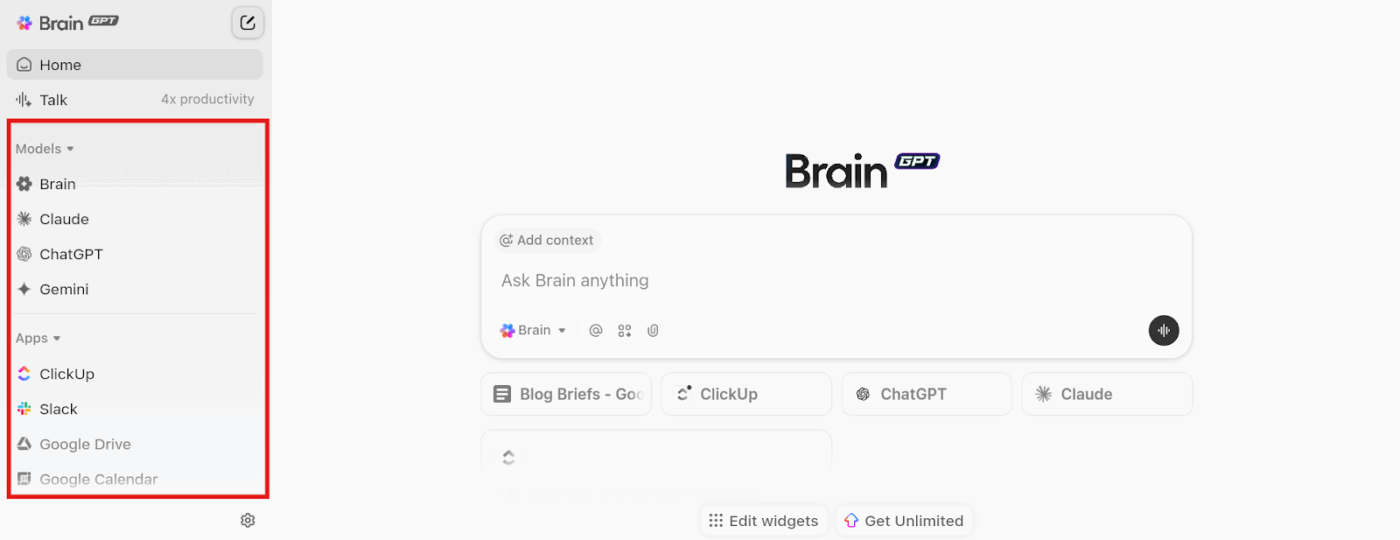
The desktop app offers:
What a user had to say about ClickUp:
For example I use Brain (Max) to build out all my new project lists. I’ll feed it a brief and it will create all my milestones, tasks, subtasks, and checklists. It will also create the dependencies between all of them and set a range of other task attributes. That’s over 100 tasks in a 15 minute chat. Setting up complex bespoke projects used to be a big undertaking and we’d usually have to use a clunky CSV import...If you know how to use it properly it can do a lot…I forgot to mention our company wiki is in ClickUp and it’s great at answering all sorts of questions.
Automate repetitive work
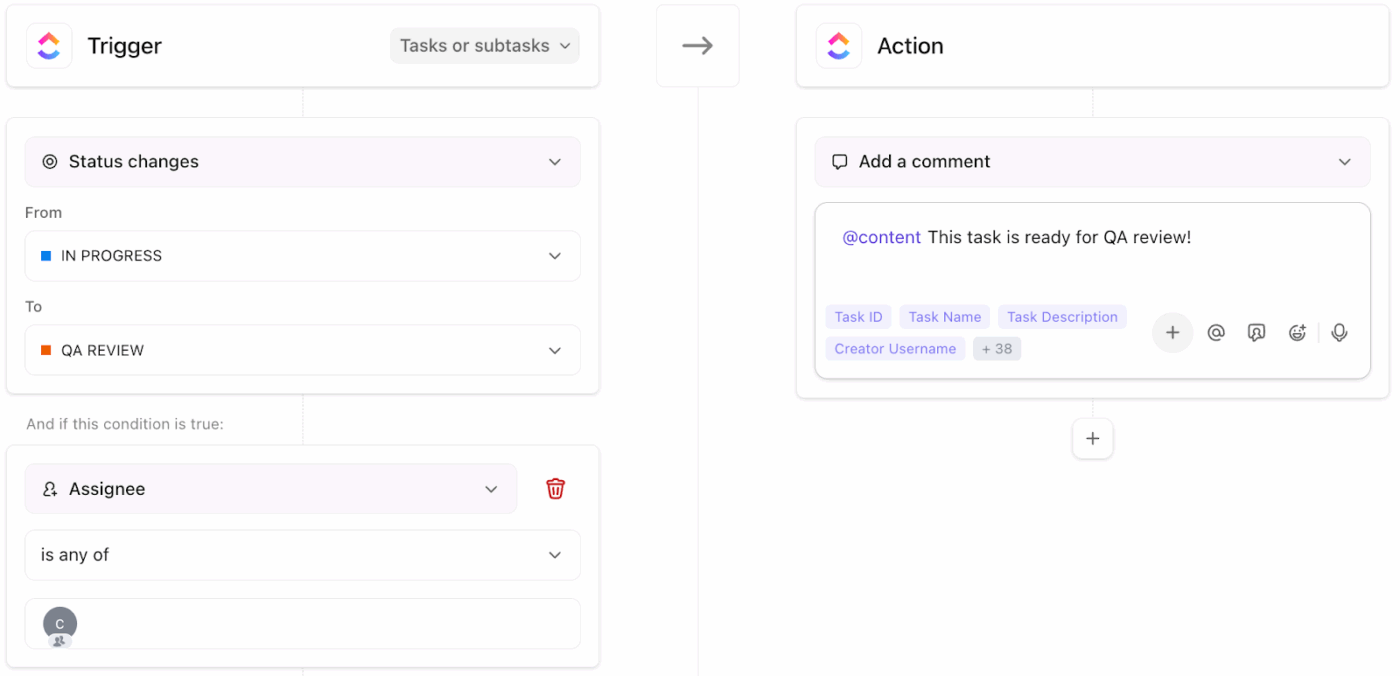
Insights are only valuable if they lead to action. ClickUp Automations ensures that once a pattern or rule is identified, it can be executed instantly without human intervention. They operate on a simple logic: Triggers > Conditions > Actions.
How the AI workflow automation process works:
🧠 Fun Fact: In 1951, Claude Shannon built a robotic mouse called ‘Theseus’ that could learn its way through a maze and remember the correct path.
The ultimate evolution of AI-native workflows is autonomy. ClickUp Super Agents act as AI-powered teammates. They operate with context, memory, and adaptability and can be triggered manually or automatically. These AI agents collaborate with your team and continuously improve based on feedback.
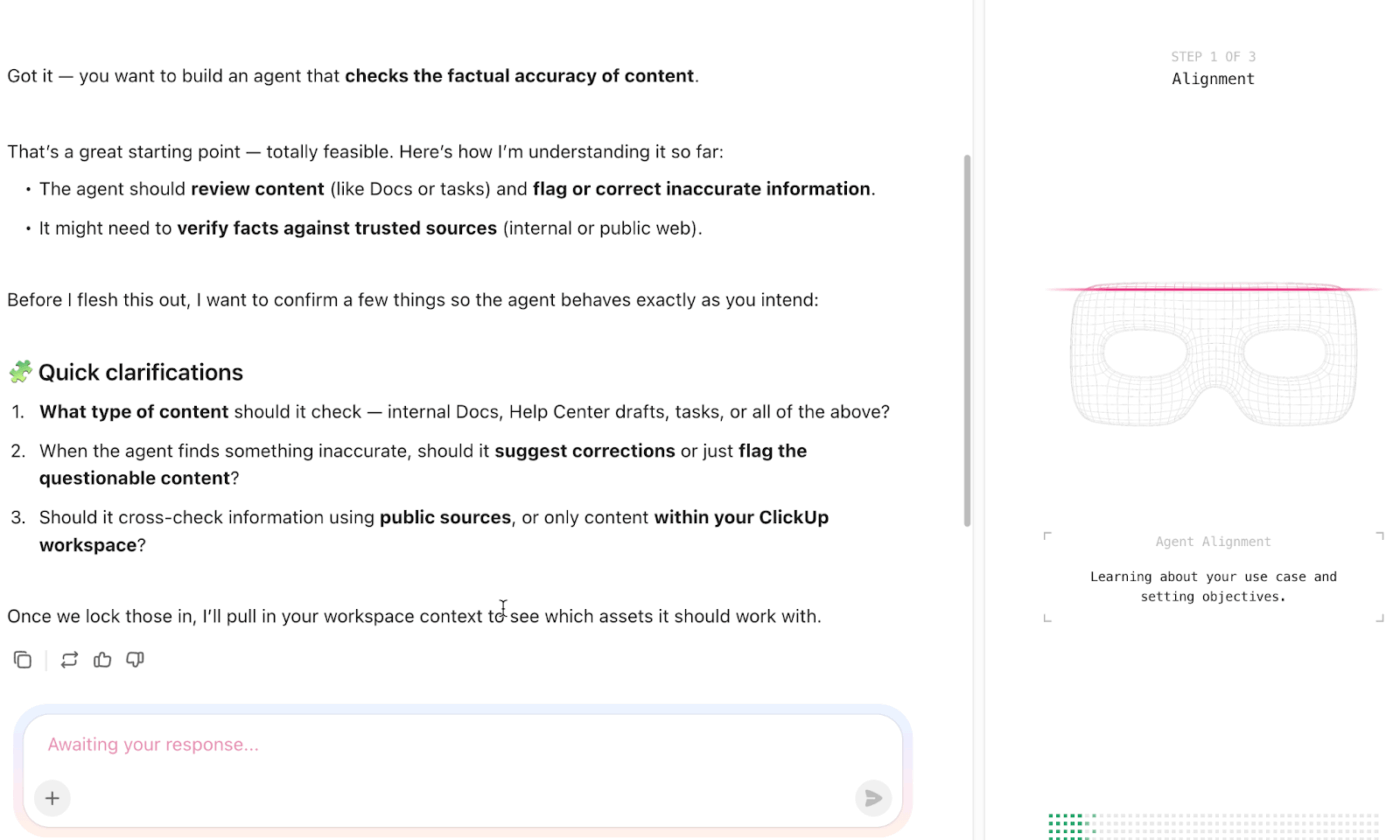
What they can do:
For instance, a growing content team is managing blogs, social posts, and campaigns across multiple stakeholders. You can deploy a Content Operations Super Agent here. It can convert a content idea into a structured brief using past Docs and performance data. Plus, it assigns writers based on availability and follows-up automatically.
A guide to build your custom Super Agent:
An AI-native workflow is about rebuilding the process so AI handles the default path and you handle the judgment calls. The difference between marginal gains and meaningful change lives in that distinction.
ClickUp stands out here. With ClickUp Brain, your team stops searching and starts asking. Plus, ClickUp Brain MAX thinks, searches, and reasons for you. ClickUp Automations take repetitive coordination off your plate, while ClickUp Super Agents handle multi-step workflows with context, memory, and adaptability. Together, they fundamentally change how work flows.
Sign up to ClickUp for free today! ✅
An AI-assisted workflow adds AI suggestions to an existing manual business process. On the other hand, an AI-native workflow is designed from the ground up so AI handles default execution and humans provide oversight and approval.
Common examples include project management software that auto-populate tasks and timelines from a natural language brief. Plus, AI agents that triage and route incoming requests without manual sorting and document drafting where AI produces a first version based on project context are also examples.
Most AI-native systems use frameworks like Model Context Protocol (MCP) to give agents monitored access with strict data security precautions, and they embed human-in-the-loop checkpoints for high-stakes decisions.

© 2026 ClickUp

There’s an easier way. Try a free AI Agent in ClickUp that actually does the work for you—set up in minutes, save hours every week.