
According to McKinsey research, early adopters of AI-enabled supply chain management have reduced logistics costs by 15%, inventory levels by 35%, and service levels by 65% compared with slower-moving competitors.
Yet most teams still treat order processing like it’s 1995. They copy SKUs into spreadsheets, manually cross-check inventory counts, and discover pricing errors only after the invoice goes out
This guide walks you through how AI in order processing works, the specific capabilities that matter most, and how to implement it in your workflow—eliminating the context switching that slows your team down.
What Is AI Order Processing?
AI order processing is the use of artificial intelligence to automate the entire order lifecycle, from the moment a customer places an order to its fulfillment and tracking.
Traditional order management is a constant source of friction. It relies on humans manually executing basic day-to-day processes and routing orders based on gut instinct instead of real-time data.
This manual approach creates bottlenecks that ripple across your business. A single transposed digit in a product code can trigger a chain reaction: the wrong item ships, your warehouse shows phantom inventory, and your customer service team spends 45 minutes resolving what should have been a routine order.
Your team wastes hours on repetitive tasks that don’t require human judgment, pulling them away from more strategic work.
📮ClickUp Insight: Context-switching is silently eating away at your team’s productivity. Our research shows that 42% of disruptions at work come from juggling platforms, managing emails, and jumping between meetings. What if you could eliminate these costly interruptions?
ClickUp unites your workflows (and chat) under a single, streamlined platform. Launch and manage your tasks from across chat, docs, whiteboards, and more—while AI-powered features keep the context connected, searchable, and manageable!
AI order processing applies machine learning and natural language processing (NLP) to handle these tasks intelligently.
It reads incoming orders from any source—emails, PDF forms, even phone transcripts—and extracts the relevant details. It then validates the information against your existing systems, such as your Enterprise Resource Planning (ERP) or Order Management System, and routes the order for fulfillment, all without manual intervention.
The key distinction is this: basic automation follows rigid “if-this-then-that” rules and breaks when the order format changes. An AI-powered system adapts. It learns from corrections, understands variations, and improves its accuracy over time. It handles the exceptions that would normally grind a manual workflow to a halt.
🎥 To understand how AI tools fit into the broader ecommerce landscape and what options are available beyond order processing, watch this overview of AI-powered ecommerce solutions that can transform your online business operations.
How AI Order Processing Works
At its core, AI order processing follows a logical flow that transforms chaos into clear workflow orchestration. Instead of a series of disjointed handoffs, it creates a continuous, automated path for every order.
Each step involves AI making smart decisions that previously required your team’s full attention.
Automated data capture and extraction
Your orders arrive in a dozen different formats. You’ve got clean PDFs from your biggest clients, messy emails with attachments from mid-size ones, and maybe even scanned, handwritten notes from the field. Manually keying all this unstructured data into your system is not just slow; it’s a breeding ground for errors that will haunt you later.
This is where AI steps in with a one-two punch of technology. 🛠️
- Optical Character Recognition (OCR) : This technology converts images of text, like those in a scanned PDF or a photo of a purchase order, into machine-readable text
- Natural Language Processing (NLP): Once the text is readable, NLP goes a step further to understand its meaning. It identifies and extracts key pieces of information like product names, quantities, shipping addresses, and customer IDs, no matter where they appear on the document
A modern AI system doesn’t need a perfectly structured document. It learns to recognize variations, handle common abbreviations, and even correct typos, turning a chaotic influx of orders into clean, structured data ready for the next step.
📚 Also Read: The Best E-commerce Software Options
Smart validation and enrichment
Capturing data is only half the battle. What happens if a customer enters the wrong product code, an old shipping address, or a promotional price that has expired? Catching these mistakes after an order has already shipped is a financial and logistical nightmare of returns, credits, and apologies.
Did You Know: AI-enabled validation reduces error rates by up to 94% in automated workflows.
An intelligent system doesn’t just trust the data it receives; it validates it. AI cross-references the extracted information against your master data to ensure everything lines up.
This process involves a few key checks. The AI:
- Verifies that product codes exist in your catalog
- Confirms that the customer’s credit status is in good standing
- Checks that the shipping address is valid and deliverable
- Flags anomalies, like an unusually large order quantity or a price that doesn’t match your records, for human review
Beyond just catching errors, AI can also enrich the order.
For example, if a repeat customer forgets to specify their preferred shipping method, the system can auto-populate it based on their order history, saving your team a follow-up call or email. This creates a robust audit trail and ensures high data quality from the start.
Intelligent routing and fulfillment
You have an order. What next? Deciding which warehouse should fulfill it, which carrier offers the best rate, and how to prioritize it among hundreds of other orders is a complex puzzle. Making these decisions manually, based on incomplete information, almost guarantees you’re leaving money and time on the table.
This is where AI shifts from being a data processor to a strategic decision-maker. It evaluates a huge number of variables in an instant to determine the optimal path for every single order. This includes:
- Inventory Visibility: Checking stock levels across all your warehouses and distribution centers
- Cost Analysis: Comparing shipping costs and delivery timeframes from different carriers
- Customer Priority: Factoring in Service Level Agreements (SLAs) for your most important customers
The system adapts in real time. So, if your main warehouse is running low on a popular item, it automatically reroutes new orders to a secondary location that has it in stock. The result is a fulfillment optimization engine that gets orders to customers faster, with fewer stockouts, and at a lower cost.
📚 Also Read: How to Create an Inventory Management System
Key AI Capabilities for Order Processing
Moving beyond the basic workflow, certain AI capabilities transform your order processing process from a simple transactional function into a predictive and strategic asset.
When you’re evaluating AI order management solutions, these are the building blocks that deliver the most significant impact on your operations, with early AI adopters achieving 20-30% lower inventory levels.
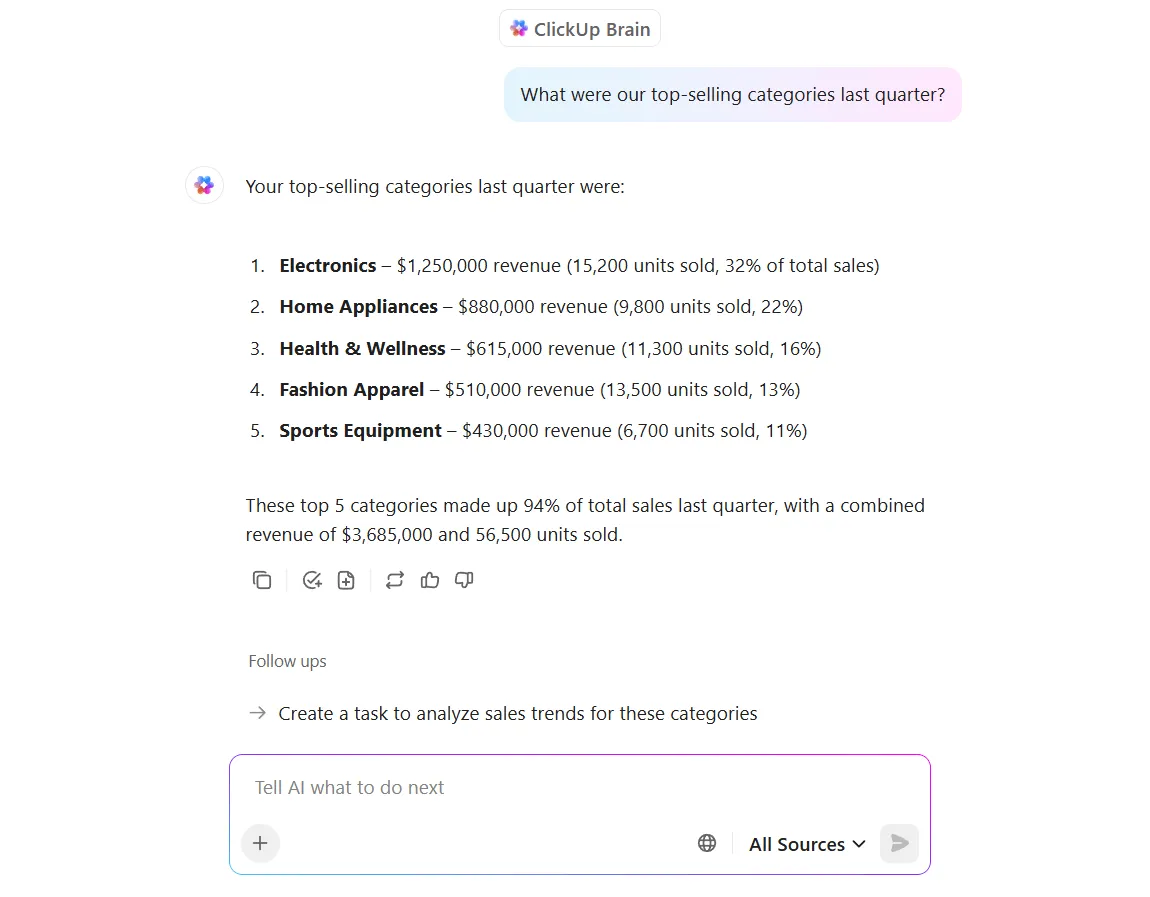
Demand forecasting and predictive analytics
Relying on last year’s sales figures to predict this year’s demand is like driving while looking only in the rearview mirror.
Predictive analytics changes the game. AI analyzes deep historical order data, layering in factors like seasonality, market trends, and even external events to generate highly accurate demand forecasts. This isn’t just a guess; it’s a data-driven model of what’s likely to happen.
AI can even detect subtle demand signals—like a trending social media post about your product category—weeks before they show up in your sales data, giving you lead time that traditional forecasting simply can’t provide.
With this insight, your team can proactively:
- Adjust inventory levels to meet anticipated demand
- Plan staffing for peak seasons
- Negotiate better rates with suppliers based on predicted volume
💡 Pro Tip: Let ClickUp Brain, the AI assistant within your ClickUp workspace, answer your common questions related to demand forecasting.
Real-time inventory management
Your e-commerce site shows an item is in stock, but the warehouse team knows they just shipped the last one. You end up having to cancel the order or delay fulfillment, losing your customer’s trust.
This disconnect between your sales channels and your actual inventory is a classic symptom of work sprawl —the fragmentation of work activities across multiple, disconnected tools and systems—and it creates operational chaos.
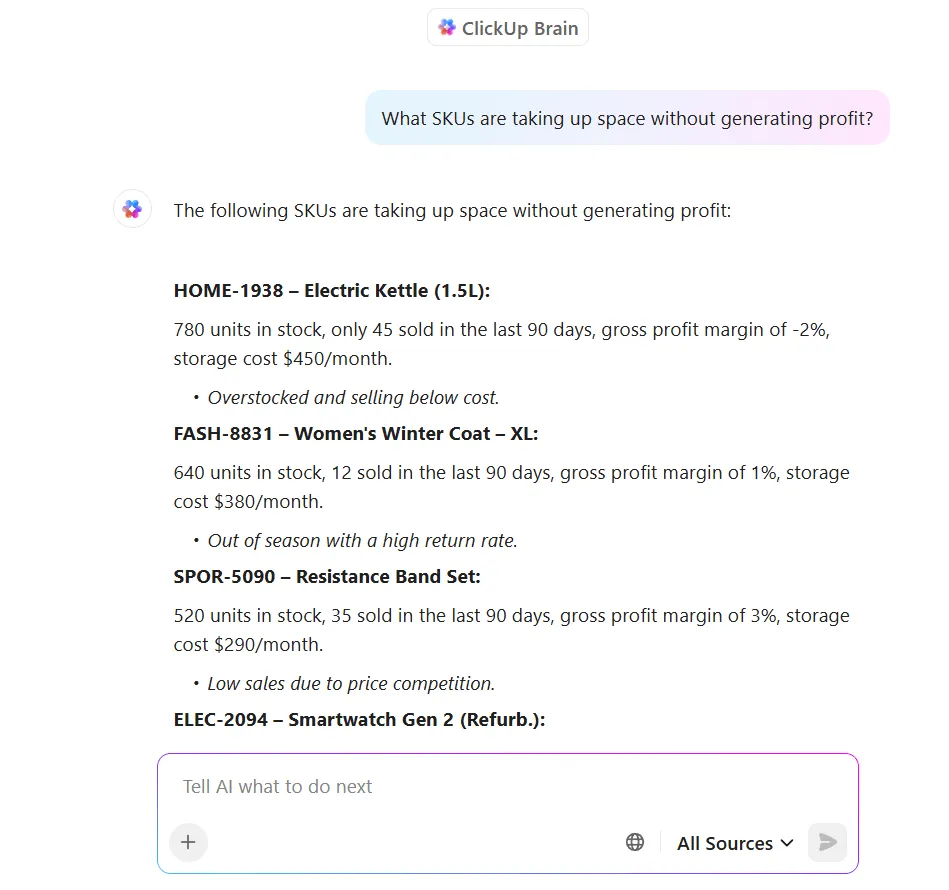
AI provides a single, synchronized source of truth that helps to optimize your inventory management. It maintains a live view of stock levels across all locations and sales channels, automatically updating as orders are placed and shipments go out.
This real-time visibility eliminates the guesswork. When stock for an item drops below a pre-set reorder point, the system can automatically trigger a purchase order or adjust the product’s availability on your website to prevent overselling.
⭐ Featured Template
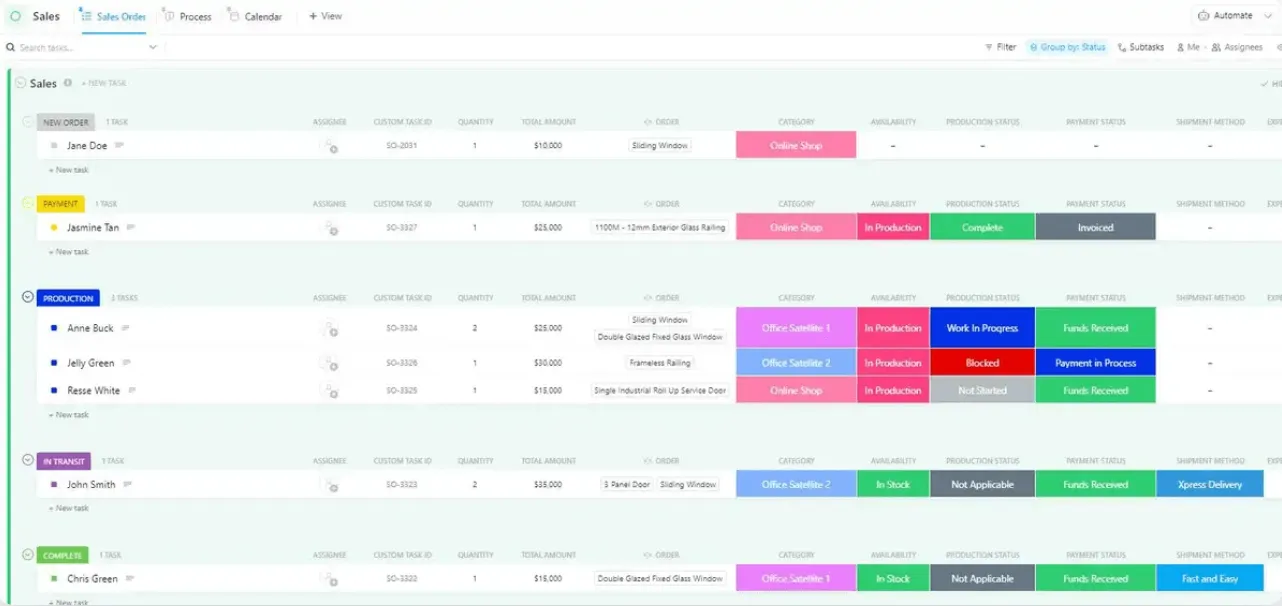
Easily track stock levels, restocks, and order history with the ClickUp Inventory Management Template. With AI built in, you can instantly generate low-stock alerts, summarize updates across tasks, and get quick answers on what’s moving fast (or not at all).
Automated order routing and fulfillment
Getting an order out the door is one thing; getting it out the door in the most efficient and cost-effective way is another. Manual routing decisions are often suboptimal because a human can’t possibly process all the variables for every order in real time.
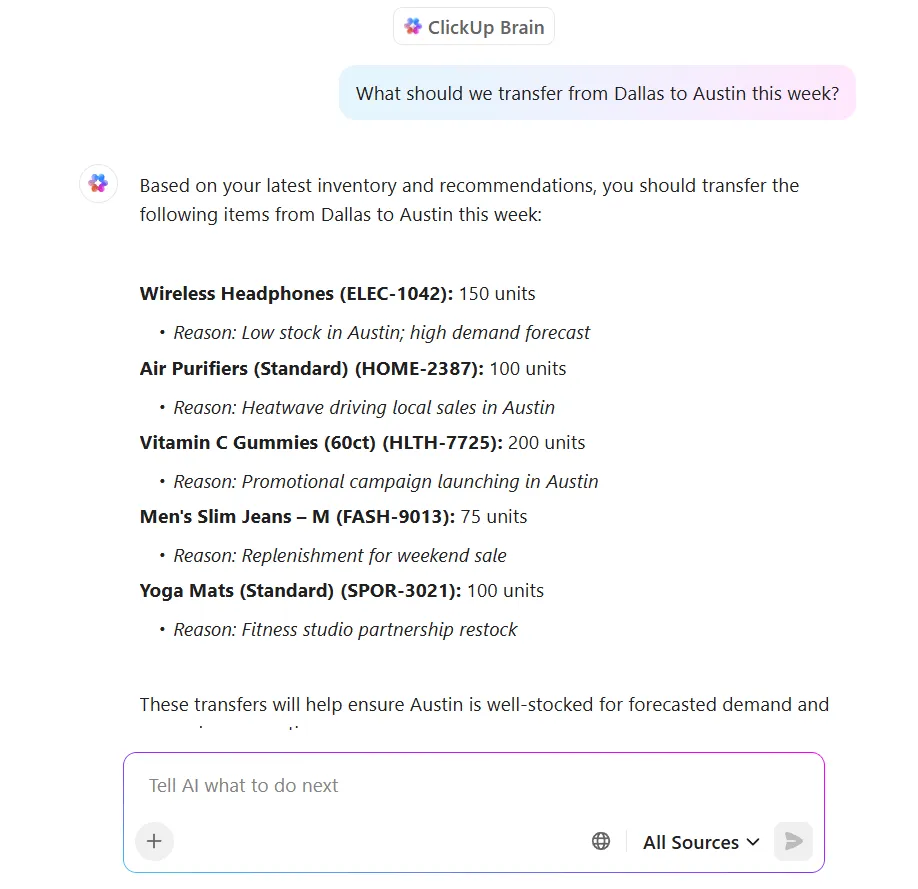
This is where AI-driven fulfillment optimization shines. It determines the absolute best path for each order by considering a host of factors simultaneously, such as:
- Location: Is it cheaper and faster to ship from the warehouse in Nevada or the one in Ohio?
- Carrier Selection: Which carrier offers the best balance of speed and cost for this specific package size and destination?
- Split Shipments: If one item is out of stock at the primary warehouse, should you split the shipment or wait for a restock?
AI runs these calculations instantly, ensuring you’re always complying with SLAs and minimizing your cost-to-serve.
💡 Pro Tip: When you use a unified workspace like ClickUp, ClickUp Brain has all the context of your work and can help you quickly make inventory decisions with data at your fingertips.
Benefits of AI in Order Processing for Teams
Adopting AI isn’t just about abstract business metrics; it’s about transforming the day-to-day reality for your team. When you free people from manual, repetitive work, they can focus on the judgment calls that actually require human expertise—like handling a VIP customer’s unusual request or identifying a supplier reliability issue before it becomes a crisis.
Here’s how using AI for order processing can add value ✨
- Faster order turnaround: Orders stop sitting in someone’s inbox waiting for manual entry. They flow directly from receipt to fulfillment, dramatically reducing cycle time
- Fewer errors: AI acts as a tireless proofreader, catching the human mistakes—wrong quantities, invalid addresses, pricing discrepancies—before they cause expensive downstream problems
- Reduced manual workload: Your team can finally stop acting like human copy-paste machines. They can shift their focus to managing exceptions, improving processes, and handling high-touch customer interactions
- Better customer experience: Accurate orders, faster shipping, and proactive communication when issues do arise all lead to happier, more loyal customers
- Scalability without headcount: You can handle massive spikes in order volume during holiday seasons or promotions without needing to proportionally increase your staff
- Visibility across the order lifecycle: Everyone from sales to support to the warehouse floor can see the same real-time status of an order, eliminating the endless chase for updates
📚 Also Read: Master Inventory Tracking with ClickUp
How to Implement AI Order Processing in Your Workflow
The idea of implementing “AI” can feel overwhelming, but it doesn’t have to be a massive, disruptive overhaul. A phased, thoughtful approach makes the transition manageable and sets you up for success. Think of it as a progression, not a one-time project.
- Audit your current order flow: Before you can automate anything, you need to understand it. Map out your entire process, from the moment an order arrives to the moment it ships. Identify every manual step, every tool involved, and, most importantly, every bottleneck where things slow down
- Identify high-impact automation targets: Start with the most repetitive, high-volume, and rule-based tasks. Data entry from standardized forms or sending status update notifications are perfect candidates for quick wins that build momentum and prove the value of the project
- Ensure data quality and accessibility: AI is powerful, but it’s not magic. It needs clean, accessible data to work effectively. If your product catalog, often managed in an Enterprise Resource Planning (ERP) system, has 47 variations of ‘Blue Widget’ with different SKUs, or your customer database has duplicate records with conflicting addresses, the AI will inherit that confusion. Deduplicate and standardize before you automate.
- Choose tools that integrate with your existing stack: Your AI order processing solution shouldn’t force you to rip out your existing ERP or CRM. Look for a platform that offers a robust API and can connect seamlessly with the tools your team already relies on
- Start with human-in-the-loop workflows: Have the AI handle the routine, straightforward orders while flagging any exceptions or low-confidence results for a human to review. You can expand the scope of automation as your team and the AI gain confidence
- Measure and iterate: Track the key performance indicators (KPIs) that matter most to your operation—order processing time, error rates, and customer satisfaction. Use this data to see what’s working, identify areas for improvement, and fine-tune your AI models and workflows
This video shares helpful tips you can use to automate your workflows and save hours each week 👇
How ClickUp Streamlines AI-Powered Order Processing
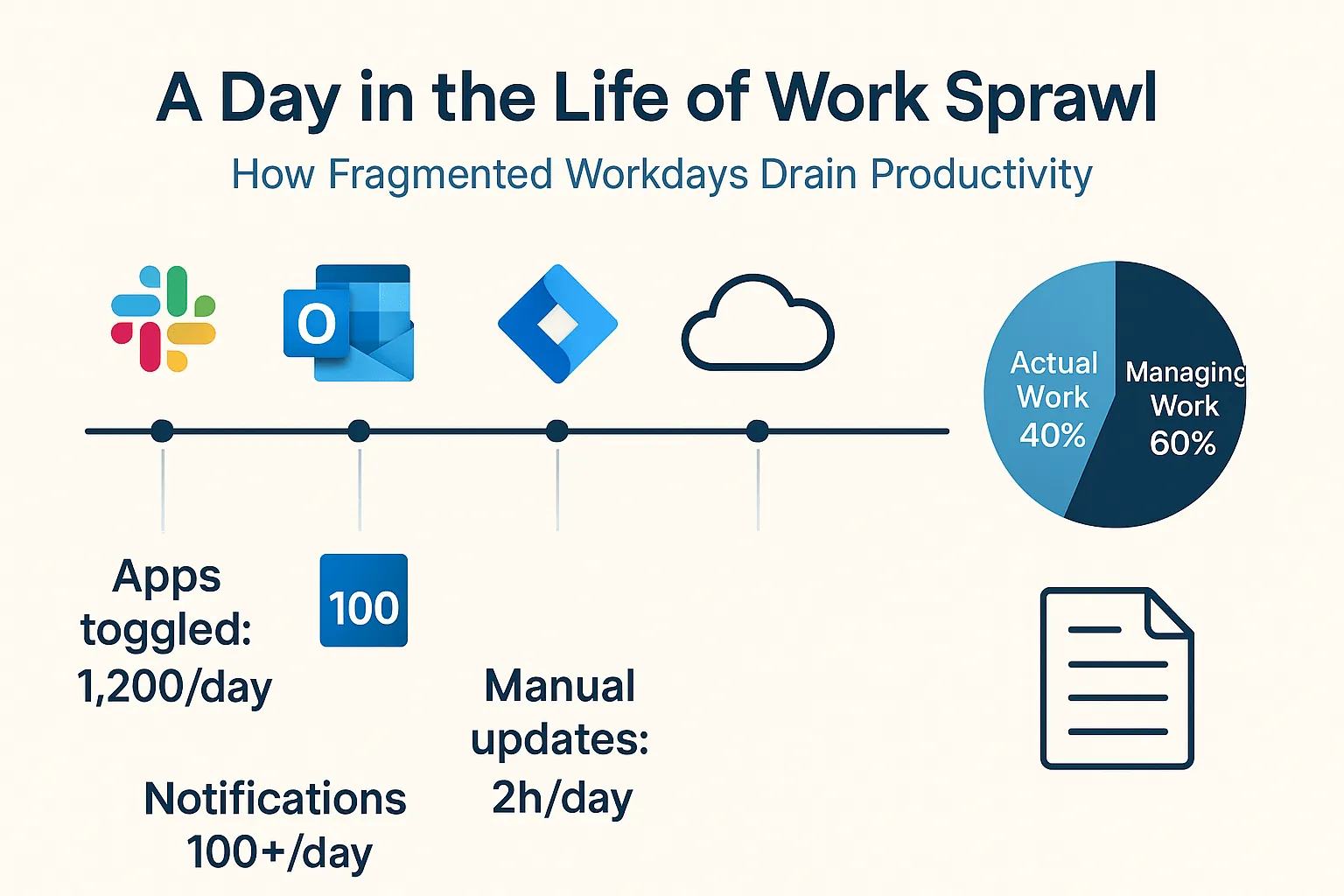
The biggest challenge in modern work isn’t a lack of tools; it’s having too many. When you’re managing orders, you might use an AI tool for data capture, a spreadsheet for tracking, an email client for communication, and a separate inventory system.
This tool sprawl creates context sprawl, forcing your team to waste precious time switching between apps just to get a simple status update.
Solve this problem with ClickUp, the world’s first converged AI workspace. It is a single platform where projects, documents, conversations, and analytics live together, with contextual AI embedded as the intelligence layer that understands your work and helps move it forward.
ClickUp brings your order management, team communication, and powerful AI automation into one unified platform. Instead of bolting on another disconnected tool, you’re embedding intelligence directly into the place where your work already happens.
Automate order workflows with ClickUp Automations
Manual handoffs are where workflows break down. Someone forgets to update a task status, notify the fulfillment team, or check on a delayed shipment. These small misses create significant delays and let orders fall through the cracks.
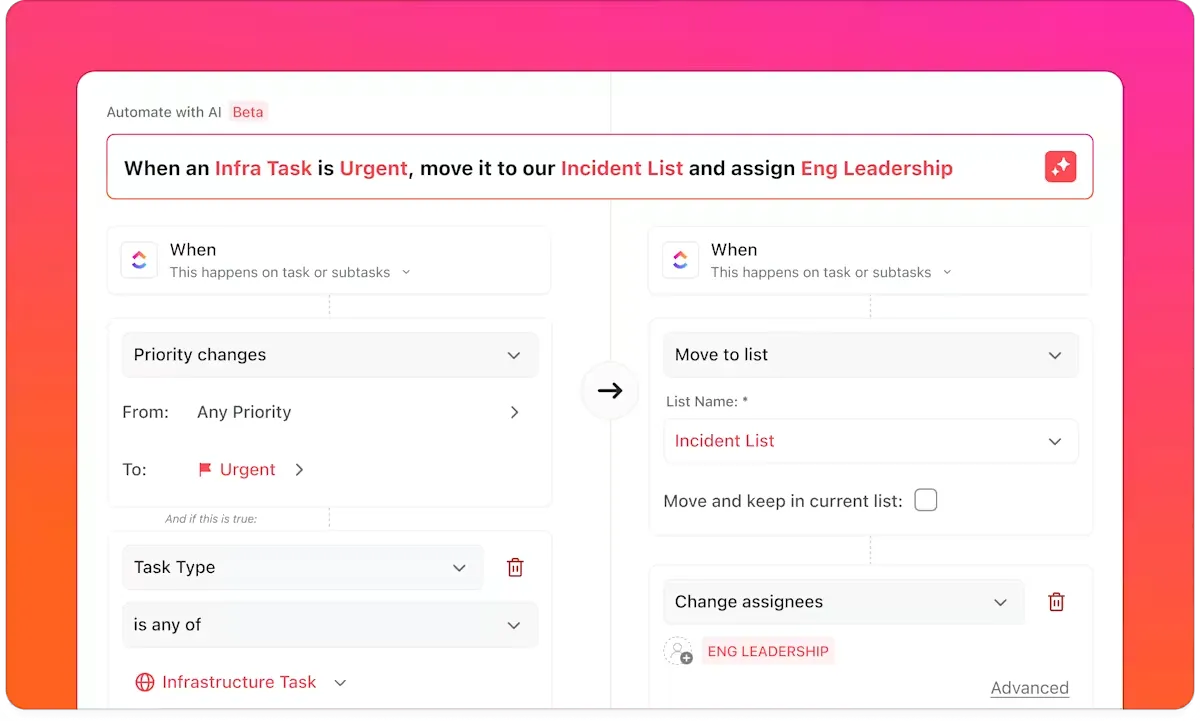
Eliminate this operational drag with ClickUp Automations. This feature lets you build powerful workflow automation rules that run independently. For example, when a task’s Custom Field is changed to “Validated,” an Automation can instantly:
- Assign the order to the fulfillment team
- Update an inventory tracking field
- Post a notification in the shipping team’s Chat channel
Automations are built on simple but powerful components:
- Triggers (what starts the automation)
- Conditions (criteria that must be met)
- Actions (the event that occurs)
This eliminates the “did anyone follow up on this?” anxiety and ensures every order follows a consistent, error-free process.
Track orders in real time with ClickUp Custom Fields and ClickUp Dashboards
When your order information is scattered, you have no real-time visibility. Answering a question like “How many orders are pending?” or “Which high-priority orders are at risk of missing their SLA?” becomes a manual, time-consuming reporting exercise.
ClickUp helps you stop managing in spreadsheets and start getting live insights. Enrich your tasks with all the order-specific data you need—a dropdown for status, a date for the expected delivery, a currency field for order value, and more—using ClickUp Custom Fields.
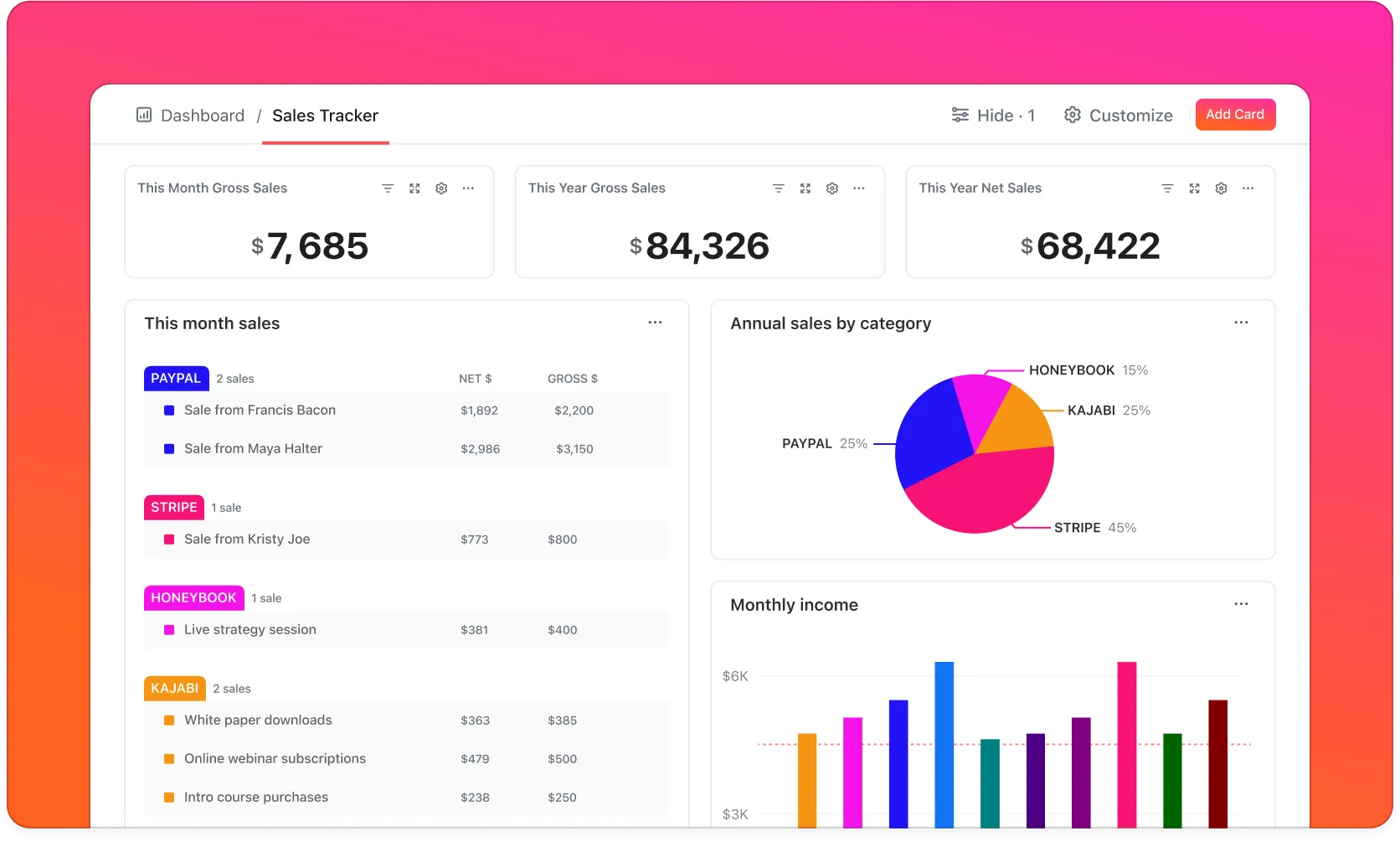
Then, bring it all together in a central command center with ClickUp Dashboards. These are high-level views of your work that you can build with customizable widgets and AI Cards. Dashboards can automatically track:
- The number of orders in each stage of your workflow
- A list of all overdue orders
- The workload capacity of your fulfillment team
Because ClickUp Dashboards update in real time, you can spot bottlenecks as they form and make data-driven decisions without ever having to manually compile a report again
Use ClickUp Brain for instant order insights
A customer calls asking for an update. The frantic search begins—you’re digging through tasks, scrolling through comments, and searching your email to piece together the story. This context switching is a massive productivity killer and leads to a poor customer experience.
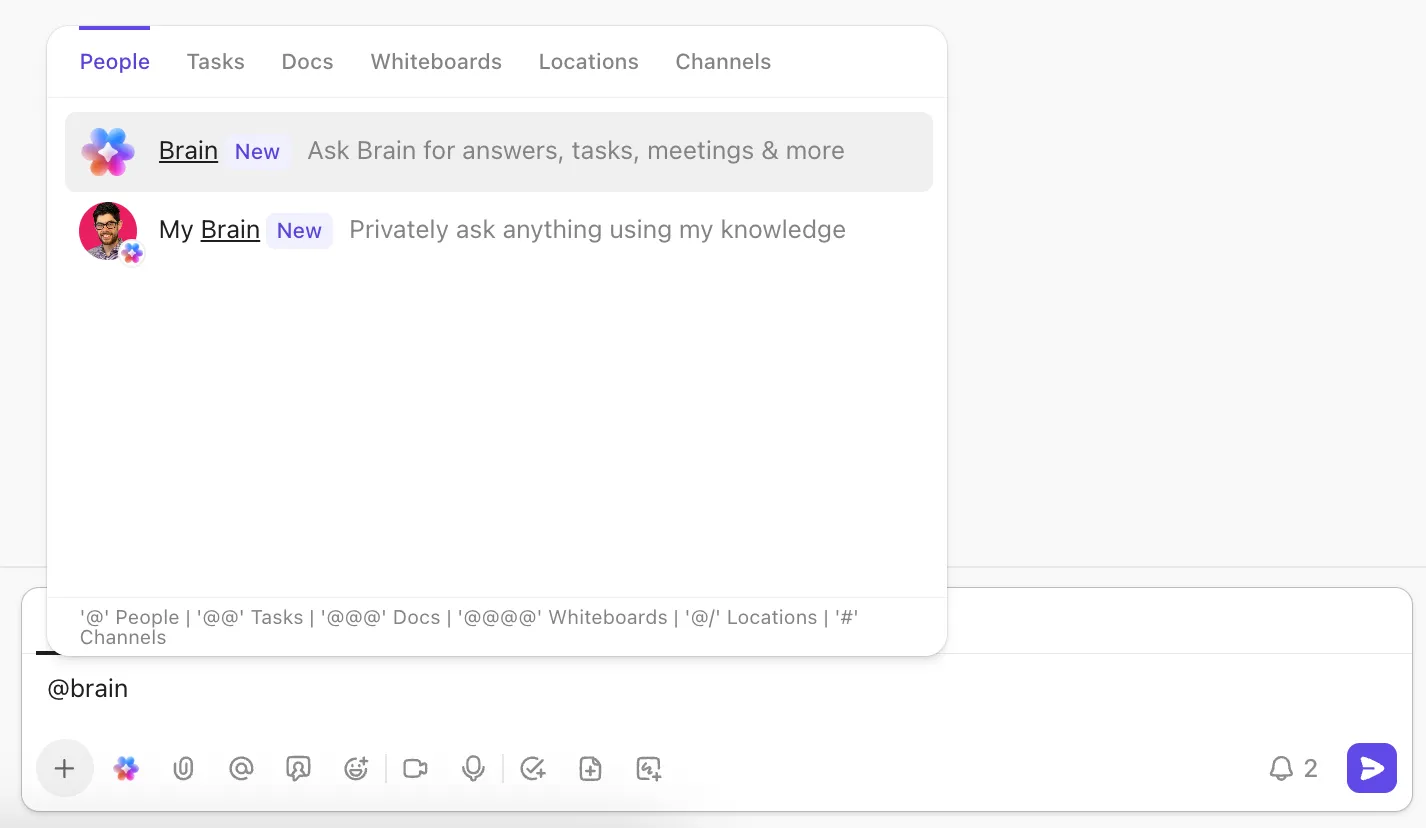
End the frantic search with ClickUp Brain. As a native AI assistant integrated across the entire platform, it understands the context of your work. You can ask questions in plain English, right from a task comment or Chat.
Instead of hunting for information, just ask:
- @brain, what’s the status of the Johnson order
- @brain, show me all overdue orders for our priority customers
- @brain, summarize the issues from last week’s fulfillment delays
Get instant, AI-generated summaries and answers pulled directly from your tasks, Docs, and comments with ClickUp Brain.
📣 The ClickUp Advantage: If you’re a one-person team running inventory operations on your own, you need that one AI super app that can help you with it all, and we’ve got just the thing!
With deep integration across your spreadsheets, order forms, emails, and calendar, ClickUp Brain MAX brings all your inventory data into one unified dashboard. You can use talk-to-text to quickly log new stock, update quantities, or set low-inventory alerts hands-free. Leveraging multiple leading AI models, Brain MAX can analyze sales trends, forecast demand, and even suggest optimal reorder times—helping you avoid stockouts or overstocking.
It automates routine tracking, organizes supplier communications, and keeps your inventory workflow organized, so you can focus on growing your business instead of getting bogged down in manual busywork.
Transform Your Order Processing Today With AI and ClickUp
AI order processing is more than just a tool for efficiency; it’s a fundamental shift from manual, reactive chaos to intelligent, proactive workflow orchestration. The technology has matured, moving beyond complex, enterprise-only solutions to become accessible to teams of any size looking to eliminate bottlenecks.
The core problem for most teams isn’t a lack of effort—it’s the work sprawl caused by disconnected tools that forces them to manually bridge the gaps. An AI system is most powerful not as another siloed application, but when it’s embedded directly into the workspace where your team already collaborates.
Teams that embrace this transformation will be able to handle growing order volumes without proportionally growing their headcount, all while delivering a faster, more accurate, and superior experience for their customers.
Ready to bring AI-powered order processing into a workspace your team already loves? Get started for free with ClickUp.
Frequently Asked Questions
Traditional automation follows rigid, pre-defined rules and fails when it encounters an unexpected format. AI order processing uses machine learning to adapt to variations, learn from corrections, and intelligently handle exceptions that would require human intervention in a rule-based system.
Yes, small teams often see the biggest benefits because they lack the large headcount needed to handle manual processing at scale. Modern, platform-based AI tools are designed to be user-friendly and don’t require dedicated IT staff for implementation.
Look for a platform with a flexible API and pre-built integrations for your most critical tools, such as your ERP, CRM, shipping carriers, and payment processors. This avoids the need for costly and time-consuming custom development work.
While basic order entry can be done with rule-based systems, machine learning is what provides a significant leap in accuracy. It’s essential for handling diverse document formats, identifying anomalies, and continuously improving performance over time.