
Sorry, there were no results found for “”
Sorry, there were no results found for “”
Sorry, there were no results found for “”
When I chose editing as my profession, I never really factored in the trauma that comes from confidently quoting an unverified source.
Thankfully, it’s the 2020s, and I can use tools like Perplexity Pro to fact-check almost everything our team publishes. Whenever a writer claims that a feature exists or names a pricing tier, I drop the claim into Perplexity, get a cited answer, and check the source in one click. For that specific job, nothing else comes close.
But my work doesn’t end at the verified answer.
I still have to copy the correction into an edit note, paste the source link into a comment, update the doc, and flag it to the writer. Moving that verified claim into the actual workflow takes five minutes every time, across dozens of checks per article.
Then there’s the ceiling. Because Perplexity has tightened Pro limits multiple times in 2026, Deep Research dropped from hundreds of daily runs to 20 per month, Pro searches were cut, and the pricing page still won’t publish exact numbers for the $20 tier. On a heavy editing day, I’ve hit the wall before lunch.
So I tested seven Perplexity AI alternatives against the two problems that actually push a user like me to look elsewhere: the handoff (verified answer that sits far away from my work) and the meter (good tool, but not enough credit to cover my needs). Here’s what held up.
TL;DR: ChatGPT does the research and then drafts, builds, or edits with it in the same conversation. Gemini puts the answer straight into your Docs and Sheets. ClickUp Brain answers questions Perplexity can’t, because it sees your tasks, docs, and projects. Claude handles the 40-page stack with the nuance it deserves, while Perplexity would summarize too fast. Grok catches what’s happening on the web and X right now, not what was indexed last week. Copilot keeps everything inside Microsoft 365 where your team already works. Vane removes the meter and the vendor entirely. Each one fixes something Perplexity doesn’t.
| Tool | Best for | Standout feature | Starting price | G2 rating | Where it taps out |
| ChatGPT | Research that turns into something | Deep Research, drafting, images, connected apps, and model switching in one conversation | Free; Go $8/mo; Plus $20/mo | 4.6/5 (3,000+ reviews) | Same usage-cap and accuracy complaints as Perplexity |
| Google Gemini | Teams living in Google Workspace | Sidebar research in Docs, Sheets, and Gmail; Deep Research across Workspace and the web | Free; paid from $4.99/mo | 4.4/5 (600+ reviews) | Answers can land generic on complex or niche questions |
| ClickUp Brain | Questions about your own work | Enterprise Search across tasks, docs, chats, and connected apps with automatic model routing | Trial on Free Forever; Brain AI on paid plans | 4.7/5 (14,200+ reviews) | Not a replacement for open-web research |
| Claude | Long documents and careful reasoning | Large-context document analysis; web search via Brave with mandatory inline citations | Free; Pro $20/mo | 4.6/5 (460+ reviews) | Web search is real but not its primary strength |
| Microsoft Copilot | Microsoft 365 organizations | Researcher agent with Critique (dual-model verification) and Council (multi-model comparison) | Copilot Chat free; Copilot Business $21/user/mo | 4.4/5 (430+ reviews) | Value is entirely tied to the Microsoft 365 ecosystem |
| Grok | Real-time research Perplexity hasn’t indexed yet | Live web + X search; catches breaking information before traditional indexes update | Free; SuperGrok $30/mo | 4.1/5 (50+ reviews) | Citation quality doesn’t match Perplexity’s depth; X data mixes signal with noise |
| Vane | Self-hosting and data control | Open-source answer engine you run yourself with no usage cap or vendor dependency | Free (self-hosted) | No review-site listing; 15,000+ GitHub stars | You own the setup, updates, model hosting, and running costs |
Our editorial team follows a transparent, research-backed, and vendor-neutral process, so you can trust that our recommendations are based on real product value.
Here’s a detailed rundown of how we review software at ClickUp.
Coming from Perplexity, I already know what good research feels like: a direct answer, a source I can click, and a follow-up that doesn’t start from scratch.
The question is what else I need that Perplexity isn’t giving me? Here’s my list:
I tested each of these while editing three articles in the same week. One had 40 pricing claims to verify. Another needed five sources cross-referenced against an internal doc.
The third broke while I was mid-edit because a product launched that morning. Every tool below got at least one of those jobs.
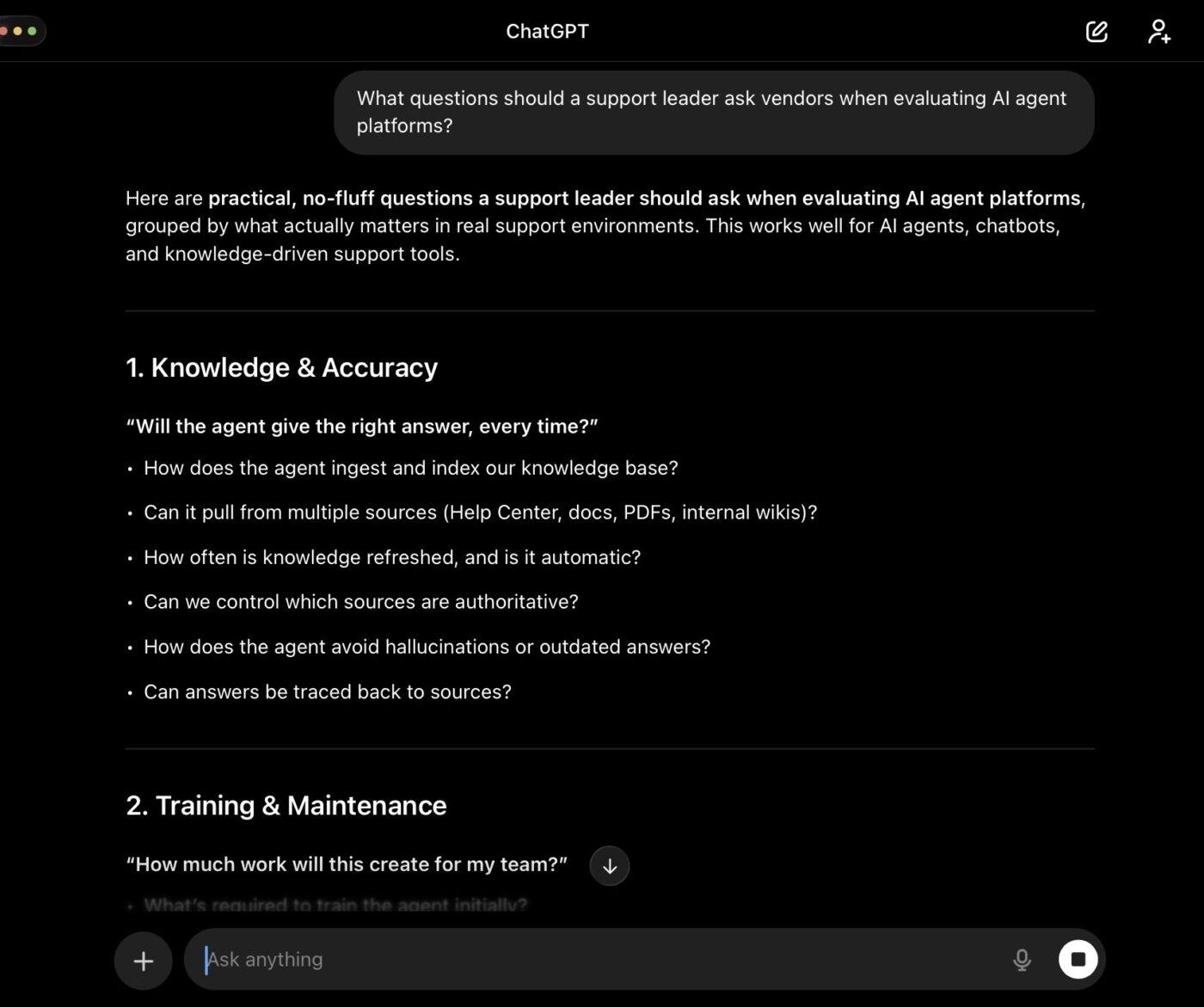
I started using ChatGPT as a Perplexity backup on days when I hit the Pro ceiling, and it ended up replacing another part of my workflow. The web search is solid now compared to all those hallucinations between 2022 and 2025. Citations show up inline, I can click through to the source, and Deep Research handles the longer investigations I used to run in Perplexity.
But here’s my favorite part as an editor: ChatGPT doesn’t stop at the answer. I can verify a pricing claim, then draft the correction, rewrite the paragraph, and generate a comparison table without switching tabs. When I’m fact-checking an article with 40 different pricing claims, that matters a lot.
Connected apps help too. I can pull from Gmail, Drive, or Slack within the same conversation, which means not re-explaining the project every time I need to ask a follow-up question. Plus, ChatGPT Projects keep my editorial instructions and style notes persistent across sessions.
Where it taps out: The usage caps exist here, too. ChatGPT’s own G2 reviews flag the same limits-and-accuracy complaints I was running from on Perplexity. Switching here fixes breadth and output, not rationing.
Best for: Anyone who needs the research and the deliverable in one place.
Skip it if: Citation-first search is the entire job, and you don’t need to build anything afterward.
A user review says:
I use ChatGPT for a range of tasks including research, learning, brainstorming, writing, editing content, analyzing information, and solving day-to-day problems. It excels at explaining complex topics in simple language, helping me work more efficiently. I like that ChatGPT helps me save time and solve problems faster, providing quick explanations without the need to search multiple sources. Its ability to understand context and provide clear, personalized responses stands out as what I like most. The versatility of ChatGPT is impressive, aiding in research, writing, brainstorming, learning, and problem-solving. I appreciate the conversational format that allows for easy follow-up questions and refining responses to get exactly what I need. The initial setup was very easy, requiring minimal technical knowledge, and the setup process itself was straightforward, which is why I would rate it 9/10 for ease of use. I also highly recommend ChatGPT because it is versatile, easy to use, and helpful for various tasks.
One area that could be improved is accuracy and consistency. Sometimes ChatGPT can provide outdated or incorrect information with confidence, so important facts still need to be verified. It could also improve by giving clearer source references and being more transparent about uncertainty. For complex tasks, responses can occasionally be too detailed or require several follow-up prompts to get exactly what I need. For example, when asking about current policies, product features, prices, or deadlines, it may provide outdated information if it does not have access to the latest sources. I may need to ask it to verify the information or provide sources. For complex tasks, the first response may be too general or miss a specific requirement, so I often need to give additional context or follow-up instructions to get a more precise and useful answer.
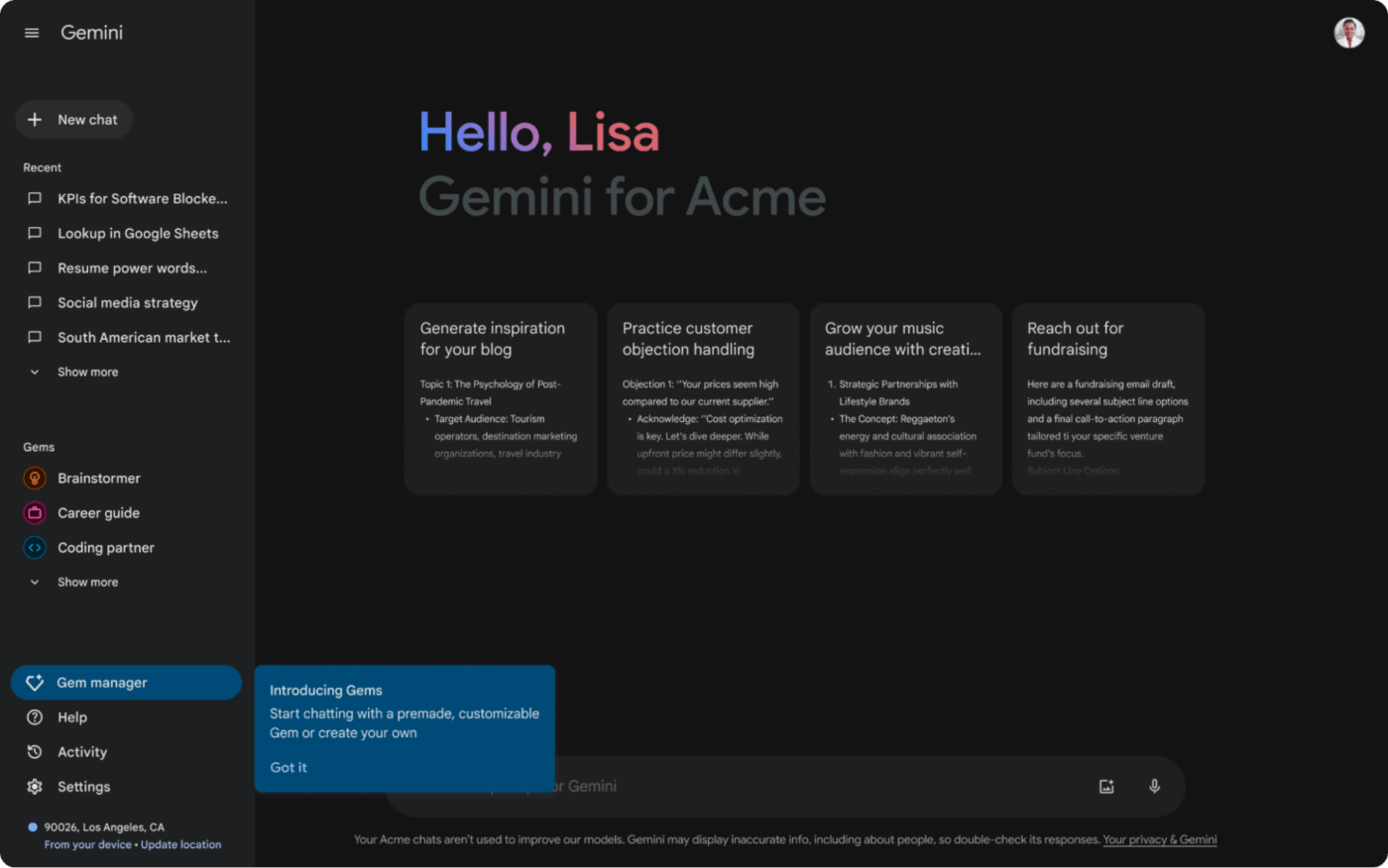
The reason I reach for Gemini over Perplexity on certain days is embarrassingly simple: it’s right there.
When I’m fact-checking a draft in Google Docs, I can open the Gemini sidebar in Chrome, ask whether a claim is current, and get a cited answer without leaving the page. If the answer changes the draft, I can edit the piece right there.
Deep Research takes it further. I can point it at the web, my Drive, Gmail, and even Chat threads, and it comes back with a structured report saved as a Google Doc with citations. During a research-heavy edit, where I need to cross-reference five sources against what’s already in our files, that workflow is exactly what I need.
Where it pulls ahead of Perplexity again comes down to what the tool does after finding the answers/citations. Gemini in Sheets can build a comparison table from the research. Gemini in Slides can turn findings into a deck. The answer doesn’t stop at the chat window because it was never in one to begin with. The context carries across my Google Workspace tools.
Where it taps out: The feature set can feel scattered. What I can access depends on my Google AI tier, whether I’m on a personal or Workspace account, my region, and what an admin has enabled. Some of Gemini’s best capabilities are spread across the Gemini app, Workspace, Flow, Search, and other Google products. On complex or niche questions, answers can also be more generic than what Perplexity returns.
Best for: Anyone whose work ends up in Google Docs, Sheets, or Slides. Also great for those who want to skip the extra research steps
Skip it if: Your workflow lives outside Google’s ecosystem, or you need the citation depth and precision Perplexity is built around.
A user review says:
Overall, working with Gemini feels less like using a rigid search box and more like collaborating with a sharp, adaptable partner. Because it’s natively multimodal, it handles text, code, image generation, and live audio back-and-forth seamlessly without losing the plot. When you’re tackling big projects, like breaking down massive documents or debugging code, its massive context window and scannable breakdowns save huge amounts of time.
See our Google Gemini alternatives comparison for the field around it.
Half the things I fact-check don’t even touch the open web.
It goes more like “Did we confirm that pricing with the vendor?” “What did the writer say in last week’s comment thread?” or “Is this feature still in beta, or did it ship? Let’s check our pricing page”. Perplexity can’t answer any of those very well, no matter how good the model is, because the information lives in my workspace tasks, docs, and chat threads.
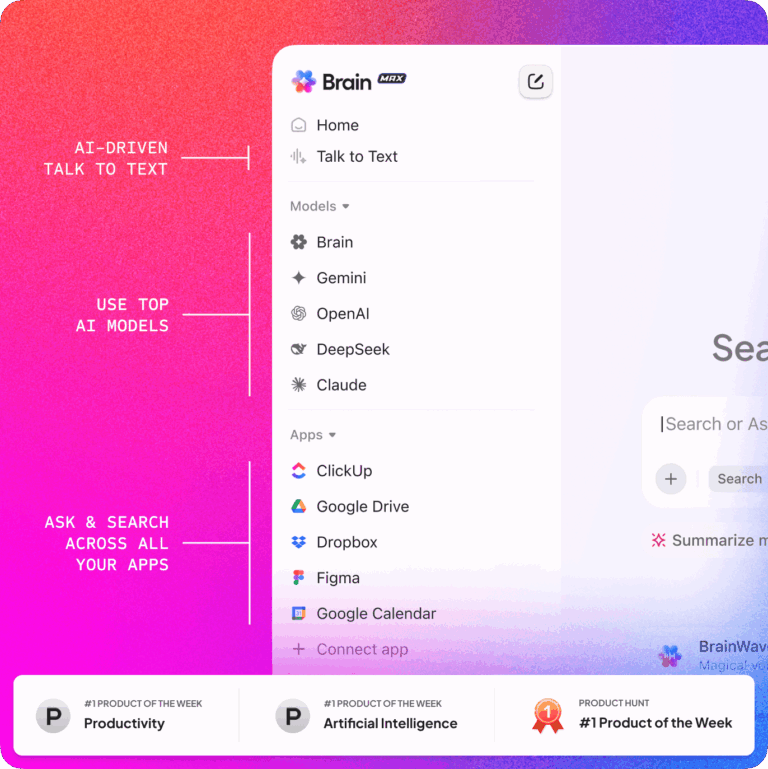
That’s where Brain² makes a real difference, because search is not separate from the work. Brain² can run deep searches across the workspace and turn a research finding into a task, a status update, or an edit note for me in a single step.
As for breadth, it can search across ClickUp Tasks, Docs, Chats, and all my connected apps like Slack, GitHub, Google Drive, and SharePoint from one search bar. When I needed to verify whether a product claim in a draft matched what our team actually documented, Brain found the answer in a task comment from three weeks ago. Perplexity would have searched the web and returned the vendor’s marketing page instead.
I can also use Brain² to route my queries to different frontier models automatically: Claude for deep reasoning, GPT for fast generation, and Gemini for all my SERP queries. That’s a different proposition from Perplexity, where model switching resets the conversation. Now, my favorite feature, I can build AI SKILLS with Brain², teaching it to search and cite sources exactly how I want.
Where it taps out: Brain² is only as sharp as the workspace underneath it. If tasks are stale, decisions happen in Slack instead of ClickUp, or the team barely documents anything, the answers get thin.
Best for: Teams whose recurring questions are about their own projects, docs, and decisions, not the open internet.
Skip it if: Your workflow is primarily open-web research and you don’t manage work inside ClickUp.
A user review says:
ClickUp delivers strong ROI when organizations fully adopt its all-in-one platform, replacing multiple tools for project management, documentation, and development tracking. While its extensive feature set creates a steep learning curve that requires structured onboarding and clear workspace organization, the platform is supported by comprehensive documentation and resources. Its integrated AI capabilities, powered by ClickUp Brain, further enhance productivity by automating administrative tasks, generating insights, and enabling intelligent search, helping teams turn project data into actionable outcomes with less manual effort.
ClickUp Brain MAX is the standalone desktop and mobile app that puts everything above in a system-tray hotkey. Press it from any app on your Mac or Windows machine, and you get the same Enterprise Search, model switching (ChatGPT, Claude, Gemini, Brain), web search with citations, and Deep Research that combines your workspace data with live web results.
The feature that sold me: Talk to Text. Hold a key, speak your edit note or query, release, and the polished text appears wherever your cursor sits. At ~120 words per minute spoken vs ~40 typed, it’s changed how I draft corrections during a heavy editing day. Brain MAX is included at no extra cost with ClickUp Brain AI ($9/user/month).
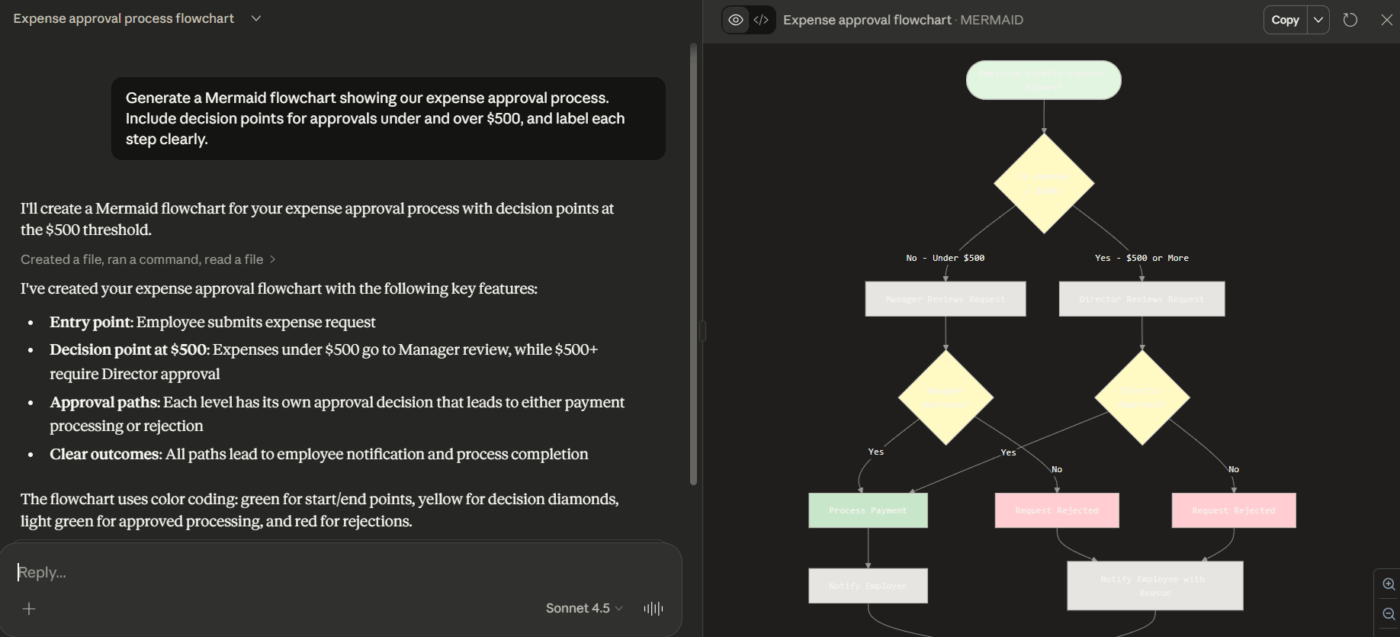
Perplexity finds things fast. Claude reads things carefully. That’s the split, and I use both.
When a writer submits a 40-page draft full of claims I need to verify, Perplexity can check individual facts against the web. If I need to read the whole draft, find where the argument breaks down, spot the three paragraphs that contradict each other, and explain why, that’s Claude’s job.
The large context window means I’m not chunking a long article into pieces and losing the thread between them.
What makes Claude’s web search interesting for a Perplexity comparison specifically is how it works under the hood. Claude pulls from Brave Search’s independent index, not Google or Bing. Independent testing found 87.8% of the URLs Claude retrieves sit in Brave’s top 10 results for the same query, compared to 45.6% from Google. Citations are mandatory on every web-sourced claim, with the source URL, page title, and up to 150 characters of the exact quoted text.
It’s a different citation architecture from Perplexity’s, and for certain verification tasks, the precision of knowing exactly which sentence Claude pulled from is an edge.
Where it taps out: Claude’s web search is real, but not its primary strength. If my day is 90% “find me the current answer with a source,” Perplexity or ChatGPT will outperform it. Claude wins when I already have the material and need to think through it, not when I need to discover it.
Best for: Editors, analysts, researchers, and anyone whose work involves reading long material closely and catching what doesn’t hold up.
Skip it if: Discovery is the whole job, and you rarely need to sit with a document longer than a page.
A user review says:
What I like most about Claude is that it is useful when I have to work through a detailed client query or understand a topic before giving my advice. I use it for researching Companies Act provisions, FEMA/RBI matters, compliance requirements and also for reviewing or improving documents and explanations prepared for clients.
It is particularly helpful when I have a lot of information to go through because I can discuss the matter step by step and ask follow-up questions. In my day-to-day consulting work, this saves me time in the initial research and helps me look at a client issue from different angles before I finalize my advice.
Our Claude AI alternatives post covers where it loses out, and these Claude prompts shorten the ramp-up.
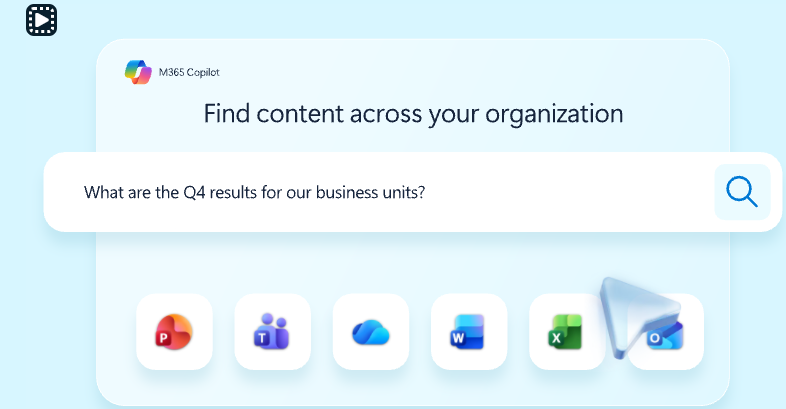
I’ll be honest: Copilot wouldn’t be on this list if I were choosing purely on research quality. But a huge number of teams don’t get to choose where their work lives. If every doc is in Word, and every email is in Outlook, Copilot answers questions from inside that stack without you having to paste company data into an outside tool.
For fact-checking, the relevant edge is that Copilot can search across your Microsoft 365 files, emails, and meeting transcripts while respecting existing permissions. When I needed to verify whether a specific commitment was made in a client call, Copilot pulled the answer from a Teams transcript. Perplexity couldn’t have touched that data.
Where it’s getting genuinely interesting for research is the new Researcher agent. It uses a dual-model pipeline called Critique: one model drafts the report, then a second model from Anthropic or OpenAI reviews it for source reliability, completeness, and evidence grounding. Microsoft reports a 13.88% improvement over Perplexity Deep Research on their DRACO benchmark. There’s also Council mode, which runs multiple models in parallel on the same question and surfaces where they agree and where they diverge.
Where it taps out: The value is entirely tied to the ecosystem. If your team doesn’t live in Microsoft 365, Copilot has nothing to search and no advantage over a standalone tool.
Best for: Organizations already standardized on Microsoft 365 that need AI grounded in their own emails, docs, meetings, and files.
Skip it if: Your team works primarily outside Microsoft’s ecosystem, or you need open-web research depth that matches Perplexity.
A user review says:
I really like Microsoft Copilot Studio because it can connect with almost all Microsoft applications, including Word, Outlook, MS Teams, Power BI, Power Apps, and SharePoint. That level of connectivity is a standout feature for me and makes the product feel genuinely versatile across different workflows. On top of that, it also supports direct connections to knowledge bases or databases, which is a huge plus and one of the main reasons I value it.
If the task at hand requires me to fact-check a claim about something that happened in the last few hours, Grok gets there before Perplexity’s index updates.
I’ve used it to verify whether a feature a writer mentioned had actually launched or was still just a tweet from a founder. Grok found the announcement on X, cross-referenced it against the company’s blog, and gave me both sources. Now, it’s important to understand the performance trade-offs between xAI’s Grok and Perplexity. Grok leverages native access to live social media data for higher speed, whereas Perplexity utilizes a web-search retrieval architecture that prioritizes cross-referenced accuracy.
The Columbia Journalism Review’s citation test found Perplexity Sonar Pro’s hallucination rate at roughly 37%, the lowest among tested tools, while Grok’s was significantly higher. So the trade-off is real: Grok catches the story first, but Perplexity’s sources are more defensible.
The tool has also gotten serious about coding since xAI acquired Cursor, but for this list, the real-time research angle is what earns the slot.
Where it taps out: Real-time X data is a double-edged sword. The same stream that catches a story early also carries rumors, jokes, and speculation. Citation quality on complex research questions doesn’t match Perplexity’s depth, and independent testing confirms the hallucination gap. I treat Grok as a fast signal finder and verify anything important before it reaches a published article.
Best for: Communications teams, marketers, editors, and anyone whose fact-checking involves events that are still happening.
Skip it if: Your research is methodical, not time-sensitive, and you need the citation rigor Perplexity was built around.
A user review says:
The biggest upside of Grok is its speed and timeliness. When researching developing tech news or fast-moving industry updates, it synthesizes live social sentiment and real-time facts much faster than standard search engines. It cuts down research time significantly by summarizing ongoing conversations, and its coding/reasoning assistance is direct, snappy, and easy to follow.
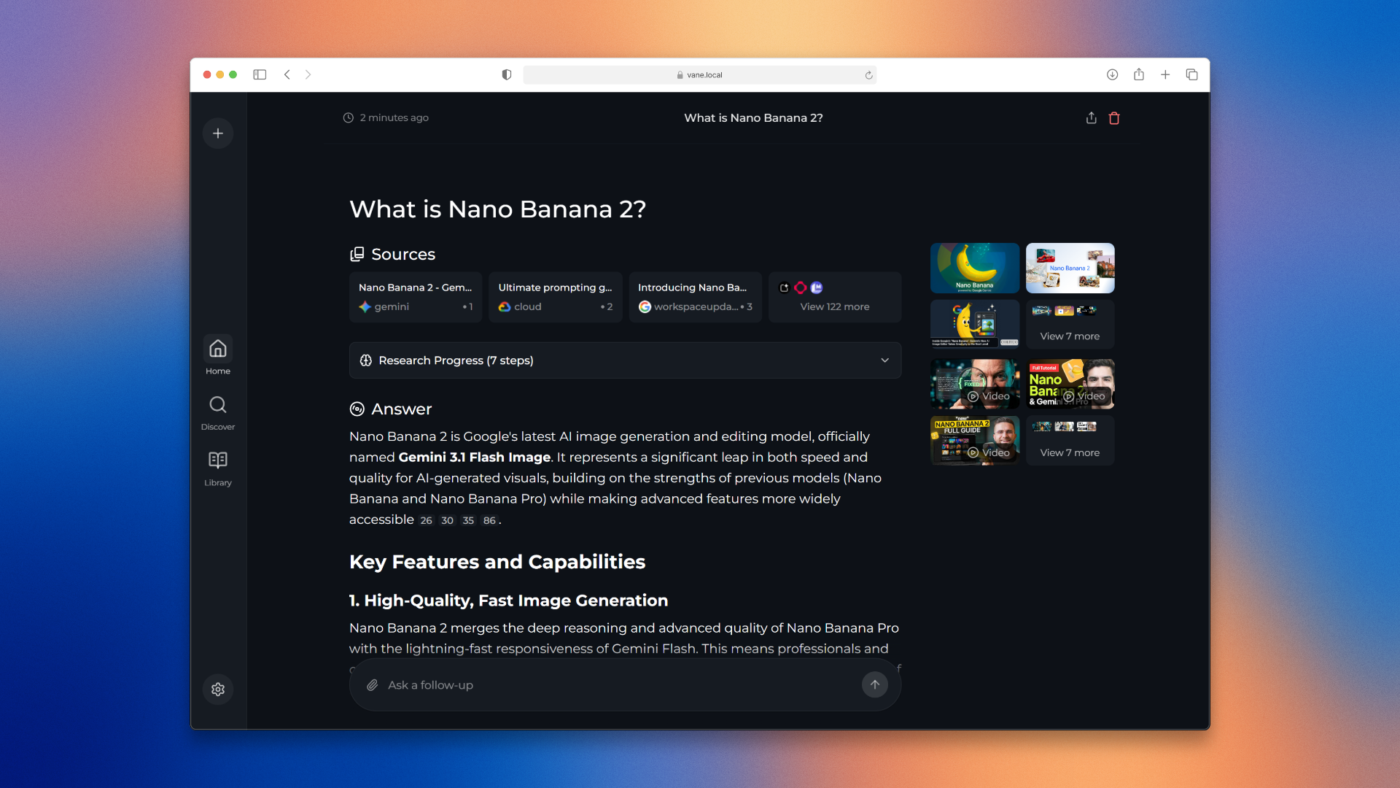
This one is for those privacy-conscious users. Your main objection to Perplexity is that every question leaves the home infrastructure every single time. Vane is the open-source alternative you can run yourself.
I tested it as a self-hosted fact-checking tool. The setup is real work: you clone the repo, point it at the models you want to run, configure your search providers, and manage the infrastructure yourself. Once it’s running, there’s no usage cap, per-seat cost, or query leaving your network.
For teams in regulated industries, legal, healthcare, government, or anyone handling data that can’t touch a third-party API, that is invaluable.
The trade-off is honest: answer quality tracks whichever model you can afford to run locally. A 7B parameter model on modest hardware won’t match what Perplexity returns from a frontier model. You can connect cloud providers as a fallback, but that reintroduces the vendor dependency the tool was designed to remove. Tools like Vane give you control. What you do with that control depends on your hardware budget and your engineering capacity.
Where it taps out: You inherit every operational cost Perplexity abstracts away. Setup, updates, model hosting, search provider configuration, and uptime are yours. Teams without dedicated engineering capacity will find every other tool on this list faster to adopt.
Best for: Engineering teams, privacy-constrained organizations, and anyone who needs a Perplexity-shaped tool where no query touches an external server.
Skip it if: You want to ask a question and get an answer in 30 seconds without thinking about infrastructure.
A user review says:
I was looking for a privacy friendly way to get AI enhanced search results without relying on third party services and ended up building Perplexica, an open-source AI powered search engine. It is powered by SearXNG (an open source metadata based search engine), which allows Perplexica to search the web for information. All queries sent by SearXNG are anonymized, so no one can track you. You can think of it as an open source alternative to Perplexity AI.
This list focused on full Perplexity replacements, but three other tools keep coming up in conversation around me, and I don’t gatekeep!
Kagi ($10/month for unlimited search): A paid, ad-free search engine that lets you uprank, downrank, or block any domain from your results. Kagi Assistant bundles 30+ AI models grounded in its own search index, so answers cite real results instead of training data. No free tier beyond a 100-search trial, which is the point: you’re the customer, not the product. The best option for people who want better search results first and AI second.
Duck.ai (free): DuckDuckGo’s private AI chat that anonymizes your prompts before sending them to GPT, Claude, Mistral, or Gemma. You don’t need an account, search history is not stored, and the models can’t train on your conversations. It’s not a research engine like Perplexity, but for quick fact-checks where you don’t want a data trail, it’s the fastest private option available.
SearXNG (free, self-hosted): The open-source metasearch engine that aggregates results from 270+ search providers (Google, Bing, Brave, DuckDuckGo, and more) without revealing your identity to any of them. There’s no AI synthesis built in, but it’s the search backend that powers Perplexica, Vane, and most other self-hosted AI search tools. If you’re building your own research stack, SearXNG is a great foundation layer.
Every tool on this list has usage limits, and switching won’t make that go away.
Across 355 Perplexity G2 reviews, the top complaint themes are usage limitations (63 mentions), context understanding (40), and AI limitations (35). ChatGPT’s 3,002 reviews surface the same three themes in a different order. So does Gemini’s 612. The dissatisfaction is structural to answer engines, not specific to Perplexity. Moving between them trades one set of caps for another.
The question that actually predicts whether you’ll be happy with the move is what you’re asking about and where the answer needs to go.
In case you do decide to cancel Perplexity, export your Spaces and threads first. Run the new tool alongside Perplexity for two weeks, against your 10 most common queries. Because switching regrets often come from an edge case you didn’t test.
If the deeper problem is that answers live in one place and work lives in another, that’s a knowledge retrieval problem. Our comparison of AI search tools for internal knowledge is the better starting point.
Truth time: Perplexity is still the fastest way to get a cited answer from the open web, and for pure fact-checking, nothing on this list fully replaces it.
From my POV, I just stopped expecting Perplexity to be the whole workflow. The cited answer is step one. What happens after that answer, where it lands, what it becomes, whether it can see the work I’m actually doing, that’s where every tool on this list earns its slot or doesn’t.
The stack that’s working for me right now is Perplexity for web verification, ClickUp Brain for questions about my own projects, and Claude for the days when I need to read something carefully instead of searching for it quickly. But I run all models from inside ClickUp Brain (except Perplexity).
Your stack will look different, but the principle holds: pick each tool for the step it’s best at, not as a wholesale replacement for the workflow.
If you want to experience a unified search, give ClickUp Brain a shot!
No single tool is better across the board. ChatGPT is stronger when I need to act on the research, not just read it. Claude is better suited for sitting with long documents. ClickUp Brain answers questions Perplexity can’t touch because the information lives in my workspace, not on the web. Perplexity still leads on citation-first web research. The right pick depends on what happens after the answer.
For sourced web research with inline citations, yes. Perplexity was built around that behavior from day one, and it still does it more consistently than ChatGPT. But ChatGPT covers what comes next: drafting, editing, image generation, connected apps, and file analysis in the same conversation. If the research is the whole job, Perplexity wins. If the research is step one of five, ChatGPT wins.
Yes. ChatGPT, Google Gemini, and Grok all have permanent free tiers with web search and citations. Duck.ai offers private AI chat with no account required. Vane is free to self-host with no usage cap. ClickUp offers trial access to Brain AI on its Free Forever plan. Free tiers carry tighter limits and weaker models, so test them against your actual weekly volume before committing.
Usage limits are the most common complaint. Perplexity has tightened Pro caps multiple times in 2026: Deep Research dropped from hundreds of daily runs to 20 per month, Pro searches were cut, and the pricing page still won’t publish exact numbers for the $20 tier. Billing issues, silent model downgrades during peak load, and the $200 jump to Max have also pushed subscribers to look elsewhere.
ClickUp Brain and Microsoft Copilot both search your workspace with existing permissions. ChatGPT and Gemini connect to Drive, Gmail, Slack, and other tools. Perplexity itself has added internal knowledge search through Spaces and enterprise connectors, so check whether your plan already covers it before switching. If most of your questions are internal, this matters more than which model powers the answer.
Run your 10 most common queries through the alternative for two weeks. Include a current web question, a document analysis task, and a question about your own work if relevant. Check citation quality, usage limits, what happens to the answer after you get it, and whether the tool can finish the job or just start it. Export your Perplexity Spaces and threads before canceling, and keep both running during the overlap.

Manasi Nair
Max 26min read
Manasi Nair
Max 20min read

Arya P Dinesh
Max 23min read

© 2026 ClickUp