Growing a small business is rarely a clean, linear process.
You take on one project, then another, and suddenly, you’re not just a freelancer anymore.
For Pat Henderson, Founder of Boston-based path8 Productions, the transition into a full-scale video production agency came with a hidden tax: tool sprawl.
To keep up with demand, path8 found itself juggling a massive, disjointed tech stack. They had SmartSheet for project management, Toggl for time tracking, Dropbox Paper for docs, and Slack for communication. The tools were stacking up, but efficiency was going down.
Summarize this article with AI
ClickUp Brain not only saves you precious time by instantly summarizing articles, it also leverages AI to connect your tasks, docs, people, and more, streamlining your workflow like never before.
Summarize this article for me please
The Problem With a “Frankenstein” Tech Stack
When a team is moving fast, software is often bought to solve one immediate problem at a time. The result? A web of apps that refuse to speak to one another.
The biggest friction point for path8 was the disconnect between where the work was planned and where the conversations were actually happening.
As growth happens, I just added tools. We had our project planning going on in SmartSheet, but none of the people on the team really checked SmartSheet. People are just Slacking: Hey, where are we on this? So then you get to update things in two places.
Pat Henderson, Founder & Executive Producer, path8 Productions
Because these separate lists and trackers couldn’t communicate with one another, the team was left managing disconnected silos of information, making it nearly impossible to keep the workflow in sync without constant manual updates.
This double-data entry peaked during a massive 30-video project that pushed path8’s legacy tools past their breaking point. The scope of the work was simply too large and complex to manage effectively in SmartSheet.
Tool transitions usually fail when teams refuse to let go of their favorite communication apps.
When Pat realized the team needed a single source of truth, ClickUp was the obvious choice. The one massive hurdle standing in the way of adoption? Team’s loyalty to Slack.
Biggest thing for me was Slack. Like Slack was awesome. Our team loves Slack. And I was like, we can use ClickUp for project management, but we’ll still use Slack because everyone loves using it. And then when I got into ClickUp and saw the chat, I was like, okay, this is essentially Slack. We can figure this out.
Pat Henderson, Founder & Executive Producer, path8 Productions
The real game-changer? They didn’t have to sacrifice their history or their team culture to make the switch.
The team was able to import all of their Slack: imports, channels and the conversations down to the little emoji reactions. 💪🏽
Working smarter: Managing 50+ projects
Consolidating their tools didn’t just save money on subscription fees.
It fundamentally changed how much output this lean team could handle. Instead of hunting down a brief in one app, finding the time logs in another, and asking for updates in a third, path8 centralized everything. Hear it from the team. 👇🏼
The tech world is obsessed with AI, but for a small business owner focused on video production, mastering complex AI prompting isn’t realistic.
Pat’s approach to AI was entirely pragmatic.
I’ll admit that I am very low level. Until I had ClickUp, I didn’t have an AI app on my phone.
Pat Henderson, Founder & Executive Producer, path8 Productions
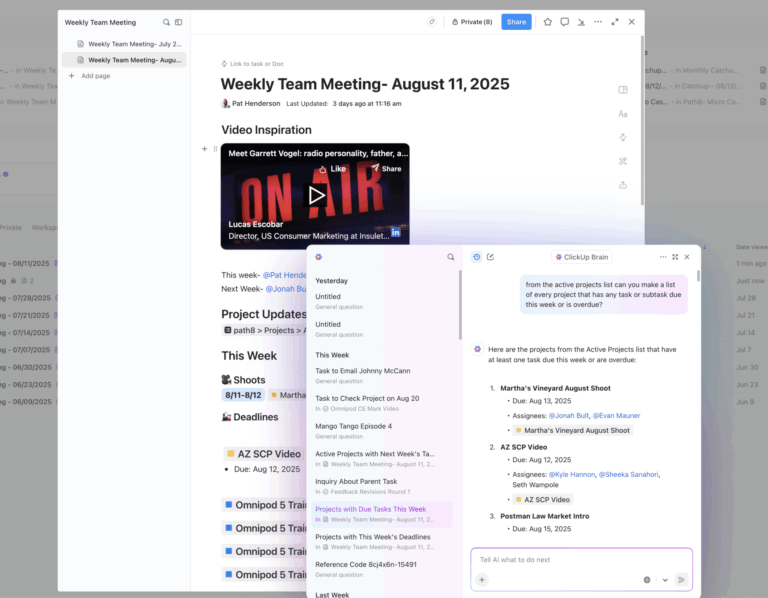
Instead of using external AI tools, Pat used ClickUp’s internal AI to solve a very specific operational headache: answering repetitive team questions.
He built an AI agent to act as the company’s internal knowledge base. He then set up a dedicated direct message channel for the team to interact with it, affectionately naming the bot “Mr. Systems.”
Now, whenever a team member has a question about a process or workflow, they just send a DM to Mr. Systems. The bot instantly pulls the correct answer directly from their company documentation, completely removing Pat from the loop and eliminating the daily “interrupt tax” on his schedule.
Summarize this article with AI
ClickUp Brain not only saves you precious time by instantly summarizing articles, it also leverages AI to connect your tasks, docs, people, and more, streamlining your workflow like never before.
Summarize this article for me please
How to Replicate path8’s Success: 5 Quick ClickUp Examples
You don’t need an enterprise-level budget to consolidate your tech stack and build a highly efficient workspace.
With the ClickUp Small Business Suite, you can replicate path8’s exact playbook to create your own centralized command center.
Here is how to design a value-driven, streamlined workflow for your own team:
Use the Agent Builder to describe your needs in plain English to custom-build an agent that lives right in your workspace. Or turn on the ambient answers agents on your workspace.
When a team member has a question about a process, they can simply DM the agent to get a precise, immediate answer sourced directly from your own internal documents. This empowers your team to find information independently and protects leadership’s valuable focus time.
Beyond standalone agents, the real power of the Small Business Suite lies in having ClickUp Brain embedded directly where your work actually happens.
Instead of manually scrolling through long threads to catch up, you can instantly generate AI updates within individual tasks to see exactly what changed while you were away.
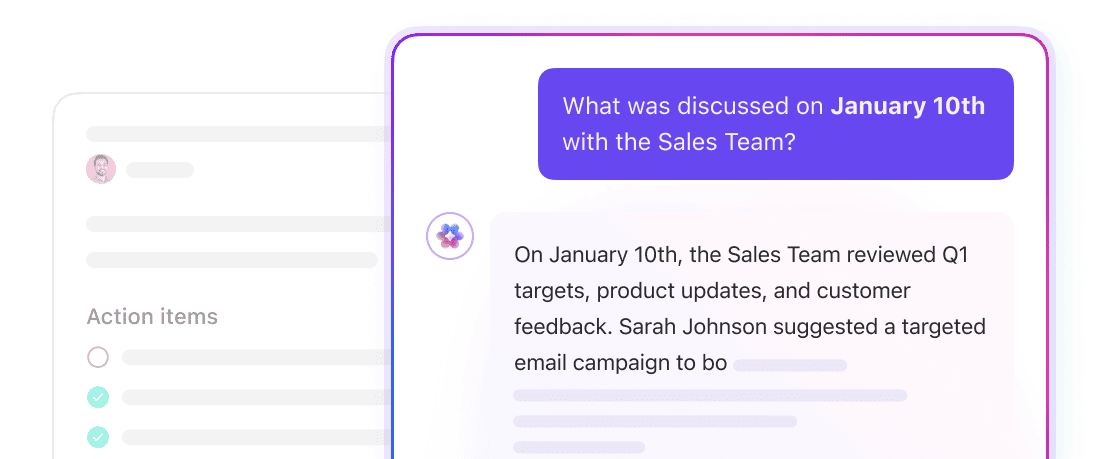
You can even roll up these insights to generate high-level summaries directly within your project management Dashboards and List views, giving leadership a clear picture of an entire portfolio’s health in seconds. If you ever lose track of a specific file or conversation, AI-powered Enterprise Search lets you find exactly what you need across all your tasks, docs, and chats by asking naturally.
Finally, you can turn your conversations into immediate action items with AI Notetaker, which summarizes your meetings and automatically extracts key takeaways into ready-to-work tasks.
Every single conversation, action item, and task is searchable with AI in ClickUp
3. Connect chat directly to your work
Keeping your team perfectly aligned is not an impossible task! All you need to do is bring conversations to where the actual deliverables live.
By integrating your daily communication into ClickUp Chat, every message, quick update, and screen recording is tethered to the relevant task.
This ensures that anyone jumping into a project can instantly read the history and understand the context, eliminating the friction of cross-referencing separate messaging apps to find missing information.
4. Design a self-driving project pipeline
Want to build a visual, automated workflow that easily scales up to dozens of concurrent projects?
Start by mapping your exact operational phases using Custom Statuses (such as “Scripting,” “In Editing,” or “Client Review”). Next, utilize a high-level Board View in ClickUp Tasks so leadership can instantly gauge the health of every project at a glance.
Finally, layer in Automations so that when a task moves to a new status, the appropriate team member is automatically assigned and notified, ensuring seamless hand-offs.
Here’s a sample workflow for Sales in action. 🧰
5. Unify operations with native time tracking
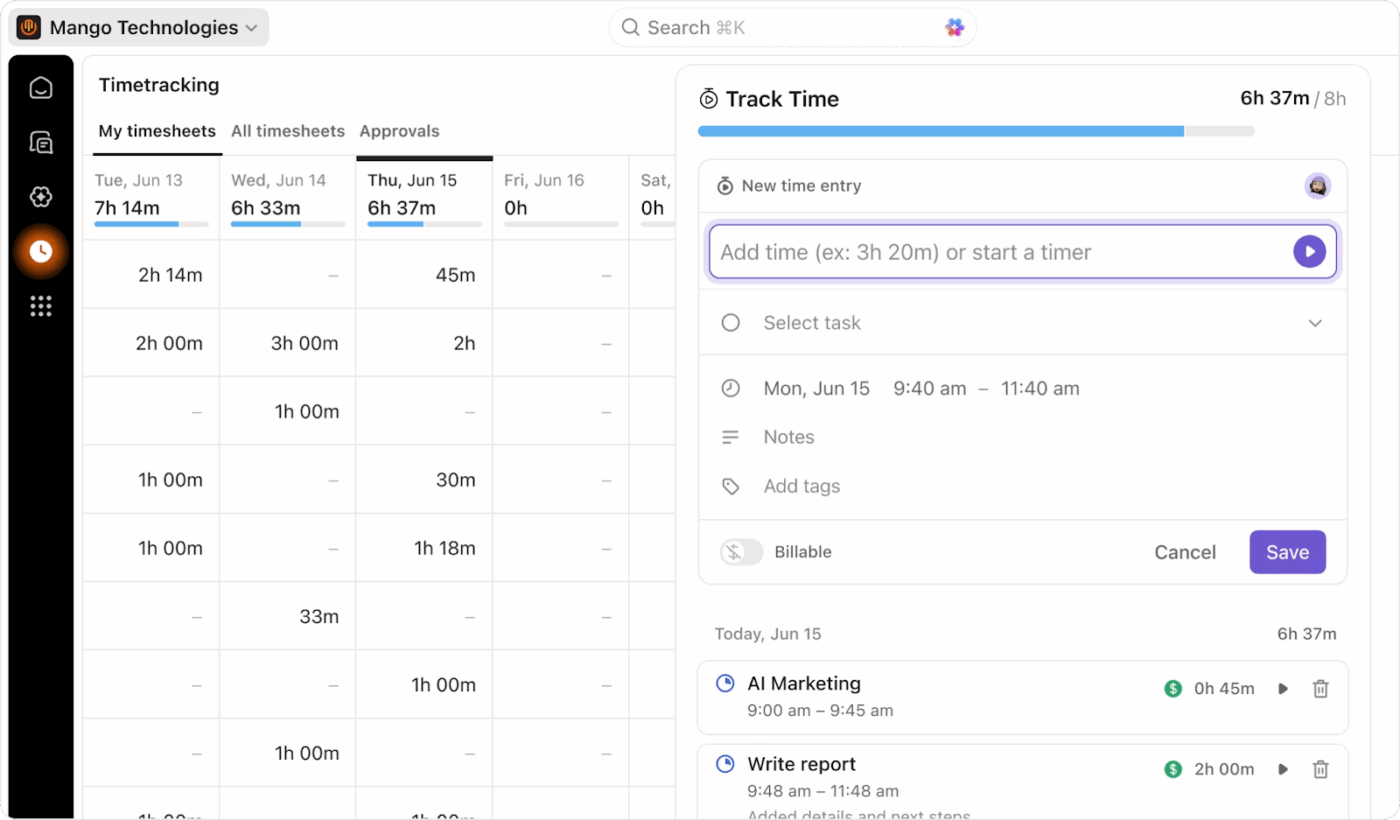
Keep tabs on how you’re spending your time with ClickUp Time Tracking
With native time tracking built into the ClickUp platform, your employees and freelancers can log their hours directly within the tasks they are actively completing.
This seamless integration delivers highly accurate data for capacity planning, simplifies client invoicing, and ensures every minute of hard work is accounted for in a single central hub.
Summarize this article with AI
ClickUp Brain not only saves you precious time by instantly summarizing articles, it also leverages AI to connect your tasks, docs, people, and more, streamlining your workflow like never before.
Summarize this article for me please
The Bottom Line: Stop Playing Software Switchboard
For a lean team looking to punch way above its weight class, wasting hours playing software switchboard operator is not an option.
path8 Productions proved that scaling your business shouldn’t mean just stacking up more apps.
By ditching their “Frankenstein” tech stack and consolidating from 6 disconnected tools into 1, they built a streamlined, AI-powered hub that handles the heavy lifting.
Now, the busywork is automated, the team is totally aligned, and Pat can finally get back to what he actually does best: creating incredible videos!