IT Career Path: How to Build a Successful Tech Career?

Sorry, there were no results found for “”

Are you just stepping into the world of tech or looking to switch careers?
The IT career path offers exciting opportunities, steady growth, and the flexibility to work in diverse industries.
From software development and data science to network administration and cybersecurity, there’s something for every interest and skill set.
Let’s explore how you can begin, grow, and thrive in your information technology journey.
🔎 Did you know? According to the U.S. Bureau of Labor Statistics, tech jobs are expected to grow 15% by 2031—much faster than average.
Here are a few reasons why the IT sector is booming:
📈 Job security: The demand for IT professionals spans computer systems, software systems, and emerging tech like machine learning and robotic systems
💸 Competitive salaries: Whether you’re a desk technician or a cloud architect, the average salary in IT roles tends to outpace many other fields
🌎 Work from anywhere: Remote roles are common, especially in web development, cybersecurity, and technical support
🔁 Flexible transitions: Even if you start in network administration, you can move into project management, different types of software engineering, or data analytics with upskilling
📊 Industry Insights: On average, about 356,700 openings are projected each year in computer and information technology occupations due to employment growth and the need to replace workers who leave the occupations permanently.
The beauty of the IT career path is its flexibility. Whether you enjoy coding, designing networks, analyzing data, or solving cyber puzzles, there’s a niche for you.
Roles: Software Engineer, Frontend/Backend Developer, Full-Stack Developer, Mobile Application Developers
Skills: Master programming languages like Python, Java, and JavaScript; understand software systems, computer programs, and operating systems.
Yearly average salary: $90,000–$130,000 (depending on experience and location)
📌 Example: A computer science grad can start with small web development projects and then work as a full-stack developer at a fintech firm.
🔎 Did you know? The first computer programmer was a woman: Ada Lovelace, who wrote algorithms for Charles Babbage’s Analytical Engine in the 1840s
Roles: Cybersecurity Analyst, Security Engineer, Network Security Specialist, Ethical Hacker
Skills: Threat detection, risk assessment, cryptography, understanding security breaches and prevention
Yearly average salary: $85,000–$125,000
🔎 Did you know? Four million professionals are urgently needed to plug the talent gap in the global cybersecurity industry. Get started with in-demand skills now!
Roles: Cloud Engineer, DevOps Engineer, Google Cloud Specialist, AWS Solutions Architect
Skills: Knowledge of cloud computing platforms, CI/CD pipelines, systems architecture, scripting
Yearly average salary: $100,000–$140,000
📊 Industry Insights: The global DevOps market is projected to grow from USD 13.29 billion in 2024 to USD 108.26 billion by 2035, representing a CAGR of 21.01%
Roles: Desk Technician, Helpdesk Support, Network Administrators, System Administrator
Skills: Troubleshooting, setting up computer systems, managing network hardware and operating systems
Yearly average salary: $50,000–$75,000
📊 Industry Insights: The Bureau of Labor Statistics projects that employment for computer support specialists will increase by 9% from 2020 to 2030, adding over 88,000 new jobs. This growth is driven by the increasing reliance on technology in various sectors.
Roles: Data Analyst, Machine Learning Engineer, AI Specialist
Skills: Data wrangling, data analytics, statistics, programming skills in R/Python, machine learning
Yearly average salary: $110,000–$160,000
📊 Industry Insights: ML engineer was ranked as one of the fastest-growing jobs in the U.S., according to the LinkedIn “Jobs on the Rise 2024” list.
The IT world is full of possibilities—from software development and cloud computing to cybersecurity and data science. But with so many paths, how do you get started and stay ahead?
Here’s a practical way to build a strong IT career foundation, and how ClickUp can make that journey smoother and more focused.
Your IT career begins with learning. Whether you’re fresh out of college, switching careers, or upskilling, the right education matters.
Most IT professionals start with a bachelor’s degree in computer science, computer engineering, or management information systems.
Then, stack it with relevant certifications like:
👉 Use the ClickUp Personal Development Plan Template to map out your goals, courses, certifications, and deadlines.
This template helps you:
Say you’re eyeing a cloud computing role. You could set a goal to complete the AWS Solutions Architect certification in 3 months. Break it down into weekly modules, track your progress, and set reminders for exam dates—all in one place.
You can also use ClickUp Docs to take quick notes from courses or upload certificates in ClickUp Tasks to keep everything accessible.
🌟 Bonus: Check out this list of top programming and coding certifications you can take to supercharge your software development career.
In IT, skills matter more when you can show them. Whether it’s a GitHub project, a freelance gig, or a college assignment, every project adds weight to your profile.
Start contributing to open-source code, create GitHub portfolios, volunteer for small businesses, or take up freelance gigs. If you’re learning web development, launch a simple site!
Example: Sam, who had no tech degree, created real-world cloud migration projects and landed a job as a cloud engineer.
👉 The ClickUp Career Path Template helps you lay out your learning journey with milestones, timelines, and achievements—visually and clearly.
This template helps you:
💡Fun Fact: Approximately 27% of developers are self-taught with no formal education in computer science
Learning and building are important. But staying connected and informed is what sets great IT professionals apart.
Join forums like Reddit’s r/ITCareerQuestions, LinkedIn groups, and Discord channels. Attend local meetups or online hackathons.
👉 Use the ClickUp Job Search Template to manage your networking and job-hunting efforts.
This template helps you:
📚 Read More: Discover the different types of software engineering roles and find the perfect niche for your skills.
IT careers are exciting—but they’re also filled with challenges that can overwhelm even experienced professionals. Whether you’re a developer, data analyst, or IT project manager, these roadblocks often show up at different stages. The good news? With the right tools like ClickUp, these challenges become more manageable.
Let’s break it down.
In IT, the only constant is change. New programming languages, frameworks, and tools pop up every few months. The skills in demand today might be outdated tomorrow.
The challenge: Staying relevant means continuous learning, attending webinars, experimenting with new tools, and updating your skill set regularly. But with deadlines, meetings, and life in the mix, how do you keep learning from slipping through the cracks?
🚀 How ClickUp helps
ClickUp helps you stay organized, track learning goals, collaborate effectively, and adapt to new trends.
📌 Example: Devina, a backend developer, uses a ClickUp List titled “Tech to Learn” to track new tools she hears about. Each item has links, short notes, and a status like “Reading now” or “Explore later.” It’s her personal learning library—organized and always up-to-date.
From legacy systems to modern cloud infrastructure, IT teams often juggle multiple tools, stakeholders, and processes. Coordinating these pieces can quickly become chaotic.
The challenge: You’re managing dependencies, coordinating with DevOps, handling tickets, and trying to stick to a release timeline—all while answering “just one more” Slack message.
🚀 How ClickUp helps
📌 Example: Let’s see how a mid-sized IT team can use ClickUp to run a full-stack migration project. With Gantt view and dependencies, they can align frontend and backend timelines, track cross-team blockers, and avoid missed handoffs.
As data breaches and privacy issues rise, IT professionals are expected to follow strict security protocols and ethical practices. But these guidelines often differ by project, client, or region.
The challenge: Remembering and following all these protocols without slowing down work. It’s not just about writing secure code—it’s about documentation, compliance checks, and proper audits too.
🚀 How ClickUp helps
📌 Example: A cybersecurity analyst can use a pre-built checklist inside ClickUp for each audit. This ensures all steps are followed, and they can show documented proof if questioned later.
Multiple tools. Different team locations. Time zone issues. Integration breakdowns. IT projects are rarely linear.
The challenge: Keeping everything in sync—without constantly switching between five apps, losing track of feedback, or forgetting who’s doing what.
🚀 How ClickUp helps:
📌 Example: During a product rollout, a distributed IT team can use ClickUp’s Timeline View and Integrations to sync tasks between engineering and product teams—without hopping between tools or missing updates.
Bottom line? IT careers can be complex, but tools like ClickUp make them less chaotic. Whether it’s organizing your learning, simplifying your workflow, or keeping your team aligned, ClickUp helps you focus more on impact—and less on firefighting.
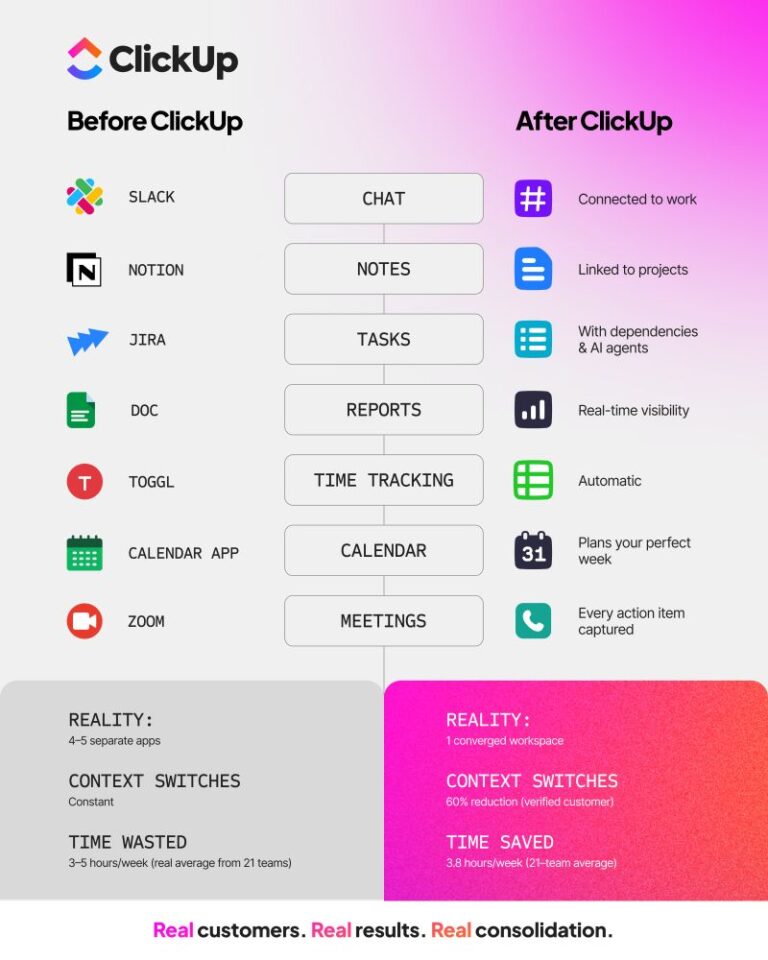
📮 ClickUp Insight: 46% of knowledge workers rely on a mix of chat, notes, project management tools, and team documentation just to keep track of their work. For them, work is scattered across disconnected platforms, making it harder to stay organized.
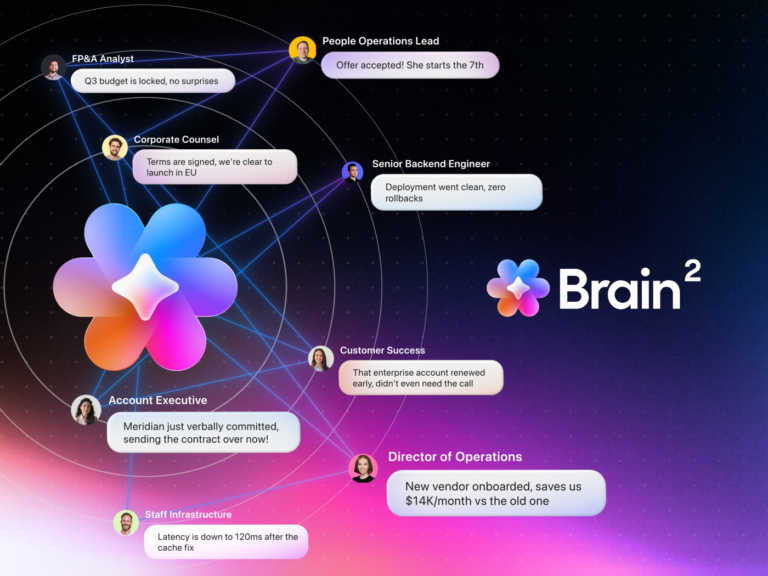
As the everything app for work, ClickUp unifies it all. With features like ClickUp Email Project Management, ClickUp Notes, ClickUp Chat, and ClickUp Brain, all your work is centralized in one place, searchable, and seamlessly connected. Say goodbye to tool overload—welcome effortless productivity.
⚡️Template Archive Streamline your professional journey with this comprehensive collection of
Once you’ve found your footing in IT, the next big question is: how do you keep growing? Whether you’re aiming to become a lead developer, a cloud architect, or an IT project manager, your growth depends on how well you manage your work, collaborate with others, and chase your long-term goals.
In the previous sections, we’ve explored how ClickUp integrates all essential elements into one platform, allowing you to shift from juggling tasks to making real progress. Now, let’s take a closer look at some of the ClickUp solutions that can be game changers in your IT career journey.
As you move up in your career, your role expands beyond just coding or troubleshooting. You need to plan sprints, assign tasks, track bugs, and deliver on time—without burning out.
👉 Use the ClickUp IT Project List Template to get started. It’s designed specifically for IT teams to manage workflows, bug reports, client requests, and system upgrades—organized and clear.
📌 Example: A system admin can use this template to manage an infrastructure upgrade. Instead of handling updates via emails and spreadsheets, she can track procurement, backups, deployment, and testing in one place—with zero confusion and faster execution.
ClickUp for IT and PMO teams serves as the everything app for IT and PMO teams. With this, you can enhance your workflows, streamline processes, and improve visibility across your organization. This lets you significantly reduce delays and boost on-time project delivery by up to 35%.

Key benefits:
By harnessing ClickUp’s capabilities, you can elevate your contributions to IT and PMO efforts, paving the way for a successful and impactful career in the tech industry.
📚 Read More: Are you striving for career advancement? Explore the differences between vertical and lateral growth, and learn how each path can offer unique advantages for your professional journey!
Good collaboration is key to career growth. And it goes beyond replying to Slack messages. Developers and IT teams need to share updates, give feedback, review code, and document learnings—all without getting lost in silos. ClickUp makes this seamless.
You can quickly create and maintain documentation about your code or the features you’ve developed with ClickUp Docs.

This helps you:
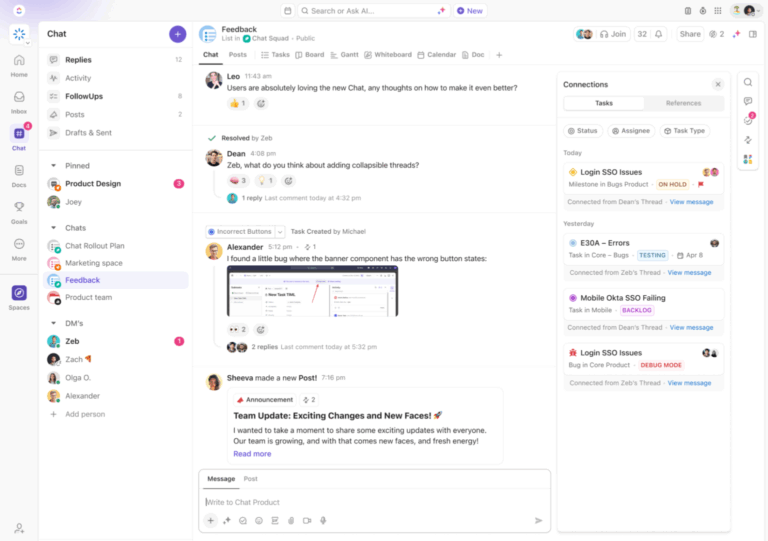
Utilize ClickUp Chat for team discussions and @mentions for improved visibility. Keep meeting minutes and brainstorming ideas organized in Docs, and integrate tools like Slack and Teams for centralized communication.
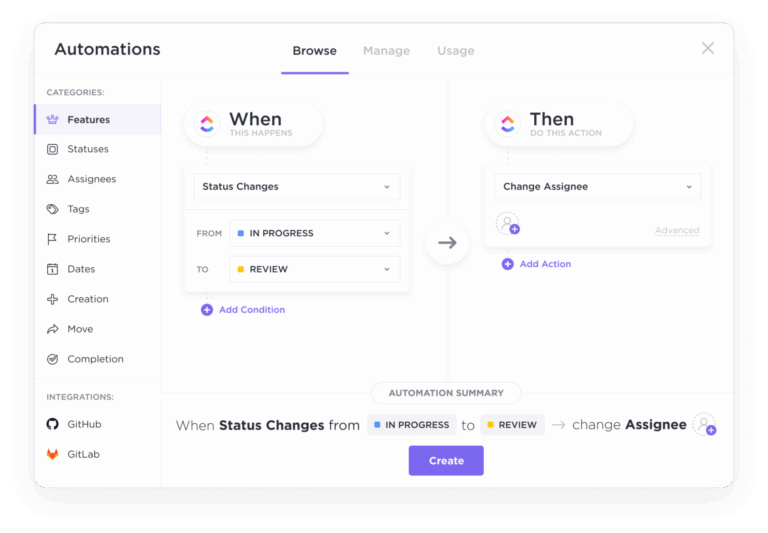
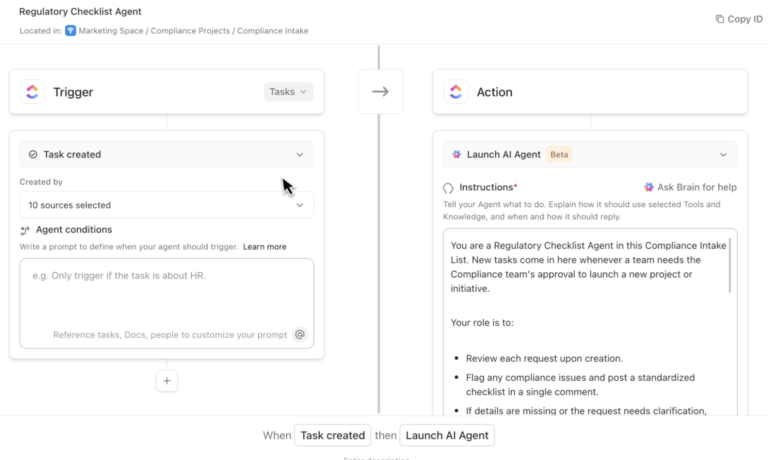
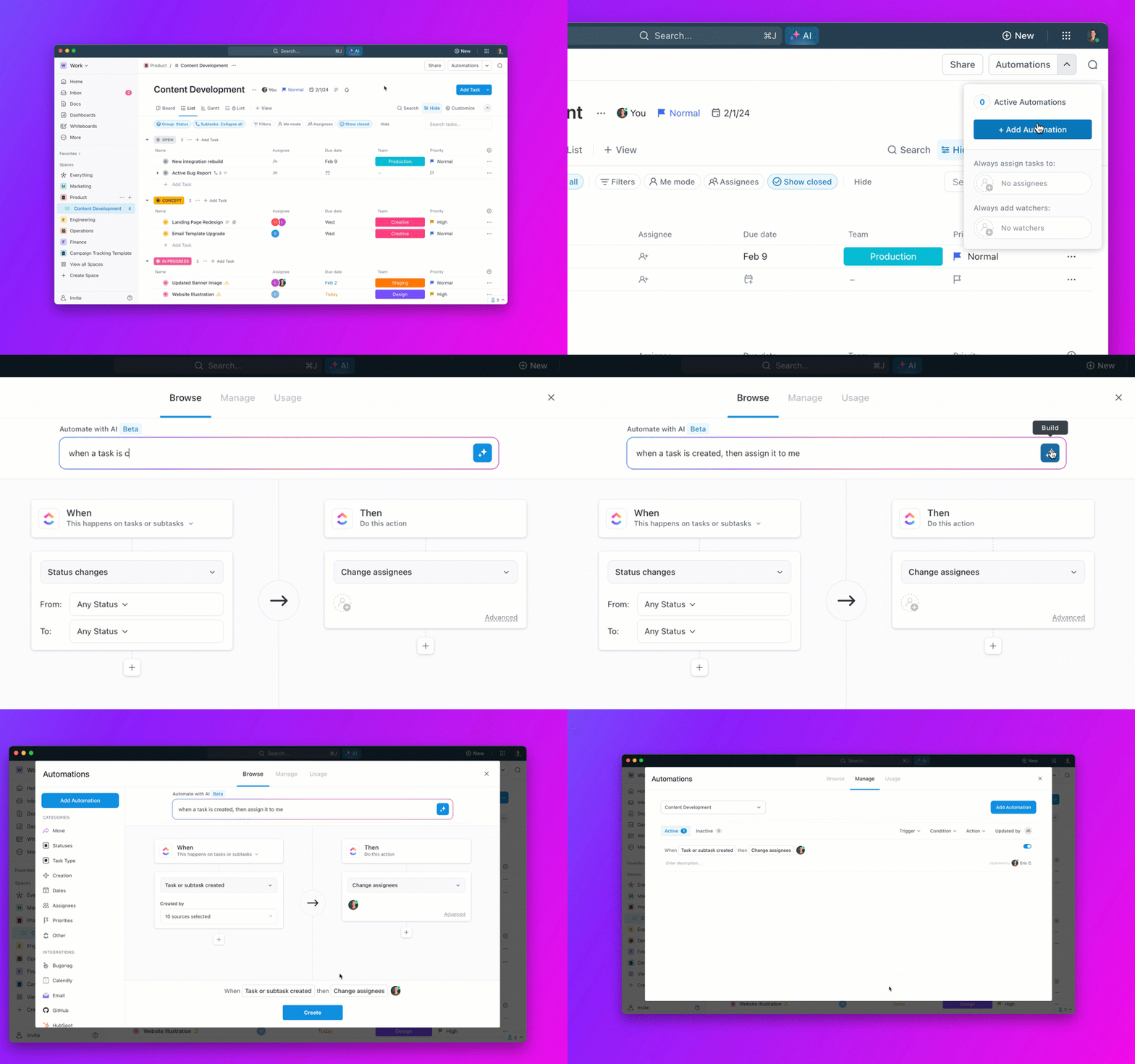
You can create streamlined integrations and automations. Connect with GitHub, GitLab, or Bitbucket for effective code management, and collaborate seamlessly using integrations with Google Drive. Automate repetitive workflows, such as task assignments and approvals, allowing you to concentrate on high-value work.
Check out how engineering teams are using ClickUp Automations 👇
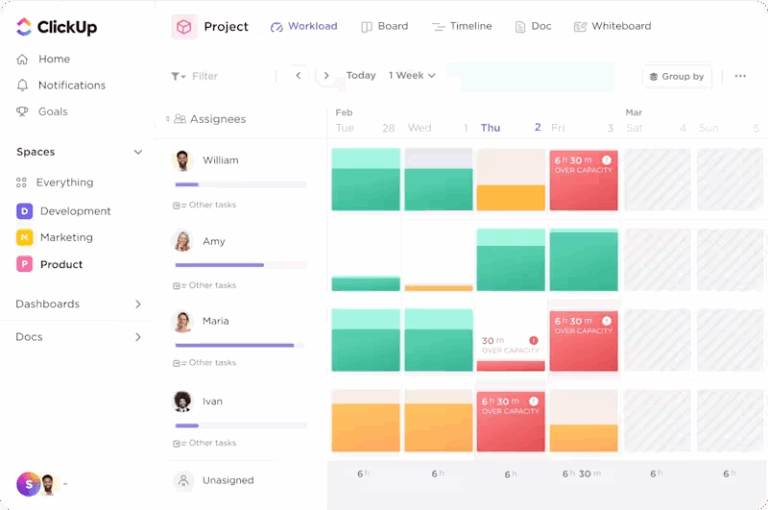
Manage all your tasks, Docs, chat, and whiteboards in one platform for a cohesive experience. Leverage Clips for asynchronous video communication and utilize dashboards and workload views to track team progress and optimize resource management.
📚 Also Read: Looking to elevate your coding skills and boost your career? Uncover proven strategies and tips to become a better programmer today!
If you’re serious about growing in IT, you need to treat your career like a long-term project. That means setting clear goals, tracking your wins, and reflecting often. ClickUp gives you the structure to do that.
For instance, you can use ClickUp Goals to set quarterly career objectives—like “Contribute to open-source,” “Get Azure certified,” or “Mentor a junior dev.” Add measurable Targets (e.g., number of projects completed or certifications earned).

With ClickUp Goals, you can:
Set high-level career objectives and break them into measurable Targets
Track progress with different Target types (e.g., tasks, numbers, currency)
You can also use ClickUp Milestones to turn your major tasks into milestones to visualize how far along your projects are. Mark major career achievements as Milestones for better tracking. Use Views like List and Gantt views to organize and visualize milestones your way.
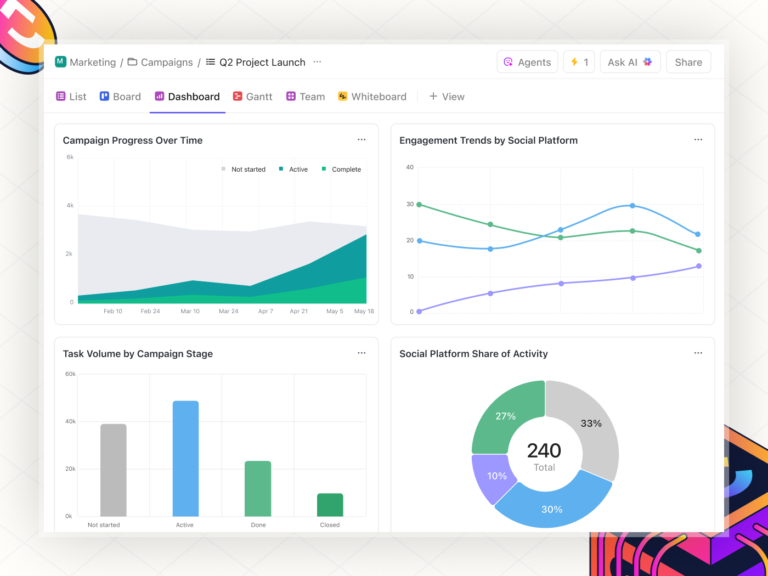
You can also create ClickUp Dashboards for high-level tracking and insights.
📌 Example: Karan, a mid-level engineer, created a Goal in ClickUp to become a team lead within a year. He tracked skills to build (like communication and project ownership), logged mentorship feedback, and added achievements as tasks. When promotion time came, he had clear proof of progress.
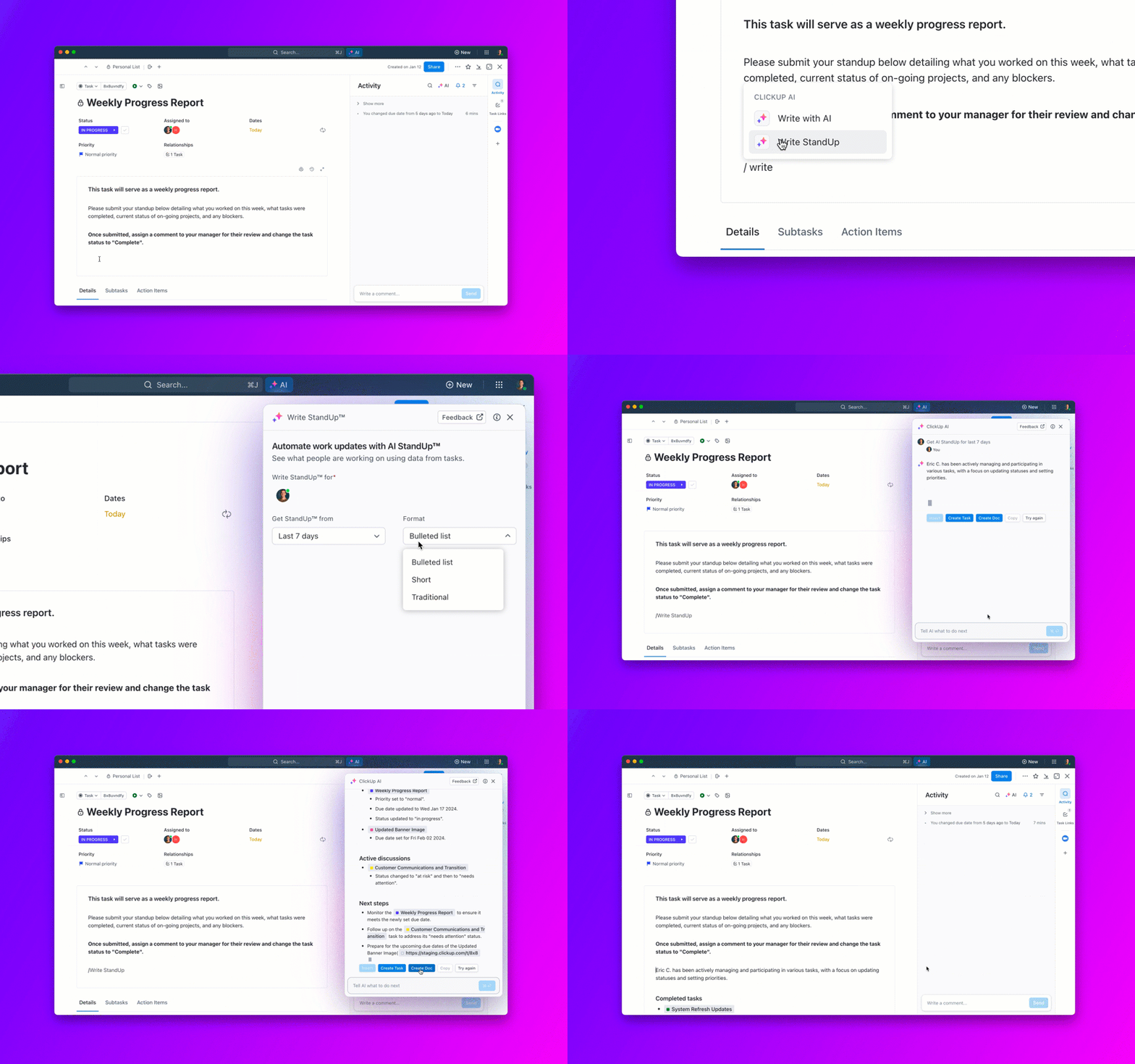
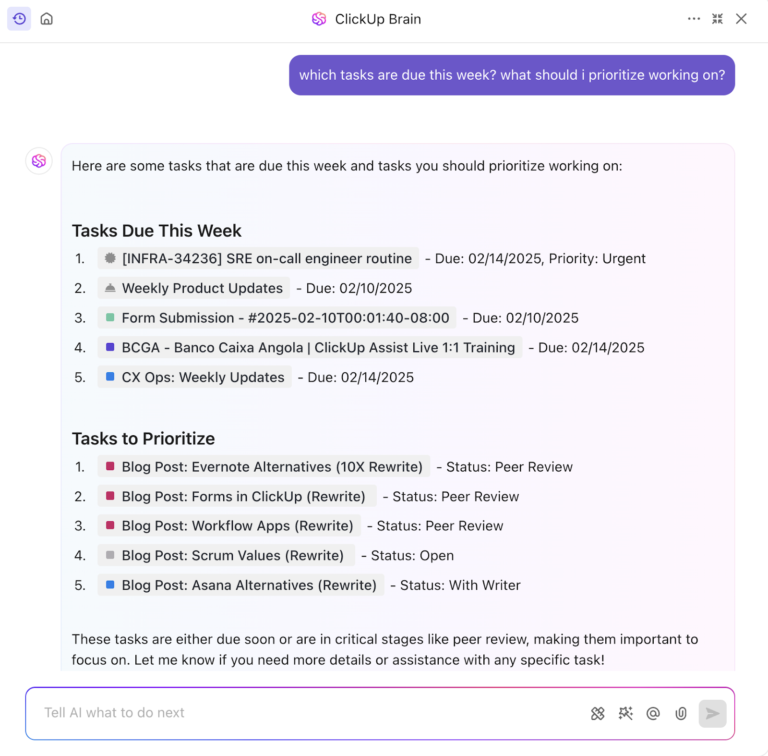
Last but not least, leverage ClickUp AI to summarize progress, generate insights, and suggest next steps.

📚 Also Read: Ready to take your career in technology to the next level? Discover the essential skills, tools, and salary expectations to become a successful IT Manager!
The IT career path is vast, rewarding, and filled with potential for anyone willing to learn and adapt. Whether you’re curious about web developers, passionate about network security, or dreaming of building AI models, there’s a role waiting for you.
Use tools like ClickUp to stay organized, motivated, and strategic in your journey.
And remember—tech doesn’t stand still, and neither should you. Keep building, keep growing.
ClickUp isn’t just a productivity tool—it’s a career companion. It helps you stay sharp, organized, collaborative, and always a step ahead in your IT journey.
© 2025 ClickUp