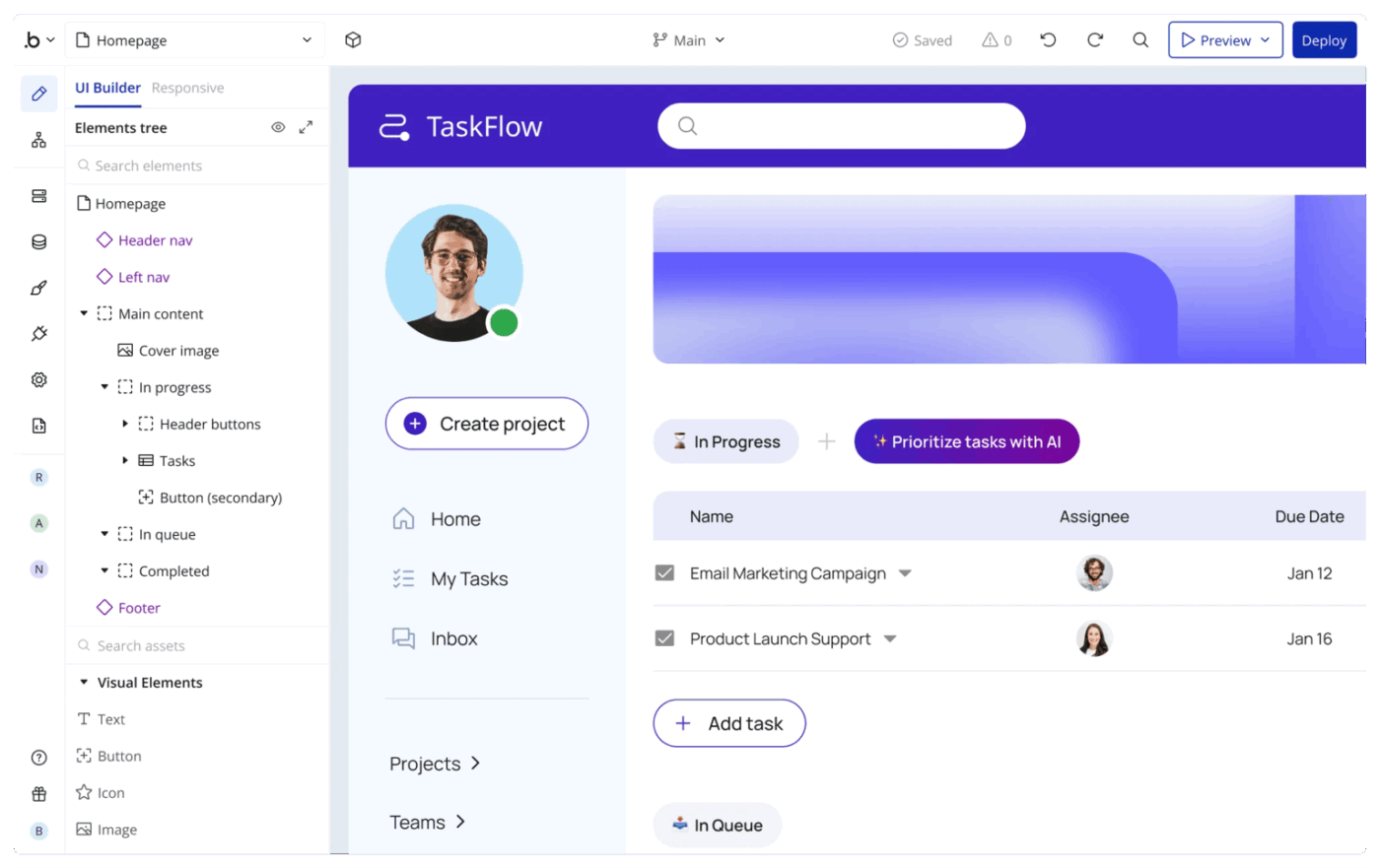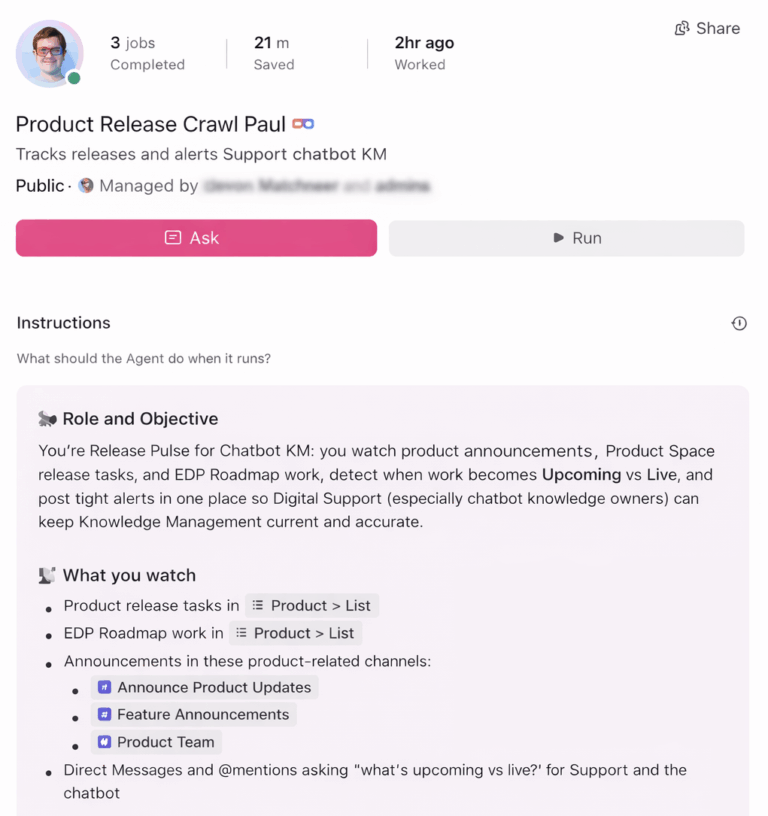
Start using ClickUp today

  • Manage all your work in one place
  • Collaborate with your team
  • Use ClickUp for FREE—forever

Most AI app builders solve the “how do I build this?” problem, but Bain research shows that writing and testing code account for only 25%–35% of the time from initial idea to product launch.

The moment your app exists, you are suddenly juggling sprint planning in one tab, documentation in another, and team updates in a third. That is exactly the kind of Work Sprawl—the fragmentation of work across multiple, disconnected tools and platforms that don’t talk to each other—that slows shipping down.

This guide covers the 10 best Base44 alternatives across every use case, from prompt-to-app builders and browser-based IDEs to AI coding assistants and converged workspaces like ClickUp.

10 Best Base44 Alternatives in 2026
Summarize this article with AI ClickUp Brain not only saves you precious time by instantly summarizing articles, it also leverages AI to connect your tasks, docs, people, and more, streamlining your workflow like never before.
ClickUp Brain
Avatar of person using AI Summarize this article for me please

Base44 Alternatives at a Glance

Here’s a quick side-by-side look at the strongest Base44 alternatives, based on who they suit best and where they stand out most.

ToolBest forBest featuresPricing
ClickUpAI-powered work management from idea to shipped productClickUp Brain, Tasks, Docs, Chat, Automations, DashboardsFree forever; Customization available for enterprises
LovableNon-technical founders building full-stack apps from promptsPrompt-to-app generation, React + Supabase stack, GitHub syncFree plan; Paid plans from $25/month
Bolt.newBrowser-based prototyping across multiple frameworksIn-browser IDE, WebContainers, multi-framework support, instant deployFree plan; Paid plans from $25/month
Vercel v0Frontend teams building and deploying Next.js apps quicklyNatural-language UI generation, one-click deploy, agentic workflowsFree plan; Paid plans from $30/user/month
CursorDevelopers wanting an AI-powered coding assistant inside their IDECodebase-aware AI chat, Agent Composer, VS Code-based editorFree plan; Paid plans from $20/month
ReplitBuilding and deploying full-stack apps entirely in the browserAutonomous AI agent, 50+ languages, multiplayer coding, built-in deployFree plan; Paid plans from $25/month
BubbleNo-code teams building production-grade apps without developersDrag-and-drop builder, built-in database, workflow engineFree plan; Paid plans from $59/month
EmergentInternal tools with structured data and backend-first logicSchema generation, RBAC, database-first architectureFree plan; Paid plans from $20/month
Claude CodeDevelopers solving complex coding problems with deep AI reasoningTerminal-based agent, extended reasoning, Git-aware contextFree plan; Paid plans from $20/month
GlideTurning spreadsheets into mobile-friendly apps quicklySpreadsheet-to-app conversion, real-time sync, row-level permissionsFree plan; Paid plans from $199/month
* Please check the tool’s website for the latest pricing.

How we review software at ClickUp

Our editorial team follows a transparent, research-backed, and vendor-neutral process, so you can trust that our recommendations are based on real product value.

Here’s a detailed rundown of how we review software at ClickUp.

📮 ClickUp Insight: Low-performing teams are 4x more likely to juggle 15+ tools, while high-performing teams maintain efficiency by limiting their toolkit to 9 or fewer platforms. That gap usually shows up as tool overload.

ClickUp helps reduce that sprawl by bringing tasks, docs, chat, and AI workflows into the same workspace.

Summarize this article with AI ClickUp Brain not only saves you precious time by instantly summarizing articles, it also leverages AI to connect your tasks, docs, people, and more, streamlining your workflow like never before.
ClickUp Brain
Avatar of person using AI Summarize this article for me please

Why Go For Base44 Alternatives

Base44 alternatives include AI-powered app builders, no-code platforms, and code-generation tools that help teams build software with less manual coding. They work similarly to Base44 software but offer different strengths, deployment options, or team collaboration features.

You might be a founder prototyping an MVP, a developer wanting more control over generated code, or an ops lead who needs to manage the full lifecycle of a project—not just the build phase. Base44 is a capable AI app builder, but teams often outgrow it.

Here are the most common reasons people search for Base44 competitors. 👀

  • Limited customization: Generated apps may not support advanced logic, custom backends, or granular UI control
  • No built-in project management: Once the app is built, there’s no native way to track tasks, assign work, or manage iterations
  • Collaboration gaps: Teams with non-technical stakeholders need tools that bridge building and managing work
  • Vendor lock-in concerns: Some users want source code export or self-hosting options
  • Enterprise requirements: SOC 2 compliance, SSO, and audit trails may be missing or incomplete

The right alternative depends on whether you need a full development environment, a no-code visual builder, an AI coding assistant, or a converged workspace that handles both building and managing work.

📘 Also Read: Best No-Code Apps

🎥 Before we get into the list, this video gives a useful overview of why AI becomes far more valuable when it’s connected to your actual work, not used as a standalone tool.

Summarize this article with AI ClickUp Brain not only saves you precious time by instantly summarizing articles, it also leverages AI to connect your tasks, docs, people, and more, streamlining your workflow like never before.
ClickUp Brain
Avatar of person using AI Summarize this article for me please

The Best Base44 Alternatives to Use

Here are the best Base44 alternatives, depending on whether you need faster app generation, more coding control, or a better system for managing the work around the build.
1. ClickUp (Best for AI-powered work management that takes you from idea to shipped product)

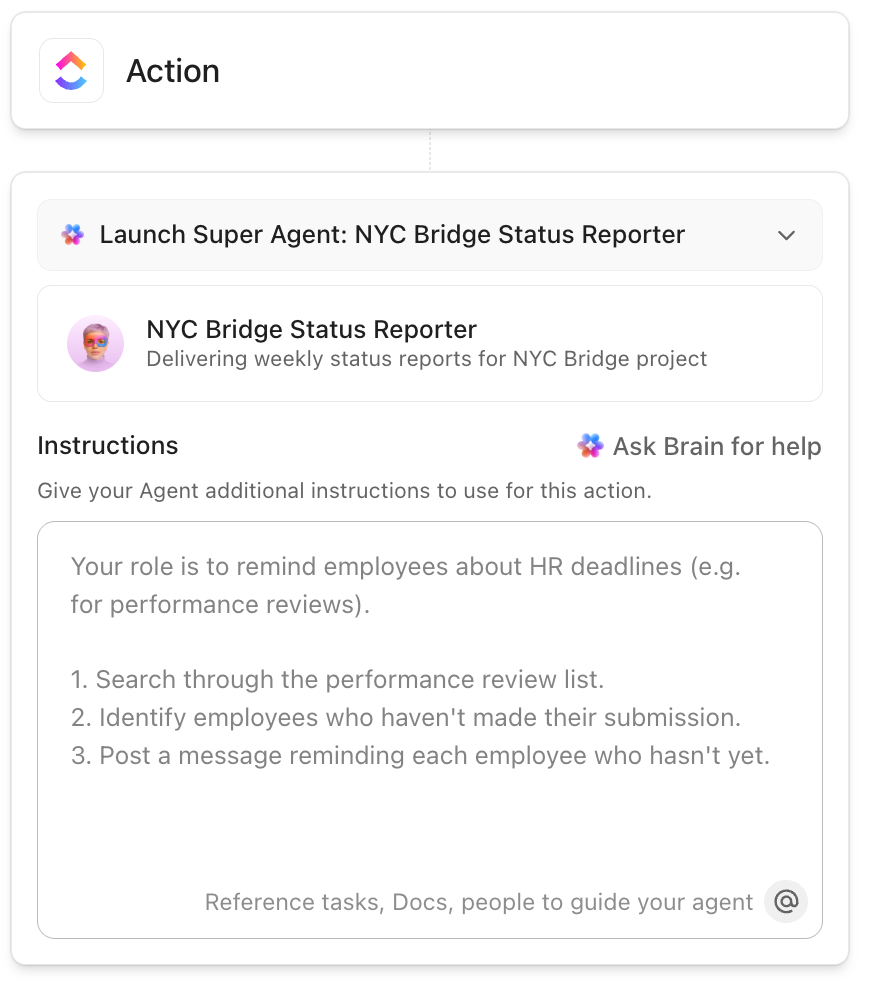
Create custom AI Super Agents on ClickUp with an intuitive no-code builder

Base44 helps you generate an app. ClickUp helps you manage everything it takes actually to ship one.

If you’re comparing Base44 alternatives, that difference matters. Many AI app builders are great at helping you create a prototype or generate code, but they stop short once real work begins. You still need somewhere to plan features, document requirements, assign tasks, track progress, and keep everyone aligned from build to launch.

That’s where ClickUp stands out.

Instead of focusing solely on app development, ClickUp provides teams with an AI-powered workspace to manage the entire product lifecycle in one place. You can use AI to draft product briefs, turn rough ideas into structured requirements, create user stories, organize sprint plans, and keep execution tied to the original context.

For teams exploring agentic workflows, ClickUp Super Agents help carry work forward across the workspace by coordinating multi-step actions, surfacing updates, and accelerating teams from discussion to execution.
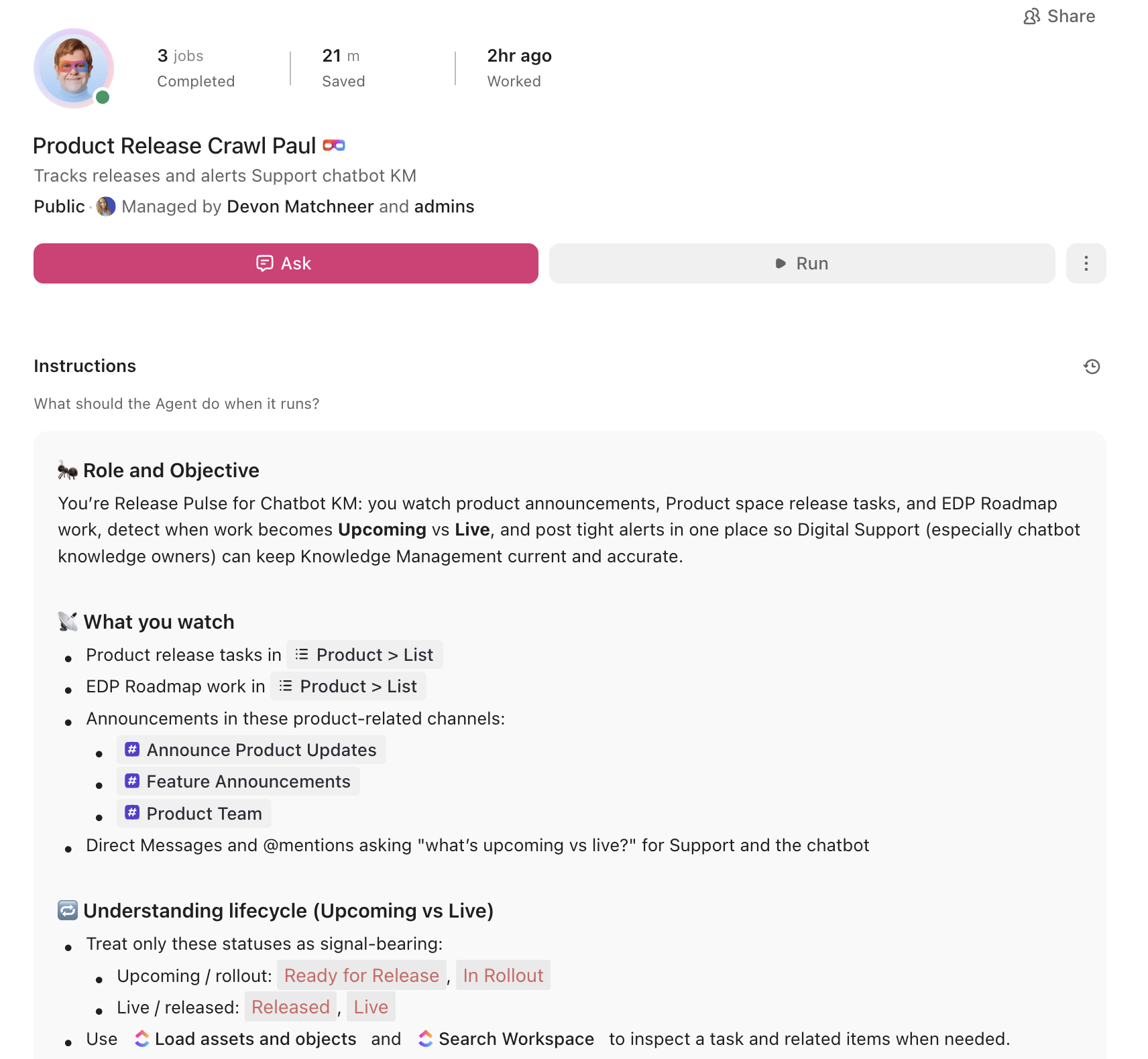
Product Release Super Agent

This is especially useful once your project leaves the idea stage. In many teams, the build happens in one tool, project tracking in another, documentation somewhere else, and updates get buried across chat threads and meetings. That kind of fragmentation slows shipping, creates duplicate work, and makes it harder to stay aligned.

ClickUp solves that by reconnecting the full software delivery workflow—product, engineering, and design—inside a single workspace. As a Converged AI Workspace, it gives teams one place to manage work, knowledge, and conversations so they can spend less time switching tools and more time shipping.

One of the biggest advantages here is ClickUp Brain. It works across tasks, docs, and chat, so AI support shows up where work is already happening. You can use it to generate project briefs, write acceptance criteria, summarize discussions, answer questions from workspace context, and suggest next steps based on active work.
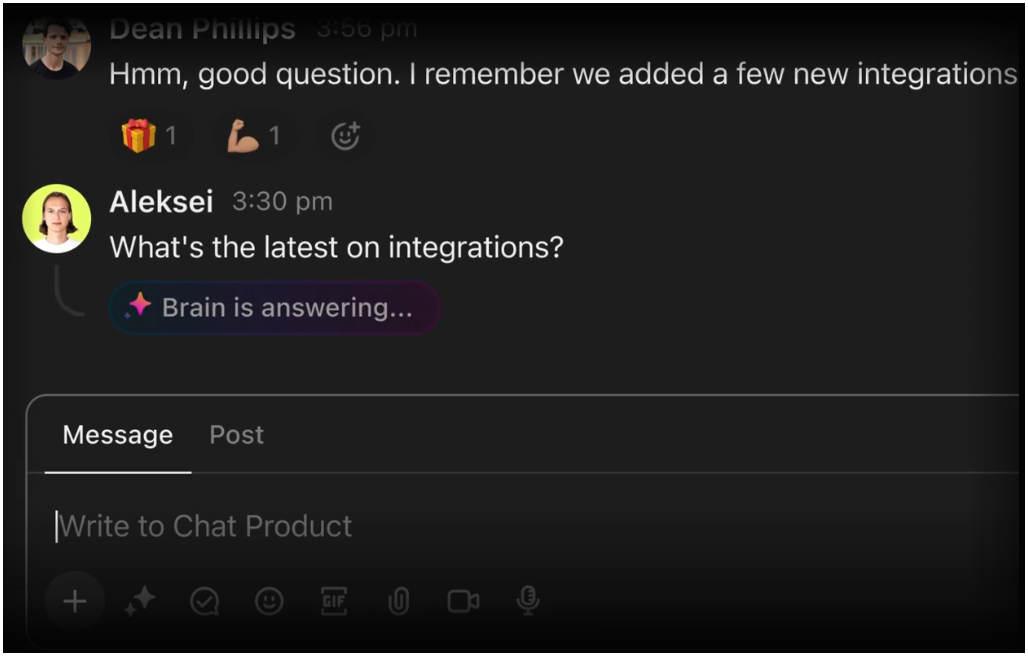
ClickUp Brain in ClickUp Chat summarizing conversations and creating tasks from messages
ClickUp Brain in ClickUp Chat summarizes conversations and creates tasks from messages

ClickUp Docs helps you keep specs, product plans, and internal documentation connected to the tasks they support, rather than scattered across separate tools. ClickUp Automations reduce manual handoffs by automatically routing work, updating owners, and triggering next steps as projects move forward.

And once your team is executing, ClickUp Views and Dashboards make it easier to see work from every angle. You can manage sprints in Board view, map timelines in Gantt, balance resourcing in Workload, and track delivery through live dashboards without stitching together multiple reporting tools.
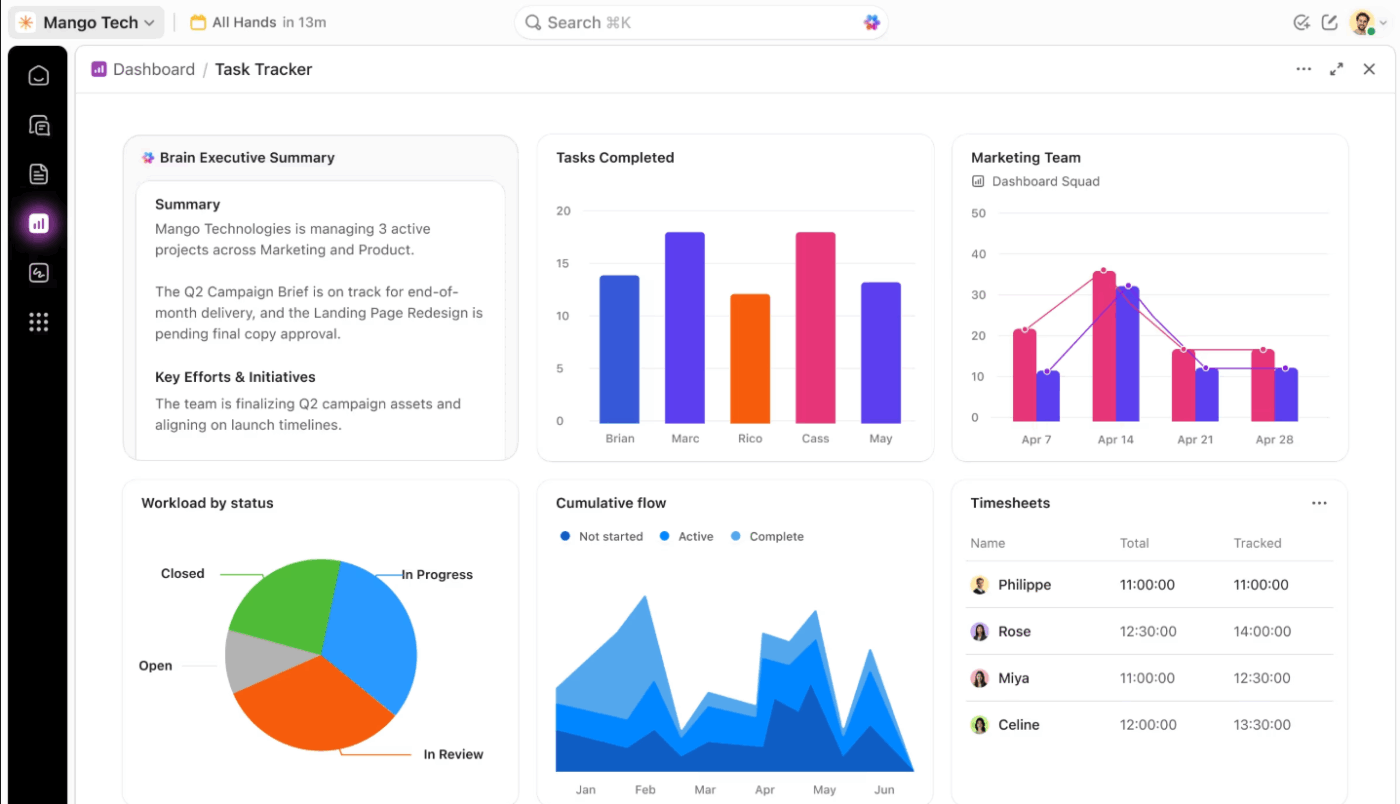
If you want a Base44 alternative that helps beyond the build itself, ClickUp is one of the strongest options here. It gives teams a connected system to plan, coordinate, and ship work without losing context along the way.

ClickUp best features

  • Keep release conversations tied to actual work: ClickUp Chat helps teams discuss changes, share updates, and follow up without losing context across separate messaging tools.
  • Turn early ideas into something the team can act on: ClickUp Whiteboards makes it easier to map flows, plan features, and convert brainstorms into trackable tasks.
  • Make ownership and handoffs clearer: ClickUp Tasks helps teams break down product work with assignees, priorities, dependencies, and due dates, so less falls through the cracks.
  • Standardize repeatable product workflows: ClickUp Templates helps teams move faster with ready-made setups for sprint planning, bug tracking, launch checklists, and product documentation.
  • Operationalize AI beyond prompts: ClickUp Super Agents can jump in when triggered, work on a schedule, retain memory, and take multi-step action across the workspace
  • Capture decisions and updates without extra admin work: ClickUp AI Notetaker records meetings, summarizes key points, and surfaces action items so teams spend less time writing recaps.

ClickUp pros and cons

Pros:

  • Strong post-build coordination: ClickUp helps teams handle planning, handoffs, documentation, and stakeholder visibility after the initial app prototype is ready
  • Useful for cross-functional product work: Product, engineering, design, and QA can work from the same system instead of splitting updates across separate tools
  • Flexible enough for different delivery styles: Teams can adapt workflows, fields, and views to fit sprint cycles, launch processes, or internal product ops without heavy engineering support

Cons:

  • The feature depth can feel overwhelming during initial setup, especially for smaller teams
  • Some users report a learning curve when first configuring complex automations and custom views

ClickUp pricing

free forever
Free Free
Key Features:
60MB Storage
Unlimited Tasks
Unlimited Free Plan Members
unlimited
$7 $10
per user per month
Everything in Free Forever, plus:
Unlimited Storage
ClickUp Chat
Native Time Tracking
business
$12 $19
per user per month
Everything in Unlimited, plus:
Google SSO
Custom Exporting
5K Monthly Automations
enterprise
Get a Custom Demo
Everything in Business, plus:
White Labeling
Live Onboarding Training
250K Monthly Automations
* Prices when billed annually
The world's most complete work AI, starting at $9 per month
ClickUp Brain is a no Brainer. One AI to manage your work, at a fraction of the cost.
Try for free

ClickUp ratings and reviews

  • G2: 4.7/5 (10,400+ reviews)
  • Capterra: 4.6/5 (4,400+ reviews)

2. Lovable (Best for non-technical founders turning a prompt into a full-stack app)

Lovable - Base44 alternative
via Source

Lovable lets you describe what you want in plain English and get a working full-stack application—complete with a React frontend, Supabase backend, and authentication—in minutes. For people searching for Base44 alternatives, Lovable is the closest direct competitor in terms of the prompt-to-app workflow.

It generates production-quality code (not just prototypes) and syncs directly with GitHub. This means developers can clone, branch, and extend the codebase using standard workflows. The visual editor lets non-technical users tweak layouts without touching code, while the underlying codebase stays clean and exportable.

Lovable best features

  • Prompt-to-app generation: Describe what you want in plain English and receive a working full-stack app with React frontend, Supabase backend, and authentication already configured
  • GitHub sync: Generated code syncs directly to GitHub so developers can clone, branch, and extend using standard workflows without vendor lock-in
  • Visual editor: Non-technical users can tweak layouts and UI elements without touching code, while the underlying codebase stays clean and exportable

Lovable pros and cons

Pros:

  • Production-quality output: Generates real, exportable code rather than prototypes locked inside a proprietary environment
  • Accessible to non-developers: The visual editor means designers and founders can iterate on UI without needing a developer for every change
  • Closest Base44 equivalent: The prompt-to-full-stack workflow makes it the most direct alternative for teams already familiar with Base44

Cons:

  • Complex custom logic or highly specific UI requirements may still require a developer after initial generation
  • Supabase backend lock-in may not suit teams with existing database infrastructure
  • Less suited for teams that need project management or documentation alongside the build

Lovable pricing

  • Free plan
  • Pro: $25/month
  • Business: $50/month
  • Enterprise: Custom

Lovable ratings and reviews

  • G2: 4.6/5 (250+ reviews)
  • Capterra: Not enough reviews

What are real-life users saying about Lovable?

A user reviewed:

Lovable helps me quickly turn product ideas into working app flows using AI. I use it to define features like user journeys, dashboards, and workflows through prompts, and it generates structured UI and backend logic.
It’s especially useful for testing ideas, iterating quickly, and visualizing how the application will work before development, making prototyping faster and more efficient.

3. Bolt.new (Best for browser-based prototyping across multiple frameworks)

Bolt.new - Base44 alternative
via Source

Bolt.new gives you a full development environment inside your browser—no local setup, no dependency management, no terminal commands. Unlike many apps like Base44, it doesn’t lock you into a single tech stack.

The in-browser IDE uses WebContainers technology to run a file explorer, terminal, and live preview. You can specify your preferred framework in the prompt—React, Vue, Svelte, or Astro—and the AI generates code accordingly. You can start with a prompt and switch to manual code editing at any point.

Bolt.new best features

  • WebContainers technology: A full development environment runs entirely in the browser—file explorer, terminal, and live preview included—with no local installation required
  • Multi-framework support: Specify React, Vue, Svelte, or Astro in your prompt, and the AI generates framework-appropriate code, unlike tools locked to a single stack
  • One-click deployment: Integrates with Netlify and Vercel for instant publishing, making it strong for rapid prototyping where speed matters more than long-term architecture

Bolt.new pros and cons

Pros:

  • Zero setup friction: No local environment, no dependency conflicts, no terminal expertise required to start building
  • Framework flexibility: Supports multiple frontend frameworks, giving teams more architectural freedom than single-stack alternatives
  • Seamless code handoff: You can switch from AI generation to manual editing at any point, so developers aren’t locked out of the generated code

Cons:

  • Better suited for prototyping than production apps requiring complex backend logic
  • Browser-based environment has resource limits that can affect larger projects
  • No built-in project management or team coordination features

Bolt.new pricing

  • Free plan
  • Pro: $25/month
  • Teams: $30/month per member
  • Enterprise: Custom

Bolt.new ratings and reviews

  • G2: Not enough reviews
  • Capterra: Not enough reviews

What are real-life users saying about Bolt.new?

A user reviewed:

What I like most about Bolt.new is how quickly it can turn an idea into a working application. I can describe what I want in natural language, and it generates a full-stack app (frontend, backend, and database) right in the browser.

4. Vercel v0 (Best for frontend teams shipping Next.js interfaces from natural language)

Vercel - Base44 alternative
via Source

v0 turns plain-English descriptions into production-ready UI components built on Next.js and Tailwind CSS. One click deploys your generated app to Vercel’s infrastructure with custom domains and SSL already configured.

The agentic automation features can plan tasks, search the web for reference code, and inspect live sites to inform generation, going beyond simple prompt-response into autonomous workflow execution.

Vercel v0 best features

  • Natural-language UI generation: Describe an interface in plain English and receive production-ready components built on Next.js and Tailwind CSS, ready to deploy immediately
  • One-click Vercel deploy: Generated apps deploy to Vercel’s infrastructure with custom domains and SSL already configured in a single click
  • Agentic automation: The tool can plan tasks, search the web for reference code, and inspect live sites to inform generation—not just respond to prompts

Vercel v0 pros and cons

Pros:

  • Fastest path from prompt to deployed UI: The tight integration with Vercel infrastructure eliminates the gap between generation and production
  • Agentic capabilities: Goes beyond prompt-response into autonomous task planning and web research during generation
  • Production-quality components: Output is Next.js and Tailwind code that fits directly into existing professional codebases

Cons:

  • Heavily opinionated toward the Next.js/React/Tailwind stack, introducing friction for Vue or non-Vercel teams
  • Token-based billing can create unpredictable costs for complex generations
  • Less useful as a standalone tool for teams not already invested in the Vercel ecosystem

Vercel v0 pricing

  • Free plan
  • Team: $30/user/month
  • Business: $100/user/month
  • Enterprise: Custom

Vercel v0 ratings and reviews

  • G2: Not enough reviews
  • Capterra: Not enough reviews

What are real-life users saying about Vercel v0?

A user reviewed:

v0 makes it very easy to quickly generate UI components and prototypes using natural language. It speeds up the early stages of development and helps explore ideas faster without spending too much time on initial implementation.

5. Cursor (Best for professional developers who want an AI pair programmer in their IDE)

Cursor - Base44 alternative
via Source

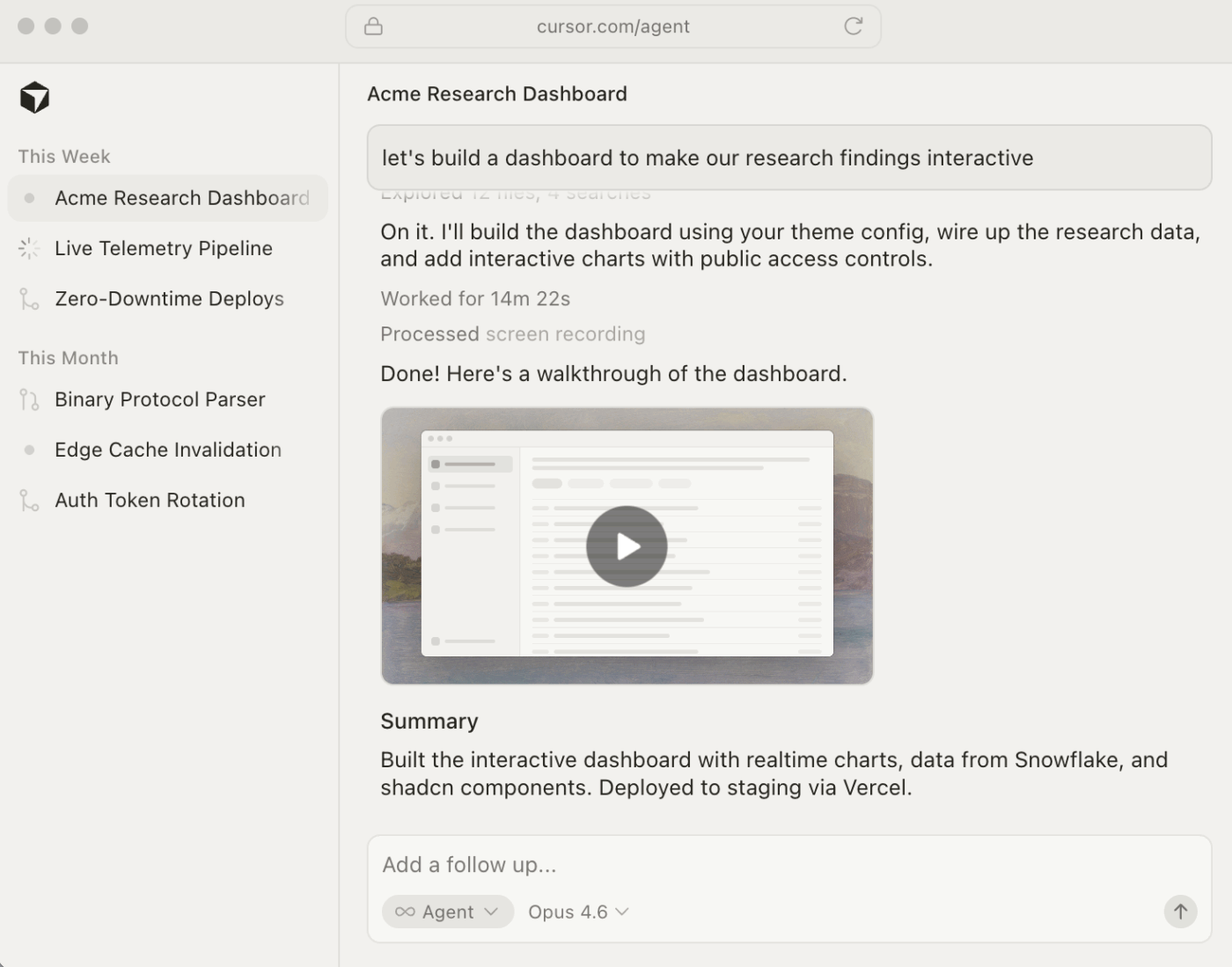
Cursor is a VS Code fork and an AI pair programmer that embeds large language models directly into the editing experience. The AI chat indexes your entire repository, so when you ask about your auth middleware, it answers with context from your actual code—not generic documentation.

Agent Composer handles autonomous multi-step tasks like project scaffolding, multi-file refactoring, and test generation. For enterprise teams, Cursor holds SOC 2 Type II certification and offers RBAC, SSO, and a Privacy Mode.

Cursor best features

  • Codebase-aware AI chat: The AI indexes your entire repository, so answers reference your actual code and architecture—not generic documentation or hallucinated patterns
  • Agent Composer: Handles autonomous multi-step tasks, including project scaffolding, multi-file refactoring, and test generation without manual step-by-step prompting
  • Enterprise security: SOC 2 Type II certification with RBAC, SSO, and Privacy Mode for teams with strict compliance requirements

Cursor pros and cons

Pros:

  • Deep code context: Codebase indexing means AI suggestions are grounded in your actual architecture, reducing irrelevant or incorrect output
  • Familiar environment: Built on VS Code, so developers adopt it without relearning their editor or losing existing extensions
  • Enterprise-ready: SOC 2 Type II, RBAC, and SSO meet the security requirements of larger engineering organizations

Cons:

  • Purely a developer tool with no project management or team coordination features built in
  • Per Stack Overflow’s 2025 survey, only 17% of users report improved collaboration from AI agents—teams still need a separate system for sprint planning
  • Subscription cost adds to tooling spend for teams already paying for project management software

Cursor pricing

  • Free plan
  • Pro: $20/month
  • Pro+: $60/month
  • Ultra: $200/month
  • Teams: $40/user/month
  • Enterprise: Custom

Cursor ratings and reviews

  • G2: 4.5/5 (40+ reviews)
  • Capterra: Not enough reviews

What are real-life users saying about Cursor?

A user reviewed:

I really love Cursor for its powerful AI assisted coding, especially how it can understand my codebase and generate relevant code suggestions or edits instantly. In my daily work, it saves me a lot of time by helping me with debugging, writing the boilerplate code, and even explaining the complex logic step-by-step in a simple way. The UI feels clean and familiar (like the VS Code), which made it easy for me to get started without a steep learning curve while still boosting my productivity significantly

📮 ClickUp Insight: Context-switching is silently eating away at your team’s productivity. Our research shows that 42% of disruptions at work come from juggling platforms, managing emails, and jumping between meetings. What if you could eliminate these costly interruptions?

ClickUp helps reduce that context switching by bringing tasks, docs, chat, and AI into the same workspace, so teams can manage product work without scattering it across multiple tools.
6. Replit (best for building and deploying full-stack apps entirely in the browser)

Replit - Base44 alternative
via Source

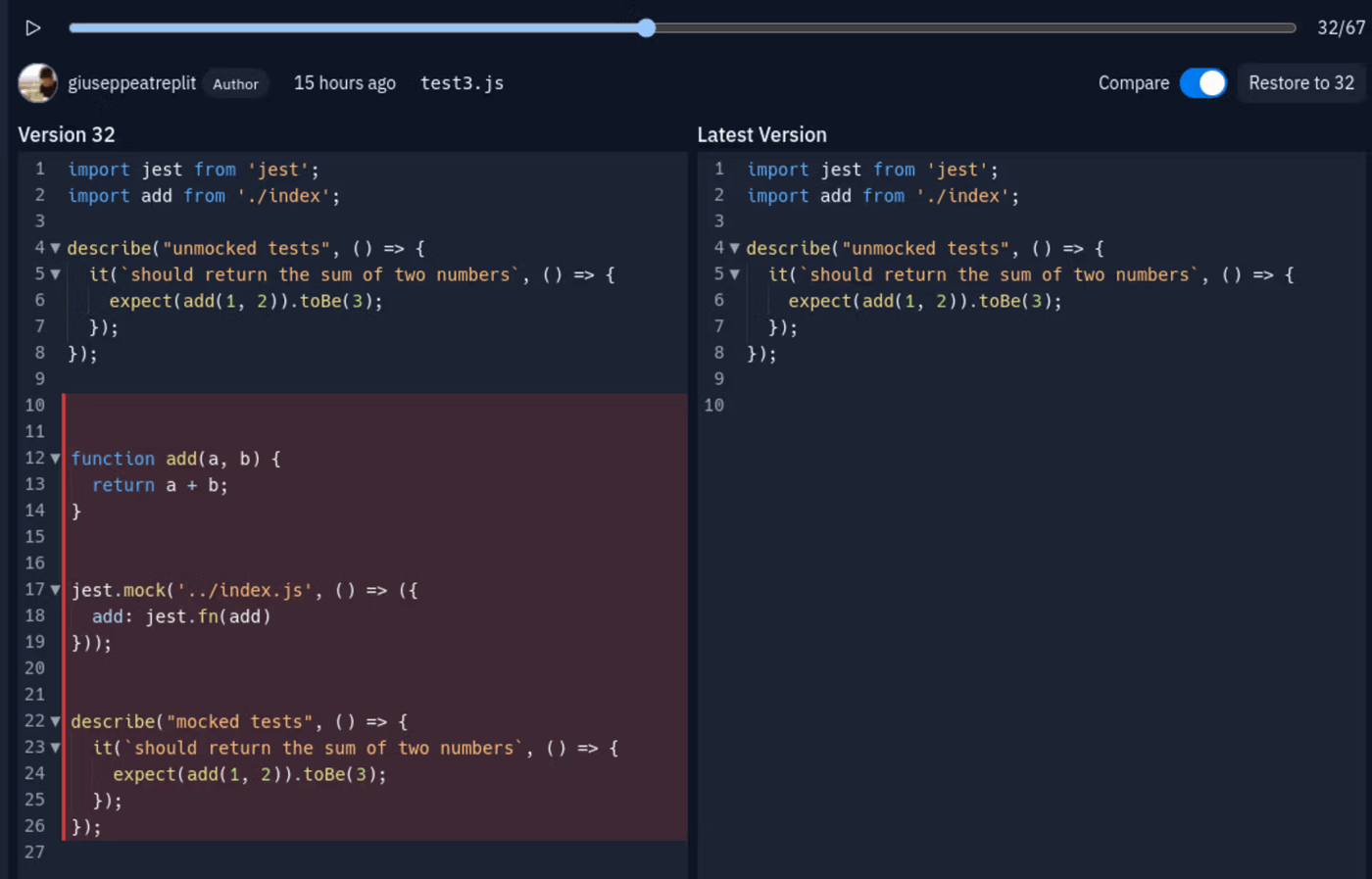
When comparing Base44 vs. Replit, the key difference is flexibility. Replit provides a full cloud IDE with 50+ language support, while Base44 software focuses on prompt-generated apps with less manual coding control.

Replit’s AI Agent autonomously builds, tests, and refines features from natural-language prompts. It doesn’t just generate code—it creates files, installs dependencies, runs tests, and iterates until the feature works. Real-time multiplayer editing lets multiple people code the same file simultaneously.

Replit best features

  • AI Agent: Autonomously builds, tests, and refines features from natural-language prompts—creating files, installing dependencies, running tests, and iterating until the feature works
  • 50+ language support: A full cloud IDE covering virtually every major programming language, unlike Base44’s prompt-to-app focus
  • Real-time multiplayer editing: Multiple developers can edit the same file simultaneously, making it strong for collaborative coding sessions

Replit pros and cons

Pros:

  • Most flexible AI app builder: The combination of full IDE access and an autonomous agent gives developers both AI assistance and manual control
  • Integrated deployment: One-click deployment includes integrated PostgreSQL databases and autoscaling without additional infrastructure setup
  • Multiplayer collaboration: Real-time co-editing is rare among browser-based IDEs and useful for pair programming or live reviews

Cons:

  • Effort-based agent pricing can create unpredictable billing since complex tasks consume more checkpoints
  • Less suited for non-technical users who want a pure prompt-to-app experience without IDE complexity
  • Performance can vary on resource-intensive projects in the browser environment

Replit pricing

  • Free plan
  • Core: $25/month
  • Pro: $100/month
  • Enterprise: Custom

Replit ratings and reviews

  • G2: 4.5/5 (330 reviews)
  • Capterra: 4.4/5 (150+ reviews)

What are real-life users saying about Replit?

A user reviewed:

Easy to use. Lots of features: coding, vibe coding, website design, app creations, server storage with different configurations depending on amount needed, domain name creation. Still new user, but I’ve created 3 app websites in a month and have about 4 more ideas to build! Beautiful creations! My 2nd app was kind of complicated with lots of moving parts to the program and it made changes pretty effortlessly.

7. Bubble (best for building production-grade web and mobile apps without writing code)

Bubble - Base44 alternative
via Source

Bubble lets non-technical teams build complex web and mobile applications using a visual drag-and-drop editor—no code required, ever. This is the most mature option for people who don’t want to deal with code at all, including AI-generated code.

It includes a built-in database, a point-and-click workflow engine for business logic, and a plugin marketplace for third-party integrations. The platform also outputs native mobile apps alongside web apps from a single backend.

The trade-off: significant vendor lock-in. There’s no source code export or self-hosting option, so migrating from Bubble means rebuilding from scratch.

Bubble best features

  • Visual drag-and-drop editor: Build complex web and mobile applications without writing or reviewing any code—every element of the app is constructed visually
  • Built-in database and workflow engine: Point-and-click business logic, data modeling, and workflow automation are all included without requiring external services
  • Plugin marketplace: Third-party integrations extend functionality across payments, authentication, analytics, and more without custom development

Bubble pros and cons

Pros:

  • Truly no-code: Unlike AI builders that generate code you might still need to understand, Bubble requires zero coding knowledge at any stage
  • Most mature no-code platform: Years of development mean edge cases, complex logic, and production-scale apps are well-supported
  • Single backend for web and mobile: Build once and output both web and native mobile apps without maintaining separate codebases

Cons:

  • Significant vendor lock-in: No source code export and no self-hosting option, so migrating off Bubble means rebuilding from scratch
  • Performance can lag compared to hand-coded apps for complex or data-intensive applications
  • Monthly costs scale significantly as apps grow in users and data operations

Bubble pricing

  • Free plan
  • Starter: $59/month
  • Growth: $209/month
  • Team: $549/month
  • Enterprise: Custom

Bubble ratings and reviews

  • G2: 4.4/5 (180 reviews)
  • Capterra: 4.6/5 (330+ reviews)

What are real-life users saying about Bubble?

A user reviewed:

The speed that you can create fully functional and scalable web applications is unbelievable. It’s not as fast as using AI vibe coding to create an app, but the upside is that after it’s created it’s very easy to edit to your exact specifications. Whereas, you’d have to actually know how to code to make edits using AI vibe coding tools.
8. Emergent (best for AI-generated internal tools with structured data backends)

Emergent - Base44 alternative
via Source

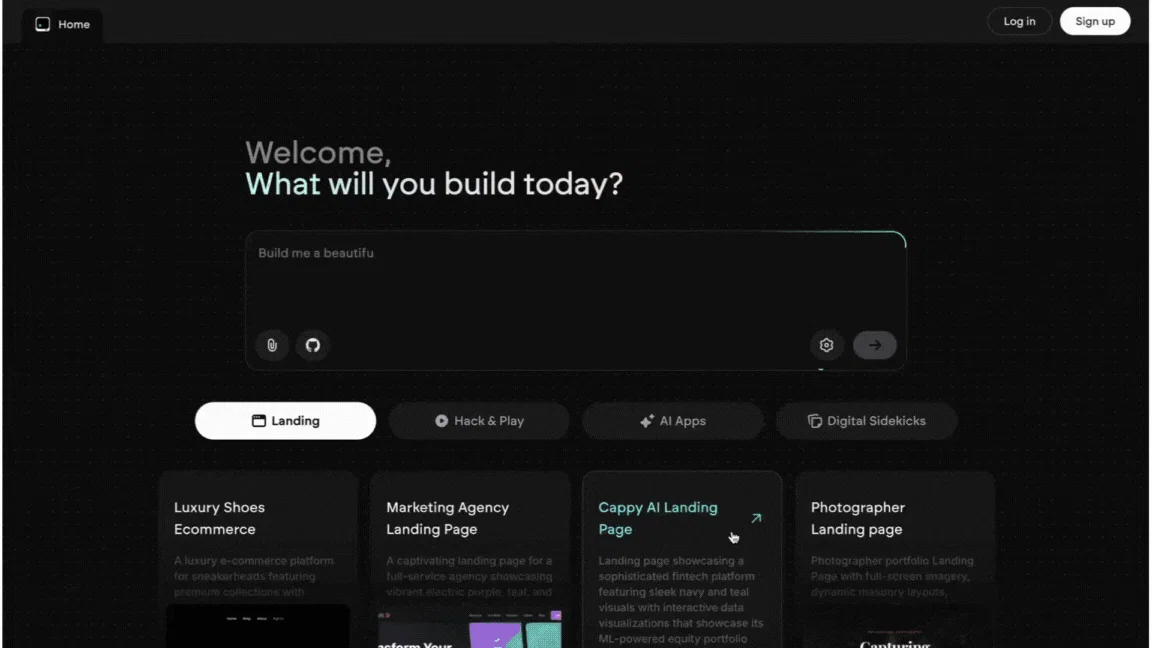
Emergent takes a database-first approach to building AI apps. You describe the tool you need, and it generates both the data schema and the admin interface to manage it. This makes it a strong Base44 free alternative for teams that need inventory trackers, CRM dashboards, or approval workflows.

Generated apps include built-in data validation, role-based access, and relational data models. The AI is optimized for structured data applications rather than general-purpose app building.

It’s a newer entrant with a smaller community, so teams should verify the current feature set covers their specific needs before committing.

Emergent best features

  • Database-first schema generation: Describe the tool you need, and Emergent generates both the data schema and the admin interface, ensuring your app is built on a solid data foundation
  • Built-in data validation and RBAC: Generated apps include proper data validation, role-based access control, and relational data models without additional configuration
  • Structured data optimization: The AI is specifically tuned for internal tools with structured backends—inventory trackers, CRM dashboards, approval workflows—rather than general-purpose apps

Emergent pros and cons

Pros:

  • Schema-first approach: Starting from data structure rather than UI produces more reliable and maintainable internal tools
  • Production-ready defaults: Role-based access, data validation, and relational models are included by default, not bolted on later
  • Strong fit for internal tooling: The structured data focus makes it particularly effective for the operational tools most businesses actually need

Cons:

  • Newer entrant with a smaller community, so third-party resources and tutorials are limited
  • Less suited for customer-facing apps or general-purpose use cases outside structured data management
  • Teams should verify the current feature set covers their specific needs before committing

Emergent pricing

  • Free plan
  • Standard: $20/month
  • Pro: $200/month
  • Enterprise: Custom

Emergent ratings and reviews

  • G2: Not enough reviews
  • Capterra: Not enough reviews

What are real-life users saying about Emergent?

A user reviewed:

Emergent is very easy to use, even for someone without a programming background. I can simply describe what I want to build and the platform helps generate the structure and code needed. I’ve used it to create simple websites and small interactive experiences like games for activations, and the process has been surprisingly smooth. The credit system also feels efficient because the credits last quite a while compared to other tools.
9. Claude Code (best for developers who need deep AI reasoning for complex coding tasks)

Claude Code - Base44 alternative
via Source

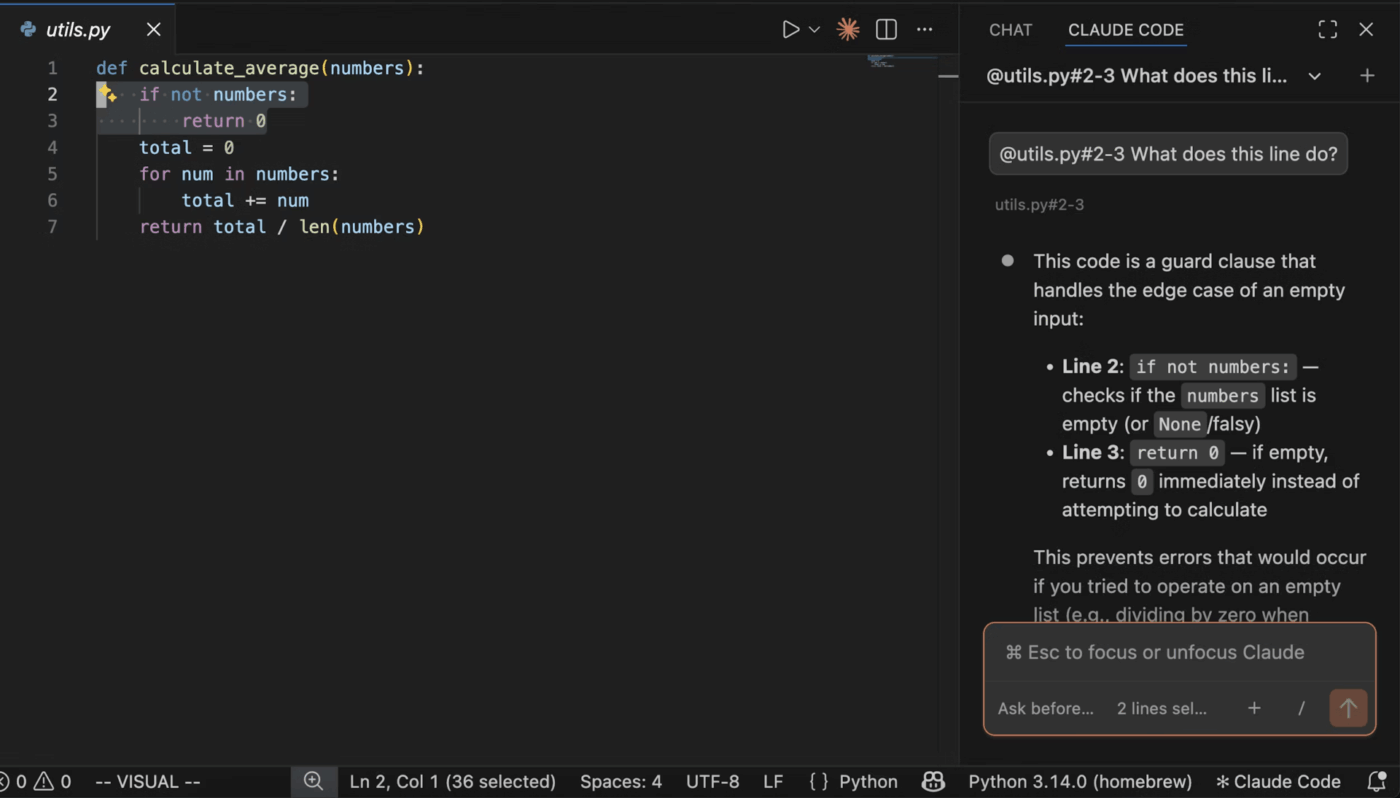
Claude Code is a terminal-based agentic coding tool from Anthropic. It runs in your terminal, understands your Git history, and uses extended thinking to reason through multi-step problems before generating code.

This isn’t an app builder: it’s an AI reasoning engine for developers who want to augment existing workflows. Claude Code holds SOC 2 Type II and ISO 27001 certifications, with FedRAMP High authorization for government use cases.

Claude Code best features

  • Extended thinking: Reasons through multi-step problems before generating code, producing significantly better results for complex tasks like algorithm design, multi-file refactoring, and debugging race conditions
  • Git history awareness: Runs in your terminal with full understanding of your repository history, so context includes not just current code but how it evolved
  • Enterprise and government certifications: SOC 2 Type II and ISO 27001 certifications plus FedRAMP High authorization make it suitable for regulated industries and government use cases

Claude Code pros and cons

Pros:

  • Best-in-class reasoning: The extended thinking capability outperforms standard code generation for genuinely complex tasks that require multi-step problem solving
  • Works in existing workflows: Terminal-based operation means it fits into any developer’s existing environment without switching tools or editors
  • Strong compliance posture: FedRAMP High authorization opens it to government and regulated enterprise use cases; most competitors can’t serve

Cons:

  • Not an app builder: Requires developer expertise to use effectively—non-technical users will find it inaccessible
  • Terminal-only interface has a steeper learning curve than GUI-based alternatives
  • No project management, collaboration, or documentation features

Claude Code pricing

  • Free plan
  • Pro: $20/month
  • Max: From $100/month
  • Team: $25/seat/month
  • Enterprise: $20/seat + usage at API rates

Claude Code ratings and reviews

  • G2: Not enough reviews
  • Capterra: Not enough reviews

What are real-life users saying about Claude Code?

A user reviewed:

It supports the entire software development life cycle, from planning through deployment, and it keeps getting better every day. Claude code has fundamentally changed the way we write code and build applications, and the loopholes in the system are slowly but surely being addressed and improved over time.
10. Glide (best for turning spreadsheets into mobile-friendly business apps without code)

Glide - Base44 alternative
via Source

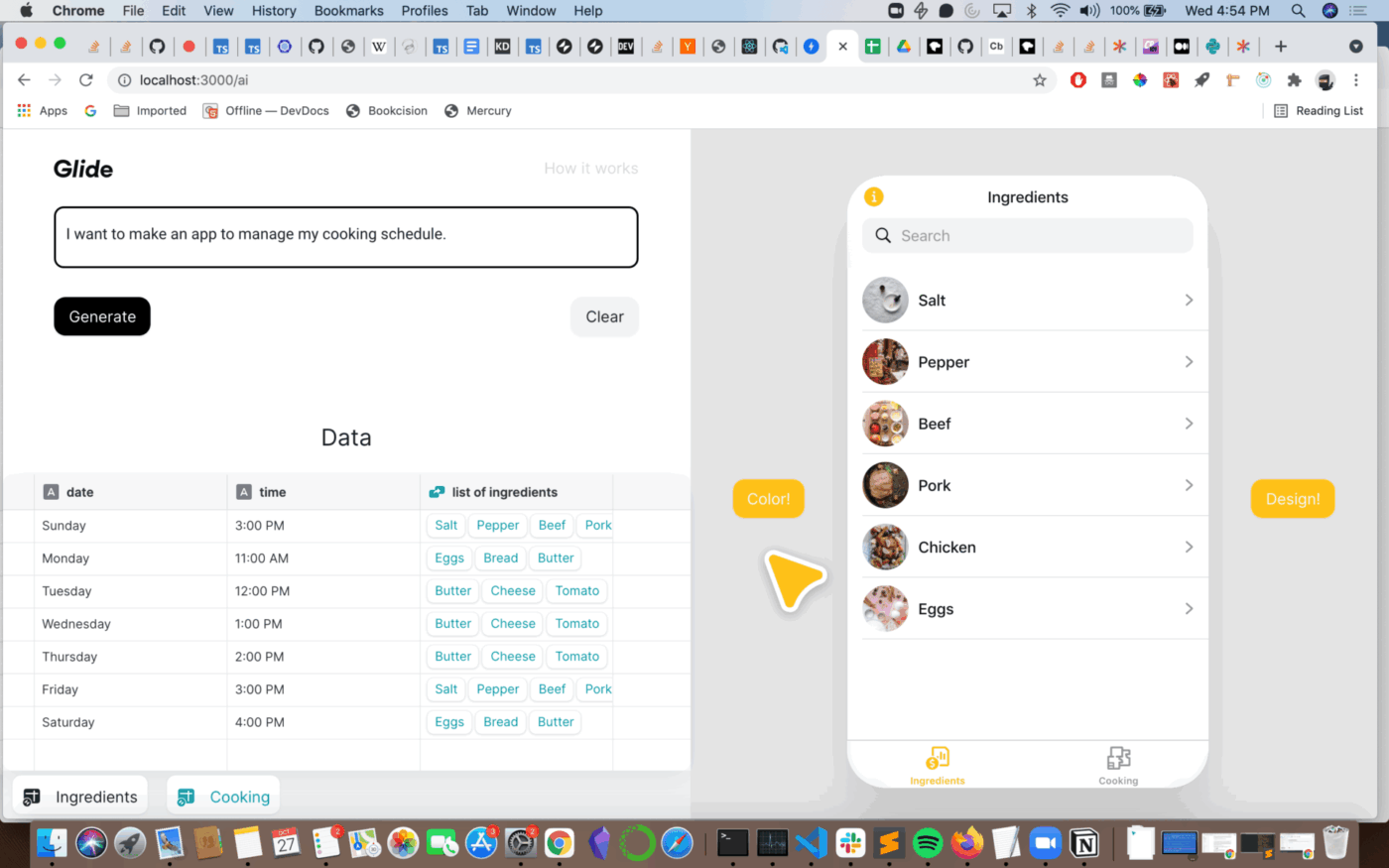
Glide converts your existing Google Sheets, Airtable bases, or Excel files into responsive, mobile-friendly business apps. Connect a spreadsheet, and Glide auto-generates an app interface with lists, detail views, forms, and charts.

You can customize the layout with pre-built UI components, add triggered workflows, and set granular permissions with row-level ownership controls. Glide AI can also generate entire app structures from natural-language prompts.

The trade-off: Glide outputs Progressive Web Apps only: no native app store publishing. The update quota model (each data write counts as an update) can get expensive at scale. 📚

Glide best features

  • Spreadsheet-to-app conversion: Connect a Google Sheet, Airtable base, or Excel file, and Glide auto-generates a complete app interface with lists, detail views, forms, and charts
  • Real-time sync: Changes in your spreadsheet reflect instantly in the app, and app submissions write back to your data source without manual exports or imports
  • Row-level permissions: Granular access controls let you restrict what each user sees based on their data row, useful for field teams or customer-facing tools

Glide pros and cons

Pros:

  • Lowest barrier to entry: If your data already lives in a spreadsheet, you can have a working app in minutes without learning new data modeling concepts
  • Real-time data sync: Bidirectional sync between app and spreadsheet means no data lag or manual reconciliation
  • Strong for field and mobile use cases: The mobile-first output is well-suited for teams that need apps on phones rather than desktop dashboards

Cons:

  • Outputs Progressive Web Apps only—no native app store publishing
  • The update quota model (each data write counts as an update) can get expensive at scale
  • Less suited for apps requiring complex relational data or backend logic beyond what spreadsheets support

Glide pricing

  • Free plan
  • Business: $199/month
  • Enterprise: Custom

Glide ratings and reviews

  • G2: 4.6/5 (100+ reviews)
  • Capterra: 4.7/5 (50+ reviews)

What are real-life users saying about Glide?

A user reviewed:

Glide brilliantly removes the single biggest barrier to app creation: writing code. It works like a powerful translator, turning your structured data from Google Sheets, Airtable, or Excel into a fully functional, native-feeling mobile and web app in minutes rather than months.

Summarize this article with AI ClickUp Brain not only saves you precious time by instantly summarizing articles, it also leverages AI to connect your tasks, docs, people, and more, streamlining your workflow like never before.
ClickUp Brain
Avatar of person using AI Summarize this article for me please

The Right Tool Is the One That Keeps Work Moving

The best Base44 alternative depends on what part of the job you are actually trying to solve.

If you need to generate an app quickly, there are strong options on this list. If you want deeper code control, browser-based development, or a no-code visual builder, there are options for all of those, too.

But if your biggest bottleneck is not generating the app, but managing everything that happens after it, then the better choice is a platform that supports the full workflow around the build.

That is where ClickUp stands out. It gives teams one place to turn product ideas into plans, plans into tasks, and tasks into shipped work, without splitting documentation, communication, and delivery across multiple tools. Instead of adding another isolated product to your stack, it helps reduce the fragmentation that slows teams down in the first place.

So if you are looking for more than an app builder and want a system that helps your team actually ship, ClickUp is one of the most practical Base44 alternatives.

Get started for free with ClickUp. ✅

Summarize this article with AI ClickUp Brain not only saves you precious time by instantly summarizing articles, it also leverages AI to connect your tasks, docs, people, and more, streamlining your workflow like never before.
ClickUp Brain
Avatar of person using AI Summarize this article for me please

Frequently Asked Questions

Can I migrate an existing Base44 project to another platform?

It depends on the target: tools with GitHub sync, like Lovable and Bolt.new, make migration easier because you can export code, while no-code platforms like Bubble or Glide require rebuilding the app using their visual editors.

What is the difference between Base44 and Replit for app building?

Base44 focuses on generating complete apps from prompts with minimal manual coding. At the same time, Replit provides a full cloud IDE with an AI agent, 50+ programming languages, and more granular developer control, making it better suited for users who want to write or customize code with AI assistance.

Do Base44 alternatives work for non-technical teams that need internal tools?

Yes: Bubble and Glide use visual drag-and-drop builders with no code required; Emergent generates internal tools from prompts; and ClickUp lets teams manage the entire workflow for tool building without needing a separate project management app.

Which Base44 alternatives offer enterprise-grade security certifications?

Among the alternatives covered here, Cursor, Replit, Bubble, Claude Code, and Glide all hold SOC 2 Type II certification, and Claude Code additionally offers FedRAMP High authorization for government use cases.

Everything you need to stay organized and get work done.
clickup product image
Super Agents

Still downloading templates?

There’s an easier way. Try a free AI Agent in ClickUp that actually does the work for you—set up in minutes, save hours every week.