






Still downloading templates?
There’s an easier way. Try a free AI Agent in ClickUp that actually does the work for you—set up in minutes, save hours every week.
Sorry, there were no results found for “”
Sorry, there were no results found for “”
Sorry, there were no results found for “”
According to a Supply Chain Brain survey, 85% of executives plan to increase their AI spending in 2026, and 1 in 5 expect that spend to rise by 20% or more. Yet many supply chain teams still rely on manual decision-making that affects costs, inventory, and service every day.
This guide walks you through how AI in supply chain management works, the ways it solves real operational problems, and how to prepare your team to adopt it without adding more tools to your already crowded tech stack.
AI in supply chain management refers to the use of smart technologies such as machine learning and predictive analytics to make the entire process of moving goods, from planning and sourcing to production and delivery, more efficient and intelligent.
Instead of relying only on rigid rules and historical averages, AI learns patterns from your operational data (orders, inventory, lead times, supplier performance), plus external signals (weather, traffic, disruptions), then recommends or automates decisions.
AI systems take in massive amounts of data from sources like IoT sensors on shipments, your company’s ERP system, and even external weather feeds. Then they use algorithms to find patterns and make predictions.
The process breaks down into a few important steps:
Different types of AI handle different jobs. For example, computer vision can automatically inspect products for defects, while natural language processing (NLP) can analyze communications from your suppliers. But remember, AI is only as good as the data you give it.
If your data is messy or incomplete, your results will be, too.
📚 Read More: Supply Chain Dashboard
Here are some of the most practical ways AI improves day-to-day supply chain operations:
For years, demand forecasting has relied on past sales and educated guesses.
This often leads to one of two bad outcomes: you either run out of stock and disappoint customers, or you produce too much and waste money on products that sit on shelves.
AI fixes this by looking at hundreds of different signals at once. It analyzes historical sales data, but it also considers your marketing promotions, what people are saying on social media, economic trends, and even local events to create forecasts that are constantly updated in real time.
Gartner predicts that 70% of large enterprises will adopt AI-based supply chain forecasting by 2030.
📌 Example: With this approach, OTTO, a major online retailer, used Google Cloud’s AI forecasting capabilities (including the TiDE model on Vertex AI) to improve demand forecasting accuracy by 30%.
Managing inventory feels like a constant tightrope walk. If you hold too much, you’re tying up cash and wasting warehouse space. But if you hold too little, you risk losing sales and paying extra for rush shipping.
AI helps you find the perfect balance. Its algorithms can calculate the ideal amount of stock to keep for every single product at every location, taking into account things like supplier lead times and how much demand tends to fluctuate.
AI can even automate replenishment by automatically creating a purchase order the moment your stock hits a certain level, so you’re never caught off guard.
📌 Example: Starbucks rolled out an AI-based inventory counting system across 11,000+ company-owned North American stores, where employees scan shelves with a tablet, and the AI automatically counts items and flags products running low. Starbucks said the rollout enabled faster replenishment and more consistent availability of popular ingredients, and the company noted that in stores where it was already deployed, inventory counts increased eightfold.
Planning a single delivery route is surprisingly complex. You have to think about traffic, fuel prices, driver schedules, specific delivery windows, and how much each truck can hold. Trying to manage all of that across an entire fleet is nearly impossible to do manually.
AI handles this well. Optimization algorithms can look at millions of possible routes in a matter of seconds to find the one that costs the least while still meeting all your delivery promises. And if something unexpected happens—like a sudden traffic jam or an urgent last-minute order—the AI can recalculate the best route on the fly. This is particularly powerful for last-mile delivery, which is often the most expensive part of the entire logistics process.
📌 Example: UPS uses ORION (On-Road Integrated Optimization and Navigation), which applies advanced algorithms, AI, and machine learning to plan and continuously optimize delivery routes. UPS noted that ORION has helped them save about 100 million miles and 10 million gallons of fuel per year since its initial deployment.
A busy warehouse can feel chaotic. You have to coordinate picking, packing, and shipping for thousands of different products, all while racing against the clock.
👀 Did You Know? 29% of manufacturers already use AI/ML at the facility or network level to bring order to these operations.
AI powers autonomous robots that help pick items, determine the most efficient place to store each product for quick access, and organize orders in the most useful sequence. It also uses computer vision for tasks like automatically checking for product defects or counting inventory without needing a person to scan every box.
📌 Example: Amazon’s Sparrow is an AI-enabled robotic system that uses computer vision to identify and pick individual items from bins and move them along in the fulfillment workflow. It’s designed to handle millions of different products, which is one of the hardest problems in warehouse automation because item shapes and packaging vary so much.
At a network level, Amazon describes this kind of robotics as supporting faster, more consistent fulfillment by reducing manual item-handling steps and keeping work moving even as order volume and SKU variety shift.
Risk management helps you identify these problems early, so you can avoid the stress of a major supply chain disruption. A storm, a port closure, or a supplier issue can cost your company millions in lost sales and emergency shipping fees, not to mention damage your reputation with customers.
Predictive risk management helps you see these problems coming. AI systems can monitor thousands of different risk signals around the world—from a supplier’s financial health and geopolitical events to weather patterns and port congestion.
When the AI detects a potential problem, it flags it for you, giving you time to react. Some generative AI tools can even automatically suggest a backup plan, like recommending an alternative supplier or adjusting your production schedule.
📌 Example: Kraft Heinz built an internal platform called Lighthouse that pulls data from suppliers, factories, and distribution centers to forecast demand and preemptively flag where service may be disrupted.
The company has shared that applying AI through Lighthouse has supported supply chain improvements and business impact, including reported sales lift tied to supply chain use cases.
Here are the real-world benefits you can expect:
📮 ClickUp Insight: 47% of our survey respondents have never tried using AI to handle manual tasks, yet 23% of those who have adopted AI say it has significantly reduce their workload. This contrast might be more than just a technology gap. While early adopters are unlocking measurable gains, the majority may be underestimating how transformative AI can be in reducing cognitive load and reclaiming time.
🔥 ClickUp Brain bridges this gap by seamlessly integrating AI into your workflow. From summarizing threads and drafting content to breaking down complex projects and generating subtasks, our AI can do it all. No need to switch between tools or start from scratch.
💫 Real Results: STANLEY Security reduced time spent building reports by 50% or more with ClickUp’s customizable reporting tools—freeing their teams to focus less on formatting and more on forecasting.
It’s tempting to think AI is simple to implement, but the reality is more complicated. If you jump in without being prepared, you can hit some serious roadblocks that cause your project to stall and your budget to disappear.
Here are some of the real-world challenges you need to be aware of:
Successful AI adoption is less about the technology itself and more about making sure your organization is ready for it.
Here’s a roadmap to get you started:
Start by mapping how work moves today across the flows that drive cost and service, like demand planning, replenishment, inbound receiving, warehouse fulfillment, and transportation planning.
As you map, note where decisions regularly turn into fire drills, such as chronic stockouts in specific locations or frequent plan overrides that make forecasts meaningless.
Then take stock of your data. Identify where it lives (ERP, WMS, TMS, spreadsheets), how often it updates, and what quality issues show up most. AI struggles when core definitions are inconsistent, like duplicate SKUs, missing lead times, unreliable on-hand inventory, or inconsistent units of measure.
Keep the first move small and measurable. Pick one high-impact area where your data is already fairly usable and where improvements are easy to measure.
Kicking off an AI project without a clear destination is a recipe for disaster. Before you even think about choosing a tool, you need to define what success looks like.
Are you trying to improve your forecast accuracy, reduce transportation costs, or respond to disruptions faster?
Once you have your goals, build a phased roadmap. Start with a small pilot project to prove the value of AI, and then scale up from there. Trying to do everything at once is a common mistake that rarely works.
Make sure you have support from leadership and that all departments are aligned, as a supply chain AI project will touch many different parts of your business.
AI only performs as well as the systems feeding it. When supply chain data is split across an ERP, a WMS, a TMS, shared drives, and endless spreadsheets, you get context sprawl and multiple tools endlessly stacking up.
But you have the power to prevent that with the right tools. Prioritize platforms that integrate operational data, documentation, and decision-making into a single solution to ensure that the inputs to your AI models remain consistent. And one great example of a platform like that is ClickUp.
As the world’s first Converged AI Workspace, ClickUp brings your tasks, Docs, Dashboards, and collaboration into one place, with AI and automations layered on top.
In a nutshell:
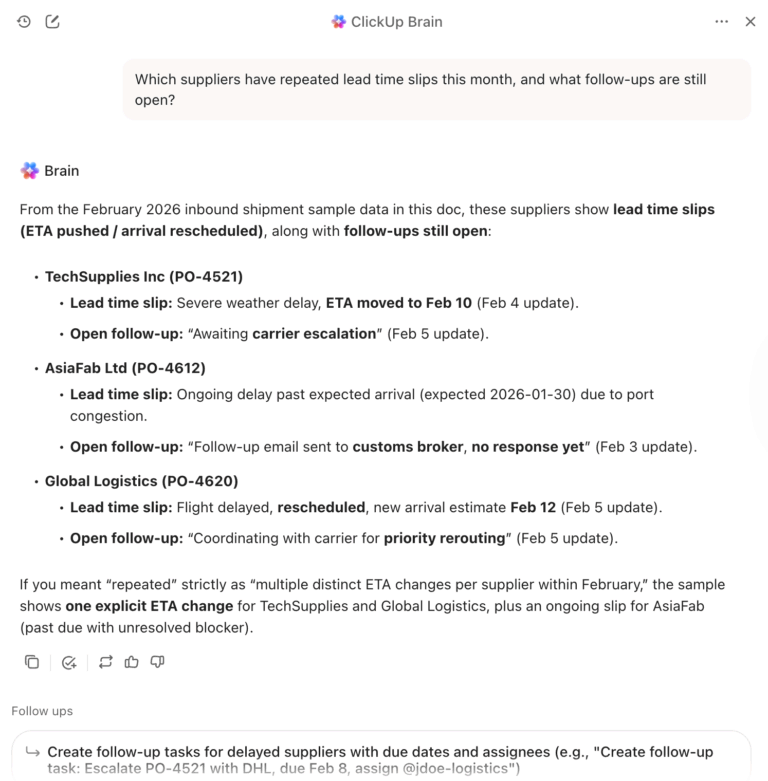
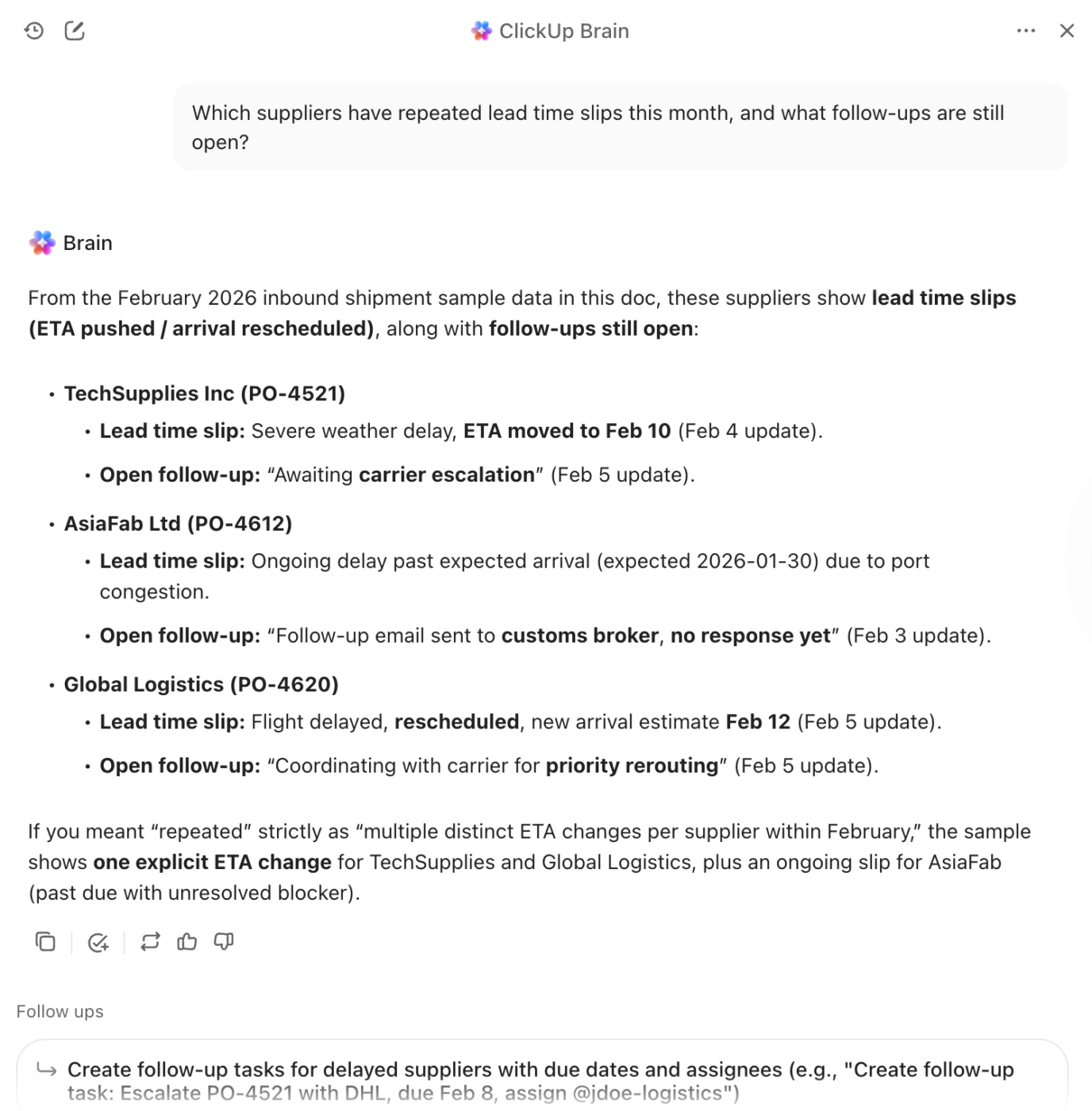
First and foremost, you have ClickUp Brain, the most efficient work AI ever. This solution answers questions based on everything going on in your workspace and connected apps.
So when you need clarity on what needs attention, you can ask a direct question and get a structured answer that reflects your Workspace context.
For instance 👇
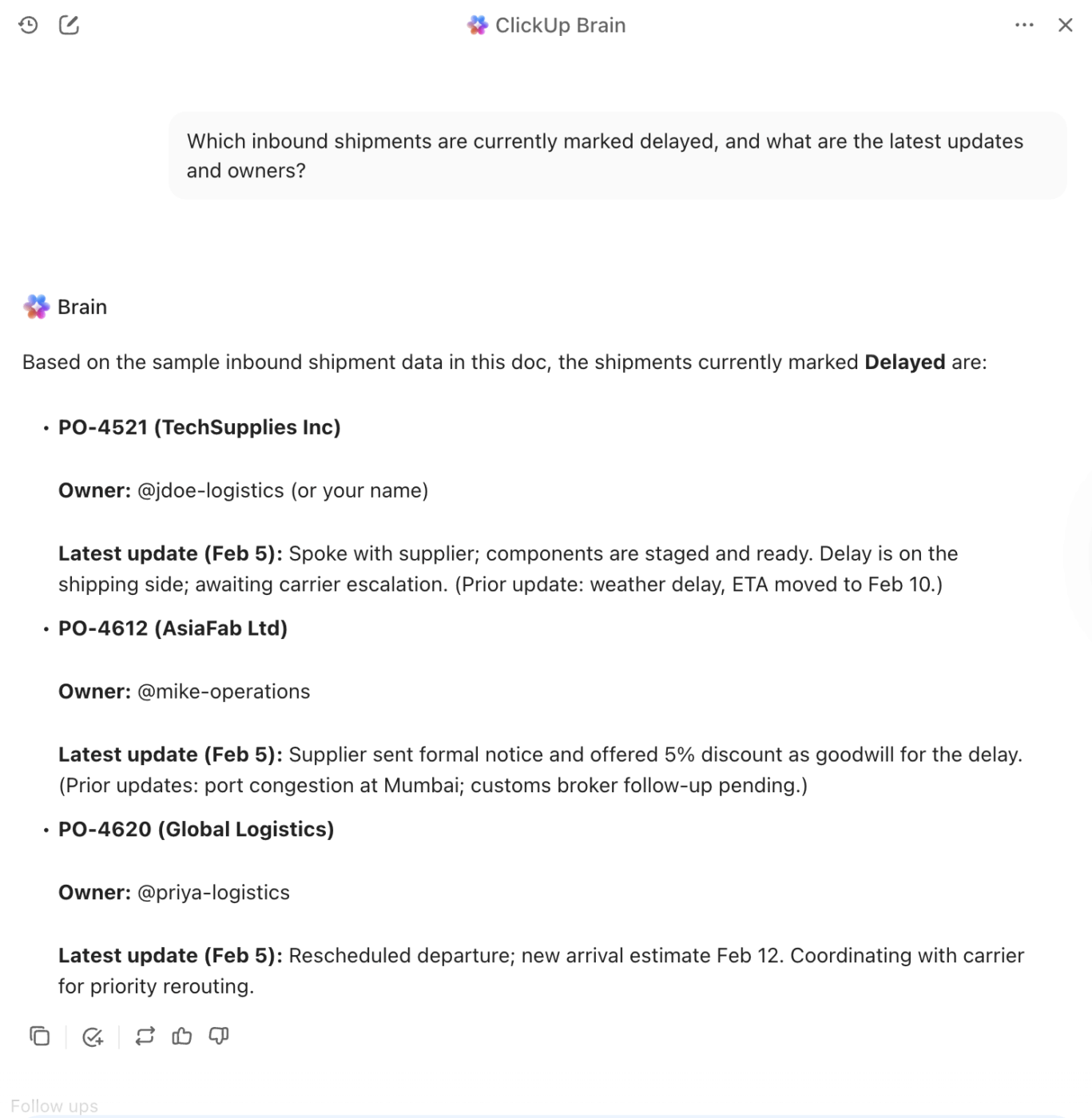
Want to run the repeatable workflows you wish you could hand off? Trust ClickUp Super Agents. They are ambient, AI-powered teammates you can deploy for unique workflows, such as monitoring exceptions or serving as a supply chain supervisor.
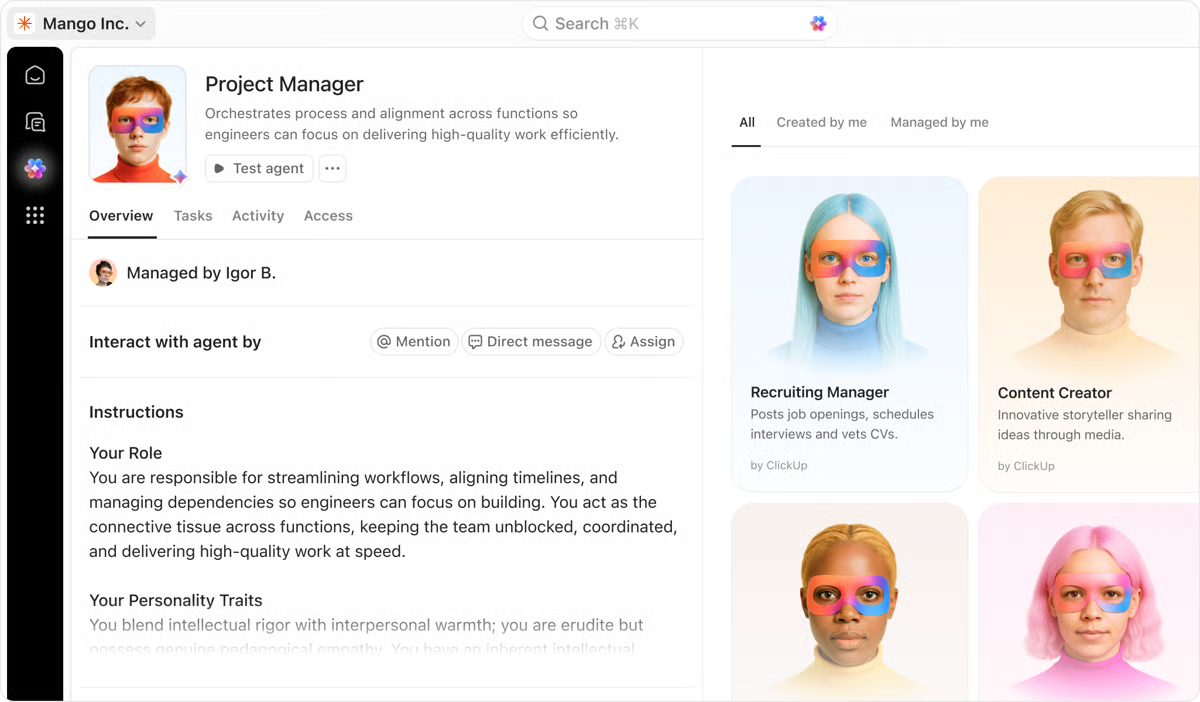
You can build an Agent from scratch, start from the Super Agent catalog, or use the natural language builder to describe what you need and let ClickUp guide the setup. It’s really that simple, and the power to create is completely in your hands!
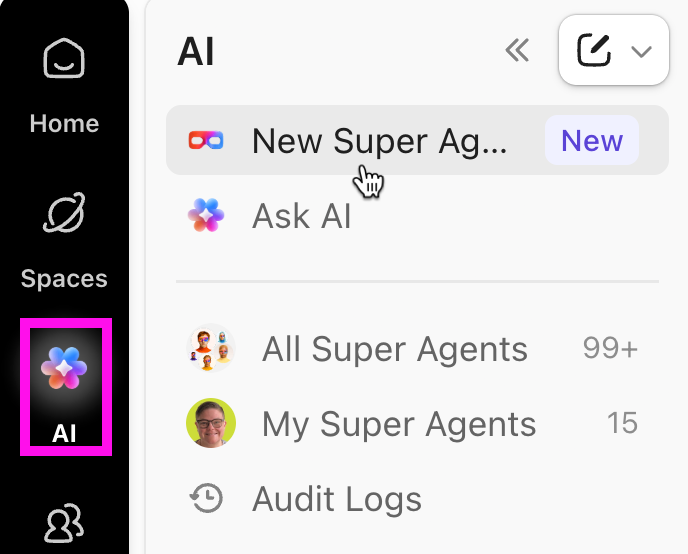
🎯 A Super Agent can become your personal (or team-wide):
ClickUp Dashboards give you a live, at-a-glance view of your entire supply chain, and you can click into the underlying work for detail when needed. That means you are one click away from the tasks, docs, owners, and workload driving that number.
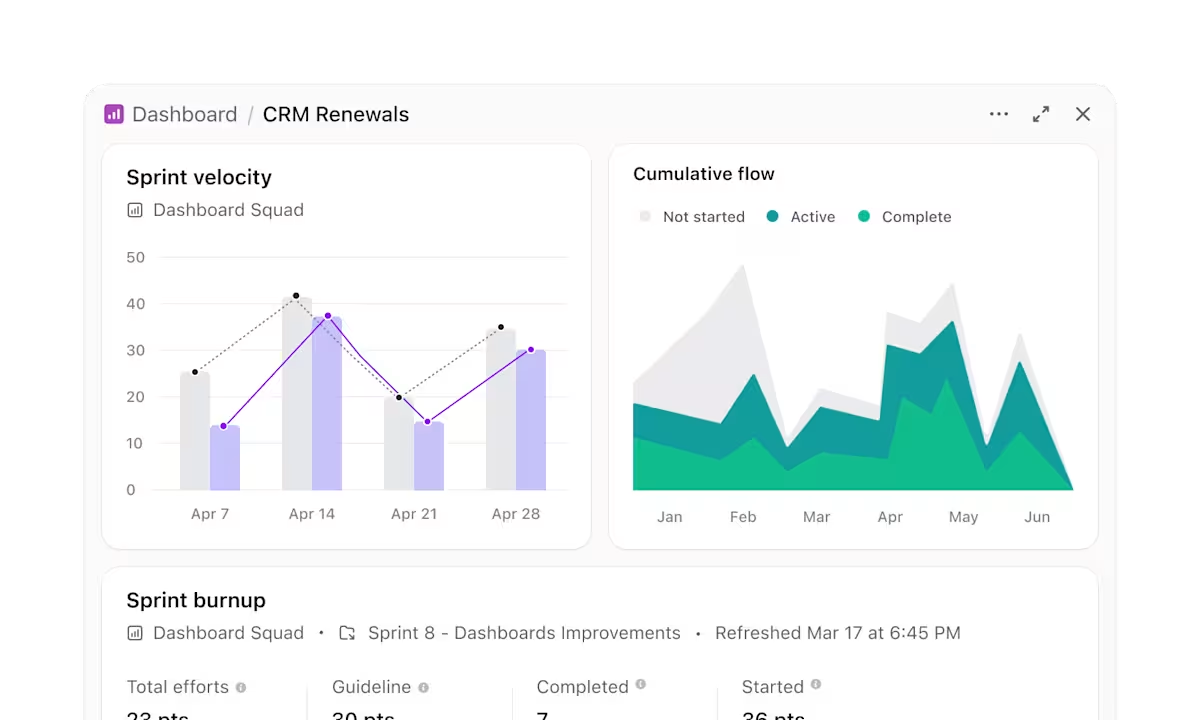
For example, a single ops Dashboard can show:
…and many more.
When something spikes, Dashboards help you drill down fast, open the exact task or Doc behind it, and move the next action forward with no context switching.
📮 ClickUp Insight: 34% of respondents wish their spreadsheet could automatically build dashboards for them.
Assembling reports from scratch, selecting ranges, formatting charts, and keeping everything up to date becomes a job in itself.
With ClickUp, your raw data and visualization options converge. So simply use no-code cards in ClickUp Dashboards for charts, calculations, and time tracking. The best part? They update in real-time with data from live tasks.
AI is available across your workspace to help make sense of that information, generating summaries, highlighting patterns, or explaining what’s changing across your workspace. Finally, AI Agents can step in to collate, synthesize, and post those updates to your key channels.
That’s your entire reporting workflow handled with ease.
If you are serious about choosing the right tools for AI, you also need a tool that can act on consistent signals.
And for that, use ClickUp Automations, which are built from three parts: a Trigger (what starts it), optional Conditions (when it should apply), and an Action (what happens next). This is a structure that will keep your workflows auditable, which is what you want when your team is scaling AI-supported operations.
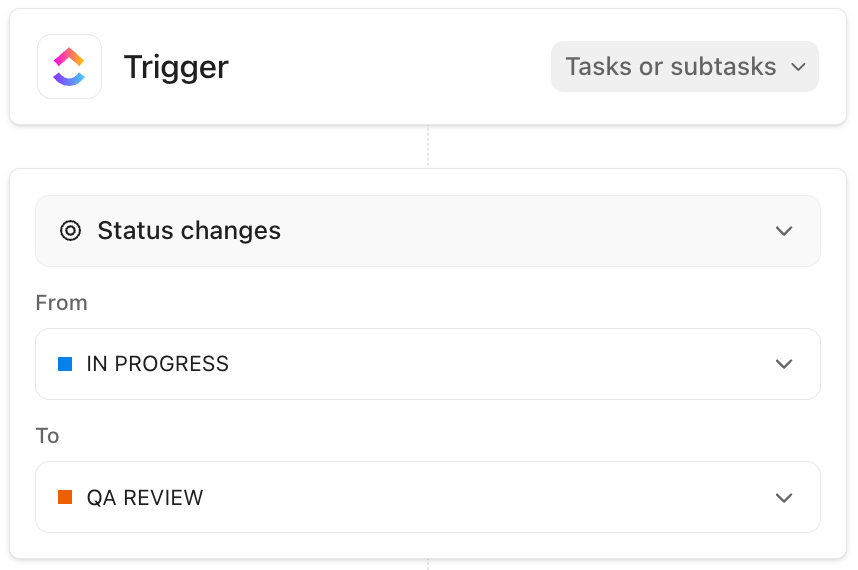
For example, when a shipment task’s Status changes to At risk (or a Custom Field like Delay risk = High), a ClickUp Automation can instantly:
But this is just the tip of the iceberg. Learn how to automate workflows with ClickUp Automations:
AI in supply chain management only delivers when it is connected to the work. Not trapped in one tool, copied into another, and then explained again in a meeting.
That’s why the tools you choose should be bundled into one system that your team can run.
ClickUp gives you that system. You can document SOPs and supplier context in Docs, manage execution in Tasks, store and find decisions in Knowledge, and track performance in Dashboards. Then layer in AI to summarize updates, surface risks, and turn insights into next steps inside the same workspace.
If your supply chain is complex, your tool should be just as powerful. Run it in ClickUp. ✅
Traditional automation follows fixed, pre-programmed rules, while AI learns from data to make dynamic decisions that adapt to new information and changing conditions.
Generative AI enhances supply chain planning and forecasting by integrating internal data such as sales, inventory, and lead times with external signals like weather, promotions, and market shifts. This allows for more accurate demand forecasts, rapid simulation of scenarios, and near real-time recommendations for actions such as reordering, safety stock adjustments, and production or routing changes.
No, AI is a tool that augments human intelligence by handling large-scale data analysis, freeing up managers to focus on strategic relationships, creative problem-solving, and exception management.
Standard analytics tools tell you what happened in the past, whereas AI supply chain software predicts what will happen in the future and recommends the best course of action.

© 2026 ClickUp

There’s an easier way. Try a free AI Agent in ClickUp that actually does the work for you—set up in minutes, save hours every week.