






Still downloading templates?
There’s an easier way. Try a free AI Agent in ClickUp that actually does the work for you—set up in minutes, save hours every week.
Sorry, there were no results found for “”
Sorry, there were no results found for “”
Sorry, there were no results found for “”
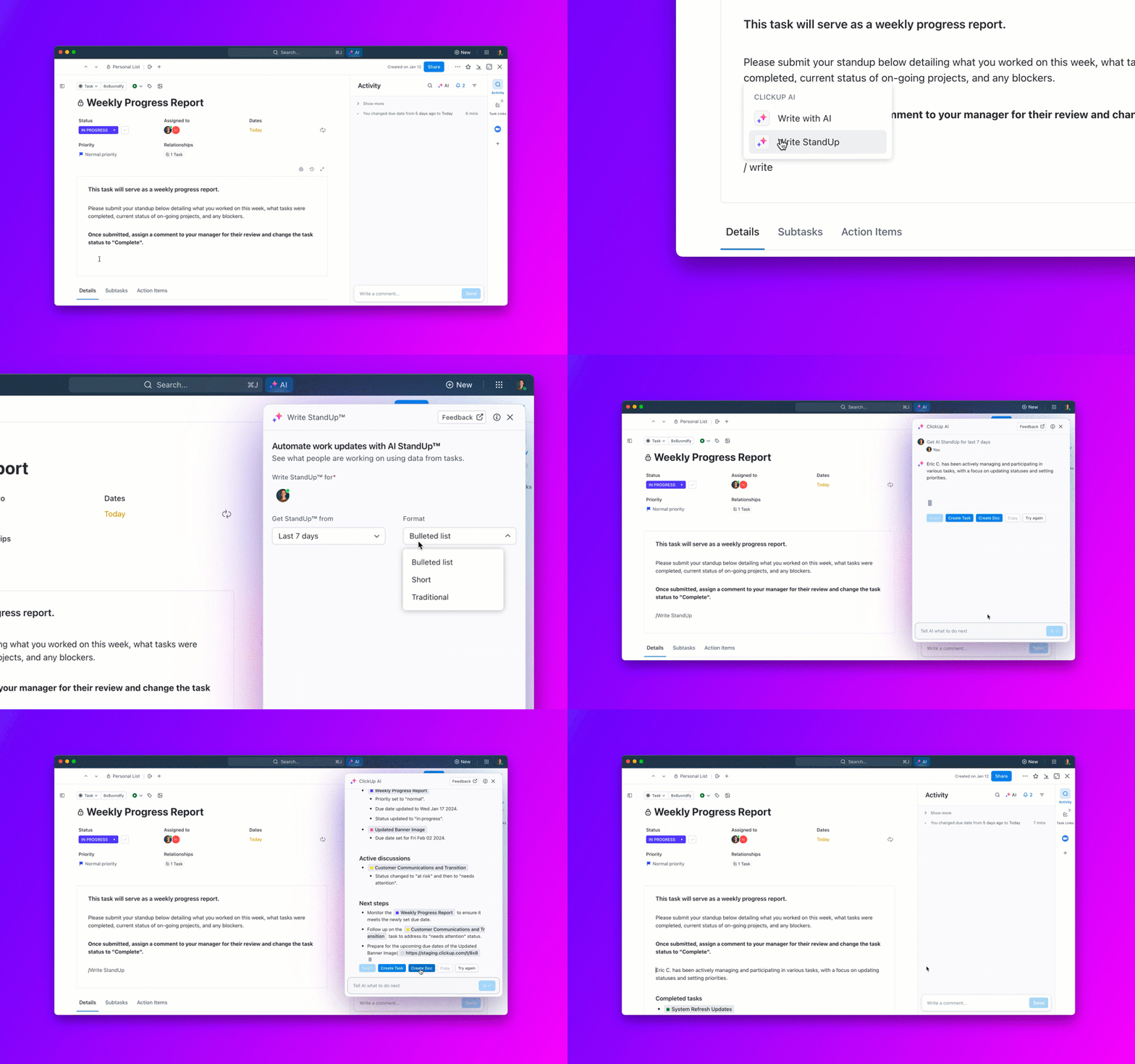
AI project management tools help your team automate routine tasks, prioritize work clearly, and anticipate project risks before they happen. Here’s a breakdown of the best options available now.
Here are my favorite AI tools for project management that I’ll review in detail below.
Want even more options? Check out my full breakdown of all my picks below.
AI project management tools work by using machine learning and artificial intelligence algorithms to analyze data, automate tasks, and predict project outcomes. They don’t just organize tasks – they learn how you and your team work.
For example, AI tools can review your team’s past projects, measure how long tasks typically take, and then forecast the time needed to finish current work.
These tools also prioritize tasks automatically. Instead of manually sorting through lists, the AI scans the project, identifies the most critical tasks, and moves them to the top of your to‑do list.
In short, AI project management tools simplify your workload and enhance operational efficiency.
Fun Fact: Time-blocking as a productivity method dates back to Benjamin Franklin’s daily schedule journal!
When choosing an AI project management tool, look for features that align with your specific needs and goals. Here are some key functionalities to consider:
Now without further ado, let’s break down the best AI project management tools in detail:
ClickUp is the most complete AI-powered project management platform available, combining tasks, docs, chat, goals, and dashboards in one workspace. ClickUp Brain serves as an always-on AI assistant that summarizes progress, drafts updates, auto-fills task details, and answers questions from your project data. It’s built for teams that want deep automation without sacrificing flexibility.
Asana’s AI features center on workflow automation and smart status updates. Asana Intelligence can generate project status reports, suggest task priorities, and auto-update fields based on activity. Its rules engine lets non-technical users build powerful automations that keep projects moving without manual intervention.
Fireflies.ai automatically joins your video calls, records the conversation, and produces transcripts, summaries, and action items within minutes. Project managers can stop taking notes during meetings and instead focus on the discussion, knowing Fireflies will surface decisions and next steps automatically.
Notion combines wikis, databases, and project tracking in one flexible workspace. Its AI assistant can summarize pages, generate content, auto-fill database properties, and help you build project dashboards from scratch. Teams that need connected documentation alongside their project views tend to find Notion a natural fit.
Taskade is built around real-time collaboration with AI woven throughout. Its AI agents can generate task lists from a prompt, build project outlines, and answer questions about your workspace. Small and remote teams particularly benefit from the way Taskade combines structured task management with AI-assisted brainstorming in the same interface.
ChatGPT is not a traditional project management tool, but project managers use it constantly for drafting plans, writing stakeholder updates, brainstorming solutions, and creating templates. With the right prompts it can produce risk registers, project charters, agenda outlines, and communication frameworks in seconds.
Microsoft Project paired with Copilot brings AI-driven scheduling and forecasting to one of the most established enterprise project tools. Copilot can generate project plans from natural language prompts, surface at-risk tasks, and produce status summaries. It’s the strongest option for organizations already deep in the Microsoft 365 ecosystem.
Motion automatically builds your daily schedule by analyzing your tasks, deadlines, and calendar availability. When priorities shift or meetings are added, Motion rebuilds the schedule in real time. It’s particularly effective for individual contributors and managers who struggle to protect focused work time across a fragmented calendar.
Monday.com’s AI suite includes Monday Magic for generating boards from a text prompt, Monday Sidekick for contextual assistance within tasks, and Monday Vibe for building no-code apps. Its visual interface makes complex project data easy to read at a glance, and the AI layer reduces the setup time for new workflows significantly.
OneCal solves a common project management pain point by syncing multiple calendars across platforms and keeping availability accurate in real time. When your project scheduling depends on knowing when team members are free, OneCal eliminates double bookings and calendar blind spots without requiring everyone to share calendars manually.
More of a visual learner? Here’s a video comparison of the top AI project management tools you can try this year:
While Trello is traditionally known for its Kanban-style simplicity, it now supports AI-enhanced automation through Butler (Trello’s built-in automation bot). You can create custom rules, buttons, and scheduled commands to move cards, assign tasks, or set due dates—all automatically.
Forecast is an AI-native platform focused on resource and financial planning. It uses machine learning to forecast project timelines, costs, and workloads. It also auto-suggests task assignments based on team capacity and skillsets.
SmartSuite is a flexible project and workflow platform that’s recently integrated AI for generating task descriptions, summarizing notes, and streamlining workflows. It offers customizable views like Gantt, Timeline, and Calendar—plus internal automation similar to Zapier.
Using AI project management tools can feel overwhelming initially because of automation and customization features. However, finding the right AI project management software can help you achieve your goals faster and more efficiently.
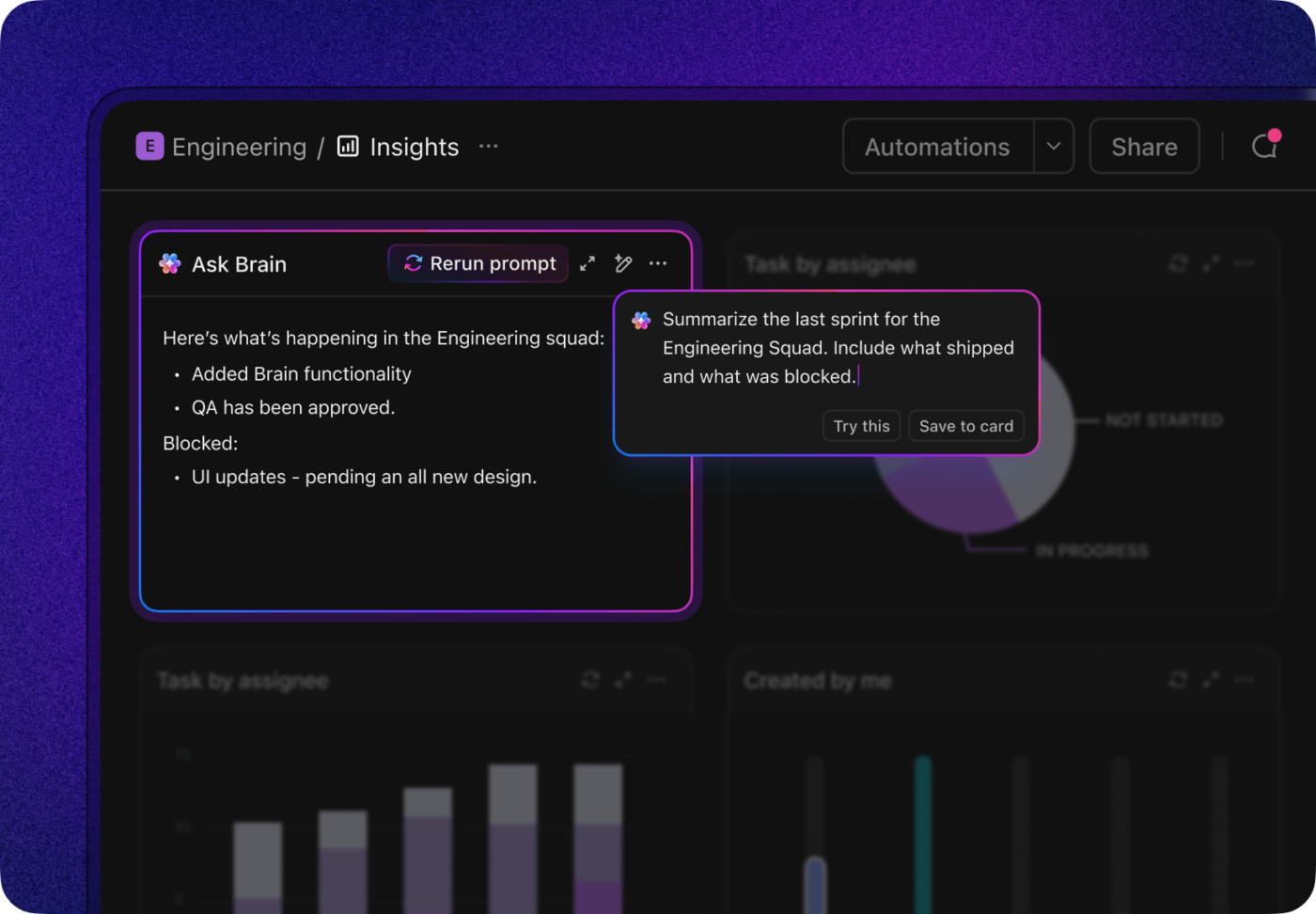
Speaking about the right AI project management tool, you must try ClickUp.
Its powerful AI assistant, ClickUp Brain, can streamline all your tasks based on priorities, provide real-time insights into project progress, and automate workflow.
If you’re ready to take project management to the next level, sign up for free on ClickUp today.
💟 Bonus: Brain MAX is your all-in-one AI-powered desktop companion for project management. Instead of juggling multiple apps, Brain MAX brings everything together—tasks, timelines, documents, emails, and team chats—into a single, unified workspace. With deep integration and smart automation, it tracks progress, assigns tasks, sets reminders, and keeps everyone aligned. Just use talk-to-text to update your project, brainstorm ideas, or delegate work, and Brain MAX instantly organizes and acts on your instructions.
What is AI project management?
AI project management refers to using artificial intelligence to automate, analyze, and optimize various project management activities like task assignment, timeline forecasting, and risk analysis.
Can AI replace project managers?
No, but it can augment them by handling routine tasks, surfacing insights, and making suggestions, allowing managers to focus on strategy and communication.
Is ChatGPT a project management tool?
Not directly. ChatGPT is an AI assistant that can help with brainstorming, planning, and writing, but it doesn’t offer tracking, scheduling, or collaboration features like a true PM tool.
Which is the best free AI project management software?
ClickUp offers one of the most comprehensive free plans with AI capabilities, including task automation, project summaries, and real-time tracking.
Are these AI tools secure for enterprise use?
Most tools like ClickUp, Asana, and Wrike offer enterprise-grade security, including SOC 2 compliance and custom permission controls. Always verify based on your company’s IT requirements.

© 2026 ClickUp

There’s an easier way. Try a free AI Agent in ClickUp that actually does the work for you—set up in minutes, save hours every week.