Playbook

The Ops Founder Starter Kit: 5 Systems to Consolidate Tools and Get Your Time Back

A guide with ready-to-launch templates and 90-min buildable systems to run sales, service, and delivery from one workspace and get the founder out of the weeds.
Problem Statement

Your work is scattered

Most small businesses in their growth phase scale before their operating system does. So, the founder becomes the glue holding the moving parts together. Work lives across email inboxes, meeting notes, chat threads, docs, and a growing stack of tools added one by one as new needs came up.

📌 An average company now runs 106 SaaS apps, and 9 new apps enter the stack every month ¹

So you chase updates, re-link decisions to tasks, and answer the same questions twice. That is the tax you pay for fragmentation, and it scales badly.

📌 The drag adds up fast:

61%

of knowledge workers lose time sharing, searching, and updating info between tools ²

1,200

times a day is how often workers toggle between apps, and every switch chips away at focus and output ²

20-40%

of software spend is what small businesses waste on duplicate or stale tools ³

Another point tool is not going to solve for this. You need 5 connected systems, built in the order below. For each, use the pre-made templates and 90-min setup plan to remove a specific reason the team keeps routing work back through you.

System 1

One home for work

To build a connected system you need to create a single source of truth. The first move is a single workspace where tasks, docs, comments, and approvals stay attached to each other. Here's how Revive Real Estate, a VC-backed renovation company, did this:

Dalip Headshot

Dalip JaggiCo-Founder/COO, Revive Real Estate

We were juggling five different tools for project management, communication, and reporting—it created silos and wasted time. ClickUp consolidated everything into one platform, cutting out hours of tool-switching and giving every team member clear visibility into what's happening.

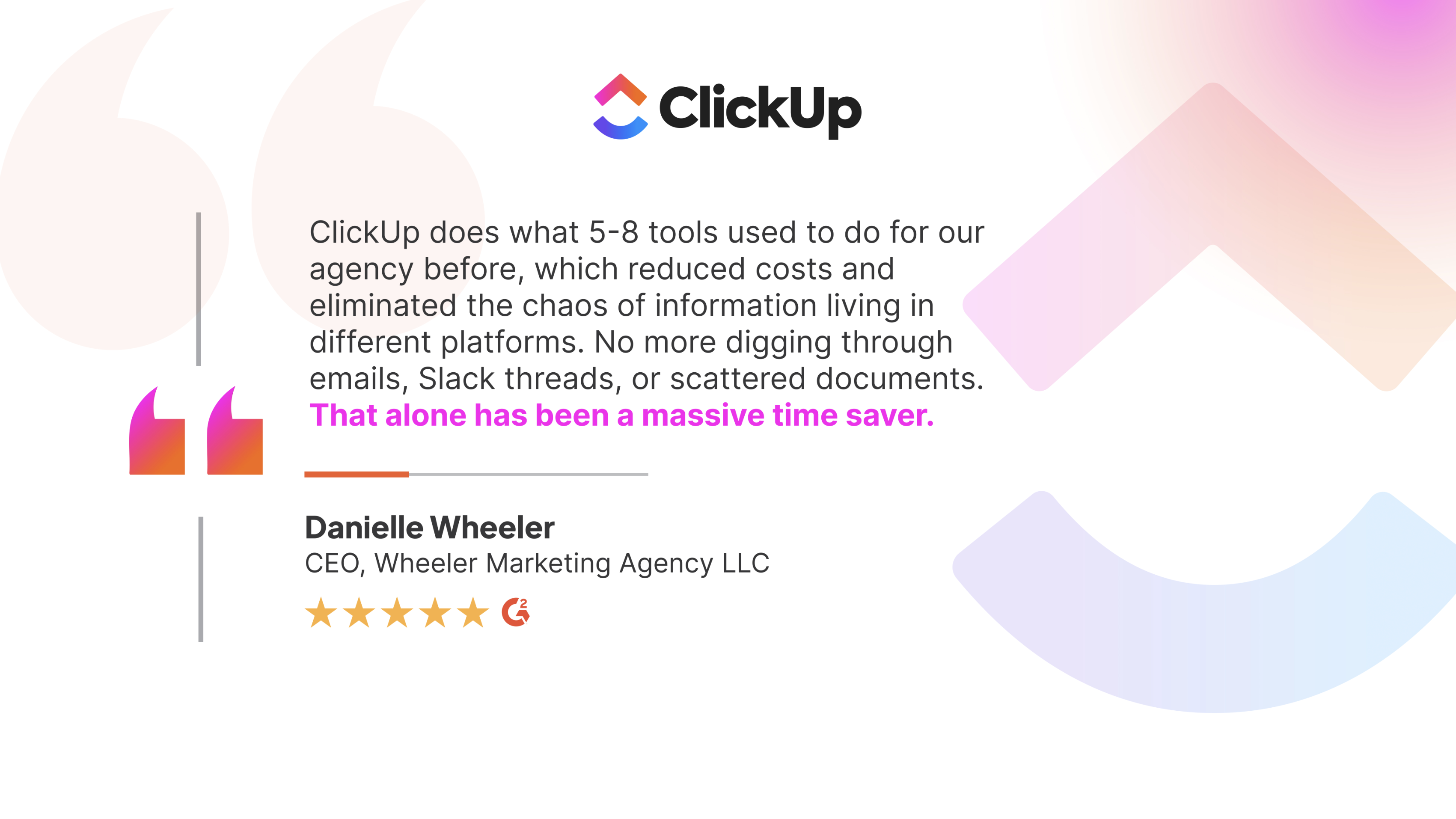
Revive's story shows the operational side of consolidation. Wheeler Marketing Agency shows what it means for cost and time: eliminating the chaos of scattered information across platforms.

Wheeler agency

Set it up (≈90 min)

• Create one Space per function (Sales, Service, Delivery, Internal)

• Inside each, one List for active work

• Move the three workflows you touch most this week into it

Make a rule with the team: if it isn't in here, it didn't happen

System 2

A sales pipeline that doesn't live in your head

Most lean teams are selling before they have a sales system. Leads come in, conversations happen, but deal status lives in someone's memory and follow-ups slip the moment things get busy.

📌 The follow-up gap:

80%

of sales require 5+ follow-ups, but ~44% of reps quit after one ⁴

50%

of leads are never contacted a second time ⁵

A heavy CRM rollout is not going to fix this. You need one view of what's open, what's stalled, and who owns the next move.

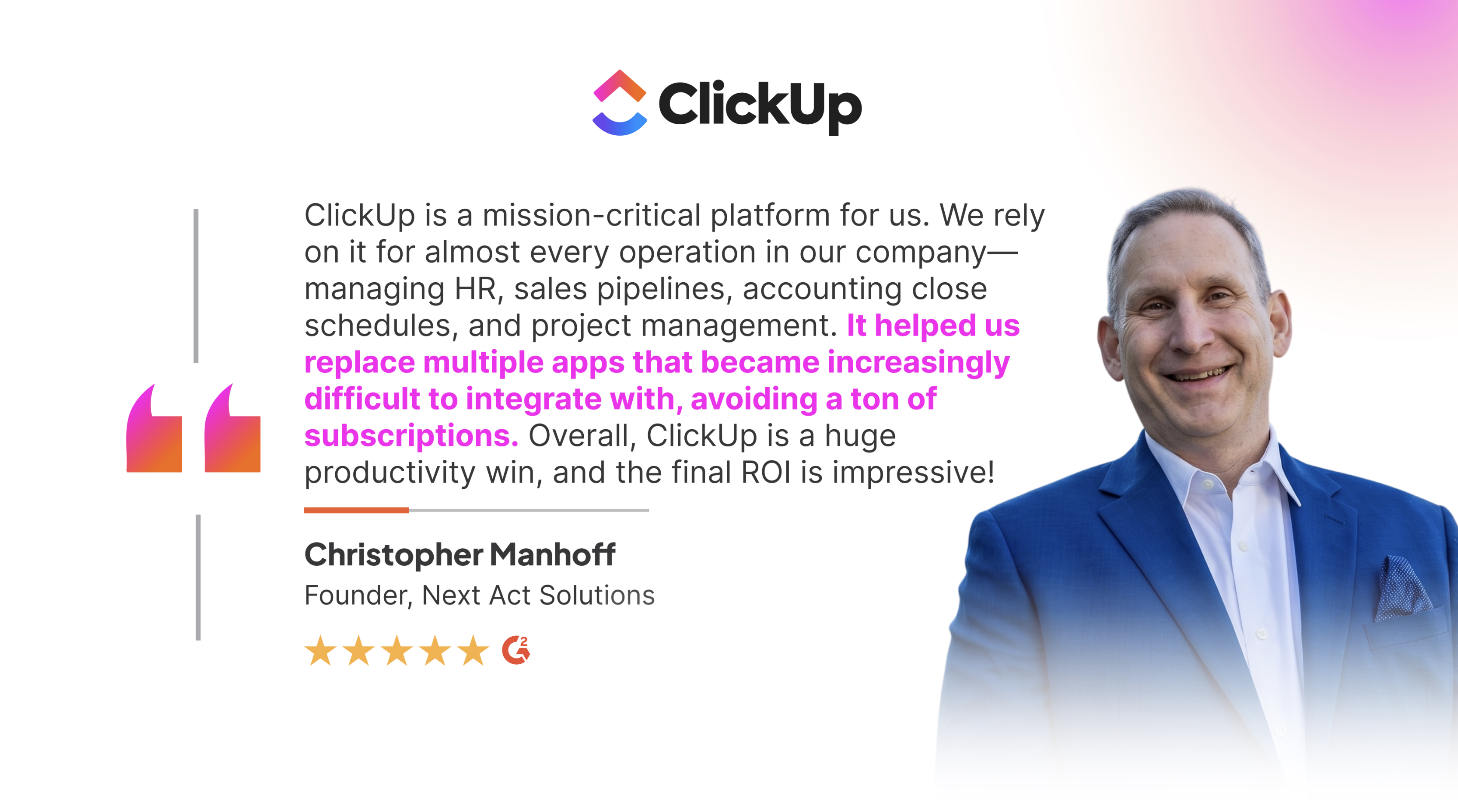
Next Act Solutions lived the opposite for years, managing ops across disconnected apps that became increasingly difficult to integrate. Moving everything onto one platform is what flipped it:

Next Act Solutions

Instead of being asked where every deal stands, you just look, like Qubica AMF did:

Charles Frey

Charles FreyProcess Manager, QubicaAMF

Each salesperson now has their own custom Dashboard showing pipeline, project progression, and revenue impact — insight they never had before. I don't think I've ever seen any platform provide this level of visibility. We've saved 40% of the time we used to spend building reports.

Set it up (≈90 min)

• Build a List with stages as statuses (New → Contacted → Proposal → Won/Lost)

• Add custom fields for deal value, next step, and next-step date

• Turn on one automation: when a deal sits untouched for X days, it pings the owner

That single rule kills most dropped follow-ups.

Skip the build

Install the Sales Pipeline template, which comes pre-wired with 14 statuses, 7 custom fields (including deal value and next step), and 3 automations already active. Rename the stages to match your sales language and you're tracking deals in under 15 minutes.

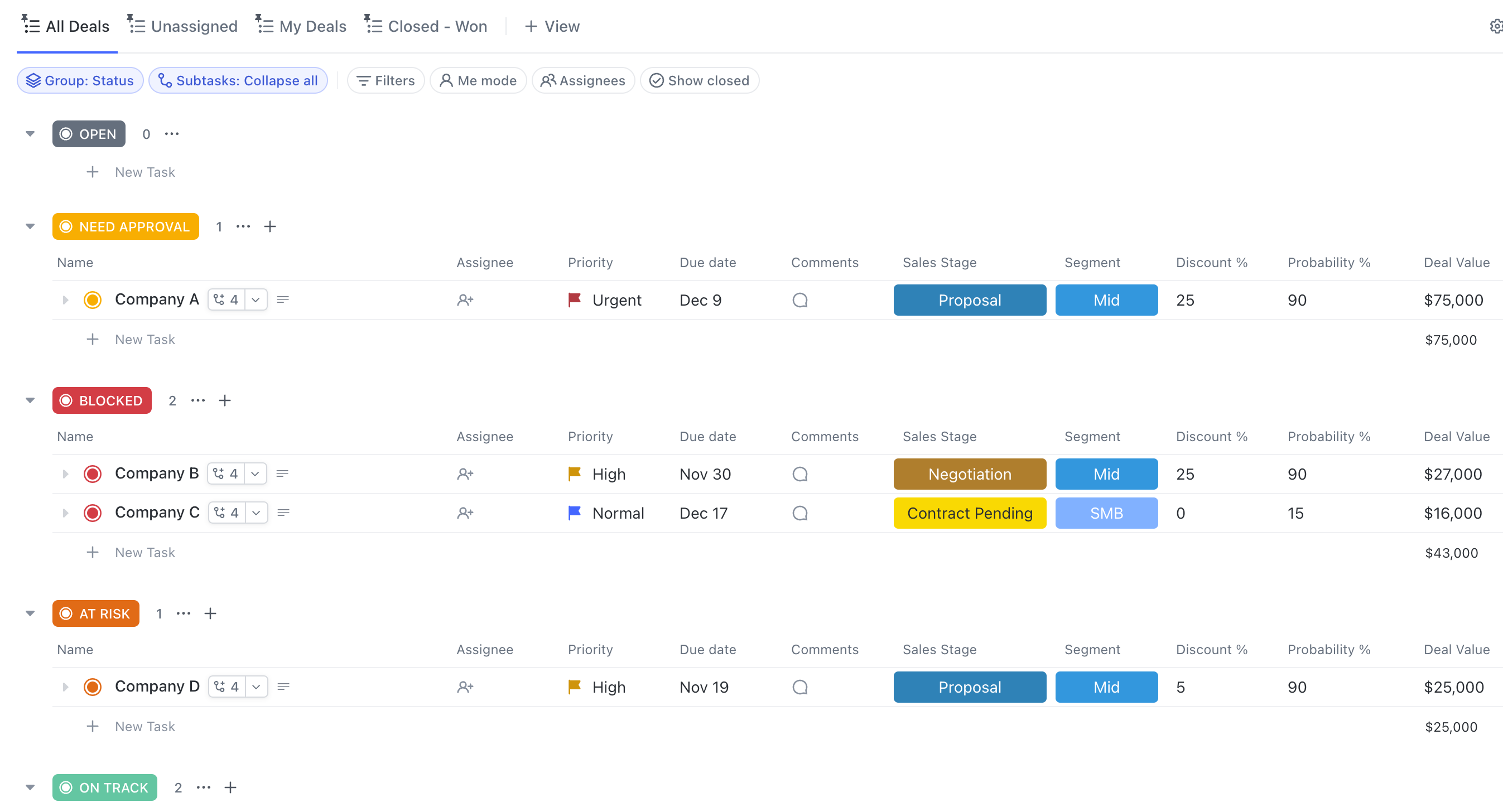
Sales Pipeline 2

Example of a ClickUp Board view with sales pipeline stages as columns, deal value and next-step fields on each card, and an task automation running in the background.

Need more than pipeline tracking?

The Sales CRM template adds a full contact database, interaction logs, and built-in analytics, a workspace-level setup for teams ready to manage the entire customer lifecycle, not just open deals.

System 3

A service knowledge base the team actually uses

Most service slowdowns are knowledge problems in disguise. The same questions resurface, the answers are buried in email threads and someone's head, and your best operators get interrupted because they're the only ones who know.

📌 Employees spend ~21% of work time searching for knowledge, plus 14% recreating info they couldn't find ⁶

Document the recurring answers once, attach them to the work, and the interruptions drop. Once those answers have a home, AI can surface them on top of that base, so the team self-serves instead of routing everything through you.

Set it up (≈90 min)

• Create a Docs hub for SOPs and stock answers

• Write up the 5 questions your team asks most

• Link each Doc to the relevant List so the answer sits where the work happens

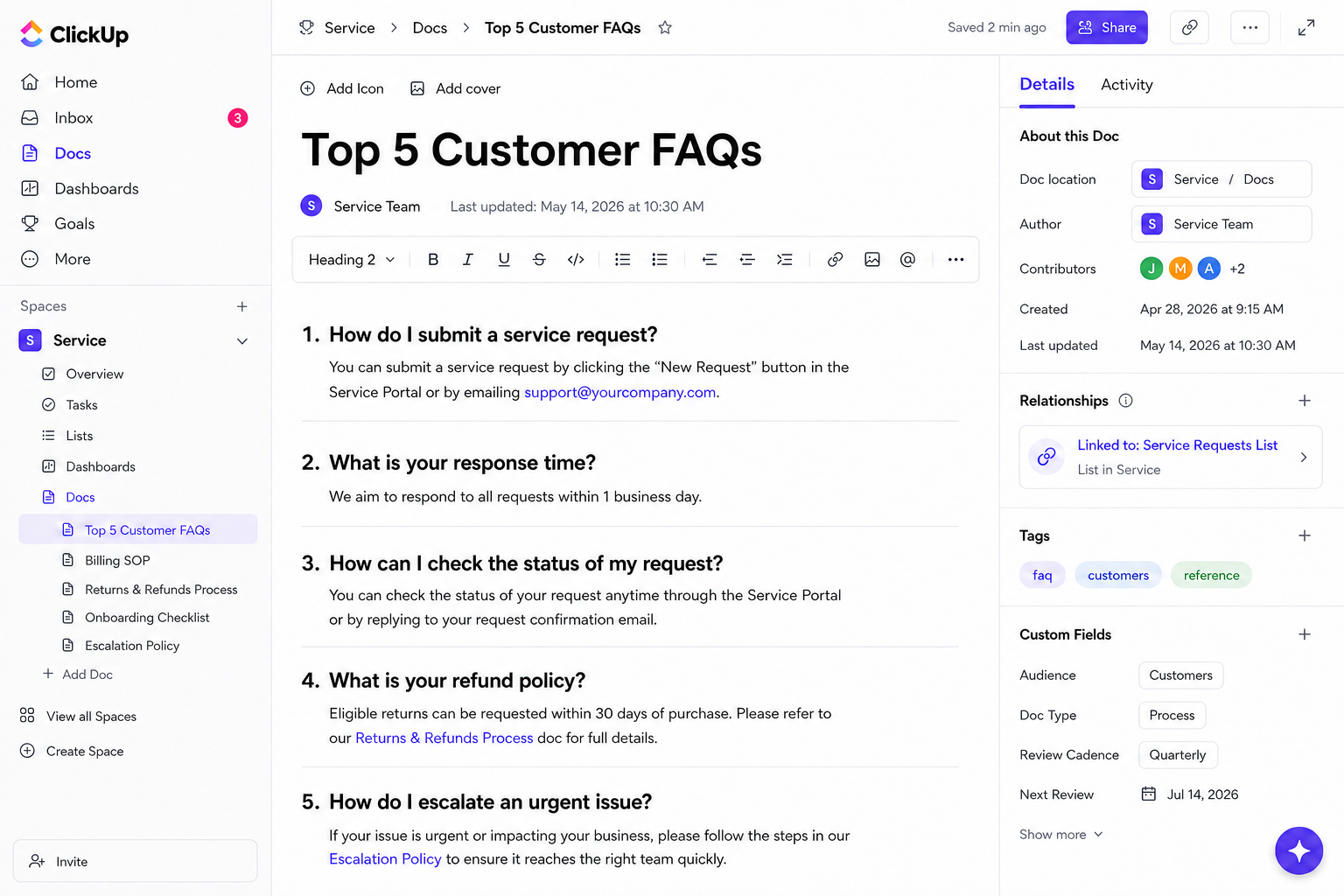
top customer FAQs

Example of ClickUp Docs hub inside the Service Space with top FAQs, SOPs, and a relationship link connecting each doc to the relevant task List.

Skip the build

Start with the Knowledge Management SOP template. It gives you a structured Doc hub for procedures, stock answers, and internal guidance. Drop in your top five recurring questions, link to your Service list, and the team has one place to look before pinging you.

And once your knowledge lives in one place, you can hand the repetitive part off entirely.

Go hands-free: Add the Knowledge Base Article Writer Agent. Every time you resolve a service ticket or repeated issue, it drafts an internal KB article automatically, so the knowledge base builds itself instead of waiting for someone to write it up.

System 4

Clean handoffs across sales, service, and delivery

Work breaks between disconnected teams, when a closed deal gets re-explained to delivery days later, with half the context already lost.

📌 47% of employees report fragmented knowledge remains biggest obstacle to productivity ⁷

You don't fix that by forcing everyone into one rigid process. You need to run each function off the same underlying layer, so the next team inherits the deal, the notes, and the history automatically instead of rebuilding it from scratch.

VanHomes, an Australian manufacturer scaling at 50% annual growth, understood this gap well. Scattered systems couldn't keep up with the pace, and the founder was stuck bridging every handoff manually, so they consolidated work into one shared layer.

Nicole headshot

Nicole RussoFounder and Chief Operating Officer, VanHomes

At 50% annual growth, scattered systems couldn't keep up. ClickUp centralized our operations—and the results were immediate. 15% more efficient on the factory floor. 10–15% time saved by eliminating manual entry. We went from reacting to problems to getting ahead of them.

If VanHomes proves the pattern holds for a scaling manufacturer, path8 Productions proves it at the other end of the spectrum: a small video studio with no ops team to spare.

Their work was split across 6 tools, and every update meant re-entering the same thing in each one. Worse, when Slack and Smartsheet drifted out of sync, producers fell back on memory to catch what was due.

Pat Henderson

Pat HendersonFounder & Executive Producer, path8 productions

We used to spend 30 to 60 minutes prepping for each team meeting. With ClickUp centralizing our project data, that dropped to just 10 minutes, a 60% reduction. I can finally focus on creative work instead of chasing project updates.

Set it up (≈90 min)

• Add one automation between Spaces: when a Sales deal hits "Won," auto-create the Delivery task with the deal details copied over

• Repeat for the Service → Delivery seam

Handoffs stop being a copy-paste ritual and start happening on their own.

Skip the build

Install the Client Services template. It's a full workspace with client account management, a project portfolio, scoping requests, and a team wiki already connected. Swap in your own client names and delivery stages, and the handoff structure is done.

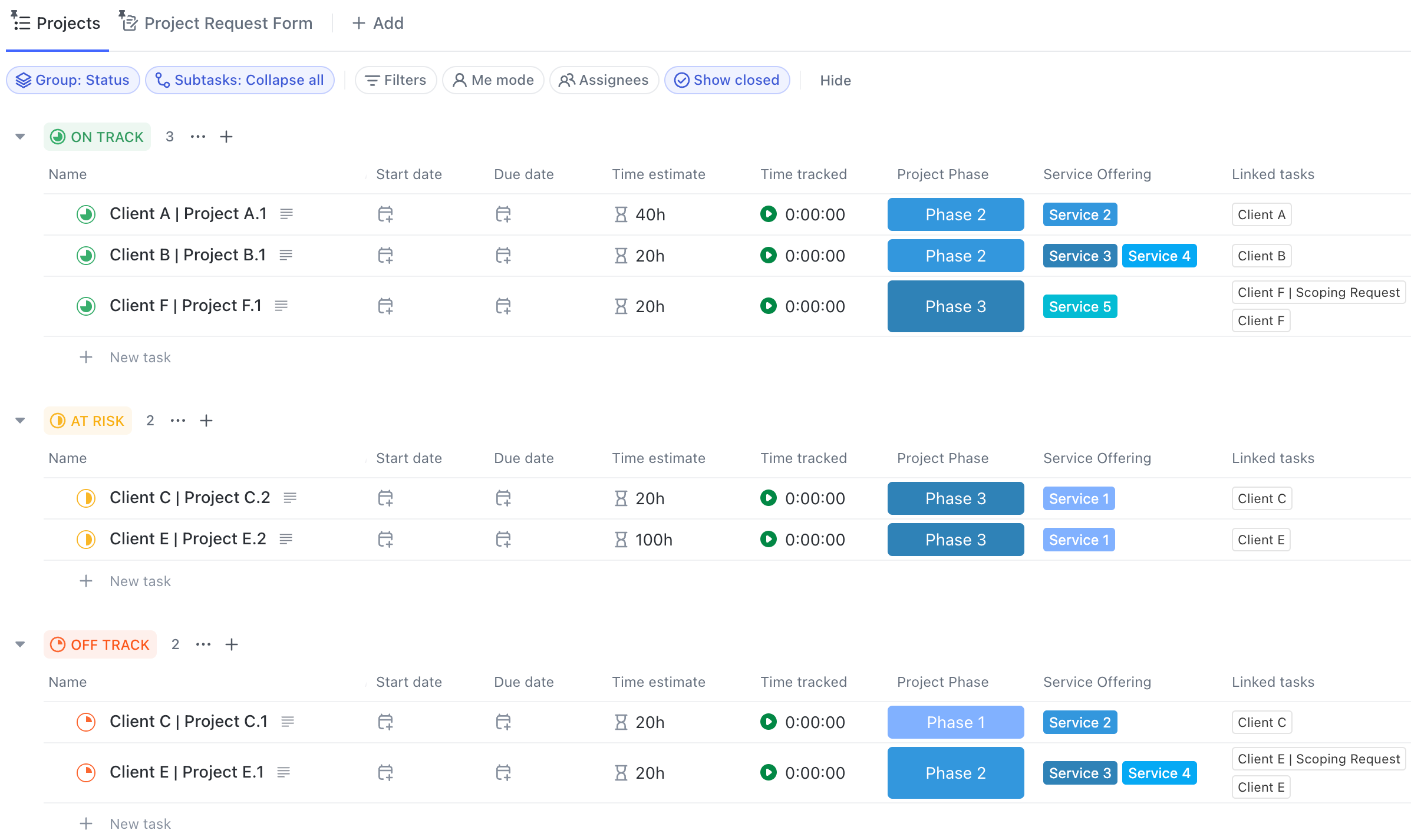
Client Services 2

Example of a ClickUp Client Services project portfolio grouped by delivery health with project phase, service offering, and linked client tasks visible at a glance.

System 5

A founder dashboard, not a founder reporting layer

You need one reliable read on what's moving, what's slipping, and where revenue stands, without calling a meeting or asking three people. When that view doesn't exist, you become the reporting layer by default.

📌 More than 7 in 10 SMB leaders handle work outside their job description; reclaiming it is worth ~77 workdays/year ⁸

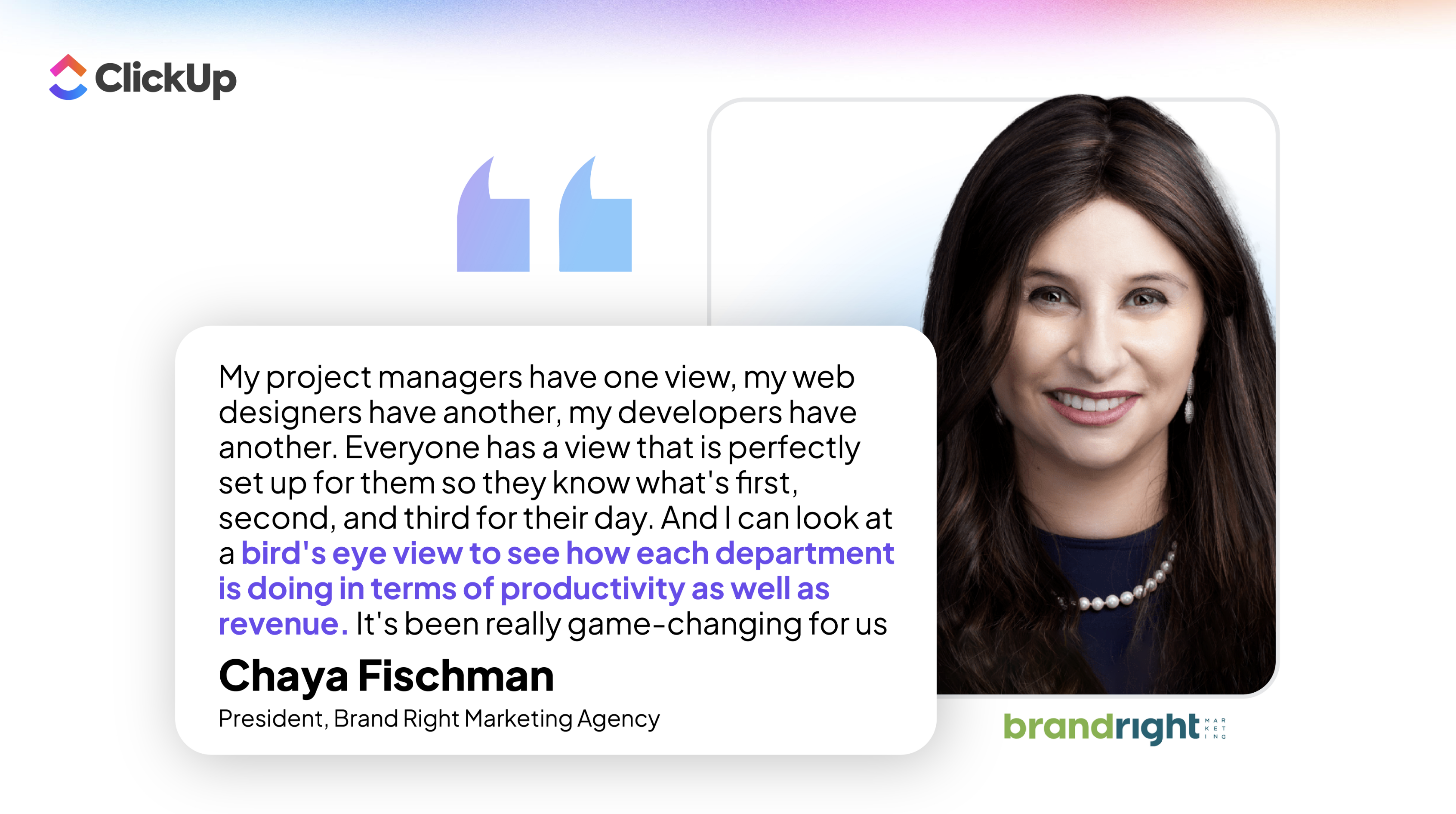
The fix is to remove founder bottleneck, and find a way to see company health at a glance. This is how Brand Right Marketing achieved it:

Brand right marketing

The CEO of Rise Gardens, a hydroponic gardening company, describes the same shift:

"Before ClickUp, we had no visibility across teams. Now our executive team and every department has a bird's eye view of exactly what's going on, where we need to go, and how to get there—all in one platform." - Hank Adams, CEO, Rise Gardens

Set it up (≈90 min)

Build one Dashboard with four cards: open pipeline value, overdue work, service load, and a short "needs leadership attention" list.

That's the shape of the business in one screen. Resist adding more, or reporting becomes its own job.

Skip the build

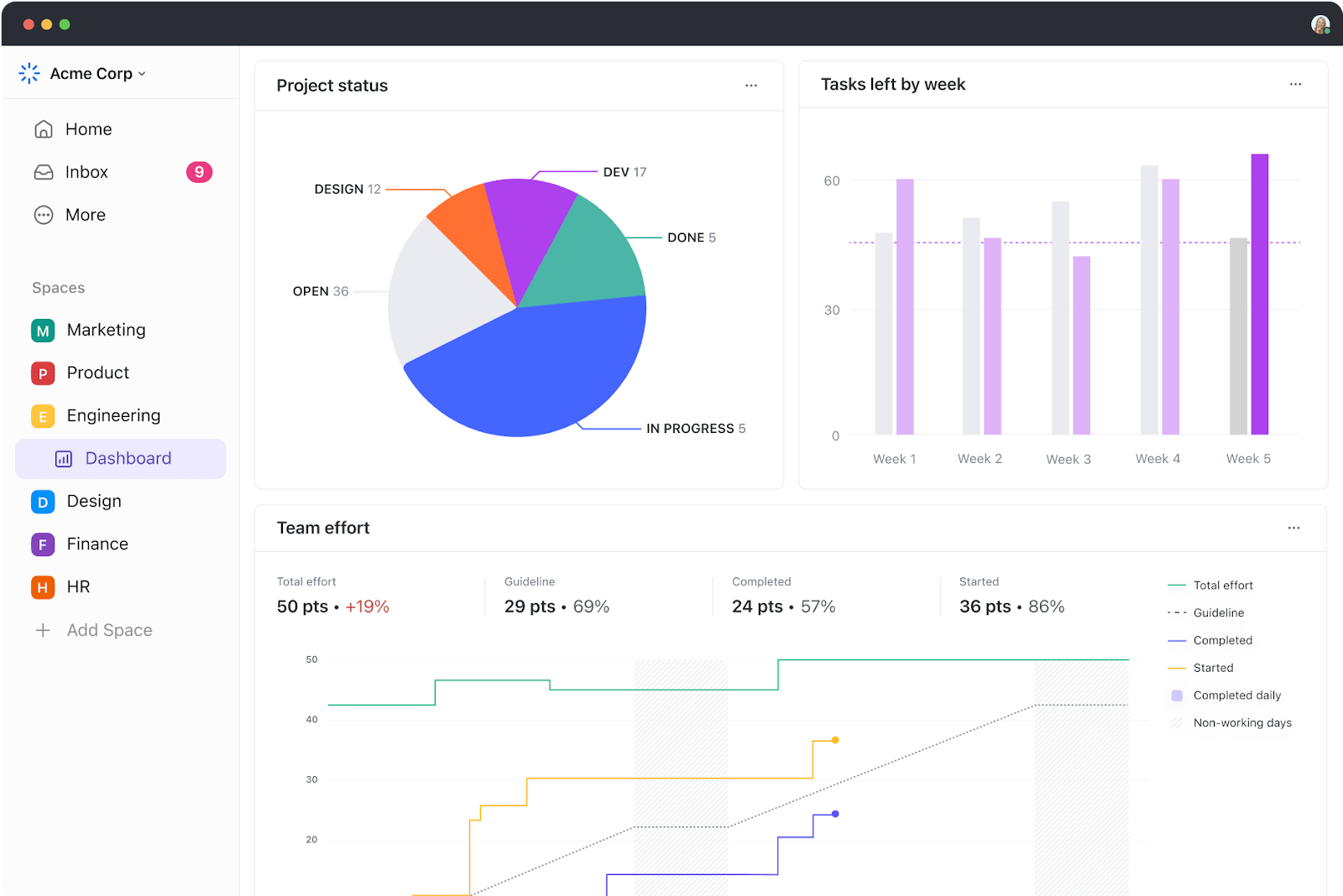
Install the Project Management Dashboard template. It comes with pre-built widgets for progress tracking and data visualizations. Swap the default cards for your four (pipeline value, overdue work, service load, needs-attention list) and you have your founder view in one click.

project dashboard

Example of a ClickUp project dashboard showing status, weekly task throughput, and team effort.

Go hands-free: Add the Project Status Reporter Agent. It generates concise, stakeholder-ready status reports from live workspace data, replacing the manual Friday-afternoon reporting ritual. You get a weekly summary you can forward to partners or investors without writing a word.

What's next?

Start with the one workflow that hurts most

Don't roll out all 5 systems at once. Pick the workflow that breaks most often this month, follow-ups that slip, service answers stuck in inboxes, or handoffs that drop, and build that system first. When the team feels the relief in one place, the rest gets easy.

Zeb

Zeb EvansFounder & CEO, ClickUp

Small businesses are the heartbeat of opportunity. We built ClickUp so entrepreneurs could spend less time on busywork and more time building their dreams. We’re obsessed with helping SMBs win

Want sales and delivery in one install?

The Client Hub template blends CRM and project management in a single workspace, with 12 automations pre-built. It's the closest thing to installing this entire guide in one click.

Get your starter kit

Every system in this guide takes 90 minutes or less to build, and each one removes a reason your team routes work back through you. Start free, or book a call to get a setup tailored to your stack.
project-management-tools
Trusted by the best