
Historically, data practitioners have spent 80% of their time managing data, leaving only 20% for the actual analysis, which makes the role valuable.
A modern data catalog with embedded AI capabilities can fix that.
Secoda connects directly to your data sources, mapping lineage and metadata to deliver context-aware AI that scales with your organization. It was also recently acquired by Atlassian and is now part of Atlassian’s AI and data infrastructure strategy.
This guide covers the top Secoda alternatives, what each does well, and how to find the right fit for you and your team. 🤝
What Should You Look for in Secoda Alternatives?
Before evaluating alternatives, here are the key factors worth considering. 🤖
- Metadata coverage and lineage depth: Look for a platform that tracks column-level lineage across your full data stack, not just surface-level connections between tables
- Data governance capabilities: Prioritize tools that support policy enforcement, access controls, and data governance workflows natively rather than through workarounds
- Search and discovery quality: Evaluate how well the platform surfaces trusted, relevant assets across warehouses, BI tools, and pipelines. Good knowledge management practices make this significantly easier without requiring manual tagging
- Integration with your existing stack: Choose a platform that connects with your current data catalog, transformation, and analytics tools without heavy custom engineering
- Scalability for growing data environments: Ensure the platform doesn’t slow down or break down as your data infrastructure grows
- Deployment flexibility: Consider whether the tool supports your preferred deployment model, whether that is open-source, cloud-hosted, or enterprise-managed
The best alternative is not always the most feature-rich one. It is the one that fits your enterprise data governance maturity, technical setup, and the scale at which your data teams operate.
How to Evaluate Data Catalog Tools During an Acquisition
Before committing to any data catalog tool, here’s what to check. 👇
✅ Pricing and packaging stability: Confirm whether pricing is locked in post-acquisition or subject to change. Some vendors restructure tiers or retire legacy plans after a buyout
✅ Support SLAs: Check whether response times and dedicated technical support availability are contractually guaranteed or informally offered
✅ Export formats: Ensure you can export metadata, lineage maps, and documentation in standard formats so you’re not locked in if you need to migrate
✅ Security and RBAC: Verify that role-based access controls and audit logs meet your compliance requirements, especially if ownership structures are changing
✅ Integration continuity: Confirm that existing connectors and API contracts will be maintained under new ownership and not deprecated without notice
Sorting these out upfront protects you from surprises long after the contract is signed.
Secoda Alternatives At a Glance
Here’s a snapshot of every tool covered in this guide. 📊
| Tool | Best features | Best for | Pricing* |
| ClickUp | AI-powered documentation, Brain, Dashboards, Enterprise Search, Automations | Data teams, enterprises, cross-functional teams | Free Forever; Custom pricing for enterprises |
| Atlan | Column-level lineage, natural language search, business glossaries, policy management | Data engineers, governance teams, enterprises | Custom pricing |
| Alation | ML-driven asset discovery, Ask Alation generative AI, behavioral query analysis | Enterprises managing regulated data workflows | Custom pricing |
| Collibra | Anomaly detection, in-warehouse quality checks, automated ML rules, AI oversight | Enterprises in regulated industries | Custom pricing |
| DataHub | Natural language metadata queries, end-to-end lineage, fine-grained access policies | Data engineers, open-source teams | Free (open-source) |
| Amundsen | PageRank-style dataset ranking, automated metadata capture, lineage views | Data engineers, analysts, open-source teams | Free (open-source) |
| OpenMetadata | Unified metadata graph, no-code lineage editor, role-based access control | Data teams scaling open-source governance | Free (open-source) |
| Select Star | Column-level lineage, usage insights, auto-generated ER diagrams, dbt sync | Data teams managing warehouse cost and lineage | Custom pricing |
| Fivetran Catalog | 700+ source connectors, schema drift handling, near real-time replication | Data teams managing pipeline automation | Free plan available; Custom pricing |
| Metaphor | Plain English search, behavioral lineage, social collaboration features | Teams improving data literacy and discovery | Custom pricing |
How we review software at ClickUp
Our editorial team follows a transparent, research-backed, and vendor-neutral process, so you can trust that our recommendations are based on real product value.
Here’s a detailed rundown of how we review software at ClickUp.
The Best Secoda Alternatives
1. ClickUp (Best for AI-powered data documentation and team collaboration)
Most data catalog tools help you find and govern data. But the surrounding work, like project management, data documentation, cross-team collaboration, and workflow automation, still ends up scattered across separate tools.
ClickUp solves that by bringing it all into one Converged AI Workspace, and works as a knowledge layer that connects your projects, documentation, and AI without context switching.
Here’s what makes ClickUp the best fit for teams: ⬇️
AI-assisted knowledge management with ClickUp Brain
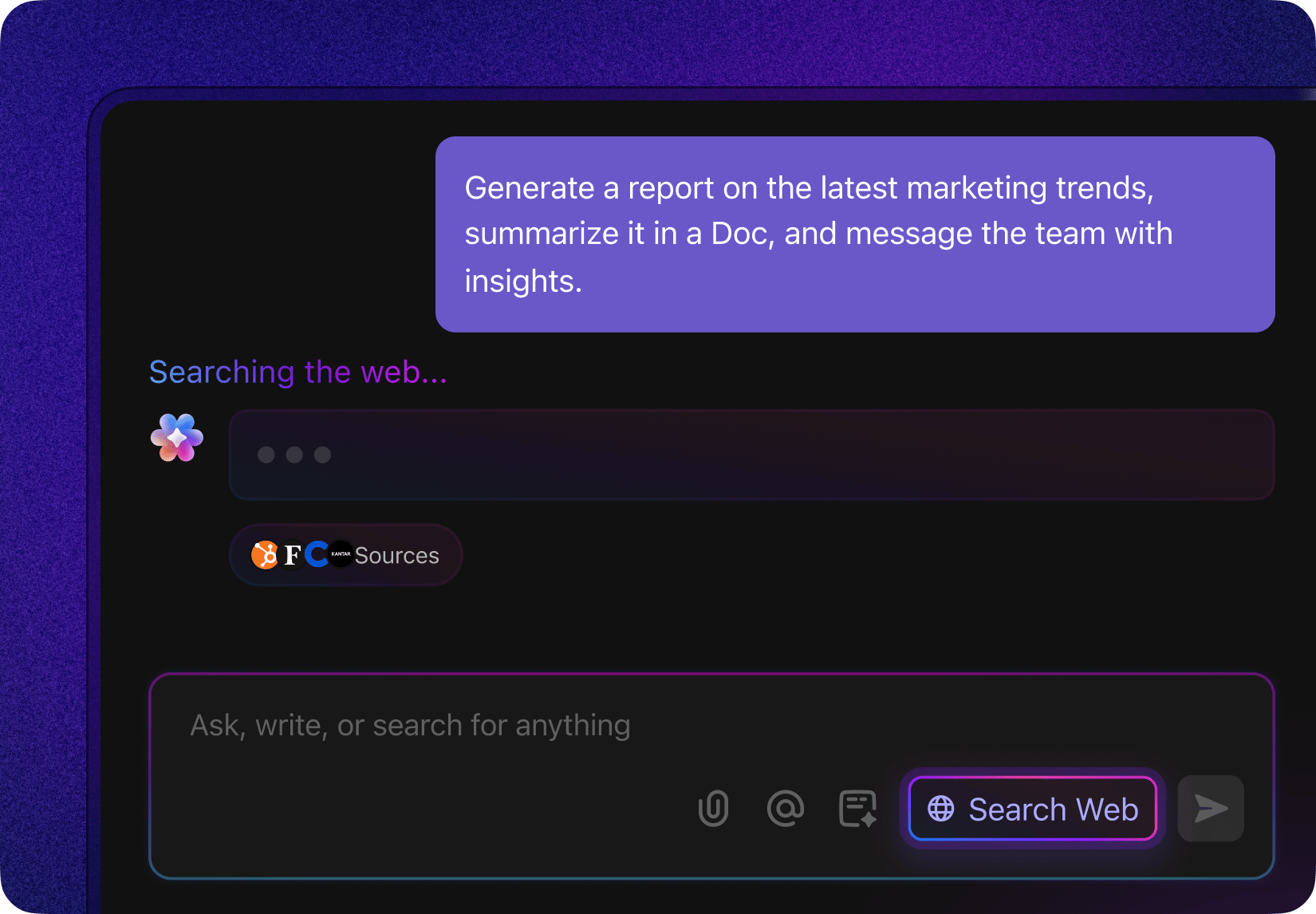
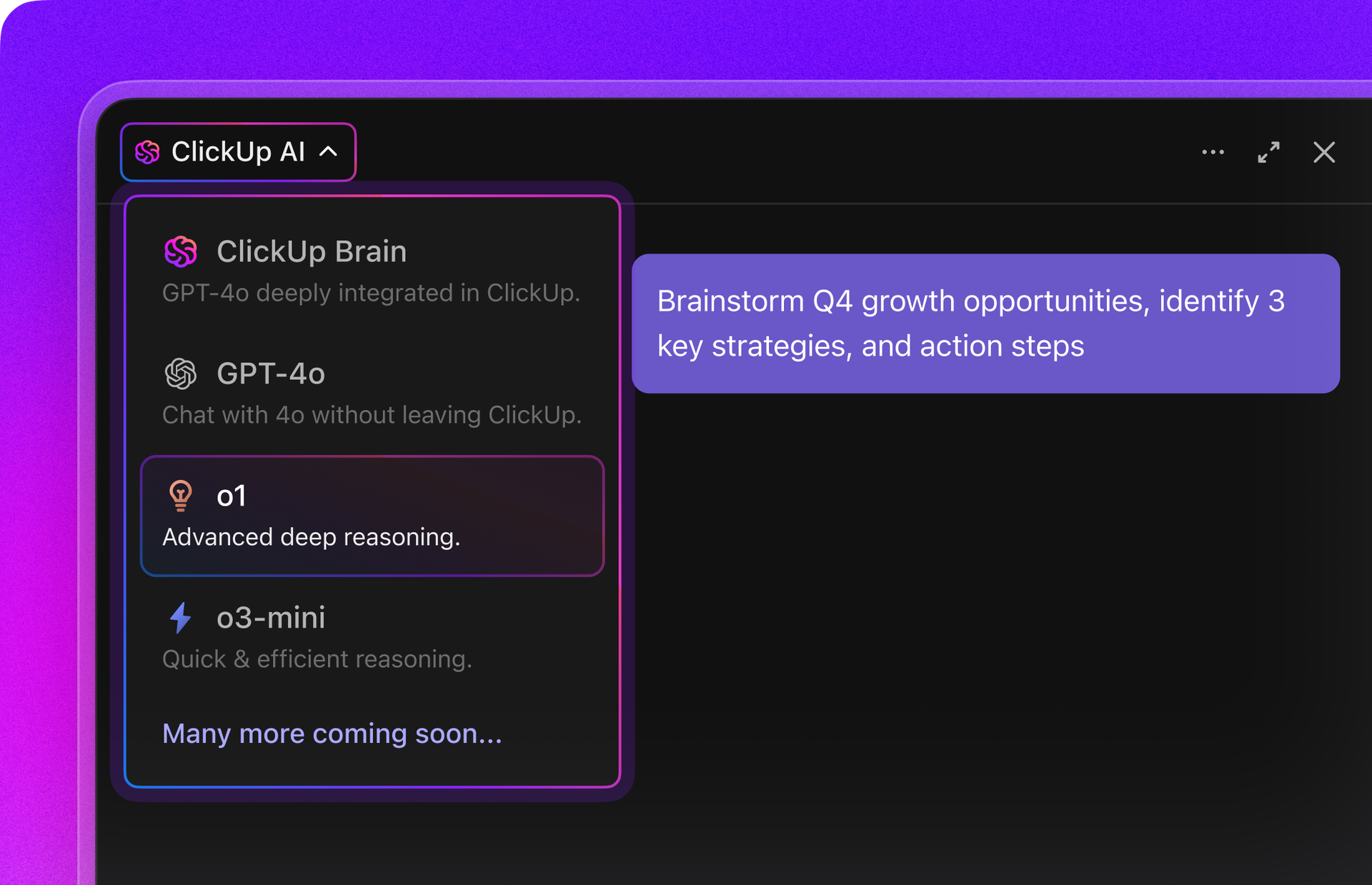
One of ClickUp’s most useful capabilities for data teams is ClickUp Brain, an AI layer that connects tasks, documentation, conversations, and project history into a searchable knowledge system. The AI can summarize documents, generate updates from task activity, and answer questions using information across the workspace.
When managing documentation and governance knowledge, you can ask Brain questions about dataset ownership, previous compliance reviews, or historical decisions tied to specific data assets.
For compliance audits, Brain can pull the status of open audit tasks, flag any unresolved items, and draft a summary without you having to compile it manually.
Enterprise search across tools and data documentation
Large data teams often struggle with knowledge fragmentation.
ClickUp’s Enterprise Search capability addresses this by indexing information across the workspace and connected tools, so teams can find everything they need in one place. The system can retrieve answers from tasks, documents, conversations, and external applications, combining them into contextual responses.
Contextual filtering lets you sort by project, status, or assignee so results stay relevant, and permissions management ensures sensitive governance documents stay accessible only to authorized users.
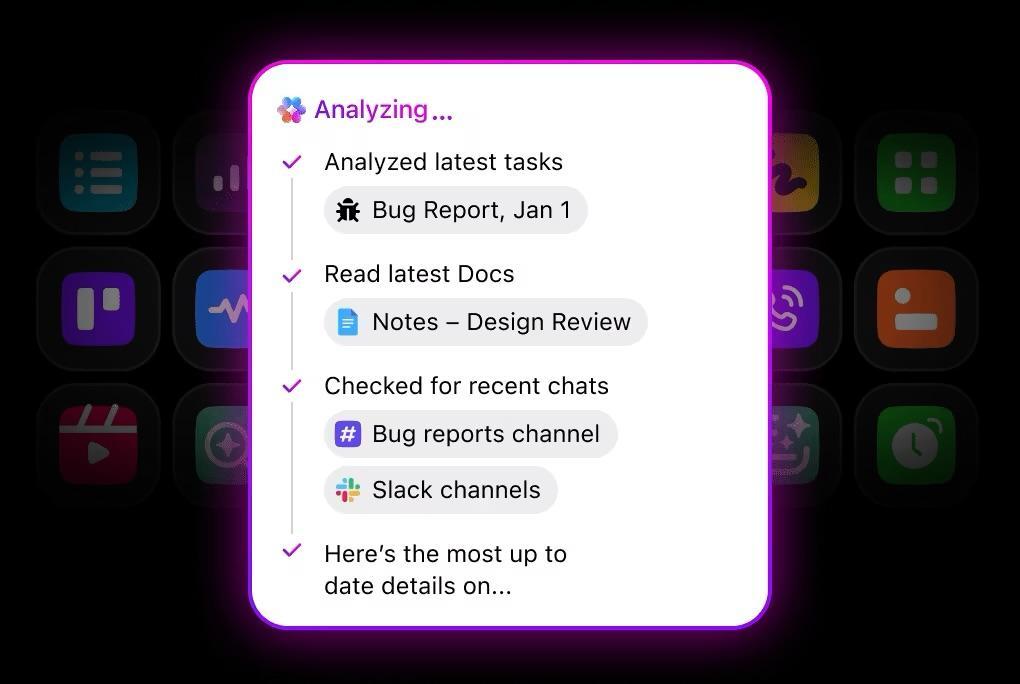
ClickUp’s security policies enforce role-based access control and audit logs across the workspace, with customer data hosted on AWS under SOC 2 Type 2 certification. With ClickUp’s 100+ Integrations, data from tools like Tableau, Google Sheets, Airtable, etc. , flows seamlessly and securely into your workspace.
Documentation and data governance playbooks with ClickUp Docs
Effective data governance requires clear documentation: dataset definitions, governance policies, onboarding guides for analysts, and standard operating procedures for handling sensitive data.
With ClickUp Docs, you get a collaborative environment for building internal wikis and knowledge bases that are directly linked to tasks and workflows.
Teams can create technical documentation, collaborate in real time, convert action items into ClickUp Tasks, and use version history to track how documentation evolves as datasets change over time.
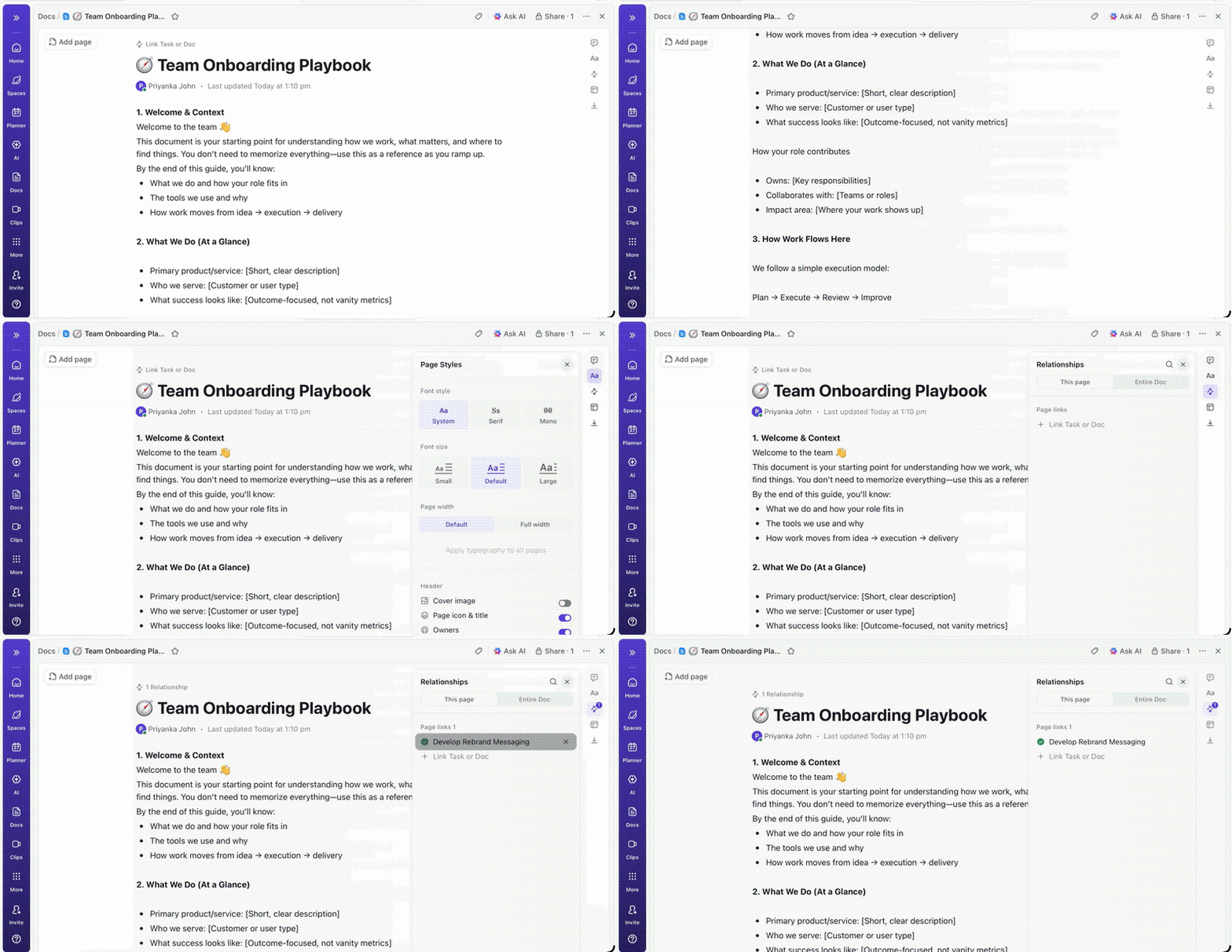
It’s especially useful when engineers and business stakeholders need to stay aligned without relying on internal communication tools that sit outside the work entirely. And for enterprise users, the Docs Hub makes it easy to find the latest version of anything without digging through old chat messages or email threads.
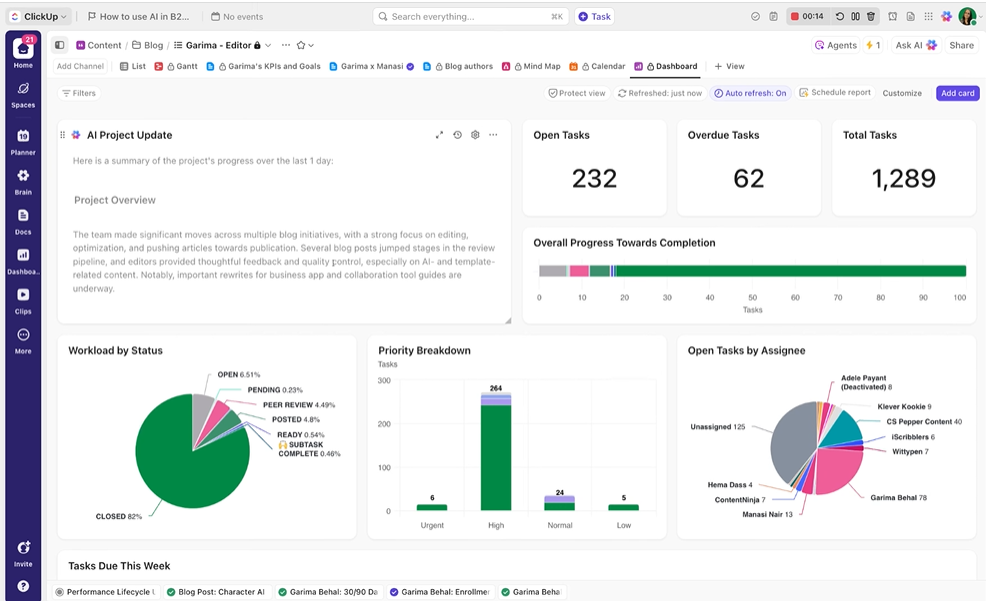
Monitoring governance initiatives with ClickUp Dashboards
Another challenge for data leaders is visibility into ongoing governance work. From compliance initiatives to catalog adoption, efforts often span multiple teams and months of work.
ClickUp Dashboards lets you build customizable reporting views that track everything from project progress and workload distribution to compliance readiness and operational metrics. By consolidating data from tasks, workflows, dependencies, and project timelines, leadership gets a clear view of governance initiatives across the organization.
ClickUp best features
- Assign tasks, update statuses, trigger notifications, or move work across workflows based on predefined conditions automatically with ClickUp Automations
- Build Super Agents in ClickUp that can autonomously generate governance reports, analyze project progress, or surface issues in data management initiatives
- Use ClickUp Chat as a centralized communication layer where teams can quickly convert discussions into actionable items and maintain a traceable history of decisions related to data governance
- Stay on top of billable hours and catch budget risks before they become problems using ClickUp Time Tracking
- Route incoming requests and feedback directly into the right projects using ClickUp Forms, without anyone having to sort through them manually
ClickUp limitations
- High learning curve for new users due to the wide range of features
ClickUp pricing
ClickUp ratings and reviews
- G2: 4. 7/5 (11,000+ reviews)
- Capterra: 4. 6/5 (4,500+ reviews)
What are real-life users saying about ClickUp?
A user review says:
I find ClickUp easy to use for the entire team, which is great. I really like the flexibility and the flexible apps that ClickUp offers. The data I can input into the database is really rich and useful for follow-ups in every kind of task, post-sale, and in sales pipelines. It’s very viable because it allows for smooth transitions between team members, making sure everyone knows what was solved for a client and can give the correct follow-up and closure.
I find ClickUp easy to use for the entire team, which is great. I really like the flexibility and the flexible apps that ClickUp offers. The data I can input into the database is really rich and useful for follow-ups in every kind of task, post-sale, and in sales pipelines. It’s very viable because it allows for smooth transitions between team members, making sure everyone knows what was solved for a client and can give the correct follow-up and closure.
📮 ClickUp Insight: 22% of our respondents still have their guard up when it comes to using AI at work. Out of the 22%, half worry about their data privacy, while the other half just aren’t sure they can trust what AI tells them.
ClickUp tackles both concerns head-on with robust security measures and by generating detailed links to tasks and sources with each answer.
This means even the most cautious teams can start enjoying the productivity boost without losing sleep over whether their information is protected or if they’re getting reliable results.
2. Atlan (Best for collaborative data workspace and active metadata management)
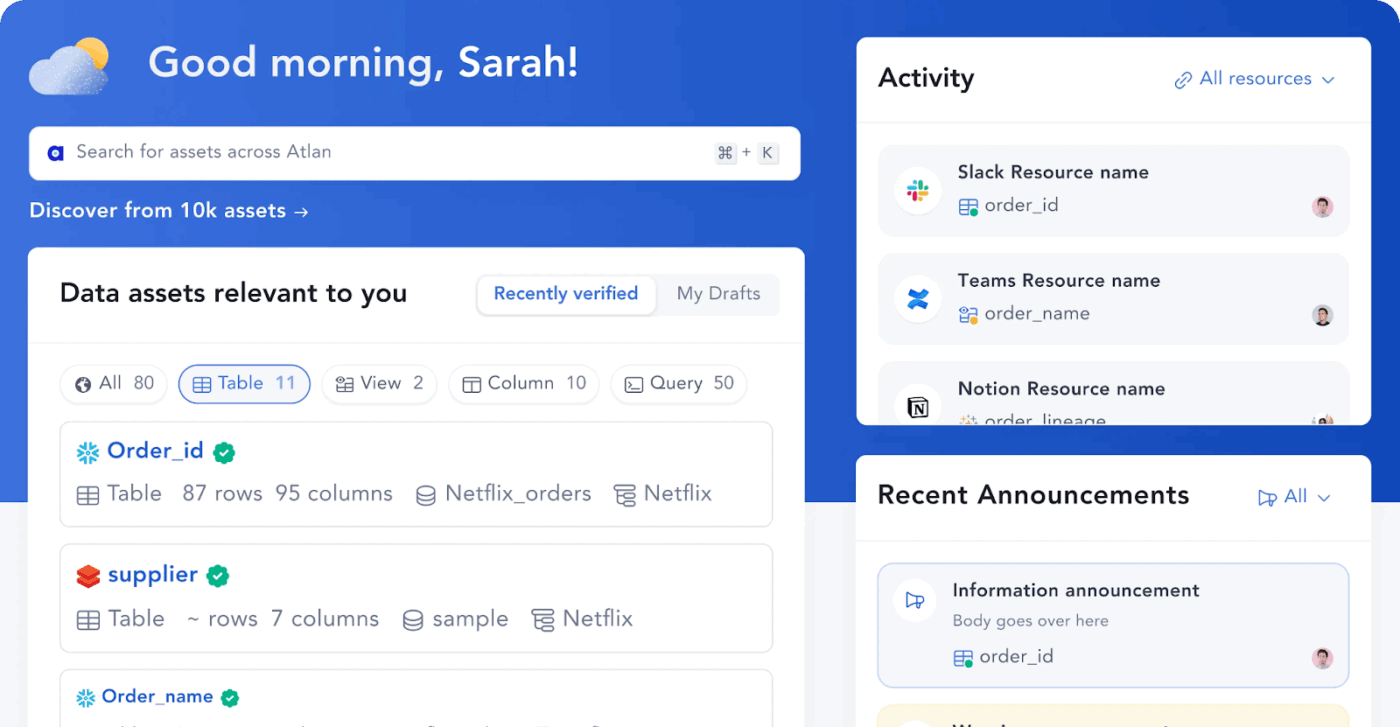
Atlan connects directly to tools such as Snowflake, dbt, and Tableau to automate lineage, cataloging, and governance in a single collaborative workspace. It continuously updates metadata from connected sources rather than relying on manual input and surfaces context through integrations with Slack and Chrome.
Column-level lineage tracks how data flows from source to final report, supporting impact analysis and debugging across complex environments. AI-powered features generate SQL queries from natural language and keep asset descriptions current automatically.
Atlan best features
- Manage and enforce data policies at scale using business glossaries that create a shared vocabulary across technical and business teams
- Extend platform capabilities using 100+ pre-built connectors and an API-first architecture
- Set and track data ownership directly on assets so accountability doesn’t get lost across teams
- Surface downstream impact before making changes using dependency mapping across pipelines
Atlan limitations
- Lineage views and search can feel limited in complex environments
- Learning curve is steep, and some features require extra setup to work effectively
Atlan pricing
- Custom pricing
Atlan ratings and reviews
- G2: 4. 5/5 (120+ reviews)
- Capterra: Not enough reviews
What are real-life users saying about Atlan?
A user review says:
What I appreciate most about Atlan is how it transforms working with data into a truly collaborative and seamless experience. By bringing together people, data, and context in a single platform, it enables teams to genuinely understand and trust their data. I find it incredibly easy to locate what I need, document my work, and maintain organization without the usual confusion. Atlan is clearly designed to make data serve people, rather than forcing people to adapt to data. Its smooth integration with modern tools allows teams to work more efficiently, and it makes the entire data process feel more human, transparent, and enjoyable.
What I appreciate most about Atlan is how it transforms working with data into a truly collaborative and seamless experience. By bringing together people, data, and context in a single platform, it enables teams to genuinely understand and trust their data. I find it incredibly easy to locate what I need, document my work, and maintain organization without the usual confusion. Atlan is clearly designed to make data serve people, rather than forcing people to adapt to data. Its smooth integration with modern tools allows teams to work more efficiently, and it makes the entire data process feel more human, transparent, and enjoyable.
📖 Also Read: Best Internal Company Wiki Software
3. Alation (Best for enterprise data cataloging and data governance)
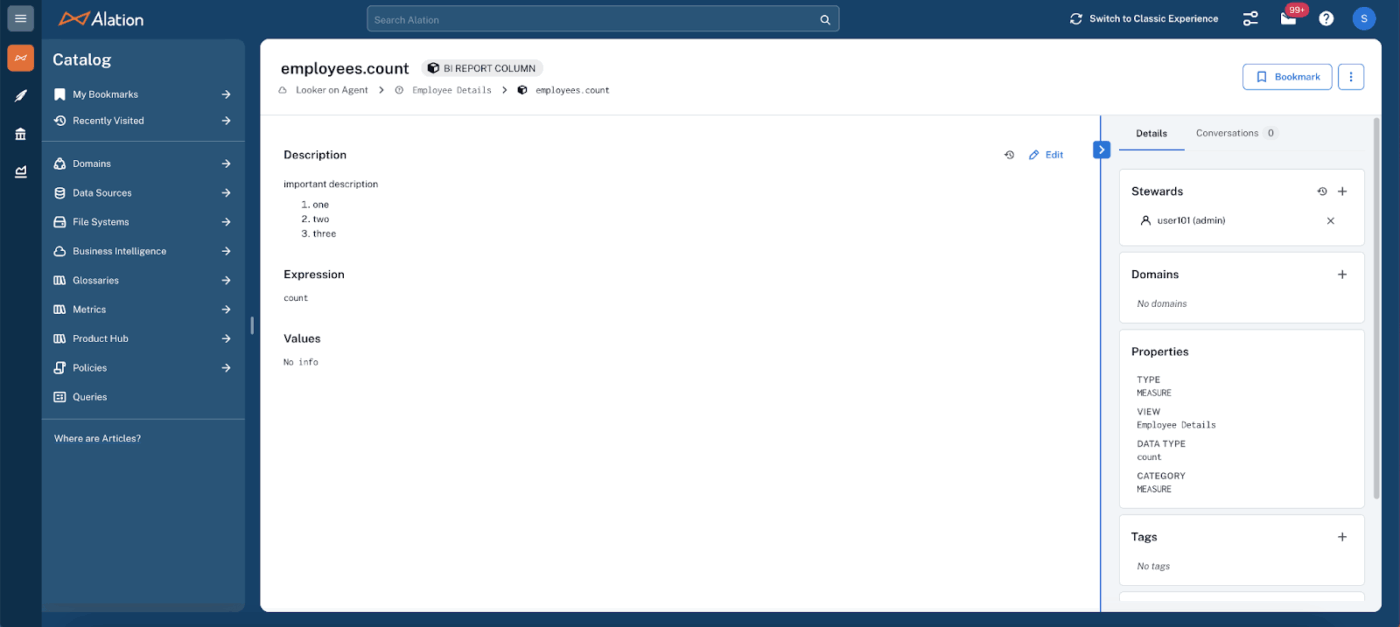
Alation is an AI-powered data intelligence platform that acts as a centralized catalog, enabling organizations to find and trust their data across databases, warehouses, and data lakes.
The platform uses machine learning to analyze actual query behavior and automatically surface trusted assets, keeping the catalog accurate based on real usage rather than manual documentation. It automates data governance, lineage tracking, and metadata extraction, reducing the time teams spend searching for reliable data.
Ask Alation converts plain English questions into SQL or Python instantly, making data accessible to business users without technical expertise. Data Products Marketplace lets teams discover and consume governed data products across the organization, while native integrations with BI tools like Tableau and Power BI keep analysis connected to trusted data.
Alation best features
- Discover trusted data assets faster using ML-driven recommendations based on actual query behavior
- Enforce compliance requirements using automated lineage tracking across cross-system data flows
- Reduce time spent on access requests by giving business users self-service access to governed data products
- Set data quality standards and monitor them directly within the platform without switching tools
- Manage workflows and assign data ownership across assets from one place
Alation limitations
- Performance slows noticeably when navigating large assets
- Data quality and cross-system lineage features have gaps compared to specialized tools
Alation pricing
- Custom pricing
Alation ratings and reviews
- G2: 4. 4/5 (90+ reviews)
- Capterra: Not enough reviews
What are real-life users saying about Alation?
A user review says:
I find Alation to be fantastic with its product innovation and am impressed by its ongoing development, including piloting a new AI product feature. The excellent customer service stands out, with the Alation team being very approachable and consistent in their client interactions. From the initial sale through to software renewal, they immerse themselves in understanding the client’s perspective and strive to ensure their success. I’m grateful for the ease of setup, facilitated by Alation’s professional services team through their Right Start program, making the implementation process smooth and hassle-free.
I find Alation to be fantastic with its product innovation and am impressed by its ongoing development, including piloting a new AI product feature. The excellent customer service stands out, with the Alation team being very approachable and consistent in their client interactions. From the initial sale through to software renewal, they immerse themselves in understanding the client’s perspective and strive to ensure their success. I’m grateful for the ease of setup, facilitated by Alation’s professional services team through their Right Start program, making the implementation process smooth and hassle-free.
🌟 Bonus: Need AI that works beyond ClickUp and pulls context from your other tools too? ClickUp Brain MAX is a Super App that connects your ClickUp workspace with apps like Google Drive, HubSpot, and Figma, so you can search across all of them using just one desktop app.
4. Collibra (Best for enterprise-grade data governance and policy management)
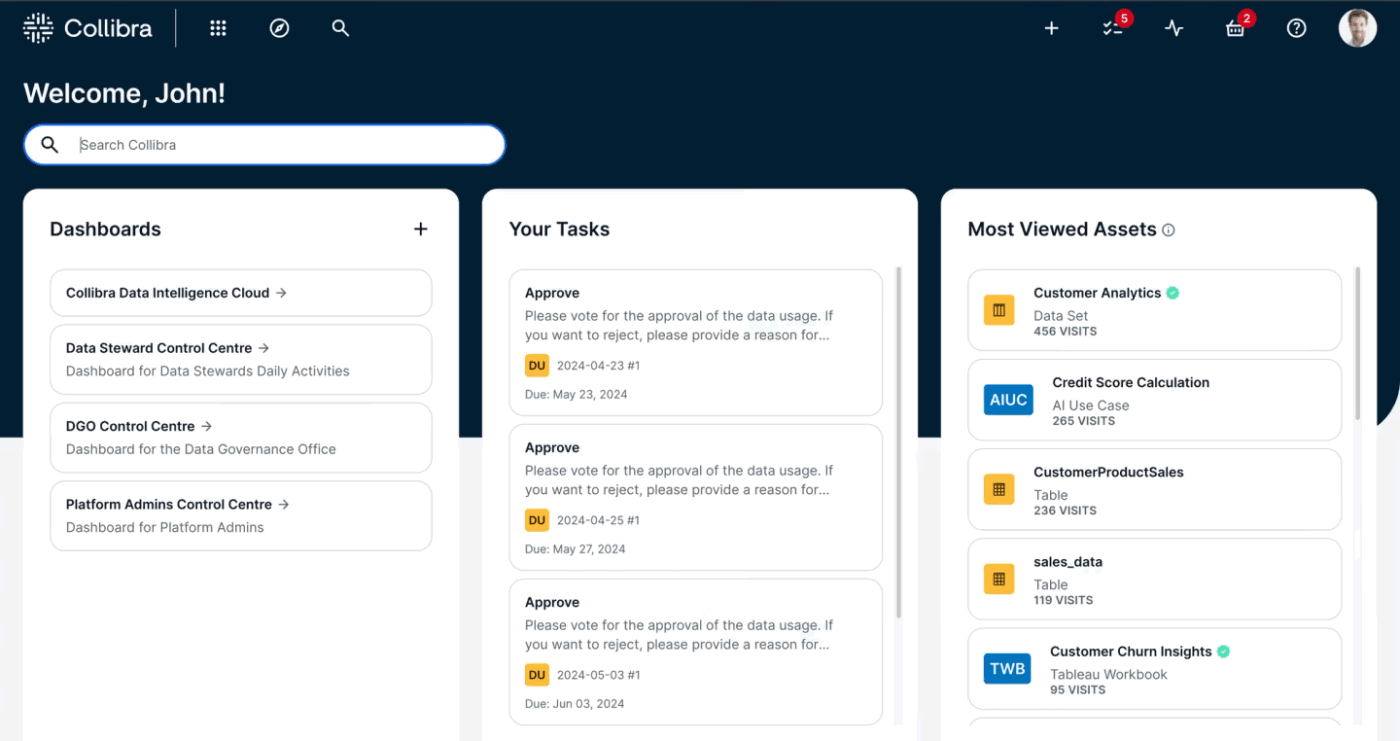
An enterprise-grade Data Intelligence Platform, Collibra helps organizations manage and govern data and AI assets at scale. Built on the concept of Data Confidence™, it serves as a centralized system of record, providing business and IT teams with a shared place to discover and certify data across the organization.
Machine learning proactively detects data anomalies, while automated workflows replace scattered spreadsheets and manual compliance processes. It also manages the lifecycle of AI models and agents, ensuring they are built on trusted data and comply with internal and regulatory standards.
Collibra best features
- Monitor pipeline health end-to-end with anomaly detection and rule break alerts across your data cloud
- Generate ML-based data quality rules automatically to catch bad data without manual rule writing
- Oversee AI use cases in production with dedicated monitoring and risk reporting tools
- Automate compliance reporting across regulated data environments without manual data pulls
- Track data lineage at a granular level to support audit requirements and impact analysis
Collibra limitations
- Setup and lineage views can feel complex without dedicated admin support
- Some users reported that the workflow customization options are limited, and learning resources feel incomplete
Collibra pricing
- Custom pricing
Collibra ratings and reviews
- G2: 4. 2/5 (100+ reviews)
- Capterra: Not enough reviews
What are real-life users saying about Collibra?
A user review says:
I find it is very easy to relate the core offerings of the platform to key business issues and propose Collibra as the tool that can solve these issues and thus generate value through cost savings.
I find it is very easy to relate the core offerings of the platform to key business issues and propose Collibra as the tool that can solve these issues and thus generate value through cost savings.
5. DataHub (Best for open-source metadata management and data discovery)
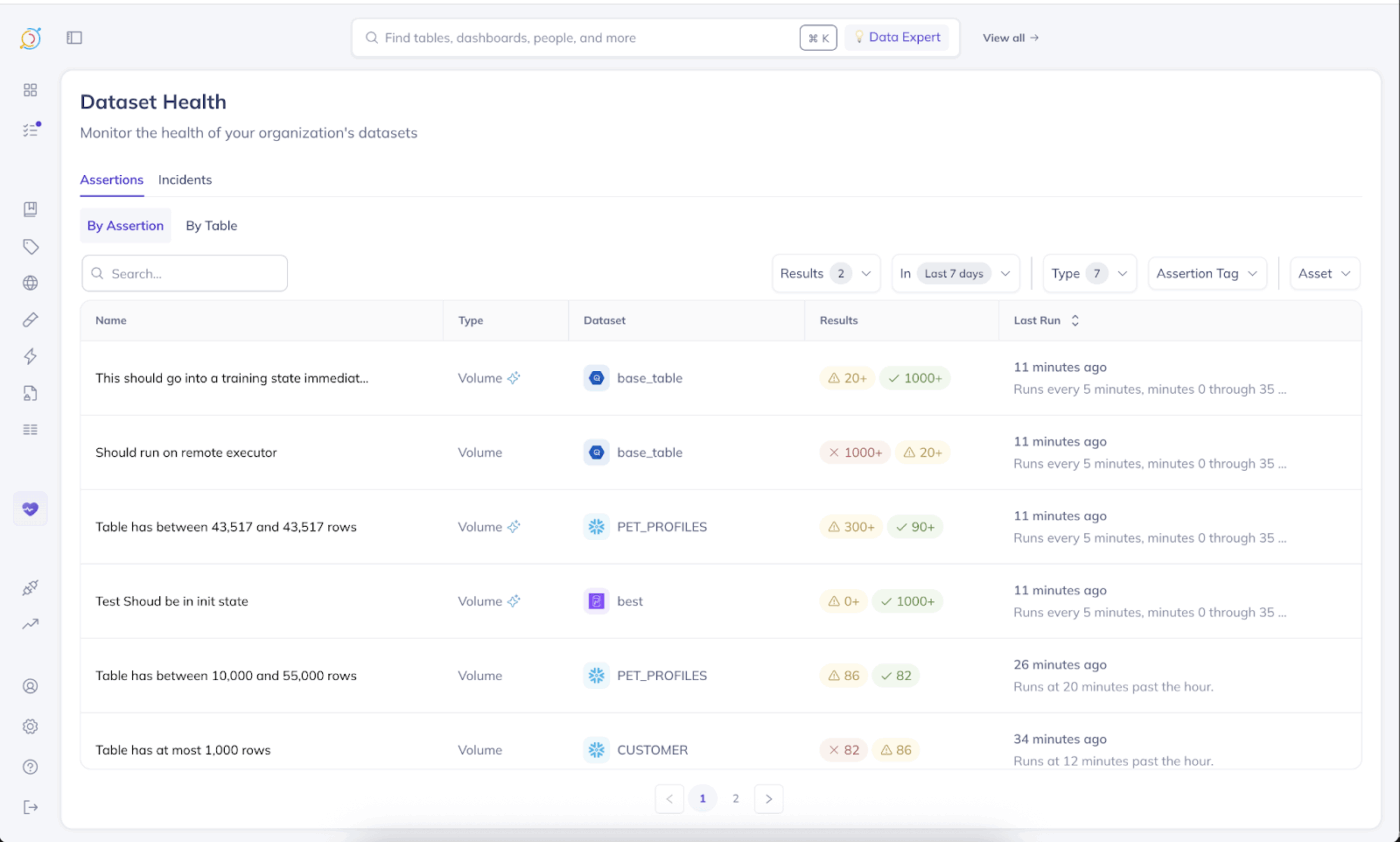
For data engineers managing complex pipelines and large data ecosystems, DataHub is a good choice. It helps organize and understand data by centralizing metadata across datasets, dashboards, pipelines, and ML models into a single unified view.
The open-source data catalog supports search-based discovery, end-to-end lineage tracking, ownership management, and data quality monitoring. Teams can define data contracts, track PII, and apply governance policies across the data ecosystem.
Originally built by LinkedIn to handle metadata at scale, the tool provides data engineering teams with a flexible foundation they can deploy and extend to fit their own infrastructure, without being tied to a vendor roadmap.
DataHub best features
- Query metadata directly using Ask DataHub to get context-aware answers about datasets, lineage, ownership, and policies
- Track upstream and downstream data dependencies end-to-end across datasets and pipelines
- Sync metadata continuously from diverse data sources using automated ingestion workflows
- Control who can view, edit, or discover specific assets using fine-grained access policies and roles
- Define and monitor data contracts to set quality expectations between producers and consumers
DataHub limitations
- Some users reported that the interface feels clunky, and performance slows with large datasets
DataHub pricing
- Free (open-source)
DataHub ratings and reviews
- G2: Not enough reviews
- Capterra: Not enough reviews
What are real-life users saying about DataHub?
A user review says:
DataHub is simple to use and helps keep my data organized. It’s great for sharing and managing datasets, and the version control is a big plus. I’d definitely recommend it!
DataHub is simple to use and helps keep my data organized. It’s great for sharing and managing datasets, and the version control is a big plus. I’d definitely recommend it!
📖 Also Read: Best Affordable Small Business Database Software
6. Amundsen (Best for open-source data discovery and search for data engineers)
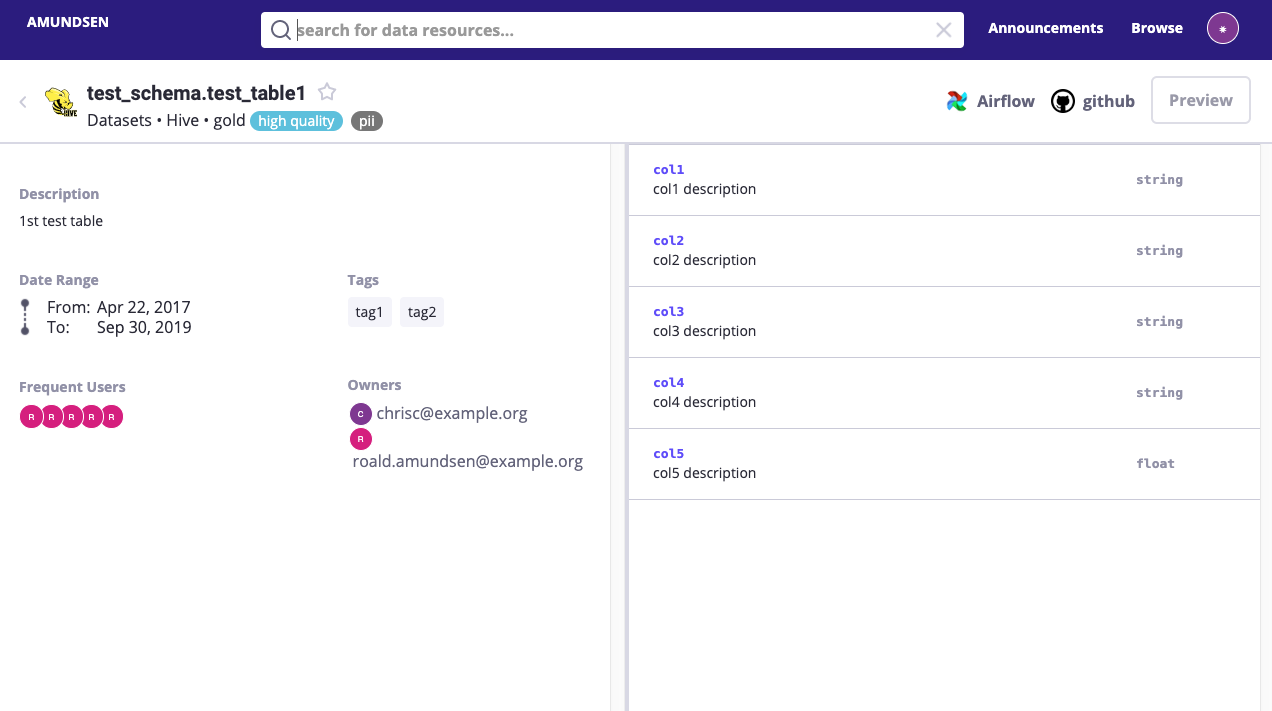
Amundsen takes a search-first approach to the metadata problem. Its ranking algorithm surfaces datasets based on actual usage patterns rather than how recently someone updated the documentation, so the assets your team already relies on tend to show up first without anyone maintaining a list.
The tool connects datasets to the ETL pipelines, dashboards, and queries that depend on them, giving teams a clearer view of how data flows across the organization. This visibility also helps teams understand where data originates, how it is transformed, and what downstream systems rely on it.
Amundsen best features
- Explore detailed dataset context, including owners, update frequency, and usage statistics in one view
- Visualize upstream sources and downstream dependencies using built-in data lineage views
- Enrich and document datasets collaboratively by adding tags and annotations directly on assets
- Preview table data directly from search results without having to query the source system
- Connect metadata from diverse sources using the Databuilder ingestion framework and its extensible pipeline architecture
Amundsen limitations
- Governance capabilities are limited compared to enterprise-grade platforms
- Performance slows with very large datasets or complex environments
Amundsen pricing
- Free (open-source)
Amundsen ratings and reviews
- G2: Not enough reviews
- Capterra: Not enough reviews
What are real-life users saying about Amundsen?
A Reddit review says:
We needed something quick and based on our experience Amundsen was easier of the two (you cannot go wrong with either one). We had to make modifications to support graphdatabase and Amundsen was easy to modify.
We needed something quick and based on our experience Amundsen was easier of the two (you cannot go wrong with either one). We had to make modifications to support graphdatabase and Amundsen was easy to modify.
🔍 Did You Know? Amundsen is named after Roald Amundsen, the Norwegian explorer who was the first person to reach the South Pole.
7. OpenMetadata (Best for unified metadata management and data observability)
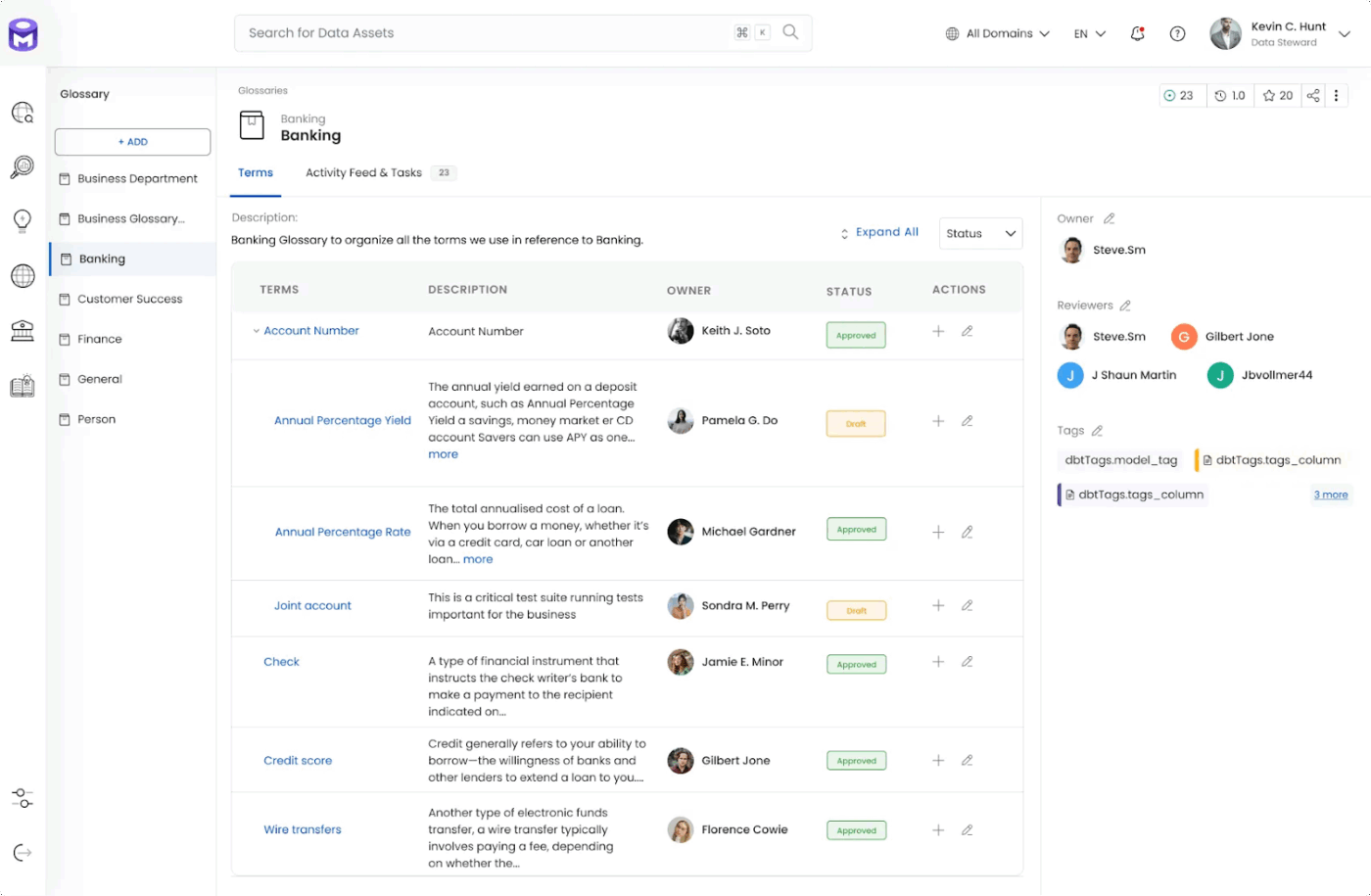
OpenMetadata unifies data discovery, observability, and governance across modern data stacks. It centralizes metadata from pipelines, warehouses, dashboards, and ML models into a single unified graph, breaking down silos across tools like Snowflake, Airflow, and dbt.
The platform supports automated metadata ingestion through 100+ connectors, with built-in lineage tracking, data quality monitoring, and collaboration features. A no-code lineage editor lets anyone on the team map and update data flow visually without filing a ticket.
Built on an API and schema-first architecture, it is designed to scale across enterprise data environments while remaining accessible to both technical and non-technical users.
OpenMetadata best features
- Search across tables, dashboards, pipelines, and services using keywords, associations, and Boolean-based queries
- Manage permissions for metadata updates, tags, ownership, and lineage using role-based access control
- Monitor data reliability using built-in profiling, quality tests, and freshness checks
- Automate ingestion across your data stack using service connectors and one-click pipelines powered by Airflow
- Set up data tier classifications to prioritize governance efforts across critical versus non-critical assets
OpenMetadata limitations
- Relatively new platform, so community depth and feature maturity lag behind established tools
- Initial setup and integration into existing workflows can require significant customization
OpenMetadata pricing
- Free (open-source)
OpenMetadata ratings and reviews
- G2: Not enough reviews
- Capterra: Not enough reviews
What are real-life users saying about OpenMetadata?
A Reddit user says:
I personally found openmetadata to be great tool. Not sure why its not popular enough. their OSS has some issues. but they provide a lot of flexibility. its very easy to extend.
I personally found openmetadata to be great tool. Not sure why its not popular enough. their OSS has some issues. but they provide a lot of flexibility. its very easy to extend.
8. Select Star (Best for automated data discovery and column-level lineage tracking)
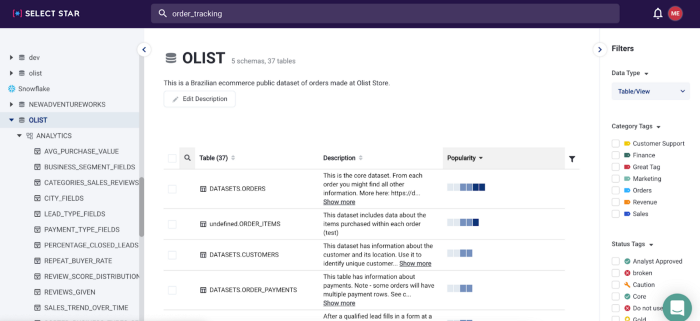
Select Star does not ask you to change how your data is stored or managed. It reads your existing infrastructure and immediately starts documenting assets, mapping column-level lineage, and surfacing how data is actually being accessed across your warehouse and BI tools.
A Snowflake cost analysis feature connects data usage directly to warehouse spend, so you can see which assets are driving costs. Continuous DBT sync keeps documentation accurate automatically, and auto-generated entity relationship diagrams help new team members get up to speed without having to track down whoever built the system.
Select Star best features
- Track column-level lineage across integrations with scalable views that are easy to navigate
- Identify unused or redundant datasets by analyzing access patterns across your warehouse
- Automatically detect and map table relationships using query logs without manual configuration
- Keep data asset documentation in sync with your dbt project through continuous automated updates
Select Star limitations
- Advanced reporting and detailed usage insights are limited compared to enterprise-grade alternatives
Select Star pricing
- Custom pricing
Select Star ratings and reviews
- G2: 4. 5/5 (50+ reviews)
- Capterra: Not enough reviews
What are real-life users saying about Select Star?
A user review says:
What I like best about Select Star is how usable and intuitive the platform feels from the start. The interface is clean, well-organized, and makes navigating complex datasets much simpler. The search functionality is powerful. I can quickly locate the right tables, columns, or dashboards without needing to ask around. It’s been an excellent tool for onboarding onto new data environments and understanding relationships across datasets faster. Overall, Select Star really improves data discovery and collaboration across teams.
What I like best about Select Star is how usable and intuitive the platform feels from the start. The interface is clean, well-organized, and makes navigating complex datasets much simpler. The search functionality is powerful. I can quickly locate the right tables, columns, or dashboards without needing to ask around. It’s been an excellent tool for onboarding onto new data environments and understanding relationships across datasets faster. Overall, Select Star really improves data discovery and collaboration across teams.
9. Fivetran Catalog (Best for automated data lineage and pipeline metadata management)
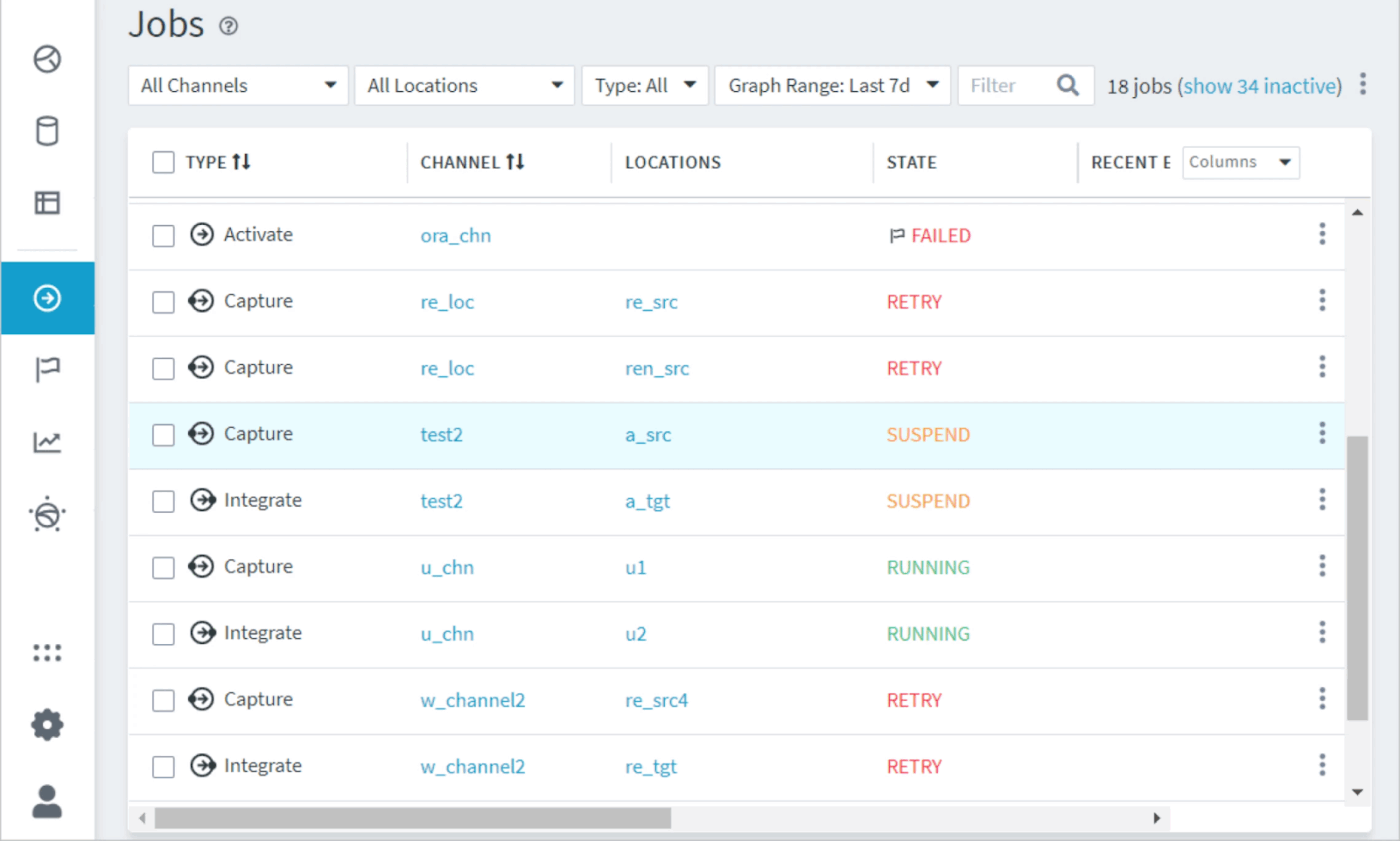
Fivetran is a fully managed, cloud-native data integration platform that automates ELT, moving data from SaaS applications, databases, and files into a centralized data warehouse or data lake without requiring custom engineering fixes.
It handles schema changes, API maintenance, and historical syncs automatically, so pipelines don’t need manual intervention as sources evolve. Security and compliance certifications, including SOC 2, GDPR, HIPAA, and ISO 27001, are included out of the box.
Fivetran Catalog best features
- Ingest data from SaaS apps, databases, and cloud storage using pre-built connectors without writing custom code
- Monitor connector sync health and get alerts when pipelines need attention without manual checks
- Replicate database changes in near real time with minimal load on source systems
- Orchestrate dbt Core transformations directly within Fivetran after data is loaded
- Protect sensitive fields using column-level data controls alongside RBAC and compliance certifications
Fivetran Catalog limitations
- Some connectors have reliability issues, including missing or faulty integrations
Fivetran Catalog pricing
- Free
- Custom pricing
Fivetran Catalog ratings and reviews
- G2: 4. 3/5 (770+ reviews)
- Capterra: 4. 4/5 (20+ reviews)
What are real-life users saying about Fivetran Catalog?
A user review says:
Fivetran excels at doing one thing incredibly well: reliably syncing data from multiple SaaS tools into a central data warehouse like BigQuery. The setup is remarkably fast—most connectors are essentially plug-and-play, with minimal configuration. I especially appreciate the wide connector library, automatic schema management, and robust alerting system. For a small team without a full-time data engineer, it’s a game-changer. It eliminates a ton of manual work and lets us focus on deriving insights rather than wrangling APIs.
Fivetran excels at doing one thing incredibly well: reliably syncing data from multiple SaaS tools into a central data warehouse like BigQuery. The setup is remarkably fast—most connectors are essentially plug-and-play, with minimal configuration. I especially appreciate the wide connector library, automatic schema management, and robust alerting system. For a small team without a full-time data engineer, it’s a game-changer. It eliminates a ton of manual work and lets us focus on deriving insights rather than wrangling APIs.
🧠 Fun Fact: Fivetran is a play on Fortran, the programming language. The founders originally set out to build a spreadsheet for big data, but user feedback kept pointing to one thing: just move our Salesforce data into Redshift. So they pivoted, and a data pipeline company was born.
10. Metaphor (Best for relationship-driven data discovery and contextual search)

Metaphor’s premise is that data discovery is as much a social problem as a technical one, which is why usage patterns and team discussions sit alongside lineage and ownership information in the same view.
Context builds up naturally over time rather than depending on a data steward to document everything after the fact. The activity feed surfaces trending assets and keeps conversations attached to the data they are actually about, so institutional knowledge stays findable instead of buried in chat threads.
Metaphor best features
- Search data assets in plain English and get contextual results with ownership, usage, and trust signals
- Centralize data discussions and updates through integrations with Slack, Microsoft Teams, and Chrome
- Apply governance tags and access controls for both technical and business users from within existing tools
- Follow specific assets to get notified when ownership, project documentation, or usage patterns change
- Surface data quality and trust signals alongside search results, so users can evaluate assets before using them
Metaphor limitations
- Product roadmap updates and new feature releases are less frequent than expected
Metaphor pricing
- Custom pricing
Metaphor ratings and reviews
- G2: Not enough reviews
- Capterra: Not enough reviews
What are real-life users saying about Metaphor?
A user review says:
Overall experience with the team has been great. Future plans for the product are ambitious and fit our vision of the future of data catalogs and data discovery.
Overall experience with the team has been great. Future plans for the product are ambitious and fit our vision of the future of data catalogs and data discovery.
Turn Data Chaos Into Clarity With ClickUp
Most data catalog tools do their job and stop there. The documentation still lives in a separate wiki, and the conversations that matter get buried in chat threads nobody goes back to read.
ClickUp closes this gap by connecting the work itself to the documentation, the tasks, and the context around it. So when your team needs answers, they’re already there.
Sign up for ClickUp for free and see what a connected data workflow actually feels like. ✅